News & updates released in 2026
Fixed for iOS:
- The scroll position in the list could be wrong after searching in own collection and tapping a result from the suggestions
- Images view: Pinch to zoom in images view was broken
- Edit screen: tapping “next” or “previous” on the Links tab would crash the app
Fixed for iOS:
- The scroll position in the list could be wrong after searching in own collection and tapping a result from the suggestions
- Images view: Pinch to zoom in images view was broken
- Edit screen: tapping “next” or “previous” on the Links tab would crash the app
Fixed for iOS:
- The scroll position in the list could be wrong after searching in own collection and tapping a result from the suggestions
- Images view: Pinch to zoom in images view was broken
- Edit screen: tapping “next” or “previous” on the Links tab would crash the app
Fixed for iOS:
- The scroll position in the list could be wrong after searching in own collection and tapping a result from the suggestions
- Images view: Pinch to zoom in images view was broken
- Edit screen: tapping “next” or “previous” on the Links tab would crash the app
- When opening Add Comics via Missing Comics and checkboxing issues to add, the list could show duplicates
Fixed for iOS:
- The scroll position in the list could be wrong after searching in own collection and tapping a result from the suggestions
- Images view: Pinch to zoom in images view was broken
- Edit screen: tapping “next” or “previous” on the Links tab would crash the app
Fixed for Android:
- Statistics: The “Listened” statistics showed information over all collections instead of the active collection
- Scrolling lists / tapping buttons / selecting items in a list / removing items could suddenly stop working
- Covers stayed zoomed in if you navigated out of an item and into another
- Edit screen: Taking a picture for your cover could sometimes remove all other information from that item
- Selecting: Tapping “Select All” in didn’t show items being selected in images view
Fixed for Android:
- Scrolling lists / tapping buttons / selecting items in a list / removing items could suddenly stop working
- Covers stayed zoomed in if you navigated out of an item and into another
- Edit screen: Taking a picture for your cover could sometimes remove all other information from that item
- Selecting: Tapping “Select All” in didn’t show items being selected in images view
Fixed for Android:
- Scrolling lists / tapping buttons / selecting items in a list / removing items could suddenly stop working
- Covers stayed zoomed in if you navigated out of an item and into another
- Edit screen: Taking a picture for your cover could sometimes remove all other information from that item
- Selecting: Tapping “Select All” in didn’t show items being selected in images view
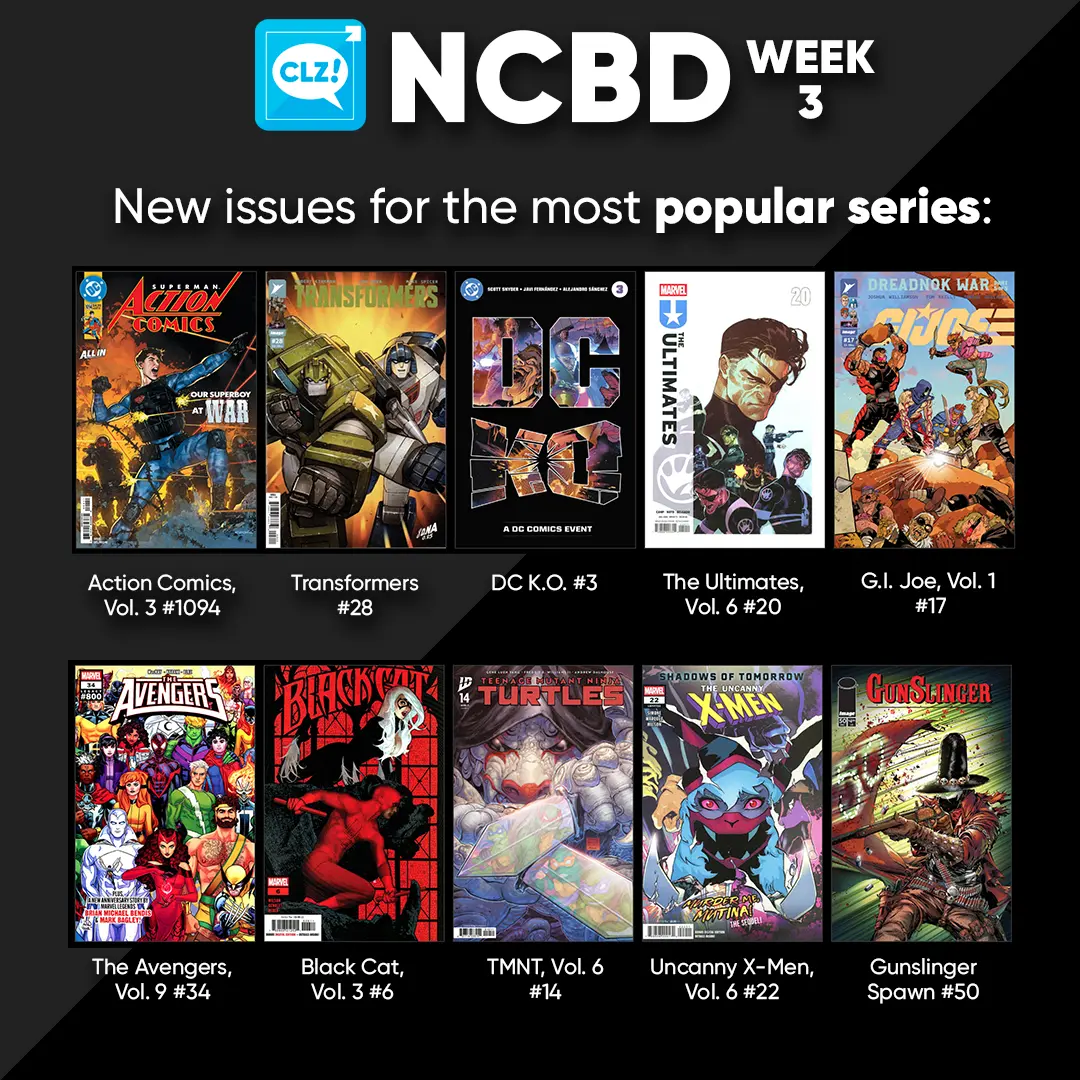
Return of the king!: Knull #1 Weakened from his last death, trapped by the enemy he never expected, the God of the Void waits in a cage once again. His captors think Knull has nothing to fight back with — but in Knull’s hands, nothing is a weapon. And there’s a greater weapon out there, waiting for the King in Black to take it… and take his revenge.
Our Soot Stained Heart #2. Peggy Stones has come far on her own, but not a step further! Will she make it long enough to find out if the mythical Baron of Stories is real? Who are they, and will they help young Peggy to stop Fuel’s Day, or are they just another obstacle in her way? Find out what lies at the far reaches of the north, and whether Peggy’s journey was worth it!
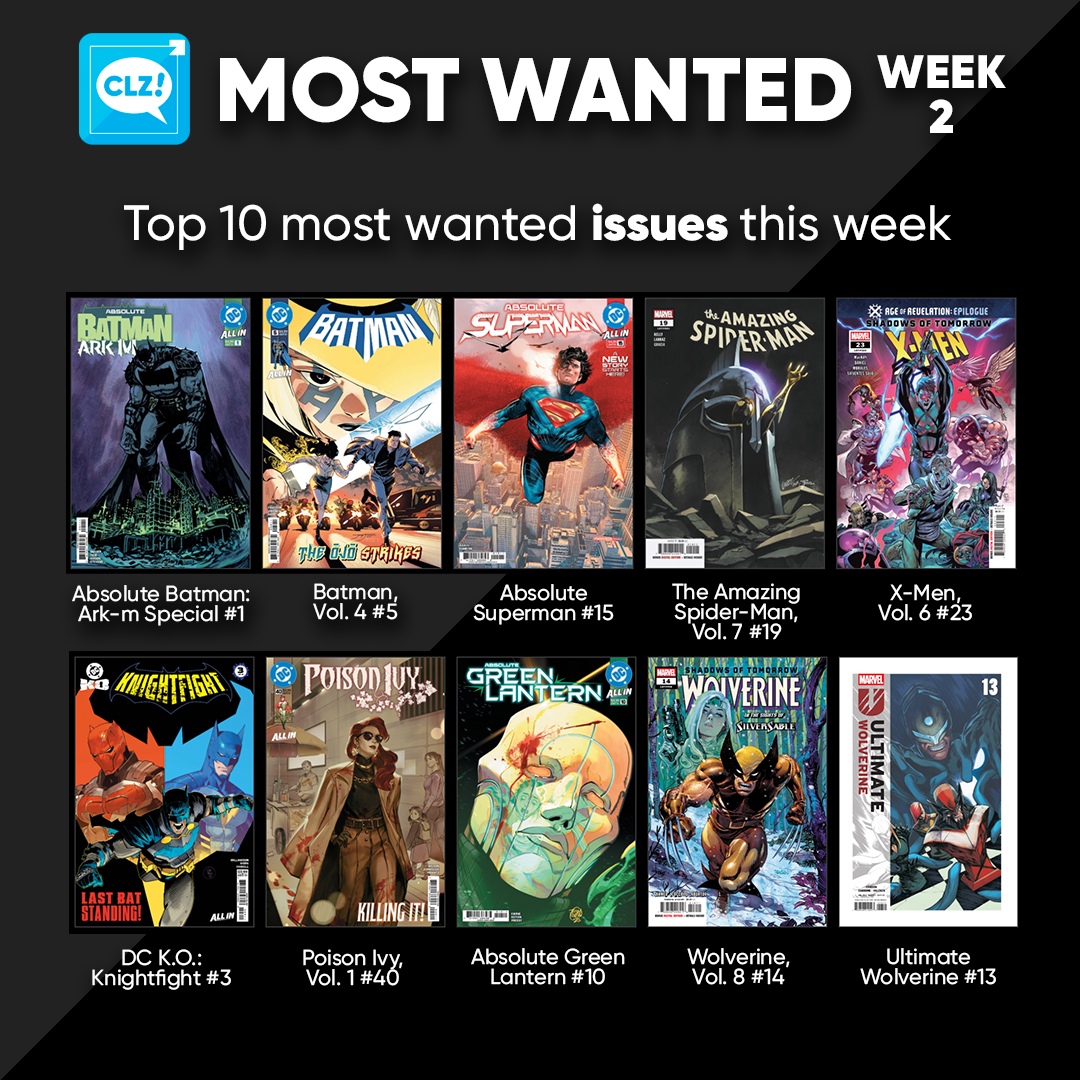
Chapter Three: DC K.O. #3. As the Omega Tournament reaches its endgame, the final eight combatants are put to the ultimate test — confronted with a decades-long stay in their own personal hell! Emotions run high as heroes falter, villains revel, and the Heart of Apokolips eyes its new King Omega. In the end, only the final four will remain…
Happy Reading!
Fixed for Android:
- Scrolling comic lists / tapping buttons / selecting comics in a list / removing comics could suddenly stop working
- Enlarging a cover caused the image to stay “zoomed in”, even when going back and selecting a different issue
- Selecting: Tapping “Select All” in didn’t show comics being selected in images view
- When adding your own image to a comic by taking a photo, the app could crash, resulting in an empty comic entry in the database
How to update to version 10.7.2 on Android
Your app may have updated itself already (check the menu top left, the version number is at the top). If it hasn’t updated itself yet, here’s how to force the update:
- On your device, open the Play Store app.
- Search “CLZ” and select your CLZ app.
- Tap “Update” to update the app.

In April 2025, we introduced one of the biggest new features ever: the automatic downloading of book values. The feature had been requested by many users for years, so the introduction of this feature was a huge success: Most users loved the new values!
However, a small group of users absolutely hated the new feature. They found the values annoying, not necessary, too “commercial”, irrelevant, etc…
We did not see that coming…. our fault. Maybe with our years of experience as software developers, we could have expected this. Guess we were too excited about the feature ourselves 🙂
Looking back, we should have made the entire feature optional from the start.
Of course, making it optional is still possible and that is exactly what we did for this update today. If you don’t want automatic values for your books, you can now disable downloading them via the new “Download Values” checkbox in the Settings screen (menu top left, then click Settings)
When you disable this setting, no book values will be downloaded anymore for any future books you add. On top of that it will also remove all automatic values you already have (any “My Values” you have will remain).
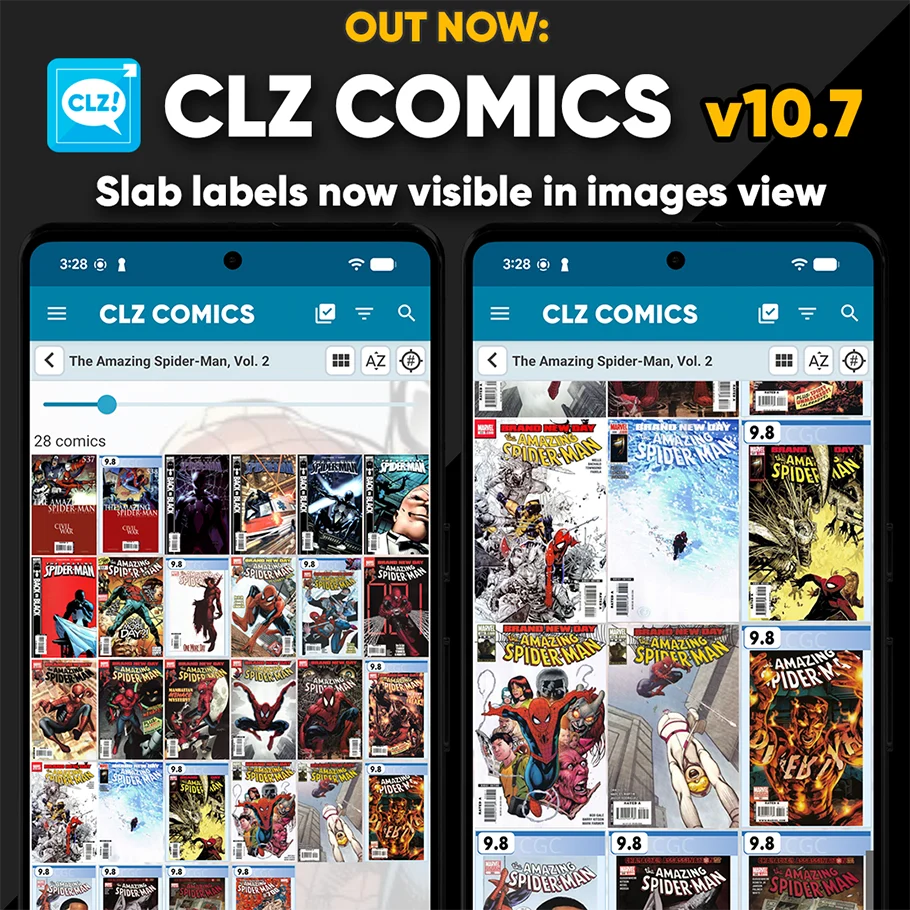
Three years ago, we introduced a new look for slabbed comics, with generated “slab frames” around the cover images, with blue/yellow/green labels at the top the grade at the top left, even showing actual Custom Labels. Making it super easy to spots your slabs between your raw comics.
For several reasons, that feature was only implemented in the Card View and on the comic details pages. Not in List View (we figured it would be too small) and in Images View (technically complex because of the configurable size).
However, our mobile developers Pim and Bernard gave it another try and did make it work this time.
So that’s what’s new in today’s 10.7 update:
The generated slab frames are now visible in List View and Images View too!
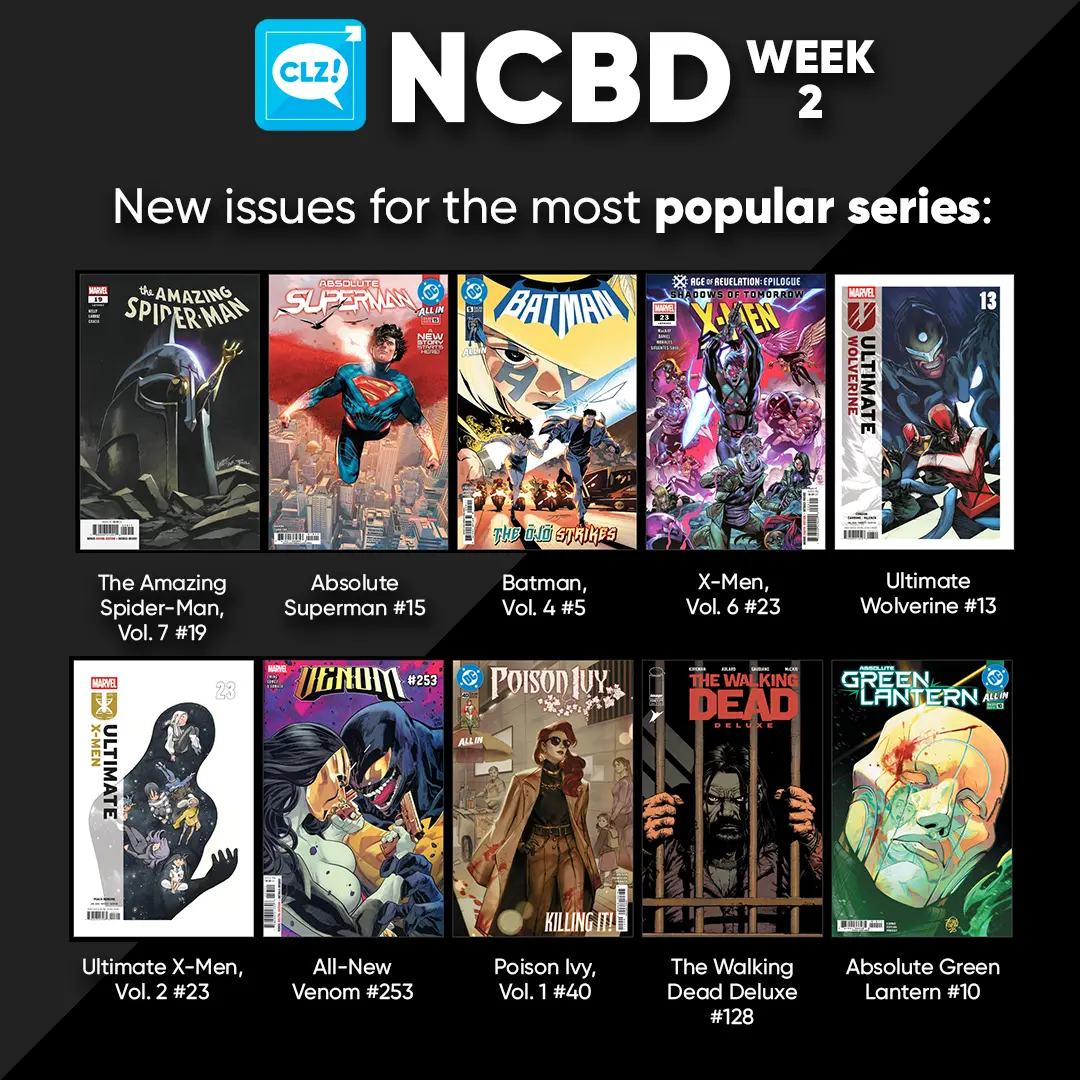
Absolute Batman: Ark M Special #1 The origins of the enigmatic Ark M are explored! What terrible secrets lie within its walls, and just who is assigned to protect it from discovery?! Written by Scott Snyder and Frank Tieri, art by Josh Hixson and Roman Stevens.
Superman vs. The Amazing Spider-Man #1 Facsimile. Lex Luthor. Doctor Octopus. Two diabolical geniuses have joined forces to blackmail the world — and exact revenge upon their two most hated foes! With the Man of Steel and the amazing wall-crawler manipulated into battling one another, can the heroes break free and unite in time to turn the tide on their archenemies?
Once a Goblin: The Nightmare Before Christmas: The Shiver of Christmas Town #1. It all begins with the unveiling of Dr. Finkelstein’s newest creation, specially designed to be the scariest creature ever to celebrate All Hallow’s Eve. But something has gone awry in the process, and the final result is more cute and cuddly than fearsome and menacing. The disappointed scientist hands the newcomer over to Sally for safekeeping, who dubs it Shiver for its freezing breath.
Meanwhile, the Mayor has tasked Lock, Shock, and Barrel with teaching the residents of Christmas Town how to trick-or-treat, as the two realms have embarked on a new campaign to share their holiday traditions. With Christmas Town celebrating Halloween for the first time ever, the trio are taking their assignment seriously — perhaps a bit too seriously! In an effort to make their pranks extra lifelike and terrifying, they decide to “borrow” some ingredients from Dr. Finkelstein’s lab — and end up with much more than they bargained for in the form of the deceptively adorable Shiver!
Happy Reading!
A small update for the CLZ Books app, with two changes requested by users:
New: Disable the downloading of book values
In April 2025, in version 10.2, we introduced one of the biggest new features ever: the automatic downloading of book values. The feature has been requested by many users for years, so the introduction of this feature was a huge success: MOST users loved the new values!
However, a small group of users absolutely HATED the new feature. They found the values annoying, not necessary, too “commercial”, etc…
We did not see that coming…. our fault. Maybe with our years of experience as software developers, we could have expected this. Guess we were too excited about the feature ourselves 🙂
Looking back, we should have made the entire feature OPTIONAL from the start.
Of course, making it optional is still possible and that is exactly what we did for this update today. If you don’t want automatic values for your books, you can now disable downloading them via the new “Download Values” toggle in the Settings screen.
When you disable this setting, no book values will be downloaded anymore for any future books you add. On top of that it will also remove all automatic values you already have (any “My Values” you have will remain).
New: Search your database by ISBN13 or ISBN10
For all books in your database, the app normally stores the ISBN in ISBN13 notation, even for older books that original had an ISBN in ISBN10 format. However, this caused problems when searching your database using the ISBN10 notation, it would not find the book.
In today’s update, we fixed that, by including both the ISBN13 AND the ISBN10 notation in the app’s internal search index.
Searching your app by ISBN13 or ISBN10 will now find the book, no matter if you have ISBN10 or ISBN13 filled in for it.
Fixed:
- iPad only: Tap area for certain pick list fields in the Edit Book screen wasn’t correct
How to update your app to the new version:
- On your device, open the App Store app.
- Search for “CLZ” and select the CLZ Books app.
- Tap “Update” to update the app.
v10.5 Android: Smoother navigation / Disable book values / Search by ISBN10
A small update for the CLZ Books app, with two changes requested by our users and one optimization that we came up with ourselves:
Smoother navigation between folders, book list and book details
This one is for the Android users!
Our Android developer Pim was working on the app’s main screen and he saw some opportunities for improvement. Mainly to reduce slowness and stuttery behaviour when navigating back and forth between the folder list, the book list and book details page.
So instead of starting on the next new feature, we gave him a few days to refactor the code and improve existing functionality.
The result of Pim’s work is live now, in version 10.5.1 of the CLZ Books app.
We have been testing the new update quite a bit and we think it feels a lot snappier and smoother, especially noticeable on larger collections.
We hope you will notice the improvements too and that it will make you enjoy the app even more!
New: Disable the downloading of book values
In April 2025, in version 10.2, we introduced one of the biggest new features ever: the automatic downloading of book values. The feature has been requested by many users for years, so the introduction of this feature was a huge success: MOST users loved the new values!
However, a small group of users absolutely HATED the new feature. They found the values annoying, not necessary, too “commercial”, etc…
We did not see that coming…. our fault. Maybe with our years of experience as software developers, we could have expected this. Guess we were too excited about the feature ourselves 🙂
Looking back, we should have made the entire feature OPTIONAL from the start.
Of course, making it optional is still possible and that is exactly what we did for this update today. If you don’t want automatic values for your books, you can now disable downloading them via the new “Download Values” toggle in the Settings screen.
When you disable this setting, no book values will be downloaded anymore for any future books you add. On top of that it will also remove all automatic values you already have (any “My Values” you have will remain).
New: Search your database by ISBN13 or ISBN10
For all books in your database, the app normally stores the ISBN in ISBN13 notation, even for older books that original had an ISBN in ISBN10 format. However, this caused problems when searching your database using the ISBN10 notation, it would not find the book.
In today’s update, we fixed that, by including both the ISBN13 AND the ISBN10 notation in the app’s internal search index.
Searching your app by ISBN13 or ISBN10 will now find the book, no matter if you have ISBN10 or ISBN13 filled in for it.
Fixed:
- A couple of navigation issues
How to update your app to the new version:
- On your device, open the Play Store app.
- Search for “CLZ” and select the CLZ Books app.
- Tap “Update” to update the app.
v10.2.2: (Android only) Smoother navigation between folders, album list and album details
This one is for the Android users!
Our Android developer Pim was working on the app’s main screen and he saw some opportunities for improvement. Mainly to reduce slowness and stuttery behaviour when navigating back and forth between the folder list, the album list and album details page.
So instead of starting on the next new feature, we gave him a few days to refactor the code and improve existing functionality.
The result of Pim’s work is live now, in version 10.2.2 of the CLZ Music app.
We have been testing the new update quite a bit and we think it feels a lot snappier and smoother, especially noticeable on larger collections.
We hope you will notice the improvements too and that it will make you enjoy the app even more!
Fixed:
- A couple of navigation issues
- Albums could show up as doubles in certain situations
How to update your app to the new version:
- On your device, open the Play Store app.
- Search for “CLZ” and select the CLZ Music app.
- Tap “Update” to update the app.
Fixed:
- A couple of navigation issues
v10.6.2: (Android only) Smoother navigation between folders, comic list and comic details
This one is for the Android users!
Our Android developer Pim was working on the app’s main screen and he saw some opportunities for improvement. Mainly to reduce slowness and stuttery behaviour when navigating back and forth between the folder list, the comic list and comic details page.
So instead of starting on the next new feature, we gave him a few days to refactor the code and improve existing functionality.
The result of Pim’s work is live now, in version 10.6.2 of the CLZ Comics app.
We have been testing the new update quite a bit and we think it feels a lot snappier and smoother, especially noticeable on larger collections.
We hope you will notice the improvements too and that it will make you enjoy the app even more!
Fixed:
- A couple of navigation issues
How to update your app to the new version:
- On your device, open the Play Store app.
- Search for “CLZ” and select the CLZ Comics app.
- Tap “Update” to update the app.