What's new in CLZ Music Mobile?
Fixed for iOS:
- The scroll position in the list could be wrong after searching in own collection and tapping a result from the suggestions
- Images view: Pinch to zoom in images view was broken
- Edit screen: tapping “next” or “previous” on the Links tab would crash the app
Fixed for Android:
- Statistics: The “Listened” statistics showed information over all collections instead of the active collection
- Scrolling lists / tapping buttons / selecting items in a list / removing items could suddenly stop working
- Covers stayed zoomed in if you navigated out of an item and into another
- Edit screen: Taking a picture for your cover could sometimes remove all other information from that item
- Selecting: Tapping “Select All” in didn’t show items being selected in images view
v10.2.2: (Android only) Smoother navigation between folders, album list and album details
This one is for the Android users!
Our Android developer Pim was working on the app’s main screen and he saw some opportunities for improvement. Mainly to reduce slowness and stuttery behaviour when navigating back and forth between the folder list, the album list and album details page.
So instead of starting on the next new feature, we gave him a few days to refactor the code and improve existing functionality.
The result of Pim’s work is live now, in version 10.2.2 of the CLZ Music app.
We have been testing the new update quite a bit and we think it feels a lot snappier and smoother, especially noticeable on larger collections.
We hope you will notice the improvements too and that it will make you enjoy the app even more!
Fixed:
- A couple of navigation issues
- Albums could show up as doubles in certain situations
How to update your app to the new version:
- On your device, open the Play Store app.
- Search for “CLZ” and select the CLZ Music app.
- Tap “Update” to update the app.
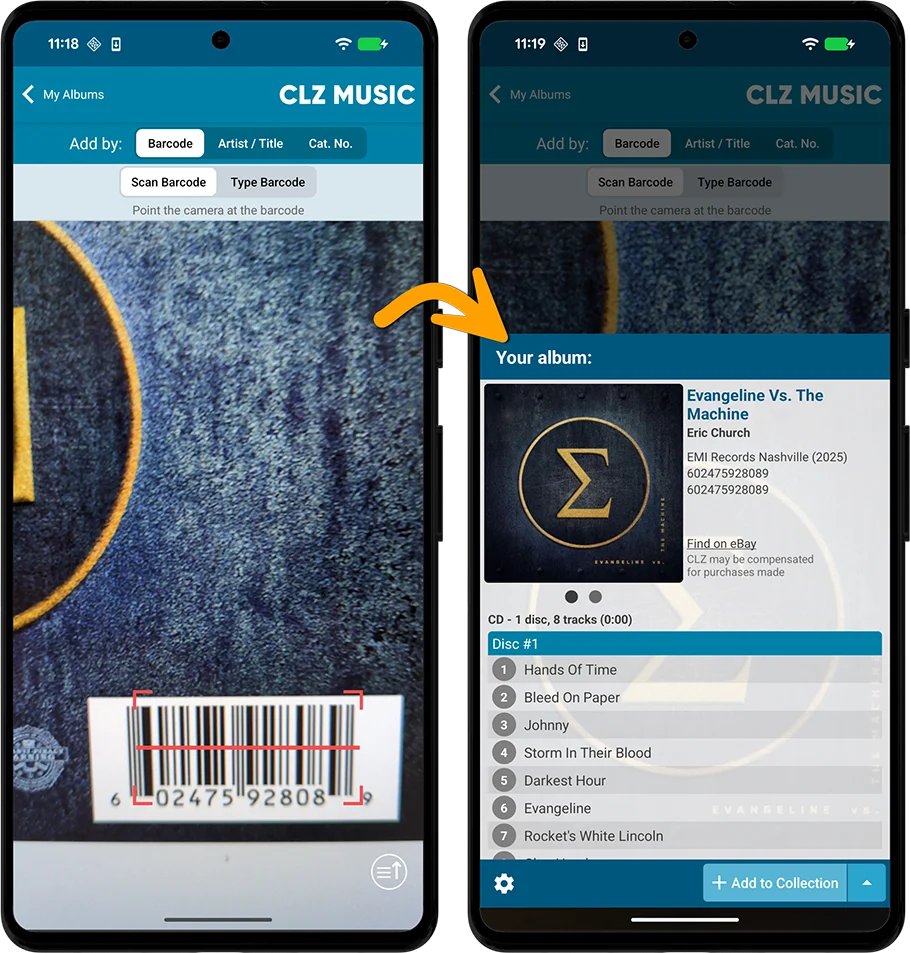
However, we always like to keep improving the app, or at least give users multiple options. So today we have added a new “One-by-One” mode to the Add by Barcode screen, that is, without a queue.
Fixed:
- Details: The data at the bottom could be hidden behind the navigation buttons
- Add Albums: “in collection” highlight wasn’t working correctly
- Statistics: Most Listened To: Show All didn’t show anything
- Tablet: When using folders, the app would sometimes wrongly select the top database entry in the list
- Edit screen: For some fields the keyboard would appear over them
- Listened date folders didn’t sort correctly
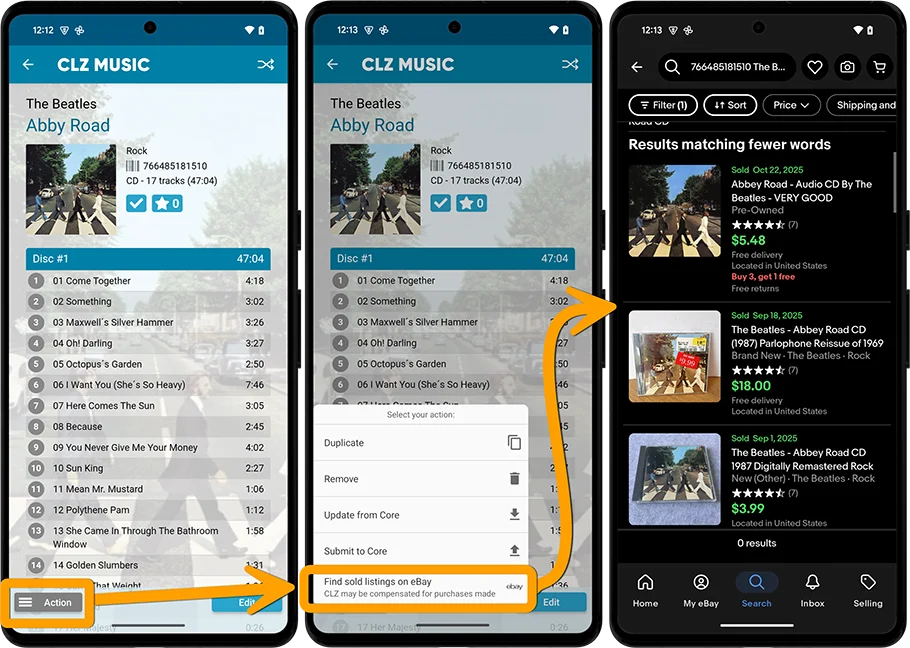
the app now includes automatically generated eBay search links, that let you find eBay listings for that particular album.
These eBay links can be useful to:
- easily get a feel for an album’s value, by finding its’ Completed/Sold listings on eBay.
- easily find available copies on eBay (e.g. for your wish list items)
Various fixes and improvements
Improved:
- More robust image downloading during downsync: failed image downloads will now retry automatically
Fixed:
- Barcode scanner would sometimes stop picking up barcodes until you exited and re-opened the Add screen
- Going back from a details page to the images view sometimes jumped frantically to the top
CLZ Music has been updated to the new Play Store API.
v10.0: New data fields: listening history, matrix numbers, signed by, etc…
Version 10.0 is here, with several new data fields requested by our users:
- Matrix numbers for vinyl
- Signed By
- Last Cleaned Date for vinyl
- Listening History
Fixed:
- The bottom collection tabs were invisible
What’s New:
- Optimized startup process for a quicker launch
- Improved Sync with CLZ Cloud: Smoother and faster, especially with image downloads
Fixed:
- Problems could occur when updating to new app version with an incorrect login
BOOK ONLY FIXED:
* Rare crash when showing keyboard in Add by Title/Author
This is a recommended security update:
- 2FA support: if you have 2FA enabled on your CLZ Account, the app will now ask you for the 2FA authenticator code when you log in to the app
- Several other changes to better secure your account
- New “Change email address” link in the CLZ Account screen
Fixed on Android:
- On startup, the collection tab-bar on startup could be blocked by Android navigation bar
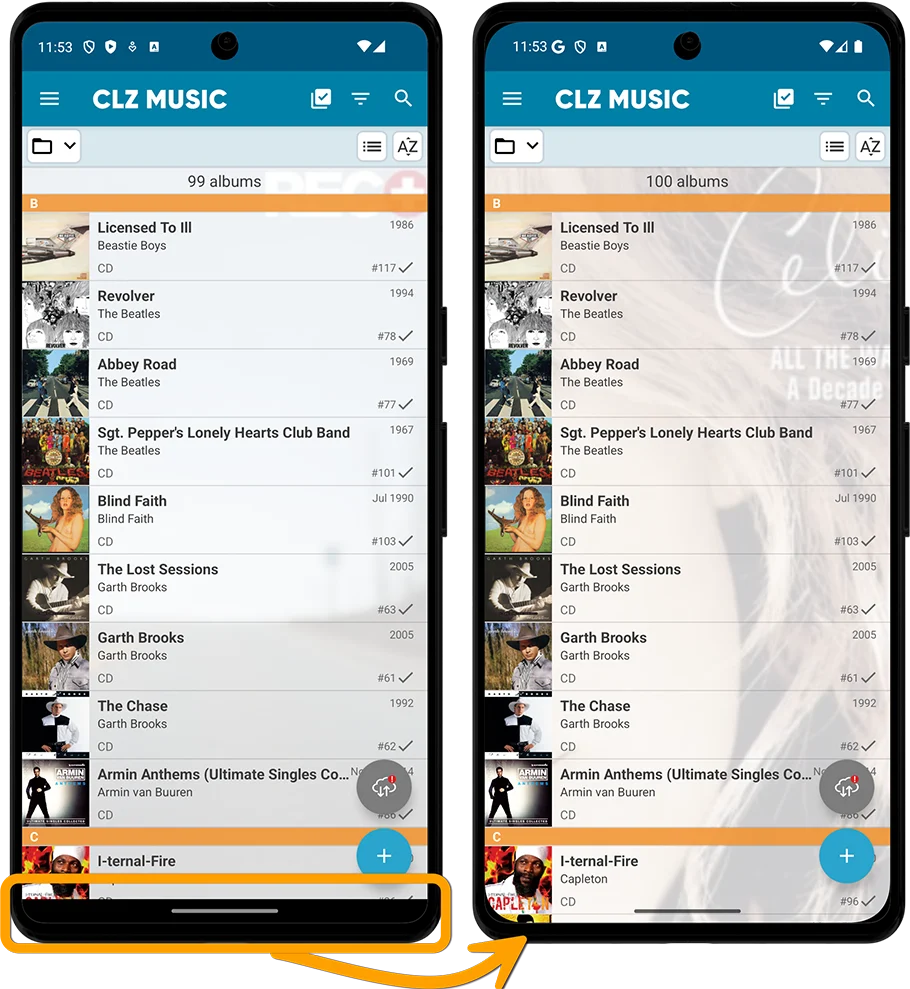
New: “edge-to-edge” support for Android 15. This means that all screens will now use the entire vertical space. This gives you more screen real estate to (for instance) view more of your album list in your main screen!
Fixed:
- Photo / image picker wasn’t able to access all images on the device
- Side menu: Refreshed background colors at the top
- Details panel: Updated placeholder cover for albums without a cover
Fixed:
- Tablet: Barcode scanning didn’t work while in landscape orientation
- Switching between folders would not always refresh the list correctly
- Adding albums by barcode: on some devices the barcode queue didn’t appear
- Side menu: Refreshed background colors at the top
- Details panel: Updated placeholder cover for items without a cover
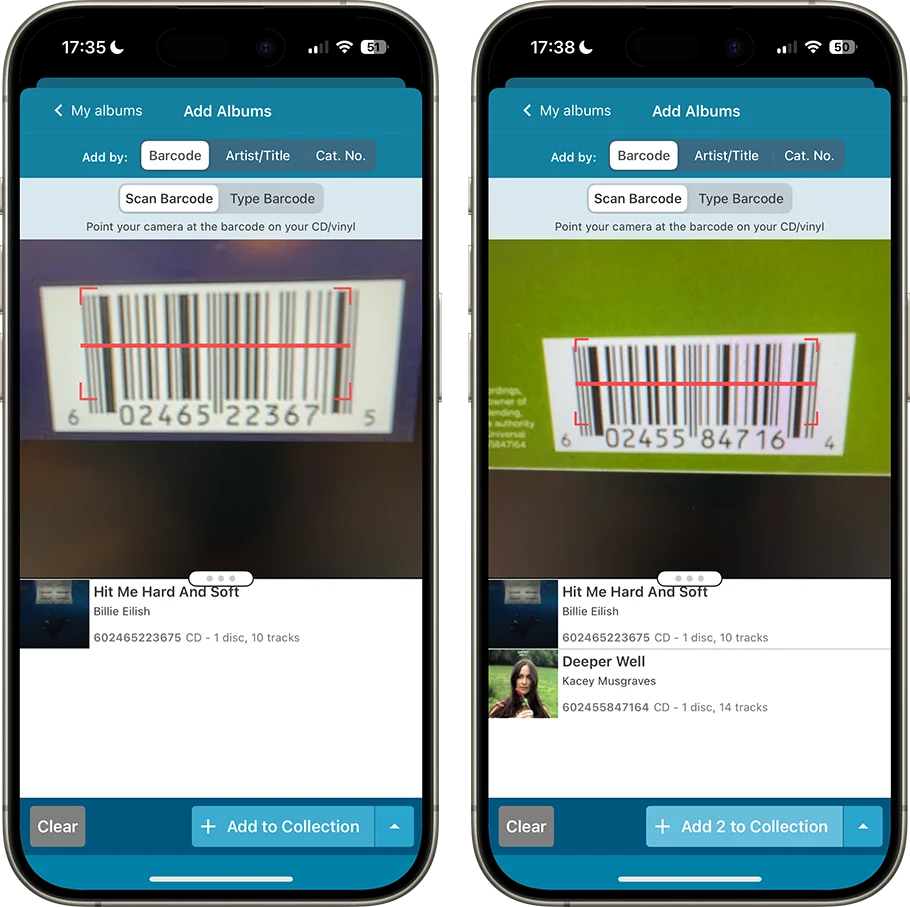
In today’s 9.5 update, we bring three improvements to the barcode scanner:
- Now reads barcodes much faster and in the entire camera screen!
- New scanning feedback shows where it “sees” a barcode
- New Type Barcode tab for manual barcode entry and support for external USB/BT scanners
We’ve fixed various crashes that happened throughout the app that.. shouldn’t happen anymore with this new version 🙂
We recommend you update your app A.S.A.P. Your app may have updated itself already (check the menu top left, the version number is at the top). If it hasn’t updated itself yet, here’s how to force the update:
- On your device, open the Play Store app.
- Search “CLZ” and select your CLZ app.
- Tap “Update” to update the app.
Fixed:
- Add Albums: Tracks, Label, Release Year and Barcode were missing from the add sheet
- Fixed a couple of startup crashes
- Small tweaks to the app icon
- Fixed various crashes
- Small tweaks to the app icon
Big changes this week, as we have changed our company name!
We were previously called “Collectorz.com”, but as everyone called us “CLZ”, we figured, let’s go with the flow and officially rename the company to just “CLZ”!
But that’s not all. This week also brings:
- a new company logo and styling
- a completely new website at clz.com (previously www.collectorz.com)
- new names for our web-based software, previously called Connect, now simply CLZ Comics Web, CLZ Movies Web, CLZ Games Web, etc…
- new app icons for all CLZ apps!
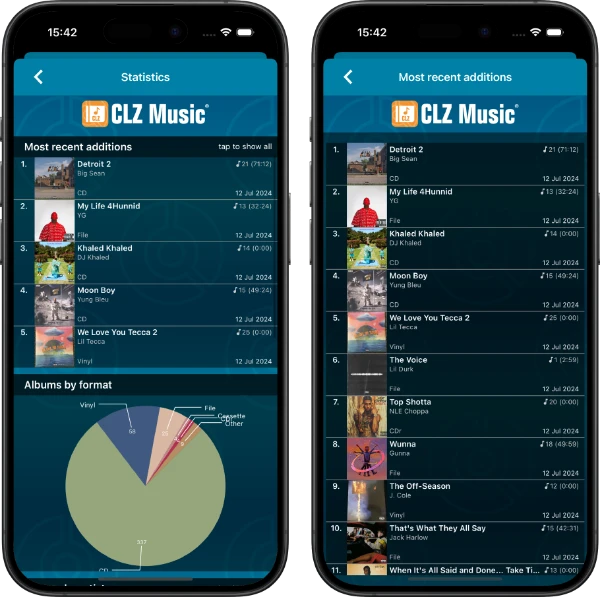
- Re-design of the Sort Order screen
- New Date and Month folder options for all date fields
- Statistics: new look for Most Recent lists
Fixed:
- Edit screen: After cropping a cover, the app would sometimes still show the non-cropped version in the edit screen
New:
- Better indication and handling of “subscription expired” status