Find the perfect Galaxy device
and accessories to suit your taste and lifestyle


Samsung Trade In
Get your hands on the latest Galaxy devices and enjoy an instant discount when you trade in your old tech


Galaxy FE Series
Explore our Fan Edition range, made to offer something for every taste


Samsung Care+
You love it, we cover it. Make sure your Galaxy devices are always covered by the people who made it, and know it the best.


The world of Galaxy
Discover your Galaxy. Shop the latest AI technology in our smartphones to our newest FE Buds, all made to work seamlessly together.


Explore the Galaxy range


Trade In
Get an instant discount on your new Galaxy device when you trade in your old tech
Apps and Services
Discover the endless possibility of One UI that will guide you to explore across the Samsung Galaxy.
SmartThings
Connect your smart devices, Samsung or not, and manage your home with a single app


Quick Share
Between Galaxy devices or not,
near or far, even with sensitive data,
Quick Share makes file sharing fast and easy


Smart Switch
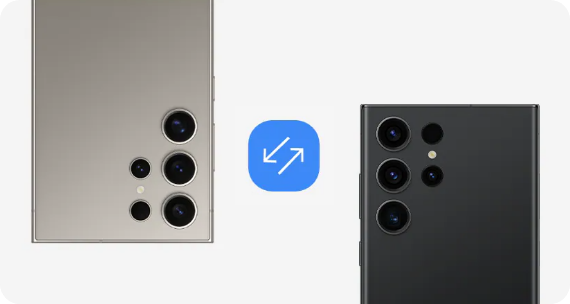
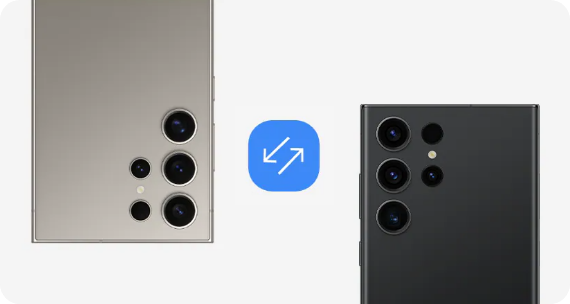
Quickly and simply move your data from your old smartphone or tablet so it stays with you when you switch to your Samsung Galaxy


Samsung Health
From tracking your sleep to helping you to achieve your fitness goals, Samsung Health supports you via your Galaxy devices in a fun and interactive way


Frequently Asked Questions
-
Which Samsung phone is best for me?The best Samsung phone for you will depend on your needs and budget. If you’re looking for the most powerful and versatile phone for example, check out the flagship Galaxy S series. Here, you’ll find the epic Galaxy S24 Ultra with its incredible camera setup, powerful processor, and long lasting battery. For our best folding smartphones it’s got to be the Galaxy Z Fold5 or the Galaxy Z Flip5. And if you’re looking for a more affordable Samsung phone that still offers great features, the Galaxy A54 5G - part of the Galaxy A series - is a fantastic choice.
-
What are the different series of Samsung phones?You can choose between various Samsung Galaxy series. The high-end smartphones with the best camera in the Samsung Galaxy S series, while the A series providing large battery life. The Z series feature Samsung's cutting edge foldable technology. Need more info: Check out our mobile buying guide here
-
What is a Samsung FE device and what does FE mean?FE stands for 'Fan Edition'. Simply put, when you speak, we listen. For each generation of the flagship Galaxy S series, we take on your feedback and produce a device packed with all of your favourite features.
-
Will my Galaxy devices work together?Galaxy devices are designed to work together, so whatever you’re doing just flows naturally. From big-screen video calls and file sharing to turning health goals into health wins, it’s all easier with Galaxy.
-
What tablet size should I choose?Like smartphones, laptops or TVs, tablet screens are measured diagonally from corner to corner and expressed in inches. The best tablets for movie watching or working on are usually ones with larger screens. If this is what you are looking for, tablets with screen sizes above 11 inches are recommended. If you are looking for a lighter way to work, then pick a tablet with a medium sized screen. You can read more about these, and others in our Tablet Buying Guide. How To Choose The Best Tablet For You? | Samsung UK
-
What is Samsung Quick Share?Quick Share is a new file-sharing feature found across the Galaxy range. It allows you to easily share photos, videos, PDFs, and other documents without the need for a cable or internet connection. In fact, you can simultaneously share your images and files, in their original quality, with up to 5 of your friends at the same time. You don’t even need to pair devices.
Quick Share works from any app that supports sharing, for instance, Gallery and File Manager. It is faster than Bluetooth and doesn’t require you to pair devices together beforehand, as well as offering a secure way to transfer files. If your recipient doesn’t have a Galaxy device there’s also the option of sharing files via a unique Quick Share link which allows them to access, download and save the files.