

업무 공간의 이점
작업 영역은 웹페이지를 정리하고 검색을 간소화하는 좋은 방법입니다.

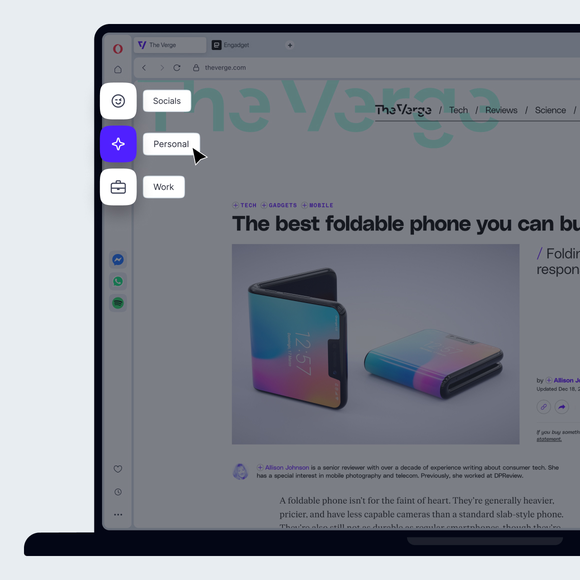
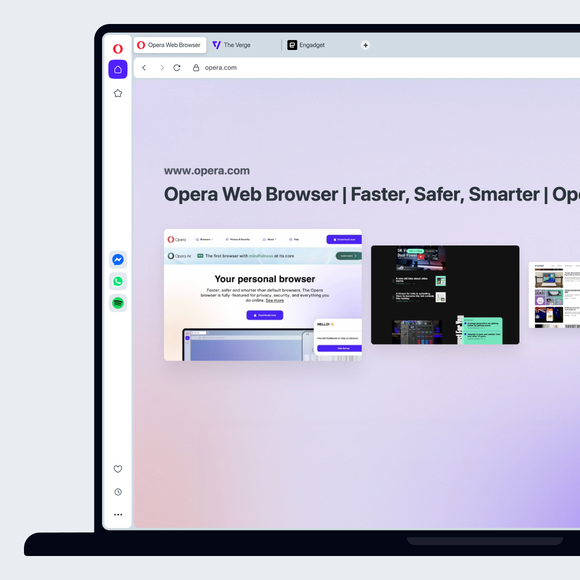


별도의 사용자 지정 가능한 작업 공간으로 브라우저를 깔끔하게 정리하세요
업무 공간의 효율성
We all get a little over-ambitious with tabs sometimes, opening so many that we lose track of what we’re doing. Then the problems start. The text on tabs is hidden, so we can’t find the tab we’re looking for. Multiple loading tabs slow down the browser. Tabs are forgotten, never to be seen again, and what we were working on to begin with gets lost among the cacophony of open tabs.
This is why Opera has created workspaces, which allows users to organize tabs and keep them in distinct groups. You can create a separate tab group for work (aptly named), a research project, shopping, trip planning - whatever is relevant to you - minimizing the number of tabs in your window and compartmentalizing your projects. Use an existing group or create a new group of workspace tabs as needed.
Workspaces exist as customizable icons on the top of your sidebar, so you can switch between them quickly and easily. This smooth transition not only puts an end to awkward managing, searching through, and reordering tabs, but also helps you focus on what you’re doing.
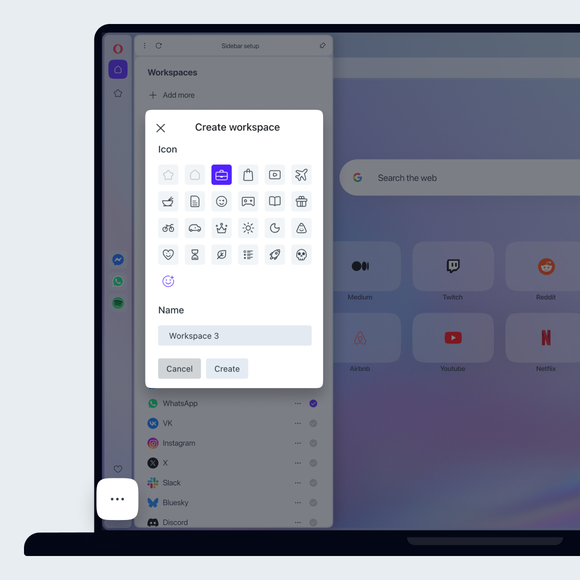
사이드바 설정 패널에서 작업 공간 관리하기
작업 공간을 관리하려면 사이드바 하단의 점 3개 메뉴에서 사이드바 설정 패널을 열면 이 기능이 기본적으로 활성화되어 있습니다. 여기에서 탭 그룹을 쉽게 만들고, 사용자 지정하고, 숨기거나 삭제할 수 있을 뿐만 아니라 Opera 브라우저의 다른 유용한 도구와 기능도 관리할 수 있습니다.
간편한 사용
탭 메뉴에는 탭(또는 탭 세트)을 다른 작업 공간으로 이동하는 등 작업 공간에 대한 더 많은 옵션이 있습니다. 탭 메뉴는 열린 탭을 마우스 오른쪽 버튼으로 클릭하면 사용할 수 있습니다. 모든 탭 다시 로드 또는 중복 탭 강조 표시와 같은 탭 옵션은 활성 창의 탭 그룹 내에서만 작동합니다. 마찬가지로 시각적 탭 사이클러(Ctrl+Tab)는 현재 작업 공간에 있는 탭을 표시해 주므로 현재 진행 중인 작업에 계속 집중할 수 있습니다. Opera의 다른 모든 기능과 마찬가지로 작업 공간 기능은 업무, 놀이, 일상적인 브라우징을 크게 개선하는 삶의 질을 높여주는 브라우저 도구입니다.
더 나은 브라우저를 사용할 자격이 있습니다