Help Desk Software for Enterprises Business

Your customer service might be transformed by an enterprise help desk that is fully scalable, flexible, and customized to your needs.

  • No credit card required
  • Cancel anytime
  • No credit card required
  • Cancel anytime

Trusted by companies of all sizes

Why BoldDesk enterprise help desk software?

A simple, intuitive, highly scalable, and easy-to-use help desk software for your enterprise business.

Easy to setup

BoldDesk is easy to set up and ultrafast help desk software. Start your customer service with your domain.

Modern intuitive design

BoldDesk is secure, user-friendly, simple to use, and developed using modern tech stacks.

Powerful customization

With a fully customizable help desk, you can keep your brand identity, SSO, custom domain, and customized ticket form with custom ticket fields.

Highly scalable

BoldDesk is a highly scalable multi-brand help desk software. It provides more efficient customer support, which is easy to manage.

Flexible subscription

Explore all the features of BoldDesk free for 15 days. Flexible to change subscription plans at any time. Pricing starts at $12 per agent.

Migration support

Get free assistance when migrating your data to another enterprise help desk.

Features that greatly enhance the support experience

Email based Ticketing

Email based ticketing

Convert all incoming customer support emails into tickets and respond to them via email.

Ticket Categories

Ticket categories

Public Categories are visible to both agents and customers. Private categories are not visible in the customer portal, only private tickets can be created for private categories.

Canned response

Canned response

Respond to tickets quickly with frequently-used saved response templates.
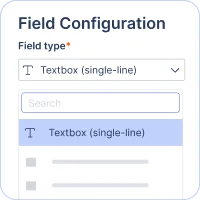
Custom fields

Custom fields

To customize ticket forms, several custom fields are available.
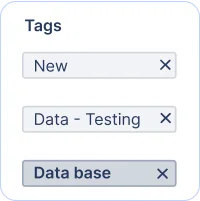
Tagging

Tagging

Set up tags to categorize or group tickets based on business workflow.
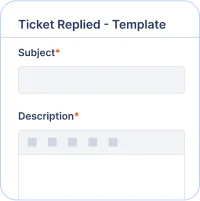
Email templates

Email templates

Email templates allow you to modify predefined email content.

Multi-Brand Help Desk

Multi-Brand help desk

  • To have one help desk solution for managing all your brands' support.
  • To reduce costs by integrating all brands under one help desk account.
  • To deploy a single help desk for customer support and internal IT support.
  • To improve operational efficiency by sharing workflow, business rules, and agents across your brands.

Multilingual support

Enterprise helpdesk software knowledge base language management showing published and translated articles.
Task Management

Task management

To improve agent productivity and ticket resolution, break down the steps required to resolve a ticket into smaller tasks.

Automate your repetitive tasks

Enterprise helpdesk software workflow automation panel with conditions and actions for ticket updates.
Enterprise helpdesk software business hours and holiday configuration for managing support availability.
Enterprise helpdesk software SLA reminder and escalation settings showing response and resolution durations.

Customer satisfaction survey

Effectively collaborate with your internal teams on a ticket by using these features :

Customization

Customization

Customize the rating scale and text on the feedback rating page.
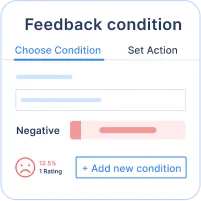
Negative Feedback action

Negative feedback action

Automate post actions when receiving negative feedback.
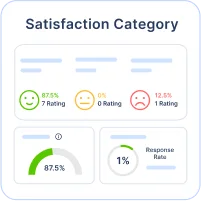
CSAT report

CSAT report

Use CSAT reports to keep track of your CSAT scores.

Explore right arrow icon
Enterprise helpdesk software analytics dashboard displaying reports, charts, and performance metrics.

Reports & analytics

Several pre-built reports and dashboards are available.

  • A one-stop dashboard for tracking current support status.
  • Support traffic dashboard.
  • Insights into the reach of SLAs.
  • Analyze customer feedback and CSAT scores.
  • Review agent responses for training and improvement.

Enterprise grade level security & privacy

To protect your customers’ data, security systems control access to your entire organization and secure your data at multiple levels. Encryption, audit logs, IP restrictions, and SSO are features that can help you in protecting your data and restricting access to only authorized users.

Single sign-on

Single sign-on with BoldDesk allows users to log in and access their help desk account with a single set of credentials by using SSO systems such as Office 365, OAuth 2.0 providers, and OpenID.

IP restrictions

IP restrictions allow you to limit the IP addresses from which your organization can access the help desk.

Password policies

Create your password policies to enforce secure, strong passwords, password rotation frequency, and password expiration to meet your security standards and policies.

Roles & permissions

Control agents' access to data by giving them certain permissions.

Ticket access scope

Specify an agent’s ticket access level when viewing tickets in the support center.

Brand-based access

Brand access allows you to limit the visibility of the tickets for agents so that they can only access tickets for specific brands.

Whitelist or blacklist senders

Accept or reject the emails received from specific senders and domains. Emails on the blacklist are blocked and are not routed to spam.

DKIM for email

DKIM signatures notify the recipient that an email is sent from an authorized domain.

Audit logs

Audit logs contain information about specific events or operations, such as access, change details, who performed an action, and so on.

Test out all the features of BoldDesk

Start your 15-day free trial with instant access

  • No credit card required
  • Easy setup
  • 80% AI Agent Automation
  • 100+ Rich Features
  • No credit card required
  • Easy setup
  • 80% AI Agent Automation
  • 100+ Rich Features
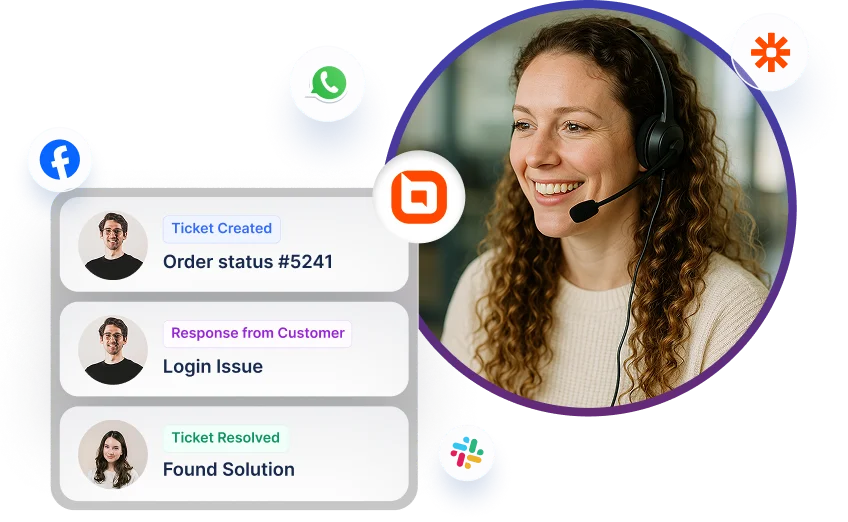
Help desk software interface showing ticket updates with multi-channel icons for Facebook, WhatsApp, and Slack.