Yandex Browser with Alice AI
Contains ads
4.7star
2.96M reviewsinfo
100M+
Downloads

PEGI 3
info






About this app
Yandex Browser — stylish and secure, with voice search and data compression.
Get rid of annoying ads on websites by integrating third-party blocking apps with ad blocking.
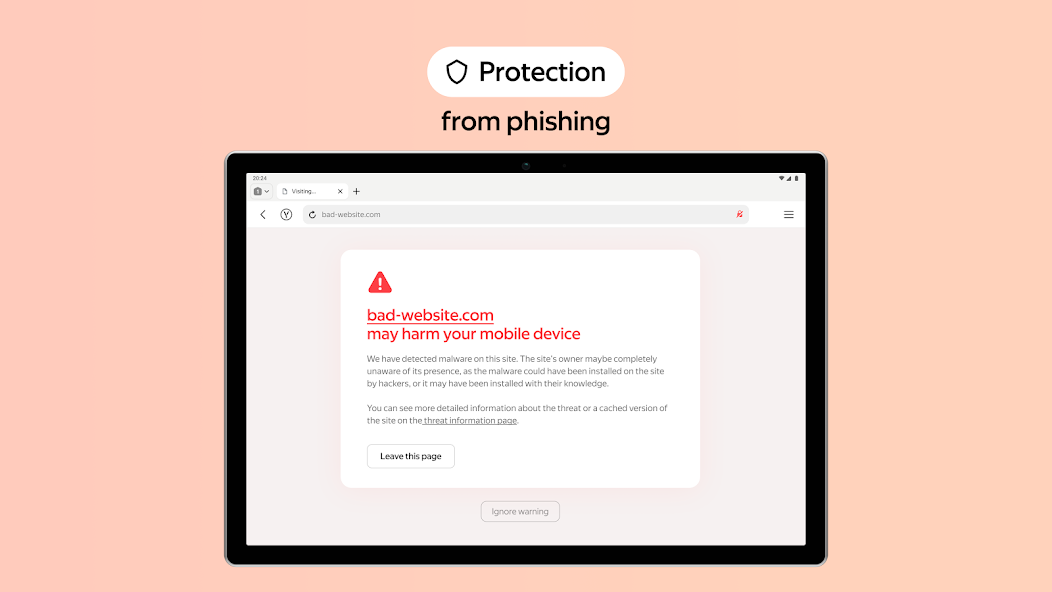
Protect your personal data when using public Wi-Fi networks and stay away from harmful or fraudulent pages with the browser’s active security system Protect.
Hide unrelated interface elements — ads, site menus, buttons, or widgets — and leave only the relevant text and accompanying images on the screen with Reader Mode.
Surf the web in private using Incognito Mode — Yandex Browser will not keep track of your passwords, search queries, or browsing history in this mode.
Customize your Yandex Browser with a wide array of backgrounds in the wallpaper library to suit any style or mood.
Access your favorite websites and bookmarks on any of your devices — just allow syncing of your data via your Yandex account.
If you have any questions or suggestions, you can contact us straight from the app, or via https://browser.yandex.com/feedback.
Get rid of annoying ads on websites by integrating third-party blocking apps with ad blocking.
Protect your personal data when using public Wi-Fi networks and stay away from harmful or fraudulent pages with the browser’s active security system Protect.
Hide unrelated interface elements — ads, site menus, buttons, or widgets — and leave only the relevant text and accompanying images on the screen with Reader Mode.
Surf the web in private using Incognito Mode — Yandex Browser will not keep track of your passwords, search queries, or browsing history in this mode.
Customize your Yandex Browser with a wide array of backgrounds in the wallpaper library to suit any style or mood.
Access your favorite websites and bookmarks on any of your devices — just allow syncing of your data via your Yandex account.
If you have any questions or suggestions, you can contact us straight from the app, or via https://browser.yandex.com/feedback.
Updated on
Safety starts with understanding how developers collect and share your data. Data privacy and security practices may vary based on your use, region, and age. The developer provided this information and may update it over time.

No data shared with third parties
Learn more about how developers declare sharing

This app may collect these data types
Location, Personal info and 9 others

Data is encrypted in transit

You can request that data be deleted
Ratings and reviews
4.7
2.71M reviews

AJ Miller
- Flag inappropriate
March 16, 2026
I started using Yandex browser primarily because the address bar is at the bottom of the screen. With how ridiculously large phones have become, it's hard to one hand it and reach the top of the screen. Why have I kept it all these years? You can install Chrome extensions from the Chrome Web store (same one you use on your PC). LastPass etc. You have to change the page to desktop version" to install the extension. Then it works in Mobile versions.
7 people found this review helpful
Direct Cursus Computer Systems Trading LLC
March 17, 2026
It's nice to see that you're happy with the app. Thank you for sharing your thoughts!

hpkawse uddin
- Flag inappropriate
February 25, 2026
Amazing browser. Just wish the currently open tab had a different color but regardless of screen orientation, it it always the first one anyways. Also, you can use the chrome web store to add extensions to it! Pretty much all of them work. The video downloader extensions have helped a great deal for me. Even though this is based off the same chrome that comes with your phone, you can do pretty much anything the desktop version can do. The default chrome is no fun after installing Yandex!
15 people found this review helpful
Direct Cursus Computer Systems Trading LLC
February 26, 2026
Thank you for finding a minute to tell us about your wishes! We’re often guided by what our beloved users want to make the app even better.

Yusuf Ahmeth
- Flag inappropriate
- Show review history
March 25, 2026
I've been using this for a long time.it's awesome when it comes to tabs syncing for me. but there's a problem I noticed recently sometimes (possible bug) when long-press an image or link, the menu pops up fine (like Open in new tab,Open in background), but then I tap any option and nothing happens . Can't click/select anything in the menu at all. It just sits there unresponsive. Happens randomly, restart app doesn't fix., please check this touch/menu click issue, it's super annoying . Thanks!"
4 people found this review helpful
Direct Cursus Computer Systems Trading LLC
March 26, 2026
We need to investigate the situation further. Please contact our support about this issue through the feedback form: click ≡ → Settings → Contact us. This will allow us to check everything and provide a more detailed response.
What’s new
Yandex Browser's AI keeps the original voice and tone when translating videos from English to Russian. So you don't just get the words — you feel the vibe.
App support
About the developer
DIRECT CURSUS COMPUTER SYSTEMS TRADING L.L.C
dcsct_gp_support@yandex-team.ru
Dubai World Trade Centre Office No. FLR06-06.05-7 and FLR06-06.06-4 - D
إمارة دبيّ
United Arab Emirates
+7 993 633-48-37