<?xml version="1.0" encoding="utf-8"?>
<feed xmlns="http://www.w3.org/2005/Atom">
    <id>https://olake.io/blog/</id>
    <title>Fastest Open Source Data Replication Tool Blog</title>
    <updated>2026-03-05T00:00:00.000Z</updated>
    <generator>https://github.com/jpmonette/feed</generator>
    <link rel="alternate" href="https://olake.io/blog/"/>
    <subtitle>Fastest Open Source Data Replication Tool Blog</subtitle>
    <icon>https://olake.io/img/logo/olake-blue.svg</icon>
    <entry>
        <title type="html"><![CDATA[The Architect’s Guide to CDC with Apache Iceberg]]></title>
        <id>https://olake.io/blog/architect-guide-cdc-apache-iceberg/</id>
        <link href="https://olake.io/blog/architect-guide-cdc-apache-iceberg/"/>
        <updated>2026-03-05T00:00:00.000Z</updated>
        <summary type="html"><![CDATA[Learn how to design reliable CDC pipelines into Apache Iceberg, covering ingestion patterns, delete handling, and architecture best practices.]]></summary>
        <content type="html"><![CDATA[<p><img decoding="async" loading="lazy" alt="Architect&amp;#39;s Guide to CDC with Apache Iceberg" src="https://olake.io/assets/images/architect-guide-cdc-apache-iceberg-cover-f573116109ccda90622ae24ab18e31c7.webp" width="2172" height="1244" class="img_CujE"></p>
<p>For a long time, the standard method for moving data from production databases into a data lake was Snapshot ETL. This process involved taking a full export of a database table, usually once every 24 hours, and overwriting the previous day's data in the destination. While this was technically simple to implement, it created a significant bottleneck for modern businesses. The most obvious issue was data staleness; because the sync only happened once a day, any analysis performed by the business was based on data that could be up to 24 hours old. Furthermore, these large batch jobs put immense strain on source databases, as running a massive <code>SELECT</code>  query on a production system often led to performance degradation for end-users. This created a fragile ecosystem where a single job failure at 2:00 AM meant the entire organization spent the next business day working with outdated or missing information.</p>
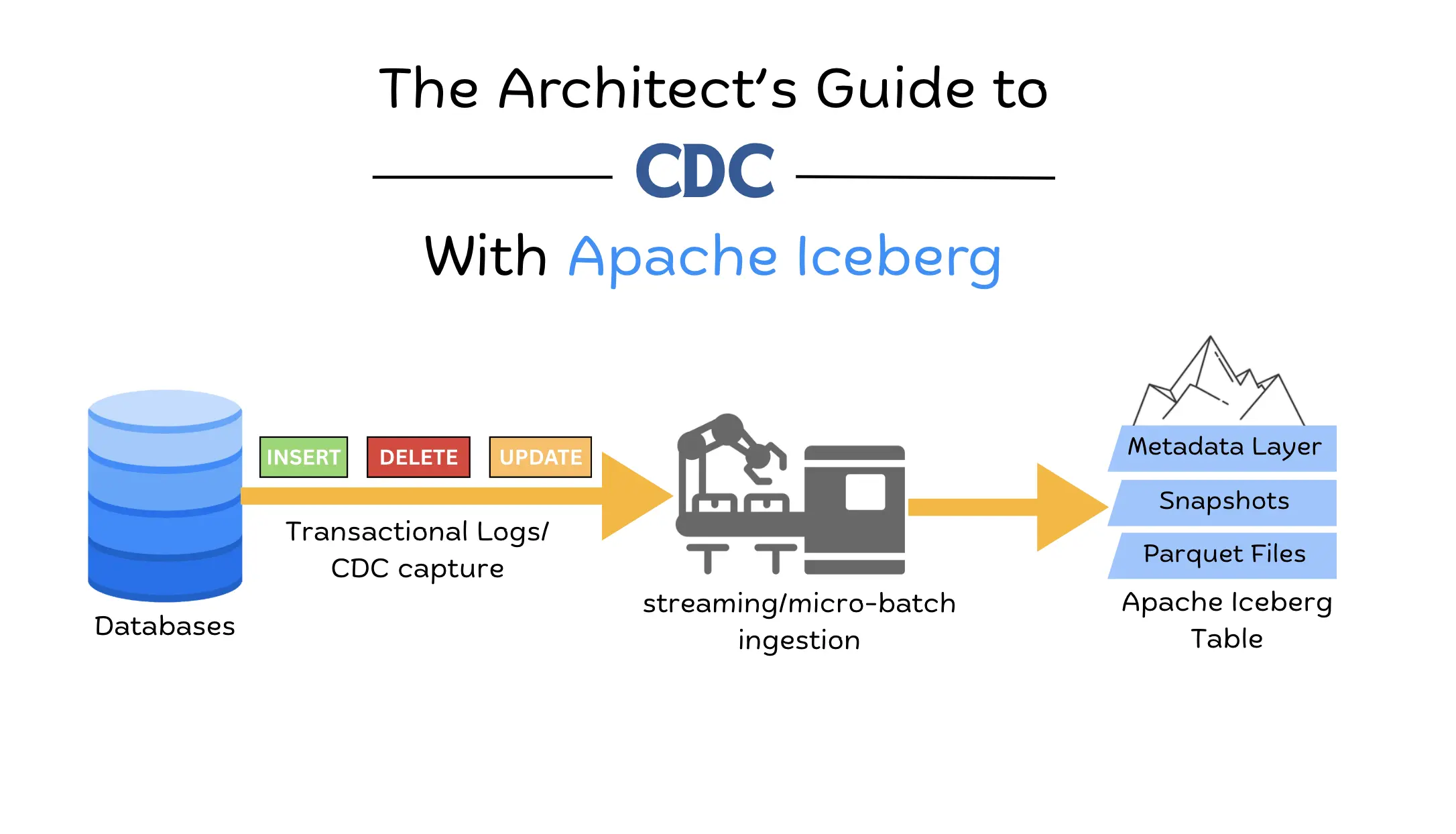
<p>To solve the latency and performance issues of snapshot-based movement, the industry shifted toward Change Data Capture (CDC). Instead of copying the entire table, CDC monitors database transaction logs to capture every individual <code>INSERT</code>, <code>UPDATE</code>, and <code>DELETE</code> as it happens. This real-time visibility makes modern, data-driven applications possible, but it introduces a new technical nightmare for the storage layer: the Small File Problem. Because CDC sends changes as they occur, naive ingestion pipelines write thousands of tiny files that traditional data lakes cannot handle, causing query performance to become brittle and incredibly slow.</p>
<p><strong>Apache Iceberg</strong> was built specifically to address these architectural limitations by providing a robust table format on top of standard data files like Parquet. It maintains a sophisticated metadata layer ensuring ACID compliance and tracking which files are valid and which have been replaced. This allows organizations to ingest high-velocity Change Data Capture (CDC) streams without worrying about file fragmentation or data inconsistency. By providing the reliable structure of a traditional SQL database on the scalable storage of a data lake, Iceberg transforms the chaotic stream of real-time events into a future-proof and performant data lakehouse.</p>
<h2 class="anchor anchorTargetStickyNavbar_Vzrq" id="the-core-challenge">The Core Challenge<a href="https://olake.io/blog/architect-guide-cdc-apache-iceberg/#the-core-challenge" class="hash-link" aria-label="Direct link to The Core Challenge" title="Direct link to The Core Challenge" translate="no">​</a></h2>
<p>Modern data lake storage is designed for massive, immutable blocks of data, which creates a fundamental architectural conflict with the row-level changes generated by CDC. To maintain a reliable and performant system, we must resolve the tension between the need for constant updates and the high cost of rewriting large data files.</p>
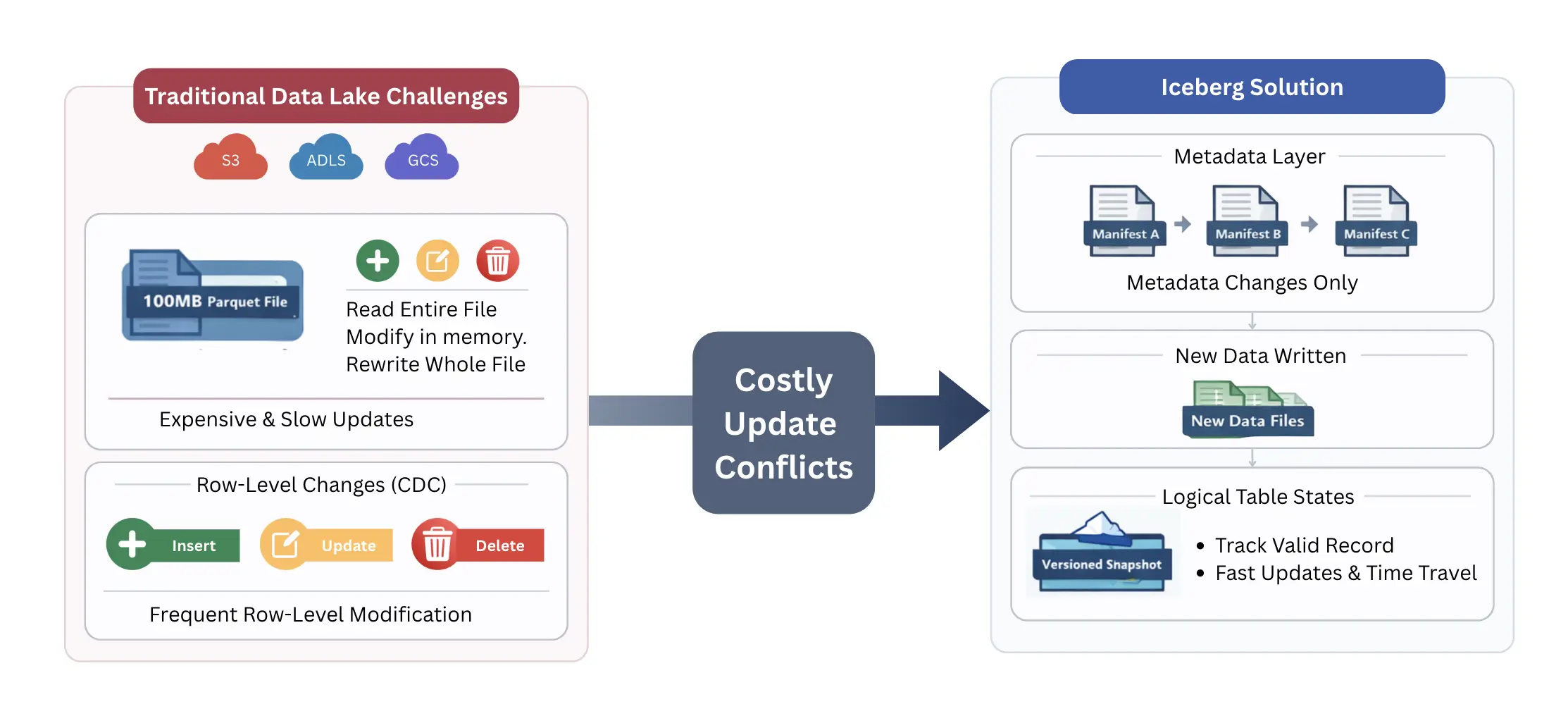
<p>The primary technical bottleneck in modern data architecture is that cloud storage—such as S3, ADLS, or GCS—is fundamentally append-only. You cannot update a specific byte in the middle of a 100MB Parquet file; you can only delete the file or write a new one. This creates a direct conflict with the nature of CDC, where individual rows are updated or deleted constantly. In a traditional data lake, modifying a single row requires the system to read the entire file, change the value in memory, and write a completely new file back to storage. This process makes high-frequency updates a fragile and expensive operation.</p>
<p>Apache Iceberg addresses this by decoupling the physical data from the logical table state. Instead of forcing a rewrite of the data file every time a change occurs, Iceberg uses a robust metadata layer to track which records are valid. It treats the data lake more like a version-controlled repository. When a change happens, Iceberg can simply record the new data in a new location and update its internal map (the manifest files) to point to the most recent version of that row. This architectural shift moves the complexity away from the storage layer and into the metadata layer, providing a reliable way to handle row-level mutations without the overhead of constant file rewriting.</p>
<p><img decoding="async" loading="lazy" alt="Core Challenges Flow Chart" src="https://olake.io/assets/images/core-challenges-flow-chart-fe40aa5c0591c51917159a17b6f4e3ee.webp" width="2226" height="1016" class="img_CujE"></p>
<h2 class="anchor anchorTargetStickyNavbar_Vzrq" id="strategic-architecture-patterns-for-cdc-ingestion">Strategic Architecture Patterns for CDC Ingestion<a href="https://olake.io/blog/architect-guide-cdc-apache-iceberg/#strategic-architecture-patterns-for-cdc-ingestion" class="hash-link" aria-label="Direct link to Strategic Architecture Patterns for CDC Ingestion" title="Direct link to Strategic Architecture Patterns for CDC Ingestion" translate="no">​</a></h2>
<p>The way you structure your data flow from the source database to the Iceberg table determines your system's latency, cost, and query performance. There is no one-size-fits-all approach; instead its a trade-off between do you want faster saves at the cost of slower reads, or vice versa.</p>
<h3 class="anchor anchorTargetStickyNavbar_Vzrq" id="pattern-1-direct-materialization">Pattern 1: Direct Materialization<a href="https://olake.io/blog/architect-guide-cdc-apache-iceberg/#pattern-1-direct-materialization" class="hash-link" aria-label="Direct link to Pattern 1: Direct Materialization" title="Direct link to Pattern 1: Direct Materialization" translate="no">​</a></h3>
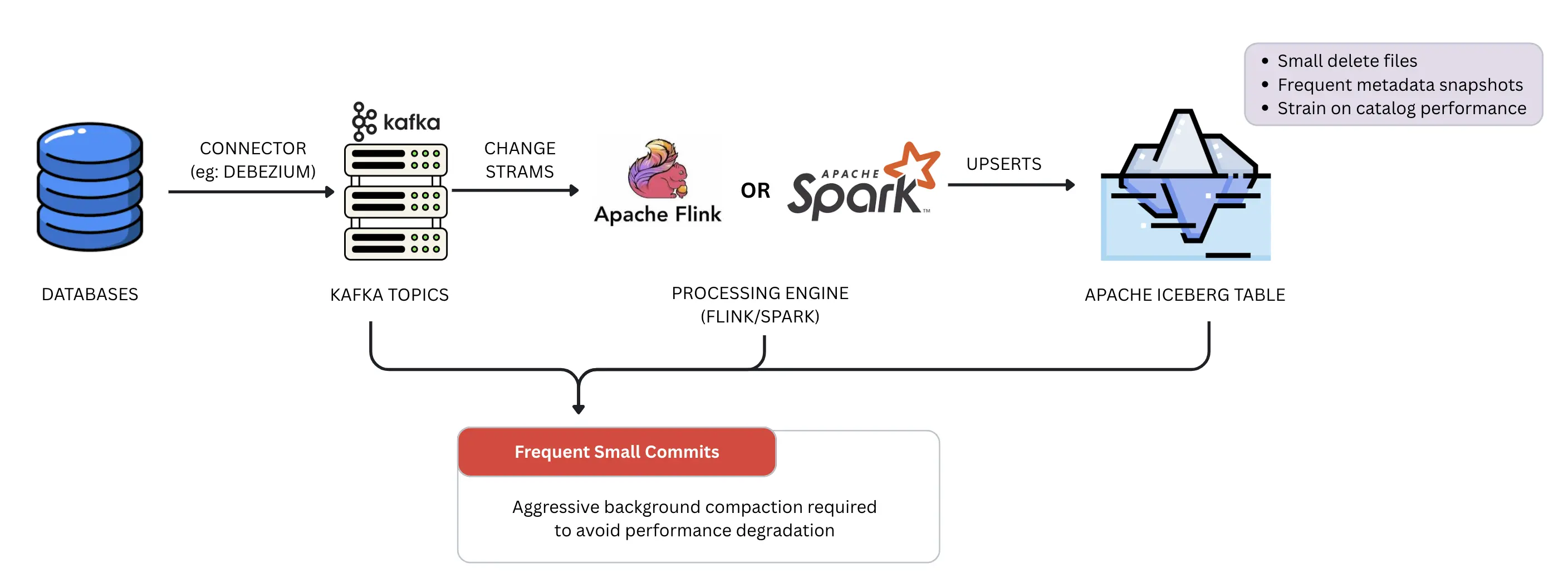
<p>In this architecture, data flows from the database via a connector like Debezium into a Kafka topic, and then streamed through the processing engine (Flink or Spark), which performs an immediate <code>UPSERT</code> into the target Iceberg table. This pattern provides the lowest possible latency during write, as the data is materialized in its final state almost instantly. However, it can be a fragile approach for high-volume streams. Because every incoming change must be reconciled with the existing table state, the system often produces a high volume of small delete files and metadata snapshots. This constant stream of small commits puts immense pressure on the Iceberg catalog and can lead to significant performance degradation during table scans if not managed by aggressive background compaction.</p>
<p><img decoding="async" loading="lazy" alt="Direct Materialization Pattern" src="https://olake.io/assets/images/pattern1-direct-materialization-a64b1d98c1f465acaf85c518dffe15c0.webp" width="2816" height="1054" class="img_CujE"></p>
<h3 class="anchor anchorTargetStickyNavbar_Vzrq" id="pattern-2-the-raw-change-log">Pattern 2: The Raw Change Log<a href="https://olake.io/blog/architect-guide-cdc-apache-iceberg/#pattern-2-the-raw-change-log" class="hash-link" aria-label="Direct link to Pattern 2: The Raw Change Log" title="Direct link to Pattern 2: The Raw Change Log" translate="no">​</a></h3>
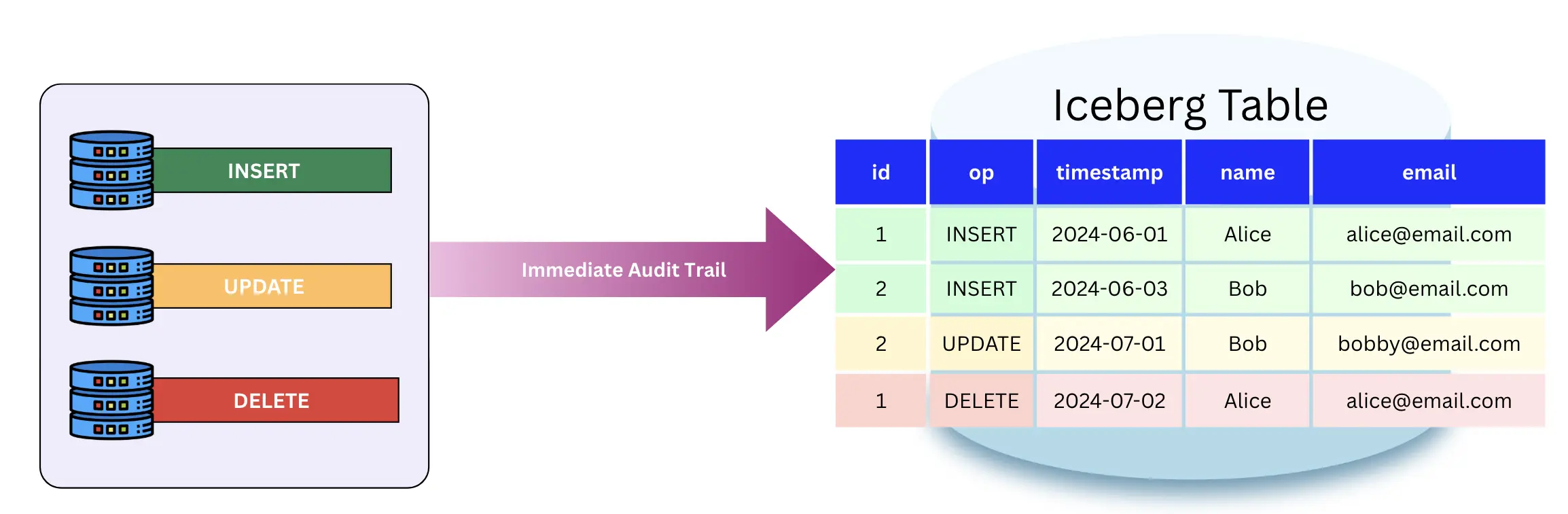
<p>This pattern ignores immediate materialization in favor of a permanent audit trail. Every <code>INSERT</code>, <code>UPDATE</code>, and <code>DELETE</code> event is simply appended to an Iceberg table as a new row. This is a robust and cost-effective way to ingest data because it involves zero file rewrites—you are only ever performing appends. The trade-off is shifted entirely to the reader. To see the current state of a record, the query engine must perform a complex merge-on-read operation across the entire history of changes. While this provides a perfect audit trail and makes replaying data easy, it eventually results in a bottleneck for analytical queries as the log grows.</p>
<p><img decoding="async" loading="lazy" alt="Row Change Log Pattern" src="https://olake.io/assets/images/pattern2-row-change-log-cde874e7444f84d0dde477ba4810fde0.webp" width="2308" height="756" class="img_CujE"></p>
<h3 class="anchor anchorTargetStickyNavbar_Vzrq" id="pattern-3-the-hybrid-medallion-approach">Pattern 3: The Hybrid Medallion Approach<a href="https://olake.io/blog/architect-guide-cdc-apache-iceberg/#pattern-3-the-hybrid-medallion-approach" class="hash-link" aria-label="Direct link to Pattern 3: The Hybrid Medallion Approach" title="Direct link to Pattern 3: The Hybrid Medallion Approach" translate="no">​</a></h3>
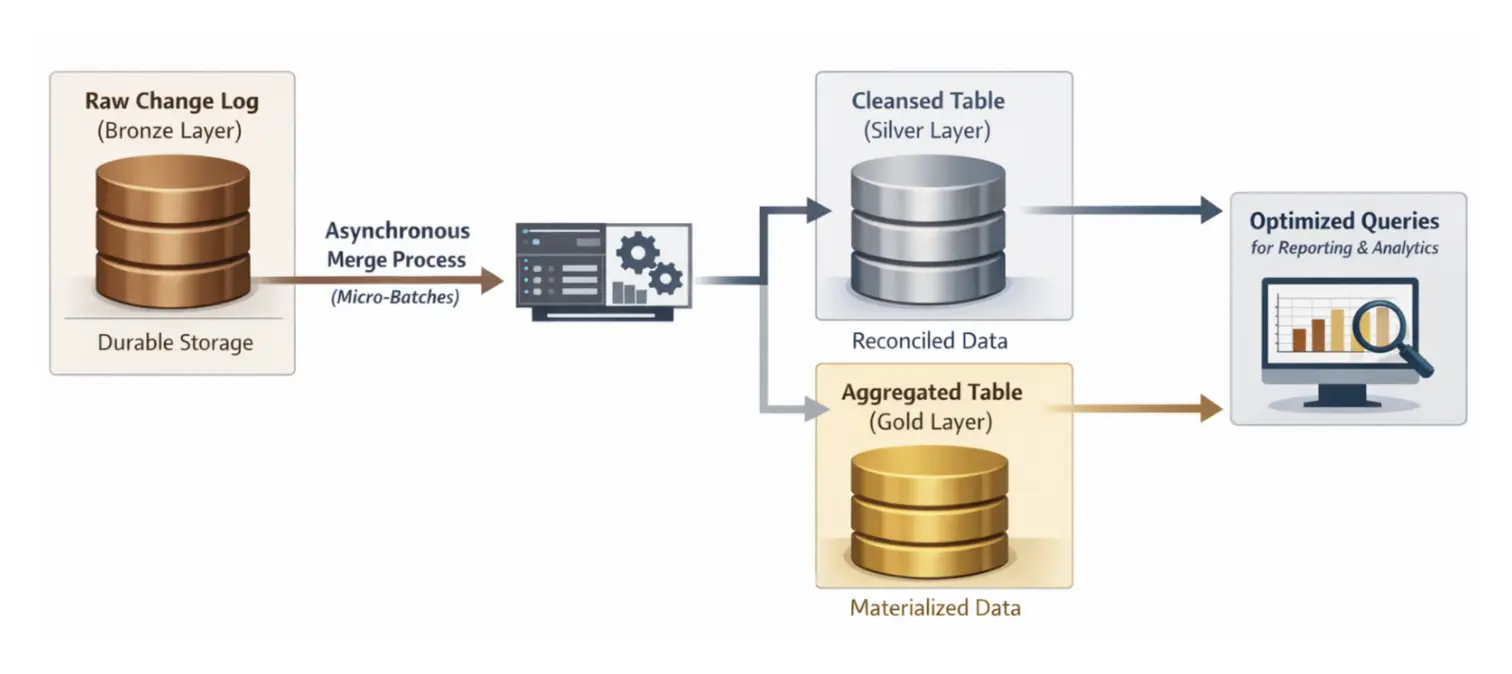
<p>The recommended Medallion approach combines the strengths of the previous two patterns. You maintain a raw change log (Bronze) for durability and then use an asynchronous process to reconcile those changes into a cleaned, materialized table (Silver or Gold). By using a <code>MERGE INTO</code> command in micro-batches, you can control exactly when and how the expensive compaction work happens. This decouples the ingestion speed from the query speed, ensuring that your production-facing tables remain reliable and performant without slowing down the real-time data stream.</p>
<p><img decoding="async" loading="lazy" alt="Hybrid Medallion Approach Pattern" src="https://olake.io/assets/images/pattern3-hybrid-medallion-approach-fa44974e4e80ff168ea5b579858b9305.webp" width="1512" height="674" class="img_CujE"></p>
<h3 class="anchor anchorTargetStickyNavbar_Vzrq" id="pattern-4-continuous-compaction">Pattern 4: Continuous Compaction<a href="https://olake.io/blog/architect-guide-cdc-apache-iceberg/#pattern-4-continuous-compaction" class="hash-link" aria-label="Direct link to Pattern 4: Continuous Compaction" title="Direct link to Pattern 4: Continuous Compaction" translate="no">​</a></h3>
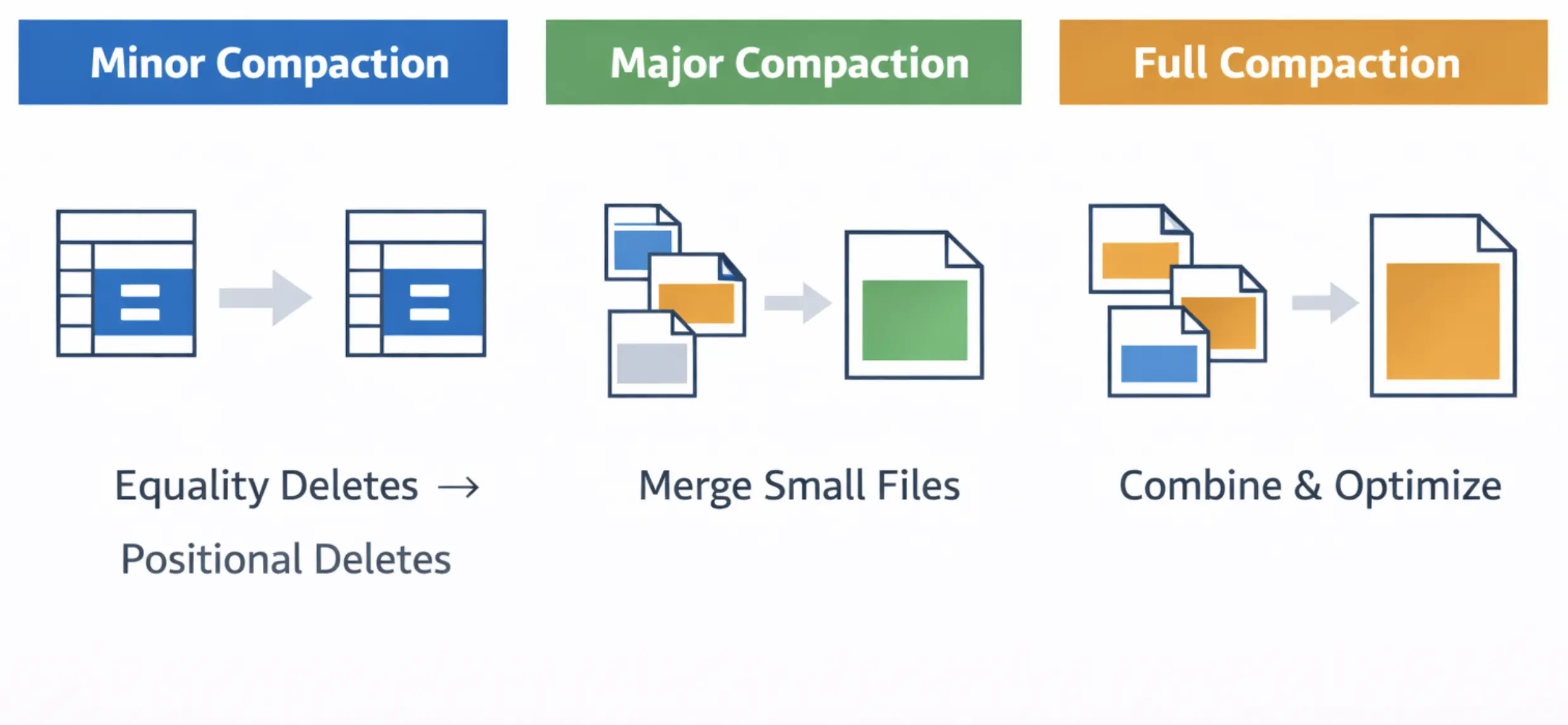
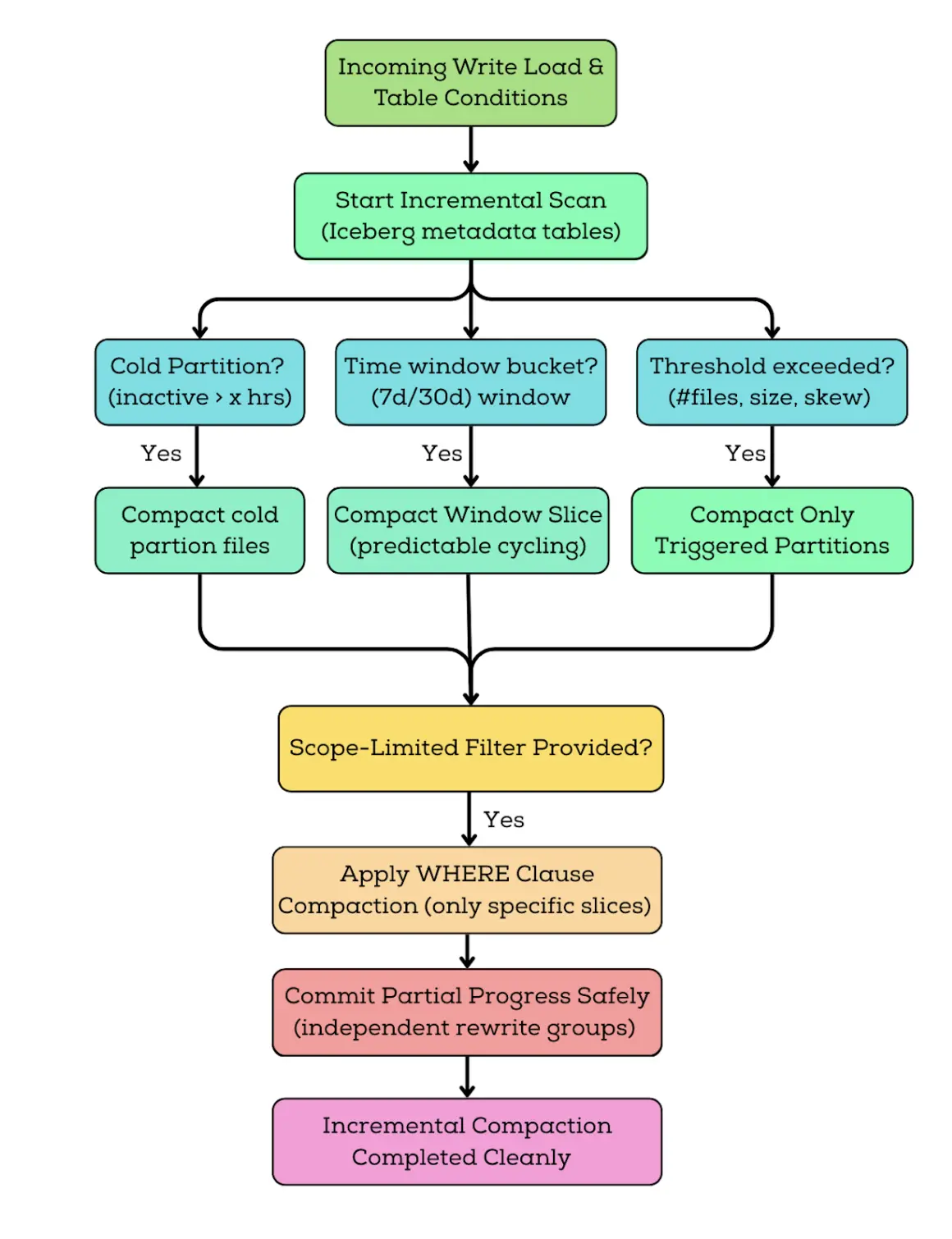
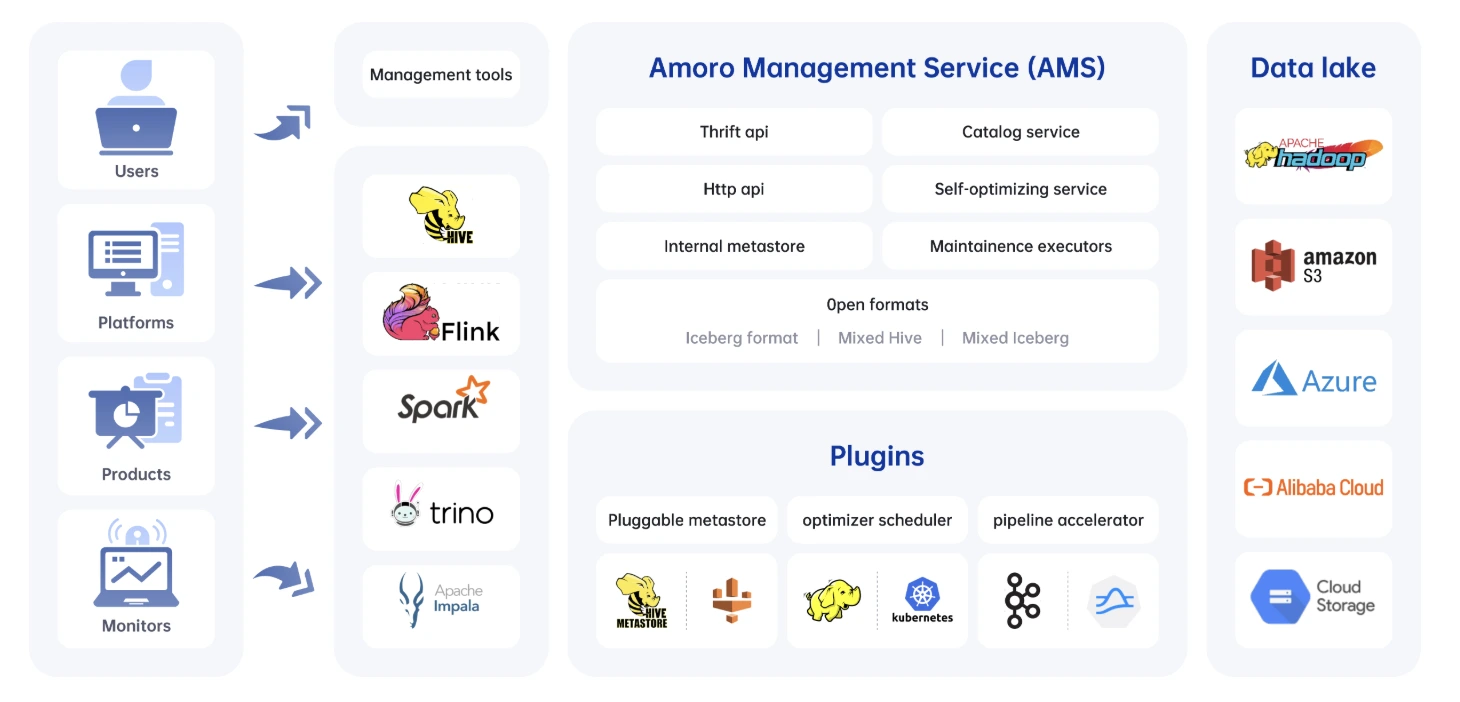
<p>This advanced pattern, inspired by projects like <strong>Apache Amoro</strong>, reimagines how we handle deletions. Instead of waiting for a massive rewrite job, the system ingests all data in an Equality Delete format. This allows ingestion to continue at high speed without interruption. We then run a custom, tiered compaction process in the background that does not require stopping the world.</p>
<p>Think of this like a multi-stage sorting facility. In the <strong>Minor</strong> stage, we quickly convert expensive Equality Deletes into more efficient Positional Deletes. In the <strong>Major</strong> stage, we bundle small, fragmented files into medium-sized ones to reduce metadata overhead. Finally, in the <strong>Full</strong> stage, we optimize everything into the target file size (e.g., 512MB). This approach is <strong>future-proof</strong> because it allows for parallel ingestion and compaction, ensuring that small file overhead never accumulates to the point of system failure.</p>
<p><img decoding="async" loading="lazy" alt="Continuous Compaction Pattern" src="https://olake.io/assets/images/pattern4-continuous-compaction-6f7a608347a35589c2578a1c48cdece1.webp" width="2482" height="1148" class="img_CujE"></p>
<h2 class="anchor anchorTargetStickyNavbar_Vzrq" id="the-critical-decision-copy-on-write-cow-vs-merge-on-read-mor">The Critical Decision: Copy-on-Write (CoW) vs. Merge-on-Read (MoR)<a href="https://olake.io/blog/architect-guide-cdc-apache-iceberg/#the-critical-decision-copy-on-write-cow-vs-merge-on-read-mor" class="hash-link" aria-label="Direct link to The Critical Decision: Copy-on-Write (CoW) vs. Merge-on-Read (MoR)" title="Direct link to The Critical Decision: Copy-on-Write (CoW) vs. Merge-on-Read (MoR)" translate="no">​</a></h2>
<p>While both methods allow you to handle updates in Iceberg, they represent two fundamentally different philosophies of resource management. Choosing the wrong one for your specific workload can turn a flexible data lake into a bottleneck for your entire organization.</p>
<h3 class="anchor anchorTargetStickyNavbar_Vzrq" id="cow-the-read-optimized-path">CoW: The Read-Optimized Path<a href="https://olake.io/blog/architect-guide-cdc-apache-iceberg/#cow-the-read-optimized-path" class="hash-link" aria-label="Direct link to CoW: The Read-Optimized Path" title="Direct link to CoW: The Read-Optimized Path" translate="no">​</a></h3>
<p>Copy-on-Write (CoW) is designed for environments where data is read much more often than it is changed. In this model, any update or deletion triggers a rewrite of the entire data file containing the affected rows. This ensures that the table always consists of clean parquet files with no external dependencies. While this makes queries incredibly fast, it is a fragile strategy for high-churn CDC. If your source database has a high volume of updates, the system will spend all its time rewriting the same files over and over, leading to massive resource waste and high ingestion latency.</p>
<h3 class="anchor anchorTargetStickyNavbar_Vzrq" id="mor-the-write-optimized-path">MoR: The Write-Optimized Path<a href="https://olake.io/blog/architect-guide-cdc-apache-iceberg/#mor-the-write-optimized-path" class="hash-link" aria-label="Direct link to MoR: The Write-Optimized Path" title="Direct link to MoR: The Write-Optimized Path" translate="no">​</a></h3>
<p>Merge-on-Read (MoR) is the preferred path for high-velocity CDC because it avoids the immediate penalty of rewriting data files. Instead, it captures changes by writing delete files. These files come in two primary flavors: Position Deletes, which point to a specific row's location in a file, and Equality Deletes, which mark rows for deletion based on a column value (e.g., <code>id=123</code>). This makes the ingestion process robust and fast. However, it introduces a Read Tax, as the query engine must now reconcile the base data files with these delete files at runtime to provide a consistent view.</p>
<h3 class="anchor anchorTargetStickyNavbar_Vzrq" id="the-hybrid-approach">The Hybrid Approach<a href="https://olake.io/blog/architect-guide-cdc-apache-iceberg/#the-hybrid-approach" class="hash-link" aria-label="Direct link to The Hybrid Approach" title="Direct link to The Hybrid Approach" translate="no">​</a></h3>
<p>In production environments, architects rarely stick to a pure version of either strategy. The hybrid approach uses MoR for the initial ingestion to ensure the system can handle the high-velocity stream of CDC events without choking. This keeps the data fresh and the ingestion pipeline reliable.</p>
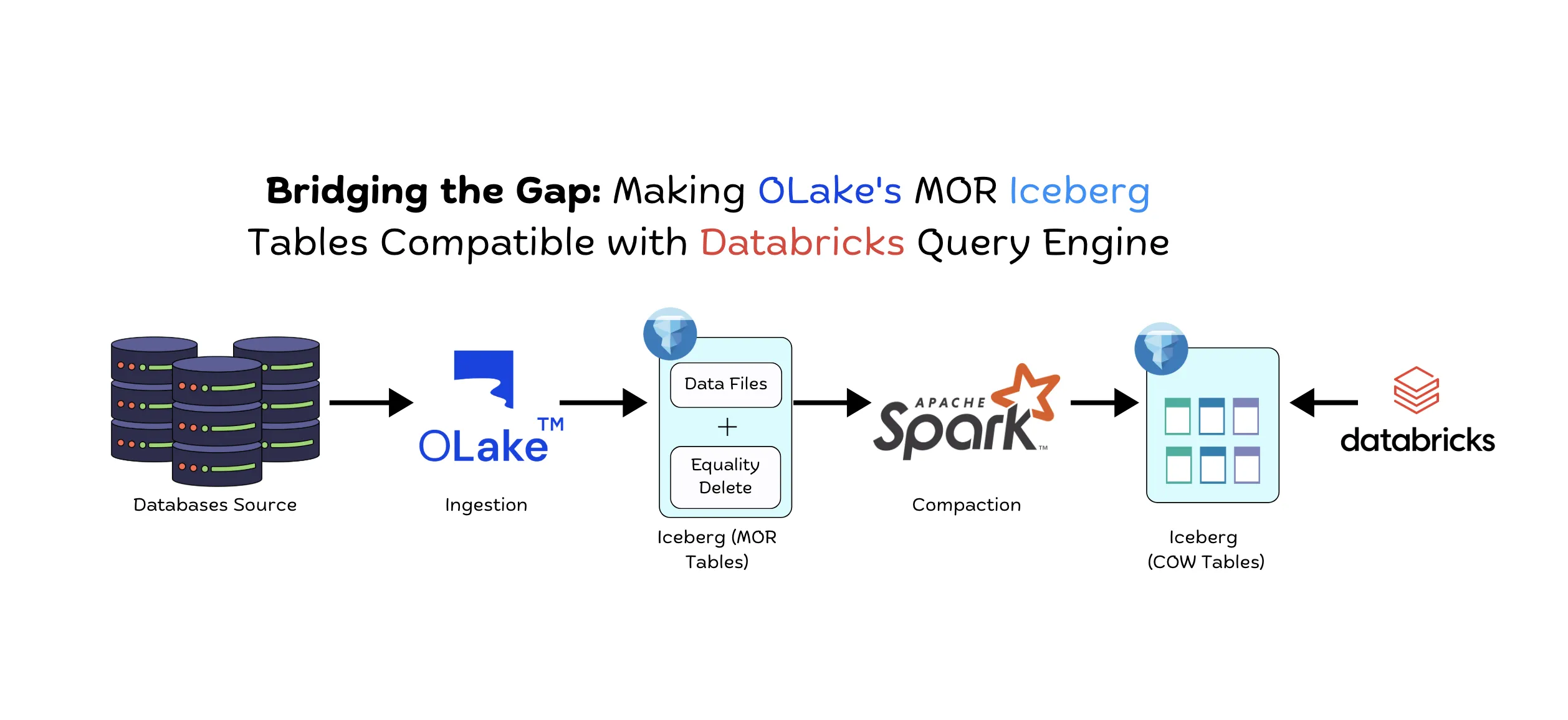
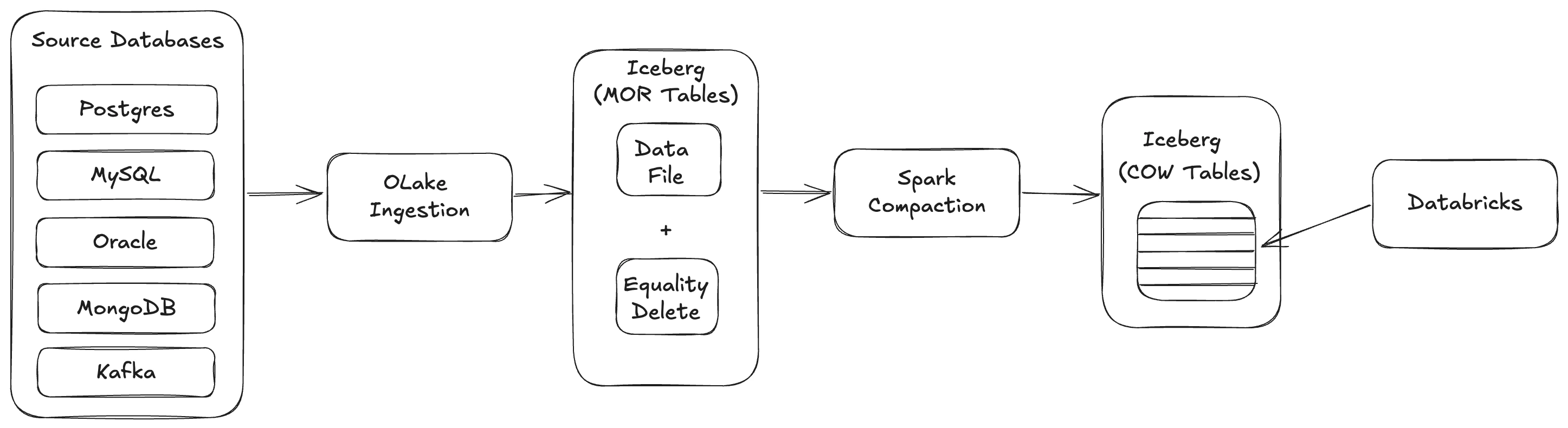
<p>To prevent the overwrite of increased delete files from making queries too slow, a background process asynchronously converts these MoR files into a CoW-style format through compaction. This transition moves the table from a flexible, write-heavy state to a performant, read-optimized state. By choosing the Hybrid approach, you ensure that the system remains future-proof, providing real-time data visibility today without sacrificing the speed of analytical queries tomorrow.</p>
<h2 class="anchor anchorTargetStickyNavbar_Vzrq" id="implementation">Implementation<a href="https://olake.io/blog/architect-guide-cdc-apache-iceberg/#implementation" class="hash-link" aria-label="Direct link to Implementation" title="Direct link to Implementation" translate="no">​</a></h2>
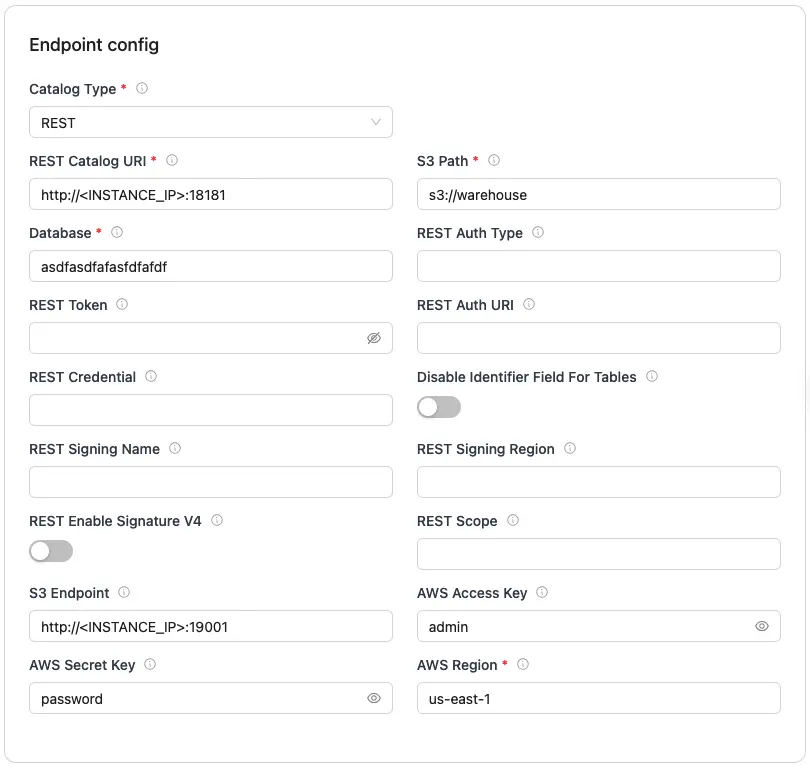
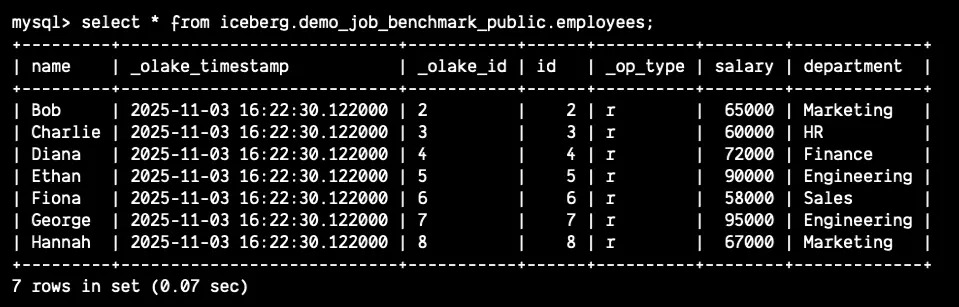
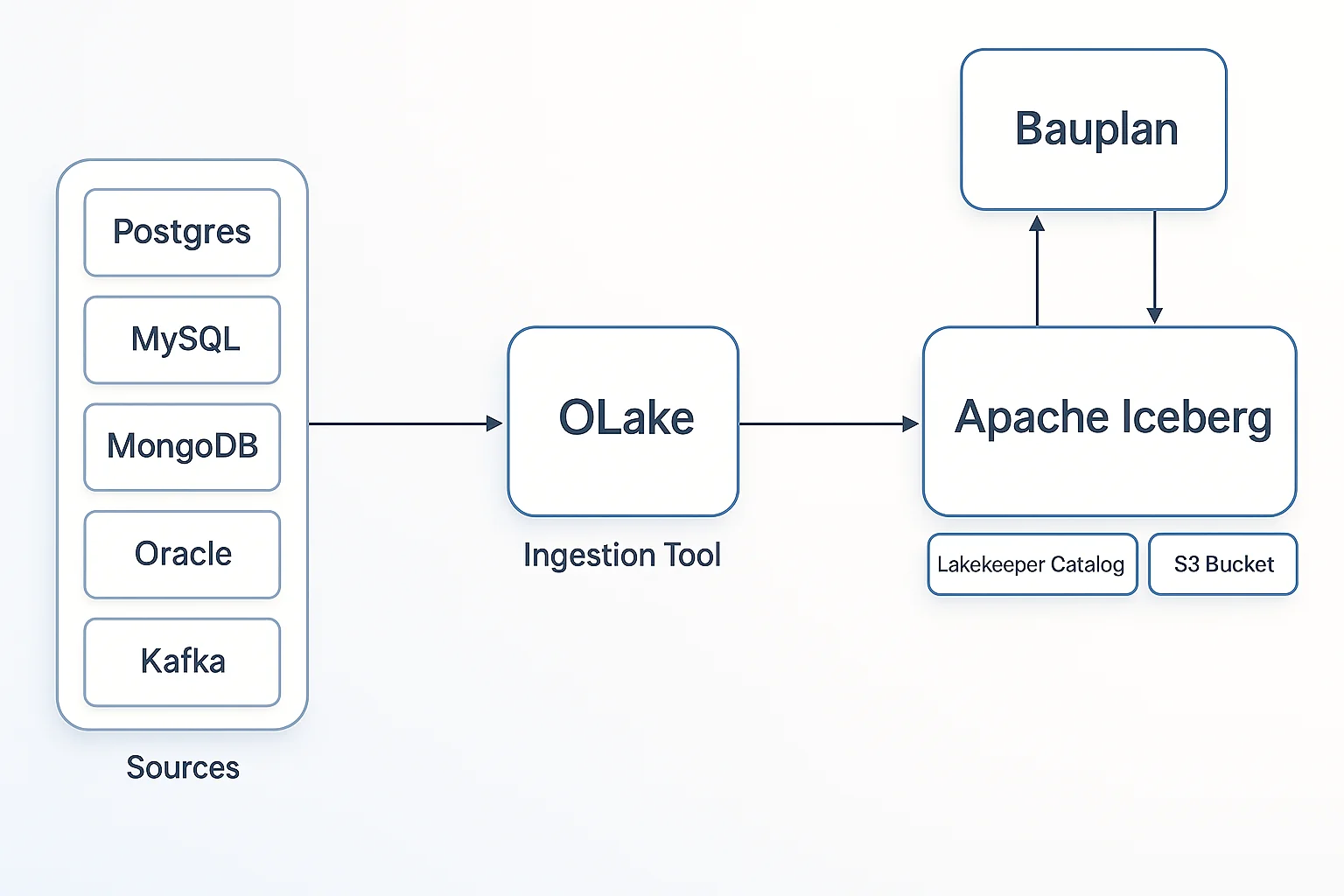
<p>You can implement CDC with Apache Iceberg from different databases like MySQL, Postgres, Oracle, MongoDB, etc using OLake. The detailed steps for implementing the CDC pipeline are mentioned <a href="https://olake.io/docs/community/setting-up-a-dev-env/" target="_blank" rel="noopener noreferrer" class="">here</a>.</p>
<p>While the present CDC implementation into Apache Iceberg with OLake is quite efficient, we are introducing the efficient continuous compaction pattern very soon. Look out for this launch, and definitely try it out! You will be pretty amazed at the compact efficiency that you can achieve with this pattern.</p>
<h2 class="anchor anchorTargetStickyNavbar_Vzrq" id="technical-deep-dive">Technical Deep Dive<a href="https://olake.io/blog/architect-guide-cdc-apache-iceberg/#technical-deep-dive" class="hash-link" aria-label="Direct link to Technical Deep Dive" title="Direct link to Technical Deep Dive" translate="no">​</a></h2>
<p>Even with a robust table format like Iceberg, production CDC pipelines often fail due to the complexity of real-world data streams. To build a reliable system, we must address the complex parts of distributed data—ordering, schema changes, and physical layout—before they turn into architectural bottlenecks.</p>
<h3 class="anchor anchorTargetStickyNavbar_Vzrq" id="ordering-and-deduplication">Ordering and Deduplication<a href="https://olake.io/blog/architect-guide-cdc-apache-iceberg/#ordering-and-deduplication" class="hash-link" aria-label="Direct link to Ordering and Deduplication" title="Direct link to Ordering and Deduplication" translate="no">​</a></h3>
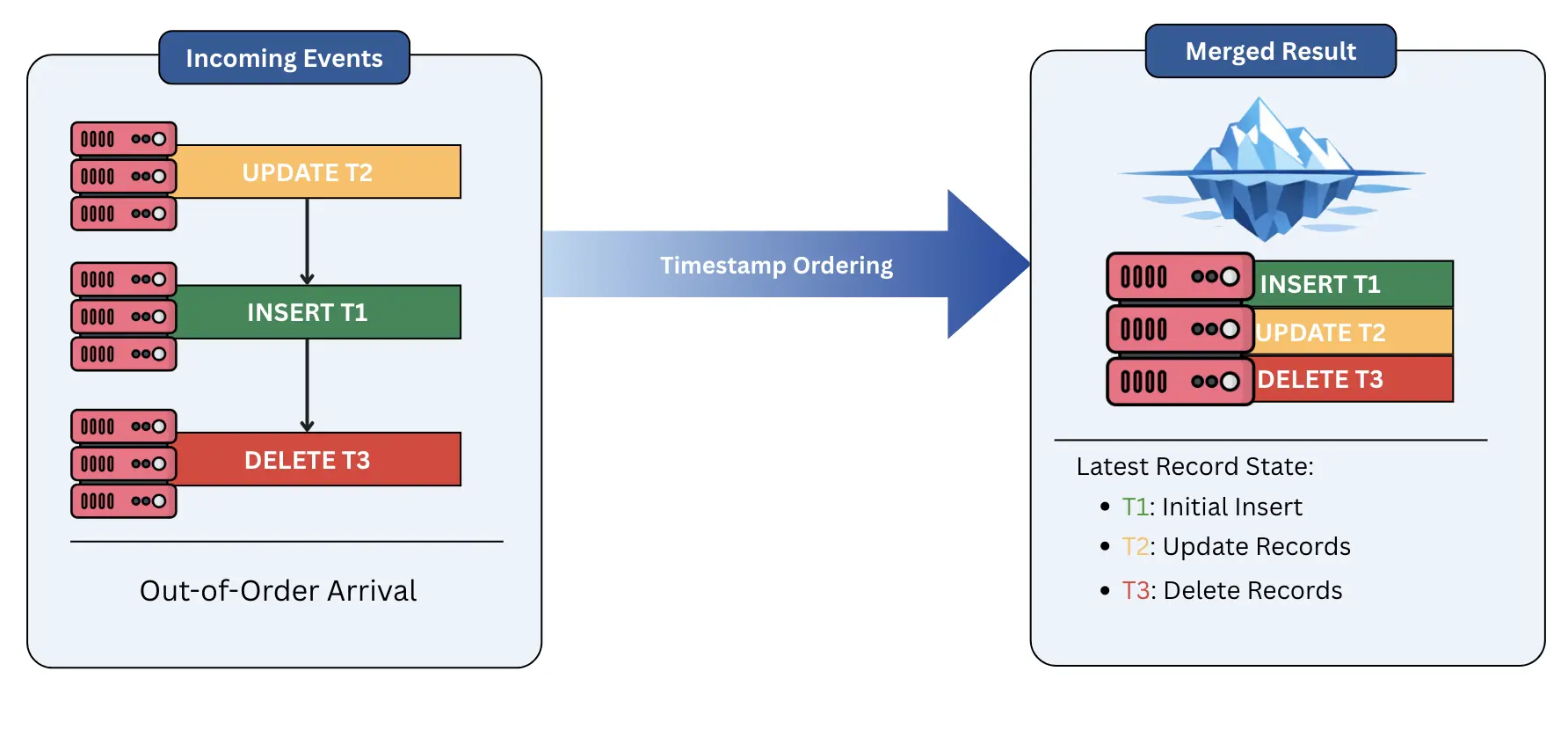
<p>In a distributed environment, events rarely arrive in the exact order they occurred. Network latency or retries can cause an <code>UPDATE</code> to arrive before the initial <code>INSERT</code>. If handled naively, this creates a fragile state where your data lake reflects a reality that never existed. To solve this, we must rely on deterministic ordering fields from Debezium or from the source database. By using these fields during the merge process, Iceberg ensures that only the "latest" version of a record is materialized, providing a consistent and accurate view of the truth regardless of arrival order.</p>
<p><img decoding="async" loading="lazy" alt="Ordering and Deduplication" src="https://olake.io/assets/images/ordering-and-deduplication-e42e6318c910895af241e84acb819b8d.webp" width="1784" height="838" class="img_CujE"></p>
<h3 class="anchor anchorTargetStickyNavbar_Vzrq" id="schema-evolution">Schema Evolution<a href="https://olake.io/blog/architect-guide-cdc-apache-iceberg/#schema-evolution" class="hash-link" aria-label="Direct link to Schema Evolution" title="Direct link to Schema Evolution" translate="no">​</a></h3>
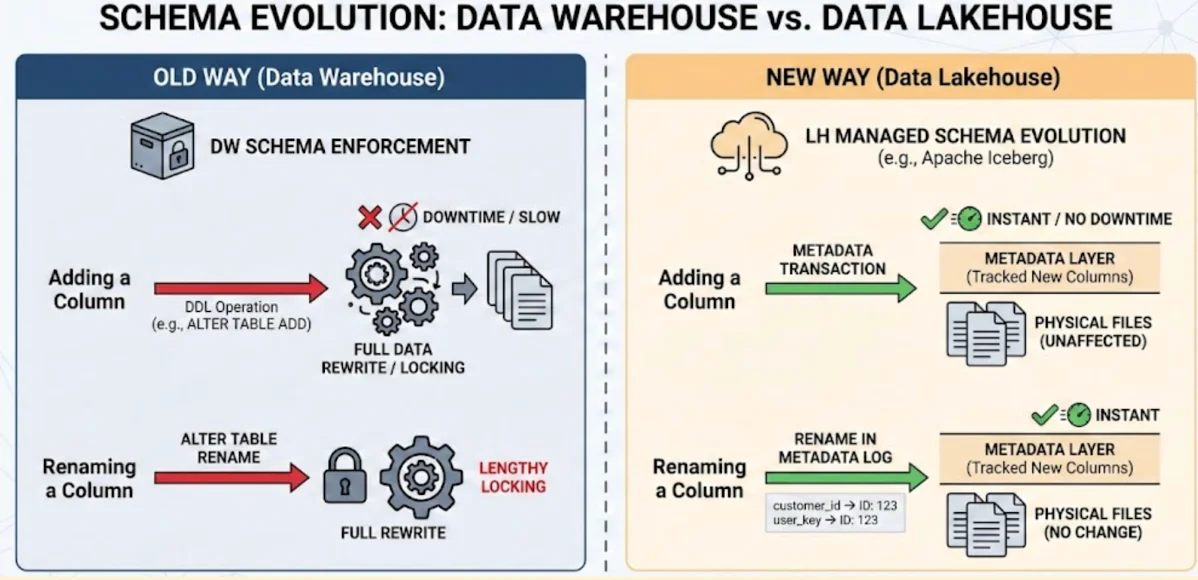
<p>One of the most common nightmares in data engineering is an upstream developer adding or renaming a column in the source database, which traditionally breaks downstream pipelines. Iceberg provides a future-proof solution through its superior schema evolution capabilities. Unlike older formats that require expensive data rewrites or "schema-on-read" hacks, Iceberg assigns unique IDs to every column. This allows you to add, drop, or rename columns without ever touching the underlying data files. This architecture is <strong>flexible</strong> enough to handle rapid changes in the source system without causing a total failure of the ingestion pipeline.</p>
<h3 class="anchor anchorTargetStickyNavbar_Vzrq" id="partitioning-strategies">Partitioning Strategies<a href="https://olake.io/blog/architect-guide-cdc-apache-iceberg/#partitioning-strategies" class="hash-link" aria-label="Direct link to Partitioning Strategies" title="Direct link to Partitioning Strategies" translate="no">​</a></h3>
<p>A major pitfall in CDC design is relying on standard time-partitioning (e.g., partitioning by <code>event_day</code>). In a CDC context, updates to an old record (like a user profile created three years ago) would require the system to open and modify a partition from three years ago. This creates a massive performance bottleneck and leads to fragmented data.</p>
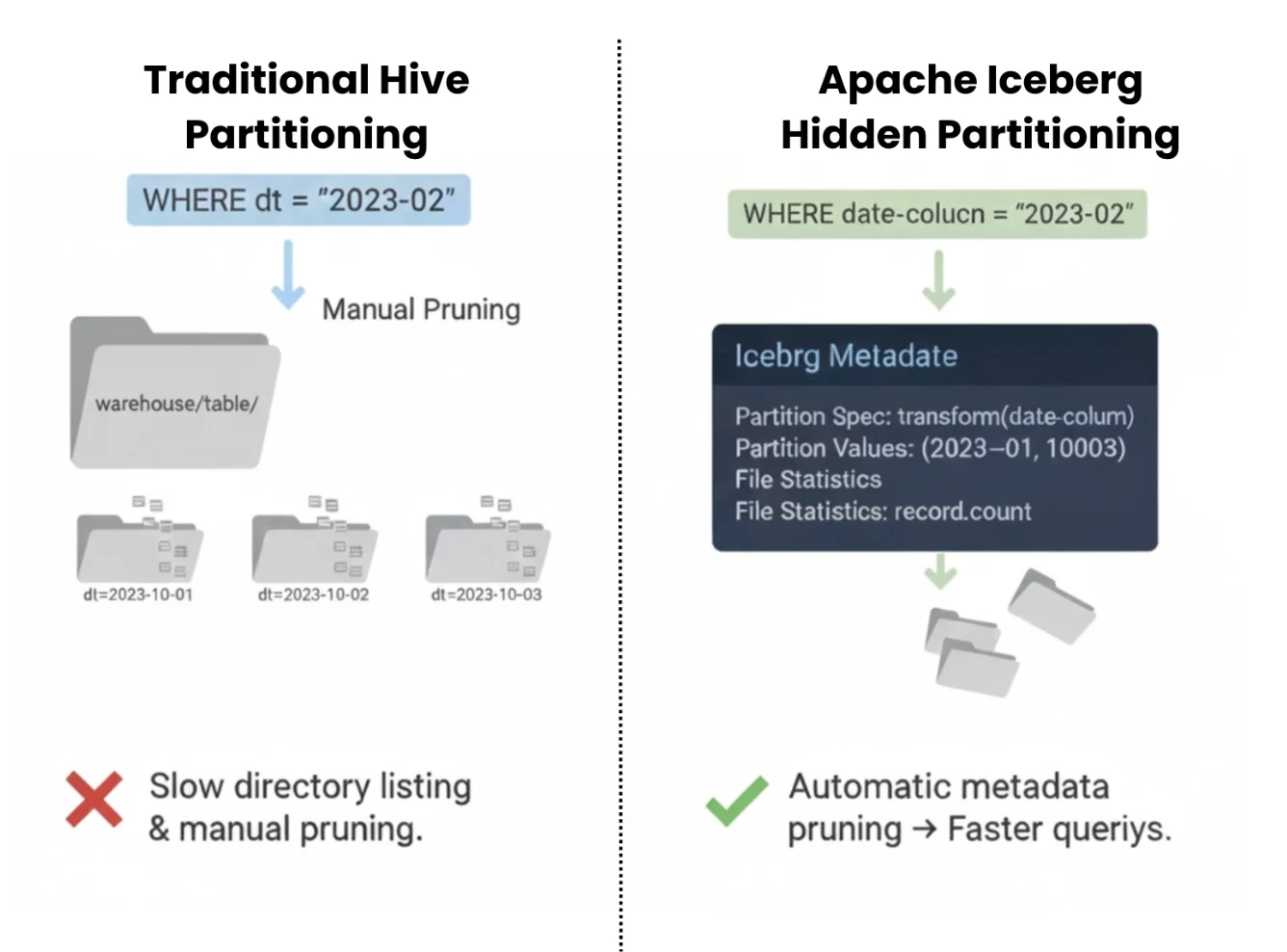
<p>To build a more performant system, we often move toward Bucketing or Hidden Partitioning based on a primary key or a high-cardinality ID. This ensures that updates for a specific record are always localized to the same set of files, regardless of when the record was first created. By moving away from rigid time-based structures, we create a robust physical layout that scales as the dataset grows, ensuring that row-level mutations remain efficient over the long term.</p>
<h2 class="anchor anchorTargetStickyNavbar_Vzrq" id="operational-best-practices">Operational Best Practices<a href="https://olake.io/blog/architect-guide-cdc-apache-iceberg/#operational-best-practices" class="hash-link" aria-label="Direct link to Operational Best Practices" title="Direct link to Operational Best Practices" translate="no">​</a></h2>
<p>Once the ingestion pipeline is running, the focus shifts to maintenance. To keep the lakehouse performant, you must actively manage the metadata and physical files that accumulate every hour.</p>
<h3 class="anchor anchorTargetStickyNavbar_Vzrq" id="compaction">Compaction<a href="https://olake.io/blog/architect-guide-cdc-apache-iceberg/#compaction" class="hash-link" aria-label="Direct link to Compaction" title="Direct link to Compaction" translate="no">​</a></h3>
<p>While CDC allows for near-real-time updates, the constant stream of small files and delete files eventually becomes a bottleneck for queries. Compaction is the process of merging these small files into larger, more efficient blocks.</p>
<ul>
<li class=""><strong>Bin-packing:</strong> This is the most common strategy. It takes a collection of small files and simply packs them into a larger file (e.g., 512MB). It is a robust and fast way to reduce metadata overhead and improve read speed without heavy computation.</li>
<li class=""><strong>Sorting:</strong> For more complex workloads, sorting the data during compaction can drastically improve query performance by co-locating related data. While more resource-intensive, it ensures that "Z-ordering" or hierarchical sorting remains reliable, allowing the query engine to skip even more data during scans.</li>
</ul>
<h3 class="anchor anchorTargetStickyNavbar_Vzrq" id="snapshot-expiration">Snapshot Expiration<a href="https://olake.io/blog/architect-guide-cdc-apache-iceberg/#snapshot-expiration" class="hash-link" aria-label="Direct link to Snapshot Expiration" title="Direct link to Snapshot Expiration" translate="no">​</a></h3>
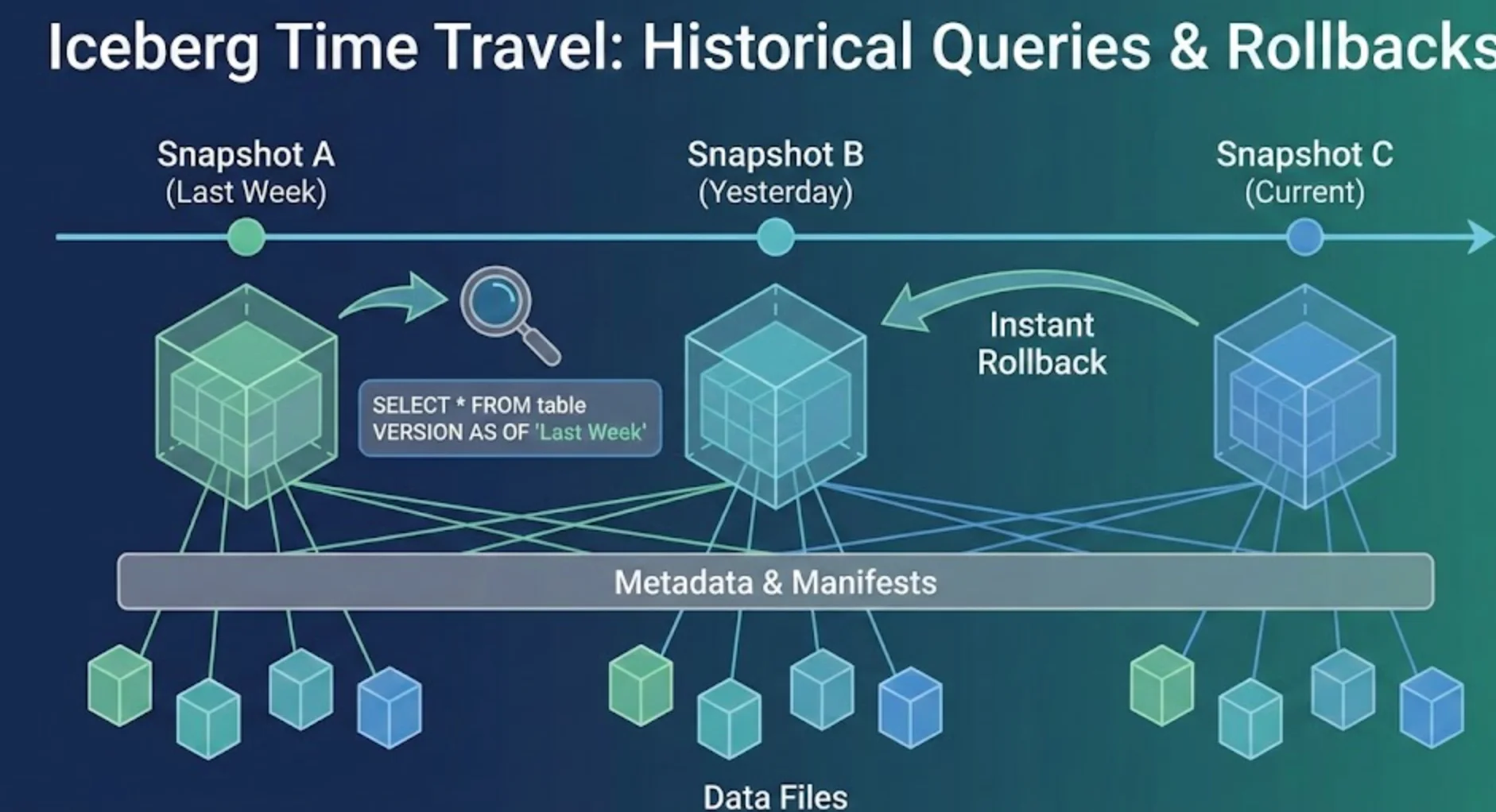
<p>Every commit in Iceberg creates a new snapshot, and by default, these snapshots (and the data files they point to) are kept forever. This is a nightmare for storage costs and metadata performance. To keep the system flexible, you must implement a snapshot expiration policy. The goal is to balance the need for time travel, the ability to query historical data, against the reality of storage budgets. A future-proof strategy usually involves keeping 24 to 48 hours of snapshots for immediate recovery, while expiring anything older to reclaim space and keep the metadata tree lean.</p>
<h3 class="anchor anchorTargetStickyNavbar_Vzrq" id="orphan-file-cleanup">Orphan File Cleanup<a href="https://olake.io/blog/architect-guide-cdc-apache-iceberg/#orphan-file-cleanup" class="hash-link" aria-label="Direct link to Orphan File Cleanup" title="Direct link to Orphan File Cleanup" translate="no">​</a></h3>
<p>In distributed systems, things go wrong. A Spark executor might crash, or a network flap might interrupt a commit. When this happens, data files may be written to storage but never actually linked to the Iceberg table metadata. These are "Orphan Files." Over time, these files accumulate and become a hidden resource drain.</p>
<p>Think of this like construction debris left behind after a building is finished. The building is functional, but the site is cluttered. Running a regular <code>remove_orphan_files</code> procedure is a reliable way to sweep the underlying storage and delete any files that are not tracked by a valid snapshot. This ensures that your cloud storage costs reflect only the data you are actually using.</p>
<h2 class="anchor anchorTargetStickyNavbar_Vzrq" id="conclusion">Conclusion<a href="https://olake.io/blog/architect-guide-cdc-apache-iceberg/#conclusion" class="hash-link" aria-label="Direct link to Conclusion" title="Direct link to Conclusion" translate="no">​</a></h2>
<p>Building a reliable CDC pipeline with Apache Iceberg is about selecting the right architectural patterns to handle the friction between real-time data and immutable storage. We have moved from the brittle world of daily snapshots to a future-proof model where data flows continuously and remains immediately actionable. To succeed, architects must embrace a strategy that prioritizes robust ingestion while maintaining a high-performance query experience for the end user.</p>
<p>The foundation of this path lies in the Medallion Architecture, using a raw change log (Bronze) to ensure data durability and an asynchronous merge process (Silver/Gold) to handle the heavy lifting of materialization. By adopting Merge-on-Read (MoR) for high-velocity streams and augmenting it with a tiered, continuous compaction strategy, you eliminate the bottlenecks that typically are the major pain points for large-scale data lakes. This approach ensures that your system stays flexible, allowing you to ingest thousands of changes per second without forcing users to wait minutes for their queries to finish.</p>
<p>As the data lakehouse ecosystem continues to mature, the tools for managing these tables are becoming increasingly autonomous. Systems that self-optimize, such as Apache Amoro, represent the next step in this evolution. By following these architectural principles, you aren't just building a pipeline for today; you are constructing a performant and reliable foundation that will scale alongside your organization’s data needs for years to come.</p>
<div class="bg-white dark:bg-black/70 rounded-2xl p-8 max-w-3xl w-full shadow-lg text-center transition-colors"><h2 class="text-4xl font-bold mb-4 text-gray-800 dark:text-white">OLake</h2><p class="text-lg font-light text-gray-700 dark:text-gray-300 mb-8">Achieve 5x speed data replication to Lakehouse format with OLake, our open source platform for efficient, quick and scalable big data ingestion for real-time analytics.</p><div class="flex flex-col md:flex-row justify-center gap-4"><a href="https://calendly.com/d/ckr6-g82-p9y/olake_discussion" target="_blank" rel="noopener noreferrer" class="inline-flex items-center justify-center text-lg font-medium text-white bg-black dark:bg-white dark:text-black rounded-full px-6 py-3 transition transform hover:-translate-y-1 hover:opacity-90 min-w-[150px]"><svg stroke="currentColor" fill="currentColor" stroke-width="0" viewBox="0 0 512 512" class="mr-2 text-white dark:text-black" height="1em" width="1em" xmlns="http://www.w3.org/2000/svg"><path d="M432,320H400a16,16,0,0,0-16,16V448H64V128H208a16,16,0,0,0,16-16V80a16,16,0,0,0-16-16H48A48,48,0,0,0,0,112V464a48,48,0,0,0,48,48H400a48,48,0,0,0,48-48V336A16,16,0,0,0,432,320ZM488,0h-128c-21.37,0-32.05,25.91-17,41l35.73,35.73L135,320.37a24,24,0,0,0,0,34L157.67,377a24,24,0,0,0,34,0L435.28,133.32,471,169c15,15,41,4.5,41-17V24A24,24,0,0,0,488,0Z"></path></svg><span class="text-white text-xs dark:text-black">Schedule a meet</span></a><a href="https://olake.io/#olake-form-product" target="_blank" rel="noopener noreferrer" class="inline-flex items-center justify-center text-lg font-medium text-white bg-black dark:bg-white dark:text-black rounded-full px-6 py-3 transition transform hover:-translate-y-1 hover:opacity-90 min-w-[150px]"><svg stroke="currentColor" fill="currentColor" stroke-width="0" viewBox="0 0 512 512" class="mr-2 text-white dark:text-black" height="1em" width="1em" xmlns="http://www.w3.org/2000/svg"><path d="M432,320H400a16,16,0,0,0-16,16V448H64V128H208a16,16,0,0,0,16-16V80a16,16,0,0,0-16-16H48A48,48,0,0,0,0,112V464a48,48,0,0,0,48,48H400a48,48,0,0,0,48-48V336A16,16,0,0,0,432,320ZM488,0h-128c-21.37,0-32.05,25.91-17,41l35.73,35.73L135,320.37a24,24,0,0,0,0,34L157.67,377a24,24,0,0,0,34,0L435.28,133.32,471,169c15,15,41,4.5,41-17V24A24,24,0,0,0,488,0Z"></path></svg><span class="text-white text-xs  dark:text-black">Signup</span></a><a href="https://github.com/datazip-inc/olake" target="_blank" rel="noopener noreferrer" class="inline-flex items-center justify-center text-lg font-medium text-white bg-black dark:bg-white dark:text-black rounded-full px-6 py-3 transition transform hover:-translate-y-1 hover:opacity-90 min-w-[150px]"><svg stroke="currentColor" fill="currentColor" stroke-width="0" viewBox="0 0 496 512" class="mr-2 text-white dark:text-black" height="1em" width="1em" xmlns="http://www.w3.org/2000/svg"><path d="M165.9 397.4c0 2-2.3 3.6-5.2 3.6-3.3.3-5.6-1.3-5.6-3.6 0-2 2.3-3.6 5.2-3.6 3-.3 5.6 1.3 5.6 3.6zm-31.1-4.5c-.7 2 1.3 4.3 4.3 4.9 2.6 1 5.6 0 6.2-2s-1.3-4.3-4.3-5.2c-2.6-.7-5.5.3-6.2 2.3zm44.2-1.7c-2.9.7-4.9 2.6-4.6 4.9.3 2 2.9 3.3 5.9 2.6 2.9-.7 4.9-2.6 4.6-4.6-.3-1.9-3-3.2-5.9-2.9zM244.8 8C106.1 8 0 113.3 0 252c0 110.9 69.8 205.8 169.5 239.2 12.8 2.3 17.3-5.6 17.3-12.1 0-6.2-.3-40.4-.3-61.4 0 0-70 15-84.7-29.8 0 0-11.4-29.1-27.8-36.6 0 0-22.9-15.7 1.6-15.4 0 0 24.9 2 38.6 25.8 21.9 38.6 58.6 27.5 72.9 20.9 2.3-16 8.8-27.1 16-33.7-55.9-6.2-112.3-14.3-112.3-110.5 0-27.5 7.6-41.3 23.6-58.9-2.6-6.5-11.1-33.3 2.6-67.9 20.9-6.5 69 27 69 27 20-5.6 41.5-8.5 62.8-8.5s42.8 2.9 62.8 8.5c0 0 48.1-33.6 69-27 13.7 34.7 5.2 61.4 2.6 67.9 16 17.7 25.8 31.5 25.8 58.9 0 96.5-58.9 104.2-114.8 110.5 9.2 7.9 17 22.9 17 46.4 0 33.7-.3 75.4-.3 83.6 0 6.5 4.6 14.4 17.3 12.1C428.2 457.8 496 362.9 496 252 496 113.3 383.5 8 244.8 8zM97.2 352.9c-1.3 1-1 3.3.7 5.2 1.6 1.6 3.9 2.3 5.2 1 1.3-1 1-3.3-.7-5.2-1.6-1.6-3.9-2.3-5.2-1zm-10.8-8.1c-.7 1.3.3 2.9 2.3 3.9 1.6 1 3.6.7 4.3-.7.7-1.3-.3-2.9-2.3-3.9-2-.6-3.6-.3-4.3.7zm32.4 35.6c-1.6 1.3-1 4.3 1.3 6.2 2.3 2.3 5.2 2.6 6.5 1 1.3-1.3.7-4.3-1.3-6.2-2.2-2.3-5.2-2.6-6.5-1zm-11.4-14.7c-1.6 1-1.6 3.6 0 5.9 1.6 2.3 4.3 3.3 5.6 2.3 1.6-1.3 1.6-3.9 0-6.2-1.4-2.3-4-3.3-5.6-2z"></path></svg><span class="text-white text-xs dark:text-black">Explore OLake GitHub</span></a></div><div class="mt-6 text-sm text-gray-600 dark:text-gray-400">Contact us at <strong>hello@olake.io</strong></div></div>]]></content>
        <author>
            <name>Shruti Mantri</name>
            <email>shruti1810@gmail.com</email>
        </author>
        <category label="Apache Iceberg" term="Apache Iceberg"/>
        <category label="CDC - Change Data Capture" term="CDC - Change Data Capture"/>
        <category label="Lakehouse" term="Lakehouse"/>
        <category label="Data Architecture" term="Data Architecture"/>
    </entry>
    <entry>
        <title type="html"><![CDATA[Iceberg Compaction: How Much Faster Are TPC-H Queries?]]></title>
        <id>https://olake.io/blog/iceberg-compaction-tpch-benchmark/</id>
        <link href="https://olake.io/blog/iceberg-compaction-tpch-benchmark/"/>
        <updated>2026-02-27T00:00:00.000Z</updated>
        <summary type="html"><![CDATA[We ran TPC-H queries on Iceberg tables with many small files, then compacted them and ran the same queries again. Here's how much faster compaction made them.]]></summary>
        <content type="html"><![CDATA[<p><img decoding="async" loading="lazy" alt="compaction diagram" src="https://olake.io/assets/images/compaction-blog-img-8baf19c875bf90c48c327ef4f669a4ff.webp" width="3019" height="1274" class="img_CujE"></p>
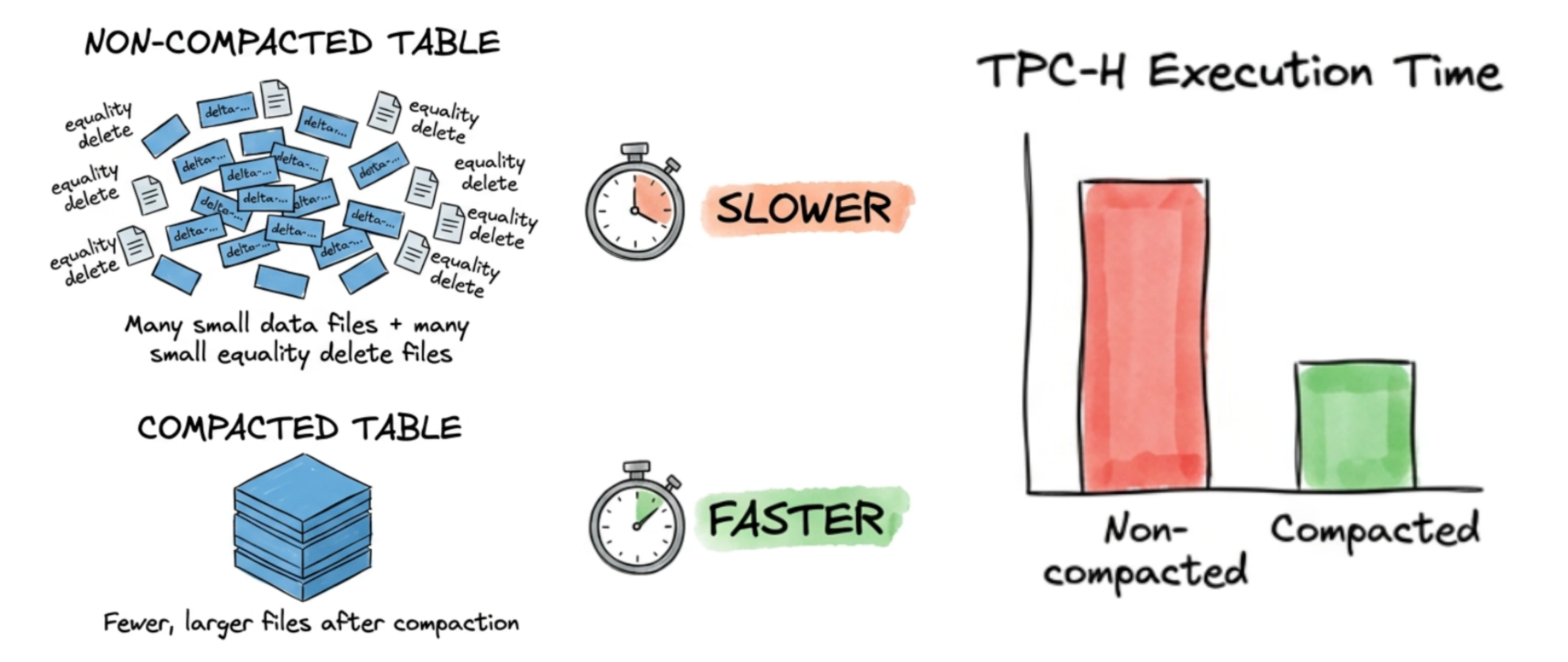
<p>There is a very common piece of advice in the Iceberg community: compact your tables regularly, or your query performance will suffer. Most people nod along and accept it as true. But how much does it actually matter? Is it a 10% speedup, or are we talking about an order of magnitude?</p>
<p>We decided to stop guessing and run a real benchmark. We took 1 TB of TPC-H data, deliberately filled it with thousands of tiny equality delete files to simulate what a real-world CDC-heavy lakehouse looks like after weeks of continuous ingestion — and then ran all 22 TPC-H queries before and after compaction. The numbers told a very clear story.</p>
<p>This blog walks through the entire journey: the ingestion, the deliberate manipulating of our own dataset, the infrastructure battles we fought along the way, and what the benchmark results actually look like.</p>
<blockquote>
<p>New to Iceberg compaction? Before going further, we recommend reading our deep-dive on <a class="" href="https://olake.io/blog/olake-amoro-iceberg-lakehouse/">what compaction is and why it matters</a>. This post assumes a basic familiarity with Apache Iceberg's Merge-on-Read (MOR) model and equality delete files. If you're not familiar with the difference between MOR and COW tables, read our guide on <a class="" href="https://olake.io/iceberg/mor-vs-cow/">Merge-on-Read vs Copy-on-Write</a>.</p>
</blockquote>
<h2 class="anchor anchorTargetStickyNavbar_Vzrq" id="getting-1-tb-of-tpc-h-data-into-iceberg">Getting 1 TB of TPC-H Data into Iceberg<a href="https://olake.io/blog/iceberg-compaction-tpch-benchmark/#getting-1-tb-of-tpc-h-data-into-iceberg" class="hash-link" aria-label="Direct link to Getting 1 TB of TPC-H Data into Iceberg" title="Direct link to Getting 1 TB of TPC-H Data into Iceberg" translate="no">​</a></h2>
<p>The TPC-H benchmark is a standard set of eight interrelated tables (region, nation, supplier, part, partsupp, orders, lineitem, and customer) designed to simulate a realistic business analytics workload. At scale factor 1000, it produces roughly 1 TB of data.</p>
<p>We used OLake to ingest this data from PostgreSQL directly into Apache Iceberg tables stored in S3, with AWS Glue as the catalog. After the full load completed, we had eight clean Iceberg tables sitting in S3, backed by a Glue catalog, with zero delete files and well-sized Parquet data files. Query performance at this point was healthy.</p>
<div class="theme-admonition theme-admonition-info admonition_xJq3 alert alert--info"><div class="admonitionHeading_Gvgb"><span class="admonitionIcon_Rf37"><svg viewBox="0 0 14 16"><path fill-rule="evenodd" d="M7 2.3c3.14 0 5.7 2.56 5.7 5.7s-2.56 5.7-5.7 5.7A5.71 5.71 0 0 1 1.3 8c0-3.14 2.56-5.7 5.7-5.7zM7 1C3.14 1 0 4.14 0 8s3.14 7 7 7 7-3.14 7-7-3.14-7-7-7zm1 3H6v5h2V4zm0 6H6v2h2v-2z"></path></svg></span>info</div><div class="admonitionContent_BuS1"><p>For those benchmark results—including query times, memory utilization, and a comparison with Databricks—see <a href="https://olake.io/iceberg/databricks-vs-iceberg/#c-running-tpch-queries" target="_blank" rel="noopener noreferrer" class="">Running TPC-H queries</a> in our <strong>Databricks vs Apache Iceberg</strong> blog.</p></div></div>
<h2 class="anchor anchorTargetStickyNavbar_Vzrq" id="manufacturing-the-small-file-problem">Manufacturing the Small File Problem<a href="https://olake.io/blog/iceberg-compaction-tpch-benchmark/#manufacturing-the-small-file-problem" class="hash-link" aria-label="Direct link to Manufacturing the Small File Problem" title="Direct link to Manufacturing the Small File Problem" translate="no">​</a></h2>
<p>Here's where things get interesting. In production, small file accumulation happens gradually — a CDC pipeline runs every few minutes, each run writes a small batch of new data files and equality delete files, and over weeks or months the file count balloons. We wanted to simulate that end state quickly, in a controlled and reproducible way.</p>
<p>Our approach: a custom equality delete generator that would create <strong>1,000 equality delete files per table</strong> without changing a single row of data logically. Here's how it worked.</p>
<p>The goal was to create a large number of small equality delete files while keeping the table's logical content identical, so that any query performance difference we observed would be attributable purely to the file structure and not to data differences.</p>
<p>In our run, the table lineitem which is supposed to be the biggest table in TPCH started with <strong>843 data files</strong>, almost all around 512 MB each. The script added 1,000 new data files and 1,000 equality delete files, so we ended up with <strong>1,843 data files</strong>.</p>
<p><strong>How the Equality Delete Generator Works</strong></p>
<p>The script used a deterministic hash over each table's primary key to pick 2% of rows across 1,000 non-overlapping batches. It scanned only the primary key columns for efficiency, wrote one small Parquet equality delete file per batch via Iceberg's native writer, then reinserted those same rows from the original snapshot. Net effect: zero data change logically — we deleted rows and added them back — but physically each table now had 1,000 equality delete files and 1,000 extra data files from the reinserts, which the merge-on-read engine must process at query time.</p>
<details class="details_lb9f alert alert--info details_b_Ee" data-collapsed="true"><summary>View the equality delete generator script</summary><div><div class="collapsibleContent_i85q"><div class="language-java codeBlockContainer_Ckt0 theme-code-block" style="--prism-color:#bfc7d5;--prism-background-color:#292d3e"><div class="codeBlockContent_QJqH"><pre tabindex="0" class="prism-code language-java codeBlock_bY9V thin-scrollbar" style="color:#bfc7d5;background-color:#292d3e"><code class="codeBlockLines_e6Vv"><span class="token-line" style="color:#bfc7d5"><span class="token plain">package com.olake.tpch;</span><br></span><span class="token-line" style="color:#bfc7d5"><span class="token plain" style="display:inline-block"></span><br></span><span class="token-line" style="color:#bfc7d5"><span class="token plain">import org.apache.iceberg.DeleteFile;</span><br></span><span class="token-line" style="color:#bfc7d5"><span class="token plain">import org.apache.iceberg.Schema;</span><br></span><span class="token-line" style="color:#bfc7d5"><span class="token plain">import org.apache.iceberg.Snapshot;</span><br></span><span class="token-line" style="color:#bfc7d5"><span class="token plain">import org.apache.iceberg.Table;</span><br></span><span class="token-line" style="color:#bfc7d5"><span class="token plain">import org.apache.iceberg.aws.glue.GlueCatalog;</span><br></span><span class="token-line" style="color:#bfc7d5"><span class="token plain">import org.apache.iceberg.catalog.Namespace;</span><br></span><span class="token-line" style="color:#bfc7d5"><span class="token plain">import org.apache.iceberg.catalog.TableIdentifier;</span><br></span><span class="token-line" style="color:#bfc7d5"><span class="token plain">import org.apache.iceberg.data.GenericRecord;</span><br></span><span class="token-line" style="color:#bfc7d5"><span class="token plain">import org.apache.iceberg.data.Record;</span><br></span><span class="token-line" style="color:#bfc7d5"><span class="token plain">import org.apache.iceberg.deletes.EqualityDeleteWriter;</span><br></span><span class="token-line" style="color:#bfc7d5"><span class="token plain">import org.apache.iceberg.io.OutputFile;</span><br></span><span class="token-line" style="color:#bfc7d5"><span class="token plain">import org.apache.iceberg.data.parquet.GenericParquetWriter;</span><br></span><span class="token-line" style="color:#bfc7d5"><span class="token plain">import org.apache.iceberg.parquet.Parquet;</span><br></span><span class="token-line" style="color:#bfc7d5"><span class="token plain">import org.apache.iceberg.types.Types;</span><br></span><span class="token-line" style="color:#bfc7d5"><span class="token plain" style="display:inline-block"></span><br></span><span class="token-line" style="color:#bfc7d5"><span class="token plain">import org.apache.spark.sql.Row;</span><br></span><span class="token-line" style="color:#bfc7d5"><span class="token plain">import org.apache.spark.sql.SparkSession;</span><br></span><span class="token-line" style="color:#bfc7d5"><span class="token plain" style="display:inline-block"></span><br></span><span class="token-line" style="color:#bfc7d5"><span class="token plain">import java.io.IOException;</span><br></span><span class="token-line" style="color:#bfc7d5"><span class="token plain">import java.time.Instant;</span><br></span><span class="token-line" style="color:#bfc7d5"><span class="token plain">import java.time.LocalDateTime;</span><br></span><span class="token-line" style="color:#bfc7d5"><span class="token plain">import java.time.ZoneId;</span><br></span><span class="token-line" style="color:#bfc7d5"><span class="token plain">import java.time.format.DateTimeFormatter;</span><br></span><span class="token-line" style="color:#bfc7d5"><span class="token plain">import java.util.ArrayList;</span><br></span><span class="token-line" style="color:#bfc7d5"><span class="token plain">import java.util.Arrays;</span><br></span><span class="token-line" style="color:#bfc7d5"><span class="token plain">import java.util.Collections;</span><br></span><span class="token-line" style="color:#bfc7d5"><span class="token plain">import java.util.HashMap;</span><br></span><span class="token-line" style="color:#bfc7d5"><span class="token plain">import java.util.LinkedHashMap;</span><br></span><span class="token-line" style="color:#bfc7d5"><span class="token plain">import java.util.List;</span><br></span><span class="token-line" style="color:#bfc7d5"><span class="token plain">import java.util.Map;</span><br></span><span class="token-line" style="color:#bfc7d5"><span class="token plain">import java.util.UUID;</span><br></span><span class="token-line" style="color:#bfc7d5"><span class="token plain">import java.util.stream.Collectors;</span><br></span><span class="token-line" style="color:#bfc7d5"><span class="token plain" style="display:inline-block"></span><br></span><span class="token-line" style="color:#bfc7d5"><span class="token plain">/**</span><br></span><span class="token-line" style="color:#bfc7d5"><span class="token plain"> * Generates Iceberg V2 equality delete files for TPCH tables.</span><br></span><span class="token-line" style="color:#bfc7d5"><span class="token plain"> *</span><br></span><span class="token-line" style="color:#bfc7d5"><span class="token plain"> * v2 — Multi-batch optimisation:</span><br></span><span class="token-line" style="color:#bfc7d5"><span class="token plain"> *   Groups N consecutive batches (default 50) into one "group".</span><br></span><span class="token-line" style="color:#bfc7d5"><span class="token plain"> *   Each group performs:</span><br></span><span class="token-line" style="color:#bfc7d5"><span class="token plain"> *     1. ONE full-table scan (reading from the original snapshot via time-travel)</span><br></span><span class="token-line" style="color:#bfc7d5"><span class="token plain"> *        to collect primary-key rows for all batches in the group.</span><br></span><span class="token-line" style="color:#bfc7d5"><span class="token plain"> *     2. Writes N separate equality delete files, one per batch, and commits each.</span><br></span><span class="token-line" style="color:#bfc7d5"><span class="token plain"> *     3. ONE combined re-insertion from the original snapshot so logical data</span><br></span><span class="token-line" style="color:#bfc7d5"><span class="token plain"> *        is unchanged.</span><br></span><span class="token-line" style="color:#bfc7d5"><span class="token plain"> *</span><br></span><span class="token-line" style="color:#bfc7d5"><span class="token plain"> * Supports --start-batch to resume from a specific batch (1-indexed, matches</span><br></span><span class="token-line" style="color:#bfc7d5"><span class="token plain"> * the "batch N/1000" numbering in logs).</span><br></span><span class="token-line" style="color:#bfc7d5"><span class="token plain"> *</span><br></span><span class="token-line" style="color:#bfc7d5"><span class="token plain"> * End result: table data is logically identical, but the table now contains</span><br></span><span class="token-line" style="color:#bfc7d5"><span class="token plain"> * ~{num-batches} equality delete files, which degrade read performance</span><br></span><span class="token-line" style="color:#bfc7d5"><span class="token plain"> * until compaction is run.</span><br></span><span class="token-line" style="color:#bfc7d5"><span class="token plain"> *</span><br></span><span class="token-line" style="color:#bfc7d5"><span class="token plain"> * SAFETY: Before processing each table the script logs the current snapshot ID.</span><br></span><span class="token-line" style="color:#bfc7d5"><span class="token plain"> *         If anything goes wrong you can roll back using:</span><br></span><span class="token-line" style="color:#bfc7d5"><span class="token plain"> *           CALL catalog.system.rollback_to_snapshot('db.table', snapshot_id);</span><br></span><span class="token-line" style="color:#bfc7d5"><span class="token plain"> */</span><br></span><span class="token-line" style="color:#bfc7d5"><span class="token plain">public class EqualityDeleteGenerator {</span><br></span><span class="token-line" style="color:#bfc7d5"><span class="token plain" style="display:inline-block"></span><br></span><span class="token-line" style="color:#bfc7d5"><span class="token plain">    private static final DateTimeFormatter TS_FMT =</span><br></span><span class="token-line" style="color:#bfc7d5"><span class="token plain">            DateTimeFormatter.ofPattern("yyyy-MM-dd HH:mm:ss");</span><br></span><span class="token-line" style="color:#bfc7d5"><span class="token plain" style="display:inline-block"></span><br></span><span class="token-line" style="color:#bfc7d5"><span class="token plain">    // ── TPCH primary keys ──────────────────────────────────────────────</span><br></span><span class="token-line" style="color:#bfc7d5"><span class="token plain">    private static final Map&lt;String, List&lt;String&gt;&gt; TABLE_KEYS = new LinkedHashMap&lt;&gt;();</span><br></span><span class="token-line" style="color:#bfc7d5"><span class="token plain">    static {</span><br></span><span class="token-line" style="color:#bfc7d5"><span class="token plain">        TABLE_KEYS.put("lineitem",  Arrays.asList("l_orderkey", "l_linenumber"));</span><br></span><span class="token-line" style="color:#bfc7d5"><span class="token plain">        TABLE_KEYS.put("orders",    Collections.singletonList("o_orderkey"));</span><br></span><span class="token-line" style="color:#bfc7d5"><span class="token plain">        TABLE_KEYS.put("customer",  Collections.singletonList("c_custkey"));</span><br></span><span class="token-line" style="color:#bfc7d5"><span class="token plain">        TABLE_KEYS.put("part",      Collections.singletonList("p_partkey"));</span><br></span><span class="token-line" style="color:#bfc7d5"><span class="token plain">        TABLE_KEYS.put("supplier",  Collections.singletonList("s_suppkey"));</span><br></span><span class="token-line" style="color:#bfc7d5"><span class="token plain">        TABLE_KEYS.put("partsupp",  Arrays.asList("ps_partkey", "ps_suppkey"));</span><br></span><span class="token-line" style="color:#bfc7d5"><span class="token plain">        TABLE_KEYS.put("nation",    Collections.singletonList("n_nationkey"));</span><br></span><span class="token-line" style="color:#bfc7d5"><span class="token plain">        TABLE_KEYS.put("region",    Collections.singletonList("r_regionkey"));</span><br></span><span class="token-line" style="color:#bfc7d5"><span class="token plain">    }</span><br></span><span class="token-line" style="color:#bfc7d5"><span class="token plain" style="display:inline-block"></span><br></span><span class="token-line" style="color:#bfc7d5"><span class="token plain">    // ── Entry point ────────────────────────────────────────────────────</span><br></span><span class="token-line" style="color:#bfc7d5"><span class="token plain">    public static void main(String[] args) {</span><br></span><span class="token-line" style="color:#bfc7d5"><span class="token plain">        String  catalogName     = getArg(args, "--catalog",           "olake_iceberg");</span><br></span><span class="token-line" style="color:#bfc7d5"><span class="token plain">        String  database        = getArg(args, "--database",          "postgres_postgres_tpch");</span><br></span><span class="token-line" style="color:#bfc7d5"><span class="token plain">        String  tablesArg       = getArg(args, "--tables",</span><br></span><span class="token-line" style="color:#bfc7d5"><span class="token plain">                "lineitem,orders,customer,part,supplier,partsupp,nation,region");</span><br></span><span class="token-line" style="color:#bfc7d5"><span class="token plain">        int     numBatches      = Integer.parseInt(</span><br></span><span class="token-line" style="color:#bfc7d5"><span class="token plain">                getArg(args, "--num-batches",      "1000"));</span><br></span><span class="token-line" style="color:#bfc7d5"><span class="token plain">        double  deletePct       = Double.parseDouble(</span><br></span><span class="token-line" style="color:#bfc7d5"><span class="token plain">                getArg(args, "--delete-percent",    "2.0"));</span><br></span><span class="token-line" style="color:#bfc7d5"><span class="token plain">        boolean continueErr     = hasFlag(args, "--continue-on-error");</span><br></span><span class="token-line" style="color:#bfc7d5"><span class="token plain">        int     batchesPerGroup = Integer.parseInt(</span><br></span><span class="token-line" style="color:#bfc7d5"><span class="token plain">                getArg(args, "--batches-per-group", "50"));</span><br></span><span class="token-line" style="color:#bfc7d5"><span class="token plain">        String  startBatchArg   = getArg(args, "--start-batch",       "");</span><br></span><span class="token-line" style="color:#bfc7d5"><span class="token plain" style="display:inline-block"></span><br></span><span class="token-line" style="color:#bfc7d5"><span class="token plain">        // Parse --start-batch "lineitem=10,orders=5"</span><br></span><span class="token-line" style="color:#bfc7d5"><span class="token plain">        // Values are 1-indexed (matches "batch N/1000" in logs)</span><br></span><span class="token-line" style="color:#bfc7d5"><span class="token plain">        Map&lt;String, Integer&gt; startBatchMap = new HashMap&lt;&gt;();</span><br></span><span class="token-line" style="color:#bfc7d5"><span class="token plain">        if (startBatchArg != null &amp;&amp; !startBatchArg.isEmpty()) {</span><br></span><span class="token-line" style="color:#bfc7d5"><span class="token plain">            for (String entry : startBatchArg.split(",")) {</span><br></span><span class="token-line" style="color:#bfc7d5"><span class="token plain">                String[] kv = entry.split("=");</span><br></span><span class="token-line" style="color:#bfc7d5"><span class="token plain">                if (kv.length == 2) {</span><br></span><span class="token-line" style="color:#bfc7d5"><span class="token plain">                    startBatchMap.put(kv[0].trim(),</span><br></span><span class="token-line" style="color:#bfc7d5"><span class="token plain">                            Integer.parseInt(kv[1].trim()));</span><br></span><span class="token-line" style="color:#bfc7d5"><span class="token plain">                }</span><br></span><span class="token-line" style="color:#bfc7d5"><span class="token plain">            }</span><br></span><span class="token-line" style="color:#bfc7d5"><span class="token plain">        }</span><br></span><span class="token-line" style="color:#bfc7d5"><span class="token plain" style="display:inline-block"></span><br></span><span class="token-line" style="color:#bfc7d5"><span class="token plain">        if (database == null) {</span><br></span><span class="token-line" style="color:#bfc7d5"><span class="token plain">            System.err.println("ERROR: --database is required");</span><br></span><span class="token-line" style="color:#bfc7d5"><span class="token plain">            System.exit(1);</span><br></span><span class="token-line" style="color:#bfc7d5"><span class="token plain">        }</span><br></span><span class="token-line" style="color:#bfc7d5"><span class="token plain" style="display:inline-block"></span><br></span><span class="token-line" style="color:#bfc7d5"><span class="token plain">        List&lt;String&gt; tableNames = Arrays.stream(tablesArg.split(","))</span><br></span><span class="token-line" style="color:#bfc7d5"><span class="token plain">                .map(String::trim)</span><br></span><span class="token-line" style="color:#bfc7d5"><span class="token plain">                .filter(s -&gt; !s.isEmpty())</span><br></span><span class="token-line" style="color:#bfc7d5"><span class="token plain">                .collect(Collectors.toList());</span><br></span><span class="token-line" style="color:#bfc7d5"><span class="token plain" style="display:inline-block"></span><br></span><span class="token-line" style="color:#bfc7d5"><span class="token plain">        SparkSession spark = SparkSession.builder()</span><br></span><span class="token-line" style="color:#bfc7d5"><span class="token plain">                .appName("EqualityDeleteGenerator")</span><br></span><span class="token-line" style="color:#bfc7d5"><span class="token plain">                .getOrCreate();</span><br></span><span class="token-line" style="color:#bfc7d5"><span class="token plain" style="display:inline-block"></span><br></span><span class="token-line" style="color:#bfc7d5"><span class="token plain">        GlueCatalog catalog = initGlueCatalog(spark, catalogName);</span><br></span><span class="token-line" style="color:#bfc7d5"><span class="token plain" style="display:inline-block"></span><br></span><span class="token-line" style="color:#bfc7d5"><span class="token plain">        log("════════════════════════════════════════════════════");</span><br></span><span class="token-line" style="color:#bfc7d5"><span class="token plain">        log("  Iceberg Equality Delete File Generator  (v2 – multi-batch)");</span><br></span><span class="token-line" style="color:#bfc7d5"><span class="token plain">        log("════════════════════════════════════════════════════");</span><br></span><span class="token-line" style="color:#bfc7d5"><span class="token plain">        log("Catalog:           " + catalogName);</span><br></span><span class="token-line" style="color:#bfc7d5"><span class="token plain">        log("Database:          " + database);</span><br></span><span class="token-line" style="color:#bfc7d5"><span class="token plain">        log("Tables:            " + tableNames);</span><br></span><span class="token-line" style="color:#bfc7d5"><span class="token plain">        log("Num batches:       " + numBatches);</span><br></span><span class="token-line" style="color:#bfc7d5"><span class="token plain">        log("Delete percent:    " + deletePct + "%");</span><br></span><span class="token-line" style="color:#bfc7d5"><span class="token plain">        log("Batches per group: " + batchesPerGroup);</span><br></span><span class="token-line" style="color:#bfc7d5"><span class="token plain">        log("Start-batch map:   " + (startBatchMap.isEmpty() ? "(all from 1)" : startBatchMap));</span><br></span><span class="token-line" style="color:#bfc7d5"><span class="token plain">        log("Continue on err:   " + continueErr);</span><br></span><span class="token-line" style="color:#bfc7d5"><span class="token plain">        log("════════════════════════════════════════════════════");</span><br></span><span class="token-line" style="color:#bfc7d5"><span class="token plain" style="display:inline-block"></span><br></span><span class="token-line" style="color:#bfc7d5"><span class="token plain">        List&lt;String&gt; failures  = new ArrayList&lt;&gt;();</span><br></span><span class="token-line" style="color:#bfc7d5"><span class="token plain">        List&lt;String&gt; summaries = new ArrayList&lt;&gt;();</span><br></span><span class="token-line" style="color:#bfc7d5"><span class="token plain" style="display:inline-block"></span><br></span><span class="token-line" style="color:#bfc7d5"><span class="token plain">        long globalStart = System.currentTimeMillis();</span><br></span><span class="token-line" style="color:#bfc7d5"><span class="token plain" style="display:inline-block"></span><br></span><span class="token-line" style="color:#bfc7d5"><span class="token plain">        for (int tIdx = 0; tIdx &lt; tableNames.size(); tIdx++) {</span><br></span><span class="token-line" style="color:#bfc7d5"><span class="token plain">            String tableName = tableNames.get(tIdx);</span><br></span><span class="token-line" style="color:#bfc7d5"><span class="token plain">            // 1-indexed start batch (default 1 = from the beginning)</span><br></span><span class="token-line" style="color:#bfc7d5"><span class="token plain">            int startBatch1Idx = startBatchMap.getOrDefault(tableName, 1);</span><br></span><span class="token-line" style="color:#bfc7d5"><span class="token plain">            int startBatchIdx  = startBatch1Idx - 1;  // convert to 0-indexed</span><br></span><span class="token-line" style="color:#bfc7d5"><span class="token plain" style="display:inline-block"></span><br></span><span class="token-line" style="color:#bfc7d5"><span class="token plain">            log("");</span><br></span><span class="token-line" style="color:#bfc7d5"><span class="token plain">            log("────────────────────────────────────────────────────");</span><br></span><span class="token-line" style="color:#bfc7d5"><span class="token plain">            log(String.format("  TABLE %d/%d : %s  (start batch: %d)",</span><br></span><span class="token-line" style="color:#bfc7d5"><span class="token plain">                    tIdx + 1, tableNames.size(), tableName, startBatch1Idx));</span><br></span><span class="token-line" style="color:#bfc7d5"><span class="token plain">            log("────────────────────────────────────────────────────");</span><br></span><span class="token-line" style="color:#bfc7d5"><span class="token plain">            try {</span><br></span><span class="token-line" style="color:#bfc7d5"><span class="token plain">                String summary = processTable(spark, catalog, catalogName,</span><br></span><span class="token-line" style="color:#bfc7d5"><span class="token plain">                        database, tableName, numBatches, deletePct,</span><br></span><span class="token-line" style="color:#bfc7d5"><span class="token plain">                        startBatchIdx, batchesPerGroup);</span><br></span><span class="token-line" style="color:#bfc7d5"><span class="token plain">                summaries.add(summary);</span><br></span><span class="token-line" style="color:#bfc7d5"><span class="token plain">            } catch (Exception e) {</span><br></span><span class="token-line" style="color:#bfc7d5"><span class="token plain">                String msg = "[" + tableName + "] FAILED: " + e.getMessage();</span><br></span><span class="token-line" style="color:#bfc7d5"><span class="token plain">                logError(msg);</span><br></span><span class="token-line" style="color:#bfc7d5"><span class="token plain">                e.printStackTrace();</span><br></span><span class="token-line" style="color:#bfc7d5"><span class="token plain">                failures.add(msg);</span><br></span><span class="token-line" style="color:#bfc7d5"><span class="token plain">                summaries.add(String.format("[%s] FAILED — %s",</span><br></span><span class="token-line" style="color:#bfc7d5"><span class="token plain">                        tableName, e.getMessage()));</span><br></span><span class="token-line" style="color:#bfc7d5"><span class="token plain">                if (!continueErr) break;</span><br></span><span class="token-line" style="color:#bfc7d5"><span class="token plain">            }</span><br></span><span class="token-line" style="color:#bfc7d5"><span class="token plain">        }</span><br></span><span class="token-line" style="color:#bfc7d5"><span class="token plain" style="display:inline-block"></span><br></span><span class="token-line" style="color:#bfc7d5"><span class="token plain">        try { catalog.close(); } catch (Exception ignored) { }</span><br></span><span class="token-line" style="color:#bfc7d5"><span class="token plain" style="display:inline-block"></span><br></span><span class="token-line" style="color:#bfc7d5"><span class="token plain">        long globalSecs = (System.currentTimeMillis() - globalStart) / 1000;</span><br></span><span class="token-line" style="color:#bfc7d5"><span class="token plain" style="display:inline-block"></span><br></span><span class="token-line" style="color:#bfc7d5"><span class="token plain">        // ── Final summary ──</span><br></span><span class="token-line" style="color:#bfc7d5"><span class="token plain">        log("");</span><br></span><span class="token-line" style="color:#bfc7d5"><span class="token plain">        log("════════════════════════════════════════════════════");</span><br></span><span class="token-line" style="color:#bfc7d5"><span class="token plain">        log("  FINAL SUMMARY  (total time: " + formatDuration(globalSecs) + ")");</span><br></span><span class="token-line" style="color:#bfc7d5"><span class="token plain">        log("════════════════════════════════════════════════════");</span><br></span><span class="token-line" style="color:#bfc7d5"><span class="token plain">        for (String s : summaries) {</span><br></span><span class="token-line" style="color:#bfc7d5"><span class="token plain">            log("  " + s);</span><br></span><span class="token-line" style="color:#bfc7d5"><span class="token plain">        }</span><br></span><span class="token-line" style="color:#bfc7d5"><span class="token plain">        log("════════════════════════════════════════════════════");</span><br></span><span class="token-line" style="color:#bfc7d5"><span class="token plain" style="display:inline-block"></span><br></span><span class="token-line" style="color:#bfc7d5"><span class="token plain">        if (!failures.isEmpty()) {</span><br></span><span class="token-line" style="color:#bfc7d5"><span class="token plain">            logError("FAILURES (" + failures.size() + "):");</span><br></span><span class="token-line" style="color:#bfc7d5"><span class="token plain">            failures.forEach(f -&gt; logError("  ✗ " + f));</span><br></span><span class="token-line" style="color:#bfc7d5"><span class="token plain">            System.exit(2);</span><br></span><span class="token-line" style="color:#bfc7d5"><span class="token plain">        }</span><br></span><span class="token-line" style="color:#bfc7d5"><span class="token plain">        log("ALL TABLES COMPLETED SUCCESSFULLY");</span><br></span><span class="token-line" style="color:#bfc7d5"><span class="token plain">    }</span><br></span><span class="token-line" style="color:#bfc7d5"><span class="token plain" style="display:inline-block"></span><br></span><span class="token-line" style="color:#bfc7d5"><span class="token plain">    // ── Catalog bootstrap ──────────────────────────────────────────────</span><br></span><span class="token-line" style="color:#bfc7d5"><span class="token plain" style="display:inline-block"></span><br></span><span class="token-line" style="color:#bfc7d5"><span class="token plain">    private static GlueCatalog initGlueCatalog(SparkSession spark,</span><br></span><span class="token-line" style="color:#bfc7d5"><span class="token plain">                                               String catalogName) {</span><br></span><span class="token-line" style="color:#bfc7d5"><span class="token plain">        String prefix = "spark.sql.catalog." + catalogName + ".";</span><br></span><span class="token-line" style="color:#bfc7d5"><span class="token plain">        Map&lt;String, String&gt; props = new HashMap&lt;&gt;();</span><br></span><span class="token-line" style="color:#bfc7d5"><span class="token plain" style="display:inline-block"></span><br></span><span class="token-line" style="color:#bfc7d5"><span class="token plain">        for (scala.Tuple2&lt;String, String&gt; kv :</span><br></span><span class="token-line" style="color:#bfc7d5"><span class="token plain">                spark.sparkContext().getConf().getAll()) {</span><br></span><span class="token-line" style="color:#bfc7d5"><span class="token plain">            if (kv._1().startsWith(prefix)) {</span><br></span><span class="token-line" style="color:#bfc7d5"><span class="token plain">                String key = kv._1().substring(prefix.length());</span><br></span><span class="token-line" style="color:#bfc7d5"><span class="token plain">                if (!key.isEmpty()) {</span><br></span><span class="token-line" style="color:#bfc7d5"><span class="token plain">                    props.put(key, kv._2());</span><br></span><span class="token-line" style="color:#bfc7d5"><span class="token plain">                }</span><br></span><span class="token-line" style="color:#bfc7d5"><span class="token plain">            }</span><br></span><span class="token-line" style="color:#bfc7d5"><span class="token plain">        }</span><br></span><span class="token-line" style="color:#bfc7d5"><span class="token plain">        props.remove("catalog-impl");</span><br></span><span class="token-line" style="color:#bfc7d5"><span class="token plain" style="display:inline-block"></span><br></span><span class="token-line" style="color:#bfc7d5"><span class="token plain">        log("Initializing GlueCatalog with properties: " + props);</span><br></span><span class="token-line" style="color:#bfc7d5"><span class="token plain" style="display:inline-block"></span><br></span><span class="token-line" style="color:#bfc7d5"><span class="token plain">        GlueCatalog catalog = new GlueCatalog();</span><br></span><span class="token-line" style="color:#bfc7d5"><span class="token plain">        catalog.setConf(spark.sparkContext().hadoopConfiguration());</span><br></span><span class="token-line" style="color:#bfc7d5"><span class="token plain">        catalog.initialize(catalogName, props);</span><br></span><span class="token-line" style="color:#bfc7d5"><span class="token plain" style="display:inline-block"></span><br></span><span class="token-line" style="color:#bfc7d5"><span class="token plain">        log("GlueCatalog initialized successfully.");</span><br></span><span class="token-line" style="color:#bfc7d5"><span class="token plain">        return catalog;</span><br></span><span class="token-line" style="color:#bfc7d5"><span class="token plain">    }</span><br></span><span class="token-line" style="color:#bfc7d5"><span class="token plain" style="display:inline-block"></span><br></span><span class="token-line" style="color:#bfc7d5"><span class="token plain">    // ── Per-table processing (multi-batch groups) ─────────────────────</span><br></span><span class="token-line" style="color:#bfc7d5"><span class="token plain" style="display:inline-block"></span><br></span><span class="token-line" style="color:#bfc7d5"><span class="token plain">    private static String processTable(SparkSession spark,</span><br></span><span class="token-line" style="color:#bfc7d5"><span class="token plain">                                       GlueCatalog catalog,</span><br></span><span class="token-line" style="color:#bfc7d5"><span class="token plain">                                       String catalogName,</span><br></span><span class="token-line" style="color:#bfc7d5"><span class="token plain">                                       String database,</span><br></span><span class="token-line" style="color:#bfc7d5"><span class="token plain">                                       String tableName,</span><br></span><span class="token-line" style="color:#bfc7d5"><span class="token plain">                                       int numBatches,</span><br></span><span class="token-line" style="color:#bfc7d5"><span class="token plain">                                       double deletePct,</span><br></span><span class="token-line" style="color:#bfc7d5"><span class="token plain">                                       int startBatch,</span><br></span><span class="token-line" style="color:#bfc7d5"><span class="token plain">                                       int batchesPerGroup) throws IOException {</span><br></span><span class="token-line" style="color:#bfc7d5"><span class="token plain" style="display:inline-block"></span><br></span><span class="token-line" style="color:#bfc7d5"><span class="token plain">        List&lt;String&gt; keyColumns = TABLE_KEYS.get(tableName);</span><br></span><span class="token-line" style="color:#bfc7d5"><span class="token plain">        if (keyColumns == null) {</span><br></span><span class="token-line" style="color:#bfc7d5"><span class="token plain">            log("[" + tableName + "] No key columns defined — skipping.");</span><br></span><span class="token-line" style="color:#bfc7d5"><span class="token plain">            return String.format("[%s] SKIPPED — no key columns defined", tableName);</span><br></span><span class="token-line" style="color:#bfc7d5"><span class="token plain">        }</span><br></span><span class="token-line" style="color:#bfc7d5"><span class="token plain" style="display:inline-block"></span><br></span><span class="token-line" style="color:#bfc7d5"><span class="token plain">        String fullSparkName = catalogName + "." + database + "." + tableName;</span><br></span><span class="token-line" style="color:#bfc7d5"><span class="token plain">        TableIdentifier tableId =</span><br></span><span class="token-line" style="color:#bfc7d5"><span class="token plain">                TableIdentifier.of(Namespace.of(database), tableName);</span><br></span><span class="token-line" style="color:#bfc7d5"><span class="token plain">        Table table = catalog.loadTable(tableId);</span><br></span><span class="token-line" style="color:#bfc7d5"><span class="token plain" style="display:inline-block"></span><br></span><span class="token-line" style="color:#bfc7d5"><span class="token plain">        // ── Capture original snapshot — used for ALL reads ──</span><br></span><span class="token-line" style="color:#bfc7d5"><span class="token plain">        // Reading from this fixed snapshot avoids the overhead of applying</span><br></span><span class="token-line" style="color:#bfc7d5"><span class="token plain">        // accumulated delete files during key-collection and reinsertion scans.</span><br></span><span class="token-line" style="color:#bfc7d5"><span class="token plain">        table.refresh();</span><br></span><span class="token-line" style="color:#bfc7d5"><span class="token plain">        Snapshot currentSnap = table.currentSnapshot();</span><br></span><span class="token-line" style="color:#bfc7d5"><span class="token plain">        long originalSnapId = -1;</span><br></span><span class="token-line" style="color:#bfc7d5"><span class="token plain">        if (currentSnap != null) {</span><br></span><span class="token-line" style="color:#bfc7d5"><span class="token plain">            originalSnapId = currentSnap.snapshotId();</span><br></span><span class="token-line" style="color:#bfc7d5"><span class="token plain">            String snapTime = Instant.ofEpochMilli(currentSnap.timestampMillis())</span><br></span><span class="token-line" style="color:#bfc7d5"><span class="token plain">                    .atZone(ZoneId.systemDefault()).format(TS_FMT);</span><br></span><span class="token-line" style="color:#bfc7d5"><span class="token plain">            log(String.format(</span><br></span><span class="token-line" style="color:#bfc7d5"><span class="token plain">                    "[%s] *** ROLLBACK POINT ***  snapshot_id = %d  (taken at %s)",</span><br></span><span class="token-line" style="color:#bfc7d5"><span class="token plain">                    tableName, originalSnapId, snapTime));</span><br></span><span class="token-line" style="color:#bfc7d5"><span class="token plain">            log(String.format(</span><br></span><span class="token-line" style="color:#bfc7d5"><span class="token plain">                    "[%s]     To undo all changes:  CALL %s.system.rollback_to_snapshot"</span><br></span><span class="token-line" style="color:#bfc7d5"><span class="token plain">                    + "('%s.%s', %d);",</span><br></span><span class="token-line" style="color:#bfc7d5"><span class="token plain">                    tableName, catalogName, database, tableName, originalSnapId));</span><br></span><span class="token-line" style="color:#bfc7d5"><span class="token plain">        } else {</span><br></span><span class="token-line" style="color:#bfc7d5"><span class="token plain">            log("[" + tableName + "] WARNING: table has no snapshots yet.");</span><br></span><span class="token-line" style="color:#bfc7d5"><span class="token plain">        }</span><br></span><span class="token-line" style="color:#bfc7d5"><span class="token plain" style="display:inline-block"></span><br></span><span class="token-line" style="color:#bfc7d5"><span class="token plain">        // ── Row count (from current snapshot) ──</span><br></span><span class="token-line" style="color:#bfc7d5"><span class="token plain">        long totalRows = spark.sql("SELECT count(*) FROM " + fullSparkName)</span><br></span><span class="token-line" style="color:#bfc7d5"><span class="token plain">                              .first().getLong(0);</span><br></span><span class="token-line" style="color:#bfc7d5"><span class="token plain">        log(String.format("[%s] Total rows: %,d", tableName, totalRows));</span><br></span><span class="token-line" style="color:#bfc7d5"><span class="token plain">        if (totalRows == 0) {</span><br></span><span class="token-line" style="color:#bfc7d5"><span class="token plain">            log("[" + tableName + "] Empty — skipping.");</span><br></span><span class="token-line" style="color:#bfc7d5"><span class="token plain">            return String.format("[%s] SKIPPED — empty table", tableName);</span><br></span><span class="token-line" style="color:#bfc7d5"><span class="token plain">        }</span><br></span><span class="token-line" style="color:#bfc7d5"><span class="token plain" style="display:inline-block"></span><br></span><span class="token-line" style="color:#bfc7d5"><span class="token plain">        // ── Modulo base (handle small tables) ──</span><br></span><span class="token-line" style="color:#bfc7d5"><span class="token plain">        long standardModulo = Math.round(numBatches / (deletePct / 100.0));</span><br></span><span class="token-line" style="color:#bfc7d5"><span class="token plain">        long moduloBase;</span><br></span><span class="token-line" style="color:#bfc7d5"><span class="token plain">        if (totalRows &lt; standardModulo) {</span><br></span><span class="token-line" style="color:#bfc7d5"><span class="token plain">            moduloBase = numBatches;</span><br></span><span class="token-line" style="color:#bfc7d5"><span class="token plain">            log(String.format(</span><br></span><span class="token-line" style="color:#bfc7d5"><span class="token plain">                    "[%s] Small table (%,d rows) — modulo=%d (covers all rows)",</span><br></span><span class="token-line" style="color:#bfc7d5"><span class="token plain">                    tableName, totalRows, numBatches));</span><br></span><span class="token-line" style="color:#bfc7d5"><span class="token plain">        } else {</span><br></span><span class="token-line" style="color:#bfc7d5"><span class="token plain">            moduloBase = standardModulo;</span><br></span><span class="token-line" style="color:#bfc7d5"><span class="token plain">            long expectedDeletes = Math.round(totalRows * deletePct / 100.0);</span><br></span><span class="token-line" style="color:#bfc7d5"><span class="token plain">            long perBatch = expectedDeletes / numBatches;</span><br></span><span class="token-line" style="color:#bfc7d5"><span class="token plain">            log(String.format(</span><br></span><span class="token-line" style="color:#bfc7d5"><span class="token plain">                    "[%s] Target: ~%,d rows (%.1f%%), ~%,d rows/batch, modulo=%,d",</span><br></span><span class="token-line" style="color:#bfc7d5"><span class="token plain">                    tableName, expectedDeletes, deletePct, perBatch, moduloBase));</span><br></span><span class="token-line" style="color:#bfc7d5"><span class="token plain">        }</span><br></span><span class="token-line" style="color:#bfc7d5"><span class="token plain" style="display:inline-block"></span><br></span><span class="token-line" style="color:#bfc7d5"><span class="token plain">        // ── Iceberg schema info ──</span><br></span><span class="token-line" style="color:#bfc7d5"><span class="token plain">        Schema iceSchema    = table.schema();</span><br></span><span class="token-line" style="color:#bfc7d5"><span class="token plain">        int[]  eqFieldIds   = keyColumns.stream()</span><br></span><span class="token-line" style="color:#bfc7d5"><span class="token plain">                .mapToInt(c -&gt; iceSchema.findField(c).fieldId())</span><br></span><span class="token-line" style="color:#bfc7d5"><span class="token plain">                .toArray();</span><br></span><span class="token-line" style="color:#bfc7d5"><span class="token plain">        Schema deleteSchema = iceSchema.select(keyColumns);</span><br></span><span class="token-line" style="color:#bfc7d5"><span class="token plain" style="display:inline-block"></span><br></span><span class="token-line" style="color:#bfc7d5"><span class="token plain">        // ── Hash expression for Spark SQL ──</span><br></span><span class="token-line" style="color:#bfc7d5"><span class="token plain">        String keyColsJoined = String.join(", ", keyColumns);</span><br></span><span class="token-line" style="color:#bfc7d5"><span class="token plain">        String hashExpr = "pmod(hash(" + keyColsJoined + "), " + moduloBase + ")";</span><br></span><span class="token-line" style="color:#bfc7d5"><span class="token plain" style="display:inline-block"></span><br></span><span class="token-line" style="color:#bfc7d5"><span class="token plain">        int totalGroups = (int) Math.ceil(</span><br></span><span class="token-line" style="color:#bfc7d5"><span class="token plain">                (numBatches - startBatch) / (double) batchesPerGroup);</span><br></span><span class="token-line" style="color:#bfc7d5"><span class="token plain" style="display:inline-block"></span><br></span><span class="token-line" style="color:#bfc7d5"><span class="token plain">        log(String.format(</span><br></span><span class="token-line" style="color:#bfc7d5"><span class="token plain">                "[%s] Config: startBatch=%d  batchesPerGroup=%d  totalGroups=%d",</span><br></span><span class="token-line" style="color:#bfc7d5"><span class="token plain">                tableName, startBatch + 1, batchesPerGroup, totalGroups));</span><br></span><span class="token-line" style="color:#bfc7d5"><span class="token plain">        log(String.format("[%s] Hash expression: %s", tableName, hashExpr));</span><br></span><span class="token-line" style="color:#bfc7d5"><span class="token plain">        log(String.format("[%s] Original snapshot for reads: %d",</span><br></span><span class="token-line" style="color:#bfc7d5"><span class="token plain">                tableName, originalSnapId));</span><br></span><span class="token-line" style="color:#bfc7d5"><span class="token plain">        log(String.format("[%s] Table location: %s", tableName, table.location()));</span><br></span><span class="token-line" style="color:#bfc7d5"><span class="token plain">        log(String.format("[%s] Starting group loop...", tableName));</span><br></span><span class="token-line" style="color:#bfc7d5"><span class="token plain" style="display:inline-block"></span><br></span><span class="token-line" style="color:#bfc7d5"><span class="token plain">        long totalDeletedRows   = 0;</span><br></span><span class="token-line" style="color:#bfc7d5"><span class="token plain">        int  deleteFilesCreated = 0;</span><br></span><span class="token-line" style="color:#bfc7d5"><span class="token plain">        int  emptyBatches       = 0;</span><br></span><span class="token-line" style="color:#bfc7d5"><span class="token plain">        long tableStartMs       = System.currentTimeMillis();</span><br></span><span class="token-line" style="color:#bfc7d5"><span class="token plain">        int  groupNum           = 0;</span><br></span><span class="token-line" style="color:#bfc7d5"><span class="token plain" style="display:inline-block"></span><br></span><span class="token-line" style="color:#bfc7d5"><span class="token plain">        for (int groupStart = startBatch;</span><br></span><span class="token-line" style="color:#bfc7d5"><span class="token plain">             groupStart &lt; numBatches;</span><br></span><span class="token-line" style="color:#bfc7d5"><span class="token plain">             groupStart += batchesPerGroup) {</span><br></span><span class="token-line" style="color:#bfc7d5"><span class="token plain" style="display:inline-block"></span><br></span><span class="token-line" style="color:#bfc7d5"><span class="token plain">            int groupEnd  = Math.min(groupStart + batchesPerGroup, numBatches);</span><br></span><span class="token-line" style="color:#bfc7d5"><span class="token plain">            int groupSize = groupEnd - groupStart;</span><br></span><span class="token-line" style="color:#bfc7d5"><span class="token plain">            groupNum++;</span><br></span><span class="token-line" style="color:#bfc7d5"><span class="token plain" style="display:inline-block"></span><br></span><span class="token-line" style="color:#bfc7d5"><span class="token plain">            long groupStartMs = System.currentTimeMillis();</span><br></span><span class="token-line" style="color:#bfc7d5"><span class="token plain" style="display:inline-block"></span><br></span><span class="token-line" style="color:#bfc7d5"><span class="token plain">            log("");</span><br></span><span class="token-line" style="color:#bfc7d5"><span class="token plain">            log(String.format(</span><br></span><span class="token-line" style="color:#bfc7d5"><span class="token plain">                    "[%s] ── GROUP %d/%d  (batches %d–%d, %d batches) ──",</span><br></span><span class="token-line" style="color:#bfc7d5"><span class="token plain">                    tableName, groupNum, totalGroups,</span><br></span><span class="token-line" style="color:#bfc7d5"><span class="token plain">                    groupStart + 1, groupEnd, groupSize));</span><br></span><span class="token-line" style="color:#bfc7d5"><span class="token plain" style="display:inline-block"></span><br></span><span class="token-line" style="color:#bfc7d5"><span class="token plain">            // WHERE clause — consecutive batch range</span><br></span><span class="token-line" style="color:#bfc7d5"><span class="token plain">            String groupWhere;</span><br></span><span class="token-line" style="color:#bfc7d5"><span class="token plain">            if (groupSize == 1) {</span><br></span><span class="token-line" style="color:#bfc7d5"><span class="token plain">                groupWhere = hashExpr + " = " + groupStart;</span><br></span><span class="token-line" style="color:#bfc7d5"><span class="token plain">            } else {</span><br></span><span class="token-line" style="color:#bfc7d5"><span class="token plain">                groupWhere = hashExpr + " &gt;= " + groupStart</span><br></span><span class="token-line" style="color:#bfc7d5"><span class="token plain">                        + " AND " + hashExpr + " &lt; " + groupEnd;</span><br></span><span class="token-line" style="color:#bfc7d5"><span class="token plain">            }</span><br></span><span class="token-line" style="color:#bfc7d5"><span class="token plain" style="display:inline-block"></span><br></span><span class="token-line" style="color:#bfc7d5"><span class="token plain">            // ════════════════════════════════════════════════════</span><br></span><span class="token-line" style="color:#bfc7d5"><span class="token plain">            // STEP 1:  ONE scan of the original snapshot to collect all keys</span><br></span><span class="token-line" style="color:#bfc7d5"><span class="token plain">            // ════════════════════════════════════════════════════</span><br></span><span class="token-line" style="color:#bfc7d5"><span class="token plain">            String collectSql = String.format(</span><br></span><span class="token-line" style="color:#bfc7d5"><span class="token plain">                    "SELECT %s, %s AS __batch_num FROM %s VERSION AS OF %d WHERE %s",</span><br></span><span class="token-line" style="color:#bfc7d5"><span class="token plain">                    keyColsJoined, hashExpr, fullSparkName,</span><br></span><span class="token-line" style="color:#bfc7d5"><span class="token plain">                    originalSnapId, groupWhere);</span><br></span><span class="token-line" style="color:#bfc7d5"><span class="token plain" style="display:inline-block"></span><br></span><span class="token-line" style="color:#bfc7d5"><span class="token plain">            log(String.format(</span><br></span><span class="token-line" style="color:#bfc7d5"><span class="token plain">                    "[%s]   Step 1/3: Collecting keys for %d batches "</span><br></span><span class="token-line" style="color:#bfc7d5"><span class="token plain">                    + "from snap %d ...",</span><br></span><span class="token-line" style="color:#bfc7d5"><span class="token plain">                    tableName, groupSize, originalSnapId));</span><br></span><span class="token-line" style="color:#bfc7d5"><span class="token plain" style="display:inline-block"></span><br></span><span class="token-line" style="color:#bfc7d5"><span class="token plain">            long t1 = System.currentTimeMillis();</span><br></span><span class="token-line" style="color:#bfc7d5"><span class="token plain">            List&lt;Row&gt; allKeyRows = spark.sql(collectSql).collectAsList();</span><br></span><span class="token-line" style="color:#bfc7d5"><span class="token plain">            long collectSecs = (System.currentTimeMillis() - t1) / 1000;</span><br></span><span class="token-line" style="color:#bfc7d5"><span class="token plain" style="display:inline-block"></span><br></span><span class="token-line" style="color:#bfc7d5"><span class="token plain">            log(String.format("[%s]   Collected %,d key rows in %s",</span><br></span><span class="token-line" style="color:#bfc7d5"><span class="token plain">                    tableName, allKeyRows.size(), formatDuration(collectSecs)));</span><br></span><span class="token-line" style="color:#bfc7d5"><span class="token plain" style="display:inline-block"></span><br></span><span class="token-line" style="color:#bfc7d5"><span class="token plain">            if (allKeyRows.isEmpty()) {</span><br></span><span class="token-line" style="color:#bfc7d5"><span class="token plain">                emptyBatches += groupSize;</span><br></span><span class="token-line" style="color:#bfc7d5"><span class="token plain">                log(String.format("[%s]   Group entirely empty — skipping",</span><br></span><span class="token-line" style="color:#bfc7d5"><span class="token plain">                        tableName));</span><br></span><span class="token-line" style="color:#bfc7d5"><span class="token plain">                continue;</span><br></span><span class="token-line" style="color:#bfc7d5"><span class="token plain">            }</span><br></span><span class="token-line" style="color:#bfc7d5"><span class="token plain" style="display:inline-block"></span><br></span><span class="token-line" style="color:#bfc7d5"><span class="token plain">            // Partition rows by batch number</span><br></span><span class="token-line" style="color:#bfc7d5"><span class="token plain">            Map&lt;Integer, List&lt;Row&gt;&gt; batchToKeys = new HashMap&lt;&gt;();</span><br></span><span class="token-line" style="color:#bfc7d5"><span class="token plain">            for (Row row : allKeyRows) {</span><br></span><span class="token-line" style="color:#bfc7d5"><span class="token plain">                Object batchVal = row.get(row.size() - 1); // __batch_num</span><br></span><span class="token-line" style="color:#bfc7d5"><span class="token plain">                int batchNum = ((Number) batchVal).intValue();</span><br></span><span class="token-line" style="color:#bfc7d5"><span class="token plain">                batchToKeys.computeIfAbsent(batchNum, k -&gt; new ArrayList&lt;&gt;())</span><br></span><span class="token-line" style="color:#bfc7d5"><span class="token plain">                           .add(row);</span><br></span><span class="token-line" style="color:#bfc7d5"><span class="token plain">            }</span><br></span><span class="token-line" style="color:#bfc7d5"><span class="token plain">            allKeyRows = null; // free memory</span><br></span><span class="token-line" style="color:#bfc7d5"><span class="token plain" style="display:inline-block"></span><br></span><span class="token-line" style="color:#bfc7d5"><span class="token plain">            // ════════════════════════════════════════════════════</span><br></span><span class="token-line" style="color:#bfc7d5"><span class="token plain">            // STEP 2:  Write separate equality delete files + commit each</span><br></span><span class="token-line" style="color:#bfc7d5"><span class="token plain">            // ════════════════════════════════════════════════════</span><br></span><span class="token-line" style="color:#bfc7d5"><span class="token plain">            log(String.format(</span><br></span><span class="token-line" style="color:#bfc7d5"><span class="token plain">                    "[%s]   Step 2/3: Writing %d equality delete files ...",</span><br></span><span class="token-line" style="color:#bfc7d5"><span class="token plain">                    tableName, batchToKeys.size()));</span><br></span><span class="token-line" style="color:#bfc7d5"><span class="token plain" style="display:inline-block"></span><br></span><span class="token-line" style="color:#bfc7d5"><span class="token plain">            long t2 = System.currentTimeMillis();</span><br></span><span class="token-line" style="color:#bfc7d5"><span class="token plain">            int groupDeletedRows = 0;</span><br></span><span class="token-line" style="color:#bfc7d5"><span class="token plain">            int groupFiles       = 0;</span><br></span><span class="token-line" style="color:#bfc7d5"><span class="token plain" style="display:inline-block"></span><br></span><span class="token-line" style="color:#bfc7d5"><span class="token plain">            for (int batch = groupStart; batch &lt; groupEnd; batch++) {</span><br></span><span class="token-line" style="color:#bfc7d5"><span class="token plain">                List&lt;Row&gt; keyRows =</span><br></span><span class="token-line" style="color:#bfc7d5"><span class="token plain">                        batchToKeys.getOrDefault(batch, Collections.emptyList());</span><br></span><span class="token-line" style="color:#bfc7d5"><span class="token plain">                if (keyRows.isEmpty()) {</span><br></span><span class="token-line" style="color:#bfc7d5"><span class="token plain">                    emptyBatches++;</span><br></span><span class="token-line" style="color:#bfc7d5"><span class="token plain">                    continue;</span><br></span><span class="token-line" style="color:#bfc7d5"><span class="token plain">                }</span><br></span><span class="token-line" style="color:#bfc7d5"><span class="token plain" style="display:inline-block"></span><br></span><span class="token-line" style="color:#bfc7d5"><span class="token plain">                String delPath = table.location() + "/data/eq-del-" + tableName</span><br></span><span class="token-line" style="color:#bfc7d5"><span class="token plain">                        + "-b" + String.format("%04d", batch)</span><br></span><span class="token-line" style="color:#bfc7d5"><span class="token plain">                        + "-" + UUID.randomUUID().toString() + ".parquet";</span><br></span><span class="token-line" style="color:#bfc7d5"><span class="token plain" style="display:inline-block"></span><br></span><span class="token-line" style="color:#bfc7d5"><span class="token plain">                OutputFile outFile = table.io().newOutputFile(delPath);</span><br></span><span class="token-line" style="color:#bfc7d5"><span class="token plain" style="display:inline-block"></span><br></span><span class="token-line" style="color:#bfc7d5"><span class="token plain">                EqualityDeleteWriter&lt;Record&gt; writer =</span><br></span><span class="token-line" style="color:#bfc7d5"><span class="token plain">                        Parquet.writeDeletes(outFile)</span><br></span><span class="token-line" style="color:#bfc7d5"><span class="token plain">                        .forTable(table)</span><br></span><span class="token-line" style="color:#bfc7d5"><span class="token plain">                        .rowSchema(deleteSchema)</span><br></span><span class="token-line" style="color:#bfc7d5"><span class="token plain">                        .createWriterFunc(msgType -&gt;</span><br></span><span class="token-line" style="color:#bfc7d5"><span class="token plain">                                GenericParquetWriter.create(deleteSchema, msgType))</span><br></span><span class="token-line" style="color:#bfc7d5"><span class="token plain">                        .equalityFieldIds(eqFieldIds)</span><br></span><span class="token-line" style="color:#bfc7d5"><span class="token plain">                        .buildEqualityWriter();</span><br></span><span class="token-line" style="color:#bfc7d5"><span class="token plain" style="display:inline-block"></span><br></span><span class="token-line" style="color:#bfc7d5"><span class="token plain">                for (Row row : keyRows) {</span><br></span><span class="token-line" style="color:#bfc7d5"><span class="token plain">                    GenericRecord rec = GenericRecord.create(deleteSchema);</span><br></span><span class="token-line" style="color:#bfc7d5"><span class="token plain">                    for (int col = 0; col &lt; keyColumns.size(); col++) {</span><br></span><span class="token-line" style="color:#bfc7d5"><span class="token plain">                        rec.set(col, coerceType(</span><br></span><span class="token-line" style="color:#bfc7d5"><span class="token plain">                                row.get(col),</span><br></span><span class="token-line" style="color:#bfc7d5"><span class="token plain">                                deleteSchema.columns().get(col).type()));</span><br></span><span class="token-line" style="color:#bfc7d5"><span class="token plain">                    }</span><br></span><span class="token-line" style="color:#bfc7d5"><span class="token plain">                    writer.write(rec);</span><br></span><span class="token-line" style="color:#bfc7d5"><span class="token plain">                }</span><br></span><span class="token-line" style="color:#bfc7d5"><span class="token plain">                writer.close();</span><br></span><span class="token-line" style="color:#bfc7d5"><span class="token plain" style="display:inline-block"></span><br></span><span class="token-line" style="color:#bfc7d5"><span class="token plain">                DeleteFile deleteFile = writer.toDeleteFile();</span><br></span><span class="token-line" style="color:#bfc7d5"><span class="token plain">                table.newRowDelta()</span><br></span><span class="token-line" style="color:#bfc7d5"><span class="token plain">                        .addDeletes(deleteFile)</span><br></span><span class="token-line" style="color:#bfc7d5"><span class="token plain">                        .commit();</span><br></span><span class="token-line" style="color:#bfc7d5"><span class="token plain">                table.refresh();</span><br></span><span class="token-line" style="color:#bfc7d5"><span class="token plain" style="display:inline-block"></span><br></span><span class="token-line" style="color:#bfc7d5"><span class="token plain">                totalDeletedRows += keyRows.size();</span><br></span><span class="token-line" style="color:#bfc7d5"><span class="token plain">                deleteFilesCreated++;</span><br></span><span class="token-line" style="color:#bfc7d5"><span class="token plain">                groupDeletedRows += keyRows.size();</span><br></span><span class="token-line" style="color:#bfc7d5"><span class="token plain">                groupFiles++;</span><br></span><span class="token-line" style="color:#bfc7d5"><span class="token plain" style="display:inline-block"></span><br></span><span class="token-line" style="color:#bfc7d5"><span class="token plain">                // Short per-batch log</span><br></span><span class="token-line" style="color:#bfc7d5"><span class="token plain">                String fileName =</span><br></span><span class="token-line" style="color:#bfc7d5"><span class="token plain">                        delPath.substring(delPath.lastIndexOf('/') + 1);</span><br></span><span class="token-line" style="color:#bfc7d5"><span class="token plain">                log(String.format(</span><br></span><span class="token-line" style="color:#bfc7d5"><span class="token plain">                        "[%s]     batch %d/%d — %,d rows → %s",</span><br></span><span class="token-line" style="color:#bfc7d5"><span class="token plain">                        tableName, batch + 1, numBatches,</span><br></span><span class="token-line" style="color:#bfc7d5"><span class="token plain">                        keyRows.size(), fileName));</span><br></span><span class="token-line" style="color:#bfc7d5"><span class="token plain">            }</span><br></span><span class="token-line" style="color:#bfc7d5"><span class="token plain" style="display:inline-block"></span><br></span><span class="token-line" style="color:#bfc7d5"><span class="token plain">            long writeSecs = (System.currentTimeMillis() - t2) / 1000;</span><br></span><span class="token-line" style="color:#bfc7d5"><span class="token plain">            log(String.format(</span><br></span><span class="token-line" style="color:#bfc7d5"><span class="token plain">                    "[%s]   Wrote %d delete files (%,d rows) in %s",</span><br></span><span class="token-line" style="color:#bfc7d5"><span class="token plain">                    tableName, groupFiles, groupDeletedRows,</span><br></span><span class="token-line" style="color:#bfc7d5"><span class="token plain">                    formatDuration(writeSecs)));</span><br></span><span class="token-line" style="color:#bfc7d5"><span class="token plain" style="display:inline-block"></span><br></span><span class="token-line" style="color:#bfc7d5"><span class="token plain">            batchToKeys = null; // free memory</span><br></span><span class="token-line" style="color:#bfc7d5"><span class="token plain" style="display:inline-block"></span><br></span><span class="token-line" style="color:#bfc7d5"><span class="token plain">            // ════════════════════════════════════════════════════</span><br></span><span class="token-line" style="color:#bfc7d5"><span class="token plain">            // STEP 3:  ONE combined reinsertion from the original snapshot</span><br></span><span class="token-line" style="color:#bfc7d5"><span class="token plain">            // ════════════════════════════════════════════════════</span><br></span><span class="token-line" style="color:#bfc7d5"><span class="token plain">            log(String.format(</span><br></span><span class="token-line" style="color:#bfc7d5"><span class="token plain">                    "[%s]   Step 3/3: Reinserting %,d rows from original "</span><br></span><span class="token-line" style="color:#bfc7d5"><span class="token plain">                    + "snapshot %d ...",</span><br></span><span class="token-line" style="color:#bfc7d5"><span class="token plain">                    tableName, groupDeletedRows, originalSnapId));</span><br></span><span class="token-line" style="color:#bfc7d5"><span class="token plain" style="display:inline-block"></span><br></span><span class="token-line" style="color:#bfc7d5"><span class="token plain">            long t3 = System.currentTimeMillis();</span><br></span><span class="token-line" style="color:#bfc7d5"><span class="token plain">            spark.sql("REFRESH TABLE " + fullSparkName);</span><br></span><span class="token-line" style="color:#bfc7d5"><span class="token plain">            spark.sql(String.format(</span><br></span><span class="token-line" style="color:#bfc7d5"><span class="token plain">                    "INSERT INTO %s SELECT * FROM %s VERSION AS OF %d WHERE %s",</span><br></span><span class="token-line" style="color:#bfc7d5"><span class="token plain">                    fullSparkName, fullSparkName, originalSnapId, groupWhere));</span><br></span><span class="token-line" style="color:#bfc7d5"><span class="token plain" style="display:inline-block"></span><br></span><span class="token-line" style="color:#bfc7d5"><span class="token plain">            long reinsertSecs = (System.currentTimeMillis() - t3) / 1000;</span><br></span><span class="token-line" style="color:#bfc7d5"><span class="token plain">            log(String.format("[%s]   Reinsertion complete in %s",</span><br></span><span class="token-line" style="color:#bfc7d5"><span class="token plain">                    tableName, formatDuration(reinsertSecs)));</span><br></span><span class="token-line" style="color:#bfc7d5"><span class="token plain" style="display:inline-block"></span><br></span><span class="token-line" style="color:#bfc7d5"><span class="token plain">            // ── Group summary ──</span><br></span><span class="token-line" style="color:#bfc7d5"><span class="token plain">            long groupSecs   = (System.currentTimeMillis() - groupStartMs) / 1000;</span><br></span><span class="token-line" style="color:#bfc7d5"><span class="token plain">            double pctDone   = (groupEnd * 100.0) / numBatches;</span><br></span><span class="token-line" style="color:#bfc7d5"><span class="token plain">            double pctDeleted = (totalDeletedRows * 100.0) / totalRows;</span><br></span><span class="token-line" style="color:#bfc7d5"><span class="token plain">            long elapsedSecs = (System.currentTimeMillis() - tableStartMs) / 1000;</span><br></span><span class="token-line" style="color:#bfc7d5"><span class="token plain" style="display:inline-block"></span><br></span><span class="token-line" style="color:#bfc7d5"><span class="token plain">            // ETA</span><br></span><span class="token-line" style="color:#bfc7d5"><span class="token plain">            double batchesDone = groupEnd - startBatch;</span><br></span><span class="token-line" style="color:#bfc7d5"><span class="token plain">            double batchesLeft = numBatches - groupEnd;</span><br></span><span class="token-line" style="color:#bfc7d5"><span class="token plain">            long etaSecs = (batchesDone &gt; 0)</span><br></span><span class="token-line" style="color:#bfc7d5"><span class="token plain">                    ? Math.round(elapsedSecs * batchesLeft / batchesDone) : 0;</span><br></span><span class="token-line" style="color:#bfc7d5"><span class="token plain" style="display:inline-block"></span><br></span><span class="token-line" style="color:#bfc7d5"><span class="token plain">            log(String.format(</span><br></span><span class="token-line" style="color:#bfc7d5"><span class="token plain">                "[%s]   GROUP %d/%d ✓  files=%d  rows=%,d  "</span><br></span><span class="token-line" style="color:#bfc7d5"><span class="token plain">                + "collect=%s  write=%s  reinsert=%s  total=%s",</span><br></span><span class="token-line" style="color:#bfc7d5"><span class="token plain">                tableName, groupNum, totalGroups,</span><br></span><span class="token-line" style="color:#bfc7d5"><span class="token plain">                groupFiles, groupDeletedRows,</span><br></span><span class="token-line" style="color:#bfc7d5"><span class="token plain">                formatDuration(collectSecs), formatDuration(writeSecs),</span><br></span><span class="token-line" style="color:#bfc7d5"><span class="token plain">                formatDuration(reinsertSecs), formatDuration(groupSecs)));</span><br></span><span class="token-line" style="color:#bfc7d5"><span class="token plain" style="display:inline-block"></span><br></span><span class="token-line" style="color:#bfc7d5"><span class="token plain">            log(String.format(</span><br></span><span class="token-line" style="color:#bfc7d5"><span class="token plain">                "[%s]   Cumulative: %,d files, %,d rows (%.2f%%)  "</span><br></span><span class="token-line" style="color:#bfc7d5"><span class="token plain">                + "progress=%.1f%%  elapsed=%s  ETA=%s",</span><br></span><span class="token-line" style="color:#bfc7d5"><span class="token plain">                tableName, deleteFilesCreated, totalDeletedRows, pctDeleted,</span><br></span><span class="token-line" style="color:#bfc7d5"><span class="token plain">                pctDone, formatDuration(elapsedSecs),</span><br></span><span class="token-line" style="color:#bfc7d5"><span class="token plain">                formatDuration(etaSecs)));</span><br></span><span class="token-line" style="color:#bfc7d5"><span class="token plain" style="display:inline-block"></span><br></span><span class="token-line" style="color:#bfc7d5"><span class="token plain">            // Milestone every 100 batches or at the end</span><br></span><span class="token-line" style="color:#bfc7d5"><span class="token plain">            if (groupEnd % 100 == 0 || groupEnd == numBatches) {</span><br></span><span class="token-line" style="color:#bfc7d5"><span class="token plain">                log(String.format(</span><br></span><span class="token-line" style="color:#bfc7d5"><span class="token plain">                    "[%s]   ──── MILESTONE: %d/%d batches "</span><br></span><span class="token-line" style="color:#bfc7d5"><span class="token plain">                    + "(%,d files, %,d rows, %.2f%%) ────",</span><br></span><span class="token-line" style="color:#bfc7d5"><span class="token plain">                    tableName, groupEnd, numBatches,</span><br></span><span class="token-line" style="color:#bfc7d5"><span class="token plain">                    deleteFilesCreated, totalDeletedRows, pctDeleted));</span><br></span><span class="token-line" style="color:#bfc7d5"><span class="token plain">            }</span><br></span><span class="token-line" style="color:#bfc7d5"><span class="token plain">        }</span><br></span><span class="token-line" style="color:#bfc7d5"><span class="token plain" style="display:inline-block"></span><br></span><span class="token-line" style="color:#bfc7d5"><span class="token plain">        long tableSecs = (System.currentTimeMillis() - tableStartMs) / 1000;</span><br></span><span class="token-line" style="color:#bfc7d5"><span class="token plain">        double actualPct = (totalDeletedRows * 100.0) / totalRows;</span><br></span><span class="token-line" style="color:#bfc7d5"><span class="token plain" style="display:inline-block"></span><br></span><span class="token-line" style="color:#bfc7d5"><span class="token plain">        log("");</span><br></span><span class="token-line" style="color:#bfc7d5"><span class="token plain">        log(String.format("[%s] ════════ TABLE COMPLETE ════════", tableName));</span><br></span><span class="token-line" style="color:#bfc7d5"><span class="token plain">        log(String.format("[%s]   Total rows in table:     %,d",</span><br></span><span class="token-line" style="color:#bfc7d5"><span class="token plain">                tableName, totalRows));</span><br></span><span class="token-line" style="color:#bfc7d5"><span class="token plain">        log(String.format("[%s]   Equality-deleted rows:   %,d (%.2f%%)",</span><br></span><span class="token-line" style="color:#bfc7d5"><span class="token plain">                tableName, totalDeletedRows, actualPct));</span><br></span><span class="token-line" style="color:#bfc7d5"><span class="token plain">        log(String.format("[%s]   Delete files created:    %d",</span><br></span><span class="token-line" style="color:#bfc7d5"><span class="token plain">                tableName, deleteFilesCreated));</span><br></span><span class="token-line" style="color:#bfc7d5"><span class="token plain">        log(String.format("[%s]   Empty batches skipped:   %d",</span><br></span><span class="token-line" style="color:#bfc7d5"><span class="token plain">                tableName, emptyBatches));</span><br></span><span class="token-line" style="color:#bfc7d5"><span class="token plain">        log(String.format("[%s]   Total time:              %s",</span><br></span><span class="token-line" style="color:#bfc7d5"><span class="token plain">                tableName, formatDuration(tableSecs)));</span><br></span><span class="token-line" style="color:#bfc7d5"><span class="token plain">        if (originalSnapId &gt;= 0) {</span><br></span><span class="token-line" style="color:#bfc7d5"><span class="token plain">            log(String.format("[%s]   Rollback snapshot ID:    %d",</span><br></span><span class="token-line" style="color:#bfc7d5"><span class="token plain">                    tableName, originalSnapId));</span><br></span><span class="token-line" style="color:#bfc7d5"><span class="token plain">        }</span><br></span><span class="token-line" style="color:#bfc7d5"><span class="token plain">        log(String.format("[%s] ════════════════════════════════", tableName));</span><br></span><span class="token-line" style="color:#bfc7d5"><span class="token plain" style="display:inline-block"></span><br></span><span class="token-line" style="color:#bfc7d5"><span class="token plain">        return String.format("[%s] %,d delete files, %,d rows (%.2f%%), %s",</span><br></span><span class="token-line" style="color:#bfc7d5"><span class="token plain">                tableName, deleteFilesCreated, totalDeletedRows, actualPct,</span><br></span><span class="token-line" style="color:#bfc7d5"><span class="token plain">                formatDuration(tableSecs));</span><br></span><span class="token-line" style="color:#bfc7d5"><span class="token plain">    }</span><br></span><span class="token-line" style="color:#bfc7d5"><span class="token plain" style="display:inline-block"></span><br></span><span class="token-line" style="color:#bfc7d5"><span class="token plain">    // ── Helpers ────────────────────────────────────────────────────────</span><br></span><span class="token-line" style="color:#bfc7d5"><span class="token plain" style="display:inline-block"></span><br></span><span class="token-line" style="color:#bfc7d5"><span class="token plain">    private static Object coerceType(Object value,</span><br></span><span class="token-line" style="color:#bfc7d5"><span class="token plain">                                     org.apache.iceberg.types.Type iceType) {</span><br></span><span class="token-line" style="color:#bfc7d5"><span class="token plain">        if (value == null) return null;</span><br></span><span class="token-line" style="color:#bfc7d5"><span class="token plain">        if (iceType instanceof Types.IntegerType &amp;&amp; value instanceof Long) {</span><br></span><span class="token-line" style="color:#bfc7d5"><span class="token plain">            return ((Long) value).intValue();</span><br></span><span class="token-line" style="color:#bfc7d5"><span class="token plain">        }</span><br></span><span class="token-line" style="color:#bfc7d5"><span class="token plain">        if (iceType instanceof Types.LongType &amp;&amp; value instanceof Integer) {</span><br></span><span class="token-line" style="color:#bfc7d5"><span class="token plain">            return ((Integer) value).longValue();</span><br></span><span class="token-line" style="color:#bfc7d5"><span class="token plain">        }</span><br></span><span class="token-line" style="color:#bfc7d5"><span class="token plain">        return value;</span><br></span><span class="token-line" style="color:#bfc7d5"><span class="token plain">    }</span><br></span><span class="token-line" style="color:#bfc7d5"><span class="token plain" style="display:inline-block"></span><br></span><span class="token-line" style="color:#bfc7d5"><span class="token plain">    private static void log(String message) {</span><br></span><span class="token-line" style="color:#bfc7d5"><span class="token plain">        String ts = LocalDateTime.now().format(TS_FMT);</span><br></span><span class="token-line" style="color:#bfc7d5"><span class="token plain">        System.out.println("[" + ts + "] " + message);</span><br></span><span class="token-line" style="color:#bfc7d5"><span class="token plain">    }</span><br></span><span class="token-line" style="color:#bfc7d5"><span class="token plain" style="display:inline-block"></span><br></span><span class="token-line" style="color:#bfc7d5"><span class="token plain">    private static void logError(String message) {</span><br></span><span class="token-line" style="color:#bfc7d5"><span class="token plain">        String ts = LocalDateTime.now().format(TS_FMT);</span><br></span><span class="token-line" style="color:#bfc7d5"><span class="token plain">        System.err.println("[" + ts + "] ERROR: " + message);</span><br></span><span class="token-line" style="color:#bfc7d5"><span class="token plain">    }</span><br></span><span class="token-line" style="color:#bfc7d5"><span class="token plain" style="display:inline-block"></span><br></span><span class="token-line" style="color:#bfc7d5"><span class="token plain">    private static String formatDuration(long totalSeconds) {</span><br></span><span class="token-line" style="color:#bfc7d5"><span class="token plain">        if (totalSeconds &lt; 60) return totalSeconds + "s";</span><br></span><span class="token-line" style="color:#bfc7d5"><span class="token plain">        long hours = totalSeconds / 3600;</span><br></span><span class="token-line" style="color:#bfc7d5"><span class="token plain">        long mins  = (totalSeconds % 3600) / 60;</span><br></span><span class="token-line" style="color:#bfc7d5"><span class="token plain">        long secs  = totalSeconds % 60;</span><br></span><span class="token-line" style="color:#bfc7d5"><span class="token plain">        if (hours &gt; 0) return String.format("%dh %dm %ds", hours, mins, secs);</span><br></span><span class="token-line" style="color:#bfc7d5"><span class="token plain">        return String.format("%dm %ds", mins, secs);</span><br></span><span class="token-line" style="color:#bfc7d5"><span class="token plain">    }</span><br></span><span class="token-line" style="color:#bfc7d5"><span class="token plain" style="display:inline-block"></span><br></span><span class="token-line" style="color:#bfc7d5"><span class="token plain">    private static String getArg(String[] args, String key, String def) {</span><br></span><span class="token-line" style="color:#bfc7d5"><span class="token plain">        for (int i = 0; i &lt; args.length - 1; i++) {</span><br></span><span class="token-line" style="color:#bfc7d5"><span class="token plain">            if (args[i].equals(key)) return args[i + 1];</span><br></span><span class="token-line" style="color:#bfc7d5"><span class="token plain">        }</span><br></span><span class="token-line" style="color:#bfc7d5"><span class="token plain">        return def;</span><br></span><span class="token-line" style="color:#bfc7d5"><span class="token plain">    }</span><br></span><span class="token-line" style="color:#bfc7d5"><span class="token plain" style="display:inline-block"></span><br></span><span class="token-line" style="color:#bfc7d5"><span class="token plain">    private static boolean hasFlag(String[] args, String flag) {</span><br></span><span class="token-line" style="color:#bfc7d5"><span class="token plain">        for (String a : args) {</span><br></span><span class="token-line" style="color:#bfc7d5"><span class="token plain">            if (a.equals(flag)) return true;</span><br></span><span class="token-line" style="color:#bfc7d5"><span class="token plain">        }</span><br></span><span class="token-line" style="color:#bfc7d5"><span class="token plain">        return false;</span><br></span><span class="token-line" style="color:#bfc7d5"><span class="token plain">    }</span><br></span><span class="token-line" style="color:#bfc7d5"><span class="token plain">}</span><br></span></code></pre></div></div></div></div></details>
<h2 class="anchor anchorTargetStickyNavbar_Vzrq" id="running-tpc-h-queries-on-a-fragmented-table">Running TPC-H Queries on a Fragmented Table<a href="https://olake.io/blog/iceberg-compaction-tpch-benchmark/#running-tpc-h-queries-on-a-fragmented-table" class="hash-link" aria-label="Direct link to Running TPC-H Queries on a Fragmented Table" title="Direct link to Running TPC-H Queries on a Fragmented Table" translate="no">​</a></h2>
<p>With the small-file sabotage complete, we set up our EMR cluster and ran all 22 TPC-H queries. What followed was a series of painful infrastructure lessons before we got clean results.</p>
<div class="theme-tabs-container tabs-container tabList__CuJ"><ul role="tablist" aria-orientation="horizontal" class="tabs"><li role="tab" tabindex="0" aria-selected="true" class="tabs__item tabItem_LNqP tabs__item--active">Final setup: Increased EBS size</li><li role="tab" tabindex="-1" aria-selected="false" class="tabs__item tabItem_LNqP">Upgraded setup: 128 GB workers (FAILED)</li><li role="tab" tabindex="-1" aria-selected="false" class="tabs__item tabItem_LNqP">Initial setup: 64 GB workers (FAILED)</li></ul><div class="margin-top--md"><div role="tabpanel" class="tabItem_Ymn6"><table><thead><tr><th><strong>Node role</strong></th><th><strong>Instance type</strong></th><th><strong>vCPUs</strong></th><th><strong>RAM</strong></th><th><strong>EBS Volume Size</strong></th></tr></thead><tbody><tr><td>Master</td><td>m6g.8xlarge</td><td>32</td><td>128 GB</td><td>256 GB</td></tr><tr><td>Worker (1–10 on demand)</td><td>r6g.4xlarge</td><td>16</td><td>128 GB</td><td>256 GB</td></tr></tbody></table><p>Because we were hitting disk spill issues, we bumped the EBS volume to 256 GB per node, hoping everything would run smoothly. It mostly did — except for one final issue that surfaced further down the track.</p><p><strong>Problem: S3 Port Exhaustion on Query 13</strong></p><p>With the disk issue resolved, we ran the full 22-query suite again. Twenty-one queries completed. Query 13 failed every time with <code>Unable to execute HTTP request: Cannot assign requested address (SDK Attempt Count: 1)</code> error.</p><p>This means the JVM tried to open a new TCP socket to connect to S3, and the operating system refused because all available ephemeral ports on the instance were already in use. TPCH Query 13 performs an outer join between <code>customer</code> and <code>orders</code> table, which in a fragmented table triggers a very large number of concurrent S3 GET requests as Iceberg resolves equality deletes across many small files simultaneously. The sheer volume of concurrent S3 connections exhausted the OS-level port range.</p><p><strong>Resolution:</strong> We did not attempt to work around this in the pre-compaction run. Query 13's failure was logged as-is and carried forward as a benchmark data point. We expected compaction to resolve it by collapsing the 1,000 delete files into a handful of merged data files, dramatically reducing the S3 connection count during that scan.</p></div><div role="tabpanel" class="tabItem_Ymn6" hidden=""><table><thead><tr><th><strong>Node role</strong></th><th><strong>Instance type</strong></th><th><strong>vCPUs</strong></th><th><strong>RAM</strong></th><th><strong>EBS Volume Size</strong></th></tr></thead><tbody><tr><td>Master</td><td>m6g.8xlarge</td><td>32</td><td>128 GB</td><td>64 GB</td></tr><tr><td>Worker (1–3 on demand)</td><td>r6g.4xlarge</td><td>16</td><td>128 GB</td><td>64 GB</td></tr></tbody></table><p>With 128 GB workers, the executor OOM crashes stopped entirely. Queries began running end-to-end for the first time. We worked through the TPC-H suite and most queries completed — but two new failure modes appeared that we hadn't seen before, because the jobs hadn't been getting far enough to hit them.</p><p><strong>Problem: Disk Overflow on Query 7</strong></p><p>It joins <code>supplier</code>, <code>lineitem</code>, <code>orders</code>, <code>customer</code>, <code>nation</code>, and <code>part</code> — one of the largest multi-table joins in the TPC-H suite. At 1 TB scale with a fragmented table, this query generates an enormous amount of intermediate shuffle data.</p><p>Spark's behaviour when shuffle data doesn't fit in memory is to spill it to local disk. This is completely normal and expected — Spark is designed to handle data that exceeds memory by spilling gracefully. The problem was what happened after the spill started.</p><p>Our EMR cluster's EBS volume was provisioned at the default size: 27 GB. That's a reasonable default for a cluster that's mostly doing in-memory processing, but it is nowhere near sufficient as a spill target for a shuffle stage operating on a 1 TB fragmented dataset. The spill directory filled up almost immediately, and the task failed with a disk-full error <code>java.io.IOException: No space left on device</code>.</p><p>The compounding factor here is again the small file problem. A compacted table produces less shuffle data because Iceberg can apply more aggressive partition pruning and projection pushdown when reading well-structured files. Our fragmented table forced Spark to read more raw data per query (since delete file application happens at scan time, after data has already been fetched from S3), which directly inflated the size of intermediate shuffle stages.</p></div><div role="tabpanel" class="tabItem_Ymn6" hidden=""><p>We started with what felt like a well-sized EMR cluster for a 1 TB workload:</p><table><thead><tr><th><strong>Node role</strong></th><th><strong>Instance type</strong></th><th><strong>vCPUs</strong></th><th><strong>RAM</strong></th><th><strong>EBS Volume Size</strong></th></tr></thead><tbody><tr><td>Master</td><td>m6g.8xlarge</td><td>32</td><td>128 GB</td><td>64 GB</td></tr><tr><td>Worker (1–3 on demand)</td><td>m6g.4xlarge</td><td>16</td><td>64 GB</td><td>64 GB</td></tr></tbody></table><p>The cluster used dynamic scaling — it could grow from 1 to 3 worker nodes based on work load, giving us between 16 and 48 worker vCPUs and between 64 GB and 192 GB worker memory at peak. On paper, this should be more than sufficient to run TPC-H at 1 TB scale.</p><p>In practice, we never got past the first few heavy queries without executors crashing.</p><p><strong>Problem: Executor Out-of-Memory (OOM) Crashes</strong></p><p>Every query that involved large joins or multi-stage shuffles — which in TPC-H is most of them — would eventually kill one or more executors with an out-of-memory error. In the worst cases, the repeated executor failures cascaded and the whole worker node went down.</p><p>At first this looked like a straightforward tuning problem. We systematically went through every relevant Spark memory configuration:</p><p><strong>Attempt 1 — Increase shuffle partitions.</strong>
The theory was that fewer rows per partition would mean smaller in-memory sort buffers during shuffles. We increased <code>spark.sql.shuffle.partitions</code> from the default 200 up through 400, 800, and finally 1600. Queries that previously OOM'd at 200 partitions sometimes ran further before failing, but the failures didn't go away — they just moved to a different stage of the same query.</p><p><strong>Attempt 2 — Rebalance execution vs storage memory.</strong>
Spark's unified memory model splits executor heap between execution memory (used for joins, sorts, aggregations) and storage memory (used for caching). By default, 60% of heap goes to the unified pool and execution can borrow from storage. We tuned <code>spark.memory.fraction</code> up to 0.8 and pushed <code>spark.memory.storageFraction</code> down to 0.2, effectively giving execution memory as much room as possible. It made no meaningful difference — the OOM was happening in execution memory during large hash joins, not because storage was eating into it.</p><p><strong>Attempt 3 — Reshape the executor topology.</strong>
We tried two extremes: many small executors (more instances with 1–2 cores each, less memory per executor) and fewer large executors (fewer instances with 4+ cores each, more memory each). The idea with small executors was to reduce the blast radius when one OOM'd — only that one executor dies, not a whole node's worth of work. The idea with large executors was to give each join stage a single large contiguous memory space to work in. Neither approach solved the problem because the root cause wasn't executor topology.</p><p><strong>Attempt 4 — Increase off-heap and overhead allocation.</strong>
Some OOMs happen outside the JVM — in native memory used by Parquet/Arrow readers and shuffle buffers. We increased <code>spark.executor.memoryOverhead</code> so that during shuffles there would be more off-heap memory available, reducing those failures. But it's a tradeoff: overhead and execution heap share the same container. At 20GB and 25GB overhead, we still saw problems — the extra overhead came at the expense of execution memory, so Spark had less room for joins and shuffles.</p><p>After exhausting all of these approaches without a stable run, we stepped back and thought about what was actually different about this workload compared to a typical 1 TB Spark job.</p><p>The answer was the equality delete files. In a normal Iceberg table, a read task opens a data file and scans it. In our fragmented table, every read task first had to load and apply up to 1,000 equality delete files before it could start scanning data. Each equality delete file is a Parquet file that gets read into memory as a hash set of primary keys — and Iceberg keeps these hash sets resident in memory throughout the scan so it can filter out deleted rows as it reads. For a table like lineitem with hundreds of millions of rows spread across thousands of partitions, this meant hundreds of delete-file hash sets living in executor memory simultaneously, all competing with the actual join and aggregation buffers.</p><p>This is a form of memory pressure that no amount of Spark tuning can fully compensate for when the underlying hardware is undersized. The 64 GB workers simply did not have enough room for both the delete-file hash sets and the join intermediates of complex multi-table TPC-H queries.</p></div></div></div>
<details class="details_lb9f alert alert--info details_b_Ee" data-collapsed="true"><summary>View the TPC-H queries Python script</summary><div><div class="collapsibleContent_i85q"><div class="language-python codeBlockContainer_Ckt0 theme-code-block" style="--prism-color:#bfc7d5;--prism-background-color:#292d3e"><div class="codeBlockContent_QJqH"><pre tabindex="0" class="prism-code language-python codeBlock_bY9V thin-scrollbar" style="color:#bfc7d5;background-color:#292d3e"><code class="codeBlockLines_e6Vv"><span class="token-line" style="color:#bfc7d5"><span class="token plain" style="display:inline-block"></span><br></span><span class="token-line" style="color:#bfc7d5"><span class="token plain"></span><span class="token keyword" style="font-style:italic">import</span><span class="token plain"> time</span><br></span><span class="token-line" style="color:#bfc7d5"><span class="token plain"></span><span class="token keyword" style="font-style:italic">import</span><span class="token plain"> logging</span><br></span><span class="token-line" style="color:#bfc7d5"><span class="token plain"></span><span class="token keyword" style="font-style:italic">import</span><span class="token plain"> argparse</span><br></span><span class="token-line" style="color:#bfc7d5"><span class="token plain"></span><span class="token keyword" style="font-style:italic">import</span><span class="token plain"> os</span><br></span><span class="token-line" style="color:#bfc7d5"><span class="token plain"></span><span class="token keyword" style="font-style:italic">from</span><span class="token plain"> pyspark</span><span class="token punctuation" style="color:rgb(199, 146, 234)">.</span><span class="token plain">sql </span><span class="token keyword" style="font-style:italic">import</span><span class="token plain"> SparkSession</span><br></span><span class="token-line" style="color:#bfc7d5"><span class="token plain"></span><span class="token keyword" style="font-style:italic">from</span><span class="token plain"> typing </span><span class="token keyword" style="font-style:italic">import</span><span class="token plain"> Optional</span><span class="token punctuation" style="color:rgb(199, 146, 234)">,</span><span class="token plain"> Union</span><span class="token punctuation" style="color:rgb(199, 146, 234)">,</span><span class="token plain"> List</span><span class="token punctuation" style="color:rgb(199, 146, 234)">,</span><span class="token plain"> Dict</span><span class="token punctuation" style="color:rgb(199, 146, 234)">,</span><span class="token plain"> Any</span><br></span><span class="token-line" style="color:#bfc7d5"><span class="token plain" style="display:inline-block"></span><br></span><span class="token-line" style="color:#bfc7d5"><span class="token plain"></span><span class="token comment" style="color:rgb(105, 112, 152);font-style:italic"># Logging</span><span class="token plain"></span><br></span><span class="token-line" style="color:#bfc7d5"><span class="token plain">logging</span><span class="token punctuation" style="color:rgb(199, 146, 234)">.</span><span class="token plain">basicConfig</span><span class="token punctuation" style="color:rgb(199, 146, 234)">(</span><span class="token plain">level</span><span class="token operator" style="color:rgb(137, 221, 255)">=</span><span class="token plain">logging</span><span class="token punctuation" style="color:rgb(199, 146, 234)">.</span><span class="token plain">INFO</span><span class="token punctuation" style="color:rgb(199, 146, 234)">,</span><span class="token plain"> </span><span class="token builtin" style="color:rgb(130, 170, 255)">format</span><span class="token operator" style="color:rgb(137, 221, 255)">=</span><span class="token string" style="color:rgb(195, 232, 141)">"%(asctime)s - %(levelname)s - %(message)s"</span><span class="token punctuation" style="color:rgb(199, 146, 234)">)</span><span class="token plain"></span><br></span><span class="token-line" style="color:#bfc7d5"><span class="token plain">logger </span><span class="token operator" style="color:rgb(137, 221, 255)">=</span><span class="token plain"> logging</span><span class="token punctuation" style="color:rgb(199, 146, 234)">.</span><span class="token plain">getLogger</span><span class="token punctuation" style="color:rgb(199, 146, 234)">(</span><span class="token string" style="color:rgb(195, 232, 141)">"tpch_iceberg_benchmark"</span><span class="token punctuation" style="color:rgb(199, 146, 234)">)</span><span class="token plain"></span><br></span><span class="token-line" style="color:#bfc7d5"><span class="token plain" style="display:inline-block"></span><br></span><span class="token-line" style="color:#bfc7d5"><span class="token plain"></span><span class="token keyword" style="font-style:italic">def</span><span class="token plain"> </span><span class="token function" style="color:rgb(130, 170, 255)">build_spark_session</span><span class="token punctuation" style="color:rgb(199, 146, 234)">(</span><span class="token plain">app_name</span><span class="token punctuation" style="color:rgb(199, 146, 234)">:</span><span class="token plain"> </span><span class="token builtin" style="color:rgb(130, 170, 255)">str</span><span class="token punctuation" style="color:rgb(199, 146, 234)">,</span><span class="token plain"> catalog</span><span class="token punctuation" style="color:rgb(199, 146, 234)">:</span><span class="token plain"> </span><span class="token builtin" style="color:rgb(130, 170, 255)">str</span><span class="token punctuation" style="color:rgb(199, 146, 234)">,</span><span class="token plain"> warehouse</span><span class="token punctuation" style="color:rgb(199, 146, 234)">:</span><span class="token plain"> Optional</span><span class="token punctuation" style="color:rgb(199, 146, 234)">[</span><span class="token builtin" style="color:rgb(130, 170, 255)">str</span><span class="token punctuation" style="color:rgb(199, 146, 234)">]</span><span class="token punctuation" style="color:rgb(199, 146, 234)">,</span><span class="token plain"> region</span><span class="token punctuation" style="color:rgb(199, 146, 234)">:</span><span class="token plain"> Optional</span><span class="token punctuation" style="color:rgb(199, 146, 234)">[</span><span class="token builtin" style="color:rgb(130, 170, 255)">str</span><span class="token punctuation" style="color:rgb(199, 146, 234)">]</span><span class="token punctuation" style="color:rgb(199, 146, 234)">)</span><span class="token plain"> </span><span class="token operator" style="color:rgb(137, 221, 255)">-</span><span class="token operator" style="color:rgb(137, 221, 255)">&gt;</span><span class="token plain"> SparkSession</span><span class="token punctuation" style="color:rgb(199, 146, 234)">:</span><span class="token plain"></span><br></span><span class="token-line" style="color:#bfc7d5"><span class="token plain">    builder </span><span class="token operator" style="color:rgb(137, 221, 255)">=</span><span class="token plain"> </span><span class="token punctuation" style="color:rgb(199, 146, 234)">(</span><span class="token plain"></span><br></span><span class="token-line" style="color:#bfc7d5"><span class="token plain">        SparkSession</span><span class="token punctuation" style="color:rgb(199, 146, 234)">.</span><span class="token plain">builder</span><br></span><span class="token-line" style="color:#bfc7d5"><span class="token plain">        </span><span class="token punctuation" style="color:rgb(199, 146, 234)">.</span><span class="token plain">appName</span><span class="token punctuation" style="color:rgb(199, 146, 234)">(</span><span class="token plain">app_name</span><span class="token punctuation" style="color:rgb(199, 146, 234)">)</span><span class="token plain"></span><br></span><span class="token-line" style="color:#bfc7d5"><span class="token plain">        </span><span class="token punctuation" style="color:rgb(199, 146, 234)">.</span><span class="token plain">config</span><span class="token punctuation" style="color:rgb(199, 146, 234)">(</span><span class="token string" style="color:rgb(195, 232, 141)">"spark.sql.extensions"</span><span class="token punctuation" style="color:rgb(199, 146, 234)">,</span><span class="token plain"> </span><span class="token string" style="color:rgb(195, 232, 141)">"org.apache.iceberg.spark.extensions.IcebergSparkSessionExtensions"</span><span class="token punctuation" style="color:rgb(199, 146, 234)">)</span><span class="token plain"></span><br></span><span class="token-line" style="color:#bfc7d5"><span class="token plain">        </span><span class="token punctuation" style="color:rgb(199, 146, 234)">.</span><span class="token plain">config</span><span class="token punctuation" style="color:rgb(199, 146, 234)">(</span><span class="token string-interpolation string" style="color:rgb(195, 232, 141)">f"spark.sql.catalog.</span><span class="token string-interpolation interpolation punctuation" style="color:rgb(199, 146, 234)">{</span><span class="token string-interpolation interpolation">catalog</span><span class="token string-interpolation interpolation punctuation" style="color:rgb(199, 146, 234)">}</span><span class="token string-interpolation string" style="color:rgb(195, 232, 141)">"</span><span class="token punctuation" style="color:rgb(199, 146, 234)">,</span><span class="token plain"> </span><span class="token string" style="color:rgb(195, 232, 141)">"org.apache.iceberg.spark.SparkCatalog"</span><span class="token punctuation" style="color:rgb(199, 146, 234)">)</span><span class="token plain"></span><br></span><span class="token-line" style="color:#bfc7d5"><span class="token plain">        </span><span class="token punctuation" style="color:rgb(199, 146, 234)">.</span><span class="token plain">config</span><span class="token punctuation" style="color:rgb(199, 146, 234)">(</span><span class="token string-interpolation string" style="color:rgb(195, 232, 141)">f"spark.sql.catalog.</span><span class="token string-interpolation interpolation punctuation" style="color:rgb(199, 146, 234)">{</span><span class="token string-interpolation interpolation">catalog</span><span class="token string-interpolation interpolation punctuation" style="color:rgb(199, 146, 234)">}</span><span class="token string-interpolation string" style="color:rgb(195, 232, 141)">.catalog-impl"</span><span class="token punctuation" style="color:rgb(199, 146, 234)">,</span><span class="token plain"> </span><span class="token string" style="color:rgb(195, 232, 141)">"org.apache.iceberg.aws.glue.GlueCatalog"</span><span class="token punctuation" style="color:rgb(199, 146, 234)">)</span><span class="token plain"></span><br></span><span class="token-line" style="color:#bfc7d5"><span class="token plain">        </span><span class="token punctuation" style="color:rgb(199, 146, 234)">.</span><span class="token plain">config</span><span class="token punctuation" style="color:rgb(199, 146, 234)">(</span><span class="token string-interpolation string" style="color:rgb(195, 232, 141)">f"spark.sql.catalog.</span><span class="token string-interpolation interpolation punctuation" style="color:rgb(199, 146, 234)">{</span><span class="token string-interpolation interpolation">catalog</span><span class="token string-interpolation interpolation punctuation" style="color:rgb(199, 146, 234)">}</span><span class="token string-interpolation string" style="color:rgb(195, 232, 141)">.io-impl"</span><span class="token punctuation" style="color:rgb(199, 146, 234)">,</span><span class="token plain"> </span><span class="token string" style="color:rgb(195, 232, 141)">"org.apache.iceberg.aws.s3.S3FileIO"</span><span class="token punctuation" style="color:rgb(199, 146, 234)">)</span><span class="token plain"></span><br></span><span class="token-line" style="color:#bfc7d5"><span class="token plain">        </span><span class="token punctuation" style="color:rgb(199, 146, 234)">.</span><span class="token plain">config</span><span class="token punctuation" style="color:rgb(199, 146, 234)">(</span><span class="token string" style="color:rgb(195, 232, 141)">"spark.sql.defaultCatalog"</span><span class="token punctuation" style="color:rgb(199, 146, 234)">,</span><span class="token plain"> catalog</span><span class="token punctuation" style="color:rgb(199, 146, 234)">)</span><span class="token plain"></span><br></span><span class="token-line" style="color:#bfc7d5"><span class="token plain">    </span><span class="token punctuation" style="color:rgb(199, 146, 234)">)</span><span class="token plain"></span><br></span><span class="token-line" style="color:#bfc7d5"><span class="token plain">    </span><span class="token keyword" style="font-style:italic">if</span><span class="token plain"> warehouse</span><span class="token punctuation" style="color:rgb(199, 146, 234)">:</span><span class="token plain"></span><br></span><span class="token-line" style="color:#bfc7d5"><span class="token plain">        builder </span><span class="token operator" style="color:rgb(137, 221, 255)">=</span><span class="token plain"> builder</span><span class="token punctuation" style="color:rgb(199, 146, 234)">.</span><span class="token plain">config</span><span class="token punctuation" style="color:rgb(199, 146, 234)">(</span><span class="token string-interpolation string" style="color:rgb(195, 232, 141)">f"spark.sql.catalog.</span><span class="token string-interpolation interpolation punctuation" style="color:rgb(199, 146, 234)">{</span><span class="token string-interpolation interpolation">catalog</span><span class="token string-interpolation interpolation punctuation" style="color:rgb(199, 146, 234)">}</span><span class="token string-interpolation string" style="color:rgb(195, 232, 141)">.warehouse"</span><span class="token punctuation" style="color:rgb(199, 146, 234)">,</span><span class="token plain"> warehouse</span><span class="token punctuation" style="color:rgb(199, 146, 234)">)</span><span class="token plain"></span><br></span><span class="token-line" style="color:#bfc7d5"><span class="token plain">    </span><span class="token keyword" style="font-style:italic">if</span><span class="token plain"> region</span><span class="token punctuation" style="color:rgb(199, 146, 234)">:</span><span class="token plain"></span><br></span><span class="token-line" style="color:#bfc7d5"><span class="token plain">        builder </span><span class="token operator" style="color:rgb(137, 221, 255)">=</span><span class="token plain"> builder</span><span class="token punctuation" style="color:rgb(199, 146, 234)">.</span><span class="token plain">config</span><span class="token punctuation" style="color:rgb(199, 146, 234)">(</span><span class="token string-interpolation string" style="color:rgb(195, 232, 141)">f"spark.sql.catalog.</span><span class="token string-interpolation interpolation punctuation" style="color:rgb(199, 146, 234)">{</span><span class="token string-interpolation interpolation">catalog</span><span class="token string-interpolation interpolation punctuation" style="color:rgb(199, 146, 234)">}</span><span class="token string-interpolation string" style="color:rgb(195, 232, 141)">.client.region"</span><span class="token punctuation" style="color:rgb(199, 146, 234)">,</span><span class="token plain"> region</span><span class="token punctuation" style="color:rgb(199, 146, 234)">)</span><span class="token plain"></span><br></span><span class="token-line" style="color:#bfc7d5"><span class="token plain" style="display:inline-block"></span><br></span><span class="token-line" style="color:#bfc7d5"><span class="token plain">    </span><span class="token comment" style="color:rgb(105, 112, 152);font-style:italic"># Reasonable Spark defaults for scans/joins</span><span class="token plain"></span><br></span><span class="token-line" style="color:#bfc7d5"><span class="token plain">    builder </span><span class="token operator" style="color:rgb(137, 221, 255)">=</span><span class="token plain"> </span><span class="token punctuation" style="color:rgb(199, 146, 234)">(</span><span class="token plain"></span><br></span><span class="token-line" style="color:#bfc7d5"><span class="token plain">        builder</span><br></span><span class="token-line" style="color:#bfc7d5"><span class="token plain">        </span><span class="token punctuation" style="color:rgb(199, 146, 234)">.</span><span class="token plain">config</span><span class="token punctuation" style="color:rgb(199, 146, 234)">(</span><span class="token string" style="color:rgb(195, 232, 141)">"spark.sql.adaptive.enabled"</span><span class="token punctuation" style="color:rgb(199, 146, 234)">,</span><span class="token plain"> </span><span class="token string" style="color:rgb(195, 232, 141)">"true"</span><span class="token punctuation" style="color:rgb(199, 146, 234)">)</span><span class="token plain"></span><br></span><span class="token-line" style="color:#bfc7d5"><span class="token plain">        </span><span class="token punctuation" style="color:rgb(199, 146, 234)">.</span><span class="token plain">config</span><span class="token punctuation" style="color:rgb(199, 146, 234)">(</span><span class="token string" style="color:rgb(195, 232, 141)">"spark.sql.adaptive.coalescePartitions.enabled"</span><span class="token punctuation" style="color:rgb(199, 146, 234)">,</span><span class="token plain"> </span><span class="token string" style="color:rgb(195, 232, 141)">"true"</span><span class="token punctuation" style="color:rgb(199, 146, 234)">)</span><span class="token plain"></span><br></span><span class="token-line" style="color:#bfc7d5"><span class="token plain">        </span><span class="token punctuation" style="color:rgb(199, 146, 234)">.</span><span class="token plain">config</span><span class="token punctuation" style="color:rgb(199, 146, 234)">(</span><span class="token string" style="color:rgb(195, 232, 141)">"spark.sql.broadcastTimeout"</span><span class="token punctuation" style="color:rgb(199, 146, 234)">,</span><span class="token plain"> </span><span class="token string" style="color:rgb(195, 232, 141)">"1800"</span><span class="token punctuation" style="color:rgb(199, 146, 234)">)</span><span class="token plain"></span><br></span><span class="token-line" style="color:#bfc7d5"><span class="token plain">        </span><span class="token punctuation" style="color:rgb(199, 146, 234)">.</span><span class="token plain">config</span><span class="token punctuation" style="color:rgb(199, 146, 234)">(</span><span class="token string" style="color:rgb(195, 232, 141)">"spark.network.timeout"</span><span class="token punctuation" style="color:rgb(199, 146, 234)">,</span><span class="token plain"> </span><span class="token string" style="color:rgb(195, 232, 141)">"300s"</span><span class="token punctuation" style="color:rgb(199, 146, 234)">)</span><span class="token plain"></span><br></span><span class="token-line" style="color:#bfc7d5"><span class="token plain">        </span><span class="token punctuation" style="color:rgb(199, 146, 234)">.</span><span class="token plain">config</span><span class="token punctuation" style="color:rgb(199, 146, 234)">(</span><span class="token string" style="color:rgb(195, 232, 141)">"spark.executor.heartbeatInterval"</span><span class="token punctuation" style="color:rgb(199, 146, 234)">,</span><span class="token plain"> </span><span class="token string" style="color:rgb(195, 232, 141)">"60s"</span><span class="token punctuation" style="color:rgb(199, 146, 234)">)</span><span class="token plain"></span><br></span><span class="token-line" style="color:#bfc7d5"><span class="token plain">    </span><span class="token punctuation" style="color:rgb(199, 146, 234)">)</span><span class="token plain"></span><br></span><span class="token-line" style="color:#bfc7d5"><span class="token plain">    spark </span><span class="token operator" style="color:rgb(137, 221, 255)">=</span><span class="token plain"> builder</span><span class="token punctuation" style="color:rgb(199, 146, 234)">.</span><span class="token plain">getOrCreate</span><span class="token punctuation" style="color:rgb(199, 146, 234)">(</span><span class="token punctuation" style="color:rgb(199, 146, 234)">)</span><span class="token plain"></span><br></span><span class="token-line" style="color:#bfc7d5"><span class="token plain">    </span><span class="token keyword" style="font-style:italic">return</span><span class="token plain"> spark</span><br></span><span class="token-line" style="color:#bfc7d5"><span class="token plain" style="display:inline-block"></span><br></span><span class="token-line" style="color:#bfc7d5"><span class="token plain"></span><span class="token keyword" style="font-style:italic">def</span><span class="token plain"> </span><span class="token function" style="color:rgb(130, 170, 255)">configure_spark_settings</span><span class="token punctuation" style="color:rgb(199, 146, 234)">(</span><span class="token plain">spark</span><span class="token punctuation" style="color:rgb(199, 146, 234)">:</span><span class="token plain"> SparkSession</span><span class="token punctuation" style="color:rgb(199, 146, 234)">,</span><span class="token plain"> shuffle_partitions</span><span class="token punctuation" style="color:rgb(199, 146, 234)">:</span><span class="token plain"> </span><span class="token builtin" style="color:rgb(130, 170, 255)">int</span><span class="token punctuation" style="color:rgb(199, 146, 234)">)</span><span class="token plain"> </span><span class="token operator" style="color:rgb(137, 221, 255)">-</span><span class="token operator" style="color:rgb(137, 221, 255)">&gt;</span><span class="token plain"> </span><span class="token boolean" style="color:rgb(255, 88, 116)">None</span><span class="token punctuation" style="color:rgb(199, 146, 234)">:</span><span class="token plain"></span><br></span><span class="token-line" style="color:#bfc7d5"><span class="token plain">    spark</span><span class="token punctuation" style="color:rgb(199, 146, 234)">.</span><span class="token plain">conf</span><span class="token punctuation" style="color:rgb(199, 146, 234)">.</span><span class="token builtin" style="color:rgb(130, 170, 255)">set</span><span class="token punctuation" style="color:rgb(199, 146, 234)">(</span><span class="token string" style="color:rgb(195, 232, 141)">"spark.sql.shuffle.partitions"</span><span class="token punctuation" style="color:rgb(199, 146, 234)">,</span><span class="token plain"> </span><span class="token builtin" style="color:rgb(130, 170, 255)">str</span><span class="token punctuation" style="color:rgb(199, 146, 234)">(</span><span class="token plain">shuffle_partitions</span><span class="token punctuation" style="color:rgb(199, 146, 234)">)</span><span class="token punctuation" style="color:rgb(199, 146, 234)">)</span><span class="token plain"></span><br></span><span class="token-line" style="color:#bfc7d5"><span class="token plain">    logger</span><span class="token punctuation" style="color:rgb(199, 146, 234)">.</span><span class="token plain">info</span><span class="token punctuation" style="color:rgb(199, 146, 234)">(</span><span class="token plain"></span><br></span><span class="token-line" style="color:#bfc7d5"><span class="token plain">        </span><span class="token string-interpolation string" style="color:rgb(195, 232, 141)">f"Spark configured: AQE ON, Coalesce ON, shuffle partitions=</span><span class="token string-interpolation interpolation punctuation" style="color:rgb(199, 146, 234)">{</span><span class="token string-interpolation interpolation">shuffle_partitions</span><span class="token string-interpolation interpolation punctuation" style="color:rgb(199, 146, 234)">}</span><span class="token string-interpolation string" style="color:rgb(195, 232, 141)">"</span><span class="token plain"></span><br></span><span class="token-line" style="color:#bfc7d5"><span class="token plain">    </span><span class="token punctuation" style="color:rgb(199, 146, 234)">)</span><span class="token plain"></span><br></span><span class="token-line" style="color:#bfc7d5"><span class="token plain" style="display:inline-block"></span><br></span><span class="token-line" style="color:#bfc7d5"><span class="token plain"></span><span class="token keyword" style="font-style:italic">def</span><span class="token plain"> </span><span class="token function" style="color:rgb(130, 170, 255)">run_tpch_query</span><span class="token punctuation" style="color:rgb(199, 146, 234)">(</span><span class="token plain">spark</span><span class="token punctuation" style="color:rgb(199, 146, 234)">:</span><span class="token plain"> SparkSession</span><span class="token punctuation" style="color:rgb(199, 146, 234)">,</span><span class="token plain"> query_num</span><span class="token punctuation" style="color:rgb(199, 146, 234)">:</span><span class="token plain"> </span><span class="token builtin" style="color:rgb(130, 170, 255)">int</span><span class="token punctuation" style="color:rgb(199, 146, 234)">,</span><span class="token plain"> sql_query</span><span class="token punctuation" style="color:rgb(199, 146, 234)">)</span><span class="token plain"> </span><span class="token operator" style="color:rgb(137, 221, 255)">-</span><span class="token operator" style="color:rgb(137, 221, 255)">&gt;</span><span class="token plain"> Dict</span><span class="token punctuation" style="color:rgb(199, 146, 234)">[</span><span class="token builtin" style="color:rgb(130, 170, 255)">str</span><span class="token punctuation" style="color:rgb(199, 146, 234)">,</span><span class="token plain"> Any</span><span class="token punctuation" style="color:rgb(199, 146, 234)">]</span><span class="token punctuation" style="color:rgb(199, 146, 234)">:</span><span class="token plain"></span><br></span><span class="token-line" style="color:#bfc7d5"><span class="token plain">    query_name </span><span class="token operator" style="color:rgb(137, 221, 255)">=</span><span class="token plain"> </span><span class="token string-interpolation string" style="color:rgb(195, 232, 141)">f"TPC-H Query </span><span class="token string-interpolation interpolation punctuation" style="color:rgb(199, 146, 234)">{</span><span class="token string-interpolation interpolation">query_num</span><span class="token string-interpolation interpolation punctuation" style="color:rgb(199, 146, 234)">}</span><span class="token string-interpolation string" style="color:rgb(195, 232, 141)">"</span><span class="token plain"></span><br></span><span class="token-line" style="color:#bfc7d5"><span class="token plain">    logger</span><span class="token punctuation" style="color:rgb(199, 146, 234)">.</span><span class="token plain">info</span><span class="token punctuation" style="color:rgb(199, 146, 234)">(</span><span class="token string-interpolation string" style="color:rgb(195, 232, 141)">f"Starting </span><span class="token string-interpolation interpolation punctuation" style="color:rgb(199, 146, 234)">{</span><span class="token string-interpolation interpolation">query_name</span><span class="token string-interpolation interpolation punctuation" style="color:rgb(199, 146, 234)">}</span><span class="token string-interpolation string" style="color:rgb(195, 232, 141)">"</span><span class="token punctuation" style="color:rgb(199, 146, 234)">)</span><span class="token plain"></span><br></span><span class="token-line" style="color:#bfc7d5"><span class="token plain">    start_time </span><span class="token operator" style="color:rgb(137, 221, 255)">=</span><span class="token plain"> time</span><span class="token punctuation" style="color:rgb(199, 146, 234)">.</span><span class="token plain">perf_counter</span><span class="token punctuation" style="color:rgb(199, 146, 234)">(</span><span class="token punctuation" style="color:rgb(199, 146, 234)">)</span><span class="token plain"></span><br></span><span class="token-line" style="color:#bfc7d5"><span class="token plain" style="display:inline-block"></span><br></span><span class="token-line" style="color:#bfc7d5"><span class="token plain">    </span><span class="token keyword" style="font-style:italic">try</span><span class="token punctuation" style="color:rgb(199, 146, 234)">:</span><span class="token plain"></span><br></span><span class="token-line" style="color:#bfc7d5"><span class="token plain">        </span><span class="token keyword" style="font-style:italic">if</span><span class="token plain"> query_num </span><span class="token operator" style="color:rgb(137, 221, 255)">==</span><span class="token plain"> </span><span class="token number" style="color:rgb(247, 140, 108)">15</span><span class="token plain"> </span><span class="token keyword" style="font-style:italic">and</span><span class="token plain"> </span><span class="token builtin" style="color:rgb(130, 170, 255)">isinstance</span><span class="token punctuation" style="color:rgb(199, 146, 234)">(</span><span class="token plain">sql_query</span><span class="token punctuation" style="color:rgb(199, 146, 234)">,</span><span class="token plain"> </span><span class="token builtin" style="color:rgb(130, 170, 255)">list</span><span class="token punctuation" style="color:rgb(199, 146, 234)">)</span><span class="token punctuation" style="color:rgb(199, 146, 234)">:</span><span class="token plain"></span><br></span><span class="token-line" style="color:#bfc7d5"><span class="token plain">            </span><span class="token keyword" style="font-style:italic">for</span><span class="token plain"> i</span><span class="token punctuation" style="color:rgb(199, 146, 234)">,</span><span class="token plain"> sql_stmt </span><span class="token keyword" style="font-style:italic">in</span><span class="token plain"> </span><span class="token builtin" style="color:rgb(130, 170, 255)">enumerate</span><span class="token punctuation" style="color:rgb(199, 146, 234)">(</span><span class="token plain">sql_query</span><span class="token punctuation" style="color:rgb(199, 146, 234)">)</span><span class="token punctuation" style="color:rgb(199, 146, 234)">:</span><span class="token plain"></span><br></span><span class="token-line" style="color:#bfc7d5"><span class="token plain">                logger</span><span class="token punctuation" style="color:rgb(199, 146, 234)">.</span><span class="token plain">info</span><span class="token punctuation" style="color:rgb(199, 146, 234)">(</span><span class="token string-interpolation string" style="color:rgb(195, 232, 141)">f"</span><span class="token string-interpolation interpolation punctuation" style="color:rgb(199, 146, 234)">{</span><span class="token string-interpolation interpolation">query_name</span><span class="token string-interpolation interpolation punctuation" style="color:rgb(199, 146, 234)">}</span><span class="token string-interpolation string" style="color:rgb(195, 232, 141)"> - Executing statement </span><span class="token string-interpolation interpolation punctuation" style="color:rgb(199, 146, 234)">{</span><span class="token string-interpolation interpolation">i</span><span class="token string-interpolation interpolation operator" style="color:rgb(137, 221, 255)">+</span><span class="token string-interpolation interpolation number" style="color:rgb(247, 140, 108)">1</span><span class="token string-interpolation interpolation punctuation" style="color:rgb(199, 146, 234)">}</span><span class="token string-interpolation string" style="color:rgb(195, 232, 141)">/3"</span><span class="token punctuation" style="color:rgb(199, 146, 234)">)</span><span class="token plain"></span><br></span><span class="token-line" style="color:#bfc7d5"><span class="token plain">                </span><span class="token keyword" style="font-style:italic">if</span><span class="token plain"> i </span><span class="token operator" style="color:rgb(137, 221, 255)">==</span><span class="token plain"> </span><span class="token number" style="color:rgb(247, 140, 108)">1</span><span class="token punctuation" style="color:rgb(199, 146, 234)">:</span><span class="token plain"></span><br></span><span class="token-line" style="color:#bfc7d5"><span class="token plain">                    df </span><span class="token operator" style="color:rgb(137, 221, 255)">=</span><span class="token plain"> spark</span><span class="token punctuation" style="color:rgb(199, 146, 234)">.</span><span class="token plain">sql</span><span class="token punctuation" style="color:rgb(199, 146, 234)">(</span><span class="token plain">sql_stmt</span><span class="token punctuation" style="color:rgb(199, 146, 234)">)</span><span class="token plain"></span><br></span><span class="token-line" style="color:#bfc7d5"><span class="token plain">                    df</span><span class="token punctuation" style="color:rgb(199, 146, 234)">.</span><span class="token plain">show</span><span class="token punctuation" style="color:rgb(199, 146, 234)">(</span><span class="token punctuation" style="color:rgb(199, 146, 234)">)</span><span class="token plain"></span><br></span><span class="token-line" style="color:#bfc7d5"><span class="token plain">                </span><span class="token keyword" style="font-style:italic">else</span><span class="token punctuation" style="color:rgb(199, 146, 234)">:</span><span class="token plain"></span><br></span><span class="token-line" style="color:#bfc7d5"><span class="token plain">                    spark</span><span class="token punctuation" style="color:rgb(199, 146, 234)">.</span><span class="token plain">sql</span><span class="token punctuation" style="color:rgb(199, 146, 234)">(</span><span class="token plain">sql_stmt</span><span class="token punctuation" style="color:rgb(199, 146, 234)">)</span><span class="token plain"></span><br></span><span class="token-line" style="color:#bfc7d5"><span class="token plain">        </span><span class="token keyword" style="font-style:italic">else</span><span class="token punctuation" style="color:rgb(199, 146, 234)">:</span><span class="token plain"></span><br></span><span class="token-line" style="color:#bfc7d5"><span class="token plain">            df </span><span class="token operator" style="color:rgb(137, 221, 255)">=</span><span class="token plain"> spark</span><span class="token punctuation" style="color:rgb(199, 146, 234)">.</span><span class="token plain">sql</span><span class="token punctuation" style="color:rgb(199, 146, 234)">(</span><span class="token plain">sql_query</span><span class="token punctuation" style="color:rgb(199, 146, 234)">)</span><span class="token plain"></span><br></span><span class="token-line" style="color:#bfc7d5"><span class="token plain">            df</span><span class="token punctuation" style="color:rgb(199, 146, 234)">.</span><span class="token plain">show</span><span class="token punctuation" style="color:rgb(199, 146, 234)">(</span><span class="token punctuation" style="color:rgb(199, 146, 234)">)</span><span class="token plain"></span><br></span><span class="token-line" style="color:#bfc7d5"><span class="token plain" style="display:inline-block"></span><br></span><span class="token-line" style="color:#bfc7d5"><span class="token plain">        end_time </span><span class="token operator" style="color:rgb(137, 221, 255)">=</span><span class="token plain"> time</span><span class="token punctuation" style="color:rgb(199, 146, 234)">.</span><span class="token plain">perf_counter</span><span class="token punctuation" style="color:rgb(199, 146, 234)">(</span><span class="token punctuation" style="color:rgb(199, 146, 234)">)</span><span class="token plain"></span><br></span><span class="token-line" style="color:#bfc7d5"><span class="token plain">        execution_time </span><span class="token operator" style="color:rgb(137, 221, 255)">=</span><span class="token plain"> end_time </span><span class="token operator" style="color:rgb(137, 221, 255)">-</span><span class="token plain"> start_time</span><br></span><span class="token-line" style="color:#bfc7d5"><span class="token plain">        logger</span><span class="token punctuation" style="color:rgb(199, 146, 234)">.</span><span class="token plain">info</span><span class="token punctuation" style="color:rgb(199, 146, 234)">(</span><span class="token string-interpolation string" style="color:rgb(195, 232, 141)">f"</span><span class="token string-interpolation interpolation punctuation" style="color:rgb(199, 146, 234)">{</span><span class="token string-interpolation interpolation">query_name</span><span class="token string-interpolation interpolation punctuation" style="color:rgb(199, 146, 234)">}</span><span class="token string-interpolation string" style="color:rgb(195, 232, 141)"> completed successfully in </span><span class="token string-interpolation interpolation punctuation" style="color:rgb(199, 146, 234)">{</span><span class="token string-interpolation interpolation">execution_time</span><span class="token string-interpolation interpolation punctuation" style="color:rgb(199, 146, 234)">:</span><span class="token string-interpolation interpolation format-spec">.2f</span><span class="token string-interpolation interpolation punctuation" style="color:rgb(199, 146, 234)">}</span><span class="token string-interpolation string" style="color:rgb(195, 232, 141)"> seconds"</span><span class="token punctuation" style="color:rgb(199, 146, 234)">)</span><span class="token plain"></span><br></span><span class="token-line" style="color:#bfc7d5"><span class="token plain">        </span><span class="token keyword" style="font-style:italic">return</span><span class="token plain"> </span><span class="token punctuation" style="color:rgb(199, 146, 234)">{</span><span class="token string" style="color:rgb(195, 232, 141)">"query_number"</span><span class="token punctuation" style="color:rgb(199, 146, 234)">:</span><span class="token plain"> query_num</span><span class="token punctuation" style="color:rgb(199, 146, 234)">,</span><span class="token plain"> </span><span class="token string" style="color:rgb(195, 232, 141)">"time_seconds"</span><span class="token punctuation" style="color:rgb(199, 146, 234)">:</span><span class="token plain"> execution_time</span><span class="token punctuation" style="color:rgb(199, 146, 234)">,</span><span class="token plain"> </span><span class="token string" style="color:rgb(195, 232, 141)">"status"</span><span class="token punctuation" style="color:rgb(199, 146, 234)">:</span><span class="token plain"> </span><span class="token string" style="color:rgb(195, 232, 141)">"SUCCESS"</span><span class="token punctuation" style="color:rgb(199, 146, 234)">}</span><span class="token plain"></span><br></span><span class="token-line" style="color:#bfc7d5"><span class="token plain">    </span><span class="token keyword" style="font-style:italic">except</span><span class="token plain"> Exception </span><span class="token keyword" style="font-style:italic">as</span><span class="token plain"> e</span><span class="token punctuation" style="color:rgb(199, 146, 234)">:</span><span class="token plain"></span><br></span><span class="token-line" style="color:#bfc7d5"><span class="token plain">        end_time </span><span class="token operator" style="color:rgb(137, 221, 255)">=</span><span class="token plain"> time</span><span class="token punctuation" style="color:rgb(199, 146, 234)">.</span><span class="token plain">perf_counter</span><span class="token punctuation" style="color:rgb(199, 146, 234)">(</span><span class="token punctuation" style="color:rgb(199, 146, 234)">)</span><span class="token plain"></span><br></span><span class="token-line" style="color:#bfc7d5"><span class="token plain">        execution_time </span><span class="token operator" style="color:rgb(137, 221, 255)">=</span><span class="token plain"> end_time </span><span class="token operator" style="color:rgb(137, 221, 255)">-</span><span class="token plain"> start_time</span><br></span><span class="token-line" style="color:#bfc7d5"><span class="token plain">        logger</span><span class="token punctuation" style="color:rgb(199, 146, 234)">.</span><span class="token plain">error</span><span class="token punctuation" style="color:rgb(199, 146, 234)">(</span><span class="token string-interpolation string" style="color:rgb(195, 232, 141)">f"</span><span class="token string-interpolation interpolation punctuation" style="color:rgb(199, 146, 234)">{</span><span class="token string-interpolation interpolation">query_name</span><span class="token string-interpolation interpolation punctuation" style="color:rgb(199, 146, 234)">}</span><span class="token string-interpolation string" style="color:rgb(195, 232, 141)"> failed after </span><span class="token string-interpolation interpolation punctuation" style="color:rgb(199, 146, 234)">{</span><span class="token string-interpolation interpolation">execution_time</span><span class="token string-interpolation interpolation punctuation" style="color:rgb(199, 146, 234)">:</span><span class="token string-interpolation interpolation format-spec">.2f</span><span class="token string-interpolation interpolation punctuation" style="color:rgb(199, 146, 234)">}</span><span class="token string-interpolation string" style="color:rgb(195, 232, 141)"> seconds - Error: </span><span class="token string-interpolation interpolation punctuation" style="color:rgb(199, 146, 234)">{</span><span class="token string-interpolation interpolation builtin" style="color:rgb(130, 170, 255)">str</span><span class="token string-interpolation interpolation punctuation" style="color:rgb(199, 146, 234)">(</span><span class="token string-interpolation interpolation">e</span><span class="token string-interpolation interpolation punctuation" style="color:rgb(199, 146, 234)">)</span><span class="token string-interpolation interpolation punctuation" style="color:rgb(199, 146, 234)">}</span><span class="token string-interpolation string" style="color:rgb(195, 232, 141)">"</span><span class="token punctuation" style="color:rgb(199, 146, 234)">)</span><span class="token plain"></span><br></span><span class="token-line" style="color:#bfc7d5"><span class="token plain">        </span><span class="token keyword" style="font-style:italic">return</span><span class="token plain"> </span><span class="token punctuation" style="color:rgb(199, 146, 234)">{</span><span class="token plain"></span><br></span><span class="token-line" style="color:#bfc7d5"><span class="token plain">            </span><span class="token string" style="color:rgb(195, 232, 141)">"query_number"</span><span class="token punctuation" style="color:rgb(199, 146, 234)">:</span><span class="token plain"> query_num</span><span class="token punctuation" style="color:rgb(199, 146, 234)">,</span><span class="token plain"></span><br></span><span class="token-line" style="color:#bfc7d5"><span class="token plain">            </span><span class="token string" style="color:rgb(195, 232, 141)">"time_seconds"</span><span class="token punctuation" style="color:rgb(199, 146, 234)">:</span><span class="token plain"> execution_time</span><span class="token punctuation" style="color:rgb(199, 146, 234)">,</span><span class="token plain"></span><br></span><span class="token-line" style="color:#bfc7d5"><span class="token plain">            </span><span class="token string" style="color:rgb(195, 232, 141)">"status"</span><span class="token punctuation" style="color:rgb(199, 146, 234)">:</span><span class="token plain"> </span><span class="token string" style="color:rgb(195, 232, 141)">"FAILED"</span><span class="token punctuation" style="color:rgb(199, 146, 234)">,</span><span class="token plain"></span><br></span><span class="token-line" style="color:#bfc7d5"><span class="token plain">            </span><span class="token string" style="color:rgb(195, 232, 141)">"error"</span><span class="token punctuation" style="color:rgb(199, 146, 234)">:</span><span class="token plain"> </span><span class="token builtin" style="color:rgb(130, 170, 255)">str</span><span class="token punctuation" style="color:rgb(199, 146, 234)">(</span><span class="token plain">e</span><span class="token punctuation" style="color:rgb(199, 146, 234)">)</span><span class="token punctuation" style="color:rgb(199, 146, 234)">,</span><span class="token plain"></span><br></span><span class="token-line" style="color:#bfc7d5"><span class="token plain">        </span><span class="token punctuation" style="color:rgb(199, 146, 234)">}</span><span class="token plain"></span><br></span><span class="token-line" style="color:#bfc7d5"><span class="token plain" style="display:inline-block"></span><br></span><span class="token-line" style="color:#bfc7d5"><span class="token plain"></span><span class="token keyword" style="font-style:italic">def</span><span class="token plain"> </span><span class="token function" style="color:rgb(130, 170, 255)">build_queries</span><span class="token punctuation" style="color:rgb(199, 146, 234)">(</span><span class="token plain">catalog</span><span class="token punctuation" style="color:rgb(199, 146, 234)">:</span><span class="token plain"> </span><span class="token builtin" style="color:rgb(130, 170, 255)">str</span><span class="token punctuation" style="color:rgb(199, 146, 234)">,</span><span class="token plain"> database</span><span class="token punctuation" style="color:rgb(199, 146, 234)">:</span><span class="token plain"> </span><span class="token builtin" style="color:rgb(130, 170, 255)">str</span><span class="token punctuation" style="color:rgb(199, 146, 234)">)</span><span class="token plain"> </span><span class="token operator" style="color:rgb(137, 221, 255)">-</span><span class="token operator" style="color:rgb(137, 221, 255)">&gt;</span><span class="token plain"> Dict</span><span class="token punctuation" style="color:rgb(199, 146, 234)">[</span><span class="token builtin" style="color:rgb(130, 170, 255)">int</span><span class="token punctuation" style="color:rgb(199, 146, 234)">,</span><span class="token plain"> Union</span><span class="token punctuation" style="color:rgb(199, 146, 234)">[</span><span class="token builtin" style="color:rgb(130, 170, 255)">str</span><span class="token punctuation" style="color:rgb(199, 146, 234)">,</span><span class="token plain"> List</span><span class="token punctuation" style="color:rgb(199, 146, 234)">[</span><span class="token builtin" style="color:rgb(130, 170, 255)">str</span><span class="token punctuation" style="color:rgb(199, 146, 234)">]</span><span class="token punctuation" style="color:rgb(199, 146, 234)">]</span><span class="token punctuation" style="color:rgb(199, 146, 234)">]</span><span class="token punctuation" style="color:rgb(199, 146, 234)">:</span><span class="token plain"></span><br></span><span class="token-line" style="color:#bfc7d5"><span class="token plain">    </span><span class="token keyword" style="font-style:italic">def</span><span class="token plain"> </span><span class="token function" style="color:rgb(130, 170, 255)">tbl</span><span class="token punctuation" style="color:rgb(199, 146, 234)">(</span><span class="token plain">name</span><span class="token punctuation" style="color:rgb(199, 146, 234)">:</span><span class="token plain"> </span><span class="token builtin" style="color:rgb(130, 170, 255)">str</span><span class="token punctuation" style="color:rgb(199, 146, 234)">)</span><span class="token plain"> </span><span class="token operator" style="color:rgb(137, 221, 255)">-</span><span class="token operator" style="color:rgb(137, 221, 255)">&gt;</span><span class="token plain"> </span><span class="token builtin" style="color:rgb(130, 170, 255)">str</span><span class="token punctuation" style="color:rgb(199, 146, 234)">:</span><span class="token plain"></span><br></span><span class="token-line" style="color:#bfc7d5"><span class="token plain">        </span><span class="token comment" style="color:rgb(105, 112, 152);font-style:italic"># backtick database and table because the db contains underscores and to be safe for any special chars</span><span class="token plain"></span><br></span><span class="token-line" style="color:#bfc7d5"><span class="token plain">        </span><span class="token keyword" style="font-style:italic">return</span><span class="token plain"> </span><span class="token string-interpolation string" style="color:rgb(195, 232, 141)">f"</span><span class="token string-interpolation interpolation punctuation" style="color:rgb(199, 146, 234)">{</span><span class="token string-interpolation interpolation">catalog</span><span class="token string-interpolation interpolation punctuation" style="color:rgb(199, 146, 234)">}</span><span class="token string-interpolation string" style="color:rgb(195, 232, 141)">.`</span><span class="token string-interpolation interpolation punctuation" style="color:rgb(199, 146, 234)">{</span><span class="token string-interpolation interpolation">database</span><span class="token string-interpolation interpolation punctuation" style="color:rgb(199, 146, 234)">}</span><span class="token string-interpolation string" style="color:rgb(195, 232, 141)">`.`</span><span class="token string-interpolation interpolation punctuation" style="color:rgb(199, 146, 234)">{</span><span class="token string-interpolation interpolation">name</span><span class="token string-interpolation interpolation punctuation" style="color:rgb(199, 146, 234)">}</span><span class="token string-interpolation string" style="color:rgb(195, 232, 141)">`"</span><span class="token plain"></span><br></span><span class="token-line" style="color:#bfc7d5"><span class="token plain" style="display:inline-block"></span><br></span><span class="token-line" style="color:#bfc7d5"><span class="token plain">    </span><span class="token keyword" style="font-style:italic">return</span><span class="token plain"> </span><span class="token punctuation" style="color:rgb(199, 146, 234)">{</span><span class="token plain"></span><br></span><span class="token-line" style="color:#bfc7d5"><span class="token plain">        </span><span class="token number" style="color:rgb(247, 140, 108)">1</span><span class="token punctuation" style="color:rgb(199, 146, 234)">:</span><span class="token plain"> </span><span class="token string-interpolation string" style="color:rgb(195, 232, 141)">f"""SELECT</span><br></span><span class="token-line" style="color:#bfc7d5"><span class="token string-interpolation string" style="color:rgb(195, 232, 141)">l_returnflag,</span><br></span><span class="token-line" style="color:#bfc7d5"><span class="token string-interpolation string" style="color:rgb(195, 232, 141)">l_linestatus,</span><br></span><span class="token-line" style="color:#bfc7d5"><span class="token string-interpolation string" style="color:rgb(195, 232, 141)">SUM(l_quantity) AS sum_qty,</span><br></span><span class="token-line" style="color:#bfc7d5"><span class="token string-interpolation string" style="color:rgb(195, 232, 141)">SUM(l_extendedprice) AS sum_base_price,</span><br></span><span class="token-line" style="color:#bfc7d5"><span class="token string-interpolation string" style="color:rgb(195, 232, 141)">SUM(l_extendedprice * (1 - l_discount)) AS sum_disc_price,</span><br></span><span class="token-line" style="color:#bfc7d5"><span class="token string-interpolation string" style="color:rgb(195, 232, 141)">SUM(l_extendedprice * (1 - l_discount) * (1 + l_tax)) AS sum_charge,</span><br></span><span class="token-line" style="color:#bfc7d5"><span class="token string-interpolation string" style="color:rgb(195, 232, 141)">AVG(l_quantity) AS avg_qty,</span><br></span><span class="token-line" style="color:#bfc7d5"><span class="token string-interpolation string" style="color:rgb(195, 232, 141)">AVG(l_extendedprice) AS avg_price,</span><br></span><span class="token-line" style="color:#bfc7d5"><span class="token string-interpolation string" style="color:rgb(195, 232, 141)">AVG(l_discount) AS avg_disc,</span><br></span><span class="token-line" style="color:#bfc7d5"><span class="token string-interpolation string" style="color:rgb(195, 232, 141)">COUNT(*) AS count_order</span><br></span><span class="token-line" style="color:#bfc7d5"><span class="token string-interpolation string" style="color:rgb(195, 232, 141)">FROM </span><span class="token string-interpolation interpolation punctuation" style="color:rgb(199, 146, 234)">{</span><span class="token string-interpolation interpolation">tbl</span><span class="token string-interpolation interpolation punctuation" style="color:rgb(199, 146, 234)">(</span><span class="token string-interpolation interpolation string" style="color:rgb(195, 232, 141)">'lineitem'</span><span class="token string-interpolation interpolation punctuation" style="color:rgb(199, 146, 234)">)</span><span class="token string-interpolation interpolation punctuation" style="color:rgb(199, 146, 234)">}</span><span class="token string-interpolation string" style="color:rgb(195, 232, 141)"></span><br></span><span class="token-line" style="color:#bfc7d5"><span class="token string-interpolation string" style="color:rgb(195, 232, 141)">WHERE l_shipdate &lt;= DATE '1998-12-01' - INTERVAL '90' DAY</span><br></span><span class="token-line" style="color:#bfc7d5"><span class="token string-interpolation string" style="color:rgb(195, 232, 141)">GROUP BY l_returnflag, l_linestatus</span><br></span><span class="token-line" style="color:#bfc7d5"><span class="token string-interpolation string" style="color:rgb(195, 232, 141)">ORDER BY l_returnflag, l_linestatus"""</span><span class="token punctuation" style="color:rgb(199, 146, 234)">,</span><span class="token plain"></span><br></span><span class="token-line" style="color:#bfc7d5"><span class="token plain" style="display:inline-block"></span><br></span><span class="token-line" style="color:#bfc7d5"><span class="token plain">        </span><span class="token number" style="color:rgb(247, 140, 108)">2</span><span class="token punctuation" style="color:rgb(199, 146, 234)">:</span><span class="token plain"> </span><span class="token string-interpolation string" style="color:rgb(195, 232, 141)">f"""SELECT</span><br></span><span class="token-line" style="color:#bfc7d5"><span class="token string-interpolation string" style="color:rgb(195, 232, 141)">s_acctbal,</span><br></span><span class="token-line" style="color:#bfc7d5"><span class="token string-interpolation string" style="color:rgb(195, 232, 141)">s_name,</span><br></span><span class="token-line" style="color:#bfc7d5"><span class="token string-interpolation string" style="color:rgb(195, 232, 141)">n_name,</span><br></span><span class="token-line" style="color:#bfc7d5"><span class="token string-interpolation string" style="color:rgb(195, 232, 141)">p_partkey,</span><br></span><span class="token-line" style="color:#bfc7d5"><span class="token string-interpolation string" style="color:rgb(195, 232, 141)">p_mfgr,</span><br></span><span class="token-line" style="color:#bfc7d5"><span class="token string-interpolation string" style="color:rgb(195, 232, 141)">s_address,</span><br></span><span class="token-line" style="color:#bfc7d5"><span class="token string-interpolation string" style="color:rgb(195, 232, 141)">s_phone,</span><br></span><span class="token-line" style="color:#bfc7d5"><span class="token string-interpolation string" style="color:rgb(195, 232, 141)">s_comment</span><br></span><span class="token-line" style="color:#bfc7d5"><span class="token string-interpolation string" style="color:rgb(195, 232, 141)">FROM</span><br></span><span class="token-line" style="color:#bfc7d5"><span class="token string-interpolation string" style="color:rgb(195, 232, 141)"></span><span class="token string-interpolation interpolation punctuation" style="color:rgb(199, 146, 234)">{</span><span class="token string-interpolation interpolation">tbl</span><span class="token string-interpolation interpolation punctuation" style="color:rgb(199, 146, 234)">(</span><span class="token string-interpolation interpolation string" style="color:rgb(195, 232, 141)">'part'</span><span class="token string-interpolation interpolation punctuation" style="color:rgb(199, 146, 234)">)</span><span class="token string-interpolation interpolation punctuation" style="color:rgb(199, 146, 234)">}</span><span class="token string-interpolation string" style="color:rgb(195, 232, 141)">,</span><br></span><span class="token-line" style="color:#bfc7d5"><span class="token string-interpolation string" style="color:rgb(195, 232, 141)"></span><span class="token string-interpolation interpolation punctuation" style="color:rgb(199, 146, 234)">{</span><span class="token string-interpolation interpolation">tbl</span><span class="token string-interpolation interpolation punctuation" style="color:rgb(199, 146, 234)">(</span><span class="token string-interpolation interpolation string" style="color:rgb(195, 232, 141)">'supplier'</span><span class="token string-interpolation interpolation punctuation" style="color:rgb(199, 146, 234)">)</span><span class="token string-interpolation interpolation punctuation" style="color:rgb(199, 146, 234)">}</span><span class="token string-interpolation string" style="color:rgb(195, 232, 141)">,</span><br></span><span class="token-line" style="color:#bfc7d5"><span class="token string-interpolation string" style="color:rgb(195, 232, 141)"></span><span class="token string-interpolation interpolation punctuation" style="color:rgb(199, 146, 234)">{</span><span class="token string-interpolation interpolation">tbl</span><span class="token string-interpolation interpolation punctuation" style="color:rgb(199, 146, 234)">(</span><span class="token string-interpolation interpolation string" style="color:rgb(195, 232, 141)">'partsupp'</span><span class="token string-interpolation interpolation punctuation" style="color:rgb(199, 146, 234)">)</span><span class="token string-interpolation interpolation punctuation" style="color:rgb(199, 146, 234)">}</span><span class="token string-interpolation string" style="color:rgb(195, 232, 141)">,</span><br></span><span class="token-line" style="color:#bfc7d5"><span class="token string-interpolation string" style="color:rgb(195, 232, 141)"></span><span class="token string-interpolation interpolation punctuation" style="color:rgb(199, 146, 234)">{</span><span class="token string-interpolation interpolation">tbl</span><span class="token string-interpolation interpolation punctuation" style="color:rgb(199, 146, 234)">(</span><span class="token string-interpolation interpolation string" style="color:rgb(195, 232, 141)">'nation'</span><span class="token string-interpolation interpolation punctuation" style="color:rgb(199, 146, 234)">)</span><span class="token string-interpolation interpolation punctuation" style="color:rgb(199, 146, 234)">}</span><span class="token string-interpolation string" style="color:rgb(195, 232, 141)">,</span><br></span><span class="token-line" style="color:#bfc7d5"><span class="token string-interpolation string" style="color:rgb(195, 232, 141)"></span><span class="token string-interpolation interpolation punctuation" style="color:rgb(199, 146, 234)">{</span><span class="token string-interpolation interpolation">tbl</span><span class="token string-interpolation interpolation punctuation" style="color:rgb(199, 146, 234)">(</span><span class="token string-interpolation interpolation string" style="color:rgb(195, 232, 141)">'region'</span><span class="token string-interpolation interpolation punctuation" style="color:rgb(199, 146, 234)">)</span><span class="token string-interpolation interpolation punctuation" style="color:rgb(199, 146, 234)">}</span><span class="token string-interpolation string" style="color:rgb(195, 232, 141)"></span><br></span><span class="token-line" style="color:#bfc7d5"><span class="token string-interpolation string" style="color:rgb(195, 232, 141)">WHERE</span><br></span><span class="token-line" style="color:#bfc7d5"><span class="token string-interpolation string" style="color:rgb(195, 232, 141)">p_partkey = ps_partkey</span><br></span><span class="token-line" style="color:#bfc7d5"><span class="token string-interpolation string" style="color:rgb(195, 232, 141)">AND s_suppkey = ps_suppkey</span><br></span><span class="token-line" style="color:#bfc7d5"><span class="token string-interpolation string" style="color:rgb(195, 232, 141)">AND p_size = 15</span><br></span><span class="token-line" style="color:#bfc7d5"><span class="token string-interpolation string" style="color:rgb(195, 232, 141)">AND p_type LIKE '%BRASS'</span><br></span><span class="token-line" style="color:#bfc7d5"><span class="token string-interpolation string" style="color:rgb(195, 232, 141)">AND s_nationkey = n_nationkey</span><br></span><span class="token-line" style="color:#bfc7d5"><span class="token string-interpolation string" style="color:rgb(195, 232, 141)">AND n_regionkey = r_regionkey</span><br></span><span class="token-line" style="color:#bfc7d5"><span class="token string-interpolation string" style="color:rgb(195, 232, 141)">AND r_name = 'EUROPE'</span><br></span><span class="token-line" style="color:#bfc7d5"><span class="token string-interpolation string" style="color:rgb(195, 232, 141)">AND ps_supplycost = (</span><br></span><span class="token-line" style="color:#bfc7d5"><span class="token string-interpolation string" style="color:rgb(195, 232, 141)">SELECT MIN(ps_supplycost)</span><br></span><span class="token-line" style="color:#bfc7d5"><span class="token string-interpolation string" style="color:rgb(195, 232, 141)">FROM </span><span class="token string-interpolation interpolation punctuation" style="color:rgb(199, 146, 234)">{</span><span class="token string-interpolation interpolation">tbl</span><span class="token string-interpolation interpolation punctuation" style="color:rgb(199, 146, 234)">(</span><span class="token string-interpolation interpolation string" style="color:rgb(195, 232, 141)">'partsupp'</span><span class="token string-interpolation interpolation punctuation" style="color:rgb(199, 146, 234)">)</span><span class="token string-interpolation interpolation punctuation" style="color:rgb(199, 146, 234)">}</span><span class="token string-interpolation string" style="color:rgb(195, 232, 141)">, </span><span class="token string-interpolation interpolation punctuation" style="color:rgb(199, 146, 234)">{</span><span class="token string-interpolation interpolation">tbl</span><span class="token string-interpolation interpolation punctuation" style="color:rgb(199, 146, 234)">(</span><span class="token string-interpolation interpolation string" style="color:rgb(195, 232, 141)">'supplier'</span><span class="token string-interpolation interpolation punctuation" style="color:rgb(199, 146, 234)">)</span><span class="token string-interpolation interpolation punctuation" style="color:rgb(199, 146, 234)">}</span><span class="token string-interpolation string" style="color:rgb(195, 232, 141)">, </span><span class="token string-interpolation interpolation punctuation" style="color:rgb(199, 146, 234)">{</span><span class="token string-interpolation interpolation">tbl</span><span class="token string-interpolation interpolation punctuation" style="color:rgb(199, 146, 234)">(</span><span class="token string-interpolation interpolation string" style="color:rgb(195, 232, 141)">'nation'</span><span class="token string-interpolation interpolation punctuation" style="color:rgb(199, 146, 234)">)</span><span class="token string-interpolation interpolation punctuation" style="color:rgb(199, 146, 234)">}</span><span class="token string-interpolation string" style="color:rgb(195, 232, 141)">, </span><span class="token string-interpolation interpolation punctuation" style="color:rgb(199, 146, 234)">{</span><span class="token string-interpolation interpolation">tbl</span><span class="token string-interpolation interpolation punctuation" style="color:rgb(199, 146, 234)">(</span><span class="token string-interpolation interpolation string" style="color:rgb(195, 232, 141)">'region'</span><span class="token string-interpolation interpolation punctuation" style="color:rgb(199, 146, 234)">)</span><span class="token string-interpolation interpolation punctuation" style="color:rgb(199, 146, 234)">}</span><span class="token string-interpolation string" style="color:rgb(195, 232, 141)"></span><br></span><span class="token-line" style="color:#bfc7d5"><span class="token string-interpolation string" style="color:rgb(195, 232, 141)">WHERE p_partkey = ps_partkey</span><br></span><span class="token-line" style="color:#bfc7d5"><span class="token string-interpolation string" style="color:rgb(195, 232, 141)">AND s_suppkey = ps_suppkey</span><br></span><span class="token-line" style="color:#bfc7d5"><span class="token string-interpolation string" style="color:rgb(195, 232, 141)">AND s_nationkey = n_nationkey</span><br></span><span class="token-line" style="color:#bfc7d5"><span class="token string-interpolation string" style="color:rgb(195, 232, 141)">AND n_regionkey = r_regionkey</span><br></span><span class="token-line" style="color:#bfc7d5"><span class="token string-interpolation string" style="color:rgb(195, 232, 141)">AND r_name = 'EUROPE'</span><br></span><span class="token-line" style="color:#bfc7d5"><span class="token string-interpolation string" style="color:rgb(195, 232, 141)">)</span><br></span><span class="token-line" style="color:#bfc7d5"><span class="token string-interpolation string" style="color:rgb(195, 232, 141)">ORDER BY</span><br></span><span class="token-line" style="color:#bfc7d5"><span class="token string-interpolation string" style="color:rgb(195, 232, 141)">s_acctbal DESC,</span><br></span><span class="token-line" style="color:#bfc7d5"><span class="token string-interpolation string" style="color:rgb(195, 232, 141)">n_name,</span><br></span><span class="token-line" style="color:#bfc7d5"><span class="token string-interpolation string" style="color:rgb(195, 232, 141)">s_name,</span><br></span><span class="token-line" style="color:#bfc7d5"><span class="token string-interpolation string" style="color:rgb(195, 232, 141)">p_partkey</span><br></span><span class="token-line" style="color:#bfc7d5"><span class="token string-interpolation string" style="color:rgb(195, 232, 141)">LIMIT 100"""</span><span class="token punctuation" style="color:rgb(199, 146, 234)">,</span><span class="token plain"></span><br></span><span class="token-line" style="color:#bfc7d5"><span class="token plain" style="display:inline-block"></span><br></span><span class="token-line" style="color:#bfc7d5"><span class="token plain">        </span><span class="token number" style="color:rgb(247, 140, 108)">3</span><span class="token punctuation" style="color:rgb(199, 146, 234)">:</span><span class="token plain"> </span><span class="token string-interpolation string" style="color:rgb(195, 232, 141)">f"""SELECT</span><br></span><span class="token-line" style="color:#bfc7d5"><span class="token string-interpolation string" style="color:rgb(195, 232, 141)">l_orderkey,</span><br></span><span class="token-line" style="color:#bfc7d5"><span class="token string-interpolation string" style="color:rgb(195, 232, 141)">SUM(l_extendedprice * (1 - l_discount)) AS revenue,</span><br></span><span class="token-line" style="color:#bfc7d5"><span class="token string-interpolation string" style="color:rgb(195, 232, 141)">o_orderdate,</span><br></span><span class="token-line" style="color:#bfc7d5"><span class="token string-interpolation string" style="color:rgb(195, 232, 141)">o_shippriority</span><br></span><span class="token-line" style="color:#bfc7d5"><span class="token string-interpolation string" style="color:rgb(195, 232, 141)">FROM</span><br></span><span class="token-line" style="color:#bfc7d5"><span class="token string-interpolation string" style="color:rgb(195, 232, 141)"></span><span class="token string-interpolation interpolation punctuation" style="color:rgb(199, 146, 234)">{</span><span class="token string-interpolation interpolation">tbl</span><span class="token string-interpolation interpolation punctuation" style="color:rgb(199, 146, 234)">(</span><span class="token string-interpolation interpolation string" style="color:rgb(195, 232, 141)">'customer'</span><span class="token string-interpolation interpolation punctuation" style="color:rgb(199, 146, 234)">)</span><span class="token string-interpolation interpolation punctuation" style="color:rgb(199, 146, 234)">}</span><span class="token string-interpolation string" style="color:rgb(195, 232, 141)">,</span><br></span><span class="token-line" style="color:#bfc7d5"><span class="token string-interpolation string" style="color:rgb(195, 232, 141)"></span><span class="token string-interpolation interpolation punctuation" style="color:rgb(199, 146, 234)">{</span><span class="token string-interpolation interpolation">tbl</span><span class="token string-interpolation interpolation punctuation" style="color:rgb(199, 146, 234)">(</span><span class="token string-interpolation interpolation string" style="color:rgb(195, 232, 141)">'orders'</span><span class="token string-interpolation interpolation punctuation" style="color:rgb(199, 146, 234)">)</span><span class="token string-interpolation interpolation punctuation" style="color:rgb(199, 146, 234)">}</span><span class="token string-interpolation string" style="color:rgb(195, 232, 141)">,</span><br></span><span class="token-line" style="color:#bfc7d5"><span class="token string-interpolation string" style="color:rgb(195, 232, 141)"></span><span class="token string-interpolation interpolation punctuation" style="color:rgb(199, 146, 234)">{</span><span class="token string-interpolation interpolation">tbl</span><span class="token string-interpolation interpolation punctuation" style="color:rgb(199, 146, 234)">(</span><span class="token string-interpolation interpolation string" style="color:rgb(195, 232, 141)">'lineitem'</span><span class="token string-interpolation interpolation punctuation" style="color:rgb(199, 146, 234)">)</span><span class="token string-interpolation interpolation punctuation" style="color:rgb(199, 146, 234)">}</span><span class="token string-interpolation string" style="color:rgb(195, 232, 141)"></span><br></span><span class="token-line" style="color:#bfc7d5"><span class="token string-interpolation string" style="color:rgb(195, 232, 141)">WHERE</span><br></span><span class="token-line" style="color:#bfc7d5"><span class="token string-interpolation string" style="color:rgb(195, 232, 141)">c_mktsegment = 'BUILDING'</span><br></span><span class="token-line" style="color:#bfc7d5"><span class="token string-interpolation string" style="color:rgb(195, 232, 141)">AND c_custkey = o_custkey</span><br></span><span class="token-line" style="color:#bfc7d5"><span class="token string-interpolation string" style="color:rgb(195, 232, 141)">AND l_orderkey = o_orderkey</span><br></span><span class="token-line" style="color:#bfc7d5"><span class="token string-interpolation string" style="color:rgb(195, 232, 141)">AND o_orderdate &lt; DATE '1995-03-15'</span><br></span><span class="token-line" style="color:#bfc7d5"><span class="token string-interpolation string" style="color:rgb(195, 232, 141)">AND l_shipdate &gt; DATE '1995-03-15'</span><br></span><span class="token-line" style="color:#bfc7d5"><span class="token string-interpolation string" style="color:rgb(195, 232, 141)">GROUP BY</span><br></span><span class="token-line" style="color:#bfc7d5"><span class="token string-interpolation string" style="color:rgb(195, 232, 141)">l_orderkey,</span><br></span><span class="token-line" style="color:#bfc7d5"><span class="token string-interpolation string" style="color:rgb(195, 232, 141)">o_orderdate,</span><br></span><span class="token-line" style="color:#bfc7d5"><span class="token string-interpolation string" style="color:rgb(195, 232, 141)">o_shippriority</span><br></span><span class="token-line" style="color:#bfc7d5"><span class="token string-interpolation string" style="color:rgb(195, 232, 141)">ORDER BY</span><br></span><span class="token-line" style="color:#bfc7d5"><span class="token string-interpolation string" style="color:rgb(195, 232, 141)">revenue DESC,</span><br></span><span class="token-line" style="color:#bfc7d5"><span class="token string-interpolation string" style="color:rgb(195, 232, 141)">o_orderdate</span><br></span><span class="token-line" style="color:#bfc7d5"><span class="token string-interpolation string" style="color:rgb(195, 232, 141)">LIMIT 10"""</span><span class="token punctuation" style="color:rgb(199, 146, 234)">,</span><span class="token plain"></span><br></span><span class="token-line" style="color:#bfc7d5"><span class="token plain" style="display:inline-block"></span><br></span><span class="token-line" style="color:#bfc7d5"><span class="token plain">        </span><span class="token number" style="color:rgb(247, 140, 108)">4</span><span class="token punctuation" style="color:rgb(199, 146, 234)">:</span><span class="token plain"> </span><span class="token string-interpolation string" style="color:rgb(195, 232, 141)">f"""SELECT</span><br></span><span class="token-line" style="color:#bfc7d5"><span class="token string-interpolation string" style="color:rgb(195, 232, 141)">o_orderpriority,</span><br></span><span class="token-line" style="color:#bfc7d5"><span class="token string-interpolation string" style="color:rgb(195, 232, 141)">COUNT(*) AS order_count</span><br></span><span class="token-line" style="color:#bfc7d5"><span class="token string-interpolation string" style="color:rgb(195, 232, 141)">FROM </span><span class="token string-interpolation interpolation punctuation" style="color:rgb(199, 146, 234)">{</span><span class="token string-interpolation interpolation">tbl</span><span class="token string-interpolation interpolation punctuation" style="color:rgb(199, 146, 234)">(</span><span class="token string-interpolation interpolation string" style="color:rgb(195, 232, 141)">'orders'</span><span class="token string-interpolation interpolation punctuation" style="color:rgb(199, 146, 234)">)</span><span class="token string-interpolation interpolation punctuation" style="color:rgb(199, 146, 234)">}</span><span class="token string-interpolation string" style="color:rgb(195, 232, 141)"></span><br></span><span class="token-line" style="color:#bfc7d5"><span class="token string-interpolation string" style="color:rgb(195, 232, 141)">WHERE</span><br></span><span class="token-line" style="color:#bfc7d5"><span class="token string-interpolation string" style="color:rgb(195, 232, 141)">o_orderdate &gt;= DATE '1993-07-01'</span><br></span><span class="token-line" style="color:#bfc7d5"><span class="token string-interpolation string" style="color:rgb(195, 232, 141)">AND o_orderdate &lt; DATE '1993-07-01' + INTERVAL '3' MONTH</span><br></span><span class="token-line" style="color:#bfc7d5"><span class="token string-interpolation string" style="color:rgb(195, 232, 141)">AND EXISTS (</span><br></span><span class="token-line" style="color:#bfc7d5"><span class="token string-interpolation string" style="color:rgb(195, 232, 141)">SELECT *</span><br></span><span class="token-line" style="color:#bfc7d5"><span class="token string-interpolation string" style="color:rgb(195, 232, 141)">FROM </span><span class="token string-interpolation interpolation punctuation" style="color:rgb(199, 146, 234)">{</span><span class="token string-interpolation interpolation">tbl</span><span class="token string-interpolation interpolation punctuation" style="color:rgb(199, 146, 234)">(</span><span class="token string-interpolation interpolation string" style="color:rgb(195, 232, 141)">'lineitem'</span><span class="token string-interpolation interpolation punctuation" style="color:rgb(199, 146, 234)">)</span><span class="token string-interpolation interpolation punctuation" style="color:rgb(199, 146, 234)">}</span><span class="token string-interpolation string" style="color:rgb(195, 232, 141)"></span><br></span><span class="token-line" style="color:#bfc7d5"><span class="token string-interpolation string" style="color:rgb(195, 232, 141)">WHERE l_orderkey = o_orderkey</span><br></span><span class="token-line" style="color:#bfc7d5"><span class="token string-interpolation string" style="color:rgb(195, 232, 141)">AND l_commitdate &lt; l_receiptdate</span><br></span><span class="token-line" style="color:#bfc7d5"><span class="token string-interpolation string" style="color:rgb(195, 232, 141)">)</span><br></span><span class="token-line" style="color:#bfc7d5"><span class="token string-interpolation string" style="color:rgb(195, 232, 141)">GROUP BY o_orderpriority</span><br></span><span class="token-line" style="color:#bfc7d5"><span class="token string-interpolation string" style="color:rgb(195, 232, 141)">ORDER BY o_orderpriority"""</span><span class="token punctuation" style="color:rgb(199, 146, 234)">,</span><span class="token plain"></span><br></span><span class="token-line" style="color:#bfc7d5"><span class="token plain" style="display:inline-block"></span><br></span><span class="token-line" style="color:#bfc7d5"><span class="token plain">        </span><span class="token number" style="color:rgb(247, 140, 108)">5</span><span class="token punctuation" style="color:rgb(199, 146, 234)">:</span><span class="token plain"> </span><span class="token string-interpolation string" style="color:rgb(195, 232, 141)">f"""SELECT</span><br></span><span class="token-line" style="color:#bfc7d5"><span class="token string-interpolation string" style="color:rgb(195, 232, 141)">n_name,</span><br></span><span class="token-line" style="color:#bfc7d5"><span class="token string-interpolation string" style="color:rgb(195, 232, 141)">SUM(l_extendedprice * (1 - l_discount)) AS revenue</span><br></span><span class="token-line" style="color:#bfc7d5"><span class="token string-interpolation string" style="color:rgb(195, 232, 141)">FROM</span><br></span><span class="token-line" style="color:#bfc7d5"><span class="token string-interpolation string" style="color:rgb(195, 232, 141)"></span><span class="token string-interpolation interpolation punctuation" style="color:rgb(199, 146, 234)">{</span><span class="token string-interpolation interpolation">tbl</span><span class="token string-interpolation interpolation punctuation" style="color:rgb(199, 146, 234)">(</span><span class="token string-interpolation interpolation string" style="color:rgb(195, 232, 141)">'customer'</span><span class="token string-interpolation interpolation punctuation" style="color:rgb(199, 146, 234)">)</span><span class="token string-interpolation interpolation punctuation" style="color:rgb(199, 146, 234)">}</span><span class="token string-interpolation string" style="color:rgb(195, 232, 141)">,</span><br></span><span class="token-line" style="color:#bfc7d5"><span class="token string-interpolation string" style="color:rgb(195, 232, 141)"></span><span class="token string-interpolation interpolation punctuation" style="color:rgb(199, 146, 234)">{</span><span class="token string-interpolation interpolation">tbl</span><span class="token string-interpolation interpolation punctuation" style="color:rgb(199, 146, 234)">(</span><span class="token string-interpolation interpolation string" style="color:rgb(195, 232, 141)">'orders'</span><span class="token string-interpolation interpolation punctuation" style="color:rgb(199, 146, 234)">)</span><span class="token string-interpolation interpolation punctuation" style="color:rgb(199, 146, 234)">}</span><span class="token string-interpolation string" style="color:rgb(195, 232, 141)">,</span><br></span><span class="token-line" style="color:#bfc7d5"><span class="token string-interpolation string" style="color:rgb(195, 232, 141)"></span><span class="token string-interpolation interpolation punctuation" style="color:rgb(199, 146, 234)">{</span><span class="token string-interpolation interpolation">tbl</span><span class="token string-interpolation interpolation punctuation" style="color:rgb(199, 146, 234)">(</span><span class="token string-interpolation interpolation string" style="color:rgb(195, 232, 141)">'lineitem'</span><span class="token string-interpolation interpolation punctuation" style="color:rgb(199, 146, 234)">)</span><span class="token string-interpolation interpolation punctuation" style="color:rgb(199, 146, 234)">}</span><span class="token string-interpolation string" style="color:rgb(195, 232, 141)">,</span><br></span><span class="token-line" style="color:#bfc7d5"><span class="token string-interpolation string" style="color:rgb(195, 232, 141)"></span><span class="token string-interpolation interpolation punctuation" style="color:rgb(199, 146, 234)">{</span><span class="token string-interpolation interpolation">tbl</span><span class="token string-interpolation interpolation punctuation" style="color:rgb(199, 146, 234)">(</span><span class="token string-interpolation interpolation string" style="color:rgb(195, 232, 141)">'supplier'</span><span class="token string-interpolation interpolation punctuation" style="color:rgb(199, 146, 234)">)</span><span class="token string-interpolation interpolation punctuation" style="color:rgb(199, 146, 234)">}</span><span class="token string-interpolation string" style="color:rgb(195, 232, 141)">,</span><br></span><span class="token-line" style="color:#bfc7d5"><span class="token string-interpolation string" style="color:rgb(195, 232, 141)"></span><span class="token string-interpolation interpolation punctuation" style="color:rgb(199, 146, 234)">{</span><span class="token string-interpolation interpolation">tbl</span><span class="token string-interpolation interpolation punctuation" style="color:rgb(199, 146, 234)">(</span><span class="token string-interpolation interpolation string" style="color:rgb(195, 232, 141)">'nation'</span><span class="token string-interpolation interpolation punctuation" style="color:rgb(199, 146, 234)">)</span><span class="token string-interpolation interpolation punctuation" style="color:rgb(199, 146, 234)">}</span><span class="token string-interpolation string" style="color:rgb(195, 232, 141)">,</span><br></span><span class="token-line" style="color:#bfc7d5"><span class="token string-interpolation string" style="color:rgb(195, 232, 141)"></span><span class="token string-interpolation interpolation punctuation" style="color:rgb(199, 146, 234)">{</span><span class="token string-interpolation interpolation">tbl</span><span class="token string-interpolation interpolation punctuation" style="color:rgb(199, 146, 234)">(</span><span class="token string-interpolation interpolation string" style="color:rgb(195, 232, 141)">'region'</span><span class="token string-interpolation interpolation punctuation" style="color:rgb(199, 146, 234)">)</span><span class="token string-interpolation interpolation punctuation" style="color:rgb(199, 146, 234)">}</span><span class="token string-interpolation string" style="color:rgb(195, 232, 141)"></span><br></span><span class="token-line" style="color:#bfc7d5"><span class="token string-interpolation string" style="color:rgb(195, 232, 141)">WHERE</span><br></span><span class="token-line" style="color:#bfc7d5"><span class="token string-interpolation string" style="color:rgb(195, 232, 141)">c_custkey = o_custkey</span><br></span><span class="token-line" style="color:#bfc7d5"><span class="token string-interpolation string" style="color:rgb(195, 232, 141)">AND l_orderkey = o_orderkey</span><br></span><span class="token-line" style="color:#bfc7d5"><span class="token string-interpolation string" style="color:rgb(195, 232, 141)">AND l_suppkey = s_suppkey</span><br></span><span class="token-line" style="color:#bfc7d5"><span class="token string-interpolation string" style="color:rgb(195, 232, 141)">AND c_nationkey = s_nationkey</span><br></span><span class="token-line" style="color:#bfc7d5"><span class="token string-interpolation string" style="color:rgb(195, 232, 141)">AND s_nationkey = n_nationkey</span><br></span><span class="token-line" style="color:#bfc7d5"><span class="token string-interpolation string" style="color:rgb(195, 232, 141)">AND n_regionkey = r_regionkey</span><br></span><span class="token-line" style="color:#bfc7d5"><span class="token string-interpolation string" style="color:rgb(195, 232, 141)">AND r_name = 'ASIA'</span><br></span><span class="token-line" style="color:#bfc7d5"><span class="token string-interpolation string" style="color:rgb(195, 232, 141)">AND o_orderdate &gt;= DATE '1994-01-01'</span><br></span><span class="token-line" style="color:#bfc7d5"><span class="token string-interpolation string" style="color:rgb(195, 232, 141)">AND o_orderdate &lt; DATE '1994-01-01' + INTERVAL '1' YEAR</span><br></span><span class="token-line" style="color:#bfc7d5"><span class="token string-interpolation string" style="color:rgb(195, 232, 141)">GROUP BY n_name</span><br></span><span class="token-line" style="color:#bfc7d5"><span class="token string-interpolation string" style="color:rgb(195, 232, 141)">ORDER BY revenue DESC"""</span><span class="token punctuation" style="color:rgb(199, 146, 234)">,</span><span class="token plain"></span><br></span><span class="token-line" style="color:#bfc7d5"><span class="token plain" style="display:inline-block"></span><br></span><span class="token-line" style="color:#bfc7d5"><span class="token plain">        </span><span class="token number" style="color:rgb(247, 140, 108)">6</span><span class="token punctuation" style="color:rgb(199, 146, 234)">:</span><span class="token plain"> </span><span class="token string-interpolation string" style="color:rgb(195, 232, 141)">f"""SELECT SUM(l_extendedprice * l_discount) AS revenue</span><br></span><span class="token-line" style="color:#bfc7d5"><span class="token string-interpolation string" style="color:rgb(195, 232, 141)">FROM </span><span class="token string-interpolation interpolation punctuation" style="color:rgb(199, 146, 234)">{</span><span class="token string-interpolation interpolation">tbl</span><span class="token string-interpolation interpolation punctuation" style="color:rgb(199, 146, 234)">(</span><span class="token string-interpolation interpolation string" style="color:rgb(195, 232, 141)">'lineitem'</span><span class="token string-interpolation interpolation punctuation" style="color:rgb(199, 146, 234)">)</span><span class="token string-interpolation interpolation punctuation" style="color:rgb(199, 146, 234)">}</span><span class="token string-interpolation string" style="color:rgb(195, 232, 141)"></span><br></span><span class="token-line" style="color:#bfc7d5"><span class="token string-interpolation string" style="color:rgb(195, 232, 141)">WHERE</span><br></span><span class="token-line" style="color:#bfc7d5"><span class="token string-interpolation string" style="color:rgb(195, 232, 141)">l_shipdate &gt;= DATE '1994-01-01'</span><br></span><span class="token-line" style="color:#bfc7d5"><span class="token string-interpolation string" style="color:rgb(195, 232, 141)">AND l_shipdate &lt; DATE '1994-01-01' + INTERVAL '1' YEAR</span><br></span><span class="token-line" style="color:#bfc7d5"><span class="token string-interpolation string" style="color:rgb(195, 232, 141)">AND l_discount BETWEEN 0.06 - 0.01 AND 0.06 + 0.01</span><br></span><span class="token-line" style="color:#bfc7d5"><span class="token string-interpolation string" style="color:rgb(195, 232, 141)">AND l_quantity &lt; 24"""</span><span class="token punctuation" style="color:rgb(199, 146, 234)">,</span><span class="token plain"></span><br></span><span class="token-line" style="color:#bfc7d5"><span class="token plain" style="display:inline-block"></span><br></span><span class="token-line" style="color:#bfc7d5"><span class="token plain">        </span><span class="token number" style="color:rgb(247, 140, 108)">7</span><span class="token punctuation" style="color:rgb(199, 146, 234)">:</span><span class="token plain"> </span><span class="token string-interpolation string" style="color:rgb(195, 232, 141)">f"""SELECT</span><br></span><span class="token-line" style="color:#bfc7d5"><span class="token string-interpolation string" style="color:rgb(195, 232, 141)">supp_nation,</span><br></span><span class="token-line" style="color:#bfc7d5"><span class="token string-interpolation string" style="color:rgb(195, 232, 141)">cust_nation,</span><br></span><span class="token-line" style="color:#bfc7d5"><span class="token string-interpolation string" style="color:rgb(195, 232, 141)">l_year,</span><br></span><span class="token-line" style="color:#bfc7d5"><span class="token string-interpolation string" style="color:rgb(195, 232, 141)">SUM(volume) AS revenue</span><br></span><span class="token-line" style="color:#bfc7d5"><span class="token string-interpolation string" style="color:rgb(195, 232, 141)">FROM (</span><br></span><span class="token-line" style="color:#bfc7d5"><span class="token string-interpolation string" style="color:rgb(195, 232, 141)">SELECT</span><br></span><span class="token-line" style="color:#bfc7d5"><span class="token string-interpolation string" style="color:rgb(195, 232, 141)">n1.n_name AS supp_nation,</span><br></span><span class="token-line" style="color:#bfc7d5"><span class="token string-interpolation string" style="color:rgb(195, 232, 141)">n2.n_name AS cust_nation,</span><br></span><span class="token-line" style="color:#bfc7d5"><span class="token string-interpolation string" style="color:rgb(195, 232, 141)">EXTRACT(YEAR FROM l_shipdate) AS l_year,</span><br></span><span class="token-line" style="color:#bfc7d5"><span class="token string-interpolation string" style="color:rgb(195, 232, 141)">l_extendedprice * (1 - l_discount) AS volume</span><br></span><span class="token-line" style="color:#bfc7d5"><span class="token string-interpolation string" style="color:rgb(195, 232, 141)">FROM</span><br></span><span class="token-line" style="color:#bfc7d5"><span class="token string-interpolation string" style="color:rgb(195, 232, 141)"></span><span class="token string-interpolation interpolation punctuation" style="color:rgb(199, 146, 234)">{</span><span class="token string-interpolation interpolation">tbl</span><span class="token string-interpolation interpolation punctuation" style="color:rgb(199, 146, 234)">(</span><span class="token string-interpolation interpolation string" style="color:rgb(195, 232, 141)">'supplier'</span><span class="token string-interpolation interpolation punctuation" style="color:rgb(199, 146, 234)">)</span><span class="token string-interpolation interpolation punctuation" style="color:rgb(199, 146, 234)">}</span><span class="token string-interpolation string" style="color:rgb(195, 232, 141)">,</span><br></span><span class="token-line" style="color:#bfc7d5"><span class="token string-interpolation string" style="color:rgb(195, 232, 141)"></span><span class="token string-interpolation interpolation punctuation" style="color:rgb(199, 146, 234)">{</span><span class="token string-interpolation interpolation">tbl</span><span class="token string-interpolation interpolation punctuation" style="color:rgb(199, 146, 234)">(</span><span class="token string-interpolation interpolation string" style="color:rgb(195, 232, 141)">'lineitem'</span><span class="token string-interpolation interpolation punctuation" style="color:rgb(199, 146, 234)">)</span><span class="token string-interpolation interpolation punctuation" style="color:rgb(199, 146, 234)">}</span><span class="token string-interpolation string" style="color:rgb(195, 232, 141)">,</span><br></span><span class="token-line" style="color:#bfc7d5"><span class="token string-interpolation string" style="color:rgb(195, 232, 141)"></span><span class="token string-interpolation interpolation punctuation" style="color:rgb(199, 146, 234)">{</span><span class="token string-interpolation interpolation">tbl</span><span class="token string-interpolation interpolation punctuation" style="color:rgb(199, 146, 234)">(</span><span class="token string-interpolation interpolation string" style="color:rgb(195, 232, 141)">'orders'</span><span class="token string-interpolation interpolation punctuation" style="color:rgb(199, 146, 234)">)</span><span class="token string-interpolation interpolation punctuation" style="color:rgb(199, 146, 234)">}</span><span class="token string-interpolation string" style="color:rgb(195, 232, 141)">,</span><br></span><span class="token-line" style="color:#bfc7d5"><span class="token string-interpolation string" style="color:rgb(195, 232, 141)"></span><span class="token string-interpolation interpolation punctuation" style="color:rgb(199, 146, 234)">{</span><span class="token string-interpolation interpolation">tbl</span><span class="token string-interpolation interpolation punctuation" style="color:rgb(199, 146, 234)">(</span><span class="token string-interpolation interpolation string" style="color:rgb(195, 232, 141)">'customer'</span><span class="token string-interpolation interpolation punctuation" style="color:rgb(199, 146, 234)">)</span><span class="token string-interpolation interpolation punctuation" style="color:rgb(199, 146, 234)">}</span><span class="token string-interpolation string" style="color:rgb(195, 232, 141)">,</span><br></span><span class="token-line" style="color:#bfc7d5"><span class="token string-interpolation string" style="color:rgb(195, 232, 141)"></span><span class="token string-interpolation interpolation punctuation" style="color:rgb(199, 146, 234)">{</span><span class="token string-interpolation interpolation">tbl</span><span class="token string-interpolation interpolation punctuation" style="color:rgb(199, 146, 234)">(</span><span class="token string-interpolation interpolation string" style="color:rgb(195, 232, 141)">'nation'</span><span class="token string-interpolation interpolation punctuation" style="color:rgb(199, 146, 234)">)</span><span class="token string-interpolation interpolation punctuation" style="color:rgb(199, 146, 234)">}</span><span class="token string-interpolation string" style="color:rgb(195, 232, 141)"> n1,</span><br></span><span class="token-line" style="color:#bfc7d5"><span class="token string-interpolation string" style="color:rgb(195, 232, 141)"></span><span class="token string-interpolation interpolation punctuation" style="color:rgb(199, 146, 234)">{</span><span class="token string-interpolation interpolation">tbl</span><span class="token string-interpolation interpolation punctuation" style="color:rgb(199, 146, 234)">(</span><span class="token string-interpolation interpolation string" style="color:rgb(195, 232, 141)">'nation'</span><span class="token string-interpolation interpolation punctuation" style="color:rgb(199, 146, 234)">)</span><span class="token string-interpolation interpolation punctuation" style="color:rgb(199, 146, 234)">}</span><span class="token string-interpolation string" style="color:rgb(195, 232, 141)"> n2</span><br></span><span class="token-line" style="color:#bfc7d5"><span class="token string-interpolation string" style="color:rgb(195, 232, 141)">WHERE</span><br></span><span class="token-line" style="color:#bfc7d5"><span class="token string-interpolation string" style="color:rgb(195, 232, 141)">s_suppkey = l_suppkey</span><br></span><span class="token-line" style="color:#bfc7d5"><span class="token string-interpolation string" style="color:rgb(195, 232, 141)">AND o_orderkey = l_orderkey</span><br></span><span class="token-line" style="color:#bfc7d5"><span class="token string-interpolation string" style="color:rgb(195, 232, 141)">AND c_custkey = o_custkey</span><br></span><span class="token-line" style="color:#bfc7d5"><span class="token string-interpolation string" style="color:rgb(195, 232, 141)">AND s_nationkey = n1.n_nationkey</span><br></span><span class="token-line" style="color:#bfc7d5"><span class="token string-interpolation string" style="color:rgb(195, 232, 141)">AND c_nationkey = n2.n_nationkey</span><br></span><span class="token-line" style="color:#bfc7d5"><span class="token string-interpolation string" style="color:rgb(195, 232, 141)">AND ((n1.n_name = 'FRANCE' AND n2.n_name = 'GERMANY')</span><br></span><span class="token-line" style="color:#bfc7d5"><span class="token string-interpolation string" style="color:rgb(195, 232, 141)">OR (n1.n_name = 'GERMANY' AND n2.n_name = 'FRANCE'))</span><br></span><span class="token-line" style="color:#bfc7d5"><span class="token string-interpolation string" style="color:rgb(195, 232, 141)">AND l_shipdate BETWEEN DATE '1995-01-01' AND DATE '1996-12-31'</span><br></span><span class="token-line" style="color:#bfc7d5"><span class="token string-interpolation string" style="color:rgb(195, 232, 141)">) AS shipping</span><br></span><span class="token-line" style="color:#bfc7d5"><span class="token string-interpolation string" style="color:rgb(195, 232, 141)">GROUP BY supp_nation, cust_nation, l_year</span><br></span><span class="token-line" style="color:#bfc7d5"><span class="token string-interpolation string" style="color:rgb(195, 232, 141)">ORDER BY supp_nation, cust_nation, l_year"""</span><span class="token punctuation" style="color:rgb(199, 146, 234)">,</span><span class="token plain"></span><br></span><span class="token-line" style="color:#bfc7d5"><span class="token plain" style="display:inline-block"></span><br></span><span class="token-line" style="color:#bfc7d5"><span class="token plain">        </span><span class="token number" style="color:rgb(247, 140, 108)">8</span><span class="token punctuation" style="color:rgb(199, 146, 234)">:</span><span class="token plain"> </span><span class="token string-interpolation string" style="color:rgb(195, 232, 141)">f"""SELECT</span><br></span><span class="token-line" style="color:#bfc7d5"><span class="token string-interpolation string" style="color:rgb(195, 232, 141)">o_year,</span><br></span><span class="token-line" style="color:#bfc7d5"><span class="token string-interpolation string" style="color:rgb(195, 232, 141)">SUM(CASE WHEN nation = 'BRAZIL' THEN volume ELSE 0 END) / SUM(volume) AS mkt_share</span><br></span><span class="token-line" style="color:#bfc7d5"><span class="token string-interpolation string" style="color:rgb(195, 232, 141)">FROM (</span><br></span><span class="token-line" style="color:#bfc7d5"><span class="token string-interpolation string" style="color:rgb(195, 232, 141)">SELECT</span><br></span><span class="token-line" style="color:#bfc7d5"><span class="token string-interpolation string" style="color:rgb(195, 232, 141)">EXTRACT(YEAR FROM o_orderdate) AS o_year,</span><br></span><span class="token-line" style="color:#bfc7d5"><span class="token string-interpolation string" style="color:rgb(195, 232, 141)">l_extendedprice * (1 - l_discount) AS volume,</span><br></span><span class="token-line" style="color:#bfc7d5"><span class="token string-interpolation string" style="color:rgb(195, 232, 141)">n2.n_name AS nation</span><br></span><span class="token-line" style="color:#bfc7d5"><span class="token string-interpolation string" style="color:rgb(195, 232, 141)">FROM</span><br></span><span class="token-line" style="color:#bfc7d5"><span class="token string-interpolation string" style="color:rgb(195, 232, 141)"></span><span class="token string-interpolation interpolation punctuation" style="color:rgb(199, 146, 234)">{</span><span class="token string-interpolation interpolation">tbl</span><span class="token string-interpolation interpolation punctuation" style="color:rgb(199, 146, 234)">(</span><span class="token string-interpolation interpolation string" style="color:rgb(195, 232, 141)">'part'</span><span class="token string-interpolation interpolation punctuation" style="color:rgb(199, 146, 234)">)</span><span class="token string-interpolation interpolation punctuation" style="color:rgb(199, 146, 234)">}</span><span class="token string-interpolation string" style="color:rgb(195, 232, 141)">,</span><br></span><span class="token-line" style="color:#bfc7d5"><span class="token string-interpolation string" style="color:rgb(195, 232, 141)"></span><span class="token string-interpolation interpolation punctuation" style="color:rgb(199, 146, 234)">{</span><span class="token string-interpolation interpolation">tbl</span><span class="token string-interpolation interpolation punctuation" style="color:rgb(199, 146, 234)">(</span><span class="token string-interpolation interpolation string" style="color:rgb(195, 232, 141)">'supplier'</span><span class="token string-interpolation interpolation punctuation" style="color:rgb(199, 146, 234)">)</span><span class="token string-interpolation interpolation punctuation" style="color:rgb(199, 146, 234)">}</span><span class="token string-interpolation string" style="color:rgb(195, 232, 141)">,</span><br></span><span class="token-line" style="color:#bfc7d5"><span class="token string-interpolation string" style="color:rgb(195, 232, 141)"></span><span class="token string-interpolation interpolation punctuation" style="color:rgb(199, 146, 234)">{</span><span class="token string-interpolation interpolation">tbl</span><span class="token string-interpolation interpolation punctuation" style="color:rgb(199, 146, 234)">(</span><span class="token string-interpolation interpolation string" style="color:rgb(195, 232, 141)">'lineitem'</span><span class="token string-interpolation interpolation punctuation" style="color:rgb(199, 146, 234)">)</span><span class="token string-interpolation interpolation punctuation" style="color:rgb(199, 146, 234)">}</span><span class="token string-interpolation string" style="color:rgb(195, 232, 141)">,</span><br></span><span class="token-line" style="color:#bfc7d5"><span class="token string-interpolation string" style="color:rgb(195, 232, 141)"></span><span class="token string-interpolation interpolation punctuation" style="color:rgb(199, 146, 234)">{</span><span class="token string-interpolation interpolation">tbl</span><span class="token string-interpolation interpolation punctuation" style="color:rgb(199, 146, 234)">(</span><span class="token string-interpolation interpolation string" style="color:rgb(195, 232, 141)">'orders'</span><span class="token string-interpolation interpolation punctuation" style="color:rgb(199, 146, 234)">)</span><span class="token string-interpolation interpolation punctuation" style="color:rgb(199, 146, 234)">}</span><span class="token string-interpolation string" style="color:rgb(195, 232, 141)">,</span><br></span><span class="token-line" style="color:#bfc7d5"><span class="token string-interpolation string" style="color:rgb(195, 232, 141)"></span><span class="token string-interpolation interpolation punctuation" style="color:rgb(199, 146, 234)">{</span><span class="token string-interpolation interpolation">tbl</span><span class="token string-interpolation interpolation punctuation" style="color:rgb(199, 146, 234)">(</span><span class="token string-interpolation interpolation string" style="color:rgb(195, 232, 141)">'customer'</span><span class="token string-interpolation interpolation punctuation" style="color:rgb(199, 146, 234)">)</span><span class="token string-interpolation interpolation punctuation" style="color:rgb(199, 146, 234)">}</span><span class="token string-interpolation string" style="color:rgb(195, 232, 141)">,</span><br></span><span class="token-line" style="color:#bfc7d5"><span class="token string-interpolation string" style="color:rgb(195, 232, 141)"></span><span class="token string-interpolation interpolation punctuation" style="color:rgb(199, 146, 234)">{</span><span class="token string-interpolation interpolation">tbl</span><span class="token string-interpolation interpolation punctuation" style="color:rgb(199, 146, 234)">(</span><span class="token string-interpolation interpolation string" style="color:rgb(195, 232, 141)">'nation'</span><span class="token string-interpolation interpolation punctuation" style="color:rgb(199, 146, 234)">)</span><span class="token string-interpolation interpolation punctuation" style="color:rgb(199, 146, 234)">}</span><span class="token string-interpolation string" style="color:rgb(195, 232, 141)"> n1,</span><br></span><span class="token-line" style="color:#bfc7d5"><span class="token string-interpolation string" style="color:rgb(195, 232, 141)"></span><span class="token string-interpolation interpolation punctuation" style="color:rgb(199, 146, 234)">{</span><span class="token string-interpolation interpolation">tbl</span><span class="token string-interpolation interpolation punctuation" style="color:rgb(199, 146, 234)">(</span><span class="token string-interpolation interpolation string" style="color:rgb(195, 232, 141)">'nation'</span><span class="token string-interpolation interpolation punctuation" style="color:rgb(199, 146, 234)">)</span><span class="token string-interpolation interpolation punctuation" style="color:rgb(199, 146, 234)">}</span><span class="token string-interpolation string" style="color:rgb(195, 232, 141)"> n2,</span><br></span><span class="token-line" style="color:#bfc7d5"><span class="token string-interpolation string" style="color:rgb(195, 232, 141)"></span><span class="token string-interpolation interpolation punctuation" style="color:rgb(199, 146, 234)">{</span><span class="token string-interpolation interpolation">tbl</span><span class="token string-interpolation interpolation punctuation" style="color:rgb(199, 146, 234)">(</span><span class="token string-interpolation interpolation string" style="color:rgb(195, 232, 141)">'region'</span><span class="token string-interpolation interpolation punctuation" style="color:rgb(199, 146, 234)">)</span><span class="token string-interpolation interpolation punctuation" style="color:rgb(199, 146, 234)">}</span><span class="token string-interpolation string" style="color:rgb(195, 232, 141)"></span><br></span><span class="token-line" style="color:#bfc7d5"><span class="token string-interpolation string" style="color:rgb(195, 232, 141)">WHERE</span><br></span><span class="token-line" style="color:#bfc7d5"><span class="token string-interpolation string" style="color:rgb(195, 232, 141)">p_partkey = l_partkey</span><br></span><span class="token-line" style="color:#bfc7d5"><span class="token string-interpolation string" style="color:rgb(195, 232, 141)">AND s_suppkey = l_suppkey</span><br></span><span class="token-line" style="color:#bfc7d5"><span class="token string-interpolation string" style="color:rgb(195, 232, 141)">AND l_orderkey = o_orderkey</span><br></span><span class="token-line" style="color:#bfc7d5"><span class="token string-interpolation string" style="color:rgb(195, 232, 141)">AND o_custkey = c_custkey</span><br></span><span class="token-line" style="color:#bfc7d5"><span class="token string-interpolation string" style="color:rgb(195, 232, 141)">AND c_nationkey = n1.n_nationkey</span><br></span><span class="token-line" style="color:#bfc7d5"><span class="token string-interpolation string" style="color:rgb(195, 232, 141)">AND n1.n_regionkey = r_regionkey</span><br></span><span class="token-line" style="color:#bfc7d5"><span class="token string-interpolation string" style="color:rgb(195, 232, 141)">AND r_name = 'AMERICA'</span><br></span><span class="token-line" style="color:#bfc7d5"><span class="token string-interpolation string" style="color:rgb(195, 232, 141)">AND s_nationkey = n2.n_nationkey</span><br></span><span class="token-line" style="color:#bfc7d5"><span class="token string-interpolation string" style="color:rgb(195, 232, 141)">AND o_orderdate BETWEEN DATE '1995-01-01' AND DATE '1996-12-31'</span><br></span><span class="token-line" style="color:#bfc7d5"><span class="token string-interpolation string" style="color:rgb(195, 232, 141)">AND p_type = 'ECONOMY ANODIZED STEEL'</span><br></span><span class="token-line" style="color:#bfc7d5"><span class="token string-interpolation string" style="color:rgb(195, 232, 141)">) AS all_nations</span><br></span><span class="token-line" style="color:#bfc7d5"><span class="token string-interpolation string" style="color:rgb(195, 232, 141)">GROUP BY o_year</span><br></span><span class="token-line" style="color:#bfc7d5"><span class="token string-interpolation string" style="color:rgb(195, 232, 141)">ORDER BY o_year"""</span><span class="token punctuation" style="color:rgb(199, 146, 234)">,</span><span class="token plain"></span><br></span><span class="token-line" style="color:#bfc7d5"><span class="token plain" style="display:inline-block"></span><br></span><span class="token-line" style="color:#bfc7d5"><span class="token plain">        </span><span class="token number" style="color:rgb(247, 140, 108)">9</span><span class="token punctuation" style="color:rgb(199, 146, 234)">:</span><span class="token plain"> </span><span class="token string-interpolation string" style="color:rgb(195, 232, 141)">f"""SELECT</span><br></span><span class="token-line" style="color:#bfc7d5"><span class="token string-interpolation string" style="color:rgb(195, 232, 141)">nation,</span><br></span><span class="token-line" style="color:#bfc7d5"><span class="token string-interpolation string" style="color:rgb(195, 232, 141)">o_year,</span><br></span><span class="token-line" style="color:#bfc7d5"><span class="token string-interpolation string" style="color:rgb(195, 232, 141)">SUM(amount) AS sum_profit</span><br></span><span class="token-line" style="color:#bfc7d5"><span class="token string-interpolation string" style="color:rgb(195, 232, 141)">FROM (</span><br></span><span class="token-line" style="color:#bfc7d5"><span class="token string-interpolation string" style="color:rgb(195, 232, 141)">SELECT</span><br></span><span class="token-line" style="color:#bfc7d5"><span class="token string-interpolation string" style="color:rgb(195, 232, 141)">n_name AS nation,</span><br></span><span class="token-line" style="color:#bfc7d5"><span class="token string-interpolation string" style="color:rgb(195, 232, 141)">EXTRACT(YEAR FROM o_orderdate) AS o_year,</span><br></span><span class="token-line" style="color:#bfc7d5"><span class="token string-interpolation string" style="color:rgb(195, 232, 141)">l_extendedprice * (1 - l_discount) - ps_supplycost * l_quantity AS amount</span><br></span><span class="token-line" style="color:#bfc7d5"><span class="token string-interpolation string" style="color:rgb(195, 232, 141)">FROM</span><br></span><span class="token-line" style="color:#bfc7d5"><span class="token string-interpolation string" style="color:rgb(195, 232, 141)"></span><span class="token string-interpolation interpolation punctuation" style="color:rgb(199, 146, 234)">{</span><span class="token string-interpolation interpolation">tbl</span><span class="token string-interpolation interpolation punctuation" style="color:rgb(199, 146, 234)">(</span><span class="token string-interpolation interpolation string" style="color:rgb(195, 232, 141)">'part'</span><span class="token string-interpolation interpolation punctuation" style="color:rgb(199, 146, 234)">)</span><span class="token string-interpolation interpolation punctuation" style="color:rgb(199, 146, 234)">}</span><span class="token string-interpolation string" style="color:rgb(195, 232, 141)">,</span><br></span><span class="token-line" style="color:#bfc7d5"><span class="token string-interpolation string" style="color:rgb(195, 232, 141)"></span><span class="token string-interpolation interpolation punctuation" style="color:rgb(199, 146, 234)">{</span><span class="token string-interpolation interpolation">tbl</span><span class="token string-interpolation interpolation punctuation" style="color:rgb(199, 146, 234)">(</span><span class="token string-interpolation interpolation string" style="color:rgb(195, 232, 141)">'supplier'</span><span class="token string-interpolation interpolation punctuation" style="color:rgb(199, 146, 234)">)</span><span class="token string-interpolation interpolation punctuation" style="color:rgb(199, 146, 234)">}</span><span class="token string-interpolation string" style="color:rgb(195, 232, 141)">,</span><br></span><span class="token-line" style="color:#bfc7d5"><span class="token string-interpolation string" style="color:rgb(195, 232, 141)"></span><span class="token string-interpolation interpolation punctuation" style="color:rgb(199, 146, 234)">{</span><span class="token string-interpolation interpolation">tbl</span><span class="token string-interpolation interpolation punctuation" style="color:rgb(199, 146, 234)">(</span><span class="token string-interpolation interpolation string" style="color:rgb(195, 232, 141)">'lineitem'</span><span class="token string-interpolation interpolation punctuation" style="color:rgb(199, 146, 234)">)</span><span class="token string-interpolation interpolation punctuation" style="color:rgb(199, 146, 234)">}</span><span class="token string-interpolation string" style="color:rgb(195, 232, 141)">,</span><br></span><span class="token-line" style="color:#bfc7d5"><span class="token string-interpolation string" style="color:rgb(195, 232, 141)"></span><span class="token string-interpolation interpolation punctuation" style="color:rgb(199, 146, 234)">{</span><span class="token string-interpolation interpolation">tbl</span><span class="token string-interpolation interpolation punctuation" style="color:rgb(199, 146, 234)">(</span><span class="token string-interpolation interpolation string" style="color:rgb(195, 232, 141)">'partsupp'</span><span class="token string-interpolation interpolation punctuation" style="color:rgb(199, 146, 234)">)</span><span class="token string-interpolation interpolation punctuation" style="color:rgb(199, 146, 234)">}</span><span class="token string-interpolation string" style="color:rgb(195, 232, 141)">,</span><br></span><span class="token-line" style="color:#bfc7d5"><span class="token string-interpolation string" style="color:rgb(195, 232, 141)"></span><span class="token string-interpolation interpolation punctuation" style="color:rgb(199, 146, 234)">{</span><span class="token string-interpolation interpolation">tbl</span><span class="token string-interpolation interpolation punctuation" style="color:rgb(199, 146, 234)">(</span><span class="token string-interpolation interpolation string" style="color:rgb(195, 232, 141)">'orders'</span><span class="token string-interpolation interpolation punctuation" style="color:rgb(199, 146, 234)">)</span><span class="token string-interpolation interpolation punctuation" style="color:rgb(199, 146, 234)">}</span><span class="token string-interpolation string" style="color:rgb(195, 232, 141)">,</span><br></span><span class="token-line" style="color:#bfc7d5"><span class="token string-interpolation string" style="color:rgb(195, 232, 141)"></span><span class="token string-interpolation interpolation punctuation" style="color:rgb(199, 146, 234)">{</span><span class="token string-interpolation interpolation">tbl</span><span class="token string-interpolation interpolation punctuation" style="color:rgb(199, 146, 234)">(</span><span class="token string-interpolation interpolation string" style="color:rgb(195, 232, 141)">'nation'</span><span class="token string-interpolation interpolation punctuation" style="color:rgb(199, 146, 234)">)</span><span class="token string-interpolation interpolation punctuation" style="color:rgb(199, 146, 234)">}</span><span class="token string-interpolation string" style="color:rgb(195, 232, 141)"></span><br></span><span class="token-line" style="color:#bfc7d5"><span class="token string-interpolation string" style="color:rgb(195, 232, 141)">WHERE</span><br></span><span class="token-line" style="color:#bfc7d5"><span class="token string-interpolation string" style="color:rgb(195, 232, 141)">s_suppkey = l_suppkey</span><br></span><span class="token-line" style="color:#bfc7d5"><span class="token string-interpolation string" style="color:rgb(195, 232, 141)">AND ps_suppkey = l_suppkey</span><br></span><span class="token-line" style="color:#bfc7d5"><span class="token string-interpolation string" style="color:rgb(195, 232, 141)">AND ps_partkey = l_partkey</span><br></span><span class="token-line" style="color:#bfc7d5"><span class="token string-interpolation string" style="color:rgb(195, 232, 141)">AND p_partkey = l_partkey</span><br></span><span class="token-line" style="color:#bfc7d5"><span class="token string-interpolation string" style="color:rgb(195, 232, 141)">AND o_orderkey = l_orderkey</span><br></span><span class="token-line" style="color:#bfc7d5"><span class="token string-interpolation string" style="color:rgb(195, 232, 141)">AND s_nationkey = n_nationkey</span><br></span><span class="token-line" style="color:#bfc7d5"><span class="token string-interpolation string" style="color:rgb(195, 232, 141)">AND p_name LIKE '%green%'</span><br></span><span class="token-line" style="color:#bfc7d5"><span class="token string-interpolation string" style="color:rgb(195, 232, 141)">) AS profit</span><br></span><span class="token-line" style="color:#bfc7d5"><span class="token string-interpolation string" style="color:rgb(195, 232, 141)">GROUP BY nation, o_year</span><br></span><span class="token-line" style="color:#bfc7d5"><span class="token string-interpolation string" style="color:rgb(195, 232, 141)">ORDER BY nation, o_year DESC"""</span><span class="token punctuation" style="color:rgb(199, 146, 234)">,</span><span class="token plain"></span><br></span><span class="token-line" style="color:#bfc7d5"><span class="token plain" style="display:inline-block"></span><br></span><span class="token-line" style="color:#bfc7d5"><span class="token plain">        </span><span class="token number" style="color:rgb(247, 140, 108)">10</span><span class="token punctuation" style="color:rgb(199, 146, 234)">:</span><span class="token plain"> </span><span class="token string-interpolation string" style="color:rgb(195, 232, 141)">f"""SELECT</span><br></span><span class="token-line" style="color:#bfc7d5"><span class="token string-interpolation string" style="color:rgb(195, 232, 141)">c_custkey,</span><br></span><span class="token-line" style="color:#bfc7d5"><span class="token string-interpolation string" style="color:rgb(195, 232, 141)">c_name,</span><br></span><span class="token-line" style="color:#bfc7d5"><span class="token string-interpolation string" style="color:rgb(195, 232, 141)">SUM(l_extendedprice * (1 - l_discount)) AS revenue,</span><br></span><span class="token-line" style="color:#bfc7d5"><span class="token string-interpolation string" style="color:rgb(195, 232, 141)">c_acctbal,</span><br></span><span class="token-line" style="color:#bfc7d5"><span class="token string-interpolation string" style="color:rgb(195, 232, 141)">n_name,</span><br></span><span class="token-line" style="color:#bfc7d5"><span class="token string-interpolation string" style="color:rgb(195, 232, 141)">c_address,</span><br></span><span class="token-line" style="color:#bfc7d5"><span class="token string-interpolation string" style="color:rgb(195, 232, 141)">c_phone,</span><br></span><span class="token-line" style="color:#bfc7d5"><span class="token string-interpolation string" style="color:rgb(195, 232, 141)">c_comment</span><br></span><span class="token-line" style="color:#bfc7d5"><span class="token string-interpolation string" style="color:rgb(195, 232, 141)">FROM</span><br></span><span class="token-line" style="color:#bfc7d5"><span class="token string-interpolation string" style="color:rgb(195, 232, 141)"></span><span class="token string-interpolation interpolation punctuation" style="color:rgb(199, 146, 234)">{</span><span class="token string-interpolation interpolation">tbl</span><span class="token string-interpolation interpolation punctuation" style="color:rgb(199, 146, 234)">(</span><span class="token string-interpolation interpolation string" style="color:rgb(195, 232, 141)">'customer'</span><span class="token string-interpolation interpolation punctuation" style="color:rgb(199, 146, 234)">)</span><span class="token string-interpolation interpolation punctuation" style="color:rgb(199, 146, 234)">}</span><span class="token string-interpolation string" style="color:rgb(195, 232, 141)">,</span><br></span><span class="token-line" style="color:#bfc7d5"><span class="token string-interpolation string" style="color:rgb(195, 232, 141)"></span><span class="token string-interpolation interpolation punctuation" style="color:rgb(199, 146, 234)">{</span><span class="token string-interpolation interpolation">tbl</span><span class="token string-interpolation interpolation punctuation" style="color:rgb(199, 146, 234)">(</span><span class="token string-interpolation interpolation string" style="color:rgb(195, 232, 141)">'orders'</span><span class="token string-interpolation interpolation punctuation" style="color:rgb(199, 146, 234)">)</span><span class="token string-interpolation interpolation punctuation" style="color:rgb(199, 146, 234)">}</span><span class="token string-interpolation string" style="color:rgb(195, 232, 141)">,</span><br></span><span class="token-line" style="color:#bfc7d5"><span class="token string-interpolation string" style="color:rgb(195, 232, 141)"></span><span class="token string-interpolation interpolation punctuation" style="color:rgb(199, 146, 234)">{</span><span class="token string-interpolation interpolation">tbl</span><span class="token string-interpolation interpolation punctuation" style="color:rgb(199, 146, 234)">(</span><span class="token string-interpolation interpolation string" style="color:rgb(195, 232, 141)">'lineitem'</span><span class="token string-interpolation interpolation punctuation" style="color:rgb(199, 146, 234)">)</span><span class="token string-interpolation interpolation punctuation" style="color:rgb(199, 146, 234)">}</span><span class="token string-interpolation string" style="color:rgb(195, 232, 141)">,</span><br></span><span class="token-line" style="color:#bfc7d5"><span class="token string-interpolation string" style="color:rgb(195, 232, 141)"></span><span class="token string-interpolation interpolation punctuation" style="color:rgb(199, 146, 234)">{</span><span class="token string-interpolation interpolation">tbl</span><span class="token string-interpolation interpolation punctuation" style="color:rgb(199, 146, 234)">(</span><span class="token string-interpolation interpolation string" style="color:rgb(195, 232, 141)">'nation'</span><span class="token string-interpolation interpolation punctuation" style="color:rgb(199, 146, 234)">)</span><span class="token string-interpolation interpolation punctuation" style="color:rgb(199, 146, 234)">}</span><span class="token string-interpolation string" style="color:rgb(195, 232, 141)"></span><br></span><span class="token-line" style="color:#bfc7d5"><span class="token string-interpolation string" style="color:rgb(195, 232, 141)">WHERE</span><br></span><span class="token-line" style="color:#bfc7d5"><span class="token string-interpolation string" style="color:rgb(195, 232, 141)">c_custkey = o_custkey</span><br></span><span class="token-line" style="color:#bfc7d5"><span class="token string-interpolation string" style="color:rgb(195, 232, 141)">AND l_orderkey = o_orderkey</span><br></span><span class="token-line" style="color:#bfc7d5"><span class="token string-interpolation string" style="color:rgb(195, 232, 141)">AND o_orderdate &gt;= DATE '1993-10-01'</span><br></span><span class="token-line" style="color:#bfc7d5"><span class="token string-interpolation string" style="color:rgb(195, 232, 141)">AND o_orderdate &lt; DATE '1993-10-01' + INTERVAL '3' MONTH</span><br></span><span class="token-line" style="color:#bfc7d5"><span class="token string-interpolation string" style="color:rgb(195, 232, 141)">AND l_returnflag = 'R'</span><br></span><span class="token-line" style="color:#bfc7d5"><span class="token string-interpolation string" style="color:rgb(195, 232, 141)">AND c_nationkey = n_nationkey</span><br></span><span class="token-line" style="color:#bfc7d5"><span class="token string-interpolation string" style="color:rgb(195, 232, 141)">GROUP BY</span><br></span><span class="token-line" style="color:#bfc7d5"><span class="token string-interpolation string" style="color:rgb(195, 232, 141)">c_custkey,</span><br></span><span class="token-line" style="color:#bfc7d5"><span class="token string-interpolation string" style="color:rgb(195, 232, 141)">c_name,</span><br></span><span class="token-line" style="color:#bfc7d5"><span class="token string-interpolation string" style="color:rgb(195, 232, 141)">c_acctbal,</span><br></span><span class="token-line" style="color:#bfc7d5"><span class="token string-interpolation string" style="color:rgb(195, 232, 141)">c_phone,</span><br></span><span class="token-line" style="color:#bfc7d5"><span class="token string-interpolation string" style="color:rgb(195, 232, 141)">n_name,</span><br></span><span class="token-line" style="color:#bfc7d5"><span class="token string-interpolation string" style="color:rgb(195, 232, 141)">c_address,</span><br></span><span class="token-line" style="color:#bfc7d5"><span class="token string-interpolation string" style="color:rgb(195, 232, 141)">c_comment</span><br></span><span class="token-line" style="color:#bfc7d5"><span class="token string-interpolation string" style="color:rgb(195, 232, 141)">ORDER BY revenue DESC</span><br></span><span class="token-line" style="color:#bfc7d5"><span class="token string-interpolation string" style="color:rgb(195, 232, 141)">LIMIT 20"""</span><span class="token punctuation" style="color:rgb(199, 146, 234)">,</span><span class="token plain"></span><br></span><span class="token-line" style="color:#bfc7d5"><span class="token plain" style="display:inline-block"></span><br></span><span class="token-line" style="color:#bfc7d5"><span class="token plain">        </span><span class="token number" style="color:rgb(247, 140, 108)">11</span><span class="token punctuation" style="color:rgb(199, 146, 234)">:</span><span class="token plain"> </span><span class="token string-interpolation string" style="color:rgb(195, 232, 141)">f"""SELECT</span><br></span><span class="token-line" style="color:#bfc7d5"><span class="token string-interpolation string" style="color:rgb(195, 232, 141)">ps_partkey,</span><br></span><span class="token-line" style="color:#bfc7d5"><span class="token string-interpolation string" style="color:rgb(195, 232, 141)">SUM(ps_supplycost * ps_availqty) AS value</span><br></span><span class="token-line" style="color:#bfc7d5"><span class="token string-interpolation string" style="color:rgb(195, 232, 141)">FROM</span><br></span><span class="token-line" style="color:#bfc7d5"><span class="token string-interpolation string" style="color:rgb(195, 232, 141)"></span><span class="token string-interpolation interpolation punctuation" style="color:rgb(199, 146, 234)">{</span><span class="token string-interpolation interpolation">tbl</span><span class="token string-interpolation interpolation punctuation" style="color:rgb(199, 146, 234)">(</span><span class="token string-interpolation interpolation string" style="color:rgb(195, 232, 141)">'partsupp'</span><span class="token string-interpolation interpolation punctuation" style="color:rgb(199, 146, 234)">)</span><span class="token string-interpolation interpolation punctuation" style="color:rgb(199, 146, 234)">}</span><span class="token string-interpolation string" style="color:rgb(195, 232, 141)">,</span><br></span><span class="token-line" style="color:#bfc7d5"><span class="token string-interpolation string" style="color:rgb(195, 232, 141)"></span><span class="token string-interpolation interpolation punctuation" style="color:rgb(199, 146, 234)">{</span><span class="token string-interpolation interpolation">tbl</span><span class="token string-interpolation interpolation punctuation" style="color:rgb(199, 146, 234)">(</span><span class="token string-interpolation interpolation string" style="color:rgb(195, 232, 141)">'supplier'</span><span class="token string-interpolation interpolation punctuation" style="color:rgb(199, 146, 234)">)</span><span class="token string-interpolation interpolation punctuation" style="color:rgb(199, 146, 234)">}</span><span class="token string-interpolation string" style="color:rgb(195, 232, 141)">,</span><br></span><span class="token-line" style="color:#bfc7d5"><span class="token string-interpolation string" style="color:rgb(195, 232, 141)"></span><span class="token string-interpolation interpolation punctuation" style="color:rgb(199, 146, 234)">{</span><span class="token string-interpolation interpolation">tbl</span><span class="token string-interpolation interpolation punctuation" style="color:rgb(199, 146, 234)">(</span><span class="token string-interpolation interpolation string" style="color:rgb(195, 232, 141)">'nation'</span><span class="token string-interpolation interpolation punctuation" style="color:rgb(199, 146, 234)">)</span><span class="token string-interpolation interpolation punctuation" style="color:rgb(199, 146, 234)">}</span><span class="token string-interpolation string" style="color:rgb(195, 232, 141)"></span><br></span><span class="token-line" style="color:#bfc7d5"><span class="token string-interpolation string" style="color:rgb(195, 232, 141)">WHERE</span><br></span><span class="token-line" style="color:#bfc7d5"><span class="token string-interpolation string" style="color:rgb(195, 232, 141)">ps_suppkey = s_suppkey</span><br></span><span class="token-line" style="color:#bfc7d5"><span class="token string-interpolation string" style="color:rgb(195, 232, 141)">AND s_nationkey = n_nationkey</span><br></span><span class="token-line" style="color:#bfc7d5"><span class="token string-interpolation string" style="color:rgb(195, 232, 141)">AND n_name = 'GERMANY'</span><br></span><span class="token-line" style="color:#bfc7d5"><span class="token string-interpolation string" style="color:rgb(195, 232, 141)">GROUP BY ps_partkey</span><br></span><span class="token-line" style="color:#bfc7d5"><span class="token string-interpolation string" style="color:rgb(195, 232, 141)">HAVING SUM(ps_supplycost * ps_availqty) &gt; (</span><br></span><span class="token-line" style="color:#bfc7d5"><span class="token string-interpolation string" style="color:rgb(195, 232, 141)">SELECT SUM(ps_supplycost * ps_availqty) * 0.0001</span><br></span><span class="token-line" style="color:#bfc7d5"><span class="token string-interpolation string" style="color:rgb(195, 232, 141)">FROM</span><br></span><span class="token-line" style="color:#bfc7d5"><span class="token string-interpolation string" style="color:rgb(195, 232, 141)"></span><span class="token string-interpolation interpolation punctuation" style="color:rgb(199, 146, 234)">{</span><span class="token string-interpolation interpolation">tbl</span><span class="token string-interpolation interpolation punctuation" style="color:rgb(199, 146, 234)">(</span><span class="token string-interpolation interpolation string" style="color:rgb(195, 232, 141)">'partsupp'</span><span class="token string-interpolation interpolation punctuation" style="color:rgb(199, 146, 234)">)</span><span class="token string-interpolation interpolation punctuation" style="color:rgb(199, 146, 234)">}</span><span class="token string-interpolation string" style="color:rgb(195, 232, 141)">,</span><br></span><span class="token-line" style="color:#bfc7d5"><span class="token string-interpolation string" style="color:rgb(195, 232, 141)"></span><span class="token string-interpolation interpolation punctuation" style="color:rgb(199, 146, 234)">{</span><span class="token string-interpolation interpolation">tbl</span><span class="token string-interpolation interpolation punctuation" style="color:rgb(199, 146, 234)">(</span><span class="token string-interpolation interpolation string" style="color:rgb(195, 232, 141)">'supplier'</span><span class="token string-interpolation interpolation punctuation" style="color:rgb(199, 146, 234)">)</span><span class="token string-interpolation interpolation punctuation" style="color:rgb(199, 146, 234)">}</span><span class="token string-interpolation string" style="color:rgb(195, 232, 141)">,</span><br></span><span class="token-line" style="color:#bfc7d5"><span class="token string-interpolation string" style="color:rgb(195, 232, 141)"></span><span class="token string-interpolation interpolation punctuation" style="color:rgb(199, 146, 234)">{</span><span class="token string-interpolation interpolation">tbl</span><span class="token string-interpolation interpolation punctuation" style="color:rgb(199, 146, 234)">(</span><span class="token string-interpolation interpolation string" style="color:rgb(195, 232, 141)">'nation'</span><span class="token string-interpolation interpolation punctuation" style="color:rgb(199, 146, 234)">)</span><span class="token string-interpolation interpolation punctuation" style="color:rgb(199, 146, 234)">}</span><span class="token string-interpolation string" style="color:rgb(195, 232, 141)"></span><br></span><span class="token-line" style="color:#bfc7d5"><span class="token string-interpolation string" style="color:rgb(195, 232, 141)">WHERE</span><br></span><span class="token-line" style="color:#bfc7d5"><span class="token string-interpolation string" style="color:rgb(195, 232, 141)">ps_suppkey = s_suppkey</span><br></span><span class="token-line" style="color:#bfc7d5"><span class="token string-interpolation string" style="color:rgb(195, 232, 141)">AND s_nationkey = n_nationkey</span><br></span><span class="token-line" style="color:#bfc7d5"><span class="token string-interpolation string" style="color:rgb(195, 232, 141)">AND n_name = 'GERMANY'</span><br></span><span class="token-line" style="color:#bfc7d5"><span class="token string-interpolation string" style="color:rgb(195, 232, 141)">)</span><br></span><span class="token-line" style="color:#bfc7d5"><span class="token string-interpolation string" style="color:rgb(195, 232, 141)">ORDER BY value DESC"""</span><span class="token punctuation" style="color:rgb(199, 146, 234)">,</span><span class="token plain"></span><br></span><span class="token-line" style="color:#bfc7d5"><span class="token plain" style="display:inline-block"></span><br></span><span class="token-line" style="color:#bfc7d5"><span class="token plain">        </span><span class="token number" style="color:rgb(247, 140, 108)">12</span><span class="token punctuation" style="color:rgb(199, 146, 234)">:</span><span class="token plain"> </span><span class="token string-interpolation string" style="color:rgb(195, 232, 141)">f"""SELECT</span><br></span><span class="token-line" style="color:#bfc7d5"><span class="token string-interpolation string" style="color:rgb(195, 232, 141)">l_shipmode,</span><br></span><span class="token-line" style="color:#bfc7d5"><span class="token string-interpolation string" style="color:rgb(195, 232, 141)">SUM(CASE</span><br></span><span class="token-line" style="color:#bfc7d5"><span class="token string-interpolation string" style="color:rgb(195, 232, 141)">WHEN o_orderpriority = '1-URGENT'</span><br></span><span class="token-line" style="color:#bfc7d5"><span class="token string-interpolation string" style="color:rgb(195, 232, 141)">OR o_orderpriority = '2-HIGH'</span><br></span><span class="token-line" style="color:#bfc7d5"><span class="token string-interpolation string" style="color:rgb(195, 232, 141)">THEN 1</span><br></span><span class="token-line" style="color:#bfc7d5"><span class="token string-interpolation string" style="color:rgb(195, 232, 141)">ELSE 0</span><br></span><span class="token-line" style="color:#bfc7d5"><span class="token string-interpolation string" style="color:rgb(195, 232, 141)">END) AS high_line_count,</span><br></span><span class="token-line" style="color:#bfc7d5"><span class="token string-interpolation string" style="color:rgb(195, 232, 141)">SUM(CASE</span><br></span><span class="token-line" style="color:#bfc7d5"><span class="token string-interpolation string" style="color:rgb(195, 232, 141)">WHEN o_orderpriority &lt;&gt; '1-URGENT'</span><br></span><span class="token-line" style="color:#bfc7d5"><span class="token string-interpolation string" style="color:rgb(195, 232, 141)">AND o_orderpriority &lt;&gt; '2-HIGH'</span><br></span><span class="token-line" style="color:#bfc7d5"><span class="token string-interpolation string" style="color:rgb(195, 232, 141)">THEN 1</span><br></span><span class="token-line" style="color:#bfc7d5"><span class="token string-interpolation string" style="color:rgb(195, 232, 141)">ELSE 0</span><br></span><span class="token-line" style="color:#bfc7d5"><span class="token string-interpolation string" style="color:rgb(195, 232, 141)">END) AS low_line_count</span><br></span><span class="token-line" style="color:#bfc7d5"><span class="token string-interpolation string" style="color:rgb(195, 232, 141)">FROM</span><br></span><span class="token-line" style="color:#bfc7d5"><span class="token string-interpolation string" style="color:rgb(195, 232, 141)"></span><span class="token string-interpolation interpolation punctuation" style="color:rgb(199, 146, 234)">{</span><span class="token string-interpolation interpolation">tbl</span><span class="token string-interpolation interpolation punctuation" style="color:rgb(199, 146, 234)">(</span><span class="token string-interpolation interpolation string" style="color:rgb(195, 232, 141)">'orders'</span><span class="token string-interpolation interpolation punctuation" style="color:rgb(199, 146, 234)">)</span><span class="token string-interpolation interpolation punctuation" style="color:rgb(199, 146, 234)">}</span><span class="token string-interpolation string" style="color:rgb(195, 232, 141)">,</span><br></span><span class="token-line" style="color:#bfc7d5"><span class="token string-interpolation string" style="color:rgb(195, 232, 141)"></span><span class="token string-interpolation interpolation punctuation" style="color:rgb(199, 146, 234)">{</span><span class="token string-interpolation interpolation">tbl</span><span class="token string-interpolation interpolation punctuation" style="color:rgb(199, 146, 234)">(</span><span class="token string-interpolation interpolation string" style="color:rgb(195, 232, 141)">'lineitem'</span><span class="token string-interpolation interpolation punctuation" style="color:rgb(199, 146, 234)">)</span><span class="token string-interpolation interpolation punctuation" style="color:rgb(199, 146, 234)">}</span><span class="token string-interpolation string" style="color:rgb(195, 232, 141)"></span><br></span><span class="token-line" style="color:#bfc7d5"><span class="token string-interpolation string" style="color:rgb(195, 232, 141)">WHERE</span><br></span><span class="token-line" style="color:#bfc7d5"><span class="token string-interpolation string" style="color:rgb(195, 232, 141)">o_orderkey = l_orderkey</span><br></span><span class="token-line" style="color:#bfc7d5"><span class="token string-interpolation string" style="color:rgb(195, 232, 141)">AND l_shipmode IN ('MAIL', 'SHIP')</span><br></span><span class="token-line" style="color:#bfc7d5"><span class="token string-interpolation string" style="color:rgb(195, 232, 141)">AND l_commitdate &lt; l_receiptdate</span><br></span><span class="token-line" style="color:#bfc7d5"><span class="token string-interpolation string" style="color:rgb(195, 232, 141)">AND l_shipdate &lt; l_commitdate</span><br></span><span class="token-line" style="color:#bfc7d5"><span class="token string-interpolation string" style="color:rgb(195, 232, 141)">AND l_receiptdate &gt;= DATE '1994-01-01'</span><br></span><span class="token-line" style="color:#bfc7d5"><span class="token string-interpolation string" style="color:rgb(195, 232, 141)">AND l_receiptdate &lt; DATE '1994-01-01' + INTERVAL '1' YEAR</span><br></span><span class="token-line" style="color:#bfc7d5"><span class="token string-interpolation string" style="color:rgb(195, 232, 141)">GROUP BY l_shipmode</span><br></span><span class="token-line" style="color:#bfc7d5"><span class="token string-interpolation string" style="color:rgb(195, 232, 141)">ORDER BY l_shipmode"""</span><span class="token punctuation" style="color:rgb(199, 146, 234)">,</span><span class="token plain"></span><br></span><span class="token-line" style="color:#bfc7d5"><span class="token plain" style="display:inline-block"></span><br></span><span class="token-line" style="color:#bfc7d5"><span class="token plain">        </span><span class="token number" style="color:rgb(247, 140, 108)">13</span><span class="token punctuation" style="color:rgb(199, 146, 234)">:</span><span class="token plain"> </span><span class="token string-interpolation string" style="color:rgb(195, 232, 141)">f"""SELECT</span><br></span><span class="token-line" style="color:#bfc7d5"><span class="token string-interpolation string" style="color:rgb(195, 232, 141)">c_count,</span><br></span><span class="token-line" style="color:#bfc7d5"><span class="token string-interpolation string" style="color:rgb(195, 232, 141)">COUNT(*) AS custdist</span><br></span><span class="token-line" style="color:#bfc7d5"><span class="token string-interpolation string" style="color:rgb(195, 232, 141)">FROM (</span><br></span><span class="token-line" style="color:#bfc7d5"><span class="token string-interpolation string" style="color:rgb(195, 232, 141)">SELECT</span><br></span><span class="token-line" style="color:#bfc7d5"><span class="token string-interpolation string" style="color:rgb(195, 232, 141)">c_custkey,</span><br></span><span class="token-line" style="color:#bfc7d5"><span class="token string-interpolation string" style="color:rgb(195, 232, 141)">COUNT(o_orderkey) AS c_count</span><br></span><span class="token-line" style="color:#bfc7d5"><span class="token string-interpolation string" style="color:rgb(195, 232, 141)">FROM</span><br></span><span class="token-line" style="color:#bfc7d5"><span class="token string-interpolation string" style="color:rgb(195, 232, 141)"></span><span class="token string-interpolation interpolation punctuation" style="color:rgb(199, 146, 234)">{</span><span class="token string-interpolation interpolation">tbl</span><span class="token string-interpolation interpolation punctuation" style="color:rgb(199, 146, 234)">(</span><span class="token string-interpolation interpolation string" style="color:rgb(195, 232, 141)">'customer'</span><span class="token string-interpolation interpolation punctuation" style="color:rgb(199, 146, 234)">)</span><span class="token string-interpolation interpolation punctuation" style="color:rgb(199, 146, 234)">}</span><span class="token string-interpolation string" style="color:rgb(195, 232, 141)"> LEFT OUTER JOIN </span><span class="token string-interpolation interpolation punctuation" style="color:rgb(199, 146, 234)">{</span><span class="token string-interpolation interpolation">tbl</span><span class="token string-interpolation interpolation punctuation" style="color:rgb(199, 146, 234)">(</span><span class="token string-interpolation interpolation string" style="color:rgb(195, 232, 141)">'orders'</span><span class="token string-interpolation interpolation punctuation" style="color:rgb(199, 146, 234)">)</span><span class="token string-interpolation interpolation punctuation" style="color:rgb(199, 146, 234)">}</span><span class="token string-interpolation string" style="color:rgb(195, 232, 141)"> ON</span><br></span><span class="token-line" style="color:#bfc7d5"><span class="token string-interpolation string" style="color:rgb(195, 232, 141)">c_custkey = o_custkey</span><br></span><span class="token-line" style="color:#bfc7d5"><span class="token string-interpolation string" style="color:rgb(195, 232, 141)">AND o_comment NOT LIKE '%special%requests%'</span><br></span><span class="token-line" style="color:#bfc7d5"><span class="token string-interpolation string" style="color:rgb(195, 232, 141)">GROUP BY c_custkey</span><br></span><span class="token-line" style="color:#bfc7d5"><span class="token string-interpolation string" style="color:rgb(195, 232, 141)">) c_orders</span><br></span><span class="token-line" style="color:#bfc7d5"><span class="token string-interpolation string" style="color:rgb(195, 232, 141)">GROUP BY c_count</span><br></span><span class="token-line" style="color:#bfc7d5"><span class="token string-interpolation string" style="color:rgb(195, 232, 141)">ORDER BY custdist DESC, c_count DESC"""</span><span class="token punctuation" style="color:rgb(199, 146, 234)">,</span><span class="token plain"></span><br></span><span class="token-line" style="color:#bfc7d5"><span class="token plain" style="display:inline-block"></span><br></span><span class="token-line" style="color:#bfc7d5"><span class="token plain">        </span><span class="token number" style="color:rgb(247, 140, 108)">14</span><span class="token punctuation" style="color:rgb(199, 146, 234)">:</span><span class="token plain"> </span><span class="token string-interpolation string" style="color:rgb(195, 232, 141)">f"""SELECT</span><br></span><span class="token-line" style="color:#bfc7d5"><span class="token string-interpolation string" style="color:rgb(195, 232, 141)">100.00 * SUM(CASE</span><br></span><span class="token-line" style="color:#bfc7d5"><span class="token string-interpolation string" style="color:rgb(195, 232, 141)">WHEN p_type LIKE 'PROMO%'</span><br></span><span class="token-line" style="color:#bfc7d5"><span class="token string-interpolation string" style="color:rgb(195, 232, 141)">THEN l_extendedprice * (1 - l_discount)</span><br></span><span class="token-line" style="color:#bfc7d5"><span class="token string-interpolation string" style="color:rgb(195, 232, 141)">ELSE 0</span><br></span><span class="token-line" style="color:#bfc7d5"><span class="token string-interpolation string" style="color:rgb(195, 232, 141)">END) / SUM(l_extendedprice * (1 - l_discount)) AS promo_revenue</span><br></span><span class="token-line" style="color:#bfc7d5"><span class="token string-interpolation string" style="color:rgb(195, 232, 141)">FROM</span><br></span><span class="token-line" style="color:#bfc7d5"><span class="token string-interpolation string" style="color:rgb(195, 232, 141)"></span><span class="token string-interpolation interpolation punctuation" style="color:rgb(199, 146, 234)">{</span><span class="token string-interpolation interpolation">tbl</span><span class="token string-interpolation interpolation punctuation" style="color:rgb(199, 146, 234)">(</span><span class="token string-interpolation interpolation string" style="color:rgb(195, 232, 141)">'lineitem'</span><span class="token string-interpolation interpolation punctuation" style="color:rgb(199, 146, 234)">)</span><span class="token string-interpolation interpolation punctuation" style="color:rgb(199, 146, 234)">}</span><span class="token string-interpolation string" style="color:rgb(195, 232, 141)">,</span><br></span><span class="token-line" style="color:#bfc7d5"><span class="token string-interpolation string" style="color:rgb(195, 232, 141)"></span><span class="token string-interpolation interpolation punctuation" style="color:rgb(199, 146, 234)">{</span><span class="token string-interpolation interpolation">tbl</span><span class="token string-interpolation interpolation punctuation" style="color:rgb(199, 146, 234)">(</span><span class="token string-interpolation interpolation string" style="color:rgb(195, 232, 141)">'part'</span><span class="token string-interpolation interpolation punctuation" style="color:rgb(199, 146, 234)">)</span><span class="token string-interpolation interpolation punctuation" style="color:rgb(199, 146, 234)">}</span><span class="token string-interpolation string" style="color:rgb(195, 232, 141)"></span><br></span><span class="token-line" style="color:#bfc7d5"><span class="token string-interpolation string" style="color:rgb(195, 232, 141)">WHERE</span><br></span><span class="token-line" style="color:#bfc7d5"><span class="token string-interpolation string" style="color:rgb(195, 232, 141)">l_partkey = p_partkey</span><br></span><span class="token-line" style="color:#bfc7d5"><span class="token string-interpolation string" style="color:rgb(195, 232, 141)">AND l_shipdate &gt;= DATE '1995-09-01'</span><br></span><span class="token-line" style="color:#bfc7d5"><span class="token string-interpolation string" style="color:rgb(195, 232, 141)">AND l_shipdate &lt; DATE '1995-09-01' + INTERVAL '1' MONTH"""</span><span class="token punctuation" style="color:rgb(199, 146, 234)">,</span><span class="token plain"></span><br></span><span class="token-line" style="color:#bfc7d5"><span class="token plain" style="display:inline-block"></span><br></span><span class="token-line" style="color:#bfc7d5"><span class="token plain">        </span><span class="token number" style="color:rgb(247, 140, 108)">15</span><span class="token punctuation" style="color:rgb(199, 146, 234)">:</span><span class="token plain"> </span><span class="token punctuation" style="color:rgb(199, 146, 234)">[</span><span class="token plain"></span><br></span><span class="token-line" style="color:#bfc7d5"><span class="token plain">            </span><span class="token string-interpolation string" style="color:rgb(195, 232, 141)">f"""CREATE OR REPLACE TEMPORARY VIEW revenue0 AS</span><br></span><span class="token-line" style="color:#bfc7d5"><span class="token string-interpolation string" style="color:rgb(195, 232, 141)">            SELECT</span><br></span><span class="token-line" style="color:#bfc7d5"><span class="token string-interpolation string" style="color:rgb(195, 232, 141)">              l_suppkey AS supplier_no,</span><br></span><span class="token-line" style="color:#bfc7d5"><span class="token string-interpolation string" style="color:rgb(195, 232, 141)">              SUM(l_extendedprice * (1 - l_discount)) AS total_revenue</span><br></span><span class="token-line" style="color:#bfc7d5"><span class="token string-interpolation string" style="color:rgb(195, 232, 141)">            FROM </span><span class="token string-interpolation interpolation punctuation" style="color:rgb(199, 146, 234)">{</span><span class="token string-interpolation interpolation">tbl</span><span class="token string-interpolation interpolation punctuation" style="color:rgb(199, 146, 234)">(</span><span class="token string-interpolation interpolation string" style="color:rgb(195, 232, 141)">'lineitem'</span><span class="token string-interpolation interpolation punctuation" style="color:rgb(199, 146, 234)">)</span><span class="token string-interpolation interpolation punctuation" style="color:rgb(199, 146, 234)">}</span><span class="token string-interpolation string" style="color:rgb(195, 232, 141)"></span><br></span><span class="token-line" style="color:#bfc7d5"><span class="token string-interpolation string" style="color:rgb(195, 232, 141)">            WHERE</span><br></span><span class="token-line" style="color:#bfc7d5"><span class="token string-interpolation string" style="color:rgb(195, 232, 141)">              l_shipdate &gt;= DATE '1996-01-01'</span><br></span><span class="token-line" style="color:#bfc7d5"><span class="token string-interpolation string" style="color:rgb(195, 232, 141)">              AND l_shipdate &lt; DATE '1996-01-01' + INTERVAL '3' MONTH</span><br></span><span class="token-line" style="color:#bfc7d5"><span class="token string-interpolation string" style="color:rgb(195, 232, 141)">            GROUP BY l_suppkey"""</span><span class="token punctuation" style="color:rgb(199, 146, 234)">,</span><span class="token plain"></span><br></span><span class="token-line" style="color:#bfc7d5"><span class="token plain">            </span><span class="token string-interpolation string" style="color:rgb(195, 232, 141)">f"""SELECT</span><br></span><span class="token-line" style="color:#bfc7d5"><span class="token string-interpolation string" style="color:rgb(195, 232, 141)">              s_suppkey,</span><br></span><span class="token-line" style="color:#bfc7d5"><span class="token string-interpolation string" style="color:rgb(195, 232, 141)">              s_name,</span><br></span><span class="token-line" style="color:#bfc7d5"><span class="token string-interpolation string" style="color:rgb(195, 232, 141)">              s_address,</span><br></span><span class="token-line" style="color:#bfc7d5"><span class="token string-interpolation string" style="color:rgb(195, 232, 141)">              s_phone,</span><br></span><span class="token-line" style="color:#bfc7d5"><span class="token string-interpolation string" style="color:rgb(195, 232, 141)">              total_revenue</span><br></span><span class="token-line" style="color:#bfc7d5"><span class="token string-interpolation string" style="color:rgb(195, 232, 141)">            FROM</span><br></span><span class="token-line" style="color:#bfc7d5"><span class="token string-interpolation string" style="color:rgb(195, 232, 141)">              </span><span class="token string-interpolation interpolation punctuation" style="color:rgb(199, 146, 234)">{</span><span class="token string-interpolation interpolation">tbl</span><span class="token string-interpolation interpolation punctuation" style="color:rgb(199, 146, 234)">(</span><span class="token string-interpolation interpolation string" style="color:rgb(195, 232, 141)">'supplier'</span><span class="token string-interpolation interpolation punctuation" style="color:rgb(199, 146, 234)">)</span><span class="token string-interpolation interpolation punctuation" style="color:rgb(199, 146, 234)">}</span><span class="token string-interpolation string" style="color:rgb(195, 232, 141)">,</span><br></span><span class="token-line" style="color:#bfc7d5"><span class="token string-interpolation string" style="color:rgb(195, 232, 141)">              revenue0</span><br></span><span class="token-line" style="color:#bfc7d5"><span class="token string-interpolation string" style="color:rgb(195, 232, 141)">            WHERE</span><br></span><span class="token-line" style="color:#bfc7d5"><span class="token string-interpolation string" style="color:rgb(195, 232, 141)">              s_suppkey = supplier_no</span><br></span><span class="token-line" style="color:#bfc7d5"><span class="token string-interpolation string" style="color:rgb(195, 232, 141)">              AND total_revenue = (</span><br></span><span class="token-line" style="color:#bfc7d5"><span class="token string-interpolation string" style="color:rgb(195, 232, 141)">                SELECT MAX(total_revenue) FROM revenue0</span><br></span><span class="token-line" style="color:#bfc7d5"><span class="token string-interpolation string" style="color:rgb(195, 232, 141)">              )</span><br></span><span class="token-line" style="color:#bfc7d5"><span class="token string-interpolation string" style="color:rgb(195, 232, 141)">            ORDER BY s_suppkey"""</span><span class="token punctuation" style="color:rgb(199, 146, 234)">,</span><span class="token plain"></span><br></span><span class="token-line" style="color:#bfc7d5"><span class="token plain">            </span><span class="token triple-quoted-string string" style="color:rgb(195, 232, 141)">"""DROP VIEW revenue0"""</span><span class="token plain"></span><br></span><span class="token-line" style="color:#bfc7d5"><span class="token plain">        </span><span class="token punctuation" style="color:rgb(199, 146, 234)">]</span><span class="token punctuation" style="color:rgb(199, 146, 234)">,</span><span class="token plain"></span><br></span><span class="token-line" style="color:#bfc7d5"><span class="token plain" style="display:inline-block"></span><br></span><span class="token-line" style="color:#bfc7d5"><span class="token plain">        </span><span class="token number" style="color:rgb(247, 140, 108)">16</span><span class="token punctuation" style="color:rgb(199, 146, 234)">:</span><span class="token plain"> </span><span class="token string-interpolation string" style="color:rgb(195, 232, 141)">f"""SELECT</span><br></span><span class="token-line" style="color:#bfc7d5"><span class="token string-interpolation string" style="color:rgb(195, 232, 141)">p_brand,</span><br></span><span class="token-line" style="color:#bfc7d5"><span class="token string-interpolation string" style="color:rgb(195, 232, 141)">p_type,</span><br></span><span class="token-line" style="color:#bfc7d5"><span class="token string-interpolation string" style="color:rgb(195, 232, 141)">p_size,</span><br></span><span class="token-line" style="color:#bfc7d5"><span class="token string-interpolation string" style="color:rgb(195, 232, 141)">COUNT(DISTINCT ps_suppkey) AS supplier_cnt</span><br></span><span class="token-line" style="color:#bfc7d5"><span class="token string-interpolation string" style="color:rgb(195, 232, 141)">FROM</span><br></span><span class="token-line" style="color:#bfc7d5"><span class="token string-interpolation string" style="color:rgb(195, 232, 141)"></span><span class="token string-interpolation interpolation punctuation" style="color:rgb(199, 146, 234)">{</span><span class="token string-interpolation interpolation">tbl</span><span class="token string-interpolation interpolation punctuation" style="color:rgb(199, 146, 234)">(</span><span class="token string-interpolation interpolation string" style="color:rgb(195, 232, 141)">'partsupp'</span><span class="token string-interpolation interpolation punctuation" style="color:rgb(199, 146, 234)">)</span><span class="token string-interpolation interpolation punctuation" style="color:rgb(199, 146, 234)">}</span><span class="token string-interpolation string" style="color:rgb(195, 232, 141)">,</span><br></span><span class="token-line" style="color:#bfc7d5"><span class="token string-interpolation string" style="color:rgb(195, 232, 141)"></span><span class="token string-interpolation interpolation punctuation" style="color:rgb(199, 146, 234)">{</span><span class="token string-interpolation interpolation">tbl</span><span class="token string-interpolation interpolation punctuation" style="color:rgb(199, 146, 234)">(</span><span class="token string-interpolation interpolation string" style="color:rgb(195, 232, 141)">'part'</span><span class="token string-interpolation interpolation punctuation" style="color:rgb(199, 146, 234)">)</span><span class="token string-interpolation interpolation punctuation" style="color:rgb(199, 146, 234)">}</span><span class="token string-interpolation string" style="color:rgb(195, 232, 141)"></span><br></span><span class="token-line" style="color:#bfc7d5"><span class="token string-interpolation string" style="color:rgb(195, 232, 141)">WHERE</span><br></span><span class="token-line" style="color:#bfc7d5"><span class="token string-interpolation string" style="color:rgb(195, 232, 141)">p_partkey = ps_partkey</span><br></span><span class="token-line" style="color:#bfc7d5"><span class="token string-interpolation string" style="color:rgb(195, 232, 141)">AND p_brand &lt;&gt; 'Brand#45'</span><br></span><span class="token-line" style="color:#bfc7d5"><span class="token string-interpolation string" style="color:rgb(195, 232, 141)">AND p_type NOT LIKE 'MEDIUM POLISHED%'</span><br></span><span class="token-line" style="color:#bfc7d5"><span class="token string-interpolation string" style="color:rgb(195, 232, 141)">AND p_size IN (49, 14, 23, 45, 19, 3, 36, 9)</span><br></span><span class="token-line" style="color:#bfc7d5"><span class="token string-interpolation string" style="color:rgb(195, 232, 141)">AND ps_suppkey NOT IN (</span><br></span><span class="token-line" style="color:#bfc7d5"><span class="token string-interpolation string" style="color:rgb(195, 232, 141)">SELECT s_suppkey</span><br></span><span class="token-line" style="color:#bfc7d5"><span class="token string-interpolation string" style="color:rgb(195, 232, 141)">FROM </span><span class="token string-interpolation interpolation punctuation" style="color:rgb(199, 146, 234)">{</span><span class="token string-interpolation interpolation">tbl</span><span class="token string-interpolation interpolation punctuation" style="color:rgb(199, 146, 234)">(</span><span class="token string-interpolation interpolation string" style="color:rgb(195, 232, 141)">'supplier'</span><span class="token string-interpolation interpolation punctuation" style="color:rgb(199, 146, 234)">)</span><span class="token string-interpolation interpolation punctuation" style="color:rgb(199, 146, 234)">}</span><span class="token string-interpolation string" style="color:rgb(195, 232, 141)"></span><br></span><span class="token-line" style="color:#bfc7d5"><span class="token string-interpolation string" style="color:rgb(195, 232, 141)">WHERE s_comment LIKE '%Customer%Complaints%'</span><br></span><span class="token-line" style="color:#bfc7d5"><span class="token string-interpolation string" style="color:rgb(195, 232, 141)">)</span><br></span><span class="token-line" style="color:#bfc7d5"><span class="token string-interpolation string" style="color:rgb(195, 232, 141)">GROUP BY p_brand, p_type, p_size</span><br></span><span class="token-line" style="color:#bfc7d5"><span class="token string-interpolation string" style="color:rgb(195, 232, 141)">ORDER BY supplier_cnt DESC, p_brand, p_type, p_size"""</span><span class="token punctuation" style="color:rgb(199, 146, 234)">,</span><span class="token plain"></span><br></span><span class="token-line" style="color:#bfc7d5"><span class="token plain" style="display:inline-block"></span><br></span><span class="token-line" style="color:#bfc7d5"><span class="token plain">        </span><span class="token number" style="color:rgb(247, 140, 108)">17</span><span class="token punctuation" style="color:rgb(199, 146, 234)">:</span><span class="token plain"> </span><span class="token string-interpolation string" style="color:rgb(195, 232, 141)">f"""SELECT SUM(l_extendedprice) / 7.0 AS avg_yearly</span><br></span><span class="token-line" style="color:#bfc7d5"><span class="token string-interpolation string" style="color:rgb(195, 232, 141)">FROM</span><br></span><span class="token-line" style="color:#bfc7d5"><span class="token string-interpolation string" style="color:rgb(195, 232, 141)"></span><span class="token string-interpolation interpolation punctuation" style="color:rgb(199, 146, 234)">{</span><span class="token string-interpolation interpolation">tbl</span><span class="token string-interpolation interpolation punctuation" style="color:rgb(199, 146, 234)">(</span><span class="token string-interpolation interpolation string" style="color:rgb(195, 232, 141)">'lineitem'</span><span class="token string-interpolation interpolation punctuation" style="color:rgb(199, 146, 234)">)</span><span class="token string-interpolation interpolation punctuation" style="color:rgb(199, 146, 234)">}</span><span class="token string-interpolation string" style="color:rgb(195, 232, 141)">,</span><br></span><span class="token-line" style="color:#bfc7d5"><span class="token string-interpolation string" style="color:rgb(195, 232, 141)"></span><span class="token string-interpolation interpolation punctuation" style="color:rgb(199, 146, 234)">{</span><span class="token string-interpolation interpolation">tbl</span><span class="token string-interpolation interpolation punctuation" style="color:rgb(199, 146, 234)">(</span><span class="token string-interpolation interpolation string" style="color:rgb(195, 232, 141)">'part'</span><span class="token string-interpolation interpolation punctuation" style="color:rgb(199, 146, 234)">)</span><span class="token string-interpolation interpolation punctuation" style="color:rgb(199, 146, 234)">}</span><span class="token string-interpolation string" style="color:rgb(195, 232, 141)"></span><br></span><span class="token-line" style="color:#bfc7d5"><span class="token string-interpolation string" style="color:rgb(195, 232, 141)">WHERE</span><br></span><span class="token-line" style="color:#bfc7d5"><span class="token string-interpolation string" style="color:rgb(195, 232, 141)">p_partkey = l_partkey</span><br></span><span class="token-line" style="color:#bfc7d5"><span class="token string-interpolation string" style="color:rgb(195, 232, 141)">AND p_brand = 'Brand#23'</span><br></span><span class="token-line" style="color:#bfc7d5"><span class="token string-interpolation string" style="color:rgb(195, 232, 141)">AND p_container = 'MED BOX'</span><br></span><span class="token-line" style="color:#bfc7d5"><span class="token string-interpolation string" style="color:rgb(195, 232, 141)">AND l_quantity &lt; (</span><br></span><span class="token-line" style="color:#bfc7d5"><span class="token string-interpolation string" style="color:rgb(195, 232, 141)">SELECT 0.2 * AVG(l_quantity)</span><br></span><span class="token-line" style="color:#bfc7d5"><span class="token string-interpolation string" style="color:rgb(195, 232, 141)">FROM </span><span class="token string-interpolation interpolation punctuation" style="color:rgb(199, 146, 234)">{</span><span class="token string-interpolation interpolation">tbl</span><span class="token string-interpolation interpolation punctuation" style="color:rgb(199, 146, 234)">(</span><span class="token string-interpolation interpolation string" style="color:rgb(195, 232, 141)">'lineitem'</span><span class="token string-interpolation interpolation punctuation" style="color:rgb(199, 146, 234)">)</span><span class="token string-interpolation interpolation punctuation" style="color:rgb(199, 146, 234)">}</span><span class="token string-interpolation string" style="color:rgb(195, 232, 141)"></span><br></span><span class="token-line" style="color:#bfc7d5"><span class="token string-interpolation string" style="color:rgb(195, 232, 141)">WHERE l_partkey = p_partkey</span><br></span><span class="token-line" style="color:#bfc7d5"><span class="token string-interpolation string" style="color:rgb(195, 232, 141)">)"""</span><span class="token punctuation" style="color:rgb(199, 146, 234)">,</span><span class="token plain"></span><br></span><span class="token-line" style="color:#bfc7d5"><span class="token plain" style="display:inline-block"></span><br></span><span class="token-line" style="color:#bfc7d5"><span class="token plain">        </span><span class="token number" style="color:rgb(247, 140, 108)">18</span><span class="token punctuation" style="color:rgb(199, 146, 234)">:</span><span class="token plain"> </span><span class="token string-interpolation string" style="color:rgb(195, 232, 141)">f"""SELECT</span><br></span><span class="token-line" style="color:#bfc7d5"><span class="token string-interpolation string" style="color:rgb(195, 232, 141)">c_name,</span><br></span><span class="token-line" style="color:#bfc7d5"><span class="token string-interpolation string" style="color:rgb(195, 232, 141)">c_custkey,</span><br></span><span class="token-line" style="color:#bfc7d5"><span class="token string-interpolation string" style="color:rgb(195, 232, 141)">o_orderkey,</span><br></span><span class="token-line" style="color:#bfc7d5"><span class="token string-interpolation string" style="color:rgb(195, 232, 141)">o_orderdate,</span><br></span><span class="token-line" style="color:#bfc7d5"><span class="token string-interpolation string" style="color:rgb(195, 232, 141)">o_totalprice,</span><br></span><span class="token-line" style="color:#bfc7d5"><span class="token string-interpolation string" style="color:rgb(195, 232, 141)">SUM(l_quantity) AS sum_qty</span><br></span><span class="token-line" style="color:#bfc7d5"><span class="token string-interpolation string" style="color:rgb(195, 232, 141)">FROM</span><br></span><span class="token-line" style="color:#bfc7d5"><span class="token string-interpolation string" style="color:rgb(195, 232, 141)"></span><span class="token string-interpolation interpolation punctuation" style="color:rgb(199, 146, 234)">{</span><span class="token string-interpolation interpolation">tbl</span><span class="token string-interpolation interpolation punctuation" style="color:rgb(199, 146, 234)">(</span><span class="token string-interpolation interpolation string" style="color:rgb(195, 232, 141)">'customer'</span><span class="token string-interpolation interpolation punctuation" style="color:rgb(199, 146, 234)">)</span><span class="token string-interpolation interpolation punctuation" style="color:rgb(199, 146, 234)">}</span><span class="token string-interpolation string" style="color:rgb(195, 232, 141)">,</span><br></span><span class="token-line" style="color:#bfc7d5"><span class="token string-interpolation string" style="color:rgb(195, 232, 141)"></span><span class="token string-interpolation interpolation punctuation" style="color:rgb(199, 146, 234)">{</span><span class="token string-interpolation interpolation">tbl</span><span class="token string-interpolation interpolation punctuation" style="color:rgb(199, 146, 234)">(</span><span class="token string-interpolation interpolation string" style="color:rgb(195, 232, 141)">'orders'</span><span class="token string-interpolation interpolation punctuation" style="color:rgb(199, 146, 234)">)</span><span class="token string-interpolation interpolation punctuation" style="color:rgb(199, 146, 234)">}</span><span class="token string-interpolation string" style="color:rgb(195, 232, 141)">,</span><br></span><span class="token-line" style="color:#bfc7d5"><span class="token string-interpolation string" style="color:rgb(195, 232, 141)"></span><span class="token string-interpolation interpolation punctuation" style="color:rgb(199, 146, 234)">{</span><span class="token string-interpolation interpolation">tbl</span><span class="token string-interpolation interpolation punctuation" style="color:rgb(199, 146, 234)">(</span><span class="token string-interpolation interpolation string" style="color:rgb(195, 232, 141)">'lineitem'</span><span class="token string-interpolation interpolation punctuation" style="color:rgb(199, 146, 234)">)</span><span class="token string-interpolation interpolation punctuation" style="color:rgb(199, 146, 234)">}</span><span class="token string-interpolation string" style="color:rgb(195, 232, 141)"></span><br></span><span class="token-line" style="color:#bfc7d5"><span class="token string-interpolation string" style="color:rgb(195, 232, 141)">WHERE</span><br></span><span class="token-line" style="color:#bfc7d5"><span class="token string-interpolation string" style="color:rgb(195, 232, 141)">o_orderkey IN (</span><br></span><span class="token-line" style="color:#bfc7d5"><span class="token string-interpolation string" style="color:rgb(195, 232, 141)">SELECT l_orderkey</span><br></span><span class="token-line" style="color:#bfc7d5"><span class="token string-interpolation string" style="color:rgb(195, 232, 141)">FROM </span><span class="token string-interpolation interpolation punctuation" style="color:rgb(199, 146, 234)">{</span><span class="token string-interpolation interpolation">tbl</span><span class="token string-interpolation interpolation punctuation" style="color:rgb(199, 146, 234)">(</span><span class="token string-interpolation interpolation string" style="color:rgb(195, 232, 141)">'lineitem'</span><span class="token string-interpolation interpolation punctuation" style="color:rgb(199, 146, 234)">)</span><span class="token string-interpolation interpolation punctuation" style="color:rgb(199, 146, 234)">}</span><span class="token string-interpolation string" style="color:rgb(195, 232, 141)"></span><br></span><span class="token-line" style="color:#bfc7d5"><span class="token string-interpolation string" style="color:rgb(195, 232, 141)">GROUP BY l_orderkey</span><br></span><span class="token-line" style="color:#bfc7d5"><span class="token string-interpolation string" style="color:rgb(195, 232, 141)">HAVING SUM(l_quantity) &gt; 300</span><br></span><span class="token-line" style="color:#bfc7d5"><span class="token string-interpolation string" style="color:rgb(195, 232, 141)">)</span><br></span><span class="token-line" style="color:#bfc7d5"><span class="token string-interpolation string" style="color:rgb(195, 232, 141)">AND c_custkey = o_custkey</span><br></span><span class="token-line" style="color:#bfc7d5"><span class="token string-interpolation string" style="color:rgb(195, 232, 141)">AND o_orderkey = l_orderkey</span><br></span><span class="token-line" style="color:#bfc7d5"><span class="token string-interpolation string" style="color:rgb(195, 232, 141)">GROUP BY</span><br></span><span class="token-line" style="color:#bfc7d5"><span class="token string-interpolation string" style="color:rgb(195, 232, 141)">c_name,</span><br></span><span class="token-line" style="color:#bfc7d5"><span class="token string-interpolation string" style="color:rgb(195, 232, 141)">c_custkey,</span><br></span><span class="token-line" style="color:#bfc7d5"><span class="token string-interpolation string" style="color:rgb(195, 232, 141)">o_orderkey,</span><br></span><span class="token-line" style="color:#bfc7d5"><span class="token string-interpolation string" style="color:rgb(195, 232, 141)">o_orderdate,</span><br></span><span class="token-line" style="color:#bfc7d5"><span class="token string-interpolation string" style="color:rgb(195, 232, 141)">o_totalprice</span><br></span><span class="token-line" style="color:#bfc7d5"><span class="token string-interpolation string" style="color:rgb(195, 232, 141)">ORDER BY o_totalprice DESC, o_orderdate</span><br></span><span class="token-line" style="color:#bfc7d5"><span class="token string-interpolation string" style="color:rgb(195, 232, 141)">LIMIT 100"""</span><span class="token punctuation" style="color:rgb(199, 146, 234)">,</span><span class="token plain"></span><br></span><span class="token-line" style="color:#bfc7d5"><span class="token plain" style="display:inline-block"></span><br></span><span class="token-line" style="color:#bfc7d5"><span class="token plain">        </span><span class="token number" style="color:rgb(247, 140, 108)">19</span><span class="token punctuation" style="color:rgb(199, 146, 234)">:</span><span class="token plain"> </span><span class="token string-interpolation string" style="color:rgb(195, 232, 141)">f"""SELECT SUM(l_extendedprice * (1 - l_discount)) AS revenue</span><br></span><span class="token-line" style="color:#bfc7d5"><span class="token string-interpolation string" style="color:rgb(195, 232, 141)">FROM</span><br></span><span class="token-line" style="color:#bfc7d5"><span class="token string-interpolation string" style="color:rgb(195, 232, 141)"></span><span class="token string-interpolation interpolation punctuation" style="color:rgb(199, 146, 234)">{</span><span class="token string-interpolation interpolation">tbl</span><span class="token string-interpolation interpolation punctuation" style="color:rgb(199, 146, 234)">(</span><span class="token string-interpolation interpolation string" style="color:rgb(195, 232, 141)">'lineitem'</span><span class="token string-interpolation interpolation punctuation" style="color:rgb(199, 146, 234)">)</span><span class="token string-interpolation interpolation punctuation" style="color:rgb(199, 146, 234)">}</span><span class="token string-interpolation string" style="color:rgb(195, 232, 141)">,</span><br></span><span class="token-line" style="color:#bfc7d5"><span class="token string-interpolation string" style="color:rgb(195, 232, 141)"></span><span class="token string-interpolation interpolation punctuation" style="color:rgb(199, 146, 234)">{</span><span class="token string-interpolation interpolation">tbl</span><span class="token string-interpolation interpolation punctuation" style="color:rgb(199, 146, 234)">(</span><span class="token string-interpolation interpolation string" style="color:rgb(195, 232, 141)">'part'</span><span class="token string-interpolation interpolation punctuation" style="color:rgb(199, 146, 234)">)</span><span class="token string-interpolation interpolation punctuation" style="color:rgb(199, 146, 234)">}</span><span class="token string-interpolation string" style="color:rgb(195, 232, 141)"></span><br></span><span class="token-line" style="color:#bfc7d5"><span class="token string-interpolation string" style="color:rgb(195, 232, 141)">WHERE</span><br></span><span class="token-line" style="color:#bfc7d5"><span class="token string-interpolation string" style="color:rgb(195, 232, 141)">(</span><br></span><span class="token-line" style="color:#bfc7d5"><span class="token string-interpolation string" style="color:rgb(195, 232, 141)">p_partkey = l_partkey</span><br></span><span class="token-line" style="color:#bfc7d5"><span class="token string-interpolation string" style="color:rgb(195, 232, 141)">AND p_brand = 'Brand#12'</span><br></span><span class="token-line" style="color:#bfc7d5"><span class="token string-interpolation string" style="color:rgb(195, 232, 141)">AND p_container IN ('SM CASE', 'SM BOX', 'SM PACK', 'SM PKG')</span><br></span><span class="token-line" style="color:#bfc7d5"><span class="token string-interpolation string" style="color:rgb(195, 232, 141)">AND l_quantity &gt;= 1 AND l_quantity &lt;= 1 + 10</span><br></span><span class="token-line" style="color:#bfc7d5"><span class="token string-interpolation string" style="color:rgb(195, 232, 141)">AND p_size BETWEEN 1 AND 5</span><br></span><span class="token-line" style="color:#bfc7d5"><span class="token string-interpolation string" style="color:rgb(195, 232, 141)">AND l_shipmode IN ('AIR', 'AIR REG')</span><br></span><span class="token-line" style="color:#bfc7d5"><span class="token string-interpolation string" style="color:rgb(195, 232, 141)">AND l_shipinstruct = 'DELIVER IN PERSON'</span><br></span><span class="token-line" style="color:#bfc7d5"><span class="token string-interpolation string" style="color:rgb(195, 232, 141)">)</span><br></span><span class="token-line" style="color:#bfc7d5"><span class="token string-interpolation string" style="color:rgb(195, 232, 141)">OR</span><br></span><span class="token-line" style="color:#bfc7d5"><span class="token string-interpolation string" style="color:rgb(195, 232, 141)">(</span><br></span><span class="token-line" style="color:#bfc7d5"><span class="token string-interpolation string" style="color:rgb(195, 232, 141)">p_partkey = l_partkey</span><br></span><span class="token-line" style="color:#bfc7d5"><span class="token string-interpolation string" style="color:rgb(195, 232, 141)">AND p_brand = 'Brand#23'</span><br></span><span class="token-line" style="color:#bfc7d5"><span class="token string-interpolation string" style="color:rgb(195, 232, 141)">AND p_container IN ('MED BAG', 'MED BOX', 'MED PKG', 'MED PACK')</span><br></span><span class="token-line" style="color:#bfc7d5"><span class="token string-interpolation string" style="color:rgb(195, 232, 141)">AND l_quantity &gt;= 10 AND l_quantity &lt;= 10 + 10</span><br></span><span class="token-line" style="color:#bfc7d5"><span class="token string-interpolation string" style="color:rgb(195, 232, 141)">AND p_size BETWEEN 1 AND 10</span><br></span><span class="token-line" style="color:#bfc7d5"><span class="token string-interpolation string" style="color:rgb(195, 232, 141)">AND l_shipmode IN ('AIR', 'AIR REG')</span><br></span><span class="token-line" style="color:#bfc7d5"><span class="token string-interpolation string" style="color:rgb(195, 232, 141)">AND l_shipinstruct = 'DELIVER IN PERSON'</span><br></span><span class="token-line" style="color:#bfc7d5"><span class="token string-interpolation string" style="color:rgb(195, 232, 141)">)</span><br></span><span class="token-line" style="color:#bfc7d5"><span class="token string-interpolation string" style="color:rgb(195, 232, 141)">OR</span><br></span><span class="token-line" style="color:#bfc7d5"><span class="token string-interpolation string" style="color:rgb(195, 232, 141)">(</span><br></span><span class="token-line" style="color:#bfc7d5"><span class="token string-interpolation string" style="color:rgb(195, 232, 141)">p_partkey = l_partkey</span><br></span><span class="token-line" style="color:#bfc7d5"><span class="token string-interpolation string" style="color:rgb(195, 232, 141)">AND p_brand = 'Brand#34'</span><br></span><span class="token-line" style="color:#bfc7d5"><span class="token string-interpolation string" style="color:rgb(195, 232, 141)">AND p_container IN ('LG CASE', 'LG BOX', 'LG PACK', 'LG PKG')</span><br></span><span class="token-line" style="color:#bfc7d5"><span class="token string-interpolation string" style="color:rgb(195, 232, 141)">AND l_quantity &gt;= 20 AND l_quantity &lt;= 20 + 10</span><br></span><span class="token-line" style="color:#bfc7d5"><span class="token string-interpolation string" style="color:rgb(195, 232, 141)">AND p_size BETWEEN 1 AND 15</span><br></span><span class="token-line" style="color:#bfc7d5"><span class="token string-interpolation string" style="color:rgb(195, 232, 141)">AND l_shipmode IN ('AIR', 'AIR REG')</span><br></span><span class="token-line" style="color:#bfc7d5"><span class="token string-interpolation string" style="color:rgb(195, 232, 141)">AND l_shipinstruct = 'DELIVER IN PERSON'</span><br></span><span class="token-line" style="color:#bfc7d5"><span class="token string-interpolation string" style="color:rgb(195, 232, 141)">)"""</span><span class="token punctuation" style="color:rgb(199, 146, 234)">,</span><span class="token plain"></span><br></span><span class="token-line" style="color:#bfc7d5"><span class="token plain" style="display:inline-block"></span><br></span><span class="token-line" style="color:#bfc7d5"><span class="token plain">        </span><span class="token number" style="color:rgb(247, 140, 108)">20</span><span class="token punctuation" style="color:rgb(199, 146, 234)">:</span><span class="token plain"> </span><span class="token string-interpolation string" style="color:rgb(195, 232, 141)">f"""SELECT</span><br></span><span class="token-line" style="color:#bfc7d5"><span class="token string-interpolation string" style="color:rgb(195, 232, 141)">s_name,</span><br></span><span class="token-line" style="color:#bfc7d5"><span class="token string-interpolation string" style="color:rgb(195, 232, 141)">s_address</span><br></span><span class="token-line" style="color:#bfc7d5"><span class="token string-interpolation string" style="color:rgb(195, 232, 141)">FROM</span><br></span><span class="token-line" style="color:#bfc7d5"><span class="token string-interpolation string" style="color:rgb(195, 232, 141)"></span><span class="token string-interpolation interpolation punctuation" style="color:rgb(199, 146, 234)">{</span><span class="token string-interpolation interpolation">tbl</span><span class="token string-interpolation interpolation punctuation" style="color:rgb(199, 146, 234)">(</span><span class="token string-interpolation interpolation string" style="color:rgb(195, 232, 141)">'supplier'</span><span class="token string-interpolation interpolation punctuation" style="color:rgb(199, 146, 234)">)</span><span class="token string-interpolation interpolation punctuation" style="color:rgb(199, 146, 234)">}</span><span class="token string-interpolation string" style="color:rgb(195, 232, 141)">,</span><br></span><span class="token-line" style="color:#bfc7d5"><span class="token string-interpolation string" style="color:rgb(195, 232, 141)"></span><span class="token string-interpolation interpolation punctuation" style="color:rgb(199, 146, 234)">{</span><span class="token string-interpolation interpolation">tbl</span><span class="token string-interpolation interpolation punctuation" style="color:rgb(199, 146, 234)">(</span><span class="token string-interpolation interpolation string" style="color:rgb(195, 232, 141)">'nation'</span><span class="token string-interpolation interpolation punctuation" style="color:rgb(199, 146, 234)">)</span><span class="token string-interpolation interpolation punctuation" style="color:rgb(199, 146, 234)">}</span><span class="token string-interpolation string" style="color:rgb(195, 232, 141)"></span><br></span><span class="token-line" style="color:#bfc7d5"><span class="token string-interpolation string" style="color:rgb(195, 232, 141)">WHERE</span><br></span><span class="token-line" style="color:#bfc7d5"><span class="token string-interpolation string" style="color:rgb(195, 232, 141)">s_suppkey IN (</span><br></span><span class="token-line" style="color:#bfc7d5"><span class="token string-interpolation string" style="color:rgb(195, 232, 141)">SELECT ps_suppkey</span><br></span><span class="token-line" style="color:#bfc7d5"><span class="token string-interpolation string" style="color:rgb(195, 232, 141)">FROM </span><span class="token string-interpolation interpolation punctuation" style="color:rgb(199, 146, 234)">{</span><span class="token string-interpolation interpolation">tbl</span><span class="token string-interpolation interpolation punctuation" style="color:rgb(199, 146, 234)">(</span><span class="token string-interpolation interpolation string" style="color:rgb(195, 232, 141)">'partsupp'</span><span class="token string-interpolation interpolation punctuation" style="color:rgb(199, 146, 234)">)</span><span class="token string-interpolation interpolation punctuation" style="color:rgb(199, 146, 234)">}</span><span class="token string-interpolation string" style="color:rgb(195, 232, 141)"></span><br></span><span class="token-line" style="color:#bfc7d5"><span class="token string-interpolation string" style="color:rgb(195, 232, 141)">WHERE ps_partkey IN (</span><br></span><span class="token-line" style="color:#bfc7d5"><span class="token string-interpolation string" style="color:rgb(195, 232, 141)">SELECT p_partkey</span><br></span><span class="token-line" style="color:#bfc7d5"><span class="token string-interpolation string" style="color:rgb(195, 232, 141)">FROM </span><span class="token string-interpolation interpolation punctuation" style="color:rgb(199, 146, 234)">{</span><span class="token string-interpolation interpolation">tbl</span><span class="token string-interpolation interpolation punctuation" style="color:rgb(199, 146, 234)">(</span><span class="token string-interpolation interpolation string" style="color:rgb(195, 232, 141)">'part'</span><span class="token string-interpolation interpolation punctuation" style="color:rgb(199, 146, 234)">)</span><span class="token string-interpolation interpolation punctuation" style="color:rgb(199, 146, 234)">}</span><span class="token string-interpolation string" style="color:rgb(195, 232, 141)"></span><br></span><span class="token-line" style="color:#bfc7d5"><span class="token string-interpolation string" style="color:rgb(195, 232, 141)">WHERE p_name LIKE 'forest%'</span><br></span><span class="token-line" style="color:#bfc7d5"><span class="token string-interpolation string" style="color:rgb(195, 232, 141)">)</span><br></span><span class="token-line" style="color:#bfc7d5"><span class="token string-interpolation string" style="color:rgb(195, 232, 141)">AND ps_availqty &gt; (</span><br></span><span class="token-line" style="color:#bfc7d5"><span class="token string-interpolation string" style="color:rgb(195, 232, 141)">SELECT 0.5 * SUM(l_quantity)</span><br></span><span class="token-line" style="color:#bfc7d5"><span class="token string-interpolation string" style="color:rgb(195, 232, 141)">FROM </span><span class="token string-interpolation interpolation punctuation" style="color:rgb(199, 146, 234)">{</span><span class="token string-interpolation interpolation">tbl</span><span class="token string-interpolation interpolation punctuation" style="color:rgb(199, 146, 234)">(</span><span class="token string-interpolation interpolation string" style="color:rgb(195, 232, 141)">'lineitem'</span><span class="token string-interpolation interpolation punctuation" style="color:rgb(199, 146, 234)">)</span><span class="token string-interpolation interpolation punctuation" style="color:rgb(199, 146, 234)">}</span><span class="token string-interpolation string" style="color:rgb(195, 232, 141)"></span><br></span><span class="token-line" style="color:#bfc7d5"><span class="token string-interpolation string" style="color:rgb(195, 232, 141)">WHERE l_partkey = ps_partkey</span><br></span><span class="token-line" style="color:#bfc7d5"><span class="token string-interpolation string" style="color:rgb(195, 232, 141)">AND l_suppkey = ps_suppkey</span><br></span><span class="token-line" style="color:#bfc7d5"><span class="token string-interpolation string" style="color:rgb(195, 232, 141)">AND l_shipdate &gt;= DATE '1994-01-01'</span><br></span><span class="token-line" style="color:#bfc7d5"><span class="token string-interpolation string" style="color:rgb(195, 232, 141)">AND l_shipdate &lt; DATE '1994-01-01' + INTERVAL '1' YEAR</span><br></span><span class="token-line" style="color:#bfc7d5"><span class="token string-interpolation string" style="color:rgb(195, 232, 141)">)</span><br></span><span class="token-line" style="color:#bfc7d5"><span class="token string-interpolation string" style="color:rgb(195, 232, 141)">)</span><br></span><span class="token-line" style="color:#bfc7d5"><span class="token string-interpolation string" style="color:rgb(195, 232, 141)">AND s_nationkey = n_nationkey</span><br></span><span class="token-line" style="color:#bfc7d5"><span class="token string-interpolation string" style="color:rgb(195, 232, 141)">AND n_name = 'CANADA'</span><br></span><span class="token-line" style="color:#bfc7d5"><span class="token string-interpolation string" style="color:rgb(195, 232, 141)">ORDER BY s_name"""</span><span class="token punctuation" style="color:rgb(199, 146, 234)">,</span><span class="token plain"></span><br></span><span class="token-line" style="color:#bfc7d5"><span class="token plain" style="display:inline-block"></span><br></span><span class="token-line" style="color:#bfc7d5"><span class="token plain">        </span><span class="token number" style="color:rgb(247, 140, 108)">21</span><span class="token punctuation" style="color:rgb(199, 146, 234)">:</span><span class="token plain"> </span><span class="token string-interpolation string" style="color:rgb(195, 232, 141)">f"""SELECT</span><br></span><span class="token-line" style="color:#bfc7d5"><span class="token string-interpolation string" style="color:rgb(195, 232, 141)">s_name,</span><br></span><span class="token-line" style="color:#bfc7d5"><span class="token string-interpolation string" style="color:rgb(195, 232, 141)">COUNT(*) AS numwait</span><br></span><span class="token-line" style="color:#bfc7d5"><span class="token string-interpolation string" style="color:rgb(195, 232, 141)">FROM</span><br></span><span class="token-line" style="color:#bfc7d5"><span class="token string-interpolation string" style="color:rgb(195, 232, 141)"></span><span class="token string-interpolation interpolation punctuation" style="color:rgb(199, 146, 234)">{</span><span class="token string-interpolation interpolation">tbl</span><span class="token string-interpolation interpolation punctuation" style="color:rgb(199, 146, 234)">(</span><span class="token string-interpolation interpolation string" style="color:rgb(195, 232, 141)">'supplier'</span><span class="token string-interpolation interpolation punctuation" style="color:rgb(199, 146, 234)">)</span><span class="token string-interpolation interpolation punctuation" style="color:rgb(199, 146, 234)">}</span><span class="token string-interpolation string" style="color:rgb(195, 232, 141)">,</span><br></span><span class="token-line" style="color:#bfc7d5"><span class="token string-interpolation string" style="color:rgb(195, 232, 141)"></span><span class="token string-interpolation interpolation punctuation" style="color:rgb(199, 146, 234)">{</span><span class="token string-interpolation interpolation">tbl</span><span class="token string-interpolation interpolation punctuation" style="color:rgb(199, 146, 234)">(</span><span class="token string-interpolation interpolation string" style="color:rgb(195, 232, 141)">'lineitem'</span><span class="token string-interpolation interpolation punctuation" style="color:rgb(199, 146, 234)">)</span><span class="token string-interpolation interpolation punctuation" style="color:rgb(199, 146, 234)">}</span><span class="token string-interpolation string" style="color:rgb(195, 232, 141)"> l1,</span><br></span><span class="token-line" style="color:#bfc7d5"><span class="token string-interpolation string" style="color:rgb(195, 232, 141)"></span><span class="token string-interpolation interpolation punctuation" style="color:rgb(199, 146, 234)">{</span><span class="token string-interpolation interpolation">tbl</span><span class="token string-interpolation interpolation punctuation" style="color:rgb(199, 146, 234)">(</span><span class="token string-interpolation interpolation string" style="color:rgb(195, 232, 141)">'orders'</span><span class="token string-interpolation interpolation punctuation" style="color:rgb(199, 146, 234)">)</span><span class="token string-interpolation interpolation punctuation" style="color:rgb(199, 146, 234)">}</span><span class="token string-interpolation string" style="color:rgb(195, 232, 141)">,</span><br></span><span class="token-line" style="color:#bfc7d5"><span class="token string-interpolation string" style="color:rgb(195, 232, 141)"></span><span class="token string-interpolation interpolation punctuation" style="color:rgb(199, 146, 234)">{</span><span class="token string-interpolation interpolation">tbl</span><span class="token string-interpolation interpolation punctuation" style="color:rgb(199, 146, 234)">(</span><span class="token string-interpolation interpolation string" style="color:rgb(195, 232, 141)">'nation'</span><span class="token string-interpolation interpolation punctuation" style="color:rgb(199, 146, 234)">)</span><span class="token string-interpolation interpolation punctuation" style="color:rgb(199, 146, 234)">}</span><span class="token string-interpolation string" style="color:rgb(195, 232, 141)"></span><br></span><span class="token-line" style="color:#bfc7d5"><span class="token string-interpolation string" style="color:rgb(195, 232, 141)">WHERE</span><br></span><span class="token-line" style="color:#bfc7d5"><span class="token string-interpolation string" style="color:rgb(195, 232, 141)">s_suppkey = l1.l_suppkey</span><br></span><span class="token-line" style="color:#bfc7d5"><span class="token string-interpolation string" style="color:rgb(195, 232, 141)">AND o_orderkey = l1.l_orderkey</span><br></span><span class="token-line" style="color:#bfc7d5"><span class="token string-interpolation string" style="color:rgb(195, 232, 141)">AND o_orderstatus = 'F'</span><br></span><span class="token-line" style="color:#bfc7d5"><span class="token string-interpolation string" style="color:rgb(195, 232, 141)">AND l1.l_receiptdate &gt; l1.l_commitdate</span><br></span><span class="token-line" style="color:#bfc7d5"><span class="token string-interpolation string" style="color:rgb(195, 232, 141)">AND EXISTS (</span><br></span><span class="token-line" style="color:#bfc7d5"><span class="token string-interpolation string" style="color:rgb(195, 232, 141)">SELECT *</span><br></span><span class="token-line" style="color:#bfc7d5"><span class="token string-interpolation string" style="color:rgb(195, 232, 141)">FROM </span><span class="token string-interpolation interpolation punctuation" style="color:rgb(199, 146, 234)">{</span><span class="token string-interpolation interpolation">tbl</span><span class="token string-interpolation interpolation punctuation" style="color:rgb(199, 146, 234)">(</span><span class="token string-interpolation interpolation string" style="color:rgb(195, 232, 141)">'lineitem'</span><span class="token string-interpolation interpolation punctuation" style="color:rgb(199, 146, 234)">)</span><span class="token string-interpolation interpolation punctuation" style="color:rgb(199, 146, 234)">}</span><span class="token string-interpolation string" style="color:rgb(195, 232, 141)"> l2</span><br></span><span class="token-line" style="color:#bfc7d5"><span class="token string-interpolation string" style="color:rgb(195, 232, 141)">WHERE l2.l_orderkey = l1.l_orderkey</span><br></span><span class="token-line" style="color:#bfc7d5"><span class="token string-interpolation string" style="color:rgb(195, 232, 141)">AND l2.l_suppkey &lt;&gt; l1.l_suppkey</span><br></span><span class="token-line" style="color:#bfc7d5"><span class="token string-interpolation string" style="color:rgb(195, 232, 141)">)</span><br></span><span class="token-line" style="color:#bfc7d5"><span class="token string-interpolation string" style="color:rgb(195, 232, 141)">AND NOT EXISTS (</span><br></span><span class="token-line" style="color:#bfc7d5"><span class="token string-interpolation string" style="color:rgb(195, 232, 141)">SELECT *</span><br></span><span class="token-line" style="color:#bfc7d5"><span class="token string-interpolation string" style="color:rgb(195, 232, 141)">FROM </span><span class="token string-interpolation interpolation punctuation" style="color:rgb(199, 146, 234)">{</span><span class="token string-interpolation interpolation">tbl</span><span class="token string-interpolation interpolation punctuation" style="color:rgb(199, 146, 234)">(</span><span class="token string-interpolation interpolation string" style="color:rgb(195, 232, 141)">'lineitem'</span><span class="token string-interpolation interpolation punctuation" style="color:rgb(199, 146, 234)">)</span><span class="token string-interpolation interpolation punctuation" style="color:rgb(199, 146, 234)">}</span><span class="token string-interpolation string" style="color:rgb(195, 232, 141)"> l3</span><br></span><span class="token-line" style="color:#bfc7d5"><span class="token string-interpolation string" style="color:rgb(195, 232, 141)">WHERE l3.l_orderkey = l1.l_orderkey</span><br></span><span class="token-line" style="color:#bfc7d5"><span class="token string-interpolation string" style="color:rgb(195, 232, 141)">AND l3.l_suppkey &lt;&gt; l1.l_suppkey</span><br></span><span class="token-line" style="color:#bfc7d5"><span class="token string-interpolation string" style="color:rgb(195, 232, 141)">AND l3.l_receiptdate &gt; l3.l_commitdate</span><br></span><span class="token-line" style="color:#bfc7d5"><span class="token string-interpolation string" style="color:rgb(195, 232, 141)">)</span><br></span><span class="token-line" style="color:#bfc7d5"><span class="token string-interpolation string" style="color:rgb(195, 232, 141)">AND s_nationkey = n_nationkey</span><br></span><span class="token-line" style="color:#bfc7d5"><span class="token string-interpolation string" style="color:rgb(195, 232, 141)">AND n_name = 'SAUDI ARABIA'</span><br></span><span class="token-line" style="color:#bfc7d5"><span class="token string-interpolation string" style="color:rgb(195, 232, 141)">GROUP BY s_name</span><br></span><span class="token-line" style="color:#bfc7d5"><span class="token string-interpolation string" style="color:rgb(195, 232, 141)">ORDER BY numwait DESC, s_name</span><br></span><span class="token-line" style="color:#bfc7d5"><span class="token string-interpolation string" style="color:rgb(195, 232, 141)">LIMIT 100"""</span><span class="token punctuation" style="color:rgb(199, 146, 234)">,</span><span class="token plain"></span><br></span><span class="token-line" style="color:#bfc7d5"><span class="token plain" style="display:inline-block"></span><br></span><span class="token-line" style="color:#bfc7d5"><span class="token plain">        </span><span class="token number" style="color:rgb(247, 140, 108)">22</span><span class="token punctuation" style="color:rgb(199, 146, 234)">:</span><span class="token plain"> </span><span class="token string-interpolation string" style="color:rgb(195, 232, 141)">f"""SELECT</span><br></span><span class="token-line" style="color:#bfc7d5"><span class="token string-interpolation string" style="color:rgb(195, 232, 141)">cntrycode,</span><br></span><span class="token-line" style="color:#bfc7d5"><span class="token string-interpolation string" style="color:rgb(195, 232, 141)">COUNT(*) AS numcust,</span><br></span><span class="token-line" style="color:#bfc7d5"><span class="token string-interpolation string" style="color:rgb(195, 232, 141)">SUM(c_acctbal) AS totacctbal</span><br></span><span class="token-line" style="color:#bfc7d5"><span class="token string-interpolation string" style="color:rgb(195, 232, 141)">FROM (</span><br></span><span class="token-line" style="color:#bfc7d5"><span class="token string-interpolation string" style="color:rgb(195, 232, 141)">SELECT</span><br></span><span class="token-line" style="color:#bfc7d5"><span class="token string-interpolation string" style="color:rgb(195, 232, 141)">SUBSTRING(c_phone, 1, 2) AS cntrycode,</span><br></span><span class="token-line" style="color:#bfc7d5"><span class="token string-interpolation string" style="color:rgb(195, 232, 141)">c_acctbal</span><br></span><span class="token-line" style="color:#bfc7d5"><span class="token string-interpolation string" style="color:rgb(195, 232, 141)">FROM </span><span class="token string-interpolation interpolation punctuation" style="color:rgb(199, 146, 234)">{</span><span class="token string-interpolation interpolation">tbl</span><span class="token string-interpolation interpolation punctuation" style="color:rgb(199, 146, 234)">(</span><span class="token string-interpolation interpolation string" style="color:rgb(195, 232, 141)">'customer'</span><span class="token string-interpolation interpolation punctuation" style="color:rgb(199, 146, 234)">)</span><span class="token string-interpolation interpolation punctuation" style="color:rgb(199, 146, 234)">}</span><span class="token string-interpolation string" style="color:rgb(195, 232, 141)"></span><br></span><span class="token-line" style="color:#bfc7d5"><span class="token string-interpolation string" style="color:rgb(195, 232, 141)">WHERE SUBSTRING(c_phone, 1, 2) IN ('13', '31', '23', '29', '30', '18', '17')</span><br></span><span class="token-line" style="color:#bfc7d5"><span class="token string-interpolation string" style="color:rgb(195, 232, 141)">AND c_acctbal &gt; (</span><br></span><span class="token-line" style="color:#bfc7d5"><span class="token string-interpolation string" style="color:rgb(195, 232, 141)">SELECT AVG(c_acctbal)</span><br></span><span class="token-line" style="color:#bfc7d5"><span class="token string-interpolation string" style="color:rgb(195, 232, 141)">FROM </span><span class="token string-interpolation interpolation punctuation" style="color:rgb(199, 146, 234)">{</span><span class="token string-interpolation interpolation">tbl</span><span class="token string-interpolation interpolation punctuation" style="color:rgb(199, 146, 234)">(</span><span class="token string-interpolation interpolation string" style="color:rgb(195, 232, 141)">'customer'</span><span class="token string-interpolation interpolation punctuation" style="color:rgb(199, 146, 234)">)</span><span class="token string-interpolation interpolation punctuation" style="color:rgb(199, 146, 234)">}</span><span class="token string-interpolation string" style="color:rgb(195, 232, 141)"></span><br></span><span class="token-line" style="color:#bfc7d5"><span class="token string-interpolation string" style="color:rgb(195, 232, 141)">WHERE c_acctbal &gt; 0.00</span><br></span><span class="token-line" style="color:#bfc7d5"><span class="token string-interpolation string" style="color:rgb(195, 232, 141)">AND SUBSTRING(c_phone, 1, 2) IN ('13', '31', '23', '29', '30', '18', '17')</span><br></span><span class="token-line" style="color:#bfc7d5"><span class="token string-interpolation string" style="color:rgb(195, 232, 141)">)</span><br></span><span class="token-line" style="color:#bfc7d5"><span class="token string-interpolation string" style="color:rgb(195, 232, 141)">AND NOT EXISTS (</span><br></span><span class="token-line" style="color:#bfc7d5"><span class="token string-interpolation string" style="color:rgb(195, 232, 141)">SELECT *</span><br></span><span class="token-line" style="color:#bfc7d5"><span class="token string-interpolation string" style="color:rgb(195, 232, 141)">FROM </span><span class="token string-interpolation interpolation punctuation" style="color:rgb(199, 146, 234)">{</span><span class="token string-interpolation interpolation">tbl</span><span class="token string-interpolation interpolation punctuation" style="color:rgb(199, 146, 234)">(</span><span class="token string-interpolation interpolation string" style="color:rgb(195, 232, 141)">'orders'</span><span class="token string-interpolation interpolation punctuation" style="color:rgb(199, 146, 234)">)</span><span class="token string-interpolation interpolation punctuation" style="color:rgb(199, 146, 234)">}</span><span class="token string-interpolation string" style="color:rgb(195, 232, 141)"></span><br></span><span class="token-line" style="color:#bfc7d5"><span class="token string-interpolation string" style="color:rgb(195, 232, 141)">WHERE o_custkey = c_custkey</span><br></span><span class="token-line" style="color:#bfc7d5"><span class="token string-interpolation string" style="color:rgb(195, 232, 141)">)</span><br></span><span class="token-line" style="color:#bfc7d5"><span class="token string-interpolation string" style="color:rgb(195, 232, 141)">) AS custsale</span><br></span><span class="token-line" style="color:#bfc7d5"><span class="token string-interpolation string" style="color:rgb(195, 232, 141)">GROUP BY cntrycode</span><br></span><span class="token-line" style="color:#bfc7d5"><span class="token string-interpolation string" style="color:rgb(195, 232, 141)">ORDER BY cntrycode"""</span><span class="token plain"></span><br></span><span class="token-line" style="color:#bfc7d5"><span class="token plain">    </span><span class="token punctuation" style="color:rgb(199, 146, 234)">}</span><span class="token plain"></span><br></span><span class="token-line" style="color:#bfc7d5"><span class="token plain" style="display:inline-block"></span><br></span><span class="token-line" style="color:#bfc7d5"><span class="token plain"></span><span class="token keyword" style="font-style:italic">def</span><span class="token plain"> </span><span class="token function" style="color:rgb(130, 170, 255)">run_all_tpch_queries</span><span class="token punctuation" style="color:rgb(199, 146, 234)">(</span><span class="token plain">spark</span><span class="token punctuation" style="color:rgb(199, 146, 234)">:</span><span class="token plain"> SparkSession</span><span class="token punctuation" style="color:rgb(199, 146, 234)">,</span><span class="token plain"> queries</span><span class="token punctuation" style="color:rgb(199, 146, 234)">:</span><span class="token plain"> Dict</span><span class="token punctuation" style="color:rgb(199, 146, 234)">[</span><span class="token builtin" style="color:rgb(130, 170, 255)">int</span><span class="token punctuation" style="color:rgb(199, 146, 234)">,</span><span class="token plain"> Union</span><span class="token punctuation" style="color:rgb(199, 146, 234)">[</span><span class="token builtin" style="color:rgb(130, 170, 255)">str</span><span class="token punctuation" style="color:rgb(199, 146, 234)">,</span><span class="token plain"> List</span><span class="token punctuation" style="color:rgb(199, 146, 234)">[</span><span class="token builtin" style="color:rgb(130, 170, 255)">str</span><span class="token punctuation" style="color:rgb(199, 146, 234)">]</span><span class="token punctuation" style="color:rgb(199, 146, 234)">]</span><span class="token punctuation" style="color:rgb(199, 146, 234)">]</span><span class="token punctuation" style="color:rgb(199, 146, 234)">)</span><span class="token plain"> </span><span class="token operator" style="color:rgb(137, 221, 255)">-</span><span class="token operator" style="color:rgb(137, 221, 255)">&gt;</span><span class="token plain"> List</span><span class="token punctuation" style="color:rgb(199, 146, 234)">[</span><span class="token plain">Dict</span><span class="token punctuation" style="color:rgb(199, 146, 234)">[</span><span class="token builtin" style="color:rgb(130, 170, 255)">str</span><span class="token punctuation" style="color:rgb(199, 146, 234)">,</span><span class="token plain"> Any</span><span class="token punctuation" style="color:rgb(199, 146, 234)">]</span><span class="token punctuation" style="color:rgb(199, 146, 234)">]</span><span class="token punctuation" style="color:rgb(199, 146, 234)">:</span><span class="token plain"></span><br></span><span class="token-line" style="color:#bfc7d5"><span class="token plain">    all_results </span><span class="token operator" style="color:rgb(137, 221, 255)">=</span><span class="token plain"> </span><span class="token punctuation" style="color:rgb(199, 146, 234)">[</span><span class="token punctuation" style="color:rgb(199, 146, 234)">]</span><span class="token plain"></span><br></span><span class="token-line" style="color:#bfc7d5"><span class="token plain">    total_start_time </span><span class="token operator" style="color:rgb(137, 221, 255)">=</span><span class="token plain"> time</span><span class="token punctuation" style="color:rgb(199, 146, 234)">.</span><span class="token plain">perf_counter</span><span class="token punctuation" style="color:rgb(199, 146, 234)">(</span><span class="token punctuation" style="color:rgb(199, 146, 234)">)</span><span class="token plain"></span><br></span><span class="token-line" style="color:#bfc7d5"><span class="token plain">    logger</span><span class="token punctuation" style="color:rgb(199, 146, 234)">.</span><span class="token plain">info</span><span class="token punctuation" style="color:rgb(199, 146, 234)">(</span><span class="token string" style="color:rgb(195, 232, 141)">"Starting complete TPC-H benchmark run (22 queries)"</span><span class="token punctuation" style="color:rgb(199, 146, 234)">)</span><span class="token plain"></span><br></span><span class="token-line" style="color:#bfc7d5"><span class="token plain" style="display:inline-block"></span><br></span><span class="token-line" style="color:#bfc7d5"><span class="token plain">    </span><span class="token keyword" style="font-style:italic">for</span><span class="token plain"> query_num </span><span class="token keyword" style="font-style:italic">in</span><span class="token plain"> </span><span class="token builtin" style="color:rgb(130, 170, 255)">range</span><span class="token punctuation" style="color:rgb(199, 146, 234)">(</span><span class="token number" style="color:rgb(247, 140, 108)">1</span><span class="token punctuation" style="color:rgb(199, 146, 234)">,</span><span class="token plain"> </span><span class="token number" style="color:rgb(247, 140, 108)">23</span><span class="token punctuation" style="color:rgb(199, 146, 234)">)</span><span class="token punctuation" style="color:rgb(199, 146, 234)">:</span><span class="token plain"></span><br></span><span class="token-line" style="color:#bfc7d5"><span class="token plain">        </span><span class="token keyword" style="font-style:italic">if</span><span class="token plain"> query_num </span><span class="token keyword" style="font-style:italic">in</span><span class="token plain"> queries</span><span class="token punctuation" style="color:rgb(199, 146, 234)">:</span><span class="token plain"></span><br></span><span class="token-line" style="color:#bfc7d5"><span class="token plain">            result </span><span class="token operator" style="color:rgb(137, 221, 255)">=</span><span class="token plain"> run_tpch_query</span><span class="token punctuation" style="color:rgb(199, 146, 234)">(</span><span class="token plain">spark</span><span class="token punctuation" style="color:rgb(199, 146, 234)">,</span><span class="token plain"> query_num</span><span class="token punctuation" style="color:rgb(199, 146, 234)">,</span><span class="token plain"> queries</span><span class="token punctuation" style="color:rgb(199, 146, 234)">[</span><span class="token plain">query_num</span><span class="token punctuation" style="color:rgb(199, 146, 234)">]</span><span class="token punctuation" style="color:rgb(199, 146, 234)">)</span><span class="token plain"></span><br></span><span class="token-line" style="color:#bfc7d5"><span class="token plain">            all_results</span><span class="token punctuation" style="color:rgb(199, 146, 234)">.</span><span class="token plain">append</span><span class="token punctuation" style="color:rgb(199, 146, 234)">(</span><span class="token plain">result</span><span class="token punctuation" style="color:rgb(199, 146, 234)">)</span><span class="token plain"></span><br></span><span class="token-line" style="color:#bfc7d5"><span class="token plain">            time</span><span class="token punctuation" style="color:rgb(199, 146, 234)">.</span><span class="token plain">sleep</span><span class="token punctuation" style="color:rgb(199, 146, 234)">(</span><span class="token number" style="color:rgb(247, 140, 108)">0.5</span><span class="token punctuation" style="color:rgb(199, 146, 234)">)</span><span class="token plain"></span><br></span><span class="token-line" style="color:#bfc7d5"><span class="token plain" style="display:inline-block"></span><br></span><span class="token-line" style="color:#bfc7d5"><span class="token plain">    total_end_time </span><span class="token operator" style="color:rgb(137, 221, 255)">=</span><span class="token plain"> time</span><span class="token punctuation" style="color:rgb(199, 146, 234)">.</span><span class="token plain">perf_counter</span><span class="token punctuation" style="color:rgb(199, 146, 234)">(</span><span class="token punctuation" style="color:rgb(199, 146, 234)">)</span><span class="token plain"></span><br></span><span class="token-line" style="color:#bfc7d5"><span class="token plain">    total_time </span><span class="token operator" style="color:rgb(137, 221, 255)">=</span><span class="token plain"> total_end_time </span><span class="token operator" style="color:rgb(137, 221, 255)">-</span><span class="token plain"> total_start_time</span><br></span><span class="token-line" style="color:#bfc7d5"><span class="token plain">    logger</span><span class="token punctuation" style="color:rgb(199, 146, 234)">.</span><span class="token plain">info</span><span class="token punctuation" style="color:rgb(199, 146, 234)">(</span><span class="token string-interpolation string" style="color:rgb(195, 232, 141)">f"Complete TPC-H benchmark finished in </span><span class="token string-interpolation interpolation punctuation" style="color:rgb(199, 146, 234)">{</span><span class="token string-interpolation interpolation">total_time</span><span class="token string-interpolation interpolation punctuation" style="color:rgb(199, 146, 234)">:</span><span class="token string-interpolation interpolation format-spec">.2f</span><span class="token string-interpolation interpolation punctuation" style="color:rgb(199, 146, 234)">}</span><span class="token string-interpolation string" style="color:rgb(195, 232, 141)"> seconds"</span><span class="token punctuation" style="color:rgb(199, 146, 234)">)</span><span class="token plain"></span><br></span><span class="token-line" style="color:#bfc7d5"><span class="token plain" style="display:inline-block"></span><br></span><span class="token-line" style="color:#bfc7d5"><span class="token plain">    </span><span class="token keyword" style="font-style:italic">print</span><span class="token punctuation" style="color:rgb(199, 146, 234)">(</span><span class="token string" style="color:rgb(195, 232, 141)">"\n"</span><span class="token plain"> </span><span class="token operator" style="color:rgb(137, 221, 255)">+</span><span class="token plain"> </span><span class="token string" style="color:rgb(195, 232, 141)">"="</span><span class="token plain"> </span><span class="token operator" style="color:rgb(137, 221, 255)">*</span><span class="token plain"> </span><span class="token number" style="color:rgb(247, 140, 108)">60</span><span class="token punctuation" style="color:rgb(199, 146, 234)">)</span><span class="token plain"></span><br></span><span class="token-line" style="color:#bfc7d5"><span class="token plain">    </span><span class="token keyword" style="font-style:italic">print</span><span class="token punctuation" style="color:rgb(199, 146, 234)">(</span><span class="token string" style="color:rgb(195, 232, 141)">"TPC-H BENCHMARK RESULTS SUMMARY"</span><span class="token punctuation" style="color:rgb(199, 146, 234)">)</span><span class="token plain"></span><br></span><span class="token-line" style="color:#bfc7d5"><span class="token plain">    </span><span class="token keyword" style="font-style:italic">print</span><span class="token punctuation" style="color:rgb(199, 146, 234)">(</span><span class="token string" style="color:rgb(195, 232, 141)">"="</span><span class="token plain"> </span><span class="token operator" style="color:rgb(137, 221, 255)">*</span><span class="token plain"> </span><span class="token number" style="color:rgb(247, 140, 108)">60</span><span class="token punctuation" style="color:rgb(199, 146, 234)">)</span><span class="token plain"></span><br></span><span class="token-line" style="color:#bfc7d5"><span class="token plain" style="display:inline-block"></span><br></span><span class="token-line" style="color:#bfc7d5"><span class="token plain">    successful_queries </span><span class="token operator" style="color:rgb(137, 221, 255)">=</span><span class="token plain"> </span><span class="token number" style="color:rgb(247, 140, 108)">0</span><span class="token plain"></span><br></span><span class="token-line" style="color:#bfc7d5"><span class="token plain">    failed_queries </span><span class="token operator" style="color:rgb(137, 221, 255)">=</span><span class="token plain"> </span><span class="token number" style="color:rgb(247, 140, 108)">0</span><span class="token plain"></span><br></span><span class="token-line" style="color:#bfc7d5"><span class="token plain">    total_query_time </span><span class="token operator" style="color:rgb(137, 221, 255)">=</span><span class="token plain"> </span><span class="token number" style="color:rgb(247, 140, 108)">0.0</span><span class="token plain"></span><br></span><span class="token-line" style="color:#bfc7d5"><span class="token plain" style="display:inline-block"></span><br></span><span class="token-line" style="color:#bfc7d5"><span class="token plain">    </span><span class="token keyword" style="font-style:italic">for</span><span class="token plain"> result </span><span class="token keyword" style="font-style:italic">in</span><span class="token plain"> all_results</span><span class="token punctuation" style="color:rgb(199, 146, 234)">:</span><span class="token plain"></span><br></span><span class="token-line" style="color:#bfc7d5"><span class="token plain">        status_symbol </span><span class="token operator" style="color:rgb(137, 221, 255)">=</span><span class="token plain"> </span><span class="token string" style="color:rgb(195, 232, 141)">"✓"</span><span class="token plain"> </span><span class="token keyword" style="font-style:italic">if</span><span class="token plain"> result</span><span class="token punctuation" style="color:rgb(199, 146, 234)">[</span><span class="token string" style="color:rgb(195, 232, 141)">"status"</span><span class="token punctuation" style="color:rgb(199, 146, 234)">]</span><span class="token plain"> </span><span class="token operator" style="color:rgb(137, 221, 255)">==</span><span class="token plain"> </span><span class="token string" style="color:rgb(195, 232, 141)">"SUCCESS"</span><span class="token plain"> </span><span class="token keyword" style="font-style:italic">else</span><span class="token plain"> </span><span class="token string" style="color:rgb(195, 232, 141)">"✗"</span><span class="token plain"></span><br></span><span class="token-line" style="color:#bfc7d5"><span class="token plain">        </span><span class="token keyword" style="font-style:italic">print</span><span class="token punctuation" style="color:rgb(199, 146, 234)">(</span><span class="token string-interpolation string" style="color:rgb(195, 232, 141)">f"</span><span class="token string-interpolation interpolation punctuation" style="color:rgb(199, 146, 234)">{</span><span class="token string-interpolation interpolation">status_symbol</span><span class="token string-interpolation interpolation punctuation" style="color:rgb(199, 146, 234)">}</span><span class="token string-interpolation string" style="color:rgb(195, 232, 141)"> Query </span><span class="token string-interpolation interpolation punctuation" style="color:rgb(199, 146, 234)">{</span><span class="token string-interpolation interpolation">result</span><span class="token string-interpolation interpolation punctuation" style="color:rgb(199, 146, 234)">[</span><span class="token string-interpolation interpolation string" style="color:rgb(195, 232, 141)">'query_number'</span><span class="token string-interpolation interpolation punctuation" style="color:rgb(199, 146, 234)">]</span><span class="token string-interpolation interpolation punctuation" style="color:rgb(199, 146, 234)">:</span><span class="token string-interpolation interpolation format-spec">2d</span><span class="token string-interpolation interpolation punctuation" style="color:rgb(199, 146, 234)">}</span><span class="token string-interpolation string" style="color:rgb(195, 232, 141)">: </span><span class="token string-interpolation interpolation punctuation" style="color:rgb(199, 146, 234)">{</span><span class="token string-interpolation interpolation">result</span><span class="token string-interpolation interpolation punctuation" style="color:rgb(199, 146, 234)">[</span><span class="token string-interpolation interpolation string" style="color:rgb(195, 232, 141)">'time_seconds'</span><span class="token string-interpolation interpolation punctuation" style="color:rgb(199, 146, 234)">]</span><span class="token string-interpolation interpolation punctuation" style="color:rgb(199, 146, 234)">:</span><span class="token string-interpolation interpolation format-spec">8.2f</span><span class="token string-interpolation interpolation punctuation" style="color:rgb(199, 146, 234)">}</span><span class="token string-interpolation string" style="color:rgb(195, 232, 141)">s - </span><span class="token string-interpolation interpolation punctuation" style="color:rgb(199, 146, 234)">{</span><span class="token string-interpolation interpolation">result</span><span class="token string-interpolation interpolation punctuation" style="color:rgb(199, 146, 234)">[</span><span class="token string-interpolation interpolation string" style="color:rgb(195, 232, 141)">'status'</span><span class="token string-interpolation interpolation punctuation" style="color:rgb(199, 146, 234)">]</span><span class="token string-interpolation interpolation punctuation" style="color:rgb(199, 146, 234)">}</span><span class="token string-interpolation string" style="color:rgb(195, 232, 141)">"</span><span class="token punctuation" style="color:rgb(199, 146, 234)">)</span><span class="token plain"></span><br></span><span class="token-line" style="color:#bfc7d5"><span class="token plain">        </span><span class="token keyword" style="font-style:italic">if</span><span class="token plain"> result</span><span class="token punctuation" style="color:rgb(199, 146, 234)">[</span><span class="token string" style="color:rgb(195, 232, 141)">"status"</span><span class="token punctuation" style="color:rgb(199, 146, 234)">]</span><span class="token plain"> </span><span class="token operator" style="color:rgb(137, 221, 255)">==</span><span class="token plain"> </span><span class="token string" style="color:rgb(195, 232, 141)">"SUCCESS"</span><span class="token punctuation" style="color:rgb(199, 146, 234)">:</span><span class="token plain"></span><br></span><span class="token-line" style="color:#bfc7d5"><span class="token plain">            successful_queries </span><span class="token operator" style="color:rgb(137, 221, 255)">+=</span><span class="token plain"> </span><span class="token number" style="color:rgb(247, 140, 108)">1</span><span class="token plain"></span><br></span><span class="token-line" style="color:#bfc7d5"><span class="token plain">            total_query_time </span><span class="token operator" style="color:rgb(137, 221, 255)">+=</span><span class="token plain"> result</span><span class="token punctuation" style="color:rgb(199, 146, 234)">[</span><span class="token string" style="color:rgb(195, 232, 141)">"time_seconds"</span><span class="token punctuation" style="color:rgb(199, 146, 234)">]</span><span class="token plain"></span><br></span><span class="token-line" style="color:#bfc7d5"><span class="token plain">        </span><span class="token keyword" style="font-style:italic">else</span><span class="token punctuation" style="color:rgb(199, 146, 234)">:</span><span class="token plain"></span><br></span><span class="token-line" style="color:#bfc7d5"><span class="token plain">            failed_queries </span><span class="token operator" style="color:rgb(137, 221, 255)">+=</span><span class="token plain"> </span><span class="token number" style="color:rgb(247, 140, 108)">1</span><span class="token plain"></span><br></span><span class="token-line" style="color:#bfc7d5"><span class="token plain" style="display:inline-block"></span><br></span><span class="token-line" style="color:#bfc7d5"><span class="token plain">    </span><span class="token keyword" style="font-style:italic">print</span><span class="token punctuation" style="color:rgb(199, 146, 234)">(</span><span class="token string" style="color:rgb(195, 232, 141)">"="</span><span class="token plain"> </span><span class="token operator" style="color:rgb(137, 221, 255)">*</span><span class="token plain"> </span><span class="token number" style="color:rgb(247, 140, 108)">60</span><span class="token punctuation" style="color:rgb(199, 146, 234)">)</span><span class="token plain"></span><br></span><span class="token-line" style="color:#bfc7d5"><span class="token plain">    </span><span class="token keyword" style="font-style:italic">print</span><span class="token punctuation" style="color:rgb(199, 146, 234)">(</span><span class="token string-interpolation string" style="color:rgb(195, 232, 141)">f"Successful queries: </span><span class="token string-interpolation interpolation punctuation" style="color:rgb(199, 146, 234)">{</span><span class="token string-interpolation interpolation">successful_queries</span><span class="token string-interpolation interpolation punctuation" style="color:rgb(199, 146, 234)">}</span><span class="token string-interpolation string" style="color:rgb(195, 232, 141)">/22"</span><span class="token punctuation" style="color:rgb(199, 146, 234)">)</span><span class="token plain"></span><br></span><span class="token-line" style="color:#bfc7d5"><span class="token plain">    </span><span class="token keyword" style="font-style:italic">print</span><span class="token punctuation" style="color:rgb(199, 146, 234)">(</span><span class="token string-interpolation string" style="color:rgb(195, 232, 141)">f"Failed queries: </span><span class="token string-interpolation interpolation punctuation" style="color:rgb(199, 146, 234)">{</span><span class="token string-interpolation interpolation">failed_queries</span><span class="token string-interpolation interpolation punctuation" style="color:rgb(199, 146, 234)">}</span><span class="token string-interpolation string" style="color:rgb(195, 232, 141)">/22"</span><span class="token punctuation" style="color:rgb(199, 146, 234)">)</span><span class="token plain"></span><br></span><span class="token-line" style="color:#bfc7d5"><span class="token plain">    </span><span class="token keyword" style="font-style:italic">print</span><span class="token punctuation" style="color:rgb(199, 146, 234)">(</span><span class="token string-interpolation string" style="color:rgb(195, 232, 141)">f"Total query execution time: </span><span class="token string-interpolation interpolation punctuation" style="color:rgb(199, 146, 234)">{</span><span class="token string-interpolation interpolation">total_query_time</span><span class="token string-interpolation interpolation punctuation" style="color:rgb(199, 146, 234)">:</span><span class="token string-interpolation interpolation format-spec">.2f</span><span class="token string-interpolation interpolation punctuation" style="color:rgb(199, 146, 234)">}</span><span class="token string-interpolation string" style="color:rgb(195, 232, 141)"> seconds"</span><span class="token punctuation" style="color:rgb(199, 146, 234)">)</span><span class="token plain"></span><br></span><span class="token-line" style="color:#bfc7d5"><span class="token plain">    </span><span class="token keyword" style="font-style:italic">print</span><span class="token punctuation" style="color:rgb(199, 146, 234)">(</span><span class="token string-interpolation string" style="color:rgb(195, 232, 141)">f"Total benchmark time: </span><span class="token string-interpolation interpolation punctuation" style="color:rgb(199, 146, 234)">{</span><span class="token string-interpolation interpolation">total_time</span><span class="token string-interpolation interpolation punctuation" style="color:rgb(199, 146, 234)">:</span><span class="token string-interpolation interpolation format-spec">.2f</span><span class="token string-interpolation interpolation punctuation" style="color:rgb(199, 146, 234)">}</span><span class="token string-interpolation string" style="color:rgb(195, 232, 141)"> seconds"</span><span class="token punctuation" style="color:rgb(199, 146, 234)">)</span><span class="token plain"></span><br></span><span class="token-line" style="color:#bfc7d5"><span class="token plain">    </span><span class="token keyword" style="font-style:italic">print</span><span class="token punctuation" style="color:rgb(199, 146, 234)">(</span><span class="token string" style="color:rgb(195, 232, 141)">"="</span><span class="token plain"> </span><span class="token operator" style="color:rgb(137, 221, 255)">*</span><span class="token plain"> </span><span class="token number" style="color:rgb(247, 140, 108)">60</span><span class="token punctuation" style="color:rgb(199, 146, 234)">)</span><span class="token plain"></span><br></span><span class="token-line" style="color:#bfc7d5"><span class="token plain" style="display:inline-block"></span><br></span><span class="token-line" style="color:#bfc7d5"><span class="token plain">    </span><span class="token keyword" style="font-style:italic">return</span><span class="token plain"> all_results</span><br></span><span class="token-line" style="color:#bfc7d5"><span class="token plain" style="display:inline-block"></span><br></span><span class="token-line" style="color:#bfc7d5"><span class="token plain"></span><span class="token keyword" style="font-style:italic">def</span><span class="token plain"> </span><span class="token function" style="color:rgb(130, 170, 255)">main</span><span class="token punctuation" style="color:rgb(199, 146, 234)">(</span><span class="token punctuation" style="color:rgb(199, 146, 234)">)</span><span class="token punctuation" style="color:rgb(199, 146, 234)">:</span><span class="token plain"></span><br></span><span class="token-line" style="color:#bfc7d5"><span class="token plain">    parser </span><span class="token operator" style="color:rgb(137, 221, 255)">=</span><span class="token plain"> argparse</span><span class="token punctuation" style="color:rgb(199, 146, 234)">.</span><span class="token plain">ArgumentParser</span><span class="token punctuation" style="color:rgb(199, 146, 234)">(</span><span class="token plain">description</span><span class="token operator" style="color:rgb(137, 221, 255)">=</span><span class="token string" style="color:rgb(195, 232, 141)">"Run TPC-H on Iceberg (Glue catalog)"</span><span class="token punctuation" style="color:rgb(199, 146, 234)">)</span><span class="token plain"></span><br></span><span class="token-line" style="color:#bfc7d5"><span class="token plain">    parser</span><span class="token punctuation" style="color:rgb(199, 146, 234)">.</span><span class="token plain">add_argument</span><span class="token punctuation" style="color:rgb(199, 146, 234)">(</span><span class="token string" style="color:rgb(195, 232, 141)">"--catalog"</span><span class="token punctuation" style="color:rgb(199, 146, 234)">,</span><span class="token plain"> default</span><span class="token operator" style="color:rgb(137, 221, 255)">=</span><span class="token string" style="color:rgb(195, 232, 141)">"glue"</span><span class="token punctuation" style="color:rgb(199, 146, 234)">,</span><span class="token plain"> </span><span class="token builtin" style="color:rgb(130, 170, 255)">help</span><span class="token operator" style="color:rgb(137, 221, 255)">=</span><span class="token string" style="color:rgb(195, 232, 141)">"Iceberg catalog name (default: glue)"</span><span class="token punctuation" style="color:rgb(199, 146, 234)">)</span><span class="token plain"></span><br></span><span class="token-line" style="color:#bfc7d5"><span class="token plain">    parser</span><span class="token punctuation" style="color:rgb(199, 146, 234)">.</span><span class="token plain">add_argument</span><span class="token punctuation" style="color:rgb(199, 146, 234)">(</span><span class="token string" style="color:rgb(195, 232, 141)">"--database"</span><span class="token punctuation" style="color:rgb(199, 146, 234)">,</span><span class="token plain"> default</span><span class="token operator" style="color:rgb(137, 221, 255)">=</span><span class="token string" style="color:rgb(195, 232, 141)">"postgres_postgres_tpch"</span><span class="token punctuation" style="color:rgb(199, 146, 234)">,</span><span class="token plain"> </span><span class="token builtin" style="color:rgb(130, 170, 255)">help</span><span class="token operator" style="color:rgb(137, 221, 255)">=</span><span class="token string" style="color:rgb(195, 232, 141)">"Glue database name containing TPC-H tables"</span><span class="token punctuation" style="color:rgb(199, 146, 234)">)</span><span class="token plain"></span><br></span><span class="token-line" style="color:#bfc7d5"><span class="token plain">    parser</span><span class="token punctuation" style="color:rgb(199, 146, 234)">.</span><span class="token plain">add_argument</span><span class="token punctuation" style="color:rgb(199, 146, 234)">(</span><span class="token string" style="color:rgb(195, 232, 141)">"--warehouse"</span><span class="token punctuation" style="color:rgb(199, 146, 234)">,</span><span class="token plain"> default</span><span class="token operator" style="color:rgb(137, 221, 255)">=</span><span class="token plain">os</span><span class="token punctuation" style="color:rgb(199, 146, 234)">.</span><span class="token plain">environ</span><span class="token punctuation" style="color:rgb(199, 146, 234)">.</span><span class="token plain">get</span><span class="token punctuation" style="color:rgb(199, 146, 234)">(</span><span class="token string" style="color:rgb(195, 232, 141)">"ICEBERG_WAREHOUSE"</span><span class="token punctuation" style="color:rgb(199, 146, 234)">)</span><span class="token punctuation" style="color:rgb(199, 146, 234)">,</span><span class="token plain"> </span><span class="token builtin" style="color:rgb(130, 170, 255)">help</span><span class="token operator" style="color:rgb(137, 221, 255)">=</span><span class="token string" style="color:rgb(195, 232, 141)">"S3 warehouse path, e.g., s3://bucket/warehouse/"</span><span class="token punctuation" style="color:rgb(199, 146, 234)">)</span><span class="token plain"></span><br></span><span class="token-line" style="color:#bfc7d5"><span class="token plain">    parser</span><span class="token punctuation" style="color:rgb(199, 146, 234)">.</span><span class="token plain">add_argument</span><span class="token punctuation" style="color:rgb(199, 146, 234)">(</span><span class="token string" style="color:rgb(195, 232, 141)">"--region"</span><span class="token punctuation" style="color:rgb(199, 146, 234)">,</span><span class="token plain"> default</span><span class="token operator" style="color:rgb(137, 221, 255)">=</span><span class="token plain">os</span><span class="token punctuation" style="color:rgb(199, 146, 234)">.</span><span class="token plain">environ</span><span class="token punctuation" style="color:rgb(199, 146, 234)">.</span><span class="token plain">get</span><span class="token punctuation" style="color:rgb(199, 146, 234)">(</span><span class="token string" style="color:rgb(195, 232, 141)">"AWS_REGION"</span><span class="token punctuation" style="color:rgb(199, 146, 234)">)</span><span class="token punctuation" style="color:rgb(199, 146, 234)">,</span><span class="token plain"> </span><span class="token builtin" style="color:rgb(130, 170, 255)">help</span><span class="token operator" style="color:rgb(137, 221, 255)">=</span><span class="token string" style="color:rgb(195, 232, 141)">"AWS region for Glue/S3 (optional)"</span><span class="token punctuation" style="color:rgb(199, 146, 234)">)</span><span class="token plain"></span><br></span><span class="token-line" style="color:#bfc7d5"><span class="token plain">    parser</span><span class="token punctuation" style="color:rgb(199, 146, 234)">.</span><span class="token plain">add_argument</span><span class="token punctuation" style="color:rgb(199, 146, 234)">(</span><span class="token string" style="color:rgb(195, 232, 141)">"--shuffle-partitions"</span><span class="token punctuation" style="color:rgb(199, 146, 234)">,</span><span class="token plain"> </span><span class="token builtin" style="color:rgb(130, 170, 255)">type</span><span class="token operator" style="color:rgb(137, 221, 255)">=</span><span class="token builtin" style="color:rgb(130, 170, 255)">int</span><span class="token punctuation" style="color:rgb(199, 146, 234)">,</span><span class="token plain"> default</span><span class="token operator" style="color:rgb(137, 221, 255)">=</span><span class="token number" style="color:rgb(247, 140, 108)">64</span><span class="token punctuation" style="color:rgb(199, 146, 234)">,</span><span class="token plain"> </span><span class="token builtin" style="color:rgb(130, 170, 255)">help</span><span class="token operator" style="color:rgb(137, 221, 255)">=</span><span class="token string" style="color:rgb(195, 232, 141)">"spark.sql.shuffle.partitions"</span><span class="token punctuation" style="color:rgb(199, 146, 234)">)</span><span class="token plain"></span><br></span><span class="token-line" style="color:#bfc7d5"><span class="token plain">    args </span><span class="token operator" style="color:rgb(137, 221, 255)">=</span><span class="token plain"> parser</span><span class="token punctuation" style="color:rgb(199, 146, 234)">.</span><span class="token plain">parse_args</span><span class="token punctuation" style="color:rgb(199, 146, 234)">(</span><span class="token punctuation" style="color:rgb(199, 146, 234)">)</span><span class="token plain"></span><br></span><span class="token-line" style="color:#bfc7d5"><span class="token plain" style="display:inline-block"></span><br></span><span class="token-line" style="color:#bfc7d5"><span class="token plain">    spark </span><span class="token operator" style="color:rgb(137, 221, 255)">=</span><span class="token plain"> build_spark_session</span><span class="token punctuation" style="color:rgb(199, 146, 234)">(</span><span class="token plain"></span><br></span><span class="token-line" style="color:#bfc7d5"><span class="token plain">        app_name</span><span class="token operator" style="color:rgb(137, 221, 255)">=</span><span class="token string" style="color:rgb(195, 232, 141)">"TPC-H Iceberg Benchmark"</span><span class="token punctuation" style="color:rgb(199, 146, 234)">,</span><span class="token plain"></span><br></span><span class="token-line" style="color:#bfc7d5"><span class="token plain">        catalog</span><span class="token operator" style="color:rgb(137, 221, 255)">=</span><span class="token plain">args</span><span class="token punctuation" style="color:rgb(199, 146, 234)">.</span><span class="token plain">catalog</span><span class="token punctuation" style="color:rgb(199, 146, 234)">,</span><span class="token plain"></span><br></span><span class="token-line" style="color:#bfc7d5"><span class="token plain">        warehouse</span><span class="token operator" style="color:rgb(137, 221, 255)">=</span><span class="token plain">args</span><span class="token punctuation" style="color:rgb(199, 146, 234)">.</span><span class="token plain">warehouse</span><span class="token punctuation" style="color:rgb(199, 146, 234)">,</span><span class="token plain"></span><br></span><span class="token-line" style="color:#bfc7d5"><span class="token plain">        region</span><span class="token operator" style="color:rgb(137, 221, 255)">=</span><span class="token plain">args</span><span class="token punctuation" style="color:rgb(199, 146, 234)">.</span><span class="token plain">region</span><span class="token punctuation" style="color:rgb(199, 146, 234)">,</span><span class="token plain"></span><br></span><span class="token-line" style="color:#bfc7d5"><span class="token plain">    </span><span class="token punctuation" style="color:rgb(199, 146, 234)">)</span><span class="token plain"></span><br></span><span class="token-line" style="color:#bfc7d5"><span class="token plain">    configure_spark_settings</span><span class="token punctuation" style="color:rgb(199, 146, 234)">(</span><span class="token plain">spark</span><span class="token punctuation" style="color:rgb(199, 146, 234)">,</span><span class="token plain"> args</span><span class="token punctuation" style="color:rgb(199, 146, 234)">.</span><span class="token plain">shuffle_partitions</span><span class="token punctuation" style="color:rgb(199, 146, 234)">)</span><span class="token plain"></span><br></span><span class="token-line" style="color:#bfc7d5"><span class="token plain" style="display:inline-block"></span><br></span><span class="token-line" style="color:#bfc7d5"><span class="token plain">    queries </span><span class="token operator" style="color:rgb(137, 221, 255)">=</span><span class="token plain"> build_queries</span><span class="token punctuation" style="color:rgb(199, 146, 234)">(</span><span class="token plain">args</span><span class="token punctuation" style="color:rgb(199, 146, 234)">.</span><span class="token plain">catalog</span><span class="token punctuation" style="color:rgb(199, 146, 234)">,</span><span class="token plain"> args</span><span class="token punctuation" style="color:rgb(199, 146, 234)">.</span><span class="token plain">database</span><span class="token punctuation" style="color:rgb(199, 146, 234)">)</span><span class="token plain"></span><br></span><span class="token-line" style="color:#bfc7d5"><span class="token plain">    _ </span><span class="token operator" style="color:rgb(137, 221, 255)">=</span><span class="token plain"> run_all_tpch_queries</span><span class="token punctuation" style="color:rgb(199, 146, 234)">(</span><span class="token plain">spark</span><span class="token punctuation" style="color:rgb(199, 146, 234)">,</span><span class="token plain"> queries</span><span class="token punctuation" style="color:rgb(199, 146, 234)">)</span><span class="token plain"></span><br></span><span class="token-line" style="color:#bfc7d5"><span class="token plain" style="display:inline-block"></span><br></span><span class="token-line" style="color:#bfc7d5"><span class="token plain"></span><span class="token keyword" style="font-style:italic">if</span><span class="token plain"> __name__ </span><span class="token operator" style="color:rgb(137, 221, 255)">==</span><span class="token plain"> </span><span class="token string" style="color:rgb(195, 232, 141)">"__main__"</span><span class="token punctuation" style="color:rgb(199, 146, 234)">:</span><span class="token plain"></span><br></span><span class="token-line" style="color:#bfc7d5"><span class="token plain">    main</span><span class="token punctuation" style="color:rgb(199, 146, 234)">(</span><span class="token punctuation" style="color:rgb(199, 146, 234)">)</span><br></span></code></pre></div></div></div></div></details>
<details class="details_lb9f alert alert--info details_b_Ee" data-collapsed="true"><summary>View the spark-submit command for TPC-H queries</summary><div><div class="collapsibleContent_i85q"><div class="language-bash codeBlockContainer_Ckt0 theme-code-block" style="--prism-color:#bfc7d5;--prism-background-color:#292d3e"><div class="codeBlockContent_QJqH"><pre tabindex="0" class="prism-code language-bash codeBlock_bY9V thin-scrollbar" style="color:#bfc7d5;background-color:#292d3e"><code class="codeBlockLines_e6Vv"><span class="token-line" style="color:#bfc7d5"><span class="token plain">spark-submit \</span><br></span><span class="token-line" style="color:#bfc7d5"><span class="token plain">  --packages org.apache.iceberg:iceberg-spark-runtime-3.5_2.12:1.6.1,org.apache.iceberg:iceberg-aws-bundle:1.6.1 \</span><br></span><span class="token-line" style="color:#bfc7d5"><span class="token plain">  --conf spark.sql.extensions=org.apache.iceberg.spark.extensions.IcebergSparkSessionExtensions \</span><br></span><span class="token-line" style="color:#bfc7d5"><span class="token plain">  --conf spark.sql.catalog.glue=org.apache.iceberg.spark.SparkCatalog \</span><br></span><span class="token-line" style="color:#bfc7d5"><span class="token plain">  --conf spark.sql.catalog.glue.catalog-impl=org.apache.iceberg.aws.glue.GlueCatalog \</span><br></span><span class="token-line" style="color:#bfc7d5"><span class="token plain">  --conf spark.sql.catalog.glue.io-impl=org.apache.iceberg.aws.s3.S3FileIO \</span><br></span><span class="token-line" style="color:#bfc7d5"><span class="token plain">  --conf spark.sql.catalog.glue.client.region=ap-south-1 \</span><br></span><span class="token-line" style="color:#bfc7d5"><span class="token plain">  --conf spark.sql.catalog.glue.warehouse=s3://dz-olake-testing/new_tpch_data/full_load/ \</span><br></span><span class="token-line" style="color:#bfc7d5"><span class="token plain">  --conf spark.dynamicAllocation.enabled=true \</span><br></span><span class="token-line" style="color:#bfc7d5"><span class="token plain">  --conf spark.dynamicAllocation.minExecutors=2 \</span><br></span><span class="token-line" style="color:#bfc7d5"><span class="token plain">  --conf spark.dynamicAllocation.initialExecutors=2 \</span><br></span><span class="token-line" style="color:#bfc7d5"><span class="token plain">  --conf spark.dynamicAllocation.maxExecutors=12 \</span><br></span><span class="token-line" style="color:#bfc7d5"><span class="token plain">  --conf spark.executor.cores=4 \</span><br></span><span class="token-line" style="color:#bfc7d5"><span class="token plain">  --conf spark.executor.memory=48g \</span><br></span><span class="token-line" style="color:#bfc7d5"><span class="token plain">  --conf spark.executor.memoryOverhead=8g \</span><br></span><span class="token-line" style="color:#bfc7d5"><span class="token plain">  --conf spark.driver.memory=8g \</span><br></span><span class="token-line" style="color:#bfc7d5"><span class="token plain">  --conf spark.driver.memoryOverhead=4g \</span><br></span><span class="token-line" style="color:#bfc7d5"><span class="token plain">  --conf spark.memory.fraction=0.6 \</span><br></span><span class="token-line" style="color:#bfc7d5"><span class="token plain">  --conf spark.memory.storageFraction=0.2 \</span><br></span><span class="token-line" style="color:#bfc7d5"><span class="token plain">  --conf spark.sql.adaptive.enabled=true \</span><br></span><span class="token-line" style="color:#bfc7d5"><span class="token plain">  --conf spark.sql.adaptive.coalescePartitions.enabled=true \</span><br></span><span class="token-line" style="color:#bfc7d5"><span class="token plain">  --conf spark.sql.adaptive.skewJoin.enabled=true \</span><br></span><span class="token-line" style="color:#bfc7d5"><span class="token plain">  --conf spark.sql.adaptive.advisoryPartitionSizeInBytes=128m \</span><br></span><span class="token-line" style="color:#bfc7d5"><span class="token plain">  --conf spark.sql.shuffle.partitions=2000 \</span><br></span><span class="token-line" style="color:#bfc7d5"><span class="token plain">  --conf spark.sql.autoBroadcastJoinThreshold=20m \</span><br></span><span class="token-line" style="color:#bfc7d5"><span class="token plain">  --conf spark.sql.files.maxPartitionBytes=128m \</span><br></span><span class="token-line" style="color:#bfc7d5"><span class="token plain">  --conf spark.sql.iceberg.vectorization.enabled=false \</span><br></span><span class="token-line" style="color:#bfc7d5"><span class="token plain">  --conf spark.sql.parquet.enableVectorizedReader=false \</span><br></span><span class="token-line" style="color:#bfc7d5"><span class="token plain">  --conf spark.network.timeout=600s \</span><br></span><span class="token-line" style="color:#bfc7d5"><span class="token plain">  --conf spark.executor.heartbeatInterval=120s \</span><br></span><span class="token-line" style="color:#bfc7d5"><span class="token plain">  --conf spark.sql.broadcastTimeout=1800 \</span><br></span><span class="token-line" style="color:#bfc7d5"><span class="token plain">  --conf spark.reducer.maxReqsInFlight=2 \</span><br></span><span class="token-line" style="color:#bfc7d5"><span class="token plain">  --conf spark.reducer.maxBlocksInFlightPerAddress=1 \</span><br></span><span class="token-line" style="color:#bfc7d5"><span class="token plain">  --conf spark.reducer.maxSizeInFlight=24m \</span><br></span><span class="token-line" style="color:#bfc7d5"><span class="token plain">  --conf spark.shuffle.io.maxRetries=10 \</span><br></span><span class="token-line" style="color:#bfc7d5"><span class="token plain">  --conf spark.shuffle.io.retryWait=30s \</span><br></span><span class="token-line" style="color:#bfc7d5"><span class="token plain">  --conf spark.task.maxFailures=8 \</span><br></span><span class="token-line" style="color:#bfc7d5"><span class="token plain">  --conf spark.executor.extraJavaOptions="-XX:+UseG1GC -XX:InitiatingHeapOccupancyPercent=35 -XX:G1ReservePercent=20 -Darrow.enable_unsafe_memory_access=false -Darrow.enable_null_check_for_get=true" \</span><br></span><span class="token-line" style="color:#bfc7d5"><span class="token plain">  --conf spark.driver.extraJavaOptions="-XX:+UseG1GC -XX:InitiatingHeapOccupancyPercent=35 -Darrow.enable_unsafe_memory_access=false -Darrow.enable_null_check_for_get=true -Xss8m" \</span><br></span><span class="token-line" style="color:#bfc7d5"><span class="token plain">  --conf spark.executorEnv.AWS_EC2_METADATA_SERVICE_ENDPOINT=http://172.31.32.11:61847 \</span><br></span><span class="token-line" style="color:#bfc7d5"><span class="token plain">  --conf spark.executorEnv.AWS_METADATA_SERVICE_TIMEOUT=50 \</span><br></span><span class="token-line" style="color:#bfc7d5"><span class="token plain">  --conf spark.yarn.appMasterEnv.AWS_EC2_METADATA_SERVICE_ENDPOINT=http://172.31.32.11:61847 \</span><br></span><span class="token-line" style="color:#bfc7d5"><span class="token plain">  --conf spark.yarn.appMasterEnv.AWS_METADATA_SERVICE_TIMEOUT=50 \</span><br></span><span class="token-line" style="color:#bfc7d5"><span class="token plain">  /home/hadoop/tpch_script.py \</span><br></span><span class="token-line" style="color:#bfc7d5"><span class="token plain">  --catalog glue --database "postgres_postgres_tpch" --region ap-south-1 --warehouse s3://dz-olake-testing/new_tpch_data/full_load/ --shuffle-partitions 2000 \</span><br></span><span class="token-line" style="color:#bfc7d5"><span class="token plain">  2&gt;&amp;1 | tee tpch_benchmark_$(date +%Y%m%d_%H%M%S).log</span><br></span></code></pre></div></div></div></div></details>
<h2 class="anchor anchorTargetStickyNavbar_Vzrq" id="compacting-the-table">Compacting the Table<a href="https://olake.io/blog/iceberg-compaction-tpch-benchmark/#compacting-the-table" class="hash-link" aria-label="Direct link to Compacting the Table" title="Direct link to Compacting the Table" translate="no">​</a></h2>
<p>Now we run Iceberg compaction across all eight TPC-H tables to merge thousands of small equality delete files into right-sized Parquet data files. After compaction, deletes are baked into the rewritten data files, so Iceberg no longer has to load and apply separate delete files at query time.</p>
<p>Iceberg’s <code>rewrite_data_files</code> uses a bin-packing strategy. It groups input files into “bins” that each target a specific output size: files are added to a bin until it reaches <code>max-file-group-size-bytes</code>, then a new bin starts. This keeps each rewrite task within a predictable memory budget while producing files close to <code>target-file-size-bytes</code>, which matters for us because table sizes and delete densities vary widely.</p>
<p>After compaction, the lineitem table (the largest in TPC-H) had only <strong>~878</strong> data files and no separate equality delete files — down from 1,843 data files and 1,000 equality deletes. That drop in file count is why each query reads far fewer files and runs faster.</p>
<details class="details_lb9f alert alert--info details_b_Ee" data-collapsed="true"><summary>View the compaction script</summary><div><div class="collapsibleContent_i85q"><div class="language-python codeBlockContainer_Ckt0 theme-code-block" style="--prism-color:#bfc7d5;--prism-background-color:#292d3e"><div class="codeBlockContent_QJqH"><pre tabindex="0" class="prism-code language-python codeBlock_bY9V thin-scrollbar" style="color:#bfc7d5;background-color:#292d3e"><code class="codeBlockLines_e6Vv"><span class="token-line" style="color:#bfc7d5"><span class="token comment" style="color:rgb(105, 112, 152);font-style:italic">#!/usr/bin/env python3</span><span class="token plain"></span><br></span><span class="token-line" style="color:#bfc7d5"><span class="token plain"></span><span class="token triple-quoted-string string" style="color:rgb(195, 232, 141)">"""</span><br></span><span class="token-line" style="color:#bfc7d5"><span class="token triple-quoted-string string" style="color:rgb(195, 232, 141)">Iceberg compaction script - resilient, partial progress enabled.</span><br></span><span class="token-line" style="color:#bfc7d5"><span class="token triple-quoted-string string" style="color:rgb(195, 232, 141)">- Processes easiest tables first, customer last.</span><br></span><span class="token-line" style="color:#bfc7d5"><span class="token triple-quoted-string string" style="color:rgb(195, 232, 141)">- Continues on failure (partial success is fine).</span><br></span><span class="token-line" style="color:#bfc7d5"><span class="token triple-quoted-string string" style="color:rgb(195, 232, 141)">- Enables partial-progress so completed groups are committed even if later groups fail.</span><br></span><span class="token-line" style="color:#bfc7d5"><span class="token triple-quoted-string string" style="color:rgb(195, 232, 141)">"""</span><span class="token plain"></span><br></span><span class="token-line" style="color:#bfc7d5"><span class="token plain"></span><span class="token keyword" style="font-style:italic">import</span><span class="token plain"> logging</span><br></span><span class="token-line" style="color:#bfc7d5"><span class="token plain"></span><span class="token keyword" style="font-style:italic">import</span><span class="token plain"> time</span><br></span><span class="token-line" style="color:#bfc7d5"><span class="token plain"></span><span class="token keyword" style="font-style:italic">from</span><span class="token plain"> pyspark</span><span class="token punctuation" style="color:rgb(199, 146, 234)">.</span><span class="token plain">sql </span><span class="token keyword" style="font-style:italic">import</span><span class="token plain"> SparkSession</span><br></span><span class="token-line" style="color:#bfc7d5"><span class="token plain" style="display:inline-block"></span><br></span><span class="token-line" style="color:#bfc7d5"><span class="token plain"></span><span class="token comment" style="color:rgb(105, 112, 152);font-style:italic"># --------------------------------------------------</span><span class="token plain"></span><br></span><span class="token-line" style="color:#bfc7d5"><span class="token plain"></span><span class="token comment" style="color:rgb(105, 112, 152);font-style:italic"># LOGGING SETUP</span><span class="token plain"></span><br></span><span class="token-line" style="color:#bfc7d5"><span class="token plain"></span><span class="token comment" style="color:rgb(105, 112, 152);font-style:italic"># --------------------------------------------------</span><span class="token plain"></span><br></span><span class="token-line" style="color:#bfc7d5"><span class="token plain">logging</span><span class="token punctuation" style="color:rgb(199, 146, 234)">.</span><span class="token plain">basicConfig</span><span class="token punctuation" style="color:rgb(199, 146, 234)">(</span><span class="token plain"></span><br></span><span class="token-line" style="color:#bfc7d5"><span class="token plain">    level</span><span class="token operator" style="color:rgb(137, 221, 255)">=</span><span class="token plain">logging</span><span class="token punctuation" style="color:rgb(199, 146, 234)">.</span><span class="token plain">INFO</span><span class="token punctuation" style="color:rgb(199, 146, 234)">,</span><span class="token plain"></span><br></span><span class="token-line" style="color:#bfc7d5"><span class="token plain">    </span><span class="token builtin" style="color:rgb(130, 170, 255)">format</span><span class="token operator" style="color:rgb(137, 221, 255)">=</span><span class="token string" style="color:rgb(195, 232, 141)">"%(asctime)s %(levelname)s %(message)s"</span><span class="token punctuation" style="color:rgb(199, 146, 234)">,</span><span class="token plain"></span><br></span><span class="token-line" style="color:#bfc7d5"><span class="token plain"></span><span class="token punctuation" style="color:rgb(199, 146, 234)">)</span><span class="token plain"></span><br></span><span class="token-line" style="color:#bfc7d5"><span class="token plain">logger </span><span class="token operator" style="color:rgb(137, 221, 255)">=</span><span class="token plain"> logging</span><span class="token punctuation" style="color:rgb(199, 146, 234)">.</span><span class="token plain">getLogger</span><span class="token punctuation" style="color:rgb(199, 146, 234)">(</span><span class="token string" style="color:rgb(195, 232, 141)">"iceberg-compaction"</span><span class="token punctuation" style="color:rgb(199, 146, 234)">)</span><span class="token plain"></span><br></span><span class="token-line" style="color:#bfc7d5"><span class="token plain" style="display:inline-block"></span><br></span><span class="token-line" style="color:#bfc7d5"><span class="token plain"></span><span class="token comment" style="color:rgb(105, 112, 152);font-style:italic"># --------------------------------------------------</span><span class="token plain"></span><br></span><span class="token-line" style="color:#bfc7d5"><span class="token plain"></span><span class="token comment" style="color:rgb(105, 112, 152);font-style:italic"># CONFIGURATION</span><span class="token plain"></span><br></span><span class="token-line" style="color:#bfc7d5"><span class="token plain"></span><span class="token comment" style="color:rgb(105, 112, 152);font-style:italic"># --------------------------------------------------</span><span class="token plain"></span><br></span><span class="token-line" style="color:#bfc7d5"><span class="token plain">CATALOG </span><span class="token operator" style="color:rgb(137, 221, 255)">=</span><span class="token plain"> </span><span class="token string" style="color:rgb(195, 232, 141)">"glue"</span><span class="token plain"></span><br></span><span class="token-line" style="color:#bfc7d5"><span class="token plain">DATABASE </span><span class="token operator" style="color:rgb(137, 221, 255)">=</span><span class="token plain"> </span><span class="token string" style="color:rgb(195, 232, 141)">"postgres_postgres_tpch"</span><span class="token plain"></span><br></span><span class="token-line" style="color:#bfc7d5"><span class="token plain"></span><span class="token comment" style="color:rgb(105, 112, 152);font-style:italic"># Order: easiest/smallest first, customer (180K deletes) last</span><span class="token plain"></span><br></span><span class="token-line" style="color:#bfc7d5"><span class="token plain">TABLES </span><span class="token operator" style="color:rgb(137, 221, 255)">=</span><span class="token plain"> </span><span class="token punctuation" style="color:rgb(199, 146, 234)">[</span><span class="token plain"></span><br></span><span class="token-line" style="color:#bfc7d5"><span class="token plain">    </span><span class="token string" style="color:rgb(195, 232, 141)">"region"</span><span class="token punctuation" style="color:rgb(199, 146, 234)">,</span><span class="token plain"> </span><span class="token string" style="color:rgb(195, 232, 141)">"nation"</span><span class="token punctuation" style="color:rgb(199, 146, 234)">,</span><span class="token plain"> </span><span class="token string" style="color:rgb(195, 232, 141)">"supplier"</span><span class="token punctuation" style="color:rgb(199, 146, 234)">,</span><span class="token plain"></span><br></span><span class="token-line" style="color:#bfc7d5"><span class="token plain">    </span><span class="token string" style="color:rgb(195, 232, 141)">"part"</span><span class="token punctuation" style="color:rgb(199, 146, 234)">,</span><span class="token plain"> </span><span class="token string" style="color:rgb(195, 232, 141)">"partsupp"</span><span class="token punctuation" style="color:rgb(199, 146, 234)">,</span><span class="token plain"> </span><span class="token string" style="color:rgb(195, 232, 141)">"orders"</span><span class="token punctuation" style="color:rgb(199, 146, 234)">,</span><span class="token plain"> </span><span class="token string" style="color:rgb(195, 232, 141)">"lineitem"</span><span class="token punctuation" style="color:rgb(199, 146, 234)">,</span><span class="token plain"></span><br></span><span class="token-line" style="color:#bfc7d5"><span class="token plain">    </span><span class="token string" style="color:rgb(195, 232, 141)">"customer"</span><span class="token punctuation" style="color:rgb(199, 146, 234)">,</span><span class="token plain"></span><br></span><span class="token-line" style="color:#bfc7d5"><span class="token plain"></span><span class="token punctuation" style="color:rgb(199, 146, 234)">]</span><span class="token plain"></span><br></span><span class="token-line" style="color:#bfc7d5"><span class="token plain"></span><span class="token comment" style="color:rgb(105, 112, 152);font-style:italic"># Set to ["customer"] to skip customer and run it separately with higher memory</span><span class="token plain"></span><br></span><span class="token-line" style="color:#bfc7d5"><span class="token plain">SKIP_TABLES </span><span class="token operator" style="color:rgb(137, 221, 255)">=</span><span class="token plain"> </span><span class="token punctuation" style="color:rgb(199, 146, 234)">[</span><span class="token punctuation" style="color:rgb(199, 146, 234)">]</span><span class="token plain"></span><br></span><span class="token-line" style="color:#bfc7d5"><span class="token plain" style="display:inline-block"></span><br></span><span class="token-line" style="color:#bfc7d5"><span class="token plain"></span><span class="token comment" style="color:rgb(105, 112, 152);font-style:italic"># --------------------------------------------------</span><span class="token plain"></span><br></span><span class="token-line" style="color:#bfc7d5"><span class="token plain"></span><span class="token comment" style="color:rgb(105, 112, 152);font-style:italic"># DATA FILE COMPACTION OPTIONS</span><span class="token plain"></span><br></span><span class="token-line" style="color:#bfc7d5"><span class="token plain"></span><span class="token comment" style="color:rgb(105, 112, 152);font-style:italic"># --------------------------------------------------</span><span class="token plain"></span><br></span><span class="token-line" style="color:#bfc7d5"><span class="token plain"></span><span class="token comment" style="color:rgb(105, 112, 152);font-style:italic"># Base options: smaller groups = less memory per task</span><span class="token plain"></span><br></span><span class="token-line" style="color:#bfc7d5"><span class="token plain">BASE_OPTIONS </span><span class="token operator" style="color:rgb(137, 221, 255)">=</span><span class="token plain"> </span><span class="token punctuation" style="color:rgb(199, 146, 234)">{</span><span class="token plain"></span><br></span><span class="token-line" style="color:#bfc7d5"><span class="token plain">    </span><span class="token string" style="color:rgb(195, 232, 141)">"min-input-files"</span><span class="token punctuation" style="color:rgb(199, 146, 234)">:</span><span class="token plain"> </span><span class="token string" style="color:rgb(195, 232, 141)">"1"</span><span class="token punctuation" style="color:rgb(199, 146, 234)">,</span><span class="token plain">  </span><span class="token comment" style="color:rgb(105, 112, 152);font-style:italic"># Must be 1: Iceberg only groups files within same partition; 2+ causes "Nothing found"</span><span class="token plain"></span><br></span><span class="token-line" style="color:#bfc7d5"><span class="token plain">    </span><span class="token string" style="color:rgb(195, 232, 141)">"min-file-size-bytes"</span><span class="token punctuation" style="color:rgb(199, 146, 234)">:</span><span class="token plain"> </span><span class="token builtin" style="color:rgb(130, 170, 255)">str</span><span class="token punctuation" style="color:rgb(199, 146, 234)">(</span><span class="token number" style="color:rgb(247, 140, 108)">256</span><span class="token plain"> </span><span class="token operator" style="color:rgb(137, 221, 255)">*</span><span class="token plain"> </span><span class="token number" style="color:rgb(247, 140, 108)">1024</span><span class="token plain"> </span><span class="token operator" style="color:rgb(137, 221, 255)">*</span><span class="token plain"> </span><span class="token number" style="color:rgb(247, 140, 108)">1024</span><span class="token punctuation" style="color:rgb(199, 146, 234)">)</span><span class="token punctuation" style="color:rgb(199, 146, 234)">,</span><span class="token plain">   </span><span class="token comment" style="color:rgb(105, 112, 152);font-style:italic"># 256 MB - files smaller than this are compaction candidates</span><span class="token plain"></span><br></span><span class="token-line" style="color:#bfc7d5"><span class="token plain">    </span><span class="token string" style="color:rgb(195, 232, 141)">"target-file-size-bytes"</span><span class="token punctuation" style="color:rgb(199, 146, 234)">:</span><span class="token plain"> </span><span class="token builtin" style="color:rgb(130, 170, 255)">str</span><span class="token punctuation" style="color:rgb(199, 146, 234)">(</span><span class="token number" style="color:rgb(247, 140, 108)">512</span><span class="token plain"> </span><span class="token operator" style="color:rgb(137, 221, 255)">*</span><span class="token plain"> </span><span class="token number" style="color:rgb(247, 140, 108)">1024</span><span class="token plain"> </span><span class="token operator" style="color:rgb(137, 221, 255)">*</span><span class="token plain"> </span><span class="token number" style="color:rgb(247, 140, 108)">1024</span><span class="token punctuation" style="color:rgb(199, 146, 234)">)</span><span class="token punctuation" style="color:rgb(199, 146, 234)">,</span><span class="token plain">  </span><span class="token comment" style="color:rgb(105, 112, 152);font-style:italic"># 512 MB - target must be &gt; min-file-size-bytes</span><span class="token plain"></span><br></span><span class="token-line" style="color:#bfc7d5"><span class="token plain">    </span><span class="token string" style="color:rgb(195, 232, 141)">"max-file-group-size-bytes"</span><span class="token punctuation" style="color:rgb(199, 146, 234)">:</span><span class="token plain"> </span><span class="token builtin" style="color:rgb(130, 170, 255)">str</span><span class="token punctuation" style="color:rgb(199, 146, 234)">(</span><span class="token number" style="color:rgb(247, 140, 108)">128</span><span class="token plain"> </span><span class="token operator" style="color:rgb(137, 221, 255)">*</span><span class="token plain"> </span><span class="token number" style="color:rgb(247, 140, 108)">1024</span><span class="token plain"> </span><span class="token operator" style="color:rgb(137, 221, 255)">*</span><span class="token plain"> </span><span class="token number" style="color:rgb(247, 140, 108)">1024</span><span class="token punctuation" style="color:rgb(199, 146, 234)">)</span><span class="token punctuation" style="color:rgb(199, 146, 234)">,</span><span class="token plain">  </span><span class="token comment" style="color:rgb(105, 112, 152);font-style:italic"># 128 MB</span><span class="token plain"></span><br></span><span class="token-line" style="color:#bfc7d5"><span class="token plain">    </span><span class="token string" style="color:rgb(195, 232, 141)">"max-concurrent-file-group-rewrites"</span><span class="token punctuation" style="color:rgb(199, 146, 234)">:</span><span class="token plain"> </span><span class="token string" style="color:rgb(195, 232, 141)">"6"</span><span class="token punctuation" style="color:rgb(199, 146, 234)">,</span><span class="token plain"></span><br></span><span class="token-line" style="color:#bfc7d5"><span class="token plain">    </span><span class="token string" style="color:rgb(195, 232, 141)">"partial-progress.enabled"</span><span class="token punctuation" style="color:rgb(199, 146, 234)">:</span><span class="token plain"> </span><span class="token string" style="color:rgb(195, 232, 141)">"true"</span><span class="token punctuation" style="color:rgb(199, 146, 234)">,</span><span class="token plain"></span><br></span><span class="token-line" style="color:#bfc7d5"><span class="token plain">    </span><span class="token string" style="color:rgb(195, 232, 141)">"partial-progress.max-commits"</span><span class="token punctuation" style="color:rgb(199, 146, 234)">:</span><span class="token plain"> </span><span class="token string" style="color:rgb(195, 232, 141)">"150"</span><span class="token punctuation" style="color:rgb(199, 146, 234)">,</span><span class="token plain"></span><br></span><span class="token-line" style="color:#bfc7d5"><span class="token plain">    </span><span class="token string" style="color:rgb(195, 232, 141)">"rewrite-job-order"</span><span class="token punctuation" style="color:rgb(199, 146, 234)">:</span><span class="token plain"> </span><span class="token string" style="color:rgb(195, 232, 141)">"bytes-asc"</span><span class="token punctuation" style="color:rgb(199, 146, 234)">,</span><span class="token plain">  </span><span class="token comment" style="color:rgb(105, 112, 152);font-style:italic"># Process smaller files first</span><span class="token plain"></span><br></span><span class="token-line" style="color:#bfc7d5"><span class="token plain">    </span><span class="token string" style="color:rgb(195, 232, 141)">"rewrite-all"</span><span class="token punctuation" style="color:rgb(199, 146, 234)">:</span><span class="token plain"> </span><span class="token string" style="color:rgb(195, 232, 141)">"true"</span><span class="token punctuation" style="color:rgb(199, 146, 234)">,</span><span class="token plain">  </span><span class="token comment" style="color:rgb(105, 112, 152);font-style:italic"># Force rewrite all files; planner otherwise finds nothing with equality deletes</span><span class="token plain"></span><br></span><span class="token-line" style="color:#bfc7d5"><span class="token plain"></span><span class="token punctuation" style="color:rgb(199, 146, 234)">}</span><span class="token plain"></span><br></span><span class="token-line" style="color:#bfc7d5"><span class="token plain" style="display:inline-block"></span><br></span><span class="token-line" style="color:#bfc7d5"><span class="token plain"></span><span class="token comment" style="color:rgb(105, 112, 152);font-style:italic"># Heavier tables (delete-heavy) - smaller groups reduce OOM risk</span><span class="token plain"></span><br></span><span class="token-line" style="color:#bfc7d5"><span class="token plain">HEAVY_TABLE_OPTIONS </span><span class="token operator" style="color:rgb(137, 221, 255)">=</span><span class="token plain"> </span><span class="token punctuation" style="color:rgb(199, 146, 234)">{</span><span class="token plain"></span><br></span><span class="token-line" style="color:#bfc7d5"><span class="token plain">    </span><span class="token string" style="color:rgb(195, 232, 141)">"customer"</span><span class="token punctuation" style="color:rgb(199, 146, 234)">:</span><span class="token plain"> </span><span class="token punctuation" style="color:rgb(199, 146, 234)">{</span><span class="token plain"></span><br></span><span class="token-line" style="color:#bfc7d5"><span class="token plain">        </span><span class="token string" style="color:rgb(195, 232, 141)">"max-file-group-size-bytes"</span><span class="token punctuation" style="color:rgb(199, 146, 234)">:</span><span class="token plain"> </span><span class="token builtin" style="color:rgb(130, 170, 255)">str</span><span class="token punctuation" style="color:rgb(199, 146, 234)">(</span><span class="token number" style="color:rgb(247, 140, 108)">128</span><span class="token plain"> </span><span class="token operator" style="color:rgb(137, 221, 255)">*</span><span class="token plain"> </span><span class="token number" style="color:rgb(247, 140, 108)">1024</span><span class="token plain"> </span><span class="token operator" style="color:rgb(137, 221, 255)">*</span><span class="token plain"> </span><span class="token number" style="color:rgb(247, 140, 108)">1024</span><span class="token punctuation" style="color:rgb(199, 146, 234)">)</span><span class="token punctuation" style="color:rgb(199, 146, 234)">,</span><span class="token plain">  </span><span class="token comment" style="color:rgb(105, 112, 152);font-style:italic"># 64 MB</span><span class="token plain"></span><br></span><span class="token-line" style="color:#bfc7d5"><span class="token plain">        </span><span class="token string" style="color:rgb(195, 232, 141)">"partial-progress.max-commits"</span><span class="token punctuation" style="color:rgb(199, 146, 234)">:</span><span class="token plain"> </span><span class="token string" style="color:rgb(195, 232, 141)">"150"</span><span class="token punctuation" style="color:rgb(199, 146, 234)">,</span><span class="token plain">  </span><span class="token comment" style="color:rgb(105, 112, 152);font-style:italic"># 180K deletes need more commits</span><span class="token plain"></span><br></span><span class="token-line" style="color:#bfc7d5"><span class="token plain">    </span><span class="token punctuation" style="color:rgb(199, 146, 234)">}</span><span class="token punctuation" style="color:rgb(199, 146, 234)">,</span><span class="token plain"></span><br></span><span class="token-line" style="color:#bfc7d5"><span class="token plain">    </span><span class="token string" style="color:rgb(195, 232, 141)">"lineitem"</span><span class="token punctuation" style="color:rgb(199, 146, 234)">:</span><span class="token plain"> </span><span class="token punctuation" style="color:rgb(199, 146, 234)">{</span><span class="token string" style="color:rgb(195, 232, 141)">"max-file-group-size-bytes"</span><span class="token punctuation" style="color:rgb(199, 146, 234)">:</span><span class="token plain"> </span><span class="token builtin" style="color:rgb(130, 170, 255)">str</span><span class="token punctuation" style="color:rgb(199, 146, 234)">(</span><span class="token number" style="color:rgb(247, 140, 108)">128</span><span class="token plain"> </span><span class="token operator" style="color:rgb(137, 221, 255)">*</span><span class="token plain"> </span><span class="token number" style="color:rgb(247, 140, 108)">1024</span><span class="token plain"> </span><span class="token operator" style="color:rgb(137, 221, 255)">*</span><span class="token plain"> </span><span class="token number" style="color:rgb(247, 140, 108)">1024</span><span class="token punctuation" style="color:rgb(199, 146, 234)">)</span><span class="token punctuation" style="color:rgb(199, 146, 234)">}</span><span class="token punctuation" style="color:rgb(199, 146, 234)">,</span><span class="token plain">  </span><span class="token comment" style="color:rgb(105, 112, 152);font-style:italic"># 128 MB</span><span class="token plain"></span><br></span><span class="token-line" style="color:#bfc7d5"><span class="token plain">    </span><span class="token string" style="color:rgb(195, 232, 141)">"supplier"</span><span class="token punctuation" style="color:rgb(199, 146, 234)">:</span><span class="token plain"> </span><span class="token punctuation" style="color:rgb(199, 146, 234)">{</span><span class="token string" style="color:rgb(195, 232, 141)">"max-file-group-size-bytes"</span><span class="token punctuation" style="color:rgb(199, 146, 234)">:</span><span class="token plain"> </span><span class="token builtin" style="color:rgb(130, 170, 255)">str</span><span class="token punctuation" style="color:rgb(199, 146, 234)">(</span><span class="token number" style="color:rgb(247, 140, 108)">128</span><span class="token plain"> </span><span class="token operator" style="color:rgb(137, 221, 255)">*</span><span class="token plain"> </span><span class="token number" style="color:rgb(247, 140, 108)">1024</span><span class="token plain"> </span><span class="token operator" style="color:rgb(137, 221, 255)">*</span><span class="token plain"> </span><span class="token number" style="color:rgb(247, 140, 108)">1024</span><span class="token punctuation" style="color:rgb(199, 146, 234)">)</span><span class="token punctuation" style="color:rgb(199, 146, 234)">}</span><span class="token punctuation" style="color:rgb(199, 146, 234)">,</span><span class="token plain">   </span><span class="token comment" style="color:rgb(105, 112, 152);font-style:italic"># 64 MB</span><span class="token plain"></span><br></span><span class="token-line" style="color:#bfc7d5"><span class="token plain"></span><span class="token punctuation" style="color:rgb(199, 146, 234)">}</span><span class="token plain"></span><br></span><span class="token-line" style="color:#bfc7d5"><span class="token plain" style="display:inline-block"></span><br></span><span class="token-line" style="color:#bfc7d5"><span class="token plain"></span><span class="token comment" style="color:rgb(105, 112, 152);font-style:italic"># --------------------------------------------------</span><span class="token plain"></span><br></span><span class="token-line" style="color:#bfc7d5"><span class="token plain"></span><span class="token comment" style="color:rgb(105, 112, 152);font-style:italic"># HELPER: convert dict to Spark SQL MAP</span><span class="token plain"></span><br></span><span class="token-line" style="color:#bfc7d5"><span class="token plain"></span><span class="token comment" style="color:rgb(105, 112, 152);font-style:italic"># --------------------------------------------------</span><span class="token plain"></span><br></span><span class="token-line" style="color:#bfc7d5"><span class="token plain"></span><span class="token keyword" style="font-style:italic">def</span><span class="token plain"> </span><span class="token function" style="color:rgb(130, 170, 255)">map_sql</span><span class="token punctuation" style="color:rgb(199, 146, 234)">(</span><span class="token plain">opts</span><span class="token punctuation" style="color:rgb(199, 146, 234)">:</span><span class="token plain"> </span><span class="token builtin" style="color:rgb(130, 170, 255)">dict</span><span class="token punctuation" style="color:rgb(199, 146, 234)">)</span><span class="token plain"> </span><span class="token operator" style="color:rgb(137, 221, 255)">-</span><span class="token operator" style="color:rgb(137, 221, 255)">&gt;</span><span class="token plain"> </span><span class="token builtin" style="color:rgb(130, 170, 255)">str</span><span class="token punctuation" style="color:rgb(199, 146, 234)">:</span><span class="token plain"></span><br></span><span class="token-line" style="color:#bfc7d5"><span class="token plain">    pairs </span><span class="token operator" style="color:rgb(137, 221, 255)">=</span><span class="token plain"> </span><span class="token punctuation" style="color:rgb(199, 146, 234)">[</span><span class="token punctuation" style="color:rgb(199, 146, 234)">]</span><span class="token plain"></span><br></span><span class="token-line" style="color:#bfc7d5"><span class="token plain">    </span><span class="token keyword" style="font-style:italic">for</span><span class="token plain"> k</span><span class="token punctuation" style="color:rgb(199, 146, 234)">,</span><span class="token plain"> v </span><span class="token keyword" style="font-style:italic">in</span><span class="token plain"> opts</span><span class="token punctuation" style="color:rgb(199, 146, 234)">.</span><span class="token plain">items</span><span class="token punctuation" style="color:rgb(199, 146, 234)">(</span><span class="token punctuation" style="color:rgb(199, 146, 234)">)</span><span class="token punctuation" style="color:rgb(199, 146, 234)">:</span><span class="token plain"></span><br></span><span class="token-line" style="color:#bfc7d5"><span class="token plain">        pairs</span><span class="token punctuation" style="color:rgb(199, 146, 234)">.</span><span class="token plain">append</span><span class="token punctuation" style="color:rgb(199, 146, 234)">(</span><span class="token string-interpolation string" style="color:rgb(195, 232, 141)">f"'</span><span class="token string-interpolation interpolation punctuation" style="color:rgb(199, 146, 234)">{</span><span class="token string-interpolation interpolation">k</span><span class="token string-interpolation interpolation punctuation" style="color:rgb(199, 146, 234)">}</span><span class="token string-interpolation string" style="color:rgb(195, 232, 141)">'"</span><span class="token punctuation" style="color:rgb(199, 146, 234)">)</span><span class="token plain"></span><br></span><span class="token-line" style="color:#bfc7d5"><span class="token plain">        pairs</span><span class="token punctuation" style="color:rgb(199, 146, 234)">.</span><span class="token plain">append</span><span class="token punctuation" style="color:rgb(199, 146, 234)">(</span><span class="token string-interpolation string" style="color:rgb(195, 232, 141)">f"'</span><span class="token string-interpolation interpolation punctuation" style="color:rgb(199, 146, 234)">{</span><span class="token string-interpolation interpolation">v</span><span class="token string-interpolation interpolation punctuation" style="color:rgb(199, 146, 234)">}</span><span class="token string-interpolation string" style="color:rgb(195, 232, 141)">'"</span><span class="token punctuation" style="color:rgb(199, 146, 234)">)</span><span class="token plain"></span><br></span><span class="token-line" style="color:#bfc7d5"><span class="token plain">    </span><span class="token keyword" style="font-style:italic">return</span><span class="token plain"> </span><span class="token string" style="color:rgb(195, 232, 141)">"map("</span><span class="token plain"> </span><span class="token operator" style="color:rgb(137, 221, 255)">+</span><span class="token plain"> </span><span class="token string" style="color:rgb(195, 232, 141)">","</span><span class="token punctuation" style="color:rgb(199, 146, 234)">.</span><span class="token plain">join</span><span class="token punctuation" style="color:rgb(199, 146, 234)">(</span><span class="token plain">pairs</span><span class="token punctuation" style="color:rgb(199, 146, 234)">)</span><span class="token plain"> </span><span class="token operator" style="color:rgb(137, 221, 255)">+</span><span class="token plain"> </span><span class="token string" style="color:rgb(195, 232, 141)">")"</span><span class="token plain"></span><br></span><span class="token-line" style="color:#bfc7d5"><span class="token plain" style="display:inline-block"></span><br></span><span class="token-line" style="color:#bfc7d5"><span class="token plain"></span><span class="token comment" style="color:rgb(105, 112, 152);font-style:italic"># --------------------------------------------------</span><span class="token plain"></span><br></span><span class="token-line" style="color:#bfc7d5"><span class="token plain"></span><span class="token comment" style="color:rgb(105, 112, 152);font-style:italic"># SPARK SESSION</span><span class="token plain"></span><br></span><span class="token-line" style="color:#bfc7d5"><span class="token plain"></span><span class="token comment" style="color:rgb(105, 112, 152);font-style:italic"># --------------------------------------------------</span><span class="token plain"></span><br></span><span class="token-line" style="color:#bfc7d5"><span class="token plain">spark </span><span class="token operator" style="color:rgb(137, 221, 255)">=</span><span class="token plain"> </span><span class="token punctuation" style="color:rgb(199, 146, 234)">(</span><span class="token plain"></span><br></span><span class="token-line" style="color:#bfc7d5"><span class="token plain">    SparkSession</span><span class="token punctuation" style="color:rgb(199, 146, 234)">.</span><span class="token plain">builder</span><br></span><span class="token-line" style="color:#bfc7d5"><span class="token plain">    </span><span class="token punctuation" style="color:rgb(199, 146, 234)">.</span><span class="token plain">appName</span><span class="token punctuation" style="color:rgb(199, 146, 234)">(</span><span class="token string" style="color:rgb(195, 232, 141)">"iceberg-compaction-with-logging"</span><span class="token punctuation" style="color:rgb(199, 146, 234)">)</span><span class="token plain"></span><br></span><span class="token-line" style="color:#bfc7d5"><span class="token plain">    </span><span class="token punctuation" style="color:rgb(199, 146, 234)">.</span><span class="token plain">getOrCreate</span><span class="token punctuation" style="color:rgb(199, 146, 234)">(</span><span class="token punctuation" style="color:rgb(199, 146, 234)">)</span><span class="token plain"></span><br></span><span class="token-line" style="color:#bfc7d5"><span class="token plain"></span><span class="token punctuation" style="color:rgb(199, 146, 234)">)</span><span class="token plain"></span><br></span><span class="token-line" style="color:#bfc7d5"><span class="token plain"></span><span class="token comment" style="color:rgb(105, 112, 152);font-style:italic"># Disable Iceberg vectorized Parquet reads - avoids zstd/Arrow crash on aarch64</span><span class="token plain"></span><br></span><span class="token-line" style="color:#bfc7d5"><span class="token plain">spark</span><span class="token punctuation" style="color:rgb(199, 146, 234)">.</span><span class="token plain">conf</span><span class="token punctuation" style="color:rgb(199, 146, 234)">.</span><span class="token builtin" style="color:rgb(130, 170, 255)">set</span><span class="token punctuation" style="color:rgb(199, 146, 234)">(</span><span class="token string" style="color:rgb(195, 232, 141)">"spark.sql.catalog.glue.read.parquet.vectorization.enabled"</span><span class="token punctuation" style="color:rgb(199, 146, 234)">,</span><span class="token plain"> </span><span class="token string" style="color:rgb(195, 232, 141)">"false"</span><span class="token punctuation" style="color:rgb(199, 146, 234)">)</span><span class="token plain"></span><br></span><span class="token-line" style="color:#bfc7d5"><span class="token plain" style="display:inline-block"></span><br></span><span class="token-line" style="color:#bfc7d5"><span class="token plain"></span><span class="token comment" style="color:rgb(105, 112, 152);font-style:italic"># --------------------------------------------------</span><span class="token plain"></span><br></span><span class="token-line" style="color:#bfc7d5"><span class="token plain"></span><span class="token comment" style="color:rgb(105, 112, 152);font-style:italic"># COMPACTION LOOP</span><span class="token plain"></span><br></span><span class="token-line" style="color:#bfc7d5"><span class="token plain"></span><span class="token comment" style="color:rgb(105, 112, 152);font-style:italic"># --------------------------------------------------</span><span class="token plain"></span><br></span><span class="token-line" style="color:#bfc7d5"><span class="token plain">overall_start </span><span class="token operator" style="color:rgb(137, 221, 255)">=</span><span class="token plain"> time</span><span class="token punctuation" style="color:rgb(199, 146, 234)">.</span><span class="token plain">time</span><span class="token punctuation" style="color:rgb(199, 146, 234)">(</span><span class="token punctuation" style="color:rgb(199, 146, 234)">)</span><span class="token plain"></span><br></span><span class="token-line" style="color:#bfc7d5"><span class="token plain">summary </span><span class="token operator" style="color:rgb(137, 221, 255)">=</span><span class="token plain"> </span><span class="token punctuation" style="color:rgb(199, 146, 234)">[</span><span class="token punctuation" style="color:rgb(199, 146, 234)">]</span><span class="token plain"></span><br></span><span class="token-line" style="color:#bfc7d5"><span class="token plain" style="display:inline-block"></span><br></span><span class="token-line" style="color:#bfc7d5"><span class="token plain"></span><span class="token keyword" style="font-style:italic">for</span><span class="token plain"> table </span><span class="token keyword" style="font-style:italic">in</span><span class="token plain"> TABLES</span><span class="token punctuation" style="color:rgb(199, 146, 234)">:</span><span class="token plain"></span><br></span><span class="token-line" style="color:#bfc7d5"><span class="token plain">    </span><span class="token keyword" style="font-style:italic">if</span><span class="token plain"> table </span><span class="token keyword" style="font-style:italic">in</span><span class="token plain"> SKIP_TABLES</span><span class="token punctuation" style="color:rgb(199, 146, 234)">:</span><span class="token plain"></span><br></span><span class="token-line" style="color:#bfc7d5"><span class="token plain">        logger</span><span class="token punctuation" style="color:rgb(199, 146, 234)">.</span><span class="token plain">info</span><span class="token punctuation" style="color:rgb(199, 146, 234)">(</span><span class="token string-interpolation string" style="color:rgb(195, 232, 141)">f"Skipping table </span><span class="token string-interpolation interpolation punctuation" style="color:rgb(199, 146, 234)">{</span><span class="token string-interpolation interpolation">table</span><span class="token string-interpolation interpolation punctuation" style="color:rgb(199, 146, 234)">}</span><span class="token string-interpolation string" style="color:rgb(195, 232, 141)"> (in SKIP_TABLES)"</span><span class="token punctuation" style="color:rgb(199, 146, 234)">)</span><span class="token plain"></span><br></span><span class="token-line" style="color:#bfc7d5"><span class="token plain">        summary</span><span class="token punctuation" style="color:rgb(199, 146, 234)">.</span><span class="token plain">append</span><span class="token punctuation" style="color:rgb(199, 146, 234)">(</span><span class="token punctuation" style="color:rgb(199, 146, 234)">(</span><span class="token plain">table</span><span class="token punctuation" style="color:rgb(199, 146, 234)">,</span><span class="token plain"> </span><span class="token string" style="color:rgb(195, 232, 141)">"SKIPPED"</span><span class="token punctuation" style="color:rgb(199, 146, 234)">,</span><span class="token plain"> </span><span class="token number" style="color:rgb(247, 140, 108)">0</span><span class="token punctuation" style="color:rgb(199, 146, 234)">,</span><span class="token plain"> </span><span class="token number" style="color:rgb(247, 140, 108)">0</span><span class="token punctuation" style="color:rgb(199, 146, 234)">)</span><span class="token punctuation" style="color:rgb(199, 146, 234)">)</span><span class="token plain"></span><br></span><span class="token-line" style="color:#bfc7d5"><span class="token plain">        </span><span class="token keyword" style="font-style:italic">continue</span><span class="token plain"></span><br></span><span class="token-line" style="color:#bfc7d5"><span class="token plain">    full_table </span><span class="token operator" style="color:rgb(137, 221, 255)">=</span><span class="token plain"> </span><span class="token string-interpolation string" style="color:rgb(195, 232, 141)">f"</span><span class="token string-interpolation interpolation punctuation" style="color:rgb(199, 146, 234)">{</span><span class="token string-interpolation interpolation">DATABASE</span><span class="token string-interpolation interpolation punctuation" style="color:rgb(199, 146, 234)">}</span><span class="token string-interpolation string" style="color:rgb(195, 232, 141)">.</span><span class="token string-interpolation interpolation punctuation" style="color:rgb(199, 146, 234)">{</span><span class="token string-interpolation interpolation">table</span><span class="token string-interpolation interpolation punctuation" style="color:rgb(199, 146, 234)">}</span><span class="token string-interpolation string" style="color:rgb(195, 232, 141)">"</span><span class="token plain"></span><br></span><span class="token-line" style="color:#bfc7d5"><span class="token plain">    table_start </span><span class="token operator" style="color:rgb(137, 221, 255)">=</span><span class="token plain"> time</span><span class="token punctuation" style="color:rgb(199, 146, 234)">.</span><span class="token plain">time</span><span class="token punctuation" style="color:rgb(199, 146, 234)">(</span><span class="token punctuation" style="color:rgb(199, 146, 234)">)</span><span class="token plain"></span><br></span><span class="token-line" style="color:#bfc7d5"><span class="token plain">    opts </span><span class="token operator" style="color:rgb(137, 221, 255)">=</span><span class="token plain"> </span><span class="token builtin" style="color:rgb(130, 170, 255)">dict</span><span class="token punctuation" style="color:rgb(199, 146, 234)">(</span><span class="token plain">BASE_OPTIONS</span><span class="token punctuation" style="color:rgb(199, 146, 234)">)</span><span class="token plain"></span><br></span><span class="token-line" style="color:#bfc7d5"><span class="token plain">    opts</span><span class="token punctuation" style="color:rgb(199, 146, 234)">.</span><span class="token plain">update</span><span class="token punctuation" style="color:rgb(199, 146, 234)">(</span><span class="token plain">HEAVY_TABLE_OPTIONS</span><span class="token punctuation" style="color:rgb(199, 146, 234)">.</span><span class="token plain">get</span><span class="token punctuation" style="color:rgb(199, 146, 234)">(</span><span class="token plain">table</span><span class="token punctuation" style="color:rgb(199, 146, 234)">,</span><span class="token plain"> </span><span class="token punctuation" style="color:rgb(199, 146, 234)">{</span><span class="token punctuation" style="color:rgb(199, 146, 234)">}</span><span class="token punctuation" style="color:rgb(199, 146, 234)">)</span><span class="token punctuation" style="color:rgb(199, 146, 234)">)</span><span class="token plain"></span><br></span><span class="token-line" style="color:#bfc7d5"><span class="token plain" style="display:inline-block"></span><br></span><span class="token-line" style="color:#bfc7d5"><span class="token plain">    logger</span><span class="token punctuation" style="color:rgb(199, 146, 234)">.</span><span class="token plain">info</span><span class="token punctuation" style="color:rgb(199, 146, 234)">(</span><span class="token string" style="color:rgb(195, 232, 141)">"="</span><span class="token plain"> </span><span class="token operator" style="color:rgb(137, 221, 255)">*</span><span class="token plain"> </span><span class="token number" style="color:rgb(247, 140, 108)">80</span><span class="token punctuation" style="color:rgb(199, 146, 234)">)</span><span class="token plain"></span><br></span><span class="token-line" style="color:#bfc7d5"><span class="token plain">    logger</span><span class="token punctuation" style="color:rgb(199, 146, 234)">.</span><span class="token plain">info</span><span class="token punctuation" style="color:rgb(199, 146, 234)">(</span><span class="token string-interpolation string" style="color:rgb(195, 232, 141)">f"Starting compaction for table: </span><span class="token string-interpolation interpolation punctuation" style="color:rgb(199, 146, 234)">{</span><span class="token string-interpolation interpolation">CATALOG</span><span class="token string-interpolation interpolation punctuation" style="color:rgb(199, 146, 234)">}</span><span class="token string-interpolation string" style="color:rgb(195, 232, 141)">.</span><span class="token string-interpolation interpolation punctuation" style="color:rgb(199, 146, 234)">{</span><span class="token string-interpolation interpolation">full_table</span><span class="token string-interpolation interpolation punctuation" style="color:rgb(199, 146, 234)">}</span><span class="token string-interpolation string" style="color:rgb(195, 232, 141)">"</span><span class="token punctuation" style="color:rgb(199, 146, 234)">)</span><span class="token plain"></span><br></span><span class="token-line" style="color:#bfc7d5"><span class="token plain" style="display:inline-block"></span><br></span><span class="token-line" style="color:#bfc7d5"><span class="token plain">    </span><span class="token keyword" style="font-style:italic">try</span><span class="token punctuation" style="color:rgb(199, 146, 234)">:</span><span class="token plain"></span><br></span><span class="token-line" style="color:#bfc7d5"><span class="token plain">        </span><span class="token comment" style="color:rgb(105, 112, 152);font-style:italic"># Temporarily disable vectorization at table level</span><span class="token plain"></span><br></span><span class="token-line" style="color:#bfc7d5"><span class="token plain">        </span><span class="token keyword" style="font-style:italic">try</span><span class="token punctuation" style="color:rgb(199, 146, 234)">:</span><span class="token plain"></span><br></span><span class="token-line" style="color:#bfc7d5"><span class="token plain">            spark</span><span class="token punctuation" style="color:rgb(199, 146, 234)">.</span><span class="token plain">sql</span><span class="token punctuation" style="color:rgb(199, 146, 234)">(</span><span class="token string-interpolation string" style="color:rgb(195, 232, 141)">f"""</span><br></span><span class="token-line" style="color:#bfc7d5"><span class="token string-interpolation string" style="color:rgb(195, 232, 141)">                ALTER TABLE </span><span class="token string-interpolation interpolation punctuation" style="color:rgb(199, 146, 234)">{</span><span class="token string-interpolation interpolation">CATALOG</span><span class="token string-interpolation interpolation punctuation" style="color:rgb(199, 146, 234)">}</span><span class="token string-interpolation string" style="color:rgb(195, 232, 141)">.</span><span class="token string-interpolation interpolation punctuation" style="color:rgb(199, 146, 234)">{</span><span class="token string-interpolation interpolation">full_table</span><span class="token string-interpolation interpolation punctuation" style="color:rgb(199, 146, 234)">}</span><span class="token string-interpolation string" style="color:rgb(195, 232, 141)"></span><br></span><span class="token-line" style="color:#bfc7d5"><span class="token string-interpolation string" style="color:rgb(195, 232, 141)">                SET TBLPROPERTIES (</span><br></span><span class="token-line" style="color:#bfc7d5"><span class="token string-interpolation string" style="color:rgb(195, 232, 141)">                    'read.parquet.vectorization.enabled' = 'false'</span><br></span><span class="token-line" style="color:#bfc7d5"><span class="token string-interpolation string" style="color:rgb(195, 232, 141)">                )</span><br></span><span class="token-line" style="color:#bfc7d5"><span class="token string-interpolation string" style="color:rgb(195, 232, 141)">            """</span><span class="token punctuation" style="color:rgb(199, 146, 234)">)</span><span class="token plain"></span><br></span><span class="token-line" style="color:#bfc7d5"><span class="token plain">        </span><span class="token keyword" style="font-style:italic">except</span><span class="token plain"> Exception </span><span class="token keyword" style="font-style:italic">as</span><span class="token plain"> e</span><span class="token punctuation" style="color:rgb(199, 146, 234)">:</span><span class="token plain"></span><br></span><span class="token-line" style="color:#bfc7d5"><span class="token plain">            logger</span><span class="token punctuation" style="color:rgb(199, 146, 234)">.</span><span class="token plain">warning</span><span class="token punctuation" style="color:rgb(199, 146, 234)">(</span><span class="token string-interpolation string" style="color:rgb(195, 232, 141)">f"Could not set table property (may not exist): </span><span class="token string-interpolation interpolation punctuation" style="color:rgb(199, 146, 234)">{</span><span class="token string-interpolation interpolation">e</span><span class="token string-interpolation interpolation punctuation" style="color:rgb(199, 146, 234)">}</span><span class="token string-interpolation string" style="color:rgb(195, 232, 141)">"</span><span class="token punctuation" style="color:rgb(199, 146, 234)">)</span><span class="token plain"></span><br></span><span class="token-line" style="color:#bfc7d5"><span class="token plain" style="display:inline-block"></span><br></span><span class="token-line" style="color:#bfc7d5"><span class="token plain">        data_start </span><span class="token operator" style="color:rgb(137, 221, 255)">=</span><span class="token plain"> time</span><span class="token punctuation" style="color:rgb(199, 146, 234)">.</span><span class="token plain">time</span><span class="token punctuation" style="color:rgb(199, 146, 234)">(</span><span class="token punctuation" style="color:rgb(199, 146, 234)">)</span><span class="token plain"></span><br></span><span class="token-line" style="color:#bfc7d5"><span class="token plain">        logger</span><span class="token punctuation" style="color:rgb(199, 146, 234)">.</span><span class="token plain">info</span><span class="token punctuation" style="color:rgb(199, 146, 234)">(</span><span class="token string" style="color:rgb(195, 232, 141)">"Compaction options: %s"</span><span class="token punctuation" style="color:rgb(199, 146, 234)">,</span><span class="token plain"> opts</span><span class="token punctuation" style="color:rgb(199, 146, 234)">)</span><span class="token plain"></span><br></span><span class="token-line" style="color:#bfc7d5"><span class="token plain">        logger</span><span class="token punctuation" style="color:rgb(199, 146, 234)">.</span><span class="token plain">info</span><span class="token punctuation" style="color:rgb(199, 146, 234)">(</span><span class="token string" style="color:rgb(195, 232, 141)">"Starting data file rewrite"</span><span class="token punctuation" style="color:rgb(199, 146, 234)">)</span><span class="token plain"></span><br></span><span class="token-line" style="color:#bfc7d5"><span class="token plain" style="display:inline-block"></span><br></span><span class="token-line" style="color:#bfc7d5"><span class="token plain">        spark</span><span class="token punctuation" style="color:rgb(199, 146, 234)">.</span><span class="token plain">sql</span><span class="token punctuation" style="color:rgb(199, 146, 234)">(</span><span class="token string-interpolation string" style="color:rgb(195, 232, 141)">f"""</span><br></span><span class="token-line" style="color:#bfc7d5"><span class="token string-interpolation string" style="color:rgb(195, 232, 141)">            CALL </span><span class="token string-interpolation interpolation punctuation" style="color:rgb(199, 146, 234)">{</span><span class="token string-interpolation interpolation">CATALOG</span><span class="token string-interpolation interpolation punctuation" style="color:rgb(199, 146, 234)">}</span><span class="token string-interpolation string" style="color:rgb(195, 232, 141)">.system.rewrite_data_files(</span><br></span><span class="token-line" style="color:#bfc7d5"><span class="token string-interpolation string" style="color:rgb(195, 232, 141)">                table   =&gt; '</span><span class="token string-interpolation interpolation punctuation" style="color:rgb(199, 146, 234)">{</span><span class="token string-interpolation interpolation">full_table</span><span class="token string-interpolation interpolation punctuation" style="color:rgb(199, 146, 234)">}</span><span class="token string-interpolation string" style="color:rgb(195, 232, 141)">',</span><br></span><span class="token-line" style="color:#bfc7d5"><span class="token string-interpolation string" style="color:rgb(195, 232, 141)">                options =&gt; </span><span class="token string-interpolation interpolation punctuation" style="color:rgb(199, 146, 234)">{</span><span class="token string-interpolation interpolation">map_sql</span><span class="token string-interpolation interpolation punctuation" style="color:rgb(199, 146, 234)">(</span><span class="token string-interpolation interpolation">opts</span><span class="token string-interpolation interpolation punctuation" style="color:rgb(199, 146, 234)">)</span><span class="token string-interpolation interpolation punctuation" style="color:rgb(199, 146, 234)">}</span><span class="token string-interpolation string" style="color:rgb(195, 232, 141)"></span><br></span><span class="token-line" style="color:#bfc7d5"><span class="token string-interpolation string" style="color:rgb(195, 232, 141)">            )</span><br></span><span class="token-line" style="color:#bfc7d5"><span class="token string-interpolation string" style="color:rgb(195, 232, 141)">        """</span><span class="token punctuation" style="color:rgb(199, 146, 234)">)</span><span class="token plain"></span><br></span><span class="token-line" style="color:#bfc7d5"><span class="token plain" style="display:inline-block"></span><br></span><span class="token-line" style="color:#bfc7d5"><span class="token plain">        data_time </span><span class="token operator" style="color:rgb(137, 221, 255)">=</span><span class="token plain"> time</span><span class="token punctuation" style="color:rgb(199, 146, 234)">.</span><span class="token plain">time</span><span class="token punctuation" style="color:rgb(199, 146, 234)">(</span><span class="token punctuation" style="color:rgb(199, 146, 234)">)</span><span class="token plain"> </span><span class="token operator" style="color:rgb(137, 221, 255)">-</span><span class="token plain"> data_start</span><br></span><span class="token-line" style="color:#bfc7d5"><span class="token plain">        table_time </span><span class="token operator" style="color:rgb(137, 221, 255)">=</span><span class="token plain"> time</span><span class="token punctuation" style="color:rgb(199, 146, 234)">.</span><span class="token plain">time</span><span class="token punctuation" style="color:rgb(199, 146, 234)">(</span><span class="token punctuation" style="color:rgb(199, 146, 234)">)</span><span class="token plain"> </span><span class="token operator" style="color:rgb(137, 221, 255)">-</span><span class="token plain"> table_start</span><br></span><span class="token-line" style="color:#bfc7d5"><span class="token plain">        logger</span><span class="token punctuation" style="color:rgb(199, 146, 234)">.</span><span class="token plain">info</span><span class="token punctuation" style="color:rgb(199, 146, 234)">(</span><span class="token string-interpolation string" style="color:rgb(195, 232, 141)">f"Finished data file rewrite in </span><span class="token string-interpolation interpolation punctuation" style="color:rgb(199, 146, 234)">{</span><span class="token string-interpolation interpolation">data_time</span><span class="token string-interpolation interpolation punctuation" style="color:rgb(199, 146, 234)">:</span><span class="token string-interpolation interpolation format-spec">.2f</span><span class="token string-interpolation interpolation punctuation" style="color:rgb(199, 146, 234)">}</span><span class="token string-interpolation string" style="color:rgb(195, 232, 141)"> seconds"</span><span class="token punctuation" style="color:rgb(199, 146, 234)">)</span><span class="token plain"></span><br></span><span class="token-line" style="color:#bfc7d5"><span class="token plain">        logger</span><span class="token punctuation" style="color:rgb(199, 146, 234)">.</span><span class="token plain">info</span><span class="token punctuation" style="color:rgb(199, 146, 234)">(</span><span class="token string-interpolation string" style="color:rgb(195, 232, 141)">f"Finished compaction for table </span><span class="token string-interpolation interpolation punctuation" style="color:rgb(199, 146, 234)">{</span><span class="token string-interpolation interpolation">table</span><span class="token string-interpolation interpolation punctuation" style="color:rgb(199, 146, 234)">}</span><span class="token string-interpolation string" style="color:rgb(195, 232, 141)"> in </span><span class="token string-interpolation interpolation punctuation" style="color:rgb(199, 146, 234)">{</span><span class="token string-interpolation interpolation">table_time </span><span class="token string-interpolation interpolation operator" style="color:rgb(137, 221, 255)">/</span><span class="token string-interpolation interpolation"> </span><span class="token string-interpolation interpolation number" style="color:rgb(247, 140, 108)">60</span><span class="token string-interpolation interpolation punctuation" style="color:rgb(199, 146, 234)">:</span><span class="token string-interpolation interpolation format-spec">.2f</span><span class="token string-interpolation interpolation punctuation" style="color:rgb(199, 146, 234)">}</span><span class="token string-interpolation string" style="color:rgb(195, 232, 141)"> minutes"</span><span class="token punctuation" style="color:rgb(199, 146, 234)">)</span><span class="token plain"></span><br></span><span class="token-line" style="color:#bfc7d5"><span class="token plain">        summary</span><span class="token punctuation" style="color:rgb(199, 146, 234)">.</span><span class="token plain">append</span><span class="token punctuation" style="color:rgb(199, 146, 234)">(</span><span class="token punctuation" style="color:rgb(199, 146, 234)">(</span><span class="token plain">table</span><span class="token punctuation" style="color:rgb(199, 146, 234)">,</span><span class="token plain"> </span><span class="token string" style="color:rgb(195, 232, 141)">"OK"</span><span class="token punctuation" style="color:rgb(199, 146, 234)">,</span><span class="token plain"> data_time</span><span class="token punctuation" style="color:rgb(199, 146, 234)">,</span><span class="token plain"> table_time </span><span class="token operator" style="color:rgb(137, 221, 255)">/</span><span class="token plain"> </span><span class="token number" style="color:rgb(247, 140, 108)">60</span><span class="token punctuation" style="color:rgb(199, 146, 234)">)</span><span class="token punctuation" style="color:rgb(199, 146, 234)">)</span><span class="token plain"></span><br></span><span class="token-line" style="color:#bfc7d5"><span class="token plain" style="display:inline-block"></span><br></span><span class="token-line" style="color:#bfc7d5"><span class="token plain">    </span><span class="token keyword" style="font-style:italic">except</span><span class="token plain"> Exception </span><span class="token keyword" style="font-style:italic">as</span><span class="token plain"> e</span><span class="token punctuation" style="color:rgb(199, 146, 234)">:</span><span class="token plain"></span><br></span><span class="token-line" style="color:#bfc7d5"><span class="token plain">        table_time </span><span class="token operator" style="color:rgb(137, 221, 255)">=</span><span class="token plain"> time</span><span class="token punctuation" style="color:rgb(199, 146, 234)">.</span><span class="token plain">time</span><span class="token punctuation" style="color:rgb(199, 146, 234)">(</span><span class="token punctuation" style="color:rgb(199, 146, 234)">)</span><span class="token plain"> </span><span class="token operator" style="color:rgb(137, 221, 255)">-</span><span class="token plain"> table_start</span><br></span><span class="token-line" style="color:#bfc7d5"><span class="token plain">        logger</span><span class="token punctuation" style="color:rgb(199, 146, 234)">.</span><span class="token plain">warning</span><span class="token punctuation" style="color:rgb(199, 146, 234)">(</span><span class="token string-interpolation string" style="color:rgb(195, 232, 141)">f"Compaction FAILED for table </span><span class="token string-interpolation interpolation punctuation" style="color:rgb(199, 146, 234)">{</span><span class="token string-interpolation interpolation">table</span><span class="token string-interpolation interpolation punctuation" style="color:rgb(199, 146, 234)">}</span><span class="token string-interpolation string" style="color:rgb(195, 232, 141)">: </span><span class="token string-interpolation interpolation punctuation" style="color:rgb(199, 146, 234)">{</span><span class="token string-interpolation interpolation">e</span><span class="token string-interpolation interpolation punctuation" style="color:rgb(199, 146, 234)">}</span><span class="token string-interpolation string" style="color:rgb(195, 232, 141)">"</span><span class="token punctuation" style="color:rgb(199, 146, 234)">)</span><span class="token plain"></span><br></span><span class="token-line" style="color:#bfc7d5"><span class="token plain">        logger</span><span class="token punctuation" style="color:rgb(199, 146, 234)">.</span><span class="token plain">info</span><span class="token punctuation" style="color:rgb(199, 146, 234)">(</span><span class="token string-interpolation string" style="color:rgb(195, 232, 141)">f"Skipping to next table (partial success is fine)"</span><span class="token punctuation" style="color:rgb(199, 146, 234)">)</span><span class="token plain"></span><br></span><span class="token-line" style="color:#bfc7d5"><span class="token plain">        summary</span><span class="token punctuation" style="color:rgb(199, 146, 234)">.</span><span class="token plain">append</span><span class="token punctuation" style="color:rgb(199, 146, 234)">(</span><span class="token punctuation" style="color:rgb(199, 146, 234)">(</span><span class="token plain">table</span><span class="token punctuation" style="color:rgb(199, 146, 234)">,</span><span class="token plain"> </span><span class="token string" style="color:rgb(195, 232, 141)">"FAILED"</span><span class="token punctuation" style="color:rgb(199, 146, 234)">,</span><span class="token plain"> </span><span class="token number" style="color:rgb(247, 140, 108)">0</span><span class="token punctuation" style="color:rgb(199, 146, 234)">,</span><span class="token plain"> table_time </span><span class="token operator" style="color:rgb(137, 221, 255)">/</span><span class="token plain"> </span><span class="token number" style="color:rgb(247, 140, 108)">60</span><span class="token punctuation" style="color:rgb(199, 146, 234)">)</span><span class="token punctuation" style="color:rgb(199, 146, 234)">)</span><span class="token plain"></span><br></span><span class="token-line" style="color:#bfc7d5"><span class="token plain" style="display:inline-block"></span><br></span><span class="token-line" style="color:#bfc7d5"><span class="token plain"></span><span class="token comment" style="color:rgb(105, 112, 152);font-style:italic"># --------------------------------------------------</span><span class="token plain"></span><br></span><span class="token-line" style="color:#bfc7d5"><span class="token plain"></span><span class="token comment" style="color:rgb(105, 112, 152);font-style:italic"># SUMMARY LOG</span><span class="token plain"></span><br></span><span class="token-line" style="color:#bfc7d5"><span class="token plain"></span><span class="token comment" style="color:rgb(105, 112, 152);font-style:italic"># --------------------------------------------------</span><span class="token plain"></span><br></span><span class="token-line" style="color:#bfc7d5"><span class="token plain">logger</span><span class="token punctuation" style="color:rgb(199, 146, 234)">.</span><span class="token plain">info</span><span class="token punctuation" style="color:rgb(199, 146, 234)">(</span><span class="token string" style="color:rgb(195, 232, 141)">"="</span><span class="token plain"> </span><span class="token operator" style="color:rgb(137, 221, 255)">*</span><span class="token plain"> </span><span class="token number" style="color:rgb(247, 140, 108)">80</span><span class="token punctuation" style="color:rgb(199, 146, 234)">)</span><span class="token plain"></span><br></span><span class="token-line" style="color:#bfc7d5"><span class="token plain">logger</span><span class="token punctuation" style="color:rgb(199, 146, 234)">.</span><span class="token plain">info</span><span class="token punctuation" style="color:rgb(199, 146, 234)">(</span><span class="token string" style="color:rgb(195, 232, 141)">"COMPACTION SUMMARY"</span><span class="token punctuation" style="color:rgb(199, 146, 234)">)</span><span class="token plain"></span><br></span><span class="token-line" style="color:#bfc7d5"><span class="token plain">logger</span><span class="token punctuation" style="color:rgb(199, 146, 234)">.</span><span class="token plain">info</span><span class="token punctuation" style="color:rgb(199, 146, 234)">(</span><span class="token string" style="color:rgb(195, 232, 141)">"TABLE      | STATUS  | DATA_SEC  | TOTAL_MIN"</span><span class="token punctuation" style="color:rgb(199, 146, 234)">)</span><span class="token plain"></span><br></span><span class="token-line" style="color:#bfc7d5"><span class="token plain">logger</span><span class="token punctuation" style="color:rgb(199, 146, 234)">.</span><span class="token plain">info</span><span class="token punctuation" style="color:rgb(199, 146, 234)">(</span><span class="token string" style="color:rgb(195, 232, 141)">"-"</span><span class="token plain"> </span><span class="token operator" style="color:rgb(137, 221, 255)">*</span><span class="token plain"> </span><span class="token number" style="color:rgb(247, 140, 108)">80</span><span class="token punctuation" style="color:rgb(199, 146, 234)">)</span><span class="token plain"></span><br></span><span class="token-line" style="color:#bfc7d5"><span class="token plain" style="display:inline-block"></span><br></span><span class="token-line" style="color:#bfc7d5"><span class="token plain"></span><span class="token keyword" style="font-style:italic">for</span><span class="token plain"> item </span><span class="token keyword" style="font-style:italic">in</span><span class="token plain"> summary</span><span class="token punctuation" style="color:rgb(199, 146, 234)">:</span><span class="token plain"></span><br></span><span class="token-line" style="color:#bfc7d5"><span class="token plain">    table</span><span class="token punctuation" style="color:rgb(199, 146, 234)">,</span><span class="token plain"> status</span><span class="token punctuation" style="color:rgb(199, 146, 234)">,</span><span class="token plain"> data_sec</span><span class="token punctuation" style="color:rgb(199, 146, 234)">,</span><span class="token plain"> total_min </span><span class="token operator" style="color:rgb(137, 221, 255)">=</span><span class="token plain"> item</span><br></span><span class="token-line" style="color:#bfc7d5"><span class="token plain">    logger</span><span class="token punctuation" style="color:rgb(199, 146, 234)">.</span><span class="token plain">info</span><span class="token punctuation" style="color:rgb(199, 146, 234)">(</span><span class="token plain"></span><br></span><span class="token-line" style="color:#bfc7d5"><span class="token plain">        </span><span class="token string-interpolation string" style="color:rgb(195, 232, 141)">f"</span><span class="token string-interpolation interpolation punctuation" style="color:rgb(199, 146, 234)">{</span><span class="token string-interpolation interpolation">table</span><span class="token string-interpolation interpolation punctuation" style="color:rgb(199, 146, 234)">:</span><span class="token string-interpolation interpolation format-spec">&lt;10</span><span class="token string-interpolation interpolation punctuation" style="color:rgb(199, 146, 234)">}</span><span class="token string-interpolation string" style="color:rgb(195, 232, 141)"> | </span><span class="token string-interpolation interpolation punctuation" style="color:rgb(199, 146, 234)">{</span><span class="token string-interpolation interpolation">status</span><span class="token string-interpolation interpolation punctuation" style="color:rgb(199, 146, 234)">:</span><span class="token string-interpolation interpolation format-spec">&lt;7</span><span class="token string-interpolation interpolation punctuation" style="color:rgb(199, 146, 234)">}</span><span class="token string-interpolation string" style="color:rgb(195, 232, 141)"> | </span><span class="token string-interpolation interpolation punctuation" style="color:rgb(199, 146, 234)">{</span><span class="token string-interpolation interpolation">data_sec</span><span class="token string-interpolation interpolation punctuation" style="color:rgb(199, 146, 234)">:</span><span class="token string-interpolation interpolation format-spec">&gt;8.2f</span><span class="token string-interpolation interpolation punctuation" style="color:rgb(199, 146, 234)">}</span><span class="token string-interpolation string" style="color:rgb(195, 232, 141)"> | </span><span class="token string-interpolation interpolation punctuation" style="color:rgb(199, 146, 234)">{</span><span class="token string-interpolation interpolation">total_min</span><span class="token string-interpolation interpolation punctuation" style="color:rgb(199, 146, 234)">:</span><span class="token string-interpolation interpolation format-spec">&gt;9.2f</span><span class="token string-interpolation interpolation punctuation" style="color:rgb(199, 146, 234)">}</span><span class="token string-interpolation string" style="color:rgb(195, 232, 141)">"</span><span class="token plain"></span><br></span><span class="token-line" style="color:#bfc7d5"><span class="token plain">    </span><span class="token punctuation" style="color:rgb(199, 146, 234)">)</span><span class="token plain"></span><br></span><span class="token-line" style="color:#bfc7d5"><span class="token plain" style="display:inline-block"></span><br></span><span class="token-line" style="color:#bfc7d5"><span class="token plain">overall_time </span><span class="token operator" style="color:rgb(137, 221, 255)">=</span><span class="token plain"> time</span><span class="token punctuation" style="color:rgb(199, 146, 234)">.</span><span class="token plain">time</span><span class="token punctuation" style="color:rgb(199, 146, 234)">(</span><span class="token punctuation" style="color:rgb(199, 146, 234)">)</span><span class="token plain"> </span><span class="token operator" style="color:rgb(137, 221, 255)">-</span><span class="token plain"> overall_start</span><br></span><span class="token-line" style="color:#bfc7d5"><span class="token plain">logger</span><span class="token punctuation" style="color:rgb(199, 146, 234)">.</span><span class="token plain">info</span><span class="token punctuation" style="color:rgb(199, 146, 234)">(</span><span class="token string" style="color:rgb(195, 232, 141)">"-"</span><span class="token plain"> </span><span class="token operator" style="color:rgb(137, 221, 255)">*</span><span class="token plain"> </span><span class="token number" style="color:rgb(247, 140, 108)">80</span><span class="token punctuation" style="color:rgb(199, 146, 234)">)</span><span class="token plain"></span><br></span><span class="token-line" style="color:#bfc7d5"><span class="token plain">logger</span><span class="token punctuation" style="color:rgb(199, 146, 234)">.</span><span class="token plain">info</span><span class="token punctuation" style="color:rgb(199, 146, 234)">(</span><span class="token plain"></span><br></span><span class="token-line" style="color:#bfc7d5"><span class="token plain">    </span><span class="token string-interpolation string" style="color:rgb(195, 232, 141)">f"Total compaction runtime: </span><span class="token string-interpolation interpolation punctuation" style="color:rgb(199, 146, 234)">{</span><span class="token string-interpolation interpolation">overall_time </span><span class="token string-interpolation interpolation operator" style="color:rgb(137, 221, 255)">/</span><span class="token string-interpolation interpolation"> </span><span class="token string-interpolation interpolation number" style="color:rgb(247, 140, 108)">60</span><span class="token string-interpolation interpolation punctuation" style="color:rgb(199, 146, 234)">:</span><span class="token string-interpolation interpolation format-spec">.2f</span><span class="token string-interpolation interpolation punctuation" style="color:rgb(199, 146, 234)">}</span><span class="token string-interpolation string" style="color:rgb(195, 232, 141)"> minutes"</span><span class="token plain"></span><br></span><span class="token-line" style="color:#bfc7d5"><span class="token plain"></span><span class="token punctuation" style="color:rgb(199, 146, 234)">)</span><span class="token plain"></span><br></span><span class="token-line" style="color:#bfc7d5"><span class="token plain" style="display:inline-block"></span><br></span><span class="token-line" style="color:#bfc7d5"><span class="token plain">spark</span><span class="token punctuation" style="color:rgb(199, 146, 234)">.</span><span class="token plain">stop</span><span class="token punctuation" style="color:rgb(199, 146, 234)">(</span><span class="token punctuation" style="color:rgb(199, 146, 234)">)</span><br></span></code></pre></div></div></div></div></details>
<details class="details_lb9f alert alert--info details_b_Ee" data-collapsed="true"><summary>View the spark-submit command</summary><div><div class="collapsibleContent_i85q"><div class="language-bash codeBlockContainer_Ckt0 theme-code-block" style="--prism-color:#bfc7d5;--prism-background-color:#292d3e"><div class="codeBlockContent_QJqH"><pre tabindex="0" class="prism-code language-bash codeBlock_bY9V thin-scrollbar" style="color:#bfc7d5;background-color:#292d3e"><code class="codeBlockLines_e6Vv"><span class="token-line" style="color:#bfc7d5"><span class="token plain">spark-submit \</span><br></span><span class="token-line" style="color:#bfc7d5"><span class="token plain">  --packages org.apache.iceberg:iceberg-spark-runtime-3.5_2.12:1.6.1,org.apache.iceberg:iceberg-aws-bundle:1.6.1 \</span><br></span><span class="token-line" style="color:#bfc7d5"><span class="token plain">  \</span><br></span><span class="token-line" style="color:#bfc7d5"><span class="token plain">  --conf spark.sql.extensions=org.apache.iceberg.spark.extensions.IcebergSparkSessionExtensions \</span><br></span><span class="token-line" style="color:#bfc7d5"><span class="token plain">  --conf spark.sql.catalog.glue=org.apache.iceberg.spark.SparkCatalog \</span><br></span><span class="token-line" style="color:#bfc7d5"><span class="token plain">  --conf spark.sql.catalog.glue.catalog-impl=org.apache.iceberg.aws.glue.GlueCatalog \</span><br></span><span class="token-line" style="color:#bfc7d5"><span class="token plain">  --conf spark.sql.catalog.glue.io-impl=org.apache.iceberg.aws.s3.S3FileIO \</span><br></span><span class="token-line" style="color:#bfc7d5"><span class="token plain">  --conf spark.sql.catalog.glue.client.region=ap-south-1 \</span><br></span><span class="token-line" style="color:#bfc7d5"><span class="token plain">  --conf spark.sql.catalog.glue.warehouse=s3://dz-olake-testing/new_tpch_data/full_load/ \</span><br></span><span class="token-line" style="color:#bfc7d5"><span class="token plain">  --conf spark.sql.defaultCatalog=glue \</span><br></span><span class="token-line" style="color:#bfc7d5"><span class="token plain">  \</span><br></span><span class="token-line" style="color:#bfc7d5"><span class="token plain">  --conf spark.dynamicAllocation.enabled=false \</span><br></span><span class="token-line" style="color:#bfc7d5"><span class="token plain">  --conf spark.executor.instances=6 \</span><br></span><span class="token-line" style="color:#bfc7d5"><span class="token plain">  --conf spark.executor.cores=1 \</span><br></span><span class="token-line" style="color:#bfc7d5"><span class="token plain">  --conf spark.executor.memory=65g \</span><br></span><span class="token-line" style="color:#bfc7d5"><span class="token plain">  --conf spark.executor.memoryOverhead=30g \</span><br></span><span class="token-line" style="color:#bfc7d5"><span class="token plain">  \</span><br></span><span class="token-line" style="color:#bfc7d5"><span class="token plain">  --conf spark.driver.memory=8g \</span><br></span><span class="token-line" style="color:#bfc7d5"><span class="token plain">  --conf spark.driver.memoryOverhead=4g \</span><br></span><span class="token-line" style="color:#bfc7d5"><span class="token plain">  \</span><br></span><span class="token-line" style="color:#bfc7d5"><span class="token plain">  --conf spark.memory.fraction=0.6 \</span><br></span><span class="token-line" style="color:#bfc7d5"><span class="token plain">  --conf spark.memory.storageFraction=0.2 \</span><br></span><span class="token-line" style="color:#bfc7d5"><span class="token plain">  \</span><br></span><span class="token-line" style="color:#bfc7d5"><span class="token plain">  --conf spark.sql.shuffle.partitions=48 \</span><br></span><span class="token-line" style="color:#bfc7d5"><span class="token plain">  --conf spark.sql.adaptive.enabled=true \</span><br></span><span class="token-line" style="color:#bfc7d5"><span class="token plain">  \</span><br></span><span class="token-line" style="color:#bfc7d5"><span class="token plain">  --conf spark.sql.files.maxPartitionBytes=64m \</span><br></span><span class="token-line" style="color:#bfc7d5"><span class="token plain">  \</span><br></span><span class="token-line" style="color:#bfc7d5"><span class="token plain">  --conf spark.network.timeout=900s \</span><br></span><span class="token-line" style="color:#bfc7d5"><span class="token plain">  --conf spark.executor.heartbeatInterval=120s \</span><br></span><span class="token-line" style="color:#bfc7d5"><span class="token plain">  \</span><br></span><span class="token-line" style="color:#bfc7d5"><span class="token plain">  --conf spark.task.maxFailures=8 \</span><br></span><span class="token-line" style="color:#bfc7d5"><span class="token plain">  --conf spark.sql.parquet.enableVectorizedReader=false \</span><br></span><span class="token-line" style="color:#bfc7d5"><span class="token plain">  --conf spark.sql.iceberg.vectorization.enabled=false \</span><br></span><span class="token-line" style="color:#bfc7d5"><span class="token plain">  --conf spark.hadoop.io.native.lib.available=false \</span><br></span><span class="token-line" style="color:#bfc7d5"><span class="token plain">  \</span><br></span><span class="token-line" style="color:#bfc7d5"><span class="token plain">  --conf spark.executor.extraJavaOptions="-XX:+UseG1GC -XX:InitiatingHeapOccupancyPercent=35 -XX:G1ReservePercent=20 -XX:UseAVX=0 -Darrow.enable_unsafe_memory_access=false -Darrow.enable_null_check_for_get=true -Dhadoop.io.native.lib.available=false" \</span><br></span><span class="token-line" style="color:#bfc7d5"><span class="token plain">  --conf spark.driver.extraJavaOptions="-XX:+UseG1GC -XX:InitiatingHeapOccupancyPercent=35 -Xss8m -XX:UseAVX=0 -Darrow.enable_unsafe_memory_access=false -Darrow.enable_null_check_for_get=true" \</span><br></span><span class="token-line" style="color:#bfc7d5"><span class="token plain">  \</span><br></span><span class="token-line" style="color:#bfc7d5"><span class="token plain">  --conf spark.executorEnv.AWS_EC2_METADATA_SERVICE_ENDPOINT=http://172.31.32.11:61847 \</span><br></span><span class="token-line" style="color:#bfc7d5"><span class="token plain">  --conf spark.executorEnv.AWS_METADATA_SERVICE_TIMEOUT=50 \</span><br></span><span class="token-line" style="color:#bfc7d5"><span class="token plain">  --conf spark.yarn.appMasterEnv.AWS_EC2_METADATA_SERVICE_ENDPOINT=http://172.31.32.11:61847 \</span><br></span><span class="token-line" style="color:#bfc7d5"><span class="token plain">  --conf spark.yarn.appMasterEnv.AWS_METADATA_SERVICE_TIMEOUT=50 \</span><br></span><span class="token-line" style="color:#bfc7d5"><span class="token plain">  \</span><br></span><span class="token-line" style="color:#bfc7d5"><span class="token plain">  compaction_script.py \</span><br></span><span class="token-line" style="color:#bfc7d5"><span class="token plain">  2&gt;&amp;1 | tee iceberg_compaction_$(date +%Y%m%d_%H%M%S).log</span><br></span><span class="token-line" style="color:#bfc7d5"><span class="token plain" style="display:inline-block"></span><br></span></code></pre></div></div></div></div></details>
<h2 class="anchor anchorTargetStickyNavbar_Vzrq" id="post-compaction-tpc-h-benchmark-results">Post Compaction TPC-H Benchmark Results<a href="https://olake.io/blog/iceberg-compaction-tpch-benchmark/#post-compaction-tpc-h-benchmark-results" class="hash-link" aria-label="Direct link to Post Compaction TPC-H Benchmark Results" title="Direct link to Post Compaction TPC-H Benchmark Results" translate="no">​</a></h2>
<p>With compaction complete across all eight TPC-H tables, we ran the full 22-query benchmark again on the same EMR cluster and Spark configuration. The only change was the data layout: compacted tables instead of fragmented ones.</p>
<p>All 22 queries completed successfully and without interruption. The benchmark finished in <strong>7,377 seconds (~2 hours)</strong>, with stable execution throughout—no out-of-memory errors, retries, or restarts. Resource usage remained consistent, and the workload progressed smoothly from start to finish.</p>
<h2 class="anchor anchorTargetStickyNavbar_Vzrq" id="cost-time-and-memory-comparison">Cost, Time and Memory Comparison<a href="https://olake.io/blog/iceberg-compaction-tpch-benchmark/#cost-time-and-memory-comparison" class="hash-link" aria-label="Direct link to Cost, Time and Memory Comparison" title="Direct link to Cost, Time and Memory Comparison" translate="no">​</a></h2>
<p>Putting the numbers side by side makes it clear what compaction actually bought us. This section breaks down query execution time, cluster cost, and what it means in practice.</p>
<h3 class="anchor anchorTargetStickyNavbar_Vzrq" id="1-execution-time-before-and-after-compaction">1. Execution time: before and after compaction<a href="https://olake.io/blog/iceberg-compaction-tpch-benchmark/#1-execution-time-before-and-after-compaction" class="hash-link" aria-label="Direct link to 1. Execution time: before and after compaction" title="Direct link to 1. Execution time: before and after compaction" translate="no">​</a></h3>
<details class="details_lb9f alert alert--info details_b_Ee" data-collapsed="true"><summary>Query-by-query comparison</summary><div><div class="collapsibleContent_i85q"><table><thead><tr><th>Query</th><th>Pre-compaction (s)</th><th>Post-compaction (s)</th></tr></thead><tbody><tr><td>1</td><td>404.93</td><td>414.20</td></tr><tr><td>2</td><td>1,359.29</td><td>91.39</td></tr><tr><td>3</td><td>2,274.12</td><td>290.27</td></tr><tr><td>4</td><td>2,531.03</td><td>580.32</td></tr><tr><td>5</td><td>2,416.23</td><td>407.84</td></tr><tr><td>6</td><td>138.04</td><td>129.35</td></tr><tr><td>7</td><td>2,360.68</td><td>302.40</td></tr><tr><td>8</td><td>2,599.59</td><td>415.18</td></tr><tr><td>9</td><td>3,319.00</td><td>516.46</td></tr><tr><td>10</td><td>2,220.67</td><td>250.50</td></tr><tr><td>11</td><td>1,330.70</td><td>70.15</td></tr><tr><td>12</td><td>2,227.72</td><td>239.76</td></tr><tr><td>13</td><td>—</td><td>137.29</td></tr><tr><td>14</td><td>193.71</td><td>154.39</td></tr><tr><td>15</td><td>300.50</td><td>278.50</td></tr><tr><td>16</td><td>685.78</td><td>47.71</td></tr><tr><td>17</td><td>516.52</td><td>476.27</td></tr><tr><td>18</td><td>2,440.97</td><td>546.01</td></tr><tr><td>19</td><td>226.53</td><td>186.66</td></tr><tr><td>20</td><td>856.24</td><td>205.77</td></tr><tr><td>21</td><td>3,390.34</td><td>1,496.98</td></tr><tr><td>22</td><td>2,158.93</td><td>139.75</td></tr><tr><td><strong>Total</strong></td><td><strong>34,635</strong></td><td><strong>7,377</strong></td></tr></tbody></table></div></div></details>
<p>Total query execution time on the fragmented table was <strong>34,635 seconds (about 9.7 hours)</strong>. After compaction, total execution time dropped to <strong>7,377 seconds (about 2 hours)</strong>. That’s roughly <strong>4.7× faster</strong> for the same workload on the same hardware and Spark config.</p>
<p>Many queries saw massive improvements — some ran up to <strong>6× faster</strong>. The heaviest joins and shuffles benefited the most, since compaction removed the delete-file overhead and let the engine read fewer, better-organized files.</p>
<p>The takeaway is straightforward: the small-file problem wasn’t a minor slowdown. It was costing us hours of runtime. Compaction fixed that.</p>
<h3 class="anchor anchorTargetStickyNavbar_Vzrq" id="2-cost-what-we-paid-for-each-run">2. Cost: what we paid for each run<a href="https://olake.io/blog/iceberg-compaction-tpch-benchmark/#2-cost-what-we-paid-for-each-run" class="hash-link" aria-label="Direct link to 2. Cost: what we paid for each run" title="Direct link to 2. Cost: what we paid for each run" translate="no">​</a></h3>
<p><strong>EMR cluster cost:</strong></p>
<ul>
<li class="">Master (m6g.8xlarge): $0.810/hr</li>
<li class="">Worker (r6g.4xlarge): $0.520/hr</li>
</ul>
<div class="theme-tabs-container tabs-container tabList__CuJ"><ul role="tablist" aria-orientation="horizontal" class="tabs"><li role="tab" tabindex="0" aria-selected="true" class="tabs__item tabItem_LNqP tabs__item--active">TPC-H worker nodes (Pre-compaction)</li><li role="tab" tabindex="-1" aria-selected="false" class="tabs__item tabItem_LNqP">TPC-H worker nodes (Post-Compaction)</li><li role="tab" tabindex="-1" aria-selected="false" class="tabs__item tabItem_LNqP">Compaction worker nodes</li></ul><div class="margin-top--md"><div role="tabpanel" class="tabItem_Ymn6"><p><img decoding="async" loading="lazy" alt="Pre-compaction active worker nodes" src="https://olake.io/assets/images/before-compaction-count-575e07566e41bf83201bb63b5696dd6b.webp" width="3350" height="968" class="img_CujE"></p></div><div role="tabpanel" class="tabItem_Ymn6" hidden=""><p><img decoding="async" loading="lazy" alt="Post-compaction active worker nodes" src="https://olake.io/assets/images/after-compaction-128-970a929cd000ae708977305f13b74354.webp" width="1777" height="511" class="img_CujE"></p></div><div role="tabpanel" class="tabItem_Ymn6" hidden=""><p><img decoding="async" loading="lazy" alt="Compaction active worker nodes" src="https://olake.io/assets/images/compaction-node-count-feb161e00c887fdb58ef65d50c59326a.webp" width="1774" height="516" class="img_CujE"></p></div></div></div>
<table><thead><tr><th>Metric</th><th>Pre-compaction</th><th>Post-compaction</th><th>Compaction</th></tr></thead><tbody><tr><td>Benchmark duration</td><td>~9 h 39 min</td><td>~2 h 7 min</td><td>3.03 h</td></tr><tr><td>Master cost</td><td>~$7.82</td><td>~$1.71</td><td>~$2.45</td></tr><tr><td>Worker cost</td><td>~$19.49</td><td>~$2.90</td><td>~$5.92</td></tr><tr><td><strong>Total cost</strong></td><td><strong>~$27.31</strong></td><td><strong>~$4.61</strong></td><td><strong>~$8.37</strong></td></tr></tbody></table>
<p><strong>That’s a ~6× cost drop: from about $27.31 down to $4.61 for the same benchmark</strong>.</p>
<p>For teams running TPC-H or similar workloads on fragmented Iceberg tables, this is the real story. Compaction doesn’t just improve query latency; it shortens job duration and reduces cluster spend. The savings compound as you run more benchmarks or production jobs on the same tables. As small files keep increasing over time, you would need to keep upgrading your EMR cluster size and run for more hours — and your costs would keep multiplying. Compaction breaks that cycle.</p>
<p><strong>What about the cost of compaction itself?</strong> As the table above shows, compaction costs about <strong>$8.37</strong>. We do not have to run compaction daily; it can be scheduled based on how many small files are being generated. Once compaction runs, query costs drop sharply. Even when we include compaction cost ($8.37) plus the post-compaction query run ($4.61), the total comes to about <strong>~$13</strong>, still well under the <strong>$28</strong> we spent on the pre-compaction run alone. That's a clear saving for a single benchmark, and it compounds as we run more jobs over time.</p>
<p>As more data and small files accumulate over time, the gap widens:</p>
<table><thead><tr><th>Scenario</th><th>Without compaction (approx.)</th><th>With compaction (approx.)</th></tr></thead><tbody><tr><td>4 runs (e.g. weekly)</td><td>~$112+ (runs get slower and cost more as fragmentation grows)</td><td>~$8 compaction + ~$19 (4 runs) ≈ <strong>$27</strong></td></tr><tr><td>12 runs (e.g. over 3 months)</td><td>~$336+ (and climbing; may need bigger clusters)</td><td>~$17 compaction (2×) + ~$56 (12 runs) ≈ <strong>$73</strong></td></tr></tbody></table>
<p>Without compaction, each run stays expensive and gets worse as small files pile up. With compaction, you pay upfront once in a while, and query costs stay low.</p>
<h3 class="anchor anchorTargetStickyNavbar_Vzrq" id="3-memory-utilization">3. Memory utilization<a href="https://olake.io/blog/iceberg-compaction-tpch-benchmark/#3-memory-utilization" class="hash-link" aria-label="Direct link to 3. Memory utilization" title="Direct link to 3. Memory utilization" translate="no">​</a></h3>
<div class="theme-tabs-container tabs-container tabList__CuJ"><ul role="tablist" aria-orientation="horizontal" class="tabs"><li role="tab" tabindex="0" aria-selected="true" class="tabs__item tabItem_LNqP tabs__item--active">Pre-compaction memory allocated</li><li role="tab" tabindex="-1" aria-selected="false" class="tabs__item tabItem_LNqP">Post-compaction memory allocated</li></ul><div class="margin-top--md"><div role="tabpanel" class="tabItem_Ymn6"><p><img decoding="async" loading="lazy" alt="Pre-compaction memory allocation" src="https://olake.io/assets/images/before-compact-mem-2a31d1d64dd84427ca74d004151ee970.webp" width="3350" height="970" class="img_CujE"></p></div><div role="tabpanel" class="tabItem_Ymn6" hidden=""><p><img decoding="async" loading="lazy" alt="Post-compaction memory allocation" src="https://olake.io/assets/images/after-compact-mem-b392d0b5a39dea71fb989a51ab0728c4.webp" width="3164" height="1028" class="img_CujE"></p></div></div></div>
<p><strong>Average memory usage before compaction:</strong> ~456,000 MB (~445 GB) across the cluster over a ~9.5-hour run — and this was even with <strong>16 vCPU and 128 GB RAM</strong> worker nodes. Without compaction, the engine had to load and process numerous small data files along with equality delete files separately, leading to higher memory overhead and inefficient resource utilization.</p>
<p><strong>Average memory usage after compaction:</strong> remained around ~456,000 MB (~445 GB) during execution but only for a much shorter runtime. The graph shows a brief drop in memory utilization as tasks completed, reflecting how bin-pack compaction reduced file fragmentation and eliminated the overhead of processing equality delete files separately. With fewer files to scan and merge at query time, the workload finished significantly faster.</p>
<p><strong>Advantage:</strong> While peak memory requirements remained similar, <strong>compaction dramatically reduced the time for which the cluster needed to sustain high memory usage</strong>. This translates to faster query completion, improved cluster efficiency, and significantly lower overall compute cost.</p>
<h2 class="anchor anchorTargetStickyNavbar_Vzrq" id="conclusion">Conclusion<a href="https://olake.io/blog/iceberg-compaction-tpch-benchmark/#conclusion" class="hash-link" aria-label="Direct link to Conclusion" title="Direct link to Conclusion" translate="no">​</a></h2>
<p>This experiment set out to put a real number on something the Iceberg community talks about often but rarely quantifies: the cost of skipping compaction on a CDC-heavy lakehouse. After running 22 TPC-H queries across 1 TB of deliberately fragmented data and then again after compaction, the answer came back clearly — a 4.6x reduction in total query time.</p>
<p>But beyond the raw numbers, what this experiment demonstrated is that compaction delivers advantages that go well beyond simple query speed:</p>
<ul>
<li class=""><strong>Query reliability:</strong> Query 13 didn't just run slowly pre-compaction — it failed completely due to S3 port exhaustion from thousands of concurrent file requests. Compaction eliminated those small files entirely, and the query ran in 137 seconds without a single retry. A well-compacted table is a stable table.</li>
<li class=""><strong>Lower infrastructure overhead:</strong> The fragmented dataset forced us to upgrade worker RAM and expand EBS storage just to get stable results. Compaction reduces the memory pressure Iceberg places on executors during reads, which means smaller and cheaper clusters can handle the same workload reliably.</li>
<li class=""><strong>Consistent, predictable performance:</strong> Complex multi-table joins improved by anywhere from 5x to nearly 20x after compaction, while simple single-table queries stayed roughly the same. The more analytical complexity your queries have, the more compaction pays off.</li>
<li class=""><strong>S3 cost reduction:</strong> Thousands of small equality delete files mean thousands of individual S3 GET requests per query. At scale, that adds up fast on your cloud bill. Compacted tables make far fewer, larger object requests — which is both faster and cheaper.</li>
</ul>
<p>If you run CDC into Iceberg, schedule compaction as part of your maintenance routine. Your queries and your cloud bill will thank you.</p>
<div class="bg-white dark:bg-black/70 rounded-2xl p-8 max-w-3xl w-full shadow-lg text-center transition-colors"><h2 class="text-4xl font-bold mb-4 text-gray-800 dark:text-white">OLake</h2><p class="text-lg font-light text-gray-700 dark:text-gray-300 mb-8">Achieve 5x speed data replication to Lakehouse format with OLake, our open source platform for efficient, quick and scalable big data ingestion for real-time analytics.</p><div class="flex flex-col md:flex-row justify-center gap-4"><a href="https://calendly.com/d/ckr6-g82-p9y/olake_discussion" target="_blank" rel="noopener noreferrer" class="inline-flex items-center justify-center text-lg font-medium text-white bg-black dark:bg-white dark:text-black rounded-full px-6 py-3 transition transform hover:-translate-y-1 hover:opacity-90 min-w-[150px]"><svg stroke="currentColor" fill="currentColor" stroke-width="0" viewBox="0 0 512 512" class="mr-2 text-white dark:text-black" height="1em" width="1em" xmlns="http://www.w3.org/2000/svg"><path d="M432,320H400a16,16,0,0,0-16,16V448H64V128H208a16,16,0,0,0,16-16V80a16,16,0,0,0-16-16H48A48,48,0,0,0,0,112V464a48,48,0,0,0,48,48H400a48,48,0,0,0,48-48V336A16,16,0,0,0,432,320ZM488,0h-128c-21.37,0-32.05,25.91-17,41l35.73,35.73L135,320.37a24,24,0,0,0,0,34L157.67,377a24,24,0,0,0,34,0L435.28,133.32,471,169c15,15,41,4.5,41-17V24A24,24,0,0,0,488,0Z"></path></svg><span class="text-white text-xs dark:text-black">Schedule a meet</span></a><a href="https://olake.io/#olake-form-product" target="_blank" rel="noopener noreferrer" class="inline-flex items-center justify-center text-lg font-medium text-white bg-black dark:bg-white dark:text-black rounded-full px-6 py-3 transition transform hover:-translate-y-1 hover:opacity-90 min-w-[150px]"><svg stroke="currentColor" fill="currentColor" stroke-width="0" viewBox="0 0 512 512" class="mr-2 text-white dark:text-black" height="1em" width="1em" xmlns="http://www.w3.org/2000/svg"><path d="M432,320H400a16,16,0,0,0-16,16V448H64V128H208a16,16,0,0,0,16-16V80a16,16,0,0,0-16-16H48A48,48,0,0,0,0,112V464a48,48,0,0,0,48,48H400a48,48,0,0,0,48-48V336A16,16,0,0,0,432,320ZM488,0h-128c-21.37,0-32.05,25.91-17,41l35.73,35.73L135,320.37a24,24,0,0,0,0,34L157.67,377a24,24,0,0,0,34,0L435.28,133.32,471,169c15,15,41,4.5,41-17V24A24,24,0,0,0,488,0Z"></path></svg><span class="text-white text-xs  dark:text-black">Signup</span></a><a href="https://github.com/datazip-inc/olake" target="_blank" rel="noopener noreferrer" class="inline-flex items-center justify-center text-lg font-medium text-white bg-black dark:bg-white dark:text-black rounded-full px-6 py-3 transition transform hover:-translate-y-1 hover:opacity-90 min-w-[150px]"><svg stroke="currentColor" fill="currentColor" stroke-width="0" viewBox="0 0 496 512" class="mr-2 text-white dark:text-black" height="1em" width="1em" xmlns="http://www.w3.org/2000/svg"><path d="M165.9 397.4c0 2-2.3 3.6-5.2 3.6-3.3.3-5.6-1.3-5.6-3.6 0-2 2.3-3.6 5.2-3.6 3-.3 5.6 1.3 5.6 3.6zm-31.1-4.5c-.7 2 1.3 4.3 4.3 4.9 2.6 1 5.6 0 6.2-2s-1.3-4.3-4.3-5.2c-2.6-.7-5.5.3-6.2 2.3zm44.2-1.7c-2.9.7-4.9 2.6-4.6 4.9.3 2 2.9 3.3 5.9 2.6 2.9-.7 4.9-2.6 4.6-4.6-.3-1.9-3-3.2-5.9-2.9zM244.8 8C106.1 8 0 113.3 0 252c0 110.9 69.8 205.8 169.5 239.2 12.8 2.3 17.3-5.6 17.3-12.1 0-6.2-.3-40.4-.3-61.4 0 0-70 15-84.7-29.8 0 0-11.4-29.1-27.8-36.6 0 0-22.9-15.7 1.6-15.4 0 0 24.9 2 38.6 25.8 21.9 38.6 58.6 27.5 72.9 20.9 2.3-16 8.8-27.1 16-33.7-55.9-6.2-112.3-14.3-112.3-110.5 0-27.5 7.6-41.3 23.6-58.9-2.6-6.5-11.1-33.3 2.6-67.9 20.9-6.5 69 27 69 27 20-5.6 41.5-8.5 62.8-8.5s42.8 2.9 62.8 8.5c0 0 48.1-33.6 69-27 13.7 34.7 5.2 61.4 2.6 67.9 16 17.7 25.8 31.5 25.8 58.9 0 96.5-58.9 104.2-114.8 110.5 9.2 7.9 17 22.9 17 46.4 0 33.7-.3 75.4-.3 83.6 0 6.5 4.6 14.4 17.3 12.1C428.2 457.8 496 362.9 496 252 496 113.3 383.5 8 244.8 8zM97.2 352.9c-1.3 1-1 3.3.7 5.2 1.6 1.6 3.9 2.3 5.2 1 1.3-1 1-3.3-.7-5.2-1.6-1.6-3.9-2.3-5.2-1zm-10.8-8.1c-.7 1.3.3 2.9 2.3 3.9 1.6 1 3.6.7 4.3-.7.7-1.3-.3-2.9-2.3-3.9-2-.6-3.6-.3-4.3.7zm32.4 35.6c-1.6 1.3-1 4.3 1.3 6.2 2.3 2.3 5.2 2.6 6.5 1 1.3-1.3.7-4.3-1.3-6.2-2.2-2.3-5.2-2.6-6.5-1zm-11.4-14.7c-1.6 1-1.6 3.6 0 5.9 1.6 2.3 4.3 3.3 5.6 2.3 1.6-1.3 1.6-3.9 0-6.2-1.4-2.3-4-3.3-5.6-2z"></path></svg><span class="text-white text-xs dark:text-black">Explore OLake GitHub</span></a></div><div class="mt-6 text-sm text-gray-600 dark:text-gray-400">Contact us at <strong>hello@olake.io</strong></div></div>]]></content>
        <author>
            <name>Nayan Joshi</name>
            <email>hello@olake.io</email>
        </author>
        <category label="Apache Iceberg" term="Apache Iceberg"/>
        <category label="tpch" term="tpch"/>
        <category label="compaction" term="compaction"/>
        <category label="benchmark" term="benchmark"/>
    </entry>
    <entry>
        <title type="html"><![CDATA[Apache Iceberg Observability: Monitoring & Metrics for Data Lake Tables]]></title>
        <id>https://olake.io/blog/apache-iceberg-lakehouse-observability-metadata-monitoring/</id>
        <link href="https://olake.io/blog/apache-iceberg-lakehouse-observability-metadata-monitoring/"/>
        <updated>2026-02-25T00:00:00.000Z</updated>
        <summary type="html"><![CDATA[How Apache Iceberg turns table metadata into a first-class observability layer, enabling proactive monitoring, anomaly detection, and automated maintenance for modern data lakes.]]></summary>
        <content type="html"><![CDATA[<p><img decoding="async" loading="lazy" alt="Observability in Apache Iceberg cover image" src="https://olake.io/assets/images/iceberg-observability-cover-62ac2508393e1cd283e75eee2d0b688b.webp" width="1892" height="1346" class="img_CujE"></p>
<h2 class="anchor anchorTargetStickyNavbar_Vzrq" id="introduction">Introduction<a href="https://olake.io/blog/apache-iceberg-lakehouse-observability-metadata-monitoring/#introduction" class="hash-link" aria-label="Direct link to Introduction" title="Direct link to Introduction" translate="no">​</a></h2>
<p>Modern data lakes can become a black box: pipelines break or slow down, and engineers scramble to find out why. Issues like a sudden schema change or a sudden increase of tiny files can lurk undetected until they impact production. Apache Iceberg tackles this challenge by making your data lake <strong>self-observing</strong>. Iceberg tables are self-describing, exposing a <strong>goldmine of operational metadata</strong> that is <strong>fully queryable</strong> and deeply insightful. Instead of blind spots, you get built-in visibility into the health, structure, and behavior of your data. For example, you can ask Iceberg via SQL:</p>
<ul>
<li class=""><strong>How many files does this table have?</strong></li>
<li class=""><strong>Which partitions have lots of small files?</strong></li>
<li class=""><strong>Did someone alter the schema recently?</strong></li>
</ul>
<p>And get answers immediately from the table’s metadata. Iceberg’s design effectively turns metadata into an <strong>observability layer</strong> for your data platform, enabling proactive data lake monitoring and allowing data engineers to shift from reactive firefighting to preventive operations.</p>
<div class="language-sql codeBlockContainer_Ckt0 theme-code-block" style="--prism-color:#bfc7d5;--prism-background-color:#292d3e"><div class="codeBlockContent_QJqH"><pre tabindex="0" class="prism-code language-sql codeBlock_bY9V thin-scrollbar" style="color:#bfc7d5;background-color:#292d3e"><code class="codeBlockLines_e6Vv"><span class="token-line" style="color:#bfc7d5"><span class="token comment" style="color:rgb(105, 112, 152);font-style:italic">-- How many data files does the table currently have?</span><span class="token plain"></span><br></span><span class="token-line" style="color:#bfc7d5"><span class="token plain"></span><span class="token keyword" style="font-style:italic">SELECT</span><span class="token plain"> </span><span class="token function" style="color:rgb(130, 170, 255)">COUNT</span><span class="token punctuation" style="color:rgb(199, 146, 234)">(</span><span class="token operator" style="color:rgb(137, 221, 255)">*</span><span class="token punctuation" style="color:rgb(199, 146, 234)">)</span><span class="token plain"> </span><span class="token keyword" style="font-style:italic">AS</span><span class="token plain"> data_file_count</span><br></span><span class="token-line" style="color:#bfc7d5"><span class="token plain"></span><span class="token keyword" style="font-style:italic">FROM</span><span class="token plain"> prod</span><span class="token punctuation" style="color:rgb(199, 146, 234)">.</span><span class="token plain">db</span><span class="token punctuation" style="color:rgb(199, 146, 234)">.</span><span class="token plain">orders</span><span class="token punctuation" style="color:rgb(199, 146, 234)">.</span><span class="token plain">files</span><br></span><span class="token-line" style="color:#bfc7d5"><span class="token plain"></span><span class="token keyword" style="font-style:italic">WHERE</span><span class="token plain"> content </span><span class="token operator" style="color:rgb(137, 221, 255)">=</span><span class="token plain"> </span><span class="token number" style="color:rgb(247, 140, 108)">0</span><span class="token punctuation" style="color:rgb(199, 146, 234)">;</span><span class="token plain"></span><br></span><span class="token-line" style="color:#bfc7d5"><span class="token plain" style="display:inline-block"></span><br></span><span class="token-line" style="color:#bfc7d5"><span class="token plain"></span><span class="token comment" style="color:rgb(105, 112, 152);font-style:italic">-- Which partitions have many small files?</span><span class="token plain"></span><br></span><span class="token-line" style="color:#bfc7d5"><span class="token plain"></span><span class="token keyword" style="font-style:italic">SELECT</span><span class="token plain"></span><br></span><span class="token-line" style="color:#bfc7d5"><span class="token plain">  </span><span class="token keyword" style="font-style:italic">partition</span><span class="token punctuation" style="color:rgb(199, 146, 234)">.</span><span class="token plain">order_date</span><span class="token punctuation" style="color:rgb(199, 146, 234)">,</span><span class="token plain"></span><br></span><span class="token-line" style="color:#bfc7d5"><span class="token plain">  </span><span class="token function" style="color:rgb(130, 170, 255)">COUNT</span><span class="token punctuation" style="color:rgb(199, 146, 234)">(</span><span class="token operator" style="color:rgb(137, 221, 255)">*</span><span class="token punctuation" style="color:rgb(199, 146, 234)">)</span><span class="token plain"> </span><span class="token keyword" style="font-style:italic">AS</span><span class="token plain"> file_count</span><span class="token punctuation" style="color:rgb(199, 146, 234)">,</span><span class="token plain"></span><br></span><span class="token-line" style="color:#bfc7d5"><span class="token plain">  </span><span class="token function" style="color:rgb(130, 170, 255)">ROUND</span><span class="token punctuation" style="color:rgb(199, 146, 234)">(</span><span class="token function" style="color:rgb(130, 170, 255)">AVG</span><span class="token punctuation" style="color:rgb(199, 146, 234)">(</span><span class="token plain">file_size_in_bytes</span><span class="token punctuation" style="color:rgb(199, 146, 234)">)</span><span class="token plain"> </span><span class="token operator" style="color:rgb(137, 221, 255)">/</span><span class="token plain"> </span><span class="token number" style="color:rgb(247, 140, 108)">1024</span><span class="token plain"> </span><span class="token operator" style="color:rgb(137, 221, 255)">/</span><span class="token plain"> </span><span class="token number" style="color:rgb(247, 140, 108)">1024</span><span class="token punctuation" style="color:rgb(199, 146, 234)">,</span><span class="token plain"> </span><span class="token number" style="color:rgb(247, 140, 108)">2</span><span class="token punctuation" style="color:rgb(199, 146, 234)">)</span><span class="token plain"> </span><span class="token keyword" style="font-style:italic">AS</span><span class="token plain"> avg_file_size_mb</span><br></span><span class="token-line" style="color:#bfc7d5"><span class="token plain"></span><span class="token keyword" style="font-style:italic">FROM</span><span class="token plain"> prod</span><span class="token punctuation" style="color:rgb(199, 146, 234)">.</span><span class="token plain">db</span><span class="token punctuation" style="color:rgb(199, 146, 234)">.</span><span class="token plain">orders</span><span class="token punctuation" style="color:rgb(199, 146, 234)">.</span><span class="token plain">files</span><br></span><span class="token-line" style="color:#bfc7d5"><span class="token plain"></span><span class="token keyword" style="font-style:italic">WHERE</span><span class="token plain"> content </span><span class="token operator" style="color:rgb(137, 221, 255)">=</span><span class="token plain"> </span><span class="token number" style="color:rgb(247, 140, 108)">0</span><span class="token plain"></span><br></span><span class="token-line" style="color:#bfc7d5"><span class="token plain"></span><span class="token keyword" style="font-style:italic">GROUP</span><span class="token plain"> </span><span class="token keyword" style="font-style:italic">BY</span><span class="token plain"> </span><span class="token keyword" style="font-style:italic">partition</span><span class="token punctuation" style="color:rgb(199, 146, 234)">.</span><span class="token plain">order_date</span><br></span><span class="token-line" style="color:#bfc7d5"><span class="token plain"></span><span class="token keyword" style="font-style:italic">HAVING</span><span class="token plain"> </span><span class="token function" style="color:rgb(130, 170, 255)">AVG</span><span class="token punctuation" style="color:rgb(199, 146, 234)">(</span><span class="token plain">file_size_in_bytes</span><span class="token punctuation" style="color:rgb(199, 146, 234)">)</span><span class="token plain"> </span><span class="token operator" style="color:rgb(137, 221, 255)">&lt;</span><span class="token plain"> </span><span class="token number" style="color:rgb(247, 140, 108)">64</span><span class="token plain"> </span><span class="token operator" style="color:rgb(137, 221, 255)">*</span><span class="token plain"> </span><span class="token number" style="color:rgb(247, 140, 108)">1024</span><span class="token plain"> </span><span class="token operator" style="color:rgb(137, 221, 255)">*</span><span class="token plain"> </span><span class="token number" style="color:rgb(247, 140, 108)">1024</span><span class="token plain"></span><br></span><span class="token-line" style="color:#bfc7d5"><span class="token plain"></span><span class="token keyword" style="font-style:italic">ORDER</span><span class="token plain"> </span><span class="token keyword" style="font-style:italic">BY</span><span class="token plain"> file_count </span><span class="token keyword" style="font-style:italic">DESC</span><span class="token punctuation" style="color:rgb(199, 146, 234)">;</span><br></span></code></pre></div></div>
<p>In this blog, we’ll dive deep into how to leverage <strong>Apache Iceberg’s observability features</strong>. We’ll explore how to introspect table health using Iceberg’s metadata tables and demonstrate hands-on examples of querying these metadata. We’ll also discuss <strong>new metrics and alerting capabilities</strong> introduced in Iceberg, and how they enable real-time monitoring and automated maintenance. Along the way, we’ll compare Iceberg’s approach with other data lake table formats, to understand why Iceberg stands out for data observability. The audience is data engineers, so expect a technical deep dive with SQL examples and practical scenarios.</p>
<h2 class="anchor anchorTargetStickyNavbar_Vzrq" id="monitoring-table-health-using-iceberg-metadata-tables">Monitoring Table Health Using Iceberg Metadata Tables<a href="https://olake.io/blog/apache-iceberg-lakehouse-observability-metadata-monitoring/#monitoring-table-health-using-iceberg-metadata-tables" class="hash-link" aria-label="Direct link to Monitoring Table Health Using Iceberg Metadata Tables" title="Direct link to Monitoring Table Health Using Iceberg Metadata Tables" translate="no">​</a></h2>
<p>Apache Iceberg observability centers on its queryable Iceberg metadata tables. These are like built-in system tables that describe your Iceberg table’s state and history. Unlike external logs or ad-hoc scripts, Iceberg’s metadata tables can be queried with standard SQL in your processing engine of choice. Think of them as Iceberg’s modern answer to legacy commands like <code>SHOW PARTITIONS</code>, but far more powerful and flexible. In traditional Hadoop or Hive setups, getting insight into file counts, schemas, or partitions often required engine-specific tools or painstaking manual steps. <strong>In Iceberg, all that information is available as structured tables</strong> that you can join, filter, and aggregate as needed. In short, <strong>the Iceberg table contains not just your data, but rich metadata about the data all accessible via SQL</strong>.</p>
<ul>
<li class="">
<p><strong><code>&lt;table_name&gt;.history</code></strong>: A timeline of table snapshots (versions) and their timestamps, like a version control log of all changes. This shows when each snapshot was made current, helping track the evolution of the table over time (e.g. when data was updated or when the schema changed).</p>
</li>
<li class="">
<p><strong><code>&lt;table_name&gt;.snapshots</code></strong>: A detailed log of every snapshot of the table, with one row per snapshot. It includes metadata like the snapshot ID, parent snapshot ID (helps lineage), timestamp committed, and the <strong>operation</strong> (e.g. append, overwrite, delete) that produced that snapshot. It also contains a summary of changes (like number of records or files added/removed). This table makes it easy to audit how the table has evolved and identify what each commit did.</p>
</li>
<li class="">
<p><strong><code>&lt;table_name&gt;.files</code></strong>: It is the most direct “what’s in the table right now?” view in Iceberg. It lists <strong>all files that make up the current table state</strong>, including both <strong>data files</strong> (Parquet/ORC/Avro) and <strong>delete files</strong> (positional and equality deletes). Each row includes operational details such as the file path, format, partition values, record count, file size, and (when available) file-level column metrics. If you want to narrow the view to specific file classes, use the content column: content = 0 filters to data files, content = 1 to positional delete files, and content = 2 to equality delete files. In practice, you’ll query files when you want a unified view of everything the table will read, and use <code>&lt;table_name&gt;.data_files</code> or <code>&lt;table_name&gt;.delete_files</code> when you want only one category without applying filters.</p>
</li>
<li class="">
<p><strong><code>&lt;table_name&gt;.partitions</code></strong>: An aggregated view of how data is <strong>partitioned</strong> in the table. Each row represents a partition (or chunk of the data, e.g. a date or bucket) and includes metrics like the number of files in that partition, total records, total size in bytes, and even counts of deletes in that partition. It also records the partition’s last update time and snapshot ID. This is invaluable for spotting skew or imbalance – for example, if one partition has hundreds of tiny files while others have few, or if a partition hasn’t been updated in a long time (stale data).</p>
</li>
<li class="">
<p><strong><code>&lt;table_name&gt;.all_data_files</code></strong>: It is the historical counterpart to <code>&lt;table_name&gt;.data_files</code>. Instead of showing only the files in the current snapshot, it lists <strong>data files referenced across all snapshots that are still tracked by the table’s metadata</strong>. This makes it useful for longitudinal analysis like understanding how file counts and total data volume evolve over time, spotting churn from rewrites/compaction, or estimating storage overhead from retained history. Because it’s snapshot-aware, the same physical file can appear multiple times if it remained referenced across multiple snapshots. Also note that this isn’t an eternal record: once you expire snapshots and clean up metadata, <strong>older snapshots (and the files only referenced by them) may stop appearing</strong> in <code>all_data_files</code>, since the table no longer tracks that historical state.</p>
</li>
</ul>
<p>There are a few other metadata tables as well, like manifests, all_manifests, metadata_log_entries, etc., but the ones above are the most directly useful for monitoring table health. metadata_log_entries logs every metadata file change (table schema or config update) and can help track changes in table definition. manifests tables show how data files are grouped into manifest files, which can help debug performance issues at the manifest level, though that’s a more advanced use case.</p>
<p>With these metadata tables, <strong>Iceberg lets you ask a variety of health-check questions via SQL</strong>. Below we walk through several important monitoring aspects and how to address them using Iceberg metadata.
<img decoding="async" loading="lazy" alt="Introspecting Table Health" src="https://olake.io/assets/images/introspecting_table_health-2f32e71fecfea91eefa91dccf3c46534.webp" width="2206" height="1220" class="img_CujE"></p>
<h2 class="anchor anchorTargetStickyNavbar_Vzrq" id="tracking-data-file-counts-and-sizes-small-files-problem">Tracking Data File Counts and Sizes (Small Files Problem)<a href="https://olake.io/blog/apache-iceberg-lakehouse-observability-metadata-monitoring/#tracking-data-file-counts-and-sizes-small-files-problem" class="hash-link" aria-label="Direct link to Tracking Data File Counts and Sizes (Small Files Problem)" title="Direct link to Tracking Data File Counts and Sizes (Small Files Problem)" translate="no">​</a></h2>
<p>One of the most common issues in data lakes is the small files problem: highly parallel or streaming writers generate many tiny files, increasing query planning overhead and degrading read performance. In a truly observable system, this problem should be detected automatically, not by someone periodically inspecting the table.</p>
<p>When <strong>metrics reporting is enabled</strong>, Iceberg can emit <strong>commit- and scan-level reports</strong> (<code>CommitReport</code> / <code>ScanReport</code>) during writes and reads. You can forward these events into your monitoring stack and evaluate file-size patterns (like “average file size dropping below X”) over a window of multiple commits to avoid alert noise from one-off small batches. In this setup, <strong>metrics provide the always-on detection signal</strong>, while Iceberg’s metadata tables (<code>files</code>, <code>partitions</code>, <code>snapshots</code>) remain the fastest way to diagnose the root cause once an alert fires.</p>
<p>Iceberg’s metadata tables still play a critical supporting role. After an alert is raised, engineers can query metadata tables such as table.files or table.partitions to investigate why the average file size dropped whether it was caused by a specific partition, a misconfigured writer, or a sudden change in ingestion patterns. In this sense, continuous metrics detect the problem, and metadata queries explain it.</p>
<div class="language-sql codeBlockContainer_Ckt0 theme-code-block" style="--prism-color:#bfc7d5;--prism-background-color:#292d3e"><div class="codeBlockContent_QJqH"><pre tabindex="0" class="prism-code language-sql codeBlock_bY9V thin-scrollbar" style="color:#bfc7d5;background-color:#292d3e"><code class="codeBlockLines_e6Vv"><span class="token-line" style="color:#bfc7d5"><span class="token keyword" style="font-style:italic">SELECT</span><span class="token plain"></span><br></span><span class="token-line" style="color:#bfc7d5"><span class="token plain">  </span><span class="token keyword" style="font-style:italic">partition</span><span class="token punctuation" style="color:rgb(199, 146, 234)">.</span><span class="token plain">order_date </span><span class="token keyword" style="font-style:italic">AS</span><span class="token plain"> order_date</span><span class="token punctuation" style="color:rgb(199, 146, 234)">,</span><span class="token plain"></span><br></span><span class="token-line" style="color:#bfc7d5"><span class="token plain">  </span><span class="token function" style="color:rgb(130, 170, 255)">COUNT</span><span class="token punctuation" style="color:rgb(199, 146, 234)">(</span><span class="token operator" style="color:rgb(137, 221, 255)">*</span><span class="token punctuation" style="color:rgb(199, 146, 234)">)</span><span class="token plain"> </span><span class="token keyword" style="font-style:italic">AS</span><span class="token plain"> data_file_count</span><span class="token punctuation" style="color:rgb(199, 146, 234)">,</span><span class="token plain"></span><br></span><span class="token-line" style="color:#bfc7d5"><span class="token plain">  </span><span class="token function" style="color:rgb(130, 170, 255)">ROUND</span><span class="token punctuation" style="color:rgb(199, 146, 234)">(</span><span class="token function" style="color:rgb(130, 170, 255)">AVG</span><span class="token punctuation" style="color:rgb(199, 146, 234)">(</span><span class="token plain">file_size_in_bytes</span><span class="token punctuation" style="color:rgb(199, 146, 234)">)</span><span class="token plain"> </span><span class="token operator" style="color:rgb(137, 221, 255)">/</span><span class="token plain"> </span><span class="token number" style="color:rgb(247, 140, 108)">1024</span><span class="token plain"> </span><span class="token operator" style="color:rgb(137, 221, 255)">/</span><span class="token plain"> </span><span class="token number" style="color:rgb(247, 140, 108)">1024</span><span class="token punctuation" style="color:rgb(199, 146, 234)">,</span><span class="token plain"> </span><span class="token number" style="color:rgb(247, 140, 108)">2</span><span class="token punctuation" style="color:rgb(199, 146, 234)">)</span><span class="token plain"> </span><span class="token keyword" style="font-style:italic">AS</span><span class="token plain"> avg_data_file_size_mb</span><br></span><span class="token-line" style="color:#bfc7d5"><span class="token plain"></span><span class="token keyword" style="font-style:italic">FROM</span><span class="token plain"> prod</span><span class="token punctuation" style="color:rgb(199, 146, 234)">.</span><span class="token plain">db</span><span class="token punctuation" style="color:rgb(199, 146, 234)">.</span><span class="token plain">orders</span><span class="token punctuation" style="color:rgb(199, 146, 234)">.</span><span class="token plain">files</span><br></span><span class="token-line" style="color:#bfc7d5"><span class="token plain"></span><span class="token keyword" style="font-style:italic">WHERE</span><span class="token plain"> content </span><span class="token operator" style="color:rgb(137, 221, 255)">=</span><span class="token plain"> </span><span class="token number" style="color:rgb(247, 140, 108)">0</span><span class="token plain">                       </span><span class="token comment" style="color:rgb(105, 112, 152);font-style:italic">-- DATA files</span><span class="token plain"></span><br></span><span class="token-line" style="color:#bfc7d5"><span class="token plain"></span><span class="token keyword" style="font-style:italic">GROUP</span><span class="token plain"> </span><span class="token keyword" style="font-style:italic">BY</span><span class="token plain"> </span><span class="token keyword" style="font-style:italic">partition</span><span class="token punctuation" style="color:rgb(199, 146, 234)">.</span><span class="token plain">order_date</span><br></span><span class="token-line" style="color:#bfc7d5"><span class="token plain"></span><span class="token keyword" style="font-style:italic">HAVING</span><span class="token plain"> </span><span class="token function" style="color:rgb(130, 170, 255)">AVG</span><span class="token punctuation" style="color:rgb(199, 146, 234)">(</span><span class="token plain">file_size_in_bytes</span><span class="token punctuation" style="color:rgb(199, 146, 234)">)</span><span class="token plain"> </span><span class="token operator" style="color:rgb(137, 221, 255)">&lt;</span><span class="token plain"> </span><span class="token number" style="color:rgb(247, 140, 108)">64</span><span class="token plain"> </span><span class="token operator" style="color:rgb(137, 221, 255)">*</span><span class="token plain"> </span><span class="token number" style="color:rgb(247, 140, 108)">1024</span><span class="token plain"> </span><span class="token operator" style="color:rgb(137, 221, 255)">*</span><span class="token plain"> </span><span class="token number" style="color:rgb(247, 140, 108)">1024</span><span class="token plain"></span><br></span><span class="token-line" style="color:#bfc7d5"><span class="token plain"></span><span class="token keyword" style="font-style:italic">ORDER</span><span class="token plain"> </span><span class="token keyword" style="font-style:italic">BY</span><span class="token plain"> data_file_count </span><span class="token keyword" style="font-style:italic">DESC</span><span class="token punctuation" style="color:rgb(199, 146, 234)">;</span><br></span></code></pre></div></div>
<p>This query surfaces <strong>partitions that are likely suffering from the small-files problem</strong>. It groups data files by partition (<code>order_date</code>), counts how many data files exist per partition, and computes the average file size for each group. By filtering on partitions where the average file size falls below 64 MB, it highlights partitions where data is fragmented into many small files. The result makes it easy to see which partitions are problematic (high file count, low average size) and therefore prime candidates for compaction or rewrite operations.</p>
<p>By separating detection (metrics) from diagnosis (SQL), Iceberg enables proactive, production-grade monitoring of small files while retaining deep introspection capabilities when needed.</p>
<h2 class="anchor anchorTargetStickyNavbar_Vzrq" id="monitoring-table-growth-trends-and-capacity-planning">Monitoring Table Growth, Trends, and Capacity Planning<a href="https://olake.io/blog/apache-iceberg-lakehouse-observability-metadata-monitoring/#monitoring-table-growth-trends-and-capacity-planning" class="hash-link" aria-label="Direct link to Monitoring Table Growth, Trends, and Capacity Planning" title="Direct link to Monitoring Table Growth, Trends, and Capacity Planning" translate="no">​</a></h2>
<p>Beyond detecting sudden anomalies, continuous Iceberg metrics are equally critical for <strong>capacity planning and long-term trend analysis</strong>.</p>
<p>Because Iceberg emits commit-level metrics on every write, teams can track how a table evolves over time by accumulating snapshot changes. Metrics such as <strong>records added</strong> and <strong>bytes written</strong> naturally form a time series that represents a table’s growth trajectory.</p>
<p>Using Spark SQL, this data can be aggregated directly from the snapshots metadata table:</p>
<div class="language-sql codeBlockContainer_Ckt0 theme-code-block" style="--prism-color:#bfc7d5;--prism-background-color:#292d3e"><div class="codeBlockContent_QJqH"><pre tabindex="0" class="prism-code language-sql codeBlock_bY9V thin-scrollbar" style="color:#bfc7d5;background-color:#292d3e"><code class="codeBlockLines_e6Vv"><span class="token-line" style="color:#bfc7d5"><span class="token keyword" style="font-style:italic">SELECT</span><span class="token plain"></span><br></span><span class="token-line" style="color:#bfc7d5"><span class="token plain">  to_date</span><span class="token punctuation" style="color:rgb(199, 146, 234)">(</span><span class="token plain">committed_at</span><span class="token punctuation" style="color:rgb(199, 146, 234)">)</span><span class="token plain"> </span><span class="token keyword" style="font-style:italic">AS</span><span class="token plain"> commit_date</span><span class="token punctuation" style="color:rgb(199, 146, 234)">,</span><span class="token plain"></span><br></span><span class="token-line" style="color:#bfc7d5"><span class="token plain">  </span><span class="token function" style="color:rgb(130, 170, 255)">SUM</span><span class="token punctuation" style="color:rgb(199, 146, 234)">(</span><span class="token plain">CAST</span><span class="token punctuation" style="color:rgb(199, 146, 234)">(</span><span class="token plain">summary</span><span class="token punctuation" style="color:rgb(199, 146, 234)">[</span><span class="token string" style="color:rgb(195, 232, 141)">'added-records'</span><span class="token punctuation" style="color:rgb(199, 146, 234)">]</span><span class="token plain"> </span><span class="token keyword" style="font-style:italic">AS</span><span class="token plain"> </span><span class="token keyword" style="font-style:italic">BIGINT</span><span class="token punctuation" style="color:rgb(199, 146, 234)">)</span><span class="token punctuation" style="color:rgb(199, 146, 234)">)</span><span class="token plain"> </span><span class="token keyword" style="font-style:italic">AS</span><span class="token plain"> records_added</span><span class="token punctuation" style="color:rgb(199, 146, 234)">,</span><span class="token plain"></span><br></span><span class="token-line" style="color:#bfc7d5"><span class="token plain">  </span><span class="token function" style="color:rgb(130, 170, 255)">ROUND</span><span class="token punctuation" style="color:rgb(199, 146, 234)">(</span><span class="token plain"></span><br></span><span class="token-line" style="color:#bfc7d5"><span class="token plain">    </span><span class="token function" style="color:rgb(130, 170, 255)">SUM</span><span class="token punctuation" style="color:rgb(199, 146, 234)">(</span><span class="token plain">CAST</span><span class="token punctuation" style="color:rgb(199, 146, 234)">(</span><span class="token plain">summary</span><span class="token punctuation" style="color:rgb(199, 146, 234)">[</span><span class="token string" style="color:rgb(195, 232, 141)">'added-files-size'</span><span class="token punctuation" style="color:rgb(199, 146, 234)">]</span><span class="token plain"> </span><span class="token keyword" style="font-style:italic">AS</span><span class="token plain"> </span><span class="token keyword" style="font-style:italic">BIGINT</span><span class="token punctuation" style="color:rgb(199, 146, 234)">)</span><span class="token punctuation" style="color:rgb(199, 146, 234)">)</span><span class="token plain"> </span><span class="token operator" style="color:rgb(137, 221, 255)">/</span><span class="token plain"> </span><span class="token number" style="color:rgb(247, 140, 108)">1024</span><span class="token plain"> </span><span class="token operator" style="color:rgb(137, 221, 255)">/</span><span class="token plain"> </span><span class="token number" style="color:rgb(247, 140, 108)">1024</span><span class="token plain"> </span><span class="token operator" style="color:rgb(137, 221, 255)">/</span><span class="token plain"> </span><span class="token number" style="color:rgb(247, 140, 108)">1024</span><span class="token punctuation" style="color:rgb(199, 146, 234)">,</span><span class="token plain"></span><br></span><span class="token-line" style="color:#bfc7d5"><span class="token plain">    </span><span class="token number" style="color:rgb(247, 140, 108)">2</span><span class="token plain"></span><br></span><span class="token-line" style="color:#bfc7d5"><span class="token plain">  </span><span class="token punctuation" style="color:rgb(199, 146, 234)">)</span><span class="token plain"> </span><span class="token keyword" style="font-style:italic">AS</span><span class="token plain"> gb_added</span><br></span><span class="token-line" style="color:#bfc7d5"><span class="token plain"></span><span class="token keyword" style="font-style:italic">FROM</span><span class="token plain"> prod</span><span class="token punctuation" style="color:rgb(199, 146, 234)">.</span><span class="token plain">db</span><span class="token punctuation" style="color:rgb(199, 146, 234)">.</span><span class="token plain">orders</span><span class="token punctuation" style="color:rgb(199, 146, 234)">.</span><span class="token plain">snapshots</span><br></span><span class="token-line" style="color:#bfc7d5"><span class="token plain"></span><span class="token keyword" style="font-style:italic">GROUP</span><span class="token plain"> </span><span class="token keyword" style="font-style:italic">BY</span><span class="token plain"> to_date</span><span class="token punctuation" style="color:rgb(199, 146, 234)">(</span><span class="token plain">committed_at</span><span class="token punctuation" style="color:rgb(199, 146, 234)">)</span><span class="token plain"></span><br></span><span class="token-line" style="color:#bfc7d5"><span class="token plain"></span><span class="token keyword" style="font-style:italic">ORDER</span><span class="token plain"> </span><span class="token keyword" style="font-style:italic">BY</span><span class="token plain"> commit_date</span><span class="token punctuation" style="color:rgb(199, 146, 234)">;</span><br></span></code></pre></div></div>
<p>This enables engineers to:</p>
<ul>
<li class="">plot table growth over time</li>
<li class="">track row count increases per day or week</li>
<li class="">forecast future storage requirements</li>
<li class="">validate whether growth aligns with expected business patterns</li>
</ul>
<p>A slow, steady increase in records may be normal, while a sudden surge in bytes or row counts typically signals a meaningful shift in upstream behavior. Sometimes that shift is expected (for example, a seasonal traffic spike, a product launch, or a legitimate one-time historical load). Other times, it can indicate an ingestion issue like an accidentally re-triggered backfill that starts replaying large historical ranges (runaway backfill), a duplicate load, or a misconfigured job writing more data than intended. Conversely, an unexpected drop in records or bytes written can point to unintended deletes/overwrites, filters being applied incorrectly upstream, or a pipeline that silently stopped emitting a subset of data.</p>
<p>In practice, these queries are often run on a schedule and fed into dashboards or alerting systems, turning Iceberg’s metadata into <strong>continuous, time-series observability signals</strong> rather than ad-hoc inspections.</p>
<h3 class="anchor anchorTargetStickyNavbar_Vzrq" id="explaining-anomalies-with-iceberg-metadata">Explaining anomalies with Iceberg metadata<a href="https://olake.io/blog/apache-iceberg-lakehouse-observability-metadata-monitoring/#explaining-anomalies-with-iceberg-metadata" class="hash-link" aria-label="Direct link to Explaining anomalies with Iceberg metadata" title="Direct link to Explaining anomalies with Iceberg metadata" translate="no">​</a></h3>
<p>When such alerts fire, Iceberg’s metadata provides the necessary context to explain why the change occurred. Each snapshot records not just what changed, but how it changed.</p>
<div class="language-sql codeBlockContainer_Ckt0 theme-code-block" style="--prism-color:#bfc7d5;--prism-background-color:#292d3e"><div class="codeBlockContent_QJqH"><pre tabindex="0" class="prism-code language-sql codeBlock_bY9V thin-scrollbar" style="color:#bfc7d5;background-color:#292d3e"><code class="codeBlockLines_e6Vv"><span class="token-line" style="color:#bfc7d5"><span class="token keyword" style="font-style:italic">SELECT</span><span class="token plain"></span><br></span><span class="token-line" style="color:#bfc7d5"><span class="token plain">  committed_at</span><span class="token punctuation" style="color:rgb(199, 146, 234)">,</span><span class="token plain"></span><br></span><span class="token-line" style="color:#bfc7d5"><span class="token plain">  operation</span><span class="token punctuation" style="color:rgb(199, 146, 234)">,</span><span class="token plain"></span><br></span><span class="token-line" style="color:#bfc7d5"><span class="token plain">  CAST</span><span class="token punctuation" style="color:rgb(199, 146, 234)">(</span><span class="token plain">summary</span><span class="token punctuation" style="color:rgb(199, 146, 234)">[</span><span class="token string" style="color:rgb(195, 232, 141)">'added-records'</span><span class="token punctuation" style="color:rgb(199, 146, 234)">]</span><span class="token plain"> </span><span class="token keyword" style="font-style:italic">AS</span><span class="token plain"> </span><span class="token keyword" style="font-style:italic">BIGINT</span><span class="token punctuation" style="color:rgb(199, 146, 234)">)</span><span class="token plain"> </span><span class="token keyword" style="font-style:italic">AS</span><span class="token plain"> records_added</span><span class="token punctuation" style="color:rgb(199, 146, 234)">,</span><span class="token plain"></span><br></span><span class="token-line" style="color:#bfc7d5"><span class="token plain">  CAST</span><span class="token punctuation" style="color:rgb(199, 146, 234)">(</span><span class="token plain">summary</span><span class="token punctuation" style="color:rgb(199, 146, 234)">[</span><span class="token string" style="color:rgb(195, 232, 141)">'added-files-size'</span><span class="token punctuation" style="color:rgb(199, 146, 234)">]</span><span class="token plain"> </span><span class="token keyword" style="font-style:italic">AS</span><span class="token plain"> </span><span class="token keyword" style="font-style:italic">BIGINT</span><span class="token punctuation" style="color:rgb(199, 146, 234)">)</span><span class="token plain"> </span><span class="token operator" style="color:rgb(137, 221, 255)">/</span><span class="token plain"> </span><span class="token punctuation" style="color:rgb(199, 146, 234)">(</span><span class="token number" style="color:rgb(247, 140, 108)">1024.0</span><span class="token operator" style="color:rgb(137, 221, 255)">*</span><span class="token number" style="color:rgb(247, 140, 108)">1024</span><span class="token operator" style="color:rgb(137, 221, 255)">*</span><span class="token number" style="color:rgb(247, 140, 108)">1024</span><span class="token punctuation" style="color:rgb(199, 146, 234)">)</span><span class="token plain"> </span><span class="token keyword" style="font-style:italic">AS</span><span class="token plain"> gb_added</span><br></span><span class="token-line" style="color:#bfc7d5"><span class="token plain"></span><span class="token keyword" style="font-style:italic">FROM</span><span class="token plain"> prod</span><span class="token punctuation" style="color:rgb(199, 146, 234)">.</span><span class="token plain">db</span><span class="token punctuation" style="color:rgb(199, 146, 234)">.</span><span class="token plain">orders</span><span class="token punctuation" style="color:rgb(199, 146, 234)">.</span><span class="token plain">snapshots</span><br></span><span class="token-line" style="color:#bfc7d5"><span class="token plain"></span><span class="token keyword" style="font-style:italic">ORDER</span><span class="token plain"> </span><span class="token keyword" style="font-style:italic">BY</span><span class="token plain"> committed_at </span><span class="token keyword" style="font-style:italic">DESC</span><span class="token plain"></span><br></span><span class="token-line" style="color:#bfc7d5"><span class="token plain"></span><span class="token keyword" style="font-style:italic">LIMIT</span><span class="token plain"> </span><span class="token number" style="color:rgb(247, 140, 108)">5</span><span class="token punctuation" style="color:rgb(199, 146, 234)">;</span><br></span></code></pre></div></div>
<p>From this, engineers can correlate anomalies with:</p>
<ul>
<li class="">commit timestamps</li>
<li class="">operation types (append, overwrite, delete, compaction)</li>
<li class="">records and data volume added or removed</li>
<li class="">snapshot authors or application identifiers (when configured)</li>
</ul>
<p>This makes it straightforward to determine whether a spike was caused by a planned backfill, a compaction job, or an unexpected write without digging through external logs or pipeline code.</p>
<p>In practice, this creates a clean separation of responsibilities:</p>
<ul>
<li class=""><strong>Metrics</strong> surface trends and anomalies early</li>
<li class=""><strong>Metadata</strong> explains root causes during investigation</li>
</ul>
<p>Together, they support both short-term alerting and long-term capacity forecasting.</p>
<h3 class="anchor anchorTargetStickyNavbar_Vzrq" id="total-data-tracked-history-vs-active-data">Total Data (tracked history) vs Active Data<a href="https://olake.io/blog/apache-iceberg-lakehouse-observability-metadata-monitoring/#total-data-tracked-history-vs-active-data" class="hash-link" aria-label="Direct link to Total Data (tracked history) vs Active Data" title="Direct link to Total Data (tracked history) vs Active Data" translate="no">​</a></h3>
<p>Crucially, Iceberg’s metadata also tracks data that is no longer active. If you retain older snapshots for time travel or auditing, those files continue to consume storage even though they are not part of the latest table state.
By comparing the <code>files</code> and <code>all_data_files</code> metadata tables, teams can quantify this overhead directly:</p>
<div class="language-sql codeBlockContainer_Ckt0 theme-code-block" style="--prism-color:#bfc7d5;--prism-background-color:#292d3e"><div class="codeBlockContent_QJqH"><pre tabindex="0" class="prism-code language-sql codeBlock_bY9V thin-scrollbar" style="color:#bfc7d5;background-color:#292d3e"><code class="codeBlockLines_e6Vv"><span class="token-line" style="color:#bfc7d5"><span class="token keyword" style="font-style:italic">WITH</span><span class="token plain"> active </span><span class="token keyword" style="font-style:italic">AS</span><span class="token plain"> </span><span class="token punctuation" style="color:rgb(199, 146, 234)">(</span><span class="token plain"></span><br></span><span class="token-line" style="color:#bfc7d5"><span class="token plain">  </span><span class="token keyword" style="font-style:italic">SELECT</span><span class="token plain"> </span><span class="token function" style="color:rgb(130, 170, 255)">SUM</span><span class="token punctuation" style="color:rgb(199, 146, 234)">(</span><span class="token plain">file_size_in_bytes</span><span class="token punctuation" style="color:rgb(199, 146, 234)">)</span><span class="token plain"> </span><span class="token keyword" style="font-style:italic">AS</span><span class="token plain"> bytes</span><br></span><span class="token-line" style="color:#bfc7d5"><span class="token plain">  </span><span class="token keyword" style="font-style:italic">FROM</span><span class="token plain"> prod</span><span class="token punctuation" style="color:rgb(199, 146, 234)">.</span><span class="token plain">db</span><span class="token punctuation" style="color:rgb(199, 146, 234)">.</span><span class="token plain">orders</span><span class="token punctuation" style="color:rgb(199, 146, 234)">.</span><span class="token plain">files</span><br></span><span class="token-line" style="color:#bfc7d5"><span class="token plain">  </span><span class="token keyword" style="font-style:italic">WHERE</span><span class="token plain"> content </span><span class="token operator" style="color:rgb(137, 221, 255)">=</span><span class="token plain"> </span><span class="token number" style="color:rgb(247, 140, 108)">0</span><span class="token plain">                 </span><span class="token comment" style="color:rgb(105, 112, 152);font-style:italic">-- only DATA files</span><span class="token plain"></span><br></span><span class="token-line" style="color:#bfc7d5"><span class="token plain"></span><span class="token punctuation" style="color:rgb(199, 146, 234)">)</span><span class="token punctuation" style="color:rgb(199, 146, 234)">,</span><span class="token plain"></span><br></span><span class="token-line" style="color:#bfc7d5"><span class="token plain">historical </span><span class="token keyword" style="font-style:italic">AS</span><span class="token plain"> </span><span class="token punctuation" style="color:rgb(199, 146, 234)">(</span><span class="token plain"></span><br></span><span class="token-line" style="color:#bfc7d5"><span class="token plain">  </span><span class="token keyword" style="font-style:italic">SELECT</span><span class="token plain"> </span><span class="token function" style="color:rgb(130, 170, 255)">SUM</span><span class="token punctuation" style="color:rgb(199, 146, 234)">(</span><span class="token plain">file_size_in_bytes</span><span class="token punctuation" style="color:rgb(199, 146, 234)">)</span><span class="token plain"> </span><span class="token keyword" style="font-style:italic">AS</span><span class="token plain"> bytes</span><br></span><span class="token-line" style="color:#bfc7d5"><span class="token plain">  </span><span class="token keyword" style="font-style:italic">FROM</span><span class="token plain"> prod</span><span class="token punctuation" style="color:rgb(199, 146, 234)">.</span><span class="token plain">db</span><span class="token punctuation" style="color:rgb(199, 146, 234)">.</span><span class="token plain">orders</span><span class="token punctuation" style="color:rgb(199, 146, 234)">.</span><span class="token plain">all_data_files</span><br></span><span class="token-line" style="color:#bfc7d5"><span class="token plain"></span><span class="token punctuation" style="color:rgb(199, 146, 234)">)</span><span class="token plain"></span><br></span><span class="token-line" style="color:#bfc7d5"><span class="token plain"></span><span class="token keyword" style="font-style:italic">SELECT</span><span class="token plain"></span><br></span><span class="token-line" style="color:#bfc7d5"><span class="token plain">  </span><span class="token function" style="color:rgb(130, 170, 255)">ROUND</span><span class="token punctuation" style="color:rgb(199, 146, 234)">(</span><span class="token plain">active</span><span class="token punctuation" style="color:rgb(199, 146, 234)">.</span><span class="token plain">bytes </span><span class="token operator" style="color:rgb(137, 221, 255)">/</span><span class="token plain"> </span><span class="token number" style="color:rgb(247, 140, 108)">1024</span><span class="token plain"> </span><span class="token operator" style="color:rgb(137, 221, 255)">/</span><span class="token plain"> </span><span class="token number" style="color:rgb(247, 140, 108)">1024</span><span class="token plain"> </span><span class="token operator" style="color:rgb(137, 221, 255)">/</span><span class="token plain"> </span><span class="token number" style="color:rgb(247, 140, 108)">1024</span><span class="token punctuation" style="color:rgb(199, 146, 234)">,</span><span class="token plain"> </span><span class="token number" style="color:rgb(247, 140, 108)">2</span><span class="token punctuation" style="color:rgb(199, 146, 234)">)</span><span class="token plain"> </span><span class="token keyword" style="font-style:italic">AS</span><span class="token plain"> active_data_gb</span><span class="token punctuation" style="color:rgb(199, 146, 234)">,</span><span class="token plain"></span><br></span><span class="token-line" style="color:#bfc7d5"><span class="token plain">  </span><span class="token function" style="color:rgb(130, 170, 255)">ROUND</span><span class="token punctuation" style="color:rgb(199, 146, 234)">(</span><span class="token plain">historical</span><span class="token punctuation" style="color:rgb(199, 146, 234)">.</span><span class="token plain">bytes </span><span class="token operator" style="color:rgb(137, 221, 255)">/</span><span class="token plain"> </span><span class="token number" style="color:rgb(247, 140, 108)">1024</span><span class="token plain"> </span><span class="token operator" style="color:rgb(137, 221, 255)">/</span><span class="token plain"> </span><span class="token number" style="color:rgb(247, 140, 108)">1024</span><span class="token plain"> </span><span class="token operator" style="color:rgb(137, 221, 255)">/</span><span class="token plain"> </span><span class="token number" style="color:rgb(247, 140, 108)">1024</span><span class="token punctuation" style="color:rgb(199, 146, 234)">,</span><span class="token plain"> </span><span class="token number" style="color:rgb(247, 140, 108)">2</span><span class="token punctuation" style="color:rgb(199, 146, 234)">)</span><span class="token plain"> </span><span class="token keyword" style="font-style:italic">AS</span><span class="token plain"> total_data_gb</span><span class="token punctuation" style="color:rgb(199, 146, 234)">,</span><span class="token plain"></span><br></span><span class="token-line" style="color:#bfc7d5"><span class="token plain">  </span><span class="token function" style="color:rgb(130, 170, 255)">ROUND</span><span class="token punctuation" style="color:rgb(199, 146, 234)">(</span><span class="token plain">historical</span><span class="token punctuation" style="color:rgb(199, 146, 234)">.</span><span class="token plain">bytes </span><span class="token operator" style="color:rgb(137, 221, 255)">/</span><span class="token plain"> active</span><span class="token punctuation" style="color:rgb(199, 146, 234)">.</span><span class="token plain">bytes</span><span class="token punctuation" style="color:rgb(199, 146, 234)">,</span><span class="token plain"> </span><span class="token number" style="color:rgb(247, 140, 108)">2</span><span class="token punctuation" style="color:rgb(199, 146, 234)">)</span><span class="token plain"> </span><span class="token keyword" style="font-style:italic">AS</span><span class="token plain"> data_bloat_ratio</span><br></span><span class="token-line" style="color:#bfc7d5"><span class="token plain"></span><span class="token keyword" style="font-style:italic">FROM</span><span class="token plain"> active</span><span class="token punctuation" style="color:rgb(199, 146, 234)">,</span><span class="token plain"> historical</span><span class="token punctuation" style="color:rgb(199, 146, 234)">;</span><br></span></code></pre></div></div>
<p>If total storage is significantly larger than active storage (for example, 5× or more), it indicates excessive snapshot or time-travel overhead. This is a strong signal to review retention policies or run snapshot cleanup explicitly:</p>
<div class="language-sql codeBlockContainer_Ckt0 theme-code-block" style="--prism-color:#bfc7d5;--prism-background-color:#292d3e"><div class="codeBlockContent_QJqH"><pre tabindex="0" class="prism-code language-sql codeBlock_bY9V thin-scrollbar" style="color:#bfc7d5;background-color:#292d3e"><code class="codeBlockLines_e6Vv"><span class="token-line" style="color:#bfc7d5"><span class="token plain">spark</span><span class="token punctuation" style="color:rgb(199, 146, 234)">.</span><span class="token keyword" style="font-style:italic">sql</span><span class="token punctuation" style="color:rgb(199, 146, 234)">(</span><span class="token string" style="color:rgb(195, 232, 141)">"""</span><br></span><span class="token-line" style="color:#bfc7d5"><span class="token string" style="color:rgb(195, 232, 141)">  CALL prod.system.expire_snapshots(</span><br></span><span class="token-line" style="color:#bfc7d5"><span class="token string" style="color:rgb(195, 232, 141)">    table =&gt; 'prod.db.orders',</span><br></span><span class="token-line" style="color:#bfc7d5"><span class="token string" style="color:rgb(195, 232, 141)">    older_than =&gt; TIMESTAMP '2025-03-01',</span><br></span><span class="token-line" style="color:#bfc7d5"><span class="token string" style="color:rgb(195, 232, 141)">    retain_last =&gt; 5</span><br></span><span class="token-line" style="color:#bfc7d5"><span class="token string" style="color:rgb(195, 232, 141)">  )</span><br></span><span class="token-line" style="color:#bfc7d5"><span class="token string" style="color:rgb(195, 232, 141)">"""</span><span class="token punctuation" style="color:rgb(199, 146, 234)">)</span><br></span></code></pre></div></div>
<p>This procedure <strong>removes snapshot references older than March 1, 2025</strong> (so the table stops tracking those historical versions) while <strong>keeping the latest 5 snapshots</strong> for safety and recent time travel. After expiring snapshots, a separate cleanup step (e.g., <code>remove_orphan_files</code> in many environments) is typically used to delete unreferenced data files from storage, depending on your catalog/runtime setup.</p>
<p>Snapshots accumulate until they’re expired by a maintenance operation like <code>expireSnapshots</code> / <code>CALL … expire_snapshots</code>. Many teams run this on a schedule; some platforms may automate it, but it’s not automatic by default in core Iceberg. Cloud providers such as AWS even recommend tracking a metric like Total Storage vs. Active Storage to make this overhead visible. Monitoring it regularly helps prevent silent storage bloat and avoids unnecessary cost.</p>
<h2 class="anchor anchorTargetStickyNavbar_Vzrq" id="detecting-schema-and-partition-changes">Detecting Schema and Partition Changes<a href="https://olake.io/blog/apache-iceberg-lakehouse-observability-metadata-monitoring/#detecting-schema-and-partition-changes" class="hash-link" aria-label="Direct link to Detecting Schema and Partition Changes" title="Direct link to Detecting Schema and Partition Changes" translate="no">​</a></h2>
<p>Undocumented schema and partition changes are one of the most common causes of downstream data failures. A new column added without coordination, a renamed field, or a modified partition spec can silently break ETL jobs, dashboards, and ML pipelines. Apache Iceberg mitigates this risk by treating schema and partition evolution as <strong>first-class, versioned metadata</strong>, and Spark SQL provides a natural way to audit and validate these changes.</p>
<p>Every time an Iceberg table’s schema or partition spec is modified, Iceberg writes a new metadata version and records the change as a snapshot or metadata update. Importantly, these changes are visible even when <strong>no data files are added or removed</strong>, making them easy to miss in traditional data lakes but explicit in Iceberg.</p>
<h3 class="anchor anchorTargetStickyNavbar_Vzrq" id="detecting-schema-only-changes-using-spark-sql">Detecting schema-only changes using Spark SQL<a href="https://olake.io/blog/apache-iceberg-lakehouse-observability-metadata-monitoring/#detecting-schema-only-changes-using-spark-sql" class="hash-link" aria-label="Direct link to Detecting schema-only changes using Spark SQL" title="Direct link to Detecting schema-only changes using Spark SQL" translate="no">​</a></h3>
<p>In Iceberg, these changes are recorded as <strong>new table metadata versions</strong> (<code>new metadata.json files</code>). Importantly, snapshots represent changes to data state, so a schema/spec change can occur <strong>without creating a new snapshot</strong>. That’s why the most reliable place to detect structural change is the metadata log, not the snapshots table</p>
<h3 class="anchor anchorTargetStickyNavbar_Vzrq" id="detect-schema-evolution-via-metadata_log_entries-spark-sql">Detect schema evolution via metadata_log_entries (Spark SQL)<a href="https://olake.io/blog/apache-iceberg-lakehouse-observability-metadata-monitoring/#detect-schema-evolution-via-metadata_log_entries-spark-sql" class="hash-link" aria-label="Direct link to Detect schema evolution via metadata_log_entries (Spark SQL)" title="Direct link to Detect schema evolution via metadata_log_entries (Spark SQL)" translate="no">​</a></h3>
<p>In Spark, <code>metadata_log_entries</code> provides a chronological log of table metadata files along with the latest schema ID for each metadata version.</p>
<div class="language-sql codeBlockContainer_Ckt0 theme-code-block" style="--prism-color:#bfc7d5;--prism-background-color:#292d3e"><div class="codeBlockContent_QJqH"><pre tabindex="0" class="prism-code language-sql codeBlock_bY9V thin-scrollbar" style="color:#bfc7d5;background-color:#292d3e"><code class="codeBlockLines_e6Vv"><span class="token-line" style="color:#bfc7d5"><span class="token keyword" style="font-style:italic">WITH</span><span class="token plain"> log </span><span class="token keyword" style="font-style:italic">AS</span><span class="token plain"> </span><span class="token punctuation" style="color:rgb(199, 146, 234)">(</span><span class="token plain"></span><br></span><span class="token-line" style="color:#bfc7d5"><span class="token plain">  </span><span class="token keyword" style="font-style:italic">SELECT</span><span class="token plain"></span><br></span><span class="token-line" style="color:#bfc7d5"><span class="token plain">    </span><span class="token keyword" style="font-style:italic">timestamp</span><span class="token punctuation" style="color:rgb(199, 146, 234)">,</span><span class="token plain"></span><br></span><span class="token-line" style="color:#bfc7d5"><span class="token plain">    latest_snapshot_id</span><span class="token punctuation" style="color:rgb(199, 146, 234)">,</span><span class="token plain"></span><br></span><span class="token-line" style="color:#bfc7d5"><span class="token plain">    latest_schema_id</span><span class="token punctuation" style="color:rgb(199, 146, 234)">,</span><span class="token plain"></span><br></span><span class="token-line" style="color:#bfc7d5"><span class="token plain">    latest_sequence_number</span><span class="token punctuation" style="color:rgb(199, 146, 234)">,</span><span class="token plain"></span><br></span><span class="token-line" style="color:#bfc7d5"><span class="token plain">    LAG</span><span class="token punctuation" style="color:rgb(199, 146, 234)">(</span><span class="token plain">latest_schema_id</span><span class="token punctuation" style="color:rgb(199, 146, 234)">)</span><span class="token plain"> </span><span class="token keyword" style="font-style:italic">OVER</span><span class="token plain"> </span><span class="token punctuation" style="color:rgb(199, 146, 234)">(</span><span class="token plain"></span><br></span><span class="token-line" style="color:#bfc7d5"><span class="token plain">      </span><span class="token keyword" style="font-style:italic">ORDER</span><span class="token plain"> </span><span class="token keyword" style="font-style:italic">BY</span><span class="token plain"> </span><span class="token keyword" style="font-style:italic">timestamp</span><span class="token punctuation" style="color:rgb(199, 146, 234)">,</span><span class="token plain"> latest_sequence_number</span><br></span><span class="token-line" style="color:#bfc7d5"><span class="token plain">    </span><span class="token punctuation" style="color:rgb(199, 146, 234)">)</span><span class="token plain"> </span><span class="token keyword" style="font-style:italic">AS</span><span class="token plain"> prev_schema_id</span><span class="token punctuation" style="color:rgb(199, 146, 234)">,</span><span class="token plain"></span><br></span><span class="token-line" style="color:#bfc7d5"><span class="token plain">    </span><span class="token keyword" style="font-style:italic">file</span><span class="token plain"> </span><span class="token keyword" style="font-style:italic">AS</span><span class="token plain"> metadata_file</span><br></span><span class="token-line" style="color:#bfc7d5"><span class="token plain">  </span><span class="token keyword" style="font-style:italic">FROM</span><span class="token plain"> prod</span><span class="token punctuation" style="color:rgb(199, 146, 234)">.</span><span class="token plain">db</span><span class="token punctuation" style="color:rgb(199, 146, 234)">.</span><span class="token plain">orders</span><span class="token punctuation" style="color:rgb(199, 146, 234)">.</span><span class="token plain">metadata_log_entries</span><br></span><span class="token-line" style="color:#bfc7d5"><span class="token plain"></span><span class="token punctuation" style="color:rgb(199, 146, 234)">)</span><span class="token plain"></span><br></span><span class="token-line" style="color:#bfc7d5"><span class="token plain"></span><span class="token keyword" style="font-style:italic">SELECT</span><span class="token plain"></span><br></span><span class="token-line" style="color:#bfc7d5"><span class="token plain">  </span><span class="token keyword" style="font-style:italic">timestamp</span><span class="token punctuation" style="color:rgb(199, 146, 234)">,</span><span class="token plain"></span><br></span><span class="token-line" style="color:#bfc7d5"><span class="token plain">  latest_snapshot_id</span><span class="token punctuation" style="color:rgb(199, 146, 234)">,</span><span class="token plain"></span><br></span><span class="token-line" style="color:#bfc7d5"><span class="token plain">  prev_schema_id</span><span class="token punctuation" style="color:rgb(199, 146, 234)">,</span><span class="token plain"></span><br></span><span class="token-line" style="color:#bfc7d5"><span class="token plain">  latest_schema_id </span><span class="token keyword" style="font-style:italic">AS</span><span class="token plain"> new_schema_id</span><span class="token punctuation" style="color:rgb(199, 146, 234)">,</span><span class="token plain"></span><br></span><span class="token-line" style="color:#bfc7d5"><span class="token plain">  metadata_file</span><br></span><span class="token-line" style="color:#bfc7d5"><span class="token plain"></span><span class="token keyword" style="font-style:italic">FROM</span><span class="token plain"> log</span><br></span><span class="token-line" style="color:#bfc7d5"><span class="token plain"></span><span class="token keyword" style="font-style:italic">WHERE</span><span class="token plain"> prev_schema_id </span><span class="token operator" style="color:rgb(137, 221, 255)">IS</span><span class="token plain"> </span><span class="token operator" style="color:rgb(137, 221, 255)">NOT</span><span class="token plain"> </span><span class="token boolean" style="color:rgb(255, 88, 116)">NULL</span><span class="token plain"></span><br></span><span class="token-line" style="color:#bfc7d5"><span class="token plain">  </span><span class="token operator" style="color:rgb(137, 221, 255)">AND</span><span class="token plain"> latest_schema_id </span><span class="token operator" style="color:rgb(137, 221, 255)">IS</span><span class="token plain"> </span><span class="token operator" style="color:rgb(137, 221, 255)">NOT</span><span class="token plain"> </span><span class="token boolean" style="color:rgb(255, 88, 116)">NULL</span><span class="token plain"></span><br></span><span class="token-line" style="color:#bfc7d5"><span class="token plain">  </span><span class="token operator" style="color:rgb(137, 221, 255)">AND</span><span class="token plain"> latest_schema_id </span><span class="token operator" style="color:rgb(137, 221, 255)">&lt;&gt;</span><span class="token plain"> prev_schema_id</span><br></span><span class="token-line" style="color:#bfc7d5"><span class="token plain"></span><span class="token keyword" style="font-style:italic">ORDER</span><span class="token plain"> </span><span class="token keyword" style="font-style:italic">BY</span><span class="token plain"> </span><span class="token keyword" style="font-style:italic">timestamp</span><span class="token plain"> </span><span class="token keyword" style="font-style:italic">DESC</span><span class="token punctuation" style="color:rgb(199, 146, 234)">,</span><span class="token plain"> latest_sequence_number </span><span class="token keyword" style="font-style:italic">DESC</span><span class="token punctuation" style="color:rgb(199, 146, 234)">;</span><br></span></code></pre></div></div>
<p>How to interpret the output:</p>
<ul>
<li class=""><code>prev_schema_id</code>: <code>new_schema_id</code> changing means <strong>a schema update happened</strong>.</li>
<li class=""><code>latest_snapshot_id</code> tells you what data snapshot was current at that metadata version:<!-- -->
<ul>
<li class="">If <code>latest_snapshot_id</code> also changes around the same time, the schema change likely happened alongside a data commit.</li>
<li class="">If <code>latest_snapshot_id</code> stays the same, it was likely a <strong>metadata-only schema update</strong> (no new snapshot).</li>
</ul>
</li>
</ul>
<h3 class="anchor anchorTargetStickyNavbar_Vzrq" id="validating-schema-changes-across-snapshots">Validating schema changes across snapshots<a href="https://olake.io/blog/apache-iceberg-lakehouse-observability-metadata-monitoring/#validating-schema-changes-across-snapshots" class="hash-link" aria-label="Direct link to Validating schema changes across snapshots" title="Direct link to Validating schema changes across snapshots" translate="no">​</a></h3>
<p>Spark time travel by <strong>snapshot ID / timestamp</strong> uses the <strong>snapshot’s schema</strong> (for <code>VERSION AS OF &lt;snapshot-id&gt;</code> / <code>TIMESTAMP AS OF &lt;ts&gt;</code>), which is perfect when the schema change is associated with a new snapshot boundary.</p>
<div class="language-sql codeBlockContainer_Ckt0 theme-code-block" style="--prism-color:#bfc7d5;--prism-background-color:#292d3e"><div class="codeBlockContent_QJqH"><pre tabindex="0" class="prism-code language-sql codeBlock_bY9V thin-scrollbar" style="color:#bfc7d5;background-color:#292d3e"><code class="codeBlockLines_e6Vv"><span class="token-line" style="color:#bfc7d5"><span class="token comment" style="color:rgb(105, 112, 152);font-style:italic">-- show recent snapshots</span><span class="token plain"></span><br></span><span class="token-line" style="color:#bfc7d5"><span class="token plain"></span><span class="token keyword" style="font-style:italic">SELECT</span><span class="token plain"> snapshot_id</span><span class="token punctuation" style="color:rgb(199, 146, 234)">,</span><span class="token plain"> committed_at</span><span class="token punctuation" style="color:rgb(199, 146, 234)">,</span><span class="token plain"> operation</span><br></span><span class="token-line" style="color:#bfc7d5"><span class="token plain"></span><span class="token keyword" style="font-style:italic">FROM</span><span class="token plain"> prod</span><span class="token punctuation" style="color:rgb(199, 146, 234)">.</span><span class="token plain">db</span><span class="token punctuation" style="color:rgb(199, 146, 234)">.</span><span class="token plain">orders</span><span class="token punctuation" style="color:rgb(199, 146, 234)">.</span><span class="token plain">snapshots</span><br></span><span class="token-line" style="color:#bfc7d5"><span class="token plain"></span><span class="token keyword" style="font-style:italic">ORDER</span><span class="token plain"> </span><span class="token keyword" style="font-style:italic">BY</span><span class="token plain"> committed_at </span><span class="token keyword" style="font-style:italic">DESC</span><span class="token plain"></span><br></span><span class="token-line" style="color:#bfc7d5"><span class="token plain"></span><span class="token keyword" style="font-style:italic">LIMIT</span><span class="token plain"> </span><span class="token number" style="color:rgb(247, 140, 108)">10</span><span class="token punctuation" style="color:rgb(199, 146, 234)">;</span><span class="token plain"></span><br></span><span class="token-line" style="color:#bfc7d5"><span class="token plain" style="display:inline-block"></span><br></span><span class="token-line" style="color:#bfc7d5"><span class="token plain"></span><span class="token comment" style="color:rgb(105, 112, 152);font-style:italic">-- time travel by snapshot id (Spark + Iceberg)</span><span class="token plain"></span><br></span><span class="token-line" style="color:#bfc7d5"><span class="token plain"></span><span class="token keyword" style="font-style:italic">SELECT</span><span class="token plain"> </span><span class="token operator" style="color:rgb(137, 221, 255)">*</span><span class="token plain"> </span><span class="token keyword" style="font-style:italic">FROM</span><span class="token plain"> prod</span><span class="token punctuation" style="color:rgb(199, 146, 234)">.</span><span class="token plain">db</span><span class="token punctuation" style="color:rgb(199, 146, 234)">.</span><span class="token plain">orders VERSION </span><span class="token keyword" style="font-style:italic">AS</span><span class="token plain"> </span><span class="token keyword" style="font-style:italic">OF</span><span class="token plain"> </span><span class="token number" style="color:rgb(247, 140, 108)">10963874102873</span><span class="token plain"> </span><span class="token keyword" style="font-style:italic">LIMIT</span><span class="token plain"> </span><span class="token number" style="color:rgb(247, 140, 108)">0</span><span class="token punctuation" style="color:rgb(199, 146, 234)">;</span><span class="token plain"></span><br></span><span class="token-line" style="color:#bfc7d5"><span class="token plain" style="display:inline-block"></span><br></span><span class="token-line" style="color:#bfc7d5"><span class="token plain"></span><span class="token comment" style="color:rgb(105, 112, 152);font-style:italic">-- time travel by timestamp</span><span class="token plain"></span><br></span><span class="token-line" style="color:#bfc7d5"><span class="token plain"></span><span class="token keyword" style="font-style:italic">SELECT</span><span class="token plain"> </span><span class="token operator" style="color:rgb(137, 221, 255)">*</span><span class="token plain"> </span><span class="token keyword" style="font-style:italic">FROM</span><span class="token plain"> prod</span><span class="token punctuation" style="color:rgb(199, 146, 234)">.</span><span class="token plain">db</span><span class="token punctuation" style="color:rgb(199, 146, 234)">.</span><span class="token plain">orders </span><span class="token keyword" style="font-style:italic">TIMESTAMP</span><span class="token plain"> </span><span class="token keyword" style="font-style:italic">AS</span><span class="token plain"> </span><span class="token keyword" style="font-style:italic">OF</span><span class="token plain"> </span><span class="token string" style="color:rgb(195, 232, 141)">'2025-03-01 00:00:00'</span><span class="token plain"> </span><span class="token keyword" style="font-style:italic">LIMIT</span><span class="token plain"> </span><span class="token number" style="color:rgb(247, 140, 108)">0</span><span class="token punctuation" style="color:rgb(199, 146, 234)">;</span><br></span></code></pre></div></div>
<p>However, if the schema change was <strong>metadata-only</strong> (no new snapshot), there may not be a “before” snapshot to time travel to, because the table’s current snapshot did not change. In that case, <code>metadata_log_entries</code>.<code>metadata_file</code> gives you the exact metadata JSON file to inspect/parse with Iceberg tooling (this is the authoritative record of the schema/spec at that point in time).</p>
<h3 class="anchor anchorTargetStickyNavbar_Vzrq" id="practical-monitoring-pattern">Practical monitoring pattern<a href="https://olake.io/blog/apache-iceberg-lakehouse-observability-metadata-monitoring/#practical-monitoring-pattern" class="hash-link" aria-label="Direct link to Practical monitoring pattern" title="Direct link to Practical monitoring pattern" translate="no">​</a></h3>
<p>A production-friendly approach is to build a “schema evolution timeline” directly from <code>metadata_log_entries</code>:</p>
<ul>
<li class="">alert when <code>latest_schema_id</code> changes outside approved windows</li>
<li class="">include <code>metadata_file</code> in the alert payload so an on-call engineer can inspect the exact metadata version</li>
<li class="">(optionally) correlate with snapshots using <code>latest_snapshot_id</code> to see whether it coincided with a write</li>
</ul>
<p>This keeps detection accurate even when schema changes don’t create snapshots.</p>
<h3 class="anchor anchorTargetStickyNavbar_Vzrq" id="monitoring-partition-evolution">Monitoring partition evolution<a href="https://olake.io/blog/apache-iceberg-lakehouse-observability-metadata-monitoring/#monitoring-partition-evolution" class="hash-link" aria-label="Direct link to Monitoring partition evolution" title="Direct link to Monitoring partition evolution" translate="no">​</a></h3>
<p>Partition changes are just as critical as schema changes. A modified partition spec can alter data layout, query performance, and cost characteristics. Since Iceberg records partition metadata explicitly, Spark SQL can be used to monitor these changes as well.</p>
<p>For example, engineers can track shifts in partition structure or distribution by inspecting the partitions metadata table over time. A sudden increase in partition count or the appearance of unexpected partition values can signal that partitioning logic has changed upstream.</p>
<p>In practice, many teams combine these Spark SQL checks with lightweight governance rules:</p>
<ul>
<li class="">alert on schema changes outside approved deployment windows</li>
<li class="">require review for partition-spec updates</li>
<li class="">maintain a schema evolution timeline for auditability</li>
</ul>
<p>By making schema and partition evolution fully observable and queryable, Iceberg eliminates “silent” structural changes. Spark SQL turns that metadata into an actionable audit layer, allowing teams to catch breaking changes early, validate them confidently, and keep their data platform stable as it evolves.</p>
<p><img decoding="async" loading="lazy" alt="Monitoring Partition Evolution" src="https://olake.io/assets/images/monitoring_partition_evolution-94e86a80441c224261dcaa51d755bc99.webp" width="1966" height="1216" class="img_CujE"></p>
<p>One practical approach is to set up a <strong>“schema evolution dashboard”</strong> that tracks when schema changes were introduced and by whom. Using Iceberg’s history, you could list out all schema versions over time. If your organization has a governance process for schema changes, this provides a cross-check any change not accounted for in the process can be flagged immediately. All of this is achieved without any external tracking mechanism, purely by leveraging Iceberg’s native metadata.</p>
<h2 class="anchor anchorTargetStickyNavbar_Vzrq" id="hands-on-example-observing-a-tables-lifecycle">Hands-On Example: Observing a Table’s Lifecycle<a href="https://olake.io/blog/apache-iceberg-lakehouse-observability-metadata-monitoring/#hands-on-example-observing-a-tables-lifecycle" class="hash-link" aria-label="Direct link to Hands-On Example: Observing a Table’s Lifecycle" title="Direct link to Hands-On Example: Observing a Table’s Lifecycle" translate="no">​</a></h2>
<p>To make the observability concepts concrete, consider an Iceberg table orders, partitioned by <code>order_date</code>, and walk through a typical sequence of operations and the metadata Iceberg records at each step.</p>
<h3 class="anchor anchorTargetStickyNavbar_Vzrq" id="initial-insert">Initial insert<a href="https://olake.io/blog/apache-iceberg-lakehouse-observability-metadata-monitoring/#initial-insert" class="hash-link" aria-label="Direct link to Initial insert" title="Direct link to Initial insert" translate="no">​</a></h3>
<p>After an initial batch insert, Iceberg creates a new snapshot with an append operation. The <code>orders.files</code> metadata table lists the newly added data files, including their file sizes and partition values. For example, after inserting a batch of data, the table may contain several data files of roughly similar size (e.g: <code>~64 MB</code> each, depending on writer configuration).</p>
<p>The corresponding entry in orders.snapshots includes:</p>
<ul>
<li class="">The snapshot ID</li>
<li class="">The commit timestamp</li>
<li class="">The operation type (append)</li>
<li class="">Summary metrics such as the number of records and files added</li>
</ul>
<p>At the same time, <code>orders.partitions</code> reflects which partitions were affected and exposes per-partition statistics like <code>file_count</code> and <code>record_count</code>.</p>
<h3 class="anchor anchorTargetStickyNavbar_Vzrq" id="updates-and-deletes">Updates and deletes<a href="https://olake.io/blog/apache-iceberg-lakehouse-observability-metadata-monitoring/#updates-and-deletes" class="hash-link" aria-label="Direct link to Updates and deletes" title="Direct link to Updates and deletes" translate="no">​</a></h3>
<p>When updates or deletes are performed, Iceberg’s metadata reflects the chosen write mode, and this directly influences what engineers need to monitor.</p>
<p>In <strong>copy-on-write (COW)</strong> mode, updates and deletes are applied by rewriting data files. No delete files are produced in this mode only data files exist. Each operation results in new data files that replace the old ones, and the corresponding snapshot records the operation type (append, delete, or overwrite) along with summary statistics such as the number of rows and files affected. As a result, observability in COW primarily focuses on the data-file layout: a growing number of small data files increases planning overhead and read amplification, making compaction or rewrite operations necessary.</p>
<p>In <strong>merge-on-read (MOR)</strong> mode, updates and deletes are represented using delete files in addition to data files. These delete files are tracked alongside data files in the <code>orders.files</code> metadata table and can be distinguished using the <code>content</code> column. Snapshot entries again record the operation type and summary metrics, but engineers must monitor two dimensions: (a) the accumulation of delete files, which increases merge work during reads, and (b) the underlying data-file layout, where small data files still negatively impact planning efficiency. A sustained rise in either delete files or small data files is a strong signal that compaction or rewrite maintenance should be triggered.</p>
<h3 class="anchor anchorTargetStickyNavbar_Vzrq" id="detecting-anomalous-writes">Detecting anomalous writes<a href="https://olake.io/blog/apache-iceberg-lakehouse-observability-metadata-monitoring/#detecting-anomalous-writes" class="hash-link" aria-label="Direct link to Detecting anomalous writes" title="Direct link to Detecting anomalous writes" translate="no">​</a></h3>
<p>If a duplicate load occurs for example, an insert job is accidentally re-run the resulting snapshot will show an unusual increase in added files or records. This is immediately visible in the <code>orders.snapshots</code> table by inspecting the snapshot summaries.</p>
<p>Because Iceberg preserves snapshot history, engineers can identify the exact snapshot where the anomaly occurred and use time travel to inspect the table state before the problematic commit. The <code>orders.history</code> table provides the snapshot lineage required to safely roll back to a known-good snapshot if needed.</p>
<h3 class="anchor anchorTargetStickyNavbar_Vzrq" id="debugging-pipeline-failures">Debugging pipeline failures<a href="https://olake.io/blog/apache-iceberg-lakehouse-observability-metadata-monitoring/#debugging-pipeline-failures" class="hash-link" aria-label="Direct link to Debugging pipeline failures" title="Direct link to Debugging pipeline failures" translate="no">​</a></h3>
<p>Throughout this lifecycle, Iceberg’s metadata eliminates the need for manual storage inspection or custom logging. For example, if a downstream job fails, engineers can inspect the most recent table activity with:</p>
<div class="language-sql codeBlockContainer_Ckt0 theme-code-block" style="--prism-color:#bfc7d5;--prism-background-color:#292d3e"><div class="codeBlockContent_QJqH"><pre tabindex="0" class="prism-code language-sql codeBlock_bY9V thin-scrollbar" style="color:#bfc7d5;background-color:#292d3e"><code class="codeBlockLines_e6Vv"><span class="token-line" style="color:#bfc7d5"><span class="token keyword" style="font-style:italic">SELECT</span><span class="token plain"> </span><span class="token operator" style="color:rgb(137, 221, 255)">*</span><span class="token plain"></span><br></span><span class="token-line" style="color:#bfc7d5"><span class="token plain"></span><span class="token keyword" style="font-style:italic">FROM</span><span class="token plain"> prod</span><span class="token punctuation" style="color:rgb(199, 146, 234)">.</span><span class="token plain">db</span><span class="token punctuation" style="color:rgb(199, 146, 234)">.</span><span class="token plain">orders</span><span class="token punctuation" style="color:rgb(199, 146, 234)">.</span><span class="token plain">snapshots</span><br></span><span class="token-line" style="color:#bfc7d5"><span class="token plain"></span><span class="token keyword" style="font-style:italic">ORDER</span><span class="token plain"> </span><span class="token keyword" style="font-style:italic">BY</span><span class="token plain"> committed_at </span><span class="token keyword" style="font-style:italic">DESC</span><span class="token plain"></span><br></span><span class="token-line" style="color:#bfc7d5"><span class="token plain"></span><span class="token keyword" style="font-style:italic">LIMIT</span><span class="token plain"> </span><span class="token number" style="color:rgb(247, 140, 108)">1</span><span class="token punctuation" style="color:rgb(199, 146, 234)">;</span><br></span></code></pre></div></div>
<p>This immediately reveals the last operation performed such as an unexpected schema change or delete which often explains downstream breakages. This tight feedback loop significantly reduces debugging time and makes table behavior transparent throughout its lifecycle.</p>
<h2 class="anchor anchorTargetStickyNavbar_Vzrq" id="proactive-monitoring-with-dashboards-alerts-and-metrics-reporters">Proactive Monitoring with Dashboards, Alerts, and Metrics Reporters<a href="https://olake.io/blog/apache-iceberg-lakehouse-observability-metadata-monitoring/#proactive-monitoring-with-dashboards-alerts-and-metrics-reporters" class="hash-link" aria-label="Direct link to Proactive Monitoring with Dashboards, Alerts, and Metrics Reporters" title="Direct link to Proactive Monitoring with Dashboards, Alerts, and Metrics Reporters" translate="no">​</a></h2>
<p>Iceberg’s metadata is not only useful for ad-hoc inspection and debugging. It can also be used to build <strong>continuous observability pipelines</strong> that monitor table health, detect anomalies early, and trigger automated maintenance. In practice, teams capture Iceberg metrics using two complementary mechanisms: <strong>scheduled metadata queries</strong> and <strong>runtime metrics reporters</strong>.</p>
<h3 class="anchor anchorTargetStickyNavbar_Vzrq" id="scheduled-metadata-queries-pull-based-monitoring">Scheduled metadata queries (pull-based monitoring)<a href="https://olake.io/blog/apache-iceberg-lakehouse-observability-metadata-monitoring/#scheduled-metadata-queries-pull-based-monitoring" class="hash-link" aria-label="Direct link to Scheduled metadata queries (pull-based monitoring)" title="Direct link to Scheduled metadata queries (pull-based monitoring)" translate="no">​</a></h3>
<p>The most common approach is to <strong>periodically query Iceberg’s metadata tables</strong> and materialize the results into a monitoring system. Because metadata tables are transactional and immutable, they are safe to query continuously and provide a reliable historical record of table behavior.</p>
<p>For example, the following Spark SQL job aggregates commit-level growth metrics over time:</p>
<div class="language-sql codeBlockContainer_Ckt0 theme-code-block" style="--prism-color:#bfc7d5;--prism-background-color:#292d3e"><div class="codeBlockContent_QJqH"><pre tabindex="0" class="prism-code language-sql codeBlock_bY9V thin-scrollbar" style="color:#bfc7d5;background-color:#292d3e"><code class="codeBlockLines_e6Vv"><span class="token-line" style="color:#bfc7d5"><span class="token plain">val growthMetrics </span><span class="token operator" style="color:rgb(137, 221, 255)">=</span><span class="token plain"></span><br></span><span class="token-line" style="color:#bfc7d5"><span class="token plain">  spark</span><span class="token punctuation" style="color:rgb(199, 146, 234)">.</span><span class="token keyword" style="font-style:italic">sql</span><span class="token punctuation" style="color:rgb(199, 146, 234)">(</span><span class="token string" style="color:rgb(195, 232, 141)">"""</span><br></span><span class="token-line" style="color:#bfc7d5"><span class="token string" style="color:rgb(195, 232, 141)">    SELECT</span><br></span><span class="token-line" style="color:#bfc7d5"><span class="token string" style="color:rgb(195, 232, 141)">      date_trunc('hour', committed_at) AS window_start,</span><br></span><span class="token-line" style="color:#bfc7d5"><span class="token string" style="color:rgb(195, 232, 141)">      COUNT(*) AS commits,</span><br></span><span class="token-line" style="color:#bfc7d5"><span class="token string" style="color:rgb(195, 232, 141)">      SUM(CAST(summary['added-records'] AS BIGINT)) AS records_added,</span><br></span><span class="token-line" style="color:#bfc7d5"><span class="token string" style="color:rgb(195, 232, 141)">      SUM(CAST(summary['added-files-size'] AS BIGINT)) AS bytes_added</span><br></span><span class="token-line" style="color:#bfc7d5"><span class="token string" style="color:rgb(195, 232, 141)">    FROM prod.db.orders.snapshots</span><br></span><span class="token-line" style="color:#bfc7d5"><span class="token string" style="color:rgb(195, 232, 141)">    WHERE committed_at &gt;= current_timestamp() - INTERVAL 1 DAY</span><br></span><span class="token-line" style="color:#bfc7d5"><span class="token string" style="color:rgb(195, 232, 141)">    GROUP BY date_trunc('hour', committed_at)</span><br></span><span class="token-line" style="color:#bfc7d5"><span class="token string" style="color:rgb(195, 232, 141)">  """</span><span class="token punctuation" style="color:rgb(199, 146, 234)">)</span><span class="token plain"></span><br></span><span class="token-line" style="color:#bfc7d5"><span class="token plain" style="display:inline-block"></span><br></span><span class="token-line" style="color:#bfc7d5"><span class="token plain">growthMetrics</span><span class="token punctuation" style="color:rgb(199, 146, 234)">.</span><span class="token plain">writeTo</span><span class="token punctuation" style="color:rgb(199, 146, 234)">(</span><span class="token string" style="color:rgb(195, 232, 141)">"prod.metrics.orders_growth"</span><span class="token punctuation" style="color:rgb(199, 146, 234)">)</span><span class="token punctuation" style="color:rgb(199, 146, 234)">.</span><span class="token plain">append</span><span class="token punctuation" style="color:rgb(199, 146, 234)">(</span><span class="token punctuation" style="color:rgb(199, 146, 234)">)</span><br></span></code></pre></div></div>
<p>This produces a durable time-series view of table growth that can be plotted in dashboards or evaluated by alerting rules. Sudden spikes in records or bytes written stand out immediately, enabling teams to detect backfills, misconfigured jobs, or duplicate ingestion early.</p>
<p>Because this approach is pull-based, it works with any Iceberg catalog and requires no changes to ingestion pipelines. It is especially effective for <strong>trend analysis, capacity planning, and SLA monitoring</strong>.</p>
<h3 class="anchor anchorTargetStickyNavbar_Vzrq" id="alerting-and-anomaly-detection-using-metadata">Alerting and anomaly detection using metadata<a href="https://olake.io/blog/apache-iceberg-lakehouse-observability-metadata-monitoring/#alerting-and-anomaly-detection-using-metadata" class="hash-link" aria-label="Direct link to Alerting and anomaly detection using metadata" title="Direct link to Alerting and anomaly detection using metadata" translate="no">​</a></h3>
<p>Once metrics are materialized, alerting logic becomes straightforward. Teams typically compare recent behavior against historical baselines to detect abnormal growth or unexpected deletions.</p>
<p>For example, a simple check might flag a write surge when today’s record volume exceeds the recent daily average by a large factor:</p>
<div class="language-sql codeBlockContainer_Ckt0 theme-code-block" style="--prism-color:#bfc7d5;--prism-background-color:#292d3e"><div class="codeBlockContent_QJqH"><pre tabindex="0" class="prism-code language-sql codeBlock_bY9V thin-scrollbar" style="color:#bfc7d5;background-color:#292d3e"><code class="codeBlockLines_e6Vv"><span class="token-line" style="color:#bfc7d5"><span class="token keyword" style="font-style:italic">if</span><span class="token plain"> </span><span class="token punctuation" style="color:rgb(199, 146, 234)">(</span><span class="token plain">todayRecords </span><span class="token operator" style="color:rgb(137, 221, 255)">&gt;</span><span class="token plain"> historicalAverage </span><span class="token operator" style="color:rgb(137, 221, 255)">*</span><span class="token plain"> </span><span class="token number" style="color:rgb(247, 140, 108)">3</span><span class="token punctuation" style="color:rgb(199, 146, 234)">)</span><span class="token plain"> {</span><br></span><span class="token-line" style="color:#bfc7d5"><span class="token plain">  </span><span class="token comment" style="color:rgb(105, 112, 152);font-style:italic">// trigger alert</span><span class="token plain"></span><br></span><span class="token-line" style="color:#bfc7d5"><span class="token plain">}</span><br></span></code></pre></div></div>
<p>When an alert fires, the next step is <strong>fast triage</strong>: jump to the most recent entries in <code>table.snapshots</code> (using the snapshot inspection query shown earlier) to confirm what changed and whether it was an expected event (e.g., planned backfill/compaction) or an unintended write pattern. This keeps the flow clean: <strong>metrics raise the alarm; metadata pinpoints the “what changed” quickly</strong>.</p>
<h3 class="anchor anchorTargetStickyNavbar_Vzrq" id="runtime-metrics-with-iceberg-metrics-reporters-push-based-monitoring">Runtime metrics with Iceberg metrics reporters (push-based monitoring)<a href="https://olake.io/blog/apache-iceberg-lakehouse-observability-metadata-monitoring/#runtime-metrics-with-iceberg-metrics-reporters-push-based-monitoring" class="hash-link" aria-label="Direct link to Runtime metrics with Iceberg metrics reporters (push-based monitoring)" title="Direct link to Runtime metrics with Iceberg metrics reporters (push-based monitoring)" translate="no">​</a></h3>
<p>For near-real-time observability, Iceberg supports a pluggable <strong>Metrics Reporting</strong> framework (available since <strong>Iceberg 1.1.0</strong>) that emits <strong>CommitReport</strong> and <strong>ScanReport</strong> events which can be forwarded to your monitoring stack. Metrics reporters emit statistics automatically during table scans and commits, without requiring scheduled queries.</p>
<p>When enabled, Iceberg produces metrics such as:</p>
<ul>
<li class="">Number and size of files added or removed per commit</li>
<li class="">Commit duration and retry counts</li>
<li class="">Scan planning statistics and filter effectiveness</li>
</ul>
<p>In Spark, a metrics reporter can be enabled via catalog configuration, enable a reporter via catalog config (e.g., LoggingMetricsReporter for validation or a custom reporter to Prometheus/OTel/etc.):</p>
<div class="language-sql codeBlockContainer_Ckt0 theme-code-block" style="--prism-color:#bfc7d5;--prism-background-color:#292d3e"><div class="codeBlockContent_QJqH"><pre tabindex="0" class="prism-code language-sql codeBlock_bY9V thin-scrollbar" style="color:#bfc7d5;background-color:#292d3e"><code class="codeBlockLines_e6Vv"><span class="token-line" style="color:#bfc7d5"><span class="token comment" style="color:rgb(105, 112, 152);font-style:italic"># Catalog-level metrics reporter (fully-qualified class name)</span><span class="token plain"></span><br></span><span class="token-line" style="color:#bfc7d5"><span class="token plain" style="display:inline-block"></span><br></span><span class="token-line" style="color:#bfc7d5"><span class="token plain">spark</span><span class="token punctuation" style="color:rgb(199, 146, 234)">.</span><span class="token keyword" style="font-style:italic">sql</span><span class="token punctuation" style="color:rgb(199, 146, 234)">.</span><span class="token plain">catalog</span><span class="token punctuation" style="color:rgb(199, 146, 234)">.</span><span class="token plain">prod</span><span class="token punctuation" style="color:rgb(199, 146, 234)">.</span><span class="token plain">metrics</span><span class="token operator" style="color:rgb(137, 221, 255)">-</span><span class="token plain">reporter</span><span class="token operator" style="color:rgb(137, 221, 255)">-</span><span class="token plain">impl</span><span class="token operator" style="color:rgb(137, 221, 255)">=</span><span class="token plain">org</span><span class="token punctuation" style="color:rgb(199, 146, 234)">.</span><span class="token plain">apache</span><span class="token punctuation" style="color:rgb(199, 146, 234)">.</span><span class="token plain">iceberg</span><span class="token punctuation" style="color:rgb(199, 146, 234)">.</span><span class="token plain">metrics</span><span class="token punctuation" style="color:rgb(199, 146, 234)">.</span><span class="token plain">LoggingMetricsReporter</span><br></span></code></pre></div></div>
<p>If you are using RESTCatalog, Iceberg uses RESTMetricsReporter by default with RESTCatalog, and you can toggle sending metrics like this:</p>
<div class="language-sql codeBlockContainer_Ckt0 theme-code-block" style="--prism-color:#bfc7d5;--prism-background-color:#292d3e"><div class="codeBlockContent_QJqH"><pre tabindex="0" class="prism-code language-sql codeBlock_bY9V thin-scrollbar" style="color:#bfc7d5;background-color:#292d3e"><code class="codeBlockLines_e6Vv"><span class="token-line" style="color:#bfc7d5"><span class="token comment" style="color:rgb(105, 112, 152);font-style:italic"># Toggle REST metrics reporting for a RESTCatalog:</span><span class="token plain"></span><br></span><span class="token-line" style="color:#bfc7d5"><span class="token plain">spark</span><span class="token punctuation" style="color:rgb(199, 146, 234)">.</span><span class="token keyword" style="font-style:italic">sql</span><span class="token punctuation" style="color:rgb(199, 146, 234)">.</span><span class="token plain">catalog</span><span class="token punctuation" style="color:rgb(199, 146, 234)">.</span><span class="token plain">prod</span><span class="token punctuation" style="color:rgb(199, 146, 234)">.</span><span class="token plain">rest</span><span class="token operator" style="color:rgb(137, 221, 255)">-</span><span class="token plain">metrics</span><span class="token operator" style="color:rgb(137, 221, 255)">-</span><span class="token plain">reporting</span><span class="token operator" style="color:rgb(137, 221, 255)">-</span><span class="token plain">enabled</span><span class="token operator" style="color:rgb(137, 221, 255)">=</span><span class="token boolean" style="color:rgb(255, 88, 116)">true</span><span class="token plain">   </span><span class="token comment" style="color:rgb(105, 112, 152);font-style:italic"># enable sending metrics</span><span class="token plain"></span><br></span><span class="token-line" style="color:#bfc7d5"><span class="token plain"></span><span class="token comment" style="color:rgb(105, 112, 152);font-style:italic"># spark.sql.catalog.prod.rest-metrics-reporting-enabled=false  # disable sending metrics</span><br></span></code></pre></div></div>
<p>Iceberg includes a built-in LoggingMetricsReporter you can enable for validation; production setups usually forward metrics to Prometheus/OTel/… via a custom reporter. If you use <strong>RESTCatalog</strong>, Iceberg uses <strong>RESTMetricsReporter</strong> by default, sending metrics to the REST endpoint defined by the Iceberg REST spec.
To export metrics to Prometheus/CloudWatch/Datadog/OpenTelemetry, implement a <strong>custom MetricsReporter</strong> and forward incoming <strong>MetricsReport</strong> events (CommitReport/ScanReport) to your observability backend.</p>
<h3 class="anchor anchorTargetStickyNavbar_Vzrq" id="event-driven-automation-using-metrics">Event-driven automation using metrics<a href="https://olake.io/blog/apache-iceberg-lakehouse-observability-metadata-monitoring/#event-driven-automation-using-metrics" class="hash-link" aria-label="Direct link to Event-driven automation using metrics" title="Direct link to Event-driven automation using metrics" translate="no">​</a></h3>
<p>Because metrics reporters emit data at the moment of a commit, they enable <strong>event-driven automation</strong>. For instance, teams can automatically trigger compaction when commits consistently produce small files:</p>
<div class="language-sql codeBlockContainer_Ckt0 theme-code-block" style="--prism-color:#bfc7d5;--prism-background-color:#292d3e"><div class="codeBlockContent_QJqH"><pre tabindex="0" class="prism-code language-sql codeBlock_bY9V thin-scrollbar" style="color:#bfc7d5;background-color:#292d3e"><code class="codeBlockLines_e6Vv"><span class="token-line" style="color:#bfc7d5"><span class="token keyword" style="font-style:italic">if</span><span class="token plain"> </span><span class="token punctuation" style="color:rgb(199, 146, 234)">(</span><span class="token plain">avgFileSize </span><span class="token operator" style="color:rgb(137, 221, 255)">&lt;</span><span class="token plain"> </span><span class="token number" style="color:rgb(247, 140, 108)">32</span><span class="token plain"> </span><span class="token operator" style="color:rgb(137, 221, 255)">*</span><span class="token plain"> </span><span class="token number" style="color:rgb(247, 140, 108)">1024</span><span class="token plain"> </span><span class="token operator" style="color:rgb(137, 221, 255)">*</span><span class="token plain"> </span><span class="token number" style="color:rgb(247, 140, 108)">1024</span><span class="token punctuation" style="color:rgb(199, 146, 234)">)</span><span class="token plain"> {</span><br></span><span class="token-line" style="color:#bfc7d5"><span class="token plain">  spark</span><span class="token punctuation" style="color:rgb(199, 146, 234)">.</span><span class="token keyword" style="font-style:italic">sql</span><span class="token punctuation" style="color:rgb(199, 146, 234)">(</span><span class="token string" style="color:rgb(195, 232, 141)">"""</span><br></span><span class="token-line" style="color:#bfc7d5"><span class="token string" style="color:rgb(195, 232, 141)">    CALL prod.system.rewrite_data_files(</span><br></span><span class="token-line" style="color:#bfc7d5"><span class="token string" style="color:rgb(195, 232, 141)">      table =&gt; 'prod.db.orders'</span><br></span><span class="token-line" style="color:#bfc7d5"><span class="token string" style="color:rgb(195, 232, 141)">    )</span><br></span><span class="token-line" style="color:#bfc7d5"><span class="token string" style="color:rgb(195, 232, 141)">  """</span><span class="token punctuation" style="color:rgb(199, 146, 234)">)</span><span class="token plain"></span><br></span><span class="token-line" style="color:#bfc7d5"><span class="token plain">}</span><br></span></code></pre></div></div>
<p>This shifts table maintenance from a reactive, scheduled process to a <strong>self-regulating system</strong> driven directly by observed behavior.</p>
<h3 class="anchor anchorTargetStickyNavbar_Vzrq" id="combining-both-approaches-in-production">Combining both approaches in production<a href="https://olake.io/blog/apache-iceberg-lakehouse-observability-metadata-monitoring/#combining-both-approaches-in-production" class="hash-link" aria-label="Direct link to Combining both approaches in production" title="Direct link to Combining both approaches in production" translate="no">​</a></h3>
<p>In practice, most teams use both mechanisms together:</p>
<ul>
<li class=""><strong>Metrics reporters</strong> provide low-latency signals during active workloads</li>
<li class=""><strong>Scheduled metadata queries</strong> provide historical visibility, trend analysis, and governance</li>
</ul>
<p>Together, they turn Iceberg’s metadata layer into a full observability surface supporting dashboards, alerts, anomaly detection, and automated maintenance without parsing logs, scanning object storage, or introducing external tracking systems.</p>
<p>Iceberg’s key advantage is that all of this observability is derived from <strong>first-class</strong>, <strong>queryable metadata</strong>. Monitoring is not bolted on after the fact; it is a natural extension of the table format itself.</p>
<h2 class="anchor anchorTargetStickyNavbar_Vzrq" id="operationalizing-observability-pull-metadata-queries--push-metrics-reports">Operationalizing Observability: Pull (Metadata Queries) + Push (Metrics Reports)<a href="https://olake.io/blog/apache-iceberg-lakehouse-observability-metadata-monitoring/#operationalizing-observability-pull-metadata-queries--push-metrics-reports" class="hash-link" aria-label="Direct link to Operationalizing Observability: Pull (Metadata Queries) + Push (Metrics Reports)" title="Direct link to Operationalizing Observability: Pull (Metadata Queries) + Push (Metrics Reports)" translate="no">​</a></h2>
<p>In production, Iceberg observability usually lands in two complementary patterns: pull-based monitoring via scheduled metadata queries, and push-based monitoring via runtime metrics reports. Pull-based monitoring is ideal when you want durable history for dashboards, trend analysis, capacity planning, and governance checks. Push-based monitoring is ideal when you need low-latency signals that react immediately to problematic writes or scans. Most teams end up using both, because together they provide a tight loop: detect anomalies, explain root cause using metadata tables, and trigger corrective action through alerts or maintenance jobs.</p>
<h3 class="anchor anchorTargetStickyNavbar_Vzrq" id="pull-based-monitoring-scheduled-metadata-queries">Pull-based monitoring: scheduled metadata queries<a href="https://olake.io/blog/apache-iceberg-lakehouse-observability-metadata-monitoring/#pull-based-monitoring-scheduled-metadata-queries" class="hash-link" aria-label="Direct link to Pull-based monitoring: scheduled metadata queries" title="Direct link to Pull-based monitoring: scheduled metadata queries" translate="no">​</a></h3>
<p>The simplest and most common approach is to periodically query Iceberg’s metadata tables and materialize the results into a metrics store. Because metadata tables are transactional and safe to query continuously, teams often run a scheduled Spark job (every few minutes or hourly) that aggregates signals from tables like <code>snapshots</code>, <code>files</code>, and <code>partitions</code>. Those results are then appended into a separate metrics table or exported into a time-series backend.</p>
<div class="language-sql codeBlockContainer_Ckt0 theme-code-block" style="--prism-color:#bfc7d5;--prism-background-color:#292d3e"><div class="codeBlockContent_QJqH"><pre tabindex="0" class="prism-code language-sql codeBlock_bY9V thin-scrollbar" style="color:#bfc7d5;background-color:#292d3e"><code class="codeBlockLines_e6Vv"><span class="token-line" style="color:#bfc7d5"><span class="token keyword" style="font-style:italic">SELECT</span><span class="token plain"></span><br></span><span class="token-line" style="color:#bfc7d5"><span class="token plain">  date_trunc</span><span class="token punctuation" style="color:rgb(199, 146, 234)">(</span><span class="token string" style="color:rgb(195, 232, 141)">'hour'</span><span class="token punctuation" style="color:rgb(199, 146, 234)">,</span><span class="token plain"> committed_at</span><span class="token punctuation" style="color:rgb(199, 146, 234)">)</span><span class="token plain"> </span><span class="token keyword" style="font-style:italic">AS</span><span class="token plain"> window_start</span><span class="token punctuation" style="color:rgb(199, 146, 234)">,</span><span class="token plain"></span><br></span><span class="token-line" style="color:#bfc7d5"><span class="token plain">  </span><span class="token function" style="color:rgb(130, 170, 255)">COUNT</span><span class="token punctuation" style="color:rgb(199, 146, 234)">(</span><span class="token operator" style="color:rgb(137, 221, 255)">*</span><span class="token punctuation" style="color:rgb(199, 146, 234)">)</span><span class="token plain"> </span><span class="token keyword" style="font-style:italic">AS</span><span class="token plain"> commits</span><span class="token punctuation" style="color:rgb(199, 146, 234)">,</span><span class="token plain"></span><br></span><span class="token-line" style="color:#bfc7d5"><span class="token plain">  </span><span class="token function" style="color:rgb(130, 170, 255)">SUM</span><span class="token punctuation" style="color:rgb(199, 146, 234)">(</span><span class="token plain">CAST</span><span class="token punctuation" style="color:rgb(199, 146, 234)">(</span><span class="token plain">summary</span><span class="token punctuation" style="color:rgb(199, 146, 234)">[</span><span class="token string" style="color:rgb(195, 232, 141)">'added-records'</span><span class="token punctuation" style="color:rgb(199, 146, 234)">]</span><span class="token plain"> </span><span class="token keyword" style="font-style:italic">AS</span><span class="token plain"> </span><span class="token keyword" style="font-style:italic">BIGINT</span><span class="token punctuation" style="color:rgb(199, 146, 234)">)</span><span class="token punctuation" style="color:rgb(199, 146, 234)">)</span><span class="token plain"> </span><span class="token keyword" style="font-style:italic">AS</span><span class="token plain"> records_added</span><span class="token punctuation" style="color:rgb(199, 146, 234)">,</span><span class="token plain"></span><br></span><span class="token-line" style="color:#bfc7d5"><span class="token plain">  </span><span class="token function" style="color:rgb(130, 170, 255)">SUM</span><span class="token punctuation" style="color:rgb(199, 146, 234)">(</span><span class="token plain">CAST</span><span class="token punctuation" style="color:rgb(199, 146, 234)">(</span><span class="token plain">summary</span><span class="token punctuation" style="color:rgb(199, 146, 234)">[</span><span class="token string" style="color:rgb(195, 232, 141)">'added-files-size'</span><span class="token punctuation" style="color:rgb(199, 146, 234)">]</span><span class="token plain"> </span><span class="token keyword" style="font-style:italic">AS</span><span class="token plain"> </span><span class="token keyword" style="font-style:italic">BIGINT</span><span class="token punctuation" style="color:rgb(199, 146, 234)">)</span><span class="token punctuation" style="color:rgb(199, 146, 234)">)</span><span class="token plain"> </span><span class="token keyword" style="font-style:italic">AS</span><span class="token plain"> bytes_added</span><br></span><span class="token-line" style="color:#bfc7d5"><span class="token plain"></span><span class="token keyword" style="font-style:italic">FROM</span><span class="token plain"> prod</span><span class="token punctuation" style="color:rgb(199, 146, 234)">.</span><span class="token plain">db</span><span class="token punctuation" style="color:rgb(199, 146, 234)">.</span><span class="token plain">orders</span><span class="token punctuation" style="color:rgb(199, 146, 234)">.</span><span class="token plain">snapshots</span><br></span><span class="token-line" style="color:#bfc7d5"><span class="token plain"></span><span class="token keyword" style="font-style:italic">WHERE</span><span class="token plain"> committed_at </span><span class="token operator" style="color:rgb(137, 221, 255)">&gt;=</span><span class="token plain"> </span><span class="token keyword" style="font-style:italic">current_timestamp</span><span class="token punctuation" style="color:rgb(199, 146, 234)">(</span><span class="token punctuation" style="color:rgb(199, 146, 234)">)</span><span class="token plain"> </span><span class="token operator" style="color:rgb(137, 221, 255)">-</span><span class="token plain"> </span><span class="token keyword" style="font-style:italic">INTERVAL</span><span class="token plain"> </span><span class="token number" style="color:rgb(247, 140, 108)">1</span><span class="token plain"> </span><span class="token keyword" style="font-style:italic">DAY</span><span class="token plain"></span><br></span><span class="token-line" style="color:#bfc7d5"><span class="token plain"></span><span class="token keyword" style="font-style:italic">GROUP</span><span class="token plain"> </span><span class="token keyword" style="font-style:italic">BY</span><span class="token plain"> date_trunc</span><span class="token punctuation" style="color:rgb(199, 146, 234)">(</span><span class="token string" style="color:rgb(195, 232, 141)">'hour'</span><span class="token punctuation" style="color:rgb(199, 146, 234)">,</span><span class="token plain"> committed_at</span><span class="token punctuation" style="color:rgb(199, 146, 234)">)</span><span class="token plain"></span><br></span><span class="token-line" style="color:#bfc7d5"><span class="token plain"></span><span class="token keyword" style="font-style:italic">ORDER</span><span class="token plain"> </span><span class="token keyword" style="font-style:italic">BY</span><span class="token plain"> window_start</span><span class="token punctuation" style="color:rgb(199, 146, 234)">;</span><br></span></code></pre></div></div>
<p><img decoding="async" loading="lazy" alt="Pull Based Monitoring" src="https://olake.io/assets/images/pull_based_monitoring-204f1c7fc579a19e84349edb6ce0304a.webp" width="1230" height="1050" class="img_CujE"></p>
<h3 class="anchor anchorTargetStickyNavbar_Vzrq" id="push-based-monitoring-with-iceberg-metrics-reporters">Push-based monitoring with Iceberg Metrics Reporters<a href="https://olake.io/blog/apache-iceberg-lakehouse-observability-metadata-monitoring/#push-based-monitoring-with-iceberg-metrics-reporters" class="hash-link" aria-label="Direct link to Push-based monitoring with Iceberg Metrics Reporters" title="Direct link to Push-based monitoring with Iceberg Metrics Reporters" translate="no">​</a></h3>
<p>For near-real-time observability, Iceberg also supports a pluggable metrics reporting framework that emits runtime events such as <code>CommitReport</code> after table commits and <code>ScanReport</code> during query planning. These reports contain useful execution-time signals like the number and size of files added or removed, commit duration, retries, and scan planning characteristics. When wired into a monitoring system, these runtime events become an immediate detection layer that can catch bad commits as they happen rather than waiting for the next scheduled query. In practice, teams may start with logging-based reporting for validation, but production deployments typically forward the emitted events into Prometheus/OpenTelemetry/Datadog/CloudWatch pipelines using a dedicated reporter implementation. This push approach is especially valuable for event-driven automation, such as triggering compaction when average file sizes drop across consecutive commits or when delete files accumulate past a threshold.</p>
<p><img decoding="async" loading="lazy" alt="Push Based Monitoring" src="https://olake.io/assets/images/push_based_monitoring-8c058d23f9c303795d7502c48d611d0d.webp" width="968" height="1120" class="img_CujE"></p>
<h3 class="anchor anchorTargetStickyNavbar_Vzrq" id="how-teams-use-both-in-practice">How teams use both in practice<a href="https://olake.io/blog/apache-iceberg-lakehouse-observability-metadata-monitoring/#how-teams-use-both-in-practice" class="hash-link" aria-label="Direct link to How teams use both in practice" title="Direct link to How teams use both in practice" translate="no">​</a></h3>
<p>In real systems, pull and push approaches complement each other rather than competing. A pragmatic setup is to treat <strong>push-based reports</strong> as the early warning system during active ingestion and heavy query periods, while <strong>pull-based queries</strong> provide the steady baseline for dashboards, audits, and longer-range planning. Together, they turn Iceberg’s metadata layer into a complete observability surface: you detect issues quickly, diagnose them precisely using metadata tables, and respond with targeted remediation rather than manual guesswork.</p>
<p>When push-based reporting is unavailable (for example, in certain catalog implementations), scheduled metadata queries remain the recommended approach. As Iceberg adoption grows, more catalogs and managed services are expected to support Metrics Reporters natively.</p>
<h2 class="anchor anchorTargetStickyNavbar_Vzrq" id="ensuring-a-performant-and-reliable-data-lake">Ensuring a Performant and Reliable Data Lake<a href="https://olake.io/blog/apache-iceberg-lakehouse-observability-metadata-monitoring/#ensuring-a-performant-and-reliable-data-lake" class="hash-link" aria-label="Direct link to Ensuring a Performant and Reliable Data Lake" title="Direct link to Ensuring a Performant and Reliable Data Lake" translate="no">​</a></h2>
<p>By combining metadata queries with real-time metrics, Apache Iceberg empowers data engineers to build a robust observability and maintenance regime for data lakes. <strong>No longer do you have to treat the data lake as an opaque storage system</strong> with Iceberg, the table itself tells you about its health. You can catch problems like too many small files, unbalanced partitions, or unexpected schema changes early and address them proactively. The end result is a data lake that remains <strong>performant and reliable</strong> even as it scales, because potential issues are monitored and handled before they spiral out of control.</p>
<p>To put it succinctly in Iceberg’s own terms: metadata tables act like the observability layer for your data platform... You can use them to monitor pipeline health, detect anomalies before things break, audit changes over time, flag cost spikes, track freshness, and even automate alerts all with no extra tools, since it’s built into Iceberg. This is a paradigm shift from reactive to proactive data operations.</p>
<h2 class="anchor anchorTargetStickyNavbar_Vzrq" id="comparison-with-other-data-lake-table-formats">Comparison with Other Data Lake Table Formats<a href="https://olake.io/blog/apache-iceberg-lakehouse-observability-metadata-monitoring/#comparison-with-other-data-lake-table-formats" class="hash-link" aria-label="Direct link to Comparison with Other Data Lake Table Formats" title="Direct link to Comparison with Other Data Lake Table Formats" translate="no">​</a></h2>
<p>It’s worth comparing Iceberg’s observability features to what’s available in other popular data lake table formats or traditional lakes:</p>
<ul>
<li class=""><strong>Apache Hive / Plain Data Lake:</strong> In traditional Hadoop/Hive-style lakes (or “plain” object storage layouts without a table format), operational visibility is often pieced together from a mix of metastore metadata and external inspection. The Hive Metastore can tell you about databases, tables, and partition locations, but it typically doesn’t provide a transactional history of changes or a complete, queryable view of file-level state (file counts, sizes, churn) without additional jobs or tooling. As a result, teams commonly rely on ad-hoc scripts to list files in HDFS/S3, engine-specific commands like <code>SHOW PARTITIONS</code>, and pipeline logs to infer what changed and when. Iceberg addresses this by storing richer table metadata as part of the table itself capturing snapshot history and exposing table state through queryable metadata structures so engineers can answer many of the same “what happened?” and “what does the table look like now?” questions more directly and consistently across engines that support Iceberg.</li>
<li class=""><strong>Delta Lake:</strong> Delta Lake also improves observability compared to a plain data lake by maintaining a transaction log and exposing commit history through features like DESCRIBE HISTORY (or equivalent APIs), including details such as operation type and high-level commit metrics (e.g., files added/removed). In many setups, deeper file-level inspection like enumerating the exact set of active files or extracting detailed per-file stats is typically done by reading the transaction log and/or using Delta-specific APIs and tooling, and the exact experience can vary by platform. By contrast, Iceberg’s approach emphasizes exposing the table’s current physical state as queryable metadata tables (like table.files / table.partitions) in engines that support them, which can make it easier to do file-layout and partition-health analysis directly in SQL without additional log parsing.</li>
<li class=""><strong>Apache Hudi:</strong> Apache Hudi has strong operational metadata and a mature commit timeline, and it supports pluggable metrics reporting (e.g., emitting commit and write metrics to common monitoring backends). In practice, engineers often inspect Hudi’s table state, commits, and file organization through Hudi’s own APIs, timeline/CLI tools, and platform-specific integrations, and the “SQL surface” for deep metadata can be more engine- and deployment-dependent. Iceberg’s advantage is that, where supported, many of the same operational questions (file counts, partition skew, delete-file buildup, recent table activity) can be answered via standardized, queryable metadata tables making ad-hoc inspection and dashboard extraction feel more uniform across compute engines.</li>
</ul>
<p>In summary, <strong>Iceberg stands out by making metadata a first-class citizen</strong> of the data lake. As one blog noted, “unlike Hive or traditional file-based formats, where visibility depends on limited tooling, Iceberg exposes information as structured, queryable tables”. This design philosophy gives data engineers a uniform way to inspect and manage table health. While Delta and Hudi have their own strengths and do provide some monitoring capabilities, Iceberg’s comprehensive metadata tables and new metrics reporter framework offer an arguably more <strong>unified and flexible observability toolkit.</strong></p>
<h2 class="anchor anchorTargetStickyNavbar_Vzrq" id="conclusion">Conclusion<a href="https://olake.io/blog/apache-iceberg-lakehouse-observability-metadata-monitoring/#conclusion" class="hash-link" aria-label="Direct link to Conclusion" title="Direct link to Conclusion" translate="no">​</a></h2>
<p>Apache Iceberg brings much-needed observability to data lakes in a seamless, SQL-driven way. By introspecting table metadata, data engineers can monitor everything from file counts and sizes to schema changes and historical growth <strong>all using the same engines and tools they use for data queries</strong>. We saw how Iceberg’s metadata tables (history, snapshots, files, partitions, etc.) act as a built-in monitoring dashboard, and how new metrics reporters enable real-time alerts and automated maintenance. This means fewer surprises in production: you can catch issues like too many small files or an unexpected schema tweak before they wreak havoc on your pipelines. Iceberg essentially turns metadata into an <strong>“always-on” guardian</strong> of your data lake’s health.</p>
<p>For teams adopting Iceberg, the practical next step is to integrate these capabilities into your data operations. Build dashboards that track key Iceberg metrics, set up SQL-based alarms for anomalies, and consider enabling metrics reporters to tie into your observability stack. The goal is to ensure your data lake stays performant, reliable, and efficient as it scales and Iceberg provides the hooks to do exactly that. With a robust observability foundation, you can spend less time guessing what went wrong and more time optimizing and delivering value from your data.</p>
<p>In the end, Apache Iceberg exemplifies the evolution of data lakes towards being more <strong>self-describing and self-managing</strong>. Observability is not an afterthought but a core feature of the table format. For data engineers, this means easier troubleshooting, proactive maintenance, and confidence in the integrity and performance of their data platform. As the data ecosystem continues to grow, leveraging Iceberg’s monitoring and metrics features can be a game-changer in operating a modern, <strong>transparent</strong> data lake that you can trust.</p>
<div class="bg-white dark:bg-black/70 rounded-2xl p-8 max-w-3xl w-full shadow-lg text-center transition-colors"><h2 class="text-4xl font-bold mb-4 text-gray-800 dark:text-white">OLake</h2><p class="text-lg font-light text-gray-700 dark:text-gray-300 mb-8">Achieve 5x speed data replication to Lakehouse format with OLake, our open source platform for efficient, quick and scalable big data ingestion for real-time analytics.</p><div class="flex flex-col md:flex-row justify-center gap-4"><a href="https://calendly.com/d/ckr6-g82-p9y/olake_discussion" target="_blank" rel="noopener noreferrer" class="inline-flex items-center justify-center text-lg font-medium text-white bg-black dark:bg-white dark:text-black rounded-full px-6 py-3 transition transform hover:-translate-y-1 hover:opacity-90 min-w-[150px]"><svg stroke="currentColor" fill="currentColor" stroke-width="0" viewBox="0 0 512 512" class="mr-2 text-white dark:text-black" height="1em" width="1em" xmlns="http://www.w3.org/2000/svg"><path d="M432,320H400a16,16,0,0,0-16,16V448H64V128H208a16,16,0,0,0,16-16V80a16,16,0,0,0-16-16H48A48,48,0,0,0,0,112V464a48,48,0,0,0,48,48H400a48,48,0,0,0,48-48V336A16,16,0,0,0,432,320ZM488,0h-128c-21.37,0-32.05,25.91-17,41l35.73,35.73L135,320.37a24,24,0,0,0,0,34L157.67,377a24,24,0,0,0,34,0L435.28,133.32,471,169c15,15,41,4.5,41-17V24A24,24,0,0,0,488,0Z"></path></svg><span class="text-white text-xs dark:text-black">Schedule a meet</span></a><a href="https://olake.io/#olake-form-product" target="_blank" rel="noopener noreferrer" class="inline-flex items-center justify-center text-lg font-medium text-white bg-black dark:bg-white dark:text-black rounded-full px-6 py-3 transition transform hover:-translate-y-1 hover:opacity-90 min-w-[150px]"><svg stroke="currentColor" fill="currentColor" stroke-width="0" viewBox="0 0 512 512" class="mr-2 text-white dark:text-black" height="1em" width="1em" xmlns="http://www.w3.org/2000/svg"><path d="M432,320H400a16,16,0,0,0-16,16V448H64V128H208a16,16,0,0,0,16-16V80a16,16,0,0,0-16-16H48A48,48,0,0,0,0,112V464a48,48,0,0,0,48,48H400a48,48,0,0,0,48-48V336A16,16,0,0,0,432,320ZM488,0h-128c-21.37,0-32.05,25.91-17,41l35.73,35.73L135,320.37a24,24,0,0,0,0,34L157.67,377a24,24,0,0,0,34,0L435.28,133.32,471,169c15,15,41,4.5,41-17V24A24,24,0,0,0,488,0Z"></path></svg><span class="text-white text-xs  dark:text-black">Signup</span></a><a href="https://github.com/datazip-inc/olake" target="_blank" rel="noopener noreferrer" class="inline-flex items-center justify-center text-lg font-medium text-white bg-black dark:bg-white dark:text-black rounded-full px-6 py-3 transition transform hover:-translate-y-1 hover:opacity-90 min-w-[150px]"><svg stroke="currentColor" fill="currentColor" stroke-width="0" viewBox="0 0 496 512" class="mr-2 text-white dark:text-black" height="1em" width="1em" xmlns="http://www.w3.org/2000/svg"><path d="M165.9 397.4c0 2-2.3 3.6-5.2 3.6-3.3.3-5.6-1.3-5.6-3.6 0-2 2.3-3.6 5.2-3.6 3-.3 5.6 1.3 5.6 3.6zm-31.1-4.5c-.7 2 1.3 4.3 4.3 4.9 2.6 1 5.6 0 6.2-2s-1.3-4.3-4.3-5.2c-2.6-.7-5.5.3-6.2 2.3zm44.2-1.7c-2.9.7-4.9 2.6-4.6 4.9.3 2 2.9 3.3 5.9 2.6 2.9-.7 4.9-2.6 4.6-4.6-.3-1.9-3-3.2-5.9-2.9zM244.8 8C106.1 8 0 113.3 0 252c0 110.9 69.8 205.8 169.5 239.2 12.8 2.3 17.3-5.6 17.3-12.1 0-6.2-.3-40.4-.3-61.4 0 0-70 15-84.7-29.8 0 0-11.4-29.1-27.8-36.6 0 0-22.9-15.7 1.6-15.4 0 0 24.9 2 38.6 25.8 21.9 38.6 58.6 27.5 72.9 20.9 2.3-16 8.8-27.1 16-33.7-55.9-6.2-112.3-14.3-112.3-110.5 0-27.5 7.6-41.3 23.6-58.9-2.6-6.5-11.1-33.3 2.6-67.9 20.9-6.5 69 27 69 27 20-5.6 41.5-8.5 62.8-8.5s42.8 2.9 62.8 8.5c0 0 48.1-33.6 69-27 13.7 34.7 5.2 61.4 2.6 67.9 16 17.7 25.8 31.5 25.8 58.9 0 96.5-58.9 104.2-114.8 110.5 9.2 7.9 17 22.9 17 46.4 0 33.7-.3 75.4-.3 83.6 0 6.5 4.6 14.4 17.3 12.1C428.2 457.8 496 362.9 496 252 496 113.3 383.5 8 244.8 8zM97.2 352.9c-1.3 1-1 3.3.7 5.2 1.6 1.6 3.9 2.3 5.2 1 1.3-1 1-3.3-.7-5.2-1.6-1.6-3.9-2.3-5.2-1zm-10.8-8.1c-.7 1.3.3 2.9 2.3 3.9 1.6 1 3.6.7 4.3-.7.7-1.3-.3-2.9-2.3-3.9-2-.6-3.6-.3-4.3.7zm32.4 35.6c-1.6 1.3-1 4.3 1.3 6.2 2.3 2.3 5.2 2.6 6.5 1 1.3-1.3.7-4.3-1.3-6.2-2.2-2.3-5.2-2.6-6.5-1zm-11.4-14.7c-1.6 1-1.6 3.6 0 5.9 1.6 2.3 4.3 3.3 5.6 2.3 1.6-1.3 1.6-3.9 0-6.2-1.4-2.3-4-3.3-5.6-2z"></path></svg><span class="text-white text-xs dark:text-black">Explore OLake GitHub</span></a></div><div class="mt-6 text-sm text-gray-600 dark:text-gray-400">Contact us at <strong>hello@olake.io</strong></div></div>]]></content>
        <author>
            <name>Anshika</name>
            <email>hello@olake.io</email>
        </author>
        <category label="Apache Iceberg" term="Apache Iceberg"/>
        <category label="Observability" term="Observability"/>
        <category label="Monitoring" term="Monitoring"/>
        <category label="Metrics" term="Metrics"/>
        <category label="Data Lake" term="Data Lake"/>
    </entry>
    <entry>
        <title type="html"><![CDATA[IBM Db2 LUW to Lakehouse: Sync to Apache Iceberg Using OLake]]></title>
        <id>https://olake.io/blog/ibm-db2-luw-to-lakehouse-sync-apache-iceberg-olake/</id>
        <link href="https://olake.io/blog/ibm-db2-luw-to-lakehouse-sync-apache-iceberg-olake/"/>
        <updated>2026-01-28T00:00:00.000Z</updated>
        <summary type="html"><![CDATA[A practical guide to syncing IBM Db2 for LUW databases to Apache Iceberg using OLake, covering setup, configuration, sync modes, troubleshooting, and DB2-specific considerations like RUNSTATS and REORG.]]></summary>
        <content type="html"><![CDATA[<p><img decoding="async" loading="lazy" alt="IBM Db2 LUW to Lakehouse cover image" src="https://olake.io/assets/images/db2-luw-to-lakehouse-cover-fdcf988d40887a4a17653a20a5993900.webp" width="1158" height="620" class="img_CujE"></p>
<p>If you're trying to sync an IBM Db2 for LUW (Linux/Unix/Windows) database to Iceberg using OLake, this guide is for you.</p>
<p>Db2 doesn't always show up in "modern stack" discussions, but in the real world, it's still powering a lot of serious, business-critical systems. Teams keep Db2 around because it's stable, fast, and quite tested for high-volume transactional workloads.</p>
<p>And that's exactly where OLake fits in—it helps you take data that lives in Db2 and move it into your lakehouse, which can be Iceberg tables, downstream analytics, AI/ML, or even reporting, without turning it into a multi-month migration project.</p>
<p>This blog will walk you through:</p>
<ul>
<li class="">what the connector does</li>
<li class="">what you should set up first</li>
<li class="">how to configure it</li>
<li class="">what to expect from the first sync</li>
<li class="">and the DB2-specific setup (RUNSTATS, REORG pending, dates/time).</li>
</ul>
<h2 class="anchor anchorTargetStickyNavbar_Vzrq" id="first-quick-note-on-setup-ui-vs-cli">First: quick note on setup (UI vs CLI)<a href="https://olake.io/blog/ibm-db2-luw-to-lakehouse-sync-apache-iceberg-olake/#first-quick-note-on-setup-ui-vs-cli" class="hash-link" aria-label="Direct link to First: quick note on setup (UI vs CLI)" title="Direct link to First: quick note on setup (UI vs CLI)" translate="no">​</a></h2>
<p>You can set up the Db2 connector either through the OLake UI or through CLI / Docker-based flows.</p>
<p>In this blog, I'll explain everything from the UI point of view, because that's the fastest way to get most teams running.</p>
<p>If you prefer CLI, don't worry—the same configuration fields apply, and we maintain a matching guide in our docs. You can follow the <a href="https://olake.io/docs/connectors/db2/" target="_blank" rel="noopener noreferrer" class="">DB2 connector docs here</a>.</p>
<h2 class="anchor anchorTargetStickyNavbar_Vzrq" id="what-is-db2-luw-and-why-do-teams-still-use-it">What is Db2 LUW, and why do teams still use it?<a href="https://olake.io/blog/ibm-db2-luw-to-lakehouse-sync-apache-iceberg-olake/#what-is-db2-luw-and-why-do-teams-still-use-it" class="hash-link" aria-label="Direct link to What is Db2 LUW, and why do teams still use it?" title="Direct link to What is Db2 LUW, and why do teams still use it?" translate="no">​</a></h2>
<p>Db2 LUW is IBM's relational database for Linux/Unix/Windows environments—the "workhorse" setup you'll find behind a lot of operational apps.</p>
<p><strong>Where it shows up most often:</strong></p>
<ul>
<li class="">Financial services and insurance (stable, always-on transactional systems)</li>
<li class="">Manufacturing and retail (order + inventory flows)</li>
<li class="">Telecom and government (large-scale, long-running enterprise systems)</li>
</ul>
<p>A good way to think about it: if a company has an app that's been running reliably for years and handles real revenue or real operations, Db2 is one of the databases you'll see in that category.</p>
<p>And there are modern examples too—IBM case studies mention Db2 being used in production contexts like PUMA's architecture discussions.</p>
<p>So the question becomes: how do you unlock that Db2 data for analytics and lakehouse workflows without messing with the source system?</p>
<p>That's the job of this connector.</p>
<h2 class="anchor anchorTargetStickyNavbar_Vzrq" id="what-the-olake-db2-connector-does">What the OLake Db2 connector does<a href="https://olake.io/blog/ibm-db2-luw-to-lakehouse-sync-apache-iceberg-olake/#what-the-olake-db2-connector-does" class="hash-link" aria-label="Direct link to What the OLake Db2 connector does" title="Direct link to What the OLake Db2 connector does" translate="no">​</a></h2>
<p><img decoding="async" loading="lazy" alt="Db2 connector working diagram" src="https://olake.io/assets/images/db2-working-image-67fea701dfd12f774ad827e8ea5d7808.webp" width="1748" height="862" class="img_CujE"></p>
<p>This connector is the bridge between Db2 and OLake.</p>
<p>It can do two big things:</p>
<h3 class="anchor anchorTargetStickyNavbar_Vzrq" id="1-full-refresh-one-time-snapshot">1) Full refresh (one-time snapshot)<a href="https://olake.io/blog/ibm-db2-luw-to-lakehouse-sync-apache-iceberg-olake/#1-full-refresh-one-time-snapshot" class="hash-link" aria-label="Direct link to 1) Full refresh (one-time snapshot)" title="Direct link to 1) Full refresh (one-time snapshot)" translate="no">​</a></h3>
<p>This copies the whole table(s) into your destination. It's what you do on day one to get a clean baseline.</p>
<h3 class="anchor anchorTargetStickyNavbar_Vzrq" id="2-incremental-keep-it-updated">2) Incremental (keep it updated)<a href="https://olake.io/blog/ibm-db2-luw-to-lakehouse-sync-apache-iceberg-olake/#2-incremental-keep-it-updated" class="hash-link" aria-label="Direct link to 2) Incremental (keep it updated)" title="Direct link to 2) Incremental (keep it updated)" translate="no">​</a></h3>
<p>After the baseline exists, incremental mode keeps pulling only the new/changed rows since the last sync—so your tables stay fresh.</p>
<p>Under the hood, we focus on practical reliability features too:</p>
<ul>
<li class="">parallel chunking to move large tables faster</li>
<li class="">checkpointing so progress is remembered</li>
<li class="">and resume behavior so a failed full load doesn't always mean "start from zero"</li>
</ul>
<p>That reliability part matters a lot in real environments, because networks blip, credentials rotate, and someone will always schedule maintenance at the worst time.</p>
<h2 class="anchor anchorTargetStickyNavbar_Vzrq" id="which-sync-mode-should-you-pick">Which sync mode should you pick?<a href="https://olake.io/blog/ibm-db2-luw-to-lakehouse-sync-apache-iceberg-olake/#which-sync-mode-should-you-pick" class="hash-link" aria-label="Direct link to Which sync mode should you pick?" title="Direct link to Which sync mode should you pick?" translate="no">​</a></h2>
<p>Here's the simplest way to decide:</p>
<p>If you're doing this for the first time, start with a <strong>full refresh</strong> so the destination has the complete picture of the table.</p>
<p>After that initial snapshot, flip to <strong>incremental</strong> to keep the destination up-to-date without repeatedly copying old rows. Incremental is lighter on database IO and cheaper in terms of compute, but it requires that the table has a reliable way to detect changes (like a last-modified timestamp or an incrementing primary key).</p>
<p>If your table doesn't have that, you either add a change-tracking column or stick to periodic full refreshes depending on how fresh you need the data to be.</p>
<h2 class="anchor anchorTargetStickyNavbar_Vzrq" id="prerequisites">Prerequisites<a href="https://olake.io/blog/ibm-db2-luw-to-lakehouse-sync-apache-iceberg-olake/#prerequisites" class="hash-link" aria-label="Direct link to Prerequisites" title="Direct link to Prerequisites" translate="no">​</a></h2>
<p>Before you click anything, make sure these are true:</p>
<ul>
<li class=""><strong>Db2 version</strong>: 11.5.0 or higher</li>
<li class=""><strong>Credentials</strong>: your Db2 user should have read access to the tables you plan to sync</li>
<li class=""><strong>Platform note</strong>: IBM Data Server ODBC/CLI driver is not supported on ARM-based CPU architecture—so avoid that setup for Db2 connectivity or you'll hit driver issues</li>
</ul>
<p>Now let's actually set it up.</p>
<h2 class="anchor anchorTargetStickyNavbar_Vzrq" id="setup-using-the-olake-ui">Setup using the OLake UI<a href="https://olake.io/blog/ibm-db2-luw-to-lakehouse-sync-apache-iceberg-olake/#setup-using-the-olake-ui" class="hash-link" aria-label="Direct link to Setup using the OLake UI" title="Direct link to Setup using the OLake UI" translate="no">​</a></h2>
<p>If you are interested to setup using the CLI, check the <a href="https://olake.io/docs/connectors/db2/" target="_blank" rel="noopener noreferrer" class="">docs here</a>.</p>
<p>Open OLake and go to <strong>Sources → Create Source → choose Db2</strong>.</p>
<p>Now you'll see a handful of fields. Here's what they mean and an example to help you along the way:</p>
<table><thead><tr><th>Field</th><th>What arrives here</th><th>Example</th></tr></thead><tbody><tr><td>Db2 Host</td><td>hostname/IP where Db2 runs</td><td><code>db2-luw-host</code></td></tr><tr><td>Db2 Port</td><td>Db2 listening port</td><td><code>50000</code></td></tr><tr><td>Database Name</td><td>the Db2 database</td><td><code>olake-db</code></td></tr><tr><td>Username / Password</td><td>User authentication</td><td><code>db2-user</code> / <code>********</code></td></tr><tr><td>Max Threads</td><td>parallel workers for faster reads</td><td><code>10</code></td></tr><tr><td>JDBC URL Params</td><td>JDBC URL params are just key=value options appended to the JDBC connection URL</td><td><code>{"connectTimeout":"20"}</code></td></tr><tr><td>SSL Mode</td><td>disable or require</td><td><code>disable</code></td></tr><tr><td>SSH Config</td><td>connect through an SSH tunnel</td><td>-</td></tr><tr><td>Retry Count</td><td>retries before failing</td><td><code>3</code></td></tr></tbody></table>
<div class="theme-admonition theme-admonition-note admonition_xJq3 alert alert--secondary"><div class="admonitionHeading_Gvgb"><span class="admonitionIcon_Rf37"><svg viewBox="0 0 14 16"><path fill-rule="evenodd" d="M6.3 5.69a.942.942 0 0 1-.28-.7c0-.28.09-.52.28-.7.19-.18.42-.28.7-.28.28 0 .52.09.7.28.18.19.28.42.28.7 0 .28-.09.52-.28.7a1 1 0 0 1-.7.3c-.28 0-.52-.11-.7-.3zM8 7.99c-.02-.25-.11-.48-.31-.69-.2-.19-.42-.3-.69-.31H6c-.27.02-.48.13-.69.31-.2.2-.3.44-.31.69h1v3c.02.27.11.5.31.69.2.2.42.31.69.31h1c.27 0 .48-.11.69-.31.2-.19.3-.42.31-.69H8V7.98v.01zM7 2.3c-3.14 0-5.7 2.54-5.7 5.68 0 3.14 2.56 5.7 5.7 5.7s5.7-2.55 5.7-5.7c0-3.15-2.56-5.69-5.7-5.69v.01zM7 .98c3.86 0 7 3.14 7 7s-3.14 7-7 7-7-3.12-7-7 3.14-7 7-7z"></path></svg></span>note</div><div class="admonitionContent_BuS1"><p>More threads can speed up big tables, but don't crank it blindly. Db2 is fast, but if you over-parallelize you can create lock pressure or timeouts. If you're unsure, start around 5–10, run one sync, then tune.</p></div></div>
<h2 class="anchor anchorTargetStickyNavbar_Vzrq" id="test-connection---what-to-expect">Test Connection - what to expect<a href="https://olake.io/blog/ibm-db2-luw-to-lakehouse-sync-apache-iceberg-olake/#test-connection---what-to-expect" class="hash-link" aria-label="Direct link to Test Connection - what to expect" title="Direct link to Test Connection - what to expect" translate="no">​</a></h2>
<p>When you click <strong>Test Connection</strong>, OLake does a quick "sanity check" before you spend time setting up syncs.</p>
<p>Under the hood, OLake is basically trying to answer:</p>
<p>"Can I reach this Db2 server over the network, and can I log in successfully using the credentials you gave me?"</p>
<h3 class="anchor anchorTargetStickyNavbar_Vzrq" id="what-olake-actually-does-during-the-test">What OLake actually does during the test<a href="https://olake.io/blog/ibm-db2-luw-to-lakehouse-sync-apache-iceberg-olake/#what-olake-actually-does-during-the-test" class="hash-link" aria-label="Direct link to What OLake actually does during the test" title="Direct link to What OLake actually does during the test" translate="no">​</a></h3>
<p>Even though it feels like a single button click, a few things happen in sequence:</p>
<ol>
<li class="">
<p><strong>Network reachability check (implicit)</strong></p>
<ul>
<li class="">OLake attempts to connect to the host and port you provided. If the port isn't reachable, the connection will fail before it even gets to authentication.</li>
</ul>
</li>
<li class="">
<p><strong>JDBC handshake + session creation</strong></p>
<ul>
<li class="">If the port is reachable, the DB2 driver tries to establish a session with the database. This is where driver-level settings and SSL mode start to matter.</li>
</ul>
</li>
<li class="">
<p><strong>Authentication (username/password)</strong></p>
<ul>
<li class="">Once the handshake starts, Db2 validates the credentials. If the user/password is wrong, you'll typically get an authentication-style error quickly.</li>
</ul>
</li>
<li class="">
<p><strong>Basic authorization / access checks</strong></p>
<ul>
<li class="">In many cases, "connection" can succeed but you still don't have the right privileges to inspect schemas/tables. That can show up either in the test itself or later when you try to select tables.</li>
</ul>
</li>
</ol>
<p>So the goal of Test Connection is not "prove the pipeline works end-to-end."</p>
<p>It's actually to prove the fundamentals are correct (route + auth + security settings).</p>
<h3 class="anchor anchorTargetStickyNavbar_Vzrq" id="if-test-connection-fails">If Test Connection fails<a href="https://olake.io/blog/ibm-db2-luw-to-lakehouse-sync-apache-iceberg-olake/#if-test-connection-fails" class="hash-link" aria-label="Direct link to If Test Connection fails" title="Direct link to If Test Connection fails" translate="no">​</a></h3>
<p>Most failures fall into a small set of categories. Here's how to interpret them like a human, not like a log parser.</p>
<h4 class="anchor anchorTargetStickyNavbar_Vzrq" id="1-wrong-host-or-port">1) Wrong host or port<a href="https://olake.io/blog/ibm-db2-luw-to-lakehouse-sync-apache-iceberg-olake/#1-wrong-host-or-port" class="hash-link" aria-label="Direct link to 1) Wrong host or port" title="Direct link to 1) Wrong host or port" translate="no">​</a></h4>
<p>If the host or port is wrong, DNS resolution fails.</p>
<p>If you think humans make errors, then you are right and you can check these:</p>
<ul>
<li class="">Someone shared the wrong endpoint (internal vs external hostname)</li>
<li class="">Db2 is listening on a different port than expected</li>
</ul>
<p><strong>What you can check:</strong></p>
<ul>
<li class="">Confirm the Db2 listener port with your DB team</li>
<li class="">Try the host from the same network where OLake is running (not from your laptop)</li>
</ul>
<h4 class="anchor anchorTargetStickyNavbar_Vzrq" id="2-firewall--security-group--private-networking">2) Firewall / security group / private networking<a href="https://olake.io/blog/ibm-db2-luw-to-lakehouse-sync-apache-iceberg-olake/#2-firewall--security-group--private-networking" class="hash-link" aria-label="Direct link to 2) Firewall / security group / private networking" title="Direct link to 2) Firewall / security group / private networking" translate="no">​</a></h4>
<p>Even if the host and port are correct, OLake must be allowed to reach Db2 over the network path:</p>
<ul>
<li class="">Security group rules (cloud)</li>
<li class="">VPC routing / peering</li>
<li class="">Firewall rules on the VM</li>
<li class="">"Only allow from whitelisted IPs" setups</li>
</ul>
<p><strong>What you can try:</strong></p>
<ul>
<li class="">If Db2 is in a private subnet and not directly reachable, use SSH tunneling (often the quickest fix)</li>
<li class="">Or ask for the OLake runtime IP/CIDR to be allowed</li>
</ul>
<h4 class="anchor anchorTargetStickyNavbar_Vzrq" id="3-missing-privileges-connection-works-but-access-fails-later">3) Missing privileges (connection works, but access fails later)<a href="https://olake.io/blog/ibm-db2-luw-to-lakehouse-sync-apache-iceberg-olake/#3-missing-privileges-connection-works-but-access-fails-later" class="hash-link" aria-label="Direct link to 3) Missing privileges (connection works, but access fails later)" title="Direct link to 3) Missing privileges (connection works, but access fails later)" translate="no">​</a></h4>
<p>This one trips people up because it can feel inconsistent.</p>
<p><strong>Sometimes:</strong></p>
<ul>
<li class="">Test Connection succeeds</li>
<li class="">But when you try to list schemas/tables or start sync, it fails</li>
</ul>
<p><strong>That usually means:</strong></p>
<ul>
<li class="">the user can log in</li>
<li class="">but doesn't have SELECT privileges on target tables</li>
<li class="">or can't read metadata in the schema</li>
</ul>
<p><strong>What to do:</strong></p>
<ul>
<li class="">Ask DB admin to grant read access to the schema/tables you need</li>
<li class="">Confirm the user can run a simple query like:<!-- -->
<div class="language-sql codeBlockContainer_Ckt0 theme-code-block" style="--prism-color:#bfc7d5;--prism-background-color:#292d3e"><div class="codeBlockContent_QJqH"><pre tabindex="0" class="prism-code language-sql codeBlock_bY9V thin-scrollbar" style="color:#bfc7d5;background-color:#292d3e"><code class="codeBlockLines_e6Vv"><span class="token-line" style="color:#bfc7d5"><span class="token keyword" style="font-style:italic">SELECT</span><span class="token plain"> </span><span class="token number" style="color:rgb(247, 140, 108)">1</span><span class="token plain"> </span><span class="token keyword" style="font-style:italic">FROM</span><span class="token plain"> </span><span class="token keyword" style="font-style:italic">schema</span><span class="token punctuation" style="color:rgb(199, 146, 234)">.</span><span class="token keyword" style="font-style:italic">table</span><span class="token plain"> </span><span class="token keyword" style="font-style:italic">FETCH</span><span class="token plain"> </span><span class="token keyword" style="font-style:italic">FIRST</span><span class="token plain"> </span><span class="token number" style="color:rgb(247, 140, 108)">1</span><span class="token plain"> </span><span class="token keyword" style="font-style:italic">ROW</span><span class="token plain"> ONLY</span><span class="token punctuation" style="color:rgb(199, 146, 234)">;</span><br></span></code></pre></div></div>
</li>
</ul>
<h2 class="anchor anchorTargetStickyNavbar_Vzrq" id="data-type-mapping-how-db2-types-land-in-olake">Data type mapping (how Db2 types land in OLake)<a href="https://olake.io/blog/ibm-db2-luw-to-lakehouse-sync-apache-iceberg-olake/#data-type-mapping-how-db2-types-land-in-olake" class="hash-link" aria-label="Direct link to Data type mapping (how Db2 types land in OLake)" title="Direct link to Data type mapping (how Db2 types land in OLake)" translate="no">​</a></h2>
<p>When you replicate into a lakehouse, type stability matters. So we map Db2 types into predictable destination types.</p>
<p><strong>Typical mapping looks like:</strong></p>
<ul>
<li class=""><code>SMALLINT</code>, <code>INTEGER</code> → <code>int</code></li>
<li class=""><code>BIGINT</code> → <code>bigint</code></li>
<li class=""><code>REAL</code> → <code>float</code></li>
<li class=""><code>FLOAT</code>, <code>NUMERIC</code>, <code>DOUBLE</code>, <code>DECIMAL</code>, <code>DECFLOAT</code> → <code>double</code></li>
<li class=""><code>CHAR</code>, <code>VARCHAR</code>, <code>CLOB</code>, <code>XML</code>, <code>BLOB</code>, ... → <code>string</code></li>
<li class=""><code>BOOLEAN</code> → <code>boolean</code></li>
<li class=""><code>DATE</code>, <code>TIMESTAMP</code> → <code>timestamp</code></li>
</ul>
<p>One important behavior to know:</p>
<p><strong>Timestamps are ingested in UTC.</strong></p>
<p>That helps avoid "time drift" when downstream tools assume a single timeline.</p>
<h2 class="anchor anchorTargetStickyNavbar_Vzrq" id="runstats-highlight-of-db2">RUNSTATS: Highlight of DB2<a href="https://olake.io/blog/ibm-db2-luw-to-lakehouse-sync-apache-iceberg-olake/#runstats-highlight-of-db2" class="hash-link" aria-label="Direct link to RUNSTATS: Highlight of DB2" title="Direct link to RUNSTATS: Highlight of DB2" translate="no">​</a></h2>
<p>OLake requires updated Db2 statistics for sync. If table/index stats are stale, planning gets worse. And for ingestion tools, stale stats can lead to inefficient chunking decisions.</p>
<p>So before you run syncs, run:</p>
<div class="language-sql codeBlockContainer_Ckt0 theme-code-block" style="--prism-color:#bfc7d5;--prism-background-color:#292d3e"><div class="codeBlockContent_QJqH"><pre tabindex="0" class="prism-code language-sql codeBlock_bY9V thin-scrollbar" style="color:#bfc7d5;background-color:#292d3e"><code class="codeBlockLines_e6Vv"><span class="token-line" style="color:#bfc7d5"><span class="token keyword" style="font-style:italic">CALL</span><span class="token plain"> SYSPROC</span><span class="token punctuation" style="color:rgb(199, 146, 234)">.</span><span class="token plain">ADMIN_CMD</span><span class="token punctuation" style="color:rgb(199, 146, 234)">(</span><span class="token plain"></span><br></span><span class="token-line" style="color:#bfc7d5"><span class="token plain">  </span><span class="token string" style="color:rgb(195, 232, 141)">'RUNSTATS ON TABLE schema_name.table_name AND INDEXES ALL'</span><span class="token plain"></span><br></span><span class="token-line" style="color:#bfc7d5"><span class="token plain"></span><span class="token punctuation" style="color:rgb(199, 146, 234)">)</span><span class="token punctuation" style="color:rgb(199, 146, 234)">;</span><br></span></code></pre></div></div>
<p>Do this especially when:</p>
<ul>
<li class="">the table was recently bulk-loaded</li>
<li class="">table layout changed</li>
<li class="">the table is huge and you want predictable performance</li>
</ul>
<h2 class="anchor anchorTargetStickyNavbar_Vzrq" id="date--time-handling-how-we-avoid-bad-rows-breaking-your-pipeline">Date &amp; time handling (how we avoid bad rows breaking your pipeline)<a href="https://olake.io/blog/ibm-db2-luw-to-lakehouse-sync-apache-iceberg-olake/#date--time-handling-how-we-avoid-bad-rows-breaking-your-pipeline" class="hash-link" aria-label="Direct link to Date &amp; time handling (how we avoid bad rows breaking your pipeline)" title="Direct link to Date &amp; time handling (how we avoid bad rows breaking your pipeline)" translate="no">​</a></h2>
<p>Dates are where pipelines die silently or painfully.</p>
<p>Some systems allow weird values (year 0000, invalid dates, etc.). Many downstream engines don't.</p>
<p>So OLake normalizes those "bad" values during transfer using simple rules:</p>
<ul>
<li class=""><strong>Year = 0000</strong> → replaced with epoch start<!-- -->
<ul>
<li class=""><code>0000-05-10</code> → <code>1970-01-01</code></li>
</ul>
</li>
<li class=""><strong>Year &gt; 9999</strong> → capped at 9999<!-- -->
<ul>
<li class=""><code>10000-03-12</code> → <code>9999-03-12</code></li>
</ul>
</li>
<li class=""><strong>Invalid month/day</strong> → replaced with epoch start<!-- -->
<ul>
<li class=""><code>2024-13-15</code> → <code>1970-01-01</code></li>
<li class=""><code>2023-04-31</code> → <code>1970-01-01</code></li>
</ul>
</li>
</ul>
<p>This keeps ingestion consistent and prevents "one bad row killed the job."</p>
<h2 class="anchor anchorTargetStickyNavbar_Vzrq" id="troubleshooting-reorg-pending-after-alter-table">Troubleshooting: "REORG PENDING" after ALTER TABLE<a href="https://olake.io/blog/ibm-db2-luw-to-lakehouse-sync-apache-iceberg-olake/#troubleshooting-reorg-pending-after-alter-table" class="hash-link" aria-label="Direct link to Troubleshooting: &quot;REORG PENDING&quot; after ALTER TABLE" title="Direct link to Troubleshooting: &quot;REORG PENDING&quot; after ALTER TABLE" translate="no">​</a></h2>
<p>Db2 requires some attention to setup and this problem can sprout up.</p>
<p>Some <code>ALTER TABLE</code> operations can put a table into <strong>REORG PENDING</strong> state. When that happens, queries or sync jobs can fail with errors like <code>SQL0668N</code>.</p>
<p>Fix is straightforward:</p>
<div class="language-sql codeBlockContainer_Ckt0 theme-code-block" style="--prism-color:#bfc7d5;--prism-background-color:#292d3e"><div class="codeBlockContent_QJqH"><pre tabindex="0" class="prism-code language-sql codeBlock_bY9V thin-scrollbar" style="color:#bfc7d5;background-color:#292d3e"><code class="codeBlockLines_e6Vv"><span class="token-line" style="color:#bfc7d5"><span class="token keyword" style="font-style:italic">CALL</span><span class="token plain"> SYSPROC</span><span class="token punctuation" style="color:rgb(199, 146, 234)">.</span><span class="token plain">ADMIN_CMD</span><span class="token punctuation" style="color:rgb(199, 146, 234)">(</span><span class="token string" style="color:rgb(195, 232, 141)">'REORG TABLE schema_name.table_name'</span><span class="token punctuation" style="color:rgb(199, 146, 234)">)</span><span class="token punctuation" style="color:rgb(199, 146, 234)">;</span><br></span></code></pre></div></div>
<p>After REORG, the table becomes queryable again and sync resumes normally.</p>
<h2 class="anchor anchorTargetStickyNavbar_Vzrq" id="if-the-connection-keeps-failing---what-we-can-check-internally">If the connection keeps failing - what we can check internally<a href="https://olake.io/blog/ibm-db2-luw-to-lakehouse-sync-apache-iceberg-olake/#if-the-connection-keeps-failing---what-we-can-check-internally" class="hash-link" aria-label="Direct link to If the connection keeps failing - what we can check internally" title="Direct link to If the connection keeps failing - what we can check internally" translate="no">​</a></h2>
<p>If you're stuck in "Test Connection failed" loops, here's the exact order we recommend checking:</p>
<ol>
<li class=""><strong>Network reachability</strong>: can the OLake runtime reach host<!-- -->:port<!-- -->?</li>
<li class=""><strong>Credentials</strong>: correct user/pass?</li>
<li class=""><strong>Privileges</strong>: can that user actually read the tables?</li>
<li class=""><strong>SSL / SSH</strong>: required by your environment? configured correctly?</li>
<li class=""><strong>Machine compatibility</strong>: not running unsupported driver combos (like Linux arm64 + ODBC/CLI)</li>
</ol>
<p>Most teams resolve it by step 2 or 3.</p>
<h2 class="anchor anchorTargetStickyNavbar_Vzrq" id="wrap-up">Wrap-up<a href="https://olake.io/blog/ibm-db2-luw-to-lakehouse-sync-apache-iceberg-olake/#wrap-up" class="hash-link" aria-label="Direct link to Wrap-up" title="Direct link to Wrap-up" translate="no">​</a></h2>
<p>If you're setting up Db2 → OLake, you're on the right track. The best way to do this is exactly what you're doing: start simple, get a clean first sync working, and then build from there.</p>
<p>Db2 is still a big part of how a lot of enterprises run their core systems—and OLake makes it much easier to bring that Db2 data into open lakehouse formats, so you can actually use it for analytics, reporting, and downstream workloads without touching (or rewriting) the source system.</p>
<p>If anything breaks along the way, don't stress around and drop at the OLake community and devs would be there to help you in no time. Most of the time it's a small network/permission/SSL thing and we can point you to the fix quickly.</p>
<p>And once you're happy with your Db2 setup and you're ready to expand your pipeline to other sources, check out our <a href="https://olake.io/docs/connectors/" target="_blank" rel="noopener noreferrer" class="">other connector guides here</a>.</p>
<div class="bg-white dark:bg-black/70 rounded-2xl p-8 max-w-3xl w-full shadow-lg text-center transition-colors"><h2 class="text-4xl font-bold mb-4 text-gray-800 dark:text-white">OLake</h2><p class="text-lg font-light text-gray-700 dark:text-gray-300 mb-8">Achieve 5x speed data replication to Lakehouse format with OLake, our open source platform for efficient, quick and scalable big data ingestion for real-time analytics.</p><div class="flex flex-col md:flex-row justify-center gap-4"><a href="https://calendly.com/d/ckr6-g82-p9y/olake_discussion" target="_blank" rel="noopener noreferrer" class="inline-flex items-center justify-center text-lg font-medium text-white bg-black dark:bg-white dark:text-black rounded-full px-6 py-3 transition transform hover:-translate-y-1 hover:opacity-90 min-w-[150px]"><svg stroke="currentColor" fill="currentColor" stroke-width="0" viewBox="0 0 512 512" class="mr-2 text-white dark:text-black" height="1em" width="1em" xmlns="http://www.w3.org/2000/svg"><path d="M432,320H400a16,16,0,0,0-16,16V448H64V128H208a16,16,0,0,0,16-16V80a16,16,0,0,0-16-16H48A48,48,0,0,0,0,112V464a48,48,0,0,0,48,48H400a48,48,0,0,0,48-48V336A16,16,0,0,0,432,320ZM488,0h-128c-21.37,0-32.05,25.91-17,41l35.73,35.73L135,320.37a24,24,0,0,0,0,34L157.67,377a24,24,0,0,0,34,0L435.28,133.32,471,169c15,15,41,4.5,41-17V24A24,24,0,0,0,488,0Z"></path></svg><span class="text-white text-xs dark:text-black">Schedule a meet</span></a><a href="https://olake.io/#olake-form-product" target="_blank" rel="noopener noreferrer" class="inline-flex items-center justify-center text-lg font-medium text-white bg-black dark:bg-white dark:text-black rounded-full px-6 py-3 transition transform hover:-translate-y-1 hover:opacity-90 min-w-[150px]"><svg stroke="currentColor" fill="currentColor" stroke-width="0" viewBox="0 0 512 512" class="mr-2 text-white dark:text-black" height="1em" width="1em" xmlns="http://www.w3.org/2000/svg"><path d="M432,320H400a16,16,0,0,0-16,16V448H64V128H208a16,16,0,0,0,16-16V80a16,16,0,0,0-16-16H48A48,48,0,0,0,0,112V464a48,48,0,0,0,48,48H400a48,48,0,0,0,48-48V336A16,16,0,0,0,432,320ZM488,0h-128c-21.37,0-32.05,25.91-17,41l35.73,35.73L135,320.37a24,24,0,0,0,0,34L157.67,377a24,24,0,0,0,34,0L435.28,133.32,471,169c15,15,41,4.5,41-17V24A24,24,0,0,0,488,0Z"></path></svg><span class="text-white text-xs  dark:text-black">Signup</span></a><a href="https://github.com/datazip-inc/olake" target="_blank" rel="noopener noreferrer" class="inline-flex items-center justify-center text-lg font-medium text-white bg-black dark:bg-white dark:text-black rounded-full px-6 py-3 transition transform hover:-translate-y-1 hover:opacity-90 min-w-[150px]"><svg stroke="currentColor" fill="currentColor" stroke-width="0" viewBox="0 0 496 512" class="mr-2 text-white dark:text-black" height="1em" width="1em" xmlns="http://www.w3.org/2000/svg"><path d="M165.9 397.4c0 2-2.3 3.6-5.2 3.6-3.3.3-5.6-1.3-5.6-3.6 0-2 2.3-3.6 5.2-3.6 3-.3 5.6 1.3 5.6 3.6zm-31.1-4.5c-.7 2 1.3 4.3 4.3 4.9 2.6 1 5.6 0 6.2-2s-1.3-4.3-4.3-5.2c-2.6-.7-5.5.3-6.2 2.3zm44.2-1.7c-2.9.7-4.9 2.6-4.6 4.9.3 2 2.9 3.3 5.9 2.6 2.9-.7 4.9-2.6 4.6-4.6-.3-1.9-3-3.2-5.9-2.9zM244.8 8C106.1 8 0 113.3 0 252c0 110.9 69.8 205.8 169.5 239.2 12.8 2.3 17.3-5.6 17.3-12.1 0-6.2-.3-40.4-.3-61.4 0 0-70 15-84.7-29.8 0 0-11.4-29.1-27.8-36.6 0 0-22.9-15.7 1.6-15.4 0 0 24.9 2 38.6 25.8 21.9 38.6 58.6 27.5 72.9 20.9 2.3-16 8.8-27.1 16-33.7-55.9-6.2-112.3-14.3-112.3-110.5 0-27.5 7.6-41.3 23.6-58.9-2.6-6.5-11.1-33.3 2.6-67.9 20.9-6.5 69 27 69 27 20-5.6 41.5-8.5 62.8-8.5s42.8 2.9 62.8 8.5c0 0 48.1-33.6 69-27 13.7 34.7 5.2 61.4 2.6 67.9 16 17.7 25.8 31.5 25.8 58.9 0 96.5-58.9 104.2-114.8 110.5 9.2 7.9 17 22.9 17 46.4 0 33.7-.3 75.4-.3 83.6 0 6.5 4.6 14.4 17.3 12.1C428.2 457.8 496 362.9 496 252 496 113.3 383.5 8 244.8 8zM97.2 352.9c-1.3 1-1 3.3.7 5.2 1.6 1.6 3.9 2.3 5.2 1 1.3-1 1-3.3-.7-5.2-1.6-1.6-3.9-2.3-5.2-1zm-10.8-8.1c-.7 1.3.3 2.9 2.3 3.9 1.6 1 3.6.7 4.3-.7.7-1.3-.3-2.9-2.3-3.9-2-.6-3.6-.3-4.3.7zm32.4 35.6c-1.6 1.3-1 4.3 1.3 6.2 2.3 2.3 5.2 2.6 6.5 1 1.3-1.3.7-4.3-1.3-6.2-2.2-2.3-5.2-2.6-6.5-1zm-11.4-14.7c-1.6 1-1.6 3.6 0 5.9 1.6 2.3 4.3 3.3 5.6 2.3 1.6-1.3 1.6-3.9 0-6.2-1.4-2.3-4-3.3-5.6-2z"></path></svg><span class="text-white text-xs dark:text-black">Explore OLake GitHub</span></a></div><div class="mt-6 text-sm text-gray-600 dark:text-gray-400">Contact us at <strong>hello@olake.io</strong></div></div>]]></content>
        <author>
            <name>Akshay Kumar Sharma</name>
        </author>
        <category label="IBM Db2" term="IBM Db2"/>
        <category label="Apache Iceberg" term="Apache Iceberg"/>
        <category label="OLake" term="OLake"/>
        <category label="Lakehouse" term="Lakehouse"/>
        <category label="Data Sync" term="Data Sync"/>
    </entry>
    <entry>
        <title type="html"><![CDATA[How to Compact Apache Iceberg Tables: Small Files + Automation with Apache Amoro]]></title>
        <id>https://olake.io/blog/olake-amoro-iceberg-lakehouse/</id>
        <link href="https://olake.io/blog/olake-amoro-iceberg-lakehouse/"/>
        <updated>2026-01-27T00:00:00.000Z</updated>
        <summary type="html"><![CDATA[A practical guide to fixing small-file bloat in Apache Iceberg, showing when and how to run compaction, the performance gains you can expect, and how Amoro automates it to turn Iceberg tables into self-optimizing lakehouses.]]></summary>
        <content type="html"><![CDATA[<p><img decoding="async" loading="lazy" alt="compaction diagram" src="https://olake.io/assets/images/compaction_blog_cover_image-85ed5389091570249d8d16d1301f5a90.webp" width="2350" height="1518" class="img_CujE"></p>
<h2 class="anchor anchorTargetStickyNavbar_Vzrq" id="1-introduction">1. Introduction<a href="https://olake.io/blog/olake-amoro-iceberg-lakehouse/#1-introduction" class="hash-link" aria-label="Direct link to 1. Introduction" title="Direct link to 1. Introduction" translate="no">​</a></h2>
<p>The modern lakehouse promises the flexibility of data lakes with the performance of data warehouses. But there's a hidden operational challenge that can silently degrade your entire analytics platform: file fragmentation. This section explores why building a lakehouse is easy, but keeping it fast requires active maintenance.</p>
<h3 class="anchor anchorTargetStickyNavbar_Vzrq" id="11-data-lakes-are-easy-to-write-hard-to-read">1.1. Data Lakes Are Easy to Write, Hard to Read<a href="https://olake.io/blog/olake-amoro-iceberg-lakehouse/#11-data-lakes-are-easy-to-write-hard-to-read" class="hash-link" aria-label="Direct link to 1.1. Data Lakes Are Easy to Write, Hard to Read" title="Direct link to 1.1. Data Lakes Are Easy to Write, Hard to Read" translate="no">​</a></h3>
<p>One of the nicest things about building data lakes on object storage—whether it’s S3, GCS, or Azure Blob—is how easy it is for data producers. You just write your Parquet files, add them to your Iceberg table, and you’re done.</p>
<p>Because of this write-first, low-friction design, data lakes are incredibly appealing. Teams can stream data from Kafka, run CDC pipelines that capture every tiny change, or use Spark jobs that naturally output tons of files per partition. From the writer’s point of view, everything feels smooth and straightforward.</p>
<p>But over time, a quiet problem starts to show up: reading the data gets slower and slower. Queries that used to be almost instant start taking seconds, then minutes. Query planning—something that should be fast—begins taking longer than the query itself. Dashboards time out, users complain, and your “cheap and fast” lakehouse suddenly doesn’t feel either of those things.</p>
<p>And the underlying reason is simple: while writing lots of small files is super convenient, reading them is painfully inefficient. Each file—no matter how tiny—requires opening a connection, reading metadata, coordinating workers, and closing it again. That overhead adds up fast.</p>
<h3 class="anchor anchorTargetStickyNavbar_Vzrq" id="12-the-silent-killer-fragmented-files">1.2. The Silent Killer: Fragmented Files<a href="https://olake.io/blog/olake-amoro-iceberg-lakehouse/#12-the-silent-killer-fragmented-files" class="hash-link" aria-label="Direct link to 1.2. The Silent Killer: Fragmented Files" title="Direct link to 1.2. The Silent Killer: Fragmented Files" translate="no">​</a></h3>
<p>File fragmentation doesn't announce itself with error messages or alarms. Instead, it degrades performance gradually, making it easy to overlook until the problem becomes severe.</p>
<p>Here's what happens in a typical lakehouse over time:</p>
<p><strong>Week 1:</strong> Your new Iceberg table has 500 optimally-sized files (256MB each). Queries are fast, planning is instant, and your team is thrilled with performance.</p>
<p><strong>Month 1:</strong> Real-time ingestion runs 24/7, creating 1,000 new files daily. Now you have 30,000+ files. Queries are noticeably slower, but still acceptable.</p>
<p><strong>Month 3:</strong> File count exceeds 100,000. Query planning takes 30-60 seconds. Some queries time out. Users start bypassing the lakehouse, going back to querying production databases directly—defeating the entire purpose of your data platform.</p>
<p><strong>Month 6:</strong> After adding more streams, ingestion ramps to ~3,000 files/day. You now have 500,000+ files and the table is practically unusable. Metadata operations fail, time-travel queries crash, and you're spending more on S3 API calls than on compute. The lakehouse feels fundamentally broken.</p>
<p>This progression is inevitable without intervention. File fragmentation is the silent killer of lakehouse performance.</p>
<h3 class="anchor anchorTargetStickyNavbar_Vzrq" id="13-why-compaction-has-become-a-mandatory-dataset-operation">1.3. Why Compaction Has Become a Mandatory Dataset Operation<a href="https://olake.io/blog/olake-amoro-iceberg-lakehouse/#13-why-compaction-has-become-a-mandatory-dataset-operation" class="hash-link" aria-label="Direct link to 1.3. Why Compaction Has Become a Mandatory Dataset Operation" title="Direct link to 1.3. Why Compaction Has Become a Mandatory Dataset Operation" translate="no">​</a></h3>
<p>In traditional databases, maintenance happens automatically in the background. PostgreSQL runs VACUUM, MySQL optimizes tables, Oracle manages segments. Users rarely think about physical storage organization because the database handles it.</p>
<p>Data lakes operating on open table formats like Apache Iceberg don't have this luxury—at least not by default. You're responsible for table maintenance. Without it, your lakehouse degrades into an expensive, slow data graveyard.</p>
<p>Compaction is the most visible part of <strong>Iceberg table maintenance</strong>—along with manifest rewrites, snapshot expiration, and orphan file cleanup. Compaction has gone from “nice to have” to absolutely essential, and there are a few clear reasons why:<br>
<strong>1. Real-time pipelines are the norm now -</strong> CDC, Kafka streams, and continuous ETL all generate lots of small files—there’s no way around it.</p>
<p><strong>2. Cloud costs make inefficiency obvious -</strong> Every API call, byte scanned, and second of compute shows up on the bill. Small files = bigger bills.</p>
<p><strong>3. Scale makes the problem unavoidable -</strong> What works fine at 100 GB breaks at 10 TB, and completely collapses at 1 PB.</p>
<h3 class="anchor anchorTargetStickyNavbar_Vzrq" id="14-iceberg--amoro-as-solutions-for-modern-lakehouses">1.4. Iceberg &amp; Amoro as Solutions for Modern Lakehouses<a href="https://olake.io/blog/olake-amoro-iceberg-lakehouse/#14-iceberg--amoro-as-solutions-for-modern-lakehouses" class="hash-link" aria-label="Direct link to 1.4. Iceberg &amp; Amoro as Solutions for Modern Lakehouses" title="Direct link to 1.4. Iceberg &amp; Amoro as Solutions for Modern Lakehouses" translate="no">​</a></h3>
<p>Iceberg tracks every file, maintains detailed statistics, and supports atomic rewrites that don't disrupt concurrent readers or writers. The challenge? Iceberg gives you the tools, but you must orchestrate them. You need to:</p>
<ul>
<li class="">Monitor table health continuously</li>
<li class="">Decide when compaction is needed</li>
<li class="">Choose appropriate strategies</li>
</ul>
<p>This operational complexity leads many organizations to build custom automation—or worse, neglect maintenance altogether.</p>
<p><strong>Enter Apache Amoro (incubating):</strong> a lakehouse management system built specifically to solve this problem. Amoro provides self-optimizing capabilities that continuously monitor your Iceberg tables, automatically trigger compaction when needed, and maintain optimal table health without manual intervention.</p>
<h2 class="anchor anchorTargetStickyNavbar_Vzrq" id="2-what-causes-the-small-files-problem">2. What Causes the Small Files Problem?<a href="https://olake.io/blog/olake-amoro-iceberg-lakehouse/#2-what-causes-the-small-files-problem" class="hash-link" aria-label="Direct link to 2. What Causes the Small Files Problem?" title="Direct link to 2. What Causes the Small Files Problem?" translate="no">​</a></h2>
<p>Understanding the root causes of file fragmentation is essential for preventing and addressing it. This section examines the common workload patterns that inevitably produce small files and why they're so pervasive in modern data architectures.</p>
<h3 class="anchor anchorTargetStickyNavbar_Vzrq" id="21-real-time-ingestion">2.1. Real Time Ingestion:<a href="https://olake.io/blog/olake-amoro-iceberg-lakehouse/#21-real-time-ingestion" class="hash-link" aria-label="Direct link to 2.1. Real Time Ingestion:" title="Direct link to 2.1. Real Time Ingestion:" translate="no">​</a></h3>
<p>Real-time data ingestion is the primary culprit behind small file proliferation. Let's examine the most common patterns:</p>
<p><strong>1. Change Data Capture (CDC):</strong> When you capture database changes from PostgreSQL, MySQL, or MongoDB, each transaction or batch of changes becomes a separate write to your Iceberg table. A busy production database processing thousands of transactions per second can generate millions of tiny files daily. For example, high-volume CDC streams producing thousands of changes per minute result in hundreds of new snapshots created every minute, each potentially writing small files.</p>
<p><strong>2. Kafka Streaming:</strong> Flink or Spark Streaming jobs reading from Kafka typically commit data at regular intervals (every minute, every 5 minutes, or after N records). Each checkpoint creates new files. With default configurations, a single streaming job can produce 10,000-50,000 files per day.</p>
<p><strong>3. Micro-Batch Processing:</strong> Even "batch" jobs behave like streaming when run frequently. Organizations running hourly ETL jobs across hundreds of tables create constant file churn. Each run adds new files without consolidating old ones.</p>
<p><img decoding="async" loading="lazy" alt="Writer-side mitigation strategies" src="https://olake.io/assets/images/writer_side_mitigation-b41d31f5f9e4727b26e1d83515df455b.webp" width="1392" height="830" class="img_CujE"></p>
<p>This isn't hypothetical. Organizations running CDC or streaming workloads on Iceberg face this exact problem: file counts grow exponentially, query performance degrades, and costs spiral out of control.</p>
<h3 class="anchor anchorTargetStickyNavbar_Vzrq" id="22-distributed-writers-splitting-data-into-too-many-files">2.2. Distributed Writers Splitting Data Into Too Many Files:<a href="https://olake.io/blog/olake-amoro-iceberg-lakehouse/#22-distributed-writers-splitting-data-into-too-many-files" class="hash-link" aria-label="Direct link to 2.2. Distributed Writers Splitting Data Into Too Many Files:" title="Direct link to 2.2. Distributed Writers Splitting Data Into Too Many Files:" translate="no">​</a></h3>
<p>Distributed processing frameworks like Spark and Flink parallelize work across many tasks. Each task writes independently, creating separate files. Without proper configuration, this parallelism creates excessive fragmentation.</p>
<p><strong>Spark's Behavior:</strong> It uses 200 shuffle partitions by default <code>(spark.sql.shuffle.partitions=200)</code>. When writing to an Iceberg table partitioned by date (eg. today's date), Spark creates up to 200 files for that single partition in a single job run.</p>
<p><strong>Compounding with Table Partitions:</strong> If your table is partitioned by high-cardinality columns (user_id, device_id, region), the problem multiplies:</p>
<ul>
<li class="">200 Spark tasks</li>
<li class="">1,000 table partitions with data</li>
<li class="">Worst case: 200,000 files per job</li>
</ul>
<p><strong>Flink's Parallelism:</strong> Flink's parallelism setting determines task count. With parallelism of 50 and hourly checkpoints, that's 50 new files per hour per partition with data.</p>
<p><strong>Why Writers Don't Consolidate:</strong> Distributed writers focus on throughput and fault tolerance, not optimal file sizes. Consolidating files during write time would create bottlenecks and reduce parallelism. The expectation is that compaction happens as a separate maintenance operation.</p>
<h3 class="anchor anchorTargetStickyNavbar_Vzrq" id="23-frequent-updates--deletes--too-many-delete-files">2.3. Frequent Updates &amp; Deletes → Too Many Delete Files<a href="https://olake.io/blog/olake-amoro-iceberg-lakehouse/#23-frequent-updates--deletes--too-many-delete-files" class="hash-link" aria-label="Direct link to 2.3. Frequent Updates &amp; Deletes → Too Many Delete Files" title="Direct link to 2.3. Frequent Updates &amp; Deletes → Too Many Delete Files" translate="no">​</a></h3>
<p>Apache Iceberg V2 introduced delete files to enable efficient updates and deletes without rewriting entire data files. This is a powerful feature but creates a new dimension of the small files problem.</p>
<p><strong>How Delete Files Work:</strong></p>
<ul>
<li class=""><strong>Position Deletes:</strong> Mark specific rows as deleted by file path and row number</li>
<li class=""><strong>Equality Deletes:</strong> Mark rows as deleted by column values</li>
</ul>
<p><strong>The Problem with Delete Files:</strong>
Each UPDATE or DELETE operation can create new delete files. In CDC scenarios where you're continuously updating a table to mirror a production database, delete files accumulate rapidly:</p>
<ul>
<li class="">Every update = 1 equality delete + 1 insert (new data file)</li>
<li class="">1,000 updates/second = 86.4 million delete files per day</li>
</ul>
<p><strong>Read Amplification:</strong> At query time, engines must:</p>
<ol>
<li class="">Read data files</li>
<li class="">Read position delete files</li>
<li class="">Read equality delete files</li>
<li class="">Perform joins to filter deleted rows</li>
<li class="">Return final results</li>
</ol>
<p>With thousands of delete files, this "merge-on-read" operation becomes expensive. Research shows query performance can degrade by 50% or more when delete files constitute 20% of total files. Major query engines like Snowflake's external Iceberg support only handle position deletes, while Databricks doesn't support reading delete files at all.</p>
<h3 class="anchor anchorTargetStickyNavbar_Vzrq" id="24-unoptimized-partitioning">2.4. Unoptimized Partitioning<a href="https://olake.io/blog/olake-amoro-iceberg-lakehouse/#24-unoptimized-partitioning" class="hash-link" aria-label="Direct link to 2.4. Unoptimized Partitioning" title="Direct link to 2.4. Unoptimized Partitioning" translate="no">​</a></h3>
<p>Poor partitioning strategies exacerbate the small files problem:</p>
<p><strong>Over-Partitioning:</strong> Partitioning by high-cardinality columns (customer_id with millions of customers) creates an explosion of partitions. Even if each partition has few files, the total file count becomes unmanageable.</p>
<p><strong>Under-Partitioning:</strong> Not partitioning or using only low-cardinality partitioning (year) puts all files in few partitions, making compaction expensive and reducing query pruning benefits.</p>
<p><strong>Partitioning Mismatched to Queries:</strong> Partitioning by one dimension (date) when queries filter on another (region) forces full table scans, wasting resources regardless of file count.</p>
<p><strong>Hidden Partitioning Complexity:</strong> Iceberg supports hidden partitioning (partition transformations like days(timestamp)), but improper use can create unexpected partition counts.</p>
<h2 class="anchor anchorTargetStickyNavbar_Vzrq" id="3-why-small-files-are-bad">3. Why Small Files Are Bad<a href="https://olake.io/blog/olake-amoro-iceberg-lakehouse/#3-why-small-files-are-bad" class="hash-link" aria-label="Direct link to 3. Why Small Files Are Bad" title="Direct link to 3. Why Small Files Are Bad" translate="no">​</a></h2>
<p>Understanding why small files hurt performance is crucial for justifying the investment in compaction infrastructure.</p>
<h3 class="anchor anchorTargetStickyNavbar_Vzrq" id="31-query-engines-become-extremely-slow">3.1. Query Engines Become Extremely Slow<a href="https://olake.io/blog/olake-amoro-iceberg-lakehouse/#31-query-engines-become-extremely-slow" class="hash-link" aria-label="Direct link to 3.1. Query Engines Become Extremely Slow" title="Direct link to 3.1. Query Engines Become Extremely Slow" translate="no">​</a></h3>
<p>Before a query engine can read data, it must plan the query. Planning involves:</p>
<ul>
<li class="">Reading the Iceberg metadata.json file</li>
<li class="">Loading the manifest list (index of manifest files)</li>
<li class="">Reading each manifest file (lists of actual data files)</li>
<li class="">Building a query execution plan</li>
</ul>
<p>With many files, this hierarchy explodes for instance:</p>
<ul>
<li class=""><strong>10,000 files</strong>: ~50 manifest files, ~5MB total metadata, planning takes 1-2 seconds</li>
<li class=""><strong>100,000 files:</strong> ~500 manifest files, ~50MB total metadata, planning takes 10-30 seconds</li>
<li class=""><strong>1,000,000 files:</strong> ~5,000 manifest files, ~500MB total metadata, planning takes 2-10 minutes</li>
</ul>
<p><strong>Why This Matters:</strong> Query planning is synchronous and single-threaded in many engines. While planning, the cluster does nothing productive. Users wait. Dashboards timeout. Interactive analytics becomes impossible.</p>
<h3 class="anchor anchorTargetStickyNavbar_Vzrq" id="32-poor-data-skipping--predicate-pushdown">3.2. Poor Data Skipping &amp; Predicate Pushdown<a href="https://olake.io/blog/olake-amoro-iceberg-lakehouse/#32-poor-data-skipping--predicate-pushdown" class="hash-link" aria-label="Direct link to 3.2. Poor Data Skipping &amp; Predicate Pushdown" title="Direct link to 3.2. Poor Data Skipping &amp; Predicate Pushdown" translate="no">​</a></h3>
<p>Modern query engines use statistics to skip reading irrelevant data. Iceberg stores these statistics in manifests:</p>
<ul>
<li class="">Min/max values for each column</li>
<li class="">Null counts</li>
<li class="">Row counts</li>
</ul>
<p><strong>Data Skipping with Large Files:</strong></p>
<div class="language-sql codeBlockContainer_Ckt0 theme-code-block" style="--prism-color:#bfc7d5;--prism-background-color:#292d3e"><div class="codeBlockContent_QJqH"><pre tabindex="0" class="prism-code language-sql codeBlock_bY9V thin-scrollbar" style="color:#bfc7d5;background-color:#292d3e"><code class="codeBlockLines_e6Vv"><span class="token-line" style="color:#bfc7d5"><span class="token keyword" style="font-style:italic">SELECT</span><span class="token plain"> </span><span class="token operator" style="color:rgb(137, 221, 255)">*</span><span class="token plain"> </span><span class="token keyword" style="font-style:italic">FROM</span><span class="token plain"> events </span><span class="token keyword" style="font-style:italic">WHERE</span><span class="token plain"> event_date </span><span class="token operator" style="color:rgb(137, 221, 255)">=</span><span class="token plain"> </span><span class="token string" style="color:rgb(195, 232, 141)">'2024-12-01'</span><span class="token plain"> </span><span class="token operator" style="color:rgb(137, 221, 255)">AND</span><span class="token plain"> user_id </span><span class="token operator" style="color:rgb(137, 221, 255)">=</span><span class="token plain"> </span><span class="token number" style="color:rgb(247, 140, 108)">12345</span><span class="token punctuation" style="color:rgb(199, 146, 234)">;</span><br></span></code></pre></div></div>
<ul>
<li class="">Engine reads manifests</li>
<li class="">Finds files where <code>event_date</code> range includes 2024-12-01 AND <code>user_id</code> range includes 12345</li>
<li class="">Reads only matching files (maybe 5 out of 1,000) and skips 99% of data.</li>
</ul>
<p><strong>Data Skipping with Small Files:</strong></p>
<ul>
<li class="">Each file has wider min/max ranges</li>
<li class="">More files match the query predicate hence engine ends up reading a lot more data than necessary.</li>
<li class="">Leads to taking more time to plan the query and read the data.</li>
</ul>
<h3 class="anchor anchorTargetStickyNavbar_Vzrq" id="33-higher-compute-costs">3.3. Higher Compute Costs<a href="https://olake.io/blog/olake-amoro-iceberg-lakehouse/#33-higher-compute-costs" class="hash-link" aria-label="Direct link to 3.3. Higher Compute Costs" title="Direct link to 3.3. Higher Compute Costs" translate="no">​</a></h3>
<p>Too many small files make engines spend more time managing work than actually processing data.</p>
<p><strong>Spark example:</strong></p>
<ul>
<li class="">Spark distributes files across executors as tasks</li>
<li class="">With 10,000 small files and 100 executors, each executor processes 100 tasks</li>
<li class="">If your cluster costs <strong>$100/hour</strong>, and a job takes <strong>2 hours instead of 1</strong>, you pay double. Run that job daily and you waste <strong>$3,000–$4,000 per month</strong> on just one pipeline.</li>
</ul>
<h3 class="anchor anchorTargetStickyNavbar_Vzrq" id="34-the-impact-on-object-storage-and-catalog">3.4. The Impact on Object Storage and Catalog<a href="https://olake.io/blog/olake-amoro-iceberg-lakehouse/#34-the-impact-on-object-storage-and-catalog" class="hash-link" aria-label="Direct link to 3.4. The Impact on Object Storage and Catalog" title="Direct link to 3.4. The Impact on Object Storage and Catalog" translate="no">​</a></h3>
<p>Small files create cascading impacts across every component of the lakehouse architecture:</p>
<p><strong>Object Storage (S3/GCS/Azure):</strong></p>
<ul>
<li class="">Cloud providers charge per API request. Queries reading 100,000 files make 100,000+ GET requests, costing real money</li>
<li class="">Storage overhead: Each file has metadata (filename, permissions, timestamps) consuming space beyond the actual data</li>
</ul>
<p><strong>Catalog Systems (Hive Metastore / Glue / Nessie):</strong></p>
<ul>
<li class="">Catalogs store table metadata and snapshot information</li>
<li class="">More files = larger metadata = slower catalog operations</li>
</ul>
<p>The small files problem isn't just technical—it's operational and financial.</p>
<h3 class="anchor anchorTargetStickyNavbar_Vzrq" id="35-more-manifests--snapshots">3.5. More Manifests &amp; Snapshots<a href="https://olake.io/blog/olake-amoro-iceberg-lakehouse/#35-more-manifests--snapshots" class="hash-link" aria-label="Direct link to 3.5. More Manifests &amp; Snapshots" title="Direct link to 3.5. More Manifests &amp; Snapshots" translate="no">​</a></h3>
<p>Every write to an Iceberg table creates a new snapshot. Each snapshot references manifest files listing all data files.</p>
<p><strong>Snapshot Accumulation:</strong></p>
<ul>
<li class="">Streaming job commits every minute = 1,440 snapshots/day = 43,200 snapshots/month</li>
<li class="">Each snapshot has a manifest list + manifests</li>
<li class="">Without expiration, metadata grows unbounded</li>
</ul>
<p><strong>Expensive Operations:</strong></p>
<ul>
<li class=""><strong>Time Travel:</strong> Queries at old snapshots must traverse old manifests. With thousands of snapshots, finding the right one and loading its metadata is expensive.</li>
<li class=""><strong>Snapshot Expiration:</strong> Removing old snapshots requires listing all files in expired snapshots, comparing against current files, and deleting orphans. With massive metadata, this takes hours.</li>
</ul>
<h2 class="anchor anchorTargetStickyNavbar_Vzrq" id="4-how-iceberg-solves-this-compaction">4. How Iceberg Solves This: Compaction<a href="https://olake.io/blog/olake-amoro-iceberg-lakehouse/#4-how-iceberg-solves-this-compaction" class="hash-link" aria-label="Direct link to 4. How Iceberg Solves This: Compaction" title="Direct link to 4. How Iceberg Solves This: Compaction" translate="no">​</a></h2>
<h3 class="anchor anchorTargetStickyNavbar_Vzrq" id="41-how-iceberg-compaction-works-internally">4.1. How Iceberg compaction works internally<a href="https://olake.io/blog/olake-amoro-iceberg-lakehouse/#41-how-iceberg-compaction-works-internally" class="hash-link" aria-label="Direct link to 4.1. How Iceberg compaction works internally" title="Direct link to 4.1. How Iceberg compaction works internally" translate="no">​</a></h3>
<p>Regardless of whether you trigger it using Spark actions or SQL procedures, Iceberg compaction follows the same safe rewrite workflow.</p>
<h3 class="anchor anchorTargetStickyNavbar_Vzrq" id="1-selecting-eligible-files">1. Selecting eligible files<a href="https://olake.io/blog/olake-amoro-iceberg-lakehouse/#1-selecting-eligible-files" class="hash-link" aria-label="Direct link to 1. Selecting eligible files" title="Direct link to 1. Selecting eligible files" translate="no">​</a></h3>
<p>Iceberg doesn’t rewrite everything blindly. It first decides which files are eligible based on rules such as:</p>
<ul>
<li class="">file size relative to the target file size</li>
<li class="">partition boundaries (only files within the same partition are rewritten together)</li>
<li class="">if sort order is defined, Iceberg keeps rewrites consistent with that ordering behavior</li>
<li class="">file formats don’t mix (Parquet stays with Parquet)</li>
</ul>
<p>This partition constraint matters operationally: compaction is usually most efficient when partitions align with query filters and ingestion patterns, because you’re compacting exactly the slices that are most frequently scanned or most heavily fragmented.</p>
<h3 class="anchor anchorTargetStickyNavbar_Vzrq" id="2-grouping-files-using-a-rewrite-strategy">2. Grouping files using a rewrite strategy<a href="https://olake.io/blog/olake-amoro-iceberg-lakehouse/#2-grouping-files-using-a-rewrite-strategy" class="hash-link" aria-label="Direct link to 2. Grouping files using a rewrite strategy" title="Direct link to 2. Grouping files using a rewrite strategy" translate="no">​</a></h3>
<p>Once eligible files are selected, Iceberg groups them into rewrite units. This is where compaction strategies come into play.</p>
<h3 class="anchor anchorTargetStickyNavbar_Vzrq" id="3-atomic-commit-via-snapshots">3. Atomic commit via snapshots<a href="https://olake.io/blog/olake-amoro-iceberg-lakehouse/#3-atomic-commit-via-snapshots" class="hash-link" aria-label="Direct link to 3. Atomic commit via snapshots" title="Direct link to 3. Atomic commit via snapshots" translate="no">​</a></h3>
<p>After rewriting, Iceberg commits a new snapshot that references the new files instead of the old ones. Readers see a consistent view throughout, and after the commit they automatically see the optimized layout.</p>
<p>Old files are not immediately deleted; they stay referenced by older snapshots until you expire them. That’s why compaction temporarily increases storage footprint and why snapshot expiration is part of “real compaction,” not an optional afterthought.</p>
<h3 class="anchor anchorTargetStickyNavbar_Vzrq" id="42-compaction-strategies-in-iceberg">4.2. Compaction strategies in Iceberg<a href="https://olake.io/blog/olake-amoro-iceberg-lakehouse/#42-compaction-strategies-in-iceberg" class="hash-link" aria-label="Direct link to 4.2. Compaction strategies in Iceberg" title="Direct link to 4.2. Compaction strategies in Iceberg" translate="no">​</a></h3>
<p>When people talk about compaction in Iceberg, they often describe it as merge small files into bigger files. That’s true at a very high level, but it hides an important detail. Iceberg doesn’t just decide which files to rewrite — it also decides how to rewrite them.</p>
<p>That “how” is the compaction strategy, and it has a big impact on both write cost and read performance. Iceberg offers multiple strategies, each optimized for a different type of workload. Understanding these strategies helps explain why compaction sometimes feels cheap and invisible, and other times feels heavy but transformational.</p>
<h3 class="anchor anchorTargetStickyNavbar_Vzrq" id="1-bin-pack-compaction-the-default-and-most-common">1. Bin-pack compaction (the default and most common):<a href="https://olake.io/blog/olake-amoro-iceberg-lakehouse/#1-bin-pack-compaction-the-default-and-most-common" class="hash-link" aria-label="Direct link to 1. Bin-pack compaction (the default and most common):" title="Direct link to 1. Bin-pack compaction (the default and most common):" translate="no">​</a></h3>
<p>Bin-pack compaction is the simplest and most commonly used strategy in Iceberg. Its only goal is to fix file size. In real systems, continuous ingestion produces lots of small files, Bin-pack compaction takes these small files, groups them together, and rewrites them into fewer files that are closer to a target size, such as <strong>256 MB</strong>.</p>
<p>What bin-pack <strong>does not do</strong> is just as important as what it does. It does not reorder rows, change clustering, or try to improve data locality beyond file size. Rows remain in whatever order they were originally written. The result is simply fewer, healthier files.</p>
<p>This simplicity is exactly why bin-pack is the default. It’s cheap, predictable, and safe to run frequently, even on actively written tables. For append-heavy workloads, CDC pipelines, and general-purpose tables where the main pain is “too many files,” bin-pack compaction is usually all you need.</p>
<h3 class="anchor anchorTargetStickyNavbar_Vzrq" id="2-sort-compaction">2. Sort compaction:<a href="https://olake.io/blog/olake-amoro-iceberg-lakehouse/#2-sort-compaction" class="hash-link" aria-label="Direct link to 2. Sort compaction:" title="Direct link to 2. Sort compaction:" translate="no">​</a></h3>
<p>Now lets consider an events table where almost every query filters by <code>event_date</code> or <code>event_timestamp</code>. Data arrives throughout the day from many producers, so within each file the rows are in a mostly random order.</p>
<p>Even after bin-pack compaction, each file still contains a wide range of timestamps. When a query asks for “last 2 hours of data,” it ends up scanning many files. This problem is tackled by sort compaction.</p>
<p>When sort compaction runs, Iceberg reads the data, sorts the rows by <code>event_timestamp</code> or whichever column we provide, and writes out new files at the target size. Each file now contains a much narrower time range. After sort compaction, one file might contain events from <code>10:00–10:05</code>, another from <code>10:05–10:10</code> and so on depending on the column we provide for sorting.</p>
<p>Now, when a query filters on a specific time window, Iceberg can skip most files using min/max statistics. The query reads less data, launches fewer tasks, and finishes faster. This extra work costs more CPU and memory, but it changes how data is laid out on disk. Rows with similar values end up physically closer together, which makes min/max statistics more effective. Queries that filter on the sort columns can skip more data and scan fewer files.</p>
<p>Sort compaction is most useful when query patterns are well understood and stable. If most queries filter on the same columns, sorting by those columns can significantly improve read performance. You can think of sort compaction as a deliberate investment: higher rewrite cost now in exchange for faster, more predictable reads later.</p>
<h3 class="anchor anchorTargetStickyNavbar_Vzrq" id="3-z-order-compaction">3. Z-order compaction:<a href="https://olake.io/blog/olake-amoro-iceberg-lakehouse/#3-z-order-compaction" class="hash-link" aria-label="Direct link to 3. Z-order compaction:" title="Direct link to 3. Z-order compaction:" translate="no">​</a></h3>
<p>Now imagine a large analytical table used by many teams. Some queries filter by <code>user_id</code>, others by <code>country</code>, others by <code>event_date</code>, and many use combinations of these columns. There is no single “best” sort column.</p>
<p>If you sort only by <code>event_date</code>, queries filtering by <code>user_id</code> still scan a lot of data. If you sort by <code>user_id</code>, time-based queries suffer. Z-order compaction goes one step further. Instead of optimizing for a single column, it tries to improve locality across <strong>multiple columns at the same time</strong>. Rows that are close in any combination of the chosen columns tend to end up physically close on disk.</p>
<p>After Z-order compaction, rows for the same user tend to cluster together, rows for the same country tend to cluster together and rows from nearby timestamps tend to cluster together. No single query gets a perfectly sorted layout, but many different queries benefit enough to skip significant portions of data.</p>
<p><strong>The upside is flexibility</strong>, Z-order compaction can significantly help exploratory and ad-hoc analytics, where query predicates vary and no single sort order dominates. <strong>The downside is cost</strong>, Z-order compaction is the most expensive strategy in terms of CPU, memory, and rewrite complexity. Because of that, Z-order is typically reserved for large analytical tables where read performance is critical and worth the extra maintenance overhead. It’s not something most teams run continuously on hot, frequently updated data.</p>
<h3 class="anchor anchorTargetStickyNavbar_Vzrq" id="43-full-compaction-vs-incremental-compaction">4.3. Full compaction vs Incremental compaction<a href="https://olake.io/blog/olake-amoro-iceberg-lakehouse/#43-full-compaction-vs-incremental-compaction" class="hash-link" aria-label="Direct link to 4.3. Full compaction vs Incremental compaction" title="Direct link to 4.3. Full compaction vs Incremental compaction" translate="no">​</a></h3>
<p>All the strategies above can be applied either broadly or narrowly. That distinction is what people mean by full vs incremental compaction.</p>
<h3 class="anchor anchorTargetStickyNavbar_Vzrq" id="1-full-compaction-maximum-optimization-maximum-blast-radius">1. Full compaction: maximum optimization, maximum blast radius<a href="https://olake.io/blog/olake-amoro-iceberg-lakehouse/#1-full-compaction-maximum-optimization-maximum-blast-radius" class="hash-link" aria-label="Direct link to 1. Full compaction: maximum optimization, maximum blast radius" title="Direct link to 1. Full compaction: maximum optimization, maximum blast radius" translate="no">​</a></h3>
<p>Full compaction rewrites everything in a table or everything in a large scope like many partitions. It produces the most aggressively optimized file layout and can be excellent after:</p>
<ul>
<li class="">a large backfill</li>
<li class="">major schema, partition, or sort changes</li>
<li class="">a period of severe fragmentation</li>
<li class="">migrating a dataset into Iceberg from another format</li>
</ul>
<p>When you rewrite broadly, you usually end up with the cleanest result: fewer files, more uniform sizes, and better scan behavior.</p>
<p>But the cost is equally broad. Full compaction can:</p>
<ul>
<li class="">consume heavy compute and I/O for hours on large datasets</li>
<li class="">create large commits and increase commit contention with active writers</li>
<li class="">increase temporary storage footprint significantly</li>
<li class="">disrupt streaming ingestion if it overlaps with hot partitions</li>
</ul>
<p>In practice, full compaction is best treated as a scheduled “maintenance window” type operation run during low traffic, or limited to cold partitions that are no longer being written.</p>
<p>A simple full rewrite looks like:</p>
<div class="theme-tabs-container tabs-container tabList__CuJ"><ul role="tablist" aria-orientation="horizontal" class="tabs"><li role="tab" tabindex="0" aria-selected="true" class="tabs__item tabItem_LNqP tabs__item--active">SQL</li><li role="tab" tabindex="-1" aria-selected="false" class="tabs__item tabItem_LNqP">Spark</li></ul><div class="margin-top--md"><div role="tabpanel" class="tabItem_Ymn6"><div class="language-sql codeBlockContainer_Ckt0 theme-code-block" style="--prism-color:#bfc7d5;--prism-background-color:#292d3e"><div class="codeBlockContent_QJqH"><pre tabindex="0" class="prism-code language-sql codeBlock_bY9V thin-scrollbar" style="color:#bfc7d5;background-color:#292d3e"><code class="codeBlockLines_e6Vv"><span class="token-line" style="color:#bfc7d5"><span class="token keyword" style="font-style:italic">CALL</span><span class="token plain"> catalog_name</span><span class="token punctuation" style="color:rgb(199, 146, 234)">.</span><span class="token plain">system</span><span class="token punctuation" style="color:rgb(199, 146, 234)">.</span><span class="token plain">rewrite_data_files</span><span class="token punctuation" style="color:rgb(199, 146, 234)">(</span><span class="token keyword" style="font-style:italic">table</span><span class="token plain"> </span><span class="token operator" style="color:rgb(137, 221, 255)">=</span><span class="token operator" style="color:rgb(137, 221, 255)">&gt;</span><span class="token plain"> </span><span class="token string" style="color:rgb(195, 232, 141)">'db.sample'</span><span class="token punctuation" style="color:rgb(199, 146, 234)">,</span><span class="token plain"> options </span><span class="token operator" style="color:rgb(137, 221, 255)">=</span><span class="token operator" style="color:rgb(137, 221, 255)">&gt;</span><span class="token plain"> map</span><span class="token punctuation" style="color:rgb(199, 146, 234)">(</span><span class="token punctuation" style="color:rgb(199, 146, 234)">.</span><span class="token punctuation" style="color:rgb(199, 146, 234)">.</span><span class="token punctuation" style="color:rgb(199, 146, 234)">.</span><span class="token punctuation" style="color:rgb(199, 146, 234)">)</span><span class="token punctuation" style="color:rgb(199, 146, 234)">)</span><span class="token punctuation" style="color:rgb(199, 146, 234)">;</span><br></span></code></pre></div></div></div><div role="tabpanel" class="tabItem_Ymn6" hidden=""><div class="language-sql codeBlockContainer_Ckt0 theme-code-block" style="--prism-color:#bfc7d5;--prism-background-color:#292d3e"><div class="codeBlockContent_QJqH"><pre tabindex="0" class="prism-code language-sql codeBlock_bY9V thin-scrollbar" style="color:#bfc7d5;background-color:#292d3e"><code class="codeBlockLines_e6Vv"><span class="token-line" style="color:#bfc7d5"><span class="token keyword" style="font-style:italic">import</span><span class="token plain"> org</span><span class="token punctuation" style="color:rgb(199, 146, 234)">.</span><span class="token plain">apache</span><span class="token punctuation" style="color:rgb(199, 146, 234)">.</span><span class="token plain">iceberg</span><span class="token punctuation" style="color:rgb(199, 146, 234)">.</span><span class="token plain">actions</span><span class="token punctuation" style="color:rgb(199, 146, 234)">.</span><span class="token plain">Actions</span><br></span><span class="token-line" style="color:#bfc7d5"><span class="token plain">Actions</span><span class="token punctuation" style="color:rgb(199, 146, 234)">.</span><span class="token plain">forTable</span><span class="token punctuation" style="color:rgb(199, 146, 234)">(</span><span class="token plain">spark</span><span class="token punctuation" style="color:rgb(199, 146, 234)">,</span><span class="token plain"> </span><span class="token string" style="color:rgb(195, 232, 141)">"my_catalog.my_table"</span><span class="token punctuation" style="color:rgb(199, 146, 234)">)</span><span class="token plain"></span><br></span><span class="token-line" style="color:#bfc7d5"><span class="token plain">  </span><span class="token punctuation" style="color:rgb(199, 146, 234)">.</span><span class="token plain">rewriteDataFiles</span><span class="token punctuation" style="color:rgb(199, 146, 234)">(</span><span class="token punctuation" style="color:rgb(199, 146, 234)">)</span><span class="token plain"></span><br></span><span class="token-line" style="color:#bfc7d5"><span class="token plain">  </span><span class="token punctuation" style="color:rgb(199, 146, 234)">.</span><span class="token keyword" style="font-style:italic">option</span><span class="token punctuation" style="color:rgb(199, 146, 234)">(</span><span class="token string" style="color:rgb(195, 232, 141)">"target-file-size-bytes"</span><span class="token punctuation" style="color:rgb(199, 146, 234)">,</span><span class="token plain"> </span><span class="token string" style="color:rgb(195, 232, 141)">"268435456"</span><span class="token punctuation" style="color:rgb(199, 146, 234)">)</span><span class="token plain"> </span><span class="token comment" style="color:rgb(105, 112, 152);font-style:italic">// 256MB</span><span class="token plain"></span><br></span><span class="token-line" style="color:#bfc7d5"><span class="token plain">  </span><span class="token punctuation" style="color:rgb(199, 146, 234)">.</span><span class="token keyword" style="font-style:italic">execute</span><span class="token punctuation" style="color:rgb(199, 146, 234)">(</span><span class="token punctuation" style="color:rgb(199, 146, 234)">)</span><br></span></code></pre></div></div></div></div></div>
<p>This is powerful, but if your ingestion is continuous, you usually don’t want to do this frequently.</p>
<h3 class="anchor anchorTargetStickyNavbar_Vzrq" id="2-incremental-rolling-compaction">2. Incremental (rolling) compaction:<a href="https://olake.io/blog/olake-amoro-iceberg-lakehouse/#2-incremental-rolling-compaction" class="hash-link" aria-label="Direct link to 2. Incremental (rolling) compaction:" title="Direct link to 2. Incremental (rolling) compaction:" translate="no">​</a></h3>
<p>Incremental compaction accepts a simple truth: for large, continuously written tables, rewriting everything is usually unnecessary and operationally risky. Instead, incremental compaction rewrites parts of the table in smaller jobs that run frequently.</p>
<p><img decoding="async" loading="lazy" alt="compaction diagram" src="https://olake.io/assets/images/incremental_rolling_compaction-1cdd876569438ae9ad635a9d2e685a07.webp" width="1102" height="636" class="img_CujE"></p>
<p>The practical benefits are huge:</p>
<ul>
<li class="">jobs complete in minutes rather than hours</li>
<li class="">each job produces smaller commits (less conflict risk)</li>
<li class="">failures are easier to recover from</li>
<li class="">you can avoid compacting hot partitions where writers are active</li>
<li class="">you spread I/O and compute cost across time rather than spiking</li>
</ul>
<p>Incremental compaction is how most streaming/CDC Iceberg tables stay healthy long-term. The most common pattern is to compact <strong>cold partitions</strong> data slices that are no longer receiving writes. Another pattern is <strong>time-window compaction</strong> wherein we keep a rolling window of older data optimized while leaving the newest data alone until it stabilizes.</p>
<p>In practice, incremental compaction is done by scoping rewrites to specific partitions or time ranges, typically by running the rewrite procedure against selected subsets of the table based on operational rules (for example, compacting only older partitions):</p>
<div class="theme-tabs-container tabs-container tabList__CuJ"><ul role="tablist" aria-orientation="horizontal" class="tabs"><li role="tab" tabindex="0" aria-selected="true" class="tabs__item tabItem_LNqP tabs__item--active">SQL</li><li role="tab" tabindex="-1" aria-selected="false" class="tabs__item tabItem_LNqP">Spark</li></ul><div class="margin-top--md"><div role="tabpanel" class="tabItem_Ymn6"><div class="language-sql codeBlockContainer_Ckt0 theme-code-block" style="--prism-color:#bfc7d5;--prism-background-color:#292d3e"><div class="codeBlockContent_QJqH"><pre tabindex="0" class="prism-code language-sql codeBlock_bY9V thin-scrollbar" style="color:#bfc7d5;background-color:#292d3e"><code class="codeBlockLines_e6Vv"><span class="token-line" style="color:#bfc7d5"><span class="token keyword" style="font-style:italic">CALL</span><span class="token plain"> my_catalog</span><span class="token punctuation" style="color:rgb(199, 146, 234)">.</span><span class="token plain">system</span><span class="token punctuation" style="color:rgb(199, 146, 234)">.</span><span class="token plain">rewrite_data_files</span><span class="token punctuation" style="color:rgb(199, 146, 234)">(</span><span class="token plain"></span><br></span><span class="token-line" style="color:#bfc7d5"><span class="token plain">  </span><span class="token keyword" style="font-style:italic">table</span><span class="token plain"> </span><span class="token operator" style="color:rgb(137, 221, 255)">=</span><span class="token operator" style="color:rgb(137, 221, 255)">&gt;</span><span class="token plain"> </span><span class="token string" style="color:rgb(195, 232, 141)">'my_table'</span><span class="token punctuation" style="color:rgb(199, 146, 234)">,</span><span class="token plain"></span><br></span><span class="token-line" style="color:#bfc7d5"><span class="token plain">  options </span><span class="token operator" style="color:rgb(137, 221, 255)">=</span><span class="token operator" style="color:rgb(137, 221, 255)">&gt;</span><span class="token plain"> map</span><span class="token punctuation" style="color:rgb(199, 146, 234)">(</span><span class="token plain"></span><br></span><span class="token-line" style="color:#bfc7d5"><span class="token plain">    </span><span class="token string" style="color:rgb(195, 232, 141)">'rewrite-all'</span><span class="token punctuation" style="color:rgb(199, 146, 234)">,</span><span class="token string" style="color:rgb(195, 232, 141)">'false'</span><span class="token punctuation" style="color:rgb(199, 146, 234)">,</span><span class="token plain"></span><br></span><span class="token-line" style="color:#bfc7d5"><span class="token plain">    </span><span class="token string" style="color:rgb(195, 232, 141)">'target-file-size-bytes'</span><span class="token punctuation" style="color:rgb(199, 146, 234)">,</span><span class="token string" style="color:rgb(195, 232, 141)">'268435456'</span><span class="token plain"></span><br></span><span class="token-line" style="color:#bfc7d5"><span class="token plain">  </span><span class="token punctuation" style="color:rgb(199, 146, 234)">)</span><span class="token plain"></span><br></span><span class="token-line" style="color:#bfc7d5"><span class="token plain"></span><span class="token punctuation" style="color:rgb(199, 146, 234)">)</span><span class="token punctuation" style="color:rgb(199, 146, 234)">;</span><br></span></code></pre></div></div></div><div role="tabpanel" class="tabItem_Ymn6" hidden=""><div class="language-sql codeBlockContainer_Ckt0 theme-code-block" style="--prism-color:#bfc7d5;--prism-background-color:#292d3e"><div class="codeBlockContent_QJqH"><pre tabindex="0" class="prism-code language-sql codeBlock_bY9V thin-scrollbar" style="color:#bfc7d5;background-color:#292d3e"><code class="codeBlockLines_e6Vv"><span class="token-line" style="color:#bfc7d5"><span class="token keyword" style="font-style:italic">import</span><span class="token plain"> org</span><span class="token punctuation" style="color:rgb(199, 146, 234)">.</span><span class="token plain">apache</span><span class="token punctuation" style="color:rgb(199, 146, 234)">.</span><span class="token plain">iceberg</span><span class="token punctuation" style="color:rgb(199, 146, 234)">.</span><span class="token plain">actions</span><span class="token punctuation" style="color:rgb(199, 146, 234)">.</span><span class="token plain">Actions</span><br></span><span class="token-line" style="color:#bfc7d5"><span class="token plain">  Actions</span><br></span><span class="token-line" style="color:#bfc7d5"><span class="token plain">  </span><span class="token punctuation" style="color:rgb(199, 146, 234)">.</span><span class="token plain">forTable</span><span class="token punctuation" style="color:rgb(199, 146, 234)">(</span><span class="token plain">spark</span><span class="token punctuation" style="color:rgb(199, 146, 234)">,</span><span class="token plain"> </span><span class="token string" style="color:rgb(195, 232, 141)">"my_catalog.db.my_table"</span><span class="token punctuation" style="color:rgb(199, 146, 234)">)</span><span class="token plain"></span><br></span><span class="token-line" style="color:#bfc7d5"><span class="token plain">  </span><span class="token punctuation" style="color:rgb(199, 146, 234)">.</span><span class="token plain">rewriteDataFiles</span><span class="token punctuation" style="color:rgb(199, 146, 234)">(</span><span class="token punctuation" style="color:rgb(199, 146, 234)">)</span><span class="token plain"></span><br></span><span class="token-line" style="color:#bfc7d5"><span class="token plain">  </span><span class="token comment" style="color:rgb(105, 112, 152);font-style:italic">// Scope compaction to cold partitions only</span><span class="token plain"></span><br></span><span class="token-line" style="color:#bfc7d5"><span class="token plain">  </span><span class="token punctuation" style="color:rgb(199, 146, 234)">.</span><span class="token plain">filter</span><span class="token punctuation" style="color:rgb(199, 146, 234)">(</span><span class="token string" style="color:rgb(195, 232, 141)">"event_date &lt; DATE '2026-01-01'"</span><span class="token punctuation" style="color:rgb(199, 146, 234)">)</span><span class="token plain"></span><br></span><span class="token-line" style="color:#bfc7d5"><span class="token plain">  </span><span class="token comment" style="color:rgb(105, 112, 152);font-style:italic">// Target ~256 MB output files</span><span class="token plain"></span><br></span><span class="token-line" style="color:#bfc7d5"><span class="token plain">  </span><span class="token punctuation" style="color:rgb(199, 146, 234)">.</span><span class="token keyword" style="font-style:italic">option</span><span class="token punctuation" style="color:rgb(199, 146, 234)">(</span><span class="token string" style="color:rgb(195, 232, 141)">"target-file-size-bytes"</span><span class="token punctuation" style="color:rgb(199, 146, 234)">,</span><span class="token plain"> </span><span class="token string" style="color:rgb(195, 232, 141)">"268435456"</span><span class="token punctuation" style="color:rgb(199, 146, 234)">)</span><span class="token plain"></span><br></span><span class="token-line" style="color:#bfc7d5"><span class="token plain">  </span><span class="token comment" style="color:rgb(105, 112, 152);font-style:italic">// Optional safety controls:</span><span class="token plain"></span><br></span><span class="token-line" style="color:#bfc7d5"><span class="token plain">  </span><span class="token comment" style="color:rgb(105, 112, 152);font-style:italic">// .option("max-concurrent-file-group-rewrites", "4")</span><span class="token plain"></span><br></span><span class="token-line" style="color:#bfc7d5"><span class="token plain">  </span><span class="token comment" style="color:rgb(105, 112, 152);font-style:italic">// .option("partial-progress.enabled", "true")</span><span class="token plain"></span><br></span><span class="token-line" style="color:#bfc7d5"><span class="token plain">  </span><span class="token punctuation" style="color:rgb(199, 146, 234)">.</span><span class="token keyword" style="font-style:italic">execute</span><span class="token punctuation" style="color:rgb(199, 146, 234)">(</span><span class="token punctuation" style="color:rgb(199, 146, 234)">)</span><br></span></code></pre></div></div></div></div></div>
<p>The key ideas are:</p>
<ul>
<li class="">scope the rewrite (where) so you don’t collide with active writes</li>
<li class="">tune concurrency so compaction doesn’t starve query workloads</li>
<li class="">control rewrite parallelism and commit behavior so compaction does not overwhelm query workloads</li>
</ul>
<p>Incremental compaction isn’t just “smaller compaction.” It’s a fundamentally different operational posture where we keep tables healthy continuously instead of waiting for degradation and doing big fixes.</p>
<p><strong>Incremental Strategies commonly used are:</strong></p>
<p><strong>1. Cold-partition compaction</strong> is the safest default. You compact partitions that haven’t been written recently. This avoids conflicts with streaming writers and keeps the process predictable.</p>
<p><strong>2. Time-window rolling compaction</strong> is common for time-series tables. You compact data in bounded slices (7 days, 14 days, 30 days), which produces consistent job sizes and predictable cost.</p>
<p><strong>3. Threshold-based compaction</strong> triggers only when fragmentation crosses a boundary file count too high, average file size too low, delete-to-data ratio too large. This prevents unnecessary rewrites.</p>
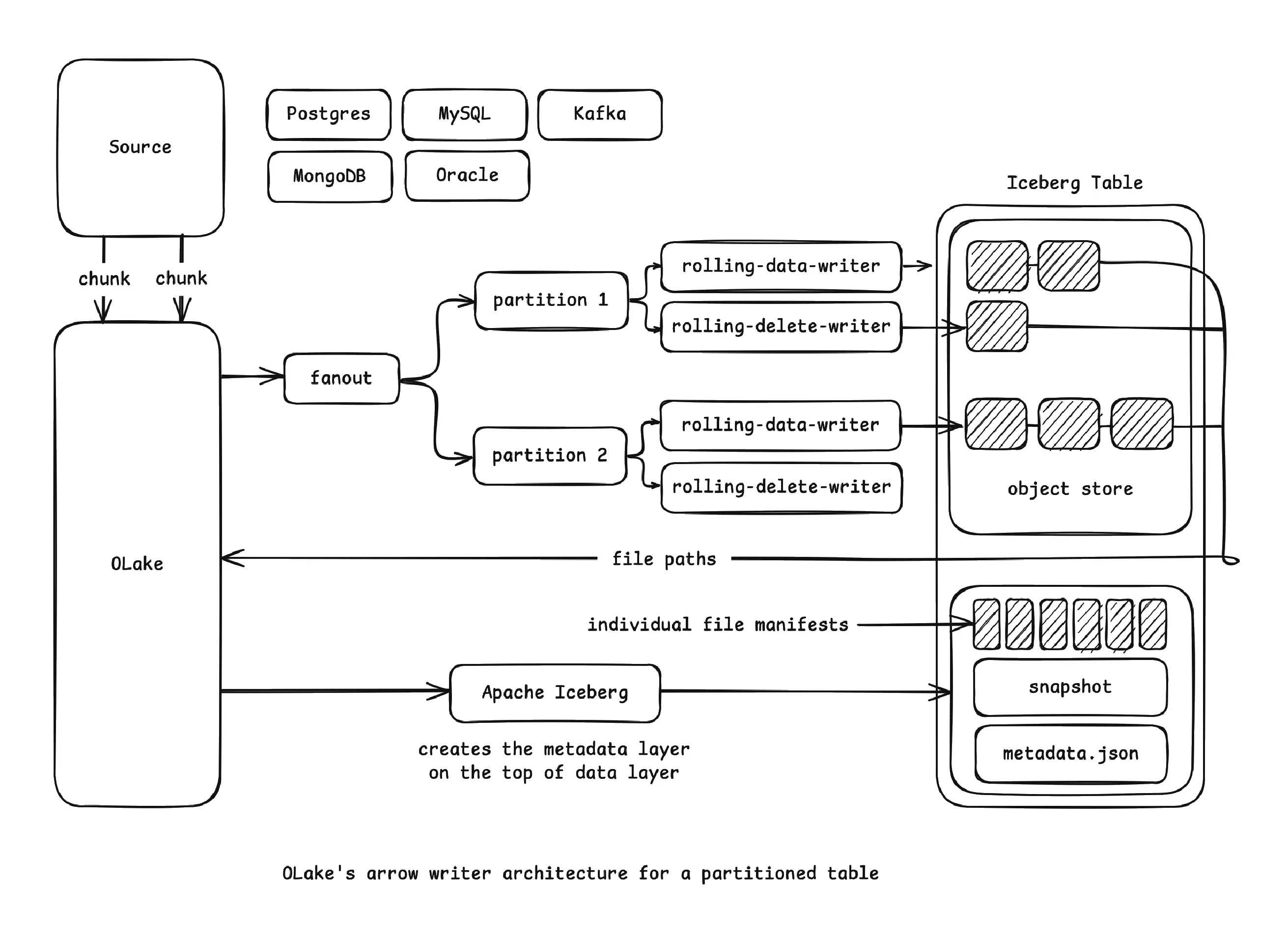
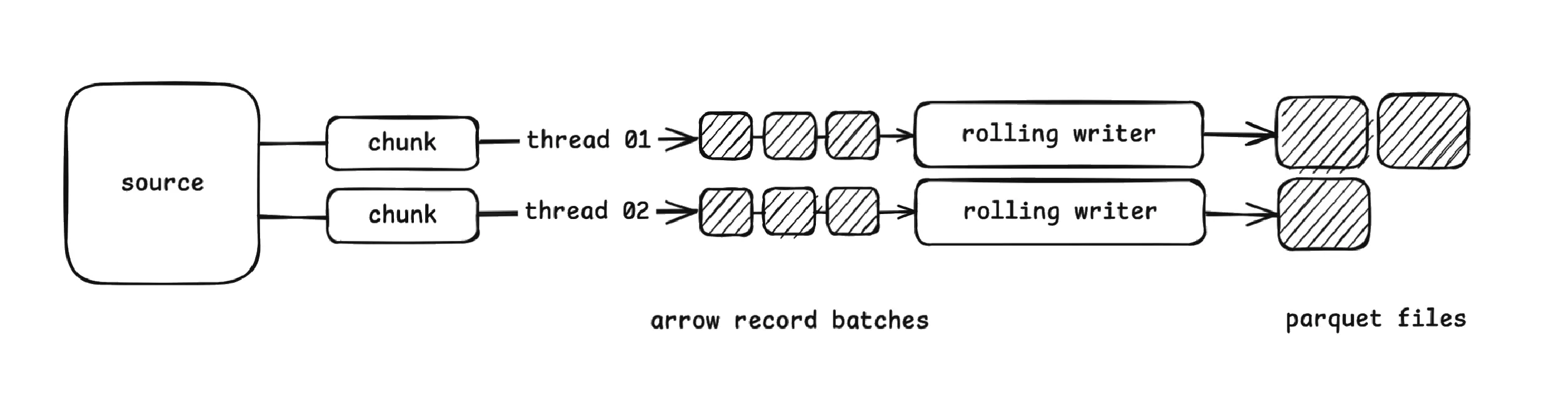
<p><strong>4. Predicate-scoped compaction</strong> uses Iceberg’s where filtering to target only the slices that matter. This is one of Iceberg’s most powerful operational features, because it lets you maintain only what needs it without rewriting what’s already healthy.</p>
<p><img decoding="async" loading="lazy" alt="incremental strategies flowchart" src="https://olake.io/assets/images/incremental_stratagies-flowchart-372ec3d4fd32ce63ecbd34d0213c636a.webp" width="1160" height="1510" class="img_CujE"></p>
<h3 class="anchor anchorTargetStickyNavbar_Vzrq" id="44-why-i-compacted-but-its-still-slow-often-comes-down-to-delete-files">4.4. Why “I compacted, but it’s still slow” often comes down to delete files<a href="https://olake.io/blog/olake-amoro-iceberg-lakehouse/#44-why-i-compacted-but-its-still-slow-often-comes-down-to-delete-files" class="hash-link" aria-label="Direct link to 4.4. Why “I compacted, but it’s still slow” often comes down to delete files" title="Direct link to 4.4. Why “I compacted, but it’s still slow” often comes down to delete files" translate="no">​</a></h3>
<p>In CDC-heavy workloads, the real pain isn’t always small data files. It’s delete files. Iceberg supports row-level deletes with position deletes and equality deletes. That avoids rewriting large data files for small changes, but it pushes work to reads: engines must reconcile base data with deletes.</p>
<p>Over time, delete files can accumulate and create serious read amplification. Even after you compact your data files into perfect 256MB blocks, you might still see poor performance if every scan must apply thousands of delete fragments.</p>
<p>This is why production maintenance often includes delete file rewrites in addition to data file compaction. In some stacks, you’ll merge delete files to reduce their count. In others, you’ll apply deletes by rewriting base data files so removed rows are physically eliminated.</p>
<p>If delete workload is high, treat <strong>“data compaction”</strong> and <strong>“delete compaction”</strong> as two separate maintenance loops.</p>
<div class="theme-admonition theme-admonition-info admonition_xJq3 alert alert--info"><div class="admonitionHeading_Gvgb"><span class="admonitionIcon_Rf37"><svg viewBox="0 0 14 16"><path fill-rule="evenodd" d="M7 2.3c3.14 0 5.7 2.56 5.7 5.7s-2.56 5.7-5.7 5.7A5.71 5.71 0 0 1 1.3 8c0-3.14 2.56-5.7 5.7-5.7zM7 1C3.14 1 0 4.14 0 8s3.14 7 7 7 7-3.14 7-7-3.14-7-7-7zm1 3H6v5h2V4zm0 6H6v2h2v-2z"></path></svg></span>Important to Know</div><div class="admonitionContent_BuS1"><p>Compaction rewrites data files, but it doesn’t delete old files immediately. Those old files remain referenced by older snapshots until you expire them. If you only compact data files but never expire snapshots, you’ll keep paying for storage, and planning may still degrade because metadata history keeps growing.</p></div></div>
<h2 class="anchor anchorTargetStickyNavbar_Vzrq" id="5-enter-amoro-automated-optimization-for-iceberg">5. Enter Amoro: Automated Optimization for Iceberg<a href="https://olake.io/blog/olake-amoro-iceberg-lakehouse/#5-enter-amoro-automated-optimization-for-iceberg" class="hash-link" aria-label="Direct link to 5. Enter Amoro: Automated Optimization for Iceberg" title="Direct link to 5. Enter Amoro: Automated Optimization for Iceberg" translate="no">​</a></h2>
<p>This section introduces Apache Amoro as the solution to operational complexity. While Iceberg provides the building blocks, Amoro provides the automation and intelligence to maintain table health continuously.</p>
<h3 class="anchor anchorTargetStickyNavbar_Vzrq" id="51-architecture-of-amoro">5.1. Architecture of Amoro<a href="https://olake.io/blog/olake-amoro-iceberg-lakehouse/#51-architecture-of-amoro" class="hash-link" aria-label="Direct link to 5.1. Architecture of Amoro" title="Direct link to 5.1. Architecture of Amoro" translate="no">​</a></h3>
<p>Amoro transforms Iceberg maintenance from a manual, engineer-driven process into a self-managing system.</p>
<p><img decoding="async" loading="lazy" alt="Amoro Architecture" src="https://olake.io/assets/images/amoro_arch-d412d65f0b19d658108e832466b0d00a.webp" width="1460" height="702" class="img_CujE"></p>
<p>The main components of Amoro are:</p>
<p><strong>Amoro Management Service (AMS)</strong></p>
<p>AMS is the brain of the system. It constantly watches over all registered Iceberg tables and evaluates their health—looking for things like too many small files, growing delete files, or bloated metadata. Based on what it finds, AMS automatically decides what needs to be optimized and when. It also manages the pool of optimizers, tracks their capacity, and exposes everything through a clean UI and a set of APIs so teams can monitor and control optimization activities without manual intervention.</p>
<p><strong>Optimizers</strong></p>
<p>Optimizers are the workers that actually perform the heavy lifting. They run the compaction jobs, merge delete files, rewrite manifests, and clean up snapshots. These workers are organized into resource groups so you can isolate workloads (e.g., separate streaming table optimization from large batch compaction). They scale independently from query engines, which means optimization does not affect query performance. AMS simply assigns tasks, and the optimizers execute them in a distributed, fault-tolerant manner.</p>
<h3 class="anchor anchorTargetStickyNavbar_Vzrq" id="52-how-amoro-performs-continuous-small-file-optimization">5.2. How Amoro Performs Continuous Small-File Optimization<a href="https://olake.io/blog/olake-amoro-iceberg-lakehouse/#52-how-amoro-performs-continuous-small-file-optimization" class="hash-link" aria-label="Direct link to 5.2. How Amoro Performs Continuous Small-File Optimization" title="Direct link to 5.2. How Amoro Performs Continuous Small-File Optimization" translate="no">​</a></h3>
<p>Amoro keeps Iceberg tables healthy by running a continuous feedback loop. Every few seconds, AMS checks the state of your tables, decides what needs attention, and dispatches optimizers to fix problems without interrupting incoming writes.</p>
<p><strong>1. Monitoring</strong> <br>
Every 30–60 seconds, AMS scans the metadata of each registered table. It looks at file counts, average file size, delete-file buildup, and other health indicators. If a table starts accumulating too many small files, AMS immediately flags it.</p>
<p><strong>2. Prioritization</strong> <br>
Not all tables need help equally. AMS ranks tables based on their health score—tables with rapidly growing small files or high delete ratios automatically rise to the top. It also respects resource limits, so a heavily loaded cluster doesn’t get overwhelmed.</p>
<p><strong>3. Scheduling</strong> <br>
When a table needs work, AMS schedules an optimization task and assigns it to an available optimizer. It checks whether the table is actively receiving writes to avoid conflicts, and spreads tasks across optimizer groups to maintain balance and fairness.</p>
<p><strong>4. Execution</strong> <br>
Optimizers then perform the actual compaction. They read the small files, merge them into larger, efficient ones, write new data files, and commit a fresh snapshot back to the table. Once finished, they report results back to AMS.</p>
<p><strong>5. Validation</strong> <br>
AMS validates the commit, updates the table’s health score, and decides whether more passes are needed. If the table is healthy again, it returns to normal monitoring mode; if not, AMS continues scheduling tasks until the table reaches a stable state.</p>
<h3 class="anchor anchorTargetStickyNavbar_Vzrq" id="53-minor-vs-major-vs-full-optimization-jobs">5.3. Minor vs Major vs Full Optimization Jobs<a href="https://olake.io/blog/olake-amoro-iceberg-lakehouse/#53-minor-vs-major-vs-full-optimization-jobs" class="hash-link" aria-label="Direct link to 5.3. Minor vs Major vs Full Optimization Jobs" title="Direct link to 5.3. Minor vs Major vs Full Optimization Jobs" translate="no">​</a></h3>
<p>Amoro uses a two-tier optimization strategy that works similarly to how the JVM performs garbage collection. The idea is to keep tables healthy with frequent light operations, while occasionally running deeper optimizations when necessary.</p>
<p><strong>Minor Optimization</strong> <br>
Minor optimization runs very frequently typically every 5 to 15 minutes and focuses only on small “fragment” files that are under 16MB. It uses a fast bin-packing strategy to merge these tiny files, making it a lightweight process that finishes quickly and keeps write amplification low. The goal is simply to prevent heavy fragmentation before it grows. While it’s efficient and uses very few resources, minor optimization doesn’t completely reorganize the table, so the resulting layout is not perfectly optimal, and larger files remain untouched.</p>
<p><strong>Major Optimization</strong> <br>
Major optimization happens every few hours and targets a broader range of files, including medium-sized segment files in the 16MB–128MB range. Unlike the quick minor pass, major optimization performs a full compaction and can optionally apply sorting to improve clustering and query pruning. This job is more compute-intensive but creates a much cleaner and more efficient file layout. The trade-off is that it consumes more resources and therefore runs less frequently.</p>
<p><strong>Full Optimization</strong> <br>
Full optimization is the most intensive operation and runs only occasionally (usually daily or weekly depending on the workload). It rewrites entire partitions or even the full table, applying global sorting or Z-ordering to produce the highest possible query performance. Because it rewrites everything, it yields the most optimized structure but also has the highest cost, making it an infrequent but very impactful process.</p>
<h3 class="anchor anchorTargetStickyNavbar_Vzrq" id="54-automatic-delete-file-merging">5.4. Automatic Delete File Merging<a href="https://olake.io/blog/olake-amoro-iceberg-lakehouse/#54-automatic-delete-file-merging" class="hash-link" aria-label="Direct link to 5.4. Automatic Delete File Merging" title="Direct link to 5.4. Automatic Delete File Merging" translate="no">​</a></h3>
<p>Amoro handles delete files intelligently:</p>
<p><strong>Detection</strong></p>
<ul>
<li class="">Monitors delete file ratio (delete files / total files) to measure how much deletes affect the table.</li>

<li class="">Tracks delete file sizes to catch when many small delete files start slowing down reads.</li>
<li class="">Identifies partitions or tables with excessive delete files, marking them as candidates for cleanup before they impact performance.</li>
</ul>
<p><strong>Strategy Selection</strong></p>
<ul>
<li class=""><strong>If delete_ratio &lt; 10%:</strong> <br>
Amoro performs simple consolidation, merging small delete files into fewer, larger ones so engines don’t waste time opening thousands of tiny delete files.</li>
<li class=""><strong>If delete_ratio &lt; 30%:</strong> <br>
Amoro performs partial application, rewriting only the data files that have accumulated the most deletes and hence reducing read-time overhead without rewriting everything.</li>
<li class=""><strong>Else (&gt; 30%):</strong> <br>
Amoro performs full delete application, rewriting all affected data files so that all delete files are applied and removed completely.</li>
</ul>
<p><strong>Result:</strong> Delete files never accumulate to problematic levels. Read performance stays optimal.</p>
<h3 class="anchor anchorTargetStickyNavbar_Vzrq" id="55-automatic-metadata-organization">5.5. Automatic Metadata Organization<a href="https://olake.io/blog/olake-amoro-iceberg-lakehouse/#55-automatic-metadata-organization" class="hash-link" aria-label="Direct link to 5.5. Automatic Metadata Organization" title="Direct link to 5.5. Automatic Metadata Organization" translate="no">​</a></h3>
<p>Beyond data files, Amoro also continuously maintains Iceberg’s metadata to keep planning fast and storage clean.</p>
<p><strong>Manifest Optimization</strong></p>
<ul>
<li class="">Automatically triggers manifest rewriting when the number of manifest files crosses configured thresholds, preventing metadata from exploding as tables grow.</li>
<li class="">Consolidates fragmented manifests during major optimization cycles, grouping related metadata so engines can plan queries with fewer lookups.</li>
<li class="">Ensures query planning stays fast by keeping the manifest layer compact, organized, and easy for engines to scan.</li>
</ul>
<p><strong>Snapshot Expiration</strong></p>
<ul>
<li class="">Uses configurable retention policies (e.g., keep snapshots for 7 days or a fixed number of versions) to limit how much historical metadata accumulates.</li>
<li class="">Automatically deletes expired snapshots to reduce metadata size and storage overhead.</li>
<li class="">Coordinates with active optimization tasks to ensure no data or metadata files are removed while they are still needed for compaction or running queries.</li>
<li class="">Performs orphan file cleanup, safely removing leftover files that are no longer referenced by any snapshot.</li>
</ul>
<p>Under the hood, this maps to Iceberg procedures like <code>rewrite_manifests</code>, <code>expire_snapshots</code>, and <code>remove_orphan_files</code> to keep planning fast and storage clean.</p>
<p><strong>The benefit is</strong> metadata stays clean, compact, and well-organized without manual maintenance. Even as tables scale to billions of rows and thousands of partitions, query planning stays consistently fast.</p>
<h2 class="anchor anchorTargetStickyNavbar_Vzrq" id="6-conclusion">6. Conclusion<a href="https://olake.io/blog/olake-amoro-iceberg-lakehouse/#6-conclusion" class="hash-link" aria-label="Direct link to 6. Conclusion" title="Direct link to 6. Conclusion" translate="no">​</a></h2>
<p>Compaction in Apache Iceberg is a core maintenance operation, but the right strategy depends on several factors including ingestion patterns, table size and growth rate, query latency requirements, delete behavior, orchestration design, and cloud storage cost constraints. In practice, the most robust production setups blend multiple techniques: continuous incremental compaction to prevent small-file buildup, periodic full table rewrites for deep optimization, metadata-driven triggers for intelligent scheduling, sorting during compaction to improve query performance, and regular snapshot expiration to keep storage lean. When these strategies are combined effectively, Iceberg evolves from a simple table format into a high-performance analytic engine capable of handling real-world streaming workloads and multi-terabyte–scale data pipelines with consistency and efficiency.</p>
<div class="bg-white dark:bg-black/70 rounded-2xl p-8 max-w-3xl w-full shadow-lg text-center transition-colors"><h2 class="text-4xl font-bold mb-4 text-gray-800 dark:text-white">OLake</h2><p class="text-lg font-light text-gray-700 dark:text-gray-300 mb-8">Achieve 5x speed data replication to Lakehouse format with OLake, our open source platform for efficient, quick and scalable big data ingestion for real-time analytics.</p><div class="flex flex-col md:flex-row justify-center gap-4"><a href="https://calendly.com/d/ckr6-g82-p9y/olake_discussion" target="_blank" rel="noopener noreferrer" class="inline-flex items-center justify-center text-lg font-medium text-white bg-black dark:bg-white dark:text-black rounded-full px-6 py-3 transition transform hover:-translate-y-1 hover:opacity-90 min-w-[150px]"><svg stroke="currentColor" fill="currentColor" stroke-width="0" viewBox="0 0 512 512" class="mr-2 text-white dark:text-black" height="1em" width="1em" xmlns="http://www.w3.org/2000/svg"><path d="M432,320H400a16,16,0,0,0-16,16V448H64V128H208a16,16,0,0,0,16-16V80a16,16,0,0,0-16-16H48A48,48,0,0,0,0,112V464a48,48,0,0,0,48,48H400a48,48,0,0,0,48-48V336A16,16,0,0,0,432,320ZM488,0h-128c-21.37,0-32.05,25.91-17,41l35.73,35.73L135,320.37a24,24,0,0,0,0,34L157.67,377a24,24,0,0,0,34,0L435.28,133.32,471,169c15,15,41,4.5,41-17V24A24,24,0,0,0,488,0Z"></path></svg><span class="text-white text-xs dark:text-black">Schedule a meet</span></a><a href="https://olake.io/#olake-form-product" target="_blank" rel="noopener noreferrer" class="inline-flex items-center justify-center text-lg font-medium text-white bg-black dark:bg-white dark:text-black rounded-full px-6 py-3 transition transform hover:-translate-y-1 hover:opacity-90 min-w-[150px]"><svg stroke="currentColor" fill="currentColor" stroke-width="0" viewBox="0 0 512 512" class="mr-2 text-white dark:text-black" height="1em" width="1em" xmlns="http://www.w3.org/2000/svg"><path d="M432,320H400a16,16,0,0,0-16,16V448H64V128H208a16,16,0,0,0,16-16V80a16,16,0,0,0-16-16H48A48,48,0,0,0,0,112V464a48,48,0,0,0,48,48H400a48,48,0,0,0,48-48V336A16,16,0,0,0,432,320ZM488,0h-128c-21.37,0-32.05,25.91-17,41l35.73,35.73L135,320.37a24,24,0,0,0,0,34L157.67,377a24,24,0,0,0,34,0L435.28,133.32,471,169c15,15,41,4.5,41-17V24A24,24,0,0,0,488,0Z"></path></svg><span class="text-white text-xs  dark:text-black">Signup</span></a><a href="https://github.com/datazip-inc/olake" target="_blank" rel="noopener noreferrer" class="inline-flex items-center justify-center text-lg font-medium text-white bg-black dark:bg-white dark:text-black rounded-full px-6 py-3 transition transform hover:-translate-y-1 hover:opacity-90 min-w-[150px]"><svg stroke="currentColor" fill="currentColor" stroke-width="0" viewBox="0 0 496 512" class="mr-2 text-white dark:text-black" height="1em" width="1em" xmlns="http://www.w3.org/2000/svg"><path d="M165.9 397.4c0 2-2.3 3.6-5.2 3.6-3.3.3-5.6-1.3-5.6-3.6 0-2 2.3-3.6 5.2-3.6 3-.3 5.6 1.3 5.6 3.6zm-31.1-4.5c-.7 2 1.3 4.3 4.3 4.9 2.6 1 5.6 0 6.2-2s-1.3-4.3-4.3-5.2c-2.6-.7-5.5.3-6.2 2.3zm44.2-1.7c-2.9.7-4.9 2.6-4.6 4.9.3 2 2.9 3.3 5.9 2.6 2.9-.7 4.9-2.6 4.6-4.6-.3-1.9-3-3.2-5.9-2.9zM244.8 8C106.1 8 0 113.3 0 252c0 110.9 69.8 205.8 169.5 239.2 12.8 2.3 17.3-5.6 17.3-12.1 0-6.2-.3-40.4-.3-61.4 0 0-70 15-84.7-29.8 0 0-11.4-29.1-27.8-36.6 0 0-22.9-15.7 1.6-15.4 0 0 24.9 2 38.6 25.8 21.9 38.6 58.6 27.5 72.9 20.9 2.3-16 8.8-27.1 16-33.7-55.9-6.2-112.3-14.3-112.3-110.5 0-27.5 7.6-41.3 23.6-58.9-2.6-6.5-11.1-33.3 2.6-67.9 20.9-6.5 69 27 69 27 20-5.6 41.5-8.5 62.8-8.5s42.8 2.9 62.8 8.5c0 0 48.1-33.6 69-27 13.7 34.7 5.2 61.4 2.6 67.9 16 17.7 25.8 31.5 25.8 58.9 0 96.5-58.9 104.2-114.8 110.5 9.2 7.9 17 22.9 17 46.4 0 33.7-.3 75.4-.3 83.6 0 6.5 4.6 14.4 17.3 12.1C428.2 457.8 496 362.9 496 252 496 113.3 383.5 8 244.8 8zM97.2 352.9c-1.3 1-1 3.3.7 5.2 1.6 1.6 3.9 2.3 5.2 1 1.3-1 1-3.3-.7-5.2-1.6-1.6-3.9-2.3-5.2-1zm-10.8-8.1c-.7 1.3.3 2.9 2.3 3.9 1.6 1 3.6.7 4.3-.7.7-1.3-.3-2.9-2.3-3.9-2-.6-3.6-.3-4.3.7zm32.4 35.6c-1.6 1.3-1 4.3 1.3 6.2 2.3 2.3 5.2 2.6 6.5 1 1.3-1.3.7-4.3-1.3-6.2-2.2-2.3-5.2-2.6-6.5-1zm-11.4-14.7c-1.6 1-1.6 3.6 0 5.9 1.6 2.3 4.3 3.3 5.6 2.3 1.6-1.3 1.6-3.9 0-6.2-1.4-2.3-4-3.3-5.6-2z"></path></svg><span class="text-white text-xs dark:text-black">Explore OLake GitHub</span></a></div><div class="mt-6 text-sm text-gray-600 dark:text-gray-400">Contact us at <strong>hello@olake.io</strong></div></div>]]></content>
        <author>
            <name>Anshika</name>
            <email>hello@olake.io</email>
        </author>
        <category label="Apache Iceberg" term="Apache Iceberg"/>
        <category label="OLake" term="OLake"/>
        <category label="Apache Amoro" term="Apache Amoro"/>
        <category label="AWS S3" term="AWS S3"/>
    </entry>
    <entry>
        <title type="html"><![CDATA[Sync MSSQL to Your Lakehouse with OLake]]></title>
        <id>https://olake.io/blog/sync-mssql-to-your-lakehouse-with-olake/</id>
        <link href="https://olake.io/blog/sync-mssql-to-your-lakehouse-with-olake/"/>
        <updated>2026-01-27T00:00:00.000Z</updated>
        <summary type="html"><![CDATA[A practical guide to syncing Microsoft SQL Server (MSSQL) into Apache Iceberg using OLake, covering sync modes, CDC setup, schema changes, data type mapping, and troubleshooting.]]></summary>
        <content type="html"><![CDATA[<p><img decoding="async" loading="lazy" alt="MSSQL Connector Cover Image" src="https://olake.io/assets/images/mssql-connector-cover-image-eb8442cf2d939938103d02696c620f7a.webp" width="1244" height="544" class="img_CujE"></p>
<p>If you're trying to sync Microsoft SQL Server (MSSQL) into Apache Iceberg using OLake, this guide is meant to feel like we're setting it up together—no heavy docs energy, just the things you actually need to know to get a clean, reliable pipeline running.</p>
<p>SQL Server shows up everywhere: product databases, internal tools, ERP-ish systems, customer dashboards, finance ops… and a lot of teams today want one thing:</p>
<p>"Keep my operational SQL Server data flowing into my lakehouse, without babysitting it."</p>
<p>That's exactly what the OLake MSSQL connector is for.</p>
<p>We'll cover what the connector does, which sync mode to pick, how to enable CDC properly (super interesting part), how schema changes work, the limitations you should know upfront, and the practical setup steps in the OLake UI. I'll also call out CLI/Docker flows along the way so you can match this to your workflow.</p>
<h2 class="anchor anchorTargetStickyNavbar_Vzrq" id="overview-what-the-olake-mssql-connector-does">Overview: what the OLake MSSQL connector does<a href="https://olake.io/blog/sync-mssql-to-your-lakehouse-with-olake/#overview-what-the-olake-mssql-connector-does" class="hash-link" aria-label="Direct link to Overview: what the OLake MSSQL connector does" title="Direct link to Overview: what the OLake MSSQL connector does" translate="no">​</a></h2>
<p><img decoding="async" loading="lazy" alt="MSSQL Connector Overview" src="https://olake.io/assets/images/mssql-overview-image-a7f1afaa83029a734ab92fe6253d8e79.webp" width="1292" height="826" class="img_CujE"></p>
<p>At a high level, the OLake MSSQL Source connector supports multiple synchronization modes and is built for "real tables" (large row counts, frequent updates, evolving schemas).</p>
<p>A few features you'll feel immediately when you run it are:</p>
<ul>
<li class=""><strong>Parallel chunking</strong> helps OLake move large tables faster by reading in pieces instead of one slow scan.</li>
<li class=""><strong>Checkpointing</strong> means OLake remembers progress so if something fails mid-way, it doesn't behave like "oops, start again from the beginning."</li>
<li class=""><strong>Automatic resume</strong> for failed full loads is exactly what it sounds like: if a full refresh fails, OLake can resume instead of re-copying everything.</li>
</ul>
<p>And you can run this connector in two ways:</p>
<ul>
<li class=""><strong>Inside the OLake UI</strong> (most common for teams getting started)</li>
<li class=""><strong>Locally via Docker / CLI flows</strong> (handy for OSS workflows or if you want everything as code)</li>
</ul>
<p><strong>Quick note:</strong> in this blog, I'm going to explain the setup from the UI point of view, because it's the easiest way to get to a working pipeline. If you prefer CLI, the same configuration fields apply and you can follow the <a href="https://olake.io/docs/connectors/mssql/" target="_blank" rel="noopener noreferrer" class="">matching CLI guide in the docs</a>.</p>
<h2 class="anchor anchorTargetStickyNavbar_Vzrq" id="sync-modes-supported-and-how-to-choose">Sync modes supported (and how to choose)<a href="https://olake.io/blog/sync-mssql-to-your-lakehouse-with-olake/#sync-modes-supported-and-how-to-choose" class="hash-link" aria-label="Direct link to Sync modes supported (and how to choose)" title="Direct link to Sync modes supported (and how to choose)" translate="no">​</a></h2>
<p>OLake supports multiple sync modes for MSSQL. The names are technical, but the decision is usually simple if you map them to what you're trying to achieve.</p>
<h3 class="anchor anchorTargetStickyNavbar_Vzrq" id="1-full-refresh">1) Full Refresh<a href="https://olake.io/blog/sync-mssql-to-your-lakehouse-with-olake/#1-full-refresh" class="hash-link" aria-label="Direct link to 1) Full Refresh" title="Direct link to 1) Full Refresh" translate="no">​</a></h3>
<p>This copies the current state of your table(s). It's your "day 0 snapshot."</p>
<p><strong>Use this when:</strong></p>
<ul>
<li class="">you're onboarding a new SQL Server database into OLake,</li>
<li class="">you want a clean baseline,</li>
<li class="">or you're okay with "copy everything again" as your model.</li>
</ul>
<h3 class="anchor anchorTargetStickyNavbar_Vzrq" id="2-full-refresh--incremental">2) Full Refresh + Incremental<a href="https://olake.io/blog/sync-mssql-to-your-lakehouse-with-olake/#2-full-refresh--incremental" class="hash-link" aria-label="Direct link to 2) Full Refresh + Incremental" title="Direct link to 2) Full Refresh + Incremental" translate="no">​</a></h3>
<p>This is a very practical pattern: take the snapshot first, then keep pulling only new/changed rows after that.</p>
<p><strong>Use this when:</strong></p>
<ul>
<li class="">you want an ongoing pipeline,</li>
<li class="">but you don't want CDC complexity (or CDC isn't available/enabled).</li>
</ul>
<h3 class="anchor anchorTargetStickyNavbar_Vzrq" id="3-full-refresh--cdc">3) Full Refresh + CDC<a href="https://olake.io/blog/sync-mssql-to-your-lakehouse-with-olake/#3-full-refresh--cdc" class="hash-link" aria-label="Direct link to 3) Full Refresh + CDC" title="Direct link to 3) Full Refresh + CDC" translate="no">​</a></h3>
<p>This is the "serious production" setup for many SQL Server environments. Full refresh gets you the baseline, and CDC keeps you updated with changes reliably.</p>
<p><strong>Use this when:</strong></p>
<ul>
<li class="">your tables have lots of updates/deletes,</li>
<li class="">you care about change accuracy,</li>
<li class="">you want the system to reflect reality, not just "new rows."</li>
</ul>
<h3 class="anchor anchorTargetStickyNavbar_Vzrq" id="4-cdc-only">4) CDC Only<a href="https://olake.io/blog/sync-mssql-to-your-lakehouse-with-olake/#4-cdc-only" class="hash-link" aria-label="Direct link to 4) CDC Only" title="Direct link to 4) CDC Only" translate="no">​</a></h3>
<p>This assumes you already have a baseline (maybe created earlier, or managed separately), and now you only want changes.</p>
<p><strong>Use this when:</strong></p>
<ul>
<li class="">you have an existing snapshot elsewhere,</li>
<li class="">or you're migrating pipelines and only want to continue from a point forward.</li>
</ul>
<p><strong>If you're unsure:</strong> start with Full Refresh or Full Refresh + Incremental, then graduate to CDC when you're ready.</p>
<h2 class="anchor anchorTargetStickyNavbar_Vzrq" id="prerequisites-dont-skip-these">Prerequisites (don't skip these)<a href="https://olake.io/blog/sync-mssql-to-your-lakehouse-with-olake/#prerequisites-dont-skip-these" class="hash-link" aria-label="Direct link to Prerequisites (don't skip these)" title="Direct link to Prerequisites (don't skip these)" translate="no">​</a></h2>
<p>Before you configure OLake, make sure your SQL Server environment meets a few basics.</p>
<h3 class="anchor anchorTargetStickyNavbar_Vzrq" id="version-prerequisite">Version prerequisite<a href="https://olake.io/blog/sync-mssql-to-your-lakehouse-with-olake/#version-prerequisite" class="hash-link" aria-label="Direct link to Version prerequisite" title="Direct link to Version prerequisite" translate="no">​</a></h3>
<ul>
<li class=""><strong>SQL Server 2017 or higher</strong></li>
</ul>
<h3 class="anchor anchorTargetStickyNavbar_Vzrq" id="connection-prerequisite">Connection prerequisite<a href="https://olake.io/blog/sync-mssql-to-your-lakehouse-with-olake/#connection-prerequisite" class="hash-link" aria-label="Direct link to Connection prerequisite" title="Direct link to Connection prerequisite" translate="no">​</a></h3>
<ul>
<li class="">The SQL Server user you provide should have <strong>read access</strong> to the tables you want to sync.</li>
</ul>
<h3 class="anchor anchorTargetStickyNavbar_Vzrq" id="cdc-prerequisite-only-if-you-plan-to-use-cdc-modes">CDC prerequisite (only if you plan to use CDC modes)<a href="https://olake.io/blog/sync-mssql-to-your-lakehouse-with-olake/#cdc-prerequisite-only-if-you-plan-to-use-cdc-modes" class="hash-link" aria-label="Direct link to CDC prerequisite (only if you plan to use CDC modes)" title="Direct link to CDC prerequisite (only if you plan to use CDC modes)" translate="no">​</a></h3>
<p>CDC is not "on by default" in SQL Server. You need to enable it at:</p>
<ol>
<li class="">the database level, and then</li>
<li class="">the table level for each table you want to capture changes from.</li>
</ol>
<p>Let's walk through that properly because it's the number one source of confusion.</p>
<h2 class="anchor anchorTargetStickyNavbar_Vzrq" id="cdc-setup">CDC setup<a href="https://olake.io/blog/sync-mssql-to-your-lakehouse-with-olake/#cdc-setup" class="hash-link" aria-label="Direct link to CDC setup" title="Direct link to CDC setup" translate="no">​</a></h2>
<h3 class="anchor anchorTargetStickyNavbar_Vzrq" id="what-cdc-actually-is">What CDC actually is<a href="https://olake.io/blog/sync-mssql-to-your-lakehouse-with-olake/#what-cdc-actually-is" class="hash-link" aria-label="Direct link to What CDC actually is" title="Direct link to What CDC actually is" translate="no">​</a></h3>
<p>SQL Server CDC (Change Data Capture) records row-level changes (inserts/updates/deletes) into special "change tables." OLake reads those changes and applies them downstream so your destination stays aligned with what happened in the source.</p>
<p>CDC is powerful but only if it's enabled correctly.</p>
<h3 class="anchor anchorTargetStickyNavbar_Vzrq" id="step-1-enable-cdc-on-the-database">Step 1: Enable CDC on the database<a href="https://olake.io/blog/sync-mssql-to-your-lakehouse-with-olake/#step-1-enable-cdc-on-the-database" class="hash-link" aria-label="Direct link to Step 1: Enable CDC on the database" title="Direct link to Step 1: Enable CDC on the database" translate="no">​</a></h3>
<p>Run this in your database:</p>
<div class="language-sql codeBlockContainer_Ckt0 theme-code-block" style="--prism-color:#bfc7d5;--prism-background-color:#292d3e"><div class="codeBlockContent_QJqH"><pre tabindex="0" class="prism-code language-sql codeBlock_bY9V thin-scrollbar" style="color:#bfc7d5;background-color:#292d3e"><code class="codeBlockLines_e6Vv"><span class="token-line" style="color:#bfc7d5"><span class="token keyword" style="font-style:italic">USE</span><span class="token plain"> MY_DB</span><span class="token punctuation" style="color:rgb(199, 146, 234)">;</span><span class="token plain"></span><br></span><span class="token-line" style="color:#bfc7d5"><span class="token plain"></span><span class="token keyword" style="font-style:italic">EXEC</span><span class="token plain"> sys</span><span class="token punctuation" style="color:rgb(199, 146, 234)">.</span><span class="token plain">sp_cdc_enable_db</span><span class="token punctuation" style="color:rgb(199, 146, 234)">;</span><br></span></code></pre></div></div>
<p>That turns CDC on for the database.</p>
<h4 class="anchor anchorTargetStickyNavbar_Vzrq" id="cloud-provider-versions-rds--cloud-sql">Cloud provider versions (RDS / Cloud SQL)<a href="https://olake.io/blog/sync-mssql-to-your-lakehouse-with-olake/#cloud-provider-versions-rds--cloud-sql" class="hash-link" aria-label="Direct link to Cloud provider versions (RDS / Cloud SQL)" title="Direct link to Cloud provider versions (RDS / Cloud SQL)" translate="no">​</a></h4>
<p>If you're using hosted SQL Server, you may need provider-specific commands:</p>
<p><strong>Amazon RDS:</strong></p>
<div class="language-sql codeBlockContainer_Ckt0 theme-code-block" style="--prism-color:#bfc7d5;--prism-background-color:#292d3e"><div class="codeBlockContent_QJqH"><pre tabindex="0" class="prism-code language-sql codeBlock_bY9V thin-scrollbar" style="color:#bfc7d5;background-color:#292d3e"><code class="codeBlockLines_e6Vv"><span class="token-line" style="color:#bfc7d5"><span class="token keyword" style="font-style:italic">EXEC</span><span class="token plain"> msdb</span><span class="token punctuation" style="color:rgb(199, 146, 234)">.</span><span class="token plain">dbo</span><span class="token punctuation" style="color:rgb(199, 146, 234)">.</span><span class="token plain">rds_cdc_enable_db</span><span class="token punctuation" style="color:rgb(199, 146, 234)">;</span><br></span></code></pre></div></div>
<p><strong>Google Cloud SQL:</strong></p>
<div class="language-sql codeBlockContainer_Ckt0 theme-code-block" style="--prism-color:#bfc7d5;--prism-background-color:#292d3e"><div class="codeBlockContent_QJqH"><pre tabindex="0" class="prism-code language-sql codeBlock_bY9V thin-scrollbar" style="color:#bfc7d5;background-color:#292d3e"><code class="codeBlockLines_e6Vv"><span class="token-line" style="color:#bfc7d5"><span class="token keyword" style="font-style:italic">EXEC</span><span class="token plain"> msdb</span><span class="token punctuation" style="color:rgb(199, 146, 234)">.</span><span class="token plain">dbo</span><span class="token punctuation" style="color:rgb(199, 146, 234)">.</span><span class="token plain">gcloudsql_cdc_enable_db</span><span class="token punctuation" style="color:rgb(199, 146, 234)">;</span><br></span></code></pre></div></div>
<p>If you're in the cloud, use the provider command because the standard <code>sys.sp_cdc_enable_db</code> may not be allowed or may behave differently depending on how the service manages permissions.</p>
<h3 class="anchor anchorTargetStickyNavbar_Vzrq" id="step-2-enable-cdc-on-each-table">Step 2: Enable CDC on each table<a href="https://olake.io/blog/sync-mssql-to-your-lakehouse-with-olake/#step-2-enable-cdc-on-each-table" class="hash-link" aria-label="Direct link to Step 2: Enable CDC on each table" title="Direct link to Step 2: Enable CDC on each table" translate="no">​</a></h3>
<p>Once the database is CDC-enabled, you still need to enable CDC per table:</p>
<div class="language-sql codeBlockContainer_Ckt0 theme-code-block" style="--prism-color:#bfc7d5;--prism-background-color:#292d3e"><div class="codeBlockContent_QJqH"><pre tabindex="0" class="prism-code language-sql codeBlock_bY9V thin-scrollbar" style="color:#bfc7d5;background-color:#292d3e"><code class="codeBlockLines_e6Vv"><span class="token-line" style="color:#bfc7d5"><span class="token keyword" style="font-style:italic">EXEC</span><span class="token plain"> sys</span><span class="token punctuation" style="color:rgb(199, 146, 234)">.</span><span class="token plain">sp_cdc_enable_table </span><br></span><span class="token-line" style="color:#bfc7d5"><span class="token plain">    </span><span class="token variable" style="color:rgb(191, 199, 213)">@source_schema</span><span class="token plain"> </span><span class="token operator" style="color:rgb(137, 221, 255)">=</span><span class="token plain"> </span><span class="token string" style="color:rgb(195, 232, 141)">'schema_name'</span><span class="token punctuation" style="color:rgb(199, 146, 234)">,</span><span class="token plain"> </span><br></span><span class="token-line" style="color:#bfc7d5"><span class="token plain">    </span><span class="token variable" style="color:rgb(191, 199, 213)">@source_name</span><span class="token plain"> </span><span class="token operator" style="color:rgb(137, 221, 255)">=</span><span class="token plain"> </span><span class="token string" style="color:rgb(195, 232, 141)">'my_table'</span><span class="token punctuation" style="color:rgb(199, 146, 234)">,</span><span class="token plain"> </span><br></span><span class="token-line" style="color:#bfc7d5"><span class="token plain">    </span><span class="token variable" style="color:rgb(191, 199, 213)">@role_name</span><span class="token plain"> </span><span class="token operator" style="color:rgb(137, 221, 255)">=</span><span class="token plain"> </span><span class="token string" style="color:rgb(195, 232, 141)">'my_role'</span><span class="token punctuation" style="color:rgb(199, 146, 234)">,</span><span class="token plain"> </span><br></span><span class="token-line" style="color:#bfc7d5"><span class="token plain">    </span><span class="token variable" style="color:rgb(191, 199, 213)">@capture_instance</span><span class="token plain"> </span><span class="token operator" style="color:rgb(137, 221, 255)">=</span><span class="token plain"> </span><span class="token string" style="color:rgb(195, 232, 141)">'dbo_my_table'</span><span class="token punctuation" style="color:rgb(199, 146, 234)">;</span><br></span></code></pre></div></div>
<p>Here's what those parameters really mean:</p>
<ul>
<li class=""><code>@source_schema</code>: schema of the table (often <code>dbo</code>)</li>
<li class=""><code>@source_name</code>: table name</li>
<li class=""><code>@role_name</code>: role that controls access to CDC data</li>
<li class=""><code>@capture_instance</code>: a name for this CDC capture configuration</li>
</ul>
<p>A small practical tip: keep your capture instance naming consistent, because it becomes important during schema changes.</p>
<h2 class="anchor anchorTargetStickyNavbar_Vzrq" id="handling-schema-changes-ddl-when-cdc-is-enabled">Handling schema changes (DDL) when CDC is enabled<a href="https://olake.io/blog/sync-mssql-to-your-lakehouse-with-olake/#handling-schema-changes-ddl-when-cdc-is-enabled" class="hash-link" aria-label="Direct link to Handling schema changes (DDL) when CDC is enabled" title="Direct link to Handling schema changes (DDL) when CDC is enabled" translate="no">​</a></h2>
<p>This is a very SQL Server-specific reality:</p>
<p><strong>If you change the schema of a source table (add/drop columns, change types, etc.), SQL Server does not automatically update the CDC change table to reflect those changes.</strong></p>
<p>So if your team does a schema evolution, CDC doesn't magically "follow along."</p>
<h3 class="anchor anchorTargetStickyNavbar_Vzrq" id="the-right-fix-create-a-new-capture-instance">The right fix: create a new capture instance<a href="https://olake.io/blog/sync-mssql-to-your-lakehouse-with-olake/#the-right-fix-create-a-new-capture-instance" class="hash-link" aria-label="Direct link to The right fix: create a new capture instance" title="Direct link to The right fix: create a new capture instance" translate="no">​</a></h3>
<p>After a schema change, you should create a new capture instance that matches the new shape of the source table.</p>
<p><strong>Example:</strong></p>
<div class="language-sql codeBlockContainer_Ckt0 theme-code-block" style="--prism-color:#bfc7d5;--prism-background-color:#292d3e"><div class="codeBlockContent_QJqH"><pre tabindex="0" class="prism-code language-sql codeBlock_bY9V thin-scrollbar" style="color:#bfc7d5;background-color:#292d3e"><code class="codeBlockLines_e6Vv"><span class="token-line" style="color:#bfc7d5"><span class="token keyword" style="font-style:italic">EXEC</span><span class="token plain"> sys</span><span class="token punctuation" style="color:rgb(199, 146, 234)">.</span><span class="token plain">sp_cdc_enable_table </span><br></span><span class="token-line" style="color:#bfc7d5"><span class="token plain">    </span><span class="token variable" style="color:rgb(191, 199, 213)">@source_schema</span><span class="token plain"> </span><span class="token operator" style="color:rgb(137, 221, 255)">=</span><span class="token plain"> </span><span class="token string" style="color:rgb(195, 232, 141)">'schema_name'</span><span class="token punctuation" style="color:rgb(199, 146, 234)">,</span><span class="token plain"> </span><br></span><span class="token-line" style="color:#bfc7d5"><span class="token plain">    </span><span class="token variable" style="color:rgb(191, 199, 213)">@source_name</span><span class="token plain"> </span><span class="token operator" style="color:rgb(137, 221, 255)">=</span><span class="token plain"> </span><span class="token string" style="color:rgb(195, 232, 141)">'my_table'</span><span class="token punctuation" style="color:rgb(199, 146, 234)">,</span><span class="token plain"> </span><br></span><span class="token-line" style="color:#bfc7d5"><span class="token plain">    </span><span class="token variable" style="color:rgb(191, 199, 213)">@role_name</span><span class="token plain"> </span><span class="token operator" style="color:rgb(137, 221, 255)">=</span><span class="token plain"> </span><span class="token string" style="color:rgb(195, 232, 141)">'my_role'</span><span class="token punctuation" style="color:rgb(199, 146, 234)">,</span><span class="token plain"> </span><br></span><span class="token-line" style="color:#bfc7d5"><span class="token plain">    </span><span class="token variable" style="color:rgb(191, 199, 213)">@capture_instance</span><span class="token plain"> </span><span class="token operator" style="color:rgb(137, 221, 255)">=</span><span class="token plain"> </span><span class="token string" style="color:rgb(195, 232, 141)">'dbo_my_table_v2'</span><span class="token punctuation" style="color:rgb(199, 146, 234)">;</span><span class="token plain"> </span><span class="token comment" style="color:rgb(105, 112, 152);font-style:italic">-- new name</span><br></span></code></pre></div></div>
<p>The important thing is: give it a new capture instance name (different from the old one).</p>
<h3 class="anchor anchorTargetStickyNavbar_Vzrq" id="what-olake-does-during-cdc-capture-instance-transitions">What OLake does during CDC capture-instance transitions<a href="https://olake.io/blog/sync-mssql-to-your-lakehouse-with-olake/#what-olake-does-during-cdc-capture-instance-transitions" class="hash-link" aria-label="Direct link to What OLake does during CDC capture-instance transitions" title="Direct link to What OLake does during CDC capture-instance transitions" translate="no">​</a></h3>
<p>When a new CDC capture instance is created for a table (usually after a schema change), OLake automatically detects that a newer capture instance exists.</p>
<p>OLake will continue reading from the older capture instance and will switch over to the newest one only when the event stream reaches a point where both capture instances are valid. This ensures continuity and avoids duplicate or out-of-order events.</p>
<p>In practice, this means you don't need to manually "cut over" pipelines at the exact right moment. OLake handles the transition safely and automatically once the timeline makes it safe to do so.</p>
<h3 class="anchor anchorTargetStickyNavbar_Vzrq" id="important-cdc-caveat-during-schema-changes">Important CDC caveat during schema changes<a href="https://olake.io/blog/sync-mssql-to-your-lakehouse-with-olake/#important-cdc-caveat-during-schema-changes" class="hash-link" aria-label="Direct link to Important CDC caveat during schema changes" title="Direct link to Important CDC caveat during schema changes" translate="no">​</a></h3>
<p>There is one important limitation to be aware of when working with SQL Server CDC and schema evolution.</p>
<p><strong>If inserts, updates, or deletes occur between the time a DDL change is applied and the time the new CDC capture instance is created, those CDC events related to the newly added or modified columns will not be captured.</strong></p>
<p>For example, if a user adds a new column X to a table, and rows are inserted or updated before a new capture instance is created, changes to column X during that window will not appear in CDC events. This behavior is inherent to how SQL Server CDC works and is not specific to OLake.</p>
<p>To minimize data gaps, it's best practice to:</p>
<ul>
<li class="">apply schema changes during low-write windows, and</li>
<li class="">create the new capture instance immediately after the DDL change.</li>
</ul>
<p>OLake will then pick up from the correct point and transition cleanly once the stream is aligned.</p>
<h3 class="anchor anchorTargetStickyNavbar_Vzrq" id="columnstore-indexes">Columnstore indexes<a href="https://olake.io/blog/sync-mssql-to-your-lakehouse-with-olake/#columnstore-indexes" class="hash-link" aria-label="Direct link to Columnstore indexes" title="Direct link to Columnstore indexes" translate="no">​</a></h3>
<ul>
<li class="">CDC cannot be enabled on tables with a <strong>clustered columnstore index</strong>.</li>
<li class="">Starting with SQL Server 2016, CDC can be enabled on tables with a <strong>nonclustered columnstore index</strong>.</li>
</ul>
<p>So if you're using columnstore heavily, you might need to adjust indexing strategy (or choose a different sync mode).</p>
<div class="theme-admonition theme-admonition-note admonition_xJq3 alert alert--secondary"><div class="admonitionHeading_Gvgb"><span class="admonitionIcon_Rf37"><svg viewBox="0 0 14 16"><path fill-rule="evenodd" d="M6.3 5.69a.942.942 0 0 1-.28-.7c0-.28.09-.52.28-.7.19-.18.42-.28.7-.28.28 0 .52.09.7.28.18.19.28.42.28.7 0 .28-.09.52-.28.7a1 1 0 0 1-.7.3c-.28 0-.52-.11-.7-.3zM8 7.99c-.02-.25-.11-.48-.31-.69-.2-.19-.42-.3-.69-.31H6c-.27.02-.48.13-.69.31-.2.2-.3.44-.31.69h1v3c.02.27.11.5.31.69.2.2.42.31.69.31h1c.27 0 .48-.11.69-.31.2-.19.3-.42.31-.69H8V7.98v.01zM7 2.3c-3.14 0-5.7 2.54-5.7 5.68 0 3.14 2.56 5.7 5.7 5.7s5.7-2.55 5.7-5.7c0-3.15-2.56-5.69-5.7-5.69v.01zM7 .98c3.86 0 7 3.14 7 7s-3.14 7-7 7-7-3.12-7-7 3.14-7 7-7z"></path></svg></span>Computed columns</div><div class="admonitionContent_BuS1"><p>CDC does not support values for computed columns (even if persisted).</p><p>If computed columns are included in a capture instance, they will show as NULL in CDC output.</p><p>That's not OLake—it's how SQL Server CDC behaves.</p></div></div>
<h2 class="anchor anchorTargetStickyNavbar_Vzrq" id="configuration-ui-first-but-the-same-fields-apply-to-cli">Configuration (UI-first, but the same fields apply to CLI)<a href="https://olake.io/blog/sync-mssql-to-your-lakehouse-with-olake/#configuration-ui-first-but-the-same-fields-apply-to-cli" class="hash-link" aria-label="Direct link to Configuration (UI-first, but the same fields apply to CLI)" title="Direct link to Configuration (UI-first, but the same fields apply to CLI)" translate="no">​</a></h2>
<p>Once prerequisites are met (and CDC enabled if you need it), setting up the source in OLake is straightforward.</p>
<h3 class="anchor anchorTargetStickyNavbar_Vzrq" id="step-1-navigate-to-the-source-setup-screen">Step 1: Navigate to the source setup screen<a href="https://olake.io/blog/sync-mssql-to-your-lakehouse-with-olake/#step-1-navigate-to-the-source-setup-screen" class="hash-link" aria-label="Direct link to Step 1: Navigate to the source setup screen" title="Direct link to Step 1: Navigate to the source setup screen" translate="no">​</a></h3>
<ol>
<li class="">Log in to OLake after you have done the <a href="https://olake.io/docs/install/olake-ui/" target="_blank" rel="noopener noreferrer" class="">setup using docs</a></li>
<li class="">Go to <strong>Sources</strong> (left sidebar)</li>
<li class="">Click <strong>Create Source</strong> (top right)</li>
<li class="">Select <strong>MSSQL</strong> from the connector list</li>
<li class="">Give your source a clear name (example: <code>mssql-prod</code>, <code>mssql-crm</code>, <code>mssql-analytics</code>)</li>
</ol>
<h3 class="anchor anchorTargetStickyNavbar_Vzrq" id="step-2-provide-configuration-details">Step 2: Provide configuration details<a href="https://olake.io/blog/sync-mssql-to-your-lakehouse-with-olake/#step-2-provide-configuration-details" class="hash-link" aria-label="Direct link to Step 2: Provide configuration details" title="Direct link to Step 2: Provide configuration details" translate="no">​</a></h3>
<p>Here are the fields you'll see and what to put in them:</p>
<table><thead><tr><th>Field</th><th>Description</th><th>Example</th></tr></thead><tbody><tr><td>Host (required)</td><td>Hostname or IP of SQL Server</td><td><code>mssql-host</code></td></tr><tr><td>Port (required)</td><td>TCP port for SQL Server</td><td><code>1433</code></td></tr><tr><td>Database Name (required)</td><td>Database you want to sync from</td><td><code>olake-db</code></td></tr><tr><td>Username (required)</td><td>SQL Server user</td><td><code>mssql-user</code></td></tr><tr><td>Password (required)</td><td>Password for that user</td><td><code>********</code></td></tr><tr><td>Max Threads</td><td>Parallel workers for faster reads</td><td><code>10</code></td></tr><tr><td>SSL Mode</td><td>SSL config (disable, etc.)</td><td><code>disable</code></td></tr><tr><td>Retry Count</td><td>Retries on timeouts/transient errors</td><td><code>3</code></td></tr></tbody></table>
<p><strong>A quick human take on "Max Threads"</strong></p>
<p>Threads help with speed, but don't treat it like a benchmark contest. In production, the "best" number is the one that keeps SQL Server healthy while maintaining steady throughput.</p>
<p>If your DB team is sensitive about load, start with 5, validate stability, and then go up slowly.</p>
<h3 class="anchor anchorTargetStickyNavbar_Vzrq" id="step-3-test-connection">Step 3: Test Connection<a href="https://olake.io/blog/sync-mssql-to-your-lakehouse-with-olake/#step-3-test-connection" class="hash-link" aria-label="Direct link to Step 3: Test Connection" title="Direct link to Step 3: Test Connection" translate="no">​</a></h3>
<p>Click <strong>Test Connection</strong>.</p>
<p>If it works, great—you've cleared the biggest hurdle.</p>
<p>Once the source is created, you can configure jobs on top of it (choose tables, choose sync mode, schedule runs, etc.).</p>
<h2 class="anchor anchorTargetStickyNavbar_Vzrq" id="data-type-mapping">Data type mapping<a href="https://olake.io/blog/sync-mssql-to-your-lakehouse-with-olake/#data-type-mapping" class="hash-link" aria-label="Direct link to Data type mapping" title="Direct link to Data type mapping" translate="no">​</a></h2>
<p>This is how your columns are treated downstream and OLake maps MSSQL types into predictable destination types so downstream systems don't get messy surprises.</p>
<table><thead><tr><th>MSSQL Data Types</th><th>Destination Type</th></tr></thead><tbody><tr><td><code>tinyint</code>, <code>smallint</code>, <code>int</code>, <code>bigint</code></td><td><code>INT</code></td></tr><tr><td><code>decimal</code>, <code>numeric</code>, <code>float</code>, <code>smallmoney</code>, <code>money</code></td><td><code>DOUBLE</code></td></tr><tr><td><code>real</code></td><td><code>FLOAT</code></td></tr><tr><td><code>bit</code></td><td><code>BOOLEAN</code></td></tr><tr><td><code>char</code>, <code>varchar</code>, <code>text</code>, <code>nchar</code>, <code>nvarchar</code>, <code>ntext</code>, <code>sysname</code>, <code>json</code>, <code>binary</code>, <code>varbinary</code>, <code>image</code>, <code>rowversion</code>, <code>timestamp</code>, <code>uniqueidentifier</code>, <code>geometry</code>, <code>geography</code>, <code>sql_variant</code>, <code>xml</code>, <code>hierarchyid</code></td><td><code>STRING</code></td></tr><tr><td><code>date</code>, <code>smalldatetime</code>, <code>datetime</code>, <code>datetime2</code>, <code>datetimeoffset</code></td><td><code>TIMESTAMP</code></td></tr></tbody></table>
<p>If you're syncing into a lakehouse and later querying through engines like Trino/Spark/DuckDB, this kind of stable mapping makes life easier.</p>
<h2 class="anchor anchorTargetStickyNavbar_Vzrq" id="date-and-time-handling">Date and time handling<a href="https://olake.io/blog/sync-mssql-to-your-lakehouse-with-olake/#date-and-time-handling" class="hash-link" aria-label="Direct link to Date and time handling" title="Direct link to Date and time handling" translate="no">​</a></h2>
<p>Dates are one of those things that feel normal until one row breaks your job.</p>
<p>During transfer, OLake normalizes values in date, time, and timestamp columns to ensure valid calendar ranges and destination compatibility.</p>
<h3 class="anchor anchorTargetStickyNavbar_Vzrq" id="case-i-year--0000">Case I: Year = 0000<a href="https://olake.io/blog/sync-mssql-to-your-lakehouse-with-olake/#case-i-year--0000" class="hash-link" aria-label="Direct link to Case I: Year = 0000" title="Direct link to Case I: Year = 0000" translate="no">​</a></h3>
<p>Most destinations don't accept year 0000, so we change it to epoch start.</p>
<p><strong>Example:</strong></p>
<ul>
<li class=""><code>0000-05-10</code> → <code>1970-01-01</code></li>
</ul>
<h3 class="anchor anchorTargetStickyNavbar_Vzrq" id="case-ii-year--9999">Case II: Year &gt; 9999<a href="https://olake.io/blog/sync-mssql-to-your-lakehouse-with-olake/#case-ii-year--9999" class="hash-link" aria-label="Direct link to Case II: Year > 9999" title="Direct link to Case II: Year > 9999" translate="no">​</a></h3>
<p>Very large years get capped to 9999. Month and day stay the same.</p>
<p><strong>Example:</strong></p>
<ul>
<li class=""><code>10000-03-12</code> → <code>9999-03-12</code></li>
</ul>
<h3 class="anchor anchorTargetStickyNavbar_Vzrq" id="case-iii-invalid-monthday">Case III: Invalid month/day<a href="https://olake.io/blog/sync-mssql-to-your-lakehouse-with-olake/#case-iii-invalid-monthday" class="hash-link" aria-label="Direct link to Case III: Invalid month/day" title="Direct link to Case III: Invalid month/day" translate="no">​</a></h3>
<p>If the month/day exceeds valid ranges—or the date is invalid—we replace it with epoch start.</p>
<p><strong>Examples:</strong></p>
<ul>
<li class=""><code>2024-13-15</code> → <code>1970-01-01</code></li>
<li class=""><code>2023-04-31</code> → <code>1970-01-01</code></li>
</ul>
<p>This keeps pipelines stable even if your source contains "historical weirdness" or legacy data quirks.</p>
<h2 class="anchor anchorTargetStickyNavbar_Vzrq" id="troubleshooting-tips">Troubleshooting tips<a href="https://olake.io/blog/sync-mssql-to-your-lakehouse-with-olake/#troubleshooting-tips" class="hash-link" aria-label="Direct link to Troubleshooting tips" title="Direct link to Troubleshooting tips" translate="no">​</a></h2>
<p>If something goes wrong, you can usually bucket it quickly:</p>
<h3 class="anchor anchorTargetStickyNavbar_Vzrq" id="test-connection-fails">Test Connection fails<a href="https://olake.io/blog/sync-mssql-to-your-lakehouse-with-olake/#test-connection-fails" class="hash-link" aria-label="Direct link to Test Connection fails" title="Direct link to Test Connection fails" translate="no">​</a></h3>
<p>This is usually:</p>
<ul>
<li class="">wrong host/port</li>
<li class="">firewall or network route issues</li>
<li class="">wrong username/password</li>
<li class="">SSL mismatch (enabled/disabled incorrectly)</li>
</ul>
<h3 class="anchor anchorTargetStickyNavbar_Vzrq" id="sync-fails-after-starting">Sync fails after starting<a href="https://olake.io/blog/sync-mssql-to-your-lakehouse-with-olake/#sync-fails-after-starting" class="hash-link" aria-label="Direct link to Sync fails after starting" title="Direct link to Sync fails after starting" translate="no">​</a></h3>
<p>This is usually:</p>
<ul>
<li class="">missing read privileges on certain tables</li>
<li class="">CDC not enabled on the database or table (for CDC modes)</li>
<li class="">schema changes happened but capture instance wasn't recreated</li>
<li class="">hitting CDC limitations (columnstore/computed columns)</li>
</ul>
<p>If you paste the exact error and mention whether it happened during Test Connection or during Sync, we can usually point to the fix quickly.</p>
<h2 class="anchor anchorTargetStickyNavbar_Vzrq" id="wrap-up">Wrap-up<a href="https://olake.io/blog/sync-mssql-to-your-lakehouse-with-olake/#wrap-up" class="hash-link" aria-label="Direct link to Wrap-up" title="Direct link to Wrap-up" translate="no">​</a></h2>
<p>If you're wiring up SQL Server → OLake, you're already doing the most important thing right: keeping the first version simple and stable.</p>
<p>A good flow is to start with a full refresh so you know the connection, permissions, and table selection are all solid. Once that baseline is in place, you can move to incremental or CDC depending on how often your tables change (and how important updates/deletes are for your downstream use cases).</p>
<p>And if you do go the CDC route, just keep these two practical rules in mind because they prevent most "why did this break?" moments:</p>
<ol>
<li class=""><strong>CDC must be enabled at both the database and table level</strong></li>
<li class=""><strong>if the source table schema changes, create a new CDC capture instance for the updated schema</strong></li>
</ol>
<p>When you're ready to bring in more systems, you can follow our <a href="https://olake.io/docs/connectors/" target="_blank" rel="noopener noreferrer" class="">other connector walkthroughs as well here</a>.</p>
<div class="bg-white dark:bg-black/70 rounded-2xl p-8 max-w-3xl w-full shadow-lg text-center transition-colors"><h2 class="text-4xl font-bold mb-4 text-gray-800 dark:text-white">OLake</h2><p class="text-lg font-light text-gray-700 dark:text-gray-300 mb-8">Achieve 5x speed data replication to Lakehouse format with OLake, our open source platform for efficient, quick and scalable big data ingestion for real-time analytics.</p><div class="flex flex-col md:flex-row justify-center gap-4"><a href="https://calendly.com/d/ckr6-g82-p9y/olake_discussion" target="_blank" rel="noopener noreferrer" class="inline-flex items-center justify-center text-lg font-medium text-white bg-black dark:bg-white dark:text-black rounded-full px-6 py-3 transition transform hover:-translate-y-1 hover:opacity-90 min-w-[150px]"><svg stroke="currentColor" fill="currentColor" stroke-width="0" viewBox="0 0 512 512" class="mr-2 text-white dark:text-black" height="1em" width="1em" xmlns="http://www.w3.org/2000/svg"><path d="M432,320H400a16,16,0,0,0-16,16V448H64V128H208a16,16,0,0,0,16-16V80a16,16,0,0,0-16-16H48A48,48,0,0,0,0,112V464a48,48,0,0,0,48,48H400a48,48,0,0,0,48-48V336A16,16,0,0,0,432,320ZM488,0h-128c-21.37,0-32.05,25.91-17,41l35.73,35.73L135,320.37a24,24,0,0,0,0,34L157.67,377a24,24,0,0,0,34,0L435.28,133.32,471,169c15,15,41,4.5,41-17V24A24,24,0,0,0,488,0Z"></path></svg><span class="text-white text-xs dark:text-black">Schedule a meet</span></a><a href="https://olake.io/#olake-form-product" target="_blank" rel="noopener noreferrer" class="inline-flex items-center justify-center text-lg font-medium text-white bg-black dark:bg-white dark:text-black rounded-full px-6 py-3 transition transform hover:-translate-y-1 hover:opacity-90 min-w-[150px]"><svg stroke="currentColor" fill="currentColor" stroke-width="0" viewBox="0 0 512 512" class="mr-2 text-white dark:text-black" height="1em" width="1em" xmlns="http://www.w3.org/2000/svg"><path d="M432,320H400a16,16,0,0,0-16,16V448H64V128H208a16,16,0,0,0,16-16V80a16,16,0,0,0-16-16H48A48,48,0,0,0,0,112V464a48,48,0,0,0,48,48H400a48,48,0,0,0,48-48V336A16,16,0,0,0,432,320ZM488,0h-128c-21.37,0-32.05,25.91-17,41l35.73,35.73L135,320.37a24,24,0,0,0,0,34L157.67,377a24,24,0,0,0,34,0L435.28,133.32,471,169c15,15,41,4.5,41-17V24A24,24,0,0,0,488,0Z"></path></svg><span class="text-white text-xs  dark:text-black">Signup</span></a><a href="https://github.com/datazip-inc/olake" target="_blank" rel="noopener noreferrer" class="inline-flex items-center justify-center text-lg font-medium text-white bg-black dark:bg-white dark:text-black rounded-full px-6 py-3 transition transform hover:-translate-y-1 hover:opacity-90 min-w-[150px]"><svg stroke="currentColor" fill="currentColor" stroke-width="0" viewBox="0 0 496 512" class="mr-2 text-white dark:text-black" height="1em" width="1em" xmlns="http://www.w3.org/2000/svg"><path d="M165.9 397.4c0 2-2.3 3.6-5.2 3.6-3.3.3-5.6-1.3-5.6-3.6 0-2 2.3-3.6 5.2-3.6 3-.3 5.6 1.3 5.6 3.6zm-31.1-4.5c-.7 2 1.3 4.3 4.3 4.9 2.6 1 5.6 0 6.2-2s-1.3-4.3-4.3-5.2c-2.6-.7-5.5.3-6.2 2.3zm44.2-1.7c-2.9.7-4.9 2.6-4.6 4.9.3 2 2.9 3.3 5.9 2.6 2.9-.7 4.9-2.6 4.6-4.6-.3-1.9-3-3.2-5.9-2.9zM244.8 8C106.1 8 0 113.3 0 252c0 110.9 69.8 205.8 169.5 239.2 12.8 2.3 17.3-5.6 17.3-12.1 0-6.2-.3-40.4-.3-61.4 0 0-70 15-84.7-29.8 0 0-11.4-29.1-27.8-36.6 0 0-22.9-15.7 1.6-15.4 0 0 24.9 2 38.6 25.8 21.9 38.6 58.6 27.5 72.9 20.9 2.3-16 8.8-27.1 16-33.7-55.9-6.2-112.3-14.3-112.3-110.5 0-27.5 7.6-41.3 23.6-58.9-2.6-6.5-11.1-33.3 2.6-67.9 20.9-6.5 69 27 69 27 20-5.6 41.5-8.5 62.8-8.5s42.8 2.9 62.8 8.5c0 0 48.1-33.6 69-27 13.7 34.7 5.2 61.4 2.6 67.9 16 17.7 25.8 31.5 25.8 58.9 0 96.5-58.9 104.2-114.8 110.5 9.2 7.9 17 22.9 17 46.4 0 33.7-.3 75.4-.3 83.6 0 6.5 4.6 14.4 17.3 12.1C428.2 457.8 496 362.9 496 252 496 113.3 383.5 8 244.8 8zM97.2 352.9c-1.3 1-1 3.3.7 5.2 1.6 1.6 3.9 2.3 5.2 1 1.3-1 1-3.3-.7-5.2-1.6-1.6-3.9-2.3-5.2-1zm-10.8-8.1c-.7 1.3.3 2.9 2.3 3.9 1.6 1 3.6.7 4.3-.7.7-1.3-.3-2.9-2.3-3.9-2-.6-3.6-.3-4.3.7zm32.4 35.6c-1.6 1.3-1 4.3 1.3 6.2 2.3 2.3 5.2 2.6 6.5 1 1.3-1.3.7-4.3-1.3-6.2-2.2-2.3-5.2-2.6-6.5-1zm-11.4-14.7c-1.6 1-1.6 3.6 0 5.9 1.6 2.3 4.3 3.3 5.6 2.3 1.6-1.3 1.6-3.9 0-6.2-1.4-2.3-4-3.3-5.6-2z"></path></svg><span class="text-white text-xs dark:text-black">Explore OLake GitHub</span></a></div><div class="mt-6 text-sm text-gray-600 dark:text-gray-400">Contact us at <strong>hello@olake.io</strong></div></div>]]></content>
        <author>
            <name>Akshay Kumar Sharma</name>
        </author>
        <category label="Microsoft SQL Server" term="Microsoft SQL Server"/>
        <category label="OLake" term="OLake"/>
        <category label="Apache Iceberg" term="Apache Iceberg"/>
        <category label="Lakehouse" term="Lakehouse"/>
        <category label="CDC - Change Data Capture" term="CDC - Change Data Capture"/>
        <category label="Data Sync" term="Data Sync"/>
    </entry>
    <entry>
        <title type="html"><![CDATA[Ingesting Files from S3 with OLake: Turn Buckets into Reliable Streams (AWS + MinIO + LocalStack)]]></title>
        <id>https://olake.io/blog/ingesting-files-from-s3-with-olake-turn-buckets-into-reliable-streams/</id>
        <link href="https://olake.io/blog/ingesting-files-from-s3-with-olake-turn-buckets-into-reliable-streams/"/>
        <updated>2026-01-25T00:00:00.000Z</updated>
        <summary type="html"><![CDATA[A comprehensive guide to ingesting data from Amazon S3 and S3-compatible storage using OLake, covering stream discovery, format support, incremental sync, and best practices for AWS, MinIO, and LocalStack.]]></summary>
        <content type="html"><![CDATA[<p><img decoding="async" loading="lazy" alt="S3 Connector Cover Image" src="https://olake.io/assets/images/s3-connector-cover-image-39bbff98c2ebd4826e155aba7cba66ba.webp" width="1252" height="612" class="img_CujE"></p>
<p>Most teams don't start their data architecture with "a perfect warehouse-ready dataset." They start with files.</p>
<p>Exports land in S3. Logs get dumped into folders. Partners upload daily drops. Batch jobs write Parquet into date partitions. And very quickly S3 becomes the place where data lives first—even when you don't want to treat it like a raw blob store forever.</p>
<p>The problem is: S3 is storage, not a dataset manager. It won't tell you what changed since the last run. It won't infer schema. It won't group files into logical datasets. And it definitely won't help you scale ingestion when the bucket gets big.</p>
<p>That's exactly what the OLake S3 Source connector is meant to solve.</p>
<p>It lets you ingest data from Amazon S3 and S3-compatible storage like MinIO and LocalStack, and it does it in a way that matches how buckets are usually structured in real life: folders represent datasets, files arrive over time, and you want ingestion to be incremental and fast.</p>
<p>You can configure it from the OLake UI or run it locally (Docker) if you're keeping things open-source and dev-friendly.</p>
<h2 class="anchor anchorTargetStickyNavbar_Vzrq" id="what-this-connector-is-really-doing">What this connector is really doing<a href="https://olake.io/blog/ingesting-files-from-s3-with-olake-turn-buckets-into-reliable-streams/#what-this-connector-is-really-doing" class="hash-link" aria-label="Direct link to What this connector is really doing" title="Direct link to What this connector is really doing" translate="no">​</a></h2>
<p>Instead of treating S3 as "one giant bucket of files", OLake treats it like a place where multiple datasets naturally exist side-by-side.</p>
<p>If you've got data organized like:</p>
<ul>
<li class=""><code>users/…</code></li>
<li class=""><code>orders/…</code></li>
<li class=""><code>products/…</code></li>
</ul>
<p>…then you already implicitly have multiple streams. OLake just makes that explicit.</p>
<p>Once it identifies those streams, it focuses on three things you always want in S3 ingestion:</p>
<ol>
<li class=""><strong>Read the right files</strong></li>
<li class=""><strong>Understand the data shape</strong></li>
<li class=""><strong>Keep syncing without re-reading everything</strong></li>
</ol>
<p>That's why the connector includes format support, schema inference, stream discovery through folder grouping, and incremental sync using S3 metadata—without you building that machinery yourself.</p>
<p><img decoding="async" loading="lazy" alt="S3 to Iceberg flowchart: OLake orchestration, S3 driver, incremental vs backfill, range reader, parsers, and Iceberg tables" src="https://olake.io/assets/images/s3-flowchart-d122951d50d51f1d8da7a8e19eab7316.webp" width="4639" height="813" class="img_CujE"></p>
<p style="text-align:center"><em>(click to zoom in)</em></p>
<h2 class="anchor anchorTargetStickyNavbar_Vzrq" id="how-data-flows">How data flows<a href="https://olake.io/blog/ingesting-files-from-s3-with-olake-turn-buckets-into-reliable-streams/#how-data-flows" class="hash-link" aria-label="Direct link to How data flows" title="Direct link to How data flows" translate="no">​</a></h2>
<p>Let me walk you through a typical run—this is how data moves and why each step matters.</p>
<p><img decoding="async" loading="lazy" alt="Data Flow Diagram" src="https://olake.io/assets/images/data-flow-image-98c37191f814c2e4aee935902c8f3060.webp" width="1366" height="708" class="img_CujE"></p>
<h3 class="anchor anchorTargetStickyNavbar_Vzrq" id="discovery">Discovery<a href="https://olake.io/blog/ingesting-files-from-s3-with-olake-turn-buckets-into-reliable-streams/#discovery" class="hash-link" aria-label="Direct link to Discovery" title="Direct link to Discovery" translate="no">​</a></h3>
<p>The connector lists objects in the bucket under your <code>path_prefix</code>.</p>
<p>It groups files by top-level folder (stream) and samples files for schema inference.</p>
<p>It also records <code>_last_modified_time</code> from object metadata.</p>
<h3 class="anchor anchorTargetStickyNavbar_Vzrq" id="stream-grouping">Stream grouping<a href="https://olake.io/blog/ingesting-files-from-s3-with-olake-turn-buckets-into-reliable-streams/#stream-grouping" class="hash-link" aria-label="Direct link to Stream grouping" title="Direct link to Stream grouping" translate="no">​</a></h3>
<p>Files in <code>bucket/prefix/&lt;stream&gt;/…</code> become part of the <code>&lt;stream&gt;</code> stream. This gives you logical tables directly from folder structure.</p>
<h3 class="anchor anchorTargetStickyNavbar_Vzrq" id="filtering--cursor">Filtering &amp; Cursor<a href="https://olake.io/blog/ingesting-files-from-s3-with-olake-turn-buckets-into-reliable-streams/#filtering--cursor" class="hash-link" aria-label="Direct link to Filtering &amp; Cursor" title="Direct link to Filtering &amp; Cursor" translate="no">​</a></h3>
<p>If you run incremental mode, the connector compares each file's <code>LastModified</code> to the stored cursor for that stream and only reads files that are newer.</p>
<h3 class="anchor anchorTargetStickyNavbar_Vzrq" id="reading--parsing">Reading &amp; Parsing<a href="https://olake.io/blog/ingesting-files-from-s3-with-olake-turn-buckets-into-reliable-streams/#reading--parsing" class="hash-link" aria-label="Direct link to Reading &amp; Parsing" title="Direct link to Reading &amp; Parsing" translate="no">​</a></h3>
<p>The connector reads files (supports Parquet range reads for efficiency) and decompresses <code>.gz</code> transparently.</p>
<h3 class="anchor anchorTargetStickyNavbar_Vzrq" id="schema--type-mapping">Schema &amp; Type Mapping<a href="https://olake.io/blog/ingesting-files-from-s3-with-olake-turn-buckets-into-reliable-streams/#schema--type-mapping" class="hash-link" aria-label="Direct link to Schema &amp; Type Mapping" title="Direct link to Schema &amp; Type Mapping" translate="no">​</a></h3>
<p><strong>CSV files:</strong> OLake samples rows and picks the safest data type that works across all values (for example, treating mixed values as strings if needed).</p>
<p><strong>JSON files:</strong> Primitive types like strings, numbers, and booleans are detected automatically. Nested objects or arrays are stored as JSON strings.</p>
<p><strong>Parquet files:</strong> OLake reads the schema directly from the file metadata, so no inference is needed.</p>
<p>OLake automatically figures out column types while reading files, so you don't need to define schemas manually:</p>
<h3 class="anchor anchorTargetStickyNavbar_Vzrq" id="emit--record-metadata">Emit &amp; Record Metadata<a href="https://olake.io/blog/ingesting-files-from-s3-with-olake-turn-buckets-into-reliable-streams/#emit--record-metadata" class="hash-link" aria-label="Direct link to Emit &amp; Record Metadata" title="Direct link to Emit &amp; Record Metadata" translate="no">​</a></h3>
<p>Each record produced includes <code>_last_modified_time</code> so downstream consumers or the connector's state can use it as a cursor.</p>
<h3 class="anchor anchorTargetStickyNavbar_Vzrq" id="commit-state">Commit State<a href="https://olake.io/blog/ingesting-files-from-s3-with-olake-turn-buckets-into-reliable-streams/#commit-state" class="hash-link" aria-label="Direct link to Commit State" title="Direct link to Commit State" translate="no">​</a></h3>
<p>After a successful run, the connector updates the <code>state.json</code> with the latest <code>_last_modified_time</code> per stream.</p>
<h3 class="anchor anchorTargetStickyNavbar_Vzrq" id="retry--error-handling">Retry &amp; Error Handling<a href="https://olake.io/blog/ingesting-files-from-s3-with-olake-turn-buckets-into-reliable-streams/#retry--error-handling" class="hash-link" aria-label="Direct link to Retry &amp; Error Handling" title="Direct link to Retry &amp; Error Handling" translate="no">​</a></h3>
<p>Transient failures are retried according to your <code>retry_count</code>. Hard parsing errors appear in logs for manual handling.</p>
<p>This flow gives you visibility and speed—you only process what changed and you keep track of per-stream progress.</p>
<h2 class="anchor anchorTargetStickyNavbar_Vzrq" id="stream-grouping-how-olake-turns-folder-structure-into-datasets">Stream grouping: how OLake turns folder structure into datasets<a href="https://olake.io/blog/ingesting-files-from-s3-with-olake-turn-buckets-into-reliable-streams/#stream-grouping-how-olake-turns-folder-structure-into-datasets" class="hash-link" aria-label="Direct link to Stream grouping: how OLake turns folder structure into datasets" title="Direct link to Stream grouping: how OLake turns folder structure into datasets" translate="no">​</a></h2>
<p>This is the feature that makes the connector feel like it was built by people who've actually dealt with messy buckets.</p>
<p>OLake automatically groups files into streams based on folder structure. Here's the mental model:</p>
<p><strong>The first folder after your configured <code>path_prefix</code> becomes the stream name.</strong></p>
<p>So if your bucket looks like:</p>
<div class="language-text codeBlockContainer_Ckt0 theme-code-block" style="--prism-color:#bfc7d5;--prism-background-color:#292d3e"><div class="codeBlockContent_QJqH"><pre tabindex="0" class="prism-code language-text codeBlock_bY9V thin-scrollbar" style="color:#bfc7d5;background-color:#292d3e"><code class="codeBlockLines_e6Vv"><span class="token-line" style="color:#bfc7d5"><span class="token plain">s3://my-bucket/data/</span><br></span><span class="token-line" style="color:#bfc7d5"><span class="token plain">├── users/</span><br></span><span class="token-line" style="color:#bfc7d5"><span class="token plain">│   ├── 2024-01-01/users.parquet</span><br></span><span class="token-line" style="color:#bfc7d5"><span class="token plain">│   └── 2024-01-02/users.parquet</span><br></span><span class="token-line" style="color:#bfc7d5"><span class="token plain">├── orders/</span><br></span><span class="token-line" style="color:#bfc7d5"><span class="token plain">│   ├── 2024-01-01/orders.parquet</span><br></span><span class="token-line" style="color:#bfc7d5"><span class="token plain">│   └── 2024-01-02/orders.parquet</span><br></span><span class="token-line" style="color:#bfc7d5"><span class="token plain">└── products/</span><br></span><span class="token-line" style="color:#bfc7d5"><span class="token plain">    └── products.csv.gz</span><br></span></code></pre></div></div>
<p>…and your <code>path_prefix</code> is <code>data/</code>, OLake creates:</p>
<ul>
<li class=""><code>users</code> stream</li>
<li class=""><code>orders</code> stream</li>
<li class=""><code>products</code> stream</li>
</ul>
<h3 class="anchor anchorTargetStickyNavbar_Vzrq" id="the-key-rule">The key rule<a href="https://olake.io/blog/ingesting-files-from-s3-with-olake-turn-buckets-into-reliable-streams/#the-key-rule" class="hash-link" aria-label="Direct link to The key rule" title="Direct link to The key rule" translate="no">​</a></h3>
<p>To keep your expectations up and not worried on a friday production the grouping happens at level 1 only. That means everything under <code>users/**</code> is treated as one stream regardless of subfolders (daily partitions, hourly folders, etc.).</p>
<p>This is usually what you want because it matches the "dataset folder" style most teams use.</p>
<h2 class="anchor anchorTargetStickyNavbar_Vzrq" id="formats-supported-olake-reads-what-people-actually-store-in-buckets">Formats supported: OLake reads what people actually store in buckets<a href="https://olake.io/blog/ingesting-files-from-s3-with-olake-turn-buckets-into-reliable-streams/#formats-supported-olake-reads-what-people-actually-store-in-buckets" class="hash-link" aria-label="Direct link to Formats supported: OLake reads what people actually store in buckets" title="Direct link to Formats supported: OLake reads what people actually store in buckets" translate="no">​</a></h2>
<p>S3 buckets almost always end up storing a mix of:</p>
<ul>
<li class="">CSV exports</li>
<li class="">JSON events/logs</li>
<li class="">Parquet outputs from batch/streaming jobs</li>
</ul>
<p>OLake supports all three and handles them in the "obvious, non-annoying" way.</p>
<h3 class="anchor anchorTargetStickyNavbar_Vzrq" id="csv-plain-or-gzipped">CSV (plain or gzipped)<a href="https://olake.io/blog/ingesting-files-from-s3-with-olake-turn-buckets-into-reliable-streams/#csv-plain-or-gzipped" class="hash-link" aria-label="Direct link to CSV (plain or gzipped)" title="Direct link to CSV (plain or gzipped)" translate="no">​</a></h3>
<p>CSV is messy, but it's common, so the connector gives you enough control to make it work reliably: delimiter, header detection, quote character, and skipping initial rows when needed. Schema is inferred from header + sampling, but OLake stays conservative because CSV is inherently ambiguous.</p>
<p><strong>Supported:</strong></p>
<ul>
<li class=""><code>.csv</code></li>
<li class=""><code>.csv.gz</code></li>
</ul>
<h3 class="anchor anchorTargetStickyNavbar_Vzrq" id="json-multiple-shapes-plain-or-gzipped">JSON (multiple shapes, plain or gzipped)<a href="https://olake.io/blog/ingesting-files-from-s3-with-olake-turn-buckets-into-reliable-streams/#json-multiple-shapes-plain-or-gzipped" class="hash-link" aria-label="Direct link to JSON (multiple shapes, plain or gzipped)" title="Direct link to JSON (multiple shapes, plain or gzipped)" translate="no">​</a></h3>
<p>JSON is even more inconsistent across teams, so OLake handles the common real-world patterns:</p>
<ul>
<li class="">JSONL (line-delimited)</li>
<li class="">JSON arrays</li>
<li class="">single JSON objects</li>
</ul>
<p>It auto-detects which one you've got and infers schema from primitives. Nested objects and arrays are preserved by serializing them into JSON strings (which keeps ingestion stable even if the structure changes).</p>
<p><strong>Supported:</strong></p>
<ul>
<li class=""><code>.json</code>, <code>.jsonl</code></li>
<li class=""><code>.json.gz</code>, <code>.jsonl.gz</code></li>
</ul>
<h3 class="anchor anchorTargetStickyNavbar_Vzrq" id="parquet-native-schema-efficient-reads">Parquet (native schema, efficient reads)<a href="https://olake.io/blog/ingesting-files-from-s3-with-olake-turn-buckets-into-reliable-streams/#parquet-native-schema-efficient-reads" class="hash-link" aria-label="Direct link to Parquet (native schema, efficient reads)" title="Direct link to Parquet (native schema, efficient reads)" translate="no">​</a></h3>
<p>Parquet is the easiest case. OLake reads schema directly from Parquet metadata, so there's no guessing and it scales well. It also supports efficient streaming reads with S3 range requests, which matters for large files.</p>
<p><strong>Supported:</strong></p>
<ul>
<li class=""><code>.parquet</code></li>
</ul>
<h3 class="anchor anchorTargetStickyNavbar_Vzrq" id="compression-you-dont-need-to-configure">Compression: you don't need to configure<a href="https://olake.io/blog/ingesting-files-from-s3-with-olake-turn-buckets-into-reliable-streams/#compression-you-dont-need-to-configure" class="hash-link" aria-label="Direct link to Compression: you don't need to configure" title="Direct link to Compression: you don't need to configure" translate="no">​</a></h3>
<p>A small but important quality-of-life thing: if your files end with <code>.gz</code>, OLake automatically decompresses them. That's it. No extra "compression" field, no special mode, no separate connector.</p>
<p>This is especially useful for S3 ingestion because <code>.gz</code> is often the default for CSV and JSON exports.</p>
<h2 class="anchor anchorTargetStickyNavbar_Vzrq" id="sync-modes-full-refresh-vs-incremental">Sync modes: full refresh vs incremental<a href="https://olake.io/blog/ingesting-files-from-s3-with-olake-turn-buckets-into-reliable-streams/#sync-modes-full-refresh-vs-incremental" class="hash-link" aria-label="Direct link to Sync modes: full refresh vs incremental" title="Direct link to Sync modes: full refresh vs incremental" translate="no">​</a></h2>
<p>The connector supports two sync modes, and the difference is simple:</p>
<h3 class="anchor anchorTargetStickyNavbar_Vzrq" id="full-refresh">Full Refresh<a href="https://olake.io/blog/ingesting-files-from-s3-with-olake-turn-buckets-into-reliable-streams/#full-refresh" class="hash-link" aria-label="Direct link to Full Refresh" title="Direct link to Full Refresh" translate="no">​</a></h3>
<p>This is the "scan everything every run" mode.</p>
<ul>
<li class="">Great for first-time loads</li>
<li class="">Great for backfills</li>
<li class="">Fine for small buckets</li>
</ul>
<p>But in production, re-reading every object every time gets expensive and slow.</p>
<h3 class="anchor anchorTargetStickyNavbar_Vzrq" id="incremental">Incremental<a href="https://olake.io/blog/ingesting-files-from-s3-with-olake-turn-buckets-into-reliable-streams/#incremental" class="hash-link" aria-label="Direct link to Incremental" title="Direct link to Incremental" translate="no">​</a></h3>
<p>Incremental is where this connector becomes operationally clean.</p>
<p>OLake uses the S3 object <code>LastModified</code> timestamp as the cursor for incremental syncs.</p>
<p>This means:</p>
<ul>
<li class="">If a file is new or updated, it will be picked up in the next sync</li>
<li class="">If a file is unchanged, it will be skipped</li>
<li class="">If a file is deleted from S3, OLake does not track or emit delete events</li>
</ul>
<div class="theme-admonition theme-admonition-warning admonition_xJq3 alert alert--warning"><div class="admonitionHeading_Gvgb"><span class="admonitionIcon_Rf37"><svg viewBox="0 0 16 16"><path fill-rule="evenodd" d="M8.893 1.5c-.183-.31-.52-.5-.887-.5s-.703.19-.886.5L.138 13.499a.98.98 0 0 0 0 1.001c.193.31.53.501.886.501h13.964c.367 0 .704-.19.877-.5a1.03 1.03 0 0 0 .01-1.002L8.893 1.5zm.133 11.497H6.987v-2.003h2.039v2.003zm0-3.004H6.987V5.987h2.039v4.006z"></path></svg></span>Important</div><div class="admonitionContent_BuS1"><p>Incremental sync only detects additions and updates. Deletions in S3 are not propagated to downstream systems.</p><p>If deletions must be reflected, run a full refresh to reconcile the destination state.</p></div></div>
<p>"What has changed since last time?" without requiring you to maintain your own catalog or tracking table.</p>
<h2 class="anchor anchorTargetStickyNavbar_Vzrq" id="prerequisites-what-you-need-to-make-this-smooth">Prerequisites: what you need to make this smooth<a href="https://olake.io/blog/ingesting-files-from-s3-with-olake-turn-buckets-into-reliable-streams/#prerequisites-what-you-need-to-make-this-smooth" class="hash-link" aria-label="Direct link to Prerequisites: what you need to make this smooth" title="Direct link to Prerequisites: what you need to make this smooth" translate="no">​</a></h2>
<p>To avoid the access denied issue make sure that the necessary policies exist.</p>
<p>The OLake S3 Source connector works with Amazon S3 without any version restrictions and is fully compatible with standard AWS-managed buckets. For local development and testing using S3-compatible services, MinIO version 2020 or newer is required to ensure compatibility with the S3 API features used by the connector.</p>
<p>When using LocalStack, a minimum version of 0.12+ is recommended for stable S3 behavior and IAM simulation.</p>
<p>In terms of data formats, the connector supports CSV, JSON, and Parquet files. These formats cover most common data export and analytics use cases, allowing teams to ingest both structured and semi-structured data reliably.</p>
<h3 class="anchor anchorTargetStickyNavbar_Vzrq" id="required-permissions">Required permissions<a href="https://olake.io/blog/ingesting-files-from-s3-with-olake-turn-buckets-into-reliable-streams/#required-permissions" class="hash-link" aria-label="Direct link to Required permissions" title="Direct link to Required permissions" translate="no">​</a></h3>
<p>OLake needs to list objects and read them:</p>
<ul>
<li class=""><code>s3:ListBucket</code></li>
<li class=""><code>s3:GetObject</code></li>
</ul>
<p>Here's the recommended read-only IAM policy:</p>
<div class="language-json codeBlockContainer_Ckt0 theme-code-block" style="--prism-color:#bfc7d5;--prism-background-color:#292d3e"><div class="codeBlockContent_QJqH"><pre tabindex="0" class="prism-code language-json codeBlock_bY9V thin-scrollbar" style="color:#bfc7d5;background-color:#292d3e"><code class="codeBlockLines_e6Vv"><span class="token-line" style="color:#bfc7d5"><span class="token punctuation" style="color:rgb(199, 146, 234)">{</span><span class="token plain"></span><br></span><span class="token-line" style="color:#bfc7d5"><span class="token plain">  </span><span class="token property">"Version"</span><span class="token operator" style="color:rgb(137, 221, 255)">:</span><span class="token plain"> </span><span class="token string" style="color:rgb(195, 232, 141)">"2012-10-17"</span><span class="token punctuation" style="color:rgb(199, 146, 234)">,</span><span class="token plain"></span><br></span><span class="token-line" style="color:#bfc7d5"><span class="token plain">  </span><span class="token property">"Statement"</span><span class="token operator" style="color:rgb(137, 221, 255)">:</span><span class="token plain"> </span><span class="token punctuation" style="color:rgb(199, 146, 234)">[</span><span class="token plain"></span><br></span><span class="token-line" style="color:#bfc7d5"><span class="token plain">    </span><span class="token punctuation" style="color:rgb(199, 146, 234)">{</span><span class="token plain"></span><br></span><span class="token-line" style="color:#bfc7d5"><span class="token plain">      </span><span class="token property">"Effect"</span><span class="token operator" style="color:rgb(137, 221, 255)">:</span><span class="token plain"> </span><span class="token string" style="color:rgb(195, 232, 141)">"Allow"</span><span class="token punctuation" style="color:rgb(199, 146, 234)">,</span><span class="token plain"></span><br></span><span class="token-line" style="color:#bfc7d5"><span class="token plain">      </span><span class="token property">"Action"</span><span class="token operator" style="color:rgb(137, 221, 255)">:</span><span class="token plain"> </span><span class="token punctuation" style="color:rgb(199, 146, 234)">[</span><span class="token plain"></span><br></span><span class="token-line" style="color:#bfc7d5"><span class="token plain">        </span><span class="token string" style="color:rgb(195, 232, 141)">"s3:ListBucket"</span><span class="token plain"></span><br></span><span class="token-line" style="color:#bfc7d5"><span class="token plain">      </span><span class="token punctuation" style="color:rgb(199, 146, 234)">]</span><span class="token punctuation" style="color:rgb(199, 146, 234)">,</span><span class="token plain"></span><br></span><span class="token-line" style="color:#bfc7d5"><span class="token plain">      </span><span class="token property">"Resource"</span><span class="token operator" style="color:rgb(137, 221, 255)">:</span><span class="token plain"> </span><span class="token punctuation" style="color:rgb(199, 146, 234)">[</span><span class="token plain"></span><br></span><span class="token-line" style="color:#bfc7d5"><span class="token plain">        </span><span class="token string" style="color:rgb(195, 232, 141)">"arn:aws:s3:::&lt;YOUR_S3_BUCKET&gt;"</span><span class="token plain"></span><br></span><span class="token-line" style="color:#bfc7d5"><span class="token plain">      </span><span class="token punctuation" style="color:rgb(199, 146, 234)">]</span><span class="token plain"></span><br></span><span class="token-line" style="color:#bfc7d5"><span class="token plain">    </span><span class="token punctuation" style="color:rgb(199, 146, 234)">}</span><span class="token punctuation" style="color:rgb(199, 146, 234)">,</span><span class="token plain"></span><br></span><span class="token-line" style="color:#bfc7d5"><span class="token plain">    </span><span class="token punctuation" style="color:rgb(199, 146, 234)">{</span><span class="token plain"></span><br></span><span class="token-line" style="color:#bfc7d5"><span class="token plain">      </span><span class="token property">"Effect"</span><span class="token operator" style="color:rgb(137, 221, 255)">:</span><span class="token plain"> </span><span class="token string" style="color:rgb(195, 232, 141)">"Allow"</span><span class="token punctuation" style="color:rgb(199, 146, 234)">,</span><span class="token plain"></span><br></span><span class="token-line" style="color:#bfc7d5"><span class="token plain">      </span><span class="token property">"Action"</span><span class="token operator" style="color:rgb(137, 221, 255)">:</span><span class="token plain"> </span><span class="token punctuation" style="color:rgb(199, 146, 234)">[</span><span class="token plain"></span><br></span><span class="token-line" style="color:#bfc7d5"><span class="token plain">        </span><span class="token string" style="color:rgb(195, 232, 141)">"s3:GetObject"</span><span class="token plain"></span><br></span><span class="token-line" style="color:#bfc7d5"><span class="token plain">      </span><span class="token punctuation" style="color:rgb(199, 146, 234)">]</span><span class="token punctuation" style="color:rgb(199, 146, 234)">,</span><span class="token plain"></span><br></span><span class="token-line" style="color:#bfc7d5"><span class="token plain">      </span><span class="token property">"Resource"</span><span class="token operator" style="color:rgb(137, 221, 255)">:</span><span class="token plain"> </span><span class="token punctuation" style="color:rgb(199, 146, 234)">[</span><span class="token plain"></span><br></span><span class="token-line" style="color:#bfc7d5"><span class="token plain">        </span><span class="token string" style="color:rgb(195, 232, 141)">"arn:aws:s3:::&lt;YOUR_S3_BUCKET&gt;/*"</span><span class="token plain"></span><br></span><span class="token-line" style="color:#bfc7d5"><span class="token plain">      </span><span class="token punctuation" style="color:rgb(199, 146, 234)">]</span><span class="token plain"></span><br></span><span class="token-line" style="color:#bfc7d5"><span class="token plain">    </span><span class="token punctuation" style="color:rgb(199, 146, 234)">}</span><span class="token plain"></span><br></span><span class="token-line" style="color:#bfc7d5"><span class="token plain">  </span><span class="token punctuation" style="color:rgb(199, 146, 234)">]</span><span class="token plain"></span><br></span><span class="token-line" style="color:#bfc7d5"><span class="token plain"></span><span class="token punctuation" style="color:rgb(199, 146, 234)">}</span><br></span></code></pre></div></div>
<p>Replace <code>&lt;YOUR_S3_BUCKET&gt;</code> with your bucket name.</p>
<h3 class="anchor anchorTargetStickyNavbar_Vzrq" id="authentication-aws-vs-miniolocalstack">Authentication (AWS vs MinIO/LocalStack)<a href="https://olake.io/blog/ingesting-files-from-s3-with-olake-turn-buckets-into-reliable-streams/#authentication-aws-vs-miniolocalstack" class="hash-link" aria-label="Direct link to Authentication (AWS vs MinIO/LocalStack)" title="Direct link to Authentication (AWS vs MinIO/LocalStack)" translate="no">​</a></h3>
<h4 class="anchor anchorTargetStickyNavbar_Vzrq" id="aws-s3">AWS S3<a href="https://olake.io/blog/ingesting-files-from-s3-with-olake-turn-buckets-into-reliable-streams/#aws-s3" class="hash-link" aria-label="Direct link to AWS S3" title="Direct link to AWS S3" translate="no">​</a></h4>
<p>OLake always needs credentials to access S3, but you don't always have to enter them explicitly.</p>
<p>If credentials are not provided in the OLake configuration, the connector automatically uses the AWS default credential chain. This is the recommended approach for production deployments.</p>
<p>OLake checks for credentials in the following order:</p>
<ol>
<li class="">Static credentials in configuration (<code>access_key_id</code>, <code>secret_access_key</code>)</li>
<li class="">Environment variables (<code>AWS_ACCESS_KEY_ID</code>, <code>AWS_SECRET_ACCESS_KEY</code>)</li>
<li class="">IAM role attached to the compute (EC2 instance profile, ECS task role, EKS IRSA)</li>
<li class="">AWS credentials file (<code>~/.aws/credentials</code>)</li>
</ol>
<div class="theme-admonition theme-admonition-tip admonition_xJq3 alert alert--success"><div class="admonitionHeading_Gvgb"><span class="admonitionIcon_Rf37"><svg viewBox="0 0 12 16"><path fill-rule="evenodd" d="M6.5 0C3.48 0 1 2.19 1 5c0 .92.55 2.25 1 3 1.34 2.25 1.78 2.78 2 4v1h5v-1c.22-1.22.66-1.75 2-4 .45-.75 1-2.08 1-3 0-2.81-2.48-5-5.5-5zm3.64 7.48c-.25.44-.47.8-.67 1.11-.86 1.41-1.25 2.06-1.45 3.23-.02.05-.02.11-.02.17H5c0-.06 0-.13-.02-.17-.2-1.17-.59-1.83-1.45-3.23-.2-.31-.42-.67-.67-1.11C2.44 6.78 2 5.65 2 5c0-2.2 2.02-4 4.5-4 1.22 0 2.36.42 3.22 1.19C10.55 2.94 11 3.94 11 5c0 .66-.44 1.78-.86 2.48zM4 14h5c-.23 1.14-1.3 2-2.5 2s-2.27-.86-2.5-2z"></path></svg></span>Best practice</div><div class="admonitionContent_BuS1"><p>Use IAM roles instead of static keys to improve security and avoid credential leakage.</p></div></div>
<h4 class="anchor anchorTargetStickyNavbar_Vzrq" id="minio--localstack-s3-compatible-services">MinIO / LocalStack (S3-compatible services)<a href="https://olake.io/blog/ingesting-files-from-s3-with-olake-turn-buckets-into-reliable-streams/#minio--localstack-s3-compatible-services" class="hash-link" aria-label="Direct link to MinIO / LocalStack (S3-compatible services)" title="Direct link to MinIO / LocalStack (S3-compatible services)" translate="no">​</a></h4>
<p>For non-AWS S3 services like MinIO or LocalStack, credentials must be provided explicitly, since there is no AWS-managed identity system.</p>
<p>You typically need to configure:</p>
<ul>
<li class="">Custom S3 endpoint URL</li>
<li class="">Static access key and secret key</li>
</ul>
<p>These values must match the credentials configured on the MinIO or LocalStack server.</p>
<h2 class="anchor anchorTargetStickyNavbar_Vzrq" id="configuration">Configuration<a href="https://olake.io/blog/ingesting-files-from-s3-with-olake-turn-buckets-into-reliable-streams/#configuration" class="hash-link" aria-label="Direct link to Configuration" title="Direct link to Configuration" translate="no">​</a></h2>
<p>If you are interested to setup using the CLI, check the <a href="https://olake.io/docs/connectors/s3/" target="_blank" rel="noopener noreferrer" class="">docs here</a>.</p>
<p>You can configure S3 sources in the OLake UI or via the CLI. Below are the fields you'll set and recommended values.</p>
<p>Here's a table you can go by just ticking off:</p>
<h3 class="anchor anchorTargetStickyNavbar_Vzrq" id="aws-s3-1">AWS S3<a href="https://olake.io/blog/ingesting-files-from-s3-with-olake-turn-buckets-into-reliable-streams/#aws-s3-1" class="hash-link" aria-label="Direct link to AWS S3" title="Direct link to AWS S3" translate="no">​</a></h3>
<table><thead><tr><th>Field</th><th>Description</th><th>Example</th></tr></thead><tbody><tr><td>Bucket Name (required)</td><td>S3 bucket name (no s3://)</td><td><code>my-data-warehouse</code></td></tr><tr><td>Region (required)</td><td>AWS region</td><td><code>us-east-1</code></td></tr><tr><td>Path Prefix</td><td>Optional prefix to limit discovery</td><td><code>data/</code></td></tr><tr><td>Access Key ID</td><td>Optional (use IAM chain for prod)</td><td><code>&lt;YOUR_KEY&gt;</code></td></tr><tr><td>Secret Access Key</td><td>Optional (use IAM chain for prod)</td><td><code>&lt;YOUR_SECRET&gt;</code></td></tr><tr><td>File Format (required)</td><td>CSV / JSON / Parquet</td><td><code>parquet</code></td></tr><tr><td>Max Threads</td><td>Concurrent file processors</td><td><code>10</code></td></tr><tr><td>Retry Count</td><td>Retry attempts for transient failures</td><td><code>3</code></td></tr></tbody></table>
<h3 class="anchor anchorTargetStickyNavbar_Vzrq" id="s3-compatible-services-minio--localstack">S3-Compatible Services (MinIO / LocalStack)<a href="https://olake.io/blog/ingesting-files-from-s3-with-olake-turn-buckets-into-reliable-streams/#s3-compatible-services-minio--localstack" class="hash-link" aria-label="Direct link to S3-Compatible Services (MinIO / LocalStack)" title="Direct link to S3-Compatible Services (MinIO / LocalStack)" translate="no">​</a></h3>
<p>For non-AWS endpoints, provide Endpoint (e.g. <code>http://minio:9000</code>) and credentials that match the server.</p>
<p><strong>MinIO example:</strong></p>
<ul>
<li class="">Endpoint: <code>http://minio:9000</code></li>
<li class="">Access Key ID: <code>minioadmin</code></li>
<li class="">Secret Access Key: <code>minioadmin</code></li>
</ul>
<p><strong>LocalStack example:</strong></p>
<ul>
<li class="">Endpoint: <code>http://localhost:4566</code></li>
<li class="">Access Key ID: <code>test</code></li>
<li class="">Secret Access Key: <code>test</code></li>
</ul>
<h3 class="anchor anchorTargetStickyNavbar_Vzrq" id="csvjsonparquet-options-when-you-need-them">CSV/JSON/Parquet options (when you need them)<a href="https://olake.io/blog/ingesting-files-from-s3-with-olake-turn-buckets-into-reliable-streams/#csvjsonparquet-options-when-you-need-them" class="hash-link" aria-label="Direct link to CSV/JSON/Parquet options (when you need them)" title="Direct link to CSV/JSON/Parquet options (when you need them)" translate="no">​</a></h3>
<p>You won't always need to worry about format-specific configuration, especially if you're working with Parquet or well-structured JSON. In most cases, the connector can infer everything it needs automatically. CSV, however, is the format that usually requires a bit of tuning, because CSV files don't carry schema information explicitly.</p>
<p>For CSV sources, you can configure a few important options to ensure correct parsing. The delimiter defaults to a comma (<code>,</code>), but can be adjusted for semicolon- or tab-separated files. The Has Header setting (enabled by default) tells the connector whether the first row contains column names.</p>
<p>You can also use Skip Rows to ignore metadata or comments at the top of a file, and configure the Quote Character (default <code>"</code>) for properly handling quoted fields. Compression does not need to be configured manually—it is inferred automatically from the file extension, so files ending with <code>.csv.gz</code> are treated as gzipped CSV files.</p>
<p>Parquet files generally require no tuning at all, since the schema is embedded directly in the file metadata and can be read reliably by the connector. JSON also typically needs no additional configuration, unless different JSON formats (such as JSONL and JSON arrays) are mixed within the same folder. For best results, each JSON format should be kept in its own stream folder.</p>
<h2 class="anchor anchorTargetStickyNavbar_Vzrq" id="data-type-mapping">Data type mapping<a href="https://olake.io/blog/ingesting-files-from-s3-with-olake-turn-buckets-into-reliable-streams/#data-type-mapping" class="hash-link" aria-label="Direct link to Data type mapping" title="Direct link to Data type mapping" translate="no">​</a></h2>
<p>OLake tries to keep ingestion stable and predictable while still giving useful typing.</p>
<table><thead><tr><th>File Format</th><th>Source Type</th><th>Destination Type</th><th>Notes</th></tr></thead><tbody><tr><td>CSV</td><td>inferred</td><td>string / int / double / timestamptz / boolean</td><td>Uses AND logic across sampled rows</td></tr><tr><td>JSON</td><td>string</td><td>string</td><td>JSON string fields</td></tr><tr><td>JSON</td><td>number (integer)</td><td>bigint</td><td></td></tr><tr><td>JSON</td><td>number (float)</td><td>double</td><td></td></tr><tr><td>JSON</td><td>boolean</td><td>boolean</td><td></td></tr><tr><td>JSON</td><td>object/array</td><td>string</td><td>Nested objects/arrays serialized as JSON strings</td></tr><tr><td>Parquet</td><td>STRING/BINARY</td><td>string</td><td>Maps directly from Parquet types</td></tr><tr><td>Parquet</td><td>INT32/INT64</td><td>int / bigint</td><td></td></tr><tr><td>Parquet</td><td>FLOAT/DOUBLE</td><td>float / double</td><td></td></tr><tr><td>Parquet</td><td>BOOLEAN</td><td>boolean</td><td></td></tr><tr><td>Parquet</td><td>TIMESTAMP_MILLIS</td><td>timestamptz</td><td></td></tr><tr><td>Parquet</td><td>DATE</td><td>date</td><td></td></tr><tr><td>Parquet</td><td>DECIMAL</td><td>float</td><td>Converted to float64. May result in precision loss for high-precision decimal values.</td></tr><tr><td>All formats</td><td><code>_last_modified_time</code></td><td>timestamptz</td><td>S3 LastModified metadata (added by connector)</td></tr></tbody></table>
<p><strong>Timezone:</strong> OLake ingests timestamps in UTC (timestamptz) regardless of source timezone.</p>
<p>Parquet DECIMAL types are converted to float64 during ingestion.</p>
<p>While this works well for analytical use cases, very high-precision or fixed-scale decimal values may lose precision. If exact precision is required (for example, financial data), consider storing values as strings or using a destination that supports native decimal types.</p>
<h2 class="anchor anchorTargetStickyNavbar_Vzrq" id="date-and-time-handling-edge-cases">Date and time handling (edge cases)<a href="https://olake.io/blog/ingesting-files-from-s3-with-olake-turn-buckets-into-reliable-streams/#date-and-time-handling-edge-cases" class="hash-link" aria-label="Direct link to Date and time handling (edge cases)" title="Direct link to Date and time handling (edge cases)" translate="no">​</a></h2>
<p>To keep downstream destinations happy, OLake normalizes problematic dates:</p>
<ul>
<li class=""><strong>Year = 0000:</strong> replaced with epoch start <code>1970-01-01</code>. Example: <code>0000-05-10</code> → <code>1970-01-01</code>.</li>
<li class=""><strong>Year &gt; 9999:</strong> capped at 9999 (month/day preserved). Example: <code>10000-03-12</code> → <code>9999-03-12</code>.</li>
<li class=""><strong>Invalid month/day:</strong> replaced with epoch start <code>1970-01-01</code>. Examples: <code>2024-13-15</code> → <code>1970-01-01</code>, <code>2023-04-31</code> → <code>1970-01-01</code>.</li>
</ul>
<p>These rules apply to date, time, and timestamp columns during transfer.</p>
<h2 class="anchor anchorTargetStickyNavbar_Vzrq" id="incremental-sync-details">Incremental sync details<a href="https://olake.io/blog/ingesting-files-from-s3-with-olake-turn-buckets-into-reliable-streams/#incremental-sync-details" class="hash-link" aria-label="Direct link to Incremental sync details" title="Direct link to Incremental sync details" translate="no">​</a></h2>
<p>Here's how olake tracks the change and how cursor moves:</p>
<p><img decoding="async" loading="lazy" alt="Incremental Sync Diagram" src="https://olake.io/assets/images/incremental-sync-image-2b6830e8ad31f57f4313f0e93f1b68c8.webp" width="1230" height="696" class="img_CujE"></p>
<p>The connector uses the file <code>LastModified</code> timestamp as a cursor per stream.</p>
<p><strong>Workflow:</strong></p>
<ol>
<li class="">Discovery adds <code>_last_modified_time</code> to streams.</li>
<li class="">During sync, each record gets the file's <code>LastModified</code> as <code>_last_modified_time</code>.</li>
<li class="">The <code>state.json</code> tracks the latest <code>_last_modified_time</code> per stream.</li>
<li class="">Future runs only process files with <code>LastModified &gt; cursor</code>.</li>
</ol>
<p><strong>State example:</strong></p>
<div class="language-json codeBlockContainer_Ckt0 theme-code-block" style="--prism-color:#bfc7d5;--prism-background-color:#292d3e"><div class="codeBlockContent_QJqH"><pre tabindex="0" class="prism-code language-json codeBlock_bY9V thin-scrollbar" style="color:#bfc7d5;background-color:#292d3e"><code class="codeBlockLines_e6Vv"><span class="token-line" style="color:#bfc7d5"><span class="token punctuation" style="color:rgb(199, 146, 234)">{</span><span class="token plain"></span><br></span><span class="token-line" style="color:#bfc7d5"><span class="token plain">  </span><span class="token property">"users"</span><span class="token operator" style="color:rgb(137, 221, 255)">:</span><span class="token plain"> </span><span class="token punctuation" style="color:rgb(199, 146, 234)">{</span><span class="token plain"> </span><span class="token property">"_last_modified_time"</span><span class="token operator" style="color:rgb(137, 221, 255)">:</span><span class="token plain"> </span><span class="token string" style="color:rgb(195, 232, 141)">"2024-01-15T10:30:00Z"</span><span class="token plain"> </span><span class="token punctuation" style="color:rgb(199, 146, 234)">}</span><span class="token punctuation" style="color:rgb(199, 146, 234)">,</span><span class="token plain"></span><br></span><span class="token-line" style="color:#bfc7d5"><span class="token plain">  </span><span class="token property">"orders"</span><span class="token operator" style="color:rgb(137, 221, 255)">:</span><span class="token plain"> </span><span class="token punctuation" style="color:rgb(199, 146, 234)">{</span><span class="token plain"> </span><span class="token property">"_last_modified_time"</span><span class="token operator" style="color:rgb(137, 221, 255)">:</span><span class="token plain"> </span><span class="token string" style="color:rgb(195, 232, 141)">"2024-01-15T11:45:00Z"</span><span class="token plain"> </span><span class="token punctuation" style="color:rgb(199, 146, 234)">}</span><span class="token plain"></span><br></span><span class="token-line" style="color:#bfc7d5"><span class="token plain"></span><span class="token punctuation" style="color:rgb(199, 146, 234)">}</span><br></span></code></pre></div></div>
<h3 class="anchor anchorTargetStickyNavbar_Vzrq" id="what-happens-if-a-file-is-modified">What happens if a file is modified?<a href="https://olake.io/blog/ingesting-files-from-s3-with-olake-turn-buckets-into-reliable-streams/#what-happens-if-a-file-is-modified" class="hash-link" aria-label="Direct link to What happens if a file is modified?" title="Direct link to What happens if a file is modified?" translate="no">​</a></h3>
<p>If content changes and the file is re-uploaded, S3 updates <code>LastModified</code>, and the connector will pick it up again in incremental mode. That's the correct behavior for correctness.</p>
<h2 class="anchor anchorTargetStickyNavbar_Vzrq" id="useful-commands-while-testing">Useful commands while testing<a href="https://olake.io/blog/ingesting-files-from-s3-with-olake-turn-buckets-into-reliable-streams/#useful-commands-while-testing" class="hash-link" aria-label="Direct link to Useful commands while testing" title="Direct link to Useful commands while testing" translate="no">​</a></h2>
<p><strong>List objects under a prefix:</strong></p>
<div class="language-bash codeBlockContainer_Ckt0 theme-code-block" style="--prism-color:#bfc7d5;--prism-background-color:#292d3e"><div class="codeBlockContent_QJqH"><pre tabindex="0" class="prism-code language-bash codeBlock_bY9V thin-scrollbar" style="color:#bfc7d5;background-color:#292d3e"><code class="codeBlockLines_e6Vv"><span class="token-line" style="color:#bfc7d5"><span class="token plain">aws s3 ls s3://bucket-name/prefix/ --recursive</span><br></span></code></pre></div></div>
<p><strong>LocalStack using awslocal:</strong></p>
<div class="language-bash codeBlockContainer_Ckt0 theme-code-block" style="--prism-color:#bfc7d5;--prism-background-color:#292d3e"><div class="codeBlockContent_QJqH"><pre tabindex="0" class="prism-code language-bash codeBlock_bY9V thin-scrollbar" style="color:#bfc7d5;background-color:#292d3e"><code class="codeBlockLines_e6Vv"><span class="token-line" style="color:#bfc7d5"><span class="token plain">awslocal s3 ls</span><br></span></code></pre></div></div>
<p><strong>Check MinIO health:</strong></p>
<div class="language-bash codeBlockContainer_Ckt0 theme-code-block" style="--prism-color:#bfc7d5;--prism-background-color:#292d3e"><div class="codeBlockContent_QJqH"><pre tabindex="0" class="prism-code language-bash codeBlock_bY9V thin-scrollbar" style="color:#bfc7d5;background-color:#292d3e"><code class="codeBlockLines_e6Vv"><span class="token-line" style="color:#bfc7d5"><span class="token plain">curl http://localhost:9000/minio/health/live</span><br></span></code></pre></div></div>
<p><strong>Validate JSON locally:</strong></p>
<div class="language-bash codeBlockContainer_Ckt0 theme-code-block" style="--prism-color:#bfc7d5;--prism-background-color:#292d3e"><div class="codeBlockContent_QJqH"><pre tabindex="0" class="prism-code language-bash codeBlock_bY9V thin-scrollbar" style="color:#bfc7d5;background-color:#292d3e"><code class="codeBlockLines_e6Vv"><span class="token-line" style="color:#bfc7d5"><span class="token plain">jq . &lt; file.json</span><br></span></code></pre></div></div>
<p><strong>Inspect Parquet schema:</strong></p>
<div class="language-bash codeBlockContainer_Ckt0 theme-code-block" style="--prism-color:#bfc7d5;--prism-background-color:#292d3e"><div class="codeBlockContent_QJqH"><pre tabindex="0" class="prism-code language-bash codeBlock_bY9V thin-scrollbar" style="color:#bfc7d5;background-color:#292d3e"><code class="codeBlockLines_e6Vv"><span class="token-line" style="color:#bfc7d5"><span class="token plain">parquet-tools schema file.parquet</span><br></span></code></pre></div></div>
<p>Run these before blaming the connector—they help you quickly isolate environment or file-format issues.</p>
<h2 class="anchor anchorTargetStickyNavbar_Vzrq" id="troubleshooting">Troubleshooting<a href="https://olake.io/blog/ingesting-files-from-s3-with-olake-turn-buckets-into-reliable-streams/#troubleshooting" class="hash-link" aria-label="Direct link to Troubleshooting" title="Direct link to Troubleshooting" translate="no">​</a></h2>
<p>Every other setup we built can't be full-proof if some errors arrive this would help:</p>
<h3 class="anchor anchorTargetStickyNavbar_Vzrq" id="connection-failed---access-denied">Connection Failed - Access Denied<a href="https://olake.io/blog/ingesting-files-from-s3-with-olake-turn-buckets-into-reliable-streams/#connection-failed---access-denied" class="hash-link" aria-label="Direct link to Connection Failed - Access Denied" title="Direct link to Connection Failed - Access Denied" translate="no">​</a></h3>
<p><strong>Error:</strong> <code>failed to list objects: AccessDenied: Access Denied</code></p>
<p><strong>Cause:</strong> Insufficient IAM permissions or wrong credentials.</p>
<p><strong>Fix:</strong> Check credentials or IAM role policy. Ensure <code>s3:ListBucket</code> and <code>s3:GetObject</code> on the target bucket.</p>
<h3 class="anchor anchorTargetStickyNavbar_Vzrq" id="no-streams-discovered">No Streams Discovered<a href="https://olake.io/blog/ingesting-files-from-s3-with-olake-turn-buckets-into-reliable-streams/#no-streams-discovered" class="hash-link" aria-label="Direct link to No Streams Discovered" title="Direct link to No Streams Discovered" translate="no">​</a></h3>
<p><strong>Cause:</strong> Files not in folder structure or wrong <code>path_prefix</code>.</p>
<p><strong>Fix:</strong> Ensure <code>bucket/prefix/stream_name/files</code> layout. Confirm extensions (<code>.csv/.json/.parquet</code>).</p>
<h3 class="anchor anchorTargetStickyNavbar_Vzrq" id="schema-inference-failed-csv">Schema Inference Failed (CSV)<a href="https://olake.io/blog/ingesting-files-from-s3-with-olake-turn-buckets-into-reliable-streams/#schema-inference-failed-csv" class="hash-link" aria-label="Direct link to Schema Inference Failed (CSV)" title="Direct link to Schema Inference Failed (CSV)" translate="no">​</a></h3>
<p><strong>Error:</strong> <code>failed to infer schema: invalid delimiter or header configuration</code></p>
<p><strong>Cause:</strong> Wrong delimiter or header flag.</p>
<p><strong>Fix:</strong> Check Has Header, Delimiter, Skip Rows. Test with sample CSV.</p>
<h3 class="anchor anchorTargetStickyNavbar_Vzrq" id="json-format-not-detected">JSON Format Not Detected<a href="https://olake.io/blog/ingesting-files-from-s3-with-olake-turn-buckets-into-reliable-streams/#json-format-not-detected" class="hash-link" aria-label="Direct link to JSON Format Not Detected" title="Direct link to JSON Format Not Detected" translate="no">​</a></h3>
<p><strong>Cause:</strong> Mixed JSON formats or invalid JSON.</p>
<p><strong>Fix:</strong> Separate JSONL from JSON Arrays. <code>jq . &lt; file.json</code> to validate.</p>
<h3 class="anchor anchorTargetStickyNavbar_Vzrq" id="parquet-cannot-be-read">Parquet Cannot Be Read<a href="https://olake.io/blog/ingesting-files-from-s3-with-olake-turn-buckets-into-reliable-streams/#parquet-cannot-be-read" class="hash-link" aria-label="Direct link to Parquet Cannot Be Read" title="Direct link to Parquet Cannot Be Read" translate="no">​</a></h3>
<p><strong>Error:</strong> <code>failed to read parquet schema: not a parquet file</code></p>
<p><strong>Cause:</strong> Corrupt file or wrong extension.</p>
<p><strong>Fix:</strong> <code>parquet-tools schema file.parquet</code>, re-upload if necessary.</p>
<h3 class="anchor anchorTargetStickyNavbar_Vzrq" id="incremental-sync-not-working">Incremental Sync Not Working<a href="https://olake.io/blog/ingesting-files-from-s3-with-olake-turn-buckets-into-reliable-streams/#incremental-sync-not-working" class="hash-link" aria-label="Direct link to Incremental Sync Not Working" title="Direct link to Incremental Sync Not Working" translate="no">​</a></h3>
<p><strong>Cause:</strong> State file not persisted or wrong sync mode.</p>
<p><strong>Fix:</strong> Ensure <code>state.json</code> is writable, <code>sync_mode</code> is incremental, and <code>cursor_field</code> includes <code>_last_modified_time</code>. Pass <code>--state /path/to/state.json</code> when running CLI.</p>
<h3 class="anchor anchorTargetStickyNavbar_Vzrq" id="minio-connection-timeout">MinIO Connection Timeout<a href="https://olake.io/blog/ingesting-files-from-s3-with-olake-turn-buckets-into-reliable-streams/#minio-connection-timeout" class="hash-link" aria-label="Direct link to MinIO Connection Timeout" title="Direct link to MinIO Connection Timeout" translate="no">​</a></h3>
<p><strong>Error:</strong> <code>dial tcp: i/o timeout</code></p>
<p><strong>Cause:</strong> Network or wrong endpoint.</p>
<p><strong>Fix:</strong> <code>docker ps | grep minio</code>, verify endpoint <code>http://hostname:9000</code>. Use container names inside Docker networks.</p>
<h3 class="anchor anchorTargetStickyNavbar_Vzrq" id="files-not-syncing-despite-being-present">Files Not Syncing Despite Being Present<a href="https://olake.io/blog/ingesting-files-from-s3-with-olake-turn-buckets-into-reliable-streams/#files-not-syncing-despite-being-present" class="hash-link" aria-label="Direct link to Files Not Syncing Despite Being Present" title="Direct link to Files Not Syncing Despite Being Present" translate="no">​</a></h3>
<p><strong>Cause:</strong> Extension mismatch or compression not detected.</p>
<p><strong>Fix:</strong> Ensure extensions are correct and files are non-empty: <code>aws s3 ls s3://bucket/prefix/ --recursive --human-readable</code>.</p>
<h3 class="anchor anchorTargetStickyNavbar_Vzrq" id="out-of-memory-errors">Out of Memory Errors<a href="https://olake.io/blog/ingesting-files-from-s3-with-olake-turn-buckets-into-reliable-streams/#out-of-memory-errors" class="hash-link" aria-label="Direct link to Out of Memory Errors" title="Direct link to Out of Memory Errors" translate="no">​</a></h3>
<p><strong>Error:</strong> <code>FATAL runtime: out of memory</code></p>
<p><strong>Cause:</strong> Too many large files processed concurrently.</p>
<p><strong>Fix:</strong> Reduce <code>max_threads</code> to 3–5, split large files (&gt;5GB), or increase memory.</p>
<h3 class="anchor anchorTargetStickyNavbar_Vzrq" id="permission-denied---localstack">Permission Denied - LocalStack<a href="https://olake.io/blog/ingesting-files-from-s3-with-olake-turn-buckets-into-reliable-streams/#permission-denied---localstack" class="hash-link" aria-label="Direct link to Permission Denied - LocalStack" title="Direct link to Permission Denied - LocalStack" translate="no">​</a></h3>
<p><strong>Cause:</strong> LocalStack IAM simulator behavior.</p>
<p><strong>Fix:</strong> LocalStack accepts <code>test/test</code> by default. Ensure endpoint <code>http://localhost:4566</code> and confirm bucket with <code>awslocal s3 ls</code>.</p>
<p>If the issue isn't listed, post to the OLake Slack with connector config (omit secrets) and connector logs.</p>
<h2 class="anchor anchorTargetStickyNavbar_Vzrq" id="best-practices--scaling-tips-practical">Best practices &amp; scaling tips (practical)<a href="https://olake.io/blog/ingesting-files-from-s3-with-olake-turn-buckets-into-reliable-streams/#best-practices--scaling-tips-practical" class="hash-link" aria-label="Direct link to Best practices &amp; scaling tips (practical)" title="Direct link to Best practices &amp; scaling tips (practical)" translate="no">​</a></h2>
<ul>
<li class="">Prefer AWS credential chain (IAM roles) in production to avoid static secrets.</li>
<li class="">Store and back up <code>state.json</code> in a reliable location.</li>
<li class="">Tune <code>max_threads</code> gradually—memory and networking are the limits, not CPU alone.</li>
<li class="">Keep one logical dataset per top-level folder and avoid mixed formats in the same stream folder.</li>
<li class="">Add monitoring and alerting for failure spikes and long-running syncs.</li>
</ul>
<p>And once you're happy with your S3 setup and you're ready to expand your pipeline to other sources, check out our <a href="https://olake.io/docs/connectors/" target="_blank" rel="noopener noreferrer" class="">other connector guides here</a>.</p>
<div class="bg-white dark:bg-black/70 rounded-2xl p-8 max-w-3xl w-full shadow-lg text-center transition-colors"><h2 class="text-4xl font-bold mb-4 text-gray-800 dark:text-white">OLake</h2><p class="text-lg font-light text-gray-700 dark:text-gray-300 mb-8">Achieve 5x speed data replication to Lakehouse format with OLake, our open source platform for efficient, quick and scalable big data ingestion for real-time analytics.</p><div class="flex flex-col md:flex-row justify-center gap-4"><a href="https://calendly.com/d/ckr6-g82-p9y/olake_discussion" target="_blank" rel="noopener noreferrer" class="inline-flex items-center justify-center text-lg font-medium text-white bg-black dark:bg-white dark:text-black rounded-full px-6 py-3 transition transform hover:-translate-y-1 hover:opacity-90 min-w-[150px]"><svg stroke="currentColor" fill="currentColor" stroke-width="0" viewBox="0 0 512 512" class="mr-2 text-white dark:text-black" height="1em" width="1em" xmlns="http://www.w3.org/2000/svg"><path d="M432,320H400a16,16,0,0,0-16,16V448H64V128H208a16,16,0,0,0,16-16V80a16,16,0,0,0-16-16H48A48,48,0,0,0,0,112V464a48,48,0,0,0,48,48H400a48,48,0,0,0,48-48V336A16,16,0,0,0,432,320ZM488,0h-128c-21.37,0-32.05,25.91-17,41l35.73,35.73L135,320.37a24,24,0,0,0,0,34L157.67,377a24,24,0,0,0,34,0L435.28,133.32,471,169c15,15,41,4.5,41-17V24A24,24,0,0,0,488,0Z"></path></svg><span class="text-white text-xs dark:text-black">Schedule a meet</span></a><a href="https://olake.io/#olake-form-product" target="_blank" rel="noopener noreferrer" class="inline-flex items-center justify-center text-lg font-medium text-white bg-black dark:bg-white dark:text-black rounded-full px-6 py-3 transition transform hover:-translate-y-1 hover:opacity-90 min-w-[150px]"><svg stroke="currentColor" fill="currentColor" stroke-width="0" viewBox="0 0 512 512" class="mr-2 text-white dark:text-black" height="1em" width="1em" xmlns="http://www.w3.org/2000/svg"><path d="M432,320H400a16,16,0,0,0-16,16V448H64V128H208a16,16,0,0,0,16-16V80a16,16,0,0,0-16-16H48A48,48,0,0,0,0,112V464a48,48,0,0,0,48,48H400a48,48,0,0,0,48-48V336A16,16,0,0,0,432,320ZM488,0h-128c-21.37,0-32.05,25.91-17,41l35.73,35.73L135,320.37a24,24,0,0,0,0,34L157.67,377a24,24,0,0,0,34,0L435.28,133.32,471,169c15,15,41,4.5,41-17V24A24,24,0,0,0,488,0Z"></path></svg><span class="text-white text-xs  dark:text-black">Signup</span></a><a href="https://github.com/datazip-inc/olake" target="_blank" rel="noopener noreferrer" class="inline-flex items-center justify-center text-lg font-medium text-white bg-black dark:bg-white dark:text-black rounded-full px-6 py-3 transition transform hover:-translate-y-1 hover:opacity-90 min-w-[150px]"><svg stroke="currentColor" fill="currentColor" stroke-width="0" viewBox="0 0 496 512" class="mr-2 text-white dark:text-black" height="1em" width="1em" xmlns="http://www.w3.org/2000/svg"><path d="M165.9 397.4c0 2-2.3 3.6-5.2 3.6-3.3.3-5.6-1.3-5.6-3.6 0-2 2.3-3.6 5.2-3.6 3-.3 5.6 1.3 5.6 3.6zm-31.1-4.5c-.7 2 1.3 4.3 4.3 4.9 2.6 1 5.6 0 6.2-2s-1.3-4.3-4.3-5.2c-2.6-.7-5.5.3-6.2 2.3zm44.2-1.7c-2.9.7-4.9 2.6-4.6 4.9.3 2 2.9 3.3 5.9 2.6 2.9-.7 4.9-2.6 4.6-4.6-.3-1.9-3-3.2-5.9-2.9zM244.8 8C106.1 8 0 113.3 0 252c0 110.9 69.8 205.8 169.5 239.2 12.8 2.3 17.3-5.6 17.3-12.1 0-6.2-.3-40.4-.3-61.4 0 0-70 15-84.7-29.8 0 0-11.4-29.1-27.8-36.6 0 0-22.9-15.7 1.6-15.4 0 0 24.9 2 38.6 25.8 21.9 38.6 58.6 27.5 72.9 20.9 2.3-16 8.8-27.1 16-33.7-55.9-6.2-112.3-14.3-112.3-110.5 0-27.5 7.6-41.3 23.6-58.9-2.6-6.5-11.1-33.3 2.6-67.9 20.9-6.5 69 27 69 27 20-5.6 41.5-8.5 62.8-8.5s42.8 2.9 62.8 8.5c0 0 48.1-33.6 69-27 13.7 34.7 5.2 61.4 2.6 67.9 16 17.7 25.8 31.5 25.8 58.9 0 96.5-58.9 104.2-114.8 110.5 9.2 7.9 17 22.9 17 46.4 0 33.7-.3 75.4-.3 83.6 0 6.5 4.6 14.4 17.3 12.1C428.2 457.8 496 362.9 496 252 496 113.3 383.5 8 244.8 8zM97.2 352.9c-1.3 1-1 3.3.7 5.2 1.6 1.6 3.9 2.3 5.2 1 1.3-1 1-3.3-.7-5.2-1.6-1.6-3.9-2.3-5.2-1zm-10.8-8.1c-.7 1.3.3 2.9 2.3 3.9 1.6 1 3.6.7 4.3-.7.7-1.3-.3-2.9-2.3-3.9-2-.6-3.6-.3-4.3.7zm32.4 35.6c-1.6 1.3-1 4.3 1.3 6.2 2.3 2.3 5.2 2.6 6.5 1 1.3-1.3.7-4.3-1.3-6.2-2.2-2.3-5.2-2.6-6.5-1zm-11.4-14.7c-1.6 1-1.6 3.6 0 5.9 1.6 2.3 4.3 3.3 5.6 2.3 1.6-1.3 1.6-3.9 0-6.2-1.4-2.3-4-3.3-5.6-2z"></path></svg><span class="text-white text-xs dark:text-black">Explore OLake GitHub</span></a></div><div class="mt-6 text-sm text-gray-600 dark:text-gray-400">Contact us at <strong>hello@olake.io</strong></div></div>]]></content>
        <author>
            <name>Akshay Kumar Sharma</name>
        </author>
        <category label="AWS S3" term="AWS S3"/>
        <category label="OLake" term="OLake"/>
        <category label="Ingestion" term="Ingestion"/>
        <category label="AWS" term="AWS"/>
        <category label="MinIO" term="MinIO"/>
        <category label="LocalStack" term="LocalStack"/>
    </entry>
    <entry>
        <title type="html"><![CDATA[Bridging the Gap: Making OLake's MOR Iceberg Tables Compatible with Databrick's Query Engine]]></title>
        <id>https://olake.io/blog/olake-mor-cow-databricks/</id>
        <link href="https://olake.io/blog/olake-mor-cow-databricks/"/>
        <updated>2025-12-24T00:00:00.000Z</updated>
        <summary type="html"><![CDATA[Learn how to make OLake's Merge-on-Read (MOR) Iceberg tables compatible with Databricks using an automated MOR to COW write script that transforms MOR tables into Copy-on-Write (COW) format for accurate analytics queries.]]></summary>
        <content type="html"><![CDATA[<p><img decoding="async" loading="lazy" alt="Snowflake COW cover image" src="https://olake.io/assets/images/snowflake_cow-0fc5e0a86e54a7a8ccf0b979ac744064.webp" width="2516" height="1156" class="img_CujE"></p>
<p>If you're using OLake to replicate database changes to Apache Iceberg and Databricks for analytics, you've probably hit a frustrating roadblock: Databricks doesn't support equality delete files. OLake writes data efficiently using Merge-on-Read (MOR) with equality deletes for CDC operations, but when you try to query those tables in Databricks, the deletions, updates and inserts simply aren't honored. Your query results become incorrect, missing critical data changes.</p>
<p>This isn't just a Databricks limitation—several major query engines including Snowflake face the same challenge. While these platforms are incredibly powerful for analytics, their Iceberg implementations only support Copy-on-Write (COW) tables or position deletes at best.</p>
<p>In this blog, I'll walk you through the problem and show you how we've solved it with a simple yet powerful MOR to COW write script that transforms OLake's MOR tables into COW-compatible tables that Databricks and other query engines can read correctly.</p>
<h2 class="anchor anchorTargetStickyNavbar_Vzrq" id="the-problem-mor-vs-cow-in-the-real-world">The Problem: MOR vs COW in the Real World<a href="https://olake.io/blog/olake-mor-cow-databricks/#the-problem-mor-vs-cow-in-the-real-world" class="hash-link" aria-label="Direct link to The Problem: MOR vs COW in the Real World" title="Direct link to The Problem: MOR vs COW in the Real World" translate="no">​</a></h2>
<p>Let's understand what's happening under the hood. When you use OLake for Change Data Capture (CDC), it writes data to Iceberg using a strategy called Merge-on-Read (MOR) with equality delete files. This approach is optimized for high-throughput writes:</p>
<blockquote>
<p><strong>Note:</strong> For a deeper understanding of MOR vs COW strategies in Apache Iceberg, refer to our detailed guide on <a class="" href="https://olake.io/iceberg/mor-vs-cow/">Merge-on-Read vs Copy-on-Write in Apache Iceberg</a>.</p>
</blockquote>
<h3 class="anchor anchorTargetStickyNavbar_Vzrq" id="how-olake-writes-data-mor-with-equality-deletes">How OLake Writes Data (MOR with Equality Deletes):<a href="https://olake.io/blog/olake-mor-cow-databricks/#how-olake-writes-data-mor-with-equality-deletes" class="hash-link" aria-label="Direct link to How OLake Writes Data (MOR with Equality Deletes):" title="Direct link to How OLake Writes Data (MOR with Equality Deletes):" translate="no">​</a></h3>
<p><strong>1. Initial Full Refresh:</strong> OLake performs a complete historical load of your table to Iceberg. This creates append only data files (No MOR).</p>
<p><strong>2. CDC Updates:</strong> As changes happen in your source database, OLake captures them and creates equality delete files and data files.</p>
<p><strong>3. The Result:</strong> After multiple CDC sync cycles, you have:</p>
<ul>
<li class="">Multiple data files with your records</li>
<li class="">Multiple equality delete files tracking which records should be ignored</li>
</ul>
<h2 class="anchor anchorTargetStickyNavbar_Vzrq" id="the-solution-automated-mor-to-cow-write">The Solution: Automated MOR to COW Write<a href="https://olake.io/blog/olake-mor-cow-databricks/#the-solution-automated-mor-to-cow-write" class="hash-link" aria-label="Direct link to The Solution: Automated MOR to COW Write" title="Direct link to The Solution: Automated MOR to COW Write" translate="no">​</a></h2>
<p>The solution is to periodically compact your MOR tables into COW format—essentially creating a clean mirror table where all deletes and updates are fully applied by rewriting the data files. Think of it as "resolving" all the pending changes into a single, clean table state.</p>
<div class="theme-admonition theme-admonition-tip admonition_xJq3 alert alert--success"><div class="admonitionHeading_Gvgb"><span class="admonitionIcon_Rf37"><svg viewBox="0 0 12 16"><path fill-rule="evenodd" d="M6.5 0C3.48 0 1 2.19 1 5c0 .92.55 2.25 1 3 1.34 2.25 1.78 2.78 2 4v1h5v-1c.22-1.22.66-1.75 2-4 .45-.75 1-2.08 1-3 0-2.81-2.48-5-5.5-5zm3.64 7.48c-.25.44-.47.8-.67 1.11-.86 1.41-1.25 2.06-1.45 3.23-.02.05-.02.11-.02.17H5c0-.06 0-.13-.02-.17-.2-1.17-.59-1.83-1.45-3.23-.2-.31-.42-.67-.67-1.11C2.44 6.78 2 5.65 2 5c0-2.2 2.02-4 4.5-4 1.22 0 2.36.42 3.22 1.19C10.55 2.94 11 3.94 11 5c0 .66-.44 1.78-.86 2.48zM4 14h5c-.23 1.14-1.3 2-2.5 2s-2.27-.86-2.5-2z"></path></svg></span>Storage Optimization</div><div class="admonitionContent_BuS1"><p>Once the COW table is created and verified, you can expire the MOR table data. To manage storage efficiently, run Iceberg's snapshot expiry job to expire snapshots older than 5-7 days, given that the compaction job runs daily. This eliminates data duplication and reduces storage costs.</p></div></div>
<p>We've built a PySpark script that automates this entire process. Here's how it works:</p>
<h3 class="anchor anchorTargetStickyNavbar_Vzrq" id="workflow--overview">Workflow  Overview<a href="https://olake.io/blog/olake-mor-cow-databricks/#workflow--overview" class="hash-link" aria-label="Direct link to Workflow  Overview" title="Direct link to Workflow  Overview" translate="no">​</a></h3>
<p><img decoding="async" loading="lazy" alt="MOR to COW compaction workflow" src="https://olake.io/assets/images/snowflake_cow-530d4a2ecb80f12a95bb42c500f8c311.webp" width="2893" height="790" class="img_CujE"></p>
<p>The workflow consists of the following steps:</p>
<ul>
<li class=""><strong>Data Ingestion</strong>: Multiple source databases (PostgreSQL, MySQL, Oracle, MongoDB, Kafka) are ingested through OLake</li>
<li class=""><strong>MOR Table Creation</strong>: OLake creates MOR-Equality-delete-tables</li>
<li class=""><strong>COW Write</strong>: Spark script to transforms MOR tables into Copy-on-Write (COW) format by rewriting data files with equality deletes applied</li>
<li class=""><strong>Storage</strong>: COW tables are stored in object storage (S3, Azure Blob Storage, GCS, etc.)</li>
<li class=""><strong>Querying</strong>: Databricks queries COW tables as external Iceberg tables with all deletes and updates properly applied</li>
</ul>
<h3 class="anchor anchorTargetStickyNavbar_Vzrq" id="prerequisites">Prerequisites<a href="https://olake.io/blog/olake-mor-cow-databricks/#prerequisites" class="hash-link" aria-label="Direct link to Prerequisites" title="Direct link to Prerequisites" translate="no">​</a></h3>
<p>Before running the MOR to COW write script, ensure you have the following installed:</p>
<ul>
<li class=""><strong>Java 21</strong>: Required for Spark runtime</li>
<li class=""><strong>Python 3.13.7</strong>: Required for PySpark</li>
<li class=""><strong>Spark 3.5.2</strong>: Apache Spark with Iceberg support</li>
</ul>
<p>Additionally, make sure you have:</p>
<ul>
<li class="">Permission to access the Iceberg catalog</li>
<li class="">Access to the object storage (S3, Azure Blob Storage, GCS, etc.) where your Iceberg tables are stored</li>
<li class="">Appropriate cloud provider credentials or IAM roles configured</li>
</ul>
<h3 class="anchor anchorTargetStickyNavbar_Vzrq" id="generate-destination-details">Generate Destination Details<a href="https://olake.io/blog/olake-mor-cow-databricks/#generate-destination-details" class="hash-link" aria-label="Direct link to Generate Destination Details" title="Direct link to Generate Destination Details" translate="no">​</a></h3>
<p>Before running the MOR to COW write script, you need to generate a <code>destination.json</code> file that contains your catalog configuration and credentials. This file is required as input for the write script.</p>
<a href="https://olake.io/code/get_destination_details.sh" download="get_destination_details.sh"> <b> 📥 Download get_destination_details.sh </b></a>
<details class="details_lb9f alert alert--info details_b_Ee" data-collapsed="true"><summary>View the destination details generation script</summary><div><div class="collapsibleContent_i85q"><div class="language-bash codeBlockContainer_Ckt0 theme-code-block" style="--prism-color:#bfc7d5;--prism-background-color:#292d3e"><div class="codeBlockContent_QJqH"><pre tabindex="0" class="prism-code language-bash codeBlock_bY9V thin-scrollbar" style="color:#bfc7d5;background-color:#292d3e"><code class="codeBlockLines_e6Vv"><span class="token-line" style="color:#bfc7d5"><span class="token plain">#!/bin/bash</span><br></span><span class="token-line" style="color:#bfc7d5"><span class="token plain" style="display:inline-block"></span><br></span><span class="token-line" style="color:#bfc7d5"><span class="token plain"># ============================================================================</span><br></span><span class="token-line" style="color:#bfc7d5"><span class="token plain"># CONFIGURATION: Edit this section to customize the script</span><br></span><span class="token-line" style="color:#bfc7d5"><span class="token plain"># ============================================================================</span><br></span><span class="token-line" style="color:#bfc7d5"><span class="token plain" style="display:inline-block"></span><br></span><span class="token-line" style="color:#bfc7d5"><span class="token plain"># API endpoint base URL</span><br></span><span class="token-line" style="color:#bfc7d5"><span class="token plain"># Example: BASE_URL="http://localhost:8000"</span><br></span><span class="token-line" style="color:#bfc7d5"><span class="token plain">#          BASE_URL="http://api.example.com"</span><br></span><span class="token-line" style="color:#bfc7d5"><span class="token plain">BASE_URL="http://localhost:8000"</span><br></span><span class="token-line" style="color:#bfc7d5"><span class="token plain" style="display:inline-block"></span><br></span><span class="token-line" style="color:#bfc7d5"><span class="token plain"># OLake credentials</span><br></span><span class="token-line" style="color:#bfc7d5"><span class="token plain"># Example: USERNAME="admin"</span><br></span><span class="token-line" style="color:#bfc7d5"><span class="token plain">#          PASSWORD="your_password"</span><br></span><span class="token-line" style="color:#bfc7d5"><span class="token plain">USERNAME="&lt;YOUR_USERNAME&gt;"</span><br></span><span class="token-line" style="color:#bfc7d5"><span class="token plain">PASSWORD="&lt;YOUR_PASSWORD&gt;"</span><br></span><span class="token-line" style="color:#bfc7d5"><span class="token plain" style="display:inline-block"></span><br></span><span class="token-line" style="color:#bfc7d5"><span class="token plain"># Job ID to query (can also be provided as command line argument)</span><br></span><span class="token-line" style="color:#bfc7d5"><span class="token plain"># Example: JOB_ID=157</span><br></span><span class="token-line" style="color:#bfc7d5"><span class="token plain"># Usage: ./get_destination_destination.sh [job_id]</span><br></span><span class="token-line" style="color:#bfc7d5"><span class="token plain">#        If job_id is provided as argument, it overrides this value</span><br></span><span class="token-line" style="color:#bfc7d5"><span class="token plain">JOB_ID=9</span><br></span><span class="token-line" style="color:#bfc7d5"><span class="token plain" style="display:inline-block"></span><br></span><span class="token-line" style="color:#bfc7d5"><span class="token plain"># ============================================================================</span><br></span><span class="token-line" style="color:#bfc7d5"><span class="token plain" style="display:inline-block"></span><br></span><span class="token-line" style="color:#bfc7d5"><span class="token plain"># Check if jq is available</span><br></span><span class="token-line" style="color:#bfc7d5"><span class="token plain">if ! command -v jq &amp;&gt; /dev/null; then</span><br></span><span class="token-line" style="color:#bfc7d5"><span class="token plain">    echo "Error: jq is required but not installed. Please install jq to use this script."</span><br></span><span class="token-line" style="color:#bfc7d5"><span class="token plain">    exit 1</span><br></span><span class="token-line" style="color:#bfc7d5"><span class="token plain">fi</span><br></span><span class="token-line" style="color:#bfc7d5"><span class="token plain" style="display:inline-block"></span><br></span><span class="token-line" style="color:#bfc7d5"><span class="token plain"># Get job ID from command line argument if provided, otherwise use script variable</span><br></span><span class="token-line" style="color:#bfc7d5"><span class="token plain">if [ -n "$1" ]; then</span><br></span><span class="token-line" style="color:#bfc7d5"><span class="token plain">    JOB_ID="$1"</span><br></span><span class="token-line" style="color:#bfc7d5"><span class="token plain">fi</span><br></span><span class="token-line" style="color:#bfc7d5"><span class="token plain" style="display:inline-block"></span><br></span><span class="token-line" style="color:#bfc7d5"><span class="token plain"># Check if job ID is specified</span><br></span><span class="token-line" style="color:#bfc7d5"><span class="token plain">if [ -z "$JOB_ID" ] || [ "$JOB_ID" == "" ]; then</span><br></span><span class="token-line" style="color:#bfc7d5"><span class="token plain">    echo "Error: Please specify a job ID either in the script (JOB_ID variable) or as a command line argument."</span><br></span><span class="token-line" style="color:#bfc7d5"><span class="token plain">    echo "Usage: $0 [job_id]"</span><br></span><span class="token-line" style="color:#bfc7d5"><span class="token plain">    exit 1</span><br></span><span class="token-line" style="color:#bfc7d5"><span class="token plain">fi</span><br></span><span class="token-line" style="color:#bfc7d5"><span class="token plain" style="display:inline-block"></span><br></span><span class="token-line" style="color:#bfc7d5"><span class="token plain"># Login and save cookies</span><br></span><span class="token-line" style="color:#bfc7d5"><span class="token plain">echo "Logging in to $BASE_URL..."</span><br></span><span class="token-line" style="color:#bfc7d5"><span class="token plain">curl --location "$BASE_URL/login" \</span><br></span><span class="token-line" style="color:#bfc7d5"><span class="token plain">  --header 'Content-Type: application/json' \</span><br></span><span class="token-line" style="color:#bfc7d5"><span class="token plain">  --data "{</span><br></span><span class="token-line" style="color:#bfc7d5"><span class="token plain">    \"username\": \"$USERNAME\",</span><br></span><span class="token-line" style="color:#bfc7d5"><span class="token plain">    \"password\": \"$PASSWORD\"</span><br></span><span class="token-line" style="color:#bfc7d5"><span class="token plain">  }" \</span><br></span><span class="token-line" style="color:#bfc7d5"><span class="token plain">  -c cookies.txt \</span><br></span><span class="token-line" style="color:#bfc7d5"><span class="token plain">  -s &gt; /dev/null</span><br></span><span class="token-line" style="color:#bfc7d5"><span class="token plain" style="display:inline-block"></span><br></span><span class="token-line" style="color:#bfc7d5"><span class="token plain"># Get jobs data and save to temporary file</span><br></span><span class="token-line" style="color:#bfc7d5"><span class="token plain">echo "Fetching jobs data for job ID: $JOB_ID..."</span><br></span><span class="token-line" style="color:#bfc7d5"><span class="token plain">RESPONSE_FILE=$(mktemp)</span><br></span><span class="token-line" style="color:#bfc7d5"><span class="token plain">curl --location "$BASE_URL/api/v1/project/123/jobs" \</span><br></span><span class="token-line" style="color:#bfc7d5"><span class="token plain">  --header 'Content-Type: application/json' \</span><br></span><span class="token-line" style="color:#bfc7d5"><span class="token plain">  -b cookies.txt \</span><br></span><span class="token-line" style="color:#bfc7d5"><span class="token plain">  -s &gt; "$RESPONSE_FILE"</span><br></span><span class="token-line" style="color:#bfc7d5"><span class="token plain" style="display:inline-block"></span><br></span><span class="token-line" style="color:#bfc7d5"><span class="token plain"># Extract and save destination.config as parsed JSON (single object, not array)</span><br></span><span class="token-line" style="color:#bfc7d5"><span class="token plain">OUTPUT_FILE="destination.json"</span><br></span><span class="token-line" style="color:#bfc7d5"><span class="token plain">jq -r ".data[]? | select(.id == $JOB_ID) | </span><br></span><span class="token-line" style="color:#bfc7d5"><span class="token plain">  .destination.config // \"\" |</span><br></span><span class="token-line" style="color:#bfc7d5"><span class="token plain">  if type == \"string\" and length &gt; 0 then</span><br></span><span class="token-line" style="color:#bfc7d5"><span class="token plain">    fromjson</span><br></span><span class="token-line" style="color:#bfc7d5"><span class="token plain">  else</span><br></span><span class="token-line" style="color:#bfc7d5"><span class="token plain">    {}</span><br></span><span class="token-line" style="color:#bfc7d5"><span class="token plain">  end" "$RESPONSE_FILE" 2&gt;/dev/null &gt; "$OUTPUT_FILE"</span><br></span><span class="token-line" style="color:#bfc7d5"><span class="token plain" style="display:inline-block"></span><br></span><span class="token-line" style="color:#bfc7d5"><span class="token plain">echo "Results saved to: $OUTPUT_FILE"</span><br></span><span class="token-line" style="color:#bfc7d5"><span class="token plain" style="display:inline-block"></span><br></span><span class="token-line" style="color:#bfc7d5"><span class="token plain"># Cleanup</span><br></span><span class="token-line" style="color:#bfc7d5"><span class="token plain">rm -f "$RESPONSE_FILE" cookies.txt</span><br></span></code></pre></div></div></div></div></details>
<p><strong>Before running the script, update the following configuration:</strong></p>
<ul>
<li class=""><strong><code>BASE_URL</code></strong>: Replace with your OLake API endpoint URL (e.g., <code>http://localhost:8000</code> or your production API URL)</li>
<li class=""><strong><code>USERNAME</code></strong>: Replace <code>&lt;YOUR_USERNAME&gt;</code> with your OLake username</li>
<li class=""><strong><code>PASSWORD</code></strong>: Replace <code>&lt;YOUR_PASSWORD&gt;</code> with your OLake password</li>
<li class=""><strong><code>JOB_ID</code></strong>: Replace with your actual job ID. The job ID can be obtained from the OLake UI job section. This job ID is required to retrieve the catalog configuration, URIs, and credentials from <code>destination.json</code> for all tables synced by that job.</li>
</ul>
<p><strong>To run the script:</strong></p>
<ol>
<li class="">Save the script to a file (e.g., <code>get_destination_details.sh</code>) in your desired directory</li>
<li class="">Navigate to the directory where you saved the script:<!-- -->
<div class="language-bash codeBlockContainer_Ckt0 theme-code-block" style="--prism-color:#bfc7d5;--prism-background-color:#292d3e"><div class="codeBlockContent_QJqH"><pre tabindex="0" class="prism-code language-bash codeBlock_bY9V thin-scrollbar" style="color:#bfc7d5;background-color:#292d3e"><code class="codeBlockLines_e6Vv"><span class="token-line" style="color:#bfc7d5"><span class="token plain">cd /path/to/your/script/directory</span><br></span></code></pre></div></div>
</li>
<li class="">Make the script executable (if needed):<!-- -->
<div class="language-bash codeBlockContainer_Ckt0 theme-code-block" style="--prism-color:#bfc7d5;--prism-background-color:#292d3e"><div class="codeBlockContent_QJqH"><pre tabindex="0" class="prism-code language-bash codeBlock_bY9V thin-scrollbar" style="color:#bfc7d5;background-color:#292d3e"><code class="codeBlockLines_e6Vv"><span class="token-line" style="color:#bfc7d5"><span class="token plain">chmod +x get_destination_details.sh</span><br></span></code></pre></div></div>
</li>
<li class="">Run the script:<!-- -->
<div class="language-bash codeBlockContainer_Ckt0 theme-code-block" style="--prism-color:#bfc7d5;--prism-background-color:#292d3e"><div class="codeBlockContent_QJqH"><pre tabindex="0" class="prism-code language-bash codeBlock_bY9V thin-scrollbar" style="color:#bfc7d5;background-color:#292d3e"><code class="codeBlockLines_e6Vv"><span class="token-line" style="color:#bfc7d5"><span class="token plain">bash get_destination_details.sh</span><br></span></code></pre></div></div>
<!-- -->Or if you made it executable:<!-- -->
<div class="language-bash codeBlockContainer_Ckt0 theme-code-block" style="--prism-color:#bfc7d5;--prism-background-color:#292d3e"><div class="codeBlockContent_QJqH"><pre tabindex="0" class="prism-code language-bash codeBlock_bY9V thin-scrollbar" style="color:#bfc7d5;background-color:#292d3e"><code class="codeBlockLines_e6Vv"><span class="token-line" style="color:#bfc7d5"><span class="token plain">./get_destination_details.sh</span><br></span></code></pre></div></div>
<!-- -->You can also pass the job ID as a command line argument:<!-- -->
<div class="language-bash codeBlockContainer_Ckt0 theme-code-block" style="--prism-color:#bfc7d5;--prism-background-color:#292d3e"><div class="codeBlockContent_QJqH"><pre tabindex="0" class="prism-code language-bash codeBlock_bY9V thin-scrollbar" style="color:#bfc7d5;background-color:#292d3e"><code class="codeBlockLines_e6Vv"><span class="token-line" style="color:#bfc7d5"><span class="token plain">./get_destination_details.sh &lt;job_id&gt;</span><br></span></code></pre></div></div>
</li>
</ol>
<p>The script will generate a <code>destination.json</code> file that contains the catalog configuration, credentials, and object storage settings needed by the MOR to COW write script. This file is automatically used by the write script to configure the Spark session with the correct Iceberg catalog and storage credentials.</p>
<h3 class="anchor anchorTargetStickyNavbar_Vzrq" id="mor-to-cow-write-script">MOR to COW Write Script<a href="https://olake.io/blog/olake-mor-cow-databricks/#mor-to-cow-write-script" class="hash-link" aria-label="Direct link to MOR to COW Write Script" title="Direct link to MOR to COW Write Script" translate="no">​</a></h3>
<a href="https://olake.io/code/mor_to_cow_script.py" download="mor_to_cow_script.py"> <b> 📥 Download mor_to_cow_script.py </b></a>
<details class="details_lb9f alert alert--info details_b_Ee" data-collapsed="true"><summary>View the PySpark MOR to COW write script</summary><div><div class="collapsibleContent_i85q"><div class="language-python codeBlockContainer_Ckt0 theme-code-block" style="--prism-color:#bfc7d5;--prism-background-color:#292d3e"><div class="codeBlockContent_QJqH"><pre tabindex="0" class="prism-code language-python codeBlock_bY9V thin-scrollbar" style="color:#bfc7d5;background-color:#292d3e"><code class="codeBlockLines_e6Vv"><span class="token-line" style="color:#bfc7d5"><span class="token keyword" style="font-style:italic">import</span><span class="token plain"> argparse</span><br></span><span class="token-line" style="color:#bfc7d5"><span class="token plain"></span><span class="token keyword" style="font-style:italic">import</span><span class="token plain"> json</span><br></span><span class="token-line" style="color:#bfc7d5"><span class="token plain"></span><span class="token keyword" style="font-style:italic">import</span><span class="token plain"> os</span><br></span><span class="token-line" style="color:#bfc7d5"><span class="token plain"></span><span class="token keyword" style="font-style:italic">from</span><span class="token plain"> typing </span><span class="token keyword" style="font-style:italic">import</span><span class="token plain"> Optional</span><span class="token punctuation" style="color:rgb(199, 146, 234)">,</span><span class="token plain"> Tuple</span><span class="token punctuation" style="color:rgb(199, 146, 234)">,</span><span class="token plain"> Union</span><span class="token punctuation" style="color:rgb(199, 146, 234)">,</span><span class="token plain"> List</span><br></span><span class="token-line" style="color:#bfc7d5"><span class="token plain" style="display:inline-block"></span><br></span><span class="token-line" style="color:#bfc7d5"><span class="token plain"></span><span class="token keyword" style="font-style:italic">from</span><span class="token plain"> pyspark</span><span class="token punctuation" style="color:rgb(199, 146, 234)">.</span><span class="token plain">sql </span><span class="token keyword" style="font-style:italic">import</span><span class="token plain"> SparkSession</span><br></span><span class="token-line" style="color:#bfc7d5"><span class="token plain"></span><span class="token keyword" style="font-style:italic">from</span><span class="token plain"> pyspark</span><span class="token punctuation" style="color:rgb(199, 146, 234)">.</span><span class="token plain">sql</span><span class="token punctuation" style="color:rgb(199, 146, 234)">.</span><span class="token plain">utils </span><span class="token keyword" style="font-style:italic">import</span><span class="token plain"> AnalysisException</span><br></span><span class="token-line" style="color:#bfc7d5"><span class="token plain" style="display:inline-block"></span><br></span><span class="token-line" style="color:#bfc7d5"><span class="token plain"></span><span class="token comment" style="color:rgb(105, 112, 152);font-style:italic"># Spark session is created in __main__ after we parse destination config.</span><span class="token plain"></span><br></span><span class="token-line" style="color:#bfc7d5"><span class="token plain">spark </span><span class="token operator" style="color:rgb(137, 221, 255)">=</span><span class="token plain"> </span><span class="token boolean" style="color:rgb(255, 88, 116)">None</span><span class="token plain">  </span><span class="token comment" style="color:rgb(105, 112, 152);font-style:italic"># type: ignore[assignment]</span><span class="token plain"></span><br></span><span class="token-line" style="color:#bfc7d5"><span class="token plain" style="display:inline-block"></span><br></span><span class="token-line" style="color:#bfc7d5"><span class="token plain"></span><span class="token comment" style="color:rgb(105, 112, 152);font-style:italic"># ------------------------------------------------------------------------------</span><span class="token plain"></span><br></span><span class="token-line" style="color:#bfc7d5"><span class="token plain"></span><span class="token comment" style="color:rgb(105, 112, 152);font-style:italic"># User Inputs (must be provided)</span><span class="token plain"></span><br></span><span class="token-line" style="color:#bfc7d5"><span class="token plain"></span><span class="token comment" style="color:rgb(105, 112, 152);font-style:italic"># ------------------------------------------------------------------------------</span><span class="token plain"></span><br></span><span class="token-line" style="color:#bfc7d5"><span class="token plain">CATALOG </span><span class="token operator" style="color:rgb(137, 221, 255)">=</span><span class="token plain"> </span><span class="token string" style="color:rgb(195, 232, 141)">"olake_iceberg"</span><span class="token plain"></span><br></span><span class="token-line" style="color:#bfc7d5"><span class="token plain"></span><span class="token comment" style="color:rgb(105, 112, 152);font-style:italic"># Source namespace/database for MOR tables.</span><span class="token plain"></span><br></span><span class="token-line" style="color:#bfc7d5"><span class="token plain"></span><span class="token comment" style="color:rgb(105, 112, 152);font-style:italic"># User must hardcode this before running the script.</span><span class="token plain"></span><br></span><span class="token-line" style="color:#bfc7d5"><span class="token plain">DB </span><span class="token operator" style="color:rgb(137, 221, 255)">=</span><span class="token plain"> </span><span class="token string" style="color:rgb(195, 232, 141)">"&lt;NAME_OF_YOUR_SOURCE_DATABASE&gt;"</span><span class="token plain"></span><br></span><span class="token-line" style="color:#bfc7d5"><span class="token plain"></span><span class="token comment" style="color:rgb(105, 112, 152);font-style:italic"># Destination namespace/database for generated COW tables (same catalog, different db)</span><span class="token plain"></span><br></span><span class="token-line" style="color:#bfc7d5"><span class="token plain">COW_DB </span><span class="token operator" style="color:rgb(137, 221, 255)">=</span><span class="token plain"> </span><span class="token string" style="color:rgb(195, 232, 141)">"&lt;NAME_OF_YOUR_COW_DATABASE&gt;"</span><span class="token plain"></span><br></span><span class="token-line" style="color:#bfc7d5"><span class="token plain" style="display:inline-block"></span><br></span><span class="token-line" style="color:#bfc7d5"><span class="token plain"></span><span class="token comment" style="color:rgb(105, 112, 152);font-style:italic"># Base S3 location where per-table COW tables (and the shared state table) will be stored.</span><span class="token plain"></span><br></span><span class="token-line" style="color:#bfc7d5"><span class="token plain"></span><span class="token comment" style="color:rgb(105, 112, 152);font-style:italic"># Example: "s3://my-bucket/warehouse/cow"</span><span class="token plain"></span><br></span><span class="token-line" style="color:#bfc7d5"><span class="token plain">COW_BASE_LOCATION </span><span class="token operator" style="color:rgb(137, 221, 255)">=</span><span class="token plain"> </span><span class="token string" style="color:rgb(195, 232, 141)">"&lt;YOUR_COW_BASE_LOCATION&gt;"</span><span class="token plain"></span><br></span><span class="token-line" style="color:#bfc7d5"><span class="token plain" style="display:inline-block"></span><br></span><span class="token-line" style="color:#bfc7d5"><span class="token plain"></span><span class="token comment" style="color:rgb(105, 112, 152);font-style:italic"># We use WAP (Write-Audit-Publish) pattern to store checkpoint state.</span><span class="token plain"></span><br></span><span class="token-line" style="color:#bfc7d5"><span class="token plain"></span><span class="token comment" style="color:rgb(105, 112, 152);font-style:italic"># The truncate snapshot_id is stored as the WAP ID, which is published after each successful write.</span><span class="token plain"></span><br></span><span class="token-line" style="color:#bfc7d5"><span class="token plain" style="display:inline-block"></span><br></span><span class="token-line" style="color:#bfc7d5"><span class="token plain">PRIMARY_KEY </span><span class="token operator" style="color:rgb(137, 221, 255)">=</span><span class="token plain"> </span><span class="token string" style="color:rgb(195, 232, 141)">"_olake_id"</span><span class="token plain"></span><br></span><span class="token-line" style="color:#bfc7d5"><span class="token plain" style="display:inline-block"></span><br></span><span class="token-line" style="color:#bfc7d5"><span class="token plain" style="display:inline-block"></span><br></span><span class="token-line" style="color:#bfc7d5"><span class="token plain"></span><span class="token keyword" style="font-style:italic">def</span><span class="token plain"> </span><span class="token function" style="color:rgb(130, 170, 255)">_recompute_derived_names</span><span class="token punctuation" style="color:rgb(199, 146, 234)">(</span><span class="token punctuation" style="color:rgb(199, 146, 234)">)</span><span class="token punctuation" style="color:rgb(199, 146, 234)">:</span><span class="token plain"></span><br></span><span class="token-line" style="color:#bfc7d5"><span class="token plain">    </span><span class="token comment" style="color:rgb(105, 112, 152);font-style:italic"># No derived names needed for state-table anymore.</span><span class="token plain"></span><br></span><span class="token-line" style="color:#bfc7d5"><span class="token plain">    </span><span class="token keyword" style="font-style:italic">return</span><span class="token plain"></span><br></span><span class="token-line" style="color:#bfc7d5"><span class="token plain" style="display:inline-block"></span><br></span><span class="token-line" style="color:#bfc7d5"><span class="token plain" style="display:inline-block"></span><br></span><span class="token-line" style="color:#bfc7d5"><span class="token plain"></span><span class="token keyword" style="font-style:italic">def</span><span class="token plain"> </span><span class="token function" style="color:rgb(130, 170, 255)">load_destination_writer_config</span><span class="token punctuation" style="color:rgb(199, 146, 234)">(</span><span class="token plain">destination_details_path</span><span class="token punctuation" style="color:rgb(199, 146, 234)">:</span><span class="token plain"> </span><span class="token builtin" style="color:rgb(130, 170, 255)">str</span><span class="token punctuation" style="color:rgb(199, 146, 234)">)</span><span class="token plain"> </span><span class="token operator" style="color:rgb(137, 221, 255)">-</span><span class="token operator" style="color:rgb(137, 221, 255)">&gt;</span><span class="token plain"> </span><span class="token builtin" style="color:rgb(130, 170, 255)">dict</span><span class="token punctuation" style="color:rgb(199, 146, 234)">:</span><span class="token plain"></span><br></span><span class="token-line" style="color:#bfc7d5"><span class="token plain">    </span><span class="token keyword" style="font-style:italic">with</span><span class="token plain"> </span><span class="token builtin" style="color:rgb(130, 170, 255)">open</span><span class="token punctuation" style="color:rgb(199, 146, 234)">(</span><span class="token plain">destination_details_path</span><span class="token punctuation" style="color:rgb(199, 146, 234)">,</span><span class="token plain"> </span><span class="token string" style="color:rgb(195, 232, 141)">"r"</span><span class="token punctuation" style="color:rgb(199, 146, 234)">,</span><span class="token plain"> encoding</span><span class="token operator" style="color:rgb(137, 221, 255)">=</span><span class="token string" style="color:rgb(195, 232, 141)">"utf-8"</span><span class="token punctuation" style="color:rgb(199, 146, 234)">)</span><span class="token plain"> </span><span class="token keyword" style="font-style:italic">as</span><span class="token plain"> f</span><span class="token punctuation" style="color:rgb(199, 146, 234)">:</span><span class="token plain"></span><br></span><span class="token-line" style="color:#bfc7d5"><span class="token plain">        outer </span><span class="token operator" style="color:rgb(137, 221, 255)">=</span><span class="token plain"> json</span><span class="token punctuation" style="color:rgb(199, 146, 234)">.</span><span class="token plain">load</span><span class="token punctuation" style="color:rgb(199, 146, 234)">(</span><span class="token plain">f</span><span class="token punctuation" style="color:rgb(199, 146, 234)">)</span><span class="token plain"></span><br></span><span class="token-line" style="color:#bfc7d5"><span class="token plain" style="display:inline-block"></span><br></span><span class="token-line" style="color:#bfc7d5"><span class="token plain">    </span><span class="token keyword" style="font-style:italic">if</span><span class="token plain"> </span><span class="token keyword" style="font-style:italic">not</span><span class="token plain"> </span><span class="token builtin" style="color:rgb(130, 170, 255)">isinstance</span><span class="token punctuation" style="color:rgb(199, 146, 234)">(</span><span class="token plain">outer</span><span class="token punctuation" style="color:rgb(199, 146, 234)">,</span><span class="token plain"> </span><span class="token builtin" style="color:rgb(130, 170, 255)">dict</span><span class="token punctuation" style="color:rgb(199, 146, 234)">)</span><span class="token punctuation" style="color:rgb(199, 146, 234)">:</span><span class="token plain"></span><br></span><span class="token-line" style="color:#bfc7d5"><span class="token plain">        </span><span class="token keyword" style="font-style:italic">raise</span><span class="token plain"> ValueError</span><span class="token punctuation" style="color:rgb(199, 146, 234)">(</span><span class="token string" style="color:rgb(195, 232, 141)">"Destination config file must be a JSON object with a 'writer' object"</span><span class="token punctuation" style="color:rgb(199, 146, 234)">)</span><span class="token plain"></span><br></span><span class="token-line" style="color:#bfc7d5"><span class="token plain" style="display:inline-block"></span><br></span><span class="token-line" style="color:#bfc7d5"><span class="token plain">    writer </span><span class="token operator" style="color:rgb(137, 221, 255)">=</span><span class="token plain"> outer</span><span class="token punctuation" style="color:rgb(199, 146, 234)">.</span><span class="token plain">get</span><span class="token punctuation" style="color:rgb(199, 146, 234)">(</span><span class="token string" style="color:rgb(195, 232, 141)">"writer"</span><span class="token punctuation" style="color:rgb(199, 146, 234)">)</span><span class="token plain"></span><br></span><span class="token-line" style="color:#bfc7d5"><span class="token plain">    </span><span class="token keyword" style="font-style:italic">if</span><span class="token plain"> </span><span class="token keyword" style="font-style:italic">not</span><span class="token plain"> </span><span class="token builtin" style="color:rgb(130, 170, 255)">isinstance</span><span class="token punctuation" style="color:rgb(199, 146, 234)">(</span><span class="token plain">writer</span><span class="token punctuation" style="color:rgb(199, 146, 234)">,</span><span class="token plain"> </span><span class="token builtin" style="color:rgb(130, 170, 255)">dict</span><span class="token punctuation" style="color:rgb(199, 146, 234)">)</span><span class="token punctuation" style="color:rgb(199, 146, 234)">:</span><span class="token plain"></span><br></span><span class="token-line" style="color:#bfc7d5"><span class="token plain">        </span><span class="token keyword" style="font-style:italic">raise</span><span class="token plain"> ValueError</span><span class="token punctuation" style="color:rgb(199, 146, 234)">(</span><span class="token string" style="color:rgb(195, 232, 141)">"Destination config JSON does not contain a 'writer' object"</span><span class="token punctuation" style="color:rgb(199, 146, 234)">)</span><span class="token plain"></span><br></span><span class="token-line" style="color:#bfc7d5"><span class="token plain" style="display:inline-block"></span><br></span><span class="token-line" style="color:#bfc7d5"><span class="token plain">    </span><span class="token keyword" style="font-style:italic">return</span><span class="token plain"> writer</span><br></span><span class="token-line" style="color:#bfc7d5"><span class="token plain" style="display:inline-block"></span><br></span><span class="token-line" style="color:#bfc7d5"><span class="token plain" style="display:inline-block"></span><br></span><span class="token-line" style="color:#bfc7d5"><span class="token plain"></span><span class="token keyword" style="font-style:italic">def</span><span class="token plain"> </span><span class="token function" style="color:rgb(130, 170, 255)">_normalize_warehouse</span><span class="token punctuation" style="color:rgb(199, 146, 234)">(</span><span class="token plain">catalog_type</span><span class="token punctuation" style="color:rgb(199, 146, 234)">:</span><span class="token plain"> </span><span class="token builtin" style="color:rgb(130, 170, 255)">str</span><span class="token punctuation" style="color:rgb(199, 146, 234)">,</span><span class="token plain"> warehouse_val</span><span class="token punctuation" style="color:rgb(199, 146, 234)">:</span><span class="token plain"> </span><span class="token builtin" style="color:rgb(130, 170, 255)">str</span><span class="token punctuation" style="color:rgb(199, 146, 234)">)</span><span class="token plain"> </span><span class="token operator" style="color:rgb(137, 221, 255)">-</span><span class="token operator" style="color:rgb(137, 221, 255)">&gt;</span><span class="token plain"> </span><span class="token builtin" style="color:rgb(130, 170, 255)">str</span><span class="token punctuation" style="color:rgb(199, 146, 234)">:</span><span class="token plain"></span><br></span><span class="token-line" style="color:#bfc7d5"><span class="token plain">    </span><span class="token triple-quoted-string string" style="color:rgb(195, 232, 141)">"""</span><br></span><span class="token-line" style="color:#bfc7d5"><span class="token triple-quoted-string string" style="color:rgb(195, 232, 141)">    - REST/Lakekeeper: warehouse can be a Lakekeeper 'warehouse name' (not a URI).</span><br></span><span class="token-line" style="color:#bfc7d5"><span class="token triple-quoted-string string" style="color:rgb(195, 232, 141)">    - Glue/JDBC: warehouse must be a filesystem URI/path (often s3a://bucket/prefix).</span><br></span><span class="token-line" style="color:#bfc7d5"><span class="token triple-quoted-string string" style="color:rgb(195, 232, 141)">    """</span><span class="token plain"></span><br></span><span class="token-line" style="color:#bfc7d5"><span class="token plain">    </span><span class="token keyword" style="font-style:italic">if</span><span class="token plain"> </span><span class="token keyword" style="font-style:italic">not</span><span class="token plain"> warehouse_val</span><span class="token punctuation" style="color:rgb(199, 146, 234)">:</span><span class="token plain"></span><br></span><span class="token-line" style="color:#bfc7d5"><span class="token plain">        </span><span class="token keyword" style="font-style:italic">raise</span><span class="token plain"> ValueError</span><span class="token punctuation" style="color:rgb(199, 146, 234)">(</span><span class="token string" style="color:rgb(195, 232, 141)">"iceberg_s3_path is required"</span><span class="token punctuation" style="color:rgb(199, 146, 234)">)</span><span class="token plain"></span><br></span><span class="token-line" style="color:#bfc7d5"><span class="token plain" style="display:inline-block"></span><br></span><span class="token-line" style="color:#bfc7d5"><span class="token plain">    v </span><span class="token operator" style="color:rgb(137, 221, 255)">=</span><span class="token plain"> warehouse_val</span><span class="token punctuation" style="color:rgb(199, 146, 234)">.</span><span class="token plain">strip</span><span class="token punctuation" style="color:rgb(199, 146, 234)">(</span><span class="token punctuation" style="color:rgb(199, 146, 234)">)</span><span class="token plain"></span><br></span><span class="token-line" style="color:#bfc7d5"><span class="token plain" style="display:inline-block"></span><br></span><span class="token-line" style="color:#bfc7d5"><span class="token plain">    </span><span class="token keyword" style="font-style:italic">if</span><span class="token plain"> catalog_type </span><span class="token operator" style="color:rgb(137, 221, 255)">==</span><span class="token plain"> </span><span class="token string" style="color:rgb(195, 232, 141)">"rest"</span><span class="token punctuation" style="color:rgb(199, 146, 234)">:</span><span class="token plain"></span><br></span><span class="token-line" style="color:#bfc7d5"><span class="token plain">        </span><span class="token keyword" style="font-style:italic">return</span><span class="token plain"> v</span><br></span><span class="token-line" style="color:#bfc7d5"><span class="token plain" style="display:inline-block"></span><br></span><span class="token-line" style="color:#bfc7d5"><span class="token plain">    </span><span class="token comment" style="color:rgb(105, 112, 152);font-style:italic"># For glue/jdbc, accept s3:// or s3a://; if no scheme, assume it's "bucket/prefix"</span><span class="token plain"></span><br></span><span class="token-line" style="color:#bfc7d5"><span class="token plain">    </span><span class="token keyword" style="font-style:italic">if</span><span class="token plain"> v</span><span class="token punctuation" style="color:rgb(199, 146, 234)">.</span><span class="token plain">startswith</span><span class="token punctuation" style="color:rgb(199, 146, 234)">(</span><span class="token string" style="color:rgb(195, 232, 141)">"s3://"</span><span class="token punctuation" style="color:rgb(199, 146, 234)">)</span><span class="token punctuation" style="color:rgb(199, 146, 234)">:</span><span class="token plain"></span><br></span><span class="token-line" style="color:#bfc7d5"><span class="token plain">        </span><span class="token keyword" style="font-style:italic">return</span><span class="token plain"> </span><span class="token string" style="color:rgb(195, 232, 141)">"s3a://"</span><span class="token plain"> </span><span class="token operator" style="color:rgb(137, 221, 255)">+</span><span class="token plain"> v</span><span class="token punctuation" style="color:rgb(199, 146, 234)">[</span><span class="token builtin" style="color:rgb(130, 170, 255)">len</span><span class="token punctuation" style="color:rgb(199, 146, 234)">(</span><span class="token string" style="color:rgb(195, 232, 141)">"s3://"</span><span class="token punctuation" style="color:rgb(199, 146, 234)">)</span><span class="token plain"> </span><span class="token punctuation" style="color:rgb(199, 146, 234)">:</span><span class="token punctuation" style="color:rgb(199, 146, 234)">]</span><span class="token plain"></span><br></span><span class="token-line" style="color:#bfc7d5"><span class="token plain">    </span><span class="token keyword" style="font-style:italic">if</span><span class="token plain"> v</span><span class="token punctuation" style="color:rgb(199, 146, 234)">.</span><span class="token plain">startswith</span><span class="token punctuation" style="color:rgb(199, 146, 234)">(</span><span class="token string" style="color:rgb(195, 232, 141)">"s3a://"</span><span class="token punctuation" style="color:rgb(199, 146, 234)">)</span><span class="token punctuation" style="color:rgb(199, 146, 234)">:</span><span class="token plain"></span><br></span><span class="token-line" style="color:#bfc7d5"><span class="token plain">        </span><span class="token keyword" style="font-style:italic">return</span><span class="token plain"> v</span><br></span><span class="token-line" style="color:#bfc7d5"><span class="token plain">    </span><span class="token keyword" style="font-style:italic">return</span><span class="token plain"> </span><span class="token string" style="color:rgb(195, 232, 141)">"s3a://"</span><span class="token plain"> </span><span class="token operator" style="color:rgb(137, 221, 255)">+</span><span class="token plain"> v</span><span class="token punctuation" style="color:rgb(199, 146, 234)">.</span><span class="token plain">lstrip</span><span class="token punctuation" style="color:rgb(199, 146, 234)">(</span><span class="token string" style="color:rgb(195, 232, 141)">"/"</span><span class="token punctuation" style="color:rgb(199, 146, 234)">)</span><span class="token plain"></span><br></span><span class="token-line" style="color:#bfc7d5"><span class="token plain" style="display:inline-block"></span><br></span><span class="token-line" style="color:#bfc7d5"><span class="token plain" style="display:inline-block"></span><br></span><span class="token-line" style="color:#bfc7d5"><span class="token plain"></span><span class="token keyword" style="font-style:italic">def</span><span class="token plain"> </span><span class="token function" style="color:rgb(130, 170, 255)">_spark_packages_for</span><span class="token punctuation" style="color:rgb(199, 146, 234)">(</span><span class="token plain">writer</span><span class="token punctuation" style="color:rgb(199, 146, 234)">:</span><span class="token plain"> </span><span class="token builtin" style="color:rgb(130, 170, 255)">dict</span><span class="token punctuation" style="color:rgb(199, 146, 234)">,</span><span class="token plain"> catalog_type</span><span class="token punctuation" style="color:rgb(199, 146, 234)">:</span><span class="token plain"> </span><span class="token builtin" style="color:rgb(130, 170, 255)">str</span><span class="token punctuation" style="color:rgb(199, 146, 234)">)</span><span class="token plain"> </span><span class="token operator" style="color:rgb(137, 221, 255)">-</span><span class="token operator" style="color:rgb(137, 221, 255)">&gt;</span><span class="token plain"> </span><span class="token builtin" style="color:rgb(130, 170, 255)">str</span><span class="token punctuation" style="color:rgb(199, 146, 234)">:</span><span class="token plain"></span><br></span><span class="token-line" style="color:#bfc7d5"><span class="token plain">    </span><span class="token triple-quoted-string string" style="color:rgb(195, 232, 141)">"""</span><br></span><span class="token-line" style="color:#bfc7d5"><span class="token triple-quoted-string string" style="color:rgb(195, 232, 141)">    Base packages are required for Iceberg + S3. JDBC catalogs additionally need a DB driver.</span><br></span><span class="token-line" style="color:#bfc7d5"><span class="token triple-quoted-string string" style="color:rgb(195, 232, 141)">    """</span><span class="token plain"></span><br></span><span class="token-line" style="color:#bfc7d5"><span class="token plain">    pkgs </span><span class="token operator" style="color:rgb(137, 221, 255)">=</span><span class="token plain"> </span><span class="token punctuation" style="color:rgb(199, 146, 234)">[</span><span class="token plain"></span><br></span><span class="token-line" style="color:#bfc7d5"><span class="token plain">        </span><span class="token string" style="color:rgb(195, 232, 141)">"org.apache.iceberg:iceberg-spark-runtime-3.5_2.12:1.5.2"</span><span class="token punctuation" style="color:rgb(199, 146, 234)">,</span><span class="token plain"></span><br></span><span class="token-line" style="color:#bfc7d5"><span class="token plain">        </span><span class="token string" style="color:rgb(195, 232, 141)">"org.apache.iceberg:iceberg-aws-bundle:1.5.2"</span><span class="token punctuation" style="color:rgb(199, 146, 234)">,</span><span class="token plain"></span><br></span><span class="token-line" style="color:#bfc7d5"><span class="token plain">        </span><span class="token string" style="color:rgb(195, 232, 141)">"org.apache.hadoop:hadoop-aws:3.3.4"</span><span class="token punctuation" style="color:rgb(199, 146, 234)">,</span><span class="token plain"></span><br></span><span class="token-line" style="color:#bfc7d5"><span class="token plain">        </span><span class="token string" style="color:rgb(195, 232, 141)">"com.amazonaws:aws-java-sdk-bundle:1.12.262"</span><span class="token punctuation" style="color:rgb(199, 146, 234)">,</span><span class="token plain"></span><br></span><span class="token-line" style="color:#bfc7d5"><span class="token plain">    </span><span class="token punctuation" style="color:rgb(199, 146, 234)">]</span><span class="token plain"></span><br></span><span class="token-line" style="color:#bfc7d5"><span class="token plain" style="display:inline-block"></span><br></span><span class="token-line" style="color:#bfc7d5"><span class="token plain">    </span><span class="token keyword" style="font-style:italic">if</span><span class="token plain"> catalog_type </span><span class="token operator" style="color:rgb(137, 221, 255)">==</span><span class="token plain"> </span><span class="token string" style="color:rgb(195, 232, 141)">"jdbc"</span><span class="token punctuation" style="color:rgb(199, 146, 234)">:</span><span class="token plain"></span><br></span><span class="token-line" style="color:#bfc7d5"><span class="token plain">        jdbc_url </span><span class="token operator" style="color:rgb(137, 221, 255)">=</span><span class="token plain"> </span><span class="token punctuation" style="color:rgb(199, 146, 234)">(</span><span class="token plain">writer</span><span class="token punctuation" style="color:rgb(199, 146, 234)">.</span><span class="token plain">get</span><span class="token punctuation" style="color:rgb(199, 146, 234)">(</span><span class="token string" style="color:rgb(195, 232, 141)">"jdbc_url"</span><span class="token punctuation" style="color:rgb(199, 146, 234)">)</span><span class="token plain"> </span><span class="token keyword" style="font-style:italic">or</span><span class="token plain"> </span><span class="token string" style="color:rgb(195, 232, 141)">""</span><span class="token punctuation" style="color:rgb(199, 146, 234)">)</span><span class="token punctuation" style="color:rgb(199, 146, 234)">.</span><span class="token plain">lower</span><span class="token punctuation" style="color:rgb(199, 146, 234)">(</span><span class="token punctuation" style="color:rgb(199, 146, 234)">)</span><span class="token plain"></span><br></span><span class="token-line" style="color:#bfc7d5"><span class="token plain">        </span><span class="token comment" style="color:rgb(105, 112, 152);font-style:italic"># Common case for Iceberg JDBC catalog</span><span class="token plain"></span><br></span><span class="token-line" style="color:#bfc7d5"><span class="token plain">        </span><span class="token keyword" style="font-style:italic">if</span><span class="token plain"> jdbc_url</span><span class="token punctuation" style="color:rgb(199, 146, 234)">.</span><span class="token plain">startswith</span><span class="token punctuation" style="color:rgb(199, 146, 234)">(</span><span class="token string" style="color:rgb(195, 232, 141)">"jdbc:postgresql:"</span><span class="token punctuation" style="color:rgb(199, 146, 234)">)</span><span class="token punctuation" style="color:rgb(199, 146, 234)">:</span><span class="token plain"></span><br></span><span class="token-line" style="color:#bfc7d5"><span class="token plain">            pkgs</span><span class="token punctuation" style="color:rgb(199, 146, 234)">.</span><span class="token plain">append</span><span class="token punctuation" style="color:rgb(199, 146, 234)">(</span><span class="token string" style="color:rgb(195, 232, 141)">"org.postgresql:postgresql:42.5.4"</span><span class="token punctuation" style="color:rgb(199, 146, 234)">)</span><span class="token plain"></span><br></span><span class="token-line" style="color:#bfc7d5"><span class="token plain">        </span><span class="token keyword" style="font-style:italic">elif</span><span class="token plain"> jdbc_url</span><span class="token punctuation" style="color:rgb(199, 146, 234)">.</span><span class="token plain">startswith</span><span class="token punctuation" style="color:rgb(199, 146, 234)">(</span><span class="token string" style="color:rgb(195, 232, 141)">"jdbc:mysql:"</span><span class="token punctuation" style="color:rgb(199, 146, 234)">)</span><span class="token punctuation" style="color:rgb(199, 146, 234)">:</span><span class="token plain"></span><br></span><span class="token-line" style="color:#bfc7d5"><span class="token plain">            pkgs</span><span class="token punctuation" style="color:rgb(199, 146, 234)">.</span><span class="token plain">append</span><span class="token punctuation" style="color:rgb(199, 146, 234)">(</span><span class="token string" style="color:rgb(195, 232, 141)">"mysql:mysql-connector-java:8.0.33"</span><span class="token punctuation" style="color:rgb(199, 146, 234)">)</span><span class="token plain"></span><br></span><span class="token-line" style="color:#bfc7d5"><span class="token plain" style="display:inline-block"></span><br></span><span class="token-line" style="color:#bfc7d5"><span class="token plain">    </span><span class="token comment" style="color:rgb(105, 112, 152);font-style:italic"># de-dupe while preserving order</span><span class="token plain"></span><br></span><span class="token-line" style="color:#bfc7d5"><span class="token plain">    seen </span><span class="token operator" style="color:rgb(137, 221, 255)">=</span><span class="token plain"> </span><span class="token builtin" style="color:rgb(130, 170, 255)">set</span><span class="token punctuation" style="color:rgb(199, 146, 234)">(</span><span class="token punctuation" style="color:rgb(199, 146, 234)">)</span><span class="token plain"></span><br></span><span class="token-line" style="color:#bfc7d5"><span class="token plain">    out </span><span class="token operator" style="color:rgb(137, 221, 255)">=</span><span class="token plain"> </span><span class="token punctuation" style="color:rgb(199, 146, 234)">[</span><span class="token punctuation" style="color:rgb(199, 146, 234)">]</span><span class="token plain"></span><br></span><span class="token-line" style="color:#bfc7d5"><span class="token plain">    </span><span class="token keyword" style="font-style:italic">for</span><span class="token plain"> p </span><span class="token keyword" style="font-style:italic">in</span><span class="token plain"> pkgs</span><span class="token punctuation" style="color:rgb(199, 146, 234)">:</span><span class="token plain"></span><br></span><span class="token-line" style="color:#bfc7d5"><span class="token plain">        </span><span class="token keyword" style="font-style:italic">if</span><span class="token plain"> p </span><span class="token keyword" style="font-style:italic">not</span><span class="token plain"> </span><span class="token keyword" style="font-style:italic">in</span><span class="token plain"> seen</span><span class="token punctuation" style="color:rgb(199, 146, 234)">:</span><span class="token plain"></span><br></span><span class="token-line" style="color:#bfc7d5"><span class="token plain">            seen</span><span class="token punctuation" style="color:rgb(199, 146, 234)">.</span><span class="token plain">add</span><span class="token punctuation" style="color:rgb(199, 146, 234)">(</span><span class="token plain">p</span><span class="token punctuation" style="color:rgb(199, 146, 234)">)</span><span class="token plain"></span><br></span><span class="token-line" style="color:#bfc7d5"><span class="token plain">            out</span><span class="token punctuation" style="color:rgb(199, 146, 234)">.</span><span class="token plain">append</span><span class="token punctuation" style="color:rgb(199, 146, 234)">(</span><span class="token plain">p</span><span class="token punctuation" style="color:rgb(199, 146, 234)">)</span><span class="token plain"></span><br></span><span class="token-line" style="color:#bfc7d5"><span class="token plain">    </span><span class="token keyword" style="font-style:italic">return</span><span class="token plain"> </span><span class="token string" style="color:rgb(195, 232, 141)">","</span><span class="token punctuation" style="color:rgb(199, 146, 234)">.</span><span class="token plain">join</span><span class="token punctuation" style="color:rgb(199, 146, 234)">(</span><span class="token plain">out</span><span class="token punctuation" style="color:rgb(199, 146, 234)">)</span><span class="token plain"></span><br></span><span class="token-line" style="color:#bfc7d5"><span class="token plain" style="display:inline-block"></span><br></span><span class="token-line" style="color:#bfc7d5"><span class="token plain" style="display:inline-block"></span><br></span><span class="token-line" style="color:#bfc7d5"><span class="token plain"></span><span class="token keyword" style="font-style:italic">def</span><span class="token plain"> </span><span class="token function" style="color:rgb(130, 170, 255)">build_spark_session_from_writer</span><span class="token punctuation" style="color:rgb(199, 146, 234)">(</span><span class="token plain">writer</span><span class="token punctuation" style="color:rgb(199, 146, 234)">:</span><span class="token plain"> </span><span class="token builtin" style="color:rgb(130, 170, 255)">dict</span><span class="token punctuation" style="color:rgb(199, 146, 234)">)</span><span class="token plain"> </span><span class="token operator" style="color:rgb(137, 221, 255)">-</span><span class="token operator" style="color:rgb(137, 221, 255)">&gt;</span><span class="token plain"> SparkSession</span><span class="token punctuation" style="color:rgb(199, 146, 234)">:</span><span class="token plain"></span><br></span><span class="token-line" style="color:#bfc7d5"><span class="token plain">    catalog_type </span><span class="token operator" style="color:rgb(137, 221, 255)">=</span><span class="token plain"> </span><span class="token punctuation" style="color:rgb(199, 146, 234)">(</span><span class="token plain">writer</span><span class="token punctuation" style="color:rgb(199, 146, 234)">.</span><span class="token plain">get</span><span class="token punctuation" style="color:rgb(199, 146, 234)">(</span><span class="token string" style="color:rgb(195, 232, 141)">"catalog_type"</span><span class="token punctuation" style="color:rgb(199, 146, 234)">)</span><span class="token plain"> </span><span class="token keyword" style="font-style:italic">or</span><span class="token plain"> </span><span class="token string" style="color:rgb(195, 232, 141)">""</span><span class="token punctuation" style="color:rgb(199, 146, 234)">)</span><span class="token punctuation" style="color:rgb(199, 146, 234)">.</span><span class="token plain">lower</span><span class="token punctuation" style="color:rgb(199, 146, 234)">(</span><span class="token punctuation" style="color:rgb(199, 146, 234)">)</span><span class="token plain"></span><br></span><span class="token-line" style="color:#bfc7d5"><span class="token plain">    catalog_name </span><span class="token operator" style="color:rgb(137, 221, 255)">=</span><span class="token plain"> writer</span><span class="token punctuation" style="color:rgb(199, 146, 234)">.</span><span class="token plain">get</span><span class="token punctuation" style="color:rgb(199, 146, 234)">(</span><span class="token string" style="color:rgb(195, 232, 141)">"catalog_name"</span><span class="token punctuation" style="color:rgb(199, 146, 234)">)</span><span class="token plain"> </span><span class="token keyword" style="font-style:italic">or</span><span class="token plain"> CATALOG</span><br></span><span class="token-line" style="color:#bfc7d5"><span class="token plain">    warehouse_raw </span><span class="token operator" style="color:rgb(137, 221, 255)">=</span><span class="token plain"> writer</span><span class="token punctuation" style="color:rgb(199, 146, 234)">.</span><span class="token plain">get</span><span class="token punctuation" style="color:rgb(199, 146, 234)">(</span><span class="token string" style="color:rgb(195, 232, 141)">"iceberg_s3_path"</span><span class="token punctuation" style="color:rgb(199, 146, 234)">)</span><span class="token plain"> </span><span class="token keyword" style="font-style:italic">or</span><span class="token plain"> </span><span class="token string" style="color:rgb(195, 232, 141)">""</span><span class="token plain"></span><br></span><span class="token-line" style="color:#bfc7d5"><span class="token plain">    warehouse </span><span class="token operator" style="color:rgb(137, 221, 255)">=</span><span class="token plain"> _normalize_warehouse</span><span class="token punctuation" style="color:rgb(199, 146, 234)">(</span><span class="token plain">catalog_type</span><span class="token punctuation" style="color:rgb(199, 146, 234)">,</span><span class="token plain"> warehouse_raw</span><span class="token punctuation" style="color:rgb(199, 146, 234)">)</span><span class="token plain"></span><br></span><span class="token-line" style="color:#bfc7d5"><span class="token plain" style="display:inline-block"></span><br></span><span class="token-line" style="color:#bfc7d5"><span class="token plain">    </span><span class="token comment" style="color:rgb(105, 112, 152);font-style:italic"># S3A settings</span><span class="token plain"></span><br></span><span class="token-line" style="color:#bfc7d5"><span class="token plain">    s3_endpoint </span><span class="token operator" style="color:rgb(137, 221, 255)">=</span><span class="token plain"> writer</span><span class="token punctuation" style="color:rgb(199, 146, 234)">.</span><span class="token plain">get</span><span class="token punctuation" style="color:rgb(199, 146, 234)">(</span><span class="token string" style="color:rgb(195, 232, 141)">"s3_endpoint"</span><span class="token punctuation" style="color:rgb(199, 146, 234)">)</span><span class="token plain"></span><br></span><span class="token-line" style="color:#bfc7d5"><span class="token plain">    aws_region </span><span class="token operator" style="color:rgb(137, 221, 255)">=</span><span class="token plain"> writer</span><span class="token punctuation" style="color:rgb(199, 146, 234)">.</span><span class="token plain">get</span><span class="token punctuation" style="color:rgb(199, 146, 234)">(</span><span class="token string" style="color:rgb(195, 232, 141)">"aws_region"</span><span class="token punctuation" style="color:rgb(199, 146, 234)">)</span><span class="token plain"></span><br></span><span class="token-line" style="color:#bfc7d5"><span class="token plain">    aws_access_key </span><span class="token operator" style="color:rgb(137, 221, 255)">=</span><span class="token plain"> writer</span><span class="token punctuation" style="color:rgb(199, 146, 234)">.</span><span class="token plain">get</span><span class="token punctuation" style="color:rgb(199, 146, 234)">(</span><span class="token string" style="color:rgb(195, 232, 141)">"aws_access_key"</span><span class="token punctuation" style="color:rgb(199, 146, 234)">)</span><span class="token plain"></span><br></span><span class="token-line" style="color:#bfc7d5"><span class="token plain">    aws_secret_key </span><span class="token operator" style="color:rgb(137, 221, 255)">=</span><span class="token plain"> writer</span><span class="token punctuation" style="color:rgb(199, 146, 234)">.</span><span class="token plain">get</span><span class="token punctuation" style="color:rgb(199, 146, 234)">(</span><span class="token string" style="color:rgb(195, 232, 141)">"aws_secret_key"</span><span class="token punctuation" style="color:rgb(199, 146, 234)">)</span><span class="token plain"></span><br></span><span class="token-line" style="color:#bfc7d5"><span class="token plain">    aws_session_token </span><span class="token operator" style="color:rgb(137, 221, 255)">=</span><span class="token plain"> </span><span class="token punctuation" style="color:rgb(199, 146, 234)">(</span><span class="token plain"></span><br></span><span class="token-line" style="color:#bfc7d5"><span class="token plain">        writer</span><span class="token punctuation" style="color:rgb(199, 146, 234)">.</span><span class="token plain">get</span><span class="token punctuation" style="color:rgb(199, 146, 234)">(</span><span class="token string" style="color:rgb(195, 232, 141)">"aws_session_token"</span><span class="token punctuation" style="color:rgb(199, 146, 234)">)</span><span class="token plain"></span><br></span><span class="token-line" style="color:#bfc7d5"><span class="token plain">        </span><span class="token keyword" style="font-style:italic">or</span><span class="token plain"> writer</span><span class="token punctuation" style="color:rgb(199, 146, 234)">.</span><span class="token plain">get</span><span class="token punctuation" style="color:rgb(199, 146, 234)">(</span><span class="token string" style="color:rgb(195, 232, 141)">"aws_sessionToken"</span><span class="token punctuation" style="color:rgb(199, 146, 234)">)</span><span class="token plain"></span><br></span><span class="token-line" style="color:#bfc7d5"><span class="token plain">        </span><span class="token keyword" style="font-style:italic">or</span><span class="token plain"> writer</span><span class="token punctuation" style="color:rgb(199, 146, 234)">.</span><span class="token plain">get</span><span class="token punctuation" style="color:rgb(199, 146, 234)">(</span><span class="token string" style="color:rgb(195, 232, 141)">"session_token"</span><span class="token punctuation" style="color:rgb(199, 146, 234)">)</span><span class="token plain"></span><br></span><span class="token-line" style="color:#bfc7d5"><span class="token plain">        </span><span class="token keyword" style="font-style:italic">or</span><span class="token plain"> writer</span><span class="token punctuation" style="color:rgb(199, 146, 234)">.</span><span class="token plain">get</span><span class="token punctuation" style="color:rgb(199, 146, 234)">(</span><span class="token string" style="color:rgb(195, 232, 141)">"sessionToken"</span><span class="token punctuation" style="color:rgb(199, 146, 234)">)</span><span class="token plain"></span><br></span><span class="token-line" style="color:#bfc7d5"><span class="token plain">    </span><span class="token punctuation" style="color:rgb(199, 146, 234)">)</span><span class="token plain"></span><br></span><span class="token-line" style="color:#bfc7d5"><span class="token plain">    s3_path_style </span><span class="token operator" style="color:rgb(137, 221, 255)">=</span><span class="token plain"> writer</span><span class="token punctuation" style="color:rgb(199, 146, 234)">.</span><span class="token plain">get</span><span class="token punctuation" style="color:rgb(199, 146, 234)">(</span><span class="token string" style="color:rgb(195, 232, 141)">"s3_path_style"</span><span class="token punctuation" style="color:rgb(199, 146, 234)">)</span><span class="token plain">  </span><span class="token comment" style="color:rgb(105, 112, 152);font-style:italic"># may not exist; we'll infer if missing</span><span class="token plain"></span><br></span><span class="token-line" style="color:#bfc7d5"><span class="token plain">    s3_use_ssl </span><span class="token operator" style="color:rgb(137, 221, 255)">=</span><span class="token plain"> writer</span><span class="token punctuation" style="color:rgb(199, 146, 234)">.</span><span class="token plain">get</span><span class="token punctuation" style="color:rgb(199, 146, 234)">(</span><span class="token string" style="color:rgb(195, 232, 141)">"s3_use_ssl"</span><span class="token punctuation" style="color:rgb(199, 146, 234)">)</span><span class="token plain"></span><br></span><span class="token-line" style="color:#bfc7d5"><span class="token plain" style="display:inline-block"></span><br></span><span class="token-line" style="color:#bfc7d5"><span class="token plain">    </span><span class="token comment" style="color:rgb(105, 112, 152);font-style:italic"># Infer path-style for MinIO-like endpoints if not specified</span><span class="token plain"></span><br></span><span class="token-line" style="color:#bfc7d5"><span class="token plain">    </span><span class="token keyword" style="font-style:italic">if</span><span class="token plain"> s3_path_style </span><span class="token keyword" style="font-style:italic">is</span><span class="token plain"> </span><span class="token boolean" style="color:rgb(255, 88, 116)">None</span><span class="token plain"> </span><span class="token keyword" style="font-style:italic">and</span><span class="token plain"> </span><span class="token builtin" style="color:rgb(130, 170, 255)">isinstance</span><span class="token punctuation" style="color:rgb(199, 146, 234)">(</span><span class="token plain">s3_endpoint</span><span class="token punctuation" style="color:rgb(199, 146, 234)">,</span><span class="token plain"> </span><span class="token builtin" style="color:rgb(130, 170, 255)">str</span><span class="token punctuation" style="color:rgb(199, 146, 234)">)</span><span class="token punctuation" style="color:rgb(199, 146, 234)">:</span><span class="token plain"></span><br></span><span class="token-line" style="color:#bfc7d5"><span class="token plain">        </span><span class="token keyword" style="font-style:italic">if</span><span class="token plain"> s3_endpoint</span><span class="token punctuation" style="color:rgb(199, 146, 234)">.</span><span class="token plain">startswith</span><span class="token punctuation" style="color:rgb(199, 146, 234)">(</span><span class="token string" style="color:rgb(195, 232, 141)">"http://"</span><span class="token punctuation" style="color:rgb(199, 146, 234)">)</span><span class="token plain"> </span><span class="token keyword" style="font-style:italic">or</span><span class="token plain"> </span><span class="token string" style="color:rgb(195, 232, 141)">"9000"</span><span class="token plain"> </span><span class="token keyword" style="font-style:italic">in</span><span class="token plain"> s3_endpoint </span><span class="token keyword" style="font-style:italic">or</span><span class="token plain"> </span><span class="token string" style="color:rgb(195, 232, 141)">"minio"</span><span class="token plain"> </span><span class="token keyword" style="font-style:italic">in</span><span class="token plain"> s3_endpoint</span><span class="token punctuation" style="color:rgb(199, 146, 234)">.</span><span class="token plain">lower</span><span class="token punctuation" style="color:rgb(199, 146, 234)">(</span><span class="token punctuation" style="color:rgb(199, 146, 234)">)</span><span class="token punctuation" style="color:rgb(199, 146, 234)">:</span><span class="token plain"></span><br></span><span class="token-line" style="color:#bfc7d5"><span class="token plain">            s3_path_style </span><span class="token operator" style="color:rgb(137, 221, 255)">=</span><span class="token plain"> </span><span class="token boolean" style="color:rgb(255, 88, 116)">True</span><span class="token plain"></span><br></span><span class="token-line" style="color:#bfc7d5"><span class="token plain">    </span><span class="token keyword" style="font-style:italic">if</span><span class="token plain"> s3_path_style </span><span class="token keyword" style="font-style:italic">is</span><span class="token plain"> </span><span class="token boolean" style="color:rgb(255, 88, 116)">None</span><span class="token punctuation" style="color:rgb(199, 146, 234)">:</span><span class="token plain"></span><br></span><span class="token-line" style="color:#bfc7d5"><span class="token plain">        s3_path_style </span><span class="token operator" style="color:rgb(137, 221, 255)">=</span><span class="token plain"> </span><span class="token boolean" style="color:rgb(255, 88, 116)">True</span><span class="token plain"></span><br></span><span class="token-line" style="color:#bfc7d5"><span class="token plain" style="display:inline-block"></span><br></span><span class="token-line" style="color:#bfc7d5"><span class="token plain">    </span><span class="token comment" style="color:rgb(105, 112, 152);font-style:italic"># Infer SSL from endpoint scheme if present; allow explicit override via s3_use_ssl</span><span class="token plain"></span><br></span><span class="token-line" style="color:#bfc7d5"><span class="token plain">    ssl_enabled </span><span class="token operator" style="color:rgb(137, 221, 255)">=</span><span class="token plain"> </span><span class="token boolean" style="color:rgb(255, 88, 116)">None</span><span class="token plain"></span><br></span><span class="token-line" style="color:#bfc7d5"><span class="token plain">    </span><span class="token keyword" style="font-style:italic">if</span><span class="token plain"> </span><span class="token builtin" style="color:rgb(130, 170, 255)">isinstance</span><span class="token punctuation" style="color:rgb(199, 146, 234)">(</span><span class="token plain">s3_use_ssl</span><span class="token punctuation" style="color:rgb(199, 146, 234)">,</span><span class="token plain"> </span><span class="token builtin" style="color:rgb(130, 170, 255)">bool</span><span class="token punctuation" style="color:rgb(199, 146, 234)">)</span><span class="token punctuation" style="color:rgb(199, 146, 234)">:</span><span class="token plain"></span><br></span><span class="token-line" style="color:#bfc7d5"><span class="token plain">        ssl_enabled </span><span class="token operator" style="color:rgb(137, 221, 255)">=</span><span class="token plain"> </span><span class="token string" style="color:rgb(195, 232, 141)">"true"</span><span class="token plain"> </span><span class="token keyword" style="font-style:italic">if</span><span class="token plain"> s3_use_ssl </span><span class="token keyword" style="font-style:italic">else</span><span class="token plain"> </span><span class="token string" style="color:rgb(195, 232, 141)">"false"</span><span class="token plain"></span><br></span><span class="token-line" style="color:#bfc7d5"><span class="token plain">    </span><span class="token keyword" style="font-style:italic">if</span><span class="token plain"> </span><span class="token builtin" style="color:rgb(130, 170, 255)">isinstance</span><span class="token punctuation" style="color:rgb(199, 146, 234)">(</span><span class="token plain">s3_endpoint</span><span class="token punctuation" style="color:rgb(199, 146, 234)">,</span><span class="token plain"> </span><span class="token builtin" style="color:rgb(130, 170, 255)">str</span><span class="token punctuation" style="color:rgb(199, 146, 234)">)</span><span class="token plain"> </span><span class="token keyword" style="font-style:italic">and</span><span class="token plain"> s3_endpoint</span><span class="token punctuation" style="color:rgb(199, 146, 234)">.</span><span class="token plain">startswith</span><span class="token punctuation" style="color:rgb(199, 146, 234)">(</span><span class="token string" style="color:rgb(195, 232, 141)">"http://"</span><span class="token punctuation" style="color:rgb(199, 146, 234)">)</span><span class="token punctuation" style="color:rgb(199, 146, 234)">:</span><span class="token plain"></span><br></span><span class="token-line" style="color:#bfc7d5"><span class="token plain">        ssl_enabled </span><span class="token operator" style="color:rgb(137, 221, 255)">=</span><span class="token plain"> ssl_enabled </span><span class="token keyword" style="font-style:italic">or</span><span class="token plain"> </span><span class="token string" style="color:rgb(195, 232, 141)">"false"</span><span class="token plain"></span><br></span><span class="token-line" style="color:#bfc7d5"><span class="token plain">    </span><span class="token keyword" style="font-style:italic">elif</span><span class="token plain"> </span><span class="token builtin" style="color:rgb(130, 170, 255)">isinstance</span><span class="token punctuation" style="color:rgb(199, 146, 234)">(</span><span class="token plain">s3_endpoint</span><span class="token punctuation" style="color:rgb(199, 146, 234)">,</span><span class="token plain"> </span><span class="token builtin" style="color:rgb(130, 170, 255)">str</span><span class="token punctuation" style="color:rgb(199, 146, 234)">)</span><span class="token plain"> </span><span class="token keyword" style="font-style:italic">and</span><span class="token plain"> s3_endpoint</span><span class="token punctuation" style="color:rgb(199, 146, 234)">.</span><span class="token plain">startswith</span><span class="token punctuation" style="color:rgb(199, 146, 234)">(</span><span class="token string" style="color:rgb(195, 232, 141)">"https://"</span><span class="token punctuation" style="color:rgb(199, 146, 234)">)</span><span class="token punctuation" style="color:rgb(199, 146, 234)">:</span><span class="token plain"></span><br></span><span class="token-line" style="color:#bfc7d5"><span class="token plain">        ssl_enabled </span><span class="token operator" style="color:rgb(137, 221, 255)">=</span><span class="token plain"> ssl_enabled </span><span class="token keyword" style="font-style:italic">or</span><span class="token plain"> </span><span class="token string" style="color:rgb(195, 232, 141)">"true"</span><span class="token plain"></span><br></span><span class="token-line" style="color:#bfc7d5"><span class="token plain" style="display:inline-block"></span><br></span><span class="token-line" style="color:#bfc7d5"><span class="token plain">    </span><span class="token comment" style="color:rgb(105, 112, 152);font-style:italic"># Maven packages (network is available per your note)</span><span class="token plain"></span><br></span><span class="token-line" style="color:#bfc7d5"><span class="token plain">    packages </span><span class="token operator" style="color:rgb(137, 221, 255)">=</span><span class="token plain"> _spark_packages_for</span><span class="token punctuation" style="color:rgb(199, 146, 234)">(</span><span class="token plain">writer</span><span class="token punctuation" style="color:rgb(199, 146, 234)">,</span><span class="token plain"> catalog_type</span><span class="token punctuation" style="color:rgb(199, 146, 234)">)</span><span class="token plain"></span><br></span><span class="token-line" style="color:#bfc7d5"><span class="token plain" style="display:inline-block"></span><br></span><span class="token-line" style="color:#bfc7d5"><span class="token plain">    builder </span><span class="token operator" style="color:rgb(137, 221, 255)">=</span><span class="token plain"> SparkSession</span><span class="token punctuation" style="color:rgb(199, 146, 234)">.</span><span class="token plain">builder</span><span class="token punctuation" style="color:rgb(199, 146, 234)">.</span><span class="token plain">appName</span><span class="token punctuation" style="color:rgb(199, 146, 234)">(</span><span class="token string" style="color:rgb(195, 232, 141)">"OLake MOR to COW Compaction"</span><span class="token punctuation" style="color:rgb(199, 146, 234)">)</span><span class="token plain"></span><br></span><span class="token-line" style="color:#bfc7d5"><span class="token plain">    builder </span><span class="token operator" style="color:rgb(137, 221, 255)">=</span><span class="token plain"> builder</span><span class="token punctuation" style="color:rgb(199, 146, 234)">.</span><span class="token plain">config</span><span class="token punctuation" style="color:rgb(199, 146, 234)">(</span><span class="token string" style="color:rgb(195, 232, 141)">"spark.jars.packages"</span><span class="token punctuation" style="color:rgb(199, 146, 234)">,</span><span class="token plain"> packages</span><span class="token punctuation" style="color:rgb(199, 146, 234)">)</span><span class="token plain"></span><br></span><span class="token-line" style="color:#bfc7d5"><span class="token plain">    builder </span><span class="token operator" style="color:rgb(137, 221, 255)">=</span><span class="token plain"> builder</span><span class="token punctuation" style="color:rgb(199, 146, 234)">.</span><span class="token plain">config</span><span class="token punctuation" style="color:rgb(199, 146, 234)">(</span><span class="token plain"></span><br></span><span class="token-line" style="color:#bfc7d5"><span class="token plain">        </span><span class="token string" style="color:rgb(195, 232, 141)">"spark.sql.extensions"</span><span class="token punctuation" style="color:rgb(199, 146, 234)">,</span><span class="token plain"></span><br></span><span class="token-line" style="color:#bfc7d5"><span class="token plain">        </span><span class="token string" style="color:rgb(195, 232, 141)">"org.apache.iceberg.spark.extensions.IcebergSparkSessionExtensions"</span><span class="token punctuation" style="color:rgb(199, 146, 234)">,</span><span class="token plain"></span><br></span><span class="token-line" style="color:#bfc7d5"><span class="token plain">    </span><span class="token punctuation" style="color:rgb(199, 146, 234)">)</span><span class="token plain"></span><br></span><span class="token-line" style="color:#bfc7d5"><span class="token plain">    builder </span><span class="token operator" style="color:rgb(137, 221, 255)">=</span><span class="token plain"> builder</span><span class="token punctuation" style="color:rgb(199, 146, 234)">.</span><span class="token plain">config</span><span class="token punctuation" style="color:rgb(199, 146, 234)">(</span><span class="token string" style="color:rgb(195, 232, 141)">"spark.sql.catalogImplementation"</span><span class="token punctuation" style="color:rgb(199, 146, 234)">,</span><span class="token plain"> </span><span class="token string" style="color:rgb(195, 232, 141)">"in-memory"</span><span class="token punctuation" style="color:rgb(199, 146, 234)">)</span><span class="token plain"></span><br></span><span class="token-line" style="color:#bfc7d5"><span class="token plain">    builder </span><span class="token operator" style="color:rgb(137, 221, 255)">=</span><span class="token plain"> builder</span><span class="token punctuation" style="color:rgb(199, 146, 234)">.</span><span class="token plain">config</span><span class="token punctuation" style="color:rgb(199, 146, 234)">(</span><span class="token string" style="color:rgb(195, 232, 141)">"spark.sql.defaultCatalog"</span><span class="token punctuation" style="color:rgb(199, 146, 234)">,</span><span class="token plain"> catalog_name</span><span class="token punctuation" style="color:rgb(199, 146, 234)">)</span><span class="token plain"></span><br></span><span class="token-line" style="color:#bfc7d5"><span class="token plain" style="display:inline-block"></span><br></span><span class="token-line" style="color:#bfc7d5"><span class="token plain">    </span><span class="token comment" style="color:rgb(105, 112, 152);font-style:italic"># EMR/YARN resource management configs to prevent resource starvation</span><span class="token plain"></span><br></span><span class="token-line" style="color:#bfc7d5"><span class="token plain">    builder </span><span class="token operator" style="color:rgb(137, 221, 255)">=</span><span class="token plain"> builder</span><span class="token punctuation" style="color:rgb(199, 146, 234)">.</span><span class="token plain">config</span><span class="token punctuation" style="color:rgb(199, 146, 234)">(</span><span class="token string" style="color:rgb(195, 232, 141)">"spark.dynamicAllocation.enabled"</span><span class="token punctuation" style="color:rgb(199, 146, 234)">,</span><span class="token plain"> </span><span class="token string" style="color:rgb(195, 232, 141)">"true"</span><span class="token punctuation" style="color:rgb(199, 146, 234)">)</span><span class="token plain"></span><br></span><span class="token-line" style="color:#bfc7d5"><span class="token plain">    builder </span><span class="token operator" style="color:rgb(137, 221, 255)">=</span><span class="token plain"> builder</span><span class="token punctuation" style="color:rgb(199, 146, 234)">.</span><span class="token plain">config</span><span class="token punctuation" style="color:rgb(199, 146, 234)">(</span><span class="token string" style="color:rgb(195, 232, 141)">"spark.dynamicAllocation.shuffleTracking.enabled"</span><span class="token punctuation" style="color:rgb(199, 146, 234)">,</span><span class="token plain"> </span><span class="token string" style="color:rgb(195, 232, 141)">"true"</span><span class="token punctuation" style="color:rgb(199, 146, 234)">)</span><span class="token plain"></span><br></span><span class="token-line" style="color:#bfc7d5"><span class="token plain">    builder </span><span class="token operator" style="color:rgb(137, 221, 255)">=</span><span class="token plain"> builder</span><span class="token punctuation" style="color:rgb(199, 146, 234)">.</span><span class="token plain">config</span><span class="token punctuation" style="color:rgb(199, 146, 234)">(</span><span class="token string" style="color:rgb(195, 232, 141)">"spark.dynamicAllocation.minExecutors"</span><span class="token punctuation" style="color:rgb(199, 146, 234)">,</span><span class="token plain"> </span><span class="token string" style="color:rgb(195, 232, 141)">"1"</span><span class="token punctuation" style="color:rgb(199, 146, 234)">)</span><span class="token plain"></span><br></span><span class="token-line" style="color:#bfc7d5"><span class="token plain">    builder </span><span class="token operator" style="color:rgb(137, 221, 255)">=</span><span class="token plain"> builder</span><span class="token punctuation" style="color:rgb(199, 146, 234)">.</span><span class="token plain">config</span><span class="token punctuation" style="color:rgb(199, 146, 234)">(</span><span class="token string" style="color:rgb(195, 232, 141)">"spark.dynamicAllocation.maxExecutors"</span><span class="token punctuation" style="color:rgb(199, 146, 234)">,</span><span class="token plain"> </span><span class="token string" style="color:rgb(195, 232, 141)">"10"</span><span class="token punctuation" style="color:rgb(199, 146, 234)">)</span><span class="token plain"></span><br></span><span class="token-line" style="color:#bfc7d5"><span class="token plain">    builder </span><span class="token operator" style="color:rgb(137, 221, 255)">=</span><span class="token plain"> builder</span><span class="token punctuation" style="color:rgb(199, 146, 234)">.</span><span class="token plain">config</span><span class="token punctuation" style="color:rgb(199, 146, 234)">(</span><span class="token string" style="color:rgb(195, 232, 141)">"spark.dynamicAllocation.initialExecutors"</span><span class="token punctuation" style="color:rgb(199, 146, 234)">,</span><span class="token plain"> </span><span class="token string" style="color:rgb(195, 232, 141)">"2"</span><span class="token punctuation" style="color:rgb(199, 146, 234)">)</span><span class="token plain"></span><br></span><span class="token-line" style="color:#bfc7d5"><span class="token plain">    builder </span><span class="token operator" style="color:rgb(137, 221, 255)">=</span><span class="token plain"> builder</span><span class="token punctuation" style="color:rgb(199, 146, 234)">.</span><span class="token plain">config</span><span class="token punctuation" style="color:rgb(199, 146, 234)">(</span><span class="token string" style="color:rgb(195, 232, 141)">"spark.dynamicAllocation.executorIdleTimeout"</span><span class="token punctuation" style="color:rgb(199, 146, 234)">,</span><span class="token plain"> </span><span class="token string" style="color:rgb(195, 232, 141)">"60s"</span><span class="token punctuation" style="color:rgb(199, 146, 234)">)</span><span class="token plain"></span><br></span><span class="token-line" style="color:#bfc7d5"><span class="token plain">    builder </span><span class="token operator" style="color:rgb(137, 221, 255)">=</span><span class="token plain"> builder</span><span class="token punctuation" style="color:rgb(199, 146, 234)">.</span><span class="token plain">config</span><span class="token punctuation" style="color:rgb(199, 146, 234)">(</span><span class="token string" style="color:rgb(195, 232, 141)">"spark.dynamicAllocation.schedulerBacklogTimeout"</span><span class="token punctuation" style="color:rgb(199, 146, 234)">,</span><span class="token plain"> </span><span class="token string" style="color:rgb(195, 232, 141)">"1s"</span><span class="token punctuation" style="color:rgb(199, 146, 234)">)</span><span class="token plain"></span><br></span><span class="token-line" style="color:#bfc7d5"><span class="token plain">    builder </span><span class="token operator" style="color:rgb(137, 221, 255)">=</span><span class="token plain"> builder</span><span class="token punctuation" style="color:rgb(199, 146, 234)">.</span><span class="token plain">config</span><span class="token punctuation" style="color:rgb(199, 146, 234)">(</span><span class="token string" style="color:rgb(195, 232, 141)">"spark.executor.instances"</span><span class="token punctuation" style="color:rgb(199, 146, 234)">,</span><span class="token plain"> </span><span class="token string" style="color:rgb(195, 232, 141)">"2"</span><span class="token punctuation" style="color:rgb(199, 146, 234)">)</span><span class="token plain"></span><br></span><span class="token-line" style="color:#bfc7d5"><span class="token plain">    builder </span><span class="token operator" style="color:rgb(137, 221, 255)">=</span><span class="token plain"> builder</span><span class="token punctuation" style="color:rgb(199, 146, 234)">.</span><span class="token plain">config</span><span class="token punctuation" style="color:rgb(199, 146, 234)">(</span><span class="token string" style="color:rgb(195, 232, 141)">"spark.executor.cores"</span><span class="token punctuation" style="color:rgb(199, 146, 234)">,</span><span class="token plain"> </span><span class="token string" style="color:rgb(195, 232, 141)">"2"</span><span class="token punctuation" style="color:rgb(199, 146, 234)">)</span><span class="token plain"></span><br></span><span class="token-line" style="color:#bfc7d5"><span class="token plain">    builder </span><span class="token operator" style="color:rgb(137, 221, 255)">=</span><span class="token plain"> builder</span><span class="token punctuation" style="color:rgb(199, 146, 234)">.</span><span class="token plain">config</span><span class="token punctuation" style="color:rgb(199, 146, 234)">(</span><span class="token string" style="color:rgb(195, 232, 141)">"spark.executor.memory"</span><span class="token punctuation" style="color:rgb(199, 146, 234)">,</span><span class="token plain"> </span><span class="token string" style="color:rgb(195, 232, 141)">"2g"</span><span class="token punctuation" style="color:rgb(199, 146, 234)">)</span><span class="token plain"></span><br></span><span class="token-line" style="color:#bfc7d5"><span class="token plain">    builder </span><span class="token operator" style="color:rgb(137, 221, 255)">=</span><span class="token plain"> builder</span><span class="token punctuation" style="color:rgb(199, 146, 234)">.</span><span class="token plain">config</span><span class="token punctuation" style="color:rgb(199, 146, 234)">(</span><span class="token string" style="color:rgb(195, 232, 141)">"spark.driver.memory"</span><span class="token punctuation" style="color:rgb(199, 146, 234)">,</span><span class="token plain"> </span><span class="token string" style="color:rgb(195, 232, 141)">"2g"</span><span class="token punctuation" style="color:rgb(199, 146, 234)">)</span><span class="token plain"></span><br></span><span class="token-line" style="color:#bfc7d5"><span class="token plain">    builder </span><span class="token operator" style="color:rgb(137, 221, 255)">=</span><span class="token plain"> builder</span><span class="token punctuation" style="color:rgb(199, 146, 234)">.</span><span class="token plain">config</span><span class="token punctuation" style="color:rgb(199, 146, 234)">(</span><span class="token string" style="color:rgb(195, 232, 141)">"spark.scheduler.maxRegisteredResourcesWaitingTime"</span><span class="token punctuation" style="color:rgb(199, 146, 234)">,</span><span class="token plain"> </span><span class="token string" style="color:rgb(195, 232, 141)">"30s"</span><span class="token punctuation" style="color:rgb(199, 146, 234)">)</span><span class="token plain"></span><br></span><span class="token-line" style="color:#bfc7d5"><span class="token plain">    builder </span><span class="token operator" style="color:rgb(137, 221, 255)">=</span><span class="token plain"> builder</span><span class="token punctuation" style="color:rgb(199, 146, 234)">.</span><span class="token plain">config</span><span class="token punctuation" style="color:rgb(199, 146, 234)">(</span><span class="token string" style="color:rgb(195, 232, 141)">"spark.scheduler.minRegisteredResourcesRatio"</span><span class="token punctuation" style="color:rgb(199, 146, 234)">,</span><span class="token plain"> </span><span class="token string" style="color:rgb(195, 232, 141)">"0.5"</span><span class="token punctuation" style="color:rgb(199, 146, 234)">)</span><span class="token plain"></span><br></span><span class="token-line" style="color:#bfc7d5"><span class="token plain" style="display:inline-block"></span><br></span><span class="token-line" style="color:#bfc7d5"><span class="token plain">    </span><span class="token comment" style="color:rgb(105, 112, 152);font-style:italic"># Ensure AWS SDK-based clients (e.g., GlueCatalog, Iceberg S3FileIO) can see credentials.</span><span class="token plain"></span><br></span><span class="token-line" style="color:#bfc7d5"><span class="token plain">    </span><span class="token comment" style="color:rgb(105, 112, 152);font-style:italic"># This avoids requiring users to export env vars in the container.</span><span class="token plain"></span><br></span><span class="token-line" style="color:#bfc7d5"><span class="token plain">    </span><span class="token keyword" style="font-style:italic">if</span><span class="token plain"> aws_region</span><span class="token punctuation" style="color:rgb(199, 146, 234)">:</span><span class="token plain"></span><br></span><span class="token-line" style="color:#bfc7d5"><span class="token plain">        os</span><span class="token punctuation" style="color:rgb(199, 146, 234)">.</span><span class="token plain">environ</span><span class="token punctuation" style="color:rgb(199, 146, 234)">[</span><span class="token string" style="color:rgb(195, 232, 141)">"AWS_REGION"</span><span class="token punctuation" style="color:rgb(199, 146, 234)">]</span><span class="token plain"> </span><span class="token operator" style="color:rgb(137, 221, 255)">=</span><span class="token plain"> </span><span class="token builtin" style="color:rgb(130, 170, 255)">str</span><span class="token punctuation" style="color:rgb(199, 146, 234)">(</span><span class="token plain">aws_region</span><span class="token punctuation" style="color:rgb(199, 146, 234)">)</span><span class="token plain"></span><br></span><span class="token-line" style="color:#bfc7d5"><span class="token plain">        os</span><span class="token punctuation" style="color:rgb(199, 146, 234)">.</span><span class="token plain">environ</span><span class="token punctuation" style="color:rgb(199, 146, 234)">[</span><span class="token string" style="color:rgb(195, 232, 141)">"AWS_DEFAULT_REGION"</span><span class="token punctuation" style="color:rgb(199, 146, 234)">]</span><span class="token plain"> </span><span class="token operator" style="color:rgb(137, 221, 255)">=</span><span class="token plain"> </span><span class="token builtin" style="color:rgb(130, 170, 255)">str</span><span class="token punctuation" style="color:rgb(199, 146, 234)">(</span><span class="token plain">aws_region</span><span class="token punctuation" style="color:rgb(199, 146, 234)">)</span><span class="token plain"></span><br></span><span class="token-line" style="color:#bfc7d5"><span class="token plain">        builder </span><span class="token operator" style="color:rgb(137, 221, 255)">=</span><span class="token plain"> builder</span><span class="token punctuation" style="color:rgb(199, 146, 234)">.</span><span class="token plain">config</span><span class="token punctuation" style="color:rgb(199, 146, 234)">(</span><span class="token string" style="color:rgb(195, 232, 141)">"spark.driverEnv.AWS_REGION"</span><span class="token punctuation" style="color:rgb(199, 146, 234)">,</span><span class="token plain"> </span><span class="token builtin" style="color:rgb(130, 170, 255)">str</span><span class="token punctuation" style="color:rgb(199, 146, 234)">(</span><span class="token plain">aws_region</span><span class="token punctuation" style="color:rgb(199, 146, 234)">)</span><span class="token punctuation" style="color:rgb(199, 146, 234)">)</span><span class="token plain"></span><br></span><span class="token-line" style="color:#bfc7d5"><span class="token plain">        builder </span><span class="token operator" style="color:rgb(137, 221, 255)">=</span><span class="token plain"> builder</span><span class="token punctuation" style="color:rgb(199, 146, 234)">.</span><span class="token plain">config</span><span class="token punctuation" style="color:rgb(199, 146, 234)">(</span><span class="token string" style="color:rgb(195, 232, 141)">"spark.driverEnv.AWS_DEFAULT_REGION"</span><span class="token punctuation" style="color:rgb(199, 146, 234)">,</span><span class="token plain"> </span><span class="token builtin" style="color:rgb(130, 170, 255)">str</span><span class="token punctuation" style="color:rgb(199, 146, 234)">(</span><span class="token plain">aws_region</span><span class="token punctuation" style="color:rgb(199, 146, 234)">)</span><span class="token punctuation" style="color:rgb(199, 146, 234)">)</span><span class="token plain"></span><br></span><span class="token-line" style="color:#bfc7d5"><span class="token plain">        builder </span><span class="token operator" style="color:rgb(137, 221, 255)">=</span><span class="token plain"> builder</span><span class="token punctuation" style="color:rgb(199, 146, 234)">.</span><span class="token plain">config</span><span class="token punctuation" style="color:rgb(199, 146, 234)">(</span><span class="token string" style="color:rgb(195, 232, 141)">"spark.executorEnv.AWS_REGION"</span><span class="token punctuation" style="color:rgb(199, 146, 234)">,</span><span class="token plain"> </span><span class="token builtin" style="color:rgb(130, 170, 255)">str</span><span class="token punctuation" style="color:rgb(199, 146, 234)">(</span><span class="token plain">aws_region</span><span class="token punctuation" style="color:rgb(199, 146, 234)">)</span><span class="token punctuation" style="color:rgb(199, 146, 234)">)</span><span class="token plain"></span><br></span><span class="token-line" style="color:#bfc7d5"><span class="token plain">        builder </span><span class="token operator" style="color:rgb(137, 221, 255)">=</span><span class="token plain"> builder</span><span class="token punctuation" style="color:rgb(199, 146, 234)">.</span><span class="token plain">config</span><span class="token punctuation" style="color:rgb(199, 146, 234)">(</span><span class="token string" style="color:rgb(195, 232, 141)">"spark.executorEnv.AWS_DEFAULT_REGION"</span><span class="token punctuation" style="color:rgb(199, 146, 234)">,</span><span class="token plain"> </span><span class="token builtin" style="color:rgb(130, 170, 255)">str</span><span class="token punctuation" style="color:rgb(199, 146, 234)">(</span><span class="token plain">aws_region</span><span class="token punctuation" style="color:rgb(199, 146, 234)">)</span><span class="token punctuation" style="color:rgb(199, 146, 234)">)</span><span class="token plain"></span><br></span><span class="token-line" style="color:#bfc7d5"><span class="token plain">    </span><span class="token keyword" style="font-style:italic">if</span><span class="token plain"> aws_access_key </span><span class="token keyword" style="font-style:italic">and</span><span class="token plain"> aws_secret_key</span><span class="token punctuation" style="color:rgb(199, 146, 234)">:</span><span class="token plain"></span><br></span><span class="token-line" style="color:#bfc7d5"><span class="token plain">        os</span><span class="token punctuation" style="color:rgb(199, 146, 234)">.</span><span class="token plain">environ</span><span class="token punctuation" style="color:rgb(199, 146, 234)">[</span><span class="token string" style="color:rgb(195, 232, 141)">"AWS_ACCESS_KEY_ID"</span><span class="token punctuation" style="color:rgb(199, 146, 234)">]</span><span class="token plain"> </span><span class="token operator" style="color:rgb(137, 221, 255)">=</span><span class="token plain"> </span><span class="token builtin" style="color:rgb(130, 170, 255)">str</span><span class="token punctuation" style="color:rgb(199, 146, 234)">(</span><span class="token plain">aws_access_key</span><span class="token punctuation" style="color:rgb(199, 146, 234)">)</span><span class="token plain"></span><br></span><span class="token-line" style="color:#bfc7d5"><span class="token plain">        os</span><span class="token punctuation" style="color:rgb(199, 146, 234)">.</span><span class="token plain">environ</span><span class="token punctuation" style="color:rgb(199, 146, 234)">[</span><span class="token string" style="color:rgb(195, 232, 141)">"AWS_SECRET_ACCESS_KEY"</span><span class="token punctuation" style="color:rgb(199, 146, 234)">]</span><span class="token plain"> </span><span class="token operator" style="color:rgb(137, 221, 255)">=</span><span class="token plain"> </span><span class="token builtin" style="color:rgb(130, 170, 255)">str</span><span class="token punctuation" style="color:rgb(199, 146, 234)">(</span><span class="token plain">aws_secret_key</span><span class="token punctuation" style="color:rgb(199, 146, 234)">)</span><span class="token plain"></span><br></span><span class="token-line" style="color:#bfc7d5"><span class="token plain">        builder </span><span class="token operator" style="color:rgb(137, 221, 255)">=</span><span class="token plain"> builder</span><span class="token punctuation" style="color:rgb(199, 146, 234)">.</span><span class="token plain">config</span><span class="token punctuation" style="color:rgb(199, 146, 234)">(</span><span class="token string" style="color:rgb(195, 232, 141)">"spark.driverEnv.AWS_ACCESS_KEY_ID"</span><span class="token punctuation" style="color:rgb(199, 146, 234)">,</span><span class="token plain"> </span><span class="token builtin" style="color:rgb(130, 170, 255)">str</span><span class="token punctuation" style="color:rgb(199, 146, 234)">(</span><span class="token plain">aws_access_key</span><span class="token punctuation" style="color:rgb(199, 146, 234)">)</span><span class="token punctuation" style="color:rgb(199, 146, 234)">)</span><span class="token plain"></span><br></span><span class="token-line" style="color:#bfc7d5"><span class="token plain">        builder </span><span class="token operator" style="color:rgb(137, 221, 255)">=</span><span class="token plain"> builder</span><span class="token punctuation" style="color:rgb(199, 146, 234)">.</span><span class="token plain">config</span><span class="token punctuation" style="color:rgb(199, 146, 234)">(</span><span class="token string" style="color:rgb(195, 232, 141)">"spark.driverEnv.AWS_SECRET_ACCESS_KEY"</span><span class="token punctuation" style="color:rgb(199, 146, 234)">,</span><span class="token plain"> </span><span class="token builtin" style="color:rgb(130, 170, 255)">str</span><span class="token punctuation" style="color:rgb(199, 146, 234)">(</span><span class="token plain">aws_secret_key</span><span class="token punctuation" style="color:rgb(199, 146, 234)">)</span><span class="token punctuation" style="color:rgb(199, 146, 234)">)</span><span class="token plain"></span><br></span><span class="token-line" style="color:#bfc7d5"><span class="token plain">        builder </span><span class="token operator" style="color:rgb(137, 221, 255)">=</span><span class="token plain"> builder</span><span class="token punctuation" style="color:rgb(199, 146, 234)">.</span><span class="token plain">config</span><span class="token punctuation" style="color:rgb(199, 146, 234)">(</span><span class="token string" style="color:rgb(195, 232, 141)">"spark.executorEnv.AWS_ACCESS_KEY_ID"</span><span class="token punctuation" style="color:rgb(199, 146, 234)">,</span><span class="token plain"> </span><span class="token builtin" style="color:rgb(130, 170, 255)">str</span><span class="token punctuation" style="color:rgb(199, 146, 234)">(</span><span class="token plain">aws_access_key</span><span class="token punctuation" style="color:rgb(199, 146, 234)">)</span><span class="token punctuation" style="color:rgb(199, 146, 234)">)</span><span class="token plain"></span><br></span><span class="token-line" style="color:#bfc7d5"><span class="token plain">        builder </span><span class="token operator" style="color:rgb(137, 221, 255)">=</span><span class="token plain"> builder</span><span class="token punctuation" style="color:rgb(199, 146, 234)">.</span><span class="token plain">config</span><span class="token punctuation" style="color:rgb(199, 146, 234)">(</span><span class="token string" style="color:rgb(195, 232, 141)">"spark.executorEnv.AWS_SECRET_ACCESS_KEY"</span><span class="token punctuation" style="color:rgb(199, 146, 234)">,</span><span class="token plain"> </span><span class="token builtin" style="color:rgb(130, 170, 255)">str</span><span class="token punctuation" style="color:rgb(199, 146, 234)">(</span><span class="token plain">aws_secret_key</span><span class="token punctuation" style="color:rgb(199, 146, 234)">)</span><span class="token punctuation" style="color:rgb(199, 146, 234)">)</span><span class="token plain"></span><br></span><span class="token-line" style="color:#bfc7d5"><span class="token plain">    </span><span class="token keyword" style="font-style:italic">if</span><span class="token plain"> aws_session_token</span><span class="token punctuation" style="color:rgb(199, 146, 234)">:</span><span class="token plain"></span><br></span><span class="token-line" style="color:#bfc7d5"><span class="token plain">        os</span><span class="token punctuation" style="color:rgb(199, 146, 234)">.</span><span class="token plain">environ</span><span class="token punctuation" style="color:rgb(199, 146, 234)">[</span><span class="token string" style="color:rgb(195, 232, 141)">"AWS_SESSION_TOKEN"</span><span class="token punctuation" style="color:rgb(199, 146, 234)">]</span><span class="token plain"> </span><span class="token operator" style="color:rgb(137, 221, 255)">=</span><span class="token plain"> </span><span class="token builtin" style="color:rgb(130, 170, 255)">str</span><span class="token punctuation" style="color:rgb(199, 146, 234)">(</span><span class="token plain">aws_session_token</span><span class="token punctuation" style="color:rgb(199, 146, 234)">)</span><span class="token plain"></span><br></span><span class="token-line" style="color:#bfc7d5"><span class="token plain">        builder </span><span class="token operator" style="color:rgb(137, 221, 255)">=</span><span class="token plain"> builder</span><span class="token punctuation" style="color:rgb(199, 146, 234)">.</span><span class="token plain">config</span><span class="token punctuation" style="color:rgb(199, 146, 234)">(</span><span class="token string" style="color:rgb(195, 232, 141)">"spark.driverEnv.AWS_SESSION_TOKEN"</span><span class="token punctuation" style="color:rgb(199, 146, 234)">,</span><span class="token plain"> </span><span class="token builtin" style="color:rgb(130, 170, 255)">str</span><span class="token punctuation" style="color:rgb(199, 146, 234)">(</span><span class="token plain">aws_session_token</span><span class="token punctuation" style="color:rgb(199, 146, 234)">)</span><span class="token punctuation" style="color:rgb(199, 146, 234)">)</span><span class="token plain"></span><br></span><span class="token-line" style="color:#bfc7d5"><span class="token plain">        builder </span><span class="token operator" style="color:rgb(137, 221, 255)">=</span><span class="token plain"> builder</span><span class="token punctuation" style="color:rgb(199, 146, 234)">.</span><span class="token plain">config</span><span class="token punctuation" style="color:rgb(199, 146, 234)">(</span><span class="token string" style="color:rgb(195, 232, 141)">"spark.executorEnv.AWS_SESSION_TOKEN"</span><span class="token punctuation" style="color:rgb(199, 146, 234)">,</span><span class="token plain"> </span><span class="token builtin" style="color:rgb(130, 170, 255)">str</span><span class="token punctuation" style="color:rgb(199, 146, 234)">(</span><span class="token plain">aws_session_token</span><span class="token punctuation" style="color:rgb(199, 146, 234)">)</span><span class="token punctuation" style="color:rgb(199, 146, 234)">)</span><span class="token plain"></span><br></span><span class="token-line" style="color:#bfc7d5"><span class="token plain" style="display:inline-block"></span><br></span><span class="token-line" style="color:#bfc7d5"><span class="token plain">    </span><span class="token comment" style="color:rgb(105, 112, 152);font-style:italic"># SparkCatalog wrapper</span><span class="token plain"></span><br></span><span class="token-line" style="color:#bfc7d5"><span class="token plain">    builder </span><span class="token operator" style="color:rgb(137, 221, 255)">=</span><span class="token plain"> builder</span><span class="token punctuation" style="color:rgb(199, 146, 234)">.</span><span class="token plain">config</span><span class="token punctuation" style="color:rgb(199, 146, 234)">(</span><span class="token string-interpolation string" style="color:rgb(195, 232, 141)">f"spark.sql.catalog.</span><span class="token string-interpolation interpolation punctuation" style="color:rgb(199, 146, 234)">{</span><span class="token string-interpolation interpolation">catalog_name</span><span class="token string-interpolation interpolation punctuation" style="color:rgb(199, 146, 234)">}</span><span class="token string-interpolation string" style="color:rgb(195, 232, 141)">"</span><span class="token punctuation" style="color:rgb(199, 146, 234)">,</span><span class="token plain"> </span><span class="token string" style="color:rgb(195, 232, 141)">"org.apache.iceberg.spark.SparkCatalog"</span><span class="token punctuation" style="color:rgb(199, 146, 234)">)</span><span class="token plain"></span><br></span><span class="token-line" style="color:#bfc7d5"><span class="token plain">    builder </span><span class="token operator" style="color:rgb(137, 221, 255)">=</span><span class="token plain"> builder</span><span class="token punctuation" style="color:rgb(199, 146, 234)">.</span><span class="token plain">config</span><span class="token punctuation" style="color:rgb(199, 146, 234)">(</span><span class="token string-interpolation string" style="color:rgb(195, 232, 141)">f"spark.sql.catalog.</span><span class="token string-interpolation interpolation punctuation" style="color:rgb(199, 146, 234)">{</span><span class="token string-interpolation interpolation">catalog_name</span><span class="token string-interpolation interpolation punctuation" style="color:rgb(199, 146, 234)">}</span><span class="token string-interpolation string" style="color:rgb(195, 232, 141)">.io-impl"</span><span class="token punctuation" style="color:rgb(199, 146, 234)">,</span><span class="token plain"> </span><span class="token string" style="color:rgb(195, 232, 141)">"org.apache.iceberg.aws.s3.S3FileIO"</span><span class="token punctuation" style="color:rgb(199, 146, 234)">)</span><span class="token plain"></span><br></span><span class="token-line" style="color:#bfc7d5"><span class="token plain">    builder </span><span class="token operator" style="color:rgb(137, 221, 255)">=</span><span class="token plain"> builder</span><span class="token punctuation" style="color:rgb(199, 146, 234)">.</span><span class="token plain">config</span><span class="token punctuation" style="color:rgb(199, 146, 234)">(</span><span class="token string-interpolation string" style="color:rgb(195, 232, 141)">f"spark.sql.catalog.</span><span class="token string-interpolation interpolation punctuation" style="color:rgb(199, 146, 234)">{</span><span class="token string-interpolation interpolation">catalog_name</span><span class="token string-interpolation interpolation punctuation" style="color:rgb(199, 146, 234)">}</span><span class="token string-interpolation string" style="color:rgb(195, 232, 141)">.warehouse"</span><span class="token punctuation" style="color:rgb(199, 146, 234)">,</span><span class="token plain"> warehouse</span><span class="token punctuation" style="color:rgb(199, 146, 234)">)</span><span class="token plain"></span><br></span><span class="token-line" style="color:#bfc7d5"><span class="token plain" style="display:inline-block"></span><br></span><span class="token-line" style="color:#bfc7d5"><span class="token plain">    </span><span class="token comment" style="color:rgb(105, 112, 152);font-style:italic"># IMPORTANT: Iceberg's S3FileIO uses AWS SDK directly (not Hadoop S3A configs).</span><span class="token plain"></span><br></span><span class="token-line" style="color:#bfc7d5"><span class="token plain">    </span><span class="token comment" style="color:rgb(105, 112, 152);font-style:italic"># For MinIO/non-AWS endpoints, set Iceberg catalog-level s3.* properties so</span><span class="token plain"></span><br></span><span class="token-line" style="color:#bfc7d5"><span class="token plain">    </span><span class="token comment" style="color:rgb(105, 112, 152);font-style:italic"># metadata/data writes go to the correct endpoint.</span><span class="token plain"></span><br></span><span class="token-line" style="color:#bfc7d5"><span class="token plain">    builder </span><span class="token operator" style="color:rgb(137, 221, 255)">=</span><span class="token plain"> builder</span><span class="token punctuation" style="color:rgb(199, 146, 234)">.</span><span class="token plain">config</span><span class="token punctuation" style="color:rgb(199, 146, 234)">(</span><span class="token plain"></span><br></span><span class="token-line" style="color:#bfc7d5"><span class="token plain">        </span><span class="token string-interpolation string" style="color:rgb(195, 232, 141)">f"spark.sql.catalog.</span><span class="token string-interpolation interpolation punctuation" style="color:rgb(199, 146, 234)">{</span><span class="token string-interpolation interpolation">catalog_name</span><span class="token string-interpolation interpolation punctuation" style="color:rgb(199, 146, 234)">}</span><span class="token string-interpolation string" style="color:rgb(195, 232, 141)">.s3.path-style-access"</span><span class="token punctuation" style="color:rgb(199, 146, 234)">,</span><span class="token plain"></span><br></span><span class="token-line" style="color:#bfc7d5"><span class="token plain">        </span><span class="token builtin" style="color:rgb(130, 170, 255)">str</span><span class="token punctuation" style="color:rgb(199, 146, 234)">(</span><span class="token builtin" style="color:rgb(130, 170, 255)">bool</span><span class="token punctuation" style="color:rgb(199, 146, 234)">(</span><span class="token plain">s3_path_style</span><span class="token punctuation" style="color:rgb(199, 146, 234)">)</span><span class="token punctuation" style="color:rgb(199, 146, 234)">)</span><span class="token punctuation" style="color:rgb(199, 146, 234)">.</span><span class="token plain">lower</span><span class="token punctuation" style="color:rgb(199, 146, 234)">(</span><span class="token punctuation" style="color:rgb(199, 146, 234)">)</span><span class="token punctuation" style="color:rgb(199, 146, 234)">,</span><span class="token plain"></span><br></span><span class="token-line" style="color:#bfc7d5"><span class="token plain">    </span><span class="token punctuation" style="color:rgb(199, 146, 234)">)</span><span class="token plain"></span><br></span><span class="token-line" style="color:#bfc7d5"><span class="token plain">    </span><span class="token keyword" style="font-style:italic">if</span><span class="token plain"> s3_endpoint</span><span class="token punctuation" style="color:rgb(199, 146, 234)">:</span><span class="token plain"></span><br></span><span class="token-line" style="color:#bfc7d5"><span class="token plain">        builder </span><span class="token operator" style="color:rgb(137, 221, 255)">=</span><span class="token plain"> builder</span><span class="token punctuation" style="color:rgb(199, 146, 234)">.</span><span class="token plain">config</span><span class="token punctuation" style="color:rgb(199, 146, 234)">(</span><span class="token string-interpolation string" style="color:rgb(195, 232, 141)">f"spark.sql.catalog.</span><span class="token string-interpolation interpolation punctuation" style="color:rgb(199, 146, 234)">{</span><span class="token string-interpolation interpolation">catalog_name</span><span class="token string-interpolation interpolation punctuation" style="color:rgb(199, 146, 234)">}</span><span class="token string-interpolation string" style="color:rgb(195, 232, 141)">.s3.endpoint"</span><span class="token punctuation" style="color:rgb(199, 146, 234)">,</span><span class="token plain"> s3_endpoint</span><span class="token punctuation" style="color:rgb(199, 146, 234)">)</span><span class="token plain"></span><br></span><span class="token-line" style="color:#bfc7d5"><span class="token plain">    </span><span class="token keyword" style="font-style:italic">if</span><span class="token plain"> aws_region</span><span class="token punctuation" style="color:rgb(199, 146, 234)">:</span><span class="token plain"></span><br></span><span class="token-line" style="color:#bfc7d5"><span class="token plain">        builder </span><span class="token operator" style="color:rgb(137, 221, 255)">=</span><span class="token plain"> builder</span><span class="token punctuation" style="color:rgb(199, 146, 234)">.</span><span class="token plain">config</span><span class="token punctuation" style="color:rgb(199, 146, 234)">(</span><span class="token string-interpolation string" style="color:rgb(195, 232, 141)">f"spark.sql.catalog.</span><span class="token string-interpolation interpolation punctuation" style="color:rgb(199, 146, 234)">{</span><span class="token string-interpolation interpolation">catalog_name</span><span class="token string-interpolation interpolation punctuation" style="color:rgb(199, 146, 234)">}</span><span class="token string-interpolation string" style="color:rgb(195, 232, 141)">.s3.region"</span><span class="token punctuation" style="color:rgb(199, 146, 234)">,</span><span class="token plain"> aws_region</span><span class="token punctuation" style="color:rgb(199, 146, 234)">)</span><span class="token plain"></span><br></span><span class="token-line" style="color:#bfc7d5"><span class="token plain">    </span><span class="token keyword" style="font-style:italic">if</span><span class="token plain"> aws_access_key </span><span class="token keyword" style="font-style:italic">and</span><span class="token plain"> aws_secret_key</span><span class="token punctuation" style="color:rgb(199, 146, 234)">:</span><span class="token plain"></span><br></span><span class="token-line" style="color:#bfc7d5"><span class="token plain">        builder </span><span class="token operator" style="color:rgb(137, 221, 255)">=</span><span class="token plain"> builder</span><span class="token punctuation" style="color:rgb(199, 146, 234)">.</span><span class="token plain">config</span><span class="token punctuation" style="color:rgb(199, 146, 234)">(</span><span class="token string-interpolation string" style="color:rgb(195, 232, 141)">f"spark.sql.catalog.</span><span class="token string-interpolation interpolation punctuation" style="color:rgb(199, 146, 234)">{</span><span class="token string-interpolation interpolation">catalog_name</span><span class="token string-interpolation interpolation punctuation" style="color:rgb(199, 146, 234)">}</span><span class="token string-interpolation string" style="color:rgb(195, 232, 141)">.s3.access-key-id"</span><span class="token punctuation" style="color:rgb(199, 146, 234)">,</span><span class="token plain"> aws_access_key</span><span class="token punctuation" style="color:rgb(199, 146, 234)">)</span><span class="token plain"></span><br></span><span class="token-line" style="color:#bfc7d5"><span class="token plain">        builder </span><span class="token operator" style="color:rgb(137, 221, 255)">=</span><span class="token plain"> builder</span><span class="token punctuation" style="color:rgb(199, 146, 234)">.</span><span class="token plain">config</span><span class="token punctuation" style="color:rgb(199, 146, 234)">(</span><span class="token string-interpolation string" style="color:rgb(195, 232, 141)">f"spark.sql.catalog.</span><span class="token string-interpolation interpolation punctuation" style="color:rgb(199, 146, 234)">{</span><span class="token string-interpolation interpolation">catalog_name</span><span class="token string-interpolation interpolation punctuation" style="color:rgb(199, 146, 234)">}</span><span class="token string-interpolation string" style="color:rgb(195, 232, 141)">.s3.secret-access-key"</span><span class="token punctuation" style="color:rgb(199, 146, 234)">,</span><span class="token plain"> aws_secret_key</span><span class="token punctuation" style="color:rgb(199, 146, 234)">)</span><span class="token plain"></span><br></span><span class="token-line" style="color:#bfc7d5"><span class="token plain" style="display:inline-block"></span><br></span><span class="token-line" style="color:#bfc7d5"><span class="token plain">    </span><span class="token comment" style="color:rgb(105, 112, 152);font-style:italic"># Catalog impl specifics</span><span class="token plain"></span><br></span><span class="token-line" style="color:#bfc7d5"><span class="token plain">    </span><span class="token keyword" style="font-style:italic">if</span><span class="token plain"> catalog_type </span><span class="token operator" style="color:rgb(137, 221, 255)">==</span><span class="token plain"> </span><span class="token string" style="color:rgb(195, 232, 141)">"rest"</span><span class="token punctuation" style="color:rgb(199, 146, 234)">:</span><span class="token plain"></span><br></span><span class="token-line" style="color:#bfc7d5"><span class="token plain">        rest_url </span><span class="token operator" style="color:rgb(137, 221, 255)">=</span><span class="token plain"> writer</span><span class="token punctuation" style="color:rgb(199, 146, 234)">.</span><span class="token plain">get</span><span class="token punctuation" style="color:rgb(199, 146, 234)">(</span><span class="token string" style="color:rgb(195, 232, 141)">"rest_catalog_url"</span><span class="token punctuation" style="color:rgb(199, 146, 234)">)</span><span class="token plain"></span><br></span><span class="token-line" style="color:#bfc7d5"><span class="token plain">        </span><span class="token keyword" style="font-style:italic">if</span><span class="token plain"> </span><span class="token keyword" style="font-style:italic">not</span><span class="token plain"> rest_url</span><span class="token punctuation" style="color:rgb(199, 146, 234)">:</span><span class="token plain"></span><br></span><span class="token-line" style="color:#bfc7d5"><span class="token plain">            </span><span class="token keyword" style="font-style:italic">raise</span><span class="token plain"> ValueError</span><span class="token punctuation" style="color:rgb(199, 146, 234)">(</span><span class="token string" style="color:rgb(195, 232, 141)">"rest_catalog_url is required for catalog_type=rest"</span><span class="token punctuation" style="color:rgb(199, 146, 234)">)</span><span class="token plain"></span><br></span><span class="token-line" style="color:#bfc7d5"><span class="token plain">        builder </span><span class="token operator" style="color:rgb(137, 221, 255)">=</span><span class="token plain"> builder</span><span class="token punctuation" style="color:rgb(199, 146, 234)">.</span><span class="token plain">config</span><span class="token punctuation" style="color:rgb(199, 146, 234)">(</span><span class="token string-interpolation string" style="color:rgb(195, 232, 141)">f"spark.sql.catalog.</span><span class="token string-interpolation interpolation punctuation" style="color:rgb(199, 146, 234)">{</span><span class="token string-interpolation interpolation">catalog_name</span><span class="token string-interpolation interpolation punctuation" style="color:rgb(199, 146, 234)">}</span><span class="token string-interpolation string" style="color:rgb(195, 232, 141)">.catalog-impl"</span><span class="token punctuation" style="color:rgb(199, 146, 234)">,</span><span class="token plain"> </span><span class="token string" style="color:rgb(195, 232, 141)">"org.apache.iceberg.rest.RESTCatalog"</span><span class="token punctuation" style="color:rgb(199, 146, 234)">)</span><span class="token plain"></span><br></span><span class="token-line" style="color:#bfc7d5"><span class="token plain">        builder </span><span class="token operator" style="color:rgb(137, 221, 255)">=</span><span class="token plain"> builder</span><span class="token punctuation" style="color:rgb(199, 146, 234)">.</span><span class="token plain">config</span><span class="token punctuation" style="color:rgb(199, 146, 234)">(</span><span class="token string-interpolation string" style="color:rgb(195, 232, 141)">f"spark.sql.catalog.</span><span class="token string-interpolation interpolation punctuation" style="color:rgb(199, 146, 234)">{</span><span class="token string-interpolation interpolation">catalog_name</span><span class="token string-interpolation interpolation punctuation" style="color:rgb(199, 146, 234)">}</span><span class="token string-interpolation string" style="color:rgb(195, 232, 141)">.uri"</span><span class="token punctuation" style="color:rgb(199, 146, 234)">,</span><span class="token plain"> rest_url</span><span class="token punctuation" style="color:rgb(199, 146, 234)">)</span><span class="token plain"></span><br></span><span class="token-line" style="color:#bfc7d5"><span class="token plain">    </span><span class="token keyword" style="font-style:italic">elif</span><span class="token plain"> catalog_type </span><span class="token operator" style="color:rgb(137, 221, 255)">==</span><span class="token plain"> </span><span class="token string" style="color:rgb(195, 232, 141)">"glue"</span><span class="token punctuation" style="color:rgb(199, 146, 234)">:</span><span class="token plain"></span><br></span><span class="token-line" style="color:#bfc7d5"><span class="token plain">        builder </span><span class="token operator" style="color:rgb(137, 221, 255)">=</span><span class="token plain"> builder</span><span class="token punctuation" style="color:rgb(199, 146, 234)">.</span><span class="token plain">config</span><span class="token punctuation" style="color:rgb(199, 146, 234)">(</span><span class="token plain"></span><br></span><span class="token-line" style="color:#bfc7d5"><span class="token plain">            </span><span class="token string-interpolation string" style="color:rgb(195, 232, 141)">f"spark.sql.catalog.</span><span class="token string-interpolation interpolation punctuation" style="color:rgb(199, 146, 234)">{</span><span class="token string-interpolation interpolation">catalog_name</span><span class="token string-interpolation interpolation punctuation" style="color:rgb(199, 146, 234)">}</span><span class="token string-interpolation string" style="color:rgb(195, 232, 141)">.catalog-impl"</span><span class="token punctuation" style="color:rgb(199, 146, 234)">,</span><span class="token plain"></span><br></span><span class="token-line" style="color:#bfc7d5"><span class="token plain">            </span><span class="token string" style="color:rgb(195, 232, 141)">"org.apache.iceberg.aws.glue.GlueCatalog"</span><span class="token punctuation" style="color:rgb(199, 146, 234)">,</span><span class="token plain"></span><br></span><span class="token-line" style="color:#bfc7d5"><span class="token plain">        </span><span class="token punctuation" style="color:rgb(199, 146, 234)">)</span><span class="token plain"></span><br></span><span class="token-line" style="color:#bfc7d5"><span class="token plain">        </span><span class="token comment" style="color:rgb(105, 112, 152);font-style:italic"># Optional: Glue catalog id/account id if provided</span><span class="token plain"></span><br></span><span class="token-line" style="color:#bfc7d5"><span class="token plain">        glue_catalog_id </span><span class="token operator" style="color:rgb(137, 221, 255)">=</span><span class="token plain"> writer</span><span class="token punctuation" style="color:rgb(199, 146, 234)">.</span><span class="token plain">get</span><span class="token punctuation" style="color:rgb(199, 146, 234)">(</span><span class="token string" style="color:rgb(195, 232, 141)">"glue_catalog_id"</span><span class="token punctuation" style="color:rgb(199, 146, 234)">)</span><span class="token plain"> </span><span class="token keyword" style="font-style:italic">or</span><span class="token plain"> writer</span><span class="token punctuation" style="color:rgb(199, 146, 234)">.</span><span class="token plain">get</span><span class="token punctuation" style="color:rgb(199, 146, 234)">(</span><span class="token string" style="color:rgb(195, 232, 141)">"glue.catalog-id"</span><span class="token punctuation" style="color:rgb(199, 146, 234)">)</span><span class="token plain"> </span><span class="token keyword" style="font-style:italic">or</span><span class="token plain"> writer</span><span class="token punctuation" style="color:rgb(199, 146, 234)">.</span><span class="token plain">get</span><span class="token punctuation" style="color:rgb(199, 146, 234)">(</span><span class="token string" style="color:rgb(195, 232, 141)">"catalog_id"</span><span class="token punctuation" style="color:rgb(199, 146, 234)">)</span><span class="token plain"></span><br></span><span class="token-line" style="color:#bfc7d5"><span class="token plain">        </span><span class="token keyword" style="font-style:italic">if</span><span class="token plain"> glue_catalog_id</span><span class="token punctuation" style="color:rgb(199, 146, 234)">:</span><span class="token plain"></span><br></span><span class="token-line" style="color:#bfc7d5"><span class="token plain">            builder </span><span class="token operator" style="color:rgb(137, 221, 255)">=</span><span class="token plain"> builder</span><span class="token punctuation" style="color:rgb(199, 146, 234)">.</span><span class="token plain">config</span><span class="token punctuation" style="color:rgb(199, 146, 234)">(</span><span class="token string-interpolation string" style="color:rgb(195, 232, 141)">f"spark.sql.catalog.</span><span class="token string-interpolation interpolation punctuation" style="color:rgb(199, 146, 234)">{</span><span class="token string-interpolation interpolation">catalog_name</span><span class="token string-interpolation interpolation punctuation" style="color:rgb(199, 146, 234)">}</span><span class="token string-interpolation string" style="color:rgb(195, 232, 141)">.glue.catalog-id"</span><span class="token punctuation" style="color:rgb(199, 146, 234)">,</span><span class="token plain"> </span><span class="token builtin" style="color:rgb(130, 170, 255)">str</span><span class="token punctuation" style="color:rgb(199, 146, 234)">(</span><span class="token plain">glue_catalog_id</span><span class="token punctuation" style="color:rgb(199, 146, 234)">)</span><span class="token punctuation" style="color:rgb(199, 146, 234)">)</span><span class="token plain"></span><br></span><span class="token-line" style="color:#bfc7d5"><span class="token plain">        </span><span class="token comment" style="color:rgb(105, 112, 152);font-style:italic"># Region can be needed by AWS SDK for Glue</span><span class="token plain"></span><br></span><span class="token-line" style="color:#bfc7d5"><span class="token plain">        </span><span class="token keyword" style="font-style:italic">if</span><span class="token plain"> aws_region</span><span class="token punctuation" style="color:rgb(199, 146, 234)">:</span><span class="token plain"></span><br></span><span class="token-line" style="color:#bfc7d5"><span class="token plain">            builder </span><span class="token operator" style="color:rgb(137, 221, 255)">=</span><span class="token plain"> builder</span><span class="token punctuation" style="color:rgb(199, 146, 234)">.</span><span class="token plain">config</span><span class="token punctuation" style="color:rgb(199, 146, 234)">(</span><span class="token plain"></span><br></span><span class="token-line" style="color:#bfc7d5"><span class="token plain">                </span><span class="token string" style="color:rgb(195, 232, 141)">"spark.driver.extraJavaOptions"</span><span class="token punctuation" style="color:rgb(199, 146, 234)">,</span><span class="token plain"></span><br></span><span class="token-line" style="color:#bfc7d5"><span class="token plain">                </span><span class="token string-interpolation string" style="color:rgb(195, 232, 141)">f"-Daws.region=</span><span class="token string-interpolation interpolation punctuation" style="color:rgb(199, 146, 234)">{</span><span class="token string-interpolation interpolation">aws_region</span><span class="token string-interpolation interpolation punctuation" style="color:rgb(199, 146, 234)">}</span><span class="token string-interpolation string" style="color:rgb(195, 232, 141)"> -Daws.defaultRegion=</span><span class="token string-interpolation interpolation punctuation" style="color:rgb(199, 146, 234)">{</span><span class="token string-interpolation interpolation">aws_region</span><span class="token string-interpolation interpolation punctuation" style="color:rgb(199, 146, 234)">}</span><span class="token string-interpolation string" style="color:rgb(195, 232, 141)">"</span><span class="token punctuation" style="color:rgb(199, 146, 234)">,</span><span class="token plain"></span><br></span><span class="token-line" style="color:#bfc7d5"><span class="token plain">            </span><span class="token punctuation" style="color:rgb(199, 146, 234)">)</span><span class="token plain"></span><br></span><span class="token-line" style="color:#bfc7d5"><span class="token plain">            builder </span><span class="token operator" style="color:rgb(137, 221, 255)">=</span><span class="token plain"> builder</span><span class="token punctuation" style="color:rgb(199, 146, 234)">.</span><span class="token plain">config</span><span class="token punctuation" style="color:rgb(199, 146, 234)">(</span><span class="token plain"></span><br></span><span class="token-line" style="color:#bfc7d5"><span class="token plain">                </span><span class="token string" style="color:rgb(195, 232, 141)">"spark.executor.extraJavaOptions"</span><span class="token punctuation" style="color:rgb(199, 146, 234)">,</span><span class="token plain"></span><br></span><span class="token-line" style="color:#bfc7d5"><span class="token plain">                </span><span class="token string-interpolation string" style="color:rgb(195, 232, 141)">f"-Daws.region=</span><span class="token string-interpolation interpolation punctuation" style="color:rgb(199, 146, 234)">{</span><span class="token string-interpolation interpolation">aws_region</span><span class="token string-interpolation interpolation punctuation" style="color:rgb(199, 146, 234)">}</span><span class="token string-interpolation string" style="color:rgb(195, 232, 141)"> -Daws.defaultRegion=</span><span class="token string-interpolation interpolation punctuation" style="color:rgb(199, 146, 234)">{</span><span class="token string-interpolation interpolation">aws_region</span><span class="token string-interpolation interpolation punctuation" style="color:rgb(199, 146, 234)">}</span><span class="token string-interpolation string" style="color:rgb(195, 232, 141)">"</span><span class="token punctuation" style="color:rgb(199, 146, 234)">,</span><span class="token plain"></span><br></span><span class="token-line" style="color:#bfc7d5"><span class="token plain">            </span><span class="token punctuation" style="color:rgb(199, 146, 234)">)</span><span class="token plain"></span><br></span><span class="token-line" style="color:#bfc7d5"><span class="token plain">    </span><span class="token keyword" style="font-style:italic">elif</span><span class="token plain"> catalog_type </span><span class="token operator" style="color:rgb(137, 221, 255)">==</span><span class="token plain"> </span><span class="token string" style="color:rgb(195, 232, 141)">"jdbc"</span><span class="token punctuation" style="color:rgb(199, 146, 234)">:</span><span class="token plain"></span><br></span><span class="token-line" style="color:#bfc7d5"><span class="token plain">        jdbc_url </span><span class="token operator" style="color:rgb(137, 221, 255)">=</span><span class="token plain"> writer</span><span class="token punctuation" style="color:rgb(199, 146, 234)">.</span><span class="token plain">get</span><span class="token punctuation" style="color:rgb(199, 146, 234)">(</span><span class="token string" style="color:rgb(195, 232, 141)">"jdbc_url"</span><span class="token punctuation" style="color:rgb(199, 146, 234)">)</span><span class="token plain"></span><br></span><span class="token-line" style="color:#bfc7d5"><span class="token plain">        </span><span class="token keyword" style="font-style:italic">if</span><span class="token plain"> </span><span class="token keyword" style="font-style:italic">not</span><span class="token plain"> jdbc_url</span><span class="token punctuation" style="color:rgb(199, 146, 234)">:</span><span class="token plain"></span><br></span><span class="token-line" style="color:#bfc7d5"><span class="token plain">            </span><span class="token keyword" style="font-style:italic">raise</span><span class="token plain"> ValueError</span><span class="token punctuation" style="color:rgb(199, 146, 234)">(</span><span class="token string" style="color:rgb(195, 232, 141)">"jdbc_url is required for catalog_type=jdbc"</span><span class="token punctuation" style="color:rgb(199, 146, 234)">)</span><span class="token plain"></span><br></span><span class="token-line" style="color:#bfc7d5"><span class="token plain">        builder </span><span class="token operator" style="color:rgb(137, 221, 255)">=</span><span class="token plain"> builder</span><span class="token punctuation" style="color:rgb(199, 146, 234)">.</span><span class="token plain">config</span><span class="token punctuation" style="color:rgb(199, 146, 234)">(</span><span class="token plain"></span><br></span><span class="token-line" style="color:#bfc7d5"><span class="token plain">            </span><span class="token string-interpolation string" style="color:rgb(195, 232, 141)">f"spark.sql.catalog.</span><span class="token string-interpolation interpolation punctuation" style="color:rgb(199, 146, 234)">{</span><span class="token string-interpolation interpolation">catalog_name</span><span class="token string-interpolation interpolation punctuation" style="color:rgb(199, 146, 234)">}</span><span class="token string-interpolation string" style="color:rgb(195, 232, 141)">.catalog-impl"</span><span class="token punctuation" style="color:rgb(199, 146, 234)">,</span><span class="token plain"></span><br></span><span class="token-line" style="color:#bfc7d5"><span class="token plain">            </span><span class="token string" style="color:rgb(195, 232, 141)">"org.apache.iceberg.jdbc.JdbcCatalog"</span><span class="token punctuation" style="color:rgb(199, 146, 234)">,</span><span class="token plain"></span><br></span><span class="token-line" style="color:#bfc7d5"><span class="token plain">        </span><span class="token punctuation" style="color:rgb(199, 146, 234)">)</span><span class="token plain"></span><br></span><span class="token-line" style="color:#bfc7d5"><span class="token plain">        builder </span><span class="token operator" style="color:rgb(137, 221, 255)">=</span><span class="token plain"> builder</span><span class="token punctuation" style="color:rgb(199, 146, 234)">.</span><span class="token plain">config</span><span class="token punctuation" style="color:rgb(199, 146, 234)">(</span><span class="token string-interpolation string" style="color:rgb(195, 232, 141)">f"spark.sql.catalog.</span><span class="token string-interpolation interpolation punctuation" style="color:rgb(199, 146, 234)">{</span><span class="token string-interpolation interpolation">catalog_name</span><span class="token string-interpolation interpolation punctuation" style="color:rgb(199, 146, 234)">}</span><span class="token string-interpolation string" style="color:rgb(195, 232, 141)">.uri"</span><span class="token punctuation" style="color:rgb(199, 146, 234)">,</span><span class="token plain"> jdbc_url</span><span class="token punctuation" style="color:rgb(199, 146, 234)">)</span><span class="token plain"></span><br></span><span class="token-line" style="color:#bfc7d5"><span class="token plain" style="display:inline-block"></span><br></span><span class="token-line" style="color:#bfc7d5"><span class="token plain">        jdbc_user </span><span class="token operator" style="color:rgb(137, 221, 255)">=</span><span class="token plain"> writer</span><span class="token punctuation" style="color:rgb(199, 146, 234)">.</span><span class="token plain">get</span><span class="token punctuation" style="color:rgb(199, 146, 234)">(</span><span class="token string" style="color:rgb(195, 232, 141)">"jdbc_username"</span><span class="token punctuation" style="color:rgb(199, 146, 234)">)</span><span class="token plain"> </span><span class="token keyword" style="font-style:italic">or</span><span class="token plain"> writer</span><span class="token punctuation" style="color:rgb(199, 146, 234)">.</span><span class="token plain">get</span><span class="token punctuation" style="color:rgb(199, 146, 234)">(</span><span class="token string" style="color:rgb(195, 232, 141)">"jdbc_user"</span><span class="token punctuation" style="color:rgb(199, 146, 234)">)</span><span class="token plain"> </span><span class="token keyword" style="font-style:italic">or</span><span class="token plain"> writer</span><span class="token punctuation" style="color:rgb(199, 146, 234)">.</span><span class="token plain">get</span><span class="token punctuation" style="color:rgb(199, 146, 234)">(</span><span class="token string" style="color:rgb(195, 232, 141)">"username"</span><span class="token punctuation" style="color:rgb(199, 146, 234)">)</span><span class="token plain"></span><br></span><span class="token-line" style="color:#bfc7d5"><span class="token plain">        jdbc_password </span><span class="token operator" style="color:rgb(137, 221, 255)">=</span><span class="token plain"> writer</span><span class="token punctuation" style="color:rgb(199, 146, 234)">.</span><span class="token plain">get</span><span class="token punctuation" style="color:rgb(199, 146, 234)">(</span><span class="token string" style="color:rgb(195, 232, 141)">"jdbc_password"</span><span class="token punctuation" style="color:rgb(199, 146, 234)">)</span><span class="token plain"> </span><span class="token keyword" style="font-style:italic">or</span><span class="token plain"> writer</span><span class="token punctuation" style="color:rgb(199, 146, 234)">.</span><span class="token plain">get</span><span class="token punctuation" style="color:rgb(199, 146, 234)">(</span><span class="token string" style="color:rgb(195, 232, 141)">"jdbc_pass"</span><span class="token punctuation" style="color:rgb(199, 146, 234)">)</span><span class="token plain"> </span><span class="token keyword" style="font-style:italic">or</span><span class="token plain"> writer</span><span class="token punctuation" style="color:rgb(199, 146, 234)">.</span><span class="token plain">get</span><span class="token punctuation" style="color:rgb(199, 146, 234)">(</span><span class="token string" style="color:rgb(195, 232, 141)">"password"</span><span class="token punctuation" style="color:rgb(199, 146, 234)">)</span><span class="token plain"></span><br></span><span class="token-line" style="color:#bfc7d5"><span class="token plain">        </span><span class="token keyword" style="font-style:italic">if</span><span class="token plain"> jdbc_user</span><span class="token punctuation" style="color:rgb(199, 146, 234)">:</span><span class="token plain"></span><br></span><span class="token-line" style="color:#bfc7d5"><span class="token plain">            builder </span><span class="token operator" style="color:rgb(137, 221, 255)">=</span><span class="token plain"> builder</span><span class="token punctuation" style="color:rgb(199, 146, 234)">.</span><span class="token plain">config</span><span class="token punctuation" style="color:rgb(199, 146, 234)">(</span><span class="token string-interpolation string" style="color:rgb(195, 232, 141)">f"spark.sql.catalog.</span><span class="token string-interpolation interpolation punctuation" style="color:rgb(199, 146, 234)">{</span><span class="token string-interpolation interpolation">catalog_name</span><span class="token string-interpolation interpolation punctuation" style="color:rgb(199, 146, 234)">}</span><span class="token string-interpolation string" style="color:rgb(195, 232, 141)">.jdbc.user"</span><span class="token punctuation" style="color:rgb(199, 146, 234)">,</span><span class="token plain"> </span><span class="token builtin" style="color:rgb(130, 170, 255)">str</span><span class="token punctuation" style="color:rgb(199, 146, 234)">(</span><span class="token plain">jdbc_user</span><span class="token punctuation" style="color:rgb(199, 146, 234)">)</span><span class="token punctuation" style="color:rgb(199, 146, 234)">)</span><span class="token plain"></span><br></span><span class="token-line" style="color:#bfc7d5"><span class="token plain">        </span><span class="token keyword" style="font-style:italic">if</span><span class="token plain"> jdbc_password</span><span class="token punctuation" style="color:rgb(199, 146, 234)">:</span><span class="token plain"></span><br></span><span class="token-line" style="color:#bfc7d5"><span class="token plain">            builder </span><span class="token operator" style="color:rgb(137, 221, 255)">=</span><span class="token plain"> builder</span><span class="token punctuation" style="color:rgb(199, 146, 234)">.</span><span class="token plain">config</span><span class="token punctuation" style="color:rgb(199, 146, 234)">(</span><span class="token string-interpolation string" style="color:rgb(195, 232, 141)">f"spark.sql.catalog.</span><span class="token string-interpolation interpolation punctuation" style="color:rgb(199, 146, 234)">{</span><span class="token string-interpolation interpolation">catalog_name</span><span class="token string-interpolation interpolation punctuation" style="color:rgb(199, 146, 234)">}</span><span class="token string-interpolation string" style="color:rgb(195, 232, 141)">.jdbc.password"</span><span class="token punctuation" style="color:rgb(199, 146, 234)">,</span><span class="token plain"> </span><span class="token builtin" style="color:rgb(130, 170, 255)">str</span><span class="token punctuation" style="color:rgb(199, 146, 234)">(</span><span class="token plain">jdbc_password</span><span class="token punctuation" style="color:rgb(199, 146, 234)">)</span><span class="token punctuation" style="color:rgb(199, 146, 234)">)</span><span class="token plain"></span><br></span><span class="token-line" style="color:#bfc7d5"><span class="token plain">    </span><span class="token keyword" style="font-style:italic">else</span><span class="token punctuation" style="color:rgb(199, 146, 234)">:</span><span class="token plain"></span><br></span><span class="token-line" style="color:#bfc7d5"><span class="token plain">        </span><span class="token keyword" style="font-style:italic">raise</span><span class="token plain"> ValueError</span><span class="token punctuation" style="color:rgb(199, 146, 234)">(</span><span class="token string-interpolation string" style="color:rgb(195, 232, 141)">f"Unsupported catalog_type=</span><span class="token string-interpolation interpolation punctuation" style="color:rgb(199, 146, 234)">{</span><span class="token string-interpolation interpolation">catalog_type</span><span class="token string-interpolation interpolation punctuation" style="color:rgb(199, 146, 234)">}</span><span class="token string-interpolation string" style="color:rgb(195, 232, 141)">. Supported: rest, glue, jdbc"</span><span class="token punctuation" style="color:rgb(199, 146, 234)">)</span><span class="token plain"></span><br></span><span class="token-line" style="color:#bfc7d5"><span class="token plain" style="display:inline-block"></span><br></span><span class="token-line" style="color:#bfc7d5"><span class="token plain">    </span><span class="token comment" style="color:rgb(105, 112, 152);font-style:italic"># S3A filesystem settings</span><span class="token plain"></span><br></span><span class="token-line" style="color:#bfc7d5"><span class="token plain">    builder </span><span class="token operator" style="color:rgb(137, 221, 255)">=</span><span class="token plain"> builder</span><span class="token punctuation" style="color:rgb(199, 146, 234)">.</span><span class="token plain">config</span><span class="token punctuation" style="color:rgb(199, 146, 234)">(</span><span class="token string" style="color:rgb(195, 232, 141)">"spark.hadoop.fs.s3a.impl"</span><span class="token punctuation" style="color:rgb(199, 146, 234)">,</span><span class="token plain"> </span><span class="token string" style="color:rgb(195, 232, 141)">"org.apache.hadoop.fs.s3a.S3AFileSystem"</span><span class="token punctuation" style="color:rgb(199, 146, 234)">)</span><span class="token plain"></span><br></span><span class="token-line" style="color:#bfc7d5"><span class="token plain">    builder </span><span class="token operator" style="color:rgb(137, 221, 255)">=</span><span class="token plain"> builder</span><span class="token punctuation" style="color:rgb(199, 146, 234)">.</span><span class="token plain">config</span><span class="token punctuation" style="color:rgb(199, 146, 234)">(</span><span class="token string" style="color:rgb(195, 232, 141)">"spark.hadoop.fs.s3a.path.style.access"</span><span class="token punctuation" style="color:rgb(199, 146, 234)">,</span><span class="token plain"> </span><span class="token builtin" style="color:rgb(130, 170, 255)">str</span><span class="token punctuation" style="color:rgb(199, 146, 234)">(</span><span class="token builtin" style="color:rgb(130, 170, 255)">bool</span><span class="token punctuation" style="color:rgb(199, 146, 234)">(</span><span class="token plain">s3_path_style</span><span class="token punctuation" style="color:rgb(199, 146, 234)">)</span><span class="token punctuation" style="color:rgb(199, 146, 234)">)</span><span class="token punctuation" style="color:rgb(199, 146, 234)">.</span><span class="token plain">lower</span><span class="token punctuation" style="color:rgb(199, 146, 234)">(</span><span class="token punctuation" style="color:rgb(199, 146, 234)">)</span><span class="token punctuation" style="color:rgb(199, 146, 234)">)</span><span class="token plain"></span><br></span><span class="token-line" style="color:#bfc7d5"><span class="token plain" style="display:inline-block"></span><br></span><span class="token-line" style="color:#bfc7d5"><span class="token plain">    </span><span class="token keyword" style="font-style:italic">if</span><span class="token plain"> s3_endpoint</span><span class="token punctuation" style="color:rgb(199, 146, 234)">:</span><span class="token plain"></span><br></span><span class="token-line" style="color:#bfc7d5"><span class="token plain">        builder </span><span class="token operator" style="color:rgb(137, 221, 255)">=</span><span class="token plain"> builder</span><span class="token punctuation" style="color:rgb(199, 146, 234)">.</span><span class="token plain">config</span><span class="token punctuation" style="color:rgb(199, 146, 234)">(</span><span class="token string" style="color:rgb(195, 232, 141)">"spark.hadoop.fs.s3a.endpoint"</span><span class="token punctuation" style="color:rgb(199, 146, 234)">,</span><span class="token plain"> s3_endpoint</span><span class="token punctuation" style="color:rgb(199, 146, 234)">)</span><span class="token plain"></span><br></span><span class="token-line" style="color:#bfc7d5"><span class="token plain">    </span><span class="token keyword" style="font-style:italic">if</span><span class="token plain"> aws_region</span><span class="token punctuation" style="color:rgb(199, 146, 234)">:</span><span class="token plain"></span><br></span><span class="token-line" style="color:#bfc7d5"><span class="token plain">        builder </span><span class="token operator" style="color:rgb(137, 221, 255)">=</span><span class="token plain"> builder</span><span class="token punctuation" style="color:rgb(199, 146, 234)">.</span><span class="token plain">config</span><span class="token punctuation" style="color:rgb(199, 146, 234)">(</span><span class="token string" style="color:rgb(195, 232, 141)">"spark.hadoop.fs.s3a.region"</span><span class="token punctuation" style="color:rgb(199, 146, 234)">,</span><span class="token plain"> aws_region</span><span class="token punctuation" style="color:rgb(199, 146, 234)">)</span><span class="token plain"></span><br></span><span class="token-line" style="color:#bfc7d5"><span class="token plain">    </span><span class="token keyword" style="font-style:italic">if</span><span class="token plain"> ssl_enabled </span><span class="token keyword" style="font-style:italic">is</span><span class="token plain"> </span><span class="token keyword" style="font-style:italic">not</span><span class="token plain"> </span><span class="token boolean" style="color:rgb(255, 88, 116)">None</span><span class="token punctuation" style="color:rgb(199, 146, 234)">:</span><span class="token plain"></span><br></span><span class="token-line" style="color:#bfc7d5"><span class="token plain">        builder </span><span class="token operator" style="color:rgb(137, 221, 255)">=</span><span class="token plain"> builder</span><span class="token punctuation" style="color:rgb(199, 146, 234)">.</span><span class="token plain">config</span><span class="token punctuation" style="color:rgb(199, 146, 234)">(</span><span class="token string" style="color:rgb(195, 232, 141)">"spark.hadoop.fs.s3a.connection.ssl.enabled"</span><span class="token punctuation" style="color:rgb(199, 146, 234)">,</span><span class="token plain"> ssl_enabled</span><span class="token punctuation" style="color:rgb(199, 146, 234)">)</span><span class="token plain"></span><br></span><span class="token-line" style="color:#bfc7d5"><span class="token plain" style="display:inline-block"></span><br></span><span class="token-line" style="color:#bfc7d5"><span class="token plain">    </span><span class="token keyword" style="font-style:italic">if</span><span class="token plain"> aws_access_key </span><span class="token keyword" style="font-style:italic">and</span><span class="token plain"> aws_secret_key</span><span class="token punctuation" style="color:rgb(199, 146, 234)">:</span><span class="token plain"></span><br></span><span class="token-line" style="color:#bfc7d5"><span class="token plain">        builder </span><span class="token operator" style="color:rgb(137, 221, 255)">=</span><span class="token plain"> builder</span><span class="token punctuation" style="color:rgb(199, 146, 234)">.</span><span class="token plain">config</span><span class="token punctuation" style="color:rgb(199, 146, 234)">(</span><span class="token plain"></span><br></span><span class="token-line" style="color:#bfc7d5"><span class="token plain">            </span><span class="token string" style="color:rgb(195, 232, 141)">"spark.hadoop.fs.s3a.aws.credentials.provider"</span><span class="token punctuation" style="color:rgb(199, 146, 234)">,</span><span class="token plain"></span><br></span><span class="token-line" style="color:#bfc7d5"><span class="token plain">            </span><span class="token string" style="color:rgb(195, 232, 141)">"org.apache.hadoop.fs.s3a.SimpleAWSCredentialsProvider"</span><span class="token punctuation" style="color:rgb(199, 146, 234)">,</span><span class="token plain"></span><br></span><span class="token-line" style="color:#bfc7d5"><span class="token plain">        </span><span class="token punctuation" style="color:rgb(199, 146, 234)">)</span><span class="token plain"></span><br></span><span class="token-line" style="color:#bfc7d5"><span class="token plain">        builder </span><span class="token operator" style="color:rgb(137, 221, 255)">=</span><span class="token plain"> builder</span><span class="token punctuation" style="color:rgb(199, 146, 234)">.</span><span class="token plain">config</span><span class="token punctuation" style="color:rgb(199, 146, 234)">(</span><span class="token string" style="color:rgb(195, 232, 141)">"spark.hadoop.fs.s3a.access.key"</span><span class="token punctuation" style="color:rgb(199, 146, 234)">,</span><span class="token plain"> aws_access_key</span><span class="token punctuation" style="color:rgb(199, 146, 234)">)</span><span class="token plain"></span><br></span><span class="token-line" style="color:#bfc7d5"><span class="token plain">        builder </span><span class="token operator" style="color:rgb(137, 221, 255)">=</span><span class="token plain"> builder</span><span class="token punctuation" style="color:rgb(199, 146, 234)">.</span><span class="token plain">config</span><span class="token punctuation" style="color:rgb(199, 146, 234)">(</span><span class="token string" style="color:rgb(195, 232, 141)">"spark.hadoop.fs.s3a.secret.key"</span><span class="token punctuation" style="color:rgb(199, 146, 234)">,</span><span class="token plain"> aws_secret_key</span><span class="token punctuation" style="color:rgb(199, 146, 234)">)</span><span class="token plain"></span><br></span><span class="token-line" style="color:#bfc7d5"><span class="token plain" style="display:inline-block"></span><br></span><span class="token-line" style="color:#bfc7d5"><span class="token plain">    </span><span class="token keyword" style="font-style:italic">return</span><span class="token plain"> builder</span><span class="token punctuation" style="color:rgb(199, 146, 234)">.</span><span class="token plain">getOrCreate</span><span class="token punctuation" style="color:rgb(199, 146, 234)">(</span><span class="token punctuation" style="color:rgb(199, 146, 234)">)</span><span class="token plain"></span><br></span><span class="token-line" style="color:#bfc7d5"><span class="token plain" style="display:inline-block"></span><br></span><span class="token-line" style="color:#bfc7d5"><span class="token plain" style="display:inline-block"></span><br></span><span class="token-line" style="color:#bfc7d5"><span class="token plain"></span><span class="token comment" style="color:rgb(105, 112, 152);font-style:italic"># ------------------------------------------------------------------------------</span><span class="token plain"></span><br></span><span class="token-line" style="color:#bfc7d5"><span class="token plain"></span><span class="token comment" style="color:rgb(105, 112, 152);font-style:italic"># Helpers</span><span class="token plain"></span><br></span><span class="token-line" style="color:#bfc7d5"><span class="token plain"></span><span class="token comment" style="color:rgb(105, 112, 152);font-style:italic"># ------------------------------------------------------------------------------</span><span class="token plain"></span><br></span><span class="token-line" style="color:#bfc7d5"><span class="token plain"></span><span class="token keyword" style="font-style:italic">def</span><span class="token plain"> </span><span class="token function" style="color:rgb(130, 170, 255)">split_fqn</span><span class="token punctuation" style="color:rgb(199, 146, 234)">(</span><span class="token plain">table_fqn</span><span class="token punctuation" style="color:rgb(199, 146, 234)">:</span><span class="token plain"> </span><span class="token builtin" style="color:rgb(130, 170, 255)">str</span><span class="token punctuation" style="color:rgb(199, 146, 234)">)</span><span class="token punctuation" style="color:rgb(199, 146, 234)">:</span><span class="token plain"></span><br></span><span class="token-line" style="color:#bfc7d5"><span class="token plain">    parts </span><span class="token operator" style="color:rgb(137, 221, 255)">=</span><span class="token plain"> table_fqn</span><span class="token punctuation" style="color:rgb(199, 146, 234)">.</span><span class="token plain">split</span><span class="token punctuation" style="color:rgb(199, 146, 234)">(</span><span class="token string" style="color:rgb(195, 232, 141)">"."</span><span class="token punctuation" style="color:rgb(199, 146, 234)">)</span><span class="token plain"></span><br></span><span class="token-line" style="color:#bfc7d5"><span class="token plain">    </span><span class="token keyword" style="font-style:italic">if</span><span class="token plain"> </span><span class="token builtin" style="color:rgb(130, 170, 255)">len</span><span class="token punctuation" style="color:rgb(199, 146, 234)">(</span><span class="token plain">parts</span><span class="token punctuation" style="color:rgb(199, 146, 234)">)</span><span class="token plain"> </span><span class="token operator" style="color:rgb(137, 221, 255)">!=</span><span class="token plain"> </span><span class="token number" style="color:rgb(247, 140, 108)">3</span><span class="token punctuation" style="color:rgb(199, 146, 234)">:</span><span class="token plain"></span><br></span><span class="token-line" style="color:#bfc7d5"><span class="token plain">        </span><span class="token keyword" style="font-style:italic">raise</span><span class="token plain"> ValueError</span><span class="token punctuation" style="color:rgb(199, 146, 234)">(</span><span class="token string-interpolation string" style="color:rgb(195, 232, 141)">f"Expected table fqn as &lt;catalog&gt;.&lt;db&gt;.&lt;table&gt;, got: </span><span class="token string-interpolation interpolation punctuation" style="color:rgb(199, 146, 234)">{</span><span class="token string-interpolation interpolation">table_fqn</span><span class="token string-interpolation interpolation punctuation" style="color:rgb(199, 146, 234)">}</span><span class="token string-interpolation string" style="color:rgb(195, 232, 141)">"</span><span class="token punctuation" style="color:rgb(199, 146, 234)">)</span><span class="token plain"></span><br></span><span class="token-line" style="color:#bfc7d5"><span class="token plain">    </span><span class="token keyword" style="font-style:italic">return</span><span class="token plain"> parts</span><span class="token punctuation" style="color:rgb(199, 146, 234)">[</span><span class="token number" style="color:rgb(247, 140, 108)">0</span><span class="token punctuation" style="color:rgb(199, 146, 234)">]</span><span class="token punctuation" style="color:rgb(199, 146, 234)">,</span><span class="token plain"> parts</span><span class="token punctuation" style="color:rgb(199, 146, 234)">[</span><span class="token number" style="color:rgb(247, 140, 108)">1</span><span class="token punctuation" style="color:rgb(199, 146, 234)">]</span><span class="token punctuation" style="color:rgb(199, 146, 234)">,</span><span class="token plain"> parts</span><span class="token punctuation" style="color:rgb(199, 146, 234)">[</span><span class="token number" style="color:rgb(247, 140, 108)">2</span><span class="token punctuation" style="color:rgb(199, 146, 234)">]</span><span class="token plain"></span><br></span><span class="token-line" style="color:#bfc7d5"><span class="token plain" style="display:inline-block"></span><br></span><span class="token-line" style="color:#bfc7d5"><span class="token plain" style="display:inline-block"></span><br></span><span class="token-line" style="color:#bfc7d5"><span class="token plain"></span><span class="token keyword" style="font-style:italic">def</span><span class="token plain"> </span><span class="token function" style="color:rgb(130, 170, 255)">cow_table_and_location_for</span><span class="token punctuation" style="color:rgb(199, 146, 234)">(</span><span class="token plain">mor_table_fqn</span><span class="token punctuation" style="color:rgb(199, 146, 234)">:</span><span class="token plain"> </span><span class="token builtin" style="color:rgb(130, 170, 255)">str</span><span class="token punctuation" style="color:rgb(199, 146, 234)">)</span><span class="token punctuation" style="color:rgb(199, 146, 234)">:</span><span class="token plain"></span><br></span><span class="token-line" style="color:#bfc7d5"><span class="token plain">    catalog</span><span class="token punctuation" style="color:rgb(199, 146, 234)">,</span><span class="token plain"> _db</span><span class="token punctuation" style="color:rgb(199, 146, 234)">,</span><span class="token plain"> table </span><span class="token operator" style="color:rgb(137, 221, 255)">=</span><span class="token plain"> split_fqn</span><span class="token punctuation" style="color:rgb(199, 146, 234)">(</span><span class="token plain">mor_table_fqn</span><span class="token punctuation" style="color:rgb(199, 146, 234)">)</span><span class="token plain"></span><br></span><span class="token-line" style="color:#bfc7d5"><span class="token plain">    cow_table_fqn </span><span class="token operator" style="color:rgb(137, 221, 255)">=</span><span class="token plain"> </span><span class="token string-interpolation string" style="color:rgb(195, 232, 141)">f"</span><span class="token string-interpolation interpolation punctuation" style="color:rgb(199, 146, 234)">{</span><span class="token string-interpolation interpolation">catalog</span><span class="token string-interpolation interpolation punctuation" style="color:rgb(199, 146, 234)">}</span><span class="token string-interpolation string" style="color:rgb(195, 232, 141)">.</span><span class="token string-interpolation interpolation punctuation" style="color:rgb(199, 146, 234)">{</span><span class="token string-interpolation interpolation">COW_DB</span><span class="token string-interpolation interpolation punctuation" style="color:rgb(199, 146, 234)">}</span><span class="token string-interpolation string" style="color:rgb(195, 232, 141)">.</span><span class="token string-interpolation interpolation punctuation" style="color:rgb(199, 146, 234)">{</span><span class="token string-interpolation interpolation">table</span><span class="token string-interpolation interpolation punctuation" style="color:rgb(199, 146, 234)">}</span><span class="token string-interpolation string" style="color:rgb(195, 232, 141)">_cow"</span><span class="token plain"></span><br></span><span class="token-line" style="color:#bfc7d5"><span class="token plain">    cow_location </span><span class="token operator" style="color:rgb(137, 221, 255)">=</span><span class="token plain"> </span><span class="token string-interpolation string" style="color:rgb(195, 232, 141)">f"</span><span class="token string-interpolation interpolation punctuation" style="color:rgb(199, 146, 234)">{</span><span class="token string-interpolation interpolation">COW_BASE_LOCATION</span><span class="token string-interpolation interpolation punctuation" style="color:rgb(199, 146, 234)">}</span><span class="token string-interpolation string" style="color:rgb(195, 232, 141)">/</span><span class="token string-interpolation interpolation punctuation" style="color:rgb(199, 146, 234)">{</span><span class="token string-interpolation interpolation">table</span><span class="token string-interpolation interpolation punctuation" style="color:rgb(199, 146, 234)">}</span><span class="token string-interpolation string" style="color:rgb(195, 232, 141)">_cow"</span><span class="token plain"></span><br></span><span class="token-line" style="color:#bfc7d5"><span class="token plain">    </span><span class="token keyword" style="font-style:italic">return</span><span class="token plain"> cow_table_fqn</span><span class="token punctuation" style="color:rgb(199, 146, 234)">,</span><span class="token plain"> cow_location</span><br></span><span class="token-line" style="color:#bfc7d5"><span class="token plain" style="display:inline-block"></span><br></span><span class="token-line" style="color:#bfc7d5"><span class="token plain" style="display:inline-block"></span><br></span><span class="token-line" style="color:#bfc7d5"><span class="token plain"></span><span class="token keyword" style="font-style:italic">def</span><span class="token plain"> </span><span class="token function" style="color:rgb(130, 170, 255)">table_exists</span><span class="token punctuation" style="color:rgb(199, 146, 234)">(</span><span class="token plain">table_name</span><span class="token punctuation" style="color:rgb(199, 146, 234)">:</span><span class="token plain"> </span><span class="token builtin" style="color:rgb(130, 170, 255)">str</span><span class="token punctuation" style="color:rgb(199, 146, 234)">)</span><span class="token plain"> </span><span class="token operator" style="color:rgb(137, 221, 255)">-</span><span class="token operator" style="color:rgb(137, 221, 255)">&gt;</span><span class="token plain"> </span><span class="token builtin" style="color:rgb(130, 170, 255)">bool</span><span class="token punctuation" style="color:rgb(199, 146, 234)">:</span><span class="token plain"></span><br></span><span class="token-line" style="color:#bfc7d5"><span class="token plain">    </span><span class="token keyword" style="font-style:italic">try</span><span class="token punctuation" style="color:rgb(199, 146, 234)">:</span><span class="token plain"></span><br></span><span class="token-line" style="color:#bfc7d5"><span class="token plain">        spark</span><span class="token punctuation" style="color:rgb(199, 146, 234)">.</span><span class="token plain">read</span><span class="token punctuation" style="color:rgb(199, 146, 234)">.</span><span class="token builtin" style="color:rgb(130, 170, 255)">format</span><span class="token punctuation" style="color:rgb(199, 146, 234)">(</span><span class="token string" style="color:rgb(195, 232, 141)">"iceberg"</span><span class="token punctuation" style="color:rgb(199, 146, 234)">)</span><span class="token punctuation" style="color:rgb(199, 146, 234)">.</span><span class="token plain">load</span><span class="token punctuation" style="color:rgb(199, 146, 234)">(</span><span class="token plain">table_name</span><span class="token punctuation" style="color:rgb(199, 146, 234)">)</span><span class="token punctuation" style="color:rgb(199, 146, 234)">.</span><span class="token plain">limit</span><span class="token punctuation" style="color:rgb(199, 146, 234)">(</span><span class="token number" style="color:rgb(247, 140, 108)">1</span><span class="token punctuation" style="color:rgb(199, 146, 234)">)</span><span class="token punctuation" style="color:rgb(199, 146, 234)">.</span><span class="token plain">collect</span><span class="token punctuation" style="color:rgb(199, 146, 234)">(</span><span class="token punctuation" style="color:rgb(199, 146, 234)">)</span><span class="token plain"></span><br></span><span class="token-line" style="color:#bfc7d5"><span class="token plain">        </span><span class="token keyword" style="font-style:italic">return</span><span class="token plain"> </span><span class="token boolean" style="color:rgb(255, 88, 116)">True</span><span class="token plain"></span><br></span><span class="token-line" style="color:#bfc7d5"><span class="token plain">    </span><span class="token keyword" style="font-style:italic">except</span><span class="token plain"> AnalysisException</span><span class="token punctuation" style="color:rgb(199, 146, 234)">:</span><span class="token plain"></span><br></span><span class="token-line" style="color:#bfc7d5"><span class="token plain">        </span><span class="token keyword" style="font-style:italic">return</span><span class="token plain"> </span><span class="token boolean" style="color:rgb(255, 88, 116)">False</span><span class="token plain"></span><br></span><span class="token-line" style="color:#bfc7d5"><span class="token plain" style="display:inline-block"></span><br></span><span class="token-line" style="color:#bfc7d5"><span class="token plain" style="display:inline-block"></span><br></span><span class="token-line" style="color:#bfc7d5"><span class="token plain"></span><span class="token keyword" style="font-style:italic">def</span><span class="token plain"> </span><span class="token function" style="color:rgb(130, 170, 255)">ensure_namespace_exists</span><span class="token punctuation" style="color:rgb(199, 146, 234)">(</span><span class="token plain">catalog</span><span class="token punctuation" style="color:rgb(199, 146, 234)">:</span><span class="token plain"> </span><span class="token builtin" style="color:rgb(130, 170, 255)">str</span><span class="token punctuation" style="color:rgb(199, 146, 234)">,</span><span class="token plain"> namespace</span><span class="token punctuation" style="color:rgb(199, 146, 234)">:</span><span class="token plain"> </span><span class="token builtin" style="color:rgb(130, 170, 255)">str</span><span class="token punctuation" style="color:rgb(199, 146, 234)">)</span><span class="token punctuation" style="color:rgb(199, 146, 234)">:</span><span class="token plain"></span><br></span><span class="token-line" style="color:#bfc7d5"><span class="token plain">    </span><span class="token comment" style="color:rgb(105, 112, 152);font-style:italic"># Create destination namespace for COW tables/state if missing.</span><span class="token plain"></span><br></span><span class="token-line" style="color:#bfc7d5"><span class="token plain">    </span><span class="token comment" style="color:rgb(105, 112, 152);font-style:italic"># Iceberg SparkCatalog supports CREATE NAMESPACE for REST/Glue catalogs.</span><span class="token plain"></span><br></span><span class="token-line" style="color:#bfc7d5"><span class="token plain">    spark</span><span class="token punctuation" style="color:rgb(199, 146, 234)">.</span><span class="token plain">sql</span><span class="token punctuation" style="color:rgb(199, 146, 234)">(</span><span class="token string-interpolation string" style="color:rgb(195, 232, 141)">f"CREATE NAMESPACE IF NOT EXISTS </span><span class="token string-interpolation interpolation punctuation" style="color:rgb(199, 146, 234)">{</span><span class="token string-interpolation interpolation">catalog</span><span class="token string-interpolation interpolation punctuation" style="color:rgb(199, 146, 234)">}</span><span class="token string-interpolation string" style="color:rgb(195, 232, 141)">.</span><span class="token string-interpolation interpolation punctuation" style="color:rgb(199, 146, 234)">{</span><span class="token string-interpolation interpolation">namespace</span><span class="token string-interpolation interpolation punctuation" style="color:rgb(199, 146, 234)">}</span><span class="token string-interpolation string" style="color:rgb(195, 232, 141)">"</span><span class="token punctuation" style="color:rgb(199, 146, 234)">)</span><span class="token plain"></span><br></span><span class="token-line" style="color:#bfc7d5"><span class="token plain" style="display:inline-block"></span><br></span><span class="token-line" style="color:#bfc7d5"><span class="token plain" style="display:inline-block"></span><br></span><span class="token-line" style="color:#bfc7d5"><span class="token plain"></span><span class="token keyword" style="font-style:italic">def</span><span class="token plain"> </span><span class="token function" style="color:rgb(130, 170, 255)">enable_wap_for_table</span><span class="token punctuation" style="color:rgb(199, 146, 234)">(</span><span class="token plain">cow_table_fqn</span><span class="token punctuation" style="color:rgb(199, 146, 234)">:</span><span class="token plain"> </span><span class="token builtin" style="color:rgb(130, 170, 255)">str</span><span class="token punctuation" style="color:rgb(199, 146, 234)">)</span><span class="token punctuation" style="color:rgb(199, 146, 234)">:</span><span class="token plain"></span><br></span><span class="token-line" style="color:#bfc7d5"><span class="token plain">    </span><span class="token triple-quoted-string string" style="color:rgb(195, 232, 141)">"""Enable WAP (Write-Audit-Publish) for the COW table if not already enabled."""</span><span class="token plain"></span><br></span><span class="token-line" style="color:#bfc7d5"><span class="token plain">    </span><span class="token keyword" style="font-style:italic">try</span><span class="token punctuation" style="color:rgb(199, 146, 234)">:</span><span class="token plain"></span><br></span><span class="token-line" style="color:#bfc7d5"><span class="token plain">        spark</span><span class="token punctuation" style="color:rgb(199, 146, 234)">.</span><span class="token plain">sql</span><span class="token punctuation" style="color:rgb(199, 146, 234)">(</span><span class="token string-interpolation string" style="color:rgb(195, 232, 141)">f"ALTER TABLE </span><span class="token string-interpolation interpolation punctuation" style="color:rgb(199, 146, 234)">{</span><span class="token string-interpolation interpolation">cow_table_fqn</span><span class="token string-interpolation interpolation punctuation" style="color:rgb(199, 146, 234)">}</span><span class="token string-interpolation string" style="color:rgb(195, 232, 141)"> SET TBLPROPERTIES ('write.wap.enabled'='true')"</span><span class="token punctuation" style="color:rgb(199, 146, 234)">)</span><span class="token plain"></span><br></span><span class="token-line" style="color:#bfc7d5"><span class="token plain">    </span><span class="token keyword" style="font-style:italic">except</span><span class="token plain"> Exception</span><span class="token punctuation" style="color:rgb(199, 146, 234)">:</span><span class="token plain"></span><br></span><span class="token-line" style="color:#bfc7d5"><span class="token plain">        </span><span class="token comment" style="color:rgb(105, 112, 152);font-style:italic"># WAP might already be enabled, ignore error</span><span class="token plain"></span><br></span><span class="token-line" style="color:#bfc7d5"><span class="token plain">        </span><span class="token keyword" style="font-style:italic">pass</span><span class="token plain"></span><br></span><span class="token-line" style="color:#bfc7d5"><span class="token plain" style="display:inline-block"></span><br></span><span class="token-line" style="color:#bfc7d5"><span class="token plain" style="display:inline-block"></span><br></span><span class="token-line" style="color:#bfc7d5"><span class="token plain"></span><span class="token keyword" style="font-style:italic">def</span><span class="token plain"> </span><span class="token function" style="color:rgb(130, 170, 255)">get_wap_id_from_table</span><span class="token punctuation" style="color:rgb(199, 146, 234)">(</span><span class="token plain">cow_table_fqn</span><span class="token punctuation" style="color:rgb(199, 146, 234)">:</span><span class="token plain"> </span><span class="token builtin" style="color:rgb(130, 170, 255)">str</span><span class="token punctuation" style="color:rgb(199, 146, 234)">,</span><span class="token plain"> catalog_name</span><span class="token punctuation" style="color:rgb(199, 146, 234)">:</span><span class="token plain"> </span><span class="token builtin" style="color:rgb(130, 170, 255)">str</span><span class="token punctuation" style="color:rgb(199, 146, 234)">)</span><span class="token plain"> </span><span class="token operator" style="color:rgb(137, 221, 255)">-</span><span class="token operator" style="color:rgb(137, 221, 255)">&gt;</span><span class="token plain"> Optional</span><span class="token punctuation" style="color:rgb(199, 146, 234)">[</span><span class="token builtin" style="color:rgb(130, 170, 255)">str</span><span class="token punctuation" style="color:rgb(199, 146, 234)">]</span><span class="token punctuation" style="color:rgb(199, 146, 234)">:</span><span class="token plain"></span><br></span><span class="token-line" style="color:#bfc7d5"><span class="token plain">    </span><span class="token triple-quoted-string string" style="color:rgb(195, 232, 141)">"""</span><br></span><span class="token-line" style="color:#bfc7d5"><span class="token triple-quoted-string string" style="color:rgb(195, 232, 141)">    Get the latest published WAP ID from the COW table.</span><br></span><span class="token-line" style="color:#bfc7d5"><span class="token triple-quoted-string string" style="color:rgb(195, 232, 141)">    Returns the WAP ID (string) or None if no WAP ID exists.</span><br></span><span class="token-line" style="color:#bfc7d5"><span class="token triple-quoted-string string" style="display:inline-block;color:rgb(195, 232, 141)"></span><br></span><span class="token-line" style="color:#bfc7d5"><span class="token triple-quoted-string string" style="color:rgb(195, 232, 141)">    Queries the COW table's snapshot metadata to find WAP IDs stored in snapshot summaries.</span><br></span><span class="token-line" style="color:#bfc7d5"><span class="token triple-quoted-string string" style="color:rgb(195, 232, 141)">    """</span><span class="token plain"></span><br></span><span class="token-line" style="color:#bfc7d5"><span class="token plain">    </span><span class="token keyword" style="font-style:italic">if</span><span class="token plain"> </span><span class="token keyword" style="font-style:italic">not</span><span class="token plain"> table_exists</span><span class="token punctuation" style="color:rgb(199, 146, 234)">(</span><span class="token plain">cow_table_fqn</span><span class="token punctuation" style="color:rgb(199, 146, 234)">)</span><span class="token punctuation" style="color:rgb(199, 146, 234)">:</span><span class="token plain"></span><br></span><span class="token-line" style="color:#bfc7d5"><span class="token plain">        </span><span class="token keyword" style="font-style:italic">return</span><span class="token plain"> </span><span class="token boolean" style="color:rgb(255, 88, 116)">None</span><span class="token plain"></span><br></span><span class="token-line" style="color:#bfc7d5"><span class="token plain" style="display:inline-block"></span><br></span><span class="token-line" style="color:#bfc7d5"><span class="token plain">    </span><span class="token comment" style="color:rgb(105, 112, 152);font-style:italic"># Check snapshot metadata for WAP ID</span><span class="token plain"></span><br></span><span class="token-line" style="color:#bfc7d5"><span class="token plain">    </span><span class="token keyword" style="font-style:italic">try</span><span class="token punctuation" style="color:rgb(199, 146, 234)">:</span><span class="token plain"></span><br></span><span class="token-line" style="color:#bfc7d5"><span class="token plain">        rows </span><span class="token operator" style="color:rgb(137, 221, 255)">=</span><span class="token plain"> spark</span><span class="token punctuation" style="color:rgb(199, 146, 234)">.</span><span class="token plain">sql</span><span class="token punctuation" style="color:rgb(199, 146, 234)">(</span><span class="token string-interpolation string" style="color:rgb(195, 232, 141)">f"""</span><br></span><span class="token-line" style="color:#bfc7d5"><span class="token string-interpolation string" style="color:rgb(195, 232, 141)">            SELECT summary</span><br></span><span class="token-line" style="color:#bfc7d5"><span class="token string-interpolation string" style="color:rgb(195, 232, 141)">            FROM </span><span class="token string-interpolation interpolation punctuation" style="color:rgb(199, 146, 234)">{</span><span class="token string-interpolation interpolation">cow_table_fqn</span><span class="token string-interpolation interpolation punctuation" style="color:rgb(199, 146, 234)">}</span><span class="token string-interpolation string" style="color:rgb(195, 232, 141)">.snapshots</span><br></span><span class="token-line" style="color:#bfc7d5"><span class="token string-interpolation string" style="color:rgb(195, 232, 141)">            WHERE summary IS NOT NULL</span><br></span><span class="token-line" style="color:#bfc7d5"><span class="token string-interpolation string" style="color:rgb(195, 232, 141)">            ORDER BY committed_at DESC</span><br></span><span class="token-line" style="color:#bfc7d5"><span class="token string-interpolation string" style="color:rgb(195, 232, 141)">            LIMIT 10</span><br></span><span class="token-line" style="color:#bfc7d5"><span class="token string-interpolation string" style="color:rgb(195, 232, 141)">        """</span><span class="token punctuation" style="color:rgb(199, 146, 234)">)</span><span class="token punctuation" style="color:rgb(199, 146, 234)">.</span><span class="token plain">collect</span><span class="token punctuation" style="color:rgb(199, 146, 234)">(</span><span class="token punctuation" style="color:rgb(199, 146, 234)">)</span><span class="token plain"></span><br></span><span class="token-line" style="color:#bfc7d5"><span class="token plain">        </span><span class="token keyword" style="font-style:italic">for</span><span class="token plain"> r </span><span class="token keyword" style="font-style:italic">in</span><span class="token plain"> rows</span><span class="token punctuation" style="color:rgb(199, 146, 234)">:</span><span class="token plain"></span><br></span><span class="token-line" style="color:#bfc7d5"><span class="token plain">            d </span><span class="token operator" style="color:rgb(137, 221, 255)">=</span><span class="token plain"> r</span><span class="token punctuation" style="color:rgb(199, 146, 234)">.</span><span class="token plain">asDict</span><span class="token punctuation" style="color:rgb(199, 146, 234)">(</span><span class="token plain">recursive</span><span class="token operator" style="color:rgb(137, 221, 255)">=</span><span class="token boolean" style="color:rgb(255, 88, 116)">True</span><span class="token punctuation" style="color:rgb(199, 146, 234)">)</span><span class="token plain"></span><br></span><span class="token-line" style="color:#bfc7d5"><span class="token plain">            summary </span><span class="token operator" style="color:rgb(137, 221, 255)">=</span><span class="token plain"> d</span><span class="token punctuation" style="color:rgb(199, 146, 234)">.</span><span class="token plain">get</span><span class="token punctuation" style="color:rgb(199, 146, 234)">(</span><span class="token string" style="color:rgb(195, 232, 141)">"summary"</span><span class="token punctuation" style="color:rgb(199, 146, 234)">)</span><span class="token plain"> </span><span class="token keyword" style="font-style:italic">or</span><span class="token plain"> </span><span class="token punctuation" style="color:rgb(199, 146, 234)">{</span><span class="token punctuation" style="color:rgb(199, 146, 234)">}</span><span class="token plain"></span><br></span><span class="token-line" style="color:#bfc7d5"><span class="token plain">            </span><span class="token keyword" style="font-style:italic">if</span><span class="token plain"> </span><span class="token builtin" style="color:rgb(130, 170, 255)">isinstance</span><span class="token punctuation" style="color:rgb(199, 146, 234)">(</span><span class="token plain">summary</span><span class="token punctuation" style="color:rgb(199, 146, 234)">,</span><span class="token plain"> </span><span class="token builtin" style="color:rgb(130, 170, 255)">dict</span><span class="token punctuation" style="color:rgb(199, 146, 234)">)</span><span class="token punctuation" style="color:rgb(199, 146, 234)">:</span><span class="token plain"></span><br></span><span class="token-line" style="color:#bfc7d5"><span class="token plain">                </span><span class="token comment" style="color:rgb(105, 112, 152);font-style:italic"># Look for wap_id in snapshot summary (check multiple key variations)</span><span class="token plain"></span><br></span><span class="token-line" style="color:#bfc7d5"><span class="token plain">                wap_id </span><span class="token operator" style="color:rgb(137, 221, 255)">=</span><span class="token plain"> summary</span><span class="token punctuation" style="color:rgb(199, 146, 234)">.</span><span class="token plain">get</span><span class="token punctuation" style="color:rgb(199, 146, 234)">(</span><span class="token string" style="color:rgb(195, 232, 141)">"wap.id"</span><span class="token punctuation" style="color:rgb(199, 146, 234)">)</span><span class="token plain"> </span><span class="token keyword" style="font-style:italic">or</span><span class="token plain"> summary</span><span class="token punctuation" style="color:rgb(199, 146, 234)">.</span><span class="token plain">get</span><span class="token punctuation" style="color:rgb(199, 146, 234)">(</span><span class="token string" style="color:rgb(195, 232, 141)">"wap_id"</span><span class="token punctuation" style="color:rgb(199, 146, 234)">)</span><span class="token plain"> </span><span class="token keyword" style="font-style:italic">or</span><span class="token plain"> summary</span><span class="token punctuation" style="color:rgb(199, 146, 234)">.</span><span class="token plain">get</span><span class="token punctuation" style="color:rgb(199, 146, 234)">(</span><span class="token string" style="color:rgb(195, 232, 141)">"wap-id"</span><span class="token punctuation" style="color:rgb(199, 146, 234)">)</span><span class="token plain"></span><br></span><span class="token-line" style="color:#bfc7d5"><span class="token plain">                </span><span class="token keyword" style="font-style:italic">if</span><span class="token plain"> wap_id</span><span class="token punctuation" style="color:rgb(199, 146, 234)">:</span><span class="token plain"></span><br></span><span class="token-line" style="color:#bfc7d5"><span class="token plain">                    </span><span class="token keyword" style="font-style:italic">return</span><span class="token plain"> </span><span class="token builtin" style="color:rgb(130, 170, 255)">str</span><span class="token punctuation" style="color:rgb(199, 146, 234)">(</span><span class="token plain">wap_id</span><span class="token punctuation" style="color:rgb(199, 146, 234)">)</span><span class="token plain"></span><br></span><span class="token-line" style="color:#bfc7d5"><span class="token plain">    </span><span class="token keyword" style="font-style:italic">except</span><span class="token plain"> Exception</span><span class="token punctuation" style="color:rgb(199, 146, 234)">:</span><span class="token plain"></span><br></span><span class="token-line" style="color:#bfc7d5"><span class="token plain">        </span><span class="token keyword" style="font-style:italic">pass</span><span class="token plain"></span><br></span><span class="token-line" style="color:#bfc7d5"><span class="token plain" style="display:inline-block"></span><br></span><span class="token-line" style="color:#bfc7d5"><span class="token plain">    </span><span class="token keyword" style="font-style:italic">return</span><span class="token plain"> </span><span class="token boolean" style="color:rgb(255, 88, 116)">None</span><span class="token plain"></span><br></span><span class="token-line" style="color:#bfc7d5"><span class="token plain" style="display:inline-block"></span><br></span><span class="token-line" style="color:#bfc7d5"><span class="token plain" style="display:inline-block"></span><br></span><span class="token-line" style="color:#bfc7d5"><span class="token plain"></span><span class="token keyword" style="font-style:italic">def</span><span class="token plain"> </span><span class="token function" style="color:rgb(130, 170, 255)">publish_wap_changes</span><span class="token punctuation" style="color:rgb(199, 146, 234)">(</span><span class="token plain">cow_table_fqn</span><span class="token punctuation" style="color:rgb(199, 146, 234)">:</span><span class="token plain"> </span><span class="token builtin" style="color:rgb(130, 170, 255)">str</span><span class="token punctuation" style="color:rgb(199, 146, 234)">,</span><span class="token plain"> catalog_name</span><span class="token punctuation" style="color:rgb(199, 146, 234)">:</span><span class="token plain"> </span><span class="token builtin" style="color:rgb(130, 170, 255)">str</span><span class="token punctuation" style="color:rgb(199, 146, 234)">,</span><span class="token plain"> wap_id</span><span class="token punctuation" style="color:rgb(199, 146, 234)">:</span><span class="token plain"> </span><span class="token builtin" style="color:rgb(130, 170, 255)">str</span><span class="token punctuation" style="color:rgb(199, 146, 234)">)</span><span class="token punctuation" style="color:rgb(199, 146, 234)">:</span><span class="token plain"></span><br></span><span class="token-line" style="color:#bfc7d5"><span class="token plain">    </span><span class="token triple-quoted-string string" style="color:rgb(195, 232, 141)">"""</span><br></span><span class="token-line" style="color:#bfc7d5"><span class="token triple-quoted-string string" style="color:rgb(195, 232, 141)">    Publish WAP changes. Idempotent - can be called multiple times safely.</span><br></span><span class="token-line" style="color:#bfc7d5"><span class="token triple-quoted-string string" style="color:rgb(195, 232, 141)">    Catches duplicate WAP commit errors and cherry-pick validation errors (occurs when re-publishing already published WAP IDs).</span><br></span><span class="token-line" style="color:#bfc7d5"><span class="token triple-quoted-string string" style="color:rgb(195, 232, 141)">    """</span><span class="token plain"></span><br></span><span class="token-line" style="color:#bfc7d5"><span class="token plain">    </span><span class="token keyword" style="font-style:italic">try</span><span class="token punctuation" style="color:rgb(199, 146, 234)">:</span><span class="token plain"></span><br></span><span class="token-line" style="color:#bfc7d5"><span class="token plain">        spark</span><span class="token punctuation" style="color:rgb(199, 146, 234)">.</span><span class="token plain">sql</span><span class="token punctuation" style="color:rgb(199, 146, 234)">(</span><span class="token string-interpolation string" style="color:rgb(195, 232, 141)">f"CALL </span><span class="token string-interpolation interpolation punctuation" style="color:rgb(199, 146, 234)">{</span><span class="token string-interpolation interpolation">catalog_name</span><span class="token string-interpolation interpolation punctuation" style="color:rgb(199, 146, 234)">}</span><span class="token string-interpolation string" style="color:rgb(195, 232, 141)">.system.publish_changes('</span><span class="token string-interpolation interpolation punctuation" style="color:rgb(199, 146, 234)">{</span><span class="token string-interpolation interpolation">cow_table_fqn</span><span class="token string-interpolation interpolation punctuation" style="color:rgb(199, 146, 234)">}</span><span class="token string-interpolation string" style="color:rgb(195, 232, 141)">', '</span><span class="token string-interpolation interpolation punctuation" style="color:rgb(199, 146, 234)">{</span><span class="token string-interpolation interpolation">wap_id</span><span class="token string-interpolation interpolation punctuation" style="color:rgb(199, 146, 234)">}</span><span class="token string-interpolation string" style="color:rgb(195, 232, 141)">')"</span><span class="token punctuation" style="color:rgb(199, 146, 234)">)</span><span class="token plain"></span><br></span><span class="token-line" style="color:#bfc7d5"><span class="token plain">    </span><span class="token keyword" style="font-style:italic">except</span><span class="token plain"> Exception </span><span class="token keyword" style="font-style:italic">as</span><span class="token plain"> e</span><span class="token punctuation" style="color:rgb(199, 146, 234)">:</span><span class="token plain"></span><br></span><span class="token-line" style="color:#bfc7d5"><span class="token plain">        error_msg </span><span class="token operator" style="color:rgb(137, 221, 255)">=</span><span class="token plain"> </span><span class="token builtin" style="color:rgb(130, 170, 255)">str</span><span class="token punctuation" style="color:rgb(199, 146, 234)">(</span><span class="token plain">e</span><span class="token punctuation" style="color:rgb(199, 146, 234)">)</span><span class="token punctuation" style="color:rgb(199, 146, 234)">.</span><span class="token plain">lower</span><span class="token punctuation" style="color:rgb(199, 146, 234)">(</span><span class="token punctuation" style="color:rgb(199, 146, 234)">)</span><span class="token plain"></span><br></span><span class="token-line" style="color:#bfc7d5"><span class="token plain">        </span><span class="token comment" style="color:rgb(105, 112, 152);font-style:italic"># DuplicateWAPCommitException: "Duplicate request to cherry pick wap id that was published already"</span><span class="token plain"></span><br></span><span class="token-line" style="color:#bfc7d5"><span class="token plain">        </span><span class="token comment" style="color:rgb(105, 112, 152);font-style:italic"># Cherry-pick validation errors: "cannot cherry-pick" or "not append, dynamic overwrite, or fast-forward"</span><span class="token plain"></span><br></span><span class="token-line" style="color:#bfc7d5"><span class="token plain">        </span><span class="token comment" style="color:rgb(105, 112, 152);font-style:italic"># Both indicate the WAP ID is already published, which is idempotent</span><span class="token plain"></span><br></span><span class="token-line" style="color:#bfc7d5"><span class="token plain">        </span><span class="token keyword" style="font-style:italic">if</span><span class="token plain"> </span><span class="token punctuation" style="color:rgb(199, 146, 234)">(</span><span class="token string" style="color:rgb(195, 232, 141)">"duplicate"</span><span class="token plain"> </span><span class="token keyword" style="font-style:italic">in</span><span class="token plain"> error_msg </span><span class="token keyword" style="font-style:italic">and</span><span class="token plain"> </span><span class="token string" style="color:rgb(195, 232, 141)">"wap"</span><span class="token plain"> </span><span class="token keyword" style="font-style:italic">in</span><span class="token plain"> error_msg </span><span class="token keyword" style="font-style:italic">and</span><span class="token plain"> </span><span class="token string" style="color:rgb(195, 232, 141)">"published already"</span><span class="token plain"> </span><span class="token keyword" style="font-style:italic">in</span><span class="token plain"> error_msg</span><span class="token punctuation" style="color:rgb(199, 146, 234)">)</span><span class="token plain"> </span><span class="token keyword" style="font-style:italic">or</span><span class="token plain"> \</span><br></span><span class="token-line" style="color:#bfc7d5"><span class="token plain">           </span><span class="token string" style="color:rgb(195, 232, 141)">"cannot cherry-pick"</span><span class="token plain"> </span><span class="token keyword" style="font-style:italic">in</span><span class="token plain"> error_msg </span><span class="token keyword" style="font-style:italic">or</span><span class="token plain"> \</span><br></span><span class="token-line" style="color:#bfc7d5"><span class="token plain">           </span><span class="token string" style="color:rgb(195, 232, 141)">"not append, dynamic overwrite, or fast-forward"</span><span class="token plain"> </span><span class="token keyword" style="font-style:italic">in</span><span class="token plain"> error_msg</span><span class="token punctuation" style="color:rgb(199, 146, 234)">:</span><span class="token plain"></span><br></span><span class="token-line" style="color:#bfc7d5"><span class="token plain">            </span><span class="token comment" style="color:rgb(105, 112, 152);font-style:italic"># Idempotent - already published, that's fine</span><span class="token plain"></span><br></span><span class="token-line" style="color:#bfc7d5"><span class="token plain">            </span><span class="token keyword" style="font-style:italic">print</span><span class="token punctuation" style="color:rgb(199, 146, 234)">(</span><span class="token string-interpolation string" style="color:rgb(195, 232, 141)">f"[</span><span class="token string-interpolation interpolation punctuation" style="color:rgb(199, 146, 234)">{</span><span class="token string-interpolation interpolation">cow_table_fqn</span><span class="token string-interpolation interpolation punctuation" style="color:rgb(199, 146, 234)">}</span><span class="token string-interpolation string" style="color:rgb(195, 232, 141)">] WAP ID </span><span class="token string-interpolation interpolation punctuation" style="color:rgb(199, 146, 234)">{</span><span class="token string-interpolation interpolation">wap_id</span><span class="token string-interpolation interpolation punctuation" style="color:rgb(199, 146, 234)">}</span><span class="token string-interpolation string" style="color:rgb(195, 232, 141)"> already published (idempotent operation)."</span><span class="token punctuation" style="color:rgb(199, 146, 234)">)</span><span class="token plain"></span><br></span><span class="token-line" style="color:#bfc7d5"><span class="token plain">        </span><span class="token keyword" style="font-style:italic">else</span><span class="token punctuation" style="color:rgb(199, 146, 234)">:</span><span class="token plain"></span><br></span><span class="token-line" style="color:#bfc7d5"><span class="token plain">            </span><span class="token comment" style="color:rgb(105, 112, 152);font-style:italic"># Re-raise if it's a different error</span><span class="token plain"></span><br></span><span class="token-line" style="color:#bfc7d5"><span class="token plain">            </span><span class="token keyword" style="font-style:italic">raise</span><span class="token plain"></span><br></span><span class="token-line" style="color:#bfc7d5"><span class="token plain" style="display:inline-block"></span><br></span><span class="token-line" style="color:#bfc7d5"><span class="token plain" style="display:inline-block"></span><br></span><span class="token-line" style="color:#bfc7d5"><span class="token plain"></span><span class="token keyword" style="font-style:italic">def</span><span class="token plain"> </span><span class="token function" style="color:rgb(130, 170, 255)">extract_truncate_id_from_wap_id</span><span class="token punctuation" style="color:rgb(199, 146, 234)">(</span><span class="token plain">wap_id</span><span class="token punctuation" style="color:rgb(199, 146, 234)">:</span><span class="token plain"> </span><span class="token builtin" style="color:rgb(130, 170, 255)">str</span><span class="token punctuation" style="color:rgb(199, 146, 234)">)</span><span class="token plain"> </span><span class="token operator" style="color:rgb(137, 221, 255)">-</span><span class="token operator" style="color:rgb(137, 221, 255)">&gt;</span><span class="token plain"> Optional</span><span class="token punctuation" style="color:rgb(199, 146, 234)">[</span><span class="token builtin" style="color:rgb(130, 170, 255)">int</span><span class="token punctuation" style="color:rgb(199, 146, 234)">]</span><span class="token punctuation" style="color:rgb(199, 146, 234)">:</span><span class="token plain"></span><br></span><span class="token-line" style="color:#bfc7d5"><span class="token plain">    </span><span class="token triple-quoted-string string" style="color:rgb(195, 232, 141)">"""Extract truncate snapshot_id from WAP ID. WAP ID should be the truncate snapshot_id itself."""</span><span class="token plain"></span><br></span><span class="token-line" style="color:#bfc7d5"><span class="token plain">    </span><span class="token keyword" style="font-style:italic">try</span><span class="token punctuation" style="color:rgb(199, 146, 234)">:</span><span class="token plain"></span><br></span><span class="token-line" style="color:#bfc7d5"><span class="token plain">        </span><span class="token keyword" style="font-style:italic">return</span><span class="token plain"> </span><span class="token builtin" style="color:rgb(130, 170, 255)">int</span><span class="token punctuation" style="color:rgb(199, 146, 234)">(</span><span class="token plain">wap_id</span><span class="token punctuation" style="color:rgb(199, 146, 234)">)</span><span class="token plain"></span><br></span><span class="token-line" style="color:#bfc7d5"><span class="token plain">    </span><span class="token keyword" style="font-style:italic">except</span><span class="token plain"> Exception</span><span class="token punctuation" style="color:rgb(199, 146, 234)">:</span><span class="token plain"></span><br></span><span class="token-line" style="color:#bfc7d5"><span class="token plain">        </span><span class="token keyword" style="font-style:italic">return</span><span class="token plain"> </span><span class="token boolean" style="color:rgb(255, 88, 116)">None</span><span class="token plain"></span><br></span><span class="token-line" style="color:#bfc7d5"><span class="token plain" style="display:inline-block"></span><br></span><span class="token-line" style="color:#bfc7d5"><span class="token plain" style="display:inline-block"></span><br></span><span class="token-line" style="color:#bfc7d5"><span class="token plain"></span><span class="token comment" style="color:rgb(105, 112, 152);font-style:italic"># ------------------------------------------------------------------------------</span><span class="token plain"></span><br></span><span class="token-line" style="color:#bfc7d5"><span class="token plain"></span><span class="token comment" style="color:rgb(105, 112, 152);font-style:italic"># Iceberg snapshot helpers</span><span class="token plain"></span><br></span><span class="token-line" style="color:#bfc7d5"><span class="token plain"></span><span class="token comment" style="color:rgb(105, 112, 152);font-style:italic"># ------------------------------------------------------------------------------</span><span class="token plain"></span><br></span><span class="token-line" style="color:#bfc7d5"><span class="token plain"></span><span class="token keyword" style="font-style:italic">def</span><span class="token plain"> </span><span class="token function" style="color:rgb(130, 170, 255)">get_latest_snapshot_and_parent_id</span><span class="token punctuation" style="color:rgb(199, 146, 234)">(</span><span class="token plain">table_fqn</span><span class="token punctuation" style="color:rgb(199, 146, 234)">:</span><span class="token plain"> </span><span class="token builtin" style="color:rgb(130, 170, 255)">str</span><span class="token punctuation" style="color:rgb(199, 146, 234)">)</span><span class="token punctuation" style="color:rgb(199, 146, 234)">:</span><span class="token plain"></span><br></span><span class="token-line" style="color:#bfc7d5"><span class="token plain">    </span><span class="token triple-quoted-string string" style="color:rgb(195, 232, 141)">"""</span><br></span><span class="token-line" style="color:#bfc7d5"><span class="token triple-quoted-string string" style="color:rgb(195, 232, 141)">    Return the most recent TRUNCATE-like snapshot (snapshot_id, parent_id).</span><br></span><span class="token-line" style="color:#bfc7d5"><span class="token triple-quoted-string string" style="color:rgb(195, 232, 141)">    To be robust against a small race where new OLake writes are committed</span><br></span><span class="token-line" style="color:#bfc7d5"><span class="token triple-quoted-string string" style="color:rgb(195, 232, 141)">    immediately after our TRUNCATE, we look at the latest few snapshots and</span><br></span><span class="token-line" style="color:#bfc7d5"><span class="token triple-quoted-string string" style="color:rgb(195, 232, 141)">    pick the first one that matches the truncate boundary signature.</span><br></span><span class="token-line" style="color:#bfc7d5"><span class="token triple-quoted-string string" style="color:rgb(195, 232, 141)">    """</span><span class="token plain"></span><br></span><span class="token-line" style="color:#bfc7d5"><span class="token plain">    rows </span><span class="token operator" style="color:rgb(137, 221, 255)">=</span><span class="token plain"> spark</span><span class="token punctuation" style="color:rgb(199, 146, 234)">.</span><span class="token plain">sql</span><span class="token punctuation" style="color:rgb(199, 146, 234)">(</span><span class="token string-interpolation string" style="color:rgb(195, 232, 141)">f"""</span><br></span><span class="token-line" style="color:#bfc7d5"><span class="token string-interpolation string" style="color:rgb(195, 232, 141)">        SELECT snapshot_id, parent_id, committed_at, operation, summary</span><br></span><span class="token-line" style="color:#bfc7d5"><span class="token string-interpolation string" style="color:rgb(195, 232, 141)">        FROM </span><span class="token string-interpolation interpolation punctuation" style="color:rgb(199, 146, 234)">{</span><span class="token string-interpolation interpolation">table_fqn</span><span class="token string-interpolation interpolation punctuation" style="color:rgb(199, 146, 234)">}</span><span class="token string-interpolation string" style="color:rgb(195, 232, 141)">.snapshots</span><br></span><span class="token-line" style="color:#bfc7d5"><span class="token string-interpolation string" style="color:rgb(195, 232, 141)">        ORDER BY committed_at DESC</span><br></span><span class="token-line" style="color:#bfc7d5"><span class="token string-interpolation string" style="color:rgb(195, 232, 141)">        LIMIT 10</span><br></span><span class="token-line" style="color:#bfc7d5"><span class="token string-interpolation string" style="color:rgb(195, 232, 141)">    """</span><span class="token punctuation" style="color:rgb(199, 146, 234)">)</span><span class="token punctuation" style="color:rgb(199, 146, 234)">.</span><span class="token plain">collect</span><span class="token punctuation" style="color:rgb(199, 146, 234)">(</span><span class="token punctuation" style="color:rgb(199, 146, 234)">)</span><span class="token plain"></span><br></span><span class="token-line" style="color:#bfc7d5"><span class="token plain">    </span><span class="token keyword" style="font-style:italic">if</span><span class="token plain"> </span><span class="token keyword" style="font-style:italic">not</span><span class="token plain"> rows</span><span class="token punctuation" style="color:rgb(199, 146, 234)">:</span><span class="token plain"></span><br></span><span class="token-line" style="color:#bfc7d5"><span class="token plain">        </span><span class="token keyword" style="font-style:italic">return</span><span class="token plain"> </span><span class="token boolean" style="color:rgb(255, 88, 116)">None</span><span class="token punctuation" style="color:rgb(199, 146, 234)">,</span><span class="token plain"> </span><span class="token boolean" style="color:rgb(255, 88, 116)">None</span><span class="token plain"></span><br></span><span class="token-line" style="color:#bfc7d5"><span class="token plain" style="display:inline-block"></span><br></span><span class="token-line" style="color:#bfc7d5"><span class="token plain">    snaps </span><span class="token operator" style="color:rgb(137, 221, 255)">=</span><span class="token plain"> </span><span class="token punctuation" style="color:rgb(199, 146, 234)">[</span><span class="token punctuation" style="color:rgb(199, 146, 234)">]</span><span class="token plain"></span><br></span><span class="token-line" style="color:#bfc7d5"><span class="token plain">    by_id </span><span class="token operator" style="color:rgb(137, 221, 255)">=</span><span class="token plain"> </span><span class="token punctuation" style="color:rgb(199, 146, 234)">{</span><span class="token punctuation" style="color:rgb(199, 146, 234)">}</span><span class="token plain"></span><br></span><span class="token-line" style="color:#bfc7d5"><span class="token plain">    </span><span class="token keyword" style="font-style:italic">for</span><span class="token plain"> r </span><span class="token keyword" style="font-style:italic">in</span><span class="token plain"> rows</span><span class="token punctuation" style="color:rgb(199, 146, 234)">:</span><span class="token plain"></span><br></span><span class="token-line" style="color:#bfc7d5"><span class="token plain">        d </span><span class="token operator" style="color:rgb(137, 221, 255)">=</span><span class="token plain"> r</span><span class="token punctuation" style="color:rgb(199, 146, 234)">.</span><span class="token plain">asDict</span><span class="token punctuation" style="color:rgb(199, 146, 234)">(</span><span class="token plain">recursive</span><span class="token operator" style="color:rgb(137, 221, 255)">=</span><span class="token boolean" style="color:rgb(255, 88, 116)">True</span><span class="token punctuation" style="color:rgb(199, 146, 234)">)</span><span class="token plain"></span><br></span><span class="token-line" style="color:#bfc7d5"><span class="token plain">        snap </span><span class="token operator" style="color:rgb(137, 221, 255)">=</span><span class="token plain"> </span><span class="token punctuation" style="color:rgb(199, 146, 234)">{</span><span class="token plain"></span><br></span><span class="token-line" style="color:#bfc7d5"><span class="token plain">            </span><span class="token string" style="color:rgb(195, 232, 141)">"snapshot_id"</span><span class="token punctuation" style="color:rgb(199, 146, 234)">:</span><span class="token plain"> d</span><span class="token punctuation" style="color:rgb(199, 146, 234)">.</span><span class="token plain">get</span><span class="token punctuation" style="color:rgb(199, 146, 234)">(</span><span class="token string" style="color:rgb(195, 232, 141)">"snapshot_id"</span><span class="token punctuation" style="color:rgb(199, 146, 234)">)</span><span class="token punctuation" style="color:rgb(199, 146, 234)">,</span><span class="token plain"></span><br></span><span class="token-line" style="color:#bfc7d5"><span class="token plain">            </span><span class="token string" style="color:rgb(195, 232, 141)">"parent_id"</span><span class="token punctuation" style="color:rgb(199, 146, 234)">:</span><span class="token plain"> d</span><span class="token punctuation" style="color:rgb(199, 146, 234)">.</span><span class="token plain">get</span><span class="token punctuation" style="color:rgb(199, 146, 234)">(</span><span class="token string" style="color:rgb(195, 232, 141)">"parent_id"</span><span class="token punctuation" style="color:rgb(199, 146, 234)">)</span><span class="token punctuation" style="color:rgb(199, 146, 234)">,</span><span class="token plain"></span><br></span><span class="token-line" style="color:#bfc7d5"><span class="token plain">            </span><span class="token string" style="color:rgb(195, 232, 141)">"committed_at"</span><span class="token punctuation" style="color:rgb(199, 146, 234)">:</span><span class="token plain"> d</span><span class="token punctuation" style="color:rgb(199, 146, 234)">.</span><span class="token plain">get</span><span class="token punctuation" style="color:rgb(199, 146, 234)">(</span><span class="token string" style="color:rgb(195, 232, 141)">"committed_at"</span><span class="token punctuation" style="color:rgb(199, 146, 234)">)</span><span class="token punctuation" style="color:rgb(199, 146, 234)">,</span><span class="token plain"></span><br></span><span class="token-line" style="color:#bfc7d5"><span class="token plain">            </span><span class="token string" style="color:rgb(195, 232, 141)">"operation"</span><span class="token punctuation" style="color:rgb(199, 146, 234)">:</span><span class="token plain"> d</span><span class="token punctuation" style="color:rgb(199, 146, 234)">.</span><span class="token plain">get</span><span class="token punctuation" style="color:rgb(199, 146, 234)">(</span><span class="token string" style="color:rgb(195, 232, 141)">"operation"</span><span class="token punctuation" style="color:rgb(199, 146, 234)">)</span><span class="token punctuation" style="color:rgb(199, 146, 234)">,</span><span class="token plain"></span><br></span><span class="token-line" style="color:#bfc7d5"><span class="token plain">            </span><span class="token string" style="color:rgb(195, 232, 141)">"summary"</span><span class="token punctuation" style="color:rgb(199, 146, 234)">:</span><span class="token plain"> d</span><span class="token punctuation" style="color:rgb(199, 146, 234)">.</span><span class="token plain">get</span><span class="token punctuation" style="color:rgb(199, 146, 234)">(</span><span class="token string" style="color:rgb(195, 232, 141)">"summary"</span><span class="token punctuation" style="color:rgb(199, 146, 234)">)</span><span class="token punctuation" style="color:rgb(199, 146, 234)">,</span><span class="token plain"></span><br></span><span class="token-line" style="color:#bfc7d5"><span class="token plain">        </span><span class="token punctuation" style="color:rgb(199, 146, 234)">}</span><span class="token plain"></span><br></span><span class="token-line" style="color:#bfc7d5"><span class="token plain">        snaps</span><span class="token punctuation" style="color:rgb(199, 146, 234)">.</span><span class="token plain">append</span><span class="token punctuation" style="color:rgb(199, 146, 234)">(</span><span class="token plain">snap</span><span class="token punctuation" style="color:rgb(199, 146, 234)">)</span><span class="token plain"></span><br></span><span class="token-line" style="color:#bfc7d5"><span class="token plain">        sid </span><span class="token operator" style="color:rgb(137, 221, 255)">=</span><span class="token plain"> snap</span><span class="token punctuation" style="color:rgb(199, 146, 234)">.</span><span class="token plain">get</span><span class="token punctuation" style="color:rgb(199, 146, 234)">(</span><span class="token string" style="color:rgb(195, 232, 141)">"snapshot_id"</span><span class="token punctuation" style="color:rgb(199, 146, 234)">)</span><span class="token plain"></span><br></span><span class="token-line" style="color:#bfc7d5"><span class="token plain">        </span><span class="token keyword" style="font-style:italic">if</span><span class="token plain"> sid </span><span class="token keyword" style="font-style:italic">is</span><span class="token plain"> </span><span class="token keyword" style="font-style:italic">not</span><span class="token plain"> </span><span class="token boolean" style="color:rgb(255, 88, 116)">None</span><span class="token punctuation" style="color:rgb(199, 146, 234)">:</span><span class="token plain"></span><br></span><span class="token-line" style="color:#bfc7d5"><span class="token plain">            by_id</span><span class="token punctuation" style="color:rgb(199, 146, 234)">[</span><span class="token plain">sid</span><span class="token punctuation" style="color:rgb(199, 146, 234)">]</span><span class="token plain"> </span><span class="token operator" style="color:rgb(137, 221, 255)">=</span><span class="token plain"> snap</span><br></span><span class="token-line" style="color:#bfc7d5"><span class="token plain" style="display:inline-block"></span><br></span><span class="token-line" style="color:#bfc7d5"><span class="token plain">    </span><span class="token comment" style="color:rgb(105, 112, 152);font-style:italic"># Among these most recent snapshots, find the newest one that looks like a truncate.</span><span class="token plain"></span><br></span><span class="token-line" style="color:#bfc7d5"><span class="token plain">    </span><span class="token keyword" style="font-style:italic">for</span><span class="token plain"> snap </span><span class="token keyword" style="font-style:italic">in</span><span class="token plain"> snaps</span><span class="token punctuation" style="color:rgb(199, 146, 234)">:</span><span class="token plain"></span><br></span><span class="token-line" style="color:#bfc7d5"><span class="token plain">        parent </span><span class="token operator" style="color:rgb(137, 221, 255)">=</span><span class="token plain"> by_id</span><span class="token punctuation" style="color:rgb(199, 146, 234)">.</span><span class="token plain">get</span><span class="token punctuation" style="color:rgb(199, 146, 234)">(</span><span class="token plain">snap</span><span class="token punctuation" style="color:rgb(199, 146, 234)">.</span><span class="token plain">get</span><span class="token punctuation" style="color:rgb(199, 146, 234)">(</span><span class="token string" style="color:rgb(195, 232, 141)">"parent_id"</span><span class="token punctuation" style="color:rgb(199, 146, 234)">)</span><span class="token punctuation" style="color:rgb(199, 146, 234)">)</span><span class="token plain"></span><br></span><span class="token-line" style="color:#bfc7d5"><span class="token plain">        </span><span class="token keyword" style="font-style:italic">if</span><span class="token plain"> _is_truncate_boundary_snapshot</span><span class="token punctuation" style="color:rgb(199, 146, 234)">(</span><span class="token plain">snap</span><span class="token punctuation" style="color:rgb(199, 146, 234)">,</span><span class="token plain"> parent</span><span class="token punctuation" style="color:rgb(199, 146, 234)">)</span><span class="token punctuation" style="color:rgb(199, 146, 234)">:</span><span class="token plain"></span><br></span><span class="token-line" style="color:#bfc7d5"><span class="token plain">            </span><span class="token keyword" style="font-style:italic">return</span><span class="token plain"> snap</span><span class="token punctuation" style="color:rgb(199, 146, 234)">.</span><span class="token plain">get</span><span class="token punctuation" style="color:rgb(199, 146, 234)">(</span><span class="token string" style="color:rgb(195, 232, 141)">"snapshot_id"</span><span class="token punctuation" style="color:rgb(199, 146, 234)">)</span><span class="token punctuation" style="color:rgb(199, 146, 234)">,</span><span class="token plain"> snap</span><span class="token punctuation" style="color:rgb(199, 146, 234)">.</span><span class="token plain">get</span><span class="token punctuation" style="color:rgb(199, 146, 234)">(</span><span class="token string" style="color:rgb(195, 232, 141)">"parent_id"</span><span class="token punctuation" style="color:rgb(199, 146, 234)">)</span><span class="token plain"></span><br></span><span class="token-line" style="color:#bfc7d5"><span class="token plain" style="display:inline-block"></span><br></span><span class="token-line" style="color:#bfc7d5"><span class="token plain">    </span><span class="token comment" style="color:rgb(105, 112, 152);font-style:italic"># Fallback: if none looks like a truncate, just return the latest snapshot.</span><span class="token plain"></span><br></span><span class="token-line" style="color:#bfc7d5"><span class="token plain">    head </span><span class="token operator" style="color:rgb(137, 221, 255)">=</span><span class="token plain"> snaps</span><span class="token punctuation" style="color:rgb(199, 146, 234)">[</span><span class="token number" style="color:rgb(247, 140, 108)">0</span><span class="token punctuation" style="color:rgb(199, 146, 234)">]</span><span class="token plain"></span><br></span><span class="token-line" style="color:#bfc7d5"><span class="token plain">    </span><span class="token keyword" style="font-style:italic">return</span><span class="token plain"> head</span><span class="token punctuation" style="color:rgb(199, 146, 234)">.</span><span class="token plain">get</span><span class="token punctuation" style="color:rgb(199, 146, 234)">(</span><span class="token string" style="color:rgb(195, 232, 141)">"snapshot_id"</span><span class="token punctuation" style="color:rgb(199, 146, 234)">)</span><span class="token punctuation" style="color:rgb(199, 146, 234)">,</span><span class="token plain"> head</span><span class="token punctuation" style="color:rgb(199, 146, 234)">.</span><span class="token plain">get</span><span class="token punctuation" style="color:rgb(199, 146, 234)">(</span><span class="token string" style="color:rgb(195, 232, 141)">"parent_id"</span><span class="token punctuation" style="color:rgb(199, 146, 234)">)</span><span class="token plain"></span><br></span><span class="token-line" style="color:#bfc7d5"><span class="token plain" style="display:inline-block"></span><br></span><span class="token-line" style="color:#bfc7d5"><span class="token plain" style="display:inline-block"></span><br></span><span class="token-line" style="color:#bfc7d5"><span class="token plain"></span><span class="token keyword" style="font-style:italic">def</span><span class="token plain"> </span><span class="token function" style="color:rgb(130, 170, 255)">_summary_int</span><span class="token punctuation" style="color:rgb(199, 146, 234)">(</span><span class="token plain">summary</span><span class="token punctuation" style="color:rgb(199, 146, 234)">:</span><span class="token plain"> Optional</span><span class="token punctuation" style="color:rgb(199, 146, 234)">[</span><span class="token builtin" style="color:rgb(130, 170, 255)">dict</span><span class="token punctuation" style="color:rgb(199, 146, 234)">]</span><span class="token punctuation" style="color:rgb(199, 146, 234)">,</span><span class="token plain"> key</span><span class="token punctuation" style="color:rgb(199, 146, 234)">:</span><span class="token plain"> </span><span class="token builtin" style="color:rgb(130, 170, 255)">str</span><span class="token punctuation" style="color:rgb(199, 146, 234)">)</span><span class="token plain"> </span><span class="token operator" style="color:rgb(137, 221, 255)">-</span><span class="token operator" style="color:rgb(137, 221, 255)">&gt;</span><span class="token plain"> Optional</span><span class="token punctuation" style="color:rgb(199, 146, 234)">[</span><span class="token builtin" style="color:rgb(130, 170, 255)">int</span><span class="token punctuation" style="color:rgb(199, 146, 234)">]</span><span class="token punctuation" style="color:rgb(199, 146, 234)">:</span><span class="token plain"></span><br></span><span class="token-line" style="color:#bfc7d5"><span class="token plain">    </span><span class="token keyword" style="font-style:italic">if</span><span class="token plain"> </span><span class="token keyword" style="font-style:italic">not</span><span class="token plain"> summary </span><span class="token keyword" style="font-style:italic">or</span><span class="token plain"> key </span><span class="token keyword" style="font-style:italic">not</span><span class="token plain"> </span><span class="token keyword" style="font-style:italic">in</span><span class="token plain"> summary</span><span class="token punctuation" style="color:rgb(199, 146, 234)">:</span><span class="token plain"></span><br></span><span class="token-line" style="color:#bfc7d5"><span class="token plain">        </span><span class="token keyword" style="font-style:italic">return</span><span class="token plain"> </span><span class="token boolean" style="color:rgb(255, 88, 116)">None</span><span class="token plain"></span><br></span><span class="token-line" style="color:#bfc7d5"><span class="token plain">    </span><span class="token keyword" style="font-style:italic">try</span><span class="token punctuation" style="color:rgb(199, 146, 234)">:</span><span class="token plain"></span><br></span><span class="token-line" style="color:#bfc7d5"><span class="token plain">        </span><span class="token keyword" style="font-style:italic">return</span><span class="token plain"> </span><span class="token builtin" style="color:rgb(130, 170, 255)">int</span><span class="token punctuation" style="color:rgb(199, 146, 234)">(</span><span class="token plain">summary</span><span class="token punctuation" style="color:rgb(199, 146, 234)">.</span><span class="token plain">get</span><span class="token punctuation" style="color:rgb(199, 146, 234)">(</span><span class="token plain">key</span><span class="token punctuation" style="color:rgb(199, 146, 234)">)</span><span class="token punctuation" style="color:rgb(199, 146, 234)">)</span><span class="token plain">  </span><span class="token comment" style="color:rgb(105, 112, 152);font-style:italic"># type: ignore[arg-type]</span><span class="token plain"></span><br></span><span class="token-line" style="color:#bfc7d5"><span class="token plain">    </span><span class="token keyword" style="font-style:italic">except</span><span class="token plain"> Exception</span><span class="token punctuation" style="color:rgb(199, 146, 234)">:</span><span class="token plain"></span><br></span><span class="token-line" style="color:#bfc7d5"><span class="token plain">        </span><span class="token keyword" style="font-style:italic">return</span><span class="token plain"> </span><span class="token boolean" style="color:rgb(255, 88, 116)">None</span><span class="token plain"></span><br></span><span class="token-line" style="color:#bfc7d5"><span class="token plain" style="display:inline-block"></span><br></span><span class="token-line" style="color:#bfc7d5"><span class="token plain" style="display:inline-block"></span><br></span><span class="token-line" style="color:#bfc7d5"><span class="token plain"></span><span class="token keyword" style="font-style:italic">def</span><span class="token plain"> </span><span class="token function" style="color:rgb(130, 170, 255)">_summary_first_int</span><span class="token punctuation" style="color:rgb(199, 146, 234)">(</span><span class="token plain">summary</span><span class="token punctuation" style="color:rgb(199, 146, 234)">:</span><span class="token plain"> Optional</span><span class="token punctuation" style="color:rgb(199, 146, 234)">[</span><span class="token builtin" style="color:rgb(130, 170, 255)">dict</span><span class="token punctuation" style="color:rgb(199, 146, 234)">]</span><span class="token punctuation" style="color:rgb(199, 146, 234)">,</span><span class="token plain"> keys</span><span class="token punctuation" style="color:rgb(199, 146, 234)">:</span><span class="token plain"> Tuple</span><span class="token punctuation" style="color:rgb(199, 146, 234)">[</span><span class="token builtin" style="color:rgb(130, 170, 255)">str</span><span class="token punctuation" style="color:rgb(199, 146, 234)">,</span><span class="token plain"> </span><span class="token punctuation" style="color:rgb(199, 146, 234)">.</span><span class="token punctuation" style="color:rgb(199, 146, 234)">.</span><span class="token punctuation" style="color:rgb(199, 146, 234)">.</span><span class="token punctuation" style="color:rgb(199, 146, 234)">]</span><span class="token punctuation" style="color:rgb(199, 146, 234)">)</span><span class="token plain"> </span><span class="token operator" style="color:rgb(137, 221, 255)">-</span><span class="token operator" style="color:rgb(137, 221, 255)">&gt;</span><span class="token plain"> Optional</span><span class="token punctuation" style="color:rgb(199, 146, 234)">[</span><span class="token builtin" style="color:rgb(130, 170, 255)">int</span><span class="token punctuation" style="color:rgb(199, 146, 234)">]</span><span class="token punctuation" style="color:rgb(199, 146, 234)">:</span><span class="token plain"></span><br></span><span class="token-line" style="color:#bfc7d5"><span class="token plain">    </span><span class="token keyword" style="font-style:italic">if</span><span class="token plain"> </span><span class="token keyword" style="font-style:italic">not</span><span class="token plain"> summary</span><span class="token punctuation" style="color:rgb(199, 146, 234)">:</span><span class="token plain"></span><br></span><span class="token-line" style="color:#bfc7d5"><span class="token plain">        </span><span class="token keyword" style="font-style:italic">return</span><span class="token plain"> </span><span class="token boolean" style="color:rgb(255, 88, 116)">None</span><span class="token plain"></span><br></span><span class="token-line" style="color:#bfc7d5"><span class="token plain">    </span><span class="token keyword" style="font-style:italic">for</span><span class="token plain"> k </span><span class="token keyword" style="font-style:italic">in</span><span class="token plain"> keys</span><span class="token punctuation" style="color:rgb(199, 146, 234)">:</span><span class="token plain"></span><br></span><span class="token-line" style="color:#bfc7d5"><span class="token plain">        v </span><span class="token operator" style="color:rgb(137, 221, 255)">=</span><span class="token plain"> _summary_int</span><span class="token punctuation" style="color:rgb(199, 146, 234)">(</span><span class="token plain">summary</span><span class="token punctuation" style="color:rgb(199, 146, 234)">,</span><span class="token plain"> k</span><span class="token punctuation" style="color:rgb(199, 146, 234)">)</span><span class="token plain"></span><br></span><span class="token-line" style="color:#bfc7d5"><span class="token plain">        </span><span class="token keyword" style="font-style:italic">if</span><span class="token plain"> v </span><span class="token keyword" style="font-style:italic">is</span><span class="token plain"> </span><span class="token keyword" style="font-style:italic">not</span><span class="token plain"> </span><span class="token boolean" style="color:rgb(255, 88, 116)">None</span><span class="token punctuation" style="color:rgb(199, 146, 234)">:</span><span class="token plain"></span><br></span><span class="token-line" style="color:#bfc7d5"><span class="token plain">            </span><span class="token keyword" style="font-style:italic">return</span><span class="token plain"> v</span><br></span><span class="token-line" style="color:#bfc7d5"><span class="token plain">    </span><span class="token keyword" style="font-style:italic">return</span><span class="token plain"> </span><span class="token boolean" style="color:rgb(255, 88, 116)">None</span><span class="token plain"></span><br></span><span class="token-line" style="color:#bfc7d5"><span class="token plain" style="display:inline-block"></span><br></span><span class="token-line" style="color:#bfc7d5"><span class="token plain" style="display:inline-block"></span><br></span><span class="token-line" style="color:#bfc7d5"><span class="token plain"></span><span class="token keyword" style="font-style:italic">def</span><span class="token plain"> </span><span class="token function" style="color:rgb(130, 170, 255)">_added_delete_files</span><span class="token punctuation" style="color:rgb(199, 146, 234)">(</span><span class="token plain">summary</span><span class="token punctuation" style="color:rgb(199, 146, 234)">:</span><span class="token plain"> Optional</span><span class="token punctuation" style="color:rgb(199, 146, 234)">[</span><span class="token builtin" style="color:rgb(130, 170, 255)">dict</span><span class="token punctuation" style="color:rgb(199, 146, 234)">]</span><span class="token punctuation" style="color:rgb(199, 146, 234)">)</span><span class="token plain"> </span><span class="token operator" style="color:rgb(137, 221, 255)">-</span><span class="token operator" style="color:rgb(137, 221, 255)">&gt;</span><span class="token plain"> </span><span class="token builtin" style="color:rgb(130, 170, 255)">int</span><span class="token punctuation" style="color:rgb(199, 146, 234)">:</span><span class="token plain"></span><br></span><span class="token-line" style="color:#bfc7d5"><span class="token plain">    </span><span class="token triple-quoted-string string" style="color:rgb(195, 232, 141)">"""</span><br></span><span class="token-line" style="color:#bfc7d5"><span class="token triple-quoted-string string" style="color:rgb(195, 232, 141)">    Best-effort: different engines/versions may emit different keys.</span><br></span><span class="token-line" style="color:#bfc7d5"><span class="token triple-quoted-string string" style="color:rgb(195, 232, 141)">    Treat missing keys as 0.</span><br></span><span class="token-line" style="color:#bfc7d5"><span class="token triple-quoted-string string" style="color:rgb(195, 232, 141)">    """</span><span class="token plain"></span><br></span><span class="token-line" style="color:#bfc7d5"><span class="token plain">    </span><span class="token keyword" style="font-style:italic">if</span><span class="token plain"> </span><span class="token keyword" style="font-style:italic">not</span><span class="token plain"> summary</span><span class="token punctuation" style="color:rgb(199, 146, 234)">:</span><span class="token plain"></span><br></span><span class="token-line" style="color:#bfc7d5"><span class="token plain">        </span><span class="token keyword" style="font-style:italic">return</span><span class="token plain"> </span><span class="token number" style="color:rgb(247, 140, 108)">0</span><span class="token plain"></span><br></span><span class="token-line" style="color:#bfc7d5"><span class="token plain">    </span><span class="token keyword" style="font-style:italic">for</span><span class="token plain"> k </span><span class="token keyword" style="font-style:italic">in</span><span class="token plain"> </span><span class="token punctuation" style="color:rgb(199, 146, 234)">(</span><span class="token string" style="color:rgb(195, 232, 141)">"added-delete-files"</span><span class="token punctuation" style="color:rgb(199, 146, 234)">,</span><span class="token plain"> </span><span class="token string" style="color:rgb(195, 232, 141)">"added-equality-delete-files"</span><span class="token punctuation" style="color:rgb(199, 146, 234)">,</span><span class="token plain"> </span><span class="token string" style="color:rgb(195, 232, 141)">"added-position-delete-files"</span><span class="token punctuation" style="color:rgb(199, 146, 234)">)</span><span class="token punctuation" style="color:rgb(199, 146, 234)">:</span><span class="token plain"></span><br></span><span class="token-line" style="color:#bfc7d5"><span class="token plain">        v </span><span class="token operator" style="color:rgb(137, 221, 255)">=</span><span class="token plain"> _summary_int</span><span class="token punctuation" style="color:rgb(199, 146, 234)">(</span><span class="token plain">summary</span><span class="token punctuation" style="color:rgb(199, 146, 234)">,</span><span class="token plain"> k</span><span class="token punctuation" style="color:rgb(199, 146, 234)">)</span><span class="token plain"></span><br></span><span class="token-line" style="color:#bfc7d5"><span class="token plain">        </span><span class="token keyword" style="font-style:italic">if</span><span class="token plain"> v </span><span class="token keyword" style="font-style:italic">is</span><span class="token plain"> </span><span class="token keyword" style="font-style:italic">not</span><span class="token plain"> </span><span class="token boolean" style="color:rgb(255, 88, 116)">None</span><span class="token plain"> </span><span class="token keyword" style="font-style:italic">and</span><span class="token plain"> v </span><span class="token operator" style="color:rgb(137, 221, 255)">!=</span><span class="token plain"> </span><span class="token number" style="color:rgb(247, 140, 108)">0</span><span class="token punctuation" style="color:rgb(199, 146, 234)">:</span><span class="token plain"></span><br></span><span class="token-line" style="color:#bfc7d5"><span class="token plain">            </span><span class="token keyword" style="font-style:italic">return</span><span class="token plain"> v</span><br></span><span class="token-line" style="color:#bfc7d5"><span class="token plain">    </span><span class="token comment" style="color:rgb(105, 112, 152);font-style:italic"># If keys exist but are '0', return 0.</span><span class="token plain"></span><br></span><span class="token-line" style="color:#bfc7d5"><span class="token plain">    </span><span class="token keyword" style="font-style:italic">return</span><span class="token plain"> </span><span class="token number" style="color:rgb(247, 140, 108)">0</span><span class="token plain"></span><br></span><span class="token-line" style="color:#bfc7d5"><span class="token plain" style="display:inline-block"></span><br></span><span class="token-line" style="color:#bfc7d5"><span class="token plain" style="display:inline-block"></span><br></span><span class="token-line" style="color:#bfc7d5"><span class="token plain"></span><span class="token keyword" style="font-style:italic">def</span><span class="token plain"> </span><span class="token function" style="color:rgb(130, 170, 255)">_removed_data_files</span><span class="token punctuation" style="color:rgb(199, 146, 234)">(</span><span class="token plain">summary</span><span class="token punctuation" style="color:rgb(199, 146, 234)">:</span><span class="token plain"> Optional</span><span class="token punctuation" style="color:rgb(199, 146, 234)">[</span><span class="token builtin" style="color:rgb(130, 170, 255)">dict</span><span class="token punctuation" style="color:rgb(199, 146, 234)">]</span><span class="token punctuation" style="color:rgb(199, 146, 234)">)</span><span class="token plain"> </span><span class="token operator" style="color:rgb(137, 221, 255)">-</span><span class="token operator" style="color:rgb(137, 221, 255)">&gt;</span><span class="token plain"> Optional</span><span class="token punctuation" style="color:rgb(199, 146, 234)">[</span><span class="token builtin" style="color:rgb(130, 170, 255)">int</span><span class="token punctuation" style="color:rgb(199, 146, 234)">]</span><span class="token punctuation" style="color:rgb(199, 146, 234)">:</span><span class="token plain"></span><br></span><span class="token-line" style="color:#bfc7d5"><span class="token plain">    </span><span class="token triple-quoted-string string" style="color:rgb(195, 232, 141)">"""</span><br></span><span class="token-line" style="color:#bfc7d5"><span class="token triple-quoted-string string" style="color:rgb(195, 232, 141)">    Best-effort: removal count is sometimes stored as 'deleted-data-files' (Iceberg metrics),</span><br></span><span class="token-line" style="color:#bfc7d5"><span class="token triple-quoted-string string" style="color:rgb(195, 232, 141)">    and sometimes as other keys depending on engine.</span><br></span><span class="token-line" style="color:#bfc7d5"><span class="token triple-quoted-string string" style="color:rgb(195, 232, 141)">    """</span><span class="token plain"></span><br></span><span class="token-line" style="color:#bfc7d5"><span class="token plain">    </span><span class="token keyword" style="font-style:italic">for</span><span class="token plain"> k </span><span class="token keyword" style="font-style:italic">in</span><span class="token plain"> </span><span class="token punctuation" style="color:rgb(199, 146, 234)">(</span><span class="token string" style="color:rgb(195, 232, 141)">"deleted-data-files"</span><span class="token punctuation" style="color:rgb(199, 146, 234)">,</span><span class="token plain"> </span><span class="token string" style="color:rgb(195, 232, 141)">"removed-data-files"</span><span class="token punctuation" style="color:rgb(199, 146, 234)">,</span><span class="token plain"> </span><span class="token string" style="color:rgb(195, 232, 141)">"deleted_files"</span><span class="token punctuation" style="color:rgb(199, 146, 234)">,</span><span class="token plain"> </span><span class="token string" style="color:rgb(195, 232, 141)">"removed_files"</span><span class="token punctuation" style="color:rgb(199, 146, 234)">)</span><span class="token punctuation" style="color:rgb(199, 146, 234)">:</span><span class="token plain"></span><br></span><span class="token-line" style="color:#bfc7d5"><span class="token plain">        v </span><span class="token operator" style="color:rgb(137, 221, 255)">=</span><span class="token plain"> _summary_int</span><span class="token punctuation" style="color:rgb(199, 146, 234)">(</span><span class="token plain">summary</span><span class="token punctuation" style="color:rgb(199, 146, 234)">,</span><span class="token plain"> k</span><span class="token punctuation" style="color:rgb(199, 146, 234)">)</span><span class="token plain"></span><br></span><span class="token-line" style="color:#bfc7d5"><span class="token plain">        </span><span class="token keyword" style="font-style:italic">if</span><span class="token plain"> v </span><span class="token keyword" style="font-style:italic">is</span><span class="token plain"> </span><span class="token keyword" style="font-style:italic">not</span><span class="token plain"> </span><span class="token boolean" style="color:rgb(255, 88, 116)">None</span><span class="token punctuation" style="color:rgb(199, 146, 234)">:</span><span class="token plain"></span><br></span><span class="token-line" style="color:#bfc7d5"><span class="token plain">            </span><span class="token keyword" style="font-style:italic">return</span><span class="token plain"> v</span><br></span><span class="token-line" style="color:#bfc7d5"><span class="token plain">    </span><span class="token keyword" style="font-style:italic">return</span><span class="token plain"> </span><span class="token boolean" style="color:rgb(255, 88, 116)">None</span><span class="token plain"></span><br></span><span class="token-line" style="color:#bfc7d5"><span class="token plain" style="display:inline-block"></span><br></span><span class="token-line" style="color:#bfc7d5"><span class="token plain" style="display:inline-block"></span><br></span><span class="token-line" style="color:#bfc7d5"><span class="token plain"></span><span class="token keyword" style="font-style:italic">def</span><span class="token plain"> </span><span class="token function" style="color:rgb(130, 170, 255)">_removed_delete_files</span><span class="token punctuation" style="color:rgb(199, 146, 234)">(</span><span class="token plain">summary</span><span class="token punctuation" style="color:rgb(199, 146, 234)">:</span><span class="token plain"> Optional</span><span class="token punctuation" style="color:rgb(199, 146, 234)">[</span><span class="token builtin" style="color:rgb(130, 170, 255)">dict</span><span class="token punctuation" style="color:rgb(199, 146, 234)">]</span><span class="token punctuation" style="color:rgb(199, 146, 234)">)</span><span class="token plain"> </span><span class="token operator" style="color:rgb(137, 221, 255)">-</span><span class="token operator" style="color:rgb(137, 221, 255)">&gt;</span><span class="token plain"> Optional</span><span class="token punctuation" style="color:rgb(199, 146, 234)">[</span><span class="token builtin" style="color:rgb(130, 170, 255)">int</span><span class="token punctuation" style="color:rgb(199, 146, 234)">]</span><span class="token punctuation" style="color:rgb(199, 146, 234)">:</span><span class="token plain"></span><br></span><span class="token-line" style="color:#bfc7d5"><span class="token plain">    </span><span class="token comment" style="color:rgb(105, 112, 152);font-style:italic"># Best-effort; key names vary by engine/version.</span><span class="token plain"></span><br></span><span class="token-line" style="color:#bfc7d5"><span class="token plain">    </span><span class="token keyword" style="font-style:italic">return</span><span class="token plain"> _summary_first_int</span><span class="token punctuation" style="color:rgb(199, 146, 234)">(</span><span class="token plain"></span><br></span><span class="token-line" style="color:#bfc7d5"><span class="token plain">        summary</span><span class="token punctuation" style="color:rgb(199, 146, 234)">,</span><span class="token plain"></span><br></span><span class="token-line" style="color:#bfc7d5"><span class="token plain">        </span><span class="token punctuation" style="color:rgb(199, 146, 234)">(</span><span class="token plain"></span><br></span><span class="token-line" style="color:#bfc7d5"><span class="token plain">            </span><span class="token string" style="color:rgb(195, 232, 141)">"deleted-delete-files"</span><span class="token punctuation" style="color:rgb(199, 146, 234)">,</span><span class="token plain"></span><br></span><span class="token-line" style="color:#bfc7d5"><span class="token plain">            </span><span class="token string" style="color:rgb(195, 232, 141)">"removed-delete-files"</span><span class="token punctuation" style="color:rgb(199, 146, 234)">,</span><span class="token plain"></span><br></span><span class="token-line" style="color:#bfc7d5"><span class="token plain">            </span><span class="token string" style="color:rgb(195, 232, 141)">"deleted_delete_files"</span><span class="token punctuation" style="color:rgb(199, 146, 234)">,</span><span class="token plain"></span><br></span><span class="token-line" style="color:#bfc7d5"><span class="token plain">            </span><span class="token string" style="color:rgb(195, 232, 141)">"removed_delete_files"</span><span class="token punctuation" style="color:rgb(199, 146, 234)">,</span><span class="token plain"></span><br></span><span class="token-line" style="color:#bfc7d5"><span class="token plain">        </span><span class="token punctuation" style="color:rgb(199, 146, 234)">)</span><span class="token punctuation" style="color:rgb(199, 146, 234)">,</span><span class="token plain"></span><br></span><span class="token-line" style="color:#bfc7d5"><span class="token plain">    </span><span class="token punctuation" style="color:rgb(199, 146, 234)">)</span><span class="token plain"></span><br></span><span class="token-line" style="color:#bfc7d5"><span class="token plain" style="display:inline-block"></span><br></span><span class="token-line" style="color:#bfc7d5"><span class="token plain" style="display:inline-block"></span><br></span><span class="token-line" style="color:#bfc7d5"><span class="token plain"></span><span class="token keyword" style="font-style:italic">def</span><span class="token plain"> </span><span class="token function" style="color:rgb(130, 170, 255)">_total_delete_files</span><span class="token punctuation" style="color:rgb(199, 146, 234)">(</span><span class="token plain">summary</span><span class="token punctuation" style="color:rgb(199, 146, 234)">:</span><span class="token plain"> Optional</span><span class="token punctuation" style="color:rgb(199, 146, 234)">[</span><span class="token builtin" style="color:rgb(130, 170, 255)">dict</span><span class="token punctuation" style="color:rgb(199, 146, 234)">]</span><span class="token punctuation" style="color:rgb(199, 146, 234)">)</span><span class="token plain"> </span><span class="token operator" style="color:rgb(137, 221, 255)">-</span><span class="token operator" style="color:rgb(137, 221, 255)">&gt;</span><span class="token plain"> Optional</span><span class="token punctuation" style="color:rgb(199, 146, 234)">[</span><span class="token builtin" style="color:rgb(130, 170, 255)">int</span><span class="token punctuation" style="color:rgb(199, 146, 234)">]</span><span class="token punctuation" style="color:rgb(199, 146, 234)">:</span><span class="token plain"></span><br></span><span class="token-line" style="color:#bfc7d5"><span class="token plain">    </span><span class="token keyword" style="font-style:italic">return</span><span class="token plain"> _summary_first_int</span><span class="token punctuation" style="color:rgb(199, 146, 234)">(</span><span class="token plain">summary</span><span class="token punctuation" style="color:rgb(199, 146, 234)">,</span><span class="token plain"> </span><span class="token punctuation" style="color:rgb(199, 146, 234)">(</span><span class="token string" style="color:rgb(195, 232, 141)">"total-delete-files"</span><span class="token punctuation" style="color:rgb(199, 146, 234)">,</span><span class="token plain"> </span><span class="token string" style="color:rgb(195, 232, 141)">"total_delete_files"</span><span class="token punctuation" style="color:rgb(199, 146, 234)">)</span><span class="token punctuation" style="color:rgb(199, 146, 234)">)</span><span class="token plain"></span><br></span><span class="token-line" style="color:#bfc7d5"><span class="token plain" style="display:inline-block"></span><br></span><span class="token-line" style="color:#bfc7d5"><span class="token plain" style="display:inline-block"></span><br></span><span class="token-line" style="color:#bfc7d5"><span class="token plain"></span><span class="token keyword" style="font-style:italic">def</span><span class="token plain"> </span><span class="token function" style="color:rgb(130, 170, 255)">_is_truncate_boundary_snapshot</span><span class="token punctuation" style="color:rgb(199, 146, 234)">(</span><span class="token plain">snap</span><span class="token punctuation" style="color:rgb(199, 146, 234)">:</span><span class="token plain"> </span><span class="token builtin" style="color:rgb(130, 170, 255)">dict</span><span class="token punctuation" style="color:rgb(199, 146, 234)">,</span><span class="token plain"> parent</span><span class="token punctuation" style="color:rgb(199, 146, 234)">:</span><span class="token plain"> Optional</span><span class="token punctuation" style="color:rgb(199, 146, 234)">[</span><span class="token builtin" style="color:rgb(130, 170, 255)">dict</span><span class="token punctuation" style="color:rgb(199, 146, 234)">]</span><span class="token punctuation" style="color:rgb(199, 146, 234)">)</span><span class="token plain"> </span><span class="token operator" style="color:rgb(137, 221, 255)">-</span><span class="token operator" style="color:rgb(137, 221, 255)">&gt;</span><span class="token plain"> </span><span class="token builtin" style="color:rgb(130, 170, 255)">bool</span><span class="token punctuation" style="color:rgb(199, 146, 234)">:</span><span class="token plain"></span><br></span><span class="token-line" style="color:#bfc7d5"><span class="token plain">    </span><span class="token triple-quoted-string string" style="color:rgb(195, 232, 141)">"""</span><br></span><span class="token-line" style="color:#bfc7d5"><span class="token triple-quoted-string string" style="color:rgb(195, 232, 141)">    Identify compaction boundary snapshots created by TRUNCATE TABLE.</span><br></span><span class="token-line" style="color:#bfc7d5"><span class="token triple-quoted-string string" style="display:inline-block;color:rgb(195, 232, 141)"></span><br></span><span class="token-line" style="color:#bfc7d5"><span class="token triple-quoted-string string" style="color:rgb(195, 232, 141)">    - operation in {'delete','overwrite'} (varies by engine/version)</span><br></span><span class="token-line" style="color:#bfc7d5"><span class="token triple-quoted-string string" style="color:rgb(195, 232, 141)">    - added-data-files == 0</span><br></span><span class="token-line" style="color:#bfc7d5"><span class="token triple-quoted-string string" style="color:rgb(195, 232, 141)">    - added delete files == 0</span><br></span><span class="token-line" style="color:#bfc7d5"><span class="token triple-quoted-string string" style="color:rgb(195, 232, 141)">    - total-data-files == 0 (table empty after boundary)</span><br></span><span class="token-line" style="color:#bfc7d5"><span class="token triple-quoted-string string" style="color:rgb(195, 232, 141)">    - removed/deleted data files == parent.total-data-files (when both are available)</span><br></span><span class="token-line" style="color:#bfc7d5"><span class="token triple-quoted-string string" style="color:rgb(195, 232, 141)">    - removed/deleted delete files == parent.total-delete-files (when both are available)</span><br></span><span class="token-line" style="color:#bfc7d5"><span class="token triple-quoted-string string" style="color:rgb(195, 232, 141)">    """</span><span class="token plain"></span><br></span><span class="token-line" style="color:#bfc7d5"><span class="token plain">    op </span><span class="token operator" style="color:rgb(137, 221, 255)">=</span><span class="token plain"> </span><span class="token punctuation" style="color:rgb(199, 146, 234)">(</span><span class="token plain">snap</span><span class="token punctuation" style="color:rgb(199, 146, 234)">.</span><span class="token plain">get</span><span class="token punctuation" style="color:rgb(199, 146, 234)">(</span><span class="token string" style="color:rgb(195, 232, 141)">"operation"</span><span class="token punctuation" style="color:rgb(199, 146, 234)">)</span><span class="token plain"> </span><span class="token keyword" style="font-style:italic">or</span><span class="token plain"> </span><span class="token string" style="color:rgb(195, 232, 141)">""</span><span class="token punctuation" style="color:rgb(199, 146, 234)">)</span><span class="token punctuation" style="color:rgb(199, 146, 234)">.</span><span class="token plain">lower</span><span class="token punctuation" style="color:rgb(199, 146, 234)">(</span><span class="token punctuation" style="color:rgb(199, 146, 234)">)</span><span class="token plain"></span><br></span><span class="token-line" style="color:#bfc7d5"><span class="token plain">    </span><span class="token keyword" style="font-style:italic">if</span><span class="token plain"> op </span><span class="token keyword" style="font-style:italic">not</span><span class="token plain"> </span><span class="token keyword" style="font-style:italic">in</span><span class="token plain"> </span><span class="token punctuation" style="color:rgb(199, 146, 234)">(</span><span class="token string" style="color:rgb(195, 232, 141)">"delete"</span><span class="token punctuation" style="color:rgb(199, 146, 234)">,</span><span class="token plain"> </span><span class="token string" style="color:rgb(195, 232, 141)">"overwrite"</span><span class="token punctuation" style="color:rgb(199, 146, 234)">)</span><span class="token punctuation" style="color:rgb(199, 146, 234)">:</span><span class="token plain"></span><br></span><span class="token-line" style="color:#bfc7d5"><span class="token plain">        </span><span class="token keyword" style="font-style:italic">return</span><span class="token plain"> </span><span class="token boolean" style="color:rgb(255, 88, 116)">False</span><span class="token plain"></span><br></span><span class="token-line" style="color:#bfc7d5"><span class="token plain" style="display:inline-block"></span><br></span><span class="token-line" style="color:#bfc7d5"><span class="token plain">    summary </span><span class="token operator" style="color:rgb(137, 221, 255)">=</span><span class="token plain"> snap</span><span class="token punctuation" style="color:rgb(199, 146, 234)">.</span><span class="token plain">get</span><span class="token punctuation" style="color:rgb(199, 146, 234)">(</span><span class="token string" style="color:rgb(195, 232, 141)">"summary"</span><span class="token punctuation" style="color:rgb(199, 146, 234)">)</span><span class="token plain"> </span><span class="token keyword" style="font-style:italic">or</span><span class="token plain"> </span><span class="token punctuation" style="color:rgb(199, 146, 234)">{</span><span class="token punctuation" style="color:rgb(199, 146, 234)">}</span><span class="token plain"></span><br></span><span class="token-line" style="color:#bfc7d5"><span class="token plain">    parent_summary </span><span class="token operator" style="color:rgb(137, 221, 255)">=</span><span class="token plain"> </span><span class="token punctuation" style="color:rgb(199, 146, 234)">(</span><span class="token plain">parent </span><span class="token keyword" style="font-style:italic">or</span><span class="token plain"> </span><span class="token punctuation" style="color:rgb(199, 146, 234)">{</span><span class="token punctuation" style="color:rgb(199, 146, 234)">}</span><span class="token punctuation" style="color:rgb(199, 146, 234)">)</span><span class="token punctuation" style="color:rgb(199, 146, 234)">.</span><span class="token plain">get</span><span class="token punctuation" style="color:rgb(199, 146, 234)">(</span><span class="token string" style="color:rgb(195, 232, 141)">"summary"</span><span class="token punctuation" style="color:rgb(199, 146, 234)">)</span><span class="token plain"> </span><span class="token keyword" style="font-style:italic">or</span><span class="token plain"> </span><span class="token punctuation" style="color:rgb(199, 146, 234)">{</span><span class="token punctuation" style="color:rgb(199, 146, 234)">}</span><span class="token plain"></span><br></span><span class="token-line" style="color:#bfc7d5"><span class="token plain" style="display:inline-block"></span><br></span><span class="token-line" style="color:#bfc7d5"><span class="token plain">    added_data_files </span><span class="token operator" style="color:rgb(137, 221, 255)">=</span><span class="token plain"> _summary_int</span><span class="token punctuation" style="color:rgb(199, 146, 234)">(</span><span class="token plain">summary</span><span class="token punctuation" style="color:rgb(199, 146, 234)">,</span><span class="token plain"> </span><span class="token string" style="color:rgb(195, 232, 141)">"added-data-files"</span><span class="token punctuation" style="color:rgb(199, 146, 234)">)</span><span class="token plain"> </span><span class="token keyword" style="font-style:italic">or</span><span class="token plain"> </span><span class="token number" style="color:rgb(247, 140, 108)">0</span><span class="token plain"></span><br></span><span class="token-line" style="color:#bfc7d5"><span class="token plain">    </span><span class="token keyword" style="font-style:italic">if</span><span class="token plain"> added_data_files </span><span class="token operator" style="color:rgb(137, 221, 255)">!=</span><span class="token plain"> </span><span class="token number" style="color:rgb(247, 140, 108)">0</span><span class="token punctuation" style="color:rgb(199, 146, 234)">:</span><span class="token plain"></span><br></span><span class="token-line" style="color:#bfc7d5"><span class="token plain">        </span><span class="token keyword" style="font-style:italic">return</span><span class="token plain"> </span><span class="token boolean" style="color:rgb(255, 88, 116)">False</span><span class="token plain"></span><br></span><span class="token-line" style="color:#bfc7d5"><span class="token plain" style="display:inline-block"></span><br></span><span class="token-line" style="color:#bfc7d5"><span class="token plain">    </span><span class="token keyword" style="font-style:italic">if</span><span class="token plain"> _added_delete_files</span><span class="token punctuation" style="color:rgb(199, 146, 234)">(</span><span class="token plain">summary</span><span class="token punctuation" style="color:rgb(199, 146, 234)">)</span><span class="token plain"> </span><span class="token operator" style="color:rgb(137, 221, 255)">!=</span><span class="token plain"> </span><span class="token number" style="color:rgb(247, 140, 108)">0</span><span class="token punctuation" style="color:rgb(199, 146, 234)">:</span><span class="token plain"></span><br></span><span class="token-line" style="color:#bfc7d5"><span class="token plain">        </span><span class="token keyword" style="font-style:italic">return</span><span class="token plain"> </span><span class="token boolean" style="color:rgb(255, 88, 116)">False</span><span class="token plain"></span><br></span><span class="token-line" style="color:#bfc7d5"><span class="token plain" style="display:inline-block"></span><br></span><span class="token-line" style="color:#bfc7d5"><span class="token plain">    total_data_files </span><span class="token operator" style="color:rgb(137, 221, 255)">=</span><span class="token plain"> _summary_int</span><span class="token punctuation" style="color:rgb(199, 146, 234)">(</span><span class="token plain">summary</span><span class="token punctuation" style="color:rgb(199, 146, 234)">,</span><span class="token plain"> </span><span class="token string" style="color:rgb(195, 232, 141)">"total-data-files"</span><span class="token punctuation" style="color:rgb(199, 146, 234)">)</span><span class="token plain"></span><br></span><span class="token-line" style="color:#bfc7d5"><span class="token plain">    </span><span class="token keyword" style="font-style:italic">if</span><span class="token plain"> total_data_files </span><span class="token keyword" style="font-style:italic">is</span><span class="token plain"> </span><span class="token keyword" style="font-style:italic">not</span><span class="token plain"> </span><span class="token boolean" style="color:rgb(255, 88, 116)">None</span><span class="token plain"> </span><span class="token keyword" style="font-style:italic">and</span><span class="token plain"> total_data_files </span><span class="token operator" style="color:rgb(137, 221, 255)">!=</span><span class="token plain"> </span><span class="token number" style="color:rgb(247, 140, 108)">0</span><span class="token punctuation" style="color:rgb(199, 146, 234)">:</span><span class="token plain"></span><br></span><span class="token-line" style="color:#bfc7d5"><span class="token plain">        </span><span class="token keyword" style="font-style:italic">return</span><span class="token plain"> </span><span class="token boolean" style="color:rgb(255, 88, 116)">False</span><span class="token plain"></span><br></span><span class="token-line" style="color:#bfc7d5"><span class="token plain" style="display:inline-block"></span><br></span><span class="token-line" style="color:#bfc7d5"><span class="token plain">    total_delete_files </span><span class="token operator" style="color:rgb(137, 221, 255)">=</span><span class="token plain"> _total_delete_files</span><span class="token punctuation" style="color:rgb(199, 146, 234)">(</span><span class="token plain">summary</span><span class="token punctuation" style="color:rgb(199, 146, 234)">)</span><span class="token plain"></span><br></span><span class="token-line" style="color:#bfc7d5"><span class="token plain">    </span><span class="token keyword" style="font-style:italic">if</span><span class="token plain"> total_delete_files </span><span class="token keyword" style="font-style:italic">is</span><span class="token plain"> </span><span class="token keyword" style="font-style:italic">not</span><span class="token plain"> </span><span class="token boolean" style="color:rgb(255, 88, 116)">None</span><span class="token plain"> </span><span class="token keyword" style="font-style:italic">and</span><span class="token plain"> total_delete_files </span><span class="token operator" style="color:rgb(137, 221, 255)">!=</span><span class="token plain"> </span><span class="token number" style="color:rgb(247, 140, 108)">0</span><span class="token punctuation" style="color:rgb(199, 146, 234)">:</span><span class="token plain"></span><br></span><span class="token-line" style="color:#bfc7d5"><span class="token plain">        </span><span class="token keyword" style="font-style:italic">return</span><span class="token plain"> </span><span class="token boolean" style="color:rgb(255, 88, 116)">False</span><span class="token plain"></span><br></span><span class="token-line" style="color:#bfc7d5"><span class="token plain" style="display:inline-block"></span><br></span><span class="token-line" style="color:#bfc7d5"><span class="token plain">    removed </span><span class="token operator" style="color:rgb(137, 221, 255)">=</span><span class="token plain"> _removed_data_files</span><span class="token punctuation" style="color:rgb(199, 146, 234)">(</span><span class="token plain">summary</span><span class="token punctuation" style="color:rgb(199, 146, 234)">)</span><span class="token plain"></span><br></span><span class="token-line" style="color:#bfc7d5"><span class="token plain">    parent_total </span><span class="token operator" style="color:rgb(137, 221, 255)">=</span><span class="token plain"> _summary_int</span><span class="token punctuation" style="color:rgb(199, 146, 234)">(</span><span class="token plain">parent_summary</span><span class="token punctuation" style="color:rgb(199, 146, 234)">,</span><span class="token plain"> </span><span class="token string" style="color:rgb(195, 232, 141)">"total-data-files"</span><span class="token punctuation" style="color:rgb(199, 146, 234)">)</span><span class="token plain"></span><br></span><span class="token-line" style="color:#bfc7d5"><span class="token plain">    </span><span class="token keyword" style="font-style:italic">if</span><span class="token plain"> removed </span><span class="token keyword" style="font-style:italic">is</span><span class="token plain"> </span><span class="token keyword" style="font-style:italic">not</span><span class="token plain"> </span><span class="token boolean" style="color:rgb(255, 88, 116)">None</span><span class="token plain"> </span><span class="token keyword" style="font-style:italic">and</span><span class="token plain"> parent_total </span><span class="token keyword" style="font-style:italic">is</span><span class="token plain"> </span><span class="token keyword" style="font-style:italic">not</span><span class="token plain"> </span><span class="token boolean" style="color:rgb(255, 88, 116)">None</span><span class="token punctuation" style="color:rgb(199, 146, 234)">:</span><span class="token plain"></span><br></span><span class="token-line" style="color:#bfc7d5"><span class="token plain">        </span><span class="token keyword" style="font-style:italic">if</span><span class="token plain"> removed </span><span class="token operator" style="color:rgb(137, 221, 255)">!=</span><span class="token plain"> parent_total</span><span class="token punctuation" style="color:rgb(199, 146, 234)">:</span><span class="token plain"></span><br></span><span class="token-line" style="color:#bfc7d5"><span class="token plain">            </span><span class="token keyword" style="font-style:italic">return</span><span class="token plain"> </span><span class="token boolean" style="color:rgb(255, 88, 116)">False</span><span class="token plain"></span><br></span><span class="token-line" style="color:#bfc7d5"><span class="token plain" style="display:inline-block"></span><br></span><span class="token-line" style="color:#bfc7d5"><span class="token plain">    removed_del </span><span class="token operator" style="color:rgb(137, 221, 255)">=</span><span class="token plain"> _removed_delete_files</span><span class="token punctuation" style="color:rgb(199, 146, 234)">(</span><span class="token plain">summary</span><span class="token punctuation" style="color:rgb(199, 146, 234)">)</span><span class="token plain"></span><br></span><span class="token-line" style="color:#bfc7d5"><span class="token plain">    parent_total_del </span><span class="token operator" style="color:rgb(137, 221, 255)">=</span><span class="token plain"> _total_delete_files</span><span class="token punctuation" style="color:rgb(199, 146, 234)">(</span><span class="token plain">parent_summary</span><span class="token punctuation" style="color:rgb(199, 146, 234)">)</span><span class="token plain"></span><br></span><span class="token-line" style="color:#bfc7d5"><span class="token plain">    </span><span class="token keyword" style="font-style:italic">if</span><span class="token plain"> removed_del </span><span class="token keyword" style="font-style:italic">is</span><span class="token plain"> </span><span class="token keyword" style="font-style:italic">not</span><span class="token plain"> </span><span class="token boolean" style="color:rgb(255, 88, 116)">None</span><span class="token plain"> </span><span class="token keyword" style="font-style:italic">and</span><span class="token plain"> parent_total_del </span><span class="token keyword" style="font-style:italic">is</span><span class="token plain"> </span><span class="token keyword" style="font-style:italic">not</span><span class="token plain"> </span><span class="token boolean" style="color:rgb(255, 88, 116)">None</span><span class="token punctuation" style="color:rgb(199, 146, 234)">:</span><span class="token plain"></span><br></span><span class="token-line" style="color:#bfc7d5"><span class="token plain">        </span><span class="token keyword" style="font-style:italic">if</span><span class="token plain"> removed_del </span><span class="token operator" style="color:rgb(137, 221, 255)">!=</span><span class="token plain"> parent_total_del</span><span class="token punctuation" style="color:rgb(199, 146, 234)">:</span><span class="token plain"></span><br></span><span class="token-line" style="color:#bfc7d5"><span class="token plain">            </span><span class="token keyword" style="font-style:italic">return</span><span class="token plain"> </span><span class="token boolean" style="color:rgb(255, 88, 116)">False</span><span class="token plain"></span><br></span><span class="token-line" style="color:#bfc7d5"><span class="token plain" style="display:inline-block"></span><br></span><span class="token-line" style="color:#bfc7d5"><span class="token plain">    </span><span class="token comment" style="color:rgb(105, 112, 152);font-style:italic"># Fallback if one side isn't available: delete-to-empty should remove something.</span><span class="token plain"></span><br></span><span class="token-line" style="color:#bfc7d5"><span class="token plain">    </span><span class="token keyword" style="font-style:italic">if</span><span class="token plain"> removed </span><span class="token keyword" style="font-style:italic">is</span><span class="token plain"> </span><span class="token keyword" style="font-style:italic">not</span><span class="token plain"> </span><span class="token boolean" style="color:rgb(255, 88, 116)">None</span><span class="token punctuation" style="color:rgb(199, 146, 234)">:</span><span class="token plain"></span><br></span><span class="token-line" style="color:#bfc7d5"><span class="token plain">        </span><span class="token keyword" style="font-style:italic">return</span><span class="token plain"> removed </span><span class="token operator" style="color:rgb(137, 221, 255)">&gt;</span><span class="token plain"> </span><span class="token number" style="color:rgb(247, 140, 108)">0</span><span class="token plain"></span><br></span><span class="token-line" style="color:#bfc7d5"><span class="token plain">    </span><span class="token comment" style="color:rgb(105, 112, 152);font-style:italic"># If the engine doesn't report removed data files, we can't reliably detect.</span><span class="token plain"></span><br></span><span class="token-line" style="color:#bfc7d5"><span class="token plain">    </span><span class="token keyword" style="font-style:italic">return</span><span class="token plain"> </span><span class="token boolean" style="color:rgb(255, 88, 116)">False</span><span class="token plain"></span><br></span><span class="token-line" style="color:#bfc7d5"><span class="token plain" style="display:inline-block"></span><br></span><span class="token-line" style="color:#bfc7d5"><span class="token plain" style="display:inline-block"></span><br></span><span class="token-line" style="color:#bfc7d5"><span class="token plain"></span><span class="token comment" style="color:rgb(105, 112, 152);font-style:italic"># ------------------------------------------------------------------------------</span><span class="token plain"></span><br></span><span class="token-line" style="color:#bfc7d5"><span class="token plain"></span><span class="token comment" style="color:rgb(105, 112, 152);font-style:italic"># Merge + schema alignment</span><span class="token plain"></span><br></span><span class="token-line" style="color:#bfc7d5"><span class="token plain"></span><span class="token comment" style="color:rgb(105, 112, 152);font-style:italic"># ------------------------------------------------------------------------------</span><span class="token plain"></span><br></span><span class="token-line" style="color:#bfc7d5"><span class="token plain"></span><span class="token keyword" style="font-style:italic">def</span><span class="token plain"> </span><span class="token function" style="color:rgb(130, 170, 255)">align_cow_schema</span><span class="token punctuation" style="color:rgb(199, 146, 234)">(</span><span class="token plain">cow_table_fqn</span><span class="token punctuation" style="color:rgb(199, 146, 234)">:</span><span class="token plain"> </span><span class="token builtin" style="color:rgb(130, 170, 255)">str</span><span class="token punctuation" style="color:rgb(199, 146, 234)">,</span><span class="token plain"> mor_df</span><span class="token punctuation" style="color:rgb(199, 146, 234)">,</span><span class="token plain"> cow_df</span><span class="token punctuation" style="color:rgb(199, 146, 234)">)</span><span class="token punctuation" style="color:rgb(199, 146, 234)">:</span><span class="token plain"></span><br></span><span class="token-line" style="color:#bfc7d5"><span class="token plain">    mor_schema </span><span class="token operator" style="color:rgb(137, 221, 255)">=</span><span class="token plain"> </span><span class="token punctuation" style="color:rgb(199, 146, 234)">{</span><span class="token plain">f</span><span class="token punctuation" style="color:rgb(199, 146, 234)">.</span><span class="token plain">name</span><span class="token punctuation" style="color:rgb(199, 146, 234)">:</span><span class="token plain"> f</span><span class="token punctuation" style="color:rgb(199, 146, 234)">.</span><span class="token plain">dataType </span><span class="token keyword" style="font-style:italic">for</span><span class="token plain"> f </span><span class="token keyword" style="font-style:italic">in</span><span class="token plain"> mor_df</span><span class="token punctuation" style="color:rgb(199, 146, 234)">.</span><span class="token plain">schema</span><span class="token punctuation" style="color:rgb(199, 146, 234)">.</span><span class="token plain">fields</span><span class="token punctuation" style="color:rgb(199, 146, 234)">}</span><span class="token plain"></span><br></span><span class="token-line" style="color:#bfc7d5"><span class="token plain">    cow_schema </span><span class="token operator" style="color:rgb(137, 221, 255)">=</span><span class="token plain"> </span><span class="token punctuation" style="color:rgb(199, 146, 234)">{</span><span class="token plain">f</span><span class="token punctuation" style="color:rgb(199, 146, 234)">.</span><span class="token plain">name</span><span class="token punctuation" style="color:rgb(199, 146, 234)">:</span><span class="token plain"> f</span><span class="token punctuation" style="color:rgb(199, 146, 234)">.</span><span class="token plain">dataType </span><span class="token keyword" style="font-style:italic">for</span><span class="token plain"> f </span><span class="token keyword" style="font-style:italic">in</span><span class="token plain"> cow_df</span><span class="token punctuation" style="color:rgb(199, 146, 234)">.</span><span class="token plain">schema</span><span class="token punctuation" style="color:rgb(199, 146, 234)">.</span><span class="token plain">fields</span><span class="token punctuation" style="color:rgb(199, 146, 234)">}</span><span class="token plain"></span><br></span><span class="token-line" style="color:#bfc7d5"><span class="token plain" style="display:inline-block"></span><br></span><span class="token-line" style="color:#bfc7d5"><span class="token plain">    </span><span class="token keyword" style="font-style:italic">for</span><span class="token plain"> col</span><span class="token punctuation" style="color:rgb(199, 146, 234)">,</span><span class="token plain"> dtype </span><span class="token keyword" style="font-style:italic">in</span><span class="token plain"> mor_schema</span><span class="token punctuation" style="color:rgb(199, 146, 234)">.</span><span class="token plain">items</span><span class="token punctuation" style="color:rgb(199, 146, 234)">(</span><span class="token punctuation" style="color:rgb(199, 146, 234)">)</span><span class="token punctuation" style="color:rgb(199, 146, 234)">:</span><span class="token plain"></span><br></span><span class="token-line" style="color:#bfc7d5"><span class="token plain">        </span><span class="token keyword" style="font-style:italic">if</span><span class="token plain"> col </span><span class="token keyword" style="font-style:italic">not</span><span class="token plain"> </span><span class="token keyword" style="font-style:italic">in</span><span class="token plain"> cow_schema</span><span class="token punctuation" style="color:rgb(199, 146, 234)">:</span><span class="token plain"></span><br></span><span class="token-line" style="color:#bfc7d5"><span class="token plain">            </span><span class="token keyword" style="font-style:italic">print</span><span class="token punctuation" style="color:rgb(199, 146, 234)">(</span><span class="token string-interpolation string" style="color:rgb(195, 232, 141)">f"Adding new column '</span><span class="token string-interpolation interpolation punctuation" style="color:rgb(199, 146, 234)">{</span><span class="token string-interpolation interpolation">col</span><span class="token string-interpolation interpolation punctuation" style="color:rgb(199, 146, 234)">}</span><span class="token string-interpolation string" style="color:rgb(195, 232, 141)">' with type '</span><span class="token string-interpolation interpolation punctuation" style="color:rgb(199, 146, 234)">{</span><span class="token string-interpolation interpolation">dtype</span><span class="token string-interpolation interpolation punctuation" style="color:rgb(199, 146, 234)">.</span><span class="token string-interpolation interpolation">simpleString</span><span class="token string-interpolation interpolation punctuation" style="color:rgb(199, 146, 234)">(</span><span class="token string-interpolation interpolation punctuation" style="color:rgb(199, 146, 234)">)</span><span class="token string-interpolation interpolation punctuation" style="color:rgb(199, 146, 234)">}</span><span class="token string-interpolation string" style="color:rgb(195, 232, 141)">' to COW table"</span><span class="token punctuation" style="color:rgb(199, 146, 234)">)</span><span class="token plain"></span><br></span><span class="token-line" style="color:#bfc7d5"><span class="token plain">            spark</span><span class="token punctuation" style="color:rgb(199, 146, 234)">.</span><span class="token plain">sql</span><span class="token punctuation" style="color:rgb(199, 146, 234)">(</span><span class="token string-interpolation string" style="color:rgb(195, 232, 141)">f"""</span><br></span><span class="token-line" style="color:#bfc7d5"><span class="token string-interpolation string" style="color:rgb(195, 232, 141)">                ALTER TABLE </span><span class="token string-interpolation interpolation punctuation" style="color:rgb(199, 146, 234)">{</span><span class="token string-interpolation interpolation">cow_table_fqn</span><span class="token string-interpolation interpolation punctuation" style="color:rgb(199, 146, 234)">}</span><span class="token string-interpolation string" style="color:rgb(195, 232, 141)"></span><br></span><span class="token-line" style="color:#bfc7d5"><span class="token string-interpolation string" style="color:rgb(195, 232, 141)">                ADD COLUMN </span><span class="token string-interpolation interpolation punctuation" style="color:rgb(199, 146, 234)">{</span><span class="token string-interpolation interpolation">col</span><span class="token string-interpolation interpolation punctuation" style="color:rgb(199, 146, 234)">}</span><span class="token string-interpolation string" style="color:rgb(195, 232, 141)"> </span><span class="token string-interpolation interpolation punctuation" style="color:rgb(199, 146, 234)">{</span><span class="token string-interpolation interpolation">dtype</span><span class="token string-interpolation interpolation punctuation" style="color:rgb(199, 146, 234)">.</span><span class="token string-interpolation interpolation">simpleString</span><span class="token string-interpolation interpolation punctuation" style="color:rgb(199, 146, 234)">(</span><span class="token string-interpolation interpolation punctuation" style="color:rgb(199, 146, 234)">)</span><span class="token string-interpolation interpolation punctuation" style="color:rgb(199, 146, 234)">}</span><span class="token string-interpolation string" style="color:rgb(195, 232, 141)"></span><br></span><span class="token-line" style="color:#bfc7d5"><span class="token string-interpolation string" style="color:rgb(195, 232, 141)">            """</span><span class="token punctuation" style="color:rgb(199, 146, 234)">)</span><span class="token plain"></span><br></span><span class="token-line" style="color:#bfc7d5"><span class="token plain" style="display:inline-block"></span><br></span><span class="token-line" style="color:#bfc7d5"><span class="token plain">    </span><span class="token keyword" style="font-style:italic">for</span><span class="token plain"> col</span><span class="token punctuation" style="color:rgb(199, 146, 234)">,</span><span class="token plain"> mor_type </span><span class="token keyword" style="font-style:italic">in</span><span class="token plain"> mor_schema</span><span class="token punctuation" style="color:rgb(199, 146, 234)">.</span><span class="token plain">items</span><span class="token punctuation" style="color:rgb(199, 146, 234)">(</span><span class="token punctuation" style="color:rgb(199, 146, 234)">)</span><span class="token punctuation" style="color:rgb(199, 146, 234)">:</span><span class="token plain"></span><br></span><span class="token-line" style="color:#bfc7d5"><span class="token plain">        </span><span class="token keyword" style="font-style:italic">if</span><span class="token plain"> col </span><span class="token keyword" style="font-style:italic">in</span><span class="token plain"> cow_schema</span><span class="token punctuation" style="color:rgb(199, 146, 234)">:</span><span class="token plain"></span><br></span><span class="token-line" style="color:#bfc7d5"><span class="token plain">            cow_type </span><span class="token operator" style="color:rgb(137, 221, 255)">=</span><span class="token plain"> cow_schema</span><span class="token punctuation" style="color:rgb(199, 146, 234)">[</span><span class="token plain">col</span><span class="token punctuation" style="color:rgb(199, 146, 234)">]</span><span class="token plain"></span><br></span><span class="token-line" style="color:#bfc7d5"><span class="token plain">            </span><span class="token keyword" style="font-style:italic">if</span><span class="token plain"> mor_type </span><span class="token operator" style="color:rgb(137, 221, 255)">!=</span><span class="token plain"> cow_type</span><span class="token punctuation" style="color:rgb(199, 146, 234)">:</span><span class="token plain"></span><br></span><span class="token-line" style="color:#bfc7d5"><span class="token plain">                </span><span class="token keyword" style="font-style:italic">print</span><span class="token punctuation" style="color:rgb(199, 146, 234)">(</span><span class="token plain"></span><br></span><span class="token-line" style="color:#bfc7d5"><span class="token plain">                    </span><span class="token string-interpolation string" style="color:rgb(195, 232, 141)">f"Updating column '</span><span class="token string-interpolation interpolation punctuation" style="color:rgb(199, 146, 234)">{</span><span class="token string-interpolation interpolation">col</span><span class="token string-interpolation interpolation punctuation" style="color:rgb(199, 146, 234)">}</span><span class="token string-interpolation string" style="color:rgb(195, 232, 141)">' type from '</span><span class="token string-interpolation interpolation punctuation" style="color:rgb(199, 146, 234)">{</span><span class="token string-interpolation interpolation">cow_type</span><span class="token string-interpolation interpolation punctuation" style="color:rgb(199, 146, 234)">.</span><span class="token string-interpolation interpolation">simpleString</span><span class="token string-interpolation interpolation punctuation" style="color:rgb(199, 146, 234)">(</span><span class="token string-interpolation interpolation punctuation" style="color:rgb(199, 146, 234)">)</span><span class="token string-interpolation interpolation punctuation" style="color:rgb(199, 146, 234)">}</span><span class="token string-interpolation string" style="color:rgb(195, 232, 141)">' "</span><span class="token plain"></span><br></span><span class="token-line" style="color:#bfc7d5"><span class="token plain">                    </span><span class="token string-interpolation string" style="color:rgb(195, 232, 141)">f"to '</span><span class="token string-interpolation interpolation punctuation" style="color:rgb(199, 146, 234)">{</span><span class="token string-interpolation interpolation">mor_type</span><span class="token string-interpolation interpolation punctuation" style="color:rgb(199, 146, 234)">.</span><span class="token string-interpolation interpolation">simpleString</span><span class="token string-interpolation interpolation punctuation" style="color:rgb(199, 146, 234)">(</span><span class="token string-interpolation interpolation punctuation" style="color:rgb(199, 146, 234)">)</span><span class="token string-interpolation interpolation punctuation" style="color:rgb(199, 146, 234)">}</span><span class="token string-interpolation string" style="color:rgb(195, 232, 141)">' in COW table"</span><span class="token plain"></span><br></span><span class="token-line" style="color:#bfc7d5"><span class="token plain">                </span><span class="token punctuation" style="color:rgb(199, 146, 234)">)</span><span class="token plain"></span><br></span><span class="token-line" style="color:#bfc7d5"><span class="token plain">                spark</span><span class="token punctuation" style="color:rgb(199, 146, 234)">.</span><span class="token plain">sql</span><span class="token punctuation" style="color:rgb(199, 146, 234)">(</span><span class="token string-interpolation string" style="color:rgb(195, 232, 141)">f"""</span><br></span><span class="token-line" style="color:#bfc7d5"><span class="token string-interpolation string" style="color:rgb(195, 232, 141)">                    ALTER TABLE </span><span class="token string-interpolation interpolation punctuation" style="color:rgb(199, 146, 234)">{</span><span class="token string-interpolation interpolation">cow_table_fqn</span><span class="token string-interpolation interpolation punctuation" style="color:rgb(199, 146, 234)">}</span><span class="token string-interpolation string" style="color:rgb(195, 232, 141)"></span><br></span><span class="token-line" style="color:#bfc7d5"><span class="token string-interpolation string" style="color:rgb(195, 232, 141)">                    ALTER COLUMN </span><span class="token string-interpolation interpolation punctuation" style="color:rgb(199, 146, 234)">{</span><span class="token string-interpolation interpolation">col</span><span class="token string-interpolation interpolation punctuation" style="color:rgb(199, 146, 234)">}</span><span class="token string-interpolation string" style="color:rgb(195, 232, 141)"> TYPE </span><span class="token string-interpolation interpolation punctuation" style="color:rgb(199, 146, 234)">{</span><span class="token string-interpolation interpolation">mor_type</span><span class="token string-interpolation interpolation punctuation" style="color:rgb(199, 146, 234)">.</span><span class="token string-interpolation interpolation">simpleString</span><span class="token string-interpolation interpolation punctuation" style="color:rgb(199, 146, 234)">(</span><span class="token string-interpolation interpolation punctuation" style="color:rgb(199, 146, 234)">)</span><span class="token string-interpolation interpolation punctuation" style="color:rgb(199, 146, 234)">}</span><span class="token string-interpolation string" style="color:rgb(195, 232, 141)"></span><br></span><span class="token-line" style="color:#bfc7d5"><span class="token string-interpolation string" style="color:rgb(195, 232, 141)">                """</span><span class="token punctuation" style="color:rgb(199, 146, 234)">)</span><span class="token plain"></span><br></span><span class="token-line" style="color:#bfc7d5"><span class="token plain" style="display:inline-block"></span><br></span><span class="token-line" style="color:#bfc7d5"><span class="token plain" style="display:inline-block"></span><br></span><span class="token-line" style="color:#bfc7d5"><span class="token plain"></span><span class="token keyword" style="font-style:italic">def</span><span class="token plain"> </span><span class="token function" style="color:rgb(130, 170, 255)">merge_snapshot_into_cow</span><span class="token punctuation" style="color:rgb(199, 146, 234)">(</span><span class="token plain">mor_table_fqn</span><span class="token punctuation" style="color:rgb(199, 146, 234)">:</span><span class="token plain"> </span><span class="token builtin" style="color:rgb(130, 170, 255)">str</span><span class="token punctuation" style="color:rgb(199, 146, 234)">,</span><span class="token plain"> cow_table_fqn</span><span class="token punctuation" style="color:rgb(199, 146, 234)">:</span><span class="token plain"> </span><span class="token builtin" style="color:rgb(130, 170, 255)">str</span><span class="token punctuation" style="color:rgb(199, 146, 234)">,</span><span class="token plain"> snapshot_id</span><span class="token punctuation" style="color:rgb(199, 146, 234)">:</span><span class="token plain"> </span><span class="token builtin" style="color:rgb(130, 170, 255)">int</span><span class="token punctuation" style="color:rgb(199, 146, 234)">)</span><span class="token punctuation" style="color:rgb(199, 146, 234)">:</span><span class="token plain"></span><br></span><span class="token-line" style="color:#bfc7d5"><span class="token plain">    mor_df </span><span class="token operator" style="color:rgb(137, 221, 255)">=</span><span class="token plain"> </span><span class="token punctuation" style="color:rgb(199, 146, 234)">(</span><span class="token plain"></span><br></span><span class="token-line" style="color:#bfc7d5"><span class="token plain">        spark</span><span class="token punctuation" style="color:rgb(199, 146, 234)">.</span><span class="token plain">read</span><span class="token punctuation" style="color:rgb(199, 146, 234)">.</span><span class="token builtin" style="color:rgb(130, 170, 255)">format</span><span class="token punctuation" style="color:rgb(199, 146, 234)">(</span><span class="token string" style="color:rgb(195, 232, 141)">"iceberg"</span><span class="token punctuation" style="color:rgb(199, 146, 234)">)</span><span class="token plain"></span><br></span><span class="token-line" style="color:#bfc7d5"><span class="token plain">        </span><span class="token punctuation" style="color:rgb(199, 146, 234)">.</span><span class="token plain">option</span><span class="token punctuation" style="color:rgb(199, 146, 234)">(</span><span class="token string" style="color:rgb(195, 232, 141)">"snapshot-id"</span><span class="token punctuation" style="color:rgb(199, 146, 234)">,</span><span class="token plain"> snapshot_id</span><span class="token punctuation" style="color:rgb(199, 146, 234)">)</span><span class="token plain"></span><br></span><span class="token-line" style="color:#bfc7d5"><span class="token plain">        </span><span class="token punctuation" style="color:rgb(199, 146, 234)">.</span><span class="token plain">load</span><span class="token punctuation" style="color:rgb(199, 146, 234)">(</span><span class="token plain">mor_table_fqn</span><span class="token punctuation" style="color:rgb(199, 146, 234)">)</span><span class="token plain"></span><br></span><span class="token-line" style="color:#bfc7d5"><span class="token plain">    </span><span class="token punctuation" style="color:rgb(199, 146, 234)">)</span><span class="token plain"></span><br></span><span class="token-line" style="color:#bfc7d5"><span class="token plain">    cow_df </span><span class="token operator" style="color:rgb(137, 221, 255)">=</span><span class="token plain"> spark</span><span class="token punctuation" style="color:rgb(199, 146, 234)">.</span><span class="token plain">read</span><span class="token punctuation" style="color:rgb(199, 146, 234)">.</span><span class="token builtin" style="color:rgb(130, 170, 255)">format</span><span class="token punctuation" style="color:rgb(199, 146, 234)">(</span><span class="token string" style="color:rgb(195, 232, 141)">"iceberg"</span><span class="token punctuation" style="color:rgb(199, 146, 234)">)</span><span class="token punctuation" style="color:rgb(199, 146, 234)">.</span><span class="token plain">load</span><span class="token punctuation" style="color:rgb(199, 146, 234)">(</span><span class="token plain">cow_table_fqn</span><span class="token punctuation" style="color:rgb(199, 146, 234)">)</span><span class="token plain"></span><br></span><span class="token-line" style="color:#bfc7d5"><span class="token plain" style="display:inline-block"></span><br></span><span class="token-line" style="color:#bfc7d5"><span class="token plain">    align_cow_schema</span><span class="token punctuation" style="color:rgb(199, 146, 234)">(</span><span class="token plain">cow_table_fqn</span><span class="token punctuation" style="color:rgb(199, 146, 234)">,</span><span class="token plain"> mor_df</span><span class="token punctuation" style="color:rgb(199, 146, 234)">,</span><span class="token plain"> cow_df</span><span class="token punctuation" style="color:rgb(199, 146, 234)">)</span><span class="token plain"></span><br></span><span class="token-line" style="color:#bfc7d5"><span class="token plain" style="display:inline-block"></span><br></span><span class="token-line" style="color:#bfc7d5"><span class="token plain">    spark</span><span class="token punctuation" style="color:rgb(199, 146, 234)">.</span><span class="token plain">sql</span><span class="token punctuation" style="color:rgb(199, 146, 234)">(</span><span class="token string-interpolation string" style="color:rgb(195, 232, 141)">f"""</span><br></span><span class="token-line" style="color:#bfc7d5"><span class="token string-interpolation string" style="color:rgb(195, 232, 141)">        MERGE INTO </span><span class="token string-interpolation interpolation punctuation" style="color:rgb(199, 146, 234)">{</span><span class="token string-interpolation interpolation">cow_table_fqn</span><span class="token string-interpolation interpolation punctuation" style="color:rgb(199, 146, 234)">}</span><span class="token string-interpolation string" style="color:rgb(195, 232, 141)"> AS target</span><br></span><span class="token-line" style="color:#bfc7d5"><span class="token string-interpolation string" style="color:rgb(195, 232, 141)">        USING (</span><br></span><span class="token-line" style="color:#bfc7d5"><span class="token string-interpolation string" style="color:rgb(195, 232, 141)">            SELECT *</span><br></span><span class="token-line" style="color:#bfc7d5"><span class="token string-interpolation string" style="color:rgb(195, 232, 141)">            FROM </span><span class="token string-interpolation interpolation punctuation" style="color:rgb(199, 146, 234)">{</span><span class="token string-interpolation interpolation">mor_table_fqn</span><span class="token string-interpolation interpolation punctuation" style="color:rgb(199, 146, 234)">}</span><span class="token string-interpolation string" style="color:rgb(195, 232, 141)"></span><br></span><span class="token-line" style="color:#bfc7d5"><span class="token string-interpolation string" style="color:rgb(195, 232, 141)">            VERSION AS OF </span><span class="token string-interpolation interpolation punctuation" style="color:rgb(199, 146, 234)">{</span><span class="token string-interpolation interpolation">snapshot_id</span><span class="token string-interpolation interpolation punctuation" style="color:rgb(199, 146, 234)">}</span><span class="token string-interpolation string" style="color:rgb(195, 232, 141)"></span><br></span><span class="token-line" style="color:#bfc7d5"><span class="token string-interpolation string" style="color:rgb(195, 232, 141)">        ) AS source</span><br></span><span class="token-line" style="color:#bfc7d5"><span class="token string-interpolation string" style="color:rgb(195, 232, 141)">        ON target.</span><span class="token string-interpolation interpolation punctuation" style="color:rgb(199, 146, 234)">{</span><span class="token string-interpolation interpolation">PRIMARY_KEY</span><span class="token string-interpolation interpolation punctuation" style="color:rgb(199, 146, 234)">}</span><span class="token string-interpolation string" style="color:rgb(195, 232, 141)"> = source.</span><span class="token string-interpolation interpolation punctuation" style="color:rgb(199, 146, 234)">{</span><span class="token string-interpolation interpolation">PRIMARY_KEY</span><span class="token string-interpolation interpolation punctuation" style="color:rgb(199, 146, 234)">}</span><span class="token string-interpolation string" style="color:rgb(195, 232, 141)"></span><br></span><span class="token-line" style="color:#bfc7d5"><span class="token string-interpolation string" style="display:inline-block;color:rgb(195, 232, 141)"></span><br></span><span class="token-line" style="color:#bfc7d5"><span class="token string-interpolation string" style="color:rgb(195, 232, 141)">        WHEN MATCHED THEN</span><br></span><span class="token-line" style="color:#bfc7d5"><span class="token string-interpolation string" style="color:rgb(195, 232, 141)">            UPDATE SET *</span><br></span><span class="token-line" style="color:#bfc7d5"><span class="token string-interpolation string" style="display:inline-block;color:rgb(195, 232, 141)"></span><br></span><span class="token-line" style="color:#bfc7d5"><span class="token string-interpolation string" style="color:rgb(195, 232, 141)">        WHEN NOT MATCHED THEN</span><br></span><span class="token-line" style="color:#bfc7d5"><span class="token string-interpolation string" style="color:rgb(195, 232, 141)">            INSERT *</span><br></span><span class="token-line" style="color:#bfc7d5"><span class="token string-interpolation string" style="color:rgb(195, 232, 141)">    """</span><span class="token punctuation" style="color:rgb(199, 146, 234)">)</span><span class="token plain"></span><br></span><span class="token-line" style="color:#bfc7d5"><span class="token plain" style="display:inline-block"></span><br></span><span class="token-line" style="color:#bfc7d5"><span class="token plain"></span><span class="token keyword" style="font-style:italic">def</span><span class="token plain"> </span><span class="token function" style="color:rgb(130, 170, 255)">_cow_has_any_snapshots</span><span class="token punctuation" style="color:rgb(199, 146, 234)">(</span><span class="token plain">cow_table_fqn</span><span class="token punctuation" style="color:rgb(199, 146, 234)">:</span><span class="token plain"> </span><span class="token builtin" style="color:rgb(130, 170, 255)">str</span><span class="token punctuation" style="color:rgb(199, 146, 234)">)</span><span class="token plain"> </span><span class="token operator" style="color:rgb(137, 221, 255)">-</span><span class="token operator" style="color:rgb(137, 221, 255)">&gt;</span><span class="token plain"> </span><span class="token builtin" style="color:rgb(130, 170, 255)">bool</span><span class="token punctuation" style="color:rgb(199, 146, 234)">:</span><span class="token plain"></span><br></span><span class="token-line" style="color:#bfc7d5"><span class="token plain">    </span><span class="token keyword" style="font-style:italic">if</span><span class="token plain"> </span><span class="token keyword" style="font-style:italic">not</span><span class="token plain"> table_exists</span><span class="token punctuation" style="color:rgb(199, 146, 234)">(</span><span class="token plain">cow_table_fqn</span><span class="token punctuation" style="color:rgb(199, 146, 234)">)</span><span class="token punctuation" style="color:rgb(199, 146, 234)">:</span><span class="token plain"></span><br></span><span class="token-line" style="color:#bfc7d5"><span class="token plain">        </span><span class="token keyword" style="font-style:italic">return</span><span class="token plain"> </span><span class="token boolean" style="color:rgb(255, 88, 116)">False</span><span class="token plain"></span><br></span><span class="token-line" style="color:#bfc7d5"><span class="token plain">    </span><span class="token keyword" style="font-style:italic">try</span><span class="token punctuation" style="color:rgb(199, 146, 234)">:</span><span class="token plain"></span><br></span><span class="token-line" style="color:#bfc7d5"><span class="token plain">        cnt </span><span class="token operator" style="color:rgb(137, 221, 255)">=</span><span class="token plain"> spark</span><span class="token punctuation" style="color:rgb(199, 146, 234)">.</span><span class="token plain">sql</span><span class="token punctuation" style="color:rgb(199, 146, 234)">(</span><span class="token string-interpolation string" style="color:rgb(195, 232, 141)">f"SELECT COUNT(*) AS c FROM </span><span class="token string-interpolation interpolation punctuation" style="color:rgb(199, 146, 234)">{</span><span class="token string-interpolation interpolation">cow_table_fqn</span><span class="token string-interpolation interpolation punctuation" style="color:rgb(199, 146, 234)">}</span><span class="token string-interpolation string" style="color:rgb(195, 232, 141)">.snapshots"</span><span class="token punctuation" style="color:rgb(199, 146, 234)">)</span><span class="token punctuation" style="color:rgb(199, 146, 234)">.</span><span class="token plain">collect</span><span class="token punctuation" style="color:rgb(199, 146, 234)">(</span><span class="token punctuation" style="color:rgb(199, 146, 234)">)</span><span class="token punctuation" style="color:rgb(199, 146, 234)">[</span><span class="token number" style="color:rgb(247, 140, 108)">0</span><span class="token punctuation" style="color:rgb(199, 146, 234)">]</span><span class="token punctuation" style="color:rgb(199, 146, 234)">[</span><span class="token string" style="color:rgb(195, 232, 141)">"c"</span><span class="token punctuation" style="color:rgb(199, 146, 234)">]</span><span class="token plain"></span><br></span><span class="token-line" style="color:#bfc7d5"><span class="token plain">        </span><span class="token keyword" style="font-style:italic">return</span><span class="token plain"> </span><span class="token builtin" style="color:rgb(130, 170, 255)">int</span><span class="token punctuation" style="color:rgb(199, 146, 234)">(</span><span class="token plain">cnt</span><span class="token punctuation" style="color:rgb(199, 146, 234)">)</span><span class="token plain"> </span><span class="token operator" style="color:rgb(137, 221, 255)">&gt;</span><span class="token plain"> </span><span class="token number" style="color:rgb(247, 140, 108)">0</span><span class="token plain"></span><br></span><span class="token-line" style="color:#bfc7d5"><span class="token plain">    </span><span class="token keyword" style="font-style:italic">except</span><span class="token plain"> Exception</span><span class="token punctuation" style="color:rgb(199, 146, 234)">:</span><span class="token plain"></span><br></span><span class="token-line" style="color:#bfc7d5"><span class="token plain">        </span><span class="token comment" style="color:rgb(105, 112, 152);font-style:italic"># If metadata table isn't accessible for some reason, assume it has snapshots.</span><span class="token plain"></span><br></span><span class="token-line" style="color:#bfc7d5"><span class="token plain">        </span><span class="token keyword" style="font-style:italic">return</span><span class="token plain"> </span><span class="token boolean" style="color:rgb(255, 88, 116)">True</span><span class="token plain"></span><br></span><span class="token-line" style="color:#bfc7d5"><span class="token plain" style="display:inline-block"></span><br></span><span class="token-line" style="color:#bfc7d5"><span class="token plain" style="display:inline-block"></span><br></span><span class="token-line" style="color:#bfc7d5"><span class="token plain"></span><span class="token keyword" style="font-style:italic">def</span><span class="token plain"> </span><span class="token function" style="color:rgb(130, 170, 255)">_fetch_snapshot_with_summary</span><span class="token punctuation" style="color:rgb(199, 146, 234)">(</span><span class="token plain">table_fqn</span><span class="token punctuation" style="color:rgb(199, 146, 234)">:</span><span class="token plain"> </span><span class="token builtin" style="color:rgb(130, 170, 255)">str</span><span class="token punctuation" style="color:rgb(199, 146, 234)">,</span><span class="token plain"> snapshot_id</span><span class="token punctuation" style="color:rgb(199, 146, 234)">:</span><span class="token plain"> </span><span class="token builtin" style="color:rgb(130, 170, 255)">int</span><span class="token punctuation" style="color:rgb(199, 146, 234)">)</span><span class="token plain"> </span><span class="token operator" style="color:rgb(137, 221, 255)">-</span><span class="token operator" style="color:rgb(137, 221, 255)">&gt;</span><span class="token plain"> Optional</span><span class="token punctuation" style="color:rgb(199, 146, 234)">[</span><span class="token builtin" style="color:rgb(130, 170, 255)">dict</span><span class="token punctuation" style="color:rgb(199, 146, 234)">]</span><span class="token punctuation" style="color:rgb(199, 146, 234)">:</span><span class="token plain"></span><br></span><span class="token-line" style="color:#bfc7d5"><span class="token plain">    </span><span class="token triple-quoted-string string" style="color:rgb(195, 232, 141)">"""</span><br></span><span class="token-line" style="color:#bfc7d5"><span class="token triple-quoted-string string" style="color:rgb(195, 232, 141)">    Fetch a single snapshot (and its summary) by snapshot_id.</span><br></span><span class="token-line" style="color:#bfc7d5"><span class="token triple-quoted-string string" style="color:rgb(195, 232, 141)">    """</span><span class="token plain"></span><br></span><span class="token-line" style="color:#bfc7d5"><span class="token plain">    rows </span><span class="token operator" style="color:rgb(137, 221, 255)">=</span><span class="token plain"> spark</span><span class="token punctuation" style="color:rgb(199, 146, 234)">.</span><span class="token plain">sql</span><span class="token punctuation" style="color:rgb(199, 146, 234)">(</span><span class="token string-interpolation string" style="color:rgb(195, 232, 141)">f"""</span><br></span><span class="token-line" style="color:#bfc7d5"><span class="token string-interpolation string" style="color:rgb(195, 232, 141)">        SELECT snapshot_id, parent_id, committed_at, operation, summary</span><br></span><span class="token-line" style="color:#bfc7d5"><span class="token string-interpolation string" style="color:rgb(195, 232, 141)">        FROM </span><span class="token string-interpolation interpolation punctuation" style="color:rgb(199, 146, 234)">{</span><span class="token string-interpolation interpolation">table_fqn</span><span class="token string-interpolation interpolation punctuation" style="color:rgb(199, 146, 234)">}</span><span class="token string-interpolation string" style="color:rgb(195, 232, 141)">.snapshots</span><br></span><span class="token-line" style="color:#bfc7d5"><span class="token string-interpolation string" style="color:rgb(195, 232, 141)">        WHERE snapshot_id = </span><span class="token string-interpolation interpolation punctuation" style="color:rgb(199, 146, 234)">{</span><span class="token string-interpolation interpolation">snapshot_id</span><span class="token string-interpolation interpolation punctuation" style="color:rgb(199, 146, 234)">}</span><span class="token string-interpolation string" style="color:rgb(195, 232, 141)"></span><br></span><span class="token-line" style="color:#bfc7d5"><span class="token string-interpolation string" style="color:rgb(195, 232, 141)">    """</span><span class="token punctuation" style="color:rgb(199, 146, 234)">)</span><span class="token punctuation" style="color:rgb(199, 146, 234)">.</span><span class="token plain">collect</span><span class="token punctuation" style="color:rgb(199, 146, 234)">(</span><span class="token punctuation" style="color:rgb(199, 146, 234)">)</span><span class="token plain"></span><br></span><span class="token-line" style="color:#bfc7d5"><span class="token plain">    </span><span class="token keyword" style="font-style:italic">if</span><span class="token plain"> </span><span class="token keyword" style="font-style:italic">not</span><span class="token plain"> rows</span><span class="token punctuation" style="color:rgb(199, 146, 234)">:</span><span class="token plain"></span><br></span><span class="token-line" style="color:#bfc7d5"><span class="token plain">        </span><span class="token keyword" style="font-style:italic">return</span><span class="token plain"> </span><span class="token boolean" style="color:rgb(255, 88, 116)">None</span><span class="token plain"></span><br></span><span class="token-line" style="color:#bfc7d5"><span class="token plain">    d </span><span class="token operator" style="color:rgb(137, 221, 255)">=</span><span class="token plain"> rows</span><span class="token punctuation" style="color:rgb(199, 146, 234)">[</span><span class="token number" style="color:rgb(247, 140, 108)">0</span><span class="token punctuation" style="color:rgb(199, 146, 234)">]</span><span class="token punctuation" style="color:rgb(199, 146, 234)">.</span><span class="token plain">asDict</span><span class="token punctuation" style="color:rgb(199, 146, 234)">(</span><span class="token plain">recursive</span><span class="token operator" style="color:rgb(137, 221, 255)">=</span><span class="token boolean" style="color:rgb(255, 88, 116)">True</span><span class="token punctuation" style="color:rgb(199, 146, 234)">)</span><span class="token plain"></span><br></span><span class="token-line" style="color:#bfc7d5"><span class="token plain">    </span><span class="token keyword" style="font-style:italic">return</span><span class="token plain"> </span><span class="token punctuation" style="color:rgb(199, 146, 234)">{</span><span class="token plain"></span><br></span><span class="token-line" style="color:#bfc7d5"><span class="token plain">        </span><span class="token string" style="color:rgb(195, 232, 141)">"snapshot_id"</span><span class="token punctuation" style="color:rgb(199, 146, 234)">:</span><span class="token plain"> d</span><span class="token punctuation" style="color:rgb(199, 146, 234)">.</span><span class="token plain">get</span><span class="token punctuation" style="color:rgb(199, 146, 234)">(</span><span class="token string" style="color:rgb(195, 232, 141)">"snapshot_id"</span><span class="token punctuation" style="color:rgb(199, 146, 234)">)</span><span class="token punctuation" style="color:rgb(199, 146, 234)">,</span><span class="token plain"></span><br></span><span class="token-line" style="color:#bfc7d5"><span class="token plain">        </span><span class="token string" style="color:rgb(195, 232, 141)">"parent_id"</span><span class="token punctuation" style="color:rgb(199, 146, 234)">:</span><span class="token plain"> d</span><span class="token punctuation" style="color:rgb(199, 146, 234)">.</span><span class="token plain">get</span><span class="token punctuation" style="color:rgb(199, 146, 234)">(</span><span class="token string" style="color:rgb(195, 232, 141)">"parent_id"</span><span class="token punctuation" style="color:rgb(199, 146, 234)">)</span><span class="token punctuation" style="color:rgb(199, 146, 234)">,</span><span class="token plain"></span><br></span><span class="token-line" style="color:#bfc7d5"><span class="token plain">        </span><span class="token string" style="color:rgb(195, 232, 141)">"committed_at"</span><span class="token punctuation" style="color:rgb(199, 146, 234)">:</span><span class="token plain"> d</span><span class="token punctuation" style="color:rgb(199, 146, 234)">.</span><span class="token plain">get</span><span class="token punctuation" style="color:rgb(199, 146, 234)">(</span><span class="token string" style="color:rgb(195, 232, 141)">"committed_at"</span><span class="token punctuation" style="color:rgb(199, 146, 234)">)</span><span class="token punctuation" style="color:rgb(199, 146, 234)">,</span><span class="token plain"></span><br></span><span class="token-line" style="color:#bfc7d5"><span class="token plain">        </span><span class="token string" style="color:rgb(195, 232, 141)">"operation"</span><span class="token punctuation" style="color:rgb(199, 146, 234)">:</span><span class="token plain"> d</span><span class="token punctuation" style="color:rgb(199, 146, 234)">.</span><span class="token plain">get</span><span class="token punctuation" style="color:rgb(199, 146, 234)">(</span><span class="token string" style="color:rgb(195, 232, 141)">"operation"</span><span class="token punctuation" style="color:rgb(199, 146, 234)">)</span><span class="token punctuation" style="color:rgb(199, 146, 234)">,</span><span class="token plain"></span><br></span><span class="token-line" style="color:#bfc7d5"><span class="token plain">        </span><span class="token string" style="color:rgb(195, 232, 141)">"summary"</span><span class="token punctuation" style="color:rgb(199, 146, 234)">:</span><span class="token plain"> d</span><span class="token punctuation" style="color:rgb(199, 146, 234)">.</span><span class="token plain">get</span><span class="token punctuation" style="color:rgb(199, 146, 234)">(</span><span class="token string" style="color:rgb(195, 232, 141)">"summary"</span><span class="token punctuation" style="color:rgb(199, 146, 234)">)</span><span class="token punctuation" style="color:rgb(199, 146, 234)">,</span><span class="token plain"></span><br></span><span class="token-line" style="color:#bfc7d5"><span class="token plain">    </span><span class="token punctuation" style="color:rgb(199, 146, 234)">}</span><span class="token plain"></span><br></span><span class="token-line" style="color:#bfc7d5"><span class="token plain" style="display:inline-block"></span><br></span><span class="token-line" style="color:#bfc7d5"><span class="token plain" style="display:inline-block"></span><br></span><span class="token-line" style="color:#bfc7d5"><span class="token plain"></span><span class="token keyword" style="font-style:italic">def</span><span class="token plain"> </span><span class="token function" style="color:rgb(130, 170, 255)">_set_wap_id</span><span class="token punctuation" style="color:rgb(199, 146, 234)">(</span><span class="token plain">wap_id</span><span class="token punctuation" style="color:rgb(199, 146, 234)">:</span><span class="token plain"> Optional</span><span class="token punctuation" style="color:rgb(199, 146, 234)">[</span><span class="token plain">Union</span><span class="token punctuation" style="color:rgb(199, 146, 234)">[</span><span class="token builtin" style="color:rgb(130, 170, 255)">int</span><span class="token punctuation" style="color:rgb(199, 146, 234)">,</span><span class="token plain"> </span><span class="token builtin" style="color:rgb(130, 170, 255)">str</span><span class="token punctuation" style="color:rgb(199, 146, 234)">]</span><span class="token punctuation" style="color:rgb(199, 146, 234)">]</span><span class="token punctuation" style="color:rgb(199, 146, 234)">)</span><span class="token punctuation" style="color:rgb(199, 146, 234)">:</span><span class="token plain"></span><br></span><span class="token-line" style="color:#bfc7d5"><span class="token plain">    </span><span class="token keyword" style="font-style:italic">if</span><span class="token plain"> wap_id </span><span class="token keyword" style="font-style:italic">is</span><span class="token plain"> </span><span class="token boolean" style="color:rgb(255, 88, 116)">None</span><span class="token punctuation" style="color:rgb(199, 146, 234)">:</span><span class="token plain"></span><br></span><span class="token-line" style="color:#bfc7d5"><span class="token plain">        spark</span><span class="token punctuation" style="color:rgb(199, 146, 234)">.</span><span class="token plain">sql</span><span class="token punctuation" style="color:rgb(199, 146, 234)">(</span><span class="token string" style="color:rgb(195, 232, 141)">"SET spark.wap.id="</span><span class="token punctuation" style="color:rgb(199, 146, 234)">)</span><span class="token plain"></span><br></span><span class="token-line" style="color:#bfc7d5"><span class="token plain">    </span><span class="token keyword" style="font-style:italic">else</span><span class="token punctuation" style="color:rgb(199, 146, 234)">:</span><span class="token plain"></span><br></span><span class="token-line" style="color:#bfc7d5"><span class="token plain">        spark</span><span class="token punctuation" style="color:rgb(199, 146, 234)">.</span><span class="token plain">sql</span><span class="token punctuation" style="color:rgb(199, 146, 234)">(</span><span class="token string-interpolation string" style="color:rgb(195, 232, 141)">f"SET spark.wap.id=</span><span class="token string-interpolation interpolation punctuation" style="color:rgb(199, 146, 234)">{</span><span class="token string-interpolation interpolation">wap_id</span><span class="token string-interpolation interpolation punctuation" style="color:rgb(199, 146, 234)">}</span><span class="token string-interpolation string" style="color:rgb(195, 232, 141)">"</span><span class="token punctuation" style="color:rgb(199, 146, 234)">)</span><span class="token plain"></span><br></span><span class="token-line" style="color:#bfc7d5"><span class="token plain" style="display:inline-block"></span><br></span><span class="token-line" style="color:#bfc7d5"><span class="token plain" style="display:inline-block"></span><br></span><span class="token-line" style="color:#bfc7d5"><span class="token plain"></span><span class="token keyword" style="font-style:italic">def</span><span class="token plain"> </span><span class="token function" style="color:rgb(130, 170, 255)">_ensure_cow_table_from_snapshot</span><span class="token punctuation" style="color:rgb(199, 146, 234)">(</span><span class="token plain"></span><br></span><span class="token-line" style="color:#bfc7d5"><span class="token plain">    mor_table_fqn</span><span class="token punctuation" style="color:rgb(199, 146, 234)">:</span><span class="token plain"> </span><span class="token builtin" style="color:rgb(130, 170, 255)">str</span><span class="token punctuation" style="color:rgb(199, 146, 234)">,</span><span class="token plain"></span><br></span><span class="token-line" style="color:#bfc7d5"><span class="token plain">    cow_table_fqn</span><span class="token punctuation" style="color:rgb(199, 146, 234)">:</span><span class="token plain"> </span><span class="token builtin" style="color:rgb(130, 170, 255)">str</span><span class="token punctuation" style="color:rgb(199, 146, 234)">,</span><span class="token plain"></span><br></span><span class="token-line" style="color:#bfc7d5"><span class="token plain">    cow_location</span><span class="token punctuation" style="color:rgb(199, 146, 234)">:</span><span class="token plain"> </span><span class="token builtin" style="color:rgb(130, 170, 255)">str</span><span class="token punctuation" style="color:rgb(199, 146, 234)">,</span><span class="token plain"></span><br></span><span class="token-line" style="color:#bfc7d5"><span class="token plain">    snapshot_id_for_schema</span><span class="token punctuation" style="color:rgb(199, 146, 234)">:</span><span class="token plain"> </span><span class="token builtin" style="color:rgb(130, 170, 255)">int</span><span class="token punctuation" style="color:rgb(199, 146, 234)">,</span><span class="token plain"></span><br></span><span class="token-line" style="color:#bfc7d5"><span class="token plain"></span><span class="token punctuation" style="color:rgb(199, 146, 234)">)</span><span class="token punctuation" style="color:rgb(199, 146, 234)">:</span><span class="token plain"></span><br></span><span class="token-line" style="color:#bfc7d5"><span class="token plain">    </span><span class="token triple-quoted-string string" style="color:rgb(195, 232, 141)">"""</span><br></span><span class="token-line" style="color:#bfc7d5"><span class="token triple-quoted-string string" style="color:rgb(195, 232, 141)">    Create the COW table if missing by CTAS from a MOR snapshot.</span><br></span><span class="token-line" style="color:#bfc7d5"><span class="token triple-quoted-string string" style="color:rgb(195, 232, 141)">    This also anchors the initial schema for later schema alignment.</span><br></span><span class="token-line" style="color:#bfc7d5"><span class="token triple-quoted-string string" style="color:rgb(195, 232, 141)">    """</span><span class="token plain"></span><br></span><span class="token-line" style="color:#bfc7d5"><span class="token plain">    </span><span class="token keyword" style="font-style:italic">if</span><span class="token plain"> table_exists</span><span class="token punctuation" style="color:rgb(199, 146, 234)">(</span><span class="token plain">cow_table_fqn</span><span class="token punctuation" style="color:rgb(199, 146, 234)">)</span><span class="token punctuation" style="color:rgb(199, 146, 234)">:</span><span class="token plain"></span><br></span><span class="token-line" style="color:#bfc7d5"><span class="token plain">        enable_wap_for_table</span><span class="token punctuation" style="color:rgb(199, 146, 234)">(</span><span class="token plain">cow_table_fqn</span><span class="token punctuation" style="color:rgb(199, 146, 234)">)</span><span class="token plain"></span><br></span><span class="token-line" style="color:#bfc7d5"><span class="token plain">        </span><span class="token keyword" style="font-style:italic">return</span><span class="token plain"></span><br></span><span class="token-line" style="color:#bfc7d5"><span class="token plain">    spark</span><span class="token punctuation" style="color:rgb(199, 146, 234)">.</span><span class="token plain">sql</span><span class="token punctuation" style="color:rgb(199, 146, 234)">(</span><span class="token string-interpolation string" style="color:rgb(195, 232, 141)">f"""</span><br></span><span class="token-line" style="color:#bfc7d5"><span class="token string-interpolation string" style="color:rgb(195, 232, 141)">        CREATE TABLE </span><span class="token string-interpolation interpolation punctuation" style="color:rgb(199, 146, 234)">{</span><span class="token string-interpolation interpolation">cow_table_fqn</span><span class="token string-interpolation interpolation punctuation" style="color:rgb(199, 146, 234)">}</span><span class="token string-interpolation string" style="color:rgb(195, 232, 141)"></span><br></span><span class="token-line" style="color:#bfc7d5"><span class="token string-interpolation string" style="color:rgb(195, 232, 141)">        USING iceberg</span><br></span><span class="token-line" style="color:#bfc7d5"><span class="token string-interpolation string" style="color:rgb(195, 232, 141)">        LOCATION '</span><span class="token string-interpolation interpolation punctuation" style="color:rgb(199, 146, 234)">{</span><span class="token string-interpolation interpolation">cow_location</span><span class="token string-interpolation interpolation punctuation" style="color:rgb(199, 146, 234)">}</span><span class="token string-interpolation string" style="color:rgb(195, 232, 141)">'</span><br></span><span class="token-line" style="color:#bfc7d5"><span class="token string-interpolation string" style="color:rgb(195, 232, 141)">        TBLPROPERTIES ('write.wap.enabled'='true')</span><br></span><span class="token-line" style="color:#bfc7d5"><span class="token string-interpolation string" style="color:rgb(195, 232, 141)">        AS</span><br></span><span class="token-line" style="color:#bfc7d5"><span class="token string-interpolation string" style="color:rgb(195, 232, 141)">        SELECT *</span><br></span><span class="token-line" style="color:#bfc7d5"><span class="token string-interpolation string" style="color:rgb(195, 232, 141)">        FROM </span><span class="token string-interpolation interpolation punctuation" style="color:rgb(199, 146, 234)">{</span><span class="token string-interpolation interpolation">mor_table_fqn</span><span class="token string-interpolation interpolation punctuation" style="color:rgb(199, 146, 234)">}</span><span class="token string-interpolation string" style="color:rgb(195, 232, 141)"></span><br></span><span class="token-line" style="color:#bfc7d5"><span class="token string-interpolation string" style="color:rgb(195, 232, 141)">        VERSION AS OF </span><span class="token string-interpolation interpolation punctuation" style="color:rgb(199, 146, 234)">{</span><span class="token string-interpolation interpolation">snapshot_id_for_schema</span><span class="token string-interpolation interpolation punctuation" style="color:rgb(199, 146, 234)">}</span><span class="token string-interpolation string" style="color:rgb(195, 232, 141)"></span><br></span><span class="token-line" style="color:#bfc7d5"><span class="token string-interpolation string" style="color:rgb(195, 232, 141)">    """</span><span class="token punctuation" style="color:rgb(199, 146, 234)">)</span><span class="token plain"></span><br></span><span class="token-line" style="color:#bfc7d5"><span class="token plain">    enable_wap_for_table</span><span class="token punctuation" style="color:rgb(199, 146, 234)">(</span><span class="token plain">cow_table_fqn</span><span class="token punctuation" style="color:rgb(199, 146, 234)">)</span><span class="token plain"></span><br></span><span class="token-line" style="color:#bfc7d5"><span class="token plain" style="display:inline-block"></span><br></span><span class="token-line" style="color:#bfc7d5"><span class="token plain" style="display:inline-block"></span><br></span><span class="token-line" style="color:#bfc7d5"><span class="token plain"></span><span class="token keyword" style="font-style:italic">def</span><span class="token plain"> </span><span class="token function" style="color:rgb(130, 170, 255)">_apply_truncate_boundary</span><span class="token punctuation" style="color:rgb(199, 146, 234)">(</span><span class="token plain"></span><br></span><span class="token-line" style="color:#bfc7d5"><span class="token plain">    mor_table_fqn</span><span class="token punctuation" style="color:rgb(199, 146, 234)">:</span><span class="token plain"> </span><span class="token builtin" style="color:rgb(130, 170, 255)">str</span><span class="token punctuation" style="color:rgb(199, 146, 234)">,</span><span class="token plain"></span><br></span><span class="token-line" style="color:#bfc7d5"><span class="token plain">    cow_table_fqn</span><span class="token punctuation" style="color:rgb(199, 146, 234)">:</span><span class="token plain"> </span><span class="token builtin" style="color:rgb(130, 170, 255)">str</span><span class="token punctuation" style="color:rgb(199, 146, 234)">,</span><span class="token plain"></span><br></span><span class="token-line" style="color:#bfc7d5"><span class="token plain">    cow_location</span><span class="token punctuation" style="color:rgb(199, 146, 234)">:</span><span class="token plain"> </span><span class="token builtin" style="color:rgb(130, 170, 255)">str</span><span class="token punctuation" style="color:rgb(199, 146, 234)">,</span><span class="token plain"></span><br></span><span class="token-line" style="color:#bfc7d5"><span class="token plain">    catalog_name</span><span class="token punctuation" style="color:rgb(199, 146, 234)">:</span><span class="token plain"> </span><span class="token builtin" style="color:rgb(130, 170, 255)">str</span><span class="token punctuation" style="color:rgb(199, 146, 234)">,</span><span class="token plain"></span><br></span><span class="token-line" style="color:#bfc7d5"><span class="token plain">    boundary_snap</span><span class="token punctuation" style="color:rgb(199, 146, 234)">:</span><span class="token plain"> </span><span class="token builtin" style="color:rgb(130, 170, 255)">dict</span><span class="token punctuation" style="color:rgb(199, 146, 234)">,</span><span class="token plain"></span><br></span><span class="token-line" style="color:#bfc7d5"><span class="token plain"></span><span class="token punctuation" style="color:rgb(199, 146, 234)">)</span><span class="token punctuation" style="color:rgb(199, 146, 234)">:</span><span class="token plain"></span><br></span><span class="token-line" style="color:#bfc7d5"><span class="token plain">    </span><span class="token triple-quoted-string string" style="color:rgb(195, 232, 141)">"""</span><br></span><span class="token-line" style="color:#bfc7d5"><span class="token triple-quoted-string string" style="color:rgb(195, 232, 141)">    For a truncate boundary snapshot t:</span><br></span><span class="token-line" style="color:#bfc7d5"><span class="token triple-quoted-string string" style="color:rgb(195, 232, 141)">    - Compact/merge its parent snapshot h into the COW table (unless h is also a boundary).</span><br></span><span class="token-line" style="color:#bfc7d5"><span class="token triple-quoted-string string" style="color:rgb(195, 232, 141)">    - Commit using WAP ID = t.snapshot_id, then publish (idempotent).</span><br></span><span class="token-line" style="color:#bfc7d5"><span class="token triple-quoted-string string" style="color:rgb(195, 232, 141)">    """</span><span class="token plain"></span><br></span><span class="token-line" style="color:#bfc7d5"><span class="token plain">    t_id </span><span class="token operator" style="color:rgb(137, 221, 255)">=</span><span class="token plain"> boundary_snap</span><span class="token punctuation" style="color:rgb(199, 146, 234)">.</span><span class="token plain">get</span><span class="token punctuation" style="color:rgb(199, 146, 234)">(</span><span class="token string" style="color:rgb(195, 232, 141)">"snapshot_id"</span><span class="token punctuation" style="color:rgb(199, 146, 234)">)</span><span class="token plain"></span><br></span><span class="token-line" style="color:#bfc7d5"><span class="token plain">    h_id </span><span class="token operator" style="color:rgb(137, 221, 255)">=</span><span class="token plain"> boundary_snap</span><span class="token punctuation" style="color:rgb(199, 146, 234)">.</span><span class="token plain">get</span><span class="token punctuation" style="color:rgb(199, 146, 234)">(</span><span class="token string" style="color:rgb(195, 232, 141)">"parent_id"</span><span class="token punctuation" style="color:rgb(199, 146, 234)">)</span><span class="token plain"></span><br></span><span class="token-line" style="color:#bfc7d5"><span class="token plain">    </span><span class="token keyword" style="font-style:italic">print</span><span class="token punctuation" style="color:rgb(199, 146, 234)">(</span><span class="token string-interpolation string" style="color:rgb(195, 232, 141)">f"[</span><span class="token string-interpolation interpolation punctuation" style="color:rgb(199, 146, 234)">{</span><span class="token string-interpolation interpolation">mor_table_fqn</span><span class="token string-interpolation interpolation punctuation" style="color:rgb(199, 146, 234)">}</span><span class="token string-interpolation string" style="color:rgb(195, 232, 141)">] Processing boundary </span><span class="token string-interpolation interpolation punctuation" style="color:rgb(199, 146, 234)">{</span><span class="token string-interpolation interpolation">t_id</span><span class="token string-interpolation interpolation punctuation" style="color:rgb(199, 146, 234)">}</span><span class="token string-interpolation string" style="color:rgb(195, 232, 141)">; parent(high-water)=</span><span class="token string-interpolation interpolation punctuation" style="color:rgb(199, 146, 234)">{</span><span class="token string-interpolation interpolation">h_id</span><span class="token string-interpolation interpolation punctuation" style="color:rgb(199, 146, 234)">}</span><span class="token string-interpolation string" style="color:rgb(195, 232, 141)">"</span><span class="token punctuation" style="color:rgb(199, 146, 234)">)</span><span class="token plain"></span><br></span><span class="token-line" style="color:#bfc7d5"><span class="token plain" style="display:inline-block"></span><br></span><span class="token-line" style="color:#bfc7d5"><span class="token plain">    </span><span class="token keyword" style="font-style:italic">if</span><span class="token plain"> t_id </span><span class="token keyword" style="font-style:italic">is</span><span class="token plain"> </span><span class="token boolean" style="color:rgb(255, 88, 116)">None</span><span class="token punctuation" style="color:rgb(199, 146, 234)">:</span><span class="token plain"></span><br></span><span class="token-line" style="color:#bfc7d5"><span class="token plain">        </span><span class="token keyword" style="font-style:italic">return</span><span class="token plain"></span><br></span><span class="token-line" style="color:#bfc7d5"><span class="token plain" style="display:inline-block"></span><br></span><span class="token-line" style="color:#bfc7d5"><span class="token plain" style="display:inline-block"></span><br></span><span class="token-line" style="color:#bfc7d5"><span class="token plain" style="display:inline-block"></span><br></span><span class="token-line" style="color:#bfc7d5"><span class="token plain">    </span><span class="token keyword" style="font-style:italic">if</span><span class="token plain"> </span><span class="token keyword" style="font-style:italic">not</span><span class="token plain"> table_exists</span><span class="token punctuation" style="color:rgb(199, 146, 234)">(</span><span class="token plain">cow_table_fqn</span><span class="token punctuation" style="color:rgb(199, 146, 234)">)</span><span class="token plain"> </span><span class="token keyword" style="font-style:italic">or</span><span class="token plain"> </span><span class="token keyword" style="font-style:italic">not</span><span class="token plain"> _cow_has_any_snapshots</span><span class="token punctuation" style="color:rgb(199, 146, 234)">(</span><span class="token plain">cow_table_fqn</span><span class="token punctuation" style="color:rgb(199, 146, 234)">)</span><span class="token punctuation" style="color:rgb(199, 146, 234)">:</span><span class="token plain"></span><br></span><span class="token-line" style="color:#bfc7d5"><span class="token plain">        </span><span class="token keyword" style="font-style:italic">print</span><span class="token punctuation" style="color:rgb(199, 146, 234)">(</span><span class="token string-interpolation string" style="color:rgb(195, 232, 141)">f"[</span><span class="token string-interpolation interpolation punctuation" style="color:rgb(199, 146, 234)">{</span><span class="token string-interpolation interpolation">mor_table_fqn</span><span class="token string-interpolation interpolation punctuation" style="color:rgb(199, 146, 234)">}</span><span class="token string-interpolation string" style="color:rgb(195, 232, 141)">] COW table missing/empty; creating baseline from snapshot </span><span class="token string-interpolation interpolation punctuation" style="color:rgb(199, 146, 234)">{</span><span class="token string-interpolation interpolation">h_id</span><span class="token string-interpolation interpolation punctuation" style="color:rgb(199, 146, 234)">}</span><span class="token string-interpolation string" style="color:rgb(195, 232, 141)"> ..."</span><span class="token punctuation" style="color:rgb(199, 146, 234)">)</span><span class="token plain"></span><br></span><span class="token-line" style="color:#bfc7d5"><span class="token plain">        _set_wap_id</span><span class="token punctuation" style="color:rgb(199, 146, 234)">(</span><span class="token plain">t_id</span><span class="token punctuation" style="color:rgb(199, 146, 234)">)</span><span class="token plain"></span><br></span><span class="token-line" style="color:#bfc7d5"><span class="token plain">        _ensure_cow_table_from_snapshot</span><span class="token punctuation" style="color:rgb(199, 146, 234)">(</span><span class="token plain">mor_table_fqn</span><span class="token punctuation" style="color:rgb(199, 146, 234)">,</span><span class="token plain"> cow_table_fqn</span><span class="token punctuation" style="color:rgb(199, 146, 234)">,</span><span class="token plain"> cow_location</span><span class="token punctuation" style="color:rgb(199, 146, 234)">,</span><span class="token plain"> </span><span class="token builtin" style="color:rgb(130, 170, 255)">int</span><span class="token punctuation" style="color:rgb(199, 146, 234)">(</span><span class="token plain">h_id</span><span class="token punctuation" style="color:rgb(199, 146, 234)">)</span><span class="token punctuation" style="color:rgb(199, 146, 234)">)</span><span class="token plain"></span><br></span><span class="token-line" style="color:#bfc7d5"><span class="token plain">        publish_wap_changes</span><span class="token punctuation" style="color:rgb(199, 146, 234)">(</span><span class="token plain">cow_table_fqn</span><span class="token punctuation" style="color:rgb(199, 146, 234)">,</span><span class="token plain"> catalog_name</span><span class="token punctuation" style="color:rgb(199, 146, 234)">,</span><span class="token plain"> </span><span class="token builtin" style="color:rgb(130, 170, 255)">str</span><span class="token punctuation" style="color:rgb(199, 146, 234)">(</span><span class="token plain">t_id</span><span class="token punctuation" style="color:rgb(199, 146, 234)">)</span><span class="token punctuation" style="color:rgb(199, 146, 234)">)</span><span class="token plain"></span><br></span><span class="token-line" style="color:#bfc7d5"><span class="token plain">        _set_wap_id</span><span class="token punctuation" style="color:rgb(199, 146, 234)">(</span><span class="token boolean" style="color:rgb(255, 88, 116)">None</span><span class="token punctuation" style="color:rgb(199, 146, 234)">)</span><span class="token plain"></span><br></span><span class="token-line" style="color:#bfc7d5"><span class="token plain">        </span><span class="token keyword" style="font-style:italic">print</span><span class="token punctuation" style="color:rgb(199, 146, 234)">(</span><span class="token string-interpolation string" style="color:rgb(195, 232, 141)">f"[</span><span class="token string-interpolation interpolation punctuation" style="color:rgb(199, 146, 234)">{</span><span class="token string-interpolation interpolation">mor_table_fqn</span><span class="token string-interpolation interpolation punctuation" style="color:rgb(199, 146, 234)">}</span><span class="token string-interpolation string" style="color:rgb(195, 232, 141)">] Published WAP changes with truncate </span><span class="token string-interpolation interpolation punctuation" style="color:rgb(199, 146, 234)">{</span><span class="token string-interpolation interpolation">t_id</span><span class="token string-interpolation interpolation punctuation" style="color:rgb(199, 146, 234)">}</span><span class="token string-interpolation string" style="color:rgb(195, 232, 141)">."</span><span class="token punctuation" style="color:rgb(199, 146, 234)">)</span><span class="token plain"></span><br></span><span class="token-line" style="color:#bfc7d5"><span class="token plain">        </span><span class="token keyword" style="font-style:italic">return</span><span class="token plain"></span><br></span><span class="token-line" style="color:#bfc7d5"><span class="token plain" style="display:inline-block"></span><br></span><span class="token-line" style="color:#bfc7d5"><span class="token plain">    </span><span class="token keyword" style="font-style:italic">print</span><span class="token punctuation" style="color:rgb(199, 146, 234)">(</span><span class="token string-interpolation string" style="color:rgb(195, 232, 141)">f"[</span><span class="token string-interpolation interpolation punctuation" style="color:rgb(199, 146, 234)">{</span><span class="token string-interpolation interpolation">mor_table_fqn</span><span class="token string-interpolation interpolation punctuation" style="color:rgb(199, 146, 234)">}</span><span class="token string-interpolation string" style="color:rgb(195, 232, 141)">] Compacting snapshot </span><span class="token string-interpolation interpolation punctuation" style="color:rgb(199, 146, 234)">{</span><span class="token string-interpolation interpolation">h_id</span><span class="token string-interpolation interpolation punctuation" style="color:rgb(199, 146, 234)">}</span><span class="token string-interpolation string" style="color:rgb(195, 232, 141)"> into existing COW ..."</span><span class="token punctuation" style="color:rgb(199, 146, 234)">)</span><span class="token plain"></span><br></span><span class="token-line" style="color:#bfc7d5"><span class="token plain">    _set_wap_id</span><span class="token punctuation" style="color:rgb(199, 146, 234)">(</span><span class="token plain">t_id</span><span class="token punctuation" style="color:rgb(199, 146, 234)">)</span><span class="token plain"></span><br></span><span class="token-line" style="color:#bfc7d5"><span class="token plain">    merge_snapshot_into_cow</span><span class="token punctuation" style="color:rgb(199, 146, 234)">(</span><span class="token plain">mor_table_fqn</span><span class="token punctuation" style="color:rgb(199, 146, 234)">,</span><span class="token plain"> cow_table_fqn</span><span class="token punctuation" style="color:rgb(199, 146, 234)">,</span><span class="token plain"> </span><span class="token builtin" style="color:rgb(130, 170, 255)">int</span><span class="token punctuation" style="color:rgb(199, 146, 234)">(</span><span class="token plain">h_id</span><span class="token punctuation" style="color:rgb(199, 146, 234)">)</span><span class="token punctuation" style="color:rgb(199, 146, 234)">)</span><span class="token plain"></span><br></span><span class="token-line" style="color:#bfc7d5"><span class="token plain">    publish_wap_changes</span><span class="token punctuation" style="color:rgb(199, 146, 234)">(</span><span class="token plain">cow_table_fqn</span><span class="token punctuation" style="color:rgb(199, 146, 234)">,</span><span class="token plain"> catalog_name</span><span class="token punctuation" style="color:rgb(199, 146, 234)">,</span><span class="token plain"> </span><span class="token builtin" style="color:rgb(130, 170, 255)">str</span><span class="token punctuation" style="color:rgb(199, 146, 234)">(</span><span class="token plain">t_id</span><span class="token punctuation" style="color:rgb(199, 146, 234)">)</span><span class="token punctuation" style="color:rgb(199, 146, 234)">)</span><span class="token plain"></span><br></span><span class="token-line" style="color:#bfc7d5"><span class="token plain">    _set_wap_id</span><span class="token punctuation" style="color:rgb(199, 146, 234)">(</span><span class="token boolean" style="color:rgb(255, 88, 116)">None</span><span class="token punctuation" style="color:rgb(199, 146, 234)">)</span><span class="token plain"></span><br></span><span class="token-line" style="color:#bfc7d5"><span class="token plain">    </span><span class="token keyword" style="font-style:italic">print</span><span class="token punctuation" style="color:rgb(199, 146, 234)">(</span><span class="token string-interpolation string" style="color:rgb(195, 232, 141)">f"[</span><span class="token string-interpolation interpolation punctuation" style="color:rgb(199, 146, 234)">{</span><span class="token string-interpolation interpolation">mor_table_fqn</span><span class="token string-interpolation interpolation punctuation" style="color:rgb(199, 146, 234)">}</span><span class="token string-interpolation string" style="color:rgb(195, 232, 141)">] Published WAP changes with truncate </span><span class="token string-interpolation interpolation punctuation" style="color:rgb(199, 146, 234)">{</span><span class="token string-interpolation interpolation">t_id</span><span class="token string-interpolation interpolation punctuation" style="color:rgb(199, 146, 234)">}</span><span class="token string-interpolation string" style="color:rgb(195, 232, 141)">."</span><span class="token punctuation" style="color:rgb(199, 146, 234)">)</span><span class="token plain"></span><br></span><span class="token-line" style="color:#bfc7d5"><span class="token plain" style="display:inline-block"></span><br></span><span class="token-line" style="color:#bfc7d5"><span class="token plain" style="display:inline-block"></span><br></span><span class="token-line" style="color:#bfc7d5"><span class="token plain"></span><span class="token keyword" style="font-style:italic">def</span><span class="token plain"> </span><span class="token function" style="color:rgb(130, 170, 255)">run_compaction_cycle_for_table</span><span class="token punctuation" style="color:rgb(199, 146, 234)">(</span><span class="token plain">mor_table_fqn</span><span class="token punctuation" style="color:rgb(199, 146, 234)">:</span><span class="token plain"> </span><span class="token builtin" style="color:rgb(130, 170, 255)">str</span><span class="token punctuation" style="color:rgb(199, 146, 234)">)</span><span class="token punctuation" style="color:rgb(199, 146, 234)">:</span><span class="token plain"></span><br></span><span class="token-line" style="color:#bfc7d5"><span class="token plain">    cow_table_fqn</span><span class="token punctuation" style="color:rgb(199, 146, 234)">,</span><span class="token plain"> cow_location </span><span class="token operator" style="color:rgb(137, 221, 255)">=</span><span class="token plain"> cow_table_and_location_for</span><span class="token punctuation" style="color:rgb(199, 146, 234)">(</span><span class="token plain">mor_table_fqn</span><span class="token punctuation" style="color:rgb(199, 146, 234)">)</span><span class="token plain"></span><br></span><span class="token-line" style="color:#bfc7d5"><span class="token plain">    catalog_name</span><span class="token punctuation" style="color:rgb(199, 146, 234)">,</span><span class="token plain"> _</span><span class="token punctuation" style="color:rgb(199, 146, 234)">,</span><span class="token plain"> _ </span><span class="token operator" style="color:rgb(137, 221, 255)">=</span><span class="token plain"> split_fqn</span><span class="token punctuation" style="color:rgb(199, 146, 234)">(</span><span class="token plain">mor_table_fqn</span><span class="token punctuation" style="color:rgb(199, 146, 234)">)</span><span class="token plain"></span><br></span><span class="token-line" style="color:#bfc7d5"><span class="token plain" style="display:inline-block"></span><br></span><span class="token-line" style="color:#bfc7d5"><span class="token plain">    </span><span class="token comment" style="color:rgb(105, 112, 152);font-style:italic"># Step 1: Resume checkpoint from COW's last WAP id; re-publish it (idempotent) to finalize any half-done runs.</span><span class="token plain"></span><br></span><span class="token-line" style="color:#bfc7d5"><span class="token plain">    </span><span class="token keyword" style="font-style:italic">if</span><span class="token plain"> table_exists</span><span class="token punctuation" style="color:rgb(199, 146, 234)">(</span><span class="token plain">cow_table_fqn</span><span class="token punctuation" style="color:rgb(199, 146, 234)">)</span><span class="token punctuation" style="color:rgb(199, 146, 234)">:</span><span class="token plain"></span><br></span><span class="token-line" style="color:#bfc7d5"><span class="token plain">        enable_wap_for_table</span><span class="token punctuation" style="color:rgb(199, 146, 234)">(</span><span class="token plain">cow_table_fqn</span><span class="token punctuation" style="color:rgb(199, 146, 234)">)</span><span class="token plain"></span><br></span><span class="token-line" style="color:#bfc7d5"><span class="token plain" style="display:inline-block"></span><br></span><span class="token-line" style="color:#bfc7d5"><span class="token plain">    wap_id </span><span class="token operator" style="color:rgb(137, 221, 255)">=</span><span class="token plain"> get_wap_id_from_table</span><span class="token punctuation" style="color:rgb(199, 146, 234)">(</span><span class="token plain">cow_table_fqn</span><span class="token punctuation" style="color:rgb(199, 146, 234)">,</span><span class="token plain"> catalog_name</span><span class="token punctuation" style="color:rgb(199, 146, 234)">)</span><span class="token plain"></span><br></span><span class="token-line" style="color:#bfc7d5"><span class="token plain">    last_success_t </span><span class="token operator" style="color:rgb(137, 221, 255)">=</span><span class="token plain"> </span><span class="token boolean" style="color:rgb(255, 88, 116)">None</span><span class="token plain"></span><br></span><span class="token-line" style="color:#bfc7d5"><span class="token plain" style="display:inline-block"></span><br></span><span class="token-line" style="color:#bfc7d5"><span class="token plain">    </span><span class="token keyword" style="font-style:italic">if</span><span class="token plain"> wap_id</span><span class="token punctuation" style="color:rgb(199, 146, 234)">:</span><span class="token plain"></span><br></span><span class="token-line" style="color:#bfc7d5"><span class="token plain">        </span><span class="token keyword" style="font-style:italic">print</span><span class="token punctuation" style="color:rgb(199, 146, 234)">(</span><span class="token string-interpolation string" style="color:rgb(195, 232, 141)">f"[</span><span class="token string-interpolation interpolation punctuation" style="color:rgb(199, 146, 234)">{</span><span class="token string-interpolation interpolation">mor_table_fqn</span><span class="token string-interpolation interpolation punctuation" style="color:rgb(199, 146, 234)">}</span><span class="token string-interpolation string" style="color:rgb(195, 232, 141)">] Found existing WAP ID: </span><span class="token string-interpolation interpolation punctuation" style="color:rgb(199, 146, 234)">{</span><span class="token string-interpolation interpolation">wap_id</span><span class="token string-interpolation interpolation punctuation" style="color:rgb(199, 146, 234)">}</span><span class="token string-interpolation string" style="color:rgb(195, 232, 141)">. Re-publishing (idempotent)..."</span><span class="token punctuation" style="color:rgb(199, 146, 234)">)</span><span class="token plain"></span><br></span><span class="token-line" style="color:#bfc7d5"><span class="token plain">        publish_wap_changes</span><span class="token punctuation" style="color:rgb(199, 146, 234)">(</span><span class="token plain">cow_table_fqn</span><span class="token punctuation" style="color:rgb(199, 146, 234)">,</span><span class="token plain"> catalog_name</span><span class="token punctuation" style="color:rgb(199, 146, 234)">,</span><span class="token plain"> wap_id</span><span class="token punctuation" style="color:rgb(199, 146, 234)">)</span><span class="token plain"></span><br></span><span class="token-line" style="color:#bfc7d5"><span class="token plain">        last_success_t </span><span class="token operator" style="color:rgb(137, 221, 255)">=</span><span class="token plain"> extract_truncate_id_from_wap_id</span><span class="token punctuation" style="color:rgb(199, 146, 234)">(</span><span class="token plain">wap_id</span><span class="token punctuation" style="color:rgb(199, 146, 234)">)</span><span class="token plain"></span><br></span><span class="token-line" style="color:#bfc7d5"><span class="token plain">        </span><span class="token keyword" style="font-style:italic">if</span><span class="token plain"> last_success_t </span><span class="token keyword" style="font-style:italic">is</span><span class="token plain"> </span><span class="token keyword" style="font-style:italic">not</span><span class="token plain"> </span><span class="token boolean" style="color:rgb(255, 88, 116)">None</span><span class="token punctuation" style="color:rgb(199, 146, 234)">:</span><span class="token plain"></span><br></span><span class="token-line" style="color:#bfc7d5"><span class="token plain">            </span><span class="token keyword" style="font-style:italic">print</span><span class="token punctuation" style="color:rgb(199, 146, 234)">(</span><span class="token string-interpolation string" style="color:rgb(195, 232, 141)">f"[</span><span class="token string-interpolation interpolation punctuation" style="color:rgb(199, 146, 234)">{</span><span class="token string-interpolation interpolation">mor_table_fqn</span><span class="token string-interpolation interpolation punctuation" style="color:rgb(199, 146, 234)">}</span><span class="token string-interpolation string" style="color:rgb(195, 232, 141)">] Last successful truncate checkpoint: </span><span class="token string-interpolation interpolation punctuation" style="color:rgb(199, 146, 234)">{</span><span class="token string-interpolation interpolation">last_success_t</span><span class="token string-interpolation interpolation punctuation" style="color:rgb(199, 146, 234)">}</span><span class="token string-interpolation string" style="color:rgb(195, 232, 141)">"</span><span class="token punctuation" style="color:rgb(199, 146, 234)">)</span><span class="token plain"></span><br></span><span class="token-line" style="color:#bfc7d5"><span class="token plain">        </span><span class="token keyword" style="font-style:italic">else</span><span class="token punctuation" style="color:rgb(199, 146, 234)">:</span><span class="token plain"></span><br></span><span class="token-line" style="color:#bfc7d5"><span class="token plain">            </span><span class="token keyword" style="font-style:italic">print</span><span class="token punctuation" style="color:rgb(199, 146, 234)">(</span><span class="token string-interpolation string" style="color:rgb(195, 232, 141)">f"[</span><span class="token string-interpolation interpolation punctuation" style="color:rgb(199, 146, 234)">{</span><span class="token string-interpolation interpolation">mor_table_fqn</span><span class="token string-interpolation interpolation punctuation" style="color:rgb(199, 146, 234)">}</span><span class="token string-interpolation string" style="color:rgb(195, 232, 141)">] Warning: Could not parse WAP ID </span><span class="token string-interpolation interpolation punctuation" style="color:rgb(199, 146, 234)">{</span><span class="token string-interpolation interpolation">wap_id</span><span class="token string-interpolation interpolation punctuation" style="color:rgb(199, 146, 234)">}</span><span class="token string-interpolation string" style="color:rgb(195, 232, 141)"> as truncate snapshot id. Starting from beginning."</span><span class="token punctuation" style="color:rgb(199, 146, 234)">)</span><span class="token plain"></span><br></span><span class="token-line" style="color:#bfc7d5"><span class="token plain">    </span><span class="token keyword" style="font-style:italic">else</span><span class="token punctuation" style="color:rgb(199, 146, 234)">:</span><span class="token plain"></span><br></span><span class="token-line" style="color:#bfc7d5"><span class="token plain">        </span><span class="token keyword" style="font-style:italic">print</span><span class="token punctuation" style="color:rgb(199, 146, 234)">(</span><span class="token string-interpolation string" style="color:rgb(195, 232, 141)">f"[</span><span class="token string-interpolation interpolation punctuation" style="color:rgb(199, 146, 234)">{</span><span class="token string-interpolation interpolation">mor_table_fqn</span><span class="token string-interpolation interpolation punctuation" style="color:rgb(199, 146, 234)">}</span><span class="token string-interpolation string" style="color:rgb(195, 232, 141)">] No WAP ID found; starting from earliest MOR history."</span><span class="token punctuation" style="color:rgb(199, 146, 234)">)</span><span class="token plain"></span><br></span><span class="token-line" style="color:#bfc7d5"><span class="token plain" style="display:inline-block"></span><br></span><span class="token-line" style="color:#bfc7d5"><span class="token plain">    </span><span class="token comment" style="color:rgb(105, 112, 152);font-style:italic"># Step 2/3: Truncate MOR to create the boundary for this run.</span><span class="token plain"></span><br></span><span class="token-line" style="color:#bfc7d5"><span class="token plain">    spark</span><span class="token punctuation" style="color:rgb(199, 146, 234)">.</span><span class="token plain">sql</span><span class="token punctuation" style="color:rgb(199, 146, 234)">(</span><span class="token string-interpolation string" style="color:rgb(195, 232, 141)">f"TRUNCATE TABLE </span><span class="token string-interpolation interpolation punctuation" style="color:rgb(199, 146, 234)">{</span><span class="token string-interpolation interpolation">mor_table_fqn</span><span class="token string-interpolation interpolation punctuation" style="color:rgb(199, 146, 234)">}</span><span class="token string-interpolation string" style="color:rgb(195, 232, 141)">"</span><span class="token punctuation" style="color:rgb(199, 146, 234)">)</span><span class="token plain"></span><br></span><span class="token-line" style="color:#bfc7d5"><span class="token plain" style="display:inline-block"></span><br></span><span class="token-line" style="color:#bfc7d5"><span class="token plain">    head_snapshot_id</span><span class="token punctuation" style="color:rgb(199, 146, 234)">,</span><span class="token plain"> _ </span><span class="token operator" style="color:rgb(137, 221, 255)">=</span><span class="token plain"> get_latest_snapshot_and_parent_id</span><span class="token punctuation" style="color:rgb(199, 146, 234)">(</span><span class="token plain">mor_table_fqn</span><span class="token punctuation" style="color:rgb(199, 146, 234)">)</span><span class="token plain"></span><br></span><span class="token-line" style="color:#bfc7d5"><span class="token plain">    </span><span class="token keyword" style="font-style:italic">if</span><span class="token plain"> head_snapshot_id </span><span class="token keyword" style="font-style:italic">is</span><span class="token plain"> </span><span class="token boolean" style="color:rgb(255, 88, 116)">None</span><span class="token punctuation" style="color:rgb(199, 146, 234)">:</span><span class="token plain"></span><br></span><span class="token-line" style="color:#bfc7d5"><span class="token plain">        </span><span class="token keyword" style="font-style:italic">print</span><span class="token punctuation" style="color:rgb(199, 146, 234)">(</span><span class="token string-interpolation string" style="color:rgb(195, 232, 141)">f"[</span><span class="token string-interpolation interpolation punctuation" style="color:rgb(199, 146, 234)">{</span><span class="token string-interpolation interpolation">mor_table_fqn</span><span class="token string-interpolation interpolation punctuation" style="color:rgb(199, 146, 234)">}</span><span class="token string-interpolation string" style="color:rgb(195, 232, 141)">] No snapshots found; nothing to do."</span><span class="token punctuation" style="color:rgb(199, 146, 234)">)</span><span class="token plain"></span><br></span><span class="token-line" style="color:#bfc7d5"><span class="token plain">        </span><span class="token keyword" style="font-style:italic">return</span><span class="token plain"></span><br></span><span class="token-line" style="color:#bfc7d5"><span class="token plain" style="display:inline-block"></span><br></span><span class="token-line" style="color:#bfc7d5"><span class="token plain">    </span><span class="token comment" style="color:rgb(105, 112, 152);font-style:italic"># Build lineage from the new truncate snapshot back to (but not including) last_success_t.</span><span class="token plain"></span><br></span><span class="token-line" style="color:#bfc7d5"><span class="token plain">    by_id</span><span class="token punctuation" style="color:rgb(199, 146, 234)">:</span><span class="token plain"> </span><span class="token builtin" style="color:rgb(130, 170, 255)">dict</span><span class="token plain"> </span><span class="token operator" style="color:rgb(137, 221, 255)">=</span><span class="token plain"> </span><span class="token punctuation" style="color:rgb(199, 146, 234)">{</span><span class="token punctuation" style="color:rgb(199, 146, 234)">}</span><span class="token plain"></span><br></span><span class="token-line" style="color:#bfc7d5"><span class="token plain">    lineage</span><span class="token punctuation" style="color:rgb(199, 146, 234)">:</span><span class="token plain"> List</span><span class="token punctuation" style="color:rgb(199, 146, 234)">[</span><span class="token builtin" style="color:rgb(130, 170, 255)">dict</span><span class="token punctuation" style="color:rgb(199, 146, 234)">]</span><span class="token plain"> </span><span class="token operator" style="color:rgb(137, 221, 255)">=</span><span class="token plain"> </span><span class="token punctuation" style="color:rgb(199, 146, 234)">[</span><span class="token punctuation" style="color:rgb(199, 146, 234)">]</span><span class="token plain"></span><br></span><span class="token-line" style="color:#bfc7d5"><span class="token plain" style="display:inline-block"></span><br></span><span class="token-line" style="color:#bfc7d5"><span class="token plain">    </span><span class="token comment" style="color:rgb(105, 112, 152);font-style:italic"># Optionally fetch the checkpoint snapshot so we know its summary when detecting truncates.</span><span class="token plain"></span><br></span><span class="token-line" style="color:#bfc7d5"><span class="token plain">    </span><span class="token keyword" style="font-style:italic">if</span><span class="token plain"> last_success_t </span><span class="token keyword" style="font-style:italic">is</span><span class="token plain"> </span><span class="token keyword" style="font-style:italic">not</span><span class="token plain"> </span><span class="token boolean" style="color:rgb(255, 88, 116)">None</span><span class="token punctuation" style="color:rgb(199, 146, 234)">:</span><span class="token plain"></span><br></span><span class="token-line" style="color:#bfc7d5"><span class="token plain">        chk </span><span class="token operator" style="color:rgb(137, 221, 255)">=</span><span class="token plain"> _fetch_snapshot_with_summary</span><span class="token punctuation" style="color:rgb(199, 146, 234)">(</span><span class="token plain">mor_table_fqn</span><span class="token punctuation" style="color:rgb(199, 146, 234)">,</span><span class="token plain"> </span><span class="token builtin" style="color:rgb(130, 170, 255)">int</span><span class="token punctuation" style="color:rgb(199, 146, 234)">(</span><span class="token plain">last_success_t</span><span class="token punctuation" style="color:rgb(199, 146, 234)">)</span><span class="token punctuation" style="color:rgb(199, 146, 234)">)</span><span class="token plain"></span><br></span><span class="token-line" style="color:#bfc7d5"><span class="token plain">        </span><span class="token keyword" style="font-style:italic">if</span><span class="token plain"> chk </span><span class="token keyword" style="font-style:italic">is</span><span class="token plain"> </span><span class="token keyword" style="font-style:italic">not</span><span class="token plain"> </span><span class="token boolean" style="color:rgb(255, 88, 116)">None</span><span class="token punctuation" style="color:rgb(199, 146, 234)">:</span><span class="token plain"></span><br></span><span class="token-line" style="color:#bfc7d5"><span class="token plain">            by_id</span><span class="token punctuation" style="color:rgb(199, 146, 234)">[</span><span class="token plain">chk</span><span class="token punctuation" style="color:rgb(199, 146, 234)">[</span><span class="token string" style="color:rgb(195, 232, 141)">"snapshot_id"</span><span class="token punctuation" style="color:rgb(199, 146, 234)">]</span><span class="token punctuation" style="color:rgb(199, 146, 234)">]</span><span class="token plain"> </span><span class="token operator" style="color:rgb(137, 221, 255)">=</span><span class="token plain"> chk</span><br></span><span class="token-line" style="color:#bfc7d5"><span class="token plain" style="display:inline-block"></span><br></span><span class="token-line" style="color:#bfc7d5"><span class="token plain">    cur_id </span><span class="token operator" style="color:rgb(137, 221, 255)">=</span><span class="token plain"> head_snapshot_id</span><br></span><span class="token-line" style="color:#bfc7d5"><span class="token plain">    seen </span><span class="token operator" style="color:rgb(137, 221, 255)">=</span><span class="token plain"> </span><span class="token builtin" style="color:rgb(130, 170, 255)">set</span><span class="token punctuation" style="color:rgb(199, 146, 234)">(</span><span class="token punctuation" style="color:rgb(199, 146, 234)">)</span><span class="token plain"></span><br></span><span class="token-line" style="color:#bfc7d5"><span class="token plain">    </span><span class="token keyword" style="font-style:italic">while</span><span class="token plain"> cur_id </span><span class="token keyword" style="font-style:italic">is</span><span class="token plain"> </span><span class="token keyword" style="font-style:italic">not</span><span class="token plain"> </span><span class="token boolean" style="color:rgb(255, 88, 116)">None</span><span class="token plain"> </span><span class="token keyword" style="font-style:italic">and</span><span class="token plain"> cur_id </span><span class="token keyword" style="font-style:italic">not</span><span class="token plain"> </span><span class="token keyword" style="font-style:italic">in</span><span class="token plain"> seen</span><span class="token punctuation" style="color:rgb(199, 146, 234)">:</span><span class="token plain"></span><br></span><span class="token-line" style="color:#bfc7d5"><span class="token plain">        seen</span><span class="token punctuation" style="color:rgb(199, 146, 234)">.</span><span class="token plain">add</span><span class="token punctuation" style="color:rgb(199, 146, 234)">(</span><span class="token plain">cur_id</span><span class="token punctuation" style="color:rgb(199, 146, 234)">)</span><span class="token plain"></span><br></span><span class="token-line" style="color:#bfc7d5"><span class="token plain">        snap </span><span class="token operator" style="color:rgb(137, 221, 255)">=</span><span class="token plain"> _fetch_snapshot_with_summary</span><span class="token punctuation" style="color:rgb(199, 146, 234)">(</span><span class="token plain">mor_table_fqn</span><span class="token punctuation" style="color:rgb(199, 146, 234)">,</span><span class="token plain"> </span><span class="token builtin" style="color:rgb(130, 170, 255)">int</span><span class="token punctuation" style="color:rgb(199, 146, 234)">(</span><span class="token plain">cur_id</span><span class="token punctuation" style="color:rgb(199, 146, 234)">)</span><span class="token punctuation" style="color:rgb(199, 146, 234)">)</span><span class="token plain"></span><br></span><span class="token-line" style="color:#bfc7d5"><span class="token plain">        </span><span class="token keyword" style="font-style:italic">if</span><span class="token plain"> snap </span><span class="token keyword" style="font-style:italic">is</span><span class="token plain"> </span><span class="token boolean" style="color:rgb(255, 88, 116)">None</span><span class="token punctuation" style="color:rgb(199, 146, 234)">:</span><span class="token plain"></span><br></span><span class="token-line" style="color:#bfc7d5"><span class="token plain">            </span><span class="token keyword" style="font-style:italic">break</span><span class="token plain"></span><br></span><span class="token-line" style="color:#bfc7d5"><span class="token plain">        by_id</span><span class="token punctuation" style="color:rgb(199, 146, 234)">[</span><span class="token plain">snap</span><span class="token punctuation" style="color:rgb(199, 146, 234)">[</span><span class="token string" style="color:rgb(195, 232, 141)">"snapshot_id"</span><span class="token punctuation" style="color:rgb(199, 146, 234)">]</span><span class="token punctuation" style="color:rgb(199, 146, 234)">]</span><span class="token plain"> </span><span class="token operator" style="color:rgb(137, 221, 255)">=</span><span class="token plain"> snap</span><br></span><span class="token-line" style="color:#bfc7d5"><span class="token plain">        lineage</span><span class="token punctuation" style="color:rgb(199, 146, 234)">.</span><span class="token plain">append</span><span class="token punctuation" style="color:rgb(199, 146, 234)">(</span><span class="token plain">snap</span><span class="token punctuation" style="color:rgb(199, 146, 234)">)</span><span class="token plain"></span><br></span><span class="token-line" style="color:#bfc7d5"><span class="token plain" style="display:inline-block"></span><br></span><span class="token-line" style="color:#bfc7d5"><span class="token plain">        parent_id </span><span class="token operator" style="color:rgb(137, 221, 255)">=</span><span class="token plain"> snap</span><span class="token punctuation" style="color:rgb(199, 146, 234)">.</span><span class="token plain">get</span><span class="token punctuation" style="color:rgb(199, 146, 234)">(</span><span class="token string" style="color:rgb(195, 232, 141)">"parent_id"</span><span class="token punctuation" style="color:rgb(199, 146, 234)">)</span><span class="token plain"></span><br></span><span class="token-line" style="color:#bfc7d5"><span class="token plain">        </span><span class="token comment" style="color:rgb(105, 112, 152);font-style:italic"># Stop once we've reached the snapshot whose parent is the checkpoint; this ensures we only</span><span class="token plain"></span><br></span><span class="token-line" style="color:#bfc7d5"><span class="token plain">        </span><span class="token comment" style="color:rgb(105, 112, 152);font-style:italic"># reprocess snapshots strictly after last_success_t.</span><span class="token plain"></span><br></span><span class="token-line" style="color:#bfc7d5"><span class="token plain">        </span><span class="token keyword" style="font-style:italic">if</span><span class="token plain"> last_success_t </span><span class="token keyword" style="font-style:italic">is</span><span class="token plain"> </span><span class="token keyword" style="font-style:italic">not</span><span class="token plain"> </span><span class="token boolean" style="color:rgb(255, 88, 116)">None</span><span class="token plain"> </span><span class="token keyword" style="font-style:italic">and</span><span class="token plain"> parent_id </span><span class="token operator" style="color:rgb(137, 221, 255)">==</span><span class="token plain"> last_success_t</span><span class="token punctuation" style="color:rgb(199, 146, 234)">:</span><span class="token plain"></span><br></span><span class="token-line" style="color:#bfc7d5"><span class="token plain">            </span><span class="token keyword" style="font-style:italic">break</span><span class="token plain"></span><br></span><span class="token-line" style="color:#bfc7d5"><span class="token plain">        cur_id </span><span class="token operator" style="color:rgb(137, 221, 255)">=</span><span class="token plain"> parent_id</span><br></span><span class="token-line" style="color:#bfc7d5"><span class="token plain" style="display:inline-block"></span><br></span><span class="token-line" style="color:#bfc7d5"><span class="token plain">    </span><span class="token keyword" style="font-style:italic">if</span><span class="token plain"> </span><span class="token keyword" style="font-style:italic">not</span><span class="token plain"> lineage</span><span class="token punctuation" style="color:rgb(199, 146, 234)">:</span><span class="token plain"></span><br></span><span class="token-line" style="color:#bfc7d5"><span class="token plain">        </span><span class="token keyword" style="font-style:italic">print</span><span class="token punctuation" style="color:rgb(199, 146, 234)">(</span><span class="token string-interpolation string" style="color:rgb(195, 232, 141)">f"[</span><span class="token string-interpolation interpolation punctuation" style="color:rgb(199, 146, 234)">{</span><span class="token string-interpolation interpolation">mor_table_fqn</span><span class="token string-interpolation interpolation punctuation" style="color:rgb(199, 146, 234)">}</span><span class="token string-interpolation string" style="color:rgb(195, 232, 141)">] No snapshots to scan between checkpoint and current truncate; nothing to do."</span><span class="token punctuation" style="color:rgb(199, 146, 234)">)</span><span class="token plain"></span><br></span><span class="token-line" style="color:#bfc7d5"><span class="token plain">        </span><span class="token keyword" style="font-style:italic">return</span><span class="token plain"></span><br></span><span class="token-line" style="color:#bfc7d5"><span class="token plain" style="display:inline-block"></span><br></span><span class="token-line" style="color:#bfc7d5"><span class="token plain">    </span><span class="token comment" style="color:rgb(105, 112, 152);font-style:italic"># Process in chronological order (oldest -&gt; newest).</span><span class="token plain"></span><br></span><span class="token-line" style="color:#bfc7d5"><span class="token plain">    lineage</span><span class="token punctuation" style="color:rgb(199, 146, 234)">.</span><span class="token plain">reverse</span><span class="token punctuation" style="color:rgb(199, 146, 234)">(</span><span class="token punctuation" style="color:rgb(199, 146, 234)">)</span><span class="token plain"></span><br></span><span class="token-line" style="color:#bfc7d5"><span class="token plain" style="display:inline-block"></span><br></span><span class="token-line" style="color:#bfc7d5"><span class="token plain">    any_boundary </span><span class="token operator" style="color:rgb(137, 221, 255)">=</span><span class="token plain"> </span><span class="token boolean" style="color:rgb(255, 88, 116)">False</span><span class="token plain"></span><br></span><span class="token-line" style="color:#bfc7d5"><span class="token plain">    </span><span class="token keyword" style="font-style:italic">for</span><span class="token plain"> snap </span><span class="token keyword" style="font-style:italic">in</span><span class="token plain"> lineage</span><span class="token punctuation" style="color:rgb(199, 146, 234)">:</span><span class="token plain"></span><br></span><span class="token-line" style="color:#bfc7d5"><span class="token plain">        parent </span><span class="token operator" style="color:rgb(137, 221, 255)">=</span><span class="token plain"> by_id</span><span class="token punctuation" style="color:rgb(199, 146, 234)">.</span><span class="token plain">get</span><span class="token punctuation" style="color:rgb(199, 146, 234)">(</span><span class="token plain">snap</span><span class="token punctuation" style="color:rgb(199, 146, 234)">.</span><span class="token plain">get</span><span class="token punctuation" style="color:rgb(199, 146, 234)">(</span><span class="token string" style="color:rgb(195, 232, 141)">"parent_id"</span><span class="token punctuation" style="color:rgb(199, 146, 234)">)</span><span class="token punctuation" style="color:rgb(199, 146, 234)">)</span><span class="token plain"></span><br></span><span class="token-line" style="color:#bfc7d5"><span class="token plain">        is_boundary </span><span class="token operator" style="color:rgb(137, 221, 255)">=</span><span class="token plain"> _is_truncate_boundary_snapshot</span><span class="token punctuation" style="color:rgb(199, 146, 234)">(</span><span class="token plain">snap</span><span class="token punctuation" style="color:rgb(199, 146, 234)">,</span><span class="token plain"> parent</span><span class="token punctuation" style="color:rgb(199, 146, 234)">)</span><span class="token plain"></span><br></span><span class="token-line" style="color:#bfc7d5"><span class="token plain">        </span><span class="token keyword" style="font-style:italic">if</span><span class="token plain"> </span><span class="token keyword" style="font-style:italic">not</span><span class="token plain"> is_boundary</span><span class="token punctuation" style="color:rgb(199, 146, 234)">:</span><span class="token plain"></span><br></span><span class="token-line" style="color:#bfc7d5"><span class="token plain">            </span><span class="token keyword" style="font-style:italic">continue</span><span class="token plain"></span><br></span><span class="token-line" style="color:#bfc7d5"><span class="token plain" style="display:inline-block"></span><br></span><span class="token-line" style="color:#bfc7d5"><span class="token plain">        any_boundary </span><span class="token operator" style="color:rgb(137, 221, 255)">=</span><span class="token plain"> </span><span class="token boolean" style="color:rgb(255, 88, 116)">True</span><span class="token plain"></span><br></span><span class="token-line" style="color:#bfc7d5"><span class="token plain">        t_id </span><span class="token operator" style="color:rgb(137, 221, 255)">=</span><span class="token plain"> snap</span><span class="token punctuation" style="color:rgb(199, 146, 234)">.</span><span class="token plain">get</span><span class="token punctuation" style="color:rgb(199, 146, 234)">(</span><span class="token string" style="color:rgb(195, 232, 141)">"snapshot_id"</span><span class="token punctuation" style="color:rgb(199, 146, 234)">)</span><span class="token plain"></span><br></span><span class="token-line" style="color:#bfc7d5"><span class="token plain" style="display:inline-block"></span><br></span><span class="token-line" style="color:#bfc7d5"><span class="token plain">        _apply_truncate_boundary</span><span class="token punctuation" style="color:rgb(199, 146, 234)">(</span><span class="token plain"></span><br></span><span class="token-line" style="color:#bfc7d5"><span class="token plain">            mor_table_fqn</span><span class="token operator" style="color:rgb(137, 221, 255)">=</span><span class="token plain">mor_table_fqn</span><span class="token punctuation" style="color:rgb(199, 146, 234)">,</span><span class="token plain"></span><br></span><span class="token-line" style="color:#bfc7d5"><span class="token plain">            cow_table_fqn</span><span class="token operator" style="color:rgb(137, 221, 255)">=</span><span class="token plain">cow_table_fqn</span><span class="token punctuation" style="color:rgb(199, 146, 234)">,</span><span class="token plain"></span><br></span><span class="token-line" style="color:#bfc7d5"><span class="token plain">            cow_location</span><span class="token operator" style="color:rgb(137, 221, 255)">=</span><span class="token plain">cow_location</span><span class="token punctuation" style="color:rgb(199, 146, 234)">,</span><span class="token plain"></span><br></span><span class="token-line" style="color:#bfc7d5"><span class="token plain">            catalog_name</span><span class="token operator" style="color:rgb(137, 221, 255)">=</span><span class="token plain">catalog_name</span><span class="token punctuation" style="color:rgb(199, 146, 234)">,</span><span class="token plain"></span><br></span><span class="token-line" style="color:#bfc7d5"><span class="token plain">            boundary_snap</span><span class="token operator" style="color:rgb(137, 221, 255)">=</span><span class="token plain">snap</span><span class="token punctuation" style="color:rgb(199, 146, 234)">,</span><span class="token plain"></span><br></span><span class="token-line" style="color:#bfc7d5"><span class="token plain">        </span><span class="token punctuation" style="color:rgb(199, 146, 234)">)</span><span class="token plain"></span><br></span><span class="token-line" style="color:#bfc7d5"><span class="token plain" style="display:inline-block"></span><br></span><span class="token-line" style="color:#bfc7d5"><span class="token plain">    </span><span class="token keyword" style="font-style:italic">if</span><span class="token plain"> </span><span class="token keyword" style="font-style:italic">not</span><span class="token plain"> any_boundary</span><span class="token punctuation" style="color:rgb(199, 146, 234)">:</span><span class="token plain"></span><br></span><span class="token-line" style="color:#bfc7d5"><span class="token plain">        </span><span class="token comment" style="color:rgb(105, 112, 152);font-style:italic"># If we couldn't detect any truncate boundaries by signature (summary keys missing/version diff),</span><span class="token plain"></span><br></span><span class="token-line" style="color:#bfc7d5"><span class="token plain">        </span><span class="token comment" style="color:rgb(105, 112, 152);font-style:italic"># process the head snapshot once as a synthetic boundary so we compact its parent.</span><span class="token plain"></span><br></span><span class="token-line" style="color:#bfc7d5"><span class="token plain">        head_snap </span><span class="token operator" style="color:rgb(137, 221, 255)">=</span><span class="token plain"> by_id</span><span class="token punctuation" style="color:rgb(199, 146, 234)">.</span><span class="token plain">get</span><span class="token punctuation" style="color:rgb(199, 146, 234)">(</span><span class="token plain">head_snapshot_id</span><span class="token punctuation" style="color:rgb(199, 146, 234)">)</span><span class="token plain"></span><br></span><span class="token-line" style="color:#bfc7d5"><span class="token plain">        </span><span class="token keyword" style="font-style:italic">if</span><span class="token plain"> head_snap </span><span class="token keyword" style="font-style:italic">is</span><span class="token plain"> </span><span class="token boolean" style="color:rgb(255, 88, 116)">None</span><span class="token punctuation" style="color:rgb(199, 146, 234)">:</span><span class="token plain"></span><br></span><span class="token-line" style="color:#bfc7d5"><span class="token plain">            </span><span class="token keyword" style="font-style:italic">print</span><span class="token punctuation" style="color:rgb(199, 146, 234)">(</span><span class="token string-interpolation string" style="color:rgb(195, 232, 141)">f"[</span><span class="token string-interpolation interpolation punctuation" style="color:rgb(199, 146, 234)">{</span><span class="token string-interpolation interpolation">mor_table_fqn</span><span class="token string-interpolation interpolation punctuation" style="color:rgb(199, 146, 234)">}</span><span class="token string-interpolation string" style="color:rgb(195, 232, 141)">] Head snapshot </span><span class="token string-interpolation interpolation punctuation" style="color:rgb(199, 146, 234)">{</span><span class="token string-interpolation interpolation">head_snapshot_id</span><span class="token string-interpolation interpolation punctuation" style="color:rgb(199, 146, 234)">}</span><span class="token string-interpolation string" style="color:rgb(195, 232, 141)"> not found; nothing to do."</span><span class="token punctuation" style="color:rgb(199, 146, 234)">)</span><span class="token plain"></span><br></span><span class="token-line" style="color:#bfc7d5"><span class="token plain">            </span><span class="token keyword" style="font-style:italic">return</span><span class="token plain"></span><br></span><span class="token-line" style="color:#bfc7d5"><span class="token plain" style="display:inline-block"></span><br></span><span class="token-line" style="color:#bfc7d5"><span class="token plain">        </span><span class="token keyword" style="font-style:italic">print</span><span class="token punctuation" style="color:rgb(199, 146, 234)">(</span><span class="token plain"></span><br></span><span class="token-line" style="color:#bfc7d5"><span class="token plain">            </span><span class="token string-interpolation string" style="color:rgb(195, 232, 141)">f"[</span><span class="token string-interpolation interpolation punctuation" style="color:rgb(199, 146, 234)">{</span><span class="token string-interpolation interpolation">mor_table_fqn</span><span class="token string-interpolation interpolation punctuation" style="color:rgb(199, 146, 234)">}</span><span class="token string-interpolation string" style="color:rgb(195, 232, 141)">] Warning: no truncate boundaries detected by signature; "</span><span class="token plain"></span><br></span><span class="token-line" style="color:#bfc7d5"><span class="token plain">            </span><span class="token string-interpolation string" style="color:rgb(195, 232, 141)">f"processing head snapshot </span><span class="token string-interpolation interpolation punctuation" style="color:rgb(199, 146, 234)">{</span><span class="token string-interpolation interpolation">head_snapshot_id</span><span class="token string-interpolation interpolation punctuation" style="color:rgb(199, 146, 234)">}</span><span class="token string-interpolation string" style="color:rgb(195, 232, 141)"> once as boundary."</span><span class="token plain"></span><br></span><span class="token-line" style="color:#bfc7d5"><span class="token plain">        </span><span class="token punctuation" style="color:rgb(199, 146, 234)">)</span><span class="token plain"></span><br></span><span class="token-line" style="color:#bfc7d5"><span class="token plain">        _apply_truncate_boundary</span><span class="token punctuation" style="color:rgb(199, 146, 234)">(</span><span class="token plain"></span><br></span><span class="token-line" style="color:#bfc7d5"><span class="token plain">            mor_table_fqn</span><span class="token operator" style="color:rgb(137, 221, 255)">=</span><span class="token plain">mor_table_fqn</span><span class="token punctuation" style="color:rgb(199, 146, 234)">,</span><span class="token plain"></span><br></span><span class="token-line" style="color:#bfc7d5"><span class="token plain">            cow_table_fqn</span><span class="token operator" style="color:rgb(137, 221, 255)">=</span><span class="token plain">cow_table_fqn</span><span class="token punctuation" style="color:rgb(199, 146, 234)">,</span><span class="token plain"></span><br></span><span class="token-line" style="color:#bfc7d5"><span class="token plain">            cow_location</span><span class="token operator" style="color:rgb(137, 221, 255)">=</span><span class="token plain">cow_location</span><span class="token punctuation" style="color:rgb(199, 146, 234)">,</span><span class="token plain"></span><br></span><span class="token-line" style="color:#bfc7d5"><span class="token plain">            catalog_name</span><span class="token operator" style="color:rgb(137, 221, 255)">=</span><span class="token plain">catalog_name</span><span class="token punctuation" style="color:rgb(199, 146, 234)">,</span><span class="token plain"></span><br></span><span class="token-line" style="color:#bfc7d5"><span class="token plain">            boundary_snap</span><span class="token operator" style="color:rgb(137, 221, 255)">=</span><span class="token plain">head_snap</span><span class="token punctuation" style="color:rgb(199, 146, 234)">,</span><span class="token plain"></span><br></span><span class="token-line" style="color:#bfc7d5"><span class="token plain">        </span><span class="token punctuation" style="color:rgb(199, 146, 234)">)</span><span class="token plain"></span><br></span><span class="token-line" style="color:#bfc7d5"><span class="token plain" style="display:inline-block"></span><br></span><span class="token-line" style="color:#bfc7d5"><span class="token plain" style="display:inline-block"></span><br></span><span class="token-line" style="color:#bfc7d5"><span class="token plain"></span><span class="token keyword" style="font-style:italic">def</span><span class="token plain"> </span><span class="token function" style="color:rgb(130, 170, 255)">list_tables_in_db</span><span class="token punctuation" style="color:rgb(199, 146, 234)">(</span><span class="token plain">catalog</span><span class="token punctuation" style="color:rgb(199, 146, 234)">:</span><span class="token plain"> </span><span class="token builtin" style="color:rgb(130, 170, 255)">str</span><span class="token punctuation" style="color:rgb(199, 146, 234)">,</span><span class="token plain"> db</span><span class="token punctuation" style="color:rgb(199, 146, 234)">:</span><span class="token plain"> </span><span class="token builtin" style="color:rgb(130, 170, 255)">str</span><span class="token punctuation" style="color:rgb(199, 146, 234)">)</span><span class="token punctuation" style="color:rgb(199, 146, 234)">:</span><span class="token plain"></span><br></span><span class="token-line" style="color:#bfc7d5"><span class="token plain">    rows </span><span class="token operator" style="color:rgb(137, 221, 255)">=</span><span class="token plain"> spark</span><span class="token punctuation" style="color:rgb(199, 146, 234)">.</span><span class="token plain">sql</span><span class="token punctuation" style="color:rgb(199, 146, 234)">(</span><span class="token string-interpolation string" style="color:rgb(195, 232, 141)">f"SHOW TABLES IN </span><span class="token string-interpolation interpolation punctuation" style="color:rgb(199, 146, 234)">{</span><span class="token string-interpolation interpolation">catalog</span><span class="token string-interpolation interpolation punctuation" style="color:rgb(199, 146, 234)">}</span><span class="token string-interpolation string" style="color:rgb(195, 232, 141)">.</span><span class="token string-interpolation interpolation punctuation" style="color:rgb(199, 146, 234)">{</span><span class="token string-interpolation interpolation">db</span><span class="token string-interpolation interpolation punctuation" style="color:rgb(199, 146, 234)">}</span><span class="token string-interpolation string" style="color:rgb(195, 232, 141)">"</span><span class="token punctuation" style="color:rgb(199, 146, 234)">)</span><span class="token punctuation" style="color:rgb(199, 146, 234)">.</span><span class="token plain">collect</span><span class="token punctuation" style="color:rgb(199, 146, 234)">(</span><span class="token punctuation" style="color:rgb(199, 146, 234)">)</span><span class="token plain"></span><br></span><span class="token-line" style="color:#bfc7d5"><span class="token plain">    table_names </span><span class="token operator" style="color:rgb(137, 221, 255)">=</span><span class="token plain"> </span><span class="token punctuation" style="color:rgb(199, 146, 234)">[</span><span class="token punctuation" style="color:rgb(199, 146, 234)">]</span><span class="token plain"></span><br></span><span class="token-line" style="color:#bfc7d5"><span class="token plain">    </span><span class="token keyword" style="font-style:italic">for</span><span class="token plain"> r </span><span class="token keyword" style="font-style:italic">in</span><span class="token plain"> rows</span><span class="token punctuation" style="color:rgb(199, 146, 234)">:</span><span class="token plain"></span><br></span><span class="token-line" style="color:#bfc7d5"><span class="token plain">        d </span><span class="token operator" style="color:rgb(137, 221, 255)">=</span><span class="token plain"> r</span><span class="token punctuation" style="color:rgb(199, 146, 234)">.</span><span class="token plain">asDict</span><span class="token punctuation" style="color:rgb(199, 146, 234)">(</span><span class="token plain">recursive</span><span class="token operator" style="color:rgb(137, 221, 255)">=</span><span class="token boolean" style="color:rgb(255, 88, 116)">True</span><span class="token punctuation" style="color:rgb(199, 146, 234)">)</span><span class="token plain"></span><br></span><span class="token-line" style="color:#bfc7d5"><span class="token plain">        </span><span class="token keyword" style="font-style:italic">if</span><span class="token plain"> d</span><span class="token punctuation" style="color:rgb(199, 146, 234)">.</span><span class="token plain">get</span><span class="token punctuation" style="color:rgb(199, 146, 234)">(</span><span class="token string" style="color:rgb(195, 232, 141)">"isTemporary"</span><span class="token punctuation" style="color:rgb(199, 146, 234)">,</span><span class="token plain"> </span><span class="token boolean" style="color:rgb(255, 88, 116)">False</span><span class="token punctuation" style="color:rgb(199, 146, 234)">)</span><span class="token punctuation" style="color:rgb(199, 146, 234)">:</span><span class="token plain"></span><br></span><span class="token-line" style="color:#bfc7d5"><span class="token plain">            </span><span class="token keyword" style="font-style:italic">continue</span><span class="token plain"></span><br></span><span class="token-line" style="color:#bfc7d5"><span class="token plain">        name </span><span class="token operator" style="color:rgb(137, 221, 255)">=</span><span class="token plain"> d</span><span class="token punctuation" style="color:rgb(199, 146, 234)">.</span><span class="token plain">get</span><span class="token punctuation" style="color:rgb(199, 146, 234)">(</span><span class="token string" style="color:rgb(195, 232, 141)">"tableName"</span><span class="token punctuation" style="color:rgb(199, 146, 234)">)</span><span class="token plain"> </span><span class="token keyword" style="font-style:italic">or</span><span class="token plain"> d</span><span class="token punctuation" style="color:rgb(199, 146, 234)">.</span><span class="token plain">get</span><span class="token punctuation" style="color:rgb(199, 146, 234)">(</span><span class="token string" style="color:rgb(195, 232, 141)">"table"</span><span class="token punctuation" style="color:rgb(199, 146, 234)">)</span><span class="token plain"></span><br></span><span class="token-line" style="color:#bfc7d5"><span class="token plain">        </span><span class="token keyword" style="font-style:italic">if</span><span class="token plain"> name</span><span class="token punctuation" style="color:rgb(199, 146, 234)">:</span><span class="token plain"></span><br></span><span class="token-line" style="color:#bfc7d5"><span class="token plain">            table_names</span><span class="token punctuation" style="color:rgb(199, 146, 234)">.</span><span class="token plain">append</span><span class="token punctuation" style="color:rgb(199, 146, 234)">(</span><span class="token plain">name</span><span class="token punctuation" style="color:rgb(199, 146, 234)">)</span><span class="token plain"></span><br></span><span class="token-line" style="color:#bfc7d5"><span class="token plain">    </span><span class="token keyword" style="font-style:italic">return</span><span class="token plain"> table_names</span><br></span><span class="token-line" style="color:#bfc7d5"><span class="token plain" style="display:inline-block"></span><br></span><span class="token-line" style="color:#bfc7d5"><span class="token plain" style="display:inline-block"></span><br></span><span class="token-line" style="color:#bfc7d5"><span class="token plain"></span><span class="token comment" style="color:rgb(105, 112, 152);font-style:italic"># ------------------------------------------------------------------------------</span><span class="token plain"></span><br></span><span class="token-line" style="color:#bfc7d5"><span class="token plain"></span><span class="token comment" style="color:rgb(105, 112, 152);font-style:italic"># Entry Point</span><span class="token plain"></span><br></span><span class="token-line" style="color:#bfc7d5"><span class="token plain"></span><span class="token comment" style="color:rgb(105, 112, 152);font-style:italic"># ------------------------------------------------------------------------------</span><span class="token plain"></span><br></span><span class="token-line" style="color:#bfc7d5"><span class="token plain"></span><span class="token keyword" style="font-style:italic">if</span><span class="token plain"> __name__ </span><span class="token operator" style="color:rgb(137, 221, 255)">==</span><span class="token plain"> </span><span class="token string" style="color:rgb(195, 232, 141)">"__main__"</span><span class="token punctuation" style="color:rgb(199, 146, 234)">:</span><span class="token plain"></span><br></span><span class="token-line" style="color:#bfc7d5"><span class="token plain">    parser </span><span class="token operator" style="color:rgb(137, 221, 255)">=</span><span class="token plain"> argparse</span><span class="token punctuation" style="color:rgb(199, 146, 234)">.</span><span class="token plain">ArgumentParser</span><span class="token punctuation" style="color:rgb(199, 146, 234)">(</span><span class="token plain">description</span><span class="token operator" style="color:rgb(137, 221, 255)">=</span><span class="token string" style="color:rgb(195, 232, 141)">"MOR -&gt; COW compaction (REST Lakekeeper / Glue), configured from destination_details.json"</span><span class="token punctuation" style="color:rgb(199, 146, 234)">)</span><span class="token plain"></span><br></span><span class="token-line" style="color:#bfc7d5"><span class="token plain">    parser</span><span class="token punctuation" style="color:rgb(199, 146, 234)">.</span><span class="token plain">add_argument</span><span class="token punctuation" style="color:rgb(199, 146, 234)">(</span><span class="token plain"></span><br></span><span class="token-line" style="color:#bfc7d5"><span class="token plain">        </span><span class="token string" style="color:rgb(195, 232, 141)">"--destination-details"</span><span class="token punctuation" style="color:rgb(199, 146, 234)">,</span><span class="token plain"></span><br></span><span class="token-line" style="color:#bfc7d5"><span class="token plain">        required</span><span class="token operator" style="color:rgb(137, 221, 255)">=</span><span class="token boolean" style="color:rgb(255, 88, 116)">True</span><span class="token punctuation" style="color:rgb(199, 146, 234)">,</span><span class="token plain"></span><br></span><span class="token-line" style="color:#bfc7d5"><span class="token plain">        </span><span class="token builtin" style="color:rgb(130, 170, 255)">help</span><span class="token operator" style="color:rgb(137, 221, 255)">=</span><span class="token string" style="color:rgb(195, 232, 141)">"Path to destination_details.json generated by get_destination_details.sh"</span><span class="token punctuation" style="color:rgb(199, 146, 234)">,</span><span class="token plain"></span><br></span><span class="token-line" style="color:#bfc7d5"><span class="token plain">    </span><span class="token punctuation" style="color:rgb(199, 146, 234)">)</span><span class="token plain"></span><br></span><span class="token-line" style="color:#bfc7d5"><span class="token plain">    parser</span><span class="token punctuation" style="color:rgb(199, 146, 234)">.</span><span class="token plain">add_argument</span><span class="token punctuation" style="color:rgb(199, 146, 234)">(</span><span class="token string" style="color:rgb(195, 232, 141)">"--cow-db"</span><span class="token punctuation" style="color:rgb(199, 146, 234)">,</span><span class="token plain"> default</span><span class="token operator" style="color:rgb(137, 221, 255)">=</span><span class="token plain">COW_DB</span><span class="token punctuation" style="color:rgb(199, 146, 234)">,</span><span class="token plain"> </span><span class="token builtin" style="color:rgb(130, 170, 255)">help</span><span class="token operator" style="color:rgb(137, 221, 255)">=</span><span class="token string" style="color:rgb(195, 232, 141)">"Destination namespace/database for COW tables/state"</span><span class="token punctuation" style="color:rgb(199, 146, 234)">)</span><span class="token plain"></span><br></span><span class="token-line" style="color:#bfc7d5"><span class="token plain">    parser</span><span class="token punctuation" style="color:rgb(199, 146, 234)">.</span><span class="token plain">add_argument</span><span class="token punctuation" style="color:rgb(199, 146, 234)">(</span><span class="token string" style="color:rgb(195, 232, 141)">"--catalog-name"</span><span class="token punctuation" style="color:rgb(199, 146, 234)">,</span><span class="token plain"> default</span><span class="token operator" style="color:rgb(137, 221, 255)">=</span><span class="token boolean" style="color:rgb(255, 88, 116)">None</span><span class="token punctuation" style="color:rgb(199, 146, 234)">,</span><span class="token plain"> </span><span class="token builtin" style="color:rgb(130, 170, 255)">help</span><span class="token operator" style="color:rgb(137, 221, 255)">=</span><span class="token string" style="color:rgb(195, 232, 141)">"Override catalog name (otherwise taken from destination config)"</span><span class="token punctuation" style="color:rgb(199, 146, 234)">)</span><span class="token plain"></span><br></span><span class="token-line" style="color:#bfc7d5"><span class="token plain">    args </span><span class="token operator" style="color:rgb(137, 221, 255)">=</span><span class="token plain"> parser</span><span class="token punctuation" style="color:rgb(199, 146, 234)">.</span><span class="token plain">parse_args</span><span class="token punctuation" style="color:rgb(199, 146, 234)">(</span><span class="token punctuation" style="color:rgb(199, 146, 234)">)</span><span class="token plain"></span><br></span><span class="token-line" style="color:#bfc7d5"><span class="token plain" style="display:inline-block"></span><br></span><span class="token-line" style="color:#bfc7d5"><span class="token plain">    </span><span class="token comment" style="color:rgb(105, 112, 152);font-style:italic"># Source DB is expected to be hardcoded in this file.</span><span class="token plain"></span><br></span><span class="token-line" style="color:#bfc7d5"><span class="token plain">    </span><span class="token keyword" style="font-style:italic">if</span><span class="token plain"> </span><span class="token keyword" style="font-style:italic">not</span><span class="token plain"> DB </span><span class="token keyword" style="font-style:italic">or</span><span class="token plain"> DB</span><span class="token punctuation" style="color:rgb(199, 146, 234)">.</span><span class="token plain">strip</span><span class="token punctuation" style="color:rgb(199, 146, 234)">(</span><span class="token punctuation" style="color:rgb(199, 146, 234)">)</span><span class="token plain"> </span><span class="token operator" style="color:rgb(137, 221, 255)">==</span><span class="token plain"> </span><span class="token string" style="color:rgb(195, 232, 141)">""</span><span class="token plain"> </span><span class="token keyword" style="font-style:italic">or</span><span class="token plain"> DB</span><span class="token punctuation" style="color:rgb(199, 146, 234)">.</span><span class="token plain">strip</span><span class="token punctuation" style="color:rgb(199, 146, 234)">(</span><span class="token punctuation" style="color:rgb(199, 146, 234)">)</span><span class="token plain"> </span><span class="token operator" style="color:rgb(137, 221, 255)">==</span><span class="token plain"> </span><span class="token string" style="color:rgb(195, 232, 141)">"&lt;YOUR_SOURCE_DB&gt;"</span><span class="token punctuation" style="color:rgb(199, 146, 234)">:</span><span class="token plain"></span><br></span><span class="token-line" style="color:#bfc7d5"><span class="token plain">        </span><span class="token keyword" style="font-style:italic">raise</span><span class="token plain"> ValueError</span><span class="token punctuation" style="color:rgb(199, 146, 234)">(</span><span class="token string" style="color:rgb(195, 232, 141)">"Please set DB = '&lt;YOUR_SOURCE_DB&gt;' at the top of fail_test.py before running."</span><span class="token punctuation" style="color:rgb(199, 146, 234)">)</span><span class="token plain"></span><br></span><span class="token-line" style="color:#bfc7d5"><span class="token plain" style="display:inline-block"></span><br></span><span class="token-line" style="color:#bfc7d5"><span class="token plain">    </span><span class="token comment" style="color:rgb(105, 112, 152);font-style:italic"># Update globals from args</span><span class="token plain"></span><br></span><span class="token-line" style="color:#bfc7d5"><span class="token plain">    COW_DB </span><span class="token operator" style="color:rgb(137, 221, 255)">=</span><span class="token plain"> args</span><span class="token punctuation" style="color:rgb(199, 146, 234)">.</span><span class="token plain">cow_db</span><br></span><span class="token-line" style="color:#bfc7d5"><span class="token plain" style="display:inline-block"></span><br></span><span class="token-line" style="color:#bfc7d5"><span class="token plain">    writer </span><span class="token operator" style="color:rgb(137, 221, 255)">=</span><span class="token plain"> load_destination_writer_config</span><span class="token punctuation" style="color:rgb(199, 146, 234)">(</span><span class="token plain">args</span><span class="token punctuation" style="color:rgb(199, 146, 234)">.</span><span class="token plain">destination_details</span><span class="token punctuation" style="color:rgb(199, 146, 234)">)</span><span class="token plain"></span><br></span><span class="token-line" style="color:#bfc7d5"><span class="token plain">    </span><span class="token keyword" style="font-style:italic">if</span><span class="token plain"> args</span><span class="token punctuation" style="color:rgb(199, 146, 234)">.</span><span class="token plain">catalog_name</span><span class="token punctuation" style="color:rgb(199, 146, 234)">:</span><span class="token plain"></span><br></span><span class="token-line" style="color:#bfc7d5"><span class="token plain">        writer</span><span class="token punctuation" style="color:rgb(199, 146, 234)">[</span><span class="token string" style="color:rgb(195, 232, 141)">"catalog_name"</span><span class="token punctuation" style="color:rgb(199, 146, 234)">]</span><span class="token plain"> </span><span class="token operator" style="color:rgb(137, 221, 255)">=</span><span class="token plain"> args</span><span class="token punctuation" style="color:rgb(199, 146, 234)">.</span><span class="token plain">catalog_name</span><br></span><span class="token-line" style="color:#bfc7d5"><span class="token plain" style="display:inline-block"></span><br></span><span class="token-line" style="color:#bfc7d5"><span class="token plain">    </span><span class="token comment" style="color:rgb(105, 112, 152);font-style:italic"># Update catalog name global (used in derived FQNs)</span><span class="token plain"></span><br></span><span class="token-line" style="color:#bfc7d5"><span class="token plain">    CATALOG </span><span class="token operator" style="color:rgb(137, 221, 255)">=</span><span class="token plain"> writer</span><span class="token punctuation" style="color:rgb(199, 146, 234)">.</span><span class="token plain">get</span><span class="token punctuation" style="color:rgb(199, 146, 234)">(</span><span class="token string" style="color:rgb(195, 232, 141)">"catalog_name"</span><span class="token punctuation" style="color:rgb(199, 146, 234)">)</span><span class="token plain"> </span><span class="token keyword" style="font-style:italic">or</span><span class="token plain"> CATALOG</span><br></span><span class="token-line" style="color:#bfc7d5"><span class="token plain">    _recompute_derived_names</span><span class="token punctuation" style="color:rgb(199, 146, 234)">(</span><span class="token punctuation" style="color:rgb(199, 146, 234)">)</span><span class="token plain"></span><br></span><span class="token-line" style="color:#bfc7d5"><span class="token plain" style="display:inline-block"></span><br></span><span class="token-line" style="color:#bfc7d5"><span class="token plain">    </span><span class="token comment" style="color:rgb(105, 112, 152);font-style:italic"># Create Spark session with the right Iceberg/S3 config</span><span class="token plain"></span><br></span><span class="token-line" style="color:#bfc7d5"><span class="token plain">    spark </span><span class="token operator" style="color:rgb(137, 221, 255)">=</span><span class="token plain"> build_spark_session_from_writer</span><span class="token punctuation" style="color:rgb(199, 146, 234)">(</span><span class="token plain">writer</span><span class="token punctuation" style="color:rgb(199, 146, 234)">)</span><span class="token plain"></span><br></span><span class="token-line" style="color:#bfc7d5"><span class="token plain" style="display:inline-block"></span><br></span><span class="token-line" style="color:#bfc7d5"><span class="token plain">    </span><span class="token comment" style="color:rgb(105, 112, 152);font-style:italic"># Ensure destination namespace exists before creating state/COW tables</span><span class="token plain"></span><br></span><span class="token-line" style="color:#bfc7d5"><span class="token plain">    ensure_namespace_exists</span><span class="token punctuation" style="color:rgb(199, 146, 234)">(</span><span class="token plain">CATALOG</span><span class="token punctuation" style="color:rgb(199, 146, 234)">,</span><span class="token plain"> COW_DB</span><span class="token punctuation" style="color:rgb(199, 146, 234)">)</span><span class="token plain"></span><br></span><span class="token-line" style="color:#bfc7d5"><span class="token plain" style="display:inline-block"></span><br></span><span class="token-line" style="color:#bfc7d5"><span class="token plain">    </span><span class="token comment" style="color:rgb(105, 112, 152);font-style:italic"># Always compact all MOR tables in the source namespace/database.</span><span class="token plain"></span><br></span><span class="token-line" style="color:#bfc7d5"><span class="token plain">    all_tables </span><span class="token operator" style="color:rgb(137, 221, 255)">=</span><span class="token plain"> list_tables_in_db</span><span class="token punctuation" style="color:rgb(199, 146, 234)">(</span><span class="token plain">CATALOG</span><span class="token punctuation" style="color:rgb(199, 146, 234)">,</span><span class="token plain"> DB</span><span class="token punctuation" style="color:rgb(199, 146, 234)">)</span><span class="token plain"></span><br></span><span class="token-line" style="color:#bfc7d5"><span class="token plain">    mor_tables </span><span class="token operator" style="color:rgb(137, 221, 255)">=</span><span class="token plain"> </span><span class="token punctuation" style="color:rgb(199, 146, 234)">[</span><span class="token plain"></span><br></span><span class="token-line" style="color:#bfc7d5"><span class="token plain">        </span><span class="token string-interpolation string" style="color:rgb(195, 232, 141)">f"</span><span class="token string-interpolation interpolation punctuation" style="color:rgb(199, 146, 234)">{</span><span class="token string-interpolation interpolation">CATALOG</span><span class="token string-interpolation interpolation punctuation" style="color:rgb(199, 146, 234)">}</span><span class="token string-interpolation string" style="color:rgb(195, 232, 141)">.</span><span class="token string-interpolation interpolation punctuation" style="color:rgb(199, 146, 234)">{</span><span class="token string-interpolation interpolation">DB</span><span class="token string-interpolation interpolation punctuation" style="color:rgb(199, 146, 234)">}</span><span class="token string-interpolation string" style="color:rgb(195, 232, 141)">.</span><span class="token string-interpolation interpolation punctuation" style="color:rgb(199, 146, 234)">{</span><span class="token string-interpolation interpolation">t</span><span class="token string-interpolation interpolation punctuation" style="color:rgb(199, 146, 234)">}</span><span class="token string-interpolation string" style="color:rgb(195, 232, 141)">"</span><span class="token plain"></span><br></span><span class="token-line" style="color:#bfc7d5"><span class="token plain">        </span><span class="token keyword" style="font-style:italic">for</span><span class="token plain"> t </span><span class="token keyword" style="font-style:italic">in</span><span class="token plain"> all_tables</span><br></span><span class="token-line" style="color:#bfc7d5"><span class="token plain">        </span><span class="token keyword" style="font-style:italic">if</span><span class="token plain"> </span><span class="token keyword" style="font-style:italic">not</span><span class="token plain"> t</span><span class="token punctuation" style="color:rgb(199, 146, 234)">.</span><span class="token plain">endswith</span><span class="token punctuation" style="color:rgb(199, 146, 234)">(</span><span class="token string" style="color:rgb(195, 232, 141)">"_cow"</span><span class="token punctuation" style="color:rgb(199, 146, 234)">)</span><span class="token plain"></span><br></span><span class="token-line" style="color:#bfc7d5"><span class="token plain">    </span><span class="token punctuation" style="color:rgb(199, 146, 234)">]</span><span class="token plain"></span><br></span><span class="token-line" style="color:#bfc7d5"><span class="token plain" style="display:inline-block"></span><br></span><span class="token-line" style="color:#bfc7d5"><span class="token plain">    successes </span><span class="token operator" style="color:rgb(137, 221, 255)">=</span><span class="token plain"> </span><span class="token punctuation" style="color:rgb(199, 146, 234)">[</span><span class="token punctuation" style="color:rgb(199, 146, 234)">]</span><span class="token plain"></span><br></span><span class="token-line" style="color:#bfc7d5"><span class="token plain">    failures </span><span class="token operator" style="color:rgb(137, 221, 255)">=</span><span class="token plain"> </span><span class="token punctuation" style="color:rgb(199, 146, 234)">[</span><span class="token punctuation" style="color:rgb(199, 146, 234)">]</span><span class="token plain"></span><br></span><span class="token-line" style="color:#bfc7d5"><span class="token plain" style="display:inline-block"></span><br></span><span class="token-line" style="color:#bfc7d5"><span class="token plain">    </span><span class="token keyword" style="font-style:italic">for</span><span class="token plain"> mor_table </span><span class="token keyword" style="font-style:italic">in</span><span class="token plain"> mor_tables</span><span class="token punctuation" style="color:rgb(199, 146, 234)">:</span><span class="token plain"></span><br></span><span class="token-line" style="color:#bfc7d5"><span class="token plain">        </span><span class="token keyword" style="font-style:italic">try</span><span class="token punctuation" style="color:rgb(199, 146, 234)">:</span><span class="token plain"></span><br></span><span class="token-line" style="color:#bfc7d5"><span class="token plain">            run_compaction_cycle_for_table</span><span class="token punctuation" style="color:rgb(199, 146, 234)">(</span><span class="token plain">mor_table</span><span class="token punctuation" style="color:rgb(199, 146, 234)">)</span><span class="token plain"></span><br></span><span class="token-line" style="color:#bfc7d5"><span class="token plain">            successes</span><span class="token punctuation" style="color:rgb(199, 146, 234)">.</span><span class="token plain">append</span><span class="token punctuation" style="color:rgb(199, 146, 234)">(</span><span class="token plain">mor_table</span><span class="token punctuation" style="color:rgb(199, 146, 234)">)</span><span class="token plain"></span><br></span><span class="token-line" style="color:#bfc7d5"><span class="token plain">        </span><span class="token keyword" style="font-style:italic">except</span><span class="token plain"> Exception </span><span class="token keyword" style="font-style:italic">as</span><span class="token plain"> e</span><span class="token punctuation" style="color:rgb(199, 146, 234)">:</span><span class="token plain"></span><br></span><span class="token-line" style="color:#bfc7d5"><span class="token plain">            failures</span><span class="token punctuation" style="color:rgb(199, 146, 234)">.</span><span class="token plain">append</span><span class="token punctuation" style="color:rgb(199, 146, 234)">(</span><span class="token punctuation" style="color:rgb(199, 146, 234)">(</span><span class="token plain">mor_table</span><span class="token punctuation" style="color:rgb(199, 146, 234)">,</span><span class="token plain"> </span><span class="token builtin" style="color:rgb(130, 170, 255)">str</span><span class="token punctuation" style="color:rgb(199, 146, 234)">(</span><span class="token plain">e</span><span class="token punctuation" style="color:rgb(199, 146, 234)">)</span><span class="token punctuation" style="color:rgb(199, 146, 234)">)</span><span class="token punctuation" style="color:rgb(199, 146, 234)">)</span><span class="token plain"></span><br></span><span class="token-line" style="color:#bfc7d5"><span class="token plain">            </span><span class="token keyword" style="font-style:italic">print</span><span class="token punctuation" style="color:rgb(199, 146, 234)">(</span><span class="token string-interpolation string" style="color:rgb(195, 232, 141)">f"[</span><span class="token string-interpolation interpolation punctuation" style="color:rgb(199, 146, 234)">{</span><span class="token string-interpolation interpolation">mor_table</span><span class="token string-interpolation interpolation punctuation" style="color:rgb(199, 146, 234)">}</span><span class="token string-interpolation string" style="color:rgb(195, 232, 141)">] FAILED: </span><span class="token string-interpolation interpolation punctuation" style="color:rgb(199, 146, 234)">{</span><span class="token string-interpolation interpolation">e</span><span class="token string-interpolation interpolation punctuation" style="color:rgb(199, 146, 234)">}</span><span class="token string-interpolation string" style="color:rgb(195, 232, 141)">"</span><span class="token punctuation" style="color:rgb(199, 146, 234)">)</span><span class="token plain"></span><br></span><span class="token-line" style="color:#bfc7d5"><span class="token plain" style="display:inline-block"></span><br></span><span class="token-line" style="color:#bfc7d5"><span class="token plain">    </span><span class="token keyword" style="font-style:italic">print</span><span class="token punctuation" style="color:rgb(199, 146, 234)">(</span><span class="token string" style="color:rgb(195, 232, 141)">"---- Compaction Summary ----"</span><span class="token punctuation" style="color:rgb(199, 146, 234)">)</span><span class="token plain"></span><br></span><span class="token-line" style="color:#bfc7d5"><span class="token plain">    </span><span class="token keyword" style="font-style:italic">print</span><span class="token punctuation" style="color:rgb(199, 146, 234)">(</span><span class="token string-interpolation string" style="color:rgb(195, 232, 141)">f"Successful tables: </span><span class="token string-interpolation interpolation punctuation" style="color:rgb(199, 146, 234)">{</span><span class="token string-interpolation interpolation builtin" style="color:rgb(130, 170, 255)">len</span><span class="token string-interpolation interpolation punctuation" style="color:rgb(199, 146, 234)">(</span><span class="token string-interpolation interpolation">successes</span><span class="token string-interpolation interpolation punctuation" style="color:rgb(199, 146, 234)">)</span><span class="token string-interpolation interpolation punctuation" style="color:rgb(199, 146, 234)">}</span><span class="token string-interpolation string" style="color:rgb(195, 232, 141)">"</span><span class="token punctuation" style="color:rgb(199, 146, 234)">)</span><span class="token plain"></span><br></span><span class="token-line" style="color:#bfc7d5"><span class="token plain">    </span><span class="token keyword" style="font-style:italic">for</span><span class="token plain"> t </span><span class="token keyword" style="font-style:italic">in</span><span class="token plain"> successes</span><span class="token punctuation" style="color:rgb(199, 146, 234)">:</span><span class="token plain"></span><br></span><span class="token-line" style="color:#bfc7d5"><span class="token plain">        </span><span class="token keyword" style="font-style:italic">print</span><span class="token punctuation" style="color:rgb(199, 146, 234)">(</span><span class="token string-interpolation string" style="color:rgb(195, 232, 141)">f"  - </span><span class="token string-interpolation interpolation punctuation" style="color:rgb(199, 146, 234)">{</span><span class="token string-interpolation interpolation">t</span><span class="token string-interpolation interpolation punctuation" style="color:rgb(199, 146, 234)">}</span><span class="token string-interpolation string" style="color:rgb(195, 232, 141)">"</span><span class="token punctuation" style="color:rgb(199, 146, 234)">)</span><span class="token plain"></span><br></span><span class="token-line" style="color:#bfc7d5"><span class="token plain">    </span><span class="token keyword" style="font-style:italic">print</span><span class="token punctuation" style="color:rgb(199, 146, 234)">(</span><span class="token string-interpolation string" style="color:rgb(195, 232, 141)">f"Failed tables: </span><span class="token string-interpolation interpolation punctuation" style="color:rgb(199, 146, 234)">{</span><span class="token string-interpolation interpolation builtin" style="color:rgb(130, 170, 255)">len</span><span class="token string-interpolation interpolation punctuation" style="color:rgb(199, 146, 234)">(</span><span class="token string-interpolation interpolation">failures</span><span class="token string-interpolation interpolation punctuation" style="color:rgb(199, 146, 234)">)</span><span class="token string-interpolation interpolation punctuation" style="color:rgb(199, 146, 234)">}</span><span class="token string-interpolation string" style="color:rgb(195, 232, 141)">"</span><span class="token punctuation" style="color:rgb(199, 146, 234)">)</span><span class="token plain"></span><br></span><span class="token-line" style="color:#bfc7d5"><span class="token plain">    </span><span class="token keyword" style="font-style:italic">for</span><span class="token plain"> t</span><span class="token punctuation" style="color:rgb(199, 146, 234)">,</span><span class="token plain"> err </span><span class="token keyword" style="font-style:italic">in</span><span class="token plain"> failures</span><span class="token punctuation" style="color:rgb(199, 146, 234)">:</span><span class="token plain"></span><br></span><span class="token-line" style="color:#bfc7d5"><span class="token plain">        </span><span class="token keyword" style="font-style:italic">print</span><span class="token punctuation" style="color:rgb(199, 146, 234)">(</span><span class="token string-interpolation string" style="color:rgb(195, 232, 141)">f"  - </span><span class="token string-interpolation interpolation punctuation" style="color:rgb(199, 146, 234)">{</span><span class="token string-interpolation interpolation">t</span><span class="token string-interpolation interpolation punctuation" style="color:rgb(199, 146, 234)">}</span><span class="token string-interpolation string" style="color:rgb(195, 232, 141)">: </span><span class="token string-interpolation interpolation punctuation" style="color:rgb(199, 146, 234)">{</span><span class="token string-interpolation interpolation">err</span><span class="token string-interpolation interpolation punctuation" style="color:rgb(199, 146, 234)">}</span><span class="token string-interpolation string" style="color:rgb(195, 232, 141)">"</span><span class="token punctuation" style="color:rgb(199, 146, 234)">)</span><br></span></code></pre></div></div></div></div></details>
<p><strong>Before running the script, make sure to update the following variables in the "User Inputs" section:</strong></p>
<ul>
<li class=""><strong><code>CATALOG</code></strong>: Replace <code>olake_iceberg</code> with the name of the catalog where the MOR tables live (e.g., <code>olake_iceberg</code>)</li>
<li class=""><strong><code>COW_DB</code></strong>: Replace <code>&lt;NAME_OF_YOUR_COW_DATABASE&gt;</code> with the namespace/database where COW tables + the state table should live (e.g., <code>postgres_main_public_cow</code>)</li>
<li class=""><strong><code>COW_BASE_LOCATION</code></strong>: Replace <code>&lt;YOUR_COW_BASE_LOCATION&gt;</code> with the base object-storage path where COW tables will be written (e.g., <code>s3://my-bucket/warehouse/cow</code>)</li>
<li class=""><strong><code>DB</code></strong>: Replace <code>&lt;NAME_OF_YOUR_SOURCE_DATABASE&gt;</code> with the namespace/database containing the MOR tables to be converted to COW format</li>
</ul>
<div class="theme-admonition theme-admonition-note admonition_xJq3 alert alert--secondary"><div class="admonitionHeading_Gvgb"><span class="admonitionIcon_Rf37"><svg viewBox="0 0 14 16"><path fill-rule="evenodd" d="M6.3 5.69a.942.942 0 0 1-.28-.7c0-.28.09-.52.28-.7.19-.18.42-.28.7-.28.28 0 .52.09.7.28.18.19.28.42.28.7 0 .28-.09.52-.28.7a1 1 0 0 1-.7.3c-.28 0-.52-.11-.7-.3zM8 7.99c-.02-.25-.11-.48-.31-.69-.2-.19-.42-.3-.69-.31H6c-.27.02-.48.13-.69.31-.2.2-.3.44-.31.69h1v3c.02.27.11.5.31.69.2.2.42.31.69.31h1c.27 0 .48-.11.69-.31.2-.19.3-.42.31-.69H8V7.98v.01zM7 2.3c-3.14 0-5.7 2.54-5.7 5.68 0 3.14 2.56 5.7 5.7 5.7s5.7-2.55 5.7-5.7c0-3.15-2.56-5.69-5.7-5.69v.01zM7 .98c3.86 0 7 3.14 7 7s-3.14 7-7 7-7-3.12-7-7 3.14-7 7-7z"></path></svg></span>Lakekeeper Limitation</div><div class="admonitionContent_BuS1"><p>For Lakekeeper catalogs, <code>COW_BASE_LOCATION</code> must be within the warehouse location. You can use a subfolder (e.g., if warehouse is <code>s3://bucket/warehouse</code>, use <code>s3://bucket/warehouse/cow</code>).</p></div></div>
<p><strong>To execute the MOR to COW write script, use the following spark-submit command:</strong></p>
<div class="language-bash codeBlockContainer_Ckt0 theme-code-block" style="--prism-color:#bfc7d5;--prism-background-color:#292d3e"><div class="codeBlockContent_QJqH"><pre tabindex="0" class="prism-code language-bash codeBlock_bY9V thin-scrollbar" style="color:#bfc7d5;background-color:#292d3e"><code class="codeBlockLines_e6Vv"><span class="token-line" style="color:#bfc7d5"><span class="token plain">spark-submit \</span><br></span><span class="token-line" style="color:#bfc7d5"><span class="token plain">  --master 'local[*]' \</span><br></span><span class="token-line" style="color:#bfc7d5"><span class="token plain">  compaction_script.py \</span><br></span><span class="token-line" style="color:#bfc7d5"><span class="token plain">  --destination-details destination.json</span><br></span></code></pre></div></div>
<p>Replace <code>compaction_script.py</code> with the actual name of your MOR to COW write script file. The script will automatically read the catalog configuration, credentials, and object storage settings from the <code>destination.json</code> file generated by the previous step.</p>
<div class="theme-admonition theme-admonition-note admonition_xJq3 alert alert--secondary"><div class="admonitionHeading_Gvgb"><span class="admonitionIcon_Rf37"><svg viewBox="0 0 14 16"><path fill-rule="evenodd" d="M6.3 5.69a.942.942 0 0 1-.28-.7c0-.28.09-.52.28-.7.19-.18.42-.28.7-.28.28 0 .52.09.7.28.18.19.28.42.28.7 0 .28-.09.52-.28.7a1 1 0 0 1-.7.3c-.28 0-.52-.11-.7-.3zM8 7.99c-.02-.25-.11-.48-.31-.69-.2-.19-.42-.3-.69-.31H6c-.27.02-.48.13-.69.31-.2.2-.3.44-.31.69h1v3c.02.27.11.5.31.69.2.2.42.31.69.31h1c.27 0 .48-.11.69-.31.2-.19.3-.42.31-.69H8V7.98v.01zM7 2.3c-3.14 0-5.7 2.54-5.7 5.68 0 3.14 2.56 5.7 5.7 5.7s5.7-2.55 5.7-5.7c0-3.15-2.56-5.69-5.7-5.69v.01zM7 .98c3.86 0 7 3.14 7 7s-3.14 7-7 7-7-3.12-7-7 3.14-7 7-7z"></path></svg></span>For AWS EMR Execution</div><div class="admonitionContent_BuS1"><p>If you're running the script on AWS EMR, you need to make sure:</p><ol>
<li class="">
<p><strong>Copy files to S3</strong>: Copy both <code>destination.json</code> and the MOR to COW write script (e.g., <code>mor_to_cow_script.py</code>) to an S3 bucket that your EMR cluster can access.</p>
</li>
<li class="">
<p><strong>Include EMR-specific Spark configurations</strong>: When submitting the job, include the following Spark configurations to prevent resource starvation and ensure optimal performance:</p>
</li>
</ol><div class="language-bash codeBlockContainer_Ckt0 theme-code-block" style="--prism-color:#bfc7d5;--prism-background-color:#292d3e"><div class="codeBlockContent_QJqH"><pre tabindex="0" class="prism-code language-bash codeBlock_bY9V thin-scrollbar" style="color:#bfc7d5;background-color:#292d3e"><code class="codeBlockLines_e6Vv"><span class="token-line" style="color:#bfc7d5"><span class="token plain">    builder = builder.config("spark.dynamicAllocation.enabled", "true")</span><br></span><span class="token-line" style="color:#bfc7d5"><span class="token plain">    builder = builder.config("spark.dynamicAllocation.shuffleTracking.enabled", "true")</span><br></span><span class="token-line" style="color:#bfc7d5"><span class="token plain">    builder = builder.config("spark.dynamicAllocation.minExecutors", "1")</span><br></span><span class="token-line" style="color:#bfc7d5"><span class="token plain">    builder = builder.config("spark.dynamicAllocation.maxExecutors", "10")</span><br></span><span class="token-line" style="color:#bfc7d5"><span class="token plain">    builder = builder.config("spark.dynamicAllocation.initialExecutors", "2")</span><br></span><span class="token-line" style="color:#bfc7d5"><span class="token plain">    builder = builder.config("spark.dynamicAllocation.executorIdleTimeout", "60s")</span><br></span><span class="token-line" style="color:#bfc7d5"><span class="token plain">    builder = builder.config("spark.dynamicAllocation.schedulerBacklogTimeout", "1s")</span><br></span><span class="token-line" style="color:#bfc7d5"><span class="token plain">    builder = builder.config("spark.executor.instances", "2")</span><br></span><span class="token-line" style="color:#bfc7d5"><span class="token plain">    builder = builder.config("spark.executor.cores", "2")</span><br></span><span class="token-line" style="color:#bfc7d5"><span class="token plain">    builder = builder.config("spark.executor.memory", "2g")</span><br></span><span class="token-line" style="color:#bfc7d5"><span class="token plain">    builder = builder.config("spark.driver.memory", "2g")</span><br></span><span class="token-line" style="color:#bfc7d5"><span class="token plain">    builder = builder.config("spark.scheduler.maxRegisteredResourcesWaitingTime", "30s")</span><br></span><span class="token-line" style="color:#bfc7d5"><span class="token plain">    builder = builder.config("spark.scheduler.minRegisteredResourcesRatio", "0.5")</span><br></span></code></pre></div></div><p>These configurations ensure proper resource management and prevent job failures due to resource starvation on EMR clusters.</p></div></div>
<h3 class="anchor anchorTargetStickyNavbar_Vzrq" id="how-the-mor-to-cow-write-script-works">How the MOR to COW Write Script Works<a href="https://olake.io/blog/olake-mor-cow-databricks/#how-the-mor-to-cow-write-script-works" class="hash-link" aria-label="Direct link to How the MOR to COW Write Script Works" title="Direct link to How the MOR to COW Write Script Works" translate="no">​</a></h3>
<p>The MOR to COW write process is designed to be safe, repeatable, and compatible with continuous CDC ingestion. Key features:</p>
<ul>
<li class=""><strong>Non-intrusive</strong>: Works alongside OLake's ongoing syncs using Iceberg's snapshot isolation</li>
<li class=""><strong>Unified incremental mode</strong>: Uses a single function that handles both first-time and subsequent runs. On the first run, it checks if the COW table exists—if not, it creates the COW table with a full resolved dataset from the MOR table. On subsequent runs, it updates the existing COW table with only the latest changes.</li>
</ul>
<p><strong>1. Read the last successful truncate ID from the COW table:</strong> The process starts by checking the COW table metadata to determine whether a previous MOR → COW run has completed successfully.</p>
<ul>
<li class="">The COW table's snapshot history is scanned to find the most recent WAP ID stored in the snapshot summary (under the key wap.id).</li>
<li class="">The WAP ID contains the truncate snapshot ID from the MOR table that was successfully processed and published.</li>
<li class="">If no COW table exists, or if the table exists but no WAP ID is found in any snapshot, the system treats this as a first-time run.</li>
<li class="">This step defines from where the next processing should begin.</li>
</ul>
<p><strong>2. Re-publish the last WAP ID:</strong> If a WAP ID was found in <strong>Step 1</strong>, the script re-publishes it using Iceberg's <code>publish_changes</code> procedure.</p>
<ul>
<li class="">This operation is idempotent—if the WAP ID is already published, Iceberg recognizes it and continues without error.</li>
<li class="">This ensures that in any case if WAP ID was not published in the previous run even after data been written to COW table, it will be published in the current run.</li>
<li class="">After re-publishing, the truncate snapshot ID is extracted from the WAP ID to determine the starting point for the current run.</li>
</ul>
<p><strong>3. Decide the starting snapshot in the MOR table:</strong> Based on the outcome of <strong>Steps 1</strong> and <strong>Step 2</strong>:</p>
<ul>
<li class="">First Run (no COW table exists / no WAP ID found), the script starts from the earliest snapshot in the MOR table.</li>
<li class="">Subsequent Run (COW table exists / WAP ID found), the script starts from the snapshot after the last successfully published truncate id.</li>
</ul>
<p>This ensures the process never reprocesses already-handled data.</p>
<p><strong>4. Truncate the MOR table to mark the current boundary:</strong> Before any data is merged, the MOR table is explicitly truncated.</p>
<ul>
<li class="">This truncate operation creates a new snapshot, which serves as the upper boundary for the current processing cycle.</li>
<li class="">At this point, the workflow has a starting point (from <strong>Step 3</strong>) and an ending point (this newly created truncate).</li>
</ul>
<p><strong>5. Iterate through MOR snapshots and detect truncate boundaries:</strong> The workflow now walks through MOR snapshots sequentially, starting from the snapshot chosen in <strong>Step 3</strong> and stopping at the truncate snapshot created in <strong>Step 4</strong>. During this iteration:</p>
<ul>
<li class="">Each snapshot is examined to determine whether it represents a truncate operation.</li>
<li class="">Truncate snapshots are detected using metadata signals such as:<!-- -->
<ul>
<li class=""><code>operation</code> = <code>delete</code></li>
<li class=""><code>added-data-files</code> = 0</li>
<li class=""><code>added-delete-files</code> = 0</li>
<li class=""><code>total-data-files</code> = 0</li>
<li class=""><code>removed-data-files</code> = <code>previous_snapshot.total-data-files</code>
This allows the workflow to correctly identify all truncate boundaries, including those created in previous failed runs.</li>
</ul>
</li>
</ul>
<p><strong>6. Prepare COW database, table, and schema:</strong> Before any data transfer happens, the workflow prepares the COW side completely.</p>
<ul>
<li class="">If this is the first run, the COW database is created if it does not exist.</li>
<li class="">If the COW table already exists, the MOR schema is compared with the COW schema. If there are any schema changes, the COW table is altered to match the MOR table schema (new columns are added, column types are updated as needed).</li>
</ul>
<p>This step guarantees that the COW table is fully ready and schema-compatible before any transfer begins.</p>
<p><strong>7. Merge MOR data into the COW table with atomic checkpointing:</strong> Once the COW table and schema are prepared, the workflow transfers data for each detected truncate boundary using Iceberg's WAP pattern for atomic checkpointing.</p>
<p>For each truncate boundary in the processing range:</p>
<ul>
<li class=""><strong>Check for redundant boundaries:</strong> If a truncate snapshot's parent snapshot is also a truncate, it is skipped to avoid redundant processing.</li>
<li class=""><strong>Set the WAP ID:</strong> Before writing data, the script sets <code>spark.wap.id</code> to the current truncate snapshot ID. This ensures the upcoming write operation will be staged under this WAP ID.</li>
<li class=""><strong>Transfer data:</strong>
<ul>
<li class=""><strong>First Time Transfer:</strong> Creates a new COW table and writes the initial data from the MOR table. The WAP ID (truncate snapshot ID) is appended to the metadata in a single commit to the COW table.</li>
<li class=""><strong>Subsequent Transfer:</strong> Merges records from the MOR table into the existing COW table and updates the WAP ID with the current truncate snapshot ID for which the MOR to COW conversion is being performed.</li>
</ul>
</li>
<li class=""><strong>Publish the WAP changes:</strong> After the data write completes, the script calls Iceberg's <code>publish_changes</code> procedure with the truncate snapshot ID as the WAP ID.</li>
<li class=""><strong>Unset the WAP ID:</strong> The script clears <code>spark.wap.id</code> to prepare for the next boundary.</li>
</ul>
<h3 class="anchor anchorTargetStickyNavbar_Vzrq" id="failure-recovery-and-state-management">Failure Recovery and State Management<a href="https://olake.io/blog/olake-mor-cow-databricks/#failure-recovery-and-state-management" class="hash-link" aria-label="Direct link to Failure Recovery and State Management" title="Direct link to Failure Recovery and State Management" translate="no">​</a></h3>
<details class="details_lb9f alert alert--info details_b_Ee" data-collapsed="true"><summary>View failure recovery and state management details</summary><div><div class="collapsibleContent_i85q"><p>The MOR to COW write flow is designed to be safe to re-run by checkpointing progress only after a truncate cycle is fully and successfully transferred.</p><p>The workflow records successful truncate snapshot IDs in the data writes to COW table and stores them as WAP ID.</p><p><code>trunc0 → eq1 → eq2 → eq3 → eq4 → trunc1 → eq5 → eq6 → eq7 → trunc2</code></p><p>Here:</p><ul>
<li class=""><code>eq*</code> snapshots contain cdc changes</li>
<li class=""><code>trunc*</code> snapshots mark truncate boundaries</li>
</ul><h4 class="anchor anchorTargetStickyNavbar_Vzrq" id="what-the-state-table-stores">What the state table stores<a href="https://olake.io/blog/olake-mor-cow-databricks/#what-the-state-table-stores" class="hash-link" aria-label="Direct link to What the state table stores" title="Direct link to What the state table stores" translate="no">​</a></h4><p>For each MOR table its corresponding COW table stores:</p><ul>
<li class=""><code>**last_successful_truncate_snapshot_id**</code>: The most recent truncate snapshot that has been fully merged into the COW table (e.g., <code>trunc1</code>, <code>trunc2</code>)</li>
</ul><p>On reruns, the script uses <code>last_successful_truncate_snapshot_id</code> as the effective checkpoint.</p><h4 class="anchor anchorTargetStickyNavbar_Vzrq" id="how-recovery-works">How recovery works<a href="https://olake.io/blog/olake-mor-cow-databricks/#how-recovery-works" class="hash-link" aria-label="Direct link to How recovery works" title="Direct link to How recovery works" translate="no">​</a></h4><p>Let us assume that <code>trunc0</code> was the most recent successful truncate operation and while running <code>trunc1</code> the script failed. By the time we re run the script, OLake might have ingested some more CDC changes. This is how the workflow will behave:</p><ul>
<li class="">The script checks the COW table's snapshot history and finds the latest WAP ID containing <code>trunc0_snapshot_id</code>.</li>
<li class="">It re-publishes this WAP ID to ensure the data written to COW will be visible to the query engine.</li>
<li class="">Then it fetches the <code>trunc0</code> stored in WAP ID and uses it as the starting point for the current run. The script truncates the MOR table again, creating <code>trunc2</code> as the boundary for the run.</li>
<li class="">It starts scanning the snapshots from <code>trunc0</code> to <code>trunc2</code> finding for any truncate operations in this boundary.</li>
<li class="">While scanning it encounters <code>trunc1</code>, it transfers the data from snapshot of <code>eq4</code> to the COW table and also updates the WAP ID with the snapshot id of <code>trunc1</code>. After this operation it publishes the changes to the COW table.</li>
<li class="">Then it continues its process to find next truncate operation and encounters <code>trunc2</code>, it transfers the data from snapshot of <code>eq7</code> to the COW table and also updates the WAP ID with the snapshot id of <code>trunc2</code>. Similarly it publishes the changes to the COW table.</li>
</ul></div></div></details>
<h2 class="anchor anchorTargetStickyNavbar_Vzrq" id="running-the-mor-to-cow-write-script">Running the MOR to COW Write Script<a href="https://olake.io/blog/olake-mor-cow-databricks/#running-the-mor-to-cow-write-script" class="hash-link" aria-label="Direct link to Running the MOR to COW Write Script" title="Direct link to Running the MOR to COW Write Script" translate="no">​</a></h2>
<p>The MOR to COW write script is designed to run periodically, automatically keeping your COW table up-to-date with the latest changes from your MOR table. You can schedule this script as a cron job or through workflow orchestration tools, ensuring that your Databricks queries always reflect the most recent data according to your requirements.</p>
<h3 class="anchor anchorTargetStickyNavbar_Vzrq" id="execution-platforms">Execution Platforms<a href="https://olake.io/blog/olake-mor-cow-databricks/#execution-platforms" class="hash-link" aria-label="Direct link to Execution Platforms" title="Direct link to Execution Platforms" translate="no">​</a></h3>
<p>The script can be run on any Spark cluster that has access to your Iceberg catalog and object storage (S3, Azure Blob Storage, GCS, etc.). Common execution platforms include:</p>
<ul>
<li class=""><strong>AWS EMR</strong>: Run the script as a Spark job on EMR clusters</li>
<li class=""><strong>Databricks</strong>: Execute as a scheduled job in your Databricks workspace</li>
<li class=""><strong>Local Spark</strong>: For testing or small-scale deployments</li>
</ul>
<p>Simply submit the script using <code>spark-submit</code> with the appropriate Iceberg catalog configuration for your environment.</p>
<h3 class="anchor anchorTargetStickyNavbar_Vzrq" id="scheduling-the-mor-to-cow-write-job">Scheduling the MOR to COW Write Job<a href="https://olake.io/blog/olake-mor-cow-databricks/#scheduling-the-mor-to-cow-write-job" class="hash-link" aria-label="Direct link to Scheduling the MOR to COW Write Job" title="Direct link to Scheduling the MOR to COW Write Job" translate="no">​</a></h3>
<p>The job execution frequency can be set based on your data freshness requirements and business needs. The script is idempotent, so you can run it as frequently as needed without worrying about duplicate processing. Here are some common scheduling patterns:</p>
<ul>
<li class=""><strong>Hourly</strong>: For real-time dashboards and analytics that require near-live data</li>
<li class=""><strong>Every 6 hours</strong>: A balanced approach for most use cases, providing good data freshness without excessive compute costs</li>
<li class=""><strong>Daily</strong>: Perfect for overnight batch reporting and scenarios where daily updates are sufficient</li>
<li class=""><strong>On-demand</strong>: For low-volume tables or manual refresh workflows where you trigger the write job only when needed</li>
</ul>
<p>You can configure the schedule using cron syntax, Airflow DAG schedules, or your preferred orchestration tool. Each run will process any new changes since the last write, keeping your COW table synchronized with your MOR table.</p>
<p>For Databricks users, once the COW table is created and being updated periodically, you simply create an external Iceberg table pointing to your COW table location, and you're ready to query with correct results—all deletes and updates properly applied.</p>
<h2 class="anchor anchorTargetStickyNavbar_Vzrq" id="testing-the-mor-to-cow-write-script-locally">Testing the MOR to COW Write Script Locally<a href="https://olake.io/blog/olake-mor-cow-databricks/#testing-the-mor-to-cow-write-script-locally" class="hash-link" aria-label="Direct link to Testing the MOR to COW Write Script Locally" title="Direct link to Testing the MOR to COW Write Script Locally" translate="no">​</a></h2>
<details class="details_lb9f alert alert--info details_b_Ee" data-collapsed="true"><summary>View local testing steps</summary><div><div class="collapsibleContent_i85q"><p>To understand how the MOR to COW write script works and see it in action, you can test it locally on your system before running it on production data. Follow these steps to run the script locally:</p><ol>
<li class="">
<p>Use the following command to quickly spin up the source Postgres and destination (Iceberg/Parquet Writer) services using Docker Compose. This will download the required docker-compose files and start the containers in the background.</p>
<div class="language-bash codeBlockContainer_Ckt0 theme-code-block" style="--prism-color:#bfc7d5;--prism-background-color:#292d3e"><div class="codeBlockContent_QJqH"><pre tabindex="0" class="prism-code language-bash codeBlock_bY9V thin-scrollbar" style="color:#bfc7d5;background-color:#292d3e"><code class="codeBlockLines_e6Vv"><span class="token-line" style="color:#bfc7d5"><span class="token plain">sh -c 'curl -fsSL https://raw.githubusercontent.com/datazip-inc/olake-docs/master/docs/community/docker-compose.yml -o docker-compose.source.yml &amp;&amp; \</span><br></span><span class="token-line" style="color:#bfc7d5"><span class="token plain">curl -fsSL https://raw.githubusercontent.com/datazip-inc/olake/master/destination/iceberg/local-test/docker-compose.yml -o docker-compose.destination.yml &amp;&amp; \</span><br></span><span class="token-line" style="color:#bfc7d5"><span class="token plain">docker compose -f docker-compose.source.yml --profile postgres -f docker-compose.destination.yml up -d'</span><br></span></code></pre></div></div>
<p>Once the containers are up and running, you can run the the below command to spin up the OLake UI:</p>
<div class="language-bash codeBlockContainer_Ckt0 theme-code-block" style="--prism-color:#bfc7d5;--prism-background-color:#292d3e"><div class="codeBlockContent_QJqH"><pre tabindex="0" class="prism-code language-bash codeBlock_bY9V thin-scrollbar" style="color:#bfc7d5;background-color:#292d3e"><code class="codeBlockLines_e6Vv"><span class="token-line" style="color:#bfc7d5"><span class="token plain">curl -sSL https://raw.githubusercontent.com/datazip-inc/olake-ui/master/docker-compose.yml | docker compose -f - up -d</span><br></span></code></pre></div></div>
<p>Nowt he OLake UI can be accessed at <a href="http://localhost:8000/" target="_blank" rel="noopener noreferrer" class="">http://localhost:8000</a>.</p>
</li>
<li class="">
<p>Set up the configuration:</p>
<div class="theme-tabs-container tabs-container tabList__CuJ"><ul role="tablist" aria-orientation="horizontal" class="tabs"><li role="tab" tabindex="0" aria-selected="true" class="tabs__item tabItem_LNqP tabs__item--active">Source Configuration</li><li role="tab" tabindex="-1" aria-selected="false" class="tabs__item tabItem_LNqP">Destination Configuraiton</li></ul><div class="margin-top--md"><div role="tabpanel" class="tabItem_Ymn6"><p><img decoding="async" loading="lazy" alt="source configuration" src="https://olake.io/assets/images/source_config_cow-191cc28a0e71d4bfe9c02a03c134cf8a.webp" width="1696" height="1412" class="img_CujE"></p></div><div role="tabpanel" class="tabItem_Ymn6" hidden=""><p><img decoding="async" loading="lazy" alt="destination configuration" src="https://olake.io/assets/images/dest_config_cow-3c54d5ec16e6ac757796e335e8869c81.webp" width="1700" height="1258" class="img_CujE"></p></div></div></div>
</li>
<li class="">
<p>Select the streams and sync the data to Iceberg:</p>
<p>Since this is a local demo, we will sync the sample table <code>sample_data</code> from the source database.</p>
<p><img decoding="async" loading="lazy" alt="streams configuration" src="https://olake.io/assets/images/streams_cow-e902975b9c3be326a9fe7c4df94e646e.webp" width="2930" height="1450" class="img_CujE"></p>
<p>You can refer to the <a href="https://olake.io/docs/getting-started/creating-first-pipeline/#5-configure-streams" target="_blank" rel="noopener noreferrer" class="">Streams Configuration</a> for more details about the streams configuration and how to start the sync.</p>
</li>
<li class="">
<p>The data can be queried from Iceberg using the Spark Iceberg service available at <a href="http://localhost:8888/" target="_blank" rel="noopener noreferrer" class=""><code>localhost:8888</code></a>.</p>
<p>To view the table run the following SQL command:</p>
<div class="language-sql codeBlockContainer_Ckt0 theme-code-block" style="--prism-color:#bfc7d5;--prism-background-color:#292d3e"><div class="codeBlockContent_QJqH"><pre tabindex="0" class="prism-code language-sql codeBlock_bY9V thin-scrollbar" style="color:#bfc7d5;background-color:#292d3e"><code class="codeBlockLines_e6Vv"><span class="token-line" style="color:#bfc7d5"><span class="token operator" style="color:rgb(137, 221, 255)">%</span><span class="token operator" style="color:rgb(137, 221, 255)">%</span><span class="token keyword" style="font-style:italic">sql</span><span class="token plain"></span><br></span><span class="token-line" style="color:#bfc7d5"><span class="token plain"></span><span class="token keyword" style="font-style:italic">SELECT</span><span class="token plain"> </span><span class="token operator" style="color:rgb(137, 221, 255)">*</span><span class="token plain"> </span><span class="token keyword" style="font-style:italic">FROM</span><span class="token plain"> olake_iceberg</span><span class="token punctuation" style="color:rgb(199, 146, 234)">.</span><span class="token plain">postgres_main_public</span><span class="token punctuation" style="color:rgb(199, 146, 234)">.</span><span class="token plain">sample_data</span><span class="token punctuation" style="color:rgb(199, 146, 234)">;</span><br></span></code></pre></div></div>
<p>We can modify the source database by adding and modifying few records and then running the sync again with state enabled to see the changes in the Iceberg table.</p>
<p>Below command inserts two records into the source database:</p>
<div class="language-bash codeBlockContainer_Ckt0 theme-code-block" style="--prism-color:#bfc7d5;--prism-background-color:#292d3e"><div class="codeBlockContent_QJqH"><pre tabindex="0" class="prism-code language-bash codeBlock_bY9V thin-scrollbar" style="color:#bfc7d5;background-color:#292d3e"><code class="codeBlockLines_e6Vv"><span class="token-line" style="color:#bfc7d5"><span class="token plain">docker exec -it primary_postgres psql -U main -d main -c "INSERT INTO public.sample_data (id, num_col, str_col) VALUES (10, 100, 'First record'), (20, 200, 'Second record');"</span><br></span></code></pre></div></div>
<p>Let us also update a record in the source database:</p>
<div class="language-bash codeBlockContainer_Ckt0 theme-code-block" style="--prism-color:#bfc7d5;--prism-background-color:#292d3e"><div class="codeBlockContent_QJqH"><pre tabindex="0" class="prism-code language-bash codeBlock_bY9V thin-scrollbar" style="color:#bfc7d5;background-color:#292d3e"><code class="codeBlockLines_e6Vv"><span class="token-line" style="color:#bfc7d5"><span class="token plain">docker exec -it primary_postgres psql -U main -d main -c "UPDATE public.sample_data SET num_col = 150, str_col = 'First record updated' WHERE id = 1;"</span><br></span></code></pre></div></div>
<p>Now run the sync again. This can be done by simply clicking on the "Sync Now" button in the OLake UI.</p>
<p>To view the updated table run the following SQL command:</p>
<div class="language-sql codeBlockContainer_Ckt0 theme-code-block" style="--prism-color:#bfc7d5;--prism-background-color:#292d3e"><div class="codeBlockContent_QJqH"><pre tabindex="0" class="prism-code language-sql codeBlock_bY9V thin-scrollbar" style="color:#bfc7d5;background-color:#292d3e"><code class="codeBlockLines_e6Vv"><span class="token-line" style="color:#bfc7d5"><span class="token operator" style="color:rgb(137, 221, 255)">%</span><span class="token operator" style="color:rgb(137, 221, 255)">%</span><span class="token keyword" style="font-style:italic">sql</span><span class="token plain"></span><br></span><span class="token-line" style="color:#bfc7d5"><span class="token plain"></span><span class="token keyword" style="font-style:italic">SELECT</span><span class="token plain"> </span><span class="token operator" style="color:rgb(137, 221, 255)">*</span><span class="token plain"> </span><span class="token keyword" style="font-style:italic">FROM</span><span class="token plain"> olake_iceberg</span><span class="token punctuation" style="color:rgb(199, 146, 234)">.</span><span class="token plain">postgres_main_public</span><span class="token punctuation" style="color:rgb(199, 146, 234)">.</span><span class="token plain">sample_data</span><span class="token punctuation" style="color:rgb(199, 146, 234)">;</span><br></span></code></pre></div></div>
</li>
<li class="">
<p>Run the MOR to COW write script to write COW tables:</p>
<p>After completing the historical load and CDC sync, your Iceberg table now contains both data files and equality delete files in object storage, representing a Merge-on-Read (MOR) table. To write this data as a Copy-on-Write (COW) table, run the MOR to COW write script with the following configuration:</p>
<p>Update the variables in the <a href="https://olake.io/blog/olake-mor-cow-databricks/#mor-to-cow-write-script" class="">MOR to COW write script</a>:</p>
<div class="language-python codeBlockContainer_Ckt0 theme-code-block" style="--prism-color:#bfc7d5;--prism-background-color:#292d3e"><div class="codeBlockContent_QJqH"><pre tabindex="0" class="prism-code language-python codeBlock_bY9V thin-scrollbar" style="color:#bfc7d5;background-color:#292d3e"><code class="codeBlockLines_e6Vv"><span class="token-line" style="color:#bfc7d5"><span class="token plain">COW_DB </span><span class="token operator" style="color:rgb(137, 221, 255)">=</span><span class="token plain"> </span><span class="token string" style="color:rgb(195, 232, 141)">"postgres_main_public_cow"</span><span class="token plain"></span><br></span><span class="token-line" style="color:#bfc7d5"><span class="token plain">COW_BASE_LOCATION </span><span class="token operator" style="color:rgb(137, 221, 255)">=</span><span class="token plain"> </span><span class="token string" style="color:rgb(195, 232, 141)">"s3a://warehouse/postgres_main_public_cow"</span><br></span></code></pre></div></div>
<p>Since we're running the script in the Spark Docker container, copy the required files to the container:</p>
<div class="language-bash codeBlockContainer_Ckt0 theme-code-block" style="--prism-color:#bfc7d5;--prism-background-color:#292d3e"><div class="codeBlockContent_QJqH"><pre tabindex="0" class="prism-code language-bash codeBlock_bY9V thin-scrollbar" style="color:#bfc7d5;background-color:#292d3e"><code class="codeBlockLines_e6Vv"><span class="token-line" style="color:#bfc7d5"><span class="token plain">docker cp &lt;PATH_TO_YOUR_WRITE_SCRIPT&gt;/compaction_script.py spark-iceberg:/home/iceberg/compaction_script.py</span><br></span><span class="token-line" style="color:#bfc7d5"><span class="token plain">docker cp &lt;PATH_TO_YOUR_DESTINATION_DETAILS&gt;/destination.json spark-iceberg:/home/iceberg/destination.json</span><br></span></code></pre></div></div>
<p>Replace <code>&lt;PATH_TO_YOUR_WRITE_SCRIPT&gt;</code> and <code>&lt;PATH_TO_YOUR_DESTINATION_DETAILS&gt;</code> with the actual paths to your files on your local machine.</p>
<p>Enter the Spark container:</p>
<div class="language-bash codeBlockContainer_Ckt0 theme-code-block" style="--prism-color:#bfc7d5;--prism-background-color:#292d3e"><div class="codeBlockContent_QJqH"><pre tabindex="0" class="prism-code language-bash codeBlock_bY9V thin-scrollbar" style="color:#bfc7d5;background-color:#292d3e"><code class="codeBlockLines_e6Vv"><span class="token-line" style="color:#bfc7d5"><span class="token plain">docker exec -it spark-iceberg bash</span><br></span></code></pre></div></div>
<p>Once inside the container, run the MOR to COW write script using spark-submit:</p>
<div class="language-bash codeBlockContainer_Ckt0 theme-code-block" style="--prism-color:#bfc7d5;--prism-background-color:#292d3e"><div class="codeBlockContent_QJqH"><pre tabindex="0" class="prism-code language-bash codeBlock_bY9V thin-scrollbar" style="color:#bfc7d5;background-color:#292d3e"><code class="codeBlockLines_e6Vv"><span class="token-line" style="color:#bfc7d5"><span class="token plain">spark-submit \</span><br></span><span class="token-line" style="color:#bfc7d5"><span class="token plain">  --master 'local[*]' \</span><br></span><span class="token-line" style="color:#bfc7d5"><span class="token plain">  /home/iceberg/compaction_script.py \</span><br></span><span class="token-line" style="color:#bfc7d5"><span class="token plain">  --destination-details /home/iceberg/destination.json</span><br></span></code></pre></div></div>
</li>
<li class="">
<p>Verify the COW table creation:</p>
<p>Once the MOR to COW write script runs successfully, we can verify the results in MinIO (the local object storage used in this demo). It can be noticed that:</p>
<ul>
<li class="">The original MOR table with data files and equality delete files remains in <code>warehouse/postgres_main_public/sample_data</code></li>
<li class="">A new COW table has been created in <code>warehouse/postgres_main_public_cow/sample_data_cow</code>, containing the resolved data with all equality deletes applied</li>
</ul>
<p>You can verify the COW table by querying it in the Jupyter notebook available at <a href="http://localhost:8888/" target="_blank" rel="noopener noreferrer" class=""><code>localhost:8888</code></a>:</p>
<div class="language-sql codeBlockContainer_Ckt0 theme-code-block" style="--prism-color:#bfc7d5;--prism-background-color:#292d3e"><div class="codeBlockContent_QJqH"><pre tabindex="0" class="prism-code language-sql codeBlock_bY9V thin-scrollbar" style="color:#bfc7d5;background-color:#292d3e"><code class="codeBlockLines_e6Vv"><span class="token-line" style="color:#bfc7d5"><span class="token operator" style="color:rgb(137, 221, 255)">%</span><span class="token operator" style="color:rgb(137, 221, 255)">%</span><span class="token keyword" style="font-style:italic">sql</span><span class="token plain"></span><br></span><span class="token-line" style="color:#bfc7d5"><span class="token plain"></span><span class="token keyword" style="font-style:italic">SELECT</span><span class="token plain"> </span><span class="token operator" style="color:rgb(137, 221, 255)">*</span><span class="token plain"> </span><span class="token keyword" style="font-style:italic">FROM</span><span class="token plain"> olake_iceberg</span><span class="token punctuation" style="color:rgb(199, 146, 234)">.</span><span class="token plain">postgres_main_public_cow</span><span class="token punctuation" style="color:rgb(199, 146, 234)">.</span><span class="token plain">sample_data_cow</span><span class="token punctuation" style="color:rgb(199, 146, 234)">;</span><br></span></code></pre></div></div>
<p>This will display the resolved data from your new COW table with all equality deletes applied.</p>
<p>The COW table is now ready to be queried by Databricks as an external Iceberg table, with all updates and deletes properly reflected in the data files.</p>
</li>
</ol></div></div></details>
<h2 class="anchor anchorTargetStickyNavbar_Vzrq" id="conclusion">Conclusion<a href="https://olake.io/blog/olake-mor-cow-databricks/#conclusion" class="hash-link" aria-label="Direct link to Conclusion" title="Direct link to Conclusion" translate="no">​</a></h2>
<p>By implementing this automated MOR to COW write solution, you can now enjoy the best of both worlds: OLake's high-performance Merge-on-Read (MOR) writes for efficient CDC ingestion, combined with Databricks-compatible Copy-on-Write (COW) tables for accurate analytics queries.</p>]]></content>
        <author>
            <name>Nayan Joshi</name>
            <email>hello@olake.io</email>
        </author>
        <category label="Apache Iceberg" term="Apache Iceberg"/>
        <category label="OLake" term="OLake"/>
        <category label="Databricks" term="Databricks"/>
    </entry>
    <entry>
        <title type="html"><![CDATA[OLake — now an Arrow-based Iceberg Ingestion Tool]]></title>
        <id>https://olake.io/blog/olake-arrow-based-iceberg-ingestion/</id>
        <link href="https://olake.io/blog/olake-arrow-based-iceberg-ingestion/"/>
        <updated>2025-12-18T00:00:00.000Z</updated>
        <summary type="html"><![CDATA[Discover how OLake's new Arrow-based architecture delivers 1.75x faster ingestion performance.]]></summary>
        <content type="html"><![CDATA[<p><img decoding="async" loading="lazy" alt="Apache Arrow OLake cover image" src="https://olake.io/assets/images/arrow_olake_cover_image-07dbee4fcd3e5bc6a6b089d451437f8a.webp" width="2746" height="1380" class="img_CujE"></p>
<p>At OLake, our target has always been pretty straightforward — to make the best ingestion tool in the market to replicate data from databases to Iceberg faster and reliably.</p>
<p>As we continued to optimize our writer engine — the part responsible for moving data into Apache Iceberg tables — we realized that our traditional serialization approach was hitting performance limits, especially when handling terabytes of data.</p>
<p>That's when we decided to turn to <a href="https://arrow.apache.org/" target="_blank" rel="noopener noreferrer" class=""><strong>Apache Arrow</strong></a>.</p>
<h2 class="anchor anchorTargetStickyNavbar_Vzrq" id="what-is-apache-arrow">What is Apache Arrow?<a href="https://olake.io/blog/olake-arrow-based-iceberg-ingestion/#what-is-apache-arrow" class="hash-link" aria-label="Direct link to What is Apache Arrow?" title="Direct link to What is Apache Arrow?" translate="no">​</a></h2>
<p>Now, for someone who doesn’t know what Apache Arrow is, what it does, let’s go this way.</p>
<br>
<blockquote>
<p><strong>"What if people never had to learn dozens of languages to communicate — what if they could share memories directly, mind to mind? Imagine how fast that would be."</strong></p>
</blockquote>
<br>
<p>Apache Arrow tries to be that software for you. It gives programs a shared memory format so they can "understand" the same data without translating it, cutting out a lot of the slow serialization work and making multi-language data workflows super fast.</p>
<p>It gives you,</p>
<ul>
<li class=""><em>Columnar Memory Format</em> : In-memory columnar data format, designed for efficient data exchange between systems</li>
<li class=""><em>Zero-Copy Reads</em> : Allowing multiple systems to read the same data without copying it</li>
<li class=""><em>Language Agnostic</em> : Working across different programming languages (Go, Java, Python, etc.)</li>
<li class=""><em>Native Parquet Integration</em> : Built-in support for writing Parquet files efficiently</li>
</ul>
<h2 class="anchor anchorTargetStickyNavbar_Vzrq" id="olakes-new-arrow-writer-architecture">OLake's New Arrow-Writer Architecture<a href="https://olake.io/blog/olake-arrow-based-iceberg-ingestion/#olakes-new-arrow-writer-architecture" class="hash-link" aria-label="Direct link to OLake's New Arrow-Writer Architecture" title="Direct link to OLake's New Arrow-Writer Architecture" translate="no">​</a></h2>
<p><img decoding="async" loading="lazy" alt="OLake Arrow-based Iceberg ingestion architecture" src="https://olake.io/assets/images/olake-arrow-writer-architecture-3ce3eeefe359ffc6ee61abb311a3d596.webp" width="2622" height="1904" class="img_CujE"></p>
<p>Our traditional implementation works something like this:</p>
<!-- -->
<br>
<p>With the introduction of the Arrow writer in its beta release, we have:</p>
<!-- -->
<p>This eliminates the expensive Go → Java bridge for data writes while using Java APIs only for metadata management.</p>
<h3 class="anchor anchorTargetStickyNavbar_Vzrq" id="high-level-architecture">High-Level Architecture<a href="https://olake.io/blog/olake-arrow-based-iceberg-ingestion/#high-level-architecture" class="hash-link" aria-label="Direct link to High-Level Architecture" title="Direct link to High-Level Architecture" translate="no">​</a></h3>
<p>On a very high level in our Arrow writer architecture, OLake, as an ingestion tool, runs on multiple threads in a highly parallel and concurrent environment, and continuously dumps your data in the form of Parquets into your object store and then finally generates the Iceberg table format on top of it.</p>
<p>As each thread finishes its chunk of data (writing them in the form of Parquets in your object store), we hit the Java API of Iceberg to take these Parquet files into consideration under its table format. This is similar to the <em>AddFiles( )</em> operation in iceberg-go — something we refer to as <strong>REGISTER</strong> in our OLake terminology.</p>
<h3 class="anchor anchorTargetStickyNavbar_Vzrq" id="the-rolling-writer">The Rolling Writer<a href="https://olake.io/blog/olake-arrow-based-iceberg-ingestion/#the-rolling-writer" class="hash-link" aria-label="Direct link to The Rolling Writer" title="Direct link to The Rolling Writer" translate="no">​</a></h3>
<p>Moving forward, we have the concept of a rolling writer (much similar to what we have in Iceberg).</p>
<p><img decoding="async" loading="lazy" alt="OLake Arrow-based Iceberg ingestion architecture" src="https://olake.io/assets/images/rolling-writer-35024cd3dde90523082fb6f2762bc47b.webp" width="2508" height="644" class="img_CujE"></p>
<p>A rolling writer automatically creates new files when reaching their target file size, with the data being written to bytes incrementally, not held entirely in memory.</p>
<h3 class="anchor anchorTargetStickyNavbar_Vzrq" id="performance-improvements">Performance Improvements<a href="https://olake.io/blog/olake-arrow-based-iceberg-ingestion/#performance-improvements" class="hash-link" aria-label="Direct link to Performance Improvements" title="Direct link to Performance Improvements" translate="no">​</a></h3>
<p>This new architecture has proved to be almost <strong>1.75x faster</strong> than our traditional writer for a full load operation, with our new ingestion throughput (rows/sec) skyrocketing from:</p>
<ul>
<li class=""><strong>Previous</strong>: 319,562 RPS</li>
<li class=""><strong>New Arrow-based</strong>: ~550,000 RPS</li>
</ul>
<p>You can check our <a href="https://olake.io/docs/benchmarks" target="_blank" rel="noopener noreferrer" class="">documentation on benchmarks</a> to see how we are performing these measurements.</p>
<h2 class="anchor anchorTargetStickyNavbar_Vzrq" id="now-why-is-arrow-so-fast">Now, why is Arrow So Fast?<a href="https://olake.io/blog/olake-arrow-based-iceberg-ingestion/#now-why-is-arrow-so-fast" class="hash-link" aria-label="Direct link to Now, why is Arrow So Fast?" title="Direct link to Now, why is Arrow So Fast?" translate="no">​</a></h2>
<p>The answer is, traditional systems must reshape data from rows to columns, which is indeed expensive. And, arrow data being already in columnar format just needs encoding and compression. This eliminates the O(n) restructuring cost.</p>
<p>Arrow exposes raw buffer pointers directly. No memory allocation or copying is required — just pointer arithmetic. Thus, the Parquet writer can read directly from Arrow's memory.</p>
<p><img decoding="async" loading="lazy" alt="OLake Arrow-based Iceberg ingestion architecture" src="https://olake.io/assets/images/arrow-record-batch-3f5b2b52e2548234a3cbe18fc9ea8c69.webp" width="2822" height="1558" class="img_CujE"></p>
<p>Arrow operates entirely on batches. OLake writes an entire <a href="https://arrow.apache.org/docs/python/data.html#record-batches" target="_blank" rel="noopener noreferrer" class=""><strong>RecordBatch</strong></a> in one call — 10,000 rows processed in microseconds.</p>
<p>Every chunk of data coming from the source side is broken down into 10,000-size mini batches as an <strong>arrow.RecordBatch</strong>. A Record Batch is a single, in-memory, columnar block of data — basically, a set of columns (arrays) that all share the same schema and the same number of rows.</p>
<p>We can simply think of it as a table slice, where the columns are fields and the rows are the number of records in that slice.</p>
<p>Now, comes the point of <strong>Reference Counting</strong>. This allows us to track overall memory usage as objects are retained and released. The Arrow record-batch lives in memory. Reference counting is like a little sticky note that says how many threads are still using it.</p>
<ul>
<li class="">If a thread is using it, it calls <strong>record.Retain( )</strong>, which increases the reference count by 1</li>
<li class="">If the thread no longer needs it, it calls <strong>record.Release( )</strong>, which decreases the reference count by 1</li>
</ul>
<p>This plays a significant part as it tracks when memory buffers are no longer needed.</p>
<h3 class="anchor anchorTargetStickyNavbar_Vzrq" id="implementation-details">Implementation Details<a href="https://olake.io/blog/olake-arrow-based-iceberg-ingestion/#implementation-details" class="hash-link" aria-label="Direct link to Implementation Details" title="Direct link to Implementation Details" translate="no">​</a></h3>
<p>We, being a golang project, we use the <strong>arrow-go</strong> library, the latest <strong>v18</strong> version. By default we are setting:</p>
<ul>
<li class=""><strong>Target file size for data file</strong>: 350 MB</li>
<li class=""><strong>Target file size for delete file</strong>: 64 MB (similar to what we have in Iceberg)</li>
<li class=""><strong>Compression</strong>: zstd</li>
<li class=""><strong>Compression level</strong>: 3</li>
<li class=""><strong>Default Page Size</strong>: 1 MB</li>
<li class=""><strong>Default Dictionary Page Size Limit</strong>: 2 MB</li>
<li class=""><strong>Maximum row group size</strong>: 8 MB</li>
<li class=""><strong>Statistics</strong>: Enabled</li>
<li class=""><strong>Dictionary encoding</strong>: Enabled</li>
</ul>
<div class="theme-admonition theme-admonition-note admonition_xJq3 alert alert--secondary"><div class="admonitionHeading_Gvgb"><span class="admonitionIcon_Rf37"><svg viewBox="0 0 14 16"><path fill-rule="evenodd" d="M6.3 5.69a.942.942 0 0 1-.28-.7c0-.28.09-.52.28-.7.19-.18.42-.28.7-.28.28 0 .52.09.7.28.18.19.28.42.28.7 0 .28-.09.52-.28.7a1 1 0 0 1-.7.3c-.28 0-.52-.11-.7-.3zM8 7.99c-.02-.25-.11-.48-.31-.69-.2-.19-.42-.3-.69-.31H6c-.27.02-.48.13-.69.31-.2.2-.3.44-.31.69h1v3c.02.27.11.5.31.69.2.2.42.31.69.31h1c.27 0 .48-.11.69-.31.2-.19.3-.42.31-.69H8V7.98v.01zM7 2.3c-3.14 0-5.7 2.54-5.7 5.68 0 3.14 2.56 5.7 5.7 5.7s5.7-2.55 5.7-5.7c0-3.15-2.56-5.69-5.7-5.69v.01zM7 .98c3.86 0 7 3.14 7 7s-3.14 7-7 7-7-3.12-7-7 3.14-7 7-7z"></path></svg></span>note</div><div class="admonitionContent_BuS1"><p>These properties are currently hard-coded but will be made configurable in the coming versions of OLake.</p></div></div>
<h3 class="anchor anchorTargetStickyNavbar_Vzrq" id="for-a-non-partitioned-table">For a Non-Partitioned Table<a href="https://olake.io/blog/olake-arrow-based-iceberg-ingestion/#for-a-non-partitioned-table" class="hash-link" aria-label="Direct link to For a Non-Partitioned Table" title="Direct link to For a Non-Partitioned Table" translate="no">​</a></h3>
<p>Each thread is associated with a chunk of data and is dedicated a rolling data writer of its own.</p>
<h3 class="anchor anchorTargetStickyNavbar_Vzrq" id="for-a-partitioned-table">For a Partitioned Table<a href="https://olake.io/blog/olake-arrow-based-iceberg-ingestion/#for-a-partitioned-table" class="hash-link" aria-label="Direct link to For a Partitioned Table" title="Direct link to For a Partitioned Table" translate="no">​</a></h3>
<p>We implement a <strong>fan-out strategy</strong>. Every chunk of data is distributed across multiple partition keys generated over the provided partition columns and transform information. Currently, OLake supports all the partition transforms provided by Iceberg.</p>
<p>Every partition key is thus dedicated a rolling data writer of its own.</p>
<h3 class="anchor anchorTargetStickyNavbar_Vzrq" id="the-equality-delete-writer">The Equality Delete Writer<a href="https://olake.io/blog/olake-arrow-based-iceberg-ingestion/#the-equality-delete-writer" class="hash-link" aria-label="Direct link to The Equality Delete Writer" title="Direct link to The Equality Delete Writer" translate="no">​</a></h3>
<p>OLake, being an ingestion tool, our aim was to ingest faster. Thus, right now, we support writing CDC in the form of equality delete files.</p>
<p>An <a href="https://iceberg.apache.org/spec/?h=equality#equality-delete-files" target="_blank" rel="noopener noreferrer" class=""><strong>Equality Delete File</strong></a> is simply a Parquet file that tells a query engine to mark a row deleted by one or more column values. It is different from a <a href="https://iceberg.apache.org/spec/?h=equality#position-delete-files" target="_blank" rel="noopener noreferrer" class=""><strong>Positional Delete File</strong></a>, which would also mention the Parquet file location along with the position of rows to skip.</p>
<p>Nevertheless, in case of CDC, OLake writes the equality delete files into Iceberg. The delete files are nothing but in the form of Parquets itself, thus, writing them directly into object storage was never a big deal. We use the same concept of rolling writer strategy, but this time to write delete files into Iceberg.</p>
<p>Thus, for deletes/updates we track them separately using <strong>_olake_id</strong> , as equality field, with the maximum file size a delete file can go up to is 64 MB.</p>
<p>An equality delete file is associated with values of a particular column, but the query engine doesn't know exactly which column we are talking about in the Parquet file. To match the schema mapping of columns, we use the concept of <strong>field-id</strong>.</p>
<p>While defining the schema of an Iceberg table, we associate a unique field-id with every column. We store the field-id of the column in the metadata of the Parquet, for any query engine to know exactly which column in the Iceberg table schema we are referring to.</p>
<h3 class="anchor anchorTargetStickyNavbar_Vzrq" id="partitioned-table-delete-logic">Partitioned Table Delete Logic<a href="https://olake.io/blog/olake-arrow-based-iceberg-ingestion/#partitioned-table-delete-logic" class="hash-link" aria-label="Direct link to Partitioned Table Delete Logic" title="Direct link to Partitioned Table Delete Logic" translate="no">​</a></h3>
<p>For a partitioned table, in order to apply an equality delete file to a data file:</p>
<ol>
<li class="">The data file's partition (both the spec ID and the partition values) should be equal to the delete file's partition, OR</li>
<li class="">The delete file's partition spec should be unpartitioned</li>
</ol>
<p>An equality delete with an unpartitioned spec acts as a <strong>global equality delete file</strong> that applies across all partitions.</p>
<h2 class="anchor anchorTargetStickyNavbar_Vzrq" id="the-sequence-number-paradigm">The Sequence Number Paradigm<a href="https://olake.io/blog/olake-arrow-based-iceberg-ingestion/#the-sequence-number-paradigm" class="hash-link" aria-label="Direct link to The Sequence Number Paradigm" title="Direct link to The Sequence Number Paradigm" translate="no">​</a></h2>
<p><a href="https://iceberg.apache.org/spec/#sequence-numbers" target="_blank" rel="noopener noreferrer" class=""><strong>Sequence Number</strong></a> in Iceberg is a monotonically increasing long value that tracks the order of commits in an Iceberg table. You can think of it as a logical timestamp that establishes a total ordering of all changes made to the table.</p>
<p>Since we are creating equality delete files from the OLake side and "registering" them into Iceberg using Apache Iceberg Java API, we handle this with care.</p>
<p>As we commit in the Iceberg table, it creates a new snapshot for the table with a new sequence number. For any data file or delete file, initially, their sequence numbers are "null" in their Parquet file manifests, but eventually, they acquire the snapshot sequence number as their sequence number.</p>
<p><img decoding="async" loading="lazy" alt="OLake Arrow-based Iceberg ingestion architecture" src="https://olake.io/assets/images/sequence-number-65ad9a02275088baf9e26258d1c389ef.webp" width="2356" height="2018" class="img_CujE"></p>
<p>Thus, for a delete file to be applied to a data file, the basic law that always has to be kept under consideration is:</p>
<br>
<blockquote>
<p><strong>"The data file's data sequence number should be strictly less than the delete's data sequence number"</strong></p>
</blockquote>
<br>
<p>You can read more about this in <a href="https://iceberg.apache.org/spec/?h=equality#scan-planning" target="_blank" rel="noopener noreferrer" class=""><strong>Scan Planning</strong></a> feature of Iceberg.</p>
<h2 class="anchor anchorTargetStickyNavbar_Vzrq" id="wrapping-up">Wrapping Up<a href="https://olake.io/blog/olake-arrow-based-iceberg-ingestion/#wrapping-up" class="hash-link" aria-label="Direct link to Wrapping Up" title="Direct link to Wrapping Up" translate="no">​</a></h2>
<p>With so many improvements and optimizations in OLake in the arrow-writer side, we have many advantages over our traditional java-writer approach:</p>
<ul>
<li class="">Low CPU overhead from Protobuf serialization</li>
<li class="">Almost null java heap pressure from deserializing records</li>
<li class="">Direct memory to disk writes</li>
<li class="">No serialization overhead</li>
</ul>
<p>Along with that, we also come up with many other performance benefits of arrow like having bitmap for identifying nulls, its optimized cache locality logic, highly fast SIMD operations, etc.</p>
<p>Yet, the only issue we see with the current architecture is the use of <strong>recordBuilders</strong> in arrow. Though it doesn’t prove to be that problematic, we have plans to completely get rid of it and optimize more on the arrow-writer side in the upcoming releases.</p>
<br>
<br>
<p>Cheers!</p>]]></content>
        <author>
            <name>Badal Prasad Singh</name>
            <email>badal@datazip.io</email>
        </author>
        <category label="OLake" term="OLake"/>
        <category label="Apache Arrow" term="Apache Arrow"/>
        <category label="Apache Iceberg" term="Apache Iceberg"/>
        <category label="Apache Parquet" term="Apache Parquet"/>
    </entry>
    <entry>
        <title type="html"><![CDATA[Building a Data Lakehouse with Apache Iceberg + ClickHouse + OLake]]></title>
        <id>https://olake.io/blog/build-data-lakehouse-iceberg-clickhouse-olake/</id>
        <link href="https://olake.io/blog/build-data-lakehouse-iceberg-clickhouse-olake/"/>
        <updated>2025-12-10T00:00:00.000Z</updated>
        <summary type="html"><![CDATA[Learn how to build a complete data lakehouse using Apache Iceberg, ClickHouse, OLake and MinIO for real-time CDC, scalable storage, and fast analytics. Step-by-step guide with Docker setup.]]></summary>
        <content type="html"><![CDATA[<p><img decoding="async" loading="lazy" alt="Building a Data Lakehouse with Apache Iceberg + ClickHouse + OLake" src="https://olake.io/assets/images/build-data-lakehouse-iceberg-clickhouse-olake-cover-6425386e2b1b405d9a6bf6d6ab9cd3cb.webp" width="1576" height="988" class="img_CujE"></p>
<p>If you're serious about building a modern data architecture, you'll love this one. We'll put together a fully open-source lakehouse platform using Apache Iceberg, ClickHouse, OLake and MinIO — and you can spin it up on your laptop using Docker in a few steps.</p>
<h2 class="anchor anchorTargetStickyNavbar_Vzrq" id="what-is-a-data-lakehouse">What is a data lakehouse?<a href="https://olake.io/blog/build-data-lakehouse-iceberg-clickhouse-olake/#what-is-a-data-lakehouse" class="hash-link" aria-label="Direct link to What is a data lakehouse?" title="Direct link to What is a data lakehouse?" translate="no">​</a></h2>
<p>In short: it blends the flexibility of a data lake (large-scale object storage, schema-on-read) with the structure and performance of a data warehouse (transactions, fast queries, governance). With Iceberg as the table format, you get ACID semantics, schema evolution and time-travel out of the box. That means you can treat your object storage like a first-class table store, not just a dump of files.</p>
<h2 class="anchor anchorTargetStickyNavbar_Vzrq" id="why-this-architecture-matters">Why this architecture matters<a href="https://olake.io/blog/build-data-lakehouse-iceberg-clickhouse-olake/#why-this-architecture-matters" class="hash-link" aria-label="Direct link to Why this architecture matters" title="Direct link to Why this architecture matters" translate="no">​</a></h2>
<p>Here's the architecture we'll build:</p>
<ul>
<li class="">
<p><strong>Source</strong>: MySQL – the operational database</p>
</li>
<li class="">
<p><strong>Ingestion</strong>: OLake UI captures CDC (change-data-capture) from MySQL and writes into Iceberg tables stored in MinIO</p>
</li>
<li class="">
<p><strong>Storage</strong>: MinIO serves as the S3-compatible object storage for both raw and curated Iceberg tables</p>
</li>
<li class="">
<p><strong>Metadata</strong>: Iceberg REST catalog (e.g., via PostgreSQL) tracks snapshots, schemas and manifests</p>
</li>
<li class="">
<p><strong>Query engine</strong>: ClickHouse connects to the Iceberg REST catalog (via its DataLakeCatalog/Iceberg engine), enabling real-time analytics on data sitting in object storage</p>
</li>
</ul>
<p>This architecture lets you move data from MySQL → Iceberg (raw) → queryable immediately in ClickHouse — without heavy ETL stacks, Kafka or massive orchestration overhead.</p>
<h2 class="anchor anchorTargetStickyNavbar_Vzrq" id="what-well-do">What we'll do<a href="https://olake.io/blog/build-data-lakehouse-iceberg-clickhouse-olake/#what-well-do" class="hash-link" aria-label="Direct link to What we'll do" title="Direct link to What we'll do" translate="no">​</a></h2>
<ul>
<li class="">
<p>Set up OLake UI (as your orchestration hub for CDC pipelines)</p>
</li>
<li class="">
<p>Launch the core services: MySQL, MinIO, Iceberg REST catalog, ClickHouse — all via a single <code>docker compose up -d</code> command</p>
</li>
<li class="">
<p>In OLake UI: define a MySQL source (with CDC enabled), select MinIO/Iceberg as the destination, and activate a job (for example named <code>iceberg_job</code>) which will write into a namespace like <code>iceberg_job_demo_db</code> on MinIO</p>
</li>
<li class="">
<p><strong>Map the Iceberg tables into ClickHouse using the Iceberg REST catalog and run analytics comparing raw Iceberg data with optimized Silver/Gold layers.</strong></p>
</li>
</ul>
<hr>
<h2 class="anchor anchorTargetStickyNavbar_Vzrq" id="table-of-contents">Table of Contents<a href="https://olake.io/blog/build-data-lakehouse-iceberg-clickhouse-olake/#table-of-contents" class="hash-link" aria-label="Direct link to Table of Contents" title="Direct link to Table of Contents" translate="no">​</a></h2>
<ol>
<li class=""><a href="https://olake.io/blog/build-data-lakehouse-iceberg-clickhouse-olake/#architecture-at-a-glance" class="">Architecture at a Glance</a></li>
<li class=""><a href="https://olake.io/blog/build-data-lakehouse-iceberg-clickhouse-olake/#setting-up-olake-ui---cdc-engine" class="">Setting Up OLake UI - CDC Engine</a></li>
<li class=""><a href="https://olake.io/blog/build-data-lakehouse-iceberg-clickhouse-olake/#clone-the-repo--understand-the-layout" class="">Clone the Repo &amp; Understand the Layout</a></li>
<li class=""><a href="https://olake.io/blog/build-data-lakehouse-iceberg-clickhouse-olake/#bring-up-the-core-services" class="">Bring Up the Core Services</a></li>
<li class=""><a href="https://olake.io/blog/build-data-lakehouse-iceberg-clickhouse-olake/#minio-console---your-data-lake-dashboard" class="">MinIO Console - Your Data Lake Dashboard</a></li>
<li class=""><a href="https://olake.io/blog/build-data-lakehouse-iceberg-clickhouse-olake/#seed-mysql-with-demo-data" class="">Seed MySQL with Demo Data</a></li>
<li class=""><a href="https://olake.io/blog/build-data-lakehouse-iceberg-clickhouse-olake/#-sample-data-overview" class="">📊 Sample Data Overview</a></li>
<li class=""><a href="https://olake.io/blog/build-data-lakehouse-iceberg-clickhouse-olake/#inspect-mysql-data-before-syncing" class="">Inspect MySQL Data Before Syncing</a></li>
<li class=""><a href="https://olake.io/blog/build-data-lakehouse-iceberg-clickhouse-olake/#prepare-clickhouse-for-the-iceberg-rest-catalog" class="">Prepare ClickHouse for the Iceberg REST Catalog</a></li>
<li class=""><a href="https://olake.io/blog/build-data-lakehouse-iceberg-clickhouse-olake/#configure-olake-ui-step-by-step-guide" class="">Configure OLake UI: Step-by-Step Guide</a></li>
<li class=""><a href="https://olake.io/blog/build-data-lakehouse-iceberg-clickhouse-olake/#query-iceberg-tables-from-clickhouse" class="">Query Iceberg Tables from ClickHouse</a></li>
<li class=""><a href="https://olake.io/blog/build-data-lakehouse-iceberg-clickhouse-olake/#understanding-the-three-layer-architecture" class="">Understanding the Three-Layer Architecture</a></li>
<li class=""><a href="https://olake.io/blog/build-data-lakehouse-iceberg-clickhouse-olake/#raw-vs-optimized-analytics--performance-comparison" class="">Raw vs Optimized Analytics &amp; Performance Comparison</a></li>
<li class=""><a href="https://olake.io/blog/build-data-lakehouse-iceberg-clickhouse-olake/#cleaning-up-the-environment" class="">Cleaning Up the Environment</a></li>
<li class=""><a href="https://olake.io/blog/build-data-lakehouse-iceberg-clickhouse-olake/#where-to-go-next" class="">Where to Go Next</a></li>
</ol>
<hr>
<h2 class="anchor anchorTargetStickyNavbar_Vzrq" id="architecture-at-a-glance">Architecture at a Glance<a href="https://olake.io/blog/build-data-lakehouse-iceberg-clickhouse-olake/#architecture-at-a-glance" class="hash-link" aria-label="Direct link to Architecture at a Glance" title="Direct link to Architecture at a Glance" translate="no">​</a></h2>
<p>The following diagram illustrates the complete data flow from MySQL through OLake CDC, into MinIO as Iceberg tables, and finally into ClickHouse for analytics:</p>
<p><img decoding="async" loading="lazy" alt="Data Lakehouse Architecture" src="https://olake.io/assets/images/architecture-4a660de51abd7e01f380f954f7dbe2a9.webp" width="2036" height="502" class="img_CujE"></p>
<p><strong>How the pieces work together</strong></p>
<ol>
<li class="">
<p><strong>MySQL</strong> emits change events via binlog. OLake UI captures those CDC streams and lands them in MinIO as raw Iceberg tables under the namespace <code>iceberg_job_&lt;database&gt;</code>.</p>
</li>
<li class="">
<p><strong>Iceberg REST Catalog</strong> keeps the table metadata (schemas, snapshots, manifests) in PostgreSQL while pointing all data files to MinIO's <code>warehouse</code> bucket.</p>
</li>
<li class="">
<p><strong>ClickHouse</strong> connects to the REST catalog using the <code>DataLakeCatalog</code> engine, which lets it read the raw Iceberg tables, build an optimized Silver Iceberg table back in MinIO, and materialize Gold KPIs in local MergeTree storage.</p>
</li>
</ol>
<p><strong>Key components</strong></p>
<ul>
<li class="">
<p><strong>MySQL 8.0</strong> – Demo OLTP workload with GTID + binlog enabled for OLake CDC.</p>
</li>
<li class="">
<p><strong>OLake UI (separate docker-compose)</strong> – Configures the source, destination, and <code>iceberg_job</code> pipeline that writes Iceberg tables to MinIO through the REST catalog.</p>
</li>
<li class="">
<p><strong>MinIO</strong> – Acts as the S3-compatible warehouse holding both the raw namespace (<code>iceberg_job_demo_db</code>) and the curated Silver namespace (<code>demo_lakehouse_silver</code>).</p>
</li>
<li class="">
<p><strong>Iceberg REST Catalog + PostgreSQL</strong> – Serves metadata to both OLake and ClickHouse, ensuring all engines see the same table definitions.</p>
</li>
<li class="">
<p><strong>ClickHouse</strong> – Queries raw Iceberg via REST, writes the Silver Iceberg table back to MinIO, and stores Gold aggregates locally for sub-10ms dashboards.</p>
</li>
</ul>
<hr>
<h2 class="anchor anchorTargetStickyNavbar_Vzrq" id="setting-up-olake-ui---cdc-engine">Setting Up OLake UI - CDC Engine<a href="https://olake.io/blog/build-data-lakehouse-iceberg-clickhouse-olake/#setting-up-olake-ui---cdc-engine" class="hash-link" aria-label="Direct link to Setting Up OLake UI - CDC Engine" title="Direct link to Setting Up OLake UI - CDC Engine" translate="no">​</a></h2>
<p>OLake has one of its unique offerings the OLake UI, which we will be using for our setup. This is a user-friendly control center for managing data pipelines without relying heavily on CLI commands. It allows you to configure sources, destinations, and jobs visually, making the setup more accessible and less error-prone. Many organizations actively use OLake UI to reduce manual CLI work, streamline CDC pipelines, and adopt a no-code-friendly approach.</p>
<p>For our setup, we will be working with the OLake UI. We'll start by cloning the repository from GitHub and bringing it up using Docker Compose. Once the UI is running, it will serve as our control hub for creating and monitoring all CDC pipelines.</p>
<p>Let's start by getting the interface running. Go ahead and create a folder named <code>olake-setup</code>. Inside this folder, create another folder called <code>olake-data</code>.</p>
<div class="language-bash codeBlockContainer_Ckt0 theme-code-block" style="--prism-color:#bfc7d5;--prism-background-color:#292d3e"><div class="codeBlockContent_QJqH"><pre tabindex="0" class="prism-code language-bash codeBlock_bY9V thin-scrollbar" style="color:#bfc7d5;background-color:#292d3e"><code class="codeBlockLines_e6Vv"><span class="token-line" style="color:#bfc7d5"><span class="token plain">mkdir olake-setup</span><br></span><span class="token-line" style="color:#bfc7d5"><span class="token plain">cd olake-setup</span><br></span><span class="token-line" style="color:#bfc7d5"><span class="token plain">mkdir olake-data</span><br></span></code></pre></div></div>
<p>Clone the OLake UI repository:</p>
<div class="language-bash codeBlockContainer_Ckt0 theme-code-block" style="--prism-color:#bfc7d5;--prism-background-color:#292d3e"><div class="codeBlockContent_QJqH"><pre tabindex="0" class="prism-code language-bash codeBlock_bY9V thin-scrollbar" style="color:#bfc7d5;background-color:#292d3e"><code class="codeBlockLines_e6Vv"><span class="token-line" style="color:#bfc7d5"><span class="token plain">git clone https://github.com/datazip-inc/olake-ui.git</span><br></span></code></pre></div></div>
<p>Now, here's the important part - open up the docker-compose file you would see a persistence path command there. We need to make sure the persistence path is set correctly. Otherwise, you'll lose all your configurations every time you restart the containers.</p>
<p>Make sure to run this command in your terminal so it saves your file location for the host persistence path (while still in the <code>olake-setup</code> directory, before changing into <code>olake-ui</code>):</p>
<div class="language-bash codeBlockContainer_Ckt0 theme-code-block" style="--prism-color:#bfc7d5;--prism-background-color:#292d3e"><div class="codeBlockContent_QJqH"><pre tabindex="0" class="prism-code language-bash codeBlock_bY9V thin-scrollbar" style="color:#bfc7d5;background-color:#292d3e"><code class="codeBlockLines_e6Vv"><span class="token-line" style="color:#bfc7d5"><span class="token plain">export PWD=$(pwd)</span><br></span><span class="token-line" style="color:#bfc7d5"><span class="token plain">cd olake-ui</span><br></span></code></pre></div></div>
<p>The OLake UI docker-compose file uses <code>${PWD}/olake-data</code> as the host persistence path. This means all your OLake configurations, job states, and metadata will be saved to an olake-data folder in your current directory. Well, that's exactly what we want - persistent storage that survives container restarts!</p>
<p>Now let's fire up the OLake UI:</p>
<div class="language-bash codeBlockContainer_Ckt0 theme-code-block" style="--prism-color:#bfc7d5;--prism-background-color:#292d3e"><div class="codeBlockContent_QJqH"><pre tabindex="0" class="prism-code language-bash codeBlock_bY9V thin-scrollbar" style="color:#bfc7d5;background-color:#292d3e"><code class="codeBlockLines_e6Vv"><span class="token-line" style="color:#bfc7d5"><span class="token plain">docker compose up -d</span><br></span></code></pre></div></div>
<p>Once it's running, go ahead at <a href="http://localhost:8000/" target="_blank" rel="noopener noreferrer" class="">http://localhost:8000</a>, olake-ui and use these credentials:</p>
<ul>
<li class="">
<p><strong>Username:</strong> <code>admin</code></p>
</li>
<li class="">
<p><strong>Password:</strong> <code>password</code></p>
</li>
</ul>
<p>You are greeted with Olake UI! The dashboard will show you job status tabs and an onboarding tutorial to help you get started.</p>
<p><strong>Note:</strong> Keep this terminal window open or note the directory path. You'll need to come back to this OLake UI setup later when configuring your pipelines. For now, let's set up the rest of the infrastructure.</p>
<hr>
<h2 class="anchor anchorTargetStickyNavbar_Vzrq" id="clone-the-repo--understand-the-layout">Clone the Repo &amp; Understand the Layout<a href="https://olake.io/blog/build-data-lakehouse-iceberg-clickhouse-olake/#clone-the-repo--understand-the-layout" class="hash-link" aria-label="Direct link to Clone the Repo &amp; Understand the Layout" title="Direct link to Clone the Repo &amp; Understand the Layout" translate="no">​</a></h2>
<p>Now, let's set up the main lakehouse infrastructure. In a <strong>new terminal window</strong> (or navigate to a different directory), clone the main repository:</p>
<div class="language-bash codeBlockContainer_Ckt0 theme-code-block" style="--prism-color:#bfc7d5;--prism-background-color:#292d3e"><div class="codeBlockContent_QJqH"><pre tabindex="0" class="prism-code language-bash codeBlock_bY9V thin-scrollbar" style="color:#bfc7d5;background-color:#292d3e"><code class="codeBlockLines_e6Vv"><span class="token-line" style="color:#bfc7d5"><span class="token plain">git clone https://github.com/sandeep-devarapalli/Apache-Iceberg-with-clickhouse-olake.git</span><br></span><span class="token-line" style="color:#bfc7d5"><span class="token plain">cd Apache-Iceberg-with-clickhouse-olake</span><br></span><span class="token-line" style="color:#bfc7d5"><span class="token plain">tree -F -L 1</span><br></span></code></pre></div></div>
<p>Directory highlights:</p>
<ul>
<li class="">
<p><code>docker-compose.yml</code> – orchestrates core services (MySQL, MinIO, ClickHouse, Iceberg REST Catalog, helper clients). <strong>Note:</strong> This does NOT include OLake UI - we set that up separately above.</p>
</li>
<li class="">
<p><code>mysql-init/</code> – DDL + seed data executed automatically for the demo schema.</p>
</li>
<li class="">
<p><code>clickhouse-config/</code> – server + user configs that enable the Iceberg feature flags.</p>
</li>
<li class="">
<p><code>scripts/</code> – SQL helpers (<code>mysql-integration.sql</code> now acts as an Iceberg REST smoke test, plus <code>iceberg-setup.sql</code> &amp; <code>cross-database-analytics.sql</code>).</p>
</li>
</ul>
<hr>
<h2 class="anchor anchorTargetStickyNavbar_Vzrq" id="bring-up-the-core-services">Bring Up the Core Services<a href="https://olake.io/blog/build-data-lakehouse-iceberg-clickhouse-olake/#bring-up-the-core-services" class="hash-link" aria-label="Direct link to Bring Up the Core Services" title="Direct link to Bring Up the Core Services" translate="no">​</a></h2>
<p>Start the core services (MySQL, MinIO, ClickHouse, and Iceberg REST Catalog). <strong>Note:</strong> OLake UI is already running separately from the previous step.</p>
<div class="language-bash codeBlockContainer_Ckt0 theme-code-block" style="--prism-color:#bfc7d5;--prism-background-color:#292d3e"><div class="codeBlockContent_QJqH"><pre tabindex="0" class="prism-code language-bash codeBlock_bY9V thin-scrollbar" style="color:#bfc7d5;background-color:#292d3e"><code class="codeBlockLines_e6Vv"><span class="token-line" style="color:#bfc7d5"><span class="token plain">docker compose up -d</span><br></span><span class="token-line" style="color:#bfc7d5"><span class="token plain">docker compose ps</span><br></span></code></pre></div></div>
<p><strong>What to expect:</strong></p>
<ul>
<li class="">
<p>All services will start and become healthy within 1-2 minutes</p>
</li>
<li class="">
<p>The <code>mc</code> container will create the <code>warehouse</code> and <code>olake-data</code> buckets and then exit with status 0 (this is normal - the container's job is done)</p>
</li>
<li class="">
<p>The <code>init-test-table</code> container will create a test table (<code>test_olake.test_olake</code>) for OLake connection testing and then exit (this ensures OLake's test connection succeeds)</p>
</li>
<li class="">
<p>You should see all core services (mysql, minio, postgres, iceberg-rest, clickhouse) showing "healthy" status</p>
</li>
<li class="">
<p>The <code>olake-auto-connect</code> service will start and keep running to connect OLake test containers to the network</p>
</li>
</ul>
<p><strong>Verification after startup:</strong></p>
<div class="language-bash codeBlockContainer_Ckt0 theme-code-block" style="--prism-color:#bfc7d5;--prism-background-color:#292d3e"><div class="codeBlockContent_QJqH"><pre tabindex="0" class="prism-code language-bash codeBlock_bY9V thin-scrollbar" style="color:#bfc7d5;background-color:#292d3e"><code class="codeBlockLines_e6Vv"><span class="token-line" style="color:#bfc7d5"><span class="token plain"># Verify REST Catalog is accessible</span><br></span><span class="token-line" style="color:#bfc7d5"><span class="token plain">curl http://localhost:8181/v1/config</span><br></span><span class="token-line" style="color:#bfc7d5"><span class="token plain"># Should return: {"defaults":{},"overrides":{}}</span><br></span><span class="token-line" style="color:#bfc7d5"><span class="token plain" style="display:inline-block"></span><br></span><span class="token-line" style="color:#bfc7d5"><span class="token plain"># Check that buckets were created (check mc logs)</span><br></span><span class="token-line" style="color:#bfc7d5"><span class="token plain">docker ps -a --filter "name=mc" --format "{{.ID}}" | head -1 | xargs -I {} docker logs {} 2&gt;&amp;1 | grep -E "(warehouse|complete)"</span><br></span><span class="token-line" style="color:#bfc7d5"><span class="token plain" style="display:inline-block"></span><br></span><span class="token-line" style="color:#bfc7d5"><span class="token plain"># Verify test table was created for OLake connection testing</span><br></span><span class="token-line" style="color:#bfc7d5"><span class="token plain">docker logs init-test-table</span><br></span><span class="token-line" style="color:#bfc7d5"><span class="token plain"># Should show: "✅ Test table created successfully! OLake test connection should now work."</span><br></span><span class="token-line" style="color:#bfc7d5"><span class="token plain" style="display:inline-block"></span><br></span><span class="token-line" style="color:#bfc7d5"><span class="token plain"># Verify test table exists in REST catalog</span><br></span><span class="token-line" style="color:#bfc7d5"><span class="token plain">curl -s http://localhost:8181/v1/namespaces/test_olake/tables | jq .</span><br></span><span class="token-line" style="color:#bfc7d5"><span class="token plain"># Should show: {"identifiers":[{"namespace":["test_olake"],"name":"test_olake"}]}</span><br></span></code></pre></div></div>
<table><thead><tr><th>Service</th><th>Purpose</th><th>Host Access</th></tr></thead><tbody><tr><td><code>mysql-server</code></td><td>Source OLTP DB</td><td><code>localhost:3307</code></td></tr><tr><td><code>postgres</code></td><td>Iceberg REST catalog metadata storage</td><td><code>localhost:5432</code></td></tr><tr><td><code>minio</code></td><td>S3-compatible storage</td><td>API <code>http://localhost:9090</code>, Console <code>http://localhost:9091</code></td></tr><tr><td><code>mc</code></td><td>MinIO client for bucket initialization</td><td>Creates warehouse and olake-data buckets, then exits (this is expected)</td></tr><tr><td><code>clickhouse-server</code></td><td>Query engine</td><td>HTTP <code>http://localhost:8123</code>, Native <code>localhost:19000</code></td></tr><tr><td><code>clickhouse-client</code>, <code>mysql-client</code></td><td>Utility containers</td><td>used for scripts</td></tr><tr><td><code>iceberg-rest</code></td><td>Iceberg REST catalog</td><td>REST API <code>http://localhost:8181</code></td></tr><tr><td><code>olake-auto-connect</code></td><td>Network connector</td><td>Automatically connects OLake test containers to the Docker network</td></tr></tbody></table>
<p><strong>Note:</strong> OLake UI and its dependencies (PostgreSQL, Temporal, Elasticsearch) are running separately in the <code>olake-setup/olake-ui</code> directory we set up earlier. Access it at <code>http://localhost:8000</code>.</p>
<hr>
<h2 class="anchor anchorTargetStickyNavbar_Vzrq" id="minio-console---your-data-lake-dashboard">MinIO Console - Your Data Lake Dashboard<a href="https://olake.io/blog/build-data-lakehouse-iceberg-clickhouse-olake/#minio-console---your-data-lake-dashboard" class="hash-link" aria-label="Direct link to MinIO Console - Your Data Lake Dashboard" title="Direct link to MinIO Console - Your Data Lake Dashboard" translate="no">​</a></h2>
<p>Once MinIO is running, you can access the MinIO Console to visually inspect your data lake:</p>
<p><strong>Access the MinIO Console:</strong></p>
<ul>
<li class="">
<p>URL: <code>http://localhost:9091</code></p>
</li>
<li class="">
<p><strong>Username:</strong> <code>admin</code></p>
</li>
<li class="">
<p><strong>Password:</strong> <code>password</code></p>
</li>
</ul>
<p>The MinIO Console provides a web-based interface where you can:</p>
<ul>
<li class="">
<p>Browse buckets and objects</p>
</li>
<li class="">
<p>Monitor storage usage</p>
</li>
<li class="">
<p>Verify that Iceberg tables are being written correctly</p>
</li>
<li class="">
<p>Inspect the <code>warehouse</code> bucket structure</p>
</li>
</ul>
<p>The <code>warehouse</code> and <code>olake-data</code> buckets are automatically created by the <code>mc</code> service in docker-compose.yml.</p>
<p><strong>Note:</strong> The <code>mc</code> container exits after successfully creating the buckets (exit code 0) - this is expected behavior. You can verify the buckets exist by checking the MinIO Console (<code>http://localhost:9091</code>) or by checking the <code>mc</code> container logs. Once OLake starts writing data, you'll see directories for each table (e.g., <code>iceberg_job_demo_db/users/</code>, <code>iceberg_job_demo_db/products/</code>, etc.) containing Iceberg metadata and Parquet data files. The namespace format is <code>&lt;job_name&gt;_&lt;database_name&gt;</code>.</p>
<hr>
<h2 class="anchor anchorTargetStickyNavbar_Vzrq" id="seed-mysql-with-demo-data">Seed MySQL with Demo Data<a href="https://olake.io/blog/build-data-lakehouse-iceberg-clickhouse-olake/#seed-mysql-with-demo-data" class="hash-link" aria-label="Direct link to Seed MySQL with Demo Data" title="Direct link to Seed MySQL with Demo Data" translate="no">​</a></h2>
<p>The MySQL container automatically executes:</p>
<ul>
<li class="">
<p><code>mysql-init/01-setup.sql</code> – creates the <code>demo_db</code> schema (<code>users</code>, <code>products</code>, <code>orders</code>, <code>user_sessions</code>) and automatically generates a large dataset for performance testing:</p>
<ul>
<li class="">
<p><strong>~1000 users</strong> with realistic demographics across 13 countries</p>
</li>
<li class="">
<p><strong>~200 products</strong> across 9 categories</p>
</li>
<li class="">
<p><strong>~10,000 orders</strong> (approximately 10 orders per user)</p>
</li>
<li class="">
<p><strong>~5,000 user sessions</strong> (approximately 5 sessions per user)</p>
</li>
</ul>
</li>
<li class="">
<p><code>mysql-init/02-permissions.sql</code> – creates integration users:</p>
<ul>
<li class="">
<p><code>olake / olake_pass</code> (CDC + replication privileges for OLake UI).</p>
</li>
<li class="">
<p><code>demo_user / demo_password</code> (for manual testing and inspection).</p>
</li>
</ul>
</li>
</ul>
<h3 class="anchor anchorTargetStickyNavbar_Vzrq" id="-sample-data-overview">📊 Sample Data Overview<a href="https://olake.io/blog/build-data-lakehouse-iceberg-clickhouse-olake/#-sample-data-overview" class="hash-link" aria-label="Direct link to 📊 Sample Data Overview" title="Direct link to 📊 Sample Data Overview" translate="no">​</a></h3>
<p>The demo includes realistic e-commerce data:</p>
<p><strong>Tables:</strong></p>
<ul>
<li class="">
<p><strong>users</strong> (1000+ users) - Customer information with demographics</p>
</li>
<li class="">
<p><strong>products</strong> (200+ products) - Product catalog across multiple categories</p>
</li>
<li class="">
<p><strong>orders</strong> (10,000+ orders) - Purchase history with various statuses</p>
</li>
<li class="">
<p><strong>user_sessions</strong> (5,000+ sessions) - User activity tracking</p>
</li>
</ul>
<p><strong>Geographic Distribution:</strong></p>
<p>USA, Canada, UK, Germany, France, Spain, Japan, India, Australia, Norway, Brazil, Mexico, Singapore</p>
<p><strong>Product Categories:</strong></p>
<p>Electronics, Gaming, Software, Home, Health, Books, Education, Accessories, Furniture</p>
<hr>
<h2 class="anchor anchorTargetStickyNavbar_Vzrq" id="inspect-mysql-data-before-syncing">Inspect MySQL Data Before Syncing<a href="https://olake.io/blog/build-data-lakehouse-iceberg-clickhouse-olake/#inspect-mysql-data-before-syncing" class="hash-link" aria-label="Direct link to Inspect MySQL Data Before Syncing" title="Direct link to Inspect MySQL Data Before Syncing" translate="no">​</a></h2>
<p>Before configuring OLake UI, you may want to inspect what data is available in MySQL.</p>
<p><strong>Quick script (recommended):</strong></p>
<div class="language-bash codeBlockContainer_Ckt0 theme-code-block" style="--prism-color:#bfc7d5;--prism-background-color:#292d3e"><div class="codeBlockContent_QJqH"><pre tabindex="0" class="prism-code language-bash codeBlock_bY9V thin-scrollbar" style="color:#bfc7d5;background-color:#292d3e"><code class="codeBlockLines_e6Vv"><span class="token-line" style="color:#bfc7d5"><span class="token plain"># Run the helper script for a complete overview</span><br></span><span class="token-line" style="color:#bfc7d5"><span class="token plain">./scripts/inspect-mysql-data.sh</span><br></span></code></pre></div></div>
<hr>
<h2 class="anchor anchorTargetStickyNavbar_Vzrq" id="prepare-clickhouse-for-the-iceberg-rest-catalog">Prepare ClickHouse for the Iceberg REST Catalog<a href="https://olake.io/blog/build-data-lakehouse-iceberg-clickhouse-olake/#prepare-clickhouse-for-the-iceberg-rest-catalog" class="hash-link" aria-label="Direct link to Prepare ClickHouse for the Iceberg REST Catalog" title="Direct link to Prepare ClickHouse for the Iceberg REST Catalog" translate="no">​</a></h2>
<p>ClickHouse ships with experimental Iceberg support disabled by default. The repo already enables the necessary flags inside <code>clickhouse-config/config.xml</code> and expects an Iceberg REST catalog provided by OLake.</p>
<p><strong>Iceberg REST Catalog Details:</strong></p>
<ul>
<li class="">
<p><strong>REST Catalog URI (for OLake UI)</strong>: <code>http://host.docker.internal:8181</code> (use this in OLake destination configuration)</p>
</li>
<li class="">
<p><strong>REST Catalog URI (from host)</strong>: <code>http://localhost:8181</code> (for testing from your machine)</p>
</li>
<li class="">
<p><strong>Full API endpoint</strong>: <code>http://localhost:8181/v1/config</code> (for health checks from host)</p>
</li>
<li class="">
<p><strong>Namespace</strong>: <code>iceberg_job_demo_db</code> (format: <code>&lt;job_name&gt;_&lt;database_name&gt;</code> - where OLake writes the raw Iceberg tables)</p>
</li>
<li class="">
<p><strong>No authentication required</strong> (Iceberg REST catalog doesn't use auth by default)</p>
</li>
</ul>
<p>The Iceberg REST catalog service (<code>iceberg-rest</code>) is included in docker-compose.yml and provides the REST API for Iceberg table metadata. It uses a <strong>PostgreSQL-backed catalog</strong> (the <code>postgres</code> service) for persistent metadata storage, ensuring catalog state survives container restarts. The actual Iceberg table data is stored in MinIO's <code>warehouse</code> bucket and persists independently.</p>
<p>Once the container is healthy (check with <code>docker-compose ps</code>), you can proceed with the OLake pipeline steps.</p>
<hr>
<h2 class="anchor anchorTargetStickyNavbar_Vzrq" id="configure-olake-ui-step-by-step-guide">Configure OLake UI: Step-by-Step Guide<a href="https://olake.io/blog/build-data-lakehouse-iceberg-clickhouse-olake/#configure-olake-ui-step-by-step-guide" class="hash-link" aria-label="Direct link to Configure OLake UI: Step-by-Step Guide" title="Direct link to Configure OLake UI: Step-by-Step Guide" translate="no">​</a></h2>
<p>OLake UI should already be running from the earlier setup step.</p>
<p>Now let's configure OLake UI to replicate data from MySQL to Iceberg tables in MinIO. Open your browser and navigate to <code>http://localhost:8000</code>. You'll see the OLake UI login page.</p>
<p><strong>Note:</strong> OLake UI runs in a separate Docker Compose setup and connects to the core services (MySQL, MinIO, etc.) via <code>host.docker.internal</code> or container IP addresses. The core services should be running from the previous step.</p>
<p><strong>Step 1: Log in to OLake UI</strong></p>
<ul>
<li class="">
<p>URL: <code>http://localhost:8000</code></p>
</li>
<li class="">
<p>Username: <code>admin</code></p>
</li>
<li class="">
<p>Password: <code>password</code></p>
</li>
</ul>
<p>Once logged in, you'll see the OLake dashboard. We need to configure two things: a <strong>Source</strong> (MySQL) and a <strong>Destination</strong> (Iceberg on MinIO).</p>
<p><strong>Step 2: Register the MySQL Source</strong></p>
<ol>
<li class="">
<p>In the left sidebar, click on <strong>Sources</strong>, then click <strong>New Source</strong>.</p>
</li>
<li class="">
<p>Select <strong>MySQL</strong> as the source type.</p>
</li>
<li class="">
<p>Fill in the connection details:</p>
<ul>
<li class="">
<p><strong>Name of your source</strong>: <code>mysql_source</code> (or a descriptive name of your choosing)</p>
</li>
<li class="">
<p><strong>OLake Version</strong>: latest</p>
</li>
<li class="">
<p><strong>Host</strong>: <code>host.docker.internal</code> (use this to access MySQL via host port mapping, or use <code>mysql</code> if OLake UI is on the same Docker network)</p>
</li>
<li class="">
<p><strong>Port</strong>: <code>3307</code> (use the host port if using <code>host.docker.internal</code>, or <code>3306</code> if using Docker service name <code>mysql</code>)</p>
</li>
<li class="">
<p><strong>Database</strong>: <code>demo_db</code></p>
</li>
<li class="">
<p><strong>Username</strong>: <code>olake</code></p>
</li>
<li class="">
<p><strong>Password</strong>: <code>olake_pass</code></p>
</li>
<li class="">
<p><strong>Enable SSL</strong>: Leave this unchecked (set to <code>false</code>)</p>
</li>
<li class="">
<p><strong>Sync Mode</strong>: <code>Full Refresh</code> (default)</p>
</li>
<li class="">
<p><strong>Ingestion Mode</strong>: <code>Upsert</code> (default)</p>
</li>
</ul>
</li>
<li class="">
<p>Click <strong>Next</strong> or <strong>Test Connection</strong> to verify the connection works.</p>
</li>
</ol>
<p><img decoding="async" loading="lazy" alt="Source registered" src="https://olake.io/assets/images/source_registered-ea50b6e4c9239048d3b9d9cd53caa9b3.webp" width="1338" height="1242" class="img_CujE"></p>
<p>Great! Your MySQL source is now registered.</p>
<p><strong>Step 3: Register the Iceberg Destination (MinIO) using OLake REST Catalog</strong></p>
<ol>
<li class="">
<p>In the left sidebar, click on <strong>Destinations</strong>, then click <strong>New Destination</strong>.</p>
</li>
<li class="">
<p>Select <strong>Apache Iceberg</strong> as the destination type.</p>
<ul>
<li class=""><strong>Name of your destination</strong>: <code>iceberg_destination</code> (or a descriptive name of your choosing)</li>
</ul>
</li>
<li class="">
<p>In the <strong>Catalog</strong> section:</p>
<ul>
<li class="">
<p><strong>Catalog</strong>: Select <code>REST Catalog</code></p>
</li>
<li class="">
<p><strong>REST Catalog URI</strong>: <code>http://host.docker.internal:8181</code> (use host.docker.internal to access services via host port mappings)</p>
</li>
<li class="">
<p><strong>S3 Path</strong>: <code>s3://warehouse/</code> (this is the S3 path where Iceberg tables will be stored)</p>
</li>
<li class="">
<p><strong>S3 Endpoint</strong>: <code>http://host.docker.internal:9090</code> (use host.docker.internal with host port 9090, which maps to MinIO's container port 9090)</p>
</li>
<li class="">
<p><strong>AWS Access Key</strong>: <code>admin</code> (MinIO access key)</p>
</li>
<li class="">
<p><strong>AWS Secret Key</strong>: <code>password</code> (MinIO secret key)</p>
</li>
<li class="">
<p><strong>AWS Region</strong>: <code>us-east-1</code></p>
</li>
</ul>
</li>
<li class="">
<p>Click <strong>Save</strong> or <strong>Create Destination</strong>.</p>
</li>
</ol>
<p><img decoding="async" loading="lazy" alt="Save destination" src="https://olake.io/assets/images/save-destination-60fc19caf278406aab733c02f183690b.webp" width="1328" height="1198" class="img_CujE"></p>
<p>Perfect! Now OLake knows where to write the Iceberg tables.</p>
<p>The destination is configured to use:</p>
<ul>
<li class="">
<p><strong>Iceberg REST Catalog</strong> at <code>http://host.docker.internal:8181</code> for catalog metadata (accessed via host port mapping)</p>
</li>
<li class="">
<p><strong>MinIO</strong> at <code>http://host.docker.internal:9090</code> as the S3-compatible storage backend (accessed via host port mapping - host port 9090 maps to MinIO's container port 9090)</p>
</li>
<li class="">
<p><strong>S3 Bucket</strong>: <code>warehouse</code> (automatically created by the <code>mc</code> service)</p>
</li>
<li class="">
<p><strong>Namespace</strong>: The namespace will be automatically created based on your job name and database (format: <code>&lt;job_name&gt;_&lt;database_name&gt;</code>). For example, if your job is named <code>iceberg_job</code> and your MySQL database is <code>demo_db</code>, the namespace will be <code>iceberg_job_demo_db</code>.</p>
</li>
</ul>
<p><strong>Step 4: Create and Configure the Pipeline</strong></p>
<p>Now we'll create a pipeline that connects the MySQL source to the Iceberg destination. You can create a single multi-table pipeline (recommended for this demo)</p>
<ol>
<li class="">
<p>In the left sidebar, click on <strong>Jobs</strong>, then click <strong>New Job</strong> or <strong>Create Job</strong>.</p>
</li>
<li class="">
<p><strong>Name your job</strong>: <code>iceberg_job</code> (or any name you prefer - this will be used as part of the namespace)</p>
</li>
<li class="">
<p>Select your MySQL source (the one you just created).</p>
</li>
<li class="">
<p>Select your Iceberg destination (the one you just created).</p>
</li>
<li class="">
<p>Configure per-table settings. For each table, set the partition strategy using Iceberg partition transforms:</p>
<table><thead><tr><th>Table</th><th>Partition Regex</th><th>Primary Key</th><th>Use Case</th></tr></thead><tbody><tr><td><code>users</code></td><td><code>/{created_at, month}/{country, identity}</code></td><td><code>id</code></td><td>Monthly user analytics with geographic filtering</td></tr><tr><td><code>products</code></td><td><code>/{category, identity}</code></td><td><code>id</code></td><td>Category-based product queries</td></tr><tr><td><code>orders</code></td><td><code>/{order_date, month}/{status, identity}</code></td><td><code>id</code></td><td>Monthly order reporting by status</td></tr><tr><td><code>user_sessions</code></td><td><code>/{login_time, day}</code></td><td><code>id</code></td><td>Daily session analytics</td></tr></tbody></table>
<p><strong>Understanding Iceberg Partition Transforms:</strong></p>
<p>Iceberg partitioning groups rows that share common values at write-time, enabling efficient query pruning. When you filter on partition columns, Iceberg consults metadata to skip irrelevant data files entirely.</p>
<p><strong>Transforms used in this demo:</strong></p>
<ul>
<li class="">
<p><strong><code>month(created_at)</code></strong>: Extracts the month (1-12) from a timestamp. Ideal for monthly reporting and time-range queries.</p>
</li>
<li class="">
<p><strong><code>day(login_time)</code></strong>: Returns the calendar day (1-31) from a timestamp. Perfect for daily dashboards and retention policies.</p>
</li>
<li class="">
<p><strong><code>identity(country)</code></strong>: Writes the raw column value unchanged. Best for columns with few distinct values like country, status, or category.</p>
</li>
</ul>
<p><strong>Why these partitions?</strong></p>
<ul>
<li class="">
<p><strong><code>users</code> table</strong>: Partitioned by month and country enables efficient queries like "users created in January from USA" - Iceberg scans only the <code>created_at_month=1/country=USA/</code> directory.</p>
</li>
<li class="">
<p><strong><code>products</code> table</strong>: Identity transform on category allows category-based analytics to skip irrelevant product types.</p>
</li>
<li class="">
<p><strong><code>orders</code> table</strong>: Month + status partitioning optimizes queries like "orders in April with status 'shipped'" - scans only <code>order_date_month=4/status=shipped/</code> data.</p>
</li>
<li class="">
<p><strong><code>user_sessions</code> table</strong>: Daily partitioning enables efficient time-range queries for session analytics and daily dashboards.</p>
</li>
</ul>
<p><strong>How to configure in OLake UI:</strong></p>
<ol>
<li class="">
<p>Select your table in the job configuration</p>
</li>
<li class="">
<p>Keep <strong>Normalization</strong> enabled</p>
</li>
<li class="">
<p>Select <strong>Partitioning</strong> in the right tab</p>
</li>
<li class="">
<p>Enter the partition regex in the format: <code>/{field_name, transform}</code></p>
</li>
<li class="">
<p>For hierarchical partitioning (multiple levels), use: <code>/{field1, transform1}/{field2, transform2}</code></p>
</li>
<li class="">
<p>Set <strong>Sync Mode</strong>: <code>Full Refresh</code> (default)</p>
</li>
<li class="">
<p>Set <strong>Ingestion Mode</strong>: <code>Upsert</code> (default)</p>
</li>
</ol>
<p><img decoding="async" loading="lazy" alt="Ingestion mode" src="https://olake.io/assets/images/ingestion-mode-66728344e09dbc0094aad6e14d4c95f8.webp" width="1878" height="1002" class="img_CujE"></p>
<p><strong>Example:</strong> For the <code>users</code> table, enter: <code>/{created_at, month}/{country, identity}</code></p>
<p><strong>Important Notes:</strong></p>
<ul>
<li class="">
<p>Iceberg does not support redundant fields during partitioning. Avoid applying multiple time transforms to the same column (e.g., don't use both <code>year(ts)</code> and <code>month(ts)</code> on the same column).</p>
</li>
<li class="">
<p>Start simple and evolve: You can add more partition fields later as your query patterns change. Iceberg maintains backward compatibility with old snapshots.</p>
</li>
<li class="">
<p>Aim for 100-10,000 files per partition folder for optimal performance.</p>
</li>
</ul>
</li>
<li class="">
<p>Click <strong>Save</strong>.</p>
</li>
</ol>
<p><strong>Step 5: Start the Job and Watch It Run</strong></p>
<ol>
<li class="">
<p>Find your job (named <code>iceberg_job</code>) in the Jobs list and click on it.</p>
</li>
<li class="">
<p>Click <strong>Sync now</strong> under the <strong>Actions</strong> button.</p>
</li>
</ol>
<p><img decoding="async" loading="lazy" alt="Sync now" src="https://olake.io/assets/images/sync-now-3e3cb3fbd77b3ff2019331c9fb2d26e3.webp" width="1928" height="1032" class="img_CujE"></p>
<p>That's it! OLake will now start syncing your MySQL data to Iceberg tables. Here's what happens behind the scenes:</p>
<ul>
<li class="">
<p>OLake takes an initial snapshot of all data from MySQL (this may take 2-5 minutes with 10,000+ orders)</p>
</li>
<li class="">
<p>It creates Iceberg tables in the namespace <code>iceberg_job_demo_db</code> (format: <code>&lt;job_name&gt;_&lt;database_name&gt;</code>)</p>
</li>
<li class="">
<p>Data gets written to MinIO as Parquet files organized by your partition strategy</p>
</li>
<li class="">
<p>Once the initial sync completes, the job continues running to capture any new changes via CDC</p>
</li>
</ul>
<p><strong>Watch the logs in real-time:</strong></p>
<p>While the job is running, you can watch the progress in OLake UI. The logs will show messages like:</p>
<ul>
<li class="">
<p>"Creating destination table [table_name] in Iceberg database [iceberg_job_demo_db]"</p>
</li>
<li class="">
<p>"Successfully wrote X events for thread"</p>
</li>
<li class="">
<p>"Successfully committed X data files"</p>
</li>
<li class="">
<p>"Sync completed"</p>
</li>
</ul>
<p>When you see "Sync completed" in the logs, the initial snapshot is done! The job will keep running to capture any future changes from MySQL.</p>
<hr>
<p><strong>Verify Everything Worked</strong></p>
<p>Once the sync completes, let's make sure all your data made it through correctly. You can verify in two ways:</p>
<p><strong>1. Check the row counts in OLake UI:</strong></p>
<p>Click on your job (<code>iceberg_job</code>) and check the monitoring/status tab. You should see approximately:</p>
<ul>
<li class="">
<p>~1,010 users (committed as 167 data files)</p>
</li>
<li class="">
<p>~115 products (committed as 9 data files)</p>
</li>
<li class="">
<p>~10,115 orders (committed as 65 data files)</p>
</li>
<li class="">
<p>~5,059 user sessions (committed as 30 data files)</p>
</li>
<li class="">
<p><strong>Total: ~16,299 records</strong> synced successfully</p>
</li>
</ul>
<p><img decoding="async" loading="lazy" alt="Verify logs" src="https://olake.io/assets/images/verify-logs-523b2ab02148f11ddae7bdc231578b4a.webp" width="1942" height="1034" class="img_CujE"></p>
<p><strong>2. Verify the Iceberg tables exist in MinIO:</strong></p>
<p>The easiest way is through the MinIO Console:</p>
<ol>
<li class="">
<p>Open <code>http://localhost:9091</code> in your browser</p>
</li>
<li class="">
<p>Login with <code>admin</code> / <code>password</code></p>
</li>
<li class="">
<p>Navigate to the <code>warehouse</code> bucket → <code>iceberg_job_demo_db/</code> namespace</p>
</li>
<li class="">
<p>You should see four table directories: <code>users/</code>, <code>products/</code>, <code>orders/</code>, <code>user_sessions/</code></p>
</li>
</ol>
<p><img decoding="async" loading="lazy" alt="Tables in MinIO" src="https://olake.io/assets/images/tables-in-minio-d2667ac7bc2c750cae2fec428be886f7.webp" width="1942" height="634" class="img_CujE"></p>
<p>Each table directory contains:</p>
<ul>
<li class="">
<p><code>metadata/</code> folder with Iceberg metadata files (snapshots, manifests, schema)</p>
</li>
<li class="">
<p><code>data/</code> folder with Parquet files organized by partition</p>
</li>
</ul>
<p>For example, the <code>orders/</code> table will have partition folders like:</p>
<ul>
<li class="">
<p><code>data/order_date_month=2024-11/status=pending/</code></p>
</li>
<li class="">
<p><code>data/order_date_month=2024-11/status=shipped/</code></p>
</li>
<li class="">
<p><code>data/order_date_month=2024-12/status=confirmed/</code></p>
</li>
</ul>
<p><img decoding="async" loading="lazy" alt="Partition structure" src="https://olake.io/assets/images/partition-structure-6f552662d4ca8629d477f3b3fb2f20eb.webp" width="1942" height="1052" class="img_CujE"></p>
<p>This partition structure is what makes queries fast - when ClickHouse filters on partition columns, it only reads the relevant folders instead of scanning everything.</p>
<p><strong>Alternative: Check via command line:</strong></p>
<p>If you prefer the command line, you can use the MinIO client:</p>
<div class="language-bash codeBlockContainer_Ckt0 theme-code-block" style="--prism-color:#bfc7d5;--prism-background-color:#292d3e"><div class="codeBlockContent_QJqH"><pre tabindex="0" class="prism-code language-bash codeBlock_bY9V thin-scrollbar" style="color:#bfc7d5;background-color:#292d3e"><code class="codeBlockLines_e6Vv"><span class="token-line" style="color:#bfc7d5"><span class="token plain"># List all tables in your namespace</span><br></span><span class="token-line" style="color:#bfc7d5"><span class="token plain">docker run --rm --network apache-iceberg-with-clickhouse-olake_clickhouse_lakehouse-net \</span><br></span><span class="token-line" style="color:#bfc7d5"><span class="token plain">  -e MC_HOST_minio=http://admin:password@minio:9090 \</span><br></span><span class="token-line" style="color:#bfc7d5"><span class="token plain">  minio/mc ls minio/warehouse/iceberg_job_demo_db/</span><br></span><span class="token-line" style="color:#bfc7d5"><span class="token plain" style="display:inline-block"></span><br></span><span class="token-line" style="color:#bfc7d5"><span class="token plain"># Should show: orders/, products/, user_sessions/, users/</span><br></span></code></pre></div></div>
<p>Once you've verified the data is there, you're ready to query it with ClickHouse!</p>
<hr>
<h2 class="anchor anchorTargetStickyNavbar_Vzrq" id="query-iceberg-tables-from-clickhouse">Query Iceberg Tables from ClickHouse<a href="https://olake.io/blog/build-data-lakehouse-iceberg-clickhouse-olake/#query-iceberg-tables-from-clickhouse" class="hash-link" aria-label="Direct link to Query Iceberg Tables from ClickHouse" title="Direct link to Query Iceberg Tables from ClickHouse" translate="no">​</a></h2>
<p>Now that OLake has written the Iceberg tables to MinIO, let's connect ClickHouse to query them. ClickHouse uses the <strong>DataLakeCatalog</strong> engine to connect to the Iceberg REST catalog.</p>
<p><strong>How it works:</strong></p>
<p>ClickHouse connects to the REST catalog by creating a <strong>database</strong> (not individual tables) using the <code>DataLakeCatalog</code> engine. This database provides access to all tables in the specified namespace, and you query them through the database connection.</p>
<p><strong>Step-by-Step Setup:</strong></p>
<p>We've broken down the setup into three separate scripts so you can verify each step:</p>
<p><strong>Step 1: Query Raw Iceberg Tables</strong></p>
<p>First, verify that ClickHouse can connect to and query the raw Iceberg tables written by OLake:</p>
<div class="language-bash codeBlockContainer_Ckt0 theme-code-block" style="--prism-color:#bfc7d5;--prism-background-color:#292d3e"><div class="codeBlockContent_QJqH"><pre tabindex="0" class="prism-code language-bash codeBlock_bY9V thin-scrollbar" style="color:#bfc7d5;background-color:#292d3e"><code class="codeBlockLines_e6Vv"><span class="token-line" style="color:#bfc7d5"><span class="token plain">docker exec -it clickhouse-client clickhouse-client --host clickhouse --time --queries-file /scripts/iceberg-query-raw.sql</span><br></span></code></pre></div></div>
<p>This script will:</p>
<ul>
<li class="">
<p>Create a database connection to the REST catalog using <code>DataLakeCatalog</code> engine</p>
</li>
<li class="">
<p>List all available tables in the catalog</p>
</li>
<li class="">
<p>Query the raw Iceberg tables (users, products, orders, user_sessions) and show row counts</p>
</li>
<li class="">
<p>Display sample data to verify the connection works</p>
</li>
</ul>
<p><strong>Important:</strong> The script uses <code>iceberg_job_demo_db</code> as the default namespace (matching the job name <code>iceberg_job</code> from our example). If you used a different job name, you'll need to update the <code>warehouse</code> setting in the script (<code>scripts/iceberg-query-raw.sql</code>) to match your actual namespace. The namespace format is <code>&lt;job_name&gt;_&lt;database_name&gt;</code>.</p>
<p><strong>Understanding the timing and caching:</strong></p>
<p>When you run this script, you'll notice something interesting about the timing:</p>
<ol>
<li class="">
<p><strong>First query (<code>SHOW TABLES</code>)</strong>: Takes 30-70 seconds</p>
<ul>
<li class="">
<p>This is the initial setup where ClickHouse connects to the REST catalog</p>
</li>
<li class="">
<p>It fetches metadata for all tables (schema, partitions, file locations)</p>
</li>
<li class="">
<p>This metadata is cached in memory for the database connection</p>
</li>
</ul>
</li>
<li class="">
<p><strong>Subsequent queries in the same run</strong>: Very fast (0.001-0.018 seconds)</p>
<ul>
<li class="">
<p>Once metadata is cached, queries are nearly instant</p>
</li>
<li class="">
<p>ClickHouse uses the cached metadata to locate and read Parquet files</p>
</li>
</ul>
</li>
<li class="">
<p><strong>Why re-running the script takes 30-70 seconds again:</strong></p>
<ul>
<li class="">
<p>The script includes <code>DROP DATABASE IF EXISTS</code> which destroys the database connection</p>
</li>
<li class="">
<p>This clears the metadata cache, so the next run must fetch everything again</p>
</li>
<li class="">
<p>This is intentional - it ensures a clean state for testing</p>
</li>
</ul>
</li>
</ol>
<p><strong>To see caching in action:</strong></p>
<p>If you want to experience the speed of cached queries, keep the database connection alive:</p>
<div class="language-bash codeBlockContainer_Ckt0 theme-code-block" style="--prism-color:#bfc7d5;--prism-background-color:#292d3e"><div class="codeBlockContent_QJqH"><pre tabindex="0" class="prism-code language-bash codeBlock_bY9V thin-scrollbar" style="color:#bfc7d5;background-color:#292d3e"><code class="codeBlockLines_e6Vv"><span class="token-line" style="color:#bfc7d5"><span class="token plain"># Step 1: Run the script once (this creates the database and caches metadata)</span><br></span><span class="token-line" style="color:#bfc7d5"><span class="token plain">docker exec -it clickhouse-client clickhouse-client --host clickhouse --queries-file /scripts/iceberg-query-raw.sql</span><br></span><span class="token-line" style="color:#bfc7d5"><span class="token plain" style="display:inline-block"></span><br></span><span class="token-line" style="color:#bfc7d5"><span class="token plain"># Step 2: Now run individual queries without dropping the database</span><br></span><span class="token-line" style="color:#bfc7d5"><span class="token plain"># These will be fast because the metadata is cached!</span><br></span><span class="token-line" style="color:#bfc7d5"><span class="token plain">docker exec -it clickhouse-client clickhouse-client --host clickhouse --time --query "</span><br></span><span class="token-line" style="color:#bfc7d5"><span class="token plain">USE demo_lakehouse_db;</span><br></span><span class="token-line" style="color:#bfc7d5"><span class="token plain">SELECT COUNT(*) FROM \`iceberg_job_demo_db.users\`;</span><br></span><span class="token-line" style="color:#bfc7d5"><span class="token plain">"</span><br></span><span class="token-line" style="color:#bfc7d5"><span class="token plain" style="display:inline-block"></span><br></span><span class="token-line" style="color:#bfc7d5"><span class="token plain"># You'll see this query completes in milliseconds (0.001-0.006 seconds)</span><br></span><span class="token-line" style="color:#bfc7d5"><span class="token plain"># because the database connection and metadata cache are still alive!</span><br></span></code></pre></div></div>
<p>You will see the response like:</p>
<div class="language-bash codeBlockContainer_Ckt0 theme-code-block" style="--prism-color:#bfc7d5;--prism-background-color:#292d3e"><div class="codeBlockContent_QJqH"><pre tabindex="0" class="prism-code language-bash codeBlock_bY9V thin-scrollbar" style="color:#bfc7d5;background-color:#292d3e"><code class="codeBlockLines_e6Vv"><span class="token-line" style="color:#bfc7d5"><span class="token plain">0.001    &lt;- Execution time for "USE demo_lakehouse_db;" (1 millisecond)</span><br></span><span class="token-line" style="color:#bfc7d5"><span class="token plain">1010     &lt;- Result of "SELECT COUNT(*) FROM `iceberg_job_demo_db.users`;"</span><br></span><span class="token-line" style="color:#bfc7d5"><span class="token plain">0.008    &lt;- Execution time for the SELECT query (8 milliseconds)</span><br></span></code></pre></div></div>
<p><strong>What the delay means:</strong></p>
<p>The 30-70 second delay for <code>SHOW TABLES</code> is normal and happens because:</p>
<ul>
<li class="">
<p>ClickHouse establishes a connection to the REST catalog API (<code>http://iceberg-rest:8181/v1</code>)</p>
</li>
<li class="">
<p>It makes API calls to fetch metadata for each table in the namespace</p>
</li>
<li class="">
<p>This metadata includes table schemas, partition information, and S3 file locations</p>
</li>
<li class="">
<p>All this metadata is then cached in memory for fast subsequent queries</p>
</li>
</ul>
<p>This is a one-time cost per database connection. In production, you'd typically keep the database connection alive, so you'd only pay this cost once when the connection is first established.</p>
<p><strong>Expected output from Step 1:</strong></p>
<p>When you run Step 1, you should see output similar to this.</p>
<div class="language-text codeBlockContainer_Ckt0 theme-code-block" style="--prism-color:#bfc7d5;--prism-background-color:#292d3e"><div class="codeBlockContent_QJqH"><pre tabindex="0" class="prism-code language-text codeBlock_bY9V thin-scrollbar" style="color:#bfc7d5;background-color:#292d3e"><code class="codeBlockLines_e6Vv"><span class="token-line" style="color:#bfc7d5"><span class="token plain">0.001</span><br></span><span class="token-line" style="color:#bfc7d5"><span class="token plain">0.000</span><br></span><span class="token-line" style="color:#bfc7d5"><span class="token plain">0.000</span><br></span><span class="token-line" style="color:#bfc7d5"><span class="token plain">0.001</span><br></span><span class="token-line" style="color:#bfc7d5"><span class="token plain">0.002</span><br></span><span class="token-line" style="color:#bfc7d5"><span class="token plain">0.001</span><br></span><span class="token-line" style="color:#bfc7d5"><span class="token plain">=== Available tables in REST catalog ===</span><br></span><span class="token-line" style="color:#bfc7d5"><span class="token plain">0.001</span><br></span><span class="token-line" style="color:#bfc7d5"><span class="token plain">iceberg_job_demo_db.orders</span><br></span><span class="token-line" style="color:#bfc7d5"><span class="token plain">iceberg_job_demo_db.products</span><br></span><span class="token-line" style="color:#bfc7d5"><span class="token plain">iceberg_job_demo_db.user_sessions</span><br></span><span class="token-line" style="color:#bfc7d5"><span class="token plain">iceberg_job_demo_db.users</span><br></span><span class="token-line" style="color:#bfc7d5"><span class="token plain">test_olake.test_olake</span><br></span><span class="token-line" style="color:#bfc7d5"><span class="token plain">65.507</span><br></span><span class="token-line" style="color:#bfc7d5"><span class="token plain">=== Raw Iceberg Table Row Counts ===</span><br></span><span class="token-line" style="color:#bfc7d5"><span class="token plain">0.001</span><br></span><span class="token-line" style="color:#bfc7d5"><span class="token plain">Iceberg users rows	1010</span><br></span><span class="token-line" style="color:#bfc7d5"><span class="token plain">0.006</span><br></span><span class="token-line" style="color:#bfc7d5"><span class="token plain">Iceberg products rows	115</span><br></span><span class="token-line" style="color:#bfc7d5"><span class="token plain">0.005</span><br></span><span class="token-line" style="color:#bfc7d5"><span class="token plain">Iceberg orders rows	10115</span><br></span><span class="token-line" style="color:#bfc7d5"><span class="token plain">0.004</span><br></span><span class="token-line" style="color:#bfc7d5"><span class="token plain">Iceberg user_sessions rows	5059</span><br></span><span class="token-line" style="color:#bfc7d5"><span class="token plain">0.004</span><br></span><span class="token-line" style="color:#bfc7d5"><span class="token plain">=== Sample Data Verification ===</span><br></span><span class="token-line" style="color:#bfc7d5"><span class="token plain">0.000</span><br></span><span class="token-line" style="color:#bfc7d5"><span class="token plain">Sample users (first 5):</span><br></span><span class="token-line" style="color:#bfc7d5"><span class="token plain">0.000</span><br></span><span class="token-line" style="color:#bfc7d5"><span class="token plain">78	user_47	user_47@example.com	Canada</span><br></span><span class="token-line" style="color:#bfc7d5"><span class="token plain">374	user_343	user_343@example.com	Canada</span><br></span><span class="token-line" style="color:#bfc7d5"><span class="token plain">584	user_533	user_533@example.com	Canada</span><br></span><span class="token-line" style="color:#bfc7d5"><span class="token plain">703	user_612	user_612@example.com	Canada</span><br></span><span class="token-line" style="color:#bfc7d5"><span class="token plain">795	user_724	user_724@example.com	Canada</span><br></span><span class="token-line" style="color:#bfc7d5"><span class="token plain">0.007</span><br></span><span class="token-line" style="color:#bfc7d5"><span class="token plain">Sample orders by status:</span><br></span><span class="token-line" style="color:#bfc7d5"><span class="token plain">0.000</span><br></span><span class="token-line" style="color:#bfc7d5"><span class="token plain">pending	2033</span><br></span><span class="token-line" style="color:#bfc7d5"><span class="token plain">shipped	2002</span><br></span><span class="token-line" style="color:#bfc7d5"><span class="token plain">delivered	2009</span><br></span><span class="token-line" style="color:#bfc7d5"><span class="token plain">cancelled	2031</span><br></span><span class="token-line" style="color:#bfc7d5"><span class="token plain">confirmed	2040</span><br></span><span class="token-line" style="color:#bfc7d5"><span class="token plain">0.018</span><br></span><span class="token-line" style="color:#bfc7d5"><span class="token plain">=== Step 1 Complete: Raw tables are accessible ===</span><br></span><span class="token-line" style="color:#bfc7d5"><span class="token plain">0.001</span><br></span><span class="token-line" style="color:#bfc7d5"><span class="token plain">You can now proceed to Step 2: Create Silver Layer</span><br></span><span class="token-line" style="color:#bfc7d5"><span class="token plain">0.001</span><br></span></code></pre></div></div>
<p><strong>Step 2: Create Silver Layer (Optimized Iceberg table in MinIO)</strong></p>
<p>Before ClickHouse can write data to the silver table, you need to create the empty Iceberg table structure in the REST catalog. This is a one-time prerequisite:</p>
<div class="language-bash codeBlockContainer_Ckt0 theme-code-block" style="--prism-color:#bfc7d5;--prism-background-color:#292d3e"><div class="codeBlockContent_QJqH"><pre tabindex="0" class="prism-code language-bash codeBlock_bY9V thin-scrollbar" style="color:#bfc7d5;background-color:#292d3e"><code class="codeBlockLines_e6Vv"><span class="token-line" style="color:#bfc7d5"><span class="token plain">./scripts/create-silver-iceberg-table.sh</span><br></span></code></pre></div></div>
<p>This script:</p>
<ul>
<li class="">
<p>Ensures the <code>demo_lakehouse_silver</code> namespace exists</p>
</li>
<li class="">
<p>Creates the empty <code>orders_curated</code> Iceberg table with the schema/partitioning that will be used by the silver layer</p>
</li>
</ul>
<p>Now populate the silver table with curated data:</p>
<div class="language-bash codeBlockContainer_Ckt0 theme-code-block" style="--prism-color:#bfc7d5;--prism-background-color:#292d3e"><div class="codeBlockContent_QJqH"><pre tabindex="0" class="prism-code language-bash codeBlock_bY9V thin-scrollbar" style="color:#bfc7d5;background-color:#292d3e"><code class="codeBlockLines_e6Vv"><span class="token-line" style="color:#bfc7d5"><span class="token plain">docker exec -it clickhouse-client clickhouse-client --host clickhouse --queries-file /scripts/iceberg-create-silver.sql</span><br></span></code></pre></div></div>
<p>This script will:</p>
<ul>
<li class="">
<p>Attach ClickHouse to the empty Iceberg table you just created (via the named collection)</p>
</li>
<li class="">
<p>Enable experimental Iceberg inserts</p>
</li>
<li class="">
<p>Read from the raw Iceberg tables (<code>demo_lakehouse_db</code>)</p>
</li>
<li class="">
<p>Populate the silver Iceberg table in MinIO (<code>demo_lakehouse_silver.orders_curated</code>) with curated data</p>
</li>
<li class="">
<p>Show sample queries against the populated silver Iceberg table</p>
</li>
</ul>
<p><strong>Expected output:</strong></p>
<p>When you run this script, you should see output similar to this:</p>
<div class="language-text codeBlockContainer_Ckt0 theme-code-block" style="--prism-color:#bfc7d5;--prism-background-color:#292d3e"><div class="codeBlockContent_QJqH"><pre tabindex="0" class="prism-code language-text codeBlock_bY9V thin-scrollbar" style="color:#bfc7d5;background-color:#292d3e"><code class="codeBlockLines_e6Vv"><span class="token-line" style="color:#bfc7d5"><span class="token plain">=== Creating Silver Layer in MinIO (Iceberg) ===</span><br></span><span class="token-line" style="color:#bfc7d5"><span class="token plain">=== Inserting optimized data into silver Iceberg table ===</span><br></span><span class="token-line" style="color:#bfc7d5"><span class="token plain">This reads raw Iceberg (MinIO) and writes a curated Iceberg table (MinIO)...</span><br></span><span class="token-line" style="color:#bfc7d5"><span class="token plain">=== Silver Layer Created Successfully (Iceberg in MinIO) ===</span><br></span><span class="token-line" style="color:#bfc7d5"><span class="token plain">Silver orders rows (Iceberg)	10115</span><br></span><span class="token-line" style="color:#bfc7d5"><span class="token plain">=== Querying Silver Table ===</span><br></span><span class="token-line" style="color:#bfc7d5"><span class="token plain">pending	2033	3898.21</span><br></span><span class="token-line" style="color:#bfc7d5"><span class="token plain">shipped	2002	4030.08</span><br></span><span class="token-line" style="color:#bfc7d5"><span class="token plain">delivered	2009	4013.35</span><br></span><span class="token-line" style="color:#bfc7d5"><span class="token plain">cancelled	2031	3968.85</span><br></span><span class="token-line" style="color:#bfc7d5"><span class="token plain">confirmed	2040	4150.1</span><br></span><span class="token-line" style="color:#bfc7d5"><span class="token plain">=== Location Note ===</span><br></span><span class="token-line" style="color:#bfc7d5"><span class="token plain">Silver layer is an Iceberg table stored in MinIO (demo_lakehouse_silver/orders_curated).</span><br></span><span class="token-line" style="color:#bfc7d5"><span class="token plain">=== Step 2 Complete: Silver layer created in MinIO ===</span><br></span><span class="token-line" style="color:#bfc7d5"><span class="token plain">You can now proceed to Step 3: Create Gold Layer</span><br></span></code></pre></div></div>
<p><strong>Understanding the output:</strong></p>
<ul>
<li class="">
<p><strong>"Silver orders rows (Iceberg)	10115"</strong>: This confirms that all 10,115 orders from the raw layer were successfully written to the silver Iceberg table in MinIO. The data transformation (selecting specific columns, converting <code>order_date</code> to <code>order_month</code>, etc.) completed successfully.</p>
</li>
<li class="">
<p><strong>The query results table</strong> shows order statistics grouped by status:</p>
<ul>
<li class="">
<p><strong>First column</strong>: Order status (pending, shipped, delivered, cancelled, confirmed)</p>
</li>
<li class="">
<p><strong>Second column</strong>: Count of orders per status (approximately 2,000 orders per status, totaling ~10,115)</p>
</li>
<li class="">
<p><strong>Third column</strong>: Average order value per status (ranging from ~$3,900 to ~$4,150)</p>
</li>
</ul>
</li>
<li class="">
<p><strong>"Silver layer is an Iceberg table stored in MinIO"</strong>: This confirms the silver table is stored as an Iceberg table in MinIO, making it accessible to any Iceberg-compatible engine (Spark, Dremio, Trino, etc.), not just ClickHouse.</p>
</li>
</ul>
<p><strong>Why this is powerful:</strong></p>
<ul>
<li class="">
<p><strong>End-to-end Iceberg</strong>: Both raw and silver layers live in MinIO as Iceberg tables</p>
</li>
<li class="">
<p><strong>ClickHouse as an Iceberg writer</strong>: You can reuse the Iceberg tables across engines (Spark, Dremio, Trino, etc.)</p>
</li>
<li class="">
<p><strong>Optimal layout</strong>: The silver table stores curated columns with identity partitions on <code>order_month</code> and <code>status</code></p>
</li>
<li class="">
<p><strong>Data transformation</strong>: The silver layer contains only the columns needed for analytics, with optimized data types and partitioning for faster queries</p>
</li>
</ul>
<p><strong>Step 3: Create Gold Layer (Pre-aggregated KPIs)</strong></p>
<p>Finally, create the gold layer with pre-aggregated metrics stored locally in ClickHouse for fastest queries:</p>
<div class="language-bash codeBlockContainer_Ckt0 theme-code-block" style="--prism-color:#bfc7d5;--prism-background-color:#292d3e"><div class="codeBlockContent_QJqH"><pre tabindex="0" class="prism-code language-bash codeBlock_bY9V thin-scrollbar" style="color:#bfc7d5;background-color:#292d3e"><code class="codeBlockLines_e6Vv"><span class="token-line" style="color:#bfc7d5"><span class="token plain">docker exec -it clickhouse-client clickhouse-client --host clickhouse --queries-file /scripts/iceberg-create-gold.sql</span><br></span></code></pre></div></div>
<p>This script will:</p>
<ul>
<li class="">
<p>Create a local MergeTree table for pre-aggregated KPIs</p>
</li>
<li class="">
<p>Aggregate data from the silver layer</p>
</li>
<li class="">
<p>Display sample metrics</p>
</li>
</ul>
<p><strong>Expected output:</strong></p>
<p>When you run this script, you should see output similar to this:</p>
<div class="language-text codeBlockContainer_Ckt0 theme-code-block" style="--prism-color:#bfc7d5;--prism-background-color:#292d3e"><div class="codeBlockContent_QJqH"><pre tabindex="0" class="prism-code language-text codeBlock_bY9V thin-scrollbar" style="color:#bfc7d5;background-color:#292d3e"><code class="codeBlockLines_e6Vv"><span class="token-line" style="color:#bfc7d5"><span class="token plain">=== Creating Gold Layer (Pre-aggregated KPIs) ===</span><br></span><span class="token-line" style="color:#bfc7d5"><span class="token plain">=== Aggregating data from Silver layer (Iceberg in MinIO) ===</span><br></span><span class="token-line" style="color:#bfc7d5"><span class="token plain">=== Gold Layer Created Successfully ===</span><br></span><span class="token-line" style="color:#bfc7d5"><span class="token plain">Gold metrics rows	1818</span><br></span><span class="token-line" style="color:#bfc7d5"><span class="token plain">=== Sample Gold Metrics ===</span><br></span><span class="token-line" style="color:#bfc7d5"><span class="token plain">2025-11-23	cancelled	7	7	18799.46	2685.64</span><br></span><span class="token-line" style="color:#bfc7d5"><span class="token plain">2025-11-23	confirmed	7	7	17735.85	2533.69</span><br></span><span class="token-line" style="color:#bfc7d5"><span class="token plain">2025-11-23	delivered	13	15	33020.78	2201.39</span><br></span><span class="token-line" style="color:#bfc7d5"><span class="token plain">2025-11-23	pending	7	7	33032.51	4718.93</span><br></span><span class="token-line" style="color:#bfc7d5"><span class="token plain">2025-11-23	shipped	7	7	10386.81	1483.83</span><br></span><span class="token-line" style="color:#bfc7d5"><span class="token plain">2025-11-22	cancelled	6	6	33598.61	5599.77</span><br></span><span class="token-line" style="color:#bfc7d5"><span class="token plain">2025-11-22	confirmed	4	4	7718.21	1929.55</span><br></span><span class="token-line" style="color:#bfc7d5"><span class="token plain">2025-11-22	delivered	4	4	10067.03	2516.76</span><br></span><span class="token-line" style="color:#bfc7d5"><span class="token plain">2025-11-22	pending	4	4	16590.89	4147.72</span><br></span><span class="token-line" style="color:#bfc7d5"><span class="token plain">2025-11-22	shipped	7	7	13980.62	1997.23</span><br></span><span class="token-line" style="color:#bfc7d5"><span class="token plain">=== All Layers Summary ===</span><br></span><span class="token-line" style="color:#bfc7d5"><span class="token plain">Raw Iceberg (MinIO): demo_lakehouse_db.`iceberg_job_demo_db.*`</span><br></span><span class="token-line" style="color:#bfc7d5"><span class="token plain">Silver Iceberg (MinIO): default.silver_orders_iceberg</span><br></span><span class="token-line" style="color:#bfc7d5"><span class="token plain">Gold Metrics (Local): default.ch_gold_order_metrics</span><br></span><span class="token-line" style="color:#bfc7d5"><span class="token plain">=== Step 3 Complete: Gold layer created ===</span><br></span><span class="token-line" style="color:#bfc7d5"><span class="token plain">All three layers are now ready for querying!</span><br></span></code></pre></div></div>
<p><strong>Understanding the output:</strong></p>
<ul>
<li class="">
<p><strong>"Gold metrics rows	1818"</strong>: This confirms that 1,818 pre-aggregated metric rows were created. Each row represents a unique combination of <code>order_month</code> and <code>status</code>, with pre-computed KPIs (user count, order count, gross revenue, average order value). This is much smaller than the 10,115 raw orders because it's aggregated.</p>
</li>
<li class="">
<p><strong>The sample gold metrics table</strong> shows pre-computed KPIs for different months and statuses:</p>
<ul>
<li class="">
<p><strong>First column</strong>: <code>order_month</code> (Date) - The month of the orders</p>
</li>
<li class="">
<p><strong>Second column</strong>: <code>status</code> - Order status (cancelled, confirmed, delivered, pending, shipped)</p>
</li>
<li class="">
<p><strong>Third column</strong>: <code>user_count</code> - Number of unique customers for that month/status combination</p>
</li>
<li class="">
<p><strong>Fourth column</strong>: <code>order_count</code> - Total number of orders for that month/status</p>
</li>
<li class="">
<p><strong>Fifth column</strong>: <code>gross_revenue</code> - Total revenue (sum of all order amounts)</p>
</li>
<li class="">
<p><strong>Sixth column</strong>: <code>avg_order_value</code> - Average order value (gross_revenue / order_count)</p>
</li>
</ul>
</li>
<li class="">
<p><strong>"All Layers Summary"</strong>: This confirms all three layers are now accessible:</p>
<ul>
<li class="">
<p><strong>Raw</strong>: Original Iceberg tables in MinIO (written by OLake)</p>
</li>
<li class="">
<p><strong>Silver</strong>: Optimized Iceberg table in MinIO (written by ClickHouse)</p>
</li>
<li class="">
<p><strong>Gold</strong>: Pre-aggregated metrics in ClickHouse local storage (fastest queries)</p>
</li>
</ul>
</li>
<li class="">
<p><strong>Why this is powerful</strong>: The gold layer enables instant dashboard queries. Instead of aggregating 10,115 orders every time, you can query pre-computed metrics in milliseconds. For example, to get "total revenue by status in November 2025", ClickHouse just reads the pre-aggregated rows instead of scanning and summing thousands of orders.</p>
</li>
</ul>
<hr>
<h2 class="anchor anchorTargetStickyNavbar_Vzrq" id="understanding-the-three-layer-architecture">Understanding the Three-Layer Architecture<a href="https://olake.io/blog/build-data-lakehouse-iceberg-clickhouse-olake/#understanding-the-three-layer-architecture" class="hash-link" aria-label="Direct link to Understanding the Three-Layer Architecture" title="Direct link to Understanding the Three-Layer Architecture" translate="no">​</a></h2>
<p>The data architecture uses three layers for optimal performance:</p>
<ol>
<li class="">
<p><strong>Raw Iceberg tables</strong> (in MinIO) - Written by OLake from MySQL</p>
<ul>
<li class="">
<p>Namespace: <code>iceberg_job_demo_db</code> (format: <code>&lt;job_name&gt;_&lt;database_name&gt;</code>)</p>
</li>
<li class="">
<p>Unoptimized layout, all columns, original partitioning</p>
</li>
</ul>
</li>
<li class="">
<p><strong>Silver Iceberg tables</strong> (in MinIO) - Written by ClickHouse back to MinIO</p>
<ul>
<li class="">
<p>Table: <code>default.silver_orders_iceberg</code> (ClickHouse table alias pointing to MinIO)</p>
</li>
<li class="">
<p><strong>Actual data stored in</strong>: MinIO (<code>demo_lakehouse_silver/orders_curated</code>)</p>
</li>
<li class="">
<p><strong>How it works</strong>: <code>silver_orders_iceberg</code> is a ClickHouse table definition (in the <code>default</code> database) that uses the <code>Iceberg</code> engine to reference the actual Iceberg table stored in MinIO. Think of it as a "view" or "alias" - the table definition lives in ClickHouse, but all the data is stored in MinIO as an Iceberg table.</p>
</li>
<li class="">
<p>ClickHouse optimizes with curated columns, identity partitions, and Iceberg metadata</p>
</li>
<li class="">
<p>Faster than raw because it's curated and still accessible to any Iceberg-compatible engine</p>
</li>
<li class="">
<p>Loaded from raw Iceberg tables and optimized for common query patterns</p>
</li>
</ul>
</li>
<li class="">
<p><strong>Gold tables</strong> (in ClickHouse local storage) - Pre-aggregated KPIs</p>
<ul>
<li class="">
<p><code>ch_gold_order_metrics</code> – a <code>MergeTree</code> table with pre-computed metrics</p>
</li>
<li class="">
<p>Fastest queries, no computation needed</p>
</li>
</ul>
</li>
</ol>
<p>The setup scripts create:</p>
<ul>
<li class="">
<p><strong>Raw layer</strong>: Tables accessible via <code>demo_lakehouse_db</code> database (e.g., <code>`iceberg_job_demo_db.users`</code>) - stored in MinIO as Iceberg tables</p>
</li>
<li class="">
<p><strong>Silver layer</strong>: <code>default.silver_orders_iceberg</code> – an optimized Iceberg table in MinIO (<code>demo_lakehouse_silver.orders_curated</code>) written by ClickHouse</p>
</li>
<li class="">
<p><strong>Gold layer</strong>: <code>default.ch_gold_order_metrics</code> – a per-month, per-status aggregate in ClickHouse local storage</p>
</li>
</ul>
<p><strong>Why this architecture matters:</strong></p>
<ul>
<li class="">
<p><strong>Raw Iceberg</strong>: Proves ClickHouse can read OLake-managed data, but queries are slower due to unoptimized layout and network I/O from MinIO</p>
</li>
<li class="">
<p><strong>Silver</strong>: ClickHouse writes an optimized Iceberg table back to MinIO with curated columns and identity partitions. Queries are faster than raw because of the optimized schema and partitioning, but still require network I/O to MinIO. The table is accessible to any Iceberg-compatible engine.</p>
</li>
<li class="">
<p><strong>Gold</strong>: Pre-aggregated metrics in ClickHouse local storage provide instant dashboard queries with no computation needed and no network I/O</p>
</li>
</ul>
<p><strong>What are the KPIs in the Gold table?</strong></p>
<p>The <code>ch_gold_order_metrics</code> table contains pre-aggregated Key Performance Indicators (KPIs) per month and status:</p>
<ul>
<li class="">
<p><strong><code>order_month</code></strong>: Month of the order (Date)</p>
</li>
<li class="">
<p><strong><code>status</code></strong>: Order status (pending, confirmed, shipped, delivered, cancelled)</p>
</li>
<li class="">
<p><strong><code>user_count</code></strong>: Number of unique customers (using <code>uniqExact</code>)</p>
</li>
<li class="">
<p><strong><code>order_count</code></strong>: Total number of orders</p>
</li>
<li class="">
<p><strong><code>gross_revenue</code></strong>: Total revenue (sum of <code>total_amount</code>)</p>
</li>
<li class="">
<p><strong><code>avg_order_value</code></strong>: Average order value (gross_revenue / order_count)</p>
</li>
</ul>
<p>These KPIs are pre-computed from the silver layer, enabling instant dashboard queries without recalculating aggregations.</p>
<ol start="4">
<li class=""><strong>Compare the layers with example queries:</strong></li>
</ol>
<p>ClickHouse provides a built-in Play interface for running queries in your browser:</p>
<ol>
<li class="">
<p><strong>Open ClickHouse Play</strong>:</p>
<ul>
<li class="">
<p>Navigate to: <code>http://localhost:8123/play?user=default</code></p>
</li>
<li class="">
<p>This opens an interactive SQL query interface in your browser</p>
</li>
</ul>
</li>
</ol>
<div class="language-sql codeBlockContainer_Ckt0 theme-code-block" style="--prism-color:#bfc7d5;--prism-background-color:#292d3e"><div class="codeBlockContent_QJqH"><pre tabindex="0" class="prism-code language-sql codeBlock_bY9V thin-scrollbar" style="color:#bfc7d5;background-color:#292d3e"><code class="codeBlockLines_e6Vv"><span class="token-line" style="color:#bfc7d5"><span class="token comment" style="color:rgb(105, 112, 152);font-style:italic">-- Silver (ClickHouse-written Iceberg table in MinIO)</span><span class="token plain"></span><br></span><span class="token-line" style="color:#bfc7d5"><span class="token plain"></span><span class="token keyword" style="font-style:italic">USE</span><span class="token plain"> </span><span class="token keyword" style="font-style:italic">default</span><span class="token punctuation" style="color:rgb(199, 146, 234)">;</span><span class="token plain"></span><br></span><span class="token-line" style="color:#bfc7d5"><span class="token plain"></span><span class="token keyword" style="font-style:italic">SELECT</span><span class="token plain"> </span><span class="token keyword" style="font-style:italic">status</span><span class="token punctuation" style="color:rgb(199, 146, 234)">,</span><span class="token plain"> </span><span class="token function" style="color:rgb(130, 170, 255)">COUNT</span><span class="token punctuation" style="color:rgb(199, 146, 234)">(</span><span class="token operator" style="color:rgb(137, 221, 255)">*</span><span class="token punctuation" style="color:rgb(199, 146, 234)">)</span><span class="token plain"> </span><span class="token keyword" style="font-style:italic">AS</span><span class="token plain"> orders</span><span class="token punctuation" style="color:rgb(199, 146, 234)">,</span><span class="token plain"> </span><span class="token function" style="color:rgb(130, 170, 255)">AVG</span><span class="token punctuation" style="color:rgb(199, 146, 234)">(</span><span class="token plain">total_amount</span><span class="token punctuation" style="color:rgb(199, 146, 234)">)</span><span class="token plain"> </span><span class="token keyword" style="font-style:italic">AS</span><span class="token plain"> avg_value</span><br></span><span class="token-line" style="color:#bfc7d5"><span class="token plain"></span><span class="token keyword" style="font-style:italic">FROM</span><span class="token plain"> silver_orders_iceberg </span><span class="token keyword" style="font-style:italic">GROUP</span><span class="token plain"> </span><span class="token keyword" style="font-style:italic">BY</span><span class="token plain"> </span><span class="token keyword" style="font-style:italic">status</span><span class="token punctuation" style="color:rgb(199, 146, 234)">;</span><br></span></code></pre></div></div>
<p><img decoding="async" loading="lazy" alt="Silver ClickHouse query" src="https://olake.io/assets/images/silver-clickhouse-1c4a745c4a8a37937fb9919d6bc62c5e.webp" width="1938" height="554" class="img_CujE"></p>
<div class="language-sql codeBlockContainer_Ckt0 theme-code-block" style="--prism-color:#bfc7d5;--prism-background-color:#292d3e"><div class="codeBlockContent_QJqH"><pre tabindex="0" class="prism-code language-sql codeBlock_bY9V thin-scrollbar" style="color:#bfc7d5;background-color:#292d3e"><code class="codeBlockLines_e6Vv"><span class="token-line" style="color:#bfc7d5"><span class="token comment" style="color:rgb(105, 112, 152);font-style:italic">-- Gold (pre-aggregated KPIs) - ClickHouse local storage</span><span class="token plain"></span><br></span><span class="token-line" style="color:#bfc7d5"><span class="token plain"></span><span class="token keyword" style="font-style:italic">SELECT</span><span class="token plain"> </span><span class="token keyword" style="font-style:italic">status</span><span class="token punctuation" style="color:rgb(199, 146, 234)">,</span><span class="token plain"> </span><span class="token function" style="color:rgb(130, 170, 255)">SUM</span><span class="token punctuation" style="color:rgb(199, 146, 234)">(</span><span class="token plain">order_count</span><span class="token punctuation" style="color:rgb(199, 146, 234)">)</span><span class="token plain"> </span><span class="token keyword" style="font-style:italic">AS</span><span class="token plain"> orders</span><span class="token punctuation" style="color:rgb(199, 146, 234)">,</span><span class="token plain"> </span><span class="token function" style="color:rgb(130, 170, 255)">AVG</span><span class="token punctuation" style="color:rgb(199, 146, 234)">(</span><span class="token plain">avg_order_value</span><span class="token punctuation" style="color:rgb(199, 146, 234)">)</span><span class="token plain"> </span><span class="token keyword" style="font-style:italic">AS</span><span class="token plain"> avg_value</span><br></span><span class="token-line" style="color:#bfc7d5"><span class="token plain"></span><span class="token keyword" style="font-style:italic">FROM</span><span class="token plain"> ch_gold_order_metrics </span><span class="token keyword" style="font-style:italic">GROUP</span><span class="token plain"> </span><span class="token keyword" style="font-style:italic">BY</span><span class="token plain"> </span><span class="token keyword" style="font-style:italic">status</span><span class="token punctuation" style="color:rgb(199, 146, 234)">;</span><br></span></code></pre></div></div>
<p><img decoding="async" loading="lazy" alt="Gold ClickHouse query" src="https://olake.io/assets/images/gold-clickhouse-3636922a55c1f7c7048400bd941f9a11.webp" width="1932" height="540" class="img_CujE"></p>
<hr>
<h2 class="anchor anchorTargetStickyNavbar_Vzrq" id="raw-vs-optimized-analytics--performance-comparison">Raw vs Optimized Analytics &amp; Performance Comparison<a href="https://olake.io/blog/build-data-lakehouse-iceberg-clickhouse-olake/#raw-vs-optimized-analytics--performance-comparison" class="hash-link" aria-label="Direct link to Raw vs Optimized Analytics &amp; Performance Comparison" title="Direct link to Raw vs Optimized Analytics &amp; Performance Comparison" translate="no">​</a></h2>
<p>Run the demonstration queries to compare the raw Iceberg tables (queried via the REST catalog) with the ClickHouse-managed Silver and Gold layers:</p>
<p><strong>Comprehensive performance comparison with timing:</strong></p>
<p>For a detailed performance analysis, use the dedicated performance comparison script that runs the same queries against all three layers:</p>
<div class="language-bash codeBlockContainer_Ckt0 theme-code-block" style="--prism-color:#bfc7d5;--prism-background-color:#292d3e"><div class="codeBlockContent_QJqH"><pre tabindex="0" class="prism-code language-bash codeBlock_bY9V thin-scrollbar" style="color:#bfc7d5;background-color:#292d3e"><code class="codeBlockLines_e6Vv"><span class="token-line" style="color:#bfc7d5"><span class="token plain">docker exec -it clickhouse-client clickhouse-client --host clickhouse --queries-file /scripts/compare-query-performance.sql</span><br></span></code></pre></div></div>
<p>This script demonstrates:</p>
<ul>
<li class="">
<p><strong>Query speed differences</strong> - Same queries run against raw, silver, and gold layers</p>
</li>
<li class="">
<p><strong>Multiple query patterns</strong> - Simple aggregations, time-based queries, complex filtering, distinct counts</p>
</li>
<li class="">
<p><strong>KPI explanations</strong> - What metrics are pre-computed in the gold table</p>
</li>
<li class="">
<p><strong>Use case recommendations</strong> - When to use each layer</p>
</li>
</ul>
<p><strong>What the sample output tells you:</strong></p>
<ul>
<li class="">
<p><strong>Test 1 – Orders by Status:</strong> Raw and Silver layers show identical counts and averages (e.g., <code>2040</code> confirmed orders averaging <code>$4,150.10</code>), proving the silver Iceberg table matches the raw source byte-for-byte. Gold shows the same order counts but slightly different averages (e.g., <code>$4,061.22</code> for confirmed) because KPIs are pre-aggregated per month before aggregating again for the report—perfect for dashboard rollups.</p>
</li>
<li class="">
<p><strong>Test 2 – Monthly Revenue Trends:</strong> All three layers trend together month by month. Raw/Silver totals are identical because both query individual orders; Gold values match within cents because they're computed from monthly aggregates stored in <code>ch_gold_order_metrics</code>, confirming your gold refresh captured every month/status combination.</p>
</li>
<li class="">
<p><strong>Test 3 – High-Value Orders:</strong> Only Raw and Silver appear here (Gold doesn't keep per-order details). Both layers report the same counts (e.g., <code>840</code> shipped orders &gt; $1,000) and identical max/avg values, so you can safely run complex filters against either layer depending on latency needs.</p>
</li>
<li class="">
<p><strong>Test 4 – Unique Customers per Status:</strong> Raw and Silver again align exactly (e.g., <code>888</code> unique confirmed customers, <code>~2.3</code> orders/customer). Gold returns <code>user_count = order_count</code> because each row in the gold table already represents an aggregated <code>(month, status)</code> slice, so displaying distinct customers at the raw granularity isn't meaningful—this highlights why Gold is for KPI dashboards, not record-level exploration.</p>
</li>
</ul>
<p><strong>To see actual query execution times</strong>, use the timing script:</p>
<div class="language-bash codeBlockContainer_Ckt0 theme-code-block" style="--prism-color:#bfc7d5;--prism-background-color:#292d3e"><div class="codeBlockContent_QJqH"><pre tabindex="0" class="prism-code language-bash codeBlock_bY9V thin-scrollbar" style="color:#bfc7d5;background-color:#292d3e"><code class="codeBlockLines_e6Vv"><span class="token-line" style="color:#bfc7d5"><span class="token plain"># Run performance comparison with actual timing</span><br></span><span class="token-line" style="color:#bfc7d5"><span class="token plain">./scripts/performance-with-timing.sh</span><br></span></code></pre></div></div>
<p>This script uses the <code>time</code> command to show real execution times for the same query against all three layers.</p>
<p><strong>Sample output with 10K orders (what you should see):</strong></p>
<div class="language-text codeBlockContainer_Ckt0 theme-code-block" style="--prism-color:#bfc7d5;--prism-background-color:#292d3e"><div class="codeBlockContent_QJqH"><pre tabindex="0" class="prism-code language-text codeBlock_bY9V thin-scrollbar" style="color:#bfc7d5;background-color:#292d3e"><code class="codeBlockLines_e6Vv"><span class="token-line" style="color:#bfc7d5"><span class="token plain">Layer     Orders (per status)   Avg order value   real/user/sys</span><br></span><span class="token-line" style="color:#bfc7d5"><span class="token plain">Raw       2040 confirmed        $4,150.10         0.105s / 0.012s / 0.009s</span><br></span><span class="token-line" style="color:#bfc7d5"><span class="token plain">Silver    2040 confirmed        $4,150.10         0.087s / 0.013s / 0.011s</span><br></span><span class="token-line" style="color:#bfc7d5"><span class="token plain">Gold      2040 confirmed        $4,061.22         0.079s / 0.013s / 0.010s</span><br></span></code></pre></div></div>
<ul>
<li class="">
<p><strong>Row counts stay identical</strong> across Raw, Silver, and Gold (e.g., <code>2040</code> confirmed orders), proving the curated layers faithfully represent the raw Iceberg data.</p>
</li>
<li class="">
<p><strong>Averages diverge slightly in Gold</strong> because <code>ch_gold_order_metrics</code> stores pre-aggregated per-month KPIs; when you average those again you get dashboard-friendly numbers (<code>$4,061.22</code> vs <code>$4,150.10</code>).</p>
</li>
<li class="">
<p><strong>Latency shrinks layer by layer</strong>: Raw still hits the REST catalog and reads Parquet from MinIO, Silver benefits from ClickHouse's optimized Iceberg table definition, and Gold is pure MergeTree data in local storage—hence the progressively smaller <code>real</code> timings reported by the <code>time</code> command.</p>
</li>
</ul>
<p><strong>Measured vs. expected performance (10,000+ orders):</strong></p>
<table><thead><tr><th>Layer</th><th>Measured <code>real</code> time (sample run)</th><th>What to expect at scale</th><th>Why it behaves that way</th></tr></thead><tbody><tr><td>Raw Iceberg</td><td>~0.10s (after cache warm-up) but 2-5s on cold run</td><td>2-5 seconds</td><td>Still hits the REST catalog, pulls Parquet from MinIO, pays network + metadata setup cost.</td></tr><tr><td>Silver (Iceberg in MinIO)</td><td>~0.08s</td><td>100-500ms</td><td>Uses ClickHouse's Iceberg engine with curated schema, identity partitions, and metadata already cached in ClickHouse.</td></tr><tr><td>Gold (local MergeTree)</td><td>~0.07s</td><td>10-50ms</td><td>Reads pre-aggregated MergeTree rows from local disk, so almost no remote I/O or heavy computation.</td></tr></tbody></table>
<p><strong>Key learnings from the timing script:</strong></p>
<ul>
<li class="">
<p><code>real</code> time is the wall-clock latency you feel; it shrinks as we eliminate remote I/O (Raw → Silver) and move to pre-aggregated local data (Gold).</p>
</li>
<li class="">
<p><code>user/sys</code> time stays flat because the ClickHouse client does similar CPU work per query; the difference is how much external waiting happens.</p>
</li>
<li class="">
<p>Silver tables are faster than raw because ClickHouse controls the file layout (identity partitions, curated columns) and keeps Iceberg metadata resident in memory.</p>
</li>
<li class="">
<p>Gold tables sacrifice per-row detail but deliver instant KPIs since they store <code>(order_month, status)</code> aggregates directly in MergeTree.</p>
</li>
</ul>
<p><strong>Highlights inside the script:</strong></p>
<ul>
<li class="">
<p>Benchmarks the raw Iceberg scans (REST catalog + MinIO Parquet) against the Silver optimized Iceberg table.</p>
</li>
<li class="">
<p>Compares Silver (ClickHouse-optimized Iceberg in MinIO) with Gold (pre-aggregated MergeTree) to show latency improvements.</p>
</li>
<li class="">
<p>Reads pre-aggregated KPIs out of the Gold table so you can see the dashboard-ready metrics and how little time they take to compute.</p>
</li>
</ul>
<hr>
<h2 class="anchor anchorTargetStickyNavbar_Vzrq" id="cleaning-up-the-environment">Cleaning Up the Environment<a href="https://olake.io/blog/build-data-lakehouse-iceberg-clickhouse-olake/#cleaning-up-the-environment" class="hash-link" aria-label="Direct link to Cleaning Up the Environment" title="Direct link to Cleaning Up the Environment" translate="no">​</a></h2>
<p>When you're done exploring, shut everything down cleanly so Docker resources don't linger:</p>
<p>Need a completely fresh start (wipes data, buckets, Postgres catalog, etc.)? Use <code>docker compose down -v</code> inside the OLake UI repo, <code>docker-compose down -v</code> in this repo, and optionally <code>docker network prune</code> to clean up dangling networks.</p>
<hr>
<h2 class="anchor anchorTargetStickyNavbar_Vzrq" id="where-to-go-next">Where to Go Next<a href="https://olake.io/blog/build-data-lakehouse-iceberg-clickhouse-olake/#where-to-go-next" class="hash-link" aria-label="Direct link to Where to Go Next" title="Direct link to Where to Go Next" translate="no">​</a></h2>
<ul>
<li class="">
<p><strong>Scale Up:</strong> Point additional OLTP sources (PostgreSQL, SQL Server, Mongo CDC) into OLake while reusing the same Iceberg destination and ClickHouse readers.</p>
</li>
<li class="">
<p><strong>Optimize:</strong> Automate silver/gold refreshes via cron or OLake webhooks, and add MergeTree materialized views for queries that still need sub-second response.</p>
</li>
<li class="">
<p><strong>Visualize:</strong> Connect Superset, Grafana, or Hex directly to ClickHouse; use raw/silver for exploratory stories and gold for executive dashboards that must always be instant.</p>
</li>
<li class="">
<p><strong>Experiment:</strong> Test ClickHouse's <code>iceberg()</code> table function, Spark-on-Iceberg, or Trino to prove the same MinIO warehouse serves multiple engines without extra copies.</p>
</li>
<li class="">
<p><strong>Production-Ready:</strong> Add MinIO lifecycle policies, bucket versioning, encryption, or replicate to real S3 to mimic production storage guarantees.</p>
</li>
<li class="">
<p><strong>Monitor:</strong> Track pipeline SLAs by scraping OLake job metrics, ClickHouse system tables, and MinIO health—set alerts when sync lag grows or catalog health checks fail.</p>
</li>
</ul>
<p><strong>The beauty of OLake is its simplicity</strong> - what used to require complex Debezium configurations now takes just a few clicks through the UI. You've built a complete data lakehouse that combines the best of data lakes and data warehouses!</p>
<p>Enjoy building your data lakehouse with ClickHouse and OLake!</p>
<div class="bg-white dark:bg-black/70 rounded-2xl p-8 max-w-3xl w-full shadow-lg text-center transition-colors"><h2 class="text-4xl font-bold mb-4 text-gray-800 dark:text-white">OLake</h2><p class="text-lg font-light text-gray-700 dark:text-gray-300 mb-8">Achieve 5x speed data replication to Lakehouse format with OLake, our open source platform for efficient, quick and scalable big data ingestion for real-time analytics.</p><div class="flex flex-col md:flex-row justify-center gap-4"><a href="https://calendly.com/d/ckr6-g82-p9y/olake_discussion" target="_blank" rel="noopener noreferrer" class="inline-flex items-center justify-center text-lg font-medium text-white bg-black dark:bg-white dark:text-black rounded-full px-6 py-3 transition transform hover:-translate-y-1 hover:opacity-90 min-w-[150px]"><svg stroke="currentColor" fill="currentColor" stroke-width="0" viewBox="0 0 512 512" class="mr-2 text-white dark:text-black" height="1em" width="1em" xmlns="http://www.w3.org/2000/svg"><path d="M432,320H400a16,16,0,0,0-16,16V448H64V128H208a16,16,0,0,0,16-16V80a16,16,0,0,0-16-16H48A48,48,0,0,0,0,112V464a48,48,0,0,0,48,48H400a48,48,0,0,0,48-48V336A16,16,0,0,0,432,320ZM488,0h-128c-21.37,0-32.05,25.91-17,41l35.73,35.73L135,320.37a24,24,0,0,0,0,34L157.67,377a24,24,0,0,0,34,0L435.28,133.32,471,169c15,15,41,4.5,41-17V24A24,24,0,0,0,488,0Z"></path></svg><span class="text-white text-xs dark:text-black">Schedule a meet</span></a><a href="https://olake.io/#olake-form-product" target="_blank" rel="noopener noreferrer" class="inline-flex items-center justify-center text-lg font-medium text-white bg-black dark:bg-white dark:text-black rounded-full px-6 py-3 transition transform hover:-translate-y-1 hover:opacity-90 min-w-[150px]"><svg stroke="currentColor" fill="currentColor" stroke-width="0" viewBox="0 0 512 512" class="mr-2 text-white dark:text-black" height="1em" width="1em" xmlns="http://www.w3.org/2000/svg"><path d="M432,320H400a16,16,0,0,0-16,16V448H64V128H208a16,16,0,0,0,16-16V80a16,16,0,0,0-16-16H48A48,48,0,0,0,0,112V464a48,48,0,0,0,48,48H400a48,48,0,0,0,48-48V336A16,16,0,0,0,432,320ZM488,0h-128c-21.37,0-32.05,25.91-17,41l35.73,35.73L135,320.37a24,24,0,0,0,0,34L157.67,377a24,24,0,0,0,34,0L435.28,133.32,471,169c15,15,41,4.5,41-17V24A24,24,0,0,0,488,0Z"></path></svg><span class="text-white text-xs  dark:text-black">Signup</span></a><a href="https://github.com/datazip-inc/olake" target="_blank" rel="noopener noreferrer" class="inline-flex items-center justify-center text-lg font-medium text-white bg-black dark:bg-white dark:text-black rounded-full px-6 py-3 transition transform hover:-translate-y-1 hover:opacity-90 min-w-[150px]"><svg stroke="currentColor" fill="currentColor" stroke-width="0" viewBox="0 0 496 512" class="mr-2 text-white dark:text-black" height="1em" width="1em" xmlns="http://www.w3.org/2000/svg"><path d="M165.9 397.4c0 2-2.3 3.6-5.2 3.6-3.3.3-5.6-1.3-5.6-3.6 0-2 2.3-3.6 5.2-3.6 3-.3 5.6 1.3 5.6 3.6zm-31.1-4.5c-.7 2 1.3 4.3 4.3 4.9 2.6 1 5.6 0 6.2-2s-1.3-4.3-4.3-5.2c-2.6-.7-5.5.3-6.2 2.3zm44.2-1.7c-2.9.7-4.9 2.6-4.6 4.9.3 2 2.9 3.3 5.9 2.6 2.9-.7 4.9-2.6 4.6-4.6-.3-1.9-3-3.2-5.9-2.9zM244.8 8C106.1 8 0 113.3 0 252c0 110.9 69.8 205.8 169.5 239.2 12.8 2.3 17.3-5.6 17.3-12.1 0-6.2-.3-40.4-.3-61.4 0 0-70 15-84.7-29.8 0 0-11.4-29.1-27.8-36.6 0 0-22.9-15.7 1.6-15.4 0 0 24.9 2 38.6 25.8 21.9 38.6 58.6 27.5 72.9 20.9 2.3-16 8.8-27.1 16-33.7-55.9-6.2-112.3-14.3-112.3-110.5 0-27.5 7.6-41.3 23.6-58.9-2.6-6.5-11.1-33.3 2.6-67.9 20.9-6.5 69 27 69 27 20-5.6 41.5-8.5 62.8-8.5s42.8 2.9 62.8 8.5c0 0 48.1-33.6 69-27 13.7 34.7 5.2 61.4 2.6 67.9 16 17.7 25.8 31.5 25.8 58.9 0 96.5-58.9 104.2-114.8 110.5 9.2 7.9 17 22.9 17 46.4 0 33.7-.3 75.4-.3 83.6 0 6.5 4.6 14.4 17.3 12.1C428.2 457.8 496 362.9 496 252 496 113.3 383.5 8 244.8 8zM97.2 352.9c-1.3 1-1 3.3.7 5.2 1.6 1.6 3.9 2.3 5.2 1 1.3-1 1-3.3-.7-5.2-1.6-1.6-3.9-2.3-5.2-1zm-10.8-8.1c-.7 1.3.3 2.9 2.3 3.9 1.6 1 3.6.7 4.3-.7.7-1.3-.3-2.9-2.3-3.9-2-.6-3.6-.3-4.3.7zm32.4 35.6c-1.6 1.3-1 4.3 1.3 6.2 2.3 2.3 5.2 2.6 6.5 1 1.3-1.3.7-4.3-1.3-6.2-2.2-2.3-5.2-2.6-6.5-1zm-11.4-14.7c-1.6 1-1.6 3.6 0 5.9 1.6 2.3 4.3 3.3 5.6 2.3 1.6-1.3 1.6-3.9 0-6.2-1.4-2.3-4-3.3-5.6-2z"></path></svg><span class="text-white text-xs dark:text-black">Explore OLake GitHub</span></a></div><div class="mt-6 text-sm text-gray-600 dark:text-gray-400">Contact us at <strong>hello@olake.io</strong></div></div>]]></content>
        <author>
            <name>Sandeep Devarapalli</name>
            <email>hello@olake.io</email>
        </author>
        <category label="Apache Iceberg" term="Apache Iceberg"/>
        <category label="ClickHouse" term="ClickHouse"/>
        <category label="Lakehouse" term="Lakehouse"/>
    </entry>
    <entry>
        <title type="html"><![CDATA[Beyond Structured Tables: Variant and Geospatial Data in Apache Iceberg v3]]></title>
        <id>https://olake.io/blog/iceberg-variant-geospatial-types/</id>
        <link href="https://olake.io/blog/iceberg-variant-geospatial-types/"/>
        <updated>2025-11-29T00:00:00.000Z</updated>
        <summary type="html"><![CDATA[Explore how Apache Iceberg v3 introduces native support for Variant and Geospatial data types, enabling unified storage and querying of structured, semi-structured, and spatial data in modern data lakehouses.]]></summary>
        <content type="html"><![CDATA[<p><img decoding="async" loading="lazy" alt="Beyond Structured Tables: Variant and Geospatial Data in Apache Iceberg v3" src="https://olake.io/assets/images/beyond-strcutred-tables-6dd683518ac0685662635b305a4282a2.webp" width="1090" height="618" class="img_CujE"></p>
<h2 class="anchor anchorTargetStickyNavbar_Vzrq" id="introduction">Introduction<a href="https://olake.io/blog/iceberg-variant-geospatial-types/#introduction" class="hash-link" aria-label="Direct link to Introduction" title="Direct link to Introduction" translate="no">​</a></h2>
<p>The journey of Apache Iceberg has always been about more than just "managing structured data as tables" What began as an open-table format designed for large-scale structured analytics has steadily widened its scope, and with the arrival of v3, it's making a bold leap into becoming a universal data format. In its early days, Iceberg focused on resolving the limitations of data lakes for structured data: versioning, partitioning, schema evolution, and reliable reads/writes at massive scale. Over time it added support for deletes, merges, row-level updates, and concurrent multi-engine access.</p>
<p>But as data engineering matured, so did the shape of data itself. Modern pipelines don't just handle neatly typed columns; they ingest semi-structured JSON logs, IoT event streams, API payloads, and geospatial datasets. Traditional table formats struggled with this variety.</p>
<p>That's why Iceberg v3 is so meaningful. With the addition of advanced data types such as VARIANT (for semi-structured content) and GEOMETRY/GEOGRAPHY (for spatial workloads), Iceberg is no longer just a table format; it's positioning itself as the foundational layer across structured, semi-structured, and spatial analytics.</p>
<p>For data engineers, this shift signals a major opportunity: you can now unify previously siloed workloads, think JSON event hubs, map-based analytics, and sensor trajectories, under a single open format with full enterprise features. In the sections that follow, we'll dive deep into those two data types, show how they work, why they matter, and how you can start leveraging them with Iceberg.</p>
<p><img decoding="async" loading="lazy" alt="Universal data format evolution" src="https://olake.io/assets/images/universal-data-format-98be6a19ccd2e12693df68b4475295e6.webp" width="904" height="736" class="img_CujE"></p>
<h2 class="anchor anchorTargetStickyNavbar_Vzrq" id="variant-datatype">Variant Datatype<a href="https://olake.io/blog/iceberg-variant-geospatial-types/#variant-datatype" class="hash-link" aria-label="Direct link to Variant Datatype" title="Direct link to Variant Datatype" translate="no">​</a></h2>
<h3 class="anchor anchorTargetStickyNavbar_Vzrq" id="overview">Overview:<a href="https://olake.io/blog/iceberg-variant-geospatial-types/#overview" class="hash-link" aria-label="Direct link to Overview:" title="Direct link to Overview:" translate="no">​</a></h3>
<p>The Variant data type in Iceberg v3 allows semi-structured data—such as JSON, Avro, or API payloads to be stored natively in a compact binary format. It preserves flexible and evolving schemas while giving query engines a much more efficient representation than plain-text JSON. As more engines converge on consistent semi-structured data handling, Variant provides a common baseline across the ecosystem.</p>
<p><img decoding="async" loading="lazy" alt="Variant datatype architecture" src="https://olake.io/assets/images/variant-datatype-85a93192ec6fad22160a2933dc8221cd.webp" width="1190" height="632" class="img_CujE"></p>
<h3 class="anchor anchorTargetStickyNavbar_Vzrq" id="why-variant-matters">Why Variant Matters:<a href="https://olake.io/blog/iceberg-variant-geospatial-types/#why-variant-matters" class="hash-link" aria-label="Direct link to Why Variant Matters:" title="Direct link to Why Variant Matters:" translate="no">​</a></h3>
<p>The Variant type brings three core advantages, each directly tied to real workloads:</p>
<p><strong>Flexible Schema Handling</strong></p>
<p>You can ingest complex, dynamic payloads without pre-flattening or constantly modifying table schemas. This makes it ideal for logs, event streams, IoT payloads, and API responses that change frequently.</p>
<p><strong>Efficient Storage &amp; Performance</strong></p>
<p>Storing nested data in binary form drastically reduces storage footprint and avoids repeatedly parsing text-based JSON. Engines can push down filters, extract fields, and evaluate predicates much faster.</p>
<p><strong>Native Support for Nested Structures</strong></p>
<p>Variant cleanly handles arrays, objects, and mixed structures within a single column, enabling expressive queries on nested elements using engine-level functions.</p>
<h3 class="anchor anchorTargetStickyNavbar_Vzrq" id="example">Example:<a href="https://olake.io/blog/iceberg-variant-geospatial-types/#example" class="hash-link" aria-label="Direct link to Example:" title="Direct link to Example:" translate="no">​</a></h3>
<p>Create a table with a Variant column and insert semi-structured data using spark sql:</p>
<p><img decoding="async" loading="lazy" alt="Create table and insert variant data" src="https://olake.io/assets/images/code-snippet-1-20a12533a68449c0870c50543cf15d41.webp" width="1804" height="1186" class="img_CujE"></p>
<p>Query the data:</p>
<p><img decoding="async" loading="lazy" alt="Query variant data with JSON functions" src="https://olake.io/assets/images/code-snippet-2-d33765058054d46fef5a323f73f8a429.webp" width="1802" height="600" class="img_CujE"></p>
<p>Result:</p>
<table><thead><tr><th>DEALERSHIP</th><th>CUSTOMER_NAME</th><th>VEHICLE</th></tr></thead><tbody><tr><td>Valley View Auto Sales</td><td>Joyce Ridgely</td><td><code>{ "extras": [ "ext warranty", "paint protection" ], "make": "Honda", "model": "Civic", "price": "20275", "year": "2017" }</code></td></tr></tbody></table>
<h3 class="anchor anchorTargetStickyNavbar_Vzrq" id="functions-and-engine-support-for-variant-columns">Functions and Engine-Support for Variant Columns<a href="https://olake.io/blog/iceberg-variant-geospatial-types/#functions-and-engine-support-for-variant-columns" class="hash-link" aria-label="Direct link to Functions and Engine-Support for Variant Columns" title="Direct link to Functions and Engine-Support for Variant Columns" translate="no">​</a></h3>
<p>Many query engines and platforms that integrate with Iceberg support functions to parse and manipulate semi­-structured data in variant columns. The exact function names and availability depend on the engine.</p>
<h3 class="anchor anchorTargetStickyNavbar_Vzrq" id="encoding-evaluation">Encoding Evaluation<a href="https://olake.io/blog/iceberg-variant-geospatial-types/#encoding-evaluation" class="hash-link" aria-label="Direct link to Encoding Evaluation" title="Direct link to Encoding Evaluation" translate="no">​</a></h3>
<p>The encoding format for the variant type is critical for balancing storage efficiency and query performance. Iceberg v3 does not mandate a specific encoding (such as BSON or any engine-specific layout); instead, engines and file formats are free to adopt binary representations optimized for nested object/array access, which typically perform much better than storing JSON as plain strings.</p>
<h3 class="anchor anchorTargetStickyNavbar_Vzrq" id="storage-and-file-format-support">Storage and File Format Support<a href="https://olake.io/blog/iceberg-variant-geospatial-types/#storage-and-file-format-support" class="hash-link" aria-label="Direct link to Storage and File Format Support" title="Direct link to Storage and File Format Support" translate="no">​</a></h3>
<p>Iceberg v3 defines the Variant type, and engines map it into Parquet, Avro, or ORC according to each format's capabilities. Today, Parquet has the most mature variant encoding support, and support in Avro and ORC is evolving as the ecosystem catches up. In all cases, the low-level representation is handled by the file format and engine implementations rather than by end users.</p>
<h3 class="anchor anchorTargetStickyNavbar_Vzrq" id="future-improvements">Future Improvements<a href="https://olake.io/blog/iceberg-variant-geospatial-types/#future-improvements" class="hash-link" aria-label="Direct link to Future Improvements" title="Direct link to Future Improvements" translate="no">​</a></h3>
<p><strong>Subcolumnarization:</strong> Materializing subcolumns (nested fields within a variant column) to improve query performance. This would allow engines to track statistics on subcolumns, enabling more efficient query processing.</p>
<p><strong>Native Variant Support in File Formats:</strong> Future improvements include adding native variant support in file formats like Parquet and ORC, so that complex semi-structured data can be stored and read without structure-losing transformations. This would give different engines (Spark, Trino, Flink, warehouses, etc.) a common, well-defined way to interpret variant columns, making it easier to share tables, reuse schemas, and move workloads across projects that integrate with Iceberg.</p>
<h2 class="anchor anchorTargetStickyNavbar_Vzrq" id="geospatial-datatype">Geospatial Datatype<a href="https://olake.io/blog/iceberg-variant-geospatial-types/#geospatial-datatype" class="hash-link" aria-label="Direct link to Geospatial Datatype" title="Direct link to Geospatial Datatype" translate="no">​</a></h2>
<h3 class="anchor anchorTargetStickyNavbar_Vzrq" id="introduction-1">Introduction<a href="https://olake.io/blog/iceberg-variant-geospatial-types/#introduction-1" class="hash-link" aria-label="Direct link to Introduction" title="Direct link to Introduction" translate="no">​</a></h3>
<p>Geospatial data has become a core component of modern data platforms. Historically, many big-data solutions relied on bespoke extensions and separate frameworks to handle location-based analytics—because open table formats did not natively support spatial types and functions. With Apache Iceberg v3, however, the specification now includes native support for geometry and geography types, reducing the need for work-around layers built on top of Iceberg. Although the ecosystem is actively advancing toward full spatial partitioning and clustering transforms, users should review current engine-level support when implementing spatial workflows.</p>
<p>Let's explore the proposal to add native geospatial support to Apache Iceberg, covering the motivation, key features, and implementation plan.</p>
<p><img decoding="async" loading="lazy" alt="Geospatial data support in Iceberg" src="https://olake.io/assets/images/geospatial-2ec99218dece606d2a89c8ffc8939d2a.webp" width="1338" height="826" class="img_CujE"></p>
<h3 class="anchor anchorTargetStickyNavbar_Vzrq" id="motivation-for-native-geospatial-support">Motivation for Native Geospatial Support<a href="https://olake.io/blog/iceberg-variant-geospatial-types/#motivation-for-native-geospatial-support" class="hash-link" aria-label="Direct link to Motivation for Native Geospatial Support" title="Direct link to Motivation for Native Geospatial Support" translate="no">​</a></h3>
<p>While geospatial workloads are already well-established in modern data platforms, managing them on top of Iceberg has historically required ad-hoc patterns: storing geometries as strings, using custom encodings, or maintaining forks and extensions. These approaches introduce upgrade friction, ecosystem fragmentation, and inconsistent behavior across engines. Native geospatial types in Iceberg v3 are intended to eliminate that gap and provide a stable foundation for spatial analytics by addressing three key needs:</p>
<p><strong>Integration with other Big Data Ecosystems:</strong> Many data processing systems (e.g., Apache Flink, Apache Spark, and Apache Hive) offers geospatial functions. Native support in Iceberg will provide seamless compatibility with these systems.</p>
<p><strong>Efficient Querying:</strong> Iceberg's ability to handle large datasets and its support for partitioning and clustering will allow users to efficiently query and analyze geospatial data using spatial predicates.</p>
<p><strong>Geospatial Partitioning and Clustering:</strong> Emerging patterns in geospatial data modelling suggest that partitioning transforms such as Z-order, Hilbert curves, or other geospatial indexing may be used (or are under discussion) to optimize layout for spatial queries.</p>
<h3 class="anchor anchorTargetStickyNavbar_Vzrq" id="key-features-of-geospatial-support-in-apache-iceberg">Key Features of Geospatial Support in Apache Iceberg<a href="https://olake.io/blog/iceberg-variant-geospatial-types/#key-features-of-geospatial-support-in-apache-iceberg" class="hash-link" aria-label="Direct link to Key Features of Geospatial Support in Apache Iceberg" title="Direct link to Key Features of Geospatial Support in Apache Iceberg" translate="no">​</a></h3>
<h4 class="anchor anchorTargetStickyNavbar_Vzrq" id="1-geospatial-types">1. Geospatial Types<a href="https://olake.io/blog/iceberg-variant-geospatial-types/#1-geospatial-types" class="hash-link" aria-label="Direct link to 1. Geospatial Types" title="Direct link to 1. Geospatial Types" translate="no">​</a></h4>
<p>To represent geospatial data, Iceberg v3 introduces native geometry and geography types. This type will support common geometric shapes, as defined by the OGC Simple Feature Access (SFA) specification, including</p>
<ul>
<li class="">POINT</li>
<li class="">LINESTRING</li>
<li class="">POLYGON</li>
<li class="">MULTIPOINT</li>
<li class="">MULTILINESTRING</li>
<li class="">MULTIPOLYGON</li>
<li class="">GEOMETRY_COLLECTION</li>
</ul>
<p>These types will be implemented using the WKB (Well-Known Binary) format, which is a widely accepted binary encoding for geometric data.</p>
<p><img decoding="async" loading="lazy" alt="Geometry collection types" src="https://olake.io/assets/images/geometry-collection-750aeff9a3ec8d2db9ef2a89d7ff78f1.webp" width="1062" height="720" class="img_CujE"></p>
<p>Each geometry type will consist of a POINT type with x and y coordinates (as double values in Iceberg). These will be directly mapped to Iceberg's double data type, providing efficient storage and query performance.</p>
<h4 class="anchor anchorTargetStickyNavbar_Vzrq" id="2-geospatial-expressions">2. Geospatial Expressions<a href="https://olake.io/blog/iceberg-variant-geospatial-types/#2-geospatial-expressions" class="hash-link" aria-label="Direct link to 2. Geospatial Expressions" title="Direct link to 2. Geospatial Expressions" translate="no">​</a></h4>
<p>While Iceberg v3 defines how geospatial data is stored (e.g., GEOMETRY, GEOGRAPHY), it does not define how to query or manipulate that data.</p>
<p>All the "smart" geospatial operations live in the query engines (Trino, Spark, DuckDB, etc.), which typically implement OGC-style functions.</p>
<p>Common spatial predicates include:</p>
<p><strong>ST_Covers(a, b)</strong></p>
<p>Returns true if geometry 'a' completely covers geometry 'b' (every point of 'b' lies within 'a').</p>
<p>Useful for: "Which polygons (regions) fully contain this point or shape?"</p>
<p><strong>ST_CoveredBy(a, b)</strong></p>
<p>The inverse of ST_Covers: returns true if geometry 'a' is completely covered by 'b'.</p>
<p>Useful for: "Is this object fully inside this region?"</p>
<p><strong>ST_Intersects(a, b)</strong></p>
<p>Returns true if the two geometries share any point in common.</p>
<p>Useful for: "Which delivery zones intersect this route?" or "Which tiles overlap this bounding box?"</p>
<p><img decoding="async" loading="lazy" alt="Geospatial expressions and functions" src="https://olake.io/assets/images/geospatial-expressions-6f4ba330f2854404dc94fe405cc92978.webp" width="1466" height="896" class="img_CujE"></p>
<p>Engines also expose helper functions to convert between human-readable text and internal binary formats:</p>
<ul>
<li class=""><code>ST_GeomFromText(wkt)</code>: builds a geometry from WKT (Well-Known Text) during ingestion or querying.</li>
<li class=""><code>ST_AsText(geom)</code>: converts a stored geometry into WKT for debugging, logging, or exporting.</li>
</ul>
<h4 class="anchor anchorTargetStickyNavbar_Vzrq" id="3-geospatial-partition-transforms">3. Geospatial Partition Transforms<a href="https://olake.io/blog/iceberg-variant-geospatial-types/#3-geospatial-partition-transforms" class="hash-link" aria-label="Direct link to 3. Geospatial Partition Transforms" title="Direct link to 3. Geospatial Partition Transforms" translate="no">​</a></h4>
<p>Iceberg v3 does not yet define geospatial-specific partition transforms (like xz2) in the core table format specification. Instead, spatial optimizations today mostly live in engines and ingestion tools, which use geospatial functions to derive partition or sort keys.</p>
<p>In practice, teams use patterns like:</p>
<ul>
<li class="">Space-filling curves (Z-order, Hilbert, XZ2, etc.)</li>
<li class="">Tiling/grid schemes (e.g., geohash, quadkeys, S2 cells)</li>
<li class="">Sort keys on derived spatial indexes</li>
</ul>
<p>These are applied at write time (in your engine or ingestion layer), while Iceberg itself just sees them as regular partition/sort columns.</p>
<p><img decoding="async" loading="lazy" alt="Partition transforms for geospatial data" src="https://olake.io/assets/images/partition-expressions-0d16f9c0815c00676445599232839bda.webp" width="756" height="572" class="img_CujE"></p>
<p><strong>Example:</strong></p>
<div class="language-sql codeBlockContainer_Ckt0 theme-code-block" style="--prism-color:#bfc7d5;--prism-background-color:#292d3e"><div class="codeBlockContent_QJqH"><pre tabindex="0" class="prism-code language-sql codeBlock_bY9V thin-scrollbar" style="color:#bfc7d5;background-color:#292d3e"><code class="codeBlockLines_e6Vv"><span class="token-line" style="color:#bfc7d5"><span class="token keyword" style="font-style:italic">CREATE</span><span class="token plain"> </span><span class="token keyword" style="font-style:italic">TABLE</span><span class="token plain"> iceberg</span><span class="token punctuation" style="color:rgb(199, 146, 234)">.</span><span class="token plain">geom_table</span><span class="token punctuation" style="color:rgb(199, 146, 234)">(</span><span class="token plain"></span><br></span><span class="token-line" style="color:#bfc7d5"><span class="token plain">    id </span><span class="token keyword" style="font-style:italic">int</span><span class="token punctuation" style="color:rgb(199, 146, 234)">,</span><span class="token plain"></span><br></span><span class="token-line" style="color:#bfc7d5"><span class="token plain">    geom </span><span class="token keyword" style="font-style:italic">geometry</span><span class="token plain"></span><br></span><span class="token-line" style="color:#bfc7d5"><span class="token plain"></span><span class="token punctuation" style="color:rgb(199, 146, 234)">)</span><span class="token plain"> </span><span class="token keyword" style="font-style:italic">USING</span><span class="token plain"> ICEBERG PARTITIONED </span><span class="token keyword" style="font-style:italic">BY</span><span class="token plain"> </span><span class="token punctuation" style="color:rgb(199, 146, 234)">(</span><span class="token plain">xz2</span><span class="token punctuation" style="color:rgb(199, 146, 234)">(</span><span class="token plain">geom</span><span class="token punctuation" style="color:rgb(199, 146, 234)">,</span><span class="token plain"> </span><span class="token number" style="color:rgb(247, 140, 108)">7</span><span class="token punctuation" style="color:rgb(199, 146, 234)">)</span><span class="token punctuation" style="color:rgb(199, 146, 234)">)</span><span class="token punctuation" style="color:rgb(199, 146, 234)">;</span><br></span></code></pre></div></div>
<p>Here:</p>
<ul>
<li class=""><code>xz2(geom, 7)</code> is a derived spatial index computed by your engine (e.g., via a UDF), not a built-in Iceberg transform.</li>
<li class="">Iceberg simply partitions by the resulting index column, which:<!-- -->
<ul>
<li class="">Clusters nearby geometries together on disk</li>
<li class="">Improves pruning and data locality for spatial filters</li>
<li class="">Helps mitigate the boundary object problem (non-point geometries spanning multiple tiles) by using a hierarchical index that keeps related shapes close in key space.</li>
</ul>
</li>
</ul>
<h4 class="anchor anchorTargetStickyNavbar_Vzrq" id="4-geospatial-sort-orders">4. Geospatial Sort Orders<a href="https://olake.io/blog/iceberg-variant-geospatial-types/#4-geospatial-sort-orders" class="hash-link" aria-label="Direct link to 4. Geospatial Sort Orders" title="Direct link to 4. Geospatial Sort Orders" translate="no">​</a></h4>
<p>In such queries, engines can combine geospatial predicates with whatever partitioning or clustering strategy you've chosen (for example, spatially aware sort keys) to prune files and row groups more effectively.</p>
<p><img decoding="async" loading="lazy" alt="Geospatial sort orders" src="https://olake.io/assets/images/geospatial-sort-7ef4fc62dc2e08a451f3944c74d44467.webp" width="642" height="572" class="img_CujE"></p>
<p><strong>Example query:</strong></p>
<div class="language-sql codeBlockContainer_Ckt0 theme-code-block" style="--prism-color:#bfc7d5;--prism-background-color:#292d3e"><div class="codeBlockContent_QJqH"><pre tabindex="0" class="prism-code language-sql codeBlock_bY9V thin-scrollbar" style="color:#bfc7d5;background-color:#292d3e"><code class="codeBlockLines_e6Vv"><span class="token-line" style="color:#bfc7d5"><span class="token keyword" style="font-style:italic">SELECT</span><span class="token plain"> </span><span class="token operator" style="color:rgb(137, 221, 255)">*</span><span class="token plain"> </span><span class="token keyword" style="font-style:italic">FROM</span><span class="token plain"> iceberg</span><span class="token punctuation" style="color:rgb(199, 146, 234)">.</span><span class="token plain">geom_table</span><br></span><span class="token-line" style="color:#bfc7d5"><span class="token plain"></span><span class="token keyword" style="font-style:italic">WHERE</span><span class="token plain"> ST_Covers</span><span class="token punctuation" style="color:rgb(199, 146, 234)">(</span><span class="token plain">geom</span><span class="token punctuation" style="color:rgb(199, 146, 234)">,</span><span class="token plain"> ST_Point</span><span class="token punctuation" style="color:rgb(199, 146, 234)">(</span><span class="token number" style="color:rgb(247, 140, 108)">0.5</span><span class="token punctuation" style="color:rgb(199, 146, 234)">,</span><span class="token plain"> </span><span class="token number" style="color:rgb(247, 140, 108)">0.5</span><span class="token punctuation" style="color:rgb(199, 146, 234)">)</span><span class="token punctuation" style="color:rgb(199, 146, 234)">)</span><span class="token punctuation" style="color:rgb(199, 146, 234)">;</span><br></span></code></pre></div></div>
<h2 class="anchor anchorTargetStickyNavbar_Vzrq" id="how-variant--geospatial-types-redefine-the-iceberg-ecosystem">How Variant &amp; Geospatial Types Redefine the Iceberg Ecosystem<a href="https://olake.io/blog/iceberg-variant-geospatial-types/#how-variant--geospatial-types-redefine-the-iceberg-ecosystem" class="hash-link" aria-label="Direct link to How Variant &amp; Geospatial Types Redefine the Iceberg Ecosystem" title="Direct link to How Variant &amp; Geospatial Types Redefine the Iceberg Ecosystem" translate="no">​</a></h2>
<p>The introduction of Variant and Geospatial data types in Apache Iceberg v3 doesn't just expand the technical capabilities of the format; it fundamentally changes how data teams can think about designing, managing, and scaling their data systems.</p>
<h3 class="anchor anchorTargetStickyNavbar_Vzrq" id="1-simplified-data-modeling-and-schema-management">1. Simplified Data Modeling and Schema Management<a href="https://olake.io/blog/iceberg-variant-geospatial-types/#1-simplified-data-modeling-and-schema-management" class="hash-link" aria-label="Direct link to 1. Simplified Data Modeling and Schema Management" title="Direct link to 1. Simplified Data Modeling and Schema Management" translate="no">​</a></h3>
<p>Data engineers no longer need to predefine rigid schemas or flatten nested structures before ingestion. With the Variant type, teams can store semi-structured data directly in Iceberg without constantly revising schemas or maintaining multiple pipelines for JSON or Avro inputs.</p>
<p>This means less schema churn, fewer migration headaches, and faster iteration when integrating new data sources.</p>
<h3 class="anchor anchorTargetStickyNavbar_Vzrq" id="2-unified-storage-for-multi-modal-data">2. Unified Storage for Multi-Modal Data<a href="https://olake.io/blog/iceberg-variant-geospatial-types/#2-unified-storage-for-multi-modal-data" class="hash-link" aria-label="Direct link to 2. Unified Storage for Multi-Modal Data" title="Direct link to 2. Unified Storage for Multi-Modal Data" translate="no">​</a></h3>
<p>Previously, teams often had to maintain separate infrastructure for structured (tables), semi-structured (JSON files), and spatial (geospatial indexes) data. Iceberg v3 allows all of these to live within the same open table format, drastically reducing operational complexity.</p>
<p>Now, your analytics engineers, ML teams, and data scientists can all query the same Iceberg tables using Trino, Spark, or DuckDB regardless of whether the data is tabular, nested, or geospatial.</p>
<h3 class="anchor anchorTargetStickyNavbar_Vzrq" id="3-improved-collaboration-across-roles">3. Improved Collaboration Across Roles<a href="https://olake.io/blog/iceberg-variant-geospatial-types/#3-improved-collaboration-across-roles" class="hash-link" aria-label="Direct link to 3. Improved Collaboration Across Roles" title="Direct link to 3. Improved Collaboration Across Roles" translate="no">​</a></h3>
<p>By standardizing how diverse data types are stored and queried, Iceberg v3 creates a shared foundation for multiple stakeholders:</p>
<ul>
<li class="">Data engineers can ingest data with fewer transformations.</li>
<li class="">Analysts can query complex or nested datasets with SQL directly.</li>
<li class="">Data scientists can work with JSON or location-based data in the same datasets used for analytics.</li>
</ul>
<p>This unified model minimizes data silos and encourages tighter collaboration between engineering and analytics teams.</p>
<h3 class="anchor anchorTargetStickyNavbar_Vzrq" id="4-reduced-operational-overhead">4. Reduced Operational Overhead<a href="https://olake.io/blog/iceberg-variant-geospatial-types/#4-reduced-operational-overhead" class="hash-link" aria-label="Direct link to 4. Reduced Operational Overhead" title="Direct link to 4. Reduced Operational Overhead" translate="no">​</a></h3>
<p>Supporting new data types natively within Iceberg reduces reliance on custom wrappers and external geospatial layers built on top of Iceberg or format-specific ETL jobs. Teams can now rely on a single ingestion and governance layer for all workloads, simplifying versioning, retention, and lineage tracking.</p>
<h3 class="anchor anchorTargetStickyNavbar_Vzrq" id="5-future-ready-data-platform">5. Future-Ready Data Platform<a href="https://olake.io/blog/iceberg-variant-geospatial-types/#5-future-ready-data-platform" class="hash-link" aria-label="Direct link to 5. Future-Ready Data Platform" title="Direct link to 5. Future-Ready Data Platform" translate="no">​</a></h3>
<p>For teams building modern lakehouse architectures, these capabilities make Iceberg a long-term bet. As semi-structured, spatial, and even graph-like data become more common, Iceberg's extensible type system ensures your data platform evolves without re-architecting pipelines.</p>
<p>This gives teams confidence that investments in Iceberg today will scale with future data modalities and use cases from IoT to real-time geospatial analytics.</p>
<h2 class="anchor anchorTargetStickyNavbar_Vzrq" id="why-it-matters-for-the-ecosystem">Why It Matters for the Ecosystem<a href="https://olake.io/blog/iceberg-variant-geospatial-types/#why-it-matters-for-the-ecosystem" class="hash-link" aria-label="Direct link to Why It Matters for the Ecosystem" title="Direct link to Why It Matters for the Ecosystem" translate="no">​</a></h2>
<p>Apache Iceberg v3's introduction of Variant and Geospatial data types marks a pivotal moment not just for individual teams, but for the broader data ecosystem built around open standards.</p>
<p>For years, the lack of native support for semi-structured and spatial data forced vendors and projects to build custom extensions (from proprietary JSON handling in data warehouses to community forks for geospatial analytics). With Apache Iceberg v3, these capabilities are now part of the core specification. While many query engines (such as Apache Spark, Trino and Apache Flink) are actively updating to support v3 types, users should verify the current level of support for variant and geospatial types in their engine before enabling production use.</p>
<p>This standardization fosters a healthier ecosystem:</p>
<ul>
<li class="">Tool builders can now innovate without reinventing data type semantics.</li>
<li class="">Query engines can align on common encodings and predicate pushdowns, improving performance and interoperability.</li>
<li class="">Open-source contributors have a unified path to extend Iceberg for emerging domains like IoT, mobility, or geospatial intelligence.</li>
</ul>
<p>In short, this release strengthens Iceberg's position as the universal table format, one that unifies structured, semi-structured, and spatial data under a single open standard. It's a step toward an ecosystem where openness, interoperability, and extensibility drive progress across the entire data stack.</p>
<h2 class="anchor anchorTargetStickyNavbar_Vzrq" id="conclusion">Conclusion<a href="https://olake.io/blog/iceberg-variant-geospatial-types/#conclusion" class="hash-link" aria-label="Direct link to Conclusion" title="Direct link to Conclusion" translate="no">​</a></h2>
<p>Apache Iceberg v3's integration of Variant and Geospatial data types marks a pivotal enhancement in its capabilities, positioning the format as a comprehensive solution for handling diverse data structures. By natively supporting semi-structured and spatial data, Iceberg is moving beyond traditional table formats to become a versatile foundation for modern data engineering. The Variant type enables efficient handling of dynamic, nested payloads, optimizing storage and query performance, while the introduction of native geospatial types streamlines the storage and querying of location-based data without the need for external extensions or custom encodings.</p>
<p>These advancements not only enhance Iceberg's ability to manage evolving data modalities but also improve performance across query engines, thanks to standardized encoding formats and predicate pushdowns. With engines like Apache Spark, Trino, and Flink actively updating to support these new types, Iceberg's role as a universal data format is solidified, providing a consistent, open standard for complex data workflows. As Iceberg v3 gains traction, it ensures that organizations can build future-proof, extensible data architectures that unify structured, semi-structured, and geospatial data under a single, scalable framework. This sets the stage for seamless interoperability across tools, optimized data pipelines, and a unified data ecosystem that can handle the demands of next-generation analytics.</p>
<p>Ready to leverage Apache Iceberg for your data lakehouse? <a href="https://github.com/datazip-inc/olake" target="_blank" rel="noopener noreferrer" class="">OLake</a> provides seamless CDC replication from operational databases directly to Iceberg tables, helping you build a modern lakehouse architecture with support for structured, semi-structured, and spatial data. Check out the <a href="https://github.com/datazip-inc/olake" target="_blank" rel="noopener noreferrer" class="">GitHub repository</a> and join the <a href="https://join.slack.com/t/getolake/shared_invite/zt-2usyz3i6r-8I8c9MtfcQUINQbR7vNtCQ" target="_blank" rel="noopener noreferrer" class="">Slack community</a> to get started.</p>
<div class="bg-white dark:bg-black/70 rounded-2xl p-8 max-w-3xl w-full shadow-lg text-center transition-colors"><h2 class="text-4xl font-bold mb-4 text-gray-800 dark:text-white">OLake</h2><p class="text-lg font-light text-gray-700 dark:text-gray-300 mb-8">Achieve 5x speed data replication to Lakehouse format with OLake, our open source platform for efficient, quick and scalable big data ingestion for real-time analytics.</p><div class="flex flex-col md:flex-row justify-center gap-4"><a href="https://calendly.com/d/ckr6-g82-p9y/olake_discussion" target="_blank" rel="noopener noreferrer" class="inline-flex items-center justify-center text-lg font-medium text-white bg-black dark:bg-white dark:text-black rounded-full px-6 py-3 transition transform hover:-translate-y-1 hover:opacity-90 min-w-[150px]"><svg stroke="currentColor" fill="currentColor" stroke-width="0" viewBox="0 0 512 512" class="mr-2 text-white dark:text-black" height="1em" width="1em" xmlns="http://www.w3.org/2000/svg"><path d="M432,320H400a16,16,0,0,0-16,16V448H64V128H208a16,16,0,0,0,16-16V80a16,16,0,0,0-16-16H48A48,48,0,0,0,0,112V464a48,48,0,0,0,48,48H400a48,48,0,0,0,48-48V336A16,16,0,0,0,432,320ZM488,0h-128c-21.37,0-32.05,25.91-17,41l35.73,35.73L135,320.37a24,24,0,0,0,0,34L157.67,377a24,24,0,0,0,34,0L435.28,133.32,471,169c15,15,41,4.5,41-17V24A24,24,0,0,0,488,0Z"></path></svg><span class="text-white text-xs dark:text-black">Schedule a meet</span></a><a href="https://olake.io/#olake-form-product" target="_blank" rel="noopener noreferrer" class="inline-flex items-center justify-center text-lg font-medium text-white bg-black dark:bg-white dark:text-black rounded-full px-6 py-3 transition transform hover:-translate-y-1 hover:opacity-90 min-w-[150px]"><svg stroke="currentColor" fill="currentColor" stroke-width="0" viewBox="0 0 512 512" class="mr-2 text-white dark:text-black" height="1em" width="1em" xmlns="http://www.w3.org/2000/svg"><path d="M432,320H400a16,16,0,0,0-16,16V448H64V128H208a16,16,0,0,0,16-16V80a16,16,0,0,0-16-16H48A48,48,0,0,0,0,112V464a48,48,0,0,0,48,48H400a48,48,0,0,0,48-48V336A16,16,0,0,0,432,320ZM488,0h-128c-21.37,0-32.05,25.91-17,41l35.73,35.73L135,320.37a24,24,0,0,0,0,34L157.67,377a24,24,0,0,0,34,0L435.28,133.32,471,169c15,15,41,4.5,41-17V24A24,24,0,0,0,488,0Z"></path></svg><span class="text-white text-xs  dark:text-black">Signup</span></a><a href="https://github.com/datazip-inc/olake" target="_blank" rel="noopener noreferrer" class="inline-flex items-center justify-center text-lg font-medium text-white bg-black dark:bg-white dark:text-black rounded-full px-6 py-3 transition transform hover:-translate-y-1 hover:opacity-90 min-w-[150px]"><svg stroke="currentColor" fill="currentColor" stroke-width="0" viewBox="0 0 496 512" class="mr-2 text-white dark:text-black" height="1em" width="1em" xmlns="http://www.w3.org/2000/svg"><path d="M165.9 397.4c0 2-2.3 3.6-5.2 3.6-3.3.3-5.6-1.3-5.6-3.6 0-2 2.3-3.6 5.2-3.6 3-.3 5.6 1.3 5.6 3.6zm-31.1-4.5c-.7 2 1.3 4.3 4.3 4.9 2.6 1 5.6 0 6.2-2s-1.3-4.3-4.3-5.2c-2.6-.7-5.5.3-6.2 2.3zm44.2-1.7c-2.9.7-4.9 2.6-4.6 4.9.3 2 2.9 3.3 5.9 2.6 2.9-.7 4.9-2.6 4.6-4.6-.3-1.9-3-3.2-5.9-2.9zM244.8 8C106.1 8 0 113.3 0 252c0 110.9 69.8 205.8 169.5 239.2 12.8 2.3 17.3-5.6 17.3-12.1 0-6.2-.3-40.4-.3-61.4 0 0-70 15-84.7-29.8 0 0-11.4-29.1-27.8-36.6 0 0-22.9-15.7 1.6-15.4 0 0 24.9 2 38.6 25.8 21.9 38.6 58.6 27.5 72.9 20.9 2.3-16 8.8-27.1 16-33.7-55.9-6.2-112.3-14.3-112.3-110.5 0-27.5 7.6-41.3 23.6-58.9-2.6-6.5-11.1-33.3 2.6-67.9 20.9-6.5 69 27 69 27 20-5.6 41.5-8.5 62.8-8.5s42.8 2.9 62.8 8.5c0 0 48.1-33.6 69-27 13.7 34.7 5.2 61.4 2.6 67.9 16 17.7 25.8 31.5 25.8 58.9 0 96.5-58.9 104.2-114.8 110.5 9.2 7.9 17 22.9 17 46.4 0 33.7-.3 75.4-.3 83.6 0 6.5 4.6 14.4 17.3 12.1C428.2 457.8 496 362.9 496 252 496 113.3 383.5 8 244.8 8zM97.2 352.9c-1.3 1-1 3.3.7 5.2 1.6 1.6 3.9 2.3 5.2 1 1.3-1 1-3.3-.7-5.2-1.6-1.6-3.9-2.3-5.2-1zm-10.8-8.1c-.7 1.3.3 2.9 2.3 3.9 1.6 1 3.6.7 4.3-.7.7-1.3-.3-2.9-2.3-3.9-2-.6-3.6-.3-4.3.7zm32.4 35.6c-1.6 1.3-1 4.3 1.3 6.2 2.3 2.3 5.2 2.6 6.5 1 1.3-1.3.7-4.3-1.3-6.2-2.2-2.3-5.2-2.6-6.5-1zm-11.4-14.7c-1.6 1-1.6 3.6 0 5.9 1.6 2.3 4.3 3.3 5.6 2.3 1.6-1.3 1.6-3.9 0-6.2-1.4-2.3-4-3.3-5.6-2z"></path></svg><span class="text-white text-xs dark:text-black">Explore OLake GitHub</span></a></div><div class="mt-6 text-sm text-gray-600 dark:text-gray-400">Contact us at <strong>hello@olake.io</strong></div></div>]]></content>
        <author>
            <name>Anshika</name>
            <email>hello@olake.io</email>
        </author>
        <category label="Apache Iceberg v3" term="Apache Iceberg v3"/>
        <category label="Apache Iceberg" term="Apache Iceberg"/>
    </entry>
    <entry>
        <title type="html"><![CDATA[Apache Iceberg: Why This Open Table Format is Taking Over Data Lakehouses]]></title>
        <id>https://olake.io/blog/apache-iceberg-features-benefits/</id>
        <link href="https://olake.io/blog/apache-iceberg-features-benefits/"/>
        <updated>2025-11-27T00:00:00.000Z</updated>
        <summary type="html"><![CDATA[Explore why Apache Iceberg has become the leading open table format for data lakehouses, offering ACID transactions, schema evolution, time travel, and multi-engine support for modern analytics at scale.]]></summary>
        <content type="html"><![CDATA[<p><img decoding="async" loading="lazy" alt="Apache Iceberg: Open Table Format for Data Lakehouses" src="https://olake.io/assets/images/cover-image-iceberg-features-8aed984f4484e908c3bfec4db2b3ad4b.webp" width="1308" height="750" class="img_CujE"></p>
<p>Modern data lakehouses are embracing open table formats to bring reliability and performance to data lakes, and Apache Iceberg has emerged as a frontrunner. First developed at Netflix and now an Apache project, Iceberg is widely adopted as a foundation for large-scale analytics. It addresses the longstanding pain points of Hadoop-era data lakes (like Hive tables), delivering database-like capabilities, think ACID transactions, flexible schema changes, time travel queries, and speedy metadata-based reads. All this directly on cheap object storage like S3. In this article, we'll explain why Apache Iceberg is booming in modern lakehouse architectures, focusing on its core technical strengths and real-world engineering benefits.</p>
<h2 class="anchor anchorTargetStickyNavbar_Vzrq" id="icebergs-architecture-acid-transactions-and-snapshots">Iceberg's Architecture: ACID Transactions and Snapshots<a href="https://olake.io/blog/apache-iceberg-features-benefits/#icebergs-architecture-acid-transactions-and-snapshots" class="hash-link" aria-label="Direct link to Iceberg's Architecture: ACID Transactions and Snapshots" title="Direct link to Iceberg's Architecture: ACID Transactions and Snapshots" translate="no">​</a></h2>
<p>Iceberg tables use a snapshot-based architecture with a multi-layer metadata tree. A catalog (Hive, Glue, etc.) maintains a pointer to the latest table metadata, which in turn references manifest lists and files that index the actual data files. Every write creates a new snapshot (metadata file) and swaps the catalog pointer atomically, enabling ACID commits and snapshot isolation.</p>
<p><img decoding="async" loading="lazy" alt="Iceberg&amp;#39;s Architecture: ACID Transactions and Snapshots" src="https://olake.io/assets/images/iceberg-architecture-acid-45e8653c102833ec5b40ee36634b324f.webp" width="876" height="1312" class="img_CujE"></p>
<p>ACID transactions on a data lake, a dream in the old Hadoop world, is a reality with Iceberg. Thanks to its snapshot-based design, writes are atomic and readers always see a consistent table state. There are no partial writes or "dirty reads" even with concurrent jobs. Under the hood, committing a write in Iceberg is a single metadata swap: the catalog pointer flips from the old metadata JSON to a new one in one go. If a job fails mid-write, the old snapshot remains intact, and readers never see half-written data. Iceberg uses optimistic concurrency control (no locking); if two writers clash, one commit will fail and can be retried, preventing corrupt data races. This approach brings reliable transactional guarantees to data lakes that previously relied on fragile file replacements.</p>
<p>From an engineering standpoint, these ACID capabilities solve huge pain points. No more orchestration hacks to avoid readers seeing half a partition, no need to perform complex processes to get to a stable state from failed Hive jobs that left data in limbo. Iceberg's snapshot isolation means your ETL jobs and ad-hoc queries can coexist without stepping on each other. Data engineers can confidently build complex pipelines on a data lakehouse, knowing that concurrent reads/writes won't corrupt the data. In essence, Iceberg brings the reliability of a database to the openness of a data lake.</p>
<h2 class="anchor anchorTargetStickyNavbar_Vzrq" id="seamless-schema-evolution-and-versioning">Seamless Schema Evolution and Versioning<a href="https://olake.io/blog/apache-iceberg-features-benefits/#seamless-schema-evolution-and-versioning" class="hash-link" aria-label="Direct link to Seamless Schema Evolution and Versioning" title="Direct link to Seamless Schema Evolution and Versioning" translate="no">​</a></h2>
<p>One of Iceberg's superpowers is flexible schema evolution – the ability to change table schemas without painful rewrites or downtime. In legacy Hive tables, even adding a column often meant recreating tables or risking mismatched schemas. Iceberg was built to handle evolving data gracefully. You can add, drop, rename, or reorder columns and Iceberg will track these changes in its metadata, no rebuild required.</p>
<p>Each schema change generates a new snapshot version with the updated schema, while older snapshots retain the previous schema for consistency. Iceberg uses unique column IDs internally to manage fields, so even if a column is renamed, queries against old snapshots still work correctly by ID mapping. This mitigates the fragility and maintenance burden associated with strict positional schema mapping in traditional formats.</p>
<p>For data engineers, this means schema drift is no longer a pipeline-breaker. As your data sources evolve (new fields added, types changed), you can update the Iceberg table schema in-place. Downstream jobs can automatically pick up the new schema or even continue reading old snapshots if needed. No more week-long reprocessing of a petabyte sized table just to add a column!</p>
<p>Iceberg's approach maintains backward compatibility, so existing queries keep running on older schema versions while new data uses the new schema. This dramatically reduces downtime and manual work when requirements change. As a bonus, every schema change is versioned – giving you a full history of how the table's structure evolved over time.</p>
<p>Beyond column changes, Iceberg also supports partition evolution – you can change how the data is partitioned without rebuilding the entire table. For example, if you discover that daily partitions are too granular and want to switch to monthly partitions going forward, Iceberg allows that transition. The new partitions can use a different strategy, and the table's metadata will remember the older partitions' schema.</p>
<p>This kind of agility simply wasn't possible in the old Hive model (which required static partition keys and painful migrations). Iceberg's elegant handling of schema and partition evolution is a major reason experienced teams favor it for fast-changing data environments.</p>
<h2 class="anchor anchorTargetStickyNavbar_Vzrq" id="time-travel-instant-rollbacks-and-historical-queries">Time Travel: Instant Rollbacks and Historical Queries<a href="https://olake.io/blog/apache-iceberg-features-benefits/#time-travel-instant-rollbacks-and-historical-queries" class="hash-link" aria-label="Direct link to Time Travel: Instant Rollbacks and Historical Queries" title="Direct link to Time Travel: Instant Rollbacks and Historical Queries" translate="no">​</a></h2>
<p>Another killer feature of Iceberg is built-in time travel – the ability to query data as of a specific snapshot or time. Because Iceberg keeps a complete history of snapshots, you can run a query against last Friday's data or roll back the table to a previous state with ease. This is invaluable for recovering from bad writes (e.g., if a buggy job overwrote good data) and for auditing and reproducibility.</p>
<p>Data scientists can reproduce a report using the exact data state from a week ago, or analysts can compare current data to a snapshot from last month – all by simply specifying a snapshot ID or timestamp in their query.</p>
<p>Time travel in Iceberg is straightforward for the user: for example, in Spark SQL you might do <code>SELECT * FROM table VERSION AS OF 123456</code> or use a timestamp.</p>
<p><img decoding="async" loading="lazy" alt="Time travel capabilities in Apache Iceberg" src="https://olake.io/assets/images/time-travel-829e71d0369d113c12e782eef833f9af.webp" width="1882" height="1022" class="img_CujE"></p>
<p>Under the hood, Iceberg's metadata makes this efficient. Each snapshot is like an immutable view of the table, referencing specific manifest files (which list the exact data files for that point in time). Query engines use the snapshot metadata to read exactly the files that were current then, skipping any newer data. There's no need to maintain separate "historical copies" of the same data – Iceberg handles it with metadata and pointers.</p>
<p>From an engineering perspective, this feature solves real pain points. Need to undo a bad ETL load? Just roll back the table to the previous snapshot – an atomic operation that flips the metadata pointer back. Need to debug why last week's numbers looked off? Query the old snapshot directly to investigate, no manual data restores required.</p>
<p>In highly regulated industries, the audit trail Iceberg provides (every data change is recorded in the snapshot log) is a huge plus for compliance. And if your enterprise has a data retention policy, Iceberg lets you expire old snapshots after a configured period to manage storage costs.</p>
<p>In short, time travel makes the data lakehouse both user-friendly and trustworthy, bringing Git-like version control to big data.</p>
<h2 class="anchor anchorTargetStickyNavbar_Vzrq" id="hidden-partitioning-and-query-performance-optimizations">Hidden Partitioning and Query Performance Optimizations<a href="https://olake.io/blog/apache-iceberg-features-benefits/#hidden-partitioning-and-query-performance-optimizations" class="hash-link" aria-label="Direct link to Hidden Partitioning and Query Performance Optimizations" title="Direct link to Hidden Partitioning and Query Performance Optimizations" translate="no">​</a></h2>
<p>One of the most immediate benefits teams see with Iceberg is faster queries on their lakehouse data. Iceberg was designed to tackle the performance challenges of cloud object stores (like the notorious "many small files" problem and slow directory listing). It achieves this through rich metadata and hidden partitioning that enable powerful partition pruning and file skipping. Unlike Hive's folder-based partitions, Iceberg uses hidden partitioning where partition info is stored in metadata rather than in physical file paths. This diagram illustrates how Iceberg separates the logical partition schema (e.g., by date, bucket, etc.) from the actual file layout. The query engine reads partition values from Iceberg's metadata and avoids scanning irrelevant partitions or files automatically.</p>
<p>In traditional Hive tables, partitions were explicit folders and data pruning relied on naming conventions. This led to manual partition management and often millions of tiny files spread across directories.</p>
<p>Iceberg completely changes this. Partition values are computed and tracked in metadata (not hard-coded in directory/folder names), so users don't need to manually specify partitions in queries to get pruning benefits. For example, if a table is partitioned by date, a query with a date filter or or even hour or month filters will automatically skip non-matching partitions without the user having to know the partition column or path.</p>
<p>Iceberg essentially hides the complexity of partitions – preventing user errors and making SQL queries simpler while still reaping the performance gains. This metadata-driven approach also enables partition evolution as mentioned earlier (change partition strategy without painful reorganization, ex, if your data is coming at a much higher frequency compared to when you started, you can partition by hour rather than day for newly coming data).</p>
<p>Iceberg keeps track of file statistics (min/max values, record count, etc.) in manifest files, and query engines use those stats to skip entire files that don't match a filter. Instead of listing thousands of files in HDFS or S3, a query can consult Iceberg's manifest to find just the data it needs. The result is dramatically less I/O.</p>
<p>In practice, teams often see 2–3x faster queries after moving from legacy Hive/Parquet tables to well-partitioned Iceberg tables, mainly because engines can use Iceberg's metadata and file-level stats to skip most irrelevant files. Iceberg also provides utilities to compact small files in the background, so streaming ingestion or incremental writes won't degrade read performance over time.</p>
<p>From an engineering vantage, Iceberg's metadata pruning means you can keep using cheap cloud storage for analytics without suffering the usual performance penalties. It brings the query efficiency closer to that of data warehouses by eliminating expensive full-table scans and directory traversals. Combined with features like sorted merge ordering and explicit optimization commands for administrators, Iceberg gives data engineers fine-grained control to keep queries fast.</p>
<p><img decoding="async" loading="lazy" alt="Traditional Hive vs Hidden Partitioning in Iceberg" src="https://olake.io/assets/images/traditional-hive-hidden-54863a806b949aa6ed8b4fdf1afeccc7.webp" width="1336" height="988" class="img_CujE"></p>
<h2 class="anchor anchorTargetStickyNavbar_Vzrq" id="engine-agnostic-design-for-multi-engine-workloads">Engine-Agnostic Design for Multi-Engine Workloads<a href="https://olake.io/blog/apache-iceberg-features-benefits/#engine-agnostic-design-for-multi-engine-workloads" class="hash-link" aria-label="Direct link to Engine-Agnostic Design for Multi-Engine Workloads" title="Direct link to Engine-Agnostic Design for Multi-Engine Workloads" translate="no">​</a></h2>
<p>A major reason Apache Iceberg is gaining traction is its engine-agnostic design. In modern data platforms, you might have Spark for big batch jobs, Flink for streaming, Trino/Presto for interactive SQL, and so on. Iceberg's table format is not tied to any single processing engine or vendor, which means the same Iceberg table can be read and written by many tools concurrently. This interoperability is a game-changer for building flexible, future-proof data stacks.</p>
<p>Iceberg achieves this by providing a well-defined open specification and a variety of catalog implementations. You can register Iceberg tables in a Hive Metastore, AWS Glue Data Catalog, a JDBC database, a REST catalog like Nessie, or even Snowflake's catalog – whatever fits your infrastructure. All engines then use the Iceberg API or table spec to access the data consistently.</p>
<p>For example, you might ingest streaming data with Apache Flink into an Iceberg table, and simultaneously have analysts querying that same table via Trino – all without data copies. Iceberg guarantees that each engine sees a consistent view of the data and respects the ACID transactions/snapshots. This breaks down data silos that used to require complex export/import or dual pipelines for different systems.</p>
<p>The engine-agnostic nature of Iceberg also protects you from lock-in. Since it's an open standard on files like Parquet/ORC, you're not forced into one vendor's compute engine. Companies have adopted Iceberg as the common table layer so they can plug in new query engines as needs evolve. Want to try a new SQL engine or leverage cloud services like Athena or Snowflake on your lake data? Iceberg makes that feasible because those systems are increasingly adding Iceberg support as well.</p>
<p>In fact, Iceberg currently works with Spark, Flink, Trino, Presto, Hive, Impala, Dremio, and even Snowflake and BigQuery can interface with Iceberg tables. This broad ecosystem support is something earlier formats never achieved.</p>
<p><img decoding="async" loading="lazy" alt="Catalogs and engine-agnostic architecture" src="https://olake.io/assets/images/catalogs-engine-agnostic-4084ebdc04a9be0be4a3ca54429c4e1e.webp" width="1756" height="998" class="img_CujE"></p>
<p>For experienced data engineers, this means you can build multi-engine architectures without extra complexity. A single source-of-truth dataset in Iceberg can serve real-time dashboards (via Trino), feed ML feature jobs in Spark, and ingest CDC streams in Flink – all orchestrated on the same table. It enables the coveted "write once, use anywhere" paradigm for data.</p>
<p>This engine flexibility also helps future-proof your platform: you can adopt new processing frameworks or migrate workloads without migrating the data. Iceberg truly decouples storage from compute, letting you choose any of the compute engines for your workloads.</p>
<h2 class="anchor anchorTargetStickyNavbar_Vzrq" id="iceberg-format-v3-and-v4-why-the-future-of-iceberg-looks-so-strong">Iceberg Format v3 and v4: Why the Future of Iceberg Looks So Strong<a href="https://olake.io/blog/apache-iceberg-features-benefits/#iceberg-format-v3-and-v4-why-the-future-of-iceberg-looks-so-strong" class="hash-link" aria-label="Direct link to Iceberg Format v3 and v4: Why the Future of Iceberg Looks So Strong" title="Direct link to Iceberg Format v3 and v4: Why the Future of Iceberg Looks So Strong" translate="no">​</a></h2>
<p>One of the reasons Apache Iceberg feels like a safe long-term bet is that the format itself is still evolving in meaningful ways. Format v3 (already part of the spec) and v4 (in progress) aren't just cosmetic tweaks – they push Iceberg from "great lake tables" toward a universal data layer that can handle messy data, heavy CDC, and real-time workloads.</p>
<h3 class="anchor anchorTargetStickyNavbar_Vzrq" id="format-v3-making-iceberg-fit-the-data-you-actually-have">Format v3: Making Iceberg Fit the Data You Actually Have<a href="https://olake.io/blog/apache-iceberg-features-benefits/#format-v3-making-iceberg-fit-the-data-you-actually-have" class="hash-link" aria-label="Direct link to Format v3: Making Iceberg Fit the Data You Actually Have" title="Direct link to Format v3: Making Iceberg Fit the Data You Actually Have" translate="no">​</a></h3>
<p>Format v3 is all about making Iceberg match the shape of modern data, not just tidy fact tables.</p>
<p>First, it introduces richer types like VARIANT (for semi-structured JSON/Avro/Protobuf), geospatial types (GEOMETRY / GEOGRAPHY), and nanosecond-precision timestamps. In practice, that means:</p>
<ul>
<li class="">You no longer have to shove JSON into STRING and re-parse it in every query.</li>
<li class="">Query engines can push predicates into nested fields, keep sub-column stats, and prune files more aggressively.</li>
<li class="">You can keep location data, events, and observability streams in the same Iceberg table instead of splitting them across side systems.</li>
</ul>
<p>On top of that, v3 adds default column values and more expressive partition transforms. Adding a new column with a default doesn't force a giant backfill; old files implicitly use the default, and new data gets the real value. The v3 spec introduces source-ids for partition/sort fields so that a single transform can reference multiple columns (multi-argument transforms).</p>
<p>v3 also bakes in row lineage and table-level encryption hooks at the spec level. That's a strong signal that Iceberg is thinking beyond raw performance: it's making it easier to answer "where did this row come from?" and to plug into governance/compliance stories without every vendor inventing its own hack.</p>
<p>Finally, v3 introduces binary deletion vectors – compact bitmaps for row-level deletes. Instead of joining against a pile of delete files, engines can just consult a bitmap to know which rows to skip. If you're doing CDC from OLTP into Iceberg, this is what keeps row-level updates fast and predictable even as churn grows.</p>
<p><img decoding="async" loading="lazy" alt="Iceberg format v3 and v4 evolution" src="https://olake.io/assets/images/iceberg-format-v4-dda278c21134c0df7c5b56c06f73fe59.webp" width="1280" height="812" class="img_CujE"></p>
<h3 class="anchor anchorTargetStickyNavbar_Vzrq" id="format-v4-making-iceberg-cheaper-and-more-real-time-friendly">Format v4: Making Iceberg Cheaper and More Real-Time Friendly<a href="https://olake.io/blog/apache-iceberg-features-benefits/#format-v4-making-iceberg-cheaper-and-more-real-time-friendly" class="hash-link" aria-label="Direct link to Format v4: Making Iceberg Cheaper and More Real-Time Friendly" title="Direct link to Format v4: Making Iceberg Cheaper and More Real-Time Friendly" translate="no">​</a></h3>
<p>Where v3 focuses on modeling and governance, v4 is aimed squarely at operational efficiency, especially for streaming and high-frequency workloads.</p>
<p>The big theme is fixing metadata write amplification. Today, even a small update can write multiple metadata artifacts (metadata.json, manifest list, manifests). v4's "single-file commit" direction is about collapsing that into one logical artifact per commit. The practical impact: lower metadata I/O, faster commits, and a much nicer experience when you're committing frequently (think Flink/Spark streams writing every few seconds or small tables with lots of updates).</p>
<p>There's also work around more compact, Parquet-based metadata and richer column stats, so metadata itself is smaller, faster to scan, and more informative. That helps both ends of the spectrum: petabyte-scale tables and smaller, hot tables that get hammered by queries and updates.</p>
<p>Overall, the v4 direction is: Iceberg shouldn't feel heavy when you treat it as the sink for a busy stream. It's not just "we support streaming" on a slide – it's about making sure lots of small commits remain cheap and responsive.</p>
<h3 class="anchor anchorTargetStickyNavbar_Vzrq" id="why-this-matters-if-youre-betting-on-a-format">Why This Matters If You're Betting on a Format<a href="https://olake.io/blog/apache-iceberg-features-benefits/#why-this-matters-if-youre-betting-on-a-format" class="hash-link" aria-label="Direct link to Why This Matters If You're Betting on a Format" title="Direct link to Why This Matters If You're Betting on a Format" translate="no">​</a></h3>
<p>If you zoom out, v3 and v4 together say:</p>
<ul>
<li class="">Iceberg is expanding to cover more data shapes (semi-structured, geospatial, high-frequency).</li>
<li class="">It's getting better tools for CDC and governance (deletion vectors, lineage, encryption hooks).</li>
<li class="">It's actively addressing real-time and operational pain points (single-file commits, compact metadata).</li>
</ul>
<p>So if you're a data engineer choosing a table format you'll live with for the next decade, v3 and v4 are a pretty clear signal: Iceberg isn't just solid today – it's evolving in the exact directions modern data platforms need.</p>
<h2 class="anchor anchorTargetStickyNavbar_Vzrq" id="real-world-use-cases-and-scenarios">Real-World Use Cases and Scenarios<a href="https://olake.io/blog/apache-iceberg-features-benefits/#real-world-use-cases-and-scenarios" class="hash-link" aria-label="Direct link to Real-World Use Cases and Scenarios" title="Direct link to Real-World Use Cases and Scenarios" translate="no">​</a></h2>
<p>To ground these features in reality, let's look at some scenarios where Iceberg shines and is driving modern data lakehouse adoption.</p>
<h3 class="anchor anchorTargetStickyNavbar_Vzrq" id="migrating-legacy-hadoop-data-lakes-to-lakehouse">Migrating Legacy Hadoop Data Lakes to Lakehouse<a href="https://olake.io/blog/apache-iceberg-features-benefits/#migrating-legacy-hadoop-data-lakes-to-lakehouse" class="hash-link" aria-label="Direct link to Migrating Legacy Hadoop Data Lakes to Lakehouse" title="Direct link to Migrating Legacy Hadoop Data Lakes to Lakehouse" translate="no">​</a></h3>
<p>Many organizations are in the midst of modernizing old Hadoop/Hive-based data lakes. Apache Hive was great in 2010 but had critical limitations: no true ACID, tons of tiny files from partitioning, costly updates/deletes, and clunky schema management.</p>
<p>Apache Iceberg was literally created to solve these issues. Companies moving off of Hive or other legacy table formats often choose Iceberg as the landing spot for their data in the cloud. Apache Iceberg ships with built-in migration tools (Spark procedures and Hive storage handlers) that can convert many existing Hive tables to Iceberg by layering Iceberg metadata on top of the existing Parquet/ORC/Avro files, so you avoid a full data rewrite in most cases. Full rewrites are only needed when you want to change partitioning/layout, fix incompatible schema issues, or migrate from unsupported storage formats.</p>
<p>The "small files problem" is reduced thanks to Iceberg's file compaction and metadata pruning (only after we fully migrate), and queries speed up because the costly Hive Metastore directory listings are replaced by fast metadata lookups. Essentially, Iceberg replaces Hive's aging storage layer with a more robust one, while still letting you use Hive's SQL if needed or, more likely, letting you transition to faster engines like Trino or Spark SQL on the same data.</p>
<p>Real-world example: Netflix (where Iceberg originated) moved from a monolithic Hive-based datalake to Iceberg to handle petabytes of data with better efficiency and schema flexibility. Other big players like Stripe and Pinterest have also adopted Iceberg as they outgrew Hive's limitations. If you have a large data lake on HDFS or cloud storage and are struggling with Hive table fragility, Iceberg offers a proven path to an open lakehouse with reliability comparable to a data warehouse, but on your existing storage.</p>
<p><img decoding="async" loading="lazy" alt="Migrating legacy Hadoop to modern Iceberg lakehouse" src="https://olake.io/assets/images/migrating-legacy-hadoop-8ce293c69cdf167db9a9c9f7132b2ae5.webp" width="1132" height="1122" class="img_CujE"></p>
<h3 class="anchor anchorTargetStickyNavbar_Vzrq" id="governance-auditing-and-lineage-at-enterprise-scale">Governance, Auditing, and Lineage at Enterprise Scale<a href="https://olake.io/blog/apache-iceberg-features-benefits/#governance-auditing-and-lineage-at-enterprise-scale" class="hash-link" aria-label="Direct link to Governance, Auditing, and Lineage at Enterprise Scale" title="Direct link to Governance, Auditing, and Lineage at Enterprise Scale" translate="no">​</a></h3>
<p>As data platforms grow, governance and lineage become increasingly important – enterprises need to know where data came from, how it's changed, and to ensure adherence to policies (for compliance, privacy, etc.). Iceberg's rich metadata layer provides a strong foundation for these needs.</p>
<p>Every change in Iceberg is recorded as a new snapshot with timestamps, user ids (if propagated), and a full diff of added/deleted files. This means you have an audit log of data changes by default.</p>
<p>If someone accidentally deletes records or a buggy job writes bad data, it's straightforward to identify when it happened and revert it.</p>
<p>Iceberg also enables branching and tagging of data versions, akin to Git branches. This is an emerging area, but it means you can have, for example, a development branch of a table to test transformations on a snapshot of production data, and then merge it to main when validated – all without copying data. This "Git for data" approach, supported by Iceberg's metadata, is a powerful concept for governance: it allows isolation of experimental changes and safe collaboration across teams on the same dataset.</p>
<p>Moreover, because Iceberg is open and engine-agnostic, it integrates with enterprise data catalogs and governance tools. You can plug Iceberg metadata into your data catalog to track lineage – e.g., which dashboards or AI models are using which snapshot of data.</p>
<p>The time-travel feature also means you can always reproduce the exact data that was used for a report or a machine learning model training, which is crucial for auditability and compliance.</p>
<p>While Iceberg alone isn't a full governance solution (you'd use a metadata catalog for that), it supplies the granular metadata (snapshots, schemas, partition stats) needed to build one.</p>
<p>Companies aiming for strict data governance appreciate that Iceberg brings control and visibility to their data lake, whereas older file-only approaches were a black box of files.</p>
<h2 class="anchor anchorTargetStickyNavbar_Vzrq" id="conclusion-iceberg-as-the-future-of-the-data-lakehouse">Conclusion: Iceberg as the Future of the Data Lakehouse<a href="https://olake.io/blog/apache-iceberg-features-benefits/#conclusion-iceberg-as-the-future-of-the-data-lakehouse" class="hash-link" aria-label="Direct link to Conclusion: Iceberg as the Future of the Data Lakehouse" title="Direct link to Conclusion: Iceberg as the Future of the Data Lakehouse" translate="no">​</a></h2>
<p>Apache Iceberg has quickly become a top choice for data engineers building scalable lakehouse platforms. By combining warehouse-like features (ACID transactions, SQL support, fast queries) with the flexibility of data lakes (cheap storage, open format, multi-tool access), Iceberg offers the best of both worlds. Its technical strengths – atomic snapshots, schema evolution, time travel, hidden partitioning, and engine interoperability – directly solve the pain points of the past generation of data lakes. No surprise that we're seeing a clear trend of teams (from Netflix and Apple to adopters in finance and healthcare) migrating to Iceberg for large analytic datasets.</p>
<p>For experienced data engineers, Iceberg means you no longer have to choose between reliability and openness. You can build a robust data platform on cloud storage that is open, scalable, and consistent. It lowers the barrier to implement a true data lakehouse architecture: one data repository serving batch processing, reporting and model training needs together. While adopting Iceberg requires learning its APIs and thinking in terms of snapshots, the learning curve is well worth it. The sooner your tables are under Iceberg, the sooner you can stop worrying about Hive quirks, broken pipelines on schema changes, or uncontrollable file sprawl.</p>
<p>Apache Iceberg is widely adopted for good reason – it brings sanity to big data management. It empowers data engineers to focus on high-value logic rather than babysitting file layouts and recovery scripts. As the open table format ecosystem matures, Iceberg stands out as a future-proof choice that will likely underpin data lakehouses for years to come. If you're evaluating modern table formats, Iceberg's balance of performance, flexibility, and openness makes it a compelling option to take your data lake to the next level.</p>
<p>Ready to build your Data Lakehouse with Apache Iceberg? <a href="https://github.com/datazip-inc/olake" target="_blank" rel="noopener noreferrer" class="">OLake</a> provides seamless CDC replication from operational databases directly to Iceberg tables, making it easy to create a modern lakehouse architecture. Check out the <a href="https://github.com/datazip-inc/olake" target="_blank" rel="noopener noreferrer" class="">GitHub repository</a> and join the <a href="https://join.slack.com/t/getolake/shared_invite/zt-2usyz3i6r-8I8c9MtfcQUINQbR7vNtCQ" target="_blank" rel="noopener noreferrer" class="">Slack community</a> to get started.</p>
<div class="bg-white dark:bg-black/70 rounded-2xl p-8 max-w-3xl w-full shadow-lg text-center transition-colors"><h2 class="text-4xl font-bold mb-4 text-gray-800 dark:text-white">OLake</h2><p class="text-lg font-light text-gray-700 dark:text-gray-300 mb-8">Achieve 5x speed data replication to Lakehouse format with OLake, our open source platform for efficient, quick and scalable big data ingestion for real-time analytics.</p><div class="flex flex-col md:flex-row justify-center gap-4"><a href="https://calendly.com/d/ckr6-g82-p9y/olake_discussion" target="_blank" rel="noopener noreferrer" class="inline-flex items-center justify-center text-lg font-medium text-white bg-black dark:bg-white dark:text-black rounded-full px-6 py-3 transition transform hover:-translate-y-1 hover:opacity-90 min-w-[150px]"><svg stroke="currentColor" fill="currentColor" stroke-width="0" viewBox="0 0 512 512" class="mr-2 text-white dark:text-black" height="1em" width="1em" xmlns="http://www.w3.org/2000/svg"><path d="M432,320H400a16,16,0,0,0-16,16V448H64V128H208a16,16,0,0,0,16-16V80a16,16,0,0,0-16-16H48A48,48,0,0,0,0,112V464a48,48,0,0,0,48,48H400a48,48,0,0,0,48-48V336A16,16,0,0,0,432,320ZM488,0h-128c-21.37,0-32.05,25.91-17,41l35.73,35.73L135,320.37a24,24,0,0,0,0,34L157.67,377a24,24,0,0,0,34,0L435.28,133.32,471,169c15,15,41,4.5,41-17V24A24,24,0,0,0,488,0Z"></path></svg><span class="text-white text-xs dark:text-black">Schedule a meet</span></a><a href="https://olake.io/#olake-form-product" target="_blank" rel="noopener noreferrer" class="inline-flex items-center justify-center text-lg font-medium text-white bg-black dark:bg-white dark:text-black rounded-full px-6 py-3 transition transform hover:-translate-y-1 hover:opacity-90 min-w-[150px]"><svg stroke="currentColor" fill="currentColor" stroke-width="0" viewBox="0 0 512 512" class="mr-2 text-white dark:text-black" height="1em" width="1em" xmlns="http://www.w3.org/2000/svg"><path d="M432,320H400a16,16,0,0,0-16,16V448H64V128H208a16,16,0,0,0,16-16V80a16,16,0,0,0-16-16H48A48,48,0,0,0,0,112V464a48,48,0,0,0,48,48H400a48,48,0,0,0,48-48V336A16,16,0,0,0,432,320ZM488,0h-128c-21.37,0-32.05,25.91-17,41l35.73,35.73L135,320.37a24,24,0,0,0,0,34L157.67,377a24,24,0,0,0,34,0L435.28,133.32,471,169c15,15,41,4.5,41-17V24A24,24,0,0,0,488,0Z"></path></svg><span class="text-white text-xs  dark:text-black">Signup</span></a><a href="https://github.com/datazip-inc/olake" target="_blank" rel="noopener noreferrer" class="inline-flex items-center justify-center text-lg font-medium text-white bg-black dark:bg-white dark:text-black rounded-full px-6 py-3 transition transform hover:-translate-y-1 hover:opacity-90 min-w-[150px]"><svg stroke="currentColor" fill="currentColor" stroke-width="0" viewBox="0 0 496 512" class="mr-2 text-white dark:text-black" height="1em" width="1em" xmlns="http://www.w3.org/2000/svg"><path d="M165.9 397.4c0 2-2.3 3.6-5.2 3.6-3.3.3-5.6-1.3-5.6-3.6 0-2 2.3-3.6 5.2-3.6 3-.3 5.6 1.3 5.6 3.6zm-31.1-4.5c-.7 2 1.3 4.3 4.3 4.9 2.6 1 5.6 0 6.2-2s-1.3-4.3-4.3-5.2c-2.6-.7-5.5.3-6.2 2.3zm44.2-1.7c-2.9.7-4.9 2.6-4.6 4.9.3 2 2.9 3.3 5.9 2.6 2.9-.7 4.9-2.6 4.6-4.6-.3-1.9-3-3.2-5.9-2.9zM244.8 8C106.1 8 0 113.3 0 252c0 110.9 69.8 205.8 169.5 239.2 12.8 2.3 17.3-5.6 17.3-12.1 0-6.2-.3-40.4-.3-61.4 0 0-70 15-84.7-29.8 0 0-11.4-29.1-27.8-36.6 0 0-22.9-15.7 1.6-15.4 0 0 24.9 2 38.6 25.8 21.9 38.6 58.6 27.5 72.9 20.9 2.3-16 8.8-27.1 16-33.7-55.9-6.2-112.3-14.3-112.3-110.5 0-27.5 7.6-41.3 23.6-58.9-2.6-6.5-11.1-33.3 2.6-67.9 20.9-6.5 69 27 69 27 20-5.6 41.5-8.5 62.8-8.5s42.8 2.9 62.8 8.5c0 0 48.1-33.6 69-27 13.7 34.7 5.2 61.4 2.6 67.9 16 17.7 25.8 31.5 25.8 58.9 0 96.5-58.9 104.2-114.8 110.5 9.2 7.9 17 22.9 17 46.4 0 33.7-.3 75.4-.3 83.6 0 6.5 4.6 14.4 17.3 12.1C428.2 457.8 496 362.9 496 252 496 113.3 383.5 8 244.8 8zM97.2 352.9c-1.3 1-1 3.3.7 5.2 1.6 1.6 3.9 2.3 5.2 1 1.3-1 1-3.3-.7-5.2-1.6-1.6-3.9-2.3-5.2-1zm-10.8-8.1c-.7 1.3.3 2.9 2.3 3.9 1.6 1 3.6.7 4.3-.7.7-1.3-.3-2.9-2.3-3.9-2-.6-3.6-.3-4.3.7zm32.4 35.6c-1.6 1.3-1 4.3 1.3 6.2 2.3 2.3 5.2 2.6 6.5 1 1.3-1.3.7-4.3-1.3-6.2-2.2-2.3-5.2-2.6-6.5-1zm-11.4-14.7c-1.6 1-1.6 3.6 0 5.9 1.6 2.3 4.3 3.3 5.6 2.3 1.6-1.3 1.6-3.9 0-6.2-1.4-2.3-4-3.3-5.6-2z"></path></svg><span class="text-white text-xs dark:text-black">Explore OLake GitHub</span></a></div><div class="mt-6 text-sm text-gray-600 dark:text-gray-400">Contact us at <strong>hello@olake.io</strong></div></div>]]></content>
        <author>
            <name>Sandeep Devarapalli</name>
            <email>hello@olake.io</email>
        </author>
        <category label="Apache Iceberg" term="Apache Iceberg"/>
        <category label="Data Lakehouse" term="Data Lakehouse"/>
        <category label="Table Format" term="Table Format"/>
    </entry>
    <entry>
        <title type="html"><![CDATA[Data Warehouse vs Data Lakehouse - Architecting the Modern Stack]]></title>
        <id>https://olake.io/blog/data-warehouse-vs-lakehouse/</id>
        <link href="https://olake.io/blog/data-warehouse-vs-lakehouse/"/>
        <updated>2025-11-27T00:00:00.000Z</updated>
        <summary type="html"><![CDATA[A comprehensive guide comparing Data Warehouse and Data Lakehouse architectures, exploring their core differences, feature capabilities, and when to choose each approach for your modern data stack.]]></summary>
        <content type="html"><![CDATA[<h2 class="anchor anchorTargetStickyNavbar_Vzrq" id="1-tldr-data-warehouse-vs-data-lakehouse">1. TL;DR: Data Warehouse vs Data Lakehouse<a href="https://olake.io/blog/data-warehouse-vs-lakehouse/#1-tldr-data-warehouse-vs-data-lakehouse" class="hash-link" aria-label="Direct link to 1. TL;DR: Data Warehouse vs Data Lakehouse" title="Direct link to 1. TL;DR: Data Warehouse vs Data Lakehouse" translate="no">​</a></h2>
<p><img decoding="async" loading="lazy" alt="Data Warehouse vs Data Lakehouse comparison" src="https://olake.io/assets/images/data-warehouse-lakehouse-92bd8f298b053931e2b595910acb3c92.webp" width="1192" height="570" class="img_CujE"></p>
<p>The debate is over the monopoly on reliability and governance. Historically, the Data Warehouse (DW) offered these features—ACID transactions, rigid security, and integrated BI performance—but demanded a high-cost model and forced data into proprietary formats. This is precisely where the Data Lakehouse (LH) redefined the game. It uses open table formats (like Iceberg or Delta Lake) to augment the low-cost, flexible storage of the data lake, achieving the same mission-critical data management capabilities previously exclusive to the DW. The Data Warehouse remains superior for specific, high-concurrency BI serving, but the Data Lakehouse is the future-proof architecture for unifying all batch, streaming, BI, and AI workloads, handling both structured and unstructured data on a single, open data copy.</p>
<p>Below is the technical cheat sheet defining the major differences between a Data Warehouse and the modern Data Lakehouse architecture.</p>
<table><thead><tr><th>Criterion</th><th>Data Warehouse (DW)</th><th>Data Lakehouse (LH)</th><th>Critical Impact</th></tr></thead><tbody><tr><td><strong>Core Storage</strong></td><td>Proprietary and tightly coupled</td><td>Cloud Object Storage (S3/ADLS/GCS)</td><td>Cost and Portability: DW cost is high, LH cost is commodity.</td></tr><tr><td><strong>Data Modality</strong></td><td>Optimized for Structured data</td><td>Handles Structured, Semi-Structured, Unstructured</td><td>Flexibility: LH unlocks AI/ML use cases directly on raw data.</td></tr><tr><td><strong>Schema Evolution</strong></td><td>Strict Enforcement (Often DDL required)</td><td>Flexible/Managed (Evolution without full data rewrite)</td><td>Agility: LH avoids schema evolution nightmares.</td></tr><tr><td><strong>ACID Transactions</strong></td><td>Native and fully integrated</td><td>Enabled by Open Table Formats (Iceberg, Delta Lake)</td><td>Reliability: LH can now handle multi-statement updates reliably.</td></tr><tr><td><strong>Cost Model</strong></td><td>Primarily Compute (Query and Storage often bundled)</td><td>Primarily Storage (Compute is decoupled and variable)</td><td>Scale: LH is dramatically more cost-effective at Petabyte scale.</td></tr><tr><td><strong>Vendor Lock-in</strong></td><td>High (Proprietary formats and APIs)</td><td>Low (Open formats, multi-cloud ready)</td><td>Strategy: LH is the foundation for an open, future-proof data strategy.</td></tr></tbody></table>
<h2 class="anchor anchorTargetStickyNavbar_Vzrq" id="2-an-introduction">2. An Introduction<a href="https://olake.io/blog/data-warehouse-vs-lakehouse/#2-an-introduction" class="hash-link" aria-label="Direct link to 2. An Introduction" title="Direct link to 2. An Introduction" translate="no">​</a></h2>
<p>The evolution of modern data platforms is not a story of technological novelty, but a direct response to acute business friction and spiraling costs. The dual-architecture reality—Data Warehouse for BI and Data Lake for everything else—has created unacceptable operational overhead and latency. Our task as pragmatic architects is to construct an architecture that is simultaneously high-governance, cost-efficient, and inherently flexible. This section establishes the context for why the Data Lakehouse paradigm became an inevitable necessity.</p>
<h3 class="anchor anchorTargetStickyNavbar_Vzrq" id="21-the-historical-context">2.1 The Historical Context<a href="https://olake.io/blog/data-warehouse-vs-lakehouse/#21-the-historical-context" class="hash-link" aria-label="Direct link to 2.1 The Historical Context" title="Direct link to 2.1 The Historical Context" translate="no">​</a></h3>
<p>The Enterprise Data Warehouse (EDW) was once the unchallenged monolith for critical reporting, excelling in rigid SQL environments demanding high governance. Yet, as the volume of unstructured and semi-structured data exploded, the EDW's high cost and lack of flexibility forced the creation of the Data Lake—a massive, cheap repository for raw files on object storage. This split created the fundamental dual-architecture challenge. To gain insights, data had to be moved, transformed, and validated between the Lake and the DW via complex ETL/ELT pipelines, a process that was brittle and highly bottlenecked. This constant copying resulted in redundant storage costs, massive operational overhead, and huge data latency. This environment of fragile pipelines created the pressure point, demanding a solution that could unify the low cost of the lake with the transactional reliability of the warehouse. The solutioning of this problem arrived with Hive/Hadoop, and then matured significantly with the Open Table Formats (like Apache Iceberg), which function as a governing metadata layer sitting on top of the cheap object storage. The Lakehouse was born to solve the cost and latency nightmare of the dual architecture.</p>
<p><img decoding="async" loading="lazy" alt="Enterprise data architecture evolution" src="https://olake.io/assets/images/enterprise-data-a35f4461f6e0ca0499ebb812f1d7cadd.webp" width="1450" height="640" class="img_CujE"></p>
<h3 class="anchor anchorTargetStickyNavbar_Vzrq" id="22-defining-the-two-paradigms">2.2 Defining the Two Paradigms<a href="https://olake.io/blog/data-warehouse-vs-lakehouse/#22-defining-the-two-paradigms" class="hash-link" aria-label="Direct link to 2.2 Defining the Two Paradigms" title="Direct link to 2.2 Defining the Two Paradigms" translate="no">​</a></h3>
<p><strong>The Data Warehouse Defined</strong></p>
<p>The Data Warehouse is fundamentally characterized by its tightly coupled architecture. Its compute engine, proprietary storage formats, and concurrency control are all integrated into a single, highly managed platform. This integration is intentional: the platform manages its internal data layout, using techniques like micro-partitioning and automatic indexing, solely to maximize performance for its dedicated query engine. The system guarantees high transactional integrity and immediate data consistency by virtue of this holistic control. The critical limitation, however, is that this architecture necessitates premium pricing and introduces significant vendor lock-in due to its proprietary nature.</p>
<p><img decoding="async" loading="lazy" alt="Data Warehouse architecture" src="https://olake.io/assets/images/warehouse-defined-1b34307a88ed915379f439d1c47497f1.webp" width="858" height="458" class="img_CujE"></p>
<p><strong>The Data Lakehouse Defined</strong></p>
<p>The Data Lakehouse is defined by its three-tier, decoupled architecture, which prioritizes openness, scalability, and cost efficiency.</p>
<p>The foundation, or Tier 1, is commodity cloud object storage (S3, ADLS, GCS), offering massive scale and the lowest cost per byte.</p>
<p>The critical innovation resides in Tier 2: the Open Table Format Layer (e.g., Apache Iceberg). This layer acts as the transaction manager, maintaining a verifiable, atomic record of all file states. This is the mechanism that enables ACID properties on inherently non-transactional object storage.</p>
<p>Analytics is executed by Tier 3: multiple, independent Decoupled Query Engines (Spark, Flink, etc.) that read the data using the open format's metadata. The Lakehouse uses optimistic concurrency control, where multiple writers can attempt transactions and resolve conflicts via the metadata log, ensuring consistency without proprietary locks. This decoupling ensures the data is future-proof and accessible by any tool; the Data Lakehouse maximizes strategic flexibility and minimizes risk of vendor lock-in.</p>
<p><img decoding="async" loading="lazy" alt="Data Lakehouse three-tier architecture" src="https://olake.io/assets/images/lakehouse-architecture-108b0fbe536807268ed4c926bb9d4ff2.webp" width="1252" height="950" class="img_CujE"></p>
<h2 class="anchor anchorTargetStickyNavbar_Vzrq" id="3-core-architectural-foundations">3. Core Architectural Foundations<a href="https://olake.io/blog/data-warehouse-vs-lakehouse/#3-core-architectural-foundations" class="hash-link" aria-label="Direct link to 3. Core Architectural Foundations" title="Direct link to 3. Core Architectural Foundations" translate="no">​</a></h2>
<p>The strategic decision between a Data Warehouse and a Data Lakehouse is fundamentally an architectural one, rooted in how each system handles two critical layers: physical storage and metadata management. The differences here dictate everything from cost at scale to transactional reliability and vendor lock-in risk. We must systematically deconstruct how these two paradigms approach the fundamental challenges of data persistence and data state.</p>
<h3 class="anchor anchorTargetStickyNavbar_Vzrq" id="31-storage-and-data-layout-dynamics">3.1 Storage and Data Layout Dynamics<a href="https://olake.io/blog/data-warehouse-vs-lakehouse/#31-storage-and-data-layout-dynamics" class="hash-link" aria-label="Direct link to 3.1 Storage and Data Layout Dynamics" title="Direct link to 3.1 Storage and Data Layout Dynamics" translate="no">​</a></h3>
<p>Let's dissect the fundamental difference between these two paradigms: how they physically store and optimize the data itself.</p>
<p><strong>Proprietary Storage: The Data Warehouse (DW)</strong></p>
<p>The Data Warehouse relies on proprietary storage, meaning the file system and optimization mechanisms are internal, opaque, and tightly integrated with the query engine.</p>
<p>The DW automatically manages its internal data layout for optimal read performance. It employs techniques like micro-partitioning and clustering keys (defining the sort order) to ensure that the engine reads only the minimum amount of data required to answer a query.</p>
<p>Think of the DW's storage as an F1 Race Car. It is built for maximal, integrated performance. Every piece of the car is custom-designed to work with every other piece. You don't get to choose the components; you just interact with the highly optimized result. This integration guarantees speed and consistency, but its cost is premium, and the internal data is entirely inaccessible from outside the platform. High performance is assured, but portability is zero.</p>
<p><strong>Open-Standard Storage: The Data Lakehouse (LH)</strong></p>
<p>The Data Lakehouse stands in stark contrast by leveraging open-standard storage—namely, commodity cloud object storage (S3, ADLS, GCS) using open file formats like Parquet or ORC.</p>
<p>The storage is decoupled from the compute engine. The data resides as files in a low-cost bucket. Optimization is achieved by managing the size and organization of these files, often using techniques like partitioning (on columns like date or region) and ensuring file sizes are optimal (typically 128MB to 512MB) to avoid the "Small Files" nightmare that cripples Hadoop/Hive performance.</p>
<p>The LH gains massive cost savings and portability because the raw data is stored in standard, non-proprietary formats that can be accessed by any compute engine (Spark, Trino, etc.) across any cloud. The trade-off is that optimization is an explicit engineering task. If data ingestion results in millions of tiny files, the LH will perform poorly. The LH is flexible and cheap, but optimization requires active data engineering.</p>
<p>The choice hinges on two factors: cost and strategic flexibility. The DW provides superior, out-of-the-box performance because its storage is maximally optimized for its single query engine. The LH provides massive scale, dramatic cost reduction (paying commodity prices for storage), and zero vendor lock-in. The Data Warehouse delivers integrated power; the Data Lakehouse unlocks open architecture freedom.</p>
<p><img decoding="async" loading="lazy" alt="Open storage with Parquet format" src="https://olake.io/assets/images/parquet-format-8c09e89e8c2f8b8b58b7f6360e66991a.webp" width="1194" height="638" class="img_CujE"></p>
<h3 class="anchor anchorTargetStickyNavbar_Vzrq" id="32-metadata-catalog-and-transaction-management">3.2 Metadata, Catalog, and Transaction Management<a href="https://olake.io/blog/data-warehouse-vs-lakehouse/#32-metadata-catalog-and-transaction-management" class="hash-link" aria-label="Direct link to 3.2 Metadata, Catalog, and Transaction Management" title="Direct link to 3.2 Metadata, Catalog, and Transaction Management" translate="no">​</a></h3>
<p>The real measure of reliability in a data platform lies in its control plane: how it manages state, transactions, and schema. This is where the architectures diverge most dramatically.</p>
<p><strong>The Integrated Control Plane (Data Warehouse)</strong></p>
<p>In the Data Warehouse, the control plane is monolithic and hidden. The system maintains a proprietary, integrated catalog, a transaction log, and locking mechanisms internally.</p>
<p>The DW handles every aspect of the data lifecycle—schema definition, concurrency locking, and commit histories—as a single unit. When you execute a DML (Data Manipulation Language) statement, the internal mechanisms ensure immediate consistency by using traditional database locking.</p>
<p>Think of the DW's control plane as a bank vault's transaction ledger. Every operation is instantaneously recorded, validated, and applied sequentially by the same, singular authority. This ensures high transactional throughput and reliability, but you have no access to the underlying mechanics. Governance is seamless but proprietary.</p>
<p><strong>The Decoupled Layer (Data Lakehouse)</strong></p>
<p>The Data Lakehouse operates on the principle of decoupled reliability. Since the storage is dumb (S3/ADLS doesn't natively support transactions), the open table format must manage the state externally.</p>
<p>The core of the Lakehouse is the metadata layer, which maintains a transaction log or Manifests. This is not the data itself, but a complete record of every data file that constitutes the table at any given moment. A "snapshot" is essentially a pointer to a specific, consistent set of files.</p>
<p>The Lakehouse achieves reliability using optimistic concurrency control and snapshot isolation. When a job attempts a write, it reads the latest snapshot, performs its changes, and attempts to commit a new snapshot to the metadata store. If a conflict is detected (another job committed a change in the interim), the write is typically retried. This prevents corruption without requiring expensive, system-wide locks.</p>
<p>This metadata layer is like a version commit in a Git repository. The data files are the content. The Manifests/Snapshots are the commit history. You are never updating the files directly; you are committing a new, immutable version of the state of the table. This decoupling allows multiple compute engines to read and write reliably to the same single copy of data.</p>
<p>The DW provides transactional consistency through pessimistic locking in a proprietary, integrated system. The LH provides transactional consistency through optimistic concurrency control via an open, external metadata ledger. The DW guarantees reliability through proprietary control; the LH achieves reliability through open, managed metadata.</p>
<h2 class="anchor anchorTargetStickyNavbar_Vzrq" id="4-feature-showdown">4. Feature Showdown<a href="https://olake.io/blog/data-warehouse-vs-lakehouse/#4-feature-showdown" class="hash-link" aria-label="Direct link to 4. Feature Showdown" title="Direct link to 4. Feature Showdown" translate="no">​</a></h2>
<p>The real-world battle between the Data Warehouse and the Data Lakehouse is won or lost on specific feature capabilities. These features are not mere add-ons; they are the solutions to the most common enterprise data problems, such as integrating diverse data types, managing schema evolution, and optimizing query performance. We must compare these systems feature-by-feature to determine which architecture is truly future-proof against evolving business demands.</p>
<h3 class="anchor anchorTargetStickyNavbar_Vzrq" id="41-data-modalities">4.1 Data Modalities<a href="https://olake.io/blog/data-warehouse-vs-lakehouse/#41-data-modalities" class="hash-link" aria-label="Direct link to 4.1 Data Modalities" title="Direct link to 4.1 Data Modalities" translate="no">​</a></h3>
<p><img decoding="async" loading="lazy" alt="Data modalities comparison between warehouse and lakehouse" src="https://olake.io/assets/images/data-warehouse-architecture-warehouse-feab6ce6dde36c95fbdbb1f7364ab9e4.webp" width="1162" height="592" class="img_CujE"></p>
<p>The type of data a platform can ingest, process, and query reliably defines its utility in the modern enterprise. This is where the Lakehouse demonstrates an undeniable strategic advantage over the historical limitations of the Data Warehouse.</p>
<p>The Data Warehouse was engineered for structured data. This means rigid, defined-before-ingestion data that adheres to a precise schema, often normalized across multiple tables. Its power lies in its ability to enforce strict DDL (Data Definition Language) rules, ensuring data integrity for mission-critical BI (Business Intelligence) reporting and complex joins across highly normalized tables. The DW treats raw, semi-structured formats (like JSON or XML) as secondary types, often requiring them to be parsed and flattened into structured columns before they can be efficiently queried or joined.</p>
<p>The DW is like a highly specialized cargo ship designed only for standard-sized, perfectly packed containers. It's incredibly efficient for its specialized task, but rejects anything irregularly shaped. The DW guarantees order at the cost of excluding non-compliant data.</p>
<p>The Data Lakehouse, on the other hand, is designed for multi-structured data, seamlessly unifying all formats under one governing metadata layer. The LH's foundation on the Data Lake means it ingests raw, unstructured, and semi-structured data natively. The open table format (Apache Iceberg, Delta Lake, etc.) governs the data files regardless of whether they contain structured Parquet, raw image binaries, or dense JSON payloads. This capability is crucial for advanced analytics like AI/ML feature engineering, which frequently requires direct access to high-dimensional or raw data formats.</p>
<p>As an example, when using data on the lakehouse, a data scientist can run an Apache Spark job against the same Iceberg table that a BI tool queries. The table contains a structured column for user data and a column holding raw JSON event payloads. Both are managed atomically. The Data Lakehouse unlocks AI/ML use cases by eliminating the brittle pipeline needed to sanitize raw data before accessing it.</p>
<p>In conclusion, the DW forces raw data to conform to its structured requirements, leading to data loss and increased latency. The LH allows data to remain in its native format, ready for immediate consumption by any tool, whether SQL-based (for reporting) or Spark-based (for data science). The Data Warehouse enforces fragmentation; the Lakehouse achieves unification.</p>
<h3 class="anchor anchorTargetStickyNavbar_Vzrq" id="42-schema-evolution">4.2 Schema Evolution<a href="https://olake.io/blog/data-warehouse-vs-lakehouse/#42-schema-evolution" class="hash-link" aria-label="Direct link to 4.2 Schema Evolution" title="Direct link to 4.2 Schema Evolution" translate="no">​</a></h3>
<p><img decoding="async" loading="lazy" alt="Schema evolution capabilities" src="https://olake.io/assets/images/schema-evolution-19ad85f47a03a366b4fb7b807618e47b.webp" width="1198" height="580" class="img_CujE"></p>
<p>Data schemas are not static; they are dynamic, driven by application updates, new tracking requirements, and business logic shifts. A system's ability to handle these changes gracefully—without forcing downtime or complex ETL rewrites—is a measure of its future-proof design. This is where the Lakehouse fundamentally solves one of the most common bottlenecks of the traditional data pipeline.</p>
<p>The Data Warehouse operates on a principle of Schema Enforcement: the data must conform to the schema defined in the DDL (Data Definition Language). Any change—adding a new non-nullable column, changing a column type, or renaming a field—often requires a mandatory, system-wide DDL operation and can necessitate a full rewrite of the data, especially if the change affects core sorting or partitioning. If data streams with a slightly updated schema, the DW typically rejects the entire batch, leading to a data ingestion nightmare.</p>
<p>The Data Lakehouse, utilizing open table formats like Apache Iceberg, enables managed schema evolution as a core feature. The format manages the schema at the metadata layer, not the file system layer. This allows for non-destructive schema changes:</p>
<p><strong>Adding Columns:</strong> Trivial. New columns are simply tracked in the metadata; old files are unaffected and readers assign null values.</p>
<p><strong>Renaming/Dropping Columns:</strong> Non-destructive and metadata-only. The physical data files are never rewritten. The new schema simply maps the new name to the same column ID.</p>
<p>Imagine renaming the column <code>customer_id</code> to <code>user_key</code>.</p>
<p><strong>Old Way (DW):</strong> Execute <code>ALTER TABLE RENAME COLUMN...</code>. This may trigger a lengthy locking operation or even a full data rewrite in the background, consuming compute resources and slowing queries.</p>
<p><strong>The New Way (LH):</strong> The Iceberg format records the rename in the table's metadata log. Since readers always look up columns by ID, not name, the physical data files do not change. The operation is instant. Schema evolution becomes a metadata transaction, not a data rewrite.</p>
<p>The LH transforms change management from a high-risk, data-centric operation into a low-risk, metadata-centric operation. The Data Lakehouse enables true schema flexibility without compromising data integrity.</p>
<h3 class="anchor anchorTargetStickyNavbar_Vzrq" id="43-performance-optimization">4.3 Performance Optimization<a href="https://olake.io/blog/data-warehouse-vs-lakehouse/#43-performance-optimization" class="hash-link" aria-label="Direct link to 4.3 Performance Optimization" title="Direct link to 4.3 Performance Optimization" translate="no">​</a></h3>
<p>While the Data Warehouse has long held the performance advantage, the Data Lakehouse has rapidly closed the gap by adopting sophisticated, managed metadata techniques. The fundamental difference lies in whether the optimization layer is proprietary and integrated or open and metadata-driven.</p>
<p>The DW employs a principle of integrated optimization where proprietary, deeply integrated techniques operate largely automatically, demanding minimal explicit user input beyond defining basic sort keys. The DW utilizes internal mechanisms to create and maintain indices and statistics, commonly referred to as clustering keys and zone maps, which are inherently coupled with the query execution engine. The primary benefit is that the system automatically determines the optimal physical layout, ensuring the engine accesses the smallest possible subset of data files to answer a query. This integrated approach guarantees low latency for predictable, structured BI workloads.</p>
<p>The DW is like an automating sorting machine in a massive fulfillment center; you drop the data in, and the machine internally arranges, indexes, and optimizes everything perfectly without human intervention. The DW abstracts optimization complexity at a premium cost.</p>
<p>The LH achieves performance optimization by storing detailed statistics and data pointers within the open table format's metadata, a strategy that enables highly efficient data skipping before the underlying files are even read. Key techniques involve the format (e.g., Iceberg) storing Min/Max statistics and other aggregated metrics (like Bloom Filters) within the snapshot or manifest files. When a query is executed, the query engine (Spark, Trino) only needs to read this lightweight metadata to determine precisely which data files are relevant. For example, if a query specifies <code>WHERE order_date &gt; '2023-10-01'</code>, the engine reads the metadata and immediately skips reading any file whose maximum date is less than the query date. While this approach is open, it does require explicit data engineering for optimal performance, notably through techniques like Z-Ordering (to improve clustering on multiple dimensions) and frequent file compaction to consolidate many small files into optimally sized ones, thereby avoiding the Small Files problem. The LH achieves performance efficiency through intelligent metadata and minimized I/O.</p>
<p>The DW's optimization is automatic and integrated; the LH's optimization is open, explicit, and driven by rich metadata, resulting in dramatic improvements in query planning and I/O efficiency. Metadata is the Data Lakehouse's secret weapon against sluggish query times.</p>
<h3 class="anchor anchorTargetStickyNavbar_Vzrq" id="44-data-versioning">4.4 Data Versioning<a href="https://olake.io/blog/data-warehouse-vs-lakehouse/#44-data-versioning" class="hash-link" aria-label="Direct link to 4.4 Data Versioning" title="Direct link to 4.4 Data Versioning" translate="no">​</a></h3>
<p>The ability to query data "as of" a past state, or to instantly revert a table to a prior version, moves beyond mere archival into the realm of reliable data governance. This capability, often called Time Travel, is non-negotiable for debugging pipelines, auditing, and recovering from human error.</p>
<p>In a traditional DW, versioning is often limited, costly, or implemented via separate proprietary features that demand specialized configuration. While modern cloud DWs may offer full database or cluster snapshots for disaster recovery, these are typically coarse-grained and not optimized for querying a specific table's state from three hours ago. Querying a specific historical point in time for a single table often requires relying on complex log files or manual backups, a process that is resource-intensive and slow.</p>
<p>In DW, performing an instant rollback from a bad merge or deletion is a major operational effort, often requiring reloading data from external staging areas. The DW treats historical state as a backup challenge, not a native query feature.</p>
<p>The Data Lakehouse enables native, lightweight, and cost-effective Time Travel by design, treating every write operation as a new, immutable version of the table. This is the direct result of the open table format's metadata management. Since every transaction generates a new, consistent snapshot in the metadata (which points to a new set of data files), the old snapshots are automatically preserved. The physical data files themselves are never overwritten, only logically retired.</p>
<p>Lets understand this with the help of an example. Say, a buggy ETL job runs at 2:00 PM and deletes all records for January.</p>
<p><strong>Old Way (Traditional DW):</strong> To recover, a data engineer must locate the January data in an external backup, stop the current job, and re-ingest the data—a task taking hours and introducing risk.</p>
<p><strong>The New Way (LH):</strong> The engineer immediately executes a simple command: <code>ALTER TABLE table_name ROLLBACK TO SNAPSHOT_ID &lt;ID_before_2PM&gt;</code>. Because the previous, correct metadata snapshot is still preserved and points to the original, undamaged data files, the table reverts instantly. Recovery becomes a metadata operation, not a massive data movement task.</p>
<p>The Lakehouse fundamentally changes data recovery from a tedious, high-risk operational task into a simple, metadata-driven query and commit. The Data Lakehouse makes irreversible data loss obsolete by design.</p>
<h3 class="anchor anchorTargetStickyNavbar_Vzrq" id="45-data-security">4.5 Data Security<a href="https://olake.io/blog/data-warehouse-vs-lakehouse/#45-data-security" class="hash-link" aria-label="Direct link to 4.5 Data Security" title="Direct link to 4.5 Data Security" translate="no">​</a></h3>
<p><img decoding="async" loading="lazy" alt="Security models comparison" src="https://olake.io/assets/images/security-models-daf8773e36495bacebca66d0cc159f69.webp" width="1188" height="550" class="img_CujE"></p>
<p>Security is non-negotiable, particularly when dealing with sensitive information subject to regulatory compliance. The critical divergence here is between a security model that is native and integrated versus one that is external and enforced via an added layer.</p>
<p>The Data Warehouse provides a security model that is robust, native, and highly integrated into the platform's core engine. DWs offer highly granular, native Role-Based Access Control (RBAC). Administrators define precise permissions for users and groups directly within the system—at the account, database, schema, table, or even row and column level. This simplicity and integration are powerful. Sharing data with external parties is often handled securely and natively through proprietary protocols (like Snowflake's Data Sharing or BigQuery's data exchange), which allow the consumer access without physically copying the data. Because compute, storage, and metadata are all tightly coupled, the platform guarantees that every access request is authenticated and authorized before the query runs. The DW guarantees security through seamless, centralized enforcement.</p>
<p>The Lakehouse, due to its decoupled nature, must rely on external governance layers to enforce security policies across multiple query engines. The data sits in open cloud storage (S3, ADLS, etc.), accessible by multiple compute engines (Spark, Trino, etc.). If a user bypasses the intended query engine and accesses the file system directly, no security policy is enforced by the table format itself. To achieve DW-level security, the LH requires a dedicated, centralized governance plane (like Unity Catalog, Apache Ranger, or proprietary vendor solutions). This layer intercepts queries from all engines and checks permissions against the central policy before allowing the engine to read the data files. This governance plane manages not just table permissions, but also Row-Level Security (RLS) and Column-Level Security (CLS).</p>
<p>The DW is like having security guards placed inside a locked vault. The LH is like storing your valuables in a self-storage unit but hiring a separate security concierge service to stand at the entrance and check the ID and manifest of every person who attempts to open any unit. The LH achieves security through necessary, centralized external governance.</p>
<p>The Data Warehouse excels with native, out-of-the-box security. The Data Lakehouse provides the same level of security, but requires an additional, mandatory governance tool or layer to bridge the gap created by its decoupled, open architecture. Security is guaranteed in both, but achieved via fundamentally different architectural patterns.</p>
<h2 class="anchor anchorTargetStickyNavbar_Vzrq" id="5-real-world-workflows">5. Real-World Workflows<a href="https://olake.io/blog/data-warehouse-vs-lakehouse/#5-real-world-workflows" class="hash-link" aria-label="Direct link to 5. Real-World Workflows" title="Direct link to 5. Real-World Workflows" translate="no">​</a></h2>
<p>The choice between the Data Warehouse and the Data Lakehouse is ultimately a decision guided by workload and business requirements, not just feature counts. A pragmatic architect does not seek a single winner but seeks the optimal tool for the job. This section defines the specific conditions under which each architecture achieves peak value.</p>
<h3 class="anchor anchorTargetStickyNavbar_Vzrq" id="51-ideal-use-cases-for-the-data-warehouse">5.1 Ideal Use Cases for the Data Warehouse<a href="https://olake.io/blog/data-warehouse-vs-lakehouse/#51-ideal-use-cases-for-the-data-warehouse" class="hash-link" aria-label="Direct link to 5.1 Ideal Use Cases for the Data Warehouse" title="Direct link to 5.1 Ideal Use Cases for the Data Warehouse" translate="no">​</a></h3>
<p>The Data Warehouse remains the definitive choice where sub-second latency and high concurrency are non-negotiable requirements, particularly for predictable, structured workloads. The DW is ideal for complex financial reporting where stringent, proprietary governance is mandated and the data volume is predictable. Its integrated architecture makes it the superior choice for high-SLA dashboards that serve thousands of concurrent business users who rely on stable query performance. In scenarios where the data team has low Data Engineering maturity and requires a fully managed, SQL-centric environment with minimal administrative overhead, the DW offers simplicity and assurance. The DW excels where consistency, integration, and established BI performance take precedence over cost and data format flexibility.</p>
<h3 class="anchor anchorTargetStickyNavbar_Vzrq" id="52-ideal-use-cases-for-the-data-lakehouse">5.2 Ideal Use Cases for the Data Lakehouse<a href="https://olake.io/blog/data-warehouse-vs-lakehouse/#52-ideal-use-cases-for-the-data-lakehouse" class="hash-link" aria-label="Direct link to 5.2 Ideal Use Cases for the Data Lakehouse" title="Direct link to 5.2 Ideal Use Cases for the Data Lakehouse" translate="no">​</a></h3>
<p>The Data Lakehouse (LH) is the clear winner when dealing with diverse data types, massive scale, and the need to unify analytical and machine learning processes. It is the optimal choice for unifying batch/streaming ingestion on a single, low-cost platform, eliminating the "dual-write" ETL problem. Data scientists require direct, fast access to raw, multi-structured data for complex ML/AI feature engineering and model training, a task perfectly suited to the LH's ability to govern raw files. Furthermore, if the organization requires open formats and demands multi-cloud portability to avoid vendor lock-in, the LH provides the architectural freedom needed for a future-proof strategy. The LH unlocks scale, flexibility, and advanced analytics by centralizing diverse workloads on an open data foundation.</p>
<h3 class="anchor anchorTargetStickyNavbar_Vzrq" id="53-the-unified-hybrid-architecture">5.3 The Unified Hybrid Architecture<a href="https://olake.io/blog/data-warehouse-vs-lakehouse/#53-the-unified-hybrid-architecture" class="hash-link" aria-label="Direct link to 5.3 The Unified Hybrid Architecture" title="Direct link to 5.3 The Unified Hybrid Architecture" translate="no">​</a></h3>
<p>For the most sophisticated enterprises, the final answer is often not "either/or" but "and". The Unified Hybrid Architecture leverages the Lakehouse as the primary staging and transformation platform and uses the DW only as the final serving layer. In this model, the Lakehouse manages the raw (Bronze) and refined (Silver) layers, handling schema evolution, massive transformations, and ML feature creation efficiently and cheaply. The finalized, highly denormalized, and aggregated Gold layer is then loaded into the Data Warehouse. This small, clean Gold layer within the DW is used only for high-performance BI serving. This structure combines the LH's cost efficiency and flexibility for data transformation with the DW's integrated speed and high concurrency for dashboard consumption. The hybrid model delivers the best of both worlds, using the Data Lakehouse for complexity and the Data Warehouse for speed.</p>
<h2 class="anchor anchorTargetStickyNavbar_Vzrq" id="6-the-decision-matrix">6. The Decision Matrix<a href="https://olake.io/blog/data-warehouse-vs-lakehouse/#6-the-decision-matrix" class="hash-link" aria-label="Direct link to 6. The Decision Matrix" title="Direct link to 6. The Decision Matrix" translate="no">​</a></h2>
<p>A good data architect does not guess; they evaluate. The final choice between the Data Warehouse and the Data Lakehouse must be made through a structured assessment of core business drivers and technical constraints. This matrix operationalizes that assessment, allowing you to weigh the trade-offs on criteria that directly impact total cost of ownership and long-term strategic flexibility.</p>
<table><thead><tr><th>Decision Criteria</th><th>Choose Data Warehouse If...</th><th>Choose Data Lakehouse If...</th><th>Critical Impact/Cost Consideration</th></tr></thead><tbody><tr><td><strong>Data Volume &amp; Growth</strong></td><td>Predictable, transactional, or T-shirt sized (e.g., up to tens of TB).</td><td>Massive, petabyte-scale or highly unpredictable growth profiles.</td><td>DW cost scales steeply with storage and proprietary compute. LH storage is commodity priced.</td></tr><tr><td><strong>Workload Type</strong></td><td>Predominantly sub-second BI/Reporting for a large, concurrent user base.</td><td>Highly diverse (Streaming ingestion, ML/AI feature engineering, Ad-hoc data exploration).</td><td>LH requires an external, optimized query engine (Trino, etc.) for DW-level sub-second BI.</td></tr><tr><td><strong>Data Modality</strong></td><td>Structured and highly normalized data is the sole focus.</td><td>Requires seamless integration of structured, semi-structured, and unstructured data.</td><td>The DW forces complex, costly ETL to flatten and sanitize non-structured data.</td></tr><tr><td><strong>Team Skillset</strong></td><td>Team is primarily SQL Experts with low Data Engineering maturity.</td><td>Team is proficient in Spark/Python and possesses high Data Engineering maturity.</td><td>LH operational overhead is higher; it requires explicit file compaction and metadata management.</td></tr><tr><td><strong>Regulatory &amp; Governance</strong></td><td>Compliance requires fully integrated, native RBAC and security with minimal third-party tools.</td><td>Compliance can be met using external governance layers (Unity Catalog, Apache Ranger) that manage permissions across decoupled components.</td><td>DW security is simpler out-of-the-box; LH requires the overhead of managing the governance layer.</td></tr><tr><td><strong>Vendor Strategy</strong></td><td>Strategy is defined by preference for a single, fully managed, integrated toolchain.</td><td>Demand for open formats, multi-cloud readiness, and freedom from vendor lock-in.</td><td>DW vendor lock-in risk is high because the data is stored in proprietary, inaccessible formats.</td></tr></tbody></table>
<p>The conclusion is definitive: prioritize the Data Warehouse for integrated BI speed and simplicity; prioritize the Data Lakehouse for scale, cost control, and strategic flexibility.</p>
<h2 class="anchor anchorTargetStickyNavbar_Vzrq" id="7-the-migration-playbook-warehouse-to-lakehouse">7. The Migration Playbook: Warehouse to Lakehouse<a href="https://olake.io/blog/data-warehouse-vs-lakehouse/#7-the-migration-playbook-warehouse-to-lakehouse" class="hash-link" aria-label="Direct link to 7. The Migration Playbook: Warehouse to Lakehouse" title="Direct link to 7. The Migration Playbook: Warehouse to Lakehouse" translate="no">​</a></h2>
<p>Successfully transitioning from a tightly integrated Data Warehouse environment to the open, decoupled world of the Data Lakehouse demands rigorous planning. This is not just a data movement exercise; it is a fundamental shift in governance and operational management. A good data architect must anticipate the specific friction points of this transition to ensure a reliable and governable outcome.</p>
<h3 class="anchor anchorTargetStickyNavbar_Vzrq" id="71-pre-implementation-assessment">7.1 Pre-Implementation Assessment<a href="https://olake.io/blog/data-warehouse-vs-lakehouse/#71-pre-implementation-assessment" class="hash-link" aria-label="Direct link to 7.1 Pre-Implementation Assessment" title="Direct link to 7.1 Pre-Implementation Assessment" translate="no">​</a></h3>
<p>Before initiating migration, a meticulous audit must quantify the existing vendor lock-in and proprietary dependencies in the Data Warehouse. The focus is identifying components that must be replaced by open-source or decoupled Lakehouse services.</p>
<p>Identify all non-standard, vendor-specific SQL functions or stored procedures that cannot be directly translated to standard Spark SQL or Python/PySpark. This is a common bottleneck that demands significant code rewrite.</p>
<p>Precisely document the existing DW's native Role-Based Access Control (RBAC) and Row/Column-Level Security (RLS/CLS). These proprietary rules must be mapped one-to-one onto a new, centralized external governance layer (e.g., Unity Catalog or Apache Ranger) in the Lakehouse environment.</p>
<p>Quantify the current DW compute/storage scaling costs, using this figure to establish the immediate economic justification for migrating to the lower-cost, decoupled Lakehouse architecture.</p>
<h3 class="anchor anchorTargetStickyNavbar_Vzrq" id="72-migration-paths">7.2 Migration Paths<a href="https://olake.io/blog/data-warehouse-vs-lakehouse/#72-migration-paths" class="hash-link" aria-label="Direct link to 7.2 Migration Paths" title="Direct link to 7.2 Migration Paths" translate="no">​</a></h3>
<p>The primary challenge of this migration is decoupling the previously integrated storage and compute layers without creating brittle interim pipelines.</p>
<p><strong>1. The Incremental Decoupling (Recommended Staged Approach):</strong> This is the most common and robust path. Start by establishing the Lakehouse on your object storage (S3/ADLS/GCS) using the chosen open format (Iceberg/Delta). Instead of rewriting all ETL, use the DW for the final Gold consumption layer, but rewrite the upstream staging (Bronze/Silver) pipelines to run on the Lakehouse. This allows the team to build Data Engineering maturity with the new architecture while the critical BI dashboards remain stable on the DW. The DW gradually shrinks to a high-performance serving cache.</p>
<p><strong>2. Full ETL/ELT Rewrite (High Risk, Total Freedom):</strong> This involves a complete parallel build, rewriting all data movement and transformation logic (from ingestion to the final Gold layer) to run entirely on the Lakehouse compute (e.g., Spark/Trino). This provides the quickest path to eliminating the DW and achieving full architectural freedom, but demands high initial resources and poses the largest risk of downtime and data discrepancy if not meticulously validated.</p>
<p><strong>3. ETL Offload (Cost Reduction Focus):</strong> The simplest strategy involves keeping the DW's storage intact but moving its heavy compute-intensive jobs (like complex transformations or data cleansing) to external Lakehouse compute engines. The results are written back to the DW. This is a temporary cost-reduction measure but does not address vendor lock-in or multi-structured data flexibility.</p>
<h3 class="anchor anchorTargetStickyNavbar_Vzrq" id="73-common-pitfalls">7.3 Common Pitfalls<a href="https://olake.io/blog/data-warehouse-vs-lakehouse/#73-common-pitfalls" class="hash-link" aria-label="Direct link to 7.3 Common Pitfalls" title="Direct link to 7.3 Common Pitfalls" translate="no">​</a></h3>
<p>Migrating from a highly managed DW to an open LH exposes new operational responsibilities that were previously automated.</p>
<p><strong>The Small Files Problem:</strong> In the DW, file management was invisible. In the LH, if your ingestion pipelines (often Spark-based) create millions of files smaller than 128MB, it will cripple performance. You need to implement explicit file compaction jobs (often scheduled daily) to consolidate files into optimal sizes, directly managing the data layout for performance.</p>
<p><strong>ACID Transaction Misunderstanding:</strong> Relying on the Lakehouse's optimistic concurrency control is different from the DW's pessimistic locking. Complex, long-running updates may lead to more transaction conflicts. You need to adjust job scheduling and transformation logic to minimize read/write contention, prioritizing small, atomic writes to maintain consistency.</p>
<p><strong>Overlooking the Cost of Egress:</strong> While LH storage is cheap, moving large volumes of data out of your cloud object storage (Egress) to a different cloud or service can incur huge, unexpected costs. You need to design the architecture to keep compute co-located with storage and minimize unnecessary data movement across regions or clouds. Operational stability in the LH requires continuous, deliberate maintenance, a responsibility the DW previously handled silently.</p>
<h2 class="anchor anchorTargetStickyNavbar_Vzrq" id="8-performance--cost-tuning">8. Performance &amp; Cost Tuning<a href="https://olake.io/blog/data-warehouse-vs-lakehouse/#8-performance--cost-tuning" class="hash-link" aria-label="Direct link to 8. Performance &amp; Cost Tuning" title="Direct link to 8. Performance &amp; Cost Tuning" translate="no">​</a></h2>
<p>The promise of the Data Lakehouse—high performance coupled with commodity storage costs—is only realized through deliberate, ongoing operational management. A pragmatic architect understands that performance in a decoupled system is a direct result of effective metadata management and file layout. This section provides the specific tuning strategies to maximize efficiency and govern spending.</p>
<h3 class="anchor anchorTargetStickyNavbar_Vzrq" id="81-optimization-strategies">8.1 Optimization Strategies<a href="https://olake.io/blog/data-warehouse-vs-lakehouse/#81-optimization-strategies" class="hash-link" aria-label="Direct link to 8.1 Optimization Strategies" title="Direct link to 8.1 Optimization Strategies" translate="no">​</a></h3>
<p>In the Data Lakehouse, performance optimization is achieved through active manipulation of the file structure and metadata to enable data skipping and efficient I/O.</p>
<p><strong>Mandatory File Compaction:</strong> This is the most critical maintenance task. Ingestion, particularly streaming or micro-batch loads, often creates millions of small files. The LH must constantly run background jobs to consolidate these files into larger, optimally-sized files (128MB to 512MB). This dramatically reduces the overhead required for the query engine to read the metadata manifests and minimizes expensive API calls to the object storage. Failure to compact files will cripple LH query performance and escalate transaction costs.</p>
<p><strong>Partitioning and Clustering:</strong> While the DW automates internal clustering, the LH requires explicit design. Partitioning (e.g., by date or country) is essential for efficient pruning. However, excessively narrow partitioning (e.g., by hour and user ID) leads to partition explosion—millions of small, empty directories—and should be avoided. For fine-grained optimization, use Z-Ordering (or similar techniques) on frequently filtered columns to ensure data blocks containing relevant values are physically stored close together.</p>
<p><strong>Statistics Collection:</strong> Ensure your compute engines (Spark, Trino, etc.) run regular jobs to collect and update column statistics (min/max values, distinct counts). The query optimizer relies heavily on these statistics to make intelligent decisions about which files to skip or which join strategies to use.</p>
<h3 class="anchor anchorTargetStickyNavbar_Vzrq" id="82-cost-governance">8.2 Cost Governance<a href="https://olake.io/blog/data-warehouse-vs-lakehouse/#82-cost-governance" class="hash-link" aria-label="Direct link to 8.2 Cost Governance" title="Direct link to 8.2 Cost Governance" translate="no">​</a></h3>
<p>While the LH's storage costs are low, the decoupled nature introduces new avenues for cost leakage, primarily in compute and data transfer.</p>
<p><strong>Egress Cost Monitoring:</strong> The most significant source of unpredictable cost in a cloud LH is data egress. This is the fee charged by the cloud provider when data leaves the storage region. Design your architecture to ensure all primary compute (Spark, query engines) is co-located in the same cloud and region as your object storage (S3, ADLS, GCS) to minimize this cost.</p>
<p><strong>Effective Workload Management:</strong> The DW often excels here because it manages compute (auto-suspending clusters when idle) as a fully integrated service. In the decoupled LH, you must explicitly manage and auto-scale your compute clusters (e.g., Spark clusters or Trino coordinators). Implement aggressive auto-suspension policies to shut down compute resources after short periods of inactivity, preventing wasteful consumption.</p>
<p><strong>Compute vs. Storage Trade-off:</strong> Recognize that optimizing the LH often means increasing compute time (e.g., running compaction jobs) to save on future, more frequent query compute time and API costs. This is a deliberate, necessary investment: Spend a little compute time upfront on maintenance to save a lot of money on query execution later.</p>
<h2 class="anchor anchorTargetStickyNavbar_Vzrq" id="9-some-faqs">9. Some FAQs<a href="https://olake.io/blog/data-warehouse-vs-lakehouse/#9-some-faqs" class="hash-link" aria-label="Direct link to 9. Some FAQs" title="Direct link to 9. Some FAQs" translate="no">​</a></h2>
<p>A sophisticated understanding of data architecture requires directly confronting and clarifying the most common misconceptions. We address these frequently asked questions to solidify the mental model for the reader.</p>
<h3 class="anchor anchorTargetStickyNavbar_Vzrq" id="91-is-the-data-lakehouse-a-replacement-for-a-data-warehouse">9.1 Is the Data Lakehouse a replacement for a Data Warehouse?<a href="https://olake.io/blog/data-warehouse-vs-lakehouse/#91-is-the-data-lakehouse-a-replacement-for-a-data-warehouse" class="hash-link" aria-label="Direct link to 9.1 Is the Data Lakehouse a replacement for a Data Warehouse?" title="Direct link to 9.1 Is the Data Lakehouse a replacement for a Data Warehouse?" translate="no">​</a></h3>
<p>The technical answer is No, not entirely, but it is a formidable challenger to the DW's monopoly on reliability. The LH has achieved feature parity with the DW in terms of ACID transactions, schema management, and governance via open table formats like Iceberg. This makes the LH the superior choice for unifying batch, streaming, and ML/AI workloads at petabyte scale and minimal cost. However, the DW still holds an advantage in a narrow, specific domain: high-concurrency, sub-second BI query serving. For organizations prioritizing only that single, high-SLA workload and willing to pay the premium for simplicity, the DW remains justifiable. For every other analytical need, the LH is the more future-proof and cost-effective architectural foundation.</p>
<h3 class="anchor anchorTargetStickyNavbar_Vzrq" id="92-can-i-use-snowflakedatabricksbigquery-as-a-lakehouse">9.2 Can I use Snowflake/Databricks/BigQuery as a Lakehouse?<a href="https://olake.io/blog/data-warehouse-vs-lakehouse/#92-can-i-use-snowflakedatabricksbigquery-as-a-lakehouse" class="hash-link" aria-label="Direct link to 9.2 Can I use Snowflake/Databricks/BigQuery as a Lakehouse?" title="Direct link to 9.2 Can I use Snowflake/Databricks/BigQuery as a Lakehouse?" translate="no">​</a></h3>
<p>This is a subtle question about terminology versus architecture. Yes, and No.</p>
<p>Databricks (using Delta Lake, its open format) pioneered the Lakehouse concept and is a native Lakehouse platform that sits atop open storage. The architecture perfectly aligns with the decoupled Lakehouse definition.</p>
<p>Snowflake and BigQuery are primarily Data Warehouses. They excel through their proprietary, integrated storage and compute. However, they are adapting. Snowflake now supports features to read and manage data directly on an external S3/ADLS bucket (an external table), moving toward a Lakehouse-like capability. Similarly, BigQuery can query external data. The key distinction remains: when you fully leverage these platforms, you are using their proprietary storage, which forfeits the openness and portability that define the true Data Lakehouse philosophy. They are using Lakehouse features, but not fully adopting the open Lakehouse architecture.</p>
<h3 class="anchor anchorTargetStickyNavbar_Vzrq" id="93-how-do-data-lakehouses-handle-high-concurrency-reporting-compared-to-data-warehouses">9.3 How do Data Lakehouses handle high concurrency reporting compared to Data Warehouses?<a href="https://olake.io/blog/data-warehouse-vs-lakehouse/#93-how-do-data-lakehouses-handle-high-concurrency-reporting-compared-to-data-warehouses" class="hash-link" aria-label="Direct link to 9.3 How do Data Lakehouses handle high concurrency reporting compared to Data Warehouses?" title="Direct link to 9.3 How do Data Lakehouses handle high concurrency reporting compared to Data Warehouses?" translate="no">​</a></h3>
<p>The DW has a clear architectural advantage for high concurrency: its tightly coupled, proprietary storage is optimized to serve thousands of concurrent queries by design. The LH requires more explicit work. While modern query engines (Trino, Spark) can deliver competitive speed for analytical queries, handling high-concurrency BI serving demands a highly tuned environment.</p>
<p>The pragmatic solution is to implement the Unified Hybrid Architecture (Section 5). The LH handles the large, complex transformations cheaply, but the final, highly aggregated Gold consumption layer is copied to a high-performance DW which is then used exclusively for high-concurrency dashboards. The LH is fast; the DW is still faster for specific, high-concurrency BI serving.</p>
<h2 class="anchor anchorTargetStickyNavbar_Vzrq" id="10-conclusion">10. Conclusion<a href="https://olake.io/blog/data-warehouse-vs-lakehouse/#10-conclusion" class="hash-link" aria-label="Direct link to 10. Conclusion" title="Direct link to 10. Conclusion" translate="no">​</a></h2>
<p>The debate between the Data Warehouse and the Data Lakehouse is not merely technical; it is a question of integrated simplicity versus strategic freedom. Having systematically deconstructed the core architectural differences and feature sets, we can now offer a definitive final perspective.</p>
<p>The fundamental thesis is that the LH fundamentally challenges the DW's historical monopoly on reliability and governance. The breakthrough is the open table format layer (Apache Iceberg, Delta Lake), which brings essential capabilities like ACID transactions, schema evolution, and time travel to low-cost cloud object storage. While the DW provides integrated performance and simpler out-of-the-box security at a premium cost, the LH provides massive scale, flexibility for multi-structured data, and the crucial benefit of zero vendor lock-in.</p>
<p>For the vast majority of modern enterprises, the architectural decision should lean toward the Data Lakehouse as the primary strategic foundation.</p>
<p><strong>Prioritize the LH If:</strong> Your data volumes are expected to scale rapidly (petabytes), your workflows include complex AI/ML feature engineering, or your enterprise demands a clear exit strategy from proprietary platforms. The LH architecture, when correctly governed and maintained, offers a demonstrably lower total cost of ownership at scale.</p>
<p><strong>Prioritize the DW If:</strong> Your only mission is high-concurrency, low-latency SQL serving for established, structured BI reports, and your organization is willing to accept the high, fixed costs and proprietary constraints that come with it.</p>
<p>The most robust and pragmatic solution for large organizations remains the unified hybrid architecture. Use the Data Lakehouse to manage the complex, high-volume, and raw data layers (Bronze/Silver), reaping the benefits of its low-cost storage and feature flexibility. Use the Data Warehouse only as a high-performance serving layer for the final, aggregated Gold data, leveraging its integrated speed precisely where sub-second latency matters most.</p>
<p>Ready to build your Data Lakehouse? <a href="https://github.com/datazip-inc/olake" target="_blank" rel="noopener noreferrer" class="">OLake</a> helps you replicate data from operational databases directly to Apache Iceberg tables with CDC capabilities, providing the foundation for a modern lakehouse architecture. Check out the <a href="https://github.com/datazip-inc/olake" target="_blank" rel="noopener noreferrer" class="">GitHub repository</a> and join the <a href="https://join.slack.com/t/getolake/shared_invite/zt-2usyz3i6r-8I8c9MtfcQUINQbR7vNtCQ" target="_blank" rel="noopener noreferrer" class="">Slack community</a> to get started.</p>
<div class="bg-white dark:bg-black/70 rounded-2xl p-8 max-w-3xl w-full shadow-lg text-center transition-colors"><h2 class="text-4xl font-bold mb-4 text-gray-800 dark:text-white">OLake</h2><p class="text-lg font-light text-gray-700 dark:text-gray-300 mb-8">Achieve 5x speed data replication to Lakehouse format with OLake, our open source platform for efficient, quick and scalable big data ingestion for real-time analytics.</p><div class="flex flex-col md:flex-row justify-center gap-4"><a href="https://calendly.com/d/ckr6-g82-p9y/olake_discussion" target="_blank" rel="noopener noreferrer" class="inline-flex items-center justify-center text-lg font-medium text-white bg-black dark:bg-white dark:text-black rounded-full px-6 py-3 transition transform hover:-translate-y-1 hover:opacity-90 min-w-[150px]"><svg stroke="currentColor" fill="currentColor" stroke-width="0" viewBox="0 0 512 512" class="mr-2 text-white dark:text-black" height="1em" width="1em" xmlns="http://www.w3.org/2000/svg"><path d="M432,320H400a16,16,0,0,0-16,16V448H64V128H208a16,16,0,0,0,16-16V80a16,16,0,0,0-16-16H48A48,48,0,0,0,0,112V464a48,48,0,0,0,48,48H400a48,48,0,0,0,48-48V336A16,16,0,0,0,432,320ZM488,0h-128c-21.37,0-32.05,25.91-17,41l35.73,35.73L135,320.37a24,24,0,0,0,0,34L157.67,377a24,24,0,0,0,34,0L435.28,133.32,471,169c15,15,41,4.5,41-17V24A24,24,0,0,0,488,0Z"></path></svg><span class="text-white text-xs dark:text-black">Schedule a meet</span></a><a href="https://olake.io/#olake-form-product" target="_blank" rel="noopener noreferrer" class="inline-flex items-center justify-center text-lg font-medium text-white bg-black dark:bg-white dark:text-black rounded-full px-6 py-3 transition transform hover:-translate-y-1 hover:opacity-90 min-w-[150px]"><svg stroke="currentColor" fill="currentColor" stroke-width="0" viewBox="0 0 512 512" class="mr-2 text-white dark:text-black" height="1em" width="1em" xmlns="http://www.w3.org/2000/svg"><path d="M432,320H400a16,16,0,0,0-16,16V448H64V128H208a16,16,0,0,0,16-16V80a16,16,0,0,0-16-16H48A48,48,0,0,0,0,112V464a48,48,0,0,0,48,48H400a48,48,0,0,0,48-48V336A16,16,0,0,0,432,320ZM488,0h-128c-21.37,0-32.05,25.91-17,41l35.73,35.73L135,320.37a24,24,0,0,0,0,34L157.67,377a24,24,0,0,0,34,0L435.28,133.32,471,169c15,15,41,4.5,41-17V24A24,24,0,0,0,488,0Z"></path></svg><span class="text-white text-xs  dark:text-black">Signup</span></a><a href="https://github.com/datazip-inc/olake" target="_blank" rel="noopener noreferrer" class="inline-flex items-center justify-center text-lg font-medium text-white bg-black dark:bg-white dark:text-black rounded-full px-6 py-3 transition transform hover:-translate-y-1 hover:opacity-90 min-w-[150px]"><svg stroke="currentColor" fill="currentColor" stroke-width="0" viewBox="0 0 496 512" class="mr-2 text-white dark:text-black" height="1em" width="1em" xmlns="http://www.w3.org/2000/svg"><path d="M165.9 397.4c0 2-2.3 3.6-5.2 3.6-3.3.3-5.6-1.3-5.6-3.6 0-2 2.3-3.6 5.2-3.6 3-.3 5.6 1.3 5.6 3.6zm-31.1-4.5c-.7 2 1.3 4.3 4.3 4.9 2.6 1 5.6 0 6.2-2s-1.3-4.3-4.3-5.2c-2.6-.7-5.5.3-6.2 2.3zm44.2-1.7c-2.9.7-4.9 2.6-4.6 4.9.3 2 2.9 3.3 5.9 2.6 2.9-.7 4.9-2.6 4.6-4.6-.3-1.9-3-3.2-5.9-2.9zM244.8 8C106.1 8 0 113.3 0 252c0 110.9 69.8 205.8 169.5 239.2 12.8 2.3 17.3-5.6 17.3-12.1 0-6.2-.3-40.4-.3-61.4 0 0-70 15-84.7-29.8 0 0-11.4-29.1-27.8-36.6 0 0-22.9-15.7 1.6-15.4 0 0 24.9 2 38.6 25.8 21.9 38.6 58.6 27.5 72.9 20.9 2.3-16 8.8-27.1 16-33.7-55.9-6.2-112.3-14.3-112.3-110.5 0-27.5 7.6-41.3 23.6-58.9-2.6-6.5-11.1-33.3 2.6-67.9 20.9-6.5 69 27 69 27 20-5.6 41.5-8.5 62.8-8.5s42.8 2.9 62.8 8.5c0 0 48.1-33.6 69-27 13.7 34.7 5.2 61.4 2.6 67.9 16 17.7 25.8 31.5 25.8 58.9 0 96.5-58.9 104.2-114.8 110.5 9.2 7.9 17 22.9 17 46.4 0 33.7-.3 75.4-.3 83.6 0 6.5 4.6 14.4 17.3 12.1C428.2 457.8 496 362.9 496 252 496 113.3 383.5 8 244.8 8zM97.2 352.9c-1.3 1-1 3.3.7 5.2 1.6 1.6 3.9 2.3 5.2 1 1.3-1 1-3.3-.7-5.2-1.6-1.6-3.9-2.3-5.2-1zm-10.8-8.1c-.7 1.3.3 2.9 2.3 3.9 1.6 1 3.6.7 4.3-.7.7-1.3-.3-2.9-2.3-3.9-2-.6-3.6-.3-4.3.7zm32.4 35.6c-1.6 1.3-1 4.3 1.3 6.2 2.3 2.3 5.2 2.6 6.5 1 1.3-1.3.7-4.3-1.3-6.2-2.2-2.3-5.2-2.6-6.5-1zm-11.4-14.7c-1.6 1-1.6 3.6 0 5.9 1.6 2.3 4.3 3.3 5.6 2.3 1.6-1.3 1.6-3.9 0-6.2-1.4-2.3-4-3.3-5.6-2z"></path></svg><span class="text-white text-xs dark:text-black">Explore OLake GitHub</span></a></div><div class="mt-6 text-sm text-gray-600 dark:text-gray-400">Contact us at <strong>hello@olake.io</strong></div></div>]]></content>
        <author>
            <name>Shruti Mantri</name>
            <email>shruti1810@gmail.com</email>
        </author>
        <category label="Databricks" term="Databricks"/>
        <category label="Data Lakehouse" term="Data Lakehouse"/>
        <category label="Apache Iceberg" term="Apache Iceberg"/>
        <category label="Delta Lake" term="Delta Lake"/>
        <category label="Snowflake" term="Snowflake"/>
    </entry>
    <entry>
        <title type="html"><![CDATA[Data Lake vs. Data Lakehouse – Architecting the Modern Stack]]></title>
        <id>https://olake.io/blog/data-lake-vs-data-lakehouse-modern-stack/</id>
        <link href="https://olake.io/blog/data-lake-vs-data-lakehouse-modern-stack/"/>
        <updated>2025-11-24T00:00:00.000Z</updated>
        <summary type="html"><![CDATA[Discover how Data Lakehouses revolutionize data architecture by bringing ACID transactions, schema enforcement, and governance to cloud object storage, eliminating the need for complex dual-tier systems.]]></summary>
        <content type="html"><![CDATA[<h2 class="anchor anchorTargetStickyNavbar_Vzrq" id="1-tldr-data-lake-vs-data-lakehouse">1. TL;DR: Data Lake vs Data Lakehouse<a href="https://olake.io/blog/data-lake-vs-data-lakehouse-modern-stack/#1-tldr-data-lake-vs-data-lakehouse" class="hash-link" aria-label="Direct link to 1. TL;DR: Data Lake vs Data Lakehouse" title="Direct link to 1. TL;DR: Data Lake vs Data Lakehouse" translate="no">​</a></h2>
<p><img decoding="async" loading="lazy" alt="Data Lake vs Data Lakehouse comparison overview" src="https://olake.io/assets/images/datalkehosue-tldr-1af1e4715ef59b836b5ee8bf8f49c624.webp" width="1060" height="746" class="img_CujE"></p>
<p>For the last decade, architects were forced into a binary choice: the flexibility of the Data Lake or the reliability of the Data Warehouse. The Data Lake provided a low-cost, scalable repository for unstructured data, but it often devolved into a "swamp"—a chaotic dumping ground where data integrity was optional, and consistency was a myth.</p>
<p>The Data Lakehouse resolves this architectural dilemma. It is not a new storage engine; it is a new management paradigm.</p>
<p>By injecting a robust Metadata Layer (via open table formats like Apache Iceberg or Delta Lake) on top of standard cloud object storage, the Lakehouse brings ACID transactions, schema enforcement, and time travel to your raw data files. It eliminates the fragility of the "Schema-on-Read" approach.</p>
<p>Let's make this concrete. Think of a traditional Data Lake like a massive library with no card catalog. The books (data) are all there, but finding a specific book requires walking every aisle.</p>
<p>The Data Lakehouse keeps the books on those same low-cost shelves but installs a state-of-the-art digital inventory system. You get the massive scale of the library with the precision, versioning, and security of a bank vault. The Data Lake gave us scale. The Data Lakehouse makes that scale governable.</p>
<p>Below is the technical cheat sheet defining the structural differences between a raw Data Lake and the modern Lakehouse architecture.</p>
<table><thead><tr><th>Feature</th><th>Data Lake (The "Swamp")</th><th>Data Lakehouse (The Modern Standard)</th></tr></thead><tbody><tr><td><strong>Primary Storage</strong></td><td>Cloud Object Storage (S3, ADLS, GCS)</td><td>Cloud Object Storage (S3, ADLS, GCS)</td></tr><tr><td><strong>The Mechanism</strong></td><td>Directory &amp; File Listings</td><td>The Metadata Layer (Manifests/Logs)</td></tr><tr><td><strong>Transaction Support</strong></td><td>None</td><td>ACID Compliant</td></tr><tr><td><strong>Schema Handling</strong></td><td>Schema-on-Read which is fragile and prone to drift</td><td>Schema enforcement is robust and explicitly evolved</td></tr><tr><td><strong>Updates/Deletes</strong></td><td>Involves rewriting full partitions</td><td>Surgical with row-level update and delete capabilities</td></tr><tr><td><strong>Performance</strong></td><td>Slow (Listing thousands of files)</td><td>Optimized (Data skipping, Z-Ordering)</td></tr></tbody></table>
<h2 class="anchor anchorTargetStickyNavbar_Vzrq" id="2-an-introduction">2. An Introduction<a href="https://olake.io/blog/data-lake-vs-data-lakehouse-modern-stack/#2-an-introduction" class="hash-link" aria-label="Direct link to 2. An Introduction" title="Direct link to 2. An Introduction" translate="no">​</a></h2>
<p>Modern data architecture has long been paralyzed by a fundamental compromise: the forced separation of cheap, vast storage (the Data Lake) from consistent, reliable storage (the Data Warehouse). This split gave rise to the "Two-Tier" architecture—a brittle hybrid of Data Lakes and Data Warehouses glued together by complex ETL pipelines. Before we can appreciate the solution, we must audit the cost of this complexity and understand why the industry reached its breaking point.</p>
<h3 class="anchor anchorTargetStickyNavbar_Vzrq" id="21-the-historical-context">2.1 The Historical Context<a href="https://olake.io/blog/data-lake-vs-data-lakehouse-modern-stack/#21-the-historical-context" class="hash-link" aria-label="Direct link to 2.1 The Historical Context" title="Direct link to 2.1 The Historical Context" translate="no">​</a></h3>
<p><img decoding="async" loading="lazy" alt="Historical evolution of data architecture from EDW to Data Lakes to Lakehouses" src="https://olake.io/assets/images/historical-cff9e306a158ed2bb862d1e31738e372.webp" width="1056" height="1420" class="img_CujE"></p>
<p>To understand the Lakehouse, we must first dissect the architectural compromise that dominated the last decade. In the beginning, there was the Enterprise Data Warehouse (EDW). These systems (e.g., Teradata, Oracle) were robust, strictly governed, and incredibly fast for SQL analytics. However, they were also rigid, exorbitantly expensive, and incapable of handling the explosion of unstructured data (logs, images, JSON) that defined the Big Data era.</p>
<p>Then came the pendulum swing to the Data Lake (Hadoop HDFS, then S3, GCS and ADLS). This solved the storage cost problem. We could dump petabytes of raw data into cheap object storage without worrying about structure. But this created a new problem: The Data Swamp. Without strict schema enforcement or ACID transactions, data quality degraded immediately upon ingestion.</p>
<p>The result was the "Two-Tier" architecture. Companies realized they couldn't run reliable BI on the Lake, and they couldn't afford to store everything in the Warehouse. So, they kept both.</p>
<h3 class="anchor anchorTargetStickyNavbar_Vzrq" id="22-the-business-friction">2.2 The Business Friction<a href="https://olake.io/blog/data-lake-vs-data-lakehouse-modern-stack/#22-the-business-friction" class="hash-link" aria-label="Direct link to 2.2 The Business Friction" title="Direct link to 2.2 The Business Friction" translate="no">​</a></h3>
<p>The Two-Tier architecture is functionally sound but operationally brittle. It forces organizations to maintain two fundamentally different systems to answer the same questions.</p>
<p><strong>The Engineering Tax:</strong> Data Engineers are forced to become "high-paid plumbers", spending the majority of their cycles building and patching brittle ETL/ELT pipelines that move data from the Lake to the Warehouse.</p>
<p><strong>The Staleness Gap:</strong> Because moving data takes time, the Warehouse is always behind. The BI team is analyzing yesterday's news, while the Data Scientists in the Lake are working with real-time but potentially "dirty" data.</p>
<p><strong>The Consistency Nightmare:</strong> When a metric is defined differently in the Lake's raw files than in the Warehouse's curated tables, truth becomes subjective.</p>
<p>The industry accepted this complexity as the "cost of doing business". The Lakehouse architecture rejects this premise. It asks a simple question: Why move the data at all?</p>
<h3 class="anchor anchorTargetStickyNavbar_Vzrq" id="23-the-rise-of-open-table-formats">2.3 The Rise of Open Table Formats<a href="https://olake.io/blog/data-lake-vs-data-lakehouse-modern-stack/#23-the-rise-of-open-table-formats" class="hash-link" aria-label="Direct link to 2.3 The Rise of Open Table Formats" title="Direct link to 2.3 The Rise of Open Table Formats" translate="no">​</a></h3>
<p>The Lakehouse wasn't possible five years ago. The missing link was a technology that could impose order on the chaos of object storage without sacrificing its flexibility.</p>
<p>That link arrived in the form of Open Table Formats: Apache Iceberg, Delta Lake, and Apache Hudi.</p>
<p>These technologies did not reinvent storage; S3 is still S3. Instead, they reinvented how we track that storage. They introduced a standardized Metadata Layer that sits between the compute engine and the raw files. This layer acts as the "brain", handling transaction logs and schema definitions, effectively tricking the compute engine into treating a bunch of raw Parquet files like a structured database table.</p>
<p><strong>The Shift:</strong> We moved from "Managing Files" to "Managing Tables". This was the catalyst. By bringing Warehouse-grade reliability to Lake-grade storage, the need for the "retail boutique" (the separate Data Warehouse) evaporates. You can now serve high performance BI directly from the lakehouse.</p>
<h2 class="anchor anchorTargetStickyNavbar_Vzrq" id="3-background--evolution">3. Background &amp; Evolution<a href="https://olake.io/blog/data-lake-vs-data-lakehouse-modern-stack/#3-background--evolution" class="hash-link" aria-label="Direct link to 3. Background &amp; Evolution" title="Direct link to 3. Background &amp; Evolution" translate="no">​</a></h2>
<p>Innovation in data architecture rarely happens in a vacuum; it is almost always a reaction to failure. The journey to the Lakehouse wasn't a straight line—it was a rescue mission. We spent years drowning in the complexity of unmanaged object storage before realizing that cheap scale without governance is a liability, not an asset. To appreciate the solution, we must trace the steps that led us from the chaotic freedom of the Data Lake to the structured discipline of the Lakehouse.</p>
<h3 class="anchor anchorTargetStickyNavbar_Vzrq" id="31-the-data-lake-era">3.1 The Data Lake Era<a href="https://olake.io/blog/data-lake-vs-data-lakehouse-modern-stack/#31-the-data-lake-era" class="hash-link" aria-label="Direct link to 3.1 The Data Lake Era" title="Direct link to 3.1 The Data Lake Era" translate="no">​</a></h3>
<p>Before we reached the Lakehouse, we had to survive the Data Lake. This era was defined by the shift from expensive, proprietary hardware to commodity cloud object storage like Amazon S3, ADLS, and GCS. The philosophy was simple: store now, model later.</p>
<p>This approach, known as Schema-on-Read, was liberating but dangerous. It treated data ingestion like a dragnet—everything was captured, regardless of format or quality. You didn't need to define a table structure before saving a file. You just dumped the JSON, CSV, or Parquet blobs into a directory and walked away.</p>
<p>The fatal flaw with this approach was that, while storage was cheap, retrieval was expensive—not in dollars, but in human effort. Because the storage layer enforced no rules, the logic had to live in the application code. Every time a Data Scientist wanted to read a dataset, they had to write complex code to handle missing columns, corrupt files, and mismatched data types.</p>
<h3 class="anchor anchorTargetStickyNavbar_Vzrq" id="32-the-paradigm-shift">3.2 The Paradigm Shift<a href="https://olake.io/blog/data-lake-vs-data-lakehouse-modern-stack/#32-the-paradigm-shift" class="hash-link" aria-label="Direct link to 3.2 The Paradigm Shift" title="Direct link to 3.2 The Paradigm Shift" translate="no">​</a></h3>
<p>The industry reached a breaking point. We realized that files on a distributed file system were too primitive to serve as a reliable database. The breakthrough came when engineers stopped trying to fix the file system and instead built a brain on top of it.</p>
<p>This is the Metadata Layer.</p>
<p>In a traditional Data Lake, the "source of truth" is the file listing. If you want to know what data exists, you list the directory (e.g., <code>ls /data/orders</code>). In the modern Lakehouse, the Metadata Layer is the source of truth. The system ignores the physical files unless they are registered in a transaction log.</p>
<p>This decoupling is revolutionary. By separating the physical files from the logical table state, we unlocked ACID transactions on object storage. We moved from "eventual consistency" (where files might show up seconds later) to "strong consistency" (where a transaction is either committed or it isn't).</p>
<p><strong>The Analogy: Think of this like Bank Ledger vs. Cash Drawer.</strong></p>
<p><strong>The Data Lake (Cash Drawer):</strong> To know how much money you have, you have to physically count every bill in the drawer. If someone drops a bill while you are counting, your number is wrong.</p>
<p><strong>The Metadata Layer (Bank Ledger):</strong> You never count the cash. You look at the ledger. The ledger records every deposit and withdrawal. If the money is in the drawer but not in the ledger, it doesn't exist. It's only when the entry is made in the ledger that we take the money into account!</p>
<p><img decoding="async" loading="lazy" alt="Comparison diagram showing Data Lake vs Data Lakehouse architecture differences" src="https://olake.io/assets/images/comparison-df565036194dc44c32d627aba71a3a9b.webp" width="1032" height="772" class="img_CujE"></p>
<h3 class="anchor anchorTargetStickyNavbar_Vzrq" id="33-the-data-lakehouse-defined">3.3 The Data Lakehouse Defined<a href="https://olake.io/blog/data-lake-vs-data-lakehouse-modern-stack/#33-the-data-lakehouse-defined" class="hash-link" aria-label="Direct link to 3.3 The Data Lakehouse Defined" title="Direct link to 3.3 The Data Lakehouse Defined" translate="no">​</a></h3>
<p>So, what is a Data Lakehouse? It is not a specific software product you buy; it is an architectural pattern you implement.</p>
<p><strong>A Data Lakehouse is a data management architecture that implements Data Warehouse features (ACID transactions, schema enforcement, BI support) directly on top of Data Lake storage (low-cost, open-format object stores).</strong></p>
<p>It eliminates the technical debt of the "Two-Tier" system. You no longer need a separate warehouse for BI and a separate lake for low-cost storage. You have a single, unified tier where data is stored in an open format (like Parquet) but managed with the rigor of a relational database.</p>
<p>To say it metamorphically: The Data Warehouse was a walled garden. The Data Lake was a wild jungle. The Lakehouse is a managed park—open to everyone, but carefully landscaped and maintained.</p>
<h2 class="anchor anchorTargetStickyNavbar_Vzrq" id="4-architectural-foundations-under-the-hood">4. Architectural Foundations: Under the Hood<a href="https://olake.io/blog/data-lake-vs-data-lakehouse-modern-stack/#4-architectural-foundations-under-the-hood" class="hash-link" aria-label="Direct link to 4. Architectural Foundations: Under the Hood" title="Direct link to 4. Architectural Foundations: Under the Hood" translate="no">​</a></h2>
<p><img decoding="async" loading="lazy" alt="Data Lakehouse architecture showing three-layer structure with storage, metadata, and compute layers" src="https://olake.io/assets/images/architecture-7d71192459d1e7c0109a01278e4fb3f5.webp" width="940" height="1312" class="img_CujE"></p>
<p>To the casual observer, a Data Lakehouse looks suspiciously like a Data Lake. Both live on S3 or ADLS, and both store data in Parquet files. So, where is the revolution? It isn't visible in the storage bucket; it's hidden in the control logic. To truly trust this architecture, we must lift the hood and inspect the three distinct layers that allow it to function: the Storage, the Metadata, and the Compute.</p>
<h3 class="anchor anchorTargetStickyNavbar_Vzrq" id="41-storage-layer-dynamics-the-dumb-container">4.1 Storage Layer Dynamics: The "Dumb" Container<a href="https://olake.io/blog/data-lake-vs-data-lakehouse-modern-stack/#41-storage-layer-dynamics-the-dumb-container" class="hash-link" aria-label="Direct link to 4.1 Storage Layer Dynamics: The &quot;Dumb&quot; Container" title="Direct link to 4.1 Storage Layer Dynamics: The &quot;Dumb&quot; Container" translate="no">​</a></h3>
<p>At the absolute bottom of the stack lies the physical storage layer. This is your standard cloud object store (AWS S3, Azure Data Lake Storage, Google Cloud Storage).</p>
<p>Crucially, the Lakehouse does not require proprietary storage. It utilizes open, distinct file formats—most commonly Apache Parquet, Avro, or ORC. These are columnar formats optimized for analytics, capable of high compression and efficient scanning.</p>
<p>In this architecture, the storage layer is intentionally "dumb". It has one job: store blob objects reliably and cheaply. It does not know what a "table" is. It does not know what a "transaction" is. It just holds the bytes.</p>
<p>Think of the Parquet files in S3 as standardized shipping containers. They are tough, stackable, and efficient at holding goods (data). But a shipping container doesn't know its destination or its contents. Without a manifest, it's just a metal box lost in a yard.</p>
<h3 class="anchor anchorTargetStickyNavbar_Vzrq" id="42-the-metadata--transaction-log-the-brain">4.2 The Metadata &amp; Transaction Log: The "Brain"<a href="https://olake.io/blog/data-lake-vs-data-lakehouse-modern-stack/#42-the-metadata--transaction-log-the-brain" class="hash-link" aria-label="Direct link to 4.2 The Metadata &amp; Transaction Log: The &quot;Brain&quot;" title="Direct link to 4.2 The Metadata &amp; Transaction Log: The &quot;Brain&quot;" translate="no">​</a></h3>
<p>This is the most critical component. In a traditional Data Lake, the "state" of a table was determined by the file system itself. If you wanted to read a table, the engine had to list all the files in a directory. This was slow (S3 LIST operations are expensive) and unreliable (eventual consistency).</p>
<p>The Lakehouse replaces this directory listing with a Transaction Log (e.g., the <code>_delta_log</code> folder in Delta Lake or the Snapshot files in Iceberg).</p>
<p>This log is an immutable record of every single action taken on the table. When you write data, you don't just drop a file in a bucket; you append an entry to the log saying, "I added File A." When you delete data, you add an entry saying, "I removed File B."</p>
<p><strong>Why is this game-changing?</strong></p>
<p><strong>Atomicity:</strong> The database sees the data only after the log entry is written. No more partial reads from half-written files.</p>
<p><strong>Speed:</strong> The engine reads the small log file to find the data, rather than scanning millions of files in the storage bucket.</p>
<p>Let's understand this with the help of an example. Imagine you are looking for a specific patient's record in a hospital.</p>
<p><strong>The Old Way (Data Lake):</strong> You have to walk room to room (directory listing), shelf to shelf (file listing), checking every file to see if it is the patient's file. It takes hours.</p>
<p><strong>The New Way (Lakehouse):</strong> You check the Master Admission Log at the front desk. It tells you exactly which room and which shelf the patient's file is in. You go straight there. The Log is the source of truth, not the rooms.</p>
<h3 class="anchor anchorTargetStickyNavbar_Vzrq" id="43-decoupled-compute-engines-the-flexible-consumers">4.3 Decoupled Compute Engines: The Flexible Consumers<a href="https://olake.io/blog/data-lake-vs-data-lakehouse-modern-stack/#43-decoupled-compute-engines-the-flexible-consumers" class="hash-link" aria-label="Direct link to 4.3 Decoupled Compute Engines: The Flexible Consumers" title="Direct link to 4.3 Decoupled Compute Engines: The Flexible Consumers" translate="no">​</a></h3>
<p>Because the data (Parquet files) and the metadata (Logs) are open standards, the compute layer is fully decoupled. This means you can use different engines for different workloads on the same data without moving it.</p>
<ul>
<li class=""><strong>Spark</strong> can handle heavy batch processing (ETL).</li>
<li class=""><strong>Trino</strong> (formerly PrestoSQL) can handle interactive, low-latency SQL queries.</li>
<li class=""><strong>Flink</strong> can handle real-time streaming.</li>
</ul>
<p>These engines no longer interact with the raw storage blindly. They interact with the Metadata Layer. When a query arrives, the engine consults the transaction log to perform Metadata Pruning—identifying exactly which files contain the relevant data and ignoring the rest before it even touches S3.</p>
<p>In the old world, the database owned the storage. In the Lakehouse, the storage owns itself, and the database engines (compute engines) are just renters.</p>
<h2 class="anchor anchorTargetStickyNavbar_Vzrq" id="5-feature-showdown">5. Feature Showdown<a href="https://olake.io/blog/data-lake-vs-data-lakehouse-modern-stack/#5-feature-showdown" class="hash-link" aria-label="Direct link to 5. Feature Showdown" title="Direct link to 5. Feature Showdown" translate="no">​</a></h2>
<p>Philosophy is useful, but features run production systems. The shift from Data Lake to Data Lakehouse isn't just about abstract architecture; it is about solving the specific, day-to-day engineering nightmares that plague data teams. So let's move beyond architecture, and take a look at the features that Data Lakehouse has to offer. Here, we contrast the fragility of the traditional Lake against the robustness of the Lakehouse across four critical dimensions.</p>
<h3 class="anchor anchorTargetStickyNavbar_Vzrq" id="51-transactional-integrity">5.1 Transactional Integrity<a href="https://olake.io/blog/data-lake-vs-data-lakehouse-modern-stack/#51-transactional-integrity" class="hash-link" aria-label="Direct link to 5.1 Transactional Integrity" title="Direct link to 5.1 Transactional Integrity" translate="no">​</a></h3>
<p><img decoding="async" loading="lazy" alt="Transactional integrity comparison between Data Lake and Data Lakehouse" src="https://olake.io/assets/images/transactional-0ad67fdc3356d63be1880688f13dff16.webp" width="1062" height="382" class="img_CujE"></p>
<p>The single biggest risk in a traditional Data Lake is trust. Because object stores (like S3) are eventually consistent and operations are not atomic, a reading job can easily crash if it tries to read a dataset while a writing job is updating it.</p>
<p><strong>The Lake Reality (The "Dirty Read" Zone):</strong> If a spark job fails halfway through writing 1,000 files, you are left with 500 "zombie" files in your directory. Your downstream dashboards ingest this partial data, reporting incorrect numbers. There is no "rollback" button; you have to manually identify and delete the corrupt files.</p>
<p><strong>The Lakehouse Solution (Atomic Commits):</strong> The Lakehouse uses Optimistic Concurrency Control. When a job writes data, it stages the files first. The "commit" only happens when the Transaction Log is updated to point to these new files. This update is atomic—it happens instantaneously.</p>
<h3 class="anchor anchorTargetStickyNavbar_Vzrq" id="52-schema-management--evolution">5.2 Schema Management &amp; Evolution<a href="https://olake.io/blog/data-lake-vs-data-lakehouse-modern-stack/#52-schema-management--evolution" class="hash-link" aria-label="Direct link to 5.2 Schema Management &amp; Evolution" title="Direct link to 5.2 Schema Management &amp; Evolution" translate="no">​</a></h3>
<p>"Schema-on-Read" was sold as flexibility, but in practice, it is often laziness. It pushes the burden of data quality onto the person reading the data, rather than the person writing it.</p>
<p><strong>The Lake Reality (The "Drift" Nightmare):</strong> An upstream engineer changes a column from Integer to String without telling anyone. The nightly ETL pipeline crashes at 3:00 AM because the read-schema doesn't match the physical files. This is Data Drift.</p>
<p><strong>The Lakehouse Solution (Enforcement on Write):</strong> The Metadata layer acts as a gatekeeper. If you try to append data that doesn't match the table's schema, the write is rejected immediately. However, it also supports Schema Evolution: you can explicitly command the table to merge the schema (e.g., adding a new column) without rewriting the entire history.</p>
<p>A Data Lake is a "Come as You Are" party. A Lakehouse has a strict "Dress Code", but the bouncer lets you change your outfit if you ask permission.</p>
<h3 class="anchor anchorTargetStickyNavbar_Vzrq" id="53-performance-optimization">5.3 Performance Optimization<a href="https://olake.io/blog/data-lake-vs-data-lakehouse-modern-stack/#53-performance-optimization" class="hash-link" aria-label="Direct link to 5.3 Performance Optimization" title="Direct link to 5.3 Performance Optimization" translate="no">​</a></h3>
<p>Data Lakes traditionally rely on Hive-style partitioning (e.g., <code>date=2023-10-01</code>) to speed up queries. This works for coarse filtering, but fails for granular queries.</p>
<p><strong>The Lake Reality:</strong> If you want to find a specific <code>customer_id</code> within a massive daily partition, the engine has to scan every single file in that day's folder. This is an I/O bottleneck.</p>
<p><strong>The Lakehouse Solution (Indexing &amp; Skipping):</strong> The Metadata layer stores statistics (Min/Max values, Null counts) for every column in every file.</p>
<p><strong>Data Skipping:</strong> The engine sees that the <code>customer_id</code> you want is 500, and File A's range for <code>customer_id</code> is 1-100. It skips File A entirely.</p>
<p><strong>Z-Ordering:</strong> A technique that physically reorganizes data within files to co-locate related information, maximizing the effectiveness of data skipping.</p>
<p>Lets understand this with the help of an example. Imagine looking for a book in a library.</p>
<p><strong>Partitioning:</strong> You know the book is in the "History" section (the folder), but you have to check every shelf in that section to get the desired book.</p>
<p><strong>Z-Ordering/Skipping:</strong> You have the exact GPS coordinates of the book. You walk directly to the specific shelf and pick it up, ignoring 99% of the library.</p>
<h3 class="anchor anchorTargetStickyNavbar_Vzrq" id="54-time-travel--rollbacks">5.4 Time Travel &amp; Rollbacks<a href="https://olake.io/blog/data-lake-vs-data-lakehouse-modern-stack/#54-time-travel--rollbacks" class="hash-link" aria-label="Direct link to 5.4 Time Travel &amp; Rollbacks" title="Direct link to 5.4 Time Travel &amp; Rollbacks" translate="no">​</a></h3>
<p><img decoding="async" loading="lazy" alt="Illustration of time travel feature showing snapshots and version control in Data Lakehouse" src="https://olake.io/assets/images/time-travel-4474bf169d8a0819f39e9dec7b0a1f44.webp" width="1780" height="1118" class="img_CujE"></p>
<p>Because the Lakehouse uses immutable files and a transaction log, nothing is ever truly overwritten; it is simply "versioned out."</p>
<p>Every time you update a table, the log keeps the reference to the old files for a set retention period. This allows for Time Travel—querying the data exactly as it looked at a specific timestamp.</p>
<p>Did you accidentally delete the Sales table? In a Data Lake, it's gone forever. In a Lakehouse, you run a simple RESTORE command to revert the table to version n-1.</p>
<h2 class="anchor anchorTargetStickyNavbar_Vzrq" id="6-real-world-workflows">6. Real-World Workflows<a href="https://olake.io/blog/data-lake-vs-data-lakehouse-modern-stack/#6-real-world-workflows" class="hash-link" aria-label="Direct link to 6. Real-World Workflows" title="Direct link to 6. Real-World Workflows" translate="no">​</a></h2>
<p>In architecture, "one size fits all" is a dangerous lie. While the Data Lakehouse is a superior evolution for structured data management, it does not render the traditional Data Lake obsolete. The hallmark of a Pragmatic Architect is knowing when to use a scalpel and when to use a sledgehammer.</p>
<p>To design an efficient stack, we must delineate the boundaries. We need to identify where the raw, ungoverned nature of a Lake is actually an asset, and where the disciplined structure of a Lakehouse is a necessity.</p>
<h3 class="anchor anchorTargetStickyNavbar_Vzrq" id="61-ideal-use-cases-for-a-pure-data-lake">6.1 Ideal Use Cases for a Pure Data Lake<a href="https://olake.io/blog/data-lake-vs-data-lakehouse-modern-stack/#61-ideal-use-cases-for-a-pure-data-lake" class="hash-link" aria-label="Direct link to 6.1 Ideal Use Cases for a Pure Data Lake" title="Direct link to 6.1 Ideal Use Cases for a Pure Data Lake" translate="no">​</a></h3>
<p>The traditional Data Lake remains the champion of ingestion and unstructured storage.</p>
<p><strong>The Raw Landing Zone (Bronze Layer):</strong> When data first arrives from IoT sensors or web logs, speed is paramount. You don't want to reject a critical log file just because it has a malformed header. Here, "Schema-on-Read" is a feature, not a bug. You dump the data first and ask questions later.</p>
<p><strong>Unstructured Media:</strong> Images, video files, audio recordings, and PDF documents gain little benefit from ACID transactions or columnar pruning. They are binary blobs. A standard object store is the most cost-effective repository for this content.</p>
<p><strong>Data Science Sandboxes:</strong> Sometimes, Data Scientists need a "playground" to experiment with third-party datasets or temporary scraps of code. Enforcing strict schemas here hinders innovation. Let them work in the messy garage if they want to, before forcing them into the clean lab.</p>
<p>Think of the Data Lake as the Loading Dock of a factory. It's messy, noisy, and full of unopened boxes. You wouldn't invite a customer (Business Analyst) here, but you absolutely need it to receive raw materials efficiently.</p>
<h3 class="anchor anchorTargetStickyNavbar_Vzrq" id="62-ideal-use-cases-for-a-data-lakehouse">6.2 Ideal Use Cases for a Data Lakehouse<a href="https://olake.io/blog/data-lake-vs-data-lakehouse-modern-stack/#62-ideal-use-cases-for-a-data-lakehouse" class="hash-link" aria-label="Direct link to 6.2 Ideal Use Cases for a Data Lakehouse" title="Direct link to 6.2 Ideal Use Cases for a Data Lakehouse" translate="no">​</a></h3>
<p>The Lakehouse shines the moment data needs to be consumed, trusted, or iterated upon. It becomes the default standard for the "Silver" (Curated) and "Gold" (Aggregated) layers of the Medallion Architecture.</p>
<p><strong>High-Concurrency BI &amp; Reporting:</strong> If you are pointing Tableau, PowerBI, or Looker directly at cloud storage, you must use a Lakehouse. Without it, your dashboards will be sluggish (due to listing files) and potentially inaccurate (due to eventual consistency). The Lakehouse provides the speed and reliability of a Warehouse at a fraction of the cost.</p>
<p><strong>Production MLOps &amp; Reproducibility:</strong> In a raw Lake, if a model trained yesterday starts failing today, debugging is impossible because the underlying data has likely changed or been overwritten. With a Lakehouse, you have Time Travel. You can query the data exactly as it existed at the specific timestamp of training (<code>SELECT * FROM data VERSION AS OF '2025-10-31'</code>). This guarantees 100% reproducibility for audits and debugging.</p>
<p><strong>Regulatory Compliance (GDPR/CCPA):</strong> This is one of the killer use-cases. If a user requests the "Right to be Forgotten", you must find and delete their specific records. In a Data Lake, this requires rewriting massive partitions of data. In a Lakehouse, you execute a standard SQL <code>DELETE FROM table WHERE user_id = '123'</code>, and the transaction log handles the rest surgically.</p>
<p>Use the Lake to catch the data. Use the Lakehouse to serve the data.</p>
<h2 class="anchor anchorTargetStickyNavbar_Vzrq" id="7-strategic-selection">7. Strategic Selection<a href="https://olake.io/blog/data-lake-vs-data-lakehouse-modern-stack/#7-strategic-selection" class="hash-link" aria-label="Direct link to 7. Strategic Selection" title="Direct link to 7. Strategic Selection" translate="no">​</a></h2>
<p>Architecture is the art of trade-offs. A successful architect does not chase the "newest" thing; they chase the "right" thing for the specific constraint at hand. While the Data Lakehouse is the modern standard, migrating to it is a non-trivial investment of engineering cycles.</p>
<p>Use the decision framework to determine if your organization actually requires the architectural rigor of a Lakehouse, or if a simple Data Lake is sufficient.</p>
<h3 class="anchor anchorTargetStickyNavbar_Vzrq" id="71-the-decision-framework">7.1 The Decision Framework<a href="https://olake.io/blog/data-lake-vs-data-lakehouse-modern-stack/#71-the-decision-framework" class="hash-link" aria-label="Direct link to 7.1 The Decision Framework" title="Direct link to 7.1 The Decision Framework" translate="no">​</a></h3>
<p>Do not guess. Analyze your workload against these three critical vectors. The choice isn't about which technology is better, but which one aligns with your data gravity.</p>
<table><thead><tr><th>Vector</th><th>Data Lake</th><th>Data Lakehouse</th></tr></thead><tbody><tr><td><strong>Data Mutability</strong></td><td>Append-Only. You rarely, if ever, update existing records. Data is treated as immutable logs (e.g., IoT telemetry, Clickstream).</td><td>High Churn. You need to handle frequent updates (CDC), row-level deletes, or privacy requests. The data is a living entity.</td></tr><tr><td><strong>Consumer Profile</strong></td><td>Engineers (Python/Scala). Consumers are comfortable handling file paths, dirty data, and schema mismatch in code.</td><td>Analysts (SQL). Consumers expect a "Table" abstraction. They write SQL and expect the engine to handle the complexity of files.</td></tr><tr><td><strong>Governance &amp; Compliance</strong></td><td>Internal/Experimental. Data is for internal R&amp;D. If a file is lost or a read is dirty, it is an annoyance, not a lawsuit.</td><td>Regulatory/Production. Strict audit trails, reproducibility, and exactness are required by law or SLA.</td></tr></tbody></table>
<p><strong>The Architect's Heuristic:</strong></p>
<p><strong>Stick with the Data Lake if:</strong> Your primary goal is high-throughput ingestion of immutable data, and your consumers are sophisticated engineers who can handle "dirty" reads.</p>
<p><strong>Adopt the Lakehouse if:</strong> You have any requirement for Updates (mutability) or SQL Analytics. Attempting to build an update-heavy SQL platform on a raw Data Lake is an anti-pattern that leads to brittle, unmaintainable code.</p>
<h3 class="anchor anchorTargetStickyNavbar_Vzrq" id="72-pre-migration-checklist">7.2 Pre-Migration Checklist<a href="https://olake.io/blog/data-lake-vs-data-lakehouse-modern-stack/#72-pre-migration-checklist" class="hash-link" aria-label="Direct link to 7.2 Pre-Migration Checklist" title="Direct link to 7.2 Pre-Migration Checklist" translate="no">​</a></h3>
<p>If you have decided to adopt a Lakehouse architecture, do not start coding immediately. Failures in Lakehouse implementations usually stem from environmental mismatches, not the format itself.</p>
<p>Verify these four items before your first commit:</p>
<p><strong>Compute Compatibility Audit:</strong></p>
<ul>
<li class=""><strong>The Question:</strong> Does your existing query engine (e.g., Trino, Spark, Flink) support the specific version of the table format (Iceberg v3, Delta 4.0) you plan to use?</li>
<li class=""><strong>The Trap:</strong> Using a bleeding-edge Iceberg feature that your managed Athena or EMR instance doesn't support yet.</li>
</ul>
<p><strong>The Catalog Strategy:</strong></p>
<ul>
<li class=""><strong>The Question:</strong> Where will the metadata live? (AWS Glue, Hive Metastore, Unity Catalog, Nessie?)</li>
<li class=""><strong>The Trap:</strong> Splitting state between two catalogs. Ensure one catalog is the "Gold Standard" for identifying where tables reside.</li>
</ul>
<p><strong>Migration "Stop-Loss":</strong></p>
<ul>
<li class=""><strong>The Question:</strong> Do we have a "hard cutover" plan or a "dual-write" plan?</li>
<li class=""><strong>The Trap:</strong> Running the old ETL pipeline and the new Lakehouse pipeline in parallel for too long. They will diverge. Set a strict deadline to kill the legacy pipeline.</li>
</ul>
<p><strong>Vacuum Policy Definition:</strong></p>
<ul>
<li class=""><strong>The Question:</strong> How many days of history do we keep?</li>
<li class=""><strong>The Trap:</strong> Forgetting to configure automated cleanup (e.g., VACUUM in Delta). Without this, your storage costs will balloon as you retain years of "time travel" data that you no longer need.</li>
</ul>
<p>A Data Lakehouse solves the software problems (ACID support, schema evolution), but it exposes the operational problems (Catalogs, Compatibility). Plan for the plumbing, not just the shiny features.</p>
<h2 class="anchor anchorTargetStickyNavbar_Vzrq" id="8-the-migration-strategy">8. The Migration Strategy<a href="https://olake.io/blog/data-lake-vs-data-lakehouse-modern-stack/#8-the-migration-strategy" class="hash-link" aria-label="Direct link to 8. The Migration Strategy" title="Direct link to 8. The Migration Strategy" translate="no">​</a></h2>
<p>Migrating a live data platform is not a singular event; it is a delicate structural renovation performed on an occupied building. You cannot simply evict your users to swap out the plumbing. We do not "switch" to a Lakehouse; we evolve into one.</p>
<p>The goal of this playbook is to demystify the transition. We need to move from the wild west of the Data Lake to the governed city of the Lakehouse without causing downtime or data loss. This is not a "lift and shift" operation; it is a "lift and structure" operation.</p>
<h3 class="anchor anchorTargetStickyNavbar_Vzrq" id="81-pre-migration-audit">8.1 Pre-Migration Audit<a href="https://olake.io/blog/data-lake-vs-data-lakehouse-modern-stack/#81-pre-migration-audit" class="hash-link" aria-label="Direct link to 8.1 Pre-Migration Audit" title="Direct link to 8.1 Pre-Migration Audit" translate="no">​</a></h3>
<p>You cannot govern what you cannot see. Before running a single migration command, you must audit the existing Data Lake to identify the "Swamp Zones"—areas where data quality has already degraded.</p>
<p><strong>Format Inventory:</strong> Scan your object storage buckets. Are you dealing with pure Parquet? Or is there a mix of different file formats? Lakehouse converters (like <code>CONVERT TO DELTA</code>) work best on Parquet. Non-columnar formats will require a full rewrite (ETL), not just a metadata conversion.</p>
<p><strong>Partition Health Check:</strong> Look for data skewness. Do you have some partitions with 1GB of data and others with 1KB? Migrating a poorly partitioned table into a Lakehouse just gives you a poorly partitioned Lakehouse table. Such datasets are not a good fit for in-place conversions.</p>
<p><strong>The "Small File" Scan:</strong> Identify directories containing thousands of files smaller than 1MB. These are performance killers. You must flag these for compaction during the migration.</p>
<p>Do not rush this phase. A Lakehouse built on top of a swamp is still a swamp—just one with a transaction log. Identifying and fixing these structural weaknesses before you apply the metadata layer is the only way to ensure your new architecture actually performs better than the old one.</p>
<h3 class="anchor anchorTargetStickyNavbar_Vzrq" id="82-migration-paths">8.2 Migration Paths<a href="https://olake.io/blog/data-lake-vs-data-lakehouse-modern-stack/#82-migration-paths" class="hash-link" aria-label="Direct link to 8.2 Migration Paths" title="Direct link to 8.2 Migration Paths" translate="no">​</a></h3>
<p><img decoding="async" loading="lazy" alt="Migration strategy diagram showing in-place conversion vs dual-write approaches" src="https://olake.io/assets/images/migration-64be94fdb1be94147c69b01f85734b31.webp" width="1054" height="532" class="img_CujE"></p>
<p>There are two distinct strategies for moving data into a Lakehouse format. The right choice depends on your tolerance for risk versus your need for speed.</p>
<p><strong>Path A: In-Place Conversion (The "Zero-Copy" Method)</strong></p>
<p>This is the superpower of modern table formats. Because Delta Lake and Iceberg often use the same underlying Parquet files as your existing Data Lake, you don't need to move the data. You simply generate the Metadata Layer on top of it.</p>
<p>In this strategy, you run a command like <code>CONVERT TO DELTA</code> or Iceberg's migrate procedure. The engine scans your existing Parquet files and writes a corresponding Transaction Log.</p>
<p><strong>Pros:</strong> Incredibly fast; zero data duplication; low cost.</p>
<p><strong>Cons:</strong> Inherits existing file fragmentation; requires the source data to already be in Parquet.</p>
<p>To have some analogy with the real world, this is like changing the deed to a house. You verify ownership and register it with the city (the Catalog), but you don't actually move the house or its furniture. The house stays exactly where it is, but its legal status changes instantly.</p>
<p><strong>Path B: Shadow Dual-Write (The Safe Route)</strong></p>
<p>For mission-critical tables (e.g., financial reporting), "instant conversion" is too risky. You need to prove the new system works before cutting over, which requires handling both the future and the past.</p>
<p>You configure your ingestion jobs to write to both the old Data Lake path and the new Lakehouse table simultaneously. This ensures all new data is captured in the new format.</p>
<p>While the streams are running, you launch a background batch job to read the historical data from the old Lake and INSERT it into the Lakehouse table. It is crucial that you define a precise "Cutover Timestamp". The backfill loads everything before this timestamp, and the dual-write handles everything after it. This prevents duplicate records at the seam where the two datasets meet.</p>
<p>You let the dual-ingestion run side-by-side for a week or so, comparing the output row-for-row. Once the Lakehouse table is proven accurate, you deprecate the old path.</p>
<p><strong>Pros:</strong> Zero risk; allows for "cleaning" data during the write; guarantees correctness.</p>
<p><strong>Cons:</strong> Double storage cost; double compute cost during the transition.</p>
<p>Think of this like building a new bridge parallel to an old one. You don't demolish the old bridge immediately. You build the new structure, route test traffic over it, and ensure it holds the load. Only when the new bridge is certified safe do you divert the public and dismantle the old one.</p>
<h3 class="anchor anchorTargetStickyNavbar_Vzrq" id="83-common-pitfalls">8.3 Common Pitfalls<a href="https://olake.io/blog/data-lake-vs-data-lakehouse-modern-stack/#83-common-pitfalls" class="hash-link" aria-label="Direct link to 8.3 Common Pitfalls" title="Direct link to 8.3 Common Pitfalls" translate="no">​</a></h3>
<p>Even with a perfect plan, the environment can trip you up. Watch out for these two specific traps.</p>
<p><strong>The "Small Files" Hangover</strong></p>
<p>If you convert a streaming Data Lake directly to a Lakehouse without compaction, the Metadata Layer will struggle to track millions of tiny files. The Transaction Log itself will become huge, slowing down queries.</p>
<p>One of the fixes for this "small files" issue is to run a compaction job immediately after conversion (the compaction job on the raw lake might not be as efficient as the one on the data lakehouse) to merge those tiny files into reliable 128MB-1GB chunks.</p>
<p><strong>The "Split Brain" Catalog</strong></p>
<p>Your Spark jobs think the table is in the Lakehouse (using the Transaction Log), but your Hive Metastore thinks it's still a raw directory.</p>
<p>In order to prevent this, ensure your Catalog Sync is configured correctly. When you update the Lakehouse table, the changes must propagate to the Metastore so that tools like Trino or Presto can see the new schema immediately.</p>
<p>In summary, migration is not about moving data; it is about moving the source of truth. Once the transaction log is established, the raw files are no longer the authority—the Log is.</p>
<h2 class="anchor anchorTargetStickyNavbar_Vzrq" id="9-performance--cost-tuning">9. Performance &amp; Cost Tuning<a href="https://olake.io/blog/data-lake-vs-data-lakehouse-modern-stack/#9-performance--cost-tuning" class="hash-link" aria-label="Direct link to 9. Performance &amp; Cost Tuning" title="Direct link to 9. Performance &amp; Cost Tuning" translate="no">​</a></h2>
<p>A common misconception is that the Lakehouse is "set it and forget it". It is not! While the architecture abstracts away much of the complexity, it relies on physical file management to maintain performance.</p>
<p>If you treat a Lakehouse exactly like a raw Data Lake—dumping files endlessly without maintenance—you will eventually hit a performance cliff. Queries will slow down, and storage costs will balloon. A good data architect understands that a high-performing Lakehouse requires a rigorous hygiene routine.</p>
<h3 class="anchor anchorTargetStickyNavbar_Vzrq" id="91-optimization-strategies">9.1 Optimization Strategies<a href="https://olake.io/blog/data-lake-vs-data-lakehouse-modern-stack/#91-optimization-strategies" class="hash-link" aria-label="Direct link to 9.1 Optimization Strategies" title="Direct link to 9.1 Optimization Strategies" translate="no">​</a></h3>
<p><img decoding="async" loading="lazy" alt="Optimization strategies illustrated with apple crates analogy" src="https://olake.io/assets/images/optimization-apples-2b7d62606311361bb870cb4e58965b51.webp" width="1044" height="786" class="img_CujE"></p>
<p>The greatest enemy of performance in cloud object storage is not data volume; it is file quantity. Every time your query engine reads a file from S3 or ADLS, there is a fixed overhead for each file. If you stream data in real-time, you might generate millions of tiny 10KB files per day. When a user runs a query, the engine wastes 90% of its time just opening and closing each small file, not reading data. This is commonly known as the small files problem.</p>
<p>The solution to this problem is <strong>compaction (bin-packing)</strong>. You must schedule regular maintenance jobs (e.g., <code>OPTIMIZE</code> in Delta or <code>rewrite_data_files</code> in Iceberg). These jobs read the small, fragmented files and rewrite them into larger, contiguous files (optimally 128MB to 1GB).</p>
<p>Think of this like unloading groceries.</p>
<p><strong>Unoptimized (Small Files):</strong> You have 500 tiny bags, each containing one apple. You have to walk back and forth to the car 500 times. It takes all day.</p>
<p><strong>Optimized (Compacted):</strong> You have 5 large crates containing all the apples. You make 5 trips. You are done in minutes.</p>
<h3 class="anchor anchorTargetStickyNavbar_Vzrq" id="92-storage-hygiene">9.2 Storage Hygiene<a href="https://olake.io/blog/data-lake-vs-data-lakehouse-modern-stack/#92-storage-hygiene" class="hash-link" aria-label="Direct link to 9.2 Storage Hygiene" title="Direct link to 9.2 Storage Hygiene" translate="no">​</a></h3>
<p><img decoding="async" loading="lazy" alt="Storage hygiene diagram showing vacuum and retention policy management" src="https://olake.io/assets/images/storgae-hygience-3507579e096a353b37915f532f7d3e45.webp" width="1042" height="778" class="img_CujE"></p>
<p>One of the Lakehouse's best features—Time Travel—is also its most expensive liability if left unchecked.</p>
<p>When you overwrite a table, the Lakehouse doesn't delete the old data; it simply marks it as "obsolete" in the Transaction Log but keeps the physical files for version history. If you update a 1TB table daily and keep all history, after 30 days, you aren't paying for 1TB; you are paying for 30TB of storage.</p>
<p>The solution to this problem is <strong>Vacuum &amp; Retention Policies</strong>. You must aggressively manage your retention window. Use commands like <code>VACUUM</code> to physically delete files that are no longer referenced by the latest snapshot and are older than your retention threshold (e.g., 7 days).</p>
<p>Think of your storage bucket like a corporate filing cabinet:</p>
<p><strong>Without Vacuum:</strong> You keep every draft, every typo, and every duplicate version of every document you've ever written. Eventually, you have to buy a second building just to store the paper.</p>
<p><strong>With Vacuum:</strong> You have a shredder. You keep the final contract and the previous draft for safety. Everything else gets destroyed after a week.</p>
<p>Overall, performance is not just about faster code; it is about fewer files. Cost control is not just about cheaper storage; it is about deleting what you don't need.</p>
<h2 class="anchor anchorTargetStickyNavbar_Vzrq" id="10-some-faqs">10. Some FAQs<a href="https://olake.io/blog/data-lake-vs-data-lakehouse-modern-stack/#10-some-faqs" class="hash-link" aria-label="Direct link to 10. Some FAQs" title="Direct link to 10. Some FAQs" translate="no">​</a></h2>
<p>In every architectural review, there comes a moment when the whiteboard is full, but the stakeholders still have lingering doubts. These are the "Elephants in the Room"—the questions that often go unasked until it is too late. Let's tackle the most common friction points you might encounter while considering Data Lake vs Data Lakehouse.</p>
<h3 class="anchor anchorTargetStickyNavbar_Vzrq" id="101-is-the-data-lake-dead">10.1 Is the Data Lake dead?<a href="https://olake.io/blog/data-lake-vs-data-lakehouse-modern-stack/#101-is-the-data-lake-dead" class="hash-link" aria-label="Direct link to 10.1 Is the Data Lake dead?" title="Direct link to 10.1 Is the Data Lake dead?" translate="no">​</a></h3>
<p>No. The Data Lake is not dead; it has simply been demoted. The era of the Data Lake as the primary serving layer for analytics is over. However, as a landing zone for raw ingestion and a repository for unstructured data (video, audio, logs), it remains unbeatable in terms of cost and throughput. The Lakehouse does not kill the Lake; it wraps a protective layer around it to make it civilized.</p>
<h3 class="anchor anchorTargetStickyNavbar_Vzrq" id="102-can-i-use-snowflakebigquery-as-a-lakehouse">10.2 Can I use Snowflake/BigQuery as a Lakehouse?<a href="https://olake.io/blog/data-lake-vs-data-lakehouse-modern-stack/#102-can-i-use-snowflakebigquery-as-a-lakehouse" class="hash-link" aria-label="Direct link to 10.2 Can I use Snowflake/BigQuery as a Lakehouse?" title="Direct link to 10.2 Can I use Snowflake/BigQuery as a Lakehouse?" translate="no">​</a></h3>
<p>Yes, but with caveats. Originally, Snowflake and BigQuery were distinct Data Warehouses that required you to load data into their proprietary storage. Today, both have evolved. They now offer features (like External Tables or BigLake) that allow them to query open formats, like Parquet, sitting in your own S3 buckets.</p>
<p><strong>The Difference:</strong> A "Pure" Lakehouse (like Trino/Iceberg stack) is open by default. A "Warehouse-turned-Lakehouse" is often a proprietary engine reaching out to open storage. The architecture is similar, but the vendor lock-in dynamics differ.</p>
<h3 class="anchor anchorTargetStickyNavbar_Vzrq" id="103-does-lakehouse-replace-data-warehouse-and-olap">10.3 Does Lakehouse replace Data Warehouse and OLAP?<a href="https://olake.io/blog/data-lake-vs-data-lakehouse-modern-stack/#103-does-lakehouse-replace-data-warehouse-and-olap" class="hash-link" aria-label="Direct link to 10.3 Does Lakehouse replace Data Warehouse and OLAP?" title="Direct link to 10.3 Does Lakehouse replace Data Warehouse and OLAP?" translate="no">​</a></h3>
<p>You must distinguish between "Reporting" and "Serving."</p>
<p><strong>Does it replace the Data Warehouse (Reporting)?</strong> Yes, for most use cases. If your goal is internal BI (Tableau/PowerBI) where a query taking 5 seconds is acceptable, the Lakehouse is more than capable. The days of needing a separate Teradata or Redshift instance just for daily reporting are over. However, for customer facing data, data warehouses are still a preferred choice.</p>
<p><strong>Does it replace Real-Time OLAP (Serving)?</strong> No. If you are building "User-Facing Analytics" (e.g., a "Who Viewed My Profile" feature on a website) where thousands of concurrent users expect sub-second latency, the Lakehouse is too slow. For this, you still need a specialized Real-Time OLAP engine (like ClickHouse, Apache Pinot, or Apache Druid) reading from the Lakehouse.</p>
<p>The Lakehouse retires the Warehouse, but it feeds the OLAP engine.</p>
<h2 class="anchor anchorTargetStickyNavbar_Vzrq" id="11-conclusion">11. Conclusion<a href="https://olake.io/blog/data-lake-vs-data-lakehouse-modern-stack/#11-conclusion" class="hash-link" aria-label="Direct link to 11. Conclusion" title="Direct link to 11. Conclusion" translate="no">​</a></h2>
<p>We have spent the last decade treating Data Lakes and Data Warehouses as rival siblings—one cheap and messy, the other expensive and strict. We built elaborate pipelines to keep them talking, wasting millions of engineering hours on the transportation of data rather than the analysis of it. The Data Lakehouse ends this rivalry. It is not a compromise; it is a unification.</p>
<p>By injecting a Metadata Layer into the storage tier, the Lakehouse validates the original promise of Big Data: that we could keep everything forever and query it reliably. We no longer need to choose between the infinite scale of the Lake and the transactional trust of the Warehouse; we get both, without the overhead of moving data between them.</p>
<p>The path forward is not to tear down your infrastructure, but to evolve it: keep the raw Data Lake for your landing zones (Bronze), but strictly enforce Lakehouse standards for your curated layers (Silver &amp; Gold). For too long, Data Engineers have acted as movers, carting bytes from one silo to another. The Lakehouse allows us to stop being movers and start being builders.</p>
<p><strong>Stop moving the data, start managing the state!</strong></p>
<p>Ready to build your Data Lakehouse? <a href="https://github.com/datazip-inc/olake" target="_blank" rel="noopener noreferrer" class="">OLake</a> helps you replicate data from operational databases directly to Apache Iceberg tables, providing the foundation for a modern lakehouse architecture. Check out the <a href="https://github.com/datazip-inc/olake" target="_blank" rel="noopener noreferrer" class="">GitHub repository</a> and join the <a href="https://join.slack.com/t/getolake/shared_invite/zt-2usyz3i6r-8I8c9MtfcQUINQbR7vNtCQ" target="_blank" rel="noopener noreferrer" class="">Slack community</a> to get started.</p>
<div class="bg-white dark:bg-black/70 rounded-2xl p-8 max-w-3xl w-full shadow-lg text-center transition-colors"><h2 class="text-4xl font-bold mb-4 text-gray-800 dark:text-white">OLake</h2><p class="text-lg font-light text-gray-700 dark:text-gray-300 mb-8">Achieve 5x speed data replication to Lakehouse format with OLake, our open source platform for efficient, quick and scalable big data ingestion for real-time analytics.</p><div class="flex flex-col md:flex-row justify-center gap-4"><a href="https://calendly.com/d/ckr6-g82-p9y/olake_discussion" target="_blank" rel="noopener noreferrer" class="inline-flex items-center justify-center text-lg font-medium text-white bg-black dark:bg-white dark:text-black rounded-full px-6 py-3 transition transform hover:-translate-y-1 hover:opacity-90 min-w-[150px]"><svg stroke="currentColor" fill="currentColor" stroke-width="0" viewBox="0 0 512 512" class="mr-2 text-white dark:text-black" height="1em" width="1em" xmlns="http://www.w3.org/2000/svg"><path d="M432,320H400a16,16,0,0,0-16,16V448H64V128H208a16,16,0,0,0,16-16V80a16,16,0,0,0-16-16H48A48,48,0,0,0,0,112V464a48,48,0,0,0,48,48H400a48,48,0,0,0,48-48V336A16,16,0,0,0,432,320ZM488,0h-128c-21.37,0-32.05,25.91-17,41l35.73,35.73L135,320.37a24,24,0,0,0,0,34L157.67,377a24,24,0,0,0,34,0L435.28,133.32,471,169c15,15,41,4.5,41-17V24A24,24,0,0,0,488,0Z"></path></svg><span class="text-white text-xs dark:text-black">Schedule a meet</span></a><a href="https://olake.io/#olake-form-product" target="_blank" rel="noopener noreferrer" class="inline-flex items-center justify-center text-lg font-medium text-white bg-black dark:bg-white dark:text-black rounded-full px-6 py-3 transition transform hover:-translate-y-1 hover:opacity-90 min-w-[150px]"><svg stroke="currentColor" fill="currentColor" stroke-width="0" viewBox="0 0 512 512" class="mr-2 text-white dark:text-black" height="1em" width="1em" xmlns="http://www.w3.org/2000/svg"><path d="M432,320H400a16,16,0,0,0-16,16V448H64V128H208a16,16,0,0,0,16-16V80a16,16,0,0,0-16-16H48A48,48,0,0,0,0,112V464a48,48,0,0,0,48,48H400a48,48,0,0,0,48-48V336A16,16,0,0,0,432,320ZM488,0h-128c-21.37,0-32.05,25.91-17,41l35.73,35.73L135,320.37a24,24,0,0,0,0,34L157.67,377a24,24,0,0,0,34,0L435.28,133.32,471,169c15,15,41,4.5,41-17V24A24,24,0,0,0,488,0Z"></path></svg><span class="text-white text-xs  dark:text-black">Signup</span></a><a href="https://github.com/datazip-inc/olake" target="_blank" rel="noopener noreferrer" class="inline-flex items-center justify-center text-lg font-medium text-white bg-black dark:bg-white dark:text-black rounded-full px-6 py-3 transition transform hover:-translate-y-1 hover:opacity-90 min-w-[150px]"><svg stroke="currentColor" fill="currentColor" stroke-width="0" viewBox="0 0 496 512" class="mr-2 text-white dark:text-black" height="1em" width="1em" xmlns="http://www.w3.org/2000/svg"><path d="M165.9 397.4c0 2-2.3 3.6-5.2 3.6-3.3.3-5.6-1.3-5.6-3.6 0-2 2.3-3.6 5.2-3.6 3-.3 5.6 1.3 5.6 3.6zm-31.1-4.5c-.7 2 1.3 4.3 4.3 4.9 2.6 1 5.6 0 6.2-2s-1.3-4.3-4.3-5.2c-2.6-.7-5.5.3-6.2 2.3zm44.2-1.7c-2.9.7-4.9 2.6-4.6 4.9.3 2 2.9 3.3 5.9 2.6 2.9-.7 4.9-2.6 4.6-4.6-.3-1.9-3-3.2-5.9-2.9zM244.8 8C106.1 8 0 113.3 0 252c0 110.9 69.8 205.8 169.5 239.2 12.8 2.3 17.3-5.6 17.3-12.1 0-6.2-.3-40.4-.3-61.4 0 0-70 15-84.7-29.8 0 0-11.4-29.1-27.8-36.6 0 0-22.9-15.7 1.6-15.4 0 0 24.9 2 38.6 25.8 21.9 38.6 58.6 27.5 72.9 20.9 2.3-16 8.8-27.1 16-33.7-55.9-6.2-112.3-14.3-112.3-110.5 0-27.5 7.6-41.3 23.6-58.9-2.6-6.5-11.1-33.3 2.6-67.9 20.9-6.5 69 27 69 27 20-5.6 41.5-8.5 62.8-8.5s42.8 2.9 62.8 8.5c0 0 48.1-33.6 69-27 13.7 34.7 5.2 61.4 2.6 67.9 16 17.7 25.8 31.5 25.8 58.9 0 96.5-58.9 104.2-114.8 110.5 9.2 7.9 17 22.9 17 46.4 0 33.7-.3 75.4-.3 83.6 0 6.5 4.6 14.4 17.3 12.1C428.2 457.8 496 362.9 496 252 496 113.3 383.5 8 244.8 8zM97.2 352.9c-1.3 1-1 3.3.7 5.2 1.6 1.6 3.9 2.3 5.2 1 1.3-1 1-3.3-.7-5.2-1.6-1.6-3.9-2.3-5.2-1zm-10.8-8.1c-.7 1.3.3 2.9 2.3 3.9 1.6 1 3.6.7 4.3-.7.7-1.3-.3-2.9-2.3-3.9-2-.6-3.6-.3-4.3.7zm32.4 35.6c-1.6 1.3-1 4.3 1.3 6.2 2.3 2.3 5.2 2.6 6.5 1 1.3-1.3.7-4.3-1.3-6.2-2.2-2.3-5.2-2.6-6.5-1zm-11.4-14.7c-1.6 1-1.6 3.6 0 5.9 1.6 2.3 4.3 3.3 5.6 2.3 1.6-1.3 1.6-3.9 0-6.2-1.4-2.3-4-3.3-5.6-2z"></path></svg><span class="text-white text-xs dark:text-black">Explore OLake GitHub</span></a></div><div class="mt-6 text-sm text-gray-600 dark:text-gray-400">Contact us at <strong>hello@olake.io</strong></div></div>]]></content>
        <author>
            <name>Shruti Mantri</name>
            <email>shruti1810@gmail.com</email>
        </author>
        <category label="Data Lakehouse" term="Data Lakehouse"/>
        <category label="Data Lake" term="Data Lake"/>
        <category label="Apache Iceberg" term="Apache Iceberg"/>
        <category label="Delta Lake" term="Delta Lake"/>
        <category label="Data Architecture" term="Data Architecture"/>
    </entry>
    <entry>
        <title type="html"><![CDATA[Deep Dive into Kafka as a Source in OLake: Unpacking Sync, Concurrency, and Partition Mastery]]></title>
        <id>https://olake.io/blog/olake-kafka-iceberg/</id>
        <link href="https://olake.io/blog/olake-kafka-iceberg/"/>
        <updated>2025-11-13T00:00:00.000Z</updated>
        <summary type="html"><![CDATA[Explore OLake's Kafka source connector—featuring schema discovery, custom group balancing, partition-aware concurrency, and incremental batch sync to Apache Iceberg with exactly-once semantics.]]></summary>
        <content type="html"><![CDATA[<p><img decoding="async" loading="lazy" alt="Kafka blog cover image" src="data:image/webp;base64,UklGRh4kAABXRUJQVlA4IBIkAABwvACdASogA40BPm02mEkkIyKhIZiIkIANiWlu/HyZ5ev6EJOykfwfM2svuAdNHSHkvdG+dr/Feor9F+wV+sf68euR+pPuw/Y78mfgx+3f7Ye7d/tv2797f9d9R/+w9Sr6Mvm0/9/91/iD/dL0kf//rE3WDtb/tH5S+cv4/8x/cv7j+1P9x/aT4kcu/Vx/r+g/8e+x/4j+6/tr+YP4S/iP+X4D/Fv/K9QX8X/ln+B/uH7gf3D1P9jbtf+N/6XqC+w30//hf3/95v9P8WPyH/A/tfqP9ff9v/bfyL+wH+Zf0n/Tf2z97P8h9Df8DwU/NPYA/nP9j/6/+I/NT5Ff+//N/mr7d/pT/yf6L4DP5n/cP+T/i/yg8JP7u+0p+1QWspqjg4Z8UHNh2mqXVHBwz4oObDtNUuqODhnxQc2HaapdUcHDPig5sO01S6o4OGfFBzYdpql1RwcM+KDmw7TVLqjg4Z8UHNh2mqXVHBwz4oObDtNUuqODhnxQc2HaapdUcHDPig5sO01S6o4OGfFBzYdpql1RwcM+KDmw7TVLqjg4Z8UHNh2mqXVHBwz4oObDtNUuqODhnxQc2HaapdUcHDPig5sO01S6o4OGfFBzYdpql1RwcM+KDmw7TVLqjg4Z8UHNh2mf/k5vbpLarV39+TsM+KDaQjk85CVYKcQoObDtNUuqODhnxQc2D5jhwiDbu/bPCRv01S6jr+Jx62cewUZ78HSm5u/m+0sibcYZ6U/AHaapdUcHDPig5bYfOoqbbhhAZW+G5/5E41DASg5sOQIaGF026WEo5mYuSLFimdqQLPFKVl52tKw4B1TrT3vwJfAaBqiJMt5vQWIxDCm8qPMVZHAirNsAA7SOvaH1ObvQ5nn2r2f7el92SexUku14r0GByBizrrtMh2HdftavjHZV9gw7v+9uYhK9Q9T+z4h1NzUAcgXEu7c8/eJM9fD9wD5jymooLuMu929uLGvpiYQP61hu9stZTzQTwYZpcMpI53XU0LV5rKVHnBwz0faGgZWtFmLp4VAgO/A+RLG06vcoIbhug6atlq5z1bxvBWfifwjoUOwHgkl9ooVOGAQilTyukgxF63VcyrgN5XCWaHnlXMJxYRjhdHvj1aXAdFHdZ/vxX0pt9E6mWXoENaciw23z1u0DRl851BssSdiMLCvohV7Vb2DKU240H+ZeQ/mbdQocAxtR/OyDw+On2eqacwIAvsKmECl48xtb6VL3xiOSVmwC+XydoTMrqJUg03Wo7bMVfbeNHfhBDmNLm1sSwxjiE8v/mX1uVCb4dOnelqByXE/J0bEngd41i3MH4POyneyXrk4PcN2qZBVLfBEhWUYs6S67omxxPJK6bb+Mu7JGM5LEITgyEzQJ6Q7gYi3E1doUqXonpD6FYpBH4A7TWsml1zCy74yYU+P3x+NZKu2RuoLFU3xTSkDwBg9Bt8lND35ytlWZ8UHNh2mqXVHBvA2aHvedxohjKWtKKfJ8ZXussMeOaKPPuDSx4eKKb26iQlszNH2COdfSlHiwy6PyR9vvZDtZfYrtv7nCkFsGjqfeX2xQxpc7GIs4zBqTCKy36/QMmd393ziqp0+ORmL4lbLDGfNZHevhrfUJr/0H2rErHdo6tj/ej3oWDS5dYNUHI83SLRVMpuKYCE8hkmqTJHGLv490RSV73ne+xy6qGJOjU52NJkAKcUCMTtMt234wqIdvAndJ5Y5lNUcHDPig5sRLRPsKwuBNr3+Gpd+GR5khQuS4qZ3JqJhSSxB+hy4mXJwoObDtNUuqODhnxQc2HaapdUpjhnxQc2HaapdUcHDPig5sO01S6o4OGfFBzYdpql1RwcM+KDmw7TVLqjg4Z8UHNh2mqXVHBwz4oObDtNUuqODhnxQc2HaapdUcHDPig5sO01S6o4OGfFBzYdpql1RwcM+KDmw7TVLqjg4Z8UHNh2mqXVHBwz4oObDtNUuqODhnxQc2HaapdUcHDPig5sO01S6o4OGfFBzYdpql1RwcM+KDmw7TVLqjg3YAAP7/7JoAAAAAAAAAAAAAAc0aL3hz5ZNFaa0SZH/NeBrzDZTV3PFCmd1FEqiju+TEsJTjQ9+FwCutSWiduDQ2whAKJidFDZ39yetwZ54vj5CECPCpnucsbEkUJD2fFHfh1/V7brZ4i8Uc26e33aFZdzZ8osaNy+z1ZWNEH39uzKsYCLAvnqatpSgAU7CCGsbilbC4tJiBT6eyuJGiK3YVbxrVjJUsdJcbfW+BTDKU3BdUvnYmIkBbJ7u+Wvw6A87chnK1nIFe+5WaoHG1TZ4turLEAa8AkdryuMlvK9cCLP0Gi1sYJq5IJGUP1YEUGMgdoTXnYfJsvhLs/EnFtn6FmGfOJyb6dwVeFlHutusWotmCpjaEcTU0PesFVKPsV4my8C1dq3lMZNaaop+A5OipLjDYr9dwSzavMl+tftxMfx9wE+4acodDbcJs6Zphzi/KnCNumrHOQCmKIkSZT7pcgo54cZtcEgMefWkXJF2qe+gvPal2wjy+3cXgFB5qLAbvsRZgY418CU2k1flKFzLT8McqnQewe8+9k7kD2tWCpal9695zTKQilxX2cCEx9HuwLQoeYubAY1ovm4uGnYF5gsQ/K/KXdHQmgLMChNrSQlZCb8AvLB6jnQPAxqqgqIFtRnuYevFn9+yQupwUFFxoYxx2XtF+3/5yerCnKbCqfjrtVg+f9eBTNAlN5bQKi2yco4nOL1vgdoliBN6i6SL2r0Mj9rilcVEKbTf7sEc95LQ4QHtQ08NIDS2XI1+sfbgfi5GIJQqWn75IT4ImP+ASawir3/LyoSwHX3gawIGZq9POxvCyEXjYD2iAHC3KXPo+s1xArCOF2ZL9RmHRn3p8v6HpFGGPusUieQSaVMDs+PzT0kA/gwHGQnzNiEUKrlJ73uMbjsR7+bgVa1PcqvXM6BU7YraT5kb5w9+YGPhsEi6kIyPJ+2vSHbfSBF7jc5CsCiqpFGa6C0G+byo6xFtnmgjhBWwobAVRw5W6VWs+Cxo/TbMrsckhoZ/ZnawKWezC/5UAk1prIRfxIblf8+W3e4prgVOE6bRKCJISa4ySrT8ZzERNnrYsOZq9B7bpFE/87ti/ZkMYMmX3pedyJHwMH3foygJlXC/+DhbfHP9+Mx2SXujd5/H8aFBdLi95X4nhXdOCU17Mhem3AZJlghCWdnu+YtsYnimZ185bkAOvgUgQl1rUjprKBrHYMke4Oea0+dQsuc2sbuL/OQfyounD/p+JINR3JUBTn1aSJY4I/Uerly9kdMaFO5YevWE2EuQ+vLXzn9t1wm+ICEUiysohMzxqEM7Z0/Tj2GthyQaIYEp+3/OYTGPVcpI/5JVSVMnqU6I2SwRdGu/J+xUmAvBtbo0y2Arl6r3pMoayp6ul7Hcdpbdp7nf8z2Tj9fK1cKnWodNWz0m46YnSTcaKonGyv0+a/skPCiljL0V4TkxHNfiXcGwGFfKaC0IqxiVkZIzK+iOs7L/oA1SAKFNFBrXn6pOzle4qct0BmjBrODYhlrKjI+qMaHHwwPZBYkp2vYY2Mxex6uce3Nubb/oSFIhD9P3qGNsfMR7JfW9lKTPuIJSS5zzJ7I0axPiknz+mQcytYgByACMJrKZq7hU104I6bwUQtiBVNehHouujtcQs3i+c/Kf15YZ53OyshndFNBCSVbI7G7PwtynX2hawKiKmrQl8ztBnDxwTPRnD8jh/Jmh7ejnXU9bm7sPnl4i9iSQS0TXqrd833eHwTJDdfaHxKa3/qSQjeUgD64HkEeghZD8BzrQ5tmOmRMDYH2WbhFpeDH0mlddsOPyHl/xZ2a/+DxndA9WyE+Ow2oFbboI2Q0KsQVxVXx/YDHYR3CffEj3zsGpvsQ3VYHdd4+uZhZ2HSqlzWJQCHdvbYP8dnk3WyeJ6Ob7GkuwhS2xHPKql47tVfL5jVX6a68rYaPGh7rRgbn4yzhMvJyPAAq0pO994EPmgY5BtlkJmAgTU7GmwTHi/3uG6iMqa4Ab/gSectb+VIQz8XkkQviMRHv9eidI01kh7DE2NoVe9zhzgVTYm3l4oUBTbCNrMnySOeljt6fTJiBO+JWc1FZNgxBteiJNU5exWqnfhD2lnfYqc4v2MbF6/20HlsVv9YHNvhG5I2+jHJcdB5/Z2LvuYaVHk8IDTkwB9AtMsct6XZ5e4i7KZSTArSuCTLJsOVjzqa4EoAEC/HZbm2fvZn3Us4Y0XZKWQ54Vu6gXVqutaBd5mIKjHIH35g2el2dSSIKZmSEnoEWMUyGs4oUlR9sflsjFhzeJKQGQJ+gSrDkdInl8nusglsSD7QKr1mmiBWrcbBnqBiuRyxI/7r6stedxVB1twoalJM98eLg0Ar6/gsFFPMhWWZwe5J5PYHE0i7paGqIdlnRhcjUHW9HCI0LHDJ/UxD96ZYX0qPk3S9UIUVhBKh/EiWH1x7uvbIg9v/Oh0xMBhEmHhUg6a5HmLgec1YeZY2H8DfKya4yacY+LJZE+kC0BQAMYCGeI2tmNw8dVtvHWvXkbdT23ckJ+DWu/Zm3wVeEyH0Z1J8Wa+dRYuPGHh0UcrA14VAdxDpZkXoKc3H7kJqLsdSes0oO7A4aS5c152oHgKTC2AyJeo5HvfJPktOlNEcg+Z8+utJn1elRdZ9n5SsU/l8sDYTMoQIbPlc0BqHuhQYkhhHjCaxxalmvmVJzKXrHCvx+RCE4NkpBlDu94SgObf7SvnFFjPFqGbKwguh8zAAfKat7DWdMSWBRBDwttgAMRxYJ7qLM0APDOQehzX5EwMU7tthCTFHshSCiptQb5LFJkS1FYvnN8LmJF5Q8ufHtPpU0EJJOGsvrV6GMaCoRY6zHb0yXcFP3VNJ9OXFyxorJYIeJ8fu85xUGT33s75xWI0v+5QRJX7XVmhbCsSDfD4al/kzUMpnrNZFFoSRNFzFdKtQkPhweIo01VPlDz9ntri+OlqR/R1I4vfskJRwhIbcnKYzvpce4hBmhSzjulnXQmY4FyWMPgy29AofX60kP+76eFoJZ89mBDbEN4x2zYAXdbhdRXhc1ZTpwyybYVQny09GbpOVgDhU5CeJe92/+ok53BMc23iu39yNRiexvr/Yltlpgo6McJQ9t3wAxJ/n786ZjrFpPqQzKUiNJQOCvV69+aT0glnU+/7WbjRwdy/x6gG1BxbbJlWqKxM0K8NK9YqTFooV9pjwNbSEMuIhDFM7sTjHjxhtUF4dGV2Nm8U5Ey6Vfe417pylbPFcVEzBoeKCdyWH2Y0VOcPo0vyVS5HONfTH4V/JqWbzGnyllc2AW8KEWPCFQeCouXvKUZvl6milqr2sZas1eTmtFDUAOvPV5llbYJdgeYiCvaUyH3BJdsF3mAetssYyLoOPjxJXO8fixGOyhL0e6URIhPMOni3Cu7eLTGMz9NABNQ/i/OqsDIm6Ek8WsUqpssodgx8CR2zRmXOQWGebpUSB5H6EqB9b11RraY90caIU4a/FGEDGNHbFwhUOkwrehBQK/e4JjpC+XjlTefL4/25SxkyS06Cpt7m+Znn3YKy9It9T5DQDwVIYNKD6CJBC4BDYSADIke27SOfkjaFPwS+RREPMDJIdf/hIctSi3s9IdCX269ZKdIxSzYld0nHhqnBU8faIekd26bVfWfGKBtyYipm3pJ62yJ5lJlISm1qgD5XC19xsPD8izIuerCiXBO3InMj+20duCNIQc8k0Tqbo2QuJiiaWSp2unITqG9NnmgwKPiUyO8kuK6plUvITlZFx3bk6DggtdojDrSbeHyf0Tn9r+rP227Gt28o+z/MsAENw1uyFN+Y5RYGDxS/9er4/fGS2WHxDovKaTQtgNVX1n0YPdyTThTYKWpdmrSTyALqGzGNmEnbeQ5GrGsFY1G6yD38n4HuCFRsM+xJbREtUdQV54xUBHHs5KuqDKGXYZBJBa9UybrLbGIh9fgDEmlfOLDOT+uWzpKcSFOS5iAXBnTZMI7+vd5AUuj6epM2Ln5uYCBAx6b1a2Qbr5bLsZwWC4G/NzlvV/7EJT8ouXMa8V2Ta5f4G3VwDks+dXz6/C3Jw7f1E7kYYHSHx1qhcp9yXTVnpSbTHJzMG6WAq195eGz1mIqUJWgCPWprN7jeSmD3r38rnhzrnhTCozocOzBjb+oVgxyGeVT6Gq6uFJ69yEW+qdqA/zRiyM28pWJt1F7DmNi8Y4DkXQLidTbxE5safHf+IWXyB4dBV7tBJWoEUrSZ2iktBtM4/7JWivgoeAb9gUQyWlGLpPzjGFW96ri46SNZnYKkA8OGy+q02+xLEW7M1O05uhxHbM3o9rM36YA/S72Cp/XwKA9acmrdJZKtygj9/qqgtH0j6TU70ioqcDMz19R88TmXUPKErkIMIP4QSwbcbyPs0Nnezem02XyXkASHU4d8LCYDMfTO2U5TnStlorKbplziCaqWfZffdXslJHjbctDk9PO/lejsM8f7FEFAH+3cL0LVQGSzLOz2R1SWcbFHMq+swskL8WkNHRgjmVccxpsCprJYuEUbOb5PvuKRiwpB6DF64+HxAHk3FSPtARgomGVOM22TPhkbBnYVHI9ccy2HIIU3pYzEyzwIwK/OhHDBq9IGlGVV3529O5KOgGUGhRcpoNGJhoeN0m1nAClcwbQy+kpVQuNDgS1I3N4StQVUeC0fojpazqK4h2lQxR/YSOXZXbN32pcEC6HP/33JFouozE60XH81KO2LfByjO17X4et1Q8++NyFesRpysJvfWr9O5Nq+uiYJuWndw6CJuyV0faXaDZc4mUNyntO8stll9MI4mT5eWH7I4zmfu1WJuJ16jJ6f80e+V2cN2YDIyPYWGphVaVX1Bde3b59OcCHuxN7A3OaF1cQ9F112MDvnsepRrNjNIdMSVv2ytbAmlxaDHPqpxn1XEj5ViwV/WbdL0jDZXLpVhlKS2MntO0XnZKWCAMUmVRr0RpWDtaCLAtJz4mGkO/VAAOPwe+27nRdgbHVk0nRWPwAb+gg8raLFQ2Ig39+VxoUdO1/d9nj2kugNbP13VQ7AeatyxufRodhN8ECKuasKWhvBviLTffOIYEsYz8gF86T3AQw+tcFq+x/kcIGeiboop0w8nYpFB2gK+d8O1ZFlyUhh5gKX8I7z5WmrlpOFL55uUk4ZgMFv9dSx51sU62KJkP/3EGgkxPciEmEvnUH8BBdpbWKAvQQVLRaLZBpuIk9gKsfl9evurbd+DhJFTv+ZM1wGSK9dIkzdm7x2ERiNr/8a8ra1xAuTpyVpJRGO5riGKOGRylUBdPZ4YmjFHbZKZJ5hooIWeZjkIfkjADBKssg4BILxIecoqu0stpbOu+gtdD5Ae7nJIsHBSBJrkae39qfvgJPjJSSf5RkRkJXVcmf66E4OjNToau23KQkWftUlQooYMXBaHpWt9rMR9dXWa/WH29Fo37KoAy25CptS6dUue86ROdUXEKBmq38tcJdfZwzmlJS+ebhUkkqsU+hpTFWHfGzDFChIMLKR4Zy9kJoweFGLJUh7AgKtDSD8E02gNfxxJpYQMeFLdwhL+CZoFgwoAs3nddm0xZfAglJRgOW+LrDjV9wXPV5TSmMf0z0x6wXXRL082s0abaN5WCa+MfEmdLFa+f7ixUQeLg8smpFJYtJhvbRxQkKSoGEugWfvs30mhs4ExMgauLffXljNpYIm3aSyRIQhGyfGT815iKvoXKNWi8JcnwvHz6lyN1GWE/cPAb5Yoiz3f8bc4l23pkShFlv3JbdrQFfxV53qdyKZWOt8PmiTJ+48PZlsqH9m3dGVvyUw+jOztYvym8LhgwFDfWtsI1OJfbQAfKEa2SeSbdXIRt+T91FMuR/oZ+Z8qxtEKpeXYlnosTal9KTt2YEVIBUxxxZHn0tMBQGVYgTAC8gvI0ggKw4GtagG4onZ7o7ocf3dPbYbtS9A4FmIV0Iwbi/GAemsKipYWNDTNQZvIuo++wj8TNZYxhw7ArH/70sA/Yef5D+cxcq+8k/3aWOPqNkza6IKhuPPtBQzFxefpfR7ORDx01Ajm57w3UVjlDTCHGkR9TkWfx/tozW5l9ZtPElVGTJ7R1VTEKs8aq/Owmi9NXobk45ajM3kqb9bFHv+aIzG9Ih4xmifBFpeLGEvfBmuzKD7BztAaHSqMKvXkpr2y9iNbWZaM36x52wzVASR8WrGSwr115Nlq2ZbphMRoT1ibUNcjsQER1GFBpyeQg39HUY8oATVNz7/whsACIG4nh3lrHUAxSmwPI78AWXZynm24y21fUzpB3GvovKpaEvPddEc5ivHqLuc/u0YsXx7zKSA/VB9jvMHKM5nJ9btyjiMJlHTyEHzYLVayeNWHk2gnHhaPi2rg9DwJzYSS1FzRvz4KsbNxjMzrXkhzpRJx/BR4kuzgUYVQXI44mH04GZDInwnizyLDgTYj0R7m7XWns7+47Uj4Y0y1+1nZTy3HRVMOALHrMeJA2U2l0SJ5/7L5TurGN5TZdQ4lck78vRGjwNoI57ECwj8dpfcu6Kv1O67/ujj0Qcl2zeZ5jtKTwPIUVnF+i6CdOKEAT0HCOcmo5YRp/jsTavMJs3xZCp6slLHTlC8x/qycp/4Tn+lfRgwJSDAreHIPg4S2WHc0IcS+X6ewwqdhqQlL6vhX632glWu38hr0Ixa29lk7Sb7lqyJZCYp0Aoe2KNhAc+zvVTxyfGi0QAZ8lN+o4HtrfuUHc0F1KGdYwKWz6sZ/EIFaL7AvPogAAAAAAAAAAAAAEQPqisYw57Hc1mvnlJBDbX8rOhsZ/UQSV3gCEyL44LRG4XtIYmomzTod0HPcGhIOFMF/cmuhe+Z1m8VdrbS52kPLBCNBKztqq7DkACkQdHS6HQtGNX3jp3vgygZ9tnaqvT78eFHaherepCywMdq+Ik64Zjlq9L6BkS7c76LSoztxX8K8px9++GVqLDhRjvmuBp4Tt/2SQc1KG/1EO4VfLg4ls4km/jB6iirgx+dZNO0O7fPzv39FWAVdviIYT1KJKIjLFXTl1NsFUiqE5VMz/vQfvK1XdXSdrNPiUz8HdHXqYO2NFy086Fw4XsVrmAgw8zhM0lAHnwVys8YGJHx3h+CDauDXSLRQdXRH2fEEVxbbYTUdyEMnRpzSTOCL89vAiT1HBsdGjzDG2oVs/afAakaGD/3pbiqkQL7/Hr/p2wBZrWMbk8Bv4k9vcw/EdxSeGXT1ZEgqVKc3bTf+SeGhCipfKFITn8Z3z8IW7wd1AuNUBqVHGZH0TuDtXjsl1ibyYhiSc1lqAzq+eZqdX0wOMTbQL4LwzVf9yomdJOEmFuGKw5K6r+LBD6RVAhbj1DgINwXypR5u2RdSsP6//J05NcHcmEWgMVBXUE0jRyR5m9CTwmPP8U42/PgPwoltZPzDceSpEoqmtf+NylE+iZno/oMZ1spRz2Av2dlLT6mVl0Bku2e2JhCa41ffTKRKKWWNVCgoCeJ7iev+N1AC1xCPXhWedE7IqNZ02KkT8zzqvIgdSER8uxPUYBBQCl0UA+YQMS2EmzOwJQP37IkWO7aztp4NC6ZVEzB/aksavmw6zpSsg2TaScc3EJqotSTEtZbpOhQbB+kGWZcq671ybRAb/avtRVkRC8ZDHSJiGcNRR+mtWrAAn+WQmP30ZLLE9iLSOz/HDXYG5HKmpuKqI4vAstUxeYYTO0alQRuis9vnAmcrxA/caPl1wGlOeVruxTAmIieRh5318nbLPmVdXyv41N7Ksiuobe8FkDmuYHPAFMFUB92+o7XuVBCdjODFKGJiUOX6Wb35F7IWhPXFugm4FeSFN8AyJ1Ahs0chzpC2Zsk39MfLfuEHqIJDA9ALzWqf/3dJZsnl/XpZlvcfkVvs0ufEXt4cli9Tfy+Mfy58ktLA/Bz6tWmYZLxX+enHr0csN6oOJkUeSNU/lit6gpID1Kak2ba6/KB/g+DhbWlV0qYENrw3+eBYCVgqX+O5zl1RBmuFbCYbaN3T46WKHLbjzzudCYBr80r/wOCKJq4F2h1uilIhaPI+E+23amWEEZZhr1YtaDPgI029tZAEC1nqoHb0NMfxE50DyUwR3cxJDHiclF8Kk7+OxDkdC3KFqzG7lg6IQ2Jv9v+p65YNRAjd8hzqlCfwilOx7eviNZmU2fabn4eHLG++uo1rh9mrPMI9dp2NiJD5wNbJ5RFIve2+8WVqeW2wzbzKWTXuVKGycJmYUpK6Kkd0Hi/VVFvvGSd8stpRqKrBdBopsgyMJdh9KLcD4WjeUsLSGqCYrtRpFUyasJg+zKt7x9kumEu25mNWy/uJWsqYghK8yfd89v76X9jkcAIR5cUJ/b5oc449oUIk3F2sj4zwqP2s2CvYqaHxSuFt0kUKtqHDzK3wt+TuQePeTBrH+bFjUdQMkvw2iYsNoc+A0R0ADo4rNHOSw45kBozRWjVEb1PKUjcC0+f0RhtTCDpXn3M7TpSty488fBXCuWNy7P90fDLGWHtYgP3tCzbwMxOVxCnT9KO7BZLMD3/qnvsPV3p5q7jmyfeYR2rroeoE+AY+GJc4INFaKbNiQJmyZe+E7We/zurjn5wDevIlQYEMIA55YQtxZoFmSgyzbry8hNkfkrpmur450ZIemuyH4CvB8I+DPoopOcHgkb3XsOQxJhdqQdqVqCASa4JxX/vIA+sOmpR9KWG6xyCKNPoPw3D5RVA/oJxcMB9PH8dxg55oyQ1Usqs8DlFREhdGmvM7cn/NOnsKcGHr8skkqdVBXt10KS+d8VSJuhc/YkJzxKLhHbb3xFKME2irqVIIwm02+QAzd4ZZwee9wyH2EOf4UNcKCgeiwgIi2/TBivKID/IiVs+zP90CBeMVFvO7mKr5FyRSCKZmR9bQM/vwUcv8I8EY1rBPtQd+MwEc2tOebQLNnJKEgZnOdaXtm3rlu5MsRemx7uLdoI93Mg19eLeYnzJI1cmaHNJrMeWSFtnKXoJ4vWb4IIseBh+AmfvrgW2363qq0ROgCvcn6ROXvkpAs0QFaanE6Yd2GYbJeCFKxSP131C1In52bpm/WozdSrb/53twj2bv+gi43v7uVXvlLTKbcdVRzI93wgX3DRkNwv5JgEslJntDVH+bWyfBHll2K8X17MepfzJ3mcuII47u5mr6OIocpHDMWqP1RVECtz1dYc0ZTFA5mwzLbZWSlCZFiKw/5fT/i/MbkLYD1eZypzQ7agVNOkrUfXMKtG7LYoSmLBJ1BV8e9bLZVRqpIF/faedT/2uWAe8GvLmX6+u1EM+triCNMrWOwHtIzoenOGNPX7w52PKgK1pxZxNABIJnt5R8hcJCx0utZD+ea1YIOwy+LXdXpHyy+Q9uLKrnKraZic5AF/yJFkCvKVOf4gRfnZpplS2Ask5KO0gjpMFYzGXGf1QLHMAztj04ftX4BbAuT8tn1ewRdd+4wNeSp+J5xNHpE8EzeYAPhJnsRBuKFeS9Ay2zrp4z0B6n4UyS6x8ROfqCQPvjw/nfIPV1XML4+XDmc7Zkyr6rR8pNpa8MieMcRhTRc5PR40PjKFkvteDBE//uBjN+Zc+OsNOVD+A90+n/5wCk6TW0qkjco80ypVajK3yjlyf3HmtCIrJ5RBLHiqPLc0SRqp5T10Th9+J8T1JkSgN/SrMu3FQT4OG4Ouk+7NEeUQA6W9Z4qXHQ66mxxnb1VNWM50Qib39MOtNVTsUY7rSRpKWxfN3JqdS2vpYLu0UEfcRvv2BIqAXardjWcXC35jb9UDymyNXQ8We0mTPAkBW4IEuHolv2jvVIlrmkn1vpRGwEa7HCaJ1q+BqqozSqNeYjSNCLhxkaDtcPvSm7K/qiwmNe3o8xwvbYzCL88fwXCbU57eJUhuQiKmsYzQJnECr//sg8i73rz6jmyEYJULRrFGxfe78fSPV728+xv8s0NVcK/uG4u4zAoQSoTu/CEpX4fU0/DAT9N7AvKVqvVJZIWTvhN/OKQNWUGQTUxmrWkaoYs18t2wPJdCjm/V2OjUoxTzTS25LsUXZhzXHtkoOl77US5pXT2g2P8BIqMBwBE+iaqsYaWeZBfjuP98PdIen/v/YUTpo6ZV/GaZFPb7zOGUZNUOp76c/ZmzUIJLZOwbHxHgMW7whp0y6/0lygqfb7pZNNQS2RxmiDtweA0u5RvSQBXiV5CMzrhdF326zXjGQPxo0I2UMKp7ornrF1XySPLoUHGAG3n2bFyJ0ujmzfntLQwMp7VADYprChhJ1CjMtmIGUHCHXIJCdfqRa+Y2QLYHKE15WJukS40Hzk924baGEjv6x3aOIJuKMAaXbl/FgA8nJAAAAAAAAAAAAAAAAAAA=" width="800" height="397" class="img_CujE"></p>
<p>In the world of data pipelines, Kafka has become the backbone of real-time event streaming. That's why we built OLake's Kafka source connector. It's designed to pull data directly from Kafka topics and land it in Apache Iceberg tables - with proper schema evolution, atomic commits, and state management. No external streaming engines, no complex orchestration. Just OLake reading from Kafka and writing to your data lake.</p>
<p>If you're familiar with OLake's technology, you’ll see how OLake connects effortlessly with Kafka’s distributed ecosystem through its flexible, pluggable design. This post breaks down how we built it, the design decisions we made, and why certain things work the way they do. If you're running data pipelines from Kafka to a lakehouse, this might save you some pain.</p>
<h2 class="anchor anchorTargetStickyNavbar_Vzrq" id="what-olake-does-a-quick-primer">What OLake Does? A Quick Primer<a href="https://olake.io/blog/olake-kafka-iceberg/#what-olake-does-a-quick-primer" class="hash-link" aria-label="Direct link to What OLake Does? A Quick Primer" title="Direct link to What OLake Does? A Quick Primer" translate="no">​</a></h2>
<p>OLake treats sources like Kafka as "streams" of data, where topics become logical streams with inferred schemas (e.g., JSON payloads augmented with Kafka metadata like offsets and partitions). OLake ingests Kafka topics into respective Iceberg tables with atomic commits (to achieve exactly-once semantics) and seamless schema evolution.</p>
<p>Key goals:</p>
<ul>
<li class=""><strong>Scalability:</strong> Handle hundreds of partitions across multiple streams/Topics.</li>
<li class=""><strong>Resilience:</strong> Retry logic, offset management, state persistence, and graceful error handling.</li>
<li class=""><strong>Efficiency:</strong> Sync while respecting resource limits (e.g., threads, connections).</li>
</ul>
<p>Under the hood, we use the segmentio/kafka-go library for its Go-native performance and simplicity—no Java dependencies, just pure concurrency via goroutines.</p>
<h2 class="anchor anchorTargetStickyNavbar_Vzrq" id="configurations-the-dial-for-kafka-syncing">Configurations: The Dial for Kafka Syncing<a href="https://olake.io/blog/olake-kafka-iceberg/#configurations-the-dial-for-kafka-syncing" class="hash-link" aria-label="Direct link to Configurations: The Dial for Kafka Syncing" title="Direct link to Configurations: The Dial for Kafka Syncing" translate="no">​</a></h2>
<p>Before diving into architecture, let's talk configurations. OLake's Kafka source is declarative, exposing configs which go through strict early validations. Here is the schema:</p>
<ul>
<li class=""><strong>Bootstrap Servers</strong>
<ul>
<li class="">Comma-separated broker addresses (e.g., <code>broker-1:9092,broker-2:9092</code>). Provide 2+ for high availability; the rest are auto-discovered.</li>
</ul>
</li>
<li class=""><strong>Protocol</strong>
<ul>
<li class="">Security settings for auth/encryption:<!-- -->
<ul>
<li class=""><strong>Security Protocol</strong>: <code>PLAINTEXT</code> | <code>SASL_PLAINTEXT</code> | <code>SASL_SSL</code>.</li>
<li class=""><strong>SASL Mechanism</strong> (when <code>SASL_*</code>): <code>PLAIN</code> | <code>SCRAM-SHA-512</code>.</li>
<li class=""><strong>SASL JAAS Config</strong> (when <code>SASL_*</code>): JAAS credential string, e.g., <code>org.apache.kafka.common.security.plain.PlainLoginModule required username="user" password="pass";</code></li>
</ul>
</li>
</ul>
</li>
<li class=""><strong>Consumer Group ID</strong>
<ul>
<li class="">Optional. Uses user-provided ID; otherwise OLake generates <code>olake-consumer-group-{timestamp}</code> and persists it for future syncs.</li>
</ul>
</li>
<li class=""><strong>MaxThreads</strong>
<ul>
<li class="">Defaults to 3. Enforces a cap concurrent readers/writers. Higher = more throughput, more resources will be utilized.</li>
</ul>
</li>
<li class=""><strong>RetryCount</strong>
<ul>
<li class="">Defaults to 3. Retries transient failures with exponential backoff (~1 minute between attempts).</li>
</ul>
</li>
<li class=""><strong>ThreadsEqualTotalPartitions</strong>
<ul>
<li class="">If <code>True</code>: one reader per partition. If <code>False</code>: readers capped by <code>max_threads</code>.</li>
</ul>
</li>
</ul>
<h2 class="anchor anchorTargetStickyNavbar_Vzrq" id="architectural-design-from-topics-to-tables">Architectural Design: From Topics to Tables<a href="https://olake.io/blog/olake-kafka-iceberg/#architectural-design-from-topics-to-tables" class="hash-link" aria-label="Direct link to Architectural Design: From Topics to Tables" title="Direct link to Architectural Design: From Topics to Tables" translate="no">​</a></h2>
<p><img decoding="async" loading="lazy" alt="Kafka to Apache Iceberg Data Ingestion via OLake Driver" src="https://olake.io/assets/images/kafka-to-iceberg-olake-driver-316c7c5e573656cfe674ee535b5c8986.webp" width="1024" height="1024" class="img_CujE"></p>
<p>OLake’s abstraction methods wrap the Kafka-specific resources, handling Kafka-based fields and JSON-message schema discovery and batch-inclined syncing mechanism.</p>
<h3 class="anchor anchorTargetStickyNavbar_Vzrq" id="core-design-principles">Core Design Principles<a href="https://olake.io/blog/olake-kafka-iceberg/#core-design-principles" class="hash-link" aria-label="Direct link to Core Design Principles" title="Direct link to Core Design Principles" translate="no">​</a></h3>
<ol>
<li class="">
<p><strong>Decoupling: Separating High-Level Orchestration from Low-Level Kafka Mechanics</strong></p>
<ul>
<li class="">Orchestration lives in <code>abstract/</code>; Kafka protocol/auth/setup/close lives in driver-specific code in <code>kafka/</code> folder.</li>
<li class="">Why: clean orchestration, independently testable protocol layer, safer evolution, stable core engine.</li>
<li class="">Current beta: reuses CDC-style method names (<code>pre_cdc</code>, <code>RunChangeStream</code>, <code>post_cdc</code>) to structure the run; may be refactored.</li>
<li class="">Note: CDC naming only—Kafka isn’t CDC; it’s used just for method structure.</li>
</ul>
</li>
<li class="">
<p><strong>Commit Action: Ensuring Destination Sync Before Kafka Offset Commit</strong></p>
<ul>
<li class="">When: commit occurs only after all partitions assigned to a reader reach the latest offsets.<!-- -->
<ul>
<li class="">We note down all partition latest-offsets assigned to individual reader at the start.</li>
</ul>
</li>
<li class="">Order: destination commit first (e.g., Apache Iceberg/S3 Parquet), then Kafka offsets.</li>
<li class="">Why: guarantees exactly-once and atomicity; safe retries on write failure; prevents loss/duplication.</li>
</ul>
</li>
<li class="">
<p><strong>Configurable Parallelism: Granular Control Over Consumers</strong></p>
<ul>
<li class="">One OLake thread = one consumer/reader.</li>
<li class="">Users set <code>max_threads</code>; OLake caps active readers and writers accordingly.</li>
<li class="">Balances throughput versus resource use; prevents CPU/memory/network oversubscription.</li>
<li class="">Without this, you risk under/over-utilization, uneven partition progress, and delayed writes.</li>
</ul>
</li>
<li class="">
<p><strong>Data Access: Normalizing Topic Messages To Columnar Tables</strong></p>
<ul>
<li class="">Kafka JSON messages are level-0 normalized into columns for Iceberg/Parquet.</li>
<li class="">Benefits: efficient queries, predicate pushdown, schema evolution, and metadata management.</li>
<li class="">Today: JSON-only; append-only writes; normalization can be disabled per stream/table if not required.</li>
</ul>
</li>
<li class="">
<p><strong>Operational Efficiency: Pre-Consumption Analysis and Partition Filtering</strong></p>
<ul>
<li class="">Pre-consumption analysis filters empty or fully-read partitions; we only read where data exists.</li>
<li class="">Prevents wasted CPU/network, endless loops, and thread starvation on large multi-partition topics.</li>
</ul>
</li>
<li class="">
<p><strong>Global State Persistence: Managing Consumer Group State Across Topics</strong></p>
<ul>
<li class="">Persist consumer group state (committed offsets) across runs.</li>
<li class="">Avoids duplicate or missed reads and improves reliability in production.</li>
</ul>
</li>
</ol>
<h2 class="anchor anchorTargetStickyNavbar_Vzrq" id="the-concurrency-conundrum-scaling-with-intelligent-readers">The Concurrency Conundrum: Scaling with Intelligent Readers<a href="https://olake.io/blog/olake-kafka-iceberg/#the-concurrency-conundrum-scaling-with-intelligent-readers" class="hash-link" aria-label="Direct link to The Concurrency Conundrum: Scaling with Intelligent Readers" title="Direct link to The Concurrency Conundrum: Scaling with Intelligent Readers" translate="no">​</a></h2>
<ul>
<li class="">We scale via a pool of reader tasks; each handles a subset of partitions.</li>
<li class="">Concurrency is governed by <code>max_threads</code> and <code>threads_equal_total_partitions</code>. If false, readers are capped at <code>max_threads</code> and partitions are distributed across them.</li>
<li class="">Standard balancers can be uneven, so we built a custom Round Robin Group Balancer.</li>
</ul>
<h3 class="anchor anchorTargetStickyNavbar_Vzrq" id="the-why-behind-round-robin-group-balancer">The "Why" Behind Round Robin Group Balancer<a href="https://olake.io/blog/olake-kafka-iceberg/#the-why-behind-round-robin-group-balancer" class="hash-link" aria-label="Direct link to The &quot;Why&quot; Behind Round Robin Group Balancer" title="Direct link to The &quot;Why&quot; Behind Round Robin Group Balancer" translate="no">​</a></h3>
<p>Standard balancers (e.g., in segmentio/kafka-go) can assign partitions unevenly for our workload. To align with OLake’s concurrency model, we introduced <strong>OLake’s Round Robin Group Balancer</strong> for even, exclusive assignment.</p>
<h3 class="anchor anchorTargetStickyNavbar_Vzrq" id="how-the-process-flows">How the Process Flows<a href="https://olake.io/blog/olake-kafka-iceberg/#how-the-process-flows" class="hash-link" aria-label="Direct link to How the Process Flows" title="Direct link to How the Process Flows" translate="no">​</a></h3>
<ul>
<li class="">
<p>Determine reader count from concurrency settings and the number of partitions with new data.</p>
<p>New data is identified using two criteria:</p>
<ul>
<li class="">The partition is not empty, and</li>
<li class="">The partition contains new messages pending commit for the assigned consumer group.</li>
</ul>
<p>For each selected stream, OLake performs a pre-flight check per partition and fetches three metadata points (<code>Partition Metadata</code>): first available offset, last available offset, and last committed offset.</p>
</li>
<li class="">
<p>Create that many consumer group-based reader instances (unique IDs).</p>
</li>
<li class="">
<p>The balancer assigns partitions evenly and exclusively via round-robin.</p>
</li>
<li class="">
<p>Start position: last committed offset if present; otherwise the first offset (full load).</p>
</li>
<li class="">
<p>Readers fetch, process, and write; progress is tracked via <code>[Topic:Partition] → Partition Metadata</code>. A reader stops when all assigned partitions reach their recorded latest offset.</p>
</li>
<li class="">
<p>If a thread/reader is assigned partitions from X different topics, it will create X writers to parallelize writes.</p>
</li>
<li class="">
<p>After writing: commit per writer at the destination, then commit Kafka offsets per partition assigned to that reader; close consumers; persist the consumer group ID in state.</p>
</li>
</ul>
<p><strong>Result:</strong> fine-grained resource control and maximum useful parallelism up to <code>max_threads</code>, without idle consumers or writers.</p>
<h3 class="anchor anchorTargetStickyNavbar_Vzrq" id="lets-do-a-dry-run-shall-we">Let’s Do A Dry Run, Shall We?<a href="https://olake.io/blog/olake-kafka-iceberg/#lets-do-a-dry-run-shall-we" class="hash-link" aria-label="Direct link to Let’s Do A Dry Run, Shall We?" title="Direct link to Let’s Do A Dry Run, Shall We?" translate="no">​</a></h3>
<p>Case: two topics × 3 partitions = 6 partitions. Effect of <code>max_threads</code>:</p>
<ul>
<li class="">6: one reader per partition; optimal parallelism.</li>
<li class="">5: minor reuse across streams; near‑optimal.</li>
<li class="">4: balanced reuse; moderate concurrency.</li>
<li class="">3: high reuse; low concurrency.</li>
<li class="">2: heavy reuse; very low concurrency.</li>
<li class="">1: single thread; minimal concurrency.</li>
</ul>
<h3 class="anchor anchorTargetStickyNavbar_Vzrq" id="fetch-sizes-and-beyond--prioritizing-low-latency">Fetch Sizes and Beyond — Prioritizing Low Latency<a href="https://olake.io/blog/olake-kafka-iceberg/#fetch-sizes-and-beyond--prioritizing-low-latency" class="hash-link" aria-label="Direct link to Fetch Sizes and Beyond — Prioritizing Low Latency" title="Direct link to Fetch Sizes and Beyond — Prioritizing Low Latency" translate="no">​</a></h3>
<p>During reader initialization, we set:</p>
<ul>
<li class=""><strong>MinBytes: 1 byte</strong> — immediate broker responses; low latency.</li>
<li class=""><strong>MaxBytes: 10 MB</strong> — memory cap; mitigates OOM on high throughput.</li>
<li class=""><strong>Trade-off</strong> — prioritize latency; <code>MaxBytes</code> acts as a safety guard.</li>
</ul>
<h2 class="anchor anchorTargetStickyNavbar_Vzrq" id="future-scope--roadmap">Future scope / roadmap<a href="https://olake.io/blog/olake-kafka-iceberg/#future-scope--roadmap" class="hash-link" aria-label="Direct link to Future scope / roadmap" title="Direct link to Future scope / roadmap" translate="no">​</a></h2>
<ul>
<li class="">Support other message formats</li>
<li class="">Schema registry integration</li>
<li class="">Finer control over JSON normalization</li>
<li class="">Continuous sync mode (between streaming and batching)</li>
<li class="">Graceful generation-end handling and rebalancing</li>
<li class="">Offset-lag-based rebalance and custom assignment policies</li>
</ul>
<h2 class="anchor anchorTargetStickyNavbar_Vzrq" id="wrapping-up-kafka-in-olake-production-ready">Wrapping Up: Kafka in OLake, Production-Ready<a href="https://olake.io/blog/olake-kafka-iceberg/#wrapping-up-kafka-in-olake-production-ready" class="hash-link" aria-label="Direct link to Wrapping Up: Kafka in OLake, Production-Ready" title="Direct link to Wrapping Up: Kafka in OLake, Production-Ready" translate="no">​</a></h2>
<p>We've built OLake's Kafka source to tame the complexity of Kafka sync: secure auth, partition-savvy readers, and concurrency that scales as needed—plus an incremental loop that knows when to stop. Decisions like custom balancing and offset filtering come from real pain points: uneven loads, stalled syncs, and wasted resources.
Next steps? Use Docker or deploy via Helm, tweak <code>max_threads</code> for your cluster, and monitor offsets with Kafka tools.</p>
<div class="bg-white dark:bg-black/70 rounded-2xl p-8 max-w-3xl w-full shadow-lg text-center transition-colors"><h2 class="text-4xl font-bold mb-4 text-gray-800 dark:text-white">OLake</h2><p class="text-lg font-light text-gray-700 dark:text-gray-300 mb-8">Achieve 5x speed data replication to Lakehouse format with OLake, our open source platform for efficient, quick and scalable big data ingestion for real-time analytics.</p><div class="flex flex-col md:flex-row justify-center gap-4"><a href="https://calendly.com/d/ckr6-g82-p9y/olake_discussion" target="_blank" rel="noopener noreferrer" class="inline-flex items-center justify-center text-lg font-medium text-white bg-black dark:bg-white dark:text-black rounded-full px-6 py-3 transition transform hover:-translate-y-1 hover:opacity-90 min-w-[150px]"><svg stroke="currentColor" fill="currentColor" stroke-width="0" viewBox="0 0 512 512" class="mr-2 text-white dark:text-black" height="1em" width="1em" xmlns="http://www.w3.org/2000/svg"><path d="M432,320H400a16,16,0,0,0-16,16V448H64V128H208a16,16,0,0,0,16-16V80a16,16,0,0,0-16-16H48A48,48,0,0,0,0,112V464a48,48,0,0,0,48,48H400a48,48,0,0,0,48-48V336A16,16,0,0,0,432,320ZM488,0h-128c-21.37,0-32.05,25.91-17,41l35.73,35.73L135,320.37a24,24,0,0,0,0,34L157.67,377a24,24,0,0,0,34,0L435.28,133.32,471,169c15,15,41,4.5,41-17V24A24,24,0,0,0,488,0Z"></path></svg><span class="text-white text-xs dark:text-black">Schedule a meet</span></a><a href="https://olake.io/#olake-form-product" target="_blank" rel="noopener noreferrer" class="inline-flex items-center justify-center text-lg font-medium text-white bg-black dark:bg-white dark:text-black rounded-full px-6 py-3 transition transform hover:-translate-y-1 hover:opacity-90 min-w-[150px]"><svg stroke="currentColor" fill="currentColor" stroke-width="0" viewBox="0 0 512 512" class="mr-2 text-white dark:text-black" height="1em" width="1em" xmlns="http://www.w3.org/2000/svg"><path d="M432,320H400a16,16,0,0,0-16,16V448H64V128H208a16,16,0,0,0,16-16V80a16,16,0,0,0-16-16H48A48,48,0,0,0,0,112V464a48,48,0,0,0,48,48H400a48,48,0,0,0,48-48V336A16,16,0,0,0,432,320ZM488,0h-128c-21.37,0-32.05,25.91-17,41l35.73,35.73L135,320.37a24,24,0,0,0,0,34L157.67,377a24,24,0,0,0,34,0L435.28,133.32,471,169c15,15,41,4.5,41-17V24A24,24,0,0,0,488,0Z"></path></svg><span class="text-white text-xs  dark:text-black">Signup</span></a><a href="https://github.com/datazip-inc/olake" target="_blank" rel="noopener noreferrer" class="inline-flex items-center justify-center text-lg font-medium text-white bg-black dark:bg-white dark:text-black rounded-full px-6 py-3 transition transform hover:-translate-y-1 hover:opacity-90 min-w-[150px]"><svg stroke="currentColor" fill="currentColor" stroke-width="0" viewBox="0 0 496 512" class="mr-2 text-white dark:text-black" height="1em" width="1em" xmlns="http://www.w3.org/2000/svg"><path d="M165.9 397.4c0 2-2.3 3.6-5.2 3.6-3.3.3-5.6-1.3-5.6-3.6 0-2 2.3-3.6 5.2-3.6 3-.3 5.6 1.3 5.6 3.6zm-31.1-4.5c-.7 2 1.3 4.3 4.3 4.9 2.6 1 5.6 0 6.2-2s-1.3-4.3-4.3-5.2c-2.6-.7-5.5.3-6.2 2.3zm44.2-1.7c-2.9.7-4.9 2.6-4.6 4.9.3 2 2.9 3.3 5.9 2.6 2.9-.7 4.9-2.6 4.6-4.6-.3-1.9-3-3.2-5.9-2.9zM244.8 8C106.1 8 0 113.3 0 252c0 110.9 69.8 205.8 169.5 239.2 12.8 2.3 17.3-5.6 17.3-12.1 0-6.2-.3-40.4-.3-61.4 0 0-70 15-84.7-29.8 0 0-11.4-29.1-27.8-36.6 0 0-22.9-15.7 1.6-15.4 0 0 24.9 2 38.6 25.8 21.9 38.6 58.6 27.5 72.9 20.9 2.3-16 8.8-27.1 16-33.7-55.9-6.2-112.3-14.3-112.3-110.5 0-27.5 7.6-41.3 23.6-58.9-2.6-6.5-11.1-33.3 2.6-67.9 20.9-6.5 69 27 69 27 20-5.6 41.5-8.5 62.8-8.5s42.8 2.9 62.8 8.5c0 0 48.1-33.6 69-27 13.7 34.7 5.2 61.4 2.6 67.9 16 17.7 25.8 31.5 25.8 58.9 0 96.5-58.9 104.2-114.8 110.5 9.2 7.9 17 22.9 17 46.4 0 33.7-.3 75.4-.3 83.6 0 6.5 4.6 14.4 17.3 12.1C428.2 457.8 496 362.9 496 252 496 113.3 383.5 8 244.8 8zM97.2 352.9c-1.3 1-1 3.3.7 5.2 1.6 1.6 3.9 2.3 5.2 1 1.3-1 1-3.3-.7-5.2-1.6-1.6-3.9-2.3-5.2-1zm-10.8-8.1c-.7 1.3.3 2.9 2.3 3.9 1.6 1 3.6.7 4.3-.7.7-1.3-.3-2.9-2.3-3.9-2-.6-3.6-.3-4.3.7zm32.4 35.6c-1.6 1.3-1 4.3 1.3 6.2 2.3 2.3 5.2 2.6 6.5 1 1.3-1.3.7-4.3-1.3-6.2-2.2-2.3-5.2-2.6-6.5-1zm-11.4-14.7c-1.6 1-1.6 3.6 0 5.9 1.6 2.3 4.3 3.3 5.6 2.3 1.6-1.3 1.6-3.9 0-6.2-1.4-2.3-4-3.3-5.6-2z"></path></svg><span class="text-white text-xs dark:text-black">Explore OLake GitHub</span></a></div><div class="mt-6 text-sm text-gray-600 dark:text-gray-400">Contact us at <strong>hello@olake.io</strong></div></div>]]></content>
        <author>
            <name>Duke</name>
        </author>
        <author>
            <name>Shubham Satish Baldava</name>
            <email>hello@olake.io</email>
        </author>
        <category label="Apache Iceberg" term="Apache Iceberg"/>
        <category label="OLake" term="OLake"/>
        <category label="Kafka" term="Kafka"/>
    </entry>
    <entry>
        <title type="html"><![CDATA[Postgres → Iceberg → Doris: A Smooth Lakehouse Journey Powered by Olake]]></title>
        <id>https://olake.io/blog/postgres-iceberg-doris-lakehouse-olake/</id>
        <link href="https://olake.io/blog/postgres-iceberg-doris-lakehouse-olake/"/>
        <updated>2025-11-04T00:00:00.000Z</updated>
        <summary type="html"><![CDATA[Learn how to build a complete lakehouse architecture using PostgreSQL, Apache Iceberg, and Apache Doris for real-time analytics. Step-by-step guide with OLake for seamless data ingestion.]]></summary>
        <content type="html"><![CDATA[<p><img decoding="async" loading="lazy" alt="Postgres to Iceberg to Doris Lakehouse Architecture" src="https://olake.io/assets/images/olake-iceberg-doris-banner-e1f84d1b25086adb85b1a75a25741ab0.webp" width="2388" height="1206" class="img_CujE"></p>
<p>If you've been working with data lakes, you've probably felt the friction of keeping your analytics engine separate from your storage layer. With your data neatly sitting in Iceberg, the next challenge is querying it efficiently without moving it around.</p>
<p>That's a pretty fair reason to bring Doris in.</p>
<p>Building a modern data lakehouse shouldn't require stitching together a dozen tools or writing complex Spark jobs. In this guide, I'll show you how to create a complete, production-ready lakehouse architecture that:</p>
<ul>
<li class="">Captures real-time changes from PostgreSQL using CDC (Change Data Capture)</li>
<li class="">Stores data in open Apache Iceberg format on object storage</li>
<li class="">Queries data at lightning speed with Apache Doris</li>
<li class="">All orchestrated seamlessly by OLake</li>
</ul>
<p>By the end, you'll have a running system that syncs database changes in real-time and lets you query — without moving or duplicating data.</p>
<h2 class="anchor anchorTargetStickyNavbar_Vzrq" id="so-what-is-apache-doris">So, what is Apache Doris?<a href="https://olake.io/blog/postgres-iceberg-doris-lakehouse-olake/#so-what-is-apache-doris" class="hash-link" aria-label="Direct link to So, what is Apache Doris?" title="Direct link to So, what is Apache Doris?" translate="no">​</a></h2>
<p>Apache Doris is a real-time analytical database built on MPP (Massively Parallel Processing) architecture, designed to handle complex analytical queries at scale — often delivering sub-second query latency, even on large datasets.</p>
<p>Probably, too much of technical jargon, isn't it? Here is what it means in simple terms:</p>
<p><strong>"A fast, intelligent query engine that lets you analyze your Iceberg tables directly, without having to move or duplicate your data anywhere else."</strong></p>
<h3 class="anchor anchorTargetStickyNavbar_Vzrq" id="why-doris-for-your-lakehouse">Why Doris for Your Lakehouse?<a href="https://olake.io/blog/postgres-iceberg-doris-lakehouse-olake/#why-doris-for-your-lakehouse" class="hash-link" aria-label="Direct link to Why Doris for Your Lakehouse?" title="Direct link to Why Doris for Your Lakehouse?" translate="no">​</a></h3>
<p>At its core, Doris combines three powerful execution capabilities:</p>
<p><strong>Vectorized Execution Engine</strong>: Unlike traditional row-by-row processing, Doris processes data in batches (vectors), allowing it to leverage modern CPU capabilities like SIMD (Single Instruction, Multiple Data) instructions. This translates to faster query execution on the same hardware.</p>
<p><strong>Pipeline Execution Model</strong>: Doris breaks down complex queries into pipeline stages that can execute in parallel across multiple cores and machines. Think of it like an assembly line where each stage processes data simultaneously, rather than waiting for the previous step to complete entirely.</p>
<p><strong>Advanced Query Optimizer</strong>: The query optimizer automatically rewrites your SQL queries to find the most efficient execution plan. It handles complex operations like multi-table joins, aggregations, and sorting without you having to manually optimize your queries.</p>
<p>We are currently at version 4.0.0 of Apache Doris, currently to the time of writing this blog, and it has introduced comprehensive support for Apache Iceberg's core features.</p>
<h3 class="anchor anchorTargetStickyNavbar_Vzrq" id="what-doris-brings-to-your-iceberg-tables">What Doris brings to your Iceberg tables:<a href="https://olake.io/blog/postgres-iceberg-doris-lakehouse-olake/#what-doris-brings-to-your-iceberg-tables" class="hash-link" aria-label="Direct link to What Doris brings to your Iceberg tables:" title="Direct link to What Doris brings to your Iceberg tables:" translate="no">​</a></h3>
<ul>
<li class=""><strong>Universal Catalog Support</strong>: Works with all major Iceberg catalog types — REST, AWS Glue, Hive Metastore, Hadoop, Google Dataproc Metastore, and DLF.</li>
<li class=""><strong>Full Delete File Support</strong>: Reads both Equality Delete Files and Positional Delete Files, which is crucial for CDC workloads where updates and deletes happen frequently.</li>
<li class=""><strong>Time Travel Queries</strong>: Query historical snapshots of your Iceberg tables to see how data looked at any point in time.</li>
<li class=""><strong>Snapshot History</strong>: Access complete snapshot metadata via table functions to understand data evolution.</li>
<li class=""><strong>Transparent Query Routing</strong>: Doris automatically routes queries to materialized views when available, accelerating common query patterns without changing your SQL.</li>
</ul>
<h2 class="anchor anchorTargetStickyNavbar_Vzrq" id="the-data-pipeline-how-the-pieces-fit-together">The Data Pipeline: How the Pieces Fit Together<a href="https://olake.io/blog/postgres-iceberg-doris-lakehouse-olake/#the-data-pipeline-how-the-pieces-fit-together" class="hash-link" aria-label="Direct link to The Data Pipeline: How the Pieces Fit Together" title="Direct link to The Data Pipeline: How the Pieces Fit Together" translate="no">​</a></h2>
<p>Let's understand the complete data flow from your operational database to real-time analytics.</p>
<h3 class="anchor anchorTargetStickyNavbar_Vzrq" id="the-architecture">The Architecture<a href="https://olake.io/blog/postgres-iceberg-doris-lakehouse-olake/#the-architecture" class="hash-link" aria-label="Direct link to The Architecture" title="Direct link to The Architecture" translate="no">​</a></h3>
<p><img decoding="async" loading="lazy" alt="Doris lakehouse stack running successfully" src="https://olake.io/assets/images/olake-iceberg-dors-architecture-76e8cba279d50d2658cc7fe0a97a0cb6.webp" width="1000" height="630" class="img_CujE"></p>
<p>Here's how data flows through our lakehouse stack:</p>
<ol>
<li class="">
<p><strong>Source Database (PostgreSQL)</strong>: Your operational database continues running normally, handling transactional workloads.</p>
</li>
<li class="">
<p><strong>OLake CDC Engine</strong>: Captures changes from PostgreSQL using logical replication and writes them directly to Apache Iceberg format.</p>
</li>
<li class="">
<p><strong>Apache Iceberg Tables</strong>: Your data lands in Iceberg tables stored in object storage (MinIO/S3), maintaining full ACID guarantees with snapshot isolation.</p>
</li>
<li class="">
<p><strong>REST Catalog</strong>: Tracks the current state of your Iceberg tables, managing metadata pointers so query engines always read the latest consistent snapshot.</p>
</li>
<li class="">
<p><strong>Apache Doris</strong>: Queries your Iceberg tables directly from object storage, delivering sub-second analytics without moving data.</p>
</li>
</ol>
<h3 class="anchor anchorTargetStickyNavbar_Vzrq" id="why-this-stack">Why This Stack?<a href="https://olake.io/blog/postgres-iceberg-doris-lakehouse-olake/#why-this-stack" class="hash-link" aria-label="Direct link to Why This Stack?" title="Direct link to Why This Stack?" translate="no">​</a></h3>
<p><strong>No Data Duplication</strong>: Unlike traditional ETL pipelines that copy data multiple times, your source data is written once to Iceberg and queried directly by Doris.</p>
<p><strong>Real-Time Insights</strong>: Changes in PostgreSQL appear in your analytics, OLake's CDC sync captures inserts, updates, and deletes as they happen.</p>
<p><strong>Cost-Effective Storage</strong>: Object storage (S3/MinIO) costs a fraction of traditional data warehouse storage, while Iceberg's efficient metadata handling keeps query performance high.</p>
<p><strong>Decoupled Compute and Storage</strong>: Scale your query engine (Doris) independently from storage. Need more query power? Add Doris nodes. Need more storage? Just expand your object store.</p>
<h3 class="anchor anchorTargetStickyNavbar_Vzrq" id="about-olake">About OLake<a href="https://olake.io/blog/postgres-iceberg-doris-lakehouse-olake/#about-olake" class="hash-link" aria-label="Direct link to About OLake" title="Direct link to About OLake" translate="no">​</a></h3>
<p>OLake is an open-source CDC tool specifically built for lakehouse architectures. It supports these sources: <strong>PostgreSQL, MySQL, MongoDB, Oracle,</strong> and <strong>Kafka</strong>. You can check out our <a class="" href="https://olake.io/docs/">official documentation</a> for detailed source configurations.</p>
<p>What makes OLake different? It writes directly to Apache Iceberg format with proper metadata management, schema evolution support, and automatic handling of CDC operations (inserts, updates, deletes). No need for complex Spark jobs or Kafka pipelines — OLake handles the entire ingestion flow. We support all major Iceberg catalogs.</p>
<h3 class="anchor anchorTargetStickyNavbar_Vzrq" id="our-demo-setup">Our Demo Setup<a href="https://olake.io/blog/postgres-iceberg-doris-lakehouse-olake/#our-demo-setup" class="hash-link" aria-label="Direct link to Our Demo Setup" title="Direct link to Our Demo Setup" translate="no">​</a></h3>
<p>For this tutorial, we're using:</p>
<ul>
<li class=""><strong>tabulario/iceberg-rest</strong>: A lightweight REST catalog implementation</li>
<li class=""><strong>MinIO</strong>: S3-compatible object storage that runs locally</li>
<li class=""><strong>Apache Doris</strong>: Hosted on a cloud instance for remote querying</li>
</ul>
<p>This setup mirrors what Apache Doris recommends in their <a href="https://doris.apache.org/docs/2.1/lakehouse/best-practices/doris-iceberg" target="_blank" rel="noopener noreferrer" class="">official lakehouse documentation</a>.</p>
<h3 class="anchor anchorTargetStickyNavbar_Vzrq" id="prerequisites">Prerequisites<a href="https://olake.io/blog/postgres-iceberg-doris-lakehouse-olake/#prerequisites" class="hash-link" aria-label="Direct link to Prerequisites" title="Direct link to Prerequisites" translate="no">​</a></h3>
<p>Before we dive into the setup:</p>
<ul>
<li class="">A cloud instance (AWS EC2, Azure VM, or GCP Compute Engine) with SSH access</li>
<li class="">Docker installed</li>
<li class="">At least 4GB RAM and 20GB disk space</li>
<li class="">Basic familiarity with Linux terminal commands</li>
</ul>
<p>Let's get started.</p>
<h2 class="anchor anchorTargetStickyNavbar_Vzrq" id="step-1--start-your-rest-catalog--minio--doris">Step 1 – Start your REST Catalog + MinIO + Doris<a href="https://olake.io/blog/postgres-iceberg-doris-lakehouse-olake/#step-1--start-your-rest-catalog--minio--doris" class="hash-link" aria-label="Direct link to Step 1 – Start your REST Catalog + MinIO + Doris" title="Direct link to Step 1 – Start your REST Catalog + MinIO + Doris" translate="no">​</a></h2>
<h3 class="anchor anchorTargetStickyNavbar_Vzrq" id="configure-system-parameters">Configure System Parameters<a href="https://olake.io/blog/postgres-iceberg-doris-lakehouse-olake/#configure-system-parameters" class="hash-link" aria-label="Direct link to Configure System Parameters" title="Direct link to Configure System Parameters" translate="no">​</a></h3>
<p>First, we need to configure a critical Linux kernel parameter. Apache Doris uses memory-mapped files extensively for its storage engine, and the default limit is too low.</p>
<div class="language-bash codeBlockContainer_Ckt0 theme-code-block" style="--prism-color:#bfc7d5;--prism-background-color:#292d3e"><div class="codeBlockContent_QJqH"><pre tabindex="0" class="prism-code language-bash codeBlock_bY9V thin-scrollbar" style="color:#bfc7d5;background-color:#292d3e"><code class="codeBlockLines_e6Vv"><span class="token-line" style="color:#bfc7d5"><span class="token plain">sudo sysctl -w vm.max_map_count=2000000</span><br></span></code></pre></div></div>
<p>This sets the maximum number of memory map areas a process can have. Without this, Doris Backend (BE) nodes will fail to start with memory allocation errors.</p>
<p>Make it permanent across reboots:</p>
<div class="language-bash codeBlockContainer_Ckt0 theme-code-block" style="--prism-color:#bfc7d5;--prism-background-color:#292d3e"><div class="codeBlockContent_QJqH"><pre tabindex="0" class="prism-code language-bash codeBlock_bY9V thin-scrollbar" style="color:#bfc7d5;background-color:#292d3e"><code class="codeBlockLines_e6Vv"><span class="token-line" style="color:#bfc7d5"><span class="token plain">echo "vm.max_map_count=2000000" &gt;&gt; /etc/sysctl.conf</span><br></span></code></pre></div></div>
<p>Verify the setting:</p>
<div class="language-bash codeBlockContainer_Ckt0 theme-code-block" style="--prism-color:#bfc7d5;--prism-background-color:#292d3e"><div class="codeBlockContent_QJqH"><pre tabindex="0" class="prism-code language-bash codeBlock_bY9V thin-scrollbar" style="color:#bfc7d5;background-color:#292d3e"><code class="codeBlockLines_e6Vv"><span class="token-line" style="color:#bfc7d5"><span class="token plain">sysctl vm.max_map_count</span><br></span></code></pre></div></div>
<p>You should see <code>vm.max_map_count = 2000000</code>.</p>
<h3 class="anchor anchorTargetStickyNavbar_Vzrq" id="deploy-the-lakehouse-stack">Deploy the Lakehouse Stack<a href="https://olake.io/blog/postgres-iceberg-doris-lakehouse-olake/#deploy-the-lakehouse-stack" class="hash-link" aria-label="Direct link to Deploy the Lakehouse Stack" title="Direct link to Deploy the Lakehouse Stack" translate="no">​</a></h3>
<p>Apache Doris provides a convenient docker-compose setup that includes everything we need:</p>
<div class="language-bash codeBlockContainer_Ckt0 theme-code-block" style="--prism-color:#bfc7d5;--prism-background-color:#292d3e"><div class="codeBlockContent_QJqH"><pre tabindex="0" class="prism-code language-bash codeBlock_bY9V thin-scrollbar" style="color:#bfc7d5;background-color:#292d3e"><code class="codeBlockLines_e6Vv"><span class="token-line" style="color:#bfc7d5"><span class="token plain">git clone https://github.com/apache/doris.git</span><br></span></code></pre></div></div>
<p>Navigate to the lakehouse sample directory:</p>
<div class="language-bash codeBlockContainer_Ckt0 theme-code-block" style="--prism-color:#bfc7d5;--prism-background-color:#292d3e"><div class="codeBlockContent_QJqH"><pre tabindex="0" class="prism-code language-bash codeBlock_bY9V thin-scrollbar" style="color:#bfc7d5;background-color:#292d3e"><code class="codeBlockLines_e6Vv"><span class="token-line" style="color:#bfc7d5"><span class="token plain">cd doris/samples/datalake/iceberg_and_paimon</span><br></span></code></pre></div></div>
<p>This directory contains a complete lakehouse stack with the following services:</p>
<ul>
<li class=""><strong>Apache Doris</strong>: MPP query engine with Frontend (FE) and Backend (BE) nodes for analytics</li>
<li class=""><strong>Iceberg REST Catalog</strong>: Manages table metadata and schema evolution</li>
<li class=""><strong>MinIO</strong>: S3-compatible object storage for Iceberg table data files</li>
<li class=""><strong>MinIO Client (mc)</strong>: Automatically initializes buckets and sets permissions</li>
<li class=""><strong>Sample configurations</strong>: Pre-configured with connectors and initialization scripts</li>
</ul>
<p>Start all services:</p>
<div class="language-bash codeBlockContainer_Ckt0 theme-code-block" style="--prism-color:#bfc7d5;--prism-background-color:#292d3e"><div class="codeBlockContent_QJqH"><pre tabindex="0" class="prism-code language-bash codeBlock_bY9V thin-scrollbar" style="color:#bfc7d5;background-color:#292d3e"><code class="codeBlockLines_e6Vv"><span class="token-line" style="color:#bfc7d5"><span class="token plain">bash ./start_all.sh</span><br></span></code></pre></div></div>
<p>This script will take some amount of time to execute, it will:</p>
<ol>
<li class="">Pull required Docker images (first run takes 5-10 minutes depending on your connection)</li>
<li class="">Start MinIO and create necessary buckets</li>
<li class="">Initialize the Iceberg REST catalog</li>
<li class="">Start Doris Frontend and Backend nodes</li>
<li class="">Wait for all services to be healthy</li>
</ol>
<p>You'll see output as each service starts. Wait until you see:</p>
<p><img decoding="async" loading="lazy" alt="Doris lakehouse stack running successfully" src="https://olake.io/assets/images/start-all.sh-e0cf1017f3ea449fd6d41dc02da608c8.webp" width="905" height="450" class="img_CujE"></p>
<h3 class="anchor anchorTargetStickyNavbar_Vzrq" id="access-the-doris-cli">Access the Doris CLI<a href="https://olake.io/blog/postgres-iceberg-doris-lakehouse-olake/#access-the-doris-cli" class="hash-link" aria-label="Direct link to Access the Doris CLI" title="Direct link to Access the Doris CLI" translate="no">​</a></h3>
<div class="language-bash codeBlockContainer_Ckt0 theme-code-block" style="--prism-color:#bfc7d5;--prism-background-color:#292d3e"><div class="codeBlockContent_QJqH"><pre tabindex="0" class="prism-code language-bash codeBlock_bY9V thin-scrollbar" style="color:#bfc7d5;background-color:#292d3e"><code class="codeBlockLines_e6Vv"><span class="token-line" style="color:#bfc7d5"><span class="token plain">bash start_doris_client.sh</span><br></span></code></pre></div></div>
<p>This opens the Doris SQL client, and you can now run queries against your lakehouse. We'll use this later to query the Iceberg tables.</p>
<h2 class="anchor anchorTargetStickyNavbar_Vzrq" id="step-2--set-up-olake-for-cdc-ingestion">Step 2 – Set Up OLake for CDC Ingestion<a href="https://olake.io/blog/postgres-iceberg-doris-lakehouse-olake/#step-2--set-up-olake-for-cdc-ingestion" class="hash-link" aria-label="Direct link to Step 2 – Set Up OLake for CDC Ingestion" title="Direct link to Step 2 – Set Up OLake for CDC Ingestion" translate="no">​</a></h2>
<p>Now we'll configure OLake to capture changes from your PostgreSQL database and write them to Iceberg tables.</p>
<h3 class="anchor anchorTargetStickyNavbar_Vzrq" id="start-olake-ui">Start OLake UI<a href="https://olake.io/blog/postgres-iceberg-doris-lakehouse-olake/#start-olake-ui" class="hash-link" aria-label="Direct link to Start OLake UI" title="Direct link to Start OLake UI" translate="no">​</a></h3>
<p>Open a new terminal session on your cloud instance and deploy OLake:</p>
<div class="language-bash codeBlockContainer_Ckt0 theme-code-block" style="--prism-color:#bfc7d5;--prism-background-color:#292d3e"><div class="codeBlockContent_QJqH"><pre tabindex="0" class="prism-code language-bash codeBlock_bY9V thin-scrollbar" style="color:#bfc7d5;background-color:#292d3e"><code class="codeBlockLines_e6Vv"><span class="token-line" style="color:#bfc7d5"><span class="token plain">curl -sSL https://raw.githubusercontent.com/datazip-inc/olake-ui/master/docker-compose.yml | docker compose -f - up -d</span><br></span></code></pre></div></div>
<p>This starts the OLake UI and backend services. OLake runs on port 8000, but since it's on your remote cloud instance, you'll need to access it from your local machine.</p>
<h3 class="anchor anchorTargetStickyNavbar_Vzrq" id="set-up-ssh-port-forwarding">Set Up SSH Port Forwarding<a href="https://olake.io/blog/postgres-iceberg-doris-lakehouse-olake/#set-up-ssh-port-forwarding" class="hash-link" aria-label="Direct link to Set Up SSH Port Forwarding" title="Direct link to Set Up SSH Port Forwarding" translate="no">​</a></h3>
<p>To access both OLake UI and MinIO from your local browser, create SSH tunnels. Run these commands <strong>on your local machine</strong> (not on the cloud instance):</p>
<div class="language-bash codeBlockContainer_Ckt0 theme-code-block" style="--prism-color:#bfc7d5;--prism-background-color:#292d3e"><div class="codeBlockContent_QJqH"><pre tabindex="0" class="prism-code language-bash codeBlock_bY9V thin-scrollbar" style="color:#bfc7d5;background-color:#292d3e"><code class="codeBlockLines_e6Vv"><span class="token-line" style="color:#bfc7d5"><span class="token plain">ssh -L 8000:localhost:8000 olake-server</span><br></span><span class="token-line" style="color:#bfc7d5"><span class="token plain">ssh -L 19002:localhost:19002 olake-server</span><br></span></code></pre></div></div>
<p><strong>What's happening here?</strong></p>
<ul>
<li class=""><code>-L 8000:localhost:8000</code>: Forwards local port 8000 to the instance's port 8000 (OLake UI)</li>
<li class=""><code>-L 19002:localhost:19002</code>: Forwards local port 19002 to the instance's port 19002 (MinIO)</li>
</ul>
<div class="theme-admonition theme-admonition-tip admonition_xJq3 alert alert--success"><div class="admonitionHeading_Gvgb"><span class="admonitionIcon_Rf37"><svg viewBox="0 0 12 16"><path fill-rule="evenodd" d="M6.5 0C3.48 0 1 2.19 1 5c0 .92.55 2.25 1 3 1.34 2.25 1.78 2.78 2 4v1h5v-1c.22-1.22.66-1.75 2-4 .45-.75 1-2.08 1-3 0-2.81-2.48-5-5.5-5zm3.64 7.48c-.25.44-.47.8-.67 1.11-.86 1.41-1.25 2.06-1.45 3.23-.02.05-.02.11-.02.17H5c0-.06 0-.13-.02-.17-.2-1.17-.59-1.83-1.45-3.23-.2-.31-.42-.67-.67-1.11C2.44 6.78 2 5.65 2 5c0-2.2 2.02-4 4.5-4 1.22 0 2.36.42 3.22 1.19C10.55 2.94 11 3.94 11 5c0 .66-.44 1.78-.86 2.48zM4 14h5c-.23 1.14-1.3 2-2.5 2s-2.27-.86-2.5-2z"></path></svg></span>SSH Configuration</div><div class="admonitionContent_BuS1"><p>If you haven't configured an SSH alias, add this to your local <code>~/.ssh/config</code>:</p><div class="language-text codeBlockContainer_Ckt0 theme-code-block" style="--prism-color:#bfc7d5;--prism-background-color:#292d3e"><div class="codeBlockContent_QJqH"><pre tabindex="0" class="prism-code language-text codeBlock_bY9V thin-scrollbar" style="color:#bfc7d5;background-color:#292d3e"><code class="codeBlockLines_e6Vv"><span class="token-line" style="color:#bfc7d5"><span class="token plain">Host olake-server</span><br></span><span class="token-line" style="color:#bfc7d5"><span class="token plain">  HostName &lt;YOUR_INSTANCE_PUBLIC_IP&gt;</span><br></span><span class="token-line" style="color:#bfc7d5"><span class="token plain">  User azureuser</span><br></span><span class="token-line" style="color:#bfc7d5"><span class="token plain">  IdentityFile &lt;PATH_TO_YOUR_PEM_FILE&gt;</span><br></span></code></pre></div></div><p>Replace the values with your instance details. This lets you use <code>olake-server</code> instead of typing the full SSH command each time.</p></div></div>
<h3 class="anchor anchorTargetStickyNavbar_Vzrq" id="access-the-web-interfaces">Access the Web Interfaces<a href="https://olake.io/blog/postgres-iceberg-doris-lakehouse-olake/#access-the-web-interfaces" class="hash-link" aria-label="Direct link to Access the Web Interfaces" title="Direct link to Access the Web Interfaces" translate="no">​</a></h3>
<p>With port forwarding active, you can now access both services from your local browser:</p>
<ul>
<li class=""><strong>OLake UI</strong>: <code>http://INSTANCE_IP:8000</code></li>
<li class=""><strong>MinIO Console</strong>: <code>http://INSTANCE_IP:19002</code></li>
</ul>
<p>Replace <code>INSTANCE_IP</code> with your cloud instance's public IP address.</p>
<h3 class="anchor anchorTargetStickyNavbar_Vzrq" id="prepare-minio-storage">Prepare MinIO Storage<a href="https://olake.io/blog/postgres-iceberg-doris-lakehouse-olake/#prepare-minio-storage" class="hash-link" aria-label="Direct link to Prepare MinIO Storage" title="Direct link to Prepare MinIO Storage" translate="no">​</a></h3>
<p>MinIO needs a bucket to store Iceberg table data:</p>
<ol>
<li class="">Open MinIO at http://INSTANCE_IP:19002</li>
<li class="">Login with default credentials (typically <code>admin</code> / <code>password</code>)</li>
<li class="">Create a new bucket named <code>warehouse</code></li>
</ol>
<p>This bucket will hold all your Iceberg table data files (Parquet) and metadata (JSON/Avro).</p>
<h3 class="anchor anchorTargetStickyNavbar_Vzrq" id="configure-olake-job">Configure OLake Job<a href="https://olake.io/blog/postgres-iceberg-doris-lakehouse-olake/#configure-olake-job" class="hash-link" aria-label="Direct link to Configure OLake Job" title="Direct link to Configure OLake Job" translate="no">​</a></h3>
<p>Now let's configure OLake to sync data from your source database to Iceberg.</p>
<p><strong>Create Source Connection</strong>:</p>
<ol>
<li class="">In OLake UI, navigate to <strong>Sources</strong> → <strong>Create Source</strong></li>
<li class="">Choose your source database type (PostgreSQL, MySQL, MongoDB, etc.)</li>
<li class="">Enter connection details:<!-- -->
<ul>
<li class="">Host, port, database name</li>
<li class="">Username and password</li>
<li class="">For PostgreSQL CDC: Enable logical replication and provide publication/slot names, etc.</li>
</ul>
</li>
</ol>
<p>You can follow a detailed doc for creating <a class="" href="https://olake.io/docs/connectors/postgres/">postgres source connection</a>.</p>
<p><strong>Create Destination (Iceberg)</strong>:</p>
<p>Setup the config like this,</p>
<p><img decoding="async" loading="lazy" alt="Doris lakehouse stack running successfully" src="https://olake.io/assets/images/doris-destination-config-20037d0bee87dbdecfa6e46da54b0efd.webp" width="810" height="771" class="img_CujE"></p>
<p>For any other detail you can check out our <a class="" href="https://olake.io/docs/writers/iceberg/catalog/rest/?rest-catalog=generic">official documentation</a>.</p>
<p><strong>Create and Run Job</strong>:</p>
<ol>
<li class="">Navigate to <strong>Jobs</strong> → <strong>Create Job</strong></li>
<li class="">Select your source and destination</li>
<li class="">Choose tables/collections to sync</li>
<li class="">Select sync mode:<!-- -->
<ul>
<li class=""><strong>Full Refresh + CDC</strong>: Initial snapshot followed by real-time changes</li>
<li class=""><strong>CDC Only</strong>: Stream only new changes</li>
</ul>
</li>
<li class="">Start the sync</li>
</ol>
<p>You can check out our <a class="" href="https://olake.io/docs/getting-started/creating-first-pipeline/">official documentation</a> for a detailed workflow from creating your job pipeline to managing ongoing sync operations.</p>
<h2 class="anchor anchorTargetStickyNavbar_Vzrq" id="step-3--query-your-iceberg-tables-with-doris">Step 3 – Query Your Iceberg Tables with Doris<a href="https://olake.io/blog/postgres-iceberg-doris-lakehouse-olake/#step-3--query-your-iceberg-tables-with-doris" class="hash-link" aria-label="Direct link to Step 3 – Query Your Iceberg Tables with Doris" title="Direct link to Step 3 – Query Your Iceberg Tables with Doris" translate="no">​</a></h2>
<p>With OLake continuously syncing data to Iceberg, it's time to query that data using Apache Doris. Let's explore your lakehouse!</p>
<h3 class="anchor anchorTargetStickyNavbar_Vzrq" id="connect-to-doris">Connect to Doris<a href="https://olake.io/blog/postgres-iceberg-doris-lakehouse-olake/#connect-to-doris" class="hash-link" aria-label="Direct link to Connect to Doris" title="Direct link to Connect to Doris" translate="no">​</a></h3>
<p>Now, in the Doris CLI which we created in <strong>Step 1</strong>, run the following commands.</p>
<p>List all available catalogs in Doris:</p>
<div class="language-sql codeBlockContainer_Ckt0 theme-code-block" style="--prism-color:#bfc7d5;--prism-background-color:#292d3e"><div class="codeBlockContent_QJqH"><pre tabindex="0" class="prism-code language-sql codeBlock_bY9V thin-scrollbar" style="color:#bfc7d5;background-color:#292d3e"><code class="codeBlockLines_e6Vv"><span class="token-line" style="color:#bfc7d5"><span class="token keyword" style="font-style:italic">SHOW</span><span class="token plain"> CATALOGS</span><span class="token punctuation" style="color:rgb(199, 146, 234)">;</span><br></span></code></pre></div></div>
<p>You should see the <code>iceberg</code> catalog listed. This catalog was pre-configured in the docker-compose setup to point to the REST catalog.</p>
<h3 class="anchor anchorTargetStickyNavbar_Vzrq" id="switch-to-iceberg-catalog">Switch to Iceberg Catalog<a href="https://olake.io/blog/postgres-iceberg-doris-lakehouse-olake/#switch-to-iceberg-catalog" class="hash-link" aria-label="Direct link to Switch to Iceberg Catalog" title="Direct link to Switch to Iceberg Catalog" translate="no">​</a></h3>
<p>Set the Iceberg catalog as your active context:</p>
<div class="language-sql codeBlockContainer_Ckt0 theme-code-block" style="--prism-color:#bfc7d5;--prism-background-color:#292d3e"><div class="codeBlockContent_QJqH"><pre tabindex="0" class="prism-code language-sql codeBlock_bY9V thin-scrollbar" style="color:#bfc7d5;background-color:#292d3e"><code class="codeBlockLines_e6Vv"><span class="token-line" style="color:#bfc7d5"><span class="token plain">SWITCH iceberg</span><span class="token punctuation" style="color:rgb(199, 146, 234)">;</span><br></span></code></pre></div></div>
<p>Now all queries will run against Iceberg tables unless you explicitly specify another catalog.</p>
<h3 class="anchor anchorTargetStickyNavbar_Vzrq" id="refresh-catalog-metadata">Refresh Catalog Metadata<a href="https://olake.io/blog/postgres-iceberg-doris-lakehouse-olake/#refresh-catalog-metadata" class="hash-link" aria-label="Direct link to Refresh Catalog Metadata" title="Direct link to Refresh Catalog Metadata" translate="no">​</a></h3>
<p>The Iceberg catalog might not immediately reflect newly created tables. Refresh it to pull the latest metadata:</p>
<div class="language-sql codeBlockContainer_Ckt0 theme-code-block" style="--prism-color:#bfc7d5;--prism-background-color:#292d3e"><div class="codeBlockContent_QJqH"><pre tabindex="0" class="prism-code language-sql codeBlock_bY9V thin-scrollbar" style="color:#bfc7d5;background-color:#292d3e"><code class="codeBlockLines_e6Vv"><span class="token-line" style="color:#bfc7d5"><span class="token plain">REFRESH CATALOG iceberg</span><span class="token punctuation" style="color:rgb(199, 146, 234)">;</span><br></span></code></pre></div></div>
<p><strong>Why refresh?</strong> Doris caches catalog metadata for performance. When OLake creates new tables or updates schemas, refreshing ensures Doris sees the latest state.</p>
<h3 class="anchor anchorTargetStickyNavbar_Vzrq" id="explore-your-data">Explore Your Data<a href="https://olake.io/blog/postgres-iceberg-doris-lakehouse-olake/#explore-your-data" class="hash-link" aria-label="Direct link to Explore Your Data" title="Direct link to Explore Your Data" translate="no">​</a></h3>
<p>List all databases (namespaces in Iceberg terminology):</p>
<div class="language-sql codeBlockContainer_Ckt0 theme-code-block" style="--prism-color:#bfc7d5;--prism-background-color:#292d3e"><div class="codeBlockContent_QJqH"><pre tabindex="0" class="prism-code language-sql codeBlock_bY9V thin-scrollbar" style="color:#bfc7d5;background-color:#292d3e"><code class="codeBlockLines_e6Vv"><span class="token-line" style="color:#bfc7d5"><span class="token keyword" style="font-style:italic">SHOW</span><span class="token plain"> </span><span class="token keyword" style="font-style:italic">DATABASES</span><span class="token punctuation" style="color:rgb(199, 146, 234)">;</span><br></span></code></pre></div></div>
<p>Switch to your database:</p>
<div class="language-sql codeBlockContainer_Ckt0 theme-code-block" style="--prism-color:#bfc7d5;--prism-background-color:#292d3e"><div class="codeBlockContent_QJqH"><pre tabindex="0" class="prism-code language-sql codeBlock_bY9V thin-scrollbar" style="color:#bfc7d5;background-color:#292d3e"><code class="codeBlockLines_e6Vv"><span class="token-line" style="color:#bfc7d5"><span class="token keyword" style="font-style:italic">USE</span><span class="token plain"> </span><span class="token operator" style="color:rgb(137, 221, 255)">&lt;</span><span class="token plain">database_name</span><span class="token operator" style="color:rgb(137, 221, 255)">&gt;</span><span class="token punctuation" style="color:rgb(199, 146, 234)">;</span><br></span></code></pre></div></div>
<p>List all tables:</p>
<div class="language-sql codeBlockContainer_Ckt0 theme-code-block" style="--prism-color:#bfc7d5;--prism-background-color:#292d3e"><div class="codeBlockContent_QJqH"><pre tabindex="0" class="prism-code language-sql codeBlock_bY9V thin-scrollbar" style="color:#bfc7d5;background-color:#292d3e"><code class="codeBlockLines_e6Vv"><span class="token-line" style="color:#bfc7d5"><span class="token keyword" style="font-style:italic">SHOW</span><span class="token plain"> </span><span class="token keyword" style="font-style:italic">TABLES</span><span class="token punctuation" style="color:rgb(199, 146, 234)">;</span><br></span></code></pre></div></div>
<h3 class="anchor anchorTargetStickyNavbar_Vzrq" id="query-your-synced-data">Query Your Synced Data<a href="https://olake.io/blog/postgres-iceberg-doris-lakehouse-olake/#query-your-synced-data" class="hash-link" aria-label="Direct link to Query Your Synced Data" title="Direct link to Query Your Synced Data" translate="no">​</a></h3>
<p>Now run a simple query:</p>
<div class="language-sql codeBlockContainer_Ckt0 theme-code-block" style="--prism-color:#bfc7d5;--prism-background-color:#292d3e"><div class="codeBlockContent_QJqH"><pre tabindex="0" class="prism-code language-sql codeBlock_bY9V thin-scrollbar" style="color:#bfc7d5;background-color:#292d3e"><code class="codeBlockLines_e6Vv"><span class="token-line" style="color:#bfc7d5"><span class="token keyword" style="font-style:italic">SELECT</span><span class="token plain"> </span><span class="token operator" style="color:rgb(137, 221, 255)">*</span><span class="token plain"> </span><span class="token keyword" style="font-style:italic">FROM</span><span class="token plain"> iceberg</span><span class="token punctuation" style="color:rgb(199, 146, 234)">.</span><span class="token operator" style="color:rgb(137, 221, 255)">&lt;</span><span class="token plain">database_name</span><span class="token operator" style="color:rgb(137, 221, 255)">&gt;</span><span class="token punctuation" style="color:rgb(199, 146, 234)">.</span><span class="token operator" style="color:rgb(137, 221, 255)">&lt;</span><span class="token plain">table_name</span><span class="token operator" style="color:rgb(137, 221, 255)">&gt;</span><span class="token plain"> </span><span class="token keyword" style="font-style:italic">LIMIT</span><span class="token plain"> </span><span class="token number" style="color:rgb(247, 140, 108)">10</span><span class="token punctuation" style="color:rgb(199, 146, 234)">;</span><br></span></code></pre></div></div>
<p><img decoding="async" loading="lazy" alt="Doris lakehouse stack running successfully" src="https://olake.io/assets/images/dores-query-select-table-78cfb1c07d4333890ced2ab130c20553.webp" width="959" height="307" class="img_CujE"></p>
<p><strong>What you're seeing</strong>: Data from your source database, stored in Iceberg format, queried through Doris's MPP engine. No data movement, no duplication — just direct querying from object storage.</p>
<h2 class="anchor anchorTargetStickyNavbar_Vzrq" id="troubleshooting">Troubleshooting<a href="https://olake.io/blog/postgres-iceberg-doris-lakehouse-olake/#troubleshooting" class="hash-link" aria-label="Direct link to Troubleshooting" title="Direct link to Troubleshooting" translate="no">​</a></h2>
<h4 class="anchor anchorTargetStickyNavbar_Vzrq" id="error-1105-hy000-errcode--2-detailmessage--there-is-no-scannode-backend-available10002-not-alive"><code>ERROR 1105 (HY000): errCode = 2, detailMessage = There is no scanNode Backend available.[10002: not alive]</code><a href="https://olake.io/blog/postgres-iceberg-doris-lakehouse-olake/#error-1105-hy000-errcode--2-detailmessage--there-is-no-scannode-backend-available10002-not-alive" class="hash-link" aria-label="Direct link to error-1105-hy000-errcode--2-detailmessage--there-is-no-scannode-backend-available10002-not-alive" title="Direct link to error-1105-hy000-errcode--2-detailmessage--there-is-no-scannode-backend-available10002-not-alive" translate="no">​</a></h4>
<p>You need to set <code>vm.max_map_count</code> to 2000000 under root. So, run this command:</p>
<div class="language-bash codeBlockContainer_Ckt0 theme-code-block" style="--prism-color:#bfc7d5;--prism-background-color:#292d3e"><div class="codeBlockContent_QJqH"><pre tabindex="0" class="prism-code language-bash codeBlock_bY9V thin-scrollbar" style="color:#bfc7d5;background-color:#292d3e"><code class="codeBlockLines_e6Vv"><span class="token-line" style="color:#bfc7d5"><span class="token plain">sudo sysctl -w vm.max_map_count=2000000</span><br></span></code></pre></div></div>
<p>then restart your Doris BE and then run your table query command and it should work fine.</p>
<br>
<br>
<p><strong>Happy Engineering! Happy Iceberg!</strong></p>
<div class="bg-white dark:bg-black/70 rounded-2xl p-8 max-w-3xl w-full shadow-lg text-center transition-colors"><h2 class="text-4xl font-bold mb-4 text-gray-800 dark:text-white">OLake</h2><p class="text-lg font-light text-gray-700 dark:text-gray-300 mb-8">Achieve 5x speed data replication to Lakehouse format with OLake, our open source platform for efficient, quick and scalable big data ingestion for real-time analytics.</p><div class="flex flex-col md:flex-row justify-center gap-4"><a href="https://calendly.com/d/ckr6-g82-p9y/olake_discussion" target="_blank" rel="noopener noreferrer" class="inline-flex items-center justify-center text-lg font-medium text-white bg-black dark:bg-white dark:text-black rounded-full px-6 py-3 transition transform hover:-translate-y-1 hover:opacity-90 min-w-[150px]"><svg stroke="currentColor" fill="currentColor" stroke-width="0" viewBox="0 0 512 512" class="mr-2 text-white dark:text-black" height="1em" width="1em" xmlns="http://www.w3.org/2000/svg"><path d="M432,320H400a16,16,0,0,0-16,16V448H64V128H208a16,16,0,0,0,16-16V80a16,16,0,0,0-16-16H48A48,48,0,0,0,0,112V464a48,48,0,0,0,48,48H400a48,48,0,0,0,48-48V336A16,16,0,0,0,432,320ZM488,0h-128c-21.37,0-32.05,25.91-17,41l35.73,35.73L135,320.37a24,24,0,0,0,0,34L157.67,377a24,24,0,0,0,34,0L435.28,133.32,471,169c15,15,41,4.5,41-17V24A24,24,0,0,0,488,0Z"></path></svg><span class="text-white text-xs dark:text-black">Schedule a meet</span></a><a href="https://olake.io/#olake-form-product" target="_blank" rel="noopener noreferrer" class="inline-flex items-center justify-center text-lg font-medium text-white bg-black dark:bg-white dark:text-black rounded-full px-6 py-3 transition transform hover:-translate-y-1 hover:opacity-90 min-w-[150px]"><svg stroke="currentColor" fill="currentColor" stroke-width="0" viewBox="0 0 512 512" class="mr-2 text-white dark:text-black" height="1em" width="1em" xmlns="http://www.w3.org/2000/svg"><path d="M432,320H400a16,16,0,0,0-16,16V448H64V128H208a16,16,0,0,0,16-16V80a16,16,0,0,0-16-16H48A48,48,0,0,0,0,112V464a48,48,0,0,0,48,48H400a48,48,0,0,0,48-48V336A16,16,0,0,0,432,320ZM488,0h-128c-21.37,0-32.05,25.91-17,41l35.73,35.73L135,320.37a24,24,0,0,0,0,34L157.67,377a24,24,0,0,0,34,0L435.28,133.32,471,169c15,15,41,4.5,41-17V24A24,24,0,0,0,488,0Z"></path></svg><span class="text-white text-xs  dark:text-black">Signup</span></a><a href="https://github.com/datazip-inc/olake" target="_blank" rel="noopener noreferrer" class="inline-flex items-center justify-center text-lg font-medium text-white bg-black dark:bg-white dark:text-black rounded-full px-6 py-3 transition transform hover:-translate-y-1 hover:opacity-90 min-w-[150px]"><svg stroke="currentColor" fill="currentColor" stroke-width="0" viewBox="0 0 496 512" class="mr-2 text-white dark:text-black" height="1em" width="1em" xmlns="http://www.w3.org/2000/svg"><path d="M165.9 397.4c0 2-2.3 3.6-5.2 3.6-3.3.3-5.6-1.3-5.6-3.6 0-2 2.3-3.6 5.2-3.6 3-.3 5.6 1.3 5.6 3.6zm-31.1-4.5c-.7 2 1.3 4.3 4.3 4.9 2.6 1 5.6 0 6.2-2s-1.3-4.3-4.3-5.2c-2.6-.7-5.5.3-6.2 2.3zm44.2-1.7c-2.9.7-4.9 2.6-4.6 4.9.3 2 2.9 3.3 5.9 2.6 2.9-.7 4.9-2.6 4.6-4.6-.3-1.9-3-3.2-5.9-2.9zM244.8 8C106.1 8 0 113.3 0 252c0 110.9 69.8 205.8 169.5 239.2 12.8 2.3 17.3-5.6 17.3-12.1 0-6.2-.3-40.4-.3-61.4 0 0-70 15-84.7-29.8 0 0-11.4-29.1-27.8-36.6 0 0-22.9-15.7 1.6-15.4 0 0 24.9 2 38.6 25.8 21.9 38.6 58.6 27.5 72.9 20.9 2.3-16 8.8-27.1 16-33.7-55.9-6.2-112.3-14.3-112.3-110.5 0-27.5 7.6-41.3 23.6-58.9-2.6-6.5-11.1-33.3 2.6-67.9 20.9-6.5 69 27 69 27 20-5.6 41.5-8.5 62.8-8.5s42.8 2.9 62.8 8.5c0 0 48.1-33.6 69-27 13.7 34.7 5.2 61.4 2.6 67.9 16 17.7 25.8 31.5 25.8 58.9 0 96.5-58.9 104.2-114.8 110.5 9.2 7.9 17 22.9 17 46.4 0 33.7-.3 75.4-.3 83.6 0 6.5 4.6 14.4 17.3 12.1C428.2 457.8 496 362.9 496 252 496 113.3 383.5 8 244.8 8zM97.2 352.9c-1.3 1-1 3.3.7 5.2 1.6 1.6 3.9 2.3 5.2 1 1.3-1 1-3.3-.7-5.2-1.6-1.6-3.9-2.3-5.2-1zm-10.8-8.1c-.7 1.3.3 2.9 2.3 3.9 1.6 1 3.6.7 4.3-.7.7-1.3-.3-2.9-2.3-3.9-2-.6-3.6-.3-4.3.7zm32.4 35.6c-1.6 1.3-1 4.3 1.3 6.2 2.3 2.3 5.2 2.6 6.5 1 1.3-1.3.7-4.3-1.3-6.2-2.2-2.3-5.2-2.6-6.5-1zm-11.4-14.7c-1.6 1-1.6 3.6 0 5.9 1.6 2.3 4.3 3.3 5.6 2.3 1.6-1.3 1.6-3.9 0-6.2-1.4-2.3-4-3.3-5.6-2z"></path></svg><span class="text-white text-xs dark:text-black">Explore OLake GitHub</span></a></div><div class="mt-6 text-sm text-gray-600 dark:text-gray-400">Contact us at <strong>hello@olake.io</strong></div></div>]]></content>
        <author>
            <name>Badal Prasad Singh</name>
            <email>badal@datazip.io</email>
        </author>
        <category label="Apache Iceberg" term="Apache Iceberg"/>
        <category label="Apache Doris" term="Apache Doris"/>
        <category label="OLake" term="OLake"/>
    </entry>
    <entry>
        <title type="html"><![CDATA[Building a Serverless Iceberg Lakehouse: OLake's Speed + Bauplan's Git Workflows]]></title>
        <id>https://olake.io/blog/olake-bauplan-iceberg-lakehouse/</id>
        <link href="https://olake.io/blog/olake-bauplan-iceberg-lakehouse/"/>
        <updated>2025-11-03T00:00:00.000Z</updated>
        <summary type="html"><![CDATA[Learn how OLake and Bauplan work together to create a powerful, version-controlled data lakehouse on Apache Iceberg.]]></summary>
        <content type="html"><![CDATA[<p><img decoding="async" loading="lazy" alt="OLake and Bauplan integration for serverless Iceberg lakehouse" src="https://olake.io/assets/images/olake_bauplan_cover-3f1e5de8b55edab93b4f06acedfd54cc.webp" width="2146" height="1282" class="img_CujE"></p>
<p>If you've ever tried to build a data lake, you know it rarely feels simple. Data sits across operational systems (PostgreSQL, Oracle, MongoDB) and getting it into a usable analytical format means chaining together multiple tools for ingestion, transformation, orchestration, and governance. Each layer adds cost, complexity, and maintenance overhead. You end up managing clusters, debugging pipelines, and paying for infrastructure that sits idle more often than it runs.</p>
<p>This is where OLake and Bauplan change the game. OLake moves your data from databases to Apache Iceberg seamlessly skipping the headache of developing custom ETL pipelines. Bauplan, on the other hand, lets you build and run your data transformations serverlessly — in Python or SQL, with no provisioning or maintenance. Together, they form a <strong>serverless open data lakehouse</strong>.</p>
<p>In this blog, I'll show you how <strong>OLake</strong> and <strong>Bauplan</strong> work together with <strong>Apache Iceberg</strong> to create a data platform that actually makes sense - one where your operational data flows seamlessly into your Data Lakehouse, where your data team can work like software engineers with branches and merges.</p>
<h2 class="anchor anchorTargetStickyNavbar_Vzrq" id="whats-a-data-lakehouse-anyway">What's a Data Lakehouse, Anyway?<a href="https://olake.io/blog/olake-bauplan-iceberg-lakehouse/#whats-a-data-lakehouse-anyway" class="hash-link" aria-label="Direct link to What's a Data Lakehouse, Anyway?" title="Direct link to What's a Data Lakehouse, Anyway?" translate="no">​</a></h2>
<p>Imagine combining the best of two worlds: the flexibility and low cost of a data lake with the performance and reliability of a data warehouse. That's a lakehouse. You get to store massive amounts of raw data cheaply, but query it with the speed and structure of a traditional database.</p>
<p>But here's the challenge: building a modern lakehouse that's real-time, version-controlled, and truly open has been frustratingly complex. Until now.</p>
<h2 class="anchor anchorTargetStickyNavbar_Vzrq" id="the-three-building-blocks">The Three Building Blocks<a href="https://olake.io/blog/olake-bauplan-iceberg-lakehouse/#the-three-building-blocks" class="hash-link" aria-label="Direct link to The Three Building Blocks" title="Direct link to The Three Building Blocks" translate="no">​</a></h2>
<p><strong>OLake</strong> is the fastest and most efficient way to replicate your data from databases (like Postgres, MySQL, MongoDB) to a Data Lakehouse. It's an open-source tool that captures changes using CDC (Change Data Capture) and writes them directly as Apache Iceberg tables on object storage. Think of it as a high-speed bridge between your production databases and your data lakehouse.</p>
<p><strong>Bauplan</strong> is a serverless data processing platform built for Apache Iceberg. It automatically runs your SQL queries and Python transformations whenever you need them—no servers to set up, no infrastructure to manage. What makes it special? It works like Git: you can create separate branches to test your data transformations, run queries against branch-specific data, and only merge to production when you're confident everything works. No more accidentally breaking production dashboards while testing.</p>
<p><strong>Apache Iceberg</strong> is the table format that makes this magic possible. It's open-source, battle-tested, and supported by virtually every modern data tool. Iceberg tables track their own history, support ACID transactions, and enable time travel queries - all while sitting on cheap object storage.</p>
<div class="theme-admonition theme-admonition-note admonition_xJq3 alert alert--secondary"><div class="admonitionHeading_Gvgb"><span class="admonitionIcon_Rf37"><svg viewBox="0 0 14 16"><path fill-rule="evenodd" d="M6.3 5.69a.942.942 0 0 1-.28-.7c0-.28.09-.52.28-.7.19-.18.42-.28.7-.28.28 0 .52.09.7.28.18.19.28.42.28.7 0 .28-.09.52-.28.7a1 1 0 0 1-.7.3c-.28 0-.52-.11-.7-.3zM8 7.99c-.02-.25-.11-.48-.31-.69-.2-.19-.42-.3-.69-.31H6c-.27.02-.48.13-.69.31-.2.2-.3.44-.31.69h1v3c.02.27.11.5.31.69.2.2.42.31.69.31h1c.27 0 .48-.11.69-.31.2-.19.3-.42.31-.69H8V7.98v.01zM7 2.3c-3.14 0-5.7 2.54-5.7 5.68 0 3.14 2.56 5.7 5.7 5.7s5.7-2.55 5.7-5.7c0-3.15-2.56-5.69-5.7-5.69v.01zM7 .98c3.86 0 7 3.14 7 7s-3.14 7-7 7-7-3.12-7-7 3.14-7 7-7z"></path></svg></span>note</div><div class="admonitionContent_BuS1"><p>Make sure to checkout these GitHub repositories:</p><ul>
<li class=""><a href="https://github.com/datazip-inc/olake" target="_blank" rel="noopener noreferrer" class="">OLake repository</a></li>
<li class=""><a href="https://github.com/BauplanLabs" target="_blank" rel="noopener noreferrer" class="">Bauplan repository</a></li>
<li class=""><a href="https://github.com/lakekeeper/lakekeeper" target="_blank" rel="noopener noreferrer" class="">Lakekeeper repository</a></li>
<li class=""><a href="https://github.com/apache/iceberg" target="_blank" rel="noopener noreferrer" class="">Iceberg repository</a></li>
</ul></div></div>
<h2 class="anchor anchorTargetStickyNavbar_Vzrq" id="how-it-all-flows-together">How It All Flows Together:<a href="https://olake.io/blog/olake-bauplan-iceberg-lakehouse/#how-it-all-flows-together" class="hash-link" aria-label="Direct link to How It All Flows Together:" title="Direct link to How It All Flows Together:" translate="no">​</a></h2>
<p>Here's the complete picture of how data moves through the system:</p>
<p><img decoding="async" loading="lazy" alt="OLake + Bauplan Architecture" src="https://olake.io/assets/images/bauplan_olake_architecture-f2ad0a593807a5cff3fcb5bd0e8e896c.webp" width="1536" height="1024" class="img_CujE"></p>
<h3 class="anchor anchorTargetStickyNavbar_Vzrq" id="the-architecture">The Architecture<a href="https://olake.io/blog/olake-bauplan-iceberg-lakehouse/#the-architecture" class="hash-link" aria-label="Direct link to The Architecture" title="Direct link to The Architecture" translate="no">​</a></h3>
<p><strong>1. OLake</strong> performs a historical-load and CDC of data from Postgres to Iceberg tables stored in an S3 bucket.</p>
<p><strong>2. Iceberg Tables</strong> are written directly to S3 by OLake. Each table consists of data files (Parquet), metadata files, and manifest files that track the table's structure and history.</p>
<p><strong>3. Lakekeeper</strong> acts as the Iceberg REST Catalog. It manages table metadata, tracks table versions, and coordinates access across different tools.</p>
<p><strong>4. Bauplan</strong> fetches the metadata.json file from S3 bucket. Lets you branch, test, and evolve your data safely before merging to production.</p>
<h3 class="anchor anchorTargetStickyNavbar_Vzrq" id="prerequisites">Prerequisites<a href="https://olake.io/blog/olake-bauplan-iceberg-lakehouse/#prerequisites" class="hash-link" aria-label="Direct link to Prerequisites" title="Direct link to Prerequisites" translate="no">​</a></h3>
<ul>
<li class="">An instance that has write access to an S3 bucket</li>
<li class=""><a href="https://docs.bauplanlabs.com/integrations/data_int_and_etl/fivetran#example-minimal-s3-access-for-fivetran-landing-zone" target="_blank" rel="noopener noreferrer" class="">See minimum S3 access requirements</a> needed by Bauplan to connect to and read your S3 bucket</li>
<li class="">S3 bucket must be in <code>us-east-1</code> region</li>
<li class="">Docker installed</li>
<li class="">Install Bauplan. Please refer to the <a href="https://docs.bauplanlabs.com/tutorial/installation" target="_blank" rel="noopener noreferrer" class="">Bauplan installation guide</a>.</li>
</ul>
<h3 class="anchor anchorTargetStickyNavbar_Vzrq" id="step-by-step-implementation">Step-by-Step Implementation<a href="https://olake.io/blog/olake-bauplan-iceberg-lakehouse/#step-by-step-implementation" class="hash-link" aria-label="Direct link to Step-by-Step Implementation" title="Direct link to Step-by-Step Implementation" translate="no">​</a></h3>
<p><strong>In this implementation:</strong> We'll use Postgres as the source and perform a historical load of tables to Iceberg (S3 bucket). This gives us a complete snapshot of the data that we can then query and transform through Bauplan.</p>
<p>Ready to build this yourself? Here's how to set up the complete stack.</p>
<p><strong>Optional: Need a Test Postgres Database?</strong></p>
<p>If you don't have your own Postgres database available, you can easily spin up a local Postgres instance with sample data using Docker. Follow the <a href="https://olake.io/docs/connectors/postgres/setup/local/" target="_blank" rel="noopener noreferrer" class="">Setup Postgres via Docker Compose guide</a> to get started with a pre-configured database for testing.</p>
<p><strong>Step 1: Set up Lakekeeper</strong></p>
<p>Start by setting up Lakekeeper with Docker. This will be the brain of your lakehouse, managing all table metadata.</p>
<div class="theme-admonition theme-admonition-tip admonition_xJq3 alert alert--success"><div class="admonitionHeading_Gvgb"><span class="admonitionIcon_Rf37"><svg viewBox="0 0 12 16"><path fill-rule="evenodd" d="M6.5 0C3.48 0 1 2.19 1 5c0 .92.55 2.25 1 3 1.34 2.25 1.78 2.78 2 4v1h5v-1c.22-1.22.66-1.75 2-4 .45-.75 1-2.08 1-3 0-2.81-2.48-5-5.5-5zm3.64 7.48c-.25.44-.47.8-.67 1.11-.86 1.41-1.25 2.06-1.45 3.23-.02.05-.02.11-.02.17H5c0-.06 0-.13-.02-.17-.2-1.17-.59-1.83-1.45-3.23-.2-.31-.42-.67-.67-1.11C2.44 6.78 2 5.65 2 5c0-2.2 2.02-4 4.5-4 1.22 0 2.36.42 3.22 1.19C10.55 2.94 11 3.94 11 5c0 .66-.44 1.78-.86 2.48zM4 14h5c-.23 1.14-1.3 2-2.5 2s-2.27-.86-2.5-2z"></path></svg></span>tip</div><div class="admonitionContent_BuS1"><ul>
<li class="">For detailed instructions on configuring the docker-compose file, deploying Lakekeeper, and setting up warehouse in Lakekeeper refer to the OLake documentation for <a href="https://olake.io/docs/writers/iceberg/catalog/rest/?rest-catalog=lakekeeper" target="_blank" rel="noopener noreferrer" class="">REST Catalog Lakekeeper setup</a>.</li>
<li class="">To access Lakeeper UI from your local machine make sure to set up SSH port forwarding.</li>
</ul></div></div>
<p>Once you have started the services you can access the Lakekeeper UI at: <a href="http://localhost:8181/ui" target="_blank" rel="noopener noreferrer" class="">http://localhost:8181/ui</a></p>
<p><strong>Step 2: Set up OLake</strong></p>
<p>Deploy the OLake UI with a single command. This starts the OLake UI and backend services:</p>
<div class="language-bash codeBlockContainer_Ckt0 theme-code-block" style="--prism-color:#bfc7d5;--prism-background-color:#292d3e"><div class="codeBlockContent_QJqH"><pre tabindex="0" class="prism-code language-bash codeBlock_bY9V thin-scrollbar" style="color:#bfc7d5;background-color:#292d3e"><code class="codeBlockLines_e6Vv"><span class="token-line" style="color:#bfc7d5"><span class="token plain">curl -sSL https://raw.githubusercontent.com/datazip-inc/olake-ui/master/docker-compose.yml | docker compose -f - up -d</span><br></span></code></pre></div></div>
<p>Access the services at: <a href="http://localhost:8000/" target="_blank" rel="noopener noreferrer" class="">http://localhost:8000</a>.</p>
<p>Default credentials: Username: <code>admin</code>, Password: <code>password</code></p>
<div class="theme-admonition theme-admonition-tip admonition_xJq3 alert alert--success"><div class="admonitionHeading_Gvgb"><span class="admonitionIcon_Rf37"><svg viewBox="0 0 12 16"><path fill-rule="evenodd" d="M6.5 0C3.48 0 1 2.19 1 5c0 .92.55 2.25 1 3 1.34 2.25 1.78 2.78 2 4v1h5v-1c.22-1.22.66-1.75 2-4 .45-.75 1-2.08 1-3 0-2.81-2.48-5-5.5-5zm3.64 7.48c-.25.44-.47.8-.67 1.11-.86 1.41-1.25 2.06-1.45 3.23-.02.05-.02.11-.02.17H5c0-.06 0-.13-.02-.17-.2-1.17-.59-1.83-1.45-3.23-.2-.31-.42-.67-.67-1.11C2.44 6.78 2 5.65 2 5c0-2.2 2.02-4 4.5-4 1.22 0 2.36.42 3.22 1.19C10.55 2.94 11 3.94 11 5c0 .66-.44 1.78-.86 2.48zM4 14h5c-.23 1.14-1.3 2-2.5 2s-2.27-.86-2.5-2z"></path></svg></span>tip</div><div class="admonitionContent_BuS1"><p>To access OLake UI from your local machine, make sure you set up SSH port forwarding.</p></div></div>
<p><strong>Step 3: Configure OLake Job</strong></p>
<p>Now let's configure OLake to sync data from your source database to Iceberg.</p>
<p>If you're new to OLake, refer to our guide on <a href="https://olake.io/docs/getting-started/creating-first-pipeline/" target="_blank" rel="noopener noreferrer" class="">creating your first job pipeline</a> for detailed instructions.</p>
<div class="theme-tabs-container tabs-container tabList__CuJ"><ul role="tablist" aria-orientation="horizontal" class="tabs"><li role="tab" tabindex="0" aria-selected="true" class="tabs__item tabItem_LNqP tabs__item--active">Source Configuration</li><li role="tab" tabindex="-1" aria-selected="false" class="tabs__item tabItem_LNqP">Destination Configuration</li></ul><div class="margin-top--md"><div role="tabpanel" class="tabItem_Ymn6"><p>Please refer to the below image to set up your source:</p><p><img decoding="async" loading="lazy" alt="Postgres source setup" src="https://olake.io/assets/images/olake_bauplan_source-eb3fd88a6ea1e4a0961d44306481fb48.png" width="1782" height="1790" class="img_CujE"></p></div><div role="tabpanel" class="tabItem_Ymn6" hidden=""><p>Please refer to the below image to set up your destination:</p><p><img decoding="async" loading="lazy" alt="Iceberg setup" src="https://olake.io/assets/images/olake_lakekeper_dest-caa05141ef86f3efc1fbfdae0cc889c9.png" width="1780" height="1576" class="img_CujE"></p></div></div></div>
<p><strong>Step 4: Set Up Bauplan</strong></p>
<p>First make sure that Bauplan is installed in your local system. To set up your Bauplan API key, you'll need to create an account at <a href="https://www.bauplanlabs.com/" target="_blank" rel="noopener noreferrer" class="">Bauplan</a> and generate an API key from the dashboard. For API key configuration, please refer to the <a href="https://docs.bauplanlabs.com/tutorial/installation#configure-your-api-key" target="_blank" rel="noopener noreferrer" class="">Bauplan API Key setup</a>.</p>
<p><strong>Step 5: Register Tables in Bauplan</strong></p>
<p>Now we need to make Bauplan aware of the Iceberg tables.</p>
<div class="theme-admonition theme-admonition-note admonition_xJq3 alert alert--secondary"><div class="admonitionHeading_Gvgb"><span class="admonitionIcon_Rf37"><svg viewBox="0 0 14 16"><path fill-rule="evenodd" d="M6.3 5.69a.942.942 0 0 1-.28-.7c0-.28.09-.52.28-.7.19-.18.42-.28.7-.28.28 0 .52.09.7.28.18.19.28.42.28.7 0 .28-.09.52-.28.7a1 1 0 0 1-.7.3c-.28 0-.52-.11-.7-.3zM8 7.99c-.02-.25-.11-.48-.31-.69-.2-.19-.42-.3-.69-.31H6c-.27.02-.48.13-.69.31-.2.2-.3.44-.31.69h1v3c.02.27.11.5.31.69.2.2.42.31.69.31h1c.27 0 .48-.11.69-.31.2-.19.3-.42.31-.69H8V7.98v.01zM7 2.3c-3.14 0-5.7 2.54-5.7 5.68 0 3.14 2.56 5.7 5.7 5.7s5.7-2.55 5.7-5.7c0-3.15-2.56-5.69-5.7-5.69v.01zM7 .98c3.86 0 7 3.14 7 7s-3.14 7-7 7-7-3.12-7-7 3.14-7 7-7z"></path></svg></span>note</div><div class="admonitionContent_BuS1"><p>Before running the script, update the following variables to match your setup:</p><ul>
<li class=""><code>CATALOG_URI</code> - Your Lakekeeper endpoint</li>
<li class=""><code>LAKEKEEPER_WAREHOUSE</code> - Your warehouse name</li>
<li class=""><code>S3_ENDPOINT</code>, <code>S3_ACCESS_KEY</code>, <code>S3_SECRET_KEY</code>, <code>S3_REGION</code> - Your S3 credentials</li>
<li class=""><code>ICEBERG_NAMESPACE</code> - Your database name (e.g., <code>postgres_mydb_public</code>)</li>
<li class=""><code>ICEBERG_TABLE</code> - The table name you want to register</li>
</ul></div></div>
<details class="details_lb9f alert alert--info details_b_Ee" data-collapsed="true"><summary>Python script: Register table in Bauplan</summary><div><div class="collapsibleContent_i85q"><div class="language-python codeBlockContainer_Ckt0 theme-code-block" style="--prism-color:#bfc7d5;--prism-background-color:#292d3e"><div class="codeBlockContent_QJqH"><pre tabindex="0" class="prism-code language-python codeBlock_bY9V thin-scrollbar" style="color:#bfc7d5;background-color:#292d3e"><code class="codeBlockLines_e6Vv"><span class="token-line" style="color:#bfc7d5"><span class="token comment" style="color:rgb(105, 112, 152);font-style:italic"># register_fivetran_external_table.py</span><span class="token plain"></span><br></span><span class="token-line" style="color:#bfc7d5"><span class="token plain"></span><span class="token keyword" style="font-style:italic">import</span><span class="token plain"> bauplan</span><br></span><span class="token-line" style="color:#bfc7d5"><span class="token plain"></span><span class="token keyword" style="font-style:italic">from</span><span class="token plain"> pyiceberg</span><span class="token punctuation" style="color:rgb(199, 146, 234)">.</span><span class="token plain">catalog </span><span class="token keyword" style="font-style:italic">import</span><span class="token plain"> rest</span><br></span><span class="token-line" style="color:#bfc7d5"><span class="token plain" style="display:inline-block"></span><br></span><span class="token-line" style="color:#bfc7d5"><span class="token plain"></span><span class="token comment" style="color:rgb(105, 112, 152);font-style:italic"># ===============================</span><span class="token plain"></span><br></span><span class="token-line" style="color:#bfc7d5"><span class="token plain"></span><span class="token comment" style="color:rgb(105, 112, 152);font-style:italic"># Lakekeeper configuration</span><span class="token plain"></span><br></span><span class="token-line" style="color:#bfc7d5"><span class="token plain"></span><span class="token comment" style="color:rgb(105, 112, 152);font-style:italic"># ===============================</span><span class="token plain"></span><br></span><span class="token-line" style="color:#bfc7d5"><span class="token plain">CATALOG_URI </span><span class="token operator" style="color:rgb(137, 221, 255)">=</span><span class="token plain"> </span><span class="token string" style="color:rgb(195, 232, 141)">"http://localhost:8181/catalog"</span><span class="token plain">  </span><span class="token comment" style="color:rgb(105, 112, 152);font-style:italic"># or your deployed Lakekeeper endpoint</span><span class="token plain"></span><br></span><span class="token-line" style="color:#bfc7d5"><span class="token plain">LAKEKEEPER_WAREHOUSE </span><span class="token operator" style="color:rgb(137, 221, 255)">=</span><span class="token plain"> </span><span class="token string" style="color:rgb(195, 232, 141)">"&lt;WAREHOUSE_NAME&gt;"</span><span class="token plain">       </span><span class="token comment" style="color:rgb(105, 112, 152);font-style:italic"># Adjust as needed</span><span class="token plain"></span><br></span><span class="token-line" style="color:#bfc7d5"><span class="token plain" style="display:inline-block"></span><br></span><span class="token-line" style="color:#bfc7d5"><span class="token plain"></span><span class="token comment" style="color:rgb(105, 112, 152);font-style:italic"># Optional S3 configuration (if required)</span><span class="token plain"></span><br></span><span class="token-line" style="color:#bfc7d5"><span class="token plain">S3_ENDPOINT </span><span class="token operator" style="color:rgb(137, 221, 255)">=</span><span class="token plain"> </span><span class="token string" style="color:rgb(195, 232, 141)">"https://s3.us-east-1.amazonaws.com"</span><span class="token plain"></span><br></span><span class="token-line" style="color:#bfc7d5"><span class="token plain">S3_ACCESS_KEY </span><span class="token operator" style="color:rgb(137, 221, 255)">=</span><span class="token plain"> </span><span class="token string" style="color:rgb(195, 232, 141)">"&lt;YOUR_ACCESS_KEY&gt;"</span><span class="token plain"></span><br></span><span class="token-line" style="color:#bfc7d5"><span class="token plain">S3_SECRET_KEY </span><span class="token operator" style="color:rgb(137, 221, 255)">=</span><span class="token plain"> </span><span class="token string" style="color:rgb(195, 232, 141)">"&lt;YOUR_SECRET_KEY&gt;"</span><span class="token plain"></span><br></span><span class="token-line" style="color:#bfc7d5"><span class="token plain">S3_REGION </span><span class="token operator" style="color:rgb(137, 221, 255)">=</span><span class="token plain"> </span><span class="token string" style="color:rgb(195, 232, 141)">"us-east-1"</span><span class="token plain"></span><br></span><span class="token-line" style="color:#bfc7d5"><span class="token plain" style="display:inline-block"></span><br></span><span class="token-line" style="color:#bfc7d5"><span class="token plain"></span><span class="token comment" style="color:rgb(105, 112, 152);font-style:italic"># ===============================</span><span class="token plain"></span><br></span><span class="token-line" style="color:#bfc7d5"><span class="token plain"></span><span class="token comment" style="color:rgb(105, 112, 152);font-style:italic"># Iceberg namespace &amp; table</span><span class="token plain"></span><br></span><span class="token-line" style="color:#bfc7d5"><span class="token plain"></span><span class="token comment" style="color:rgb(105, 112, 152);font-style:italic"># ===============================</span><span class="token plain"></span><br></span><span class="token-line" style="color:#bfc7d5"><span class="token plain">ICEBERG_NAMESPACE </span><span class="token operator" style="color:rgb(137, 221, 255)">=</span><span class="token plain"> </span><span class="token string" style="color:rgb(195, 232, 141)">"&lt;DATABASE_NAME&gt;"</span><span class="token plain"></span><br></span><span class="token-line" style="color:#bfc7d5"><span class="token plain">ICEBERG_TABLE </span><span class="token operator" style="color:rgb(137, 221, 255)">=</span><span class="token plain"> </span><span class="token string" style="color:rgb(195, 232, 141)">"&lt;TABLE_NAME&gt;"</span><span class="token plain"></span><br></span><span class="token-line" style="color:#bfc7d5"><span class="token plain" style="display:inline-block"></span><br></span><span class="token-line" style="color:#bfc7d5"><span class="token plain"></span><span class="token comment" style="color:rgb(105, 112, 152);font-style:italic"># ===============================</span><span class="token plain"></span><br></span><span class="token-line" style="color:#bfc7d5"><span class="token plain"></span><span class="token comment" style="color:rgb(105, 112, 152);font-style:italic"># Function: get metadata.json path from Lakekeeper</span><span class="token plain"></span><br></span><span class="token-line" style="color:#bfc7d5"><span class="token plain"></span><span class="token comment" style="color:rgb(105, 112, 152);font-style:italic"># ===============================</span><span class="token plain"></span><br></span><span class="token-line" style="color:#bfc7d5"><span class="token plain"></span><span class="token keyword" style="font-style:italic">def</span><span class="token plain"> </span><span class="token function" style="color:rgb(130, 170, 255)">get_metadata_location</span><span class="token punctuation" style="color:rgb(199, 146, 234)">(</span><span class="token plain">namespace</span><span class="token punctuation" style="color:rgb(199, 146, 234)">:</span><span class="token plain"> </span><span class="token builtin" style="color:rgb(130, 170, 255)">str</span><span class="token punctuation" style="color:rgb(199, 146, 234)">,</span><span class="token plain"> table_name</span><span class="token punctuation" style="color:rgb(199, 146, 234)">:</span><span class="token plain"> </span><span class="token builtin" style="color:rgb(130, 170, 255)">str</span><span class="token punctuation" style="color:rgb(199, 146, 234)">)</span><span class="token plain"> </span><span class="token operator" style="color:rgb(137, 221, 255)">-</span><span class="token operator" style="color:rgb(137, 221, 255)">&gt;</span><span class="token plain"> </span><span class="token builtin" style="color:rgb(130, 170, 255)">str</span><span class="token punctuation" style="color:rgb(199, 146, 234)">:</span><span class="token plain"></span><br></span><span class="token-line" style="color:#bfc7d5"><span class="token plain">    </span><span class="token triple-quoted-string string" style="color:rgb(195, 232, 141)">"""Return the metadata.json location for an Iceberg table from Lakekeeper."""</span><span class="token plain"></span><br></span><span class="token-line" style="color:#bfc7d5"><span class="token plain">    lakekeeper_catalog </span><span class="token operator" style="color:rgb(137, 221, 255)">=</span><span class="token plain"> rest</span><span class="token punctuation" style="color:rgb(199, 146, 234)">.</span><span class="token plain">RestCatalog</span><span class="token punctuation" style="color:rgb(199, 146, 234)">(</span><span class="token plain"></span><br></span><span class="token-line" style="color:#bfc7d5"><span class="token plain">        name</span><span class="token operator" style="color:rgb(137, 221, 255)">=</span><span class="token string" style="color:rgb(195, 232, 141)">"default"</span><span class="token punctuation" style="color:rgb(199, 146, 234)">,</span><span class="token plain"></span><br></span><span class="token-line" style="color:#bfc7d5"><span class="token plain">        </span><span class="token builtin" style="color:rgb(130, 170, 255)">type</span><span class="token operator" style="color:rgb(137, 221, 255)">=</span><span class="token string" style="color:rgb(195, 232, 141)">"rest"</span><span class="token punctuation" style="color:rgb(199, 146, 234)">,</span><span class="token plain"></span><br></span><span class="token-line" style="color:#bfc7d5"><span class="token plain">        uri</span><span class="token operator" style="color:rgb(137, 221, 255)">=</span><span class="token plain">CATALOG_URI</span><span class="token punctuation" style="color:rgb(199, 146, 234)">,</span><span class="token plain"></span><br></span><span class="token-line" style="color:#bfc7d5"><span class="token plain">        warehouse</span><span class="token operator" style="color:rgb(137, 221, 255)">=</span><span class="token plain">LAKEKEEPER_WAREHOUSE</span><span class="token punctuation" style="color:rgb(199, 146, 234)">,</span><span class="token plain"></span><br></span><span class="token-line" style="color:#bfc7d5"><span class="token plain">        </span><span class="token operator" style="color:rgb(137, 221, 255)">**</span><span class="token punctuation" style="color:rgb(199, 146, 234)">{</span><span class="token plain"></span><br></span><span class="token-line" style="color:#bfc7d5"><span class="token plain">            </span><span class="token string" style="color:rgb(195, 232, 141)">"s3.endpoint"</span><span class="token punctuation" style="color:rgb(199, 146, 234)">:</span><span class="token plain"> S3_ENDPOINT</span><span class="token punctuation" style="color:rgb(199, 146, 234)">,</span><span class="token plain"></span><br></span><span class="token-line" style="color:#bfc7d5"><span class="token plain">            </span><span class="token string" style="color:rgb(195, 232, 141)">"s3.access-key-id"</span><span class="token punctuation" style="color:rgb(199, 146, 234)">:</span><span class="token plain"> S3_ACCESS_KEY</span><span class="token punctuation" style="color:rgb(199, 146, 234)">,</span><span class="token plain"></span><br></span><span class="token-line" style="color:#bfc7d5"><span class="token plain">            </span><span class="token string" style="color:rgb(195, 232, 141)">"s3.secret-access-key"</span><span class="token punctuation" style="color:rgb(199, 146, 234)">:</span><span class="token plain"> S3_SECRET_KEY</span><span class="token punctuation" style="color:rgb(199, 146, 234)">,</span><span class="token plain"></span><br></span><span class="token-line" style="color:#bfc7d5"><span class="token plain">            </span><span class="token string" style="color:rgb(195, 232, 141)">"s3.region"</span><span class="token punctuation" style="color:rgb(199, 146, 234)">:</span><span class="token plain"> S3_REGION</span><span class="token punctuation" style="color:rgb(199, 146, 234)">,</span><span class="token plain"></span><br></span><span class="token-line" style="color:#bfc7d5"><span class="token plain">        </span><span class="token punctuation" style="color:rgb(199, 146, 234)">}</span><span class="token punctuation" style="color:rgb(199, 146, 234)">,</span><span class="token plain"></span><br></span><span class="token-line" style="color:#bfc7d5"><span class="token plain">    </span><span class="token punctuation" style="color:rgb(199, 146, 234)">)</span><span class="token plain"></span><br></span><span class="token-line" style="color:#bfc7d5"><span class="token plain">    table </span><span class="token operator" style="color:rgb(137, 221, 255)">=</span><span class="token plain"> lakekeeper_catalog</span><span class="token punctuation" style="color:rgb(199, 146, 234)">.</span><span class="token plain">load_table</span><span class="token punctuation" style="color:rgb(199, 146, 234)">(</span><span class="token punctuation" style="color:rgb(199, 146, 234)">(</span><span class="token plain">namespace</span><span class="token punctuation" style="color:rgb(199, 146, 234)">,</span><span class="token plain"> table_name</span><span class="token punctuation" style="color:rgb(199, 146, 234)">)</span><span class="token punctuation" style="color:rgb(199, 146, 234)">)</span><span class="token plain"></span><br></span><span class="token-line" style="color:#bfc7d5"><span class="token plain">    </span><span class="token keyword" style="font-style:italic">return</span><span class="token plain"> table</span><span class="token punctuation" style="color:rgb(199, 146, 234)">.</span><span class="token plain">metadata_location</span><br></span><span class="token-line" style="color:#bfc7d5"><span class="token plain" style="display:inline-block"></span><br></span><span class="token-line" style="color:#bfc7d5"><span class="token plain"></span><span class="token comment" style="color:rgb(105, 112, 152);font-style:italic"># ===============================</span><span class="token plain"></span><br></span><span class="token-line" style="color:#bfc7d5"><span class="token plain"></span><span class="token comment" style="color:rgb(105, 112, 152);font-style:italic"># Step 1: Resolve metadata.json location</span><span class="token plain"></span><br></span><span class="token-line" style="color:#bfc7d5"><span class="token plain"></span><span class="token comment" style="color:rgb(105, 112, 152);font-style:italic"># ===============================</span><span class="token plain"></span><br></span><span class="token-line" style="color:#bfc7d5"><span class="token plain">metadata_location_string </span><span class="token operator" style="color:rgb(137, 221, 255)">=</span><span class="token plain"> get_metadata_location</span><span class="token punctuation" style="color:rgb(199, 146, 234)">(</span><span class="token plain"></span><br></span><span class="token-line" style="color:#bfc7d5"><span class="token plain">    namespace</span><span class="token operator" style="color:rgb(137, 221, 255)">=</span><span class="token plain">ICEBERG_NAMESPACE</span><span class="token punctuation" style="color:rgb(199, 146, 234)">,</span><span class="token plain"></span><br></span><span class="token-line" style="color:#bfc7d5"><span class="token plain">    table_name</span><span class="token operator" style="color:rgb(137, 221, 255)">=</span><span class="token plain">ICEBERG_TABLE</span><span class="token punctuation" style="color:rgb(199, 146, 234)">,</span><span class="token plain"></span><br></span><span class="token-line" style="color:#bfc7d5"><span class="token plain"></span><span class="token punctuation" style="color:rgb(199, 146, 234)">)</span><span class="token plain"></span><br></span><span class="token-line" style="color:#bfc7d5"><span class="token plain" style="display:inline-block"></span><br></span><span class="token-line" style="color:#bfc7d5"><span class="token plain"></span><span class="token comment" style="color:rgb(105, 112, 152);font-style:italic"># ===============================</span><span class="token plain"></span><br></span><span class="token-line" style="color:#bfc7d5"><span class="token plain"></span><span class="token comment" style="color:rgb(105, 112, 152);font-style:italic"># Step 2: Register the Iceberg table in Bauplan</span><span class="token plain"></span><br></span><span class="token-line" style="color:#bfc7d5"><span class="token plain"></span><span class="token comment" style="color:rgb(105, 112, 152);font-style:italic"># ===============================</span><span class="token plain"></span><br></span><span class="token-line" style="color:#bfc7d5"><span class="token plain">client </span><span class="token operator" style="color:rgb(137, 221, 255)">=</span><span class="token plain"> bauplan</span><span class="token punctuation" style="color:rgb(199, 146, 234)">.</span><span class="token plain">Client</span><span class="token punctuation" style="color:rgb(199, 146, 234)">(</span><span class="token punctuation" style="color:rgb(199, 146, 234)">)</span><span class="token plain"></span><br></span><span class="token-line" style="color:#bfc7d5"><span class="token plain">bauplan_user </span><span class="token operator" style="color:rgb(137, 221, 255)">=</span><span class="token plain"> client</span><span class="token punctuation" style="color:rgb(199, 146, 234)">.</span><span class="token plain">info</span><span class="token punctuation" style="color:rgb(199, 146, 234)">(</span><span class="token punctuation" style="color:rgb(199, 146, 234)">)</span><span class="token punctuation" style="color:rgb(199, 146, 234)">.</span><span class="token plain">user</span><span class="token punctuation" style="color:rgb(199, 146, 234)">.</span><span class="token plain">username</span><br></span><span class="token-line" style="color:#bfc7d5"><span class="token plain" style="display:inline-block"></span><br></span><span class="token-line" style="color:#bfc7d5"><span class="token plain"></span><span class="token comment" style="color:rgb(105, 112, 152);font-style:italic"># Create a non-main branch for safe testing</span><span class="token plain"></span><br></span><span class="token-line" style="color:#bfc7d5"><span class="token plain">branch_name </span><span class="token operator" style="color:rgb(137, 221, 255)">=</span><span class="token plain"> </span><span class="token string-interpolation string" style="color:rgb(195, 232, 141)">f"</span><span class="token string-interpolation interpolation punctuation" style="color:rgb(199, 146, 234)">{</span><span class="token string-interpolation interpolation">bauplan_user</span><span class="token string-interpolation interpolation punctuation" style="color:rgb(199, 146, 234)">}</span><span class="token string-interpolation string" style="color:rgb(195, 232, 141)">.olake_integration"</span><span class="token plain"></span><br></span><span class="token-line" style="color:#bfc7d5"><span class="token plain">client</span><span class="token punctuation" style="color:rgb(199, 146, 234)">.</span><span class="token plain">create_branch</span><span class="token punctuation" style="color:rgb(199, 146, 234)">(</span><span class="token plain">branch</span><span class="token operator" style="color:rgb(137, 221, 255)">=</span><span class="token plain">branch_name</span><span class="token punctuation" style="color:rgb(199, 146, 234)">,</span><span class="token plain"> from_ref</span><span class="token operator" style="color:rgb(137, 221, 255)">=</span><span class="token string" style="color:rgb(195, 232, 141)">"main"</span><span class="token punctuation" style="color:rgb(199, 146, 234)">,</span><span class="token plain"> if_not_exists</span><span class="token operator" style="color:rgb(137, 221, 255)">=</span><span class="token boolean" style="color:rgb(255, 88, 116)">True</span><span class="token punctuation" style="color:rgb(199, 146, 234)">)</span><span class="token plain"></span><br></span><span class="token-line" style="color:#bfc7d5"><span class="token plain" style="display:inline-block"></span><br></span><span class="token-line" style="color:#bfc7d5"><span class="token plain"></span><span class="token comment" style="color:rgb(105, 112, 152);font-style:italic"># Define how the table will appear in Bauplan</span><span class="token plain"></span><br></span><span class="token-line" style="color:#bfc7d5"><span class="token plain">BAUPLAN_TABLE_NAME </span><span class="token operator" style="color:rgb(137, 221, 255)">=</span><span class="token plain"> </span><span class="token string-interpolation string" style="color:rgb(195, 232, 141)">f"</span><span class="token string-interpolation interpolation punctuation" style="color:rgb(199, 146, 234)">{</span><span class="token string-interpolation interpolation">ICEBERG_NAMESPACE</span><span class="token string-interpolation interpolation punctuation" style="color:rgb(199, 146, 234)">}</span><span class="token string-interpolation string" style="color:rgb(195, 232, 141)">__</span><span class="token string-interpolation interpolation punctuation" style="color:rgb(199, 146, 234)">{</span><span class="token string-interpolation interpolation">ICEBERG_TABLE</span><span class="token string-interpolation interpolation punctuation" style="color:rgb(199, 146, 234)">}</span><span class="token string-interpolation string" style="color:rgb(195, 232, 141)">"</span><span class="token plain"></span><br></span><span class="token-line" style="color:#bfc7d5"><span class="token plain" style="display:inline-block"></span><br></span><span class="token-line" style="color:#bfc7d5"><span class="token plain"></span><span class="token comment" style="color:rgb(105, 112, 152);font-style:italic"># Ensure namespace exists</span><span class="token plain"></span><br></span><span class="token-line" style="color:#bfc7d5"><span class="token plain"></span><span class="token keyword" style="font-style:italic">try</span><span class="token punctuation" style="color:rgb(199, 146, 234)">:</span><span class="token plain"></span><br></span><span class="token-line" style="color:#bfc7d5"><span class="token plain">    client</span><span class="token punctuation" style="color:rgb(199, 146, 234)">.</span><span class="token plain">create_namespace</span><span class="token punctuation" style="color:rgb(199, 146, 234)">(</span><span class="token plain">namespace</span><span class="token operator" style="color:rgb(137, 221, 255)">=</span><span class="token string" style="color:rgb(195, 232, 141)">"olake"</span><span class="token punctuation" style="color:rgb(199, 146, 234)">,</span><span class="token plain"> branch</span><span class="token operator" style="color:rgb(137, 221, 255)">=</span><span class="token plain">branch_name</span><span class="token punctuation" style="color:rgb(199, 146, 234)">)</span><span class="token plain"></span><br></span><span class="token-line" style="color:#bfc7d5"><span class="token plain"></span><span class="token keyword" style="font-style:italic">except</span><span class="token plain"> Exception</span><span class="token punctuation" style="color:rgb(199, 146, 234)">:</span><span class="token plain"></span><br></span><span class="token-line" style="color:#bfc7d5"><span class="token plain">    </span><span class="token keyword" style="font-style:italic">pass</span><span class="token plain"></span><br></span><span class="token-line" style="color:#bfc7d5"><span class="token plain" style="display:inline-block"></span><br></span><span class="token-line" style="color:#bfc7d5"><span class="token plain">client</span><span class="token punctuation" style="color:rgb(199, 146, 234)">.</span><span class="token plain">create_external_table_from_metadata</span><span class="token punctuation" style="color:rgb(199, 146, 234)">(</span><span class="token plain"></span><br></span><span class="token-line" style="color:#bfc7d5"><span class="token plain">    table</span><span class="token operator" style="color:rgb(137, 221, 255)">=</span><span class="token plain">BAUPLAN_TABLE_NAME</span><span class="token punctuation" style="color:rgb(199, 146, 234)">,</span><span class="token plain"></span><br></span><span class="token-line" style="color:#bfc7d5"><span class="token plain">    metadata_json_uri</span><span class="token operator" style="color:rgb(137, 221, 255)">=</span><span class="token plain">metadata_location_string</span><span class="token punctuation" style="color:rgb(199, 146, 234)">,</span><span class="token plain"></span><br></span><span class="token-line" style="color:#bfc7d5"><span class="token plain">    branch</span><span class="token operator" style="color:rgb(137, 221, 255)">=</span><span class="token plain">branch_name</span><span class="token punctuation" style="color:rgb(199, 146, 234)">,</span><span class="token plain"></span><br></span><span class="token-line" style="color:#bfc7d5"><span class="token plain">    namespace</span><span class="token operator" style="color:rgb(137, 221, 255)">=</span><span class="token string" style="color:rgb(195, 232, 141)">"olake"</span><span class="token punctuation" style="color:rgb(199, 146, 234)">,</span><span class="token plain"></span><br></span><span class="token-line" style="color:#bfc7d5"><span class="token plain">    overwrite</span><span class="token operator" style="color:rgb(137, 221, 255)">=</span><span class="token boolean" style="color:rgb(255, 88, 116)">True</span><span class="token punctuation" style="color:rgb(199, 146, 234)">,</span><span class="token plain"></span><br></span><span class="token-line" style="color:#bfc7d5"><span class="token plain"></span><span class="token punctuation" style="color:rgb(199, 146, 234)">)</span><span class="token plain"></span><br></span><span class="token-line" style="color:#bfc7d5"><span class="token plain" style="display:inline-block"></span><br></span><span class="token-line" style="color:#bfc7d5"><span class="token plain"></span><span class="token keyword" style="font-style:italic">print</span><span class="token punctuation" style="color:rgb(199, 146, 234)">(</span><span class="token string-interpolation string" style="color:rgb(195, 232, 141)">f"✅ Successfully registered </span><span class="token string-interpolation interpolation punctuation" style="color:rgb(199, 146, 234)">{</span><span class="token string-interpolation interpolation">BAUPLAN_TABLE_NAME</span><span class="token string-interpolation interpolation punctuation" style="color:rgb(199, 146, 234)">}</span><span class="token string-interpolation string" style="color:rgb(195, 232, 141)"> to Bauplan branch '</span><span class="token string-interpolation interpolation punctuation" style="color:rgb(199, 146, 234)">{</span><span class="token string-interpolation interpolation">branch_name</span><span class="token string-interpolation interpolation punctuation" style="color:rgb(199, 146, 234)">}</span><span class="token string-interpolation string" style="color:rgb(195, 232, 141)">'"</span><span class="token punctuation" style="color:rgb(199, 146, 234)">)</span><span class="token plain"></span><br></span><span class="token-line" style="color:#bfc7d5"><span class="token plain" style="display:inline-block"></span><br></span></code></pre></div></div></div></div></details>
<p>Save the script in the working directory by the name <code>bauplan_register_table.py</code>. Then run:</p>
<div class="language-bash codeBlockContainer_Ckt0 theme-code-block" style="--prism-color:#bfc7d5;--prism-background-color:#292d3e"><div class="codeBlockContent_QJqH"><pre tabindex="0" class="prism-code language-bash codeBlock_bY9V thin-scrollbar" style="color:#bfc7d5;background-color:#292d3e"><code class="codeBlockLines_e6Vv"><span class="token-line" style="color:#bfc7d5"><span class="token plain">python3 bauplan_register_table.py</span><br></span></code></pre></div></div>
<p>This will fetch the metadata location and register the table as an external table in Bauplan.</p>
<p>To verify the same you will see an output like this on your terminal:</p>
<div class="language-bash codeBlockContainer_Ckt0 theme-code-block" style="--prism-color:#bfc7d5;--prism-background-color:#292d3e"><div class="codeBlockContent_QJqH"><pre tabindex="0" class="prism-code language-bash codeBlock_bY9V thin-scrollbar" style="color:#bfc7d5;background-color:#292d3e"><code class="codeBlockLines_e6Vv"><span class="token-line" style="color:#bfc7d5"><span class="token plain">✅ Successfully registered {ICEBERG_NAMESPACE}_{ICEBERG_TABLE} to Bauplan branch '{bauplan_user}.olake_integration'</span><br></span></code></pre></div></div>
<p><strong>Step 6: Build and test on branches</strong></p>
<p>Now comes the fun part! The registration script created a development branch in Bauplan (named something like <code>{bauplan_user}.olake_integration</code>), and your Iceberg table is now registered there. This isolated branch is your sandbox—experiment freely without touching production data.
Let's verify everything is working by running a simple query.</p>
<div class="language-sql codeBlockContainer_Ckt0 theme-code-block" style="--prism-color:#bfc7d5;--prism-background-color:#292d3e"><div class="codeBlockContent_QJqH"><pre tabindex="0" class="prism-code language-sql codeBlock_bY9V thin-scrollbar" style="color:#bfc7d5;background-color:#292d3e"><code class="codeBlockLines_e6Vv"><span class="token-line" style="color:#bfc7d5"><span class="token comment" style="color:rgb(105, 112, 152);font-style:italic"># Replace `&lt;ICEBERG_NAMESPACE&gt;` and `&lt;ICEBERG_TABLE&gt;` with your actual namespace and table name.</span><span class="token plain"></span><br></span><span class="token-line" style="color:#bfc7d5"><span class="token plain">bauplan query </span><span class="token string" style="color:rgb(195, 232, 141)">"SELECT * FROM olake.{ICEBERG_NAMESPACE}_{ICEBERG_TABLE} LIMIT 10"</span><br></span></code></pre></div></div>
<p>You will see the query results like this:</p>
<p><img decoding="async" loading="lazy" alt="Bauplan query results" src="https://olake.io/assets/images/olake_bauplan_output-3071383978faad5182ba3ca92e1da4a8.png" width="1648" height="612" class="img_CujE"></p>
<p>You've just built a complete data lakehouse stack that bridges operational databases and analytics—without vendor lock-in, without proprietary formats, and without complexity. OLake continuously syncs your Postgres data to Iceberg tables, Lakekeeper manages the metadata catalog, and Bauplan gives your team Git-style workflows for safe, collaborative data development.</p>
<h2 class="anchor anchorTargetStickyNavbar_Vzrq" id="useful-resources">Useful Resources<a href="https://olake.io/blog/olake-bauplan-iceberg-lakehouse/#useful-resources" class="hash-link" aria-label="Direct link to Useful Resources" title="Direct link to Useful Resources" translate="no">​</a></h2>
<ul>
<li class=""><a href="https://olake.io/docs" target="_blank" rel="noopener noreferrer" class="">OLake Documentation</a> - Complete guide to setting up OLake with various sources and destinations</li>
<li class=""><a href="https://docs.bauplanlabs.com/" target="_blank" rel="noopener noreferrer" class="">Bauplan Documentation</a> - Learn about branch workflows and data transformations</li>
<li class=""><a href="https://lakekeeper.io/" target="_blank" rel="noopener noreferrer" class="">Lakekeeper</a> - Open-source Iceberg REST catalog</li>
<li class=""><a href="https://iceberg.apache.org/" target="_blank" rel="noopener noreferrer" class="">Apache Iceberg</a> - The open table format powering this architecture</li>
</ul>
<div class="bg-white dark:bg-black/70 rounded-2xl p-8 max-w-3xl w-full shadow-lg text-center transition-colors"><h2 class="text-4xl font-bold mb-4 text-gray-800 dark:text-white">OLake</h2><p class="text-lg font-light text-gray-700 dark:text-gray-300 mb-8">Achieve 5x speed data replication to Lakehouse format with OLake, our open source platform for efficient, quick and scalable big data ingestion for real-time analytics.</p><div class="flex flex-col md:flex-row justify-center gap-4"><a href="https://calendly.com/d/ckr6-g82-p9y/olake_discussion" target="_blank" rel="noopener noreferrer" class="inline-flex items-center justify-center text-lg font-medium text-white bg-black dark:bg-white dark:text-black rounded-full px-6 py-3 transition transform hover:-translate-y-1 hover:opacity-90 min-w-[150px]"><svg stroke="currentColor" fill="currentColor" stroke-width="0" viewBox="0 0 512 512" class="mr-2 text-white dark:text-black" height="1em" width="1em" xmlns="http://www.w3.org/2000/svg"><path d="M432,320H400a16,16,0,0,0-16,16V448H64V128H208a16,16,0,0,0,16-16V80a16,16,0,0,0-16-16H48A48,48,0,0,0,0,112V464a48,48,0,0,0,48,48H400a48,48,0,0,0,48-48V336A16,16,0,0,0,432,320ZM488,0h-128c-21.37,0-32.05,25.91-17,41l35.73,35.73L135,320.37a24,24,0,0,0,0,34L157.67,377a24,24,0,0,0,34,0L435.28,133.32,471,169c15,15,41,4.5,41-17V24A24,24,0,0,0,488,0Z"></path></svg><span class="text-white text-xs dark:text-black">Schedule a meet</span></a><a href="https://olake.io/#olake-form-product" target="_blank" rel="noopener noreferrer" class="inline-flex items-center justify-center text-lg font-medium text-white bg-black dark:bg-white dark:text-black rounded-full px-6 py-3 transition transform hover:-translate-y-1 hover:opacity-90 min-w-[150px]"><svg stroke="currentColor" fill="currentColor" stroke-width="0" viewBox="0 0 512 512" class="mr-2 text-white dark:text-black" height="1em" width="1em" xmlns="http://www.w3.org/2000/svg"><path d="M432,320H400a16,16,0,0,0-16,16V448H64V128H208a16,16,0,0,0,16-16V80a16,16,0,0,0-16-16H48A48,48,0,0,0,0,112V464a48,48,0,0,0,48,48H400a48,48,0,0,0,48-48V336A16,16,0,0,0,432,320ZM488,0h-128c-21.37,0-32.05,25.91-17,41l35.73,35.73L135,320.37a24,24,0,0,0,0,34L157.67,377a24,24,0,0,0,34,0L435.28,133.32,471,169c15,15,41,4.5,41-17V24A24,24,0,0,0,488,0Z"></path></svg><span class="text-white text-xs  dark:text-black">Signup</span></a><a href="https://github.com/datazip-inc/olake" target="_blank" rel="noopener noreferrer" class="inline-flex items-center justify-center text-lg font-medium text-white bg-black dark:bg-white dark:text-black rounded-full px-6 py-3 transition transform hover:-translate-y-1 hover:opacity-90 min-w-[150px]"><svg stroke="currentColor" fill="currentColor" stroke-width="0" viewBox="0 0 496 512" class="mr-2 text-white dark:text-black" height="1em" width="1em" xmlns="http://www.w3.org/2000/svg"><path d="M165.9 397.4c0 2-2.3 3.6-5.2 3.6-3.3.3-5.6-1.3-5.6-3.6 0-2 2.3-3.6 5.2-3.6 3-.3 5.6 1.3 5.6 3.6zm-31.1-4.5c-.7 2 1.3 4.3 4.3 4.9 2.6 1 5.6 0 6.2-2s-1.3-4.3-4.3-5.2c-2.6-.7-5.5.3-6.2 2.3zm44.2-1.7c-2.9.7-4.9 2.6-4.6 4.9.3 2 2.9 3.3 5.9 2.6 2.9-.7 4.9-2.6 4.6-4.6-.3-1.9-3-3.2-5.9-2.9zM244.8 8C106.1 8 0 113.3 0 252c0 110.9 69.8 205.8 169.5 239.2 12.8 2.3 17.3-5.6 17.3-12.1 0-6.2-.3-40.4-.3-61.4 0 0-70 15-84.7-29.8 0 0-11.4-29.1-27.8-36.6 0 0-22.9-15.7 1.6-15.4 0 0 24.9 2 38.6 25.8 21.9 38.6 58.6 27.5 72.9 20.9 2.3-16 8.8-27.1 16-33.7-55.9-6.2-112.3-14.3-112.3-110.5 0-27.5 7.6-41.3 23.6-58.9-2.6-6.5-11.1-33.3 2.6-67.9 20.9-6.5 69 27 69 27 20-5.6 41.5-8.5 62.8-8.5s42.8 2.9 62.8 8.5c0 0 48.1-33.6 69-27 13.7 34.7 5.2 61.4 2.6 67.9 16 17.7 25.8 31.5 25.8 58.9 0 96.5-58.9 104.2-114.8 110.5 9.2 7.9 17 22.9 17 46.4 0 33.7-.3 75.4-.3 83.6 0 6.5 4.6 14.4 17.3 12.1C428.2 457.8 496 362.9 496 252 496 113.3 383.5 8 244.8 8zM97.2 352.9c-1.3 1-1 3.3.7 5.2 1.6 1.6 3.9 2.3 5.2 1 1.3-1 1-3.3-.7-5.2-1.6-1.6-3.9-2.3-5.2-1zm-10.8-8.1c-.7 1.3.3 2.9 2.3 3.9 1.6 1 3.6.7 4.3-.7.7-1.3-.3-2.9-2.3-3.9-2-.6-3.6-.3-4.3.7zm32.4 35.6c-1.6 1.3-1 4.3 1.3 6.2 2.3 2.3 5.2 2.6 6.5 1 1.3-1.3.7-4.3-1.3-6.2-2.2-2.3-5.2-2.6-6.5-1zm-11.4-14.7c-1.6 1-1.6 3.6 0 5.9 1.6 2.3 4.3 3.3 5.6 2.3 1.6-1.3 1.6-3.9 0-6.2-1.4-2.3-4-3.3-5.6-2z"></path></svg><span class="text-white text-xs dark:text-black">Explore OLake GitHub</span></a></div><div class="mt-6 text-sm text-gray-600 dark:text-gray-400">Contact us at <strong>hello@olake.io</strong></div></div>]]></content>
        <author>
            <name>Nayan Joshi</name>
            <email>hello@olake.io</email>
        </author>
        <category label="Apache Iceberg" term="Apache Iceberg"/>
        <category label="OLake" term="OLake"/>
        <category label="Bauplan" term="Bauplan"/>
        <category label="Lakekeeper" term="Lakekeeper"/>
        <category label="AWS S3" term="AWS S3"/>
    </entry>
    <entry>
        <title type="html"><![CDATA[Parquet vs. Iceberg: From File Format to Data Lakehouse King]]></title>
        <id>https://olake.io/blog/iceberg-vs-parquet-table-format-vs-file-format/</id>
        <link href="https://olake.io/blog/iceberg-vs-parquet-table-format-vs-file-format/"/>
        <updated>2025-10-16T00:00:00.000Z</updated>
        <summary type="html"><![CDATA[Understand how Apache Parquet and Apache Iceberg complement each other — the foundation and blueprint for building reliable, scalable data lakehouses.]]></summary>
        <content type="html"><![CDATA[<p><img decoding="async" loading="lazy" alt="Parquet vs Iceberg: File Format vs Table Format" src="https://olake.io/assets/images/parquet-vs-iceberg-d87c4052d1f91e8d16be4aa6b0246c43.webp" width="2787" height="1459" class="img_CujE"></p>
<p>Before we dissect the architecture, let's establish the fundamental distinction. <strong>Apache Parquet</strong> is a highly-efficient <strong>columnar file format</strong>, engineered to store data compactly and enable rapid analytical queries. Think of it as the optimally manufactured bricks and steel beams for constructing a massive warehouse. <strong>Apache Iceberg</strong>, in contrast, is an <strong>open table format</strong>; it is the architectural blueprint and inventory management system for that warehouse. It doesn't store the data itself—it meticulously tracks the collection of Parquet files that constitute a table.</p>
<p>Iceberg provides the database-like reliability and features that raw collections of Parquet files inherently lack, transforming a brittle data swamp into a robust data lakehouse. The choice is not <strong>Parquet <em>versus</em> Iceberg</strong>. It is about using <strong>Iceberg <em>with</em> Parquet</strong> to build something reliable, manageable, and future-proof.</p>
<p>You don't choose between the foundation and the blueprint; you need both to build a sound structure.</p>
<table><thead><tr><th><strong>Feature</strong></th><th><strong>Raw Parquet</strong></th><th><strong>Apache Iceberg (on top of Parquet)</strong></th></tr></thead><tbody><tr><td><strong>Type</strong></td><td>Columnar File Format</td><td>Open Table Format</td></tr><tr><td><strong>Atomicity</strong></td><td><strong>None.</strong> File operations are not atomic and can lead to partial writes.</td><td><strong>ACID Transactions</strong> delivered through atomic metadata swaps.</td></tr><tr><td><strong>Schema Evolution</strong></td><td><strong>Risky and costly</strong>, often requiring full data rewrites.</td><td><strong>Safe and Fast</strong> via metadata-only changes that require no rewrites.</td></tr><tr><td><strong>Partitioning</strong></td><td><strong>Physical</strong>, directory-based partitioning that is brittle and difficult to change.</td><td><strong>Logical and hidden</strong> partitioning that can be evolved without touching data.</td></tr><tr><td><strong>Time Travel</strong></td><td>Not supported.</td><td>Native support for querying historical snapshots by ID or timestamp.</td></tr><tr><td><strong>Concurrency</strong></td><td><strong>Prone to data corruption</strong> from write conflicts.</td><td><strong>Optimistic Concurrency Control</strong> to safely manage simultaneous writes.</td></tr><tr><td><strong>Performance</strong></td><td>Fast data scans, but bottlenecked by slow file listing operations.</td><td>Fast scans plus fast query planning via indexed manifest files.</td></tr></tbody></table>
<h2 class="anchor anchorTargetStickyNavbar_Vzrq" id="introduction">Introduction<a href="https://olake.io/blog/iceberg-vs-parquet-table-format-vs-file-format/#introduction" class="hash-link" aria-label="Direct link to Introduction" title="Direct link to Introduction" translate="no">​</a></h2>
<p>The initial promise of the <strong>data lake</strong> was revolutionary. In the early days of big data, organizations were promised a single, scalable, and cost-effective repository for all of their data—structured and unstructured. Using commodity cloud storage like Amazon S3 or Azure Data Lake Storage, you could store exabytes of data in open formats like Parquet, freeing yourself from the expensive, proprietary constraints of traditional data warehouses. The promise was a unified reservoir of all enterprise data, ready for any analytical workload. The reality, for many, was a <strong>data swamp</strong>.</p>
<p>A data lake built on a simple collection of files and directories is fundamentally <strong>brittle</strong>. The metadata—the information <em>about</em> the data—was often managed by a Hive-style catalog, which did little more than map a table name to a directory path. This design was rife with failure modes. A Spark job that failed halfway through writing to a partition left the data in a <strong>corrupted</strong>, inconsistent state. Trying to change a table's schema was an operational <strong>nightmare</strong>, often requiring a complete and costly rewrite of every file. Concurrent writes from different processes would silently overwrite each other, leading to lost data. Without the transactional guarantees of a database, data reliability was not a given; it was a constant, fragile effort.</p>
<p>This created a severe business problem. As organizations sought to run mission-critical analytics and BI directly on the lake, they demanded the same reliability they had in their data warehouses: <strong>ACID compliance</strong>, predictable performance, and trustworthy data. The economics of the cloud met the reliability requirements of the enterprise, and the traditional data lake architecture buckled under the pressure.</p>
<p>This is precisely why the discussion of Parquet and Iceberg is so critical today. The industry is rapidly converging on the <strong>Data Lakehouse</strong> architecture—a new model that delivers data warehouse capabilities directly on the open, low-cost foundation of a data lake. Table formats like Iceberg are the enabling technology for this shift. They provide the missing layer of management and reliability that transforms a fragile collection of files into a robust, governable, and performant data asset.</p>
<p>Iceberg doesn't just improve the data lake; it makes it dependable.</p>
<h2 class="anchor anchorTargetStickyNavbar_Vzrq" id="background--evolution">Background &amp; Evolution<a href="https://olake.io/blog/iceberg-vs-parquet-table-format-vs-file-format/#background--evolution" class="hash-link" aria-label="Direct link to Background &amp; Evolution" title="Direct link to Background &amp; Evolution" translate="no">​</a></h2>
<p>To grasp the relationship between Parquet and Iceberg, we must understand their distinct roles and the evolutionary path that connected them. One is a raw material optimized for storage; the other is the sophisticated logistics system required to manage that material at scale.</p>
<h3 class="anchor anchorTargetStickyNavbar_Vzrq" id="what-is-apache-parquet">What is Apache Parquet?<a href="https://olake.io/blog/iceberg-vs-parquet-table-format-vs-file-format/#what-is-apache-parquet" class="hash-link" aria-label="Direct link to What is Apache Parquet?" title="Direct link to What is Apache Parquet?" translate="no">​</a></h3>
<p>Before Parquet, analytical queries on data lakes were often slow and expensive. Row-based formats like CSV or Avro were the norm, and they created a significant I/O bottleneck. If you wanted to calculate the average of a single column from a table with 100 columns, the query engine had no choice but to load all 100 columns from disk into memory. This was wildly inefficient.</p>
<p><strong>Apache Parquet</strong> was engineered to solve this problem directly through <strong>columnar storage</strong>.</p>
<p>Let's make this concrete with an analogy. Imagine a massive retail inventory spreadsheet.</p>
<ul>
<li class="">
<p>A <strong>row-based format</strong> is like reading this spreadsheet one product (row) at a time, from left to right: Product ID, Name, Category, Price, Stock Quantity. To find the average price of all products, you must read every piece of information for every single product.</p>
</li>
<li class="">
<p>A <strong>columnar format</strong> like Parquet organizes the data by column. All Product IDs are stored together, all Names are stored together, and all Prices are stored together. To find the average price, the engine reads <em>only</em> the price data, completely ignoring the other columns.</p>
</li>
</ul>
<p>This approach has two profound benefits:</p>
<ol>
<li class="">
<p><strong>Drastic I/O Reduction:</strong> Queries only read the columns they need, which is the foundation of high performance in analytical systems.</p>
</li>
<li class="">
<p><strong>Superior Compression:</strong> When similar data types are stored together (e.g., a block of integers or a block of text), they can be compressed far more effectively than a row of mixed data types.</p>
</li>
</ol>
<p>Combined with features like <strong>predicate pushdown</strong>, which allows engines to skip entire blocks of data that don't match query filters, Parquet became the <strong>de-facto standard</strong> for storing analytical data-at-rest. It is the perfect, highly optimized storage container for big data.</p>
<p><img decoding="async" loading="lazy" alt="Row-based storage diagram showing horizontal data organization by records" src="https://olake.io/assets/images/row-based-storage-5ef66df99c3b7a3574064fed9db182fd.webp" width="1456" height="340" class="img_CujE"></p>
<p align="center"><em>Row-based storage</em></p>
<p><img decoding="async" loading="lazy" alt="Column-based storage diagram showing vertical data organization by attributes" src="https://olake.io/assets/images/column-based-storage-93f7b06c809716e2588bf67dae05cf1a.webp" width="1946" height="346" class="img_CujE"></p>
<p align="center"><em>Column-based storage</em></p>
<h3 class="anchor anchorTargetStickyNavbar_Vzrq" id="what-is-apache-iceberg">What is Apache Iceberg?<a href="https://olake.io/blog/iceberg-vs-parquet-table-format-vs-file-format/#what-is-apache-iceberg" class="hash-link" aria-label="Direct link to What is Apache Iceberg?" title="Direct link to What is Apache Iceberg?" translate="no">​</a></h3>
<p>While Parquet optimized the files, a critical problem remained: how do you manage a table made of millions, or even billions, of individual Parquet files? The standard solution, the Hive Metastore, was little more than a pointer to a top-level directory. It offered no transactional integrity and no mechanism for tracking the state of a table over time. A collection of Parquet files in a directory is not a reliable table; it is a <strong>brittle collection of assets</strong>.</p>
<p><strong>Apache Iceberg</strong> is the solution to this management crisis. It is an <strong>open table format specification</strong>, not a storage engine or a file format. It does not replace Parquet. Instead, it creates a structured metadata layer on top of it.</p>
<p>Think of it this way: if Parquet files are individual books in a library, the old Hive system was just a sign pointing to the "Fiction" section. Iceberg, by contrast, is the <strong>master librarian's ledger</strong>. This ledger doesn't contain the books themselves, but it meticulously tracks the exact state of the library at any given moment: which specific books (files) make up the current collection, where they are located, and a complete history of every book ever added or removed.</p>
<p>Iceberg provides the source of truth for what data constitutes the table at any point in time.</p>
<h3 class="anchor anchorTargetStickyNavbar_Vzrq" id="the-paradigm-shift">The Paradigm Shift<a href="https://olake.io/blog/iceberg-vs-parquet-table-format-vs-file-format/#the-paradigm-shift" class="hash-link" aria-label="Direct link to The Paradigm Shift" title="Direct link to The Paradigm Shift" translate="no">​</a></h3>
<p>The central innovation Iceberg introduces is the <strong>decoupling of the logical table from the physical data files</strong>. This is the key to providing mutability without sacrificing reliability.</p>
<ul>
<li class="">
<p><strong>The Old Way (Hive-style):</strong> The table <em>was</em> the directory. The physical layout of the files and folders (e.g., <code>/year=2024/month=10/</code>) defined the table's structure. This tight coupling was fragile. An <code>UPDATE</code> operation meant dangerously modifying files in place (or creating a combination of delete and insert files which need to be processed on query), and changing the partition scheme required a complete, expensive rewrite of the entire table.</p>
</li>
<li class="">
<p><strong>The New Way (Iceberg):</strong> The logical table is defined by a master metadata file that points to a specific list of underlying data files. The physical location of these Parquet files is irrelevant. When you perform an <code>UPDATE</code>, <code>DELETE</code>, or <code>MERGE</code> operation, Iceberg does not change the existing data files. Instead, it creates <em>new</em> Parquet files with the updated data and then commits a new version of the metadata. This commit <strong>atomically swaps</strong> the table's pointer from the old metadata file to the new one.</p>
</li>
</ul>
<p>This architecture provides the best of both worlds: the underlying data files are treated as <strong>immutable</strong>, preventing corruption, while the table itself is <strong>logically mutable</strong>, allowing for DML operations. It's like using a domain name for a website instead of a hardcoded IP address. Yet another analogy could be this: the domain name (the logical table) is constant and easy to work with, while the underlying server IP (the physical file locations) can change seamlessly without disrupting the user.</p>
<p>This decoupling is the architectural key that unlocks database-like features on the data lake. It is the foundation for ACID transactions, safe schema evolution, and time travel.</p>
<h2 class="anchor anchorTargetStickyNavbar_Vzrq" id="architectural-foundations">Architectural Foundations<a href="https://olake.io/blog/iceberg-vs-parquet-table-format-vs-file-format/#architectural-foundations" class="hash-link" aria-label="Direct link to Architectural Foundations" title="Direct link to Architectural Foundations" translate="no">​</a></h2>
<p>The relationship between Iceberg and Parquet is a perfect example of a layered architectural design, where each component has a distinct and well-defined responsibility. Parquet handles the physical storage of data with maximum efficiency, while Iceberg provides the logical management and transactional control. This separation of concerns is what makes the entire system so robust and performant.</p>
<p><img decoding="async" loading="lazy" alt="Apache Iceberg architecture showing catalog metadata manifests and Parquet data layers" src="https://olake.io/assets/images/apache-iceberg-architecture-139dd05d26bf9d5de30c11e5a748ed41.webp" width="798" height="825" class="img_CujE"></p>
<p align="center"><em>Apache Iceberg Architecture</em></p>
<p>Let's dissect this architecture layer by layer.</p>
<h3 class="anchor anchorTargetStickyNavbar_Vzrq" id="parquets-role-the-data-layer">Parquet's Role: The Data Layer<a href="https://olake.io/blog/iceberg-vs-parquet-table-format-vs-file-format/#parquets-role-the-data-layer" class="hash-link" aria-label="Direct link to Parquet's Role: The Data Layer" title="Direct link to Parquet's Role: The Data Layer" translate="no">​</a></h3>
<p>At the very bottom of the stack, we have the <strong>Parquet files</strong>. This is the physical data layer. Iceberg is not a file format; it wisely delegates the complex task of data storage to the proven industry standard. When you write data to an Iceberg table, you are creating Parquet files that benefit from all its native features: columnar storage, efficient compression, and predicate pushdown filtering.</p>
<p>Think of Parquet as the <strong>shipping containers</strong> in a global logistics network. They are standardized, secure, and optimized for efficiently holding the actual goods (the data). Iceberg is the logistics system that tracks where every single container is, what it contains, and which containers constitute the current shipment.</p>
<h3 class="anchor anchorTargetStickyNavbar_Vzrq" id="icebergs-role-the-metadata--transaction-layer">Iceberg's Role: The Metadata &amp; Transaction Layer<a href="https://olake.io/blog/iceberg-vs-parquet-table-format-vs-file-format/#icebergs-role-the-metadata--transaction-layer" class="hash-link" aria-label="Direct link to Iceberg's Role: The Metadata &amp; Transaction Layer" title="Direct link to Iceberg's Role: The Metadata &amp; Transaction Layer" translate="no">​</a></h3>
<p>Iceberg's contribution is a sophisticated, multi-level hierarchy of metadata that imposes order on the chaos of raw data files. This hierarchy is not accidental; it is a masterclass in distributed systems design, engineered to provide performance and transactional guarantees. It consists of three primary components.</p>
<h4 class="anchor anchorTargetStickyNavbar_Vzrq" id="the-catalog">The Catalog<a href="https://olake.io/blog/iceberg-vs-parquet-table-format-vs-file-format/#the-catalog" class="hash-link" aria-label="Direct link to The Catalog" title="Direct link to The Catalog" translate="no">​</a></h4>
<p>A query engine's first question is always, "Where is the current, authoritative state of this table?" The <strong>Catalog</strong> is the answer. It is the single source of truth that stores a reference, or pointer, to a table's current master metadata file.</p>
<p>The catalog is the <strong>front desk of a secure archive</strong>. You don't wander the halls looking for a document; you go to the front desk and ask for the "Q4-2025 Financial Report." The receptionist looks up its current location in a central registry and gives you a precise pointer to <code>file_v3.json</code>. This <strong>central registry</strong> is the catalog.</p>
<p>The catalog provides the atomic mechanism for commits. When a write operation completes, the transaction is finalized by atomically swapping the pointer in the catalog from the old metadata file to the new one. This ensures that readers always see a complete and consistent version of the table. Common implementations include the Hive Metastore, AWS Glue Catalog, or Project Nessie.</p>
<p>The catalog provides the atomic guarantee for all table operations.</p>
<h4 class="anchor anchorTargetStickyNavbar_Vzrq" id="metadata-files">Metadata Files<a href="https://olake.io/blog/iceberg-vs-parquet-table-format-vs-file-format/#metadata-files" class="hash-link" aria-label="Direct link to Metadata Files" title="Direct link to Metadata Files" translate="no">​</a></h4>
<p>The pointer from the catalog leads to a single, top-level <strong>metadata file</strong>. This is a JSON file that acts as the table's historical ledger. It contains critical information such as:</p>
<ul>
<li class="">The table's current schema.</li>
<li class="">The partition specification (how the data is logically organized).</li>
<li class="">A list of all historical <strong>snapshots</strong> of the table.</li>
</ul>
<p>Each snapshot represents a version of the table at a specific point in time and points to a manifest list that defines its state.</p>
<p>Continuing the analogy, if the catalog points you to the main binder for the "Financial Reports", the metadata file is the <strong>table of contents</strong> for that entire binder. It shows you the schema (the column headers used) and a history of revisions: "Version 1 (Oct 10), Version 2 (Oct 11), Version 3 (Oct 12)."</p>
<p>This file is the anchor for time travel and schema evolution.</p>
<h4 class="anchor anchorTargetStickyNavbar_Vzrq" id="manifest-lists--manifest-files">Manifest Lists &amp; Manifest Files<a href="https://olake.io/blog/iceberg-vs-parquet-table-format-vs-file-format/#manifest-lists--manifest-files" class="hash-link" aria-label="Direct link to Manifest Lists &amp; Manifest Files" title="Direct link to Manifest Lists &amp; Manifest Files" translate="no">​</a></h4>
<p>This is the secret to Iceberg's performance at scale. Recursively listing millions of Parquet files in cloud storage is a notorious performance <strong>bottleneck</strong>. Iceberg solves this by creating its own index.</p>
<ul>
<li class="">
<p>A <strong>Manifest List</strong> is a file that contains a list of all <strong>Manifest Files</strong> that make up a snapshot. Each entry includes metadata about the manifest file, such as the data partition it tracks and statistics about its contents.</p>
</li>
<li class="">
<p>A <strong>Manifest File</strong> contains the list of the actual Parquet data files. Crucially, it stores column-level statistics for each Parquet file, such as the minimum and maximum values for each column within that file.</p>
</li>
</ul>
<p>Continuing the analogy, the manifest list is like the <strong>chapter index</strong> in our report binder ("Chapter 1: North America, Chapter 2: Europe"). The manifest file is the <strong>detailed index for a specific chapter</strong>. The index for "Chapter 1: North America" doesn't just list the page numbers (the Parquet files); it includes a summary for each page, like "contains sales data where <code>country=USA</code> and <code>revenue</code> is between $100 and $5,000."</p>
<p>During query planning, the engine uses the statistics in these manifest files to perform aggressive <strong>data pruning</strong>. If you query for <code>revenue &gt; $10,000</code>, the engine can read the manifest's summary and know, without ever touching the actual data file, that it can be completely skipped.</p>
<p>Manifests transform a slow file-listing problem into a fast, indexed metadata lookup.</p>
<h2 class="anchor anchorTargetStickyNavbar_Vzrq" id="key-feature-showdown">Key Feature Showdown<a href="https://olake.io/blog/iceberg-vs-parquet-table-format-vs-file-format/#key-feature-showdown" class="hash-link" aria-label="Direct link to Key Feature Showdown" title="Direct link to Key Feature Showdown" translate="no">​</a></h2>
<p>The architectural layers we've dissected are not just theoretical constructs; they are the foundation for capabilities that solve the most painful and expensive problems of the traditional data lake. Moving from a raw collection of Parquet files to an Iceberg-managed table is the difference between building a fragile prototype and engineering a <strong>robust, production-ready system</strong>.</p>
<p>Let's make this concrete by walking through the most critical features that Iceberg unlocks.</p>
<h3 class="anchor anchorTargetStickyNavbar_Vzrq" id="schema-evolution">Schema Evolution<a href="https://olake.io/blog/iceberg-vs-parquet-table-format-vs-file-format/#schema-evolution" class="hash-link" aria-label="Direct link to Schema Evolution" title="Direct link to Schema Evolution" translate="no">​</a></h3>
<p>This is arguably one of the most significant operational pain points in legacy data lakes. Business requirements change, and your table schemas must evolve with them.</p>
<ul>
<li class="">
<p><strong>The Old Way (Hive-style):</strong> A schema evolution <strong>nightmare</strong>. The approach was akin to a simple spreadsheet where data is identified by its position. If column C is 'Price' and you insert a new column at B, everything shifts—column C now contains 'Product Category,' silently corrupting every query. The only "safe" way to perform these changes was to launch a massive, expensive backfill job to rewrite the entire table—terabytes or even petabytes of data.</p>
</li>
<li class="">
<p><strong>The New Way (Iceberg):</strong> Iceberg, in contrast, operates like a true database. It assigns a permanent, internal ID to each column. The name 'Price' is merely a human-friendly alias for that ID. You can rename it to 'Unit_Cost,' reorder it, or add new columns, and the system still fetches the correct data because it follows the <strong>immutable ID</strong>, not the fragile position or name. This makes schema changes fast, metadata-only operations. No data is touched.</p>
</li>
</ul>
<p>Iceberg future-proofs your data model against changing requirements.</p>
<h3 class="anchor anchorTargetStickyNavbar_Vzrq" id="transactional-guarantees">Transactional Guarantees<a href="https://olake.io/blog/iceberg-vs-parquet-table-format-vs-file-format/#transactional-guarantees" class="hash-link" aria-label="Direct link to Transactional Guarantees" title="Direct link to Transactional Guarantees" translate="no">​</a></h3>
<p>Data integrity is the bedrock of trust in any analytical system. Without transactional guarantees, that trust is broken.</p>
<ul>
<li class="">
<p><strong>The Old Way (Hive-style):</strong> The process was as risky as moving money between bank accounts by first withdrawing cash from Account A, and only then walking over to deposit it into Account B. If the job failed halfway through writing its output files, the money simply vanished, leaving the data in a <strong>corrupted</strong>, partial state and leading to incorrect reports.</p>
</li>
<li class="">
<p><strong>The New Way (Iceberg):</strong> Iceberg provides full <strong>ACID compliance</strong> by treating every operation as a single, atomic bank transaction. It writes all the necessary data files first, and only after they are successfully persisted does it attempt the final commit. This commit is an atomic swap of a single pointer in the catalog. The debit and credit are committed as one unit; the operation either completes successfully or it fails entirely, leaving the original state untouched.</p>
</li>
</ul>
<p>This transforms the lake from a best-effort system into a reliable one.</p>
<h3 class="anchor anchorTargetStickyNavbar_Vzrq" id="advanced-partitioning--pruning">Advanced Partitioning &amp; Pruning<a href="https://olake.io/blog/iceberg-vs-parquet-table-format-vs-file-format/#advanced-partitioning--pruning" class="hash-link" aria-label="Direct link to Advanced Partitioning &amp; Pruning" title="Direct link to Advanced Partitioning &amp; Pruning" translate="no">​</a></h3>
<p>Query performance at petabyte scale depends on one thing: reading as little data as possible. Iceberg introduces two revolutionary improvements here.</p>
<p><strong>1. Hidden Partitioning &amp; Partition Evolution:</strong></p>
<ul>
<li class="">
<p><strong>The Old Way (Hive-style):</strong> Partitioning was physical and brittle. A directory structure like <code>/dt=2025-10-13/</code> was permanently baked into your data's physical layout. If you chose to partition by day but later realized you needed hour, your only option was a full, catastrophic table rewrite.</p>
</li>
<li class="">
<p><strong>The New Way (Iceberg):</strong> Iceberg introduces <strong>hidden partitioning</strong>, decoupling the logical partition values from the physical file path. You can define a partition on a timestamp column using a transform like <code>hours(event_ts)</code>. Even better, Iceberg supports <strong>partition evolution</strong>. You can change a table's partitioning scheme at any time. New data will use the new scheme, while old data remains perfectly readable using its original scheme.</p>
</li>
</ul>
<p><strong>2. Data Pruning via Manifests:</strong></p>
<ul>
<li class="">
<p><strong>The Old Way (Hive-style):</strong> Engines could only prune data at the partition level. If you queried for <code>user_id = 123</code> but your table was partitioned by date, the engine still had to list and read every single file within the relevant date partitions.</p>
</li>
<li class="">
<p><strong>The New Way (Iceberg):</strong> As we saw in the architecture, manifest files contain column-level statistics for every Parquet file. When you query for <code>user_id = 123</code>, the query planner reads the manifest metadata and can see that one Parquet file contains IDs from 100-200, while another contains 201-300. It knows instantly that it only needs to read the first file, dramatically reducing the amount of data scanned.</p>
</li>
</ul>
<p>Iceberg doesn't just read less data; it plans queries smarter.</p>
<h3 class="anchor anchorTargetStickyNavbar_Vzrq" id="time-travel-and-version-rollback">Time Travel and Version Rollback<a href="https://olake.io/blog/iceberg-vs-parquet-table-format-vs-file-format/#time-travel-and-version-rollback" class="hash-link" aria-label="Direct link to Time Travel and Version Rollback" title="Direct link to Time Travel and Version Rollback" translate="no">​</a></h3>
<p>Mistakes happen. A bug in an ETL script can write corrupted data. With traditional data lakes, recovery was a manual and stressful fire drill.</p>
<ul>
<li class=""><strong>The New Way (Iceberg):</strong> This capability effectively provides <strong>Git for your data</strong>. Every commit to an Iceberg table creates a new snapshot, which is equivalent to a <code>git commit</code> hash. <strong>Time travel</strong> becomes as simple as <code>git checkout \&lt;snapshot_id\&gt;</code>, allowing you to query the table's state from last week or last year. If a bad write occurs, a full <strong>rollback</strong> is a one-line <code>revert</code> command that instantly resets the table to the last known good state.</li>
</ul>
<p>This is not just a feature; it is a safety net for your entire data platform.</p>
<h3 class="anchor anchorTargetStickyNavbar_Vzrq" id="concurrency-control">Concurrency Control<a href="https://olake.io/blog/iceberg-vs-parquet-table-format-vs-file-format/#concurrency-control" class="hash-link" aria-label="Direct link to Concurrency Control" title="Direct link to Concurrency Control" translate="no">​</a></h3>
<p>As data platforms grow, multiple jobs will inevitably need to write to the same table simultaneously.</p>
<ul>
<li class="">
<p><strong>The Old Way (Hive-style):</strong> This was a recipe for silent data loss due to the "last-write-wins" problem. If two jobs tried to rewrite the same partition, the second job to finish would simply overwrite the files from the first. No error would be thrown; data would just vanish.</p>
</li>
<li class="">
<p><strong>The New Way (Iceberg):</strong> Iceberg implements <strong>Optimistic Concurrency Control</strong>. When a writer is ready to commit, it tells the catalog, "I started with version V1, and here is my new version V2". The catalog will only allow the commit if the current version is still V1. If another writer has already committed (making the current version V2), the second writer's commit will fail with an exception.</p>
</li>
</ul>
<p>Iceberg ensures data integrity by preferring a failed job over corrupted data.</p>
<h2 class="anchor anchorTargetStickyNavbar_Vzrq" id="real-world-workflows">Real-World Workflows<a href="https://olake.io/blog/iceberg-vs-parquet-table-format-vs-file-format/#real-world-workflows" class="hash-link" aria-label="Direct link to Real-World Workflows" title="Direct link to Real-World Workflows" translate="no">​</a></h2>
<p>The features we've discussed are not just incremental improvements; they are enablers for entirely new ways of operating a data lake. They transform what was once a fragile, batch-oriented data repository into a dynamic, reliable, and multi-purpose data platform.</p>
<p>Let's examine the three most impactful workflows unlocked by the Iceberg and Parquet combination.</p>
<h3 class="anchor anchorTargetStickyNavbar_Vzrq" id="the-reliable-data-lakehouse">The Reliable Data Lakehouse<a href="https://olake.io/blog/iceberg-vs-parquet-table-format-vs-file-format/#the-reliable-data-lakehouse" class="hash-link" aria-label="Direct link to The Reliable Data Lakehouse" title="Direct link to The Reliable Data Lakehouse" translate="no">​</a></h3>
<p>This is the quintessential use case that drives the adoption of the data lakehouse architecture. The core challenge has always been supporting mixed workloads without conflict.</p>
<p><strong>The Scenario:</strong> A team of business analysts is running complex queries against a critical sales table to populate a company-wide BI dashboard. These queries need a stable, consistent view of the data to produce accurate reports. Simultaneously, a series of ETL jobs are running every 15 minutes to append new sales data and update the status of existing orders.</p>
<p><strong>The Old Way (The Conflict):</strong> This scenario was a <strong>bottleneck</strong> and a source of constant failure. The BI query could start, and midway through, the ETL job would start modifying partitions. This would either cause the BI query to fail with an error or, worse, cause it to read a mix of old and new data, producing a silently incorrect report. The only solutions were rigid, brittle scheduling ("ETL jobs can only run between 2 AM and 4 AM") or complex locking mechanisms that often failed.</p>
<p><strong>The New Way (The Solution):</strong> Iceberg's <strong>snapshot isolation</strong> completely resolves this conflict. When the BI query begins, the engine locks onto the current table snapshot (e.g., Snapshot A). It will see a perfectly consistent version of the table from that moment in time for the entire duration of the query. In the meantime, the ETL jobs can commit multiple new snapshots (Snapshot B, C, and D). These commits happen independently and do not affect the BI query's view of the world. Once the BI query is finished, the next one will automatically see the latest version, Snapshot D.</p>
<p>This provides true read/write isolation, a cornerstone of any serious database, directly on the low-cost object storage of the data lake.</p>
<h3 class="anchor anchorTargetStickyNavbar_Vzrq" id="the-compliant-data-lake">The Compliant Data Lake<a href="https://olake.io/blog/iceberg-vs-parquet-table-format-vs-file-format/#the-compliant-data-lake" class="hash-link" aria-label="Direct link to The Compliant Data Lake" title="Direct link to The Compliant Data Lake" translate="no">​</a></h3>
<p>Data privacy regulations like GDPR and CCPA introduced the "right to be forgotten", a requirement that was <strong>operationally impossible</strong> for traditional data lakes to handle efficiently.</p>
<p><strong>The Scenario:</strong> A long-time customer submits a request to have all of their personal data deleted. This customer has placed hundreds of orders over the past five years. Their records are scattered across dozens of partitions (e.g., <code>partitioned by order_month</code>) and hundreds of large Parquet files within a petabyte-scale <code>orders</code> table.</p>
<p><strong>The Old Way (The Nightmare):</strong> To fulfill this single request, you would have to launch a massive and destructive rewrite job. For <em>every single partition</em> this customer has ever placed an order in, you would need to read all the data for all customers, filter out the specific order records for the requesting customer, and then rewrite the entire partition. This meant rewriting terabytes of data just to delete a few kilobytes, a process that was brutally expensive, took hours or days, and carried a high risk of failure.</p>
<p><strong>The New Way (The Surgical Deletion):</strong> Iceberg supports <strong>row-level deletes</strong>. A single command (<code>DELETE FROM orders WHERE customer_id = 'abc-123'</code>) initiates an efficient, metadata-driven process. Iceberg uses its manifest files to quickly identify only the Parquet files that contain records for this customer. It then creates small, lightweight <strong>delete files</strong> that essentially act as markers, instructing the query engine to ignore those specific rows in those data files. The original data files are not touched. The physical removal of the marked rows is handled later by a <code>rewrite_data_files</code> (compaction) procedure during a scheduled, low-cost maintenance window.</p>
<p>Iceberg transforms a compliance mandate from a costly, disruptive project into a manageable and efficient background operation.</p>
<h3 class="anchor anchorTargetStickyNavbar_Vzrq" id="the-streaming-ready-lake">The Streaming-Ready Lake<a href="https://olake.io/blog/iceberg-vs-parquet-table-format-vs-file-format/#the-streaming-ready-lake" class="hash-link" aria-label="Direct link to The Streaming-Ready Lake" title="Direct link to The Streaming-Ready Lake" translate="no">​</a></h3>
<p>Getting fresh, real-time data into the lake has always been at odds with maintaining good query performance.</p>
<p><strong>The Scenario:</strong> You want to ingest data from a real-time source like Apache Kafka directly into a data lake table to reduce data latency for analytics from hours to seconds. This requires committing new data every few seconds or minutes.</p>
<p><strong>The Old Way (The Small File Problem):</strong> This pattern is poison for a traditional data lake. Committing every few seconds would create millions of tiny Parquet files. When an analyst queries this data, the query engine spends more time opening and closing these millions of files than it does actually reading data, leading to extremely poor performance.</p>
<p><strong>The New Way (Decoupled Ingestion and Optimization):</strong> Iceberg is engineered to handle frequent, small commits with grace. Each micro-batch is committed as a new, atomic snapshot, making the data available for query within seconds. While this still creates small files, Iceberg provides the tools to solve the problem asynchronously. A separate, scheduled <strong>compaction</strong> job can run in the background. This job will efficiently scan for small files within a partition, combine them into larger, optimally-sized Parquet files, and commit the result as a new, clean snapshot that replaces the smaller files.</p>
<p>Iceberg decouples the act of ingestion from the act of optimization. This allows you to achieve low-latency data availability without sacrificing the high-throughput query performance that large files provide.</p>
<h2 class="anchor anchorTargetStickyNavbar_Vzrq" id="decision-matrix">Decision Matrix<a href="https://olake.io/blog/iceberg-vs-parquet-table-format-vs-file-format/#decision-matrix" class="hash-link" aria-label="Direct link to Decision Matrix" title="Direct link to Decision Matrix" translate="no">​</a></h2>
<p>Adopting a table format is a deliberate architectural choice. While powerful, it introduces a layer of metadata management that is only justified if it solves a clear and present set of problems. Use the following matrix to map your project's requirements to the appropriate technology. The more your needs align with the right-hand column, the stronger the case for adopting Iceberg.</p>
<p>| <strong>Criteria</strong>             | <strong>Raw Parquet Architecture</strong>                                                                      | <strong>Iceberg Table Format Architecture</strong>                                                                                 |
|--||--|
| <strong>Schema Volatility</strong>    | Best for static schemas that rarely or never change.                                              | Designed for agile environments where schemas evolve frequently (adding, renaming, or reordering columns).            |
| <strong>Concurrency</strong>          | Suited for simple, single-writer batch ETL workflows.                                             | Essential for complex workloads with multiple concurrent writers, streaming ingest, and user-driven updates.          |
| <strong>Data Reliability</strong>     | Acceptable if occasional inconsistencies from failed jobs can be tolerated or handled downstream. | <strong>Required</strong> when <strong>ACID guarantees</strong> are non-negotiable for mission-critical reporting and BI.                       |
| <strong>Audit &amp; Compliance</strong>   | Sufficient when there is no business need to query historical data versions.                      | <strong>Required</strong> for use cases demanding <strong>time travel</strong> for audits, debugging, or instant rollbacks to a previous state. |
| <strong>Performance at Scale</strong> | Performant for small-to-medium datasets where partition-level scans are fast enough.              | Crucial for petabyte-scale tables where aggressive, file-level data pruning is necessary for query performance.       |
| <strong>Workload Type</strong>        | Optimized for append-only batch data ingestion.                                                   | Built to handle a mix of batch, streaming, and DML operations like <strong>UPDATE, DELETE, and MERGE</strong>.                     |</p>
<p>This matrix serves as a pragmatic guide. If your project's characteristics fall predominantly in the right-hand column, a table format like Iceberg is no longer a "nice-to-have"; it is a foundational requirement for a <strong>robust</strong> and <strong>future-proof</strong> data platform.</p>
<h2 class="anchor anchorTargetStickyNavbar_Vzrq" id="migration-playbook">Migration Playbook<a href="https://olake.io/blog/iceberg-vs-parquet-table-format-vs-file-format/#migration-playbook" class="hash-link" aria-label="Direct link to Migration Playbook" title="Direct link to Migration Playbook" translate="no">​</a></h2>
<p>Once you have determined that an Iceberg table format is necessary, the next phase is execution. The goal is to perform this transition with minimal disruption and maximum benefit, transforming your existing data assets into a more reliable and performant foundation.</p>
<h3 class="anchor anchorTargetStickyNavbar_Vzrq" id="pre-migration-audit--catalog-selection">Pre-Migration Audit &amp; Catalog Selection<a href="https://olake.io/blog/iceberg-vs-parquet-table-format-vs-file-format/#pre-migration-audit--catalog-selection" class="hash-link" aria-label="Direct link to Pre-Migration Audit &amp; Catalog Selection" title="Direct link to Pre-Migration Audit &amp; Catalog Selection" translate="no">​</a></h3>
<p>Before moving a single byte of data, you must perform two foundational steps.</p>
<p><strong>1. Analyze Existing Assets:</strong> Audit your current Hive/Parquet tables. Understand their partitioning schemes, the average file sizes, and the data layouts. This analysis is critical because it will inform which migration strategy is most appropriate. A table with a clean partition scheme and well-sized files is a better candidate for an in-place migration than a table riddled with small files.</p>
<p><strong>2. Choose Your Catalog:</strong> The <strong>Iceberg catalog</strong> is the central nervous system of your new architecture. It stores the pointer to the current state of each table. This choice is pivotal. Common options include the <strong>AWS Glue Catalog</strong>, the existing <strong>Hive Metastore</strong>, or a transactional catalog like <strong>Project Nessie</strong>. Your selection will depend on your cloud provider, existing infrastructure, and need for advanced features like multi-table transactions. Choose your catalog wisely; it is the new foundation.</p>
<h3 class="anchor anchorTargetStickyNavbar_Vzrq" id="migration-strategies-in-place-vs-shadow">Migration Strategies: In-Place vs. Shadow<a href="https://olake.io/blog/iceberg-vs-parquet-table-format-vs-file-format/#migration-strategies-in-place-vs-shadow" class="hash-link" aria-label="Direct link to Migration Strategies: In-Place vs. Shadow" title="Direct link to Migration Strategies: In-Place vs. Shadow" translate="no">​</a></h3>
<p>There are two primary strategies for migrating a Hive/Parquet table to Iceberg. The choice is a trade-off between speed and optimization.</p>
<h4 class="anchor anchorTargetStickyNavbar_Vzrq" id="the-in-place-migration">The In-Place Migration<a href="https://olake.io/blog/iceberg-vs-parquet-table-format-vs-file-format/#the-in-place-migration" class="hash-link" aria-label="Direct link to The In-Place Migration" title="Direct link to The In-Place Migration" translate="no">​</a></h4>
<p>This strategy involves creating an Iceberg table definition and then registering your existing Parquet files into the Iceberg metadata without rewriting them.</p>
<ul>
<li class="">
<p><strong>The Concept:</strong> This is the faster, lower-cost approach. It's like an archivist discovering a vast collection of historical documents and creating a modern, digital card catalog for them. The documents themselves don't move or change, but they are now officially tracked and managed by a new, more robust system. You use Iceberg procedures like <code>add_files</code> or <code>migrate</code> to scan the existing directory structure and create the initial manifest files.</p>
</li>
<li class="">
<p><strong>When to Use It:</strong> Ideal for large tables where a full rewrite would be prohibitively expensive and the existing data layout is "good enough".</p>
</li>
<li class="">
<p><strong>Pros:</strong> Extremely fast and requires minimal compute resources.</p>
</li>
<li class="">
<p><strong>Cons:</strong> The new Iceberg table inherits the existing physical layout, including any pre-existing small file problems or suboptimal partitioning.</p>
</li>
</ul>
<p>In-place migration is about bringing modern management to your existing data.</p>
<h4 class="anchor anchorTargetStickyNavbar_Vzrq" id="the-shadow-migration">The Shadow Migration<a href="https://olake.io/blog/iceberg-vs-parquet-table-format-vs-file-format/#the-shadow-migration" class="hash-link" aria-label="Direct link to The Shadow Migration" title="Direct link to The Shadow Migration" translate="no">​</a></h4>
<p>This strategy involves creating a new, empty Iceberg table and populating it by reading all the data from the old Hive table using a <code>CREATE TABLE ... AS SELECT ...</code> (CTAS) statement.</p>
<ul>
<li class="">
<p><strong>The Concept:</strong> This is the slower but cleaner approach. It is akin to building a brand-new, state-of-the-art library next to the old one. You then move every book over, but in the process, you organize them perfectly, repair any damaged ones, and place them on shelves designed for optimal access. The CTAS operation reads all your old data and writes it into a new, perfectly optimized Iceberg table with ideal file sizes and a clean partition scheme.</p>
</li>
<li class="">
<p><strong>When to Use It:</strong> Best for critical tables where performance is paramount, or when the original table is poorly structured and a clean slate is desired.</p>
</li>
<li class="">
<p><strong>Pros:</strong> Results in a perfectly optimized table from day one.</p>
</li>
<li class="">
<p><strong>Cons:</strong> The migration process can be slow and compute-intensive, as it requires a full scan and rewrite of the entire source table.</p>
</li>
</ul>
<p>Shadow migration is about rebuilding your data for optimal future performance.</p>
<h3 class="anchor anchorTargetStickyNavbar_Vzrq" id="common-pitfalls-to-avoid">Common Pitfalls to Avoid<a href="https://olake.io/blog/iceberg-vs-parquet-table-format-vs-file-format/#common-pitfalls-to-avoid" class="hash-link" aria-label="Direct link to Common Pitfalls to Avoid" title="Direct link to Common Pitfalls to Avoid" translate="no">​</a></h3>
<p>A successful migration requires avoiding these common operational mistakes.</p>
<p><strong>1. Forgetting Post-Migration Optimization:</strong> Especially after an in-place migration, you have inherited the old file layout. It is <strong>critical</strong> to immediately schedule regular <strong>compaction</strong> jobs (e.g., <code>rewrite_data_files</code>). These jobs will run in the background, combining small files into larger, more optimal ones, gradually erasing the technical debt of your old table structure.</p>
<p><strong>2. Misconfiguring the Catalog Connection:</strong> The connection between your query engine (like Spark or Trino) and your chosen Iceberg catalog is the most critical configuration. A misconfigured or incorrect catalog pointer is the most common source of errors. This connection must be rigorously tested and validated, as it is the single entry point to all of your tables.</p>
<p>A migration is a one-time cost that pays dividends in reliability and performance for years to come.</p>
<h2 class="anchor anchorTargetStickyNavbar_Vzrq" id="performance--cost-tuning">Performance &amp; Cost Tuning<a href="https://olake.io/blog/iceberg-vs-parquet-table-format-vs-file-format/#performance--cost-tuning" class="hash-link" aria-label="Direct link to Performance &amp; Cost Tuning" title="Direct link to Performance &amp; Cost Tuning" translate="no">​</a></h2>
<p>Simply migrating to Iceberg provides immediate reliability. However, achieving peak query performance and cost-efficiency requires active governance of your data's physical layout. Operations like streaming ingestion and frequent updates, while enabled by Iceberg, naturally lead to a suboptimal file structure over time. Tuning is the disciplined process of refining this structure.</p>
<p>Let's tune the engine.</p>
<h3 class="anchor anchorTargetStickyNavbar_Vzrq" id="optimizing-file-layouts">Optimizing File Layouts<a href="https://olake.io/blog/iceberg-vs-parquet-table-format-vs-file-format/#optimizing-file-layouts" class="hash-link" aria-label="Direct link to Optimizing File Layouts" title="Direct link to Optimizing File Layouts" translate="no">​</a></h3>
<p>The physical arrangement of your data files has the single biggest impact on query speed. An unmanaged table will accumulate small files and an inefficient data layout, leading to slow scans and wasted compute.</p>
<p><strong>Compaction (Bin-Packing):</strong> Streaming and DML operations often create a large number of small files. This is a notorious performance <strong>bottleneck</strong> for any file-based system, as the overhead of opening and reading metadata for each file outweighs the time spent reading data. <strong>Compaction</strong> is the process of intelligently rewriting these small files into larger, optimally-sized ones (typically aiming for 512MB - 1GB). This is the equivalent of a librarian taking dozens of loose-leaf pamphlets and binding them into a single, durable book. It is a routine maintenance task, essential for table health.</p>
<p><strong>Sorting (Z-order):</strong> Standard compaction organizes data by size, but <strong>sorting</strong> organizes it by content. By sorting the data within files based on frequently filtered columns, you co-locate related records. Advanced techniques like <strong>Z-order</strong> sorting do this across multiple columns simultaneously. This dramatically enhances the effectiveness of data pruning. If your data is sorted by <code>user_id</code> and <code>event_timestamp</code>, a query filtering on a specific user and time range can skip massive numbers of files because the query engine knows, from the manifest metadata, that the relevant data is clustered together in just a few files.</p>
<p><strong>File Sizing:</strong> The goal of compaction is to produce files of an optimal size. The ideal size is a trade-off: large enough to minimize the overhead of file-open operations and maximize read throughput from cloud storage, but not so large that predicate pushdown becomes ineffective. For most analytical workloads, targeting a file size between <strong>512MB and 1GB</strong> is the industry-standard best practice.</p>
<p>Effective file layout is the foundation of a performant lakehouse.</p>
<h3 class="anchor anchorTargetStickyNavbar_Vzrq" id="fine-tuning-parquet-settings">Fine-Tuning Parquet Settings<a href="https://olake.io/blog/iceberg-vs-parquet-table-format-vs-file-format/#fine-tuning-parquet-settings" class="hash-link" aria-label="Direct link to Fine-Tuning Parquet Settings" title="Direct link to Fine-Tuning Parquet Settings" translate="no">​</a></h3>
<p>Iceberg manages the table, but Parquet controls the internal structure of the data files themselves. Tuning these internal settings provides another layer of optimization.</p>
<p><strong>Row Group Size:</strong> A Parquet file is composed of multiple <strong>row groups</strong>. This is the unit at which data can be skipped. Think of a Parquet file as a large shipping container, and row groups are the smaller, individually labeled boxes inside. A larger row group size (e.g., 256MB or 512MB) is excellent for scan-heavy workloads as it allows for large, sequential reads. A smaller size may be better if your queries are highly selective, as it allows the engine to skip data with more granularity.</p>
<p><strong>Compression Codecs:</strong> The choice of compression impacts both storage footprint and CPU usage. <strong>Snappy</strong> is the default for a reason: it is extremely fast to decompress and offers good compression ratios. <strong>ZSTD</strong>, on the other hand, provides a much higher compression ratio but requires more CPU to decompress. The choice is a direct trade-off: use Snappy when query speed is paramount (CPU-bound workloads), and consider ZSTD when minimizing storage costs or network I/O is the primary concern (I/O-bound workloads).</p>
<p>Tuning Parquet is about optimizing the efficiency of every I/O operation.</p>
<h3 class="anchor anchorTargetStickyNavbar_Vzrq" id="analyzing-table-metadata">Analyzing Table Metadata<a href="https://olake.io/blog/iceberg-vs-parquet-table-format-vs-file-format/#analyzing-table-metadata" class="hash-link" aria-label="Direct link to Analyzing Table Metadata" title="Direct link to Analyzing Table Metadata" translate="no">​</a></h3>
<p>You cannot optimize what you cannot measure. One of Iceberg's most powerful and underutilized features is its set of <strong>metadata tables</strong>. These are special, readable tables (e.g., <code>my_table.files</code>, <code>my_table.manifests</code>, <code>my_table.partitions</code>) that provide a direct view into the internal state of your main table.</p>
<p>This is the equivalent of the librarian using their own ledger to run analytics on the library itself. You can write standard SQL queries against these metadata tables to diagnose performance problems.</p>
<ul>
<li class="">
<p>Need to find partitions with too many small files? <code>SELECT partition, COUNT(1), AVG(file_size_in_bytes) FROM my_table.files GROUP BY partition;</code></p>
</li>
<li class="">
<p>Want to see how your data is distributed across files? <code>SELECT file_path, record_count FROM my_table.files;</code></p>
</li>
</ul>
<p>These tables are the primary tool for an architect to validate that compaction and sorting strategies are working as intended. They provide the visibility required for true data governance.</p>
<p>Of course. We are approaching the conclusion of our architectural blueprint. Before the final summary, it is essential to address the common, practical questions that arise during implementation. This section serves as a direct, authoritative reference to clarify key distinctions and operational realities.</p>
<h2 class="anchor anchorTargetStickyNavbar_Vzrq" id="faq-people-also-ask">FAQ: People Also Ask<a href="https://olake.io/blog/iceberg-vs-parquet-table-format-vs-file-format/#faq-people-also-ask" class="hash-link" aria-label="Direct link to FAQ: People Also Ask" title="Direct link to FAQ: People Also Ask" translate="no">​</a></h2>
<h3 class="anchor anchorTargetStickyNavbar_Vzrq" id="is-iceberg-a-replacement-for-parquet">Is Iceberg a replacement for Parquet?<a href="https://olake.io/blog/iceberg-vs-parquet-table-format-vs-file-format/#is-iceberg-a-replacement-for-parquet" class="hash-link" aria-label="Direct link to Is Iceberg a replacement for Parquet?" title="Direct link to Is Iceberg a replacement for Parquet?" translate="no">​</a></h3>
<p>No. This is the most fundamental misconception. <strong>Iceberg does not replace Parquet</strong>; it organizes it. They operate at two different architectural layers to solve two completely different problems.</p>
<p>Let's make this concrete. Think of your data lake as a massive digital music library.</p>
<ul>
<li class="">
<p><strong>Parquet</strong> files are the individual <strong>MP3 files</strong>. Each one is a perfectly encoded, high-fidelity container for the actual music—your data. It is the raw asset.</p>
</li>
<li class="">
<p><strong>Iceberg</strong> is the <strong>playlist</strong>. The playlist file itself contains no music. It is a simple metadata file that points to the specific MP3s that constitute your "Workout Mix". It provides the logical grouping, the name, and the order.</p>
</li>
</ul>
<p>You can add or remove a song from the playlist (a transaction) or see what the playlist looked like last week (time travel) without ever altering the underlying MP3 files. Iceberg is the management layer; Parquet is the storage layer.</p>
<h3 class="anchor anchorTargetStickyNavbar_Vzrq" id="can-you-use-iceberg-with-other-file-formats-like-orc-or-avro">Can you use Iceberg with other file formats like ORC or Avro?<a href="https://olake.io/blog/iceberg-vs-parquet-table-format-vs-file-format/#can-you-use-iceberg-with-other-file-formats-like-orc-or-avro" class="hash-link" aria-label="Direct link to Can you use Iceberg with other file formats like ORC or Avro?" title="Direct link to Can you use Iceberg with other file formats like ORC or Avro?" translate="no">​</a></h3>
<p>Yes, absolutely. The Iceberg specification is <strong>file-format-agnostic</strong>. While it is most commonly used with Apache Parquet for analytical workloads due to Parquet's columnar performance benefits, it is fully capable of managing tables composed of <strong>Apache ORC</strong> or <strong>Apache Avro</strong> files. This flexibility is a core design principle, ensuring that the table format does not lock you into a single storage format.</p>
<h3 class="anchor anchorTargetStickyNavbar_Vzrq" id="what-are-the-main-differences-between-iceberg-delta-lake-and-hudi">What are the main differences between Iceberg, Delta Lake, and Hudi?<a href="https://olake.io/blog/iceberg-vs-parquet-table-format-vs-file-format/#what-are-the-main-differences-between-iceberg-delta-lake-and-hudi" class="hash-link" aria-label="Direct link to What are the main differences between Iceberg, Delta Lake, and Hudi?" title="Direct link to What are the main differences between Iceberg, Delta Lake, and Hudi?" translate="no">​</a></h3>
<p>All three are open table formats designed to solve similar problems (ACID transactions, schema evolution, time travel). The primary differences lie in their design philosophy and underlying implementation.</p>
<ul>
<li class="">
<p><strong>Apache Iceberg:</strong> Prioritizes a universal, open specification with zero engine dependencies. Its greatest strengths are <strong>fast query planning at massive scale</strong> (via its manifest file indexes) and <strong>guaranteed interoperability</strong>. It is architected to avoid the "list-then-filter" problem that can plague other formats on petabyte-scale tables, making it a robust choice for multi-engine, large-scale data lakehouses.</p>
</li>
<li class="">
<p><strong>Delta Lake:</strong> Originated at Databricks and is deeply integrated with the Apache Spark ecosystem. It uses a chronological JSON transaction log (<code>_delta_log</code>) to track table state. It is often considered the most straightforward to adopt if your organization is already standardized on Databricks and Spark.</p>
</li>
<li class="">
<p><strong>Apache Hudi:</strong> Originated at Uber with a strong focus on low-latency streaming ingest and incremental processing. It offers more granular control over the trade-off between write performance and read performance through its explicit <strong>Copy-on-Write</strong> and <strong>Merge-on-Read</strong> storage types.</p>
</li>
</ul>
<p>The choice is one of architectural trade-offs. Iceberg is built for interoperability and scale, Delta for deep integration with Spark, and Hudi for fine-grained control over streaming workloads.</p>
<h3 class="anchor anchorTargetStickyNavbar_Vzrq" id="does-using-iceberg-add-significant-performance-overhead">Does using Iceberg add significant performance overhead?<a href="https://olake.io/blog/iceberg-vs-parquet-table-format-vs-file-format/#does-using-iceberg-add-significant-performance-overhead" class="hash-link" aria-label="Direct link to Does using Iceberg add significant performance overhead?" title="Direct link to Does using Iceberg add significant performance overhead?" translate="no">​</a></h3>
<p>On the contrary, for any non-trivial table, Iceberg provides a <strong>significant performance improvement</strong>.</p>
<p>The perceived "overhead" is the storage of a few extra kilobytes of metadata files. The problem it solves is the primary performance <strong>bottleneck</strong> in cloud data lakes: recursively listing the millions of files that make up a large table. This <code>LIST</code> operation is notoriously slow and expensive.</p>
<p>Iceberg avoids this entirely by using its manifest files as a pre-built index of the table's data files. The query engine reads this small index to find the exact files it needs to scan, transforming a slow file-system operation into a fast metadata lookup. It trades a negligible amount of storage for a massive gain in query planning speed.</p>
<h3 class="anchor anchorTargetStickyNavbar_Vzrq" id="how-does-iceberg-handle-row-level-deletes-on-parquet-files">How does Iceberg handle row-level deletes on Parquet files?<a href="https://olake.io/blog/iceberg-vs-parquet-table-format-vs-file-format/#how-does-iceberg-handle-row-level-deletes-on-parquet-files" class="hash-link" aria-label="Direct link to How does Iceberg handle row-level deletes on Parquet files?" title="Direct link to How does Iceberg handle row-level deletes on Parquet files?" translate="no">​</a></h3>
<p>It's critical to remember that Parquet files are <strong>immutable</strong>. Iceberg never changes an existing Parquet file. Instead, it handles deletes using a metadata-driven, <strong>merge-on-read</strong> approach.</p>
<p>When a <code>DELETE</code> command is issued, Iceberg creates lightweight <strong>delete files</strong>. These files store the path to a data file and the specific row positions within that file that are marked for deletion. At query time, the engine reads both the original Parquet data file and its associated delete file, merging them on the fly to present a view of the data where the deleted rows are filtered out.</p>
<p>Think of it as an errata slip published for a book. The original book text is not altered, but the slip tells the reader to ignore a specific sentence on a specific page. The process of making this deletion permanent by rewriting the data files is handled by a separate, asynchronous <strong>compaction</strong> job.</p>
<h2 class="anchor anchorTargetStickyNavbar_Vzrq" id="conclusion">Conclusion<a href="https://olake.io/blog/iceberg-vs-parquet-table-format-vs-file-format/#conclusion" class="hash-link" aria-label="Direct link to Conclusion" title="Direct link to Conclusion" translate="no">​</a></h2>
<p>We began this discussion by dissecting the broken promise of the first-generation data lake—a system that offered immense scale but was fundamentally <strong>brittle</strong>, unreliable, and operationally expensive to manage. The root of this fragility was its architecture: a simple collection of files in a directory is not a database. It lacks the transactional integrity, the metadata intelligence, and the structural flexibility required for mission-critical work.</p>
<p><strong>Apache Parquet</strong> solved the first part of the problem. It gave us the perfect storage container—a highly-compressed, columnar file format optimized for fast analytical scans. It is the ideal physical layer. But a pile of perfect bricks does not make a robust building; it requires a blueprint.</p>
<p>That blueprint is <strong>Apache Iceberg</strong>.</p>
<p>Iceberg provides the missing management layer. It is the architectural specification that transforms a static collection of Parquet files into a dynamic, reliable, and governable table. By decoupling the logical table from the physical data, Iceberg introduces the database-like guarantees that were once the exclusive domain of traditional data warehouses: ACID transactions, safe schema evolution, time travel, and efficient DML. It makes the data lakehouse not just a concept, but a production-ready reality.</p>
<p>Therefore, the architectural conclusion is clear. The question is not <strong>Parquet <em>versus</em> Iceberg</strong>. It is, and has always been, <strong>Parquet <em>with</em> Iceberg</strong>.</p>
<p>For any serious data lake initiative that demands reliability, performance, and agility, the choice is no longer <em>if</em> you should adopt a modern table format. The only question is how you will leverage a format like Iceberg to unlock the true potential of your data. To build a future-proof data platform, you need both the optimal storage container and the master blueprint, i.e. <strong>Parquet with Iceberg</strong>!</p>
<div class="bg-white dark:bg-black/70 rounded-2xl p-8 max-w-3xl w-full shadow-lg text-center transition-colors"><h2 class="text-4xl font-bold mb-4 text-gray-800 dark:text-white">OLake</h2><p class="text-lg font-light text-gray-700 dark:text-gray-300 mb-8">Achieve 5x speed data replication to Lakehouse format with OLake, our open source platform for efficient, quick and scalable big data ingestion for real-time analytics.</p><div class="flex flex-col md:flex-row justify-center gap-4"><a href="https://calendly.com/d/ckr6-g82-p9y/olake_discussion" target="_blank" rel="noopener noreferrer" class="inline-flex items-center justify-center text-lg font-medium text-white bg-black dark:bg-white dark:text-black rounded-full px-6 py-3 transition transform hover:-translate-y-1 hover:opacity-90 min-w-[150px]"><svg stroke="currentColor" fill="currentColor" stroke-width="0" viewBox="0 0 512 512" class="mr-2 text-white dark:text-black" height="1em" width="1em" xmlns="http://www.w3.org/2000/svg"><path d="M432,320H400a16,16,0,0,0-16,16V448H64V128H208a16,16,0,0,0,16-16V80a16,16,0,0,0-16-16H48A48,48,0,0,0,0,112V464a48,48,0,0,0,48,48H400a48,48,0,0,0,48-48V336A16,16,0,0,0,432,320ZM488,0h-128c-21.37,0-32.05,25.91-17,41l35.73,35.73L135,320.37a24,24,0,0,0,0,34L157.67,377a24,24,0,0,0,34,0L435.28,133.32,471,169c15,15,41,4.5,41-17V24A24,24,0,0,0,488,0Z"></path></svg><span class="text-white text-xs dark:text-black">Schedule a meet</span></a><a href="https://olake.io/#olake-form-product" target="_blank" rel="noopener noreferrer" class="inline-flex items-center justify-center text-lg font-medium text-white bg-black dark:bg-white dark:text-black rounded-full px-6 py-3 transition transform hover:-translate-y-1 hover:opacity-90 min-w-[150px]"><svg stroke="currentColor" fill="currentColor" stroke-width="0" viewBox="0 0 512 512" class="mr-2 text-white dark:text-black" height="1em" width="1em" xmlns="http://www.w3.org/2000/svg"><path d="M432,320H400a16,16,0,0,0-16,16V448H64V128H208a16,16,0,0,0,16-16V80a16,16,0,0,0-16-16H48A48,48,0,0,0,0,112V464a48,48,0,0,0,48,48H400a48,48,0,0,0,48-48V336A16,16,0,0,0,432,320ZM488,0h-128c-21.37,0-32.05,25.91-17,41l35.73,35.73L135,320.37a24,24,0,0,0,0,34L157.67,377a24,24,0,0,0,34,0L435.28,133.32,471,169c15,15,41,4.5,41-17V24A24,24,0,0,0,488,0Z"></path></svg><span class="text-white text-xs  dark:text-black">Signup</span></a><a href="https://github.com/datazip-inc/olake" target="_blank" rel="noopener noreferrer" class="inline-flex items-center justify-center text-lg font-medium text-white bg-black dark:bg-white dark:text-black rounded-full px-6 py-3 transition transform hover:-translate-y-1 hover:opacity-90 min-w-[150px]"><svg stroke="currentColor" fill="currentColor" stroke-width="0" viewBox="0 0 496 512" class="mr-2 text-white dark:text-black" height="1em" width="1em" xmlns="http://www.w3.org/2000/svg"><path d="M165.9 397.4c0 2-2.3 3.6-5.2 3.6-3.3.3-5.6-1.3-5.6-3.6 0-2 2.3-3.6 5.2-3.6 3-.3 5.6 1.3 5.6 3.6zm-31.1-4.5c-.7 2 1.3 4.3 4.3 4.9 2.6 1 5.6 0 6.2-2s-1.3-4.3-4.3-5.2c-2.6-.7-5.5.3-6.2 2.3zm44.2-1.7c-2.9.7-4.9 2.6-4.6 4.9.3 2 2.9 3.3 5.9 2.6 2.9-.7 4.9-2.6 4.6-4.6-.3-1.9-3-3.2-5.9-2.9zM244.8 8C106.1 8 0 113.3 0 252c0 110.9 69.8 205.8 169.5 239.2 12.8 2.3 17.3-5.6 17.3-12.1 0-6.2-.3-40.4-.3-61.4 0 0-70 15-84.7-29.8 0 0-11.4-29.1-27.8-36.6 0 0-22.9-15.7 1.6-15.4 0 0 24.9 2 38.6 25.8 21.9 38.6 58.6 27.5 72.9 20.9 2.3-16 8.8-27.1 16-33.7-55.9-6.2-112.3-14.3-112.3-110.5 0-27.5 7.6-41.3 23.6-58.9-2.6-6.5-11.1-33.3 2.6-67.9 20.9-6.5 69 27 69 27 20-5.6 41.5-8.5 62.8-8.5s42.8 2.9 62.8 8.5c0 0 48.1-33.6 69-27 13.7 34.7 5.2 61.4 2.6 67.9 16 17.7 25.8 31.5 25.8 58.9 0 96.5-58.9 104.2-114.8 110.5 9.2 7.9 17 22.9 17 46.4 0 33.7-.3 75.4-.3 83.6 0 6.5 4.6 14.4 17.3 12.1C428.2 457.8 496 362.9 496 252 496 113.3 383.5 8 244.8 8zM97.2 352.9c-1.3 1-1 3.3.7 5.2 1.6 1.6 3.9 2.3 5.2 1 1.3-1 1-3.3-.7-5.2-1.6-1.6-3.9-2.3-5.2-1zm-10.8-8.1c-.7 1.3.3 2.9 2.3 3.9 1.6 1 3.6.7 4.3-.7.7-1.3-.3-2.9-2.3-3.9-2-.6-3.6-.3-4.3.7zm32.4 35.6c-1.6 1.3-1 4.3 1.3 6.2 2.3 2.3 5.2 2.6 6.5 1 1.3-1.3.7-4.3-1.3-6.2-2.2-2.3-5.2-2.6-6.5-1zm-11.4-14.7c-1.6 1-1.6 3.6 0 5.9 1.6 2.3 4.3 3.3 5.6 2.3 1.6-1.3 1.6-3.9 0-6.2-1.4-2.3-4-3.3-5.6-2z"></path></svg><span class="text-white text-xs dark:text-black">Explore OLake GitHub</span></a></div><div class="mt-6 text-sm text-gray-600 dark:text-gray-400">Contact us at <strong>hello@olake.io</strong></div></div>]]></content>
        <author>
            <name>Shruti Mantri</name>
            <email>shruti1810@gmail.com</email>
        </author>
        <category label="Apache Iceberg" term="Apache Iceberg"/>
        <category label="Apache Parquet" term="Apache Parquet"/>
        <category label="File Format" term="File Format"/>
        <category label="Table Format" term="Table Format"/>
    </entry>
    <entry>
        <title type="html"><![CDATA[7× Faster Iceberg Writes: How We Rebuilt OLake's Destination Pipeline]]></title>
        <id>https://olake.io/blog/how-olake-becomes-7x-faster/</id>
        <link href="https://olake.io/blog/how-olake-becomes-7x-faster/"/>
        <updated>2025-10-10T00:00:00.000Z</updated>
        <summary type="html"><![CDATA[Technical deep dive into our destination refactor: exactly-once visible state, atomic commits, and a 7× throughput boost.]]></summary>
        <content type="html"><![CDATA[<p><img decoding="async" loading="lazy" alt="How OLake became 7x faster" src="https://olake.io/assets/images/how-olake-becomes-7x-faster-cover-0a4d452716e3e334a298a8cad46a178e.webp" width="1536" height="1024" class="img_CujE"></p>
<h2 class="anchor anchorTargetStickyNavbar_Vzrq" id="overview">Overview<a href="https://olake.io/blog/how-olake-becomes-7x-faster/#overview" class="hash-link" aria-label="Direct link to Overview" title="Direct link to Overview" translate="no">​</a></h2>
<p>Data ingestion performance is critical when you are writing in Iceberg format to data lake. When your pipeline becomes a bottleneck, it affects everything downstream—from real-time analytics to machine learning workflows. We started with OneStack in Datazip to solve the problem of Data Analytics, but then we were bound to see the problem on Data Ingestion itself. To solve this problem for iceberg native writes we built OLake. At first we created basic Iceberg writer, but then we saw the issues with it (I will be writing about the issues in a new section). Today we have resolved all those bottlenecks.</p>
<p>The result? A <strong>7× performance improvement</strong> in Apache Iceberg, without the complexity of background deduplication jobs or eventual consistency mechanisms.</p>
<p>In this blog I am going to explain how we achieved this, so let us start. If you are just interested in what boosted performance, read the section <a href="https://olake.io/blog/how-olake-becomes-7x-faster/#olake-new-iceberg-writer-what-we-changed-to-make-it-fast">What We Changed</a>. If you are interested in previous code base you can check <a href="https://github.com/datazip-inc/olake/tree/v0.1.11" target="_blank" rel="noopener noreferrer" class="">https://github.com/datazip-inc/olake/tree/v0.1.11</a></p>
<h2 class="anchor anchorTargetStickyNavbar_Vzrq" id="issues-with-previous-iceberg-writer">Issues with Previous Iceberg Writer<a href="https://olake.io/blog/how-olake-becomes-7x-faster/#issues-with-previous-iceberg-writer" class="hash-link" aria-label="Direct link to Issues with Previous Iceberg Writer" title="Direct link to Issues with Previous Iceberg Writer" translate="no">​</a></h2>
<p>If you've worked with JVM-based data processing systems, you're probably familiar with the heavy memory usage and JSON schema evolution problems. These are well-known challenges, but when you're building a production system, they become real bottlenecks.</p>
<p>Let me share the specific issues we encountered that were creating bottlenecks and preventing us from extending our codebase with new features. You might recognize some of these in your own systems:</p>
<ol>
<li class="">
<p><strong>RPC Server Format</strong>: In previous implementation we were using Debezium Formats to communicate between OLake and Java Iceberg server, which had large metadata that was mostly unused.</p>
</li>
<li class="">
<p><strong>Serialization And Deserialization using JsonSchema</strong>: At multiple places serialization and deserialization were happening, resulting in less throughput, high memory and CPU consumption.</p>
</li>
<li class="">
<p><strong>Inconsistent and Small File Size</strong>: In previous implementation we were flushing buffers on reaching a specific memory threshold, which was resulting in inconsistent and small file sizes after compression.</p>
</li>
<li class="">
<p><strong>Heavy Processing On Java Side</strong>: Most of the processing like schema discovery, conversions, and concurrency management was happening on the Java side, so JVM overhead was again the problem, making it a bottleneck for new features like DLQ etc.</p>
</li>
<li class="">
<p><strong>Partition Writer</strong>: The partition writer that was previously being used was closing files whenever a different partition record came.</p>
</li>
<li class="">
<p><strong>Data Buffers</strong>: We were using two buffers to maintain batches of data, which again pushed large batches to the Java server.</p>
</li>
</ol>
<h2 class="anchor anchorTargetStickyNavbar_Vzrq" id="fundamentals-of-iceberg-distributed-writers">Fundamentals of Iceberg Distributed Writers<a href="https://olake.io/blog/how-olake-becomes-7x-faster/#fundamentals-of-iceberg-distributed-writers" class="hash-link" aria-label="Direct link to Fundamentals of Iceberg Distributed Writers" title="Direct link to Fundamentals of Iceberg Distributed Writers" translate="no">​</a></h2>
<p>After identifying these issues, the first step was understanding Iceberg's distributed writing model. You might be thinking, "Iceberg sounds complex, is this going to be hard to understand?" Don't worry—while it might seem complex at first, the core concepts are straightforward once you understand the fundamentals.</p>
<p>Here's what you need to know:</p>
<ul>
<li class="">
<p><strong>ACID properties matter</strong>: Remember learning about ACID in databases? Legacy data lakes lacked these guarantees, making concurrent writes and schema changes tricky. Iceberg brings ACID to data lakes, and atomicity is key—either all your data commits successfully, or none of it does.</p>
</li>
<li class="">
<p><strong>Retrying has limits</strong>: You might have heard the Iceberg community suggest retrying failed commits, but this advice has limitations. If your data is fundamentally incompatible with the schema (like inserting a string into an integer column), retrying won't help—think of it as trying to put a square peg in a round hole.</p>
</li>
<li class="">
<p><strong>Not for real-time streaming</strong>: <strong>Iceberg is not designed for real-time streaming use cases (until the small file problem is solved)</strong>. Even tools like Tableflow batch data before writing to Iceberg. If you need sub-second latency, you'll need to look elsewhere—at least for now.</p>
</li>
<li class="">
<p><strong>Schema changes require new writers</strong>: If you've worked with Parquet, you know that schema changes require closing the previous file and using a new one. The same applies to Iceberg writers—each writer accommodates its own schema, and you can only push data matching that schema to that particular writer.</p>
</li>
</ul>
<img src="https://olake.io/img/blog/2025/10/how-olake-becomes-7x-faster-5.webp" alt="OLake Destination Refactor Architecture" loading="lazy" decoding="async" style="width:80%;height:auto;display:block;margin:0 auto">
<p>So, here we have four things:</p>
<ul>
<li class="">Write and commit data files atomically</li>
<li class="">Iceberg is for batch use cases</li>
<li class="">Don't retry if you are fundamentally wrong</li>
<li class="">Close writers based on schema changes.</li>
</ul>
<p>Besides this, we must know something about type promotions that are possible in Iceberg. We can evolve from int to bigint and float to double. For others, you can refer to this doc: <a href="https://iceberg.apache.org/docs/latest/schemas/" target="_blank" rel="noopener noreferrer" class="">https://iceberg.apache.org/docs/latest/schemas/</a>.</p>
<h2 class="anchor anchorTargetStickyNavbar_Vzrq" id="olake-new-iceberg-writer-what-we-changed-to-make-it-fast">OLake New Iceberg Writer: What We Changed To Make It Fast<a href="https://olake.io/blog/how-olake-becomes-7x-faster/#olake-new-iceberg-writer-what-we-changed-to-make-it-fast" class="hash-link" aria-label="Direct link to OLake New Iceberg Writer: What We Changed To Make It Fast" title="Direct link to OLake New Iceberg Writer: What We Changed To Make It Fast" translate="no">​</a></h2>
<p>So, how did we achieve this 7× improvement? The refactor fundamentally changes how we handle data processing by splitting responsibilities between Go and Java components based on their respective strengths. Think of it like a restaurant: you have chefs (Go) who prepare the ingredients quickly—handling all the prep work, ingredient selection, and coordination—and waiters (Java) who serve the food. This separation of concerns allows each component to focus on what it does best while maintaining clean interfaces between them.</p>
<img src="https://olake.io/img/blog/2025/10/how-olake-becomes-7x-faster-1.webp" alt="OLake Destination Refactor Architecture" loading="lazy" decoding="async" style="width:100%;height:auto">
<p>We established several design principles before proceeding with the refactoring:</p>
<ul>
<li class=""><strong>Golang for processing</strong>: Golang excels at fast data processing and concurrency management, making it ideal for our processing layer.</li>
<li class=""><strong>Java for Iceberg I/O</strong>: The Java Iceberg library is the most mature implementation, with new features arriving in Java first.</li>
<li class=""><strong>Minimal batching</strong>: We minimize batching overhead and write data directly to Parquet format.</li>
<li class=""><strong>Java as API layer</strong>: The Java Iceberg server acts as a focused API layer for writing data in Iceberg format.</li>
</ul>
<p>This refactored architecture enables each component to operate at peak efficiency while maintaining the strong consistency guarantees required for production data pipelines.</p>
<p>Before we dive deeper, let me clarify some terms you'll see throughout this blog. If you're already familiar with these, feel free to skip ahead:</p>
<h4 class="anchor anchorTargetStickyNavbar_Vzrq" id="schema-evolution">Schema Evolution<a href="https://olake.io/blog/how-olake-becomes-7x-faster/#schema-evolution" class="hash-link" aria-label="Direct link to Schema Evolution" title="Direct link to Schema Evolution" translate="no">​</a></h4>
<p>Schema evolution refers to updating the table schema when new columns are added or when existing columns change types. Picture this: your source table adds a new <code>email</code> column, or a column type changes from <code>int</code> to <code>bigint</code>. The Iceberg table schema needs to evolve to accommodate these changes and it needs to do this without breaking existing queries or losing data.</p>
<h4 class="anchor anchorTargetStickyNavbar_Vzrq" id="normalization">Normalization<a href="https://olake.io/blog/how-olake-becomes-7x-faster/#normalization" class="hash-link" aria-label="Direct link to Normalization" title="Direct link to Normalization" translate="no">​</a></h4>
<p>Normalization is the process of extracting columns from incoming records and transforming them to match the target table's schema. It's like unpacking a nested box and organizing the contents into a flat structure.</p>
<p>Here are the optimizations that we have done:</p>
<h3 class="anchor anchorTargetStickyNavbar_Vzrq" id="1-removal-of-large-data-buffers">1. Removal of Large Data Buffers<a href="https://olake.io/blog/how-olake-becomes-7x-faster/#1-removal-of-large-data-buffers" class="hash-link" aria-label="Direct link to 1. Removal of Large Data Buffers" title="Direct link to 1. Removal of Large Data Buffers" translate="no">​</a></h3>
<p>Remember those two buffers I mentioned earlier? In the previous implementation, we had one buffer for each local thread that would push to a global table buffer after reaching a certain memory limit, which then pushed data to the Java Iceberg server to write to files. This double buffering approach added unnecessary overhead.</p>
<p>In our new writer implementation, we simplified this to just one buffer with a 10k batch size (which you can configure based on your needs). This leads to less memory footprint and higher throughput. Here's the key improvement: our writer now commits only after finishing a full chunk of 4GB (In historical snapshot), which compresses down to about 350 MB. This means fewer, larger files instead of many small ones—which is exactly what you want for query performance.</p>
<p><strong>How New Batching works:</strong></p>
<p>In the image below you can see how the current batching works.</p>
<img src="https://olake.io/img/blog/2025/10/how-olake-becomes-7x-faster-2.webp" alt="Two-Level Batching Flow" loading="lazy" decoding="async" style="width:100%;height:auto">
<ul>
<li class="">
<p><strong>Local thread batch</strong>: Each writer thread buffers records in-memory up to a per-thread threshold (typically 10,000 records). This local buffering allows for efficient in-memory processing and schema detection before sending data over the network.</p>
</li>
<li class="">
<p><strong>Java writer</strong>: After the local batch crosses a threshold, we send a compact, typed payload (via gRpc) to the Java Iceberg writer. This payload is optimized for Iceberg operations and eliminates unnecessary json serialization/deserialization overhead. The Java writer automatically closes files and pushes them to storage once the target file size is reached.</p>
</li>
<li class="">
<p><strong>Data visibility after commit</strong>: Files are created and data is written, but it only becomes visible in the Iceberg table after an explicit commit operation. This ensures atomic visibility and maintains exactly-once semantics.</p>
</li>
</ul>
<h3 class="anchor anchorTargetStickyNavbar_Vzrq" id="2-atomic-commits-and-schema-evolution">2. Atomic Commits And Schema Evolution<a href="https://olake.io/blog/how-olake-becomes-7x-faster/#2-atomic-commits-and-schema-evolution" class="hash-link" aria-label="Direct link to 2. Atomic Commits And Schema Evolution" title="Direct link to 2. Atomic Commits And Schema Evolution" translate="no">​</a></h3>
<p>As we discussed in the fundamentals, we require atomic data updates in Iceberg table, so here is how we are doing it in the new Iceberg writer:</p>
<h4 class="anchor anchorTargetStickyNavbar_Vzrq" id="1-committing-data-files">1. Committing Data Files<a href="https://olake.io/blog/how-olake-becomes-7x-faster/#1-committing-data-files" class="hash-link" aria-label="Direct link to 1. Committing Data Files" title="Direct link to 1. Committing Data Files" translate="no">​</a></h4>
<p>Initially, all batches are sent to the Java server and converted into Parquet files. The Java writer internally stores these files and pushes them to the configured object store (such as S3 or Azure Blob Storage). However, these files are not yet registered in the Iceberg table, they need to be explicitly committed to become visible.</p>
<p>While registering them, we take a table level lock on the Go side and commit all data and delete files if any.</p>
<p>You might be wondering: "Why not take a lock while writing files? Won't that cause conflicts?" Great question! Here's the key insight: each writer maintains its own data file, and we create writers equal to the number of threads we've opened. So there's no write happening in the same file with two different writers, each thread has its own file, eliminating the need for file level locking during writes.</p>
<p>Below is the commit logic which is on the Java side:</p>
<details class="details_lb9f alert alert--info details_b_Ee" data-collapsed="true"><summary>IcebergTableOperator.java</summary><div><div class="collapsibleContent_i85q"><div class="language-java codeBlockContainer_Ckt0 theme-code-block" style="--prism-color:#bfc7d5;--prism-background-color:#292d3e"><div class="codeBlockTitle_OeMC">IcebergTableOperator.java</div><div class="codeBlockContent_QJqH"><pre tabindex="0" class="prism-code language-java codeBlock_bY9V thin-scrollbar" style="color:#bfc7d5;background-color:#292d3e"><code class="codeBlockLines_e6Vv"><span class="token-line" style="color:#bfc7d5"><span class="token plain">// destination/iceberg/olake-iceberg-java-writer/src/main/java/io/debezium/server/iceberg/tableoperator/IcebergTableOperator.java</span><br></span><span class="token-line" style="color:#bfc7d5"><span class="token plain">public void commitThread(String threadId, Table table) {</span><br></span><span class="token-line" style="color:#bfc7d5"><span class="token plain">  if (table == null) {</span><br></span><span class="token-line" style="color:#bfc7d5"><span class="token plain">    LOGGER.warn("No table found for thread: {}", threadId);</span><br></span><span class="token-line" style="color:#bfc7d5"><span class="token plain">    return;</span><br></span><span class="token-line" style="color:#bfc7d5"><span class="token plain">  }</span><br></span><span class="token-line" style="color:#bfc7d5"><span class="token plain" style="display:inline-block"></span><br></span><span class="token-line" style="color:#bfc7d5"><span class="token plain">  try {</span><br></span><span class="token-line" style="color:#bfc7d5"><span class="token plain">    completeWriter(); // Collect data and delete files</span><br></span><span class="token-line" style="color:#bfc7d5"><span class="token plain" style="display:inline-block"></span><br></span><span class="token-line" style="color:#bfc7d5"><span class="token plain">    int totalDataFiles = dataFiles.size();</span><br></span><span class="token-line" style="color:#bfc7d5"><span class="token plain">    int totalDeleteFiles = deleteFiles.size();</span><br></span><span class="token-line" style="color:#bfc7d5"><span class="token plain" style="display:inline-block"></span><br></span><span class="token-line" style="color:#bfc7d5"><span class="token plain">    LOGGER.info("Committing {} data files and {} delete files for thread: {}",</span><br></span><span class="token-line" style="color:#bfc7d5"><span class="token plain">        totalDataFiles, totalDeleteFiles, threadId);</span><br></span><span class="token-line" style="color:#bfc7d5"><span class="token plain" style="display:inline-block"></span><br></span><span class="token-line" style="color:#bfc7d5"><span class="token plain">    if (totalDataFiles == 0 &amp;&amp; totalDeleteFiles == 0) {</span><br></span><span class="token-line" style="color:#bfc7d5"><span class="token plain">      LOGGER.info("No files to commit for thread: {}", threadId);</span><br></span><span class="token-line" style="color:#bfc7d5"><span class="token plain">      return;</span><br></span><span class="token-line" style="color:#bfc7d5"><span class="token plain">    }</span><br></span><span class="token-line" style="color:#bfc7d5"><span class="token plain" style="display:inline-block"></span><br></span><span class="token-line" style="color:#bfc7d5"><span class="token plain">    // Refresh table before committing (critical for correctness)</span><br></span><span class="token-line" style="color:#bfc7d5"><span class="token plain">    table.refresh();</span><br></span><span class="token-line" style="color:#bfc7d5"><span class="token plain" style="display:inline-block"></span><br></span><span class="token-line" style="color:#bfc7d5"><span class="token plain">    boolean hasDeleteFiles = totalDeleteFiles &gt; 0;</span><br></span><span class="token-line" style="color:#bfc7d5"><span class="token plain" style="display:inline-block"></span><br></span><span class="token-line" style="color:#bfc7d5"><span class="token plain">    if (hasDeleteFiles) {</span><br></span><span class="token-line" style="color:#bfc7d5"><span class="token plain">      // Upsert mode: use RowDelta for atomic upsert with equality deletes</span><br></span><span class="token-line" style="color:#bfc7d5"><span class="token plain">      RowDelta rowDelta = table.newRowDelta();</span><br></span><span class="token-line" style="color:#bfc7d5"><span class="token plain">      dataFiles.forEach(rowDelta::addRows);</span><br></span><span class="token-line" style="color:#bfc7d5"><span class="token plain">      deleteFiles.forEach(rowDelta::addDeletes);</span><br></span><span class="token-line" style="color:#bfc7d5"><span class="token plain">      rowDelta.commit(); // ← ATOMIC</span><br></span><span class="token-line" style="color:#bfc7d5"><span class="token plain">    } else {</span><br></span><span class="token-line" style="color:#bfc7d5"><span class="token plain">      // Append mode: pure append</span><br></span><span class="token-line" style="color:#bfc7d5"><span class="token plain">      AppendFiles appendFiles = table.newAppend();</span><br></span><span class="token-line" style="color:#bfc7d5"><span class="token plain">      dataFiles.forEach(appendFiles::appendFile);</span><br></span><span class="token-line" style="color:#bfc7d5"><span class="token plain">      appendFiles.commit(); // ← ATOMIC</span><br></span><span class="token-line" style="color:#bfc7d5"><span class="token plain">    }</span><br></span><span class="token-line" style="color:#bfc7d5"><span class="token plain" style="display:inline-block"></span><br></span><span class="token-line" style="color:#bfc7d5"><span class="token plain">    LOGGER.info("Successfully committed {} data files and {} delete files for thread: {}",</span><br></span><span class="token-line" style="color:#bfc7d5"><span class="token plain">        totalDataFiles, totalDeleteFiles, threadId);</span><br></span><span class="token-line" style="color:#bfc7d5"><span class="token plain">  } catch (Exception e) {</span><br></span><span class="token-line" style="color:#bfc7d5"><span class="token plain">    String errorMsg = String.format("Failed to commit data for thread %s: %s", threadId, e.getMessage());</span><br></span><span class="token-line" style="color:#bfc7d5"><span class="token plain">    LOGGER.error(errorMsg, e);</span><br></span><span class="token-line" style="color:#bfc7d5"><span class="token plain">    throw new RuntimeException(errorMsg, e);</span><br></span><span class="token-line" style="color:#bfc7d5"><span class="token plain">  }</span><br></span><span class="token-line" style="color:#bfc7d5"><span class="token plain">}</span><br></span></code></pre></div></div></div></div></details>
<p><strong>Key insight</strong>: The commit is atomic. Either the entire batch becomes visible in the Iceberg table, or nothing does, there's no partial state. This atomicity is crucial because it means readers will never see inconsistent intermediate states, even during concurrent operations. For example, if you're committing 1000 records and the commit fails halfway through, none of those records will be visible in the table.</p>
<p>The commit process handles two scenarios:</p>
<ul>
<li class=""><strong>Append mode</strong>: For pure inserts (like backfill operations or initial data loads), we use <code>AppendFiles</code> which simply adds new data files to the table. This is the simplest and fastest mode.</li>
<li class=""><strong>Upsert mode</strong>: For CDC operations with updates/deletes, we use <code>RowDelta</code> (Equality delete MOR Iceberg) which atomically adds both data files and delete files, enabling Iceberg's native upsert semantics. For example, if a record is updated, we write the new version to a data file and mark the old version for deletion in a delete file—all in a single atomic operation.</li>
</ul>
<h4 class="anchor anchorTargetStickyNavbar_Vzrq" id="2-atomic-schema-evolution">2. Atomic Schema Evolution<a href="https://olake.io/blog/how-olake-becomes-7x-faster/#2-atomic-schema-evolution" class="hash-link" aria-label="Direct link to 2. Atomic Schema Evolution" title="Direct link to 2. Atomic Schema Evolution" translate="no">​</a></h4>
<p>Now we know how files are being committed atomically, but you might be asking: "What about schema changes? How does OLake handle type promotions and schema evolution in Iceberg tables?"</p>
<p>For schema evolution, we reuse the same global table atomic lock, which ensures that for any particular table, only one thread evolves the schema at a time. This prevents race conditions and ensures consistency.</p>
<img src="https://olake.io/img/blog/2025/10/how-olake-becomes-7x-faster-6.webp" alt="Two-Level Batching Flow" loading="lazy" decoding="async" style="width:100%;height:auto">
<p>But here's an interesting challenge: how do other threads know if the schema has changed? This is where our schema coordination comes in. We maintain a schema for each thread as well as a global schema on the Golang side. When any thread updates the schema, we update both the global schema and that thread's Go-side schema. Each thread periodically checks the global schema; if there's any difference, it updates both its Java-side writer and Go-side writer. This way, all Go-side threads stay aware of what schema is actually being written and what should be committed.</p>
<p>We implemented one optimization: if there are type promotions (for example, from <code>int</code> to <code>long</code>), we don't close or refresh the writer until a record with a greater type (e.g. long) arrives in that batch. This saves the overhead of refreshing and closing files unnecessarily.
Here's how atomic schema evolution happens:</p>
<img src="https://olake.io/img/blog/2025/10/how-olake-becomes-7x-faster-3.webp" alt="Schema Evolution Flow" loading="lazy" decoding="async" style="width:100%;height:auto">
<ol>
<li class=""><strong>Thread level detection</strong>: Each thread compares its local schema with the global table schema</li>
<li class=""><strong>Lock acquisition</strong>: Only threads detecting schema changes acquire the table level lock</li>
<li class=""><strong>Schema evolution</strong>: The first thread to acquire the lock performs the actual schema evolution</li>
<li class=""><strong>Writer refresh</strong>: All threads refresh their writers to use the new schema</li>
</ol>
<details class="details_lb9f alert alert--info details_b_Ee" data-collapsed="true"><summary>iceberg.go</summary><div><div class="collapsibleContent_i85q"><div class="language-go codeBlockContainer_Ckt0 theme-code-block" style="--prism-color:#bfc7d5;--prism-background-color:#292d3e"><div class="codeBlockTitle_OeMC">iceberg.go</div><div class="codeBlockContent_QJqH"><pre tabindex="0" class="prism-code language-go codeBlock_bY9V thin-scrollbar" style="color:#bfc7d5;background-color:#292d3e"><code class="codeBlockLines_e6Vv"><span class="token-line" style="color:#bfc7d5"><span class="token comment" style="color:rgb(105, 112, 152);font-style:italic">// compares with global schema and update schema in destination accordingly</span><span class="token plain"></span><br></span><span class="token-line" style="color:#bfc7d5"><span class="token plain"></span><span class="token keyword" style="font-style:italic">func</span><span class="token plain"> </span><span class="token punctuation" style="color:rgb(199, 146, 234)">(</span><span class="token plain">i </span><span class="token operator" style="color:rgb(137, 221, 255)">*</span><span class="token plain">Iceberg</span><span class="token punctuation" style="color:rgb(199, 146, 234)">)</span><span class="token plain"> </span><span class="token function" style="color:rgb(130, 170, 255)">EvolveSchema</span><span class="token punctuation" style="color:rgb(199, 146, 234)">(</span><span class="token plain">ctx context</span><span class="token punctuation" style="color:rgb(199, 146, 234)">.</span><span class="token plain">Context</span><span class="token punctuation" style="color:rgb(199, 146, 234)">,</span><span class="token plain"> globalSchema</span><span class="token punctuation" style="color:rgb(199, 146, 234)">,</span><span class="token plain"> recordsRawSchema any</span><span class="token punctuation" style="color:rgb(199, 146, 234)">)</span><span class="token plain"> </span><span class="token punctuation" style="color:rgb(199, 146, 234)">(</span><span class="token plain">any</span><span class="token punctuation" style="color:rgb(199, 146, 234)">,</span><span class="token plain"> </span><span class="token builtin" style="color:rgb(130, 170, 255)">error</span><span class="token punctuation" style="color:rgb(199, 146, 234)">)</span><span class="token plain"> </span><span class="token punctuation" style="color:rgb(199, 146, 234)">{</span><span class="token plain"></span><br></span><span class="token-line" style="color:#bfc7d5"><span class="token plain">	</span><span class="token keyword" style="font-style:italic">if</span><span class="token plain"> </span><span class="token operator" style="color:rgb(137, 221, 255)">!</span><span class="token plain">i</span><span class="token punctuation" style="color:rgb(199, 146, 234)">.</span><span class="token plain">stream</span><span class="token punctuation" style="color:rgb(199, 146, 234)">.</span><span class="token function" style="color:rgb(130, 170, 255)">NormalizationEnabled</span><span class="token punctuation" style="color:rgb(199, 146, 234)">(</span><span class="token punctuation" style="color:rgb(199, 146, 234)">)</span><span class="token plain"> </span><span class="token punctuation" style="color:rgb(199, 146, 234)">{</span><span class="token plain"></span><br></span><span class="token-line" style="color:#bfc7d5"><span class="token plain">		</span><span class="token keyword" style="font-style:italic">return</span><span class="token plain"> i</span><span class="token punctuation" style="color:rgb(199, 146, 234)">.</span><span class="token plain">schema</span><span class="token punctuation" style="color:rgb(199, 146, 234)">,</span><span class="token plain"> </span><span class="token boolean" style="color:rgb(255, 88, 116)">nil</span><span class="token plain"></span><br></span><span class="token-line" style="color:#bfc7d5"><span class="token plain">	</span><span class="token punctuation" style="color:rgb(199, 146, 234)">}</span><span class="token plain"></span><br></span><span class="token-line" style="color:#bfc7d5"><span class="token plain" style="display:inline-block"></span><br></span><span class="token-line" style="color:#bfc7d5"><span class="token plain">	</span><span class="token comment" style="color:rgb(105, 112, 152);font-style:italic">// cases as local thread schema has detected changes w.r.t. batch records schema</span><span class="token plain"></span><br></span><span class="token-line" style="color:#bfc7d5"><span class="token plain">	</span><span class="token comment" style="color:rgb(105, 112, 152);font-style:italic">//  	i.  iceberg table already have changes (i.e. no difference with global schema), in this case</span><span class="token plain"></span><br></span><span class="token-line" style="color:#bfc7d5"><span class="token plain">	</span><span class="token comment" style="color:rgb(105, 112, 152);font-style:italic">//		    only refresh table in iceberg for this thread.</span><span class="token plain"></span><br></span><span class="token-line" style="color:#bfc7d5"><span class="token plain">	</span><span class="token comment" style="color:rgb(105, 112, 152);font-style:italic">// 		ii. Schema difference is detected w.r.t. iceberg table (i.e. global schema), in this case</span><span class="token plain"></span><br></span><span class="token-line" style="color:#bfc7d5"><span class="token plain">	</span><span class="token comment" style="color:rgb(105, 112, 152);font-style:italic">// 			we need to evolve schema in iceberg table</span><span class="token plain"></span><br></span><span class="token-line" style="color:#bfc7d5"><span class="token plain">	</span><span class="token comment" style="color:rgb(105, 112, 152);font-style:italic">// NOTE: All the above cases will also complete current writer (java writer instance) as schema change in thread detected</span><span class="token plain"></span><br></span><span class="token-line" style="color:#bfc7d5"><span class="token plain" style="display:inline-block"></span><br></span><span class="token-line" style="color:#bfc7d5"><span class="token plain">	globalSchemaMap</span><span class="token punctuation" style="color:rgb(199, 146, 234)">,</span><span class="token plain"> ok </span><span class="token operator" style="color:rgb(137, 221, 255)">:=</span><span class="token plain"> globalSchema</span><span class="token punctuation" style="color:rgb(199, 146, 234)">.</span><span class="token punctuation" style="color:rgb(199, 146, 234)">(</span><span class="token keyword" style="font-style:italic">map</span><span class="token punctuation" style="color:rgb(199, 146, 234)">[</span><span class="token builtin" style="color:rgb(130, 170, 255)">string</span><span class="token punctuation" style="color:rgb(199, 146, 234)">]</span><span class="token builtin" style="color:rgb(130, 170, 255)">string</span><span class="token punctuation" style="color:rgb(199, 146, 234)">)</span><span class="token plain"></span><br></span><span class="token-line" style="color:#bfc7d5"><span class="token plain">	</span><span class="token keyword" style="font-style:italic">if</span><span class="token plain"> </span><span class="token operator" style="color:rgb(137, 221, 255)">!</span><span class="token plain">ok </span><span class="token punctuation" style="color:rgb(199, 146, 234)">{</span><span class="token plain"></span><br></span><span class="token-line" style="color:#bfc7d5"><span class="token plain">		</span><span class="token keyword" style="font-style:italic">return</span><span class="token plain"> </span><span class="token boolean" style="color:rgb(255, 88, 116)">nil</span><span class="token punctuation" style="color:rgb(199, 146, 234)">,</span><span class="token plain"> fmt</span><span class="token punctuation" style="color:rgb(199, 146, 234)">.</span><span class="token function" style="color:rgb(130, 170, 255)">Errorf</span><span class="token punctuation" style="color:rgb(199, 146, 234)">(</span><span class="token string" style="color:rgb(195, 232, 141)">"failed to convert globalSchema of type[%T] to map[string]string"</span><span class="token punctuation" style="color:rgb(199, 146, 234)">,</span><span class="token plain"> globalSchema</span><span class="token punctuation" style="color:rgb(199, 146, 234)">)</span><span class="token plain"></span><br></span><span class="token-line" style="color:#bfc7d5"><span class="token plain">	</span><span class="token punctuation" style="color:rgb(199, 146, 234)">}</span><span class="token plain"></span><br></span><span class="token-line" style="color:#bfc7d5"><span class="token plain" style="display:inline-block"></span><br></span><span class="token-line" style="color:#bfc7d5"><span class="token plain">	recordsSchema</span><span class="token punctuation" style="color:rgb(199, 146, 234)">,</span><span class="token plain"> ok </span><span class="token operator" style="color:rgb(137, 221, 255)">:=</span><span class="token plain"> recordsRawSchema</span><span class="token punctuation" style="color:rgb(199, 146, 234)">.</span><span class="token punctuation" style="color:rgb(199, 146, 234)">(</span><span class="token keyword" style="font-style:italic">map</span><span class="token punctuation" style="color:rgb(199, 146, 234)">[</span><span class="token builtin" style="color:rgb(130, 170, 255)">string</span><span class="token punctuation" style="color:rgb(199, 146, 234)">]</span><span class="token builtin" style="color:rgb(130, 170, 255)">string</span><span class="token punctuation" style="color:rgb(199, 146, 234)">)</span><span class="token plain"></span><br></span><span class="token-line" style="color:#bfc7d5"><span class="token plain">	</span><span class="token keyword" style="font-style:italic">if</span><span class="token plain"> </span><span class="token operator" style="color:rgb(137, 221, 255)">!</span><span class="token plain">ok </span><span class="token punctuation" style="color:rgb(199, 146, 234)">{</span><span class="token plain"></span><br></span><span class="token-line" style="color:#bfc7d5"><span class="token plain">		</span><span class="token keyword" style="font-style:italic">return</span><span class="token plain"> </span><span class="token boolean" style="color:rgb(255, 88, 116)">nil</span><span class="token punctuation" style="color:rgb(199, 146, 234)">,</span><span class="token plain"> fmt</span><span class="token punctuation" style="color:rgb(199, 146, 234)">.</span><span class="token function" style="color:rgb(130, 170, 255)">Errorf</span><span class="token punctuation" style="color:rgb(199, 146, 234)">(</span><span class="token string" style="color:rgb(195, 232, 141)">"failed to convert newSchemaMap of type[%T] to map[string]string"</span><span class="token punctuation" style="color:rgb(199, 146, 234)">,</span><span class="token plain"> recordsRawSchema</span><span class="token punctuation" style="color:rgb(199, 146, 234)">)</span><span class="token plain"></span><br></span><span class="token-line" style="color:#bfc7d5"><span class="token plain">	</span><span class="token punctuation" style="color:rgb(199, 146, 234)">}</span><span class="token plain"></span><br></span><span class="token-line" style="color:#bfc7d5"><span class="token plain" style="display:inline-block"></span><br></span><span class="token-line" style="color:#bfc7d5"><span class="token plain">	</span><span class="token comment" style="color:rgb(105, 112, 152);font-style:italic">// case handled:</span><span class="token plain"></span><br></span><span class="token-line" style="color:#bfc7d5"><span class="token plain">	</span><span class="token comment" style="color:rgb(105, 112, 152);font-style:italic">// 1. returns true if promotion is possible or new column is added</span><span class="token plain"></span><br></span><span class="token-line" style="color:#bfc7d5"><span class="token plain">	</span><span class="token comment" style="color:rgb(105, 112, 152);font-style:italic">// 2. in case of int(globalType) and string(threadType) it return false</span><span class="token plain"></span><br></span><span class="token-line" style="color:#bfc7d5"><span class="token plain">	</span><span class="token comment" style="color:rgb(105, 112, 152);font-style:italic">//    and write method will try to parse the string (write will fail if not parsable)</span><span class="token plain"></span><br></span><span class="token-line" style="color:#bfc7d5"><span class="token plain">	differentSchema </span><span class="token operator" style="color:rgb(137, 221, 255)">:=</span><span class="token plain"> </span><span class="token keyword" style="font-style:italic">func</span><span class="token punctuation" style="color:rgb(199, 146, 234)">(</span><span class="token plain">oldSchema</span><span class="token punctuation" style="color:rgb(199, 146, 234)">,</span><span class="token plain"> newSchema </span><span class="token keyword" style="font-style:italic">map</span><span class="token punctuation" style="color:rgb(199, 146, 234)">[</span><span class="token builtin" style="color:rgb(130, 170, 255)">string</span><span class="token punctuation" style="color:rgb(199, 146, 234)">]</span><span class="token builtin" style="color:rgb(130, 170, 255)">string</span><span class="token punctuation" style="color:rgb(199, 146, 234)">)</span><span class="token plain"> </span><span class="token builtin" style="color:rgb(130, 170, 255)">bool</span><span class="token plain"> </span><span class="token punctuation" style="color:rgb(199, 146, 234)">{</span><span class="token plain"></span><br></span><span class="token-line" style="color:#bfc7d5"><span class="token plain">		</span><span class="token keyword" style="font-style:italic">for</span><span class="token plain"> fieldName</span><span class="token punctuation" style="color:rgb(199, 146, 234)">,</span><span class="token plain"> newType </span><span class="token operator" style="color:rgb(137, 221, 255)">:=</span><span class="token plain"> </span><span class="token keyword" style="font-style:italic">range</span><span class="token plain"> newSchema </span><span class="token punctuation" style="color:rgb(199, 146, 234)">{</span><span class="token plain"></span><br></span><span class="token-line" style="color:#bfc7d5"><span class="token plain">			</span><span class="token keyword" style="font-style:italic">if</span><span class="token plain"> oldType</span><span class="token punctuation" style="color:rgb(199, 146, 234)">,</span><span class="token plain"> exists </span><span class="token operator" style="color:rgb(137, 221, 255)">:=</span><span class="token plain"> oldSchema</span><span class="token punctuation" style="color:rgb(199, 146, 234)">[</span><span class="token plain">fieldName</span><span class="token punctuation" style="color:rgb(199, 146, 234)">]</span><span class="token punctuation" style="color:rgb(199, 146, 234)">;</span><span class="token plain"> </span><span class="token operator" style="color:rgb(137, 221, 255)">!</span><span class="token plain">exists </span><span class="token punctuation" style="color:rgb(199, 146, 234)">{</span><span class="token plain"></span><br></span><span class="token-line" style="color:#bfc7d5"><span class="token plain">				</span><span class="token keyword" style="font-style:italic">return</span><span class="token plain"> </span><span class="token boolean" style="color:rgb(255, 88, 116)">true</span><span class="token plain"></span><br></span><span class="token-line" style="color:#bfc7d5"><span class="token plain">			</span><span class="token punctuation" style="color:rgb(199, 146, 234)">}</span><span class="token plain"> </span><span class="token keyword" style="font-style:italic">else</span><span class="token plain"> </span><span class="token keyword" style="font-style:italic">if</span><span class="token plain"> </span><span class="token function" style="color:rgb(130, 170, 255)">promotionRequired</span><span class="token punctuation" style="color:rgb(199, 146, 234)">(</span><span class="token plain">oldType</span><span class="token punctuation" style="color:rgb(199, 146, 234)">,</span><span class="token plain"> newType</span><span class="token punctuation" style="color:rgb(199, 146, 234)">)</span><span class="token plain"> </span><span class="token punctuation" style="color:rgb(199, 146, 234)">{</span><span class="token plain"></span><br></span><span class="token-line" style="color:#bfc7d5"><span class="token plain">				</span><span class="token keyword" style="font-style:italic">return</span><span class="token plain"> </span><span class="token boolean" style="color:rgb(255, 88, 116)">true</span><span class="token plain"></span><br></span><span class="token-line" style="color:#bfc7d5"><span class="token plain">			</span><span class="token punctuation" style="color:rgb(199, 146, 234)">}</span><span class="token plain"></span><br></span><span class="token-line" style="color:#bfc7d5"><span class="token plain">		</span><span class="token punctuation" style="color:rgb(199, 146, 234)">}</span><span class="token plain"></span><br></span><span class="token-line" style="color:#bfc7d5"><span class="token plain">		</span><span class="token keyword" style="font-style:italic">return</span><span class="token plain"> </span><span class="token boolean" style="color:rgb(255, 88, 116)">false</span><span class="token plain"></span><br></span><span class="token-line" style="color:#bfc7d5"><span class="token plain">	</span><span class="token punctuation" style="color:rgb(199, 146, 234)">}</span><span class="token plain"></span><br></span><span class="token-line" style="color:#bfc7d5"><span class="token plain" style="display:inline-block"></span><br></span><span class="token-line" style="color:#bfc7d5"><span class="token plain">	</span><span class="token comment" style="color:rgb(105, 112, 152);font-style:italic">// check for identifier fields setting</span><span class="token plain"></span><br></span><span class="token-line" style="color:#bfc7d5"><span class="token plain">	identifierField </span><span class="token operator" style="color:rgb(137, 221, 255)">:=</span><span class="token plain"> utils</span><span class="token punctuation" style="color:rgb(199, 146, 234)">.</span><span class="token function" style="color:rgb(130, 170, 255)">Ternary</span><span class="token punctuation" style="color:rgb(199, 146, 234)">(</span><span class="token plain">i</span><span class="token punctuation" style="color:rgb(199, 146, 234)">.</span><span class="token plain">config</span><span class="token punctuation" style="color:rgb(199, 146, 234)">.</span><span class="token plain">NoIdentifierFields</span><span class="token punctuation" style="color:rgb(199, 146, 234)">,</span><span class="token plain"> </span><span class="token string" style="color:rgb(195, 232, 141)">""</span><span class="token punctuation" style="color:rgb(199, 146, 234)">,</span><span class="token plain"> constants</span><span class="token punctuation" style="color:rgb(199, 146, 234)">.</span><span class="token plain">OlakeID</span><span class="token punctuation" style="color:rgb(199, 146, 234)">)</span><span class="token punctuation" style="color:rgb(199, 146, 234)">.</span><span class="token punctuation" style="color:rgb(199, 146, 234)">(</span><span class="token builtin" style="color:rgb(130, 170, 255)">string</span><span class="token punctuation" style="color:rgb(199, 146, 234)">)</span><span class="token plain"></span><br></span><span class="token-line" style="color:#bfc7d5"><span class="token plain">	request </span><span class="token operator" style="color:rgb(137, 221, 255)">:=</span><span class="token plain"> proto</span><span class="token punctuation" style="color:rgb(199, 146, 234)">.</span><span class="token plain">IcebergPayload</span><span class="token punctuation" style="color:rgb(199, 146, 234)">{</span><span class="token plain"></span><br></span><span class="token-line" style="color:#bfc7d5"><span class="token plain">		Type</span><span class="token punctuation" style="color:rgb(199, 146, 234)">:</span><span class="token plain"> proto</span><span class="token punctuation" style="color:rgb(199, 146, 234)">.</span><span class="token plain">IcebergPayload_EVOLVE_SCHEMA</span><span class="token punctuation" style="color:rgb(199, 146, 234)">,</span><span class="token plain"></span><br></span><span class="token-line" style="color:#bfc7d5"><span class="token plain">		Metadata</span><span class="token punctuation" style="color:rgb(199, 146, 234)">:</span><span class="token plain"> </span><span class="token operator" style="color:rgb(137, 221, 255)">&amp;</span><span class="token plain">proto</span><span class="token punctuation" style="color:rgb(199, 146, 234)">.</span><span class="token plain">IcebergPayload_Metadata</span><span class="token punctuation" style="color:rgb(199, 146, 234)">{</span><span class="token plain"></span><br></span><span class="token-line" style="color:#bfc7d5"><span class="token plain">			IdentifierField</span><span class="token punctuation" style="color:rgb(199, 146, 234)">:</span><span class="token plain"> </span><span class="token operator" style="color:rgb(137, 221, 255)">&amp;</span><span class="token plain">identifierField</span><span class="token punctuation" style="color:rgb(199, 146, 234)">,</span><span class="token plain"></span><br></span><span class="token-line" style="color:#bfc7d5"><span class="token plain">			DestTableName</span><span class="token punctuation" style="color:rgb(199, 146, 234)">:</span><span class="token plain">   i</span><span class="token punctuation" style="color:rgb(199, 146, 234)">.</span><span class="token plain">stream</span><span class="token punctuation" style="color:rgb(199, 146, 234)">.</span><span class="token function" style="color:rgb(130, 170, 255)">GetDestinationTable</span><span class="token punctuation" style="color:rgb(199, 146, 234)">(</span><span class="token punctuation" style="color:rgb(199, 146, 234)">)</span><span class="token punctuation" style="color:rgb(199, 146, 234)">,</span><span class="token plain"></span><br></span><span class="token-line" style="color:#bfc7d5"><span class="token plain">			ThreadId</span><span class="token punctuation" style="color:rgb(199, 146, 234)">:</span><span class="token plain">        i</span><span class="token punctuation" style="color:rgb(199, 146, 234)">.</span><span class="token plain">server</span><span class="token punctuation" style="color:rgb(199, 146, 234)">.</span><span class="token plain">serverID</span><span class="token punctuation" style="color:rgb(199, 146, 234)">,</span><span class="token plain"></span><br></span><span class="token-line" style="color:#bfc7d5"><span class="token plain">		</span><span class="token punctuation" style="color:rgb(199, 146, 234)">}</span><span class="token punctuation" style="color:rgb(199, 146, 234)">,</span><span class="token plain"></span><br></span><span class="token-line" style="color:#bfc7d5"><span class="token plain">	</span><span class="token punctuation" style="color:rgb(199, 146, 234)">}</span><span class="token plain"></span><br></span><span class="token-line" style="color:#bfc7d5"><span class="token plain" style="display:inline-block"></span><br></span><span class="token-line" style="color:#bfc7d5"><span class="token plain">	</span><span class="token keyword" style="font-style:italic">var</span><span class="token plain"> response </span><span class="token builtin" style="color:rgb(130, 170, 255)">string</span><span class="token plain"></span><br></span><span class="token-line" style="color:#bfc7d5"><span class="token plain">	</span><span class="token keyword" style="font-style:italic">var</span><span class="token plain"> err </span><span class="token builtin" style="color:rgb(130, 170, 255)">error</span><span class="token plain"></span><br></span><span class="token-line" style="color:#bfc7d5"><span class="token plain">	</span><span class="token comment" style="color:rgb(105, 112, 152);font-style:italic">// check if table schema is different from global schema</span><span class="token plain"></span><br></span><span class="token-line" style="color:#bfc7d5"><span class="token plain">	</span><span class="token keyword" style="font-style:italic">if</span><span class="token plain"> </span><span class="token function" style="color:rgb(130, 170, 255)">differentSchema</span><span class="token punctuation" style="color:rgb(199, 146, 234)">(</span><span class="token plain">globalSchemaMap</span><span class="token punctuation" style="color:rgb(199, 146, 234)">,</span><span class="token plain"> recordsSchema</span><span class="token punctuation" style="color:rgb(199, 146, 234)">)</span><span class="token plain"> </span><span class="token punctuation" style="color:rgb(199, 146, 234)">{</span><span class="token plain"></span><br></span><span class="token-line" style="color:#bfc7d5"><span class="token plain">		logger</span><span class="token punctuation" style="color:rgb(199, 146, 234)">.</span><span class="token function" style="color:rgb(130, 170, 255)">Infof</span><span class="token punctuation" style="color:rgb(199, 146, 234)">(</span><span class="token string" style="color:rgb(195, 232, 141)">"Thread[%s]: evolving schema in iceberg table"</span><span class="token punctuation" style="color:rgb(199, 146, 234)">,</span><span class="token plain"> i</span><span class="token punctuation" style="color:rgb(199, 146, 234)">.</span><span class="token plain">options</span><span class="token punctuation" style="color:rgb(199, 146, 234)">.</span><span class="token plain">ThreadID</span><span class="token punctuation" style="color:rgb(199, 146, 234)">)</span><span class="token plain"></span><br></span><span class="token-line" style="color:#bfc7d5"><span class="token plain">		</span><span class="token keyword" style="font-style:italic">for</span><span class="token plain"> field</span><span class="token punctuation" style="color:rgb(199, 146, 234)">,</span><span class="token plain"> fieldType </span><span class="token operator" style="color:rgb(137, 221, 255)">:=</span><span class="token plain"> </span><span class="token keyword" style="font-style:italic">range</span><span class="token plain"> recordsSchema </span><span class="token punctuation" style="color:rgb(199, 146, 234)">{</span><span class="token plain"></span><br></span><span class="token-line" style="color:#bfc7d5"><span class="token plain">			request</span><span class="token punctuation" style="color:rgb(199, 146, 234)">.</span><span class="token plain">Metadata</span><span class="token punctuation" style="color:rgb(199, 146, 234)">.</span><span class="token plain">Schema </span><span class="token operator" style="color:rgb(137, 221, 255)">=</span><span class="token plain"> </span><span class="token function" style="color:rgb(130, 170, 255)">append</span><span class="token punctuation" style="color:rgb(199, 146, 234)">(</span><span class="token plain">request</span><span class="token punctuation" style="color:rgb(199, 146, 234)">.</span><span class="token plain">Metadata</span><span class="token punctuation" style="color:rgb(199, 146, 234)">.</span><span class="token plain">Schema</span><span class="token punctuation" style="color:rgb(199, 146, 234)">,</span><span class="token plain"> </span><span class="token operator" style="color:rgb(137, 221, 255)">&amp;</span><span class="token plain">proto</span><span class="token punctuation" style="color:rgb(199, 146, 234)">.</span><span class="token plain">IcebergPayload_SchemaField</span><span class="token punctuation" style="color:rgb(199, 146, 234)">{</span><span class="token plain"></span><br></span><span class="token-line" style="color:#bfc7d5"><span class="token plain">				Key</span><span class="token punctuation" style="color:rgb(199, 146, 234)">:</span><span class="token plain">     field</span><span class="token punctuation" style="color:rgb(199, 146, 234)">,</span><span class="token plain"></span><br></span><span class="token-line" style="color:#bfc7d5"><span class="token plain">				IceType</span><span class="token punctuation" style="color:rgb(199, 146, 234)">:</span><span class="token plain"> fieldType</span><span class="token punctuation" style="color:rgb(199, 146, 234)">,</span><span class="token plain"></span><br></span><span class="token-line" style="color:#bfc7d5"><span class="token plain">			</span><span class="token punctuation" style="color:rgb(199, 146, 234)">}</span><span class="token punctuation" style="color:rgb(199, 146, 234)">)</span><span class="token plain"></span><br></span><span class="token-line" style="color:#bfc7d5"><span class="token plain">		</span><span class="token punctuation" style="color:rgb(199, 146, 234)">}</span><span class="token plain"></span><br></span><span class="token-line" style="color:#bfc7d5"><span class="token plain" style="display:inline-block"></span><br></span><span class="token-line" style="color:#bfc7d5"><span class="token plain">		response</span><span class="token punctuation" style="color:rgb(199, 146, 234)">,</span><span class="token plain"> err </span><span class="token operator" style="color:rgb(137, 221, 255)">=</span><span class="token plain"> i</span><span class="token punctuation" style="color:rgb(199, 146, 234)">.</span><span class="token plain">server</span><span class="token punctuation" style="color:rgb(199, 146, 234)">.</span><span class="token function" style="color:rgb(130, 170, 255)">sendClientRequest</span><span class="token punctuation" style="color:rgb(199, 146, 234)">(</span><span class="token plain">ctx</span><span class="token punctuation" style="color:rgb(199, 146, 234)">,</span><span class="token plain"> </span><span class="token operator" style="color:rgb(137, 221, 255)">&amp;</span><span class="token plain">request</span><span class="token punctuation" style="color:rgb(199, 146, 234)">)</span><span class="token plain"></span><br></span><span class="token-line" style="color:#bfc7d5"><span class="token plain">		</span><span class="token keyword" style="font-style:italic">if</span><span class="token plain"> err </span><span class="token operator" style="color:rgb(137, 221, 255)">!=</span><span class="token plain"> </span><span class="token boolean" style="color:rgb(255, 88, 116)">nil</span><span class="token plain"> </span><span class="token punctuation" style="color:rgb(199, 146, 234)">{</span><span class="token plain"></span><br></span><span class="token-line" style="color:#bfc7d5"><span class="token plain">			</span><span class="token keyword" style="font-style:italic">return</span><span class="token plain"> </span><span class="token boolean" style="color:rgb(255, 88, 116)">false</span><span class="token punctuation" style="color:rgb(199, 146, 234)">,</span><span class="token plain"> fmt</span><span class="token punctuation" style="color:rgb(199, 146, 234)">.</span><span class="token function" style="color:rgb(130, 170, 255)">Errorf</span><span class="token punctuation" style="color:rgb(199, 146, 234)">(</span><span class="token string" style="color:rgb(195, 232, 141)">"failed to evolve schema: %s"</span><span class="token punctuation" style="color:rgb(199, 146, 234)">,</span><span class="token plain"> err</span><span class="token punctuation" style="color:rgb(199, 146, 234)">)</span><span class="token plain"></span><br></span><span class="token-line" style="color:#bfc7d5"><span class="token plain">		</span><span class="token punctuation" style="color:rgb(199, 146, 234)">}</span><span class="token plain"></span><br></span><span class="token-line" style="color:#bfc7d5"><span class="token plain">	</span><span class="token punctuation" style="color:rgb(199, 146, 234)">}</span><span class="token plain"> </span><span class="token keyword" style="font-style:italic">else</span><span class="token plain"> </span><span class="token punctuation" style="color:rgb(199, 146, 234)">{</span><span class="token plain"></span><br></span><span class="token-line" style="color:#bfc7d5"><span class="token plain">		logger</span><span class="token punctuation" style="color:rgb(199, 146, 234)">.</span><span class="token function" style="color:rgb(130, 170, 255)">Debugf</span><span class="token punctuation" style="color:rgb(199, 146, 234)">(</span><span class="token string" style="color:rgb(195, 232, 141)">"Thread[%s]: refreshing table schema"</span><span class="token punctuation" style="color:rgb(199, 146, 234)">,</span><span class="token plain"> i</span><span class="token punctuation" style="color:rgb(199, 146, 234)">.</span><span class="token plain">options</span><span class="token punctuation" style="color:rgb(199, 146, 234)">.</span><span class="token plain">ThreadID</span><span class="token punctuation" style="color:rgb(199, 146, 234)">)</span><span class="token plain"></span><br></span><span class="token-line" style="color:#bfc7d5"><span class="token plain">		request</span><span class="token punctuation" style="color:rgb(199, 146, 234)">.</span><span class="token plain">Type </span><span class="token operator" style="color:rgb(137, 221, 255)">=</span><span class="token plain"> proto</span><span class="token punctuation" style="color:rgb(199, 146, 234)">.</span><span class="token plain">IcebergPayload_REFRESH_TABLE_SCHEMA</span><br></span><span class="token-line" style="color:#bfc7d5"><span class="token plain">		response</span><span class="token punctuation" style="color:rgb(199, 146, 234)">,</span><span class="token plain"> err </span><span class="token operator" style="color:rgb(137, 221, 255)">=</span><span class="token plain"> i</span><span class="token punctuation" style="color:rgb(199, 146, 234)">.</span><span class="token plain">server</span><span class="token punctuation" style="color:rgb(199, 146, 234)">.</span><span class="token function" style="color:rgb(130, 170, 255)">sendClientRequest</span><span class="token punctuation" style="color:rgb(199, 146, 234)">(</span><span class="token plain">ctx</span><span class="token punctuation" style="color:rgb(199, 146, 234)">,</span><span class="token plain"> </span><span class="token operator" style="color:rgb(137, 221, 255)">&amp;</span><span class="token plain">request</span><span class="token punctuation" style="color:rgb(199, 146, 234)">)</span><span class="token plain"></span><br></span><span class="token-line" style="color:#bfc7d5"><span class="token plain">		</span><span class="token keyword" style="font-style:italic">if</span><span class="token plain"> err </span><span class="token operator" style="color:rgb(137, 221, 255)">!=</span><span class="token plain"> </span><span class="token boolean" style="color:rgb(255, 88, 116)">nil</span><span class="token plain"> </span><span class="token punctuation" style="color:rgb(199, 146, 234)">{</span><span class="token plain"></span><br></span><span class="token-line" style="color:#bfc7d5"><span class="token plain">			</span><span class="token keyword" style="font-style:italic">return</span><span class="token plain"> </span><span class="token boolean" style="color:rgb(255, 88, 116)">false</span><span class="token punctuation" style="color:rgb(199, 146, 234)">,</span><span class="token plain"> fmt</span><span class="token punctuation" style="color:rgb(199, 146, 234)">.</span><span class="token function" style="color:rgb(130, 170, 255)">Errorf</span><span class="token punctuation" style="color:rgb(199, 146, 234)">(</span><span class="token string" style="color:rgb(195, 232, 141)">"failed to refresh schema: %s"</span><span class="token punctuation" style="color:rgb(199, 146, 234)">,</span><span class="token plain"> err</span><span class="token punctuation" style="color:rgb(199, 146, 234)">)</span><span class="token plain"></span><br></span><span class="token-line" style="color:#bfc7d5"><span class="token plain">		</span><span class="token punctuation" style="color:rgb(199, 146, 234)">}</span><span class="token plain"></span><br></span><span class="token-line" style="color:#bfc7d5"><span class="token plain">	</span><span class="token punctuation" style="color:rgb(199, 146, 234)">}</span><span class="token plain"></span><br></span><span class="token-line" style="color:#bfc7d5"><span class="token plain" style="display:inline-block"></span><br></span><span class="token-line" style="color:#bfc7d5"><span class="token plain">	</span><span class="token comment" style="color:rgb(105, 112, 152);font-style:italic">// only refresh table schema</span><span class="token plain"></span><br></span><span class="token-line" style="color:#bfc7d5"><span class="token plain">	schemaAfterEvolution</span><span class="token punctuation" style="color:rgb(199, 146, 234)">,</span><span class="token plain"> err </span><span class="token operator" style="color:rgb(137, 221, 255)">:=</span><span class="token plain"> </span><span class="token function" style="color:rgb(130, 170, 255)">parseSchema</span><span class="token punctuation" style="color:rgb(199, 146, 234)">(</span><span class="token plain">response</span><span class="token punctuation" style="color:rgb(199, 146, 234)">)</span><span class="token plain"></span><br></span><span class="token-line" style="color:#bfc7d5"><span class="token plain">	</span><span class="token keyword" style="font-style:italic">if</span><span class="token plain"> err </span><span class="token operator" style="color:rgb(137, 221, 255)">!=</span><span class="token plain"> </span><span class="token boolean" style="color:rgb(255, 88, 116)">nil</span><span class="token plain"> </span><span class="token punctuation" style="color:rgb(199, 146, 234)">{</span><span class="token plain"></span><br></span><span class="token-line" style="color:#bfc7d5"><span class="token plain">		</span><span class="token keyword" style="font-style:italic">return</span><span class="token plain"> </span><span class="token boolean" style="color:rgb(255, 88, 116)">nil</span><span class="token punctuation" style="color:rgb(199, 146, 234)">,</span><span class="token plain"> fmt</span><span class="token punctuation" style="color:rgb(199, 146, 234)">.</span><span class="token function" style="color:rgb(130, 170, 255)">Errorf</span><span class="token punctuation" style="color:rgb(199, 146, 234)">(</span><span class="token string" style="color:rgb(195, 232, 141)">"failed to parse schema from resp[%s]: %s"</span><span class="token punctuation" style="color:rgb(199, 146, 234)">,</span><span class="token plain"> response</span><span class="token punctuation" style="color:rgb(199, 146, 234)">,</span><span class="token plain"> err</span><span class="token punctuation" style="color:rgb(199, 146, 234)">)</span><span class="token plain"></span><br></span><span class="token-line" style="color:#bfc7d5"><span class="token plain">	</span><span class="token punctuation" style="color:rgb(199, 146, 234)">}</span><span class="token plain"></span><br></span><span class="token-line" style="color:#bfc7d5"><span class="token plain" style="display:inline-block"></span><br></span><span class="token-line" style="color:#bfc7d5"><span class="token plain">	i</span><span class="token punctuation" style="color:rgb(199, 146, 234)">.</span><span class="token plain">schema </span><span class="token operator" style="color:rgb(137, 221, 255)">=</span><span class="token plain"> </span><span class="token function" style="color:rgb(130, 170, 255)">copySchema</span><span class="token punctuation" style="color:rgb(199, 146, 234)">(</span><span class="token plain">schemaAfterEvolution</span><span class="token punctuation" style="color:rgb(199, 146, 234)">)</span><span class="token plain"></span><br></span><span class="token-line" style="color:#bfc7d5"><span class="token plain">	</span><span class="token keyword" style="font-style:italic">return</span><span class="token plain"> schemaAfterEvolution</span><span class="token punctuation" style="color:rgb(199, 146, 234)">,</span><span class="token plain"> </span><span class="token boolean" style="color:rgb(255, 88, 116)">nil</span><span class="token plain"></span><br></span><span class="token-line" style="color:#bfc7d5"><span class="token plain"></span><span class="token punctuation" style="color:rgb(199, 146, 234)">}</span><br></span></code></pre></div></div></div></div></details>
<h3 class="anchor anchorTargetStickyNavbar_Vzrq" id="3-removal-of-json-overhead-and-type-detection">3. Removal of JSON Overhead And Type Detection<a href="https://olake.io/blog/how-olake-becomes-7x-faster/#3-removal-of-json-overhead-and-type-detection" class="hash-link" aria-label="Direct link to 3. Removal of JSON Overhead And Type Detection" title="Direct link to 3. Removal of JSON Overhead And Type Detection" translate="no">​</a></h3>
<p>In previous implementation, Java JSON library used to load data, detect its type and then its conversion. But in new implementation we have removed the whole JSON overhead—now we are using RPC internal type definitions to pass data to Iceberg server. This makes it easier, with no conversion overhead and less RPC call metadata size.</p>
<img src="https://olake.io/img/blog/2025/10/how-olake-becomes-7x-faster-4.webp" alt="Serialization Path Comparison" loading="lazy" decoding="async" style="width:100%;height:auto">
<p>Below is the code where we have done it:</p>
<details class="details_lb9f alert alert--info details_b_Ee" data-collapsed="true"><summary>iceberg.go</summary><div><div class="collapsibleContent_i85q"><div class="language-go codeBlockContainer_Ckt0 theme-code-block" style="--prism-color:#bfc7d5;--prism-background-color:#292d3e"><div class="codeBlockTitle_OeMC">iceberg.go</div><div class="codeBlockContent_QJqH"><pre tabindex="0" class="prism-code language-go codeBlock_bY9V thin-scrollbar" style="color:#bfc7d5;background-color:#292d3e"><code class="codeBlockLines_e6Vv"><span class="token-line" style="color:#bfc7d5"><span class="token keyword" style="font-style:italic">for</span><span class="token plain"> </span><span class="token boolean" style="color:rgb(255, 88, 116)">_</span><span class="token punctuation" style="color:rgb(199, 146, 234)">,</span><span class="token plain"> field </span><span class="token operator" style="color:rgb(137, 221, 255)">:=</span><span class="token plain"> </span><span class="token keyword" style="font-style:italic">range</span><span class="token plain"> protoSchema </span><span class="token punctuation" style="color:rgb(199, 146, 234)">{</span><span class="token plain"></span><br></span><span class="token-line" style="color:#bfc7d5"><span class="token plain">  val</span><span class="token punctuation" style="color:rgb(199, 146, 234)">,</span><span class="token plain"> exist </span><span class="token operator" style="color:rgb(137, 221, 255)">:=</span><span class="token plain"> record</span><span class="token punctuation" style="color:rgb(199, 146, 234)">.</span><span class="token plain">Data</span><span class="token punctuation" style="color:rgb(199, 146, 234)">[</span><span class="token plain">field</span><span class="token punctuation" style="color:rgb(199, 146, 234)">.</span><span class="token plain">Key</span><span class="token punctuation" style="color:rgb(199, 146, 234)">]</span><span class="token plain"></span><br></span><span class="token-line" style="color:#bfc7d5"><span class="token plain">  </span><span class="token keyword" style="font-style:italic">if</span><span class="token plain"> </span><span class="token operator" style="color:rgb(137, 221, 255)">!</span><span class="token plain">exist </span><span class="token punctuation" style="color:rgb(199, 146, 234)">{</span><span class="token plain"></span><br></span><span class="token-line" style="color:#bfc7d5"><span class="token plain">    protoColumnsValue </span><span class="token operator" style="color:rgb(137, 221, 255)">=</span><span class="token plain"> </span><span class="token function" style="color:rgb(130, 170, 255)">append</span><span class="token punctuation" style="color:rgb(199, 146, 234)">(</span><span class="token plain">protoColumnsValue</span><span class="token punctuation" style="color:rgb(199, 146, 234)">,</span><span class="token plain"> </span><span class="token boolean" style="color:rgb(255, 88, 116)">nil</span><span class="token punctuation" style="color:rgb(199, 146, 234)">)</span><span class="token plain"></span><br></span><span class="token-line" style="color:#bfc7d5"><span class="token plain">    </span><span class="token keyword" style="font-style:italic">continue</span><span class="token plain"></span><br></span><span class="token-line" style="color:#bfc7d5"><span class="token plain">  </span><span class="token punctuation" style="color:rgb(199, 146, 234)">}</span><span class="token plain"></span><br></span><span class="token-line" style="color:#bfc7d5"><span class="token plain">  </span><span class="token keyword" style="font-style:italic">switch</span><span class="token plain"> field</span><span class="token punctuation" style="color:rgb(199, 146, 234)">.</span><span class="token plain">IceType </span><span class="token punctuation" style="color:rgb(199, 146, 234)">{</span><span class="token plain"></span><br></span><span class="token-line" style="color:#bfc7d5"><span class="token plain">  </span><span class="token keyword" style="font-style:italic">case</span><span class="token plain"> </span><span class="token string" style="color:rgb(195, 232, 141)">"boolean"</span><span class="token punctuation" style="color:rgb(199, 146, 234)">:</span><span class="token plain"></span><br></span><span class="token-line" style="color:#bfc7d5"><span class="token plain">    boolValue</span><span class="token punctuation" style="color:rgb(199, 146, 234)">,</span><span class="token plain"> err </span><span class="token operator" style="color:rgb(137, 221, 255)">:=</span><span class="token plain"> typeutils</span><span class="token punctuation" style="color:rgb(199, 146, 234)">.</span><span class="token function" style="color:rgb(130, 170, 255)">ReformatBool</span><span class="token punctuation" style="color:rgb(199, 146, 234)">(</span><span class="token plain">val</span><span class="token punctuation" style="color:rgb(199, 146, 234)">)</span><span class="token plain"></span><br></span><span class="token-line" style="color:#bfc7d5"><span class="token plain">    </span><span class="token keyword" style="font-style:italic">if</span><span class="token plain"> err </span><span class="token operator" style="color:rgb(137, 221, 255)">!=</span><span class="token plain"> </span><span class="token boolean" style="color:rgb(255, 88, 116)">nil</span><span class="token plain"> </span><span class="token punctuation" style="color:rgb(199, 146, 234)">{</span><span class="token plain"></span><br></span><span class="token-line" style="color:#bfc7d5"><span class="token plain">      </span><span class="token keyword" style="font-style:italic">return</span><span class="token plain"> fmt</span><span class="token punctuation" style="color:rgb(199, 146, 234)">.</span><span class="token function" style="color:rgb(130, 170, 255)">Errorf</span><span class="token punctuation" style="color:rgb(199, 146, 234)">(</span><span class="token string" style="color:rgb(195, 232, 141)">"failed to reformat rawValue[%v] as bool value: %s"</span><span class="token punctuation" style="color:rgb(199, 146, 234)">,</span><span class="token plain"> val</span><span class="token punctuation" style="color:rgb(199, 146, 234)">,</span><span class="token plain"> err</span><span class="token punctuation" style="color:rgb(199, 146, 234)">)</span><span class="token plain"></span><br></span><span class="token-line" style="color:#bfc7d5"><span class="token plain">    </span><span class="token punctuation" style="color:rgb(199, 146, 234)">}</span><span class="token plain"></span><br></span><span class="token-line" style="color:#bfc7d5"><span class="token plain">    protoColumnsValue </span><span class="token operator" style="color:rgb(137, 221, 255)">=</span><span class="token plain"> </span><span class="token function" style="color:rgb(130, 170, 255)">append</span><span class="token punctuation" style="color:rgb(199, 146, 234)">(</span><span class="token plain">protoColumnsValue</span><span class="token punctuation" style="color:rgb(199, 146, 234)">,</span><span class="token plain"> </span><span class="token operator" style="color:rgb(137, 221, 255)">&amp;</span><span class="token plain">proto</span><span class="token punctuation" style="color:rgb(199, 146, 234)">.</span><span class="token plain">IcebergPayload_IceRecord_FieldValue</span><span class="token punctuation" style="color:rgb(199, 146, 234)">{</span><span class="token plain">Value</span><span class="token punctuation" style="color:rgb(199, 146, 234)">:</span><span class="token plain"> </span><span class="token operator" style="color:rgb(137, 221, 255)">&amp;</span><span class="token plain">proto</span><span class="token punctuation" style="color:rgb(199, 146, 234)">.</span><span class="token plain">IcebergPayload_IceRecord_FieldValue_BoolValue</span><span class="token punctuation" style="color:rgb(199, 146, 234)">{</span><span class="token plain">BoolValue</span><span class="token punctuation" style="color:rgb(199, 146, 234)">:</span><span class="token plain"> boolValue</span><span class="token punctuation" style="color:rgb(199, 146, 234)">}</span><span class="token punctuation" style="color:rgb(199, 146, 234)">}</span><span class="token punctuation" style="color:rgb(199, 146, 234)">)</span><span class="token plain"></span><br></span><span class="token-line" style="color:#bfc7d5"><span class="token plain">  </span><span class="token keyword" style="font-style:italic">case</span><span class="token plain"> </span><span class="token string" style="color:rgb(195, 232, 141)">"int"</span><span class="token punctuation" style="color:rgb(199, 146, 234)">:</span><span class="token plain"></span><br></span><span class="token-line" style="color:#bfc7d5"><span class="token plain">    intValue</span><span class="token punctuation" style="color:rgb(199, 146, 234)">,</span><span class="token plain"> err </span><span class="token operator" style="color:rgb(137, 221, 255)">:=</span><span class="token plain"> typeutils</span><span class="token punctuation" style="color:rgb(199, 146, 234)">.</span><span class="token function" style="color:rgb(130, 170, 255)">ReformatInt32</span><span class="token punctuation" style="color:rgb(199, 146, 234)">(</span><span class="token plain">val</span><span class="token punctuation" style="color:rgb(199, 146, 234)">)</span><span class="token plain"></span><br></span><span class="token-line" style="color:#bfc7d5"><span class="token plain">    </span><span class="token keyword" style="font-style:italic">if</span><span class="token plain"> err </span><span class="token operator" style="color:rgb(137, 221, 255)">!=</span><span class="token plain"> </span><span class="token boolean" style="color:rgb(255, 88, 116)">nil</span><span class="token plain"> </span><span class="token punctuation" style="color:rgb(199, 146, 234)">{</span><span class="token plain"></span><br></span><span class="token-line" style="color:#bfc7d5"><span class="token plain">      </span><span class="token keyword" style="font-style:italic">return</span><span class="token plain"> fmt</span><span class="token punctuation" style="color:rgb(199, 146, 234)">.</span><span class="token function" style="color:rgb(130, 170, 255)">Errorf</span><span class="token punctuation" style="color:rgb(199, 146, 234)">(</span><span class="token string" style="color:rgb(195, 232, 141)">"failed to reformat rawValue[%v] of type[%T] as int32 value: %s"</span><span class="token punctuation" style="color:rgb(199, 146, 234)">,</span><span class="token plain"> val</span><span class="token punctuation" style="color:rgb(199, 146, 234)">,</span><span class="token plain"> val</span><span class="token punctuation" style="color:rgb(199, 146, 234)">,</span><span class="token plain"> err</span><span class="token punctuation" style="color:rgb(199, 146, 234)">)</span><span class="token plain"></span><br></span><span class="token-line" style="color:#bfc7d5"><span class="token plain">    </span><span class="token punctuation" style="color:rgb(199, 146, 234)">}</span><span class="token plain"></span><br></span><span class="token-line" style="color:#bfc7d5"><span class="token plain">    protoColumnsValue </span><span class="token operator" style="color:rgb(137, 221, 255)">=</span><span class="token plain"> </span><span class="token function" style="color:rgb(130, 170, 255)">append</span><span class="token punctuation" style="color:rgb(199, 146, 234)">(</span><span class="token plain">protoColumnsValue</span><span class="token punctuation" style="color:rgb(199, 146, 234)">,</span><span class="token plain"> </span><span class="token operator" style="color:rgb(137, 221, 255)">&amp;</span><span class="token plain">proto</span><span class="token punctuation" style="color:rgb(199, 146, 234)">.</span><span class="token plain">IcebergPayload_IceRecord_FieldValue</span><span class="token punctuation" style="color:rgb(199, 146, 234)">{</span><span class="token plain">Value</span><span class="token punctuation" style="color:rgb(199, 146, 234)">:</span><span class="token plain"> </span><span class="token operator" style="color:rgb(137, 221, 255)">&amp;</span><span class="token plain">proto</span><span class="token punctuation" style="color:rgb(199, 146, 234)">.</span><span class="token plain">IcebergPayload_IceRecord_FieldValue_IntValue</span><span class="token punctuation" style="color:rgb(199, 146, 234)">{</span><span class="token plain">IntValue</span><span class="token punctuation" style="color:rgb(199, 146, 234)">:</span><span class="token plain"> intValue</span><span class="token punctuation" style="color:rgb(199, 146, 234)">}</span><span class="token punctuation" style="color:rgb(199, 146, 234)">}</span><span class="token punctuation" style="color:rgb(199, 146, 234)">)</span><span class="token plain"></span><br></span><span class="token-line" style="color:#bfc7d5"><span class="token plain">  </span><span class="token keyword" style="font-style:italic">case</span><span class="token plain"> </span><span class="token string" style="color:rgb(195, 232, 141)">"long"</span><span class="token punctuation" style="color:rgb(199, 146, 234)">:</span><span class="token plain"></span><br></span><span class="token-line" style="color:#bfc7d5"><span class="token plain">    longValue</span><span class="token punctuation" style="color:rgb(199, 146, 234)">,</span><span class="token plain"> err </span><span class="token operator" style="color:rgb(137, 221, 255)">:=</span><span class="token plain"> typeutils</span><span class="token punctuation" style="color:rgb(199, 146, 234)">.</span><span class="token function" style="color:rgb(130, 170, 255)">ReformatInt64</span><span class="token punctuation" style="color:rgb(199, 146, 234)">(</span><span class="token plain">val</span><span class="token punctuation" style="color:rgb(199, 146, 234)">)</span><span class="token plain"></span><br></span><span class="token-line" style="color:#bfc7d5"><span class="token plain">    </span><span class="token keyword" style="font-style:italic">if</span><span class="token plain"> err </span><span class="token operator" style="color:rgb(137, 221, 255)">!=</span><span class="token plain"> </span><span class="token boolean" style="color:rgb(255, 88, 116)">nil</span><span class="token plain"> </span><span class="token punctuation" style="color:rgb(199, 146, 234)">{</span><span class="token plain"></span><br></span><span class="token-line" style="color:#bfc7d5"><span class="token plain">      </span><span class="token keyword" style="font-style:italic">return</span><span class="token plain"> fmt</span><span class="token punctuation" style="color:rgb(199, 146, 234)">.</span><span class="token function" style="color:rgb(130, 170, 255)">Errorf</span><span class="token punctuation" style="color:rgb(199, 146, 234)">(</span><span class="token string" style="color:rgb(195, 232, 141)">"failed to reformat rawValue[%v] of type[%T] as long value: %s"</span><span class="token punctuation" style="color:rgb(199, 146, 234)">,</span><span class="token plain"> val</span><span class="token punctuation" style="color:rgb(199, 146, 234)">,</span><span class="token plain"> val</span><span class="token punctuation" style="color:rgb(199, 146, 234)">,</span><span class="token plain"> err</span><span class="token punctuation" style="color:rgb(199, 146, 234)">)</span><span class="token plain"></span><br></span><span class="token-line" style="color:#bfc7d5"><span class="token plain">    </span><span class="token punctuation" style="color:rgb(199, 146, 234)">}</span><span class="token plain"></span><br></span><span class="token-line" style="color:#bfc7d5"><span class="token plain">    protoColumnsValue </span><span class="token operator" style="color:rgb(137, 221, 255)">=</span><span class="token plain"> </span><span class="token function" style="color:rgb(130, 170, 255)">append</span><span class="token punctuation" style="color:rgb(199, 146, 234)">(</span><span class="token plain">protoColumnsValue</span><span class="token punctuation" style="color:rgb(199, 146, 234)">,</span><span class="token plain"> </span><span class="token operator" style="color:rgb(137, 221, 255)">&amp;</span><span class="token plain">proto</span><span class="token punctuation" style="color:rgb(199, 146, 234)">.</span><span class="token plain">IcebergPayload_IceRecord_FieldValue</span><span class="token punctuation" style="color:rgb(199, 146, 234)">{</span><span class="token plain">Value</span><span class="token punctuation" style="color:rgb(199, 146, 234)">:</span><span class="token plain"> </span><span class="token operator" style="color:rgb(137, 221, 255)">&amp;</span><span class="token plain">proto</span><span class="token punctuation" style="color:rgb(199, 146, 234)">.</span><span class="token plain">IcebergPayload_IceRecord_FieldValue_LongValue</span><span class="token punctuation" style="color:rgb(199, 146, 234)">{</span><span class="token plain">LongValue</span><span class="token punctuation" style="color:rgb(199, 146, 234)">:</span><span class="token plain"> longValue</span><span class="token punctuation" style="color:rgb(199, 146, 234)">}</span><span class="token punctuation" style="color:rgb(199, 146, 234)">}</span><span class="token punctuation" style="color:rgb(199, 146, 234)">)</span><span class="token plain"></span><br></span><span class="token-line" style="color:#bfc7d5"><span class="token plain">  </span><span class="token keyword" style="font-style:italic">case</span><span class="token plain"> </span><span class="token string" style="color:rgb(195, 232, 141)">"float"</span><span class="token punctuation" style="color:rgb(199, 146, 234)">:</span><span class="token plain"></span><br></span><span class="token-line" style="color:#bfc7d5"><span class="token plain">    floatValue</span><span class="token punctuation" style="color:rgb(199, 146, 234)">,</span><span class="token plain"> err </span><span class="token operator" style="color:rgb(137, 221, 255)">:=</span><span class="token plain"> typeutils</span><span class="token punctuation" style="color:rgb(199, 146, 234)">.</span><span class="token function" style="color:rgb(130, 170, 255)">ReformatFloat32</span><span class="token punctuation" style="color:rgb(199, 146, 234)">(</span><span class="token plain">val</span><span class="token punctuation" style="color:rgb(199, 146, 234)">)</span><span class="token plain"></span><br></span><span class="token-line" style="color:#bfc7d5"><span class="token plain">    </span><span class="token keyword" style="font-style:italic">if</span><span class="token plain"> err </span><span class="token operator" style="color:rgb(137, 221, 255)">!=</span><span class="token plain"> </span><span class="token boolean" style="color:rgb(255, 88, 116)">nil</span><span class="token plain"> </span><span class="token punctuation" style="color:rgb(199, 146, 234)">{</span><span class="token plain"></span><br></span><span class="token-line" style="color:#bfc7d5"><span class="token plain">      </span><span class="token keyword" style="font-style:italic">return</span><span class="token plain"> fmt</span><span class="token punctuation" style="color:rgb(199, 146, 234)">.</span><span class="token function" style="color:rgb(130, 170, 255)">Errorf</span><span class="token punctuation" style="color:rgb(199, 146, 234)">(</span><span class="token string" style="color:rgb(195, 232, 141)">"failed to reformat rawValue[%v] of type[%T] as float32 value: %s"</span><span class="token punctuation" style="color:rgb(199, 146, 234)">,</span><span class="token plain"> val</span><span class="token punctuation" style="color:rgb(199, 146, 234)">,</span><span class="token plain"> val</span><span class="token punctuation" style="color:rgb(199, 146, 234)">,</span><span class="token plain"> err</span><span class="token punctuation" style="color:rgb(199, 146, 234)">)</span><span class="token plain"></span><br></span><span class="token-line" style="color:#bfc7d5"><span class="token plain">    </span><span class="token punctuation" style="color:rgb(199, 146, 234)">}</span><span class="token plain"></span><br></span><span class="token-line" style="color:#bfc7d5"><span class="token plain">    protoColumnsValue </span><span class="token operator" style="color:rgb(137, 221, 255)">=</span><span class="token plain"> </span><span class="token function" style="color:rgb(130, 170, 255)">append</span><span class="token punctuation" style="color:rgb(199, 146, 234)">(</span><span class="token plain">protoColumnsValue</span><span class="token punctuation" style="color:rgb(199, 146, 234)">,</span><span class="token plain"> </span><span class="token operator" style="color:rgb(137, 221, 255)">&amp;</span><span class="token plain">proto</span><span class="token punctuation" style="color:rgb(199, 146, 234)">.</span><span class="token plain">IcebergPayload_IceRecord_FieldValue</span><span class="token punctuation" style="color:rgb(199, 146, 234)">{</span><span class="token plain">Value</span><span class="token punctuation" style="color:rgb(199, 146, 234)">:</span><span class="token plain"> </span><span class="token operator" style="color:rgb(137, 221, 255)">&amp;</span><span class="token plain">proto</span><span class="token punctuation" style="color:rgb(199, 146, 234)">.</span><span class="token plain">IcebergPayload_IceRecord_FieldValue_FloatValue</span><span class="token punctuation" style="color:rgb(199, 146, 234)">{</span><span class="token plain">FloatValue</span><span class="token punctuation" style="color:rgb(199, 146, 234)">:</span><span class="token plain"> floatValue</span><span class="token punctuation" style="color:rgb(199, 146, 234)">}</span><span class="token punctuation" style="color:rgb(199, 146, 234)">}</span><span class="token punctuation" style="color:rgb(199, 146, 234)">)</span><span class="token plain"></span><br></span><span class="token-line" style="color:#bfc7d5"><span class="token plain">  </span><span class="token keyword" style="font-style:italic">case</span><span class="token plain"> </span><span class="token string" style="color:rgb(195, 232, 141)">"double"</span><span class="token punctuation" style="color:rgb(199, 146, 234)">:</span><span class="token plain"></span><br></span><span class="token-line" style="color:#bfc7d5"><span class="token plain">    doubleValue</span><span class="token punctuation" style="color:rgb(199, 146, 234)">,</span><span class="token plain"> err </span><span class="token operator" style="color:rgb(137, 221, 255)">:=</span><span class="token plain"> typeutils</span><span class="token punctuation" style="color:rgb(199, 146, 234)">.</span><span class="token function" style="color:rgb(130, 170, 255)">ReformatFloat64</span><span class="token punctuation" style="color:rgb(199, 146, 234)">(</span><span class="token plain">val</span><span class="token punctuation" style="color:rgb(199, 146, 234)">)</span><span class="token plain"></span><br></span><span class="token-line" style="color:#bfc7d5"><span class="token plain">    </span><span class="token keyword" style="font-style:italic">if</span><span class="token plain"> err </span><span class="token operator" style="color:rgb(137, 221, 255)">!=</span><span class="token plain"> </span><span class="token boolean" style="color:rgb(255, 88, 116)">nil</span><span class="token plain"> </span><span class="token punctuation" style="color:rgb(199, 146, 234)">{</span><span class="token plain"></span><br></span><span class="token-line" style="color:#bfc7d5"><span class="token plain">      </span><span class="token keyword" style="font-style:italic">return</span><span class="token plain"> fmt</span><span class="token punctuation" style="color:rgb(199, 146, 234)">.</span><span class="token function" style="color:rgb(130, 170, 255)">Errorf</span><span class="token punctuation" style="color:rgb(199, 146, 234)">(</span><span class="token string" style="color:rgb(195, 232, 141)">"failed to reformat rawValue[%v] of type[%T] as float64 value: %s"</span><span class="token punctuation" style="color:rgb(199, 146, 234)">,</span><span class="token plain"> val</span><span class="token punctuation" style="color:rgb(199, 146, 234)">,</span><span class="token plain"> val</span><span class="token punctuation" style="color:rgb(199, 146, 234)">,</span><span class="token plain"> err</span><span class="token punctuation" style="color:rgb(199, 146, 234)">)</span><span class="token plain"></span><br></span><span class="token-line" style="color:#bfc7d5"><span class="token plain">    </span><span class="token punctuation" style="color:rgb(199, 146, 234)">}</span><span class="token plain"></span><br></span><span class="token-line" style="color:#bfc7d5"><span class="token plain">    protoColumnsValue </span><span class="token operator" style="color:rgb(137, 221, 255)">=</span><span class="token plain"> </span><span class="token function" style="color:rgb(130, 170, 255)">append</span><span class="token punctuation" style="color:rgb(199, 146, 234)">(</span><span class="token plain">protoColumnsValue</span><span class="token punctuation" style="color:rgb(199, 146, 234)">,</span><span class="token plain"> </span><span class="token operator" style="color:rgb(137, 221, 255)">&amp;</span><span class="token plain">proto</span><span class="token punctuation" style="color:rgb(199, 146, 234)">.</span><span class="token plain">IcebergPayload_IceRecord_FieldValue</span><span class="token punctuation" style="color:rgb(199, 146, 234)">{</span><span class="token plain">Value</span><span class="token punctuation" style="color:rgb(199, 146, 234)">:</span><span class="token plain"> </span><span class="token operator" style="color:rgb(137, 221, 255)">&amp;</span><span class="token plain">proto</span><span class="token punctuation" style="color:rgb(199, 146, 234)">.</span><span class="token plain">IcebergPayload_IceRecord_FieldValue_DoubleValue</span><span class="token punctuation" style="color:rgb(199, 146, 234)">{</span><span class="token plain">DoubleValue</span><span class="token punctuation" style="color:rgb(199, 146, 234)">:</span><span class="token plain"> doubleValue</span><span class="token punctuation" style="color:rgb(199, 146, 234)">}</span><span class="token punctuation" style="color:rgb(199, 146, 234)">}</span><span class="token punctuation" style="color:rgb(199, 146, 234)">)</span><span class="token plain"></span><br></span><span class="token-line" style="color:#bfc7d5"><span class="token plain">  </span><span class="token keyword" style="font-style:italic">case</span><span class="token plain"> </span><span class="token string" style="color:rgb(195, 232, 141)">"timestamptz"</span><span class="token punctuation" style="color:rgb(199, 146, 234)">:</span><span class="token plain"></span><br></span><span class="token-line" style="color:#bfc7d5"><span class="token plain">    timeValue</span><span class="token punctuation" style="color:rgb(199, 146, 234)">,</span><span class="token plain"> err </span><span class="token operator" style="color:rgb(137, 221, 255)">:=</span><span class="token plain"> typeutils</span><span class="token punctuation" style="color:rgb(199, 146, 234)">.</span><span class="token function" style="color:rgb(130, 170, 255)">ReformatDate</span><span class="token punctuation" style="color:rgb(199, 146, 234)">(</span><span class="token plain">val</span><span class="token punctuation" style="color:rgb(199, 146, 234)">)</span><span class="token plain"></span><br></span><span class="token-line" style="color:#bfc7d5"><span class="token plain">    </span><span class="token keyword" style="font-style:italic">if</span><span class="token plain"> err </span><span class="token operator" style="color:rgb(137, 221, 255)">!=</span><span class="token plain"> </span><span class="token boolean" style="color:rgb(255, 88, 116)">nil</span><span class="token plain"> </span><span class="token punctuation" style="color:rgb(199, 146, 234)">{</span><span class="token plain"></span><br></span><span class="token-line" style="color:#bfc7d5"><span class="token plain">      </span><span class="token keyword" style="font-style:italic">return</span><span class="token plain"> fmt</span><span class="token punctuation" style="color:rgb(199, 146, 234)">.</span><span class="token function" style="color:rgb(130, 170, 255)">Errorf</span><span class="token punctuation" style="color:rgb(199, 146, 234)">(</span><span class="token string" style="color:rgb(195, 232, 141)">"failed to reformat rawValue[%v] of type[%T] as time value: %s"</span><span class="token punctuation" style="color:rgb(199, 146, 234)">,</span><span class="token plain"> val</span><span class="token punctuation" style="color:rgb(199, 146, 234)">,</span><span class="token plain"> val</span><span class="token punctuation" style="color:rgb(199, 146, 234)">,</span><span class="token plain"> err</span><span class="token punctuation" style="color:rgb(199, 146, 234)">)</span><span class="token plain"></span><br></span><span class="token-line" style="color:#bfc7d5"><span class="token plain">    </span><span class="token punctuation" style="color:rgb(199, 146, 234)">}</span><span class="token plain"></span><br></span><span class="token-line" style="color:#bfc7d5"><span class="token plain">    protoColumnsValue </span><span class="token operator" style="color:rgb(137, 221, 255)">=</span><span class="token plain"> </span><span class="token function" style="color:rgb(130, 170, 255)">append</span><span class="token punctuation" style="color:rgb(199, 146, 234)">(</span><span class="token plain">protoColumnsValue</span><span class="token punctuation" style="color:rgb(199, 146, 234)">,</span><span class="token plain"> </span><span class="token operator" style="color:rgb(137, 221, 255)">&amp;</span><span class="token plain">proto</span><span class="token punctuation" style="color:rgb(199, 146, 234)">.</span><span class="token plain">IcebergPayload_IceRecord_FieldValue</span><span class="token punctuation" style="color:rgb(199, 146, 234)">{</span><span class="token plain">Value</span><span class="token punctuation" style="color:rgb(199, 146, 234)">:</span><span class="token plain"> </span><span class="token operator" style="color:rgb(137, 221, 255)">&amp;</span><span class="token plain">proto</span><span class="token punctuation" style="color:rgb(199, 146, 234)">.</span><span class="token plain">IcebergPayload_IceRecord_FieldValue_LongValue</span><span class="token punctuation" style="color:rgb(199, 146, 234)">{</span><span class="token plain">LongValue</span><span class="token punctuation" style="color:rgb(199, 146, 234)">:</span><span class="token plain"> timeValue</span><span class="token punctuation" style="color:rgb(199, 146, 234)">.</span><span class="token function" style="color:rgb(130, 170, 255)">UnixMilli</span><span class="token punctuation" style="color:rgb(199, 146, 234)">(</span><span class="token punctuation" style="color:rgb(199, 146, 234)">)</span><span class="token punctuation" style="color:rgb(199, 146, 234)">}</span><span class="token punctuation" style="color:rgb(199, 146, 234)">}</span><span class="token punctuation" style="color:rgb(199, 146, 234)">)</span><span class="token plain"></span><br></span><span class="token-line" style="color:#bfc7d5"><span class="token plain">  </span><span class="token keyword" style="font-style:italic">default</span><span class="token punctuation" style="color:rgb(199, 146, 234)">:</span><span class="token plain"></span><br></span><span class="token-line" style="color:#bfc7d5"><span class="token plain">    protoColumnsValue </span><span class="token operator" style="color:rgb(137, 221, 255)">=</span><span class="token plain"> </span><span class="token function" style="color:rgb(130, 170, 255)">append</span><span class="token punctuation" style="color:rgb(199, 146, 234)">(</span><span class="token plain">protoColumnsValue</span><span class="token punctuation" style="color:rgb(199, 146, 234)">,</span><span class="token plain"> </span><span class="token operator" style="color:rgb(137, 221, 255)">&amp;</span><span class="token plain">proto</span><span class="token punctuation" style="color:rgb(199, 146, 234)">.</span><span class="token plain">IcebergPayload_IceRecord_FieldValue</span><span class="token punctuation" style="color:rgb(199, 146, 234)">{</span><span class="token plain">Value</span><span class="token punctuation" style="color:rgb(199, 146, 234)">:</span><span class="token plain"> </span><span class="token operator" style="color:rgb(137, 221, 255)">&amp;</span><span class="token plain">proto</span><span class="token punctuation" style="color:rgb(199, 146, 234)">.</span><span class="token plain">IcebergPayload_IceRecord_FieldValue_StringValue</span><span class="token punctuation" style="color:rgb(199, 146, 234)">{</span><span class="token plain">StringValue</span><span class="token punctuation" style="color:rgb(199, 146, 234)">:</span><span class="token plain"> fmt</span><span class="token punctuation" style="color:rgb(199, 146, 234)">.</span><span class="token function" style="color:rgb(130, 170, 255)">Sprintf</span><span class="token punctuation" style="color:rgb(199, 146, 234)">(</span><span class="token string" style="color:rgb(195, 232, 141)">"%v"</span><span class="token punctuation" style="color:rgb(199, 146, 234)">,</span><span class="token plain"> val</span><span class="token punctuation" style="color:rgb(199, 146, 234)">)</span><span class="token punctuation" style="color:rgb(199, 146, 234)">}</span><span class="token punctuation" style="color:rgb(199, 146, 234)">}</span><span class="token punctuation" style="color:rgb(199, 146, 234)">)</span><span class="token plain"></span><br></span><span class="token-line" style="color:#bfc7d5"><span class="token plain">  </span><span class="token punctuation" style="color:rgb(199, 146, 234)">}</span><span class="token plain"></span><br></span><span class="token-line" style="color:#bfc7d5"><span class="token plain"></span><span class="token punctuation" style="color:rgb(199, 146, 234)">}</span><br></span></code></pre></div></div></div></div></details>
<p>Here's the gRPC contract definition:</p>
<details class="details_lb9f alert alert--info details_b_Ee" data-collapsed="true"><summary>record_ingest.proto</summary><div><div class="collapsibleContent_i85q"><div class="language-protobuf codeBlockContainer_Ckt0 theme-code-block" style="--prism-color:#bfc7d5;--prism-background-color:#292d3e"><div class="codeBlockTitle_OeMC">record_ingest.proto</div><div class="codeBlockContent_QJqH"><pre tabindex="0" class="prism-code language-protobuf codeBlock_bY9V thin-scrollbar" style="color:#bfc7d5;background-color:#292d3e"><code class="codeBlockLines_e6Vv"><span class="token-line" style="color:#bfc7d5"><span class="token plain">// destination/iceberg/olake-iceberg-java-writer/src/main/resources/record_ingest.proto</span><br></span><span class="token-line" style="color:#bfc7d5"><span class="token plain">syntax = "proto3";</span><br></span><span class="token-line" style="color:#bfc7d5"><span class="token plain" style="display:inline-block"></span><br></span><span class="token-line" style="color:#bfc7d5"><span class="token plain">package io.debezium.server.iceberg.rpc;</span><br></span><span class="token-line" style="color:#bfc7d5"><span class="token plain" style="display:inline-block"></span><br></span><span class="token-line" style="color:#bfc7d5"><span class="token plain">service RecordIngestService {</span><br></span><span class="token-line" style="color:#bfc7d5"><span class="token plain">  rpc SendRecords(IcebergPayload) returns (RecordIngestResponse);</span><br></span><span class="token-line" style="color:#bfc7d5"><span class="token plain">}</span><br></span><span class="token-line" style="color:#bfc7d5"><span class="token plain" style="display:inline-block"></span><br></span><span class="token-line" style="color:#bfc7d5"><span class="token plain">message IcebergPayload {</span><br></span><span class="token-line" style="color:#bfc7d5"><span class="token plain">  enum PayloadType {</span><br></span><span class="token-line" style="color:#bfc7d5"><span class="token plain">    RECORDS = 0;</span><br></span><span class="token-line" style="color:#bfc7d5"><span class="token plain">    COMMIT = 1;</span><br></span><span class="token-line" style="color:#bfc7d5"><span class="token plain">    EVOLVE_SCHEMA = 2;</span><br></span><span class="token-line" style="color:#bfc7d5"><span class="token plain">    DROP_TABLE = 3;</span><br></span><span class="token-line" style="color:#bfc7d5"><span class="token plain">    GET_OR_CREATE_TABLE = 4;</span><br></span><span class="token-line" style="color:#bfc7d5"><span class="token plain">    REFRESH_TABLE_SCHEMA = 5;</span><br></span><span class="token-line" style="color:#bfc7d5"><span class="token plain">  }</span><br></span><span class="token-line" style="color:#bfc7d5"><span class="token plain">  </span><br></span><span class="token-line" style="color:#bfc7d5"><span class="token plain">  PayloadType type = 1;</span><br></span><span class="token-line" style="color:#bfc7d5"><span class="token plain" style="display:inline-block"></span><br></span><span class="token-line" style="color:#bfc7d5"><span class="token plain">  message Metadata {</span><br></span><span class="token-line" style="color:#bfc7d5"><span class="token plain">    string dest_table_name = 1;</span><br></span><span class="token-line" style="color:#bfc7d5"><span class="token plain">    string thread_id = 2;</span><br></span><span class="token-line" style="color:#bfc7d5"><span class="token plain">    optional string identifier_field = 3;</span><br></span><span class="token-line" style="color:#bfc7d5"><span class="token plain">    repeated SchemaField schema = 4;</span><br></span><span class="token-line" style="color:#bfc7d5"><span class="token plain">  }</span><br></span><span class="token-line" style="color:#bfc7d5"><span class="token plain" style="display:inline-block"></span><br></span><span class="token-line" style="color:#bfc7d5"><span class="token plain">  message SchemaField {</span><br></span><span class="token-line" style="color:#bfc7d5"><span class="token plain">    string ice_type = 1;</span><br></span><span class="token-line" style="color:#bfc7d5"><span class="token plain">    string key = 2;</span><br></span><span class="token-line" style="color:#bfc7d5"><span class="token plain">  }</span><br></span><span class="token-line" style="color:#bfc7d5"><span class="token plain" style="display:inline-block"></span><br></span><span class="token-line" style="color:#bfc7d5"><span class="token plain">  // Typed fields for efficiency (not generic Value maps)</span><br></span><span class="token-line" style="color:#bfc7d5"><span class="token plain">  message IceRecord {</span><br></span><span class="token-line" style="color:#bfc7d5"><span class="token plain">    message FieldValue {</span><br></span><span class="token-line" style="color:#bfc7d5"><span class="token plain">      oneof value {</span><br></span><span class="token-line" style="color:#bfc7d5"><span class="token plain">        string string_value = 1;</span><br></span><span class="token-line" style="color:#bfc7d5"><span class="token plain">        int32 int_value = 2;</span><br></span><span class="token-line" style="color:#bfc7d5"><span class="token plain">        int64 long_value = 3;</span><br></span><span class="token-line" style="color:#bfc7d5"><span class="token plain">        float float_value = 4;</span><br></span><span class="token-line" style="color:#bfc7d5"><span class="token plain">        double double_value = 5;</span><br></span><span class="token-line" style="color:#bfc7d5"><span class="token plain">        bool bool_value = 6;</span><br></span><span class="token-line" style="color:#bfc7d5"><span class="token plain">        bytes bytes_value = 7;</span><br></span><span class="token-line" style="color:#bfc7d5"><span class="token plain">      }</span><br></span><span class="token-line" style="color:#bfc7d5"><span class="token plain">    }</span><br></span><span class="token-line" style="color:#bfc7d5"><span class="token plain">    </span><br></span><span class="token-line" style="color:#bfc7d5"><span class="token plain">    repeated FieldValue fields = 1;</span><br></span><span class="token-line" style="color:#bfc7d5"><span class="token plain">    string record_type = 2;  // "u" (update), "c" (create), "r" (read), "d" (delete)</span><br></span><span class="token-line" style="color:#bfc7d5"><span class="token plain">  }</span><br></span><span class="token-line" style="color:#bfc7d5"><span class="token plain" style="display:inline-block"></span><br></span><span class="token-line" style="color:#bfc7d5"><span class="token plain">  Metadata metadata = 2;</span><br></span><span class="token-line" style="color:#bfc7d5"><span class="token plain">  repeated IceRecord records = 3;</span><br></span><span class="token-line" style="color:#bfc7d5"><span class="token plain">}</span><br></span><span class="token-line" style="color:#bfc7d5"><span class="token plain" style="display:inline-block"></span><br></span><span class="token-line" style="color:#bfc7d5"><span class="token plain">message RecordIngestResponse {</span><br></span><span class="token-line" style="color:#bfc7d5"><span class="token plain">  string result = 1;</span><br></span><span class="token-line" style="color:#bfc7d5"><span class="token plain">  bool success = 2;</span><br></span><span class="token-line" style="color:#bfc7d5"><span class="token plain">}</span><br></span></code></pre></div></div></div></div></details>
<p><strong>Benefits of this protocol change:</strong></p>
<ul>
<li class=""><strong>Typed <code>oneof</code> fields</strong>: Use significantly less memory than generic <code>google.protobuf.Value</code> maps, reducing both serialization overhead and memory allocations</li>
<li class=""><strong>Single RPC endpoint</strong>: Simplifies client/server logic and reduces connection management overhead</li>
<li class=""><strong>Clear operation intent</strong>: The <code>PayloadType</code> enum makes it explicit what operation is being performed</li>
<li class=""><strong>No Debezium envelope</strong>: The payload is purpose built for Iceberg writes, eliminating unnecessary parsing and transformation steps</li>
<li class=""><strong>Efficient field encoding</strong>: Protobuf's binary encoding is more compact and faster to parse than JSON</li>
<li class=""><strong>Compile time type safety</strong>: Both Go and Java get compile time validation of message structures</li>
</ul>
<h3 class="anchor anchorTargetStickyNavbar_Vzrq" id="4-moving-compute-to-go-side">4. Moving Compute to Go Side<a href="https://olake.io/blog/how-olake-becomes-7x-faster/#4-moving-compute-to-go-side" class="hash-link" aria-label="Direct link to 4. Moving Compute to Go Side" title="Direct link to 4. Moving Compute to Go Side" translate="no">​</a></h3>
<p>In the previous architecture, all processing, type detection, and type promotion happened on the Java side. In the new writer, the Golang side is responsible for type detection, schema updates, and data writing.</p>
<p>All concurrency management happens on the Go side. Iceberg Java server just acts as an API server where each API has single responsibilities. There are some optimizations that we have done:</p>
<ul>
<li class=""><strong>Concurrent processing</strong>: Managing multiple writer threads that can process different chunks or cdc simultaneouslnaging multiple writer threads that can process different partitions or tables simultaneously</li>
<li class=""><strong>Schema coordination</strong>: Detecting table changes and coordinating evolution across threads</li>
<li class=""><strong>Lifecycle management</strong>: Properly initializing and cleaning up writer resources</li>
</ul>
<h4 class="anchor anchorTargetStickyNavbar_Vzrq" id="parallel-normalization-and-schema-change-detection">Parallel Normalization and Schema Change Detection<a href="https://olake.io/blog/how-olake-becomes-7x-faster/#parallel-normalization-and-schema-change-detection" class="hash-link" aria-label="Direct link to Parallel Normalization and Schema Change Detection" title="Direct link to Parallel Normalization and Schema Change Detection" translate="no">​</a></h4>
<p>Normalization and schema change detection checks run in parallel at the thread level. Each thread builds a local candidate schema from its batch, compares it against the table's global schema, and only acquires the table level schema lock if a difference is detected. This approach minimizes contention and allows for efficient parallel processing.</p>
<p><strong>How parallel normalization works:</strong></p>
<ul>
<li class=""><strong>Thread local schema detection</strong>: Each writer thread analyzes its batch of records to build a candidate schema</li>
<li class=""><strong>Parallel comparison</strong>: Threads compare their local schema against the global table schema without blocking</li>
<li class=""><strong>Contention minimization</strong>: Only threads that detect actual schema changes acquire the table level lock</li>
<li class=""><strong>Efficient processing</strong>: Multiple threads can process different batches simultaneously without schema conflicts</li>
</ul>
<p>This parallel approach is crucial for maintaining high throughput while ensuring schema consistency across all writer threads.</p>
<h4 class="anchor anchorTargetStickyNavbar_Vzrq" id="go-maintains-schema-copy">Go Maintains Schema Copy<a href="https://olake.io/blog/how-olake-becomes-7x-faster/#go-maintains-schema-copy" class="hash-link" aria-label="Direct link to Go Maintains Schema Copy" title="Direct link to Go Maintains Schema Copy" translate="no">​</a></h4>
<p>So to reduce RPC calls and overhead of Java server, the identical writer schema copy is being maintained on the Go side, which is responsible to check if any schema evolution is required or not. In that way, we avoid unnecessary locks for the schema checks. Also Go side verifies if schema is compatible with Iceberg format or not.</p>
<h3 class="anchor anchorTargetStickyNavbar_Vzrq" id="5-partition-fanout-writer">5. Partition Fanout Writer<a href="https://olake.io/blog/how-olake-becomes-7x-faster/#5-partition-fanout-writer" class="hash-link" aria-label="Direct link to 5. Partition Fanout Writer" title="Direct link to 5. Partition Fanout Writer" translate="no">​</a></h3>
<p>Highly partitioned tables were another pain point we encountered. Here's what was wrong and how we fixed it:</p>
<ul>
<li class="">
<p><strong>Previous approach problems</strong>: When a record with a different partition arrived, the old implementation would close the current writer and open a new one. This meant sorting data in each batch before writing, which created small files. The result? Frequent writer creation/destruction overhead, many small files, and poor I/O efficiency.</p>
</li>
<li class="">
<p><strong>The scale problem</strong>: Imagine processing a table with 50-100 partitions—you're constantly creating and destroying writers, which is expensive. Plus, all those small files hurt query performance because query engines need to read metadata from many files.</p>
</li>
<li class="">
<p><strong>Our solution</strong>: We now maintain multiple partition writers concurrently. When memory allows, several partition writers can be active simultaneously, each handling different partitions and buffering data to target larger, more consistent file sizes.</p>
</li>
<li class="">
<p><strong>The benefits</strong>: Improved throughput on highly partitioned tables, consistent file sizes for better query performance, and better resource utilization. This is crucial for tables with many partitions, where the traditional approach would create hundreds or thousands of small files, leading to poor query performance and storage inefficiency.</p>
</li>
</ul>
<h3 class="anchor anchorTargetStickyNavbar_Vzrq" id="the-benchmarks-success-metrics">The Benchmarks (Success Metrics)<a href="https://olake.io/blog/how-olake-becomes-7x-faster/#the-benchmarks-success-metrics" class="hash-link" aria-label="Direct link to The Benchmarks (Success Metrics)" title="Direct link to The Benchmarks (Success Metrics)" translate="no">​</a></h3>
<p>Now if you have seen our headline about 7x or 700% improvement, here is the proof:</p>
<table><thead><tr><th>Metric</th><th>Before</th><th>After</th><th>Improvement</th></tr></thead><tbody><tr><td><strong>Throughput</strong></td><td>~46K records/sec</td><td>~320K records/sec</td><td><strong>7× faster</strong></td></tr><tr><td><strong>Memory usage</strong></td><td>80GB+</td><td>40GB+</td><td><strong>50% reduction</strong></td></tr><tr><td><strong>File size consistency</strong></td><td>30MB - 50MB range</td><td>300-400MB target</td><td><strong>Consistent sizing</strong></td></tr></tbody></table>
<p><strong>Test Environment:</strong></p>
<ul>
<li class=""><strong>Hardware</strong>: 64-core CPU, 128GB RAM, NVMe SSD storage</li>
<li class=""><strong>Workload</strong>: NYC taxi data with insert operations only</li>
<li class=""><strong>Data volume</strong>: 4 billion records</li>
<li class=""><strong>Partitions</strong>: 50-100 partitions per table</li>
<li class=""><strong>Schema changes</strong>: 2-3 schema evolutions per test run</li>
</ul>
<p><strong>Key Insights:</strong></p>
<ul>
<li class=""><strong>Consistent performance</strong>: The new architecture maintains performance even under high concurrency (10+ writer threads)</li>
<li class=""><strong>Predictable resource usage</strong>: Memory and CPU usage are now predictable and bounded</li>
<li class=""><strong>Better scalability</strong>: Performance scales linearly with additional threads and partitions</li>
</ul>
<h2 class="anchor anchorTargetStickyNavbar_Vzrq" id="conclusion">Conclusion<a href="https://olake.io/blog/how-olake-becomes-7x-faster/#conclusion" class="hash-link" aria-label="Direct link to Conclusion" title="Direct link to Conclusion" translate="no">​</a></h2>
<p>The destination refactor represents a fundamental shift in how we approach data pipeline architecture. By carefully separating concerns between Go and Java components and eliminating unnecessary complexity, we've achieved both significant performance improvements and stronger correctness guarantees.</p>
<h3 class="anchor anchorTargetStickyNavbar_Vzrq" id="key-achievements">Key Achievements<a href="https://olake.io/blog/how-olake-becomes-7x-faster/#key-achievements" class="hash-link" aria-label="Direct link to Key Achievements" title="Direct link to Key Achievements" translate="no">​</a></h3>
<ul>
<li class=""><strong>7× performance improvement</strong>: Result of multiple compounding optimizations including bigger batches, typed serialization, and native Iceberg I/O</li>
<li class=""><strong>Robust schema evolution</strong>: Thread safe schema evolution with explicit writer refresh ensures consistency across concurrent operations</li>
<li class=""><strong>Improved scalability</strong>: Better resource utilization and reduced contention enable the system to handle larger workloads</li>
</ul>
<h3 class="anchor anchorTargetStickyNavbar_Vzrq" id="architectural-insights">Architectural Insights<a href="https://olake.io/blog/how-olake-becomes-7x-faster/#architectural-insights" class="hash-link" aria-label="Direct link to Architectural Insights" title="Direct link to Architectural Insights" translate="no">​</a></h3>
<p>The split between Go (data plane) and Java (Iceberg I/O) provides the right abstraction boundaries:</p>
<ul>
<li class=""><strong>Go's strengths</strong>: Concurrent programming, lightweight threading, and efficient memory management make it ideal for data plane operations</li>
<li class=""><strong>Java's strengths</strong>: Mature Iceberg ecosystem, optimized I/O libraries, and vectorized operations provide the most efficient path for file operations</li>
<li class=""><strong>Clean interfaces</strong>: The typed gRPC contract eliminates serialization overhead while maintaining type safety</li>
<li class=""><strong>Explicit lifecycle management</strong>: Well defined resource management prevents leaks and ensures consistency</li>
</ul>
<h3 class="anchor anchorTargetStickyNavbar_Vzrq" id="broader-implications">Broader Implications<a href="https://olake.io/blog/how-olake-becomes-7x-faster/#broader-implications" class="hash-link" aria-label="Direct link to Broader Implications" title="Direct link to Broader Implications" translate="no">​</a></h3>
<p>This refactor demonstrates several important principles for building high-performance data systems:</p>
<ol>
<li class=""><strong>Eliminate unnecessary complexity</strong>: Removing the Debezium envelope simplified the pipeline and improved performance</li>
<li class=""><strong>Leverage native capabilities</strong>: Using each language's strengths rather than forcing a one-size-fits-all approach</li>
<li class=""><strong>Design for correctness first</strong>: Strong consistency guarantees enable better performance optimizations</li>
<li class=""><strong>Measure and optimize systematically</strong>: Each optimization was measured and validated before moving to the next</li>
<li class=""><strong>Extendible Code</strong>: New features can be created easily on top of current architecture.</li>
</ol>
<p>The result is a system that is not only faster but also more reliable, maintainable, and operationally friendly.</p>
<p><em>OLake is an open-source CDC and data ingestion platform for Apache Iceberg. Built for correctness, designed for speed, optimized for operations.</em></p>
<div class="bg-white dark:bg-black/70 rounded-2xl p-8 max-w-3xl w-full shadow-lg text-center transition-colors"><h2 class="text-4xl font-bold mb-4 text-gray-800 dark:text-white">OLake</h2><p class="text-lg font-light text-gray-700 dark:text-gray-300 mb-8">Achieve 5x speed data replication to Lakehouse format with OLake, our open source platform for efficient, quick and scalable big data ingestion for real-time analytics.</p><div class="flex flex-col md:flex-row justify-center gap-4"><a href="https://calendly.com/d/ckr6-g82-p9y/olake_discussion" target="_blank" rel="noopener noreferrer" class="inline-flex items-center justify-center text-lg font-medium text-white bg-black dark:bg-white dark:text-black rounded-full px-6 py-3 transition transform hover:-translate-y-1 hover:opacity-90 min-w-[150px]"><svg stroke="currentColor" fill="currentColor" stroke-width="0" viewBox="0 0 512 512" class="mr-2 text-white dark:text-black" height="1em" width="1em" xmlns="http://www.w3.org/2000/svg"><path d="M432,320H400a16,16,0,0,0-16,16V448H64V128H208a16,16,0,0,0,16-16V80a16,16,0,0,0-16-16H48A48,48,0,0,0,0,112V464a48,48,0,0,0,48,48H400a48,48,0,0,0,48-48V336A16,16,0,0,0,432,320ZM488,0h-128c-21.37,0-32.05,25.91-17,41l35.73,35.73L135,320.37a24,24,0,0,0,0,34L157.67,377a24,24,0,0,0,34,0L435.28,133.32,471,169c15,15,41,4.5,41-17V24A24,24,0,0,0,488,0Z"></path></svg><span class="text-white text-xs dark:text-black">Schedule a meet</span></a><a href="https://olake.io/#olake-form-product" target="_blank" rel="noopener noreferrer" class="inline-flex items-center justify-center text-lg font-medium text-white bg-black dark:bg-white dark:text-black rounded-full px-6 py-3 transition transform hover:-translate-y-1 hover:opacity-90 min-w-[150px]"><svg stroke="currentColor" fill="currentColor" stroke-width="0" viewBox="0 0 512 512" class="mr-2 text-white dark:text-black" height="1em" width="1em" xmlns="http://www.w3.org/2000/svg"><path d="M432,320H400a16,16,0,0,0-16,16V448H64V128H208a16,16,0,0,0,16-16V80a16,16,0,0,0-16-16H48A48,48,0,0,0,0,112V464a48,48,0,0,0,48,48H400a48,48,0,0,0,48-48V336A16,16,0,0,0,432,320ZM488,0h-128c-21.37,0-32.05,25.91-17,41l35.73,35.73L135,320.37a24,24,0,0,0,0,34L157.67,377a24,24,0,0,0,34,0L435.28,133.32,471,169c15,15,41,4.5,41-17V24A24,24,0,0,0,488,0Z"></path></svg><span class="text-white text-xs  dark:text-black">Signup</span></a><a href="https://github.com/datazip-inc/olake" target="_blank" rel="noopener noreferrer" class="inline-flex items-center justify-center text-lg font-medium text-white bg-black dark:bg-white dark:text-black rounded-full px-6 py-3 transition transform hover:-translate-y-1 hover:opacity-90 min-w-[150px]"><svg stroke="currentColor" fill="currentColor" stroke-width="0" viewBox="0 0 496 512" class="mr-2 text-white dark:text-black" height="1em" width="1em" xmlns="http://www.w3.org/2000/svg"><path d="M165.9 397.4c0 2-2.3 3.6-5.2 3.6-3.3.3-5.6-1.3-5.6-3.6 0-2 2.3-3.6 5.2-3.6 3-.3 5.6 1.3 5.6 3.6zm-31.1-4.5c-.7 2 1.3 4.3 4.3 4.9 2.6 1 5.6 0 6.2-2s-1.3-4.3-4.3-5.2c-2.6-.7-5.5.3-6.2 2.3zm44.2-1.7c-2.9.7-4.9 2.6-4.6 4.9.3 2 2.9 3.3 5.9 2.6 2.9-.7 4.9-2.6 4.6-4.6-.3-1.9-3-3.2-5.9-2.9zM244.8 8C106.1 8 0 113.3 0 252c0 110.9 69.8 205.8 169.5 239.2 12.8 2.3 17.3-5.6 17.3-12.1 0-6.2-.3-40.4-.3-61.4 0 0-70 15-84.7-29.8 0 0-11.4-29.1-27.8-36.6 0 0-22.9-15.7 1.6-15.4 0 0 24.9 2 38.6 25.8 21.9 38.6 58.6 27.5 72.9 20.9 2.3-16 8.8-27.1 16-33.7-55.9-6.2-112.3-14.3-112.3-110.5 0-27.5 7.6-41.3 23.6-58.9-2.6-6.5-11.1-33.3 2.6-67.9 20.9-6.5 69 27 69 27 20-5.6 41.5-8.5 62.8-8.5s42.8 2.9 62.8 8.5c0 0 48.1-33.6 69-27 13.7 34.7 5.2 61.4 2.6 67.9 16 17.7 25.8 31.5 25.8 58.9 0 96.5-58.9 104.2-114.8 110.5 9.2 7.9 17 22.9 17 46.4 0 33.7-.3 75.4-.3 83.6 0 6.5 4.6 14.4 17.3 12.1C428.2 457.8 496 362.9 496 252 496 113.3 383.5 8 244.8 8zM97.2 352.9c-1.3 1-1 3.3.7 5.2 1.6 1.6 3.9 2.3 5.2 1 1.3-1 1-3.3-.7-5.2-1.6-1.6-3.9-2.3-5.2-1zm-10.8-8.1c-.7 1.3.3 2.9 2.3 3.9 1.6 1 3.6.7 4.3-.7.7-1.3-.3-2.9-2.3-3.9-2-.6-3.6-.3-4.3.7zm32.4 35.6c-1.6 1.3-1 4.3 1.3 6.2 2.3 2.3 5.2 2.6 6.5 1 1.3-1.3.7-4.3-1.3-6.2-2.2-2.3-5.2-2.6-6.5-1zm-11.4-14.7c-1.6 1-1.6 3.6 0 5.9 1.6 2.3 4.3 3.3 5.6 2.3 1.6-1.3 1.6-3.9 0-6.2-1.4-2.3-4-3.3-5.6-2z"></path></svg><span class="text-white text-xs dark:text-black">Explore OLake GitHub</span></a></div><div class="mt-6 text-sm text-gray-600 dark:text-gray-400">Contact us at <strong>hello@olake.io</strong></div></div>]]></content>
        <author>
            <name>Ankit Sharma</name>
            <email>hello@olake.io</email>
        </author>
        <category label="Apache Iceberg" term="Apache Iceberg"/>
        <category label="CDC - Change Data Capture" term="CDC - Change Data Capture"/>
        <category label="Exactly-Once" term="Exactly-Once"/>
        <category label="Go" term="Go"/>
        <category label="Java" term="Java"/>
        <category label="gRPC" term="gRPC"/>
        <category label="Performance" term="Performance"/>
        <category label="Postgres" term="Postgres"/>
        <category label="MySQL" term="MySQL"/>
    </entry>
    <entry>
        <title type="html"><![CDATA[Building a Scalable Lakehouse with Iceberg, Trino, OLake & Apache Polaris]]></title>
        <id>https://olake.io/blog/apache-polaris-lakehouse/</id>
        <link href="https://olake.io/blog/apache-polaris-lakehouse/"/>
        <updated>2025-10-09T00:00:00.000Z</updated>
        <summary type="html"><![CDATA[Learn how OLake, Iceberg, Lakekeeper, and Trino create a scalable, secure, and real-time modern data lakehouse architecture for analytics.]]></summary>
        <content type="html"><![CDATA[<p><img decoding="async" loading="lazy" alt="Building a Scalable Lakehouse with Iceberg, Trino, OLake and Apache Polaris" src="https://olake.io/assets/images/polaris-blog-2fa4130eca42131fbc5bc1147bdc71a1.webp" width="1520" height="872" class="img_CujE"></p>
<h3 class="anchor anchorTargetStickyNavbar_Vzrq" id="why-choose-this-lakehouse-stack">Why choose this lakehouse stack?<a href="https://olake.io/blog/apache-polaris-lakehouse/#why-choose-this-lakehouse-stack" class="hash-link" aria-label="Direct link to Why choose this lakehouse stack?" title="Direct link to Why choose this lakehouse stack?" translate="no">​</a></h3>
<p>Modern data teams are moving toward the lakehouse architecture—combining the reliability of data warehouses with the scale and cost-efficiency of data lakes. But building one from scratch can feel overwhelming with so many moving parts.</p>
<p>This guide walks you through building a production-ready lakehouse using four powerful open-source tools: <strong>Apache Iceberg</strong> (table format), <strong>Apache Polaris</strong> (catalog), <a class="" href="https://olake.io/iceberg/query-engine/trino/"><strong>Trino</strong></a> (query engine), and <strong>OLake</strong> (data ingestion). We'll show you exactly what each component does, why it matters, and how they work together.</p>
<h3 class="anchor anchorTargetStickyNavbar_Vzrq" id="understanding-apache-iceberg-the-table-format-that-changes-everything">Understanding Apache Iceberg: The table format that changes everything<a href="https://olake.io/blog/apache-polaris-lakehouse/#understanding-apache-iceberg-the-table-format-that-changes-everything" class="hash-link" aria-label="Direct link to Understanding Apache Iceberg: The table format that changes everything" title="Direct link to Understanding Apache Iceberg: The table format that changes everything" translate="no">​</a></h3>
<p>Apache Iceberg reimagines how we structure data lakes. Think of a data lake as a massive library where data files are scattered across random shelves with no catalog system.</p>
<h3 class="anchor anchorTargetStickyNavbar_Vzrq" id="key-benefits-of-using-iceberg">Key benefits of using Iceberg<a href="https://olake.io/blog/apache-polaris-lakehouse/#key-benefits-of-using-iceberg" class="hash-link" aria-label="Direct link to Key benefits of using Iceberg" title="Direct link to Key benefits of using Iceberg" translate="no">​</a></h3>
<ul>
<li class=""><strong>ACID transactions on object storage</strong>: Get database-like guarantees on cheap S3/GCS/Azure storage</li>
<li class=""><strong>Schema evolution made easy</strong>: Add, rename, or drop columns without rewriting terabytes of data</li>
<li class=""><strong>Hidden partitioning</strong>: Queries automatically prune irrelevant data without users writing complex WHERE clauses</li>
<li class=""><a class="" href="https://olake.io/iceberg/query-engine/"><strong>Time travel</strong></a> capabilities: Query your data as it existed at any point in time for audits or debugging</li>
<li class=""><strong>Production-grade performance</strong>: Efficiently handle petabyte-scale datasets with fast metadata operations</li>
</ul>
<h3 class="anchor anchorTargetStickyNavbar_Vzrq" id="why-you-need-a-catalog-keeping-your-lakehouse-organized">Why you need a catalog: Keeping your lakehouse organized<a href="https://olake.io/blog/apache-polaris-lakehouse/#why-you-need-a-catalog-keeping-your-lakehouse-organized" class="hash-link" aria-label="Direct link to Why you need a catalog: Keeping your lakehouse organized" title="Direct link to Why you need a catalog: Keeping your lakehouse organized" translate="no">​</a></h3>
<p>Here's the challenge with Iceberg: every time you make a change (add data, update schema, delete rows), Iceberg creates a new metadata file. Over time, you might have hundreds of these files. The big question becomes: which metadata file represents the current state of your table?</p>
<p>This is where the catalog comes in. Think of it as the central registry that:</p>
<ul>
<li class="">Maintains a list of all your Iceberg tables</li>
<li class="">Tracks which metadata file is the "current" version for each table</li>
<li class="">Ensures all query engines see a consistent view of your data</li>
</ul>
<p>Without a proper catalog, different tools might read different versions of your tables, leading to inconsistent results and data chaos.</p>
<h3 class="anchor anchorTargetStickyNavbar_Vzrq" id="enter-apache-polaris-a-lightweight-standards-based-catalog">Enter Apache Polaris: A lightweight, standards-based catalog<a href="https://olake.io/blog/apache-polaris-lakehouse/#enter-apache-polaris-a-lightweight-standards-based-catalog" class="hash-link" aria-label="Direct link to Enter Apache Polaris: A lightweight, standards-based catalog" title="Direct link to Enter Apache Polaris: A lightweight, standards-based catalog" translate="no">​</a></h3>
<p>Apache Polaris is a relatively new but powerful REST catalog for Iceberg that strikes the perfect balance between simplicity and enterprise capabilities. Unlike heavyweight proprietary catalogs, Polaris is:</p>
<ul>
<li class=""><strong>Easy to deploy</strong>: Single docker container</li>
<li class=""><strong>Standards-compliant</strong>: Implements the Iceberg REST Catalog spec, so any Iceberg-compatible engine works seamlessly</li>
<li class=""><strong>Production-ready</strong>: Ships with Kubernetes Helm charts and supports enterprise authentication (OIDC)</li>
<li class=""><strong>Cloud-agnostic</strong>: Works with S3, MinIO, GCS, Azure Blob Storage, and more</li>
</ul>
<h3 class="anchor anchorTargetStickyNavbar_Vzrq" id="what-makes-polaris-special">What makes Polaris special<a href="https://olake.io/blog/apache-polaris-lakehouse/#what-makes-polaris-special" class="hash-link" aria-label="Direct link to What makes Polaris special" title="Direct link to What makes Polaris special" translate="no">​</a></h3>
<p>Polaris was designed to solve the catalog complexity problem. Traditional catalogs like Hive Metastore or AWS Glue can be heavyweight, expensive, or lock you into a specific cloud provider. Polaris gives you:</p>
<ul>
<li class="">Role-based access control out of the box</li>
<li class="">Flexible authentication (internal tokens or external OIDC providers)</li>
<li class="">Lightweight architecture that scales without the bloat</li>
<li class="">Open source with active community support</li>
</ul>
<h3 class="anchor anchorTargetStickyNavbar_Vzrq" id="olake-real-time-data-ingestion-made-simple">OLake: Real-time data ingestion made simple<a href="https://olake.io/blog/apache-polaris-lakehouse/#olake-real-time-data-ingestion-made-simple" class="hash-link" aria-label="Direct link to OLake: Real-time data ingestion made simple" title="Direct link to OLake: Real-time data ingestion made simple" translate="no">​</a></h3>
<p>Now that you have Iceberg tables and a Polaris catalog, how do you actually get data into your lakehouse? This is where OLake comes in.</p>
<p>OLake is an open-source, high-performance tool specifically built to replicate data from operational databases directly into Iceberg format. It supports:</p>
<ul>
<li class=""><strong>Popular databases</strong>: PostgreSQL, MySQL, MongoDB, Oracle, plus Kafka streams</li>
<li class=""><strong>Change data capture (CDC)</strong>: Captures every insert, update, and delete in real-time</li>
<li class=""><strong>Native Iceberg writes</strong>: Data lands directly in Iceberg format with proper metadata</li>
<li class=""><strong>Simple configuration</strong>: Point it at your database and catalog, and you're done</li>
</ul>
<h3 class="anchor anchorTargetStickyNavbar_Vzrq" id="why-olake-over-traditional-etl">Why OLake over traditional ETL?<a href="https://olake.io/blog/apache-polaris-lakehouse/#why-olake-over-traditional-etl" class="hash-link" aria-label="Direct link to Why OLake over traditional ETL?" title="Direct link to Why OLake over traditional ETL?" translate="no">​</a></h3>
<p>Traditional ETL tools like Debezium + Kafka + Spark require complex pipelines with multiple moving parts. OLake simplifies this dramatically:</p>
<ul>
<li class=""><strong>Direct to Iceberg</strong>: No intermediate formats or complex transformations</li>
<li class=""><strong>Real-time sync</strong>: Changes appear in your lakehouse within seconds</li>
<li class=""><strong>Catalog-aware</strong>: Automatically registers tables with Polaris</li>
<li class=""><strong>CLI and UI</strong>: Choose your preferred way to manage pipelines</li>
</ul>
<p>What this means in practice: your applications keep writing to operational databases (MySQL, Postgres, MongoDB) as usual. OLake continuously captures those changes and writes them to Iceberg tables that are immediately queryable via Trino or any other Iceberg-compatible engine.</p>
<h3 class="anchor anchorTargetStickyNavbar_Vzrq" id="trino-your-high-performance-query-engine"><a class="" href="https://olake.io/iceberg/query-engine/trino/">Trino</a>: Your high-performance query engine<a href="https://olake.io/blog/apache-polaris-lakehouse/#trino-your-high-performance-query-engine" class="hash-link" aria-label="Direct link to trino-your-high-performance-query-engine" title="Direct link to trino-your-high-performance-query-engine" translate="no">​</a></h3>
<p>With data in Iceberg format and a Polaris catalog managing it all, you need a powerful query engine to actually analyze that data. Trino is perfect for this role.</p>
<p>Trino is a distributed SQL engine designed for fast, interactive analytics on massive datasets. Originally created at Facebook (as Presto), it's now one of the most popular open-source query engines for data lakes.</p>
<h3 class="anchor anchorTargetStickyNavbar_Vzrq" id="why-trino-excels-for-lakehouse-architectures">Why Trino excels for lakehouse architectures<a href="https://olake.io/blog/apache-polaris-lakehouse/#why-trino-excels-for-lakehouse-architectures" class="hash-link" aria-label="Direct link to Why Trino excels for lakehouse architectures" title="Direct link to Why Trino excels for lakehouse architectures" translate="no">​</a></h3>
<ul>
<li class=""><strong>Blazing fast</strong>: MPP (massively parallel processing) architecture runs queries in seconds, not hours</li>
<li class=""><strong>Standard SQL</strong>: Use familiar ANSI SQL—no need to learn new query languages</li>
<li class=""><strong>Federation</strong>: Query across multiple data sources (Iceberg, PostgreSQL, MySQL, Kafka) in a single query</li>
<li class=""><strong>Iceberg-native</strong>: Full support for Iceberg features including <a class="" href="https://olake.io/blog/2025/10/03/iceberg-metadata/#63-time-travel-rollback-and-branching">Time travel</a>, schema evolution, and hidden partitioning</li>
<li class=""><strong>Scales horizontally</strong>: Add more workers to handle larger datasets and higher concurrency</li>
</ul>
<h3 class="anchor anchorTargetStickyNavbar_Vzrq" id="how-the-pieces-mesh">How the pieces mesh<a href="https://olake.io/blog/apache-polaris-lakehouse/#how-the-pieces-mesh" class="hash-link" aria-label="Direct link to How the pieces mesh" title="Direct link to How the pieces mesh" translate="no">​</a></h3>
<p><img decoding="async" loading="lazy" alt="OLake CDC architecture with Trino, MySQL, Polaris, MinIO" src="https://olake.io/assets/images/pieices-mesh-1519438f92abd058031d706cb2ded375.webp" width="1628" height="1404" class="img_CujE"></p>
<ol>
<li class=""><strong>Ingest</strong>: OLake captures CDC from MySQL/Postgres/MongoDB and commits Iceberg snapshots (data + metadata) into object storage.</li>
<li class=""><strong>Catalog</strong>: Polaris exposes those tables through the Iceberg REST API so all engines share the same view of "current."</li>
<li class=""><strong>Query</strong>: Trino points its Iceberg connector at Polaris and runs federated SQL, including time-travel on Iceberg tables.</li>
</ol>
<h3 class="anchor anchorTargetStickyNavbar_Vzrq" id="hands-on-run-the-stack-with-docker-compose">Hands-On: Run the Stack with Docker Compose<a href="https://olake.io/blog/apache-polaris-lakehouse/#hands-on-run-the-stack-with-docker-compose" class="hash-link" aria-label="Direct link to Hands-On: Run the Stack with Docker Compose" title="Direct link to Hands-On: Run the Stack with Docker Compose" translate="no">​</a></h3>
<p>We'll spin up:</p>
<ul>
<li class=""><strong>Apache Polaris</strong> — REST catalog pointing to S3</li>
<li class=""><strong>MySQL</strong> — sample source DB</li>
<li class=""><strong>OLake</strong> — CDC ingestion</li>
<li class=""><strong>Trino</strong> — query engine</li>
</ul>
<h2 class="anchor anchorTargetStickyNavbar_Vzrq" id="prerequisites">Prerequisites<a href="https://olake.io/blog/apache-polaris-lakehouse/#prerequisites" class="hash-link" aria-label="Direct link to Prerequisites" title="Direct link to Prerequisites" translate="no">​</a></h2>
<p>Before deploying OLake on AWS, ensure the following setup is complete:</p>
<p><strong>EC2 Instance</strong></p>
<ul>
<li class="">Must have Docker and Docker Compose installed.</li>
</ul>
<p><strong>S3 Bucket</strong></p>
<ul>
<li class="">Used for Iceberg data storage.</li>
</ul>
<h3 class="anchor anchorTargetStickyNavbar_Vzrq" id="create-iam-role-for-polaris">Create IAM Role for Polaris<a href="https://olake.io/blog/apache-polaris-lakehouse/#create-iam-role-for-polaris" class="hash-link" aria-label="Direct link to Create IAM Role for Polaris" title="Direct link to Create IAM Role for Polaris" translate="no">​</a></h3>
<p><strong>Create the IAM Policy:</strong></p>
<div class="language-bash codeBlockContainer_Ckt0 theme-code-block" style="--prism-color:#bfc7d5;--prism-background-color:#292d3e"><div class="codeBlockContent_QJqH"><pre tabindex="0" class="prism-code language-bash codeBlock_bY9V thin-scrollbar" style="color:#bfc7d5;background-color:#292d3e"><code class="codeBlockLines_e6Vv"><span class="token-line" style="color:#bfc7d5"><span class="token plain">aws iam create-policy --policy-name polaris-s3-access-policy --policy-document file://iam-policy.json</span><br></span></code></pre></div></div>
<div class="language-json codeBlockContainer_Ckt0 theme-code-block" style="--prism-color:#bfc7d5;--prism-background-color:#292d3e"><div class="codeBlockContent_QJqH"><pre tabindex="0" class="prism-code language-json codeBlock_bY9V thin-scrollbar" style="color:#bfc7d5;background-color:#292d3e"><code class="codeBlockLines_e6Vv"><span class="token-line" style="color:#bfc7d5"><span class="token punctuation" style="color:rgb(199, 146, 234)">{</span><span class="token plain"></span><br></span><span class="token-line" style="color:#bfc7d5"><span class="token plain">  </span><span class="token property">"Version"</span><span class="token operator" style="color:rgb(137, 221, 255)">:</span><span class="token plain"> </span><span class="token string" style="color:rgb(195, 232, 141)">"2012-10-17"</span><span class="token punctuation" style="color:rgb(199, 146, 234)">,</span><span class="token plain"></span><br></span><span class="token-line" style="color:#bfc7d5"><span class="token plain">  </span><span class="token property">"Statement"</span><span class="token operator" style="color:rgb(137, 221, 255)">:</span><span class="token plain"> </span><span class="token punctuation" style="color:rgb(199, 146, 234)">[</span><span class="token plain"></span><br></span><span class="token-line" style="color:#bfc7d5"><span class="token plain">    </span><span class="token punctuation" style="color:rgb(199, 146, 234)">{</span><span class="token plain"></span><br></span><span class="token-line" style="color:#bfc7d5"><span class="token plain">      </span><span class="token property">"Effect"</span><span class="token operator" style="color:rgb(137, 221, 255)">:</span><span class="token plain"> </span><span class="token string" style="color:rgb(195, 232, 141)">"Allow"</span><span class="token punctuation" style="color:rgb(199, 146, 234)">,</span><span class="token plain"></span><br></span><span class="token-line" style="color:#bfc7d5"><span class="token plain">      </span><span class="token property">"Action"</span><span class="token operator" style="color:rgb(137, 221, 255)">:</span><span class="token plain"> </span><span class="token punctuation" style="color:rgb(199, 146, 234)">[</span><span class="token plain"></span><br></span><span class="token-line" style="color:#bfc7d5"><span class="token plain">        </span><span class="token string" style="color:rgb(195, 232, 141)">"s3:GetObject"</span><span class="token punctuation" style="color:rgb(199, 146, 234)">,</span><span class="token plain"></span><br></span><span class="token-line" style="color:#bfc7d5"><span class="token plain">        </span><span class="token string" style="color:rgb(195, 232, 141)">"s3:PutObject"</span><span class="token punctuation" style="color:rgb(199, 146, 234)">,</span><span class="token plain"></span><br></span><span class="token-line" style="color:#bfc7d5"><span class="token plain">        </span><span class="token string" style="color:rgb(195, 232, 141)">"s3:DeleteObject"</span><span class="token punctuation" style="color:rgb(199, 146, 234)">,</span><span class="token plain"></span><br></span><span class="token-line" style="color:#bfc7d5"><span class="token plain">        </span><span class="token string" style="color:rgb(195, 232, 141)">"s3:ListBucket"</span><span class="token plain"></span><br></span><span class="token-line" style="color:#bfc7d5"><span class="token plain">      </span><span class="token punctuation" style="color:rgb(199, 146, 234)">]</span><span class="token punctuation" style="color:rgb(199, 146, 234)">,</span><span class="token plain"></span><br></span><span class="token-line" style="color:#bfc7d5"><span class="token plain">      </span><span class="token property">"Resource"</span><span class="token operator" style="color:rgb(137, 221, 255)">:</span><span class="token plain"> </span><span class="token punctuation" style="color:rgb(199, 146, 234)">[</span><span class="token plain"></span><br></span><span class="token-line" style="color:#bfc7d5"><span class="token plain">        </span><span class="token string" style="color:rgb(195, 232, 141)">"arn:aws:s3:::&lt;YOUR_S3_BUCKET&gt;"</span><span class="token punctuation" style="color:rgb(199, 146, 234)">,</span><span class="token plain"></span><br></span><span class="token-line" style="color:#bfc7d5"><span class="token plain">        </span><span class="token string" style="color:rgb(195, 232, 141)">"arn:aws:s3:::&lt;YOUR_S3_BUCKET&gt;/*"</span><span class="token plain"></span><br></span><span class="token-line" style="color:#bfc7d5"><span class="token plain">      </span><span class="token punctuation" style="color:rgb(199, 146, 234)">]</span><span class="token plain"></span><br></span><span class="token-line" style="color:#bfc7d5"><span class="token plain">    </span><span class="token punctuation" style="color:rgb(199, 146, 234)">}</span><span class="token plain"></span><br></span><span class="token-line" style="color:#bfc7d5"><span class="token plain">  </span><span class="token punctuation" style="color:rgb(199, 146, 234)">]</span><span class="token plain"></span><br></span><span class="token-line" style="color:#bfc7d5"><span class="token plain"></span><span class="token punctuation" style="color:rgb(199, 146, 234)">}</span><br></span></code></pre></div></div>
<p><strong>Create the IAM Role:</strong></p>
<div class="language-bash codeBlockContainer_Ckt0 theme-code-block" style="--prism-color:#bfc7d5;--prism-background-color:#292d3e"><div class="codeBlockContent_QJqH"><pre tabindex="0" class="prism-code language-bash codeBlock_bY9V thin-scrollbar" style="color:#bfc7d5;background-color:#292d3e"><code class="codeBlockLines_e6Vv"><span class="token-line" style="color:#bfc7d5"><span class="token plain">aws iam create-role --role-name polaris-lakehouse-role --assume-role-policy-document file://trust-policy.json</span><br></span></code></pre></div></div>
<div class="language-json codeBlockContainer_Ckt0 theme-code-block" style="--prism-color:#bfc7d5;--prism-background-color:#292d3e"><div class="codeBlockContent_QJqH"><pre tabindex="0" class="prism-code language-json codeBlock_bY9V thin-scrollbar" style="color:#bfc7d5;background-color:#292d3e"><code class="codeBlockLines_e6Vv"><span class="token-line" style="color:#bfc7d5"><span class="token punctuation" style="color:rgb(199, 146, 234)">{</span><span class="token plain"></span><br></span><span class="token-line" style="color:#bfc7d5"><span class="token plain">  </span><span class="token property">"Version"</span><span class="token operator" style="color:rgb(137, 221, 255)">:</span><span class="token plain"> </span><span class="token string" style="color:rgb(195, 232, 141)">"2012-10-17"</span><span class="token punctuation" style="color:rgb(199, 146, 234)">,</span><span class="token plain"></span><br></span><span class="token-line" style="color:#bfc7d5"><span class="token plain">  </span><span class="token property">"Statement"</span><span class="token operator" style="color:rgb(137, 221, 255)">:</span><span class="token plain"> </span><span class="token punctuation" style="color:rgb(199, 146, 234)">[</span><span class="token plain"></span><br></span><span class="token-line" style="color:#bfc7d5"><span class="token plain">    </span><span class="token punctuation" style="color:rgb(199, 146, 234)">{</span><span class="token plain"></span><br></span><span class="token-line" style="color:#bfc7d5"><span class="token plain">      </span><span class="token property">"Effect"</span><span class="token operator" style="color:rgb(137, 221, 255)">:</span><span class="token plain"> </span><span class="token string" style="color:rgb(195, 232, 141)">"Allow"</span><span class="token punctuation" style="color:rgb(199, 146, 234)">,</span><span class="token plain"></span><br></span><span class="token-line" style="color:#bfc7d5"><span class="token plain">      </span><span class="token property">"Principal"</span><span class="token operator" style="color:rgb(137, 221, 255)">:</span><span class="token plain"> </span><span class="token punctuation" style="color:rgb(199, 146, 234)">{</span><span class="token plain"></span><br></span><span class="token-line" style="color:#bfc7d5"><span class="token plain">        </span><span class="token property">"Service"</span><span class="token operator" style="color:rgb(137, 221, 255)">:</span><span class="token plain"> </span><span class="token string" style="color:rgb(195, 232, 141)">"ec2.amazonaws.com"</span><span class="token plain"></span><br></span><span class="token-line" style="color:#bfc7d5"><span class="token plain">      </span><span class="token punctuation" style="color:rgb(199, 146, 234)">}</span><span class="token punctuation" style="color:rgb(199, 146, 234)">,</span><span class="token plain"></span><br></span><span class="token-line" style="color:#bfc7d5"><span class="token plain">      </span><span class="token property">"Action"</span><span class="token operator" style="color:rgb(137, 221, 255)">:</span><span class="token plain"> </span><span class="token string" style="color:rgb(195, 232, 141)">"sts:AssumeRole"</span><span class="token plain"></span><br></span><span class="token-line" style="color:#bfc7d5"><span class="token plain">    </span><span class="token punctuation" style="color:rgb(199, 146, 234)">}</span><span class="token punctuation" style="color:rgb(199, 146, 234)">,</span><span class="token plain"></span><br></span><span class="token-line" style="color:#bfc7d5"><span class="token plain">    </span><span class="token punctuation" style="color:rgb(199, 146, 234)">{</span><span class="token plain"></span><br></span><span class="token-line" style="color:#bfc7d5"><span class="token plain">      </span><span class="token property">"Effect"</span><span class="token operator" style="color:rgb(137, 221, 255)">:</span><span class="token plain"> </span><span class="token string" style="color:rgb(195, 232, 141)">"Allow"</span><span class="token punctuation" style="color:rgb(199, 146, 234)">,</span><span class="token plain"></span><br></span><span class="token-line" style="color:#bfc7d5"><span class="token plain">      </span><span class="token property">"Principal"</span><span class="token operator" style="color:rgb(137, 221, 255)">:</span><span class="token plain"> </span><span class="token punctuation" style="color:rgb(199, 146, 234)">{</span><span class="token plain"></span><br></span><span class="token-line" style="color:#bfc7d5"><span class="token plain">        </span><span class="token property">"AWS"</span><span class="token operator" style="color:rgb(137, 221, 255)">:</span><span class="token plain"> </span><span class="token string" style="color:rgb(195, 232, 141)">"arn:aws:iam::&lt;ACCOUNT_ID&gt;:role/&lt;YOUR_ROLE_NAME&gt;"</span><span class="token plain"></span><br></span><span class="token-line" style="color:#bfc7d5"><span class="token plain">      </span><span class="token punctuation" style="color:rgb(199, 146, 234)">}</span><span class="token punctuation" style="color:rgb(199, 146, 234)">,</span><span class="token plain"></span><br></span><span class="token-line" style="color:#bfc7d5"><span class="token plain">      </span><span class="token property">"Action"</span><span class="token operator" style="color:rgb(137, 221, 255)">:</span><span class="token plain"> </span><span class="token string" style="color:rgb(195, 232, 141)">"sts:AssumeRole"</span><span class="token plain"></span><br></span><span class="token-line" style="color:#bfc7d5"><span class="token plain">    </span><span class="token punctuation" style="color:rgb(199, 146, 234)">}</span><span class="token plain"></span><br></span><span class="token-line" style="color:#bfc7d5"><span class="token plain">  </span><span class="token punctuation" style="color:rgb(199, 146, 234)">]</span><span class="token plain"></span><br></span><span class="token-line" style="color:#bfc7d5"><span class="token plain"></span><span class="token punctuation" style="color:rgb(199, 146, 234)">}</span><br></span></code></pre></div></div>
<div class="theme-admonition theme-admonition-note admonition_xJq3 alert alert--secondary"><div class="admonitionHeading_Gvgb"><span class="admonitionIcon_Rf37"><svg viewBox="0 0 14 16"><path fill-rule="evenodd" d="M6.3 5.69a.942.942 0 0 1-.28-.7c0-.28.09-.52.28-.7.19-.18.42-.28.7-.28.28 0 .52.09.7.28.18.19.28.42.28.7 0 .28-.09.52-.28.7a1 1 0 0 1-.7.3c-.28 0-.52-.11-.7-.3zM8 7.99c-.02-.25-.11-.48-.31-.69-.2-.19-.42-.3-.69-.31H6c-.27.02-.48.13-.69.31-.2.2-.3.44-.31.69h1v3c.02.27.11.5.31.69.2.2.42.31.69.31h1c.27 0 .48-.11.69-.31.2-.19.3-.42.31-.69H8V7.98v.01zM7 2.3c-3.14 0-5.7 2.54-5.7 5.68 0 3.14 2.56 5.7 5.7 5.7s5.7-2.55 5.7-5.7c0-3.15-2.56-5.69-5.7-5.69v.01zM7 .98c3.86 0 7 3.14 7 7s-3.14 7-7 7-7-3.12-7-7 3.14-7 7-7z"></path></svg></span>note</div><div class="admonitionContent_BuS1"><p>The <code>--assume-role-policy-document file://trust-policy.json</code> parameter associates the trust policy with this role, allowing both EC2 and the role itself to assume it. The trust policy defines <strong>who</strong> can assume the role, while the IAM policy (attached in the next step) defines <strong>what</strong> the role can do.</p></div></div>
<p><strong>Attach Policy to Role:</strong></p>
<div class="language-bash codeBlockContainer_Ckt0 theme-code-block" style="--prism-color:#bfc7d5;--prism-background-color:#292d3e"><div class="codeBlockContent_QJqH"><pre tabindex="0" class="prism-code language-bash codeBlock_bY9V thin-scrollbar" style="color:#bfc7d5;background-color:#292d3e"><code class="codeBlockLines_e6Vv"><span class="token-line" style="color:#bfc7d5"><span class="token plain">aws iam attach-role-policy --role-name polaris-lakehouse-role --policy-arn arn:aws:iam::&lt;AWS_ACCOUNT_ID&gt;:policy/polaris-s3-access-policy</span><br></span></code></pre></div></div>
<p><strong>Create Instance Profile:</strong></p>
<div class="language-bash codeBlockContainer_Ckt0 theme-code-block" style="--prism-color:#bfc7d5;--prism-background-color:#292d3e"><div class="codeBlockContent_QJqH"><pre tabindex="0" class="prism-code language-bash codeBlock_bY9V thin-scrollbar" style="color:#bfc7d5;background-color:#292d3e"><code class="codeBlockLines_e6Vv"><span class="token-line" style="color:#bfc7d5"><span class="token plain">aws iam create-instance-profile --instance-profile-name polaris-lakehouse-profile</span><br></span></code></pre></div></div>
<p><strong>Add Role to Instance Profile:</strong></p>
<div class="language-bash codeBlockContainer_Ckt0 theme-code-block" style="--prism-color:#bfc7d5;--prism-background-color:#292d3e"><div class="codeBlockContent_QJqH"><pre tabindex="0" class="prism-code language-bash codeBlock_bY9V thin-scrollbar" style="color:#bfc7d5;background-color:#292d3e"><code class="codeBlockLines_e6Vv"><span class="token-line" style="color:#bfc7d5"><span class="token plain">aws iam add-role-to-instance-profile --instance-profile-name polaris-lakehouse-profile --role-name polaris-lakehouse-role</span><br></span></code></pre></div></div>
<p><strong>Attach to EC2 Instance:</strong></p>
<div class="language-bash codeBlockContainer_Ckt0 theme-code-block" style="--prism-color:#bfc7d5;--prism-background-color:#292d3e"><div class="codeBlockContent_QJqH"><pre tabindex="0" class="prism-code language-bash codeBlock_bY9V thin-scrollbar" style="color:#bfc7d5;background-color:#292d3e"><code class="codeBlockLines_e6Vv"><span class="token-line" style="color:#bfc7d5"><span class="token plain">aws ec2 associate-iam-instance-profile --instance-id &lt;YOUR_EC2_INSTANCE_ID&gt; --iam-instance-profile Name=polaris-lakehouse-profile</span><br></span></code></pre></div></div>
<p><strong>Get the Role ARN (you'll need this for catalog creation):</strong></p>
<div class="language-bash codeBlockContainer_Ckt0 theme-code-block" style="--prism-color:#bfc7d5;--prism-background-color:#292d3e"><div class="codeBlockContent_QJqH"><pre tabindex="0" class="prism-code language-bash codeBlock_bY9V thin-scrollbar" style="color:#bfc7d5;background-color:#292d3e"><code class="codeBlockLines_e6Vv"><span class="token-line" style="color:#bfc7d5"><span class="token plain">aws iam get-role --role-name polaris-lakehouse-role --query 'Role.Arn' --output text</span><br></span></code></pre></div></div>
<p>This will output something like:</p>
<div class="language-text codeBlockContainer_Ckt0 theme-code-block" style="--prism-color:#bfc7d5;--prism-background-color:#292d3e"><div class="codeBlockContent_QJqH"><pre tabindex="0" class="prism-code language-text codeBlock_bY9V thin-scrollbar" style="color:#bfc7d5;background-color:#292d3e"><code class="codeBlockLines_e6Vv"><span class="token-line" style="color:#bfc7d5"><span class="token plain">arn:aws:iam::123456789012:role/polaris-lakehouse-role</span><br></span></code></pre></div></div>
<p>Save this ARN — you'll use it when creating the Polaris catalog.</p>
<h2 class="anchor anchorTargetStickyNavbar_Vzrq" id="apache-polaris-catalog">Apache Polaris Catalog<a href="https://olake.io/blog/apache-polaris-lakehouse/#apache-polaris-catalog" class="hash-link" aria-label="Direct link to Apache Polaris Catalog" title="Direct link to Apache Polaris Catalog" translate="no">​</a></h2>
<p>Now, lets start the <strong>Apache Polaris Catalog</strong> service on the EC2 instance. A detailed doc to start the Polaris Catalog can be found in our <a class="" href="https://olake.io/docs/writers/iceberg/catalog/rest/?rest-catalog=polaris">official doc</a>.</p>
<p><strong>docker-compose.yml</strong></p>
<div class="language-yaml codeBlockContainer_Ckt0 theme-code-block" style="--prism-color:#bfc7d5;--prism-background-color:#292d3e"><div class="codeBlockContent_QJqH"><pre tabindex="0" class="prism-code language-yaml codeBlock_bY9V thin-scrollbar" style="color:#bfc7d5;background-color:#292d3e"><code class="codeBlockLines_e6Vv"><span class="token-line" style="color:#bfc7d5"><span class="token key atrule">services</span><span class="token punctuation" style="color:rgb(199, 146, 234)">:</span><span class="token plain"></span><br></span><span class="token-line" style="color:#bfc7d5"><span class="token plain">  </span><span class="token key atrule">polaris</span><span class="token punctuation" style="color:rgb(199, 146, 234)">:</span><span class="token plain"></span><br></span><span class="token-line" style="color:#bfc7d5"><span class="token plain">    </span><span class="token key atrule">image</span><span class="token punctuation" style="color:rgb(199, 146, 234)">:</span><span class="token plain"> apache/polaris</span><span class="token punctuation" style="color:rgb(199, 146, 234)">:</span><span class="token plain">1.1.0</span><span class="token punctuation" style="color:rgb(199, 146, 234)">-</span><span class="token plain">incubating</span><br></span><span class="token-line" style="color:#bfc7d5"><span class="token plain">    </span><span class="token key atrule">container_name</span><span class="token punctuation" style="color:rgb(199, 146, 234)">:</span><span class="token plain"> polaris</span><br></span><span class="token-line" style="color:#bfc7d5"><span class="token plain">    </span><span class="token key atrule">ports</span><span class="token punctuation" style="color:rgb(199, 146, 234)">:</span><span class="token plain"></span><br></span><span class="token-line" style="color:#bfc7d5"><span class="token plain">      </span><span class="token punctuation" style="color:rgb(199, 146, 234)">-</span><span class="token plain"> </span><span class="token string" style="color:rgb(195, 232, 141)">"8181:8181"</span><span class="token plain"></span><br></span><span class="token-line" style="color:#bfc7d5"><span class="token plain">    </span><span class="token key atrule">networks</span><span class="token punctuation" style="color:rgb(199, 146, 234)">:</span><span class="token plain"></span><br></span><span class="token-line" style="color:#bfc7d5"><span class="token plain">      </span><span class="token punctuation" style="color:rgb(199, 146, 234)">-</span><span class="token plain"> polaris</span><span class="token punctuation" style="color:rgb(199, 146, 234)">-</span><span class="token plain">network</span><br></span><span class="token-line" style="color:#bfc7d5"><span class="token plain" style="display:inline-block"></span><br></span><span class="token-line" style="color:#bfc7d5"><span class="token plain"></span><span class="token key atrule">networks</span><span class="token punctuation" style="color:rgb(199, 146, 234)">:</span><span class="token plain"></span><br></span><span class="token-line" style="color:#bfc7d5"><span class="token plain">  </span><span class="token key atrule">polaris-network</span><span class="token punctuation" style="color:rgb(199, 146, 234)">:</span><span class="token plain"></span><br></span><span class="token-line" style="color:#bfc7d5"><span class="token plain">    </span><span class="token key atrule">driver</span><span class="token punctuation" style="color:rgb(199, 146, 234)">:</span><span class="token plain"> bridge</span><br></span></code></pre></div></div>
<div class="language-bash codeBlockContainer_Ckt0 theme-code-block" style="--prism-color:#bfc7d5;--prism-background-color:#292d3e"><div class="codeBlockContent_QJqH"><pre tabindex="0" class="prism-code language-bash codeBlock_bY9V thin-scrollbar" style="color:#bfc7d5;background-color:#292d3e"><code class="codeBlockLines_e6Vv"><span class="token-line" style="color:#bfc7d5"><span class="token plain">docker compose up -d</span><br></span></code></pre></div></div>
<p>Find bootstrap credentials in logs:</p>
<div class="language-bash codeBlockContainer_Ckt0 theme-code-block" style="--prism-color:#bfc7d5;--prism-background-color:#292d3e"><div class="codeBlockContent_QJqH"><pre tabindex="0" class="prism-code language-bash codeBlock_bY9V thin-scrollbar" style="color:#bfc7d5;background-color:#292d3e"><code class="codeBlockLines_e6Vv"><span class="token-line" style="color:#bfc7d5"><span class="token plain">docker logs polaris | grep --text "root principal credentials"</span><br></span></code></pre></div></div>
<p><img decoding="async" loading="lazy" alt="Polaris docker logs output showing root principal credentials" src="https://olake.io/assets/images/docker-logs-polaris-image-9ce9c68b8363f334dc5d824f7ee1fb9c.webp" width="1610" height="312" class="img_CujE"></p>
<p>If the above command does not fetch you any credentials, you can do <strong>docker logs polaris</strong> and find your credentials there.</p>
<p>Exchange for a bearer token:</p>
<div class="language-bash codeBlockContainer_Ckt0 theme-code-block" style="--prism-color:#bfc7d5;--prism-background-color:#292d3e"><div class="codeBlockContent_QJqH"><pre tabindex="0" class="prism-code language-bash codeBlock_bY9V thin-scrollbar" style="color:#bfc7d5;background-color:#292d3e"><code class="codeBlockLines_e6Vv"><span class="token-line" style="color:#bfc7d5"><span class="token plain">curl -X POST http://localhost:8181/api/catalog/v1/oauth/tokens \</span><br></span><span class="token-line" style="color:#bfc7d5"><span class="token plain">  -d 'grant_type=client_credentials&amp;client_id=&lt;CLIENT_ID&gt;&amp;client_secret=&lt;CLIENT_SECRET&gt;&amp;scope=PRINCIPAL_ROLE:ALL'</span><br></span></code></pre></div></div>
<p><img decoding="async" loading="lazy" alt="Polaris API OAuth curl command retrieving bearer access token" src="https://olake.io/assets/images/exchange-bearer-image-4cd5f1a29d407074d036978dcd92f152.webp" width="1610" height="694" class="img_CujE"></p>
<p><strong>Create a catalog in Polaris</strong></p>
<div class="language-bash codeBlockContainer_Ckt0 theme-code-block" style="--prism-color:#bfc7d5;--prism-background-color:#292d3e"><div class="codeBlockContent_QJqH"><pre tabindex="0" class="prism-code language-bash codeBlock_bY9V thin-scrollbar" style="color:#bfc7d5;background-color:#292d3e"><code class="codeBlockLines_e6Vv"><span class="token-line" style="color:#bfc7d5"><span class="token plain">curl -i -X POST http://localhost:8181/api/management/v1/catalogs \</span><br></span><span class="token-line" style="color:#bfc7d5"><span class="token plain">  -H "Authorization: Bearer &lt;bearer_token&gt;" \</span><br></span><span class="token-line" style="color:#bfc7d5"><span class="token plain">  -H 'Accept: application/json' \</span><br></span><span class="token-line" style="color:#bfc7d5"><span class="token plain">  -H 'Content-Type: application/json' \</span><br></span><span class="token-line" style="color:#bfc7d5"><span class="token plain">  -d '{</span><br></span><span class="token-line" style="color:#bfc7d5"><span class="token plain">    "name": "olake_catalog",</span><br></span><span class="token-line" style="color:#bfc7d5"><span class="token plain">    "type": "INTERNAL",</span><br></span><span class="token-line" style="color:#bfc7d5"><span class="token plain">    "properties": {</span><br></span><span class="token-line" style="color:#bfc7d5"><span class="token plain">      "default-base-location": "s3://&lt;your-bucket-name&gt;"</span><br></span><span class="token-line" style="color:#bfc7d5"><span class="token plain">    },</span><br></span><span class="token-line" style="color:#bfc7d5"><span class="token plain">    "storageConfigInfo": {</span><br></span><span class="token-line" style="color:#bfc7d5"><span class="token plain">      "storageType": "S3",</span><br></span><span class="token-line" style="color:#bfc7d5"><span class="token plain">      "roleArn": "&lt;your-iam-role-arn&gt;",</span><br></span><span class="token-line" style="color:#bfc7d5"><span class="token plain">      "allowedLocations": ["s3://&lt;your-bucket-name&gt;"]</span><br></span><span class="token-line" style="color:#bfc7d5"><span class="token plain">    }</span><br></span><span class="token-line" style="color:#bfc7d5"><span class="token plain">  }'</span><br></span></code></pre></div></div>
<p><strong>Create User for Trino and OLake</strong></p>
<p>Create user and assign roles (replace <code>&lt;bearer_token&gt;</code> with your bearer token). The create user command's response includes the new user's client credentials.</p>
<div class="language-bash codeBlockContainer_Ckt0 theme-code-block" style="--prism-color:#bfc7d5;--prism-background-color:#292d3e"><div class="codeBlockContent_QJqH"><pre tabindex="0" class="prism-code language-bash codeBlock_bY9V thin-scrollbar" style="color:#bfc7d5;background-color:#292d3e"><code class="codeBlockLines_e6Vv"><span class="token-line" style="color:#bfc7d5"><span class="token plain">curl -i -X POST "http://localhost:8181/api/management/v1/principals" \</span><br></span><span class="token-line" style="color:#bfc7d5"><span class="token plain">  -H "Authorization: Bearer &lt;bearer_token&gt;" \</span><br></span><span class="token-line" style="color:#bfc7d5"><span class="token plain">  -H "Content-Type: application/json" \</span><br></span><span class="token-line" style="color:#bfc7d5"><span class="token plain">  -d '{"name": "olake_user", "type": "user"}'</span><br></span></code></pre></div></div>
<p>The response should include:</p>
<ul>
<li class=""><strong>clientId</strong>: <code>abc123...</code></li>
<li class=""><strong>clientSecret</strong>: <code>xyz789...</code></li>
</ul>
<p>You'll use these credentials in BOTH Trino configuration (<code>iceberg.properties</code>) and OLake configuration.</p>
<p><strong>Create principal role:</strong></p>
<div class="language-bash codeBlockContainer_Ckt0 theme-code-block" style="--prism-color:#bfc7d5;--prism-background-color:#292d3e"><div class="codeBlockContent_QJqH"><pre tabindex="0" class="prism-code language-bash codeBlock_bY9V thin-scrollbar" style="color:#bfc7d5;background-color:#292d3e"><code class="codeBlockLines_e6Vv"><span class="token-line" style="color:#bfc7d5"><span class="token plain">curl -i -X POST "http://localhost:8181/api/management/v1/principal-roles" \</span><br></span><span class="token-line" style="color:#bfc7d5"><span class="token plain">  -H "Authorization: Bearer &lt;bearer_token&gt;" \</span><br></span><span class="token-line" style="color:#bfc7d5"><span class="token plain">  -H "Content-Type: application/json" \</span><br></span><span class="token-line" style="color:#bfc7d5"><span class="token plain">  -d '{"principalRole": {"name": "olake_user_role"}}'</span><br></span></code></pre></div></div>
<p><strong>Assign role to user:</strong></p>
<div class="language-bash codeBlockContainer_Ckt0 theme-code-block" style="--prism-color:#bfc7d5;--prism-background-color:#292d3e"><div class="codeBlockContent_QJqH"><pre tabindex="0" class="prism-code language-bash codeBlock_bY9V thin-scrollbar" style="color:#bfc7d5;background-color:#292d3e"><code class="codeBlockLines_e6Vv"><span class="token-line" style="color:#bfc7d5"><span class="token plain">curl -i -X PUT "http://localhost:8181/api/management/v1/principals/olake_user/principal-roles" \</span><br></span><span class="token-line" style="color:#bfc7d5"><span class="token plain">  -H "Authorization: Bearer &lt;bearer_token&gt;" \</span><br></span><span class="token-line" style="color:#bfc7d5"><span class="token plain">  -H "Content-Type: application/json" \</span><br></span><span class="token-line" style="color:#bfc7d5"><span class="token plain">  -d '{"principalRole": {"name": "olake_user_role"}}'</span><br></span></code></pre></div></div>
<p><strong>Create catalog role:</strong></p>
<div class="language-bash codeBlockContainer_Ckt0 theme-code-block" style="--prism-color:#bfc7d5;--prism-background-color:#292d3e"><div class="codeBlockContent_QJqH"><pre tabindex="0" class="prism-code language-bash codeBlock_bY9V thin-scrollbar" style="color:#bfc7d5;background-color:#292d3e"><code class="codeBlockLines_e6Vv"><span class="token-line" style="color:#bfc7d5"><span class="token plain">curl -i -X POST "http://localhost:8181/api/management/v1/catalogs/olake_catalog/catalog-roles" \</span><br></span><span class="token-line" style="color:#bfc7d5"><span class="token plain">  -H "Authorization: Bearer &lt;bearer_token&gt;" \</span><br></span><span class="token-line" style="color:#bfc7d5"><span class="token plain">  -H "Content-Type: application/json" \</span><br></span><span class="token-line" style="color:#bfc7d5"><span class="token plain">  -d '{"catalogRole": {"name": "olake_catalog_role"}}'</span><br></span></code></pre></div></div>
<p><strong>Assign catalog role to principal role:</strong></p>
<div class="language-bash codeBlockContainer_Ckt0 theme-code-block" style="--prism-color:#bfc7d5;--prism-background-color:#292d3e"><div class="codeBlockContent_QJqH"><pre tabindex="0" class="prism-code language-bash codeBlock_bY9V thin-scrollbar" style="color:#bfc7d5;background-color:#292d3e"><code class="codeBlockLines_e6Vv"><span class="token-line" style="color:#bfc7d5"><span class="token plain">curl -i -X PUT "http://localhost:8181/api/management/v1/principal-roles/olake_user_role/catalog-roles/olake_catalog" \</span><br></span><span class="token-line" style="color:#bfc7d5"><span class="token plain">  -H "Authorization: Bearer &lt;bearer_token&gt;" \</span><br></span><span class="token-line" style="color:#bfc7d5"><span class="token plain">  -H "Content-Type: application/json" \</span><br></span><span class="token-line" style="color:#bfc7d5"><span class="token plain">  -d '{"catalogRole": {"name": "olake_catalog_role"}}'</span><br></span></code></pre></div></div>
<p><strong>Grant privileges:</strong></p>
<div class="language-bash codeBlockContainer_Ckt0 theme-code-block" style="--prism-color:#bfc7d5;--prism-background-color:#292d3e"><div class="codeBlockContent_QJqH"><pre tabindex="0" class="prism-code language-bash codeBlock_bY9V thin-scrollbar" style="color:#bfc7d5;background-color:#292d3e"><code class="codeBlockLines_e6Vv"><span class="token-line" style="color:#bfc7d5"><span class="token plain">curl -i -X PUT "http://localhost:8181/api/management/v1/catalogs/olake_catalog/catalog-roles/olake_catalog_role/grants" \</span><br></span><span class="token-line" style="color:#bfc7d5"><span class="token plain">  -H "Authorization: Bearer &lt;bearer_token&gt;" \</span><br></span><span class="token-line" style="color:#bfc7d5"><span class="token plain">  -H "Content-Type: application/json" \</span><br></span><span class="token-line" style="color:#bfc7d5"><span class="token plain">  -d '{"grant": {"type": "catalog", "privilege": "CATALOG_MANAGE_CONTENT"}}'</span><br></span></code></pre></div></div>
<div class="theme-admonition theme-admonition-info admonition_xJq3 alert alert--info"><div class="admonitionHeading_Gvgb"><span class="admonitionIcon_Rf37"><svg viewBox="0 0 14 16"><path fill-rule="evenodd" d="M7 2.3c3.14 0 5.7 2.56 5.7 5.7s-2.56 5.7-5.7 5.7A5.71 5.71 0 0 1 1.3 8c0-3.14 2.56-5.7 5.7-5.7zM7 1C3.14 1 0 4.14 0 8s3.14 7 7 7 7-3.14 7-7-3.14-7-7-7zm1 3H6v5h2V4zm0 6H6v2h2v-2z"></path></svg></span>External Access Requirements</div><div class="admonitionContent_BuS1"><p>When accessing the Polaris REST Catalog from outside the EC2 instance:</p><ol>
<li class=""><strong>Use a reachable host</strong>: Replace <code>localhost</code> with the EC2 instance's public IP or a DNS name.</li>
<li class=""><strong>Production note</strong>: For internet-facing deployments, enable HTTPS and update URLs to <code>https://</code>.</li>
</ol><p><strong>Example External Configuration (non‑TLS/testing):</strong></p><div class="language-json codeBlockContainer_Ckt0 theme-code-block" style="--prism-color:#bfc7d5;--prism-background-color:#292d3e"><div class="codeBlockContent_QJqH"><pre tabindex="0" class="prism-code language-json codeBlock_bY9V thin-scrollbar" style="color:#bfc7d5;background-color:#292d3e"><code class="codeBlockLines_e6Vv"><span class="token-line" style="color:#bfc7d5"><span class="token punctuation" style="color:rgb(199, 146, 234)">{</span><span class="token plain"></span><br></span><span class="token-line" style="color:#bfc7d5"><span class="token plain">  </span><span class="token property">"rest_catalog_url"</span><span class="token operator" style="color:rgb(137, 221, 255)">:</span><span class="token plain"> </span><span class="token string" style="color:rgb(195, 232, 141)">"http://polaris.olake.io/api/catalog"</span><span class="token punctuation" style="color:rgb(199, 146, 234)">,</span><span class="token plain"></span><br></span><span class="token-line" style="color:#bfc7d5"><span class="token plain">  </span><span class="token property">"oauth2_uri"</span><span class="token operator" style="color:rgb(137, 221, 255)">:</span><span class="token plain"> </span><span class="token string" style="color:rgb(195, 232, 141)">"http://polaris.olake.io/api/catalog/v1/oauth/tokens"</span><span class="token plain"></span><br></span><span class="token-line" style="color:#bfc7d5"><span class="token plain"></span><span class="token punctuation" style="color:rgb(199, 146, 234)">}</span><br></span></code></pre></div></div></div></div>
<h2 class="anchor anchorTargetStickyNavbar_Vzrq" id="mysql">MySQL<a href="https://olake.io/blog/apache-polaris-lakehouse/#mysql" class="hash-link" aria-label="Direct link to MySQL" title="Direct link to MySQL" translate="no">​</a></h2>
<p>Here is a simple docker compose setup to start a <strong>MySQL</strong> source database.</p>
<div class="language-docker-compose.yml codeBlockContainer_Ckt0 theme-code-block" style="--prism-color:#bfc7d5;--prism-background-color:#292d3e"><div class="codeBlockContent_QJqH"><pre tabindex="0" class="prism-code language-docker-compose.yml codeBlock_bY9V thin-scrollbar" style="color:#bfc7d5;background-color:#292d3e"><code class="codeBlockLines_e6Vv"><span class="token-line" style="color:#bfc7d5"><span class="token plain">version: '3.8'</span><br></span><span class="token-line" style="color:#bfc7d5"><span class="token plain" style="display:inline-block"></span><br></span><span class="token-line" style="color:#bfc7d5"><span class="token plain">services:</span><br></span><span class="token-line" style="color:#bfc7d5"><span class="token plain">  mysql:</span><br></span><span class="token-line" style="color:#bfc7d5"><span class="token plain">    image: mysql:8.0</span><br></span><span class="token-line" style="color:#bfc7d5"><span class="token plain">    container_name: mysql</span><br></span><span class="token-line" style="color:#bfc7d5"><span class="token plain">    environment:</span><br></span><span class="token-line" style="color:#bfc7d5"><span class="token plain">      MYSQL_ROOT_PASSWORD: root_password</span><br></span><span class="token-line" style="color:#bfc7d5"><span class="token plain">      MYSQL_DATABASE: demo_db</span><br></span><span class="token-line" style="color:#bfc7d5"><span class="token plain">      MYSQL_USER: demo_user</span><br></span><span class="token-line" style="color:#bfc7d5"><span class="token plain">      MYSQL_PASSWORD: demo_password</span><br></span><span class="token-line" style="color:#bfc7d5"><span class="token plain">    command: &gt;</span><br></span><span class="token-line" style="color:#bfc7d5"><span class="token plain">      --log-bin=mysql-bin --server-id=1 --binlog-format=ROW</span><br></span><span class="token-line" style="color:#bfc7d5"><span class="token plain">      --gtid-mode=ON --enforce-gtid-consistency=ON</span><br></span><span class="token-line" style="color:#bfc7d5"><span class="token plain">      --binlog-row-image=FULL --binlog-row-metadata=FULL</span><br></span><span class="token-line" style="color:#bfc7d5"><span class="token plain">    ports:</span><br></span><span class="token-line" style="color:#bfc7d5"><span class="token plain">      - "3307:3306"  # Host:Container mapping</span><br></span><span class="token-line" style="color:#bfc7d5"><span class="token plain">    volumes:</span><br></span><span class="token-line" style="color:#bfc7d5"><span class="token plain">      - mysql-data:/var/lib/mysql</span><br></span><span class="token-line" style="color:#bfc7d5"><span class="token plain">      - ./mysql-init:/docker-entrypoint-initdb.d:ro</span><br></span><span class="token-line" style="color:#bfc7d5"><span class="token plain">    healthcheck:</span><br></span><span class="token-line" style="color:#bfc7d5"><span class="token plain">      test: ["CMD", "mysqladmin", "ping", "-h", "localhost"]</span><br></span><span class="token-line" style="color:#bfc7d5"><span class="token plain">      interval: 10s</span><br></span><span class="token-line" style="color:#bfc7d5"><span class="token plain">      timeout: 5s</span><br></span><span class="token-line" style="color:#bfc7d5"><span class="token plain">      retries: 30</span><br></span><span class="token-line" style="color:#bfc7d5"><span class="token plain">    restart: always</span><br></span><span class="token-line" style="color:#bfc7d5"><span class="token plain" style="display:inline-block"></span><br></span><span class="token-line" style="color:#bfc7d5"><span class="token plain">volumes:</span><br></span><span class="token-line" style="color:#bfc7d5"><span class="token plain">  mysql-data:</span><br></span></code></pre></div></div>
<p>Create ./mysql-init/01-setup.sql:</p>
<details class="details_lb9f alert alert--info details_b_Ee" data-collapsed="true"><summary><strong>Click to view SQL initialization script</strong></summary><div><div class="collapsibleContent_i85q"><div class="language-sql codeBlockContainer_Ckt0 theme-code-block" style="--prism-color:#bfc7d5;--prism-background-color:#292d3e"><div class="codeBlockContent_QJqH"><pre tabindex="0" class="prism-code language-sql codeBlock_bY9V thin-scrollbar" style="color:#bfc7d5;background-color:#292d3e"><code class="codeBlockLines_e6Vv"><span class="token-line" style="color:#bfc7d5"><span class="token keyword" style="font-style:italic">USE</span><span class="token plain"> demo_db</span><span class="token punctuation" style="color:rgb(199, 146, 234)">;</span><span class="token plain"></span><br></span><span class="token-line" style="color:#bfc7d5"><span class="token plain" style="display:inline-block"></span><br></span><span class="token-line" style="color:#bfc7d5"><span class="token plain"></span><span class="token keyword" style="font-style:italic">CREATE</span><span class="token plain"> </span><span class="token keyword" style="font-style:italic">TABLE</span><span class="token plain"> </span><span class="token keyword" style="font-style:italic">IF</span><span class="token plain"> </span><span class="token operator" style="color:rgb(137, 221, 255)">NOT</span><span class="token plain"> </span><span class="token keyword" style="font-style:italic">EXISTS</span><span class="token plain"> customers </span><span class="token punctuation" style="color:rgb(199, 146, 234)">(</span><span class="token plain"></span><br></span><span class="token-line" style="color:#bfc7d5"><span class="token plain">  customer_id </span><span class="token keyword" style="font-style:italic">INT</span><span class="token plain"> </span><span class="token keyword" style="font-style:italic">PRIMARY</span><span class="token plain"> </span><span class="token keyword" style="font-style:italic">KEY</span><span class="token plain"> </span><span class="token keyword" style="font-style:italic">AUTO_INCREMENT</span><span class="token punctuation" style="color:rgb(199, 146, 234)">,</span><span class="token plain"></span><br></span><span class="token-line" style="color:#bfc7d5"><span class="token plain">  first_name </span><span class="token keyword" style="font-style:italic">VARCHAR</span><span class="token punctuation" style="color:rgb(199, 146, 234)">(</span><span class="token number" style="color:rgb(247, 140, 108)">50</span><span class="token punctuation" style="color:rgb(199, 146, 234)">)</span><span class="token plain"> </span><span class="token operator" style="color:rgb(137, 221, 255)">NOT</span><span class="token plain"> </span><span class="token boolean" style="color:rgb(255, 88, 116)">NULL</span><span class="token punctuation" style="color:rgb(199, 146, 234)">,</span><span class="token plain"></span><br></span><span class="token-line" style="color:#bfc7d5"><span class="token plain">  last_name  </span><span class="token keyword" style="font-style:italic">VARCHAR</span><span class="token punctuation" style="color:rgb(199, 146, 234)">(</span><span class="token number" style="color:rgb(247, 140, 108)">50</span><span class="token punctuation" style="color:rgb(199, 146, 234)">)</span><span class="token plain"> </span><span class="token operator" style="color:rgb(137, 221, 255)">NOT</span><span class="token plain"> </span><span class="token boolean" style="color:rgb(255, 88, 116)">NULL</span><span class="token punctuation" style="color:rgb(199, 146, 234)">,</span><span class="token plain"></span><br></span><span class="token-line" style="color:#bfc7d5"><span class="token plain">  email      </span><span class="token keyword" style="font-style:italic">VARCHAR</span><span class="token punctuation" style="color:rgb(199, 146, 234)">(</span><span class="token number" style="color:rgb(247, 140, 108)">100</span><span class="token punctuation" style="color:rgb(199, 146, 234)">)</span><span class="token plain"> </span><span class="token keyword" style="font-style:italic">UNIQUE</span><span class="token plain"> </span><span class="token operator" style="color:rgb(137, 221, 255)">NOT</span><span class="token plain"> </span><span class="token boolean" style="color:rgb(255, 88, 116)">NULL</span><span class="token punctuation" style="color:rgb(199, 146, 234)">,</span><span class="token plain"></span><br></span><span class="token-line" style="color:#bfc7d5"><span class="token plain">  country    </span><span class="token keyword" style="font-style:italic">VARCHAR</span><span class="token punctuation" style="color:rgb(199, 146, 234)">(</span><span class="token number" style="color:rgb(247, 140, 108)">50</span><span class="token punctuation" style="color:rgb(199, 146, 234)">)</span><span class="token plain"> </span><span class="token operator" style="color:rgb(137, 221, 255)">NOT</span><span class="token plain"> </span><span class="token boolean" style="color:rgb(255, 88, 116)">NULL</span><span class="token punctuation" style="color:rgb(199, 146, 234)">,</span><span class="token plain"></span><br></span><span class="token-line" style="color:#bfc7d5"><span class="token plain">  created_at </span><span class="token keyword" style="font-style:italic">TIMESTAMP</span><span class="token plain"> </span><span class="token keyword" style="font-style:italic">DEFAULT</span><span class="token plain"> </span><span class="token keyword" style="font-style:italic">CURRENT_TIMESTAMP</span><span class="token plain"></span><br></span><span class="token-line" style="color:#bfc7d5"><span class="token plain"></span><span class="token punctuation" style="color:rgb(199, 146, 234)">)</span><span class="token punctuation" style="color:rgb(199, 146, 234)">;</span><span class="token plain"></span><br></span><span class="token-line" style="color:#bfc7d5"><span class="token plain" style="display:inline-block"></span><br></span><span class="token-line" style="color:#bfc7d5"><span class="token plain"></span><span class="token keyword" style="font-style:italic">CREATE</span><span class="token plain"> </span><span class="token keyword" style="font-style:italic">TABLE</span><span class="token plain"> </span><span class="token keyword" style="font-style:italic">IF</span><span class="token plain"> </span><span class="token operator" style="color:rgb(137, 221, 255)">NOT</span><span class="token plain"> </span><span class="token keyword" style="font-style:italic">EXISTS</span><span class="token plain"> orders </span><span class="token punctuation" style="color:rgb(199, 146, 234)">(</span><span class="token plain"></span><br></span><span class="token-line" style="color:#bfc7d5"><span class="token plain">  order_id     </span><span class="token keyword" style="font-style:italic">INT</span><span class="token plain"> </span><span class="token keyword" style="font-style:italic">PRIMARY</span><span class="token plain"> </span><span class="token keyword" style="font-style:italic">KEY</span><span class="token plain"> </span><span class="token keyword" style="font-style:italic">AUTO_INCREMENT</span><span class="token punctuation" style="color:rgb(199, 146, 234)">,</span><span class="token plain"></span><br></span><span class="token-line" style="color:#bfc7d5"><span class="token plain">  customer_id  </span><span class="token keyword" style="font-style:italic">INT</span><span class="token plain"> </span><span class="token operator" style="color:rgb(137, 221, 255)">NOT</span><span class="token plain"> </span><span class="token boolean" style="color:rgb(255, 88, 116)">NULL</span><span class="token punctuation" style="color:rgb(199, 146, 234)">,</span><span class="token plain"></span><br></span><span class="token-line" style="color:#bfc7d5"><span class="token plain">  product_name </span><span class="token keyword" style="font-style:italic">VARCHAR</span><span class="token punctuation" style="color:rgb(199, 146, 234)">(</span><span class="token number" style="color:rgb(247, 140, 108)">100</span><span class="token punctuation" style="color:rgb(199, 146, 234)">)</span><span class="token plain"> </span><span class="token operator" style="color:rgb(137, 221, 255)">NOT</span><span class="token plain"> </span><span class="token boolean" style="color:rgb(255, 88, 116)">NULL</span><span class="token punctuation" style="color:rgb(199, 146, 234)">,</span><span class="token plain"></span><br></span><span class="token-line" style="color:#bfc7d5"><span class="token plain">  amount       </span><span class="token keyword" style="font-style:italic">DECIMAL</span><span class="token punctuation" style="color:rgb(199, 146, 234)">(</span><span class="token number" style="color:rgb(247, 140, 108)">10</span><span class="token punctuation" style="color:rgb(199, 146, 234)">,</span><span class="token number" style="color:rgb(247, 140, 108)">2</span><span class="token punctuation" style="color:rgb(199, 146, 234)">)</span><span class="token plain"> </span><span class="token operator" style="color:rgb(137, 221, 255)">NOT</span><span class="token plain"> </span><span class="token boolean" style="color:rgb(255, 88, 116)">NULL</span><span class="token punctuation" style="color:rgb(199, 146, 234)">,</span><span class="token plain"></span><br></span><span class="token-line" style="color:#bfc7d5"><span class="token plain">  order_date   </span><span class="token keyword" style="font-style:italic">DATE</span><span class="token plain"> </span><span class="token operator" style="color:rgb(137, 221, 255)">NOT</span><span class="token plain"> </span><span class="token boolean" style="color:rgb(255, 88, 116)">NULL</span><span class="token punctuation" style="color:rgb(199, 146, 234)">,</span><span class="token plain"></span><br></span><span class="token-line" style="color:#bfc7d5"><span class="token plain">  created_at   </span><span class="token keyword" style="font-style:italic">TIMESTAMP</span><span class="token plain"> </span><span class="token keyword" style="font-style:italic">DEFAULT</span><span class="token plain"> </span><span class="token keyword" style="font-style:italic">CURRENT_TIMESTAMP</span><span class="token punctuation" style="color:rgb(199, 146, 234)">,</span><span class="token plain"></span><br></span><span class="token-line" style="color:#bfc7d5"><span class="token plain">  </span><span class="token keyword" style="font-style:italic">FOREIGN</span><span class="token plain"> </span><span class="token keyword" style="font-style:italic">KEY</span><span class="token plain"> </span><span class="token punctuation" style="color:rgb(199, 146, 234)">(</span><span class="token plain">customer_id</span><span class="token punctuation" style="color:rgb(199, 146, 234)">)</span><span class="token plain"> </span><span class="token keyword" style="font-style:italic">REFERENCES</span><span class="token plain"> customers</span><span class="token punctuation" style="color:rgb(199, 146, 234)">(</span><span class="token plain">customer_id</span><span class="token punctuation" style="color:rgb(199, 146, 234)">)</span><span class="token plain"></span><br></span><span class="token-line" style="color:#bfc7d5"><span class="token plain"></span><span class="token punctuation" style="color:rgb(199, 146, 234)">)</span><span class="token punctuation" style="color:rgb(199, 146, 234)">;</span><span class="token plain"></span><br></span><span class="token-line" style="color:#bfc7d5"><span class="token plain" style="display:inline-block"></span><br></span><span class="token-line" style="color:#bfc7d5"><span class="token plain"></span><span class="token keyword" style="font-style:italic">INSERT</span><span class="token plain"> </span><span class="token keyword" style="font-style:italic">INTO</span><span class="token plain"> customers </span><span class="token punctuation" style="color:rgb(199, 146, 234)">(</span><span class="token plain">first_name</span><span class="token punctuation" style="color:rgb(199, 146, 234)">,</span><span class="token plain"> last_name</span><span class="token punctuation" style="color:rgb(199, 146, 234)">,</span><span class="token plain"> email</span><span class="token punctuation" style="color:rgb(199, 146, 234)">,</span><span class="token plain"> country</span><span class="token punctuation" style="color:rgb(199, 146, 234)">)</span><span class="token plain"> </span><span class="token keyword" style="font-style:italic">VALUES</span><span class="token plain"></span><br></span><span class="token-line" style="color:#bfc7d5"><span class="token plain"></span><span class="token punctuation" style="color:rgb(199, 146, 234)">(</span><span class="token string" style="color:rgb(195, 232, 141)">'John'</span><span class="token punctuation" style="color:rgb(199, 146, 234)">,</span><span class="token string" style="color:rgb(195, 232, 141)">'Doe'</span><span class="token punctuation" style="color:rgb(199, 146, 234)">,</span><span class="token string" style="color:rgb(195, 232, 141)">'john.doe@email.com'</span><span class="token punctuation" style="color:rgb(199, 146, 234)">,</span><span class="token string" style="color:rgb(195, 232, 141)">'USA'</span><span class="token punctuation" style="color:rgb(199, 146, 234)">)</span><span class="token punctuation" style="color:rgb(199, 146, 234)">,</span><span class="token plain"></span><br></span><span class="token-line" style="color:#bfc7d5"><span class="token plain"></span><span class="token punctuation" style="color:rgb(199, 146, 234)">(</span><span class="token string" style="color:rgb(195, 232, 141)">'Jane'</span><span class="token punctuation" style="color:rgb(199, 146, 234)">,</span><span class="token string" style="color:rgb(195, 232, 141)">'Smith'</span><span class="token punctuation" style="color:rgb(199, 146, 234)">,</span><span class="token string" style="color:rgb(195, 232, 141)">'jane.smith@email.com'</span><span class="token punctuation" style="color:rgb(199, 146, 234)">,</span><span class="token string" style="color:rgb(195, 232, 141)">'Canada'</span><span class="token punctuation" style="color:rgb(199, 146, 234)">)</span><span class="token punctuation" style="color:rgb(199, 146, 234)">,</span><span class="token plain"></span><br></span><span class="token-line" style="color:#bfc7d5"><span class="token plain"></span><span class="token punctuation" style="color:rgb(199, 146, 234)">(</span><span class="token string" style="color:rgb(195, 232, 141)">'Bob'</span><span class="token punctuation" style="color:rgb(199, 146, 234)">,</span><span class="token string" style="color:rgb(195, 232, 141)">'Johnson'</span><span class="token punctuation" style="color:rgb(199, 146, 234)">,</span><span class="token string" style="color:rgb(195, 232, 141)">'bob.johnson@email.com'</span><span class="token punctuation" style="color:rgb(199, 146, 234)">,</span><span class="token string" style="color:rgb(195, 232, 141)">'UK'</span><span class="token punctuation" style="color:rgb(199, 146, 234)">)</span><span class="token punctuation" style="color:rgb(199, 146, 234)">,</span><span class="token plain"></span><br></span><span class="token-line" style="color:#bfc7d5"><span class="token plain"></span><span class="token punctuation" style="color:rgb(199, 146, 234)">(</span><span class="token string" style="color:rgb(195, 232, 141)">'Alice'</span><span class="token punctuation" style="color:rgb(199, 146, 234)">,</span><span class="token string" style="color:rgb(195, 232, 141)">'Brown'</span><span class="token punctuation" style="color:rgb(199, 146, 234)">,</span><span class="token string" style="color:rgb(195, 232, 141)">'alice.brown@email.com'</span><span class="token punctuation" style="color:rgb(199, 146, 234)">,</span><span class="token string" style="color:rgb(195, 232, 141)">'Australia'</span><span class="token punctuation" style="color:rgb(199, 146, 234)">)</span><span class="token punctuation" style="color:rgb(199, 146, 234)">,</span><span class="token plain"></span><br></span><span class="token-line" style="color:#bfc7d5"><span class="token plain"></span><span class="token punctuation" style="color:rgb(199, 146, 234)">(</span><span class="token string" style="color:rgb(195, 232, 141)">'Charlie'</span><span class="token punctuation" style="color:rgb(199, 146, 234)">,</span><span class="token string" style="color:rgb(195, 232, 141)">'Wilson'</span><span class="token punctuation" style="color:rgb(199, 146, 234)">,</span><span class="token string" style="color:rgb(195, 232, 141)">'charlie.wilson@email.com'</span><span class="token punctuation" style="color:rgb(199, 146, 234)">,</span><span class="token string" style="color:rgb(195, 232, 141)">'USA'</span><span class="token punctuation" style="color:rgb(199, 146, 234)">)</span><span class="token punctuation" style="color:rgb(199, 146, 234)">;</span><span class="token plain"></span><br></span><span class="token-line" style="color:#bfc7d5"><span class="token plain" style="display:inline-block"></span><br></span><span class="token-line" style="color:#bfc7d5"><span class="token plain"></span><span class="token keyword" style="font-style:italic">INSERT</span><span class="token plain"> </span><span class="token keyword" style="font-style:italic">INTO</span><span class="token plain"> orders </span><span class="token punctuation" style="color:rgb(199, 146, 234)">(</span><span class="token plain">customer_id</span><span class="token punctuation" style="color:rgb(199, 146, 234)">,</span><span class="token plain"> product_name</span><span class="token punctuation" style="color:rgb(199, 146, 234)">,</span><span class="token plain"> amount</span><span class="token punctuation" style="color:rgb(199, 146, 234)">,</span><span class="token plain"> order_date</span><span class="token punctuation" style="color:rgb(199, 146, 234)">)</span><span class="token plain"> </span><span class="token keyword" style="font-style:italic">VALUES</span><span class="token plain"></span><br></span><span class="token-line" style="color:#bfc7d5"><span class="token plain"></span><span class="token punctuation" style="color:rgb(199, 146, 234)">(</span><span class="token number" style="color:rgb(247, 140, 108)">1</span><span class="token punctuation" style="color:rgb(199, 146, 234)">,</span><span class="token string" style="color:rgb(195, 232, 141)">'Laptop'</span><span class="token punctuation" style="color:rgb(199, 146, 234)">,</span><span class="token plain">   </span><span class="token number" style="color:rgb(247, 140, 108)">1299.99</span><span class="token punctuation" style="color:rgb(199, 146, 234)">,</span><span class="token string" style="color:rgb(195, 232, 141)">'2025-01-15'</span><span class="token punctuation" style="color:rgb(199, 146, 234)">)</span><span class="token punctuation" style="color:rgb(199, 146, 234)">,</span><span class="token plain"></span><br></span><span class="token-line" style="color:#bfc7d5"><span class="token plain"></span><span class="token punctuation" style="color:rgb(199, 146, 234)">(</span><span class="token number" style="color:rgb(247, 140, 108)">1</span><span class="token punctuation" style="color:rgb(199, 146, 234)">,</span><span class="token string" style="color:rgb(195, 232, 141)">'Mouse'</span><span class="token punctuation" style="color:rgb(199, 146, 234)">,</span><span class="token plain">      </span><span class="token number" style="color:rgb(247, 140, 108)">29.99</span><span class="token punctuation" style="color:rgb(199, 146, 234)">,</span><span class="token string" style="color:rgb(195, 232, 141)">'2025-01-16'</span><span class="token punctuation" style="color:rgb(199, 146, 234)">)</span><span class="token punctuation" style="color:rgb(199, 146, 234)">,</span><span class="token plain"></span><br></span><span class="token-line" style="color:#bfc7d5"><span class="token plain"></span><span class="token punctuation" style="color:rgb(199, 146, 234)">(</span><span class="token number" style="color:rgb(247, 140, 108)">2</span><span class="token punctuation" style="color:rgb(199, 146, 234)">,</span><span class="token string" style="color:rgb(195, 232, 141)">'Keyboard'</span><span class="token punctuation" style="color:rgb(199, 146, 234)">,</span><span class="token plain">   </span><span class="token number" style="color:rgb(247, 140, 108)">79.99</span><span class="token punctuation" style="color:rgb(199, 146, 234)">,</span><span class="token string" style="color:rgb(195, 232, 141)">'2025-01-17'</span><span class="token punctuation" style="color:rgb(199, 146, 234)">)</span><span class="token punctuation" style="color:rgb(199, 146, 234)">,</span><span class="token plain"></span><br></span><span class="token-line" style="color:#bfc7d5"><span class="token plain"></span><span class="token punctuation" style="color:rgb(199, 146, 234)">(</span><span class="token number" style="color:rgb(247, 140, 108)">3</span><span class="token punctuation" style="color:rgb(199, 146, 234)">,</span><span class="token string" style="color:rgb(195, 232, 141)">'Monitor'</span><span class="token punctuation" style="color:rgb(199, 146, 234)">,</span><span class="token plain">   </span><span class="token number" style="color:rgb(247, 140, 108)">299.99</span><span class="token punctuation" style="color:rgb(199, 146, 234)">,</span><span class="token string" style="color:rgb(195, 232, 141)">'2025-01-18'</span><span class="token punctuation" style="color:rgb(199, 146, 234)">)</span><span class="token punctuation" style="color:rgb(199, 146, 234)">,</span><span class="token plain"></span><br></span><span class="token-line" style="color:#bfc7d5"><span class="token plain"></span><span class="token punctuation" style="color:rgb(199, 146, 234)">(</span><span class="token number" style="color:rgb(247, 140, 108)">4</span><span class="token punctuation" style="color:rgb(199, 146, 234)">,</span><span class="token string" style="color:rgb(195, 232, 141)">'Headphones'</span><span class="token punctuation" style="color:rgb(199, 146, 234)">,</span><span class="token number" style="color:rgb(247, 140, 108)">149.99</span><span class="token punctuation" style="color:rgb(199, 146, 234)">,</span><span class="token string" style="color:rgb(195, 232, 141)">'2025-01-19'</span><span class="token punctuation" style="color:rgb(199, 146, 234)">)</span><span class="token punctuation" style="color:rgb(199, 146, 234)">,</span><span class="token plain"></span><br></span><span class="token-line" style="color:#bfc7d5"><span class="token plain"></span><span class="token punctuation" style="color:rgb(199, 146, 234)">(</span><span class="token number" style="color:rgb(247, 140, 108)">5</span><span class="token punctuation" style="color:rgb(199, 146, 234)">,</span><span class="token string" style="color:rgb(195, 232, 141)">'Tablet'</span><span class="token punctuation" style="color:rgb(199, 146, 234)">,</span><span class="token plain">    </span><span class="token number" style="color:rgb(247, 140, 108)">599.99</span><span class="token punctuation" style="color:rgb(199, 146, 234)">,</span><span class="token string" style="color:rgb(195, 232, 141)">'2025-01-20'</span><span class="token punctuation" style="color:rgb(199, 146, 234)">)</span><span class="token punctuation" style="color:rgb(199, 146, 234)">,</span><span class="token plain"></span><br></span><span class="token-line" style="color:#bfc7d5"><span class="token plain"></span><span class="token punctuation" style="color:rgb(199, 146, 234)">(</span><span class="token number" style="color:rgb(247, 140, 108)">2</span><span class="token punctuation" style="color:rgb(199, 146, 234)">,</span><span class="token string" style="color:rgb(195, 232, 141)">'Webcam'</span><span class="token punctuation" style="color:rgb(199, 146, 234)">,</span><span class="token plain">     </span><span class="token number" style="color:rgb(247, 140, 108)">89.99</span><span class="token punctuation" style="color:rgb(199, 146, 234)">,</span><span class="token string" style="color:rgb(195, 232, 141)">'2025-01-21'</span><span class="token punctuation" style="color:rgb(199, 146, 234)">)</span><span class="token punctuation" style="color:rgb(199, 146, 234)">,</span><span class="token plain"></span><br></span><span class="token-line" style="color:#bfc7d5"><span class="token plain"></span><span class="token punctuation" style="color:rgb(199, 146, 234)">(</span><span class="token number" style="color:rgb(247, 140, 108)">1</span><span class="token punctuation" style="color:rgb(199, 146, 234)">,</span><span class="token string" style="color:rgb(195, 232, 141)">'Desk'</span><span class="token punctuation" style="color:rgb(199, 146, 234)">,</span><span class="token plain">      </span><span class="token number" style="color:rgb(247, 140, 108)">199.99</span><span class="token punctuation" style="color:rgb(199, 146, 234)">,</span><span class="token string" style="color:rgb(195, 232, 141)">'2025-01-22'</span><span class="token punctuation" style="color:rgb(199, 146, 234)">)</span><span class="token punctuation" style="color:rgb(199, 146, 234)">;</span><br></span></code></pre></div></div></div></div></details>
<div class="language-bash codeBlockContainer_Ckt0 theme-code-block" style="--prism-color:#bfc7d5;--prism-background-color:#292d3e"><div class="codeBlockContent_QJqH"><pre tabindex="0" class="prism-code language-bash codeBlock_bY9V thin-scrollbar" style="color:#bfc7d5;background-color:#292d3e"><code class="codeBlockLines_e6Vv"><span class="token-line" style="color:#bfc7d5"><span class="token plain">docker compose up -d</span><br></span></code></pre></div></div>
<p>Verify MySQL Source Data</p>
<p><strong>Check customers table:</strong></p>
<div class="language-bash codeBlockContainer_Ckt0 theme-code-block" style="--prism-color:#bfc7d5;--prism-background-color:#292d3e"><div class="codeBlockContent_QJqH"><pre tabindex="0" class="prism-code language-bash codeBlock_bY9V thin-scrollbar" style="color:#bfc7d5;background-color:#292d3e"><code class="codeBlockLines_e6Vv"><span class="token-line" style="color:#bfc7d5"><span class="token plain">docker exec mysql mysql -u demo_user -pdemo_password demo_db \</span><br></span><span class="token-line" style="color:#bfc7d5"><span class="token plain">  -e "SELECT customer_id, first_name, last_name, email, country FROM customers;" 2&gt;&amp;1 | grep -v "Warning"</span><br></span></code></pre></div></div>
<p><img decoding="async" loading="lazy" alt="Terminal MySQL query output listing customer data fields" src="https://olake.io/assets/images/check-customers-image-97eaed2b6da13ed3ab1c0ba04e2108c3.webp" width="1594" height="298" class="img_CujE"></p>
<p><em>5 customers in our source database ready to replicate</em></p>
<p><strong>Check orders table:</strong></p>
<div class="language-bash codeBlockContainer_Ckt0 theme-code-block" style="--prism-color:#bfc7d5;--prism-background-color:#292d3e"><div class="codeBlockContent_QJqH"><pre tabindex="0" class="prism-code language-bash codeBlock_bY9V thin-scrollbar" style="color:#bfc7d5;background-color:#292d3e"><code class="codeBlockLines_e6Vv"><span class="token-line" style="color:#bfc7d5"><span class="token plain">docker exec mysql mysql -u demo_user -pdemo_password demo_db \</span><br></span><span class="token-line" style="color:#bfc7d5"><span class="token plain">  -e "SELECT order_id, customer_id, product_name, amount, order_date FROM orders;" 2&gt;&amp;1 | grep -v "Warning"</span><br></span></code></pre></div></div>
<p><img decoding="async" loading="lazy" alt="Terminal MySQL orders table query result with product and date fields" src="https://olake.io/assets/images/ordders-table-image-6c58001c37850e1e292ecd8a581edbd3.webp" width="1596" height="428" class="img_CujE"></p>
<p><em>8 orders spanning different customers and dates</em></p>
<p>For this simple test, both the source (MySQL) and OLake are running on the same EC2 instance. However, in a real-world scenario, the source can be hosted anywhere.</p>
<h3 class="anchor anchorTargetStickyNavbar_Vzrq" id="olake">OLake<a href="https://olake.io/blog/apache-polaris-lakehouse/#olake" class="hash-link" aria-label="Direct link to OLake" title="Direct link to OLake" translate="no">​</a></h3>
<div class="theme-admonition theme-admonition-info admonition_xJq3 alert alert--info"><div class="admonitionHeading_Gvgb"><span class="admonitionIcon_Rf37"><svg viewBox="0 0 14 16"><path fill-rule="evenodd" d="M7 2.3c3.14 0 5.7 2.56 5.7 5.7s-2.56 5.7-5.7 5.7A5.71 5.71 0 0 1 1.3 8c0-3.14 2.56-5.7 5.7-5.7zM7 1C3.14 1 0 4.14 0 8s3.14 7 7 7 7-3.14 7-7-3.14-7-7-7zm1 3H6v5h2V4zm0 6H6v2h2v-2z"></path></svg></span>info</div><div class="admonitionContent_BuS1"><p>Ensure the instance running <strong>OLake</strong> has AWS permissions equivalent to those attached to the instance hosting <strong>Polaris</strong> (for example, the same S3 access via IAM role/policy).</p></div></div>
<p>Start OLake UI</p>
<div class="language-bash codeBlockContainer_Ckt0 theme-code-block" style="--prism-color:#bfc7d5;--prism-background-color:#292d3e"><div class="codeBlockContent_QJqH"><pre tabindex="0" class="prism-code language-bash codeBlock_bY9V thin-scrollbar" style="color:#bfc7d5;background-color:#292d3e"><code class="codeBlockLines_e6Vv"><span class="token-line" style="color:#bfc7d5"><span class="token plain">curl -sSL https://raw.githubusercontent.com/datazip-inc/olake-ui/master/docker-compose.yml | docker compose -f - up -d</span><br></span></code></pre></div></div>
<p>You can access the UI at port <strong>8000</strong>. In case you are running OLake on an EC2 instance, you can port map to your localhost using this command: <code>ssh -L &lt;local_port&gt;:localhost:&lt;remote_port&gt; &lt;ssh_alias&gt;</code></p>
<p>For more detailed instructions on how to run your first job using OLake refer to <a class="" href="https://olake.io/docs/getting-started/creating-first-pipeline/">Create Your First Job Pipeline</a></p>
<p><strong>Create Source</strong></p>
<p><img decoding="async" loading="lazy" alt="OLake platform setup source configuration UI for MySQL connector" src="https://olake.io/assets/images/olake-ui-create-source-737213d36debb346c9010972920cb5c0.webp" width="1364" height="852" class="img_CujE"></p>
<p><strong>Create Destination</strong></p>
<p><img decoding="async" loading="lazy" alt="OLake UI create destination screen for Apache Iceberg AWS catalog configuration" src="https://olake.io/assets/images/olake-ui-create-destination-8cfeeaea6d911239b7bec8f15c3f4ab9.webp" width="1414" height="1206" class="img_CujE"></p>
<p>After you have successfully created your source and destination, you can <a class="" href="https://olake.io/docs/getting-started/creating-first-pipeline/#5-configure-streams">configure your streams</a> to start replicating your data.</p>
<p><img decoding="async" loading="lazy" alt="OLake stream selection UI picking tables and configuring CDC sync mode" src="https://olake.io/assets/images/olake-ui-select-streams-5707cdcc3bd00239a18d8c86601bbfac.webp" width="2396" height="848" class="img_CujE"></p>
<h2 class="anchor anchorTargetStickyNavbar_Vzrq" id="trino">Trino<a href="https://olake.io/blog/apache-polaris-lakehouse/#trino" class="hash-link" aria-label="Direct link to Trino" title="Direct link to Trino" translate="no">​</a></h2>
<div class="theme-admonition theme-admonition-info admonition_xJq3 alert alert--info"><div class="admonitionHeading_Gvgb"><span class="admonitionIcon_Rf37"><svg viewBox="0 0 14 16"><path fill-rule="evenodd" d="M7 2.3c3.14 0 5.7 2.56 5.7 5.7s-2.56 5.7-5.7 5.7A5.71 5.71 0 0 1 1.3 8c0-3.14 2.56-5.7 5.7-5.7zM7 1C3.14 1 0 4.14 0 8s3.14 7 7 7 7-3.14 7-7-3.14-7-7-7zm1 3H6v5h2V4zm0 6H6v2h2v-2z"></path></svg></span>info</div><div class="admonitionContent_BuS1"><p>You can run <strong>Trino</strong> from any machine without attaching AWS IAM roles. Trino connects to <strong>Polaris</strong> over REST using OAuth2, and Polaris accesses S3 with its own IAM role, so no AWS credentials are needed on the Trino host.</p></div></div>
<p>Setup your Trino according to the following directory structure:</p>
<div class="language-bash codeBlockContainer_Ckt0 theme-code-block" style="--prism-color:#bfc7d5;--prism-background-color:#292d3e"><div class="codeBlockContent_QJqH"><pre tabindex="0" class="prism-code language-bash codeBlock_bY9V thin-scrollbar" style="color:#bfc7d5;background-color:#292d3e"><code class="codeBlockLines_e6Vv"><span class="token-line" style="color:#bfc7d5"><span class="token plain">├── docker-compose.yml</span><br></span><span class="token-line" style="color:#bfc7d5"><span class="token plain">└── etc</span><br></span><span class="token-line" style="color:#bfc7d5"><span class="token plain">    ├── catalog</span><br></span><span class="token-line" style="color:#bfc7d5"><span class="token plain">    │   └── iceberg.properties</span><br></span><span class="token-line" style="color:#bfc7d5"><span class="token plain">    ├── config.properties</span><br></span><span class="token-line" style="color:#bfc7d5"><span class="token plain">    ├── jvm.config</span><br></span><span class="token-line" style="color:#bfc7d5"><span class="token plain">    └── node.properties</span><br></span></code></pre></div></div>
<p><strong>docker-compose.yml</strong></p>
<div class="language-yml codeBlockContainer_Ckt0 theme-code-block" style="--prism-color:#bfc7d5;--prism-background-color:#292d3e"><div class="codeBlockContent_QJqH"><pre tabindex="0" class="prism-code language-yml codeBlock_bY9V thin-scrollbar" style="color:#bfc7d5;background-color:#292d3e"><code class="codeBlockLines_e6Vv"><span class="token-line" style="color:#bfc7d5"><span class="token key atrule">services</span><span class="token punctuation" style="color:rgb(199, 146, 234)">:</span><span class="token plain"></span><br></span><span class="token-line" style="color:#bfc7d5"><span class="token plain">  </span><span class="token key atrule">trino</span><span class="token punctuation" style="color:rgb(199, 146, 234)">:</span><span class="token plain"></span><br></span><span class="token-line" style="color:#bfc7d5"><span class="token plain">    </span><span class="token key atrule">image</span><span class="token punctuation" style="color:rgb(199, 146, 234)">:</span><span class="token plain"> trinodb/trino</span><span class="token punctuation" style="color:rgb(199, 146, 234)">:</span><span class="token number" style="color:rgb(247, 140, 108)">476</span><span class="token plain"></span><br></span><span class="token-line" style="color:#bfc7d5"><span class="token plain">    </span><span class="token key atrule">ports</span><span class="token punctuation" style="color:rgb(199, 146, 234)">:</span><span class="token plain"></span><br></span><span class="token-line" style="color:#bfc7d5"><span class="token plain">      </span><span class="token punctuation" style="color:rgb(199, 146, 234)">-</span><span class="token plain"> </span><span class="token string" style="color:rgb(195, 232, 141)">"8080:8080"</span><span class="token plain"></span><br></span><span class="token-line" style="color:#bfc7d5"><span class="token plain">    </span><span class="token key atrule">environment</span><span class="token punctuation" style="color:rgb(199, 146, 234)">:</span><span class="token plain"></span><br></span><span class="token-line" style="color:#bfc7d5"><span class="token plain">      </span><span class="token punctuation" style="color:rgb(199, 146, 234)">-</span><span class="token plain"> CLIENT_ID=&lt;CLIENT_ID</span><span class="token punctuation" style="color:rgb(199, 146, 234)">&gt;</span><span class="token plain"></span><br></span><span class="token-line" style="color:#bfc7d5"><span class="token plain">      </span><span class="token punctuation" style="color:rgb(199, 146, 234)">-</span><span class="token plain"> CLIENT_SECRET=&lt;CLIENT_SECRET</span><span class="token punctuation" style="color:rgb(199, 146, 234)">&gt;</span><span class="token plain"></span><br></span><span class="token-line" style="color:#bfc7d5"><span class="token plain">      </span><span class="token punctuation" style="color:rgb(199, 146, 234)">-</span><span class="token plain"> AWS_REGION=&lt;AWS_REGION</span><span class="token punctuation" style="color:rgb(199, 146, 234)">&gt;</span><span class="token plain"></span><br></span><span class="token-line" style="color:#bfc7d5"><span class="token plain">    </span><span class="token key atrule">volumes</span><span class="token punctuation" style="color:rgb(199, 146, 234)">:</span><span class="token plain"></span><br></span><span class="token-line" style="color:#bfc7d5"><span class="token plain">      </span><span class="token punctuation" style="color:rgb(199, 146, 234)">-</span><span class="token plain"> ./etc</span><span class="token punctuation" style="color:rgb(199, 146, 234)">:</span><span class="token plain">/etc/trino</span><span class="token punctuation" style="color:rgb(199, 146, 234)">:</span><span class="token plain">ro</span><br></span><span class="token-line" style="color:#bfc7d5"><span class="token plain">      </span><span class="token punctuation" style="color:rgb(199, 146, 234)">-</span><span class="token plain"> ./trino/data</span><span class="token punctuation" style="color:rgb(199, 146, 234)">:</span><span class="token plain">/var/lib/trino</span><br></span></code></pre></div></div>
<details class="details_lb9f alert alert--info details_b_Ee" data-collapsed="true"><summary><strong>iceberg.properties</strong></summary><div><div class="collapsibleContent_i85q"><div class="language-properties codeBlockContainer_Ckt0 theme-code-block" style="--prism-color:#bfc7d5;--prism-background-color:#292d3e"><div class="codeBlockContent_QJqH"><pre tabindex="0" class="prism-code language-properties codeBlock_bY9V thin-scrollbar" style="color:#bfc7d5;background-color:#292d3e"><code class="codeBlockLines_e6Vv"><span class="token-line" style="color:#bfc7d5"><span class="token plain">connector.name=iceberg</span><br></span><span class="token-line" style="color:#bfc7d5"><span class="token plain">iceberg.catalog.type=rest</span><br></span><span class="token-line" style="color:#bfc7d5"><span class="token plain">iceberg.rest-catalog.uri=http://&lt;POLARIS_REST_ENDPOINT&gt;/api/catalog</span><br></span><span class="token-line" style="color:#bfc7d5"><span class="token plain">iceberg.rest-catalog.security=OAUTH2</span><br></span><span class="token-line" style="color:#bfc7d5"><span class="token plain">iceberg.rest-catalog.oauth2.credential=&lt;OLAKE_USER_CLIENT_ID&gt;:&lt;OLAKE_USER_CLIENT_SECRET&gt;</span><br></span><span class="token-line" style="color:#bfc7d5"><span class="token plain">iceberg.rest-catalog.oauth2.scope=PRINCIPAL_ROLE:ALL</span><br></span><span class="token-line" style="color:#bfc7d5"><span class="token plain">iceberg.rest-catalog.warehouse=&lt;POLARIS_CATALOG_NAME&gt;</span><br></span><span class="token-line" style="color:#bfc7d5"><span class="token plain">iceberg.rest-catalog.vended-credentials-enabled=true</span><br></span><span class="token-line" style="color:#bfc7d5"><span class="token plain">iceberg.file-format=PARQUET</span><br></span><span class="token-line" style="color:#bfc7d5"><span class="token plain">fs.native-s3.enabled=true</span><br></span></code></pre></div></div></div></div></details>
<details class="details_lb9f alert alert--info details_b_Ee" data-collapsed="true"><summary><strong>config.properties</strong></summary><div><div class="collapsibleContent_i85q"><div class="language-properties codeBlockContainer_Ckt0 theme-code-block" style="--prism-color:#bfc7d5;--prism-background-color:#292d3e"><div class="codeBlockContent_QJqH"><pre tabindex="0" class="prism-code language-properties codeBlock_bY9V thin-scrollbar" style="color:#bfc7d5;background-color:#292d3e"><code class="codeBlockLines_e6Vv"><span class="token-line" style="color:#bfc7d5"><span class="token plain">coordinator=true</span><br></span><span class="token-line" style="color:#bfc7d5"><span class="token plain">node-scheduler.include-coordinator=true</span><br></span><span class="token-line" style="color:#bfc7d5"><span class="token plain">http-server.http.port=8080</span><br></span><span class="token-line" style="color:#bfc7d5"><span class="token plain">discovery.uri=http://localhost:8080</span><br></span><span class="token-line" style="color:#bfc7d5"><span class="token plain">web-ui.preview.enabled=true</span><br></span></code></pre></div></div></div></div></details>
<details class="details_lb9f alert alert--info details_b_Ee" data-collapsed="true"><summary><strong>jvm.config</strong></summary><div><div class="collapsibleContent_i85q"><div class="language-properties codeBlockContainer_Ckt0 theme-code-block" style="--prism-color:#bfc7d5;--prism-background-color:#292d3e"><div class="codeBlockContent_QJqH"><pre tabindex="0" class="prism-code language-properties codeBlock_bY9V thin-scrollbar" style="color:#bfc7d5;background-color:#292d3e"><code class="codeBlockLines_e6Vv"><span class="token-line" style="color:#bfc7d5"><span class="token plain">-server</span><br></span><span class="token-line" style="color:#bfc7d5"><span class="token plain">-Xmx1G</span><br></span><span class="token-line" style="color:#bfc7d5"><span class="token plain">-XX:+UseG1GC</span><br></span><span class="token-line" style="color:#bfc7d5"><span class="token plain">-XX:G1HeapRegionSize=32M</span><br></span><span class="token-line" style="color:#bfc7d5"><span class="token plain">-XX:+UseGCOverheadLimit</span><br></span><span class="token-line" style="color:#bfc7d5"><span class="token plain">-XX:+ExplicitGCInvokesConcurrent</span><br></span><span class="token-line" style="color:#bfc7d5"><span class="token plain">-XX:+HeapDumpOnOutOfMemoryError</span><br></span><span class="token-line" style="color:#bfc7d5"><span class="token plain">-XX:+ExitOnOutOfMemoryError</span><br></span><span class="token-line" style="color:#bfc7d5"><span class="token plain">-Djdk.attach.allowAttachSelf=true</span><br></span></code></pre></div></div></div></div></details>
<details class="details_lb9f alert alert--info details_b_Ee" data-collapsed="true"><summary><strong>node.properties</strong></summary><div><div class="collapsibleContent_i85q"><div class="language-properties codeBlockContainer_Ckt0 theme-code-block" style="--prism-color:#bfc7d5;--prism-background-color:#292d3e"><div class="codeBlockContent_QJqH"><pre tabindex="0" class="prism-code language-properties codeBlock_bY9V thin-scrollbar" style="color:#bfc7d5;background-color:#292d3e"><code class="codeBlockLines_e6Vv"><span class="token-line" style="color:#bfc7d5"><span class="token plain">node.environment=testing</span><br></span><span class="token-line" style="color:#bfc7d5"><span class="token plain">node.id=ffffffff-ffff-ffff-ffff-ffffffffffff</span><br></span><span class="token-line" style="color:#bfc7d5"><span class="token plain">node.data-dir=/var/lib/trino</span><br></span></code></pre></div></div></div></div></details>
<p>Now start your Trino service:</p>
<div class="language-bash codeBlockContainer_Ckt0 theme-code-block" style="--prism-color:#bfc7d5;--prism-background-color:#292d3e"><div class="codeBlockContent_QJqH"><pre tabindex="0" class="prism-code language-bash codeBlock_bY9V thin-scrollbar" style="color:#bfc7d5;background-color:#292d3e"><code class="codeBlockLines_e6Vv"><span class="token-line" style="color:#bfc7d5"><span class="token plain">docker compose up -d</span><br></span></code></pre></div></div>
<p>Now, enter your query engine:</p>
<div class="language-bash codeBlockContainer_Ckt0 theme-code-block" style="--prism-color:#bfc7d5;--prism-background-color:#292d3e"><div class="codeBlockContent_QJqH"><pre tabindex="0" class="prism-code language-bash codeBlock_bY9V thin-scrollbar" style="color:#bfc7d5;background-color:#292d3e"><code class="codeBlockLines_e6Vv"><span class="token-line" style="color:#bfc7d5"><span class="token plain">docker exec -it &lt;CONTAINER_ID&gt; trino</span><br></span></code></pre></div></div>
<div class="language-sql codeBlockContainer_Ckt0 theme-code-block" style="--prism-color:#bfc7d5;--prism-background-color:#292d3e"><div class="codeBlockContent_QJqH"><pre tabindex="0" class="prism-code language-sql codeBlock_bY9V thin-scrollbar" style="color:#bfc7d5;background-color:#292d3e"><code class="codeBlockLines_e6Vv"><span class="token-line" style="color:#bfc7d5"><span class="token keyword" style="font-style:italic">SHOW</span><span class="token plain"> CATALOGS</span><span class="token punctuation" style="color:rgb(199, 146, 234)">;</span><br></span></code></pre></div></div>
<div class="language-sql codeBlockContainer_Ckt0 theme-code-block" style="--prism-color:#bfc7d5;--prism-background-color:#292d3e"><div class="codeBlockContent_QJqH"><pre tabindex="0" class="prism-code language-sql codeBlock_bY9V thin-scrollbar" style="color:#bfc7d5;background-color:#292d3e"><code class="codeBlockLines_e6Vv"><span class="token-line" style="color:#bfc7d5"><span class="token keyword" style="font-style:italic">SHOW</span><span class="token plain"> SCHEMAS </span><span class="token keyword" style="font-style:italic">FROM</span><span class="token plain"> iceberg</span><span class="token punctuation" style="color:rgb(199, 146, 234)">;</span><br></span></code></pre></div></div>
<p>OLake has already created and populated Iceberg tables automatically. Let's verify the data and explore Iceberg's capabilities.</p>
<p><strong>Select Table:</strong></p>
<div class="language-sql codeBlockContainer_Ckt0 theme-code-block" style="--prism-color:#bfc7d5;--prism-background-color:#292d3e"><div class="codeBlockContent_QJqH"><pre tabindex="0" class="prism-code language-sql codeBlock_bY9V thin-scrollbar" style="color:#bfc7d5;background-color:#292d3e"><code class="codeBlockLines_e6Vv"><span class="token-line" style="color:#bfc7d5"><span class="token keyword" style="font-style:italic">SELECT</span><span class="token plain"> </span><span class="token operator" style="color:rgb(137, 221, 255)">*</span><span class="token plain"> </span><span class="token keyword" style="font-style:italic">FROM</span><span class="token plain"> iceberg</span><span class="token punctuation" style="color:rgb(199, 146, 234)">.</span><span class="token operator" style="color:rgb(137, 221, 255)">&lt;</span><span class="token plain">NAMESPACE</span><span class="token operator" style="color:rgb(137, 221, 255)">&gt;</span><span class="token punctuation" style="color:rgb(199, 146, 234)">.</span><span class="token plain">customers </span><span class="token keyword" style="font-style:italic">LIMIT</span><span class="token plain"> </span><span class="token number" style="color:rgb(247, 140, 108)">10</span><span class="token punctuation" style="color:rgb(199, 146, 234)">;</span><br></span></code></pre></div></div>
<p><img decoding="async" loading="lazy" alt="Trino query output for Iceberg lakehouse customers data" src="https://olake.io/assets/images/trino-query-one-b904fe926eaadae1350e317802949490.webp" width="1912" height="604" class="img_CujE"></p>
<p><strong>List Snapshots for an Iceberg Table</strong></p>
<div class="language-sql codeBlockContainer_Ckt0 theme-code-block" style="--prism-color:#bfc7d5;--prism-background-color:#292d3e"><div class="codeBlockContent_QJqH"><pre tabindex="0" class="prism-code language-sql codeBlock_bY9V thin-scrollbar" style="color:#bfc7d5;background-color:#292d3e"><code class="codeBlockLines_e6Vv"><span class="token-line" style="color:#bfc7d5"><span class="token keyword" style="font-style:italic">SELECT</span><span class="token plain"> </span><span class="token operator" style="color:rgb(137, 221, 255)">*</span><span class="token plain"> </span><span class="token keyword" style="font-style:italic">FROM</span><span class="token plain"> iceberg</span><span class="token punctuation" style="color:rgb(199, 146, 234)">.</span><span class="token operator" style="color:rgb(137, 221, 255)">&lt;</span><span class="token plain">NAMESPACE</span><span class="token operator" style="color:rgb(137, 221, 255)">&gt;</span><span class="token punctuation" style="color:rgb(199, 146, 234)">.</span><span class="token string" style="color:rgb(195, 232, 141)">"customers$snapshots"</span><span class="token plain"> </span><span class="token keyword" style="font-style:italic">ORDER</span><span class="token plain"> </span><span class="token keyword" style="font-style:italic">BY</span><span class="token plain"> committed_at </span><span class="token keyword" style="font-style:italic">DESC</span><span class="token plain"> </span><span class="token keyword" style="font-style:italic">LIMIT</span><span class="token plain"> </span><span class="token number" style="color:rgb(247, 140, 108)">5</span><span class="token punctuation" style="color:rgb(199, 146, 234)">;</span><br></span></code></pre></div></div>
<p><img decoding="async" loading="lazy" alt="Trino SQL queries for Iceberg snapshots and versioned customer count" src="https://olake.io/assets/images/trino-query-two-ed35d638a29bc03d8a45256d35ff2bfa.webp" width="2110" height="388" class="img_CujE"></p>
<p><strong>Time Travel Query by Snapshot ID</strong></p>
<div class="language-sql codeBlockContainer_Ckt0 theme-code-block" style="--prism-color:#bfc7d5;--prism-background-color:#292d3e"><div class="codeBlockContent_QJqH"><pre tabindex="0" class="prism-code language-sql codeBlock_bY9V thin-scrollbar" style="color:#bfc7d5;background-color:#292d3e"><code class="codeBlockLines_e6Vv"><span class="token-line" style="color:#bfc7d5"><span class="token keyword" style="font-style:italic">SELECT</span><span class="token plain"> </span><span class="token operator" style="color:rgb(137, 221, 255)">*</span><span class="token plain"> </span><span class="token keyword" style="font-style:italic">FROM</span><span class="token plain"> iceberg</span><span class="token punctuation" style="color:rgb(199, 146, 234)">.</span><span class="token operator" style="color:rgb(137, 221, 255)">&lt;</span><span class="token plain">NAMESPACE</span><span class="token operator" style="color:rgb(137, 221, 255)">&gt;</span><span class="token punctuation" style="color:rgb(199, 146, 234)">.</span><span class="token plain">customers </span><span class="token keyword" style="font-style:italic">FOR</span><span class="token plain"> VERSION </span><span class="token keyword" style="font-style:italic">AS</span><span class="token plain"> </span><span class="token keyword" style="font-style:italic">OF</span><span class="token plain"> </span><span class="token operator" style="color:rgb(137, 221, 255)">&lt;</span><span class="token plain">SNAPSHOT_ID</span><span class="token operator" style="color:rgb(137, 221, 255)">&gt;</span><span class="token plain"> </span><span class="token keyword" style="font-style:italic">LIMIT</span><span class="token plain"> </span><span class="token number" style="color:rgb(247, 140, 108)">10</span><span class="token punctuation" style="color:rgb(199, 146, 234)">;</span><br></span></code></pre></div></div>
<p><img decoding="async" loading="lazy" alt="Trino SQL query fetching customer versioned data from Iceberg table" src="https://olake.io/assets/images/trino-query-three-8ae850c84911318a183692f46bc6b378.webp" width="2112" height="588" class="img_CujE"></p>
<h2 class="anchor anchorTargetStickyNavbar_Vzrq" id="troubleshooting">Troubleshooting<a href="https://olake.io/blog/apache-polaris-lakehouse/#troubleshooting" class="hash-link" aria-label="Direct link to Troubleshooting" title="Direct link to Troubleshooting" translate="no">​</a></h2>
<h3 class="anchor anchorTargetStickyNavbar_Vzrq" id="trino--polaris-403-forbidden">Trino → Polaris: 403 Forbidden<a href="https://olake.io/blog/apache-polaris-lakehouse/#trino--polaris-403-forbidden" class="hash-link" aria-label="Direct link to Trino → Polaris: 403 Forbidden" title="Direct link to Trino → Polaris: 403 Forbidden" translate="no">​</a></h3>
<p>Verify OAuth2 in <code>iceberg.properties</code>:</p>
<div class="language-properties codeBlockContainer_Ckt0 theme-code-block" style="--prism-color:#bfc7d5;--prism-background-color:#292d3e"><div class="codeBlockContent_QJqH"><pre tabindex="0" class="prism-code language-properties codeBlock_bY9V thin-scrollbar" style="color:#bfc7d5;background-color:#292d3e"><code class="codeBlockLines_e6Vv"><span class="token-line" style="color:#bfc7d5"><span class="token plain">iceberg.rest-catalog.oauth2.credential=&lt;OLAKE_USER_CLIENT_ID&gt;:&lt;OLAKE_USER_CLIENT_SECRET&gt;</span><br></span><span class="token-line" style="color:#bfc7d5"><span class="token plain">iceberg.rest-catalog.oauth2.scope=PRINCIPAL_ROLE:ALL</span><br></span></code></pre></div></div>
<h3 class="anchor anchorTargetStickyNavbar_Vzrq" id="s3-accessdenied">S3 AccessDenied<a href="https://olake.io/blog/apache-polaris-lakehouse/#s3-accessdenied" class="hash-link" aria-label="Direct link to S3 AccessDenied" title="Direct link to S3 AccessDenied" translate="no">​</a></h3>
<p>IAM role missing permissions or incorrect <code>roleArn</code> in catalog configuration.</p>
<p>Confirm IAM policy allows bucket + objects:</p>
<div class="language-json codeBlockContainer_Ckt0 theme-code-block" style="--prism-color:#bfc7d5;--prism-background-color:#292d3e"><div class="codeBlockContent_QJqH"><pre tabindex="0" class="prism-code language-json codeBlock_bY9V thin-scrollbar" style="color:#bfc7d5;background-color:#292d3e"><code class="codeBlockLines_e6Vv"><span class="token-line" style="color:#bfc7d5"><span class="token punctuation" style="color:rgb(199, 146, 234)">{</span><span class="token plain"></span><br></span><span class="token-line" style="color:#bfc7d5"><span class="token plain">  </span><span class="token property">"Version"</span><span class="token operator" style="color:rgb(137, 221, 255)">:</span><span class="token plain"> </span><span class="token string" style="color:rgb(195, 232, 141)">"2012-10-17"</span><span class="token punctuation" style="color:rgb(199, 146, 234)">,</span><span class="token plain"></span><br></span><span class="token-line" style="color:#bfc7d5"><span class="token plain">  </span><span class="token property">"Statement"</span><span class="token operator" style="color:rgb(137, 221, 255)">:</span><span class="token plain"> </span><span class="token punctuation" style="color:rgb(199, 146, 234)">[</span><span class="token punctuation" style="color:rgb(199, 146, 234)">{</span><span class="token plain"></span><br></span><span class="token-line" style="color:#bfc7d5"><span class="token plain">    </span><span class="token property">"Effect"</span><span class="token operator" style="color:rgb(137, 221, 255)">:</span><span class="token plain"> </span><span class="token string" style="color:rgb(195, 232, 141)">"Allow"</span><span class="token punctuation" style="color:rgb(199, 146, 234)">,</span><span class="token plain"></span><br></span><span class="token-line" style="color:#bfc7d5"><span class="token plain">    </span><span class="token property">"Action"</span><span class="token operator" style="color:rgb(137, 221, 255)">:</span><span class="token plain"> </span><span class="token punctuation" style="color:rgb(199, 146, 234)">[</span><span class="token string" style="color:rgb(195, 232, 141)">"s3:*"</span><span class="token punctuation" style="color:rgb(199, 146, 234)">]</span><span class="token punctuation" style="color:rgb(199, 146, 234)">,</span><span class="token plain"></span><br></span><span class="token-line" style="color:#bfc7d5"><span class="token plain">    </span><span class="token property">"Resource"</span><span class="token operator" style="color:rgb(137, 221, 255)">:</span><span class="token plain"> </span><span class="token punctuation" style="color:rgb(199, 146, 234)">[</span><span class="token plain"></span><br></span><span class="token-line" style="color:#bfc7d5"><span class="token plain">      </span><span class="token string" style="color:rgb(195, 232, 141)">"arn:aws:s3:::your-bucket-name"</span><span class="token punctuation" style="color:rgb(199, 146, 234)">,</span><span class="token plain"></span><br></span><span class="token-line" style="color:#bfc7d5"><span class="token plain">      </span><span class="token string" style="color:rgb(195, 232, 141)">"arn:aws:s3:::your-bucket-name/*"</span><span class="token plain"></span><br></span><span class="token-line" style="color:#bfc7d5"><span class="token plain">    </span><span class="token punctuation" style="color:rgb(199, 146, 234)">]</span><span class="token plain"></span><br></span><span class="token-line" style="color:#bfc7d5"><span class="token plain">  </span><span class="token punctuation" style="color:rgb(199, 146, 234)">}</span><span class="token punctuation" style="color:rgb(199, 146, 234)">]</span><span class="token plain"></span><br></span><span class="token-line" style="color:#bfc7d5"><span class="token plain"></span><span class="token punctuation" style="color:rgb(199, 146, 234)">}</span><br></span></code></pre></div></div>
<p>Verify the roleArn in your catalog creation matches your IAM role:</p>
<div class="language-bash codeBlockContainer_Ckt0 theme-code-block" style="--prism-color:#bfc7d5;--prism-background-color:#292d3e"><div class="codeBlockContent_QJqH"><pre tabindex="0" class="prism-code language-bash codeBlock_bY9V thin-scrollbar" style="color:#bfc7d5;background-color:#292d3e"><code class="codeBlockLines_e6Vv"><span class="token-line" style="color:#bfc7d5"><span class="token plain">aws iam get-role --role-name polaris-lakehouse-role --query 'Role.Arn' --output text</span><br></span></code></pre></div></div>
<p>Test S3 access from EC2:</p>
<div class="language-bash codeBlockContainer_Ckt0 theme-code-block" style="--prism-color:#bfc7d5;--prism-background-color:#292d3e"><div class="codeBlockContent_QJqH"><pre tabindex="0" class="prism-code language-bash codeBlock_bY9V thin-scrollbar" style="color:#bfc7d5;background-color:#292d3e"><code class="codeBlockLines_e6Vv"><span class="token-line" style="color:#bfc7d5"><span class="token plain">aws s3 ls s3://&lt;YOUR_S3_BUCKET&gt;/</span><br></span></code></pre></div></div>
<h3 class="anchor anchorTargetStickyNavbar_Vzrq" id="empty-iceberg-tables">Empty Iceberg tables<a href="https://olake.io/blog/apache-polaris-lakehouse/#empty-iceberg-tables" class="hash-link" aria-label="Direct link to Empty Iceberg tables" title="Direct link to Empty Iceberg tables" translate="no">​</a></h3>
<ul>
<li class="">Check counts and S3 paths</li>
<li class="">Inspect snapshots via <code>...$snapshots</code></li>
</ul>
<h3 class="anchor anchorTargetStickyNavbar_Vzrq" id="polaris-cannot-reach-s3">Polaris cannot reach S3<a href="https://olake.io/blog/apache-polaris-lakehouse/#polaris-cannot-reach-s3" class="hash-link" aria-label="Direct link to Polaris cannot reach S3" title="Direct link to Polaris cannot reach S3" translate="no">​</a></h3>
<p>IAM role not properly attached or missing permissions.</p>
<p><strong>Fix:</strong></p>
<p>Verify IAM role is attached to EC2:</p>
<div class="language-bash codeBlockContainer_Ckt0 theme-code-block" style="--prism-color:#bfc7d5;--prism-background-color:#292d3e"><div class="codeBlockContent_QJqH"><pre tabindex="0" class="prism-code language-bash codeBlock_bY9V thin-scrollbar" style="color:#bfc7d5;background-color:#292d3e"><code class="codeBlockLines_e6Vv"><span class="token-line" style="color:#bfc7d5"><span class="token plain">aws ec2 describe-instances --instance-ids &lt;YOUR_INSTANCE_ID&gt; --query 'Reservations[0].Instances[0].IamInstanceProfile'</span><br></span></code></pre></div></div>
<p>Verify role has S3 permissions:</p>
<div class="language-bash codeBlockContainer_Ckt0 theme-code-block" style="--prism-color:#bfc7d5;--prism-background-color:#292d3e"><div class="codeBlockContent_QJqH"><pre tabindex="0" class="prism-code language-bash codeBlock_bY9V thin-scrollbar" style="color:#bfc7d5;background-color:#292d3e"><code class="codeBlockLines_e6Vv"><span class="token-line" style="color:#bfc7d5"><span class="token plain">aws iam list-attached-role-policies --role-name polaris-lakehouse-role</span><br></span></code></pre></div></div>
<p>Test S3 access from EC2:</p>
<div class="language-bash codeBlockContainer_Ckt0 theme-code-block" style="--prism-color:#bfc7d5;--prism-background-color:#292d3e"><div class="codeBlockContent_QJqH"><pre tabindex="0" class="prism-code language-bash codeBlock_bY9V thin-scrollbar" style="color:#bfc7d5;background-color:#292d3e"><code class="codeBlockLines_e6Vv"><span class="token-line" style="color:#bfc7d5"><span class="token plain">aws s3 ls s3://&lt;YOUR_S3_BUCKET&gt;/</span><br></span></code></pre></div></div>
<h2 class="anchor anchorTargetStickyNavbar_Vzrq" id="conclusion">Conclusion<a href="https://olake.io/blog/apache-polaris-lakehouse/#conclusion" class="hash-link" aria-label="Direct link to Conclusion" title="Direct link to Conclusion" translate="no">​</a></h2>
<p>Building a modern lakehouse doesn't have to be complex. With Iceberg + Polaris + Trino, you get warehouse-grade guarantees on low-cost object storage—with open standards and speed to match.</p>
<p>Welcome to the lakehouse era. 🚀</p>
<div class="bg-white dark:bg-black/70 rounded-2xl p-8 max-w-3xl w-full shadow-lg text-center transition-colors"><h2 class="text-4xl font-bold mb-4 text-gray-800 dark:text-white">OLake</h2><p class="text-lg font-light text-gray-700 dark:text-gray-300 mb-8">Achieve 5x speed data replication to Lakehouse format with OLake, our open source platform for efficient, quick and scalable big data ingestion for real-time analytics.</p><div class="flex flex-col md:flex-row justify-center gap-4"><a href="https://calendly.com/d/ckr6-g82-p9y/olake_discussion" target="_blank" rel="noopener noreferrer" class="inline-flex items-center justify-center text-lg font-medium text-white bg-black dark:bg-white dark:text-black rounded-full px-6 py-3 transition transform hover:-translate-y-1 hover:opacity-90 min-w-[150px]"><svg stroke="currentColor" fill="currentColor" stroke-width="0" viewBox="0 0 512 512" class="mr-2 text-white dark:text-black" height="1em" width="1em" xmlns="http://www.w3.org/2000/svg"><path d="M432,320H400a16,16,0,0,0-16,16V448H64V128H208a16,16,0,0,0,16-16V80a16,16,0,0,0-16-16H48A48,48,0,0,0,0,112V464a48,48,0,0,0,48,48H400a48,48,0,0,0,48-48V336A16,16,0,0,0,432,320ZM488,0h-128c-21.37,0-32.05,25.91-17,41l35.73,35.73L135,320.37a24,24,0,0,0,0,34L157.67,377a24,24,0,0,0,34,0L435.28,133.32,471,169c15,15,41,4.5,41-17V24A24,24,0,0,0,488,0Z"></path></svg><span class="text-white text-xs dark:text-black">Schedule a meet</span></a><a href="https://olake.io/#olake-form-product" target="_blank" rel="noopener noreferrer" class="inline-flex items-center justify-center text-lg font-medium text-white bg-black dark:bg-white dark:text-black rounded-full px-6 py-3 transition transform hover:-translate-y-1 hover:opacity-90 min-w-[150px]"><svg stroke="currentColor" fill="currentColor" stroke-width="0" viewBox="0 0 512 512" class="mr-2 text-white dark:text-black" height="1em" width="1em" xmlns="http://www.w3.org/2000/svg"><path d="M432,320H400a16,16,0,0,0-16,16V448H64V128H208a16,16,0,0,0,16-16V80a16,16,0,0,0-16-16H48A48,48,0,0,0,0,112V464a48,48,0,0,0,48,48H400a48,48,0,0,0,48-48V336A16,16,0,0,0,432,320ZM488,0h-128c-21.37,0-32.05,25.91-17,41l35.73,35.73L135,320.37a24,24,0,0,0,0,34L157.67,377a24,24,0,0,0,34,0L435.28,133.32,471,169c15,15,41,4.5,41-17V24A24,24,0,0,0,488,0Z"></path></svg><span class="text-white text-xs  dark:text-black">Signup</span></a><a href="https://github.com/datazip-inc/olake" target="_blank" rel="noopener noreferrer" class="inline-flex items-center justify-center text-lg font-medium text-white bg-black dark:bg-white dark:text-black rounded-full px-6 py-3 transition transform hover:-translate-y-1 hover:opacity-90 min-w-[150px]"><svg stroke="currentColor" fill="currentColor" stroke-width="0" viewBox="0 0 496 512" class="mr-2 text-white dark:text-black" height="1em" width="1em" xmlns="http://www.w3.org/2000/svg"><path d="M165.9 397.4c0 2-2.3 3.6-5.2 3.6-3.3.3-5.6-1.3-5.6-3.6 0-2 2.3-3.6 5.2-3.6 3-.3 5.6 1.3 5.6 3.6zm-31.1-4.5c-.7 2 1.3 4.3 4.3 4.9 2.6 1 5.6 0 6.2-2s-1.3-4.3-4.3-5.2c-2.6-.7-5.5.3-6.2 2.3zm44.2-1.7c-2.9.7-4.9 2.6-4.6 4.9.3 2 2.9 3.3 5.9 2.6 2.9-.7 4.9-2.6 4.6-4.6-.3-1.9-3-3.2-5.9-2.9zM244.8 8C106.1 8 0 113.3 0 252c0 110.9 69.8 205.8 169.5 239.2 12.8 2.3 17.3-5.6 17.3-12.1 0-6.2-.3-40.4-.3-61.4 0 0-70 15-84.7-29.8 0 0-11.4-29.1-27.8-36.6 0 0-22.9-15.7 1.6-15.4 0 0 24.9 2 38.6 25.8 21.9 38.6 58.6 27.5 72.9 20.9 2.3-16 8.8-27.1 16-33.7-55.9-6.2-112.3-14.3-112.3-110.5 0-27.5 7.6-41.3 23.6-58.9-2.6-6.5-11.1-33.3 2.6-67.9 20.9-6.5 69 27 69 27 20-5.6 41.5-8.5 62.8-8.5s42.8 2.9 62.8 8.5c0 0 48.1-33.6 69-27 13.7 34.7 5.2 61.4 2.6 67.9 16 17.7 25.8 31.5 25.8 58.9 0 96.5-58.9 104.2-114.8 110.5 9.2 7.9 17 22.9 17 46.4 0 33.7-.3 75.4-.3 83.6 0 6.5 4.6 14.4 17.3 12.1C428.2 457.8 496 362.9 496 252 496 113.3 383.5 8 244.8 8zM97.2 352.9c-1.3 1-1 3.3.7 5.2 1.6 1.6 3.9 2.3 5.2 1 1.3-1 1-3.3-.7-5.2-1.6-1.6-3.9-2.3-5.2-1zm-10.8-8.1c-.7 1.3.3 2.9 2.3 3.9 1.6 1 3.6.7 4.3-.7.7-1.3-.3-2.9-2.3-3.9-2-.6-3.6-.3-4.3.7zm32.4 35.6c-1.6 1.3-1 4.3 1.3 6.2 2.3 2.3 5.2 2.6 6.5 1 1.3-1.3.7-4.3-1.3-6.2-2.2-2.3-5.2-2.6-6.5-1zm-11.4-14.7c-1.6 1-1.6 3.6 0 5.9 1.6 2.3 4.3 3.3 5.6 2.3 1.6-1.3 1.6-3.9 0-6.2-1.4-2.3-4-3.3-5.6-2z"></path></svg><span class="text-white text-xs dark:text-black">Explore OLake GitHub</span></a></div><div class="mt-6 text-sm text-gray-600 dark:text-gray-400">Contact us at <strong>hello@olake.io</strong></div></div>]]></content>
        <author>
            <name>Akshay Kumar Sharma</name>
        </author>
        <author>
            <name>Badal Prasad Singh</name>
            <email>badal@datazip.io</email>
        </author>
        <category label="Apache Iceberg" term="Apache Iceberg"/>
        <category label="Apache Polaris" term="Apache Polaris"/>
        <category label="Trino" term="Trino"/>
        <category label="OLake" term="OLake"/>
        <category label="Lakehouse" term="Lakehouse"/>
        <category label="CDC - Change Data Capture" term="CDC - Change Data Capture"/>
    </entry>
</feed>