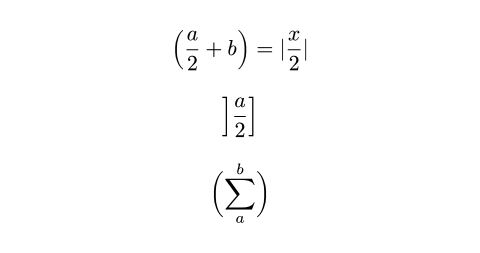
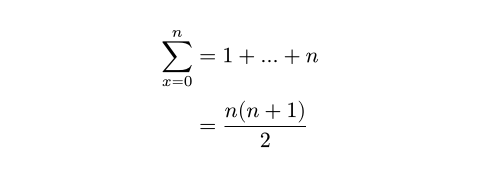
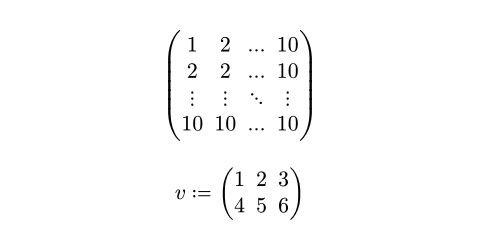
<?xml version="1.0" encoding="utf-8"?>
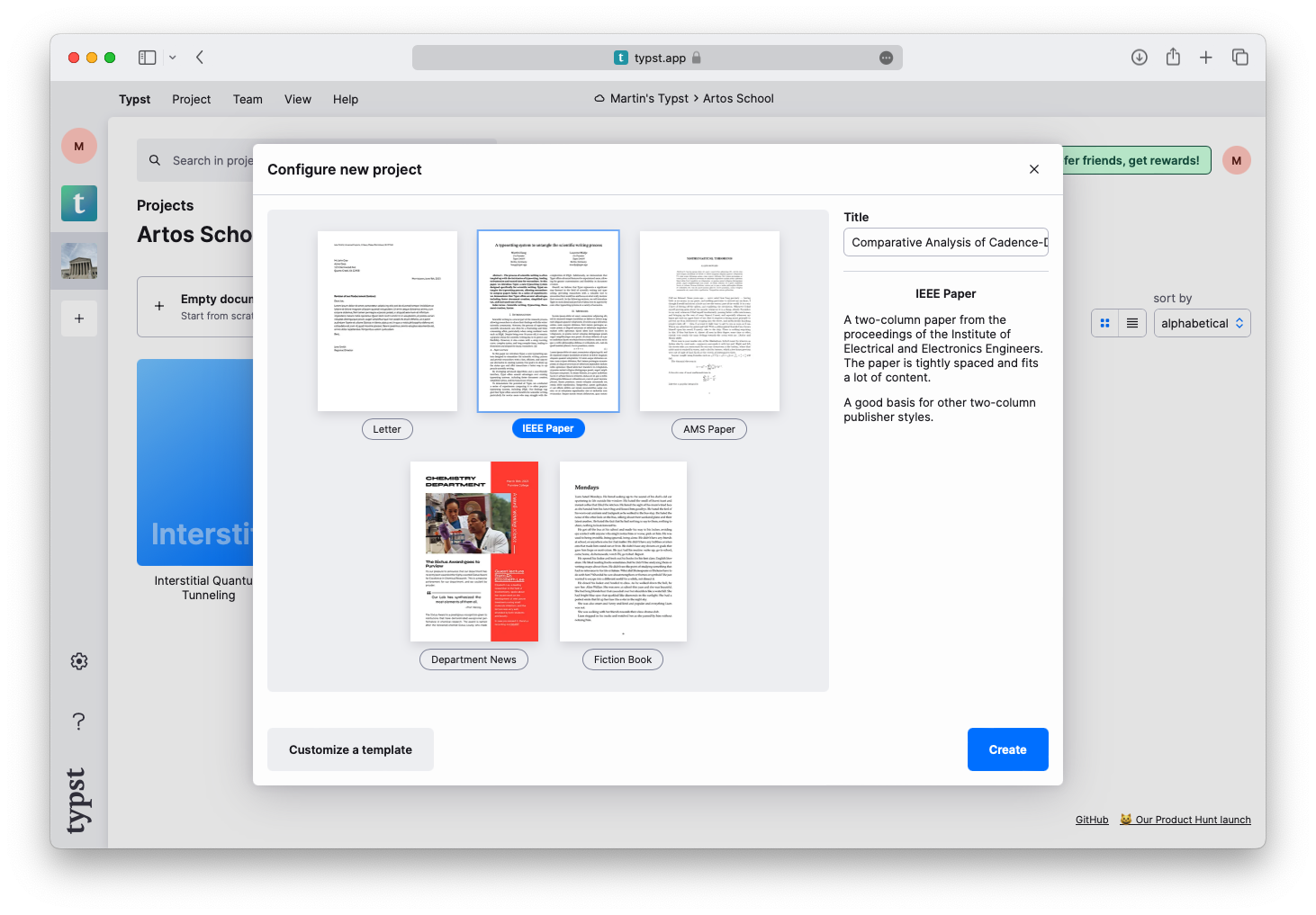
<feed xmlns="http://www.w3.org/2005/Atom">
    <id>https://typst.app/blog/</id>
    <title>Typst Blog</title>
    <updated>2025-11-07T00:00:00.000Z</updated>
    <generator>https://github.com/jpmonette/feed</generator>
    <link rel="alternate" href="https://typst.app/blog/"/>
    <link rel="self" href="https://typst.app/blog/atom.xml"/>
    <subtitle>The Typst blog is a place for us to share our thoughts on typography, design, and technology.</subtitle>
    <logo>https://typst.app/assets/maskable-icon.png</logo>
    <icon>https://typst.app/assets/favicon.ico</icon>
    <rights>All rights reserved 2026 Typst GmbH</rights>
    <entry>
        <title type="html"><![CDATA[Automated PDF Generation with Typst]]></title>
        <id>https://typst.app/blog/2025/automated-generation</id>
        <link href="https://typst.app/blog/2025/automated-generation"/>
        <updated>2025-11-07T00:00:00.000Z</updated>
        <summary type="html"><![CDATA[Setting up automated PDF generation is a daunting task – but it does not need to be. Learn how you can create a scalable generation pipeline for customized PDFs with Typst and how Typst compares against other solutions.
]]></summary>
        <content type="html"><![CDATA[<p>It is not hard to see why PDFs are everywhere: they are portable, consistent, and universally supported. When organizations need to generate thousands of personalized documents, the challenge isn't deciding to use PDFs, but creating a system to generate them efficiently at scale. Hence, setting up a PDF generation pipeline can be a daunting task: Existing solutions are often outdated, complex, or require significant amounts of custom code. But PDF generation does not have to be expensive or difficult to maintain. In this blog post, we'll review the current options for PDF generation and show how Typst offers a modern, streamlined alternative.</p>
<p>So far, the landscape for batch PDF generation has been dominated by these tools, each with its distinct strengths and drawbacks:</p>
<ul>
<li>
<p><strong>LaTeX:</strong> LaTeX offers beautiful typography but was designed for manually edited manuscripts, not automated generation. Ingesting data requires either generating LaTeX source code with custom, error-prone scripts, or writing Lua scripts executed by the LuaTeX compiler, both of which have a steep learning curve. LaTeX distributions are large (&gt; 1GB), making them ill-suited for deployment in serverless environments, and compilation is slow – often taking multiple seconds per document. LaTeX also needs <a href="https://latex3.github.io/tagging-project/documentation/usage-instructions">careful configuration</a> to emit accessible PDFs. It is easy to run into EAA or ADA liabilities when missing this.</p>
</li>
<li>
<p><strong>Browser-based solutions:</strong> HTML and CSS skills are widespread, making this approach attractive from a talent perspective. However, the workflow requires two steps: converting data to HTML with careful escaping, then rendering to PDF. Tools like Headless Chrome and the <a href="https://github.com/wkhtmltopdf/wkhtmltopdf/issues/5160">now-unmaintained</a> wkhtmltopdf use full browser engines but lack paged document capabilities. Specialized tools like WeasyPrint and PrinceXML extend CSS with more paged layout features but lack modern CSS and JavaScript support (PrinceXML only supports ES5 from 2009; WeasyPrint does not support JavaScript). You will also need to maintain custom, tool-specific scripts to feed your pipeline.</p>
</li>
<li>
<p><strong>Apache FOP:</strong> An XML-centric workflow where data must be formatted as XML (DITA, DocBook, or custom) and combined with XSL-FO stylesheets for layout. While mature, XSL-FO is complex to learn, and the standard was <a href="https://www.biglist.com/lists/lists.mulberrytech.com/xsl-list/archives/201311/msg00012.html">abandoned in 2013</a>. Many users now switch to browser-based workflows, transforming XML to XHTML with XSLT and then applying CSS for styling – requiring two steps instead of one.</p>
</li>
</ul>
<p>In addition, there are more specialized tools for businesses immersed in a specific ecosystem like Power BI Report Server and SAP Crystal Reports. These solutions have great integrations with their ecosystem, but are costly to phase in and focus on data and do not offer strong formatting capabilities.</p>
<p>Instead, let's take a look at Typst. Its properties make it ideal for batch document generation, with capabilities that scale from individual documents to millions of PDFs per day:</p>
<ul>
<li>Compilations in Typst commonly <strong>complete in milliseconds,</strong> making it cost-effective to run with large workloads.</li>
<li>Typst allows you to <strong>load data from any format,</strong> with parsers for XML, JSON, and CSV included. With a package, you can also use Markdown.</li>
<li>Documents compiled with Typst are <strong><a href="https://typst.app/blog/2025/accessible-pdf">accessible out of the box</a>.</strong> You can choose to target PDF/UA-1 to ensure compliance with accessibility standards.</li>
<li>Typst is designed for paged media and includes <strong>rich styling and layout</strong> tools.</li>
<li>Typst integrates its own <strong>scripting language,</strong> allowing you to load, analyze,  transform, and format your data, all in one system.</li>
<li>Typst is a single <strong>lightweight (~40MB) and secure binary</strong> that is easy to deploy and run in containerized cloud environments.</li>
<li>Typst is <strong>actively maintained</strong> by our team at Typst GmbH and a community of over 300 open-source volunteers.</li>
<li>Typst can be integrated as a <strong>CLI tool or Rust library,</strong> giving you flexibility for your deployment.</li>
</ul>
<p>Below, you will learn how you can use Typst for your own batch generation pipeline. This article should give you a head start and show you all the tricks you need to know to effectively generate PDFs with Typst.</p>
<p>In order to set up a Typst project for automated document generation, you will go through these steps:</p>
<ol>
<li>Define a template for your data</li>
<li>Load your data with <code>sys.inputs</code></li>
<li>Parse your data</li>
<li>Insert your data into the template and compile the file</li>
</ol>
<p>First, let's start by defining a template. When using Typst for manually edited documents, you use <em>markup</em> to insert all of your content. Let's have a look at some basic markup:</p>
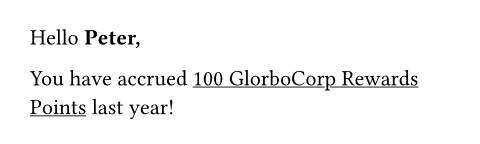
<div class="previewed-code"><pre><code>Hello <span class="typ-strong">*Peter,*</span>

You have accrued
<span class="typ-func">#</span><span class="typ-func">underline</span><span class="typ-punct">[</span>100 GlorboCorp
Rewards Points<span class="typ-punct">]</span> last year!
</code></pre><div class="preview"><img src="https://typst.app/assets/docs/RPn9zO1vh0NuU90UoFRjWAAAAAAAAAAA.png" alt="Preview" width="480" height="144"></div></div>
<p>In this file, we typed all of our content manually. We used asterisks to render the customer's first name bold and underlined their loyalty account balance. The objective is clear: the point balance and the customer's name should be automatically inserted.</p>
<p>To do this, let's first learn about variables: Because Typst integrates a programming language, Typst documents can define and use variables. Here is a quick look:</p>
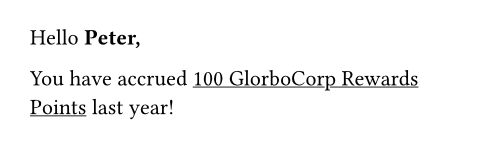
<div class="previewed-code"><pre><code><span class="typ-key">#</span><span class="typ-key">let</span> first-name <span class="typ-op">=</span> <span class="typ-punct">[</span>Peter<span class="typ-punct">]</span>
<span class="typ-key">#</span><span class="typ-key">let</span> points-balance <span class="typ-op">=</span> <span class="typ-num">100</span>

Hello <span class="typ-strong">*<span class="typ-pol">#</span><span class="typ-pol">first-name</span>,*</span>

You have accrued
<span class="typ-func">#</span><span class="typ-func">underline</span><span class="typ-punct">[</span><span class="typ-pol">#</span><span class="typ-pol">points-balance</span>
GlorboCorp Rewards Points<span class="typ-punct">]</span>
last year!
</code></pre><div class="preview"><img src="https://typst.app/assets/docs/CKYgO7aAaLMfPES7u1cD6AAAAAAAAAAA.png" alt="Preview" width="480" height="144"></div></div>
<p>We have used <code>let</code> to define a name and value for our variable. Then, we have inserted the value in markup using the hash. You can learn more about variable definitions in <a href="https://typst.app/docs/tutorial/making-a-template/">our tutorial</a> and <a href="https://typst.app/docs/reference/scripting/#bindings">the reference</a>.</p>
<p>Of course, the name and points balance is still static between compilations. This is where, for other tools, you would write your own script to populate these fields using your data. <strong>In Typst, this approach is strongly discouraged:</strong> Our markup is not designed to be generated by machines. Instead, skip external scripting and just do it in Typst itself.</p>
<p>Normally, when you compile your document using the open-source Typst compiler, your CLI call may look something like this:</p>
<pre style="background-color:#ffffff;">
<span style="color:#4b69c6;">typst</span><span style="color:#000000;"> compile main.typ
</span></pre>
<p>In this call, Typst will compile the file <code>main.typ</code> to a PDF. To customize the document, we can add the <code>--input</code> flag to pass custom data:</p>
<pre style="background-color:#ffffff;">
<span style="color:#4b69c6;">typst</span><span style="color:#000000;"> compile --input first-name=Peter --input points-balance=100 main.typ
</span></pre>
<p>Now, we can change our Typst file to use the inputs we passed on the shell:</p>
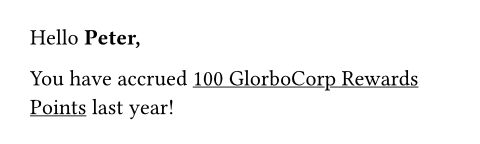
<div class="previewed-code"><pre><code><span class="typ-key">#</span><span class="typ-key">let</span> <span class="typ-punct">(</span>first-name<span class="typ-punct">,</span> points-balance<span class="typ-punct">)</span> <span class="typ-op">=</span> sys<span class="typ-punct">.</span>inputs

Hello <span class="typ-strong">*<span class="typ-pol">#</span><span class="typ-pol">first-name</span>,*</span>

You have accrued
<span class="typ-func">#</span><span class="typ-func">underline</span><span class="typ-punct">[</span><span class="typ-pol">#</span><span class="typ-pol">points-balance</span>
GlorboCorp Rewards Points<span class="typ-punct">]</span>
last year!
</code></pre><div class="preview"><img src="https://typst.app/assets/docs/qao0mVmUCpHB7sz4fUzCQgAAAAAAAAAA.png" alt="Preview" width="480" height="144"></div></div>
<p>Try to call this with different inputs and you will see that we successfully set up our first automated document in Typst! The principles for all batch generation in Typst are the same: Use the <code>--input</code> flag to pass inputs and then use them in your template using <code>sys.inputs</code>. Note that CLI inputs are provided as strings. If you need numeric values, convert or parse them (<a href="https://typst.app/docs/reference/foundations/int/" title="`int`"><code>int</code></a>, <a href="https://typst.app/docs/reference/foundations/float/" title="`float`"><code>float</code></a>, <a href="https://typst.app/docs/reference/data-loading/json/">JSON parsing</a>, etc.).</p>
<p>Now, we can use Typst's styling capabilities to build out our template:</p>
<div class="previewed-code"><pre><code><span class="typ-key">#</span><span class="typ-key">import</span> <span class="typ-str">&quot;@preview/zero:0.5.0&quot;</span><span class="typ-punct">:</span> num

<span class="typ-key">#</span><span class="typ-key">let</span> <span class="typ-punct">(</span>
  first-name<span class="typ-punct">,</span>
  points-balance<span class="typ-punct">,</span>
<span class="typ-punct">)</span> <span class="typ-op">=</span> sys<span class="typ-punct">.</span>inputs

<span class="typ-key">#</span><span class="typ-key">let</span> num <span class="typ-op">=</span> num<span class="typ-punct">.</span><span class="typ-func">with</span><span class="typ-punct">(</span>
  math<span class="typ-punct">:</span> <span class="typ-key">false</span><span class="typ-punct">,</span>
  group<span class="typ-punct">:</span> <span class="typ-punct">(</span>
    separator<span class="typ-punct">:</span> <span class="typ-str">&quot;,&quot;</span><span class="typ-punct">,</span>
    size<span class="typ-punct">:</span> <span class="typ-num">3</span><span class="typ-punct">,</span>
    threshold<span class="typ-punct">:</span> <span class="typ-num">0</span><span class="typ-punct">,</span>
  <span class="typ-punct">)</span><span class="typ-punct">,</span>
<span class="typ-punct">)</span>

<span class="typ-key">#</span><span class="typ-key">set</span> <span class="typ-func">page</span><span class="typ-punct">(</span>header<span class="typ-punct">:</span> <span class="typ-func">align</span><span class="typ-punct">(</span>
  right <span class="typ-op">+</span> bottom<span class="typ-punct">,</span>
  <span class="typ-func">image</span><span class="typ-punct">(</span><span class="typ-str">&quot;logo.svg&quot;</span><span class="typ-punct">)</span><span class="typ-punct">,</span>
<span class="typ-punct">)</span><span class="typ-punct">)</span>
<span class="typ-key">#</span><span class="typ-key">set</span> <span class="typ-func">text</span><span class="typ-punct">(</span>font<span class="typ-punct">:</span> <span class="typ-str">&quot;IBM Plex Sans&quot;</span><span class="typ-punct">)</span>

Hello <span class="typ-strong">*<span class="typ-pol">#</span><span class="typ-pol">first-name</span>,*</span>

You have accrued
<span class="typ-func">#</span><span class="typ-func">underline</span><span class="typ-punct">[</span><span class="typ-func">#</span><span class="typ-func">num</span><span class="typ-punct">(</span>points-balance<span class="typ-punct">)</span>
GlorboCorp Rewards Points<span class="typ-punct">]</span>
last year!
</code></pre><div class="preview"><img src="https://typst.app/assets/docs/b5MJpKnNeZ77n0rmT_iULwAAAAAAAAAA.png" alt="Preview" width="480" height="188"></div></div>
<p>In this example, we have used two set rules to insert the company logo in the header and to set the brand font. The logo image should be in the same directory as your Typst file. All fonts on the system will be automatically discovered by Typst. You can add an additional directory for fonts with the <code>--font-path</code> flag.</p>
<p>We also imported the <a href="https://typst.app/universe/package/zero">package <code>zero</code></a> from <a href="https://typst.app/universe/">Typst Universe</a>. It provides powerful capabilities for number formatting. Here, we are using it to introduce a decimal separator in the point balance. You can use all of the packages and templates on Typst Universe to create your document. Many of them can give you a head start, so take a look!</p>
<p>Another tweak we made is to use destructuring to assign the keys from the <code>sys.inputs</code> dictionary to our two variables. Destructuring can help to write more concise templates.</p>
<p>Finally, let's explore how you can load and transform data in structured formats with Typst. So far, we have only seen single, self-contained pieces of data being passed in individual inputs. Let's instead have a look at how to load data from a single JSON file:</p>
<p>To start out, here's the JSON file from which we will create the document. In production, you may have retrieved this data from your API or your database.</p>
<pre style="background-color:#ffffff;">
<span style="color:#000000;">{
</span><span style="color:#000000;">  </span><span style="color:#4b69c6;">&quot;firstName&quot;</span><span style="color:#000000;">: </span><span style="color:#198810;">&quot;Mike&quot;</span><span style="color:#000000;">,
</span><span style="color:#000000;">  </span><span style="color:#4b69c6;">&quot;totalSpend&quot;</span><span style="color:#000000;">: </span><span style="color:#b60157;">12048.1
</span><span style="color:#000000;">}
</span></pre>
<p>The JSON file contains a single object with two keys, <code>firstName</code> and <code>totalSpend</code>. The <code>firstName</code> key will just be pasted in our document like the <code>first-name</code> input before. However, we do not have the points balance anymore, instead, we got the total spend of the customer in USD as a number.</p>
<p>Suppose we can calculate the point balance from the customer’s total spend using the formula <em>$8 spent = 1 point,</em> rounding down. With other systems, it would now be more convenient to pre-process your data in a custom script. However, in Typst, we can do it right in the template:</p>
<div class="previewed-code"><pre><code><span class="typ-key">#</span><span class="typ-key">import</span> <span class="typ-str">&quot;@preview/zero:0.5.0&quot;</span><span class="typ-punct">:</span> num

<span class="typ-key">#</span><span class="typ-key">let</span> customer <span class="typ-op">=</span> <span class="typ-func">json</span><span class="typ-punct">(</span><span class="typ-func">bytes</span><span class="typ-punct">(</span>sys<span class="typ-punct">.</span>inputs<span class="typ-punct">.</span>customer<span class="typ-punct">)</span><span class="typ-punct">)</span>
<span class="typ-key">#</span><span class="typ-key">let</span> first-name <span class="typ-op">=</span> customer<span class="typ-punct">.</span>firstName
<span class="typ-key">#</span><span class="typ-key">let</span> total-spend <span class="typ-op">=</span> customer<span class="typ-punct">.</span>totalSpend

<span class="typ-key">#</span><span class="typ-key">let</span> points-balance <span class="typ-op">=</span> calc<span class="typ-punct">.</span><span class="typ-func">floor</span><span class="typ-punct">(</span>total-spend <span class="typ-op">/</span> <span class="typ-num">8</span><span class="typ-punct">)</span>

<span class="typ-key">#</span><span class="typ-key">let</span> num <span class="typ-op">=</span> num<span class="typ-punct">.</span><span class="typ-func">with</span><span class="typ-punct">(</span>
  math<span class="typ-punct">:</span> <span class="typ-key">false</span><span class="typ-punct">,</span>
  group<span class="typ-punct">:</span> <span class="typ-punct">(</span>
    separator<span class="typ-punct">:</span> <span class="typ-str">&quot;,&quot;</span><span class="typ-punct">,</span>
    size<span class="typ-punct">:</span> <span class="typ-num">3</span><span class="typ-punct">,</span>
    threshold<span class="typ-punct">:</span> <span class="typ-num">0</span><span class="typ-punct">,</span>
  <span class="typ-punct">)</span><span class="typ-punct">,</span>
<span class="typ-punct">)</span>

<span class="typ-key">#</span><span class="typ-key">set</span> <span class="typ-func">page</span><span class="typ-punct">(</span>header<span class="typ-punct">:</span> <span class="typ-func">align</span><span class="typ-punct">(</span>
  right <span class="typ-op">+</span> bottom<span class="typ-punct">,</span>
  <span class="typ-func">image</span><span class="typ-punct">(</span><span class="typ-str">&quot;logo.svg&quot;</span><span class="typ-punct">)</span><span class="typ-punct">,</span>
<span class="typ-punct">)</span><span class="typ-punct">)</span>
<span class="typ-key">#</span><span class="typ-key">set</span> <span class="typ-func">text</span><span class="typ-punct">(</span>font<span class="typ-punct">:</span> <span class="typ-str">&quot;IBM Plex Sans&quot;</span><span class="typ-punct">)</span>

Hello <span class="typ-strong">*<span class="typ-pol">#</span><span class="typ-pol">first-name</span>,*</span>

You have accrued
<span class="typ-func">#</span><span class="typ-func">underline</span><span class="typ-punct">[</span><span class="typ-func">#</span><span class="typ-func">num</span><span class="typ-punct">(</span>points-balance<span class="typ-punct">)</span>
GlorboCorp Rewards Points<span class="typ-punct">]</span>
last year!
</code></pre><div class="preview"><img src="https://typst.app/assets/docs/IDDcue4oZrz-09YhZu-qewAAAAAAAAAA.png" alt="Preview" width="480" height="188"></div></div>
<p>Compared to the examples before, this document does not expect multiple inputs, but just one, <code>customer</code>. It is expected to contain a JSON object. We use the JSON function to parse it and can then access its keys. Below, we calculate the number of points using a division and <a href="https://typst.app/docs/reference/foundations/calc/#functions-floor" title="`calc.floor`"><code>calc.floor</code></a>. In this example, we have seen that we can load input data from formats like JSON and apply complex transformations with Typst's integrated scripting language.</p>
<p>Let's try this with this JSON file called <code>mike.json</code>. We will call Typst with the contents of the file provided by a subshell:</p>
<pre style="background-color:#ffffff;">
<span style="color:#4b69c6;">typst</span><span style="color:#000000;"> compile --input customer=</span><span style="color:#198810;">&quot;$(</span><span style="color:#4b69c6;">cat</span><span style="color:#198810;"> mike.json)&quot;</span><span style="color:#000000;"> main.typ
</span></pre>
<p>Now we got our document with Mike's data, including the point balance computed from his revenue.</p>
<p>With these fundamentals in place, you're ready to build production-scale PDF generation pipelines with Typst. You can process thousands of documents by iterating through your data files, calling the Typst CLI for each record, and leverage parallel processing for maximum throughput.</p>
<p>For production deployments, consider:</p>
<ul>
<li>Using Typst as a Rust library to shave off the startup overhead from launching the CLI and discovering fonts for each job. The time saved per compilation ranges between 5 milliseconds (minimal fonts) and 100 milliseconds (desktop system with many fonts).</li>
<li>Deploying with our <a href="https://github.com/typst/typst/pkgs/container/typst">official Docker container</a> for consistent, production-ready environments</li>
<li>Implementing caching strategies for templates and assets to minimize overhead</li>
<li>Disabling the use of system fonts for better reproducability and startup speed using the <code>--ignore-system-fonts</code> flag and instead specifying just the required fonts using <code>--font-path</code></li>
<li>Choosing an <a href="https://typst.app/docs/reference/pdf/#pdf-standards">appropriate PDF standard</a> like PDF/A or PDF/UA</li>
<li>Monitoring compilation times and PDF sizes to catch issues early</li>
<li>Setting up automated testing with sample data to catch template regressions</li>
</ul>
<p>Ready to get started? <a href="https://typst.app/open-source/#download">Download the Typst open-source compiler</a> or <a href="https://typst.app/docs/">explore the full documentation</a>. If you need enterprise support, <a href="https://typst.app/pricing/?oss-support#oss">contact us</a>. We work with organizations from startups to Fortune 500 companies and can help you build a fast, maintainable PDF generation pipeline that meets your specific requirements.</p>]]></content>
        <author>
            <name>Martin Haug</name>
        </author>
    </entry>
    <entry>
        <title type="html"><![CDATA[How to create accessible PDFs from the start]]></title>
        <id>https://typst.app/blog/2025/accessible-pdf</id>
        <link href="https://typst.app/blog/2025/accessible-pdf"/>
        <updated>2025-10-31T00:00:00.000Z</updated>
        <summary type="html"><![CDATA[Accessibility does not need to be hard. Learn how to create accessible PDFs with Typst without any additional software while reaching new audiences and meeting compliance requirements.
]]></summary>
        <content type="html"><![CDATA[<p>If you search online for &quot;how to create accessible PDF&quot;, you will come up with no shortage of posts explaining how to make a PDF accessible once it has been created. Browsing the results, you will learn that even when exporting with the right settings from apps like Microsoft Word, you will end up with a file that needs more manual modifications to be truly accessible. You will see a plethora of checklists that you will need to complete manually and you will need to learn about <em>PDF Tags.</em> You might even need to buy an Adobe Acrobat subscription, just to fix up your files. Like this, accessibility can turn from a basic requirement into an expensive, time-consuming chore.</p>
<h2 id="the-chasm-between-accessibility-and-reality">The chasm between accessibility and reality</h2>
<p>It's true that accessibility is an important quality of every document: Without it, you are <a href="https://www.forbes.com/councils/forbesbusinesscouncil/2023/03/20/understanding-the-importance-of-web-accessibility/">excluding a lot of people</a> from your document, losing you exposure and creating friction. Depending on your organization's and country's policies, accessibility might <a href="https://www.boia.org/blog/international-web-accessibility-laws-an-overview">even be required</a>. Yet, with most software, accessibility remains an afterthought – a checklist to complete manually after the document is otherwise finished.</p>
<p>Instead, what if accessibility was taken care of by the time you are done with your project? If you did not need to manually follow a checklist, but had accessibility issues raised to you throughout the writing process? What if you could be certain that the resulting file will offer screen reader users a good experience and matches international accessibility standards?</p>
<p>Fortunately, that's exactly what we have built with Typst. Typst is a markup-based professional writing platform. When using Typst, you write your content and add structure with markup. Typst will use this markup to format your document with a template and publisher-grade typesetting, and crucially, it also uses the same information to create an accessible file. This means that if you follow just a few best practices, your file will be accessible when it looks right.</p>
<h2 id="basics-what-makes-a-pdf-accessible">Basics: What makes a PDF accessible?</h2>
<p>But let's take a step back: What does it mean for a PDF to be accessible? To the layperson, there are a few visual and a lot of hidden distinctions. First, an accessible PDF is designed to accommodate readers who have difficulty distinguishing colors or reading low-contrast text. You can achieve this by choosing high-contrast foregrounds and backgrounds and ensuring no information is conveyed solely through the use of color.</p>
<p>But the normally invisible features are what sets a high-quality PDF apart: At a technical level, it contains semantic data screen readers use to read the file correctly to users with low or no vision. Without this data, your file may have any or all of the following problems when read by a screen reader:</p>
<ul>
<li>It will be read in the wrong order</li>
<li>The contents of images and graphics will not be announced</li>
<li>The screen reader may fail to use your document's language to determine the right pronunciation,</li>
<li>The text within your document might not be read accurately</li>
</ul>
<p>Additionally, an accessible file allows screen reader users to navigate between sections and understand when content is emphasized. The data that prevents these issues and enables seamless navigatation of your file is called <em>tags.</em></p>
<h2 id="how-to-get-a-tagged-pdf">How to get a tagged PDF</h2>
<p>Tagging PDFs is where you run into problems with most software. When manual formatting is encouraged over an automatic template, software simply cannot write the right tags. Is your bold text with larger font size a heading? A pull quote? Or just strong emphasis? Tags make this distinction explicit by telling the screen reader what each part of the document means on a semantic level. However, even when using tools like Word’s built-in formatting presets for headings etc., not all content that should receive dedicated tags actually gets them, creating the need to manually post-process the file in Acrobat. The boldface button's decade-long allure to Word users is unbroken – and it's standing between authors and accessible documents. Finally, many tools require special settings to produce a Tagged PDF. For example, printing to PDF will result in an untagged file. Even in LaTeX, the user must use the relatively new and little-known macro <a href="https://latex3.github.io/tagging-project/documentation/usage-instructions"><code>\DocumentMetadata</code></a> to receive a tagged file.</p>
<p>Typst takes a different approach. We structured Typst around <em>elements,</em> building blocks that carry meaning, not just appearance. If you have already used Typst, you have interacted with them, even if you did not realize it. For example, every character in your document is part of a <a href="https://typst.app/docs/reference/text/text/">text element</a>. Likewise, every time you used asterisks for boldface, you create a <a href="https://typst.app/docs/reference/model/strong/">strong emphasis element</a>. This extends to tables, bibliographies, and more.</p>
<p>Many of Typst's elements have strong semantic meaning vital to screen reader users. We mentioned headings above. The figure and the table elements are equally important: Screen readers can only help users understand complex content like tables and images if they are properly tagged. Typst uses the rich semantic information it already has about these elements to automatically write tags in the final PDF.</p>
<h2 id="accessibility-out-of-the-box-with-typst">Accessibility out of the box with Typst</h2>
<p>In this section, we will take a closer look at Typst's design makes it easy to create accessible files. As mentioned above, elements are central to Typst and pervasive across all documents. Therefore, the easiest way to create your document is also the most accessible. Consider the following example, for a brochure where emphasis is rendered in blue. First, let's look at an example that uses the strong emphasis element with markup and a <a href="https://typst.app/docs/reference/styling/">show set rule</a>:</p>
<div class="previewed-code"><pre><code><span class="typ-key">#</span><span class="typ-key">show</span> <span class="typ-func">strong</span><span class="typ-punct">:</span> <span class="typ-key">set</span> <span class="typ-func">text</span><span class="typ-punct">(</span>fill<span class="typ-punct">:</span> blue<span class="typ-punct">)</span>

Join us for a David Lynch double
feature with <span class="typ-strong">*Mulholland Drive*</span> and
<span class="typ-strong">*Inland Empire*</span> next Tuesday
at 8:15 PM.
</code></pre><div class="preview"><img src="https://typst.app/assets/docs/Z6M0wGu6NVwhbFp2kKERrQAAAAAAAAAA.png" alt="Preview" width="480" height="132"></div></div>
<p>Next, let's look at what happens when we manually apply the formatting with the text function instead of using semantic markup:</p>
<div class="previewed-code"><pre><code>Join us for a David Lynch double
feature with
<span class="typ-func">#</span><span class="typ-func">text</span><span class="typ-punct">(</span>fill<span class="typ-punct">:</span> blue<span class="typ-punct">,</span> weight<span class="typ-punct">:</span> <span class="typ-str">&quot;bold&quot;</span><span class="typ-punct">)</span><span class="typ-punct">[</span>
  Mulholland Drive
<span class="typ-punct">]</span>
and
<span class="typ-func">#</span><span class="typ-func">text</span><span class="typ-punct">(</span>fill<span class="typ-punct">:</span> blue<span class="typ-punct">,</span> weight<span class="typ-punct">:</span> <span class="typ-str">&quot;bold&quot;</span><span class="typ-punct">)</span><span class="typ-punct">[</span>
  Inland Empire
<span class="typ-punct">]</span> next Tuesday at 8:15 PM.
</code></pre><div class="preview"><img src="https://typst.app/assets/docs/wiSZQCkQrjlg7YZpaYNfyQAAAAAAAAAA.png" alt="Preview" width="480" height="132"></div></div>
<p>This example looks identical to the first one, but it has fatal flaws. First, we need to repeat the formatting parameters each time, making changes tedious and error-prone. More importantly, the emphasis has become invisible to screen readers. The formatting instructions had no effect on the semantic information exposed to assistive technologies. Typst's design actively encourages use of its built-in elements: Set and show rules only work with elements. They are exposed with <a href="https://typst.app/docs/reference/syntax/">convenient markup</a> and enable you to use the <a href="https://typst.app/universe/templates/">powerful templates on Typst Universe</a>. By following our best practices, accessibility comes automatically.</p>
<p>There are some elements that play an outsized role in accessibility. When editing your document, always remember to use these elements when applicable:</p>
<ul>
<li>
<p>Use <a href="https://typst.app/docs/reference/model/table/#definitions-header" title="`table.header`"><code>table.header</code></a> and <a href="https://typst.app/docs/reference/model/table/#definitions-footer" title="`table.footer`"><code>table.footer</code></a> for header and footer rows instead of normal cells.</p>
</li>
<li>
<p>Use <a href="https://typst.app/docs/reference/model/table/" title="`table`"><code>table</code></a> if tabular layout conveys data, and <a href="https://typst.app/docs/reference/layout/grid/" title="`grid`"><code>grid</code></a> when used exclusively for design purposes.</p>
</li>
<li>
<p>Use the <a href="https://typst.app/docs/reference/model/list/" title="`list`"><code>list</code></a>, <a href="https://typst.app/docs/reference/model/enum/" title="`enum`"><code>enum</code></a>, or <a href="https://typst.app/docs/reference/model/terms/" title="`terms`"><code>terms</code></a> elements for lists.</p>
</li>
<li>
<p>Use the <a href="https://typst.app/docs/reference/model/figure/" title="`figure`"><code>figure</code></a> element to enclose and describe graphics.</p>
</li>
</ul>
<p>For some elements, Typst needs more information than it can infer from markup alone. Instead, your input is needed. The most prominent example for this are images and graphics. Since screen reader users cannot see them, you need to provide an <em>alternative description</em> that the screen reader can announce instead. Use the <a href="https://typst.app/docs/reference/visualize/image/#parameters-alt"><code>alt</code> parameter of the <code>image</code> function</a>:</p>
<div class="previewed-code"><pre><code><span class="typ-func">#</span><span class="typ-func">image</span><span class="typ-punct">(</span>
  <span class="typ-str">&quot;heron.jpg&quot;</span><span class="typ-punct">,</span>
  <span class="typ-comment">// The verbosity required for the</span>
  <span class="typ-comment">// alternative description depends</span>
  <span class="typ-comment">// on the context of the image.</span>
  alt<span class="typ-punct">:</span> <span class="typ-str">&quot;Heron in flight with feet and wings spread&quot;</span><span class="typ-punct">,</span>
<span class="typ-punct">)</span>
</code></pre><div class="preview"><img src="https://typst.app/assets/docs/gifR3gupgnVBe8pXsjwsxAAAAAAAAAAA.png" alt="Preview" width="480" height="186"></div></div>
<p>Typst also allows you to draw figures, either with the built in shapes and paths or with packages like <a href="https://typst.app/universe/package/cetz">CeTZ</a>. To provide alternative descriptions for these, use the <a href="https://typst.app/docs/reference/model/figure/#parameters-alt"><code>figure</code> element's <code>alt</code> parameter</a>. We have compiled guidance on <a href="https://typst.app/docs/guides/accessibility/#textual-representations">how to write good alternative descriptions</a> in our Accessibility Guide.</p>
<h2 id="more-checks-for-maximum-accessibility-compliance">More checks for maximum accessibility &amp; compliance</h2>
<p>Because it's easy to forget alternative descriptions, Typst can surface errors when they're missing. When you opt into <a href="https://typst.app/docs/reference/pdf/#pdf-ua">PDF/UA-1 export</a>, Typst will check for accessibility issues during export. If it finds critical issues like missing alternative descriptions, it will not create a PDF and instead show you what to change. PDF/UA-1 is an international standard for universally accessible files that provide the best possible experience for screen reader users. You can enable PDF/UA-1 in the PDF export dialog in the web app or with the <code>--pdf-standard</code> flag on the CLI.</p>
<p>No matter whether you choose to enable PDF/UA-1 or not, Typst writes Tagged PDF files by default, providing a baseline for accessibility. For other topics around accessible files, like use of color, natural language specification, and more, be sure to check out our <a href="https://typst.app/docs/guides/accessibility/">Accessibility Guide</a>.</p>
<h2 id="conclusion">Conclusion</h2>
<p>Throughout this blog post, we have seen what creating accessible PDFs has meant so far and how it can look with Typst: Instead of following checklists, running external validators, and manually fixing tags in Acrobat, Typst leverages semantic elements and built-in validation to create PDFs that are accessible from the moment they compile. With this approach, accessibility is no longer a compliance chore imposed by the EAA, ADA, Section 508, or other regulations. Instead, it becomes an asset: well-structured, maintainable documents with scalable templates that reach your audience, regardless of how they access your content.</p>
<p>Try Typst in <a href="https://typst.app/signup/">our web app</a> or with the <a href="https://typst.app/open-source/">open-source compiler</a> and benefit from accessibility by default. And to make even more informed choices, learn about the best practices about universally accessible documents <a href="https://typst.app/docs/guides/accessibility/">in our documentation</a>.</p>]]></content>
        <author>
            <name>Martin Haug</name>
        </author>
    </entry>
    <entry>
        <title type="html"><![CDATA[Typst 0.14: Now accessible]]></title>
        <id>https://typst.app/blog/2025/typst-0.14</id>
        <link href="https://typst.app/blog/2025/typst-0.14"/>
        <updated>2025-10-24T00:00:00.000Z</updated>
        <summary type="html"><![CDATA[Typst 0.14 is out now. With accessibility by default, PDFs as images, character-level justification, and more, it has everything you need to move from draft to production.
]]></summary>
        <content type="html"><![CDATA[<p>Typst's origins lie in academia, but over the past year, we've seen it expand to so much more. It's increasingly being used in the industry: For manually written documents, partially automated reports, and in fully automated batch PDF generation pipelines. Across these use cases, it's being used in production for critical documents.</p>
<p>In August, we <a href="https://typst.app/blog/2025/future">launched a new website</a> to reflect Typst's expanding scope, and now, with Typst 0.14, we're shipping crucial features that make Typst even more widely applicable.</p>
<p>If you need to comply with accessibility-related regulations, Typst 0.14 has your back. Typst now generates accessible documents <em>by default,</em> with opt-in support for stricter checks. For those working with complex illustrations, PDFs are now supported as a native image format. In case you're typesetting a book, the new character-level justification will give your layout the final touch. And if you're building a website or blog, many improvements to Typst's HTML export are waiting for you.</p>
<h2 id="contents">Contents</h2>
<p>In this blog post, we'll take a closer look at the highlights of this release:</p>
<ul>
<li><a href="#accessibility">Accessibility</a></li>
<li><a href="#pdf-standards">PDF standards</a></li>
<li><a href="#pdfs-as-images">PDFs as images</a></li>
<li><a href="#character-level-justification">Character-level justification</a></li>
<li><a href="#richer-html-export">Richer HTML export</a></li>
<li><a href="#migrating">Migrating to Typst 0.14</a></li>
<li><a href="#community-call">Community Call</a></li>
</ul>
<p>To get started with Typst 0.14…</p>
<ul>
<li><strong>…in the web app:</strong> Just open any of your projects! You'll get a prompt offering you to upgrade to the latest version.</li>
<li><strong>…on the command line:</strong> Run <code>typst update</code> in your terminal or, if you haven't installed Typst previously, download the <a href="https://typst.app/open-source/#download">latest version of the CLI</a>.</li>
</ul>
<p>For a comprehensive overview of all changes in the release, visit the <a href="https://typst.app/docs/changelog/0.14.0/">changelog</a>. If you're looking to upgrade your document to Typst 0.14, you can also skip ahead to the <a href="#migrating">Migration section</a>.</p>
<h2 id="accessibility">Accessibility</h2>
<p>Not everyone reads PDF documents the same. Some people read on large screens or print; others use small phones or screen readers to have documents read aloud. To cater to all these uses, a file must contain <em>tags</em> that allow Assistive Technology (AT) like screen readers to learn about the reading order and semantic meaning of each piece of text. Tags allow AT users to learn which text is <code><span class="typ-strong">*strongly emphasized*</span></code>, enable navigation of the document by skipping between headings, and more.</p>
<p>Tagging requires no additional work from you: If you are using the built-in markup and elements, Typst will automatically select the right tags! Unlike many other tools, PDF files created with Typst 0.14 are tagged by default, raising the bar for accessibility.</p>
<p>But tags are not enough to make a file accessible: To reach everyone, you need to design for universal accessibility from the start. The new features in Typst 0.14 can help you with that. Consider diagrams created with shapes or packages like cetz—their visual meaning is invisible to assistive technology. The new <code>alt</code> parameter on figures solves this:</p>
<div class="previewed-code"><pre><code><span class="typ-func">#</span><span class="typ-func">figure</span><span class="typ-punct">(</span>
  <span class="typ-func">stack</span><span class="typ-punct">(</span>
    dir<span class="typ-punct">:</span> ltr<span class="typ-punct">,</span>
    spacing<span class="typ-punct">:</span> <span class="typ-num">0.5em</span><span class="typ-punct">,</span>
    <span class="typ-func">rect</span><span class="typ-punct">[</span>Tagged PDF<span class="typ-punct">]</span><span class="typ-punct">,</span>
    <span class="typ-func">text</span><span class="typ-punct">(</span><span class="typ-num">2em</span><span class="typ-punct">,</span> sym<span class="typ-punct">.</span>arrow<span class="typ-punct">.</span>long<span class="typ-punct">)</span><span class="typ-punct">,</span>
    <span class="typ-func">rect</span><span class="typ-punct">[</span>Accessibility<span class="typ-punct">]</span><span class="typ-punct">,</span>
  <span class="typ-punct">)</span><span class="typ-punct">,</span>
  alt<span class="typ-punct">:</span> <span class="typ-str">&quot;Diagram with two rectangles. The first is labelled &#39;Tagged PDF&#39;. An arrow points to the second, labelled &#39;Accessibility&#39;&quot;</span><span class="typ-punct">,</span>
  caption<span class="typ-punct">:</span> <span class="typ-punct">[</span>
    Tags enable PDF accessibility
  <span class="typ-punct">]</span><span class="typ-punct">,</span>
<span class="typ-punct">)</span>
</code></pre><div class="preview"><img src="https://typst.app/assets/docs/pl7jZuMd4U0DyWwVHtHHPwAAAAAAAAAA.png" alt="Preview" width="600" height="123"></div></div>
<p>With this change, AT users hear the alternative description and can grasp the figure's purpose just like sighted users—no information is lost. We have put together a new <a href="https://typst.app/docs/guides/accessibility/">Accessibility Guide</a> that contains more tips on how to create accessible documents, including how to write good alternative descriptions, when to use the figure's vs. the image's <code>alt</code> parameter, and more.</p>
<p>To make sure you got everything right, you can enable the new PDF/UA-1 export. PDF/UA is an international standard that helps to create universally accessible PDF files. When it is enabled, Typst will run additional checks against your document to find accessibility issues and optimize for accessibility rather than compatibility. It will find issues such as missing document titles, wrong heading hierarchies, and missing alternative descriptions.</p>
<div class="info-box">
<p>PDF/UA-1 helps you comply with existing and upcoming international accessibility regulation like the European Accessibility Act (EAA) in the EU and the new Americans with Disabilities Act's (ADA) Title II guidance by the DOJ. The former applies to many businesses active in the European Union since 28 June 2025 while the deadline for the latter is set for April 24, 2026. If you are using Typst in your business for customer- or government-facing documents, you should adopt Typst 0.14 as soon as possible.</p>
</div>
<h2 id="pdf-standards">PDF standards</h2>
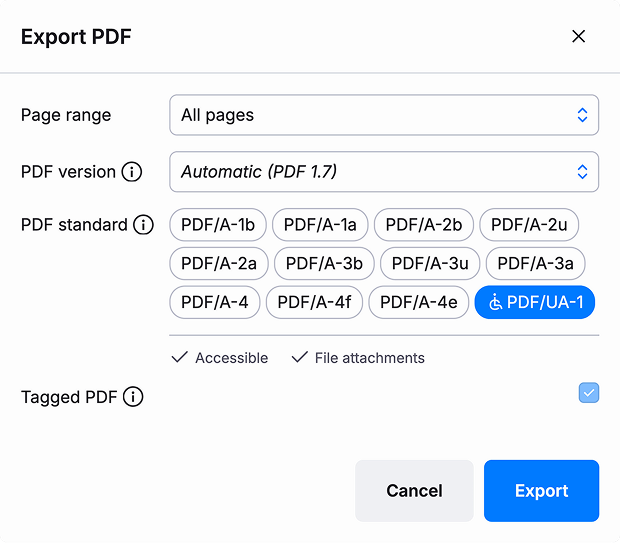
<p>Alongside PDF/UA-1 support, we've also generally expanded Typst's support for PDF standards. Instead of just PDF 1.7, you can now choose between the PDF versions 1.4, 1.5, 1.6, 1.7, and 2.0. And for PDF/A, we've expanded support from just two specific substandards to all four parts with all their conformance levels. While Typst's defaults are perfectly fine for most use cases, choosing a standard can optimize your document specifically for your use case. Consult the expanded <a href="https://typst.app/docs/reference/pdf/#pdf-standards">PDF documentation in the reference</a> for guidance on which standards you should pick under which circumstances.</p>
<img style="box-shadow: 0px 0px 6px rgba(89, 85, 101, .2), 0px 8px 48px rgba(89, 85, 101, .3); border-radius: 8px" src="https://typst.app/assets/images/blog/pdf-modal-014.webp" alt="A modal with the title 'PDF export'. It allows changing page range, PDF version, PDF standard, and whether the file is tagged. In the standards category, PDF/UA-1 is enabled, two checkmarks report that the standard is accessible and allows file attachments. Due to the selection, the Tagged PDF checkbox is selected and cannot be unchecked." width="310" height="271" />
<h2 id="pdfs-as-images">PDFs as images</h2>
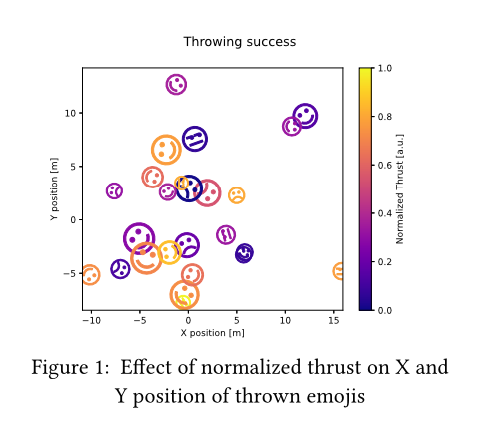
<p>Staying with the PDF theme, there are exciting news for authors that have a lot of complex illustrations. Typst now supports PDF as a native image format. What I personally find most exciting about it, is that PDF images are supported <em>across all export targets,</em> and for each export target in the most suitable format. In PDF export, PDFs are naturally directly embedded. Meanwhile, in HTML and SVG export, PDFs are converted to an embedded SVG on-the-fly. And, finally, in PNG export and the web app preview, PDFs are rasterized. All of this PDF processing functionality lives right in the Typst compiler, with no system dependencies. This is only possible thanks to the amazing work of community member <a href="https://github.com/LaurenzV">@LaurenzV</a>, who created a new PDF processing library called <a href="https://github.com/LaurenzV/hayro"><code>hayro</code></a> from scratch. The library is 100% written in the programming language Rust (which is also the language we use for the Typst compiler) and is thus highly portable.</p>
<div class="previewed-code"><pre><code><span class="typ-func">#</span><span class="typ-func">figure</span><span class="typ-punct">(</span>
  <span class="typ-func">image</span><span class="typ-punct">(</span>
    <span class="typ-str">&quot;throwing-success.pdf&quot;</span><span class="typ-punct">,</span>
    alt<span class="typ-punct">:</span> <span class="typ-str">&quot;A diagram titled &#39;Throwing Success&#39; that ..&quot;</span>
  <span class="typ-punct">)</span><span class="typ-punct">,</span>
  caption<span class="typ-punct">:</span> <span class="typ-punct">[</span>
    Effect of normalized thrust
    on X and Y position of
    thrown emojis
  <span class="typ-punct">]</span><span class="typ-punct">,</span>
<span class="typ-punct">)</span>
</code></pre><div class="preview"><img src="https://typst.app/assets/docs/eiWi60penyPIoLH9eF80JwAAAAAAAAAA.png" alt="Preview" width="480" height="433"></div></div>
<h2 id="character-level-justification">Character-level justification</h2>
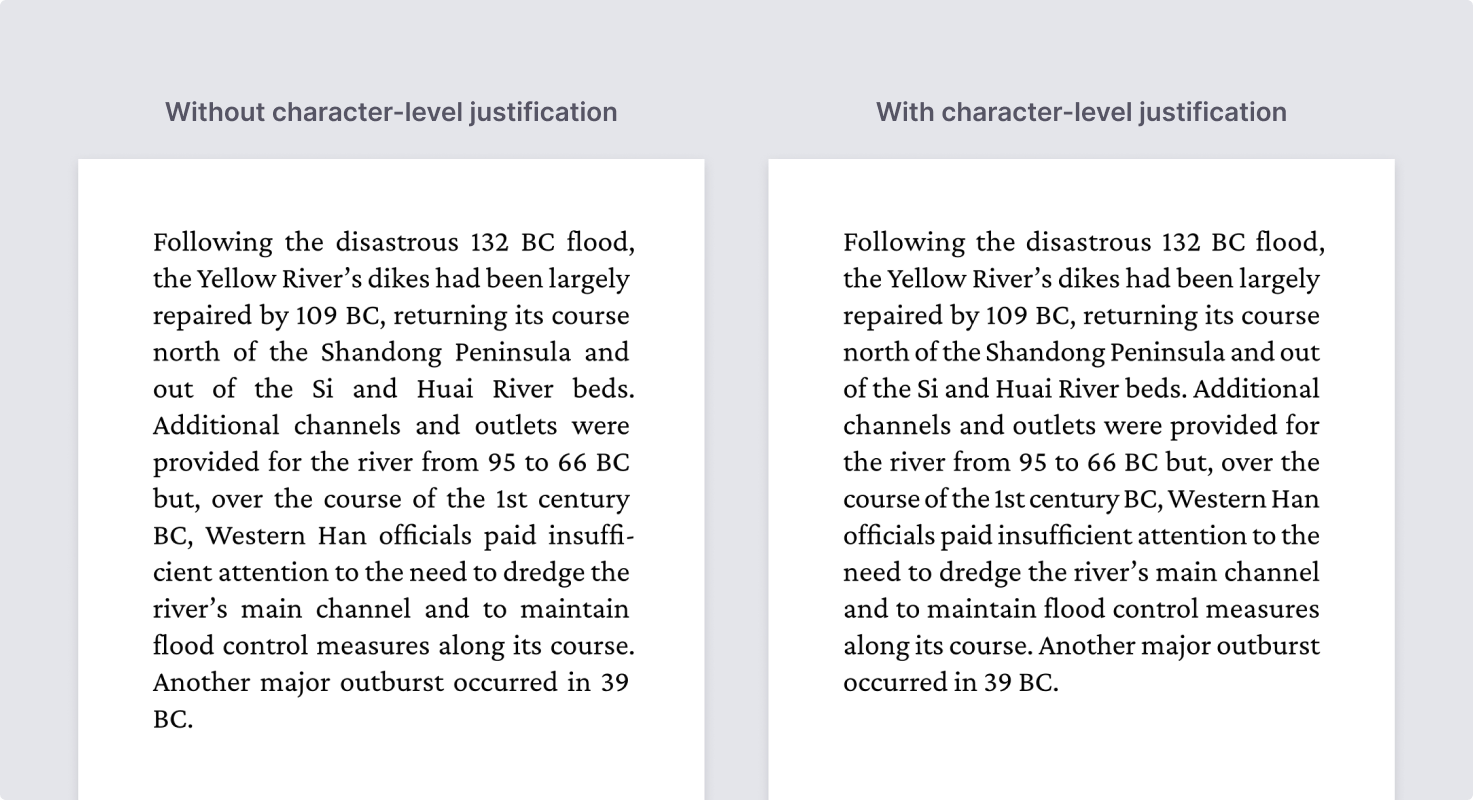
<p>Producing a visually balanced paragraph was once a fine art, when professional typesetters still carefully set paragraphs with movable type. Nowadays, you could hope that optimal paragraph typesetting is a solved problem across all our software. But, alas, it is not!</p>
<p>There are different strategies we can employ to produce a well-justified paragraph. Of course, to justify the paragraph, we need to stretch each line to the width of the measure. There are different ways to do this: Most obviously, we can adjust the spacing between words. This is what most software does. But we can also adjust the spacing between characters. This is now implemented in Typst.</p>
<p>Other methods to do this (which we want to explore in the future) include stretching the width of characters (this is best done with <em>variable fonts</em>) or, for some scripts, inserting special textual elements. For example, in Arabic, there are <em>Kashida,</em> which allow spacing out glyphs in words by extending the connectors between individual glyphs.</p>
<p>But that's just part of the recipe. Arguably, the even more crucial part is how this interplays with <em>which linebreaks</em> we chose to insert. Naively, we can choose our break points based on how much text fits and then perform the stretching. But we can do much better by taking into account each line's potential for stretching with the various mechanisms discussed above! We can then choose the break points that minimize the amount of bad-looking stretching.</p>
<p>I was initially skeptical about supporting character-level justification because I've seen it done poorly in some books. But that's actually not the fault of character-level justification per se; it's just excessive use of it. Tastefully chosen maxima—together with an algorithm that minimizes displeasing typography—make it bring out the best in justification.</p>
<p>We hear a lot about microtypography when people compare Typst with LaTeX. And even though Typst uses the same fundamental algorithm as LaTeX does to optimize paragraphs, it's true that LaTeX has some extra tricks up its sleeve. Now we do too though, as character-level justification is a feature that LaTeX does <em>not</em> support.</p>
<img style="border-radius: 8px" src="https://typst.app/assets/images/blog/character-level-justification.webp" alt="Two renderings of a justified paragraph about the 29 BC Yellow River flood from Wikipedia. The first has the caption 'Without character-level justification'. It has issues with grayness: For example, the 5th line is set very wide. The second has the caption 'With character-level justification'. Compared to the previous example, no line is overly wide or narrow." width="1473" height="800" />
<h2 id="richer-html-export">Richer HTML Export</h2>
<p>In Typst 0.13, we shipped a first, highly experimental version of HTML export. This very minimal version already introduced the primitives for flexible HTML generation. With these primitives, the mapping of Typst elements to HTML can be expressed through show rules, just like the mapping to visual elements is performed in paged export.</p>
<p>What was lacking though were show rules for many built-in elements, including elements like footnotes, outlines, and citations. Typst 0.14 makes good progress in this regard. Most semantic elements (those from the <a href="https://typst.app/docs/reference/model/"><em>Model</em> category</a>) are now properly mapped to semantic HTML. We've also improved handling of textual content in HTML export. The more visualization- and styling-focused parts of Typst's standard library remain largely unsupported, but we plan to add support for those (to the extent possible) in the future.</p>
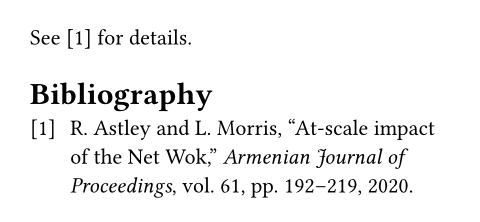
<p>Below, you can see an example of a small, but non-trivial Typst document exported to HTML with Typst 0.14.</p>
<pre><code><span class="typ-key">#</span><span class="typ-key">set</span> <span class="typ-func">heading</span><span class="typ-punct">(</span>numbering<span class="typ-punct">:</span> <span class="typ-str">&quot;1.&quot;</span><span class="typ-punct">)</span>

<span class="typ-heading">= Introduction</span> <span class="typ-label">&lt;intro&gt;</span>
In <span class="typ-ref">@intro</span>, let&#39;s cite <span class="typ-ref">@netwok</span>.

<span class="typ-func">#</span><span class="typ-func">bibliography</span><span class="typ-punct">(</span><span class="typ-str">&quot;works.bib&quot;</span><span class="typ-punct">)</span>
</code></pre><pre style="background-color:#ffffff;">
<span style="color:#74747c;">&lt;!-- html, head, and body omitted for brevity --&gt;
</span><span style="color:#000000;">&lt;</span><span style="color:#4b69c6;">h2 </span><span style="color:#8b41b1;">id</span><span style="color:#000000;">=</span><span style="color:#198810;">&quot;intro&quot;</span><span style="color:#000000;">&gt;1. Introduction&lt;/</span><span style="color:#4b69c6;">h2</span><span style="color:#000000;">&gt;
</span><span style="color:#000000;">&lt;</span><span style="color:#4b69c6;">p</span><span style="color:#000000;">&gt;
</span><span style="color:#000000;">  In &lt;</span><span style="color:#4b69c6;">a </span><span style="color:#8b41b1;">href</span><span style="color:#000000;">=</span><span style="color:#198810;">&quot;#intro&quot;</span><span style="color:#000000;">&gt;Section 1&lt;/</span><span style="color:#4b69c6;">a</span><span style="color:#000000;">&gt;, let’s cite
</span><span style="color:#000000;">  &lt;</span><span style="color:#4b69c6;">a </span><span style="color:#8b41b1;">id</span><span style="color:#000000;">=</span><span style="color:#198810;">&quot;loc-1&quot; </span><span style="color:#8b41b1;">href</span><span style="color:#000000;">=</span><span style="color:#198810;">&quot;#loc-2&quot; </span><span style="color:#8b41b1;">role</span><span style="color:#000000;">=</span><span style="color:#198810;">&quot;doc-biblioref&quot;</span><span style="color:#000000;">&gt;[1]&lt;/</span><span style="color:#4b69c6;">a</span><span style="color:#000000;">&gt;.
</span><span style="color:#000000;">&lt;/</span><span style="color:#4b69c6;">p</span><span style="color:#000000;">&gt;
</span><span style="color:#000000;">&lt;</span><span style="color:#4b69c6;">section </span><span style="color:#8b41b1;">role</span><span style="color:#000000;">=</span><span style="color:#198810;">&quot;doc-bibliography&quot;</span><span style="color:#000000;">&gt;
</span><span style="color:#000000;">  &lt;</span><span style="color:#4b69c6;">h2</span><span style="color:#000000;">&gt;Bibliography&lt;/</span><span style="color:#4b69c6;">h2</span><span style="color:#000000;">&gt;
</span><span style="color:#000000;">  &lt;</span><span style="color:#4b69c6;">ul </span><span style="color:#8b41b1;">style</span><span style="color:#000000;">=</span><span style="color:#198810;">&quot;</span><span style="color:#4b69c6;">list-style-type</span><span style="color:#000000;">: </span><span style="color:#4b69c6;">none</span><span style="color:#198810;">&quot;</span><span style="color:#000000;">&gt;
</span><span style="color:#000000;">    &lt;</span><span style="color:#4b69c6;">li </span><span style="color:#8b41b1;">id</span><span style="color:#000000;">=</span><span style="color:#198810;">&quot;loc-2&quot;</span><span style="color:#000000;">&gt;
</span><span style="color:#000000;">      &lt;</span><span style="color:#4b69c6;">span </span><span style="color:#8b41b1;">class</span><span style="color:#000000;">=</span><span style="color:#198810;">&quot;prefix&quot;</span><span style="color:#000000;">&gt;&lt;</span><span style="color:#4b69c6;">a </span><span style="color:#8b41b1;">href</span><span style="color:#000000;">=</span><span style="color:#198810;">&quot;#loc-1&quot; </span><span style="color:#8b41b1;">role</span><span style="color:#000000;">=</span><span style="color:#198810;">&quot;doc-backlink&quot;</span><span style="color:#000000;">&gt;[1]&lt;/</span><span style="color:#4b69c6;">a</span><span style="color:#000000;">&gt;&lt;/</span><span style="color:#4b69c6;">span</span><span style="color:#000000;">&gt;
</span><span style="color:#000000;">      R. Astley and L. Morris, “At-scale impact of the Net Wok: A culinarically
</span><span style="color:#000000;">      holistic investigation of distributed dumplings,”
</span><span style="color:#000000;">      &lt;</span><span style="color:#4b69c6;">em</span><span style="color:#000000;">&gt;Armenian Journal of Proceedings&lt;/</span><span style="color:#4b69c6;">em</span><span style="color:#000000;">&gt;, vol. 61, pp. 192–219, 2020.
</span><span style="color:#000000;">    &lt;/</span><span style="color:#4b69c6;">li</span><span style="color:#000000;">&gt;
</span><span style="color:#000000;">  &lt;/</span><span style="color:#4b69c6;">ul</span><span style="color:#000000;">&gt;
</span><span style="color:#000000;">&lt;/</span><span style="color:#4b69c6;">section</span><span style="color:#000000;">&gt;
</span></pre>
<p>Another exciting addition to HTML export is the new <a href="https://typst.app/docs/reference/html/typed/">typed HTML</a> interface. Typst's <code>html</code> module now includes functions for constructing HTML elements with strongly-typed attributes. This means you can now write</p>
<pre><code><span class="typ-pol">#</span><span class="typ-pol">html</span><span class="typ-punct">.</span><span class="typ-func">video</span><span class="typ-punct">(</span>
  autoplay<span class="typ-punct">:</span> <span class="typ-key">true</span><span class="typ-punct">,</span>
  width<span class="typ-punct">:</span> <span class="typ-num">1280</span><span class="typ-punct">,</span>
  height<span class="typ-punct">:</span> <span class="typ-num">720</span><span class="typ-punct">,</span>
  src<span class="typ-punct">:</span> <span class="typ-str">&quot;sunrise.mp4&quot;</span><span class="typ-punct">,</span>
<span class="typ-punct">)</span>
</code></pre>
<p>instead of</p>
<pre><code><span class="typ-pol">#</span><span class="typ-pol">html</span><span class="typ-punct">.</span><span class="typ-func">elem</span><span class="typ-punct">(</span><span class="typ-str">&quot;video&quot;</span><span class="typ-punct">,</span> attrs<span class="typ-punct">:</span> <span class="typ-punct">(</span>
  autoplay<span class="typ-punct">:</span> <span class="typ-str">&quot;&quot;</span><span class="typ-punct">,</span>
  width<span class="typ-punct">:</span> <span class="typ-str">&quot;1280&quot;</span><span class="typ-punct">,</span>
  height<span class="typ-punct">:</span> <span class="typ-str">&quot;720&quot;</span><span class="typ-punct">,</span>
  src<span class="typ-punct">:</span> <span class="typ-str">&quot;sunrise.mp4&quot;</span><span class="typ-punct">,</span>
<span class="typ-punct">)</span><span class="typ-punct">)</span>
</code></pre>
<p>As you can see, attributes are mapped to idiomatic Typst-native types.</p>
<p>Last but not least, we're happy to announce that HTML export will soon come to the Typst web app. We're still polishing up the implementation, but plan to ship it in the coming weeks.</p>
<div class="info-box">
<p>Please note that HTML export remains experimental. To enable it in the CLI, pass <code>--features html</code> or set <code>TYPST_FEATURES=html</code>. In the web app, support for HTML export will also need to be enabled on a per-project basis.</p>
</div>
<h2 id="migrating">Migrating to Typst 0.14</h2>
<p>As far as breaking changes and deprecations go, this is a pretty calm release. Most documents should continue to work as before. There are a few minor breaking changes that make certain validations more strict. For instance, labels, link URLs, and font lists may not be empty anymore. To learn about all breaking changes, consult the <a href="https://typst.app/docs/changelog/" title="changelog">changelog</a> and search for &quot;breaking change&quot;.</p>
<p>The release also contains a few <a href="https://typst.app/docs/changelog/0.14.0/#deprecations">deprecations</a>. In particular, you'll need to replace any use of <code>pdf.embed</code> with <a href="https://typst.app/docs/reference/pdf/attach/" title="`pdf.attach`"><code>pdf.attach</code></a>. Moreover, two bibliography styles were renamed and the <code>--make-deps</code> CLI flag was deprecated in favor of the new, more flexible <code>--deps</code> flag with <code>--deps-format make</code>. There are also a few deprecated <a href="https://typst.app/docs/reference/symbols/">symbols</a>. The compiler will warn you about all use of deprecated functionality.</p>
<h3 id="in-the-web-app">In the web app</h3>
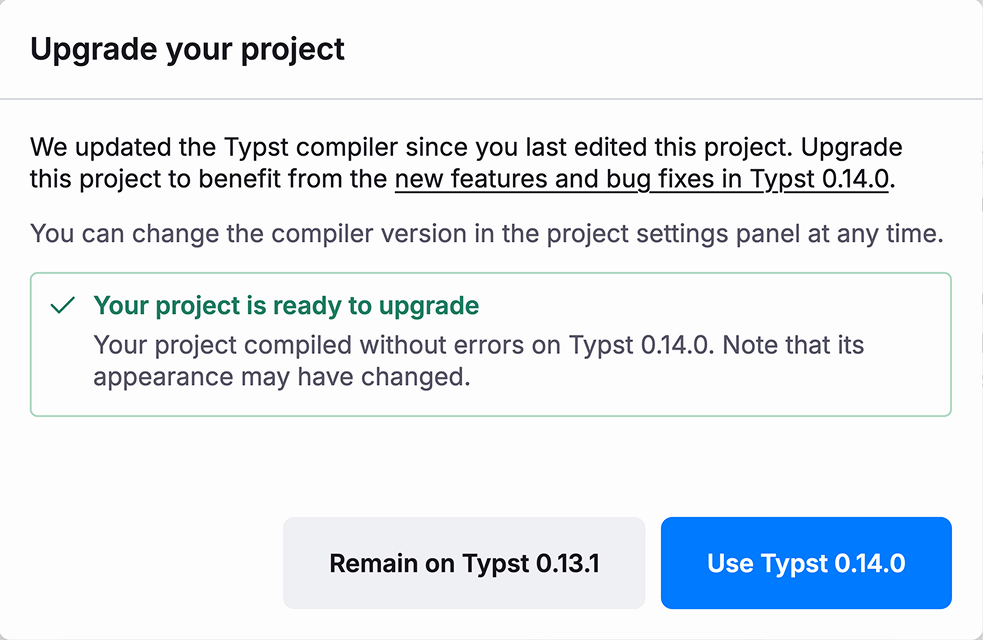
<p>With this release, we're also bringing a better version upgrade experience to the web app. Previously, projects would always use the latest compiler version unless explicitly pinned to a specific version in the settings side panel.</p>
<p>We are now phasing out the &quot;Latest&quot; option. Instead, the web app detects when a new version is available since you've last edited a project, and offers you to upgrade. The upgrade assistant includes an automatic compatibility check that compiles your document with both versions, makes a verdict, and lists new errors and warnings.</p>
<img style="box-shadow: 0px 0px 6px rgba(89, 85, 101, .2), 0px 8px 48px rgba(89, 85, 101, .3); border-radius: 8px" src="https://typst.app/assets/images/blog/migration-modal.webp" alt="Modal with the title 'Upgrade your project'. It contains this text: 'We updated the Typst compiler since you last edited this project. Upgrade this project to benefit from the new features and bug fixes in Typst 0.14.0. You can change the compiler version in the project settings panel at any time.' In a box with a green outline, it says 'Your project is ready to upgrade. Your project compiled without errors on Typst 0.14.0. Note that its appearance may have changed.'" width="491" height="320" />
<h2 id="community-call">Community Call</h2>
<p>Typst 0.14 is the result of 8 months of hard work by us and the community. We hope you are as excited about it as we are!</p>
<p>Speaking of the community—We're hosting a <a href="https://discord.gg/KCMe6g7gPa?event=1430904365748846632">community call on Discord on Friday, November 7th</a>. Join us to share your experiences with the new version and to chat with the community!</p>]]></content>
        <author>
            <name>Laurenz Mädje</name>
        </author>
        <author>
            <name>Martin Haug</name>
        </author>
    </entry>
    <entry>
        <title type="html"><![CDATA[September feature drop: Adding folders and review-only shares]]></title>
        <id>https://typst.app/blog/2025/folders-reviews</id>
        <link href="https://typst.app/blog/2025/folders-reviews"/>
        <updated>2025-09-26T00:00:00.000Z</updated>
        <summary type="html"><![CDATA[Organize your projects with folders and streamline collaboration with review-only shares: Two of our most requested features are now live in the Typst web app.
]]></summary>
        <content type="html"><![CDATA[<p>Bringing order into the chaos is always a challenge: Have you ever tried cleaning your apartment without a vacuum? Order without the right tools is almost unachievable! Hence, we have built the tools needed to tidy up your Typst workspaces.</p>
<div class="centered">
<video
  muted
  playsInline
  autoPlay
  controls
  width="970"
  height="928"
  style="max-width: 100%; width: 400px; height: auto;"
  aria-label="Project being dragged into folder"
>
  <source src="https://typst.app/assets/videos/blog/drag-drop-folders.webm" type="video/webm" />
  <source src="https://typst.app/assets/videos/blog/drag-drop-folders.mp4" type="video/mp4; codecs=avc1" />
</video>
</div>
<p>First, we are adding folders for projects to Typst Pro. You can use folders in your personal workspace or a team. Create a new folder in the toolbar and then drag projects into it. You can also use the new, unified project settings modal to move your projects.</p>
<p>Folders have been one of the most sought-after features for the Typst web app. Taking a look at our issue tracker, the feature request for folders had 37 thumbs up, making it the second most requested feature. This tracks with our data: The top 20% of our registered users have about 12 projects on average. Using folders, you can sort your projects by topic, start date, or more. Additionally, some users have been using single-person teams to work around the missing folders. However, this quickly runs into the limitation for maximum teams per account. We would suggest that users with this setup migrate to folders. To learn more about how folders work, check out <a href="https://typst.app/docs/web-app/folders">their docs page</a>.</p>
<p>Another source of chaos beyond project management? Collaboration. When Typst Pro users share a project, they can get feedback as comments by their collaborators. However, so far, people needed the permission to write in your project to leave comments. Today, we are adding a new share link that allows comments, but not other changes to the project. If you are a Typst Pro subscriber, you can create the new review-only share link from the Share modal or change the permissions of existing project members.</p>
<p>Not a Typst Pro subscriber yet but curious to tidy up with folders and review-only shares? The first 40 people to use the code <strong>FOLDERS</strong> can get a free first month of Typst Pro. You'll also get to use comments, private packages, GitHub, GitLab, and reference manager sync, and more. <a href="https://typst.app/pro/">Subscribe here!</a></p>
<p>We are looking forward to hearing about your experiences with these new features. Use the &quot;Feedback&quot; button in the &quot;Help&quot; menu and let us know what impact on your workflow these features and Typst have had.</p>]]></content>
        <author>
            <name>Martin Haug</name>
        </author>
    </entry>
    <entry>
        <title type="html"><![CDATA[Two years and counting: How we are building the future of technical writing]]></title>
        <id>https://typst.app/blog/2025/future</id>
        <link href="https://typst.app/blog/2025/future"/>
        <updated>2025-08-20T00:00:00.000Z</updated>
        <summary type="html"><![CDATA[When we started Typst in 2023, our greatest asset was our ambition. Today, Typst is powering critical documents at Fortune 500 companies and is in use at over 3,500 academic institutions worldwide. As our new landing page launches today, I want to take you along to revisit the journey we have been on in the past two years with Typst as a software, company, and community, and share what's to come.
]]></summary>
        <content type="html"><![CDATA[<p>You may have gotten to this post because you noticed that something new happened: We finally shipped our new landing page, picking up insights from our journey with Typst so far. In this post, I want to take you along and reflect on how Typst has progressed since we first hit the scene.</p>
<p>The Typst compiler has gained hundreds of features, big and small. Would you believe that just two years ago, Typst did not even support footnotes? Ever since, we have raced ahead to make Typst a great choice for technical documents, both in the industry and in academia. Among many other things, you can now...</p>
<ul>
<li>...meticulously customize tables to represent even the most complex datasets.</li>
<li>...use Typst's powerful scripting capabilites to auto-generate your document from data sources like JSON and XML files.</li>
<li>...reason about the content and layout of your document with <code>context</code>.</li>
<li>...use packages and templates from the community or build and share your own.</li>
</ul>
<p>As a company, we have grown financially sustainable over the past two years. Our team has grown to five members across three countries. We have introduced three new offerings: Typst Pro is our subscription to get the most out of the Typst web app. With Typst On-Premises, enterprise and security-conscious organizations can self-host the web app. Finally, Typst Open Source support lets teams building on the Typst compiler access the expertise of our team. Our dream was always for our company, Typst GmbH, to serve as a backbone for progress in our open-source software, a goal we have now achieved.</p>
<img style="border-radius: 8px; max-width: min(600px, 100%)" src="https://typst.app/assets/images/blog/github-stars-44k.webp" alt="The GitHub star button, indicating 44.8k stars" width="1440" height="657" />
<p>Our community has exploded in size and awesomeness: At the time of writing, Typst has over 44K stars on GitHub, putting it in the same ballpark as the new and trending programming language Zig (40K stars) and Prisma, a popular tool for working with databases in JavaScript (43K stars).</p>
<p>We are aware that creating a community is not only about making a number go up: We have launched the Typst Forum as a place for Typst users to help each other out and show their projects to the world. In the Questions category alone, the Forum has accumulated over 1,600 threads with answers for common and not-so-common challenges new and returning users face. Not only do these threads get the questions of their original posters answered, they also help everyone else: They can easily be found through search engines by others facing the same problem, creating a great knowledge base!</p>
<img style="border-radius: 8px" src="https://typst.app/assets/images/blog/universe-overview.webp" alt="A collection of charts, tables, and more that you can draw with Typst Universe packages" width="1280" height="600" />
<p>For us, a big milestone was the launch of Typst Universe, where Typst users can share packages and templates. With Typst Universe, every user can benefit from the work of some of our most advanced community members. Since the inception of Typst Universe, over 400 packages and about 390 templates were published. They range from custom elements like glossaries and algorithms, over checklist and project management templates, right down to packages for drawing all kinds of diagrams.</p>
<p>And finally, there is the Typst Discord, which was the original gathering place of our community and still fulfills a vital role in open-source development, chatting with other Typst users, and getting quick answers. This space has grown to over 11,000 members, which is just awesome.</p>
<p>We would like to thank everyone who engages in our community, be it on the Typst repository on GitHub, by posting on our Forum, publishing on Typst Universe, or by chatting on the Discord! You make Typst better and we hope that it can give something back to you in return.</p>
<p>With all of this progress over the past two years, we felt that our old landing page did not do the best job of representing all that Typst is. Hence, we are launching a new landing page today. It highlights all the ways that Typst can help you if you are writing technical documents. The beautiful drawings that showcase the diverse set of use cases people have for Typst were created by Joey. <a href="https://www.instagram.com/joeybruceart/">Check out his work.</a></p>
<p>To make it even easier to get started with Typst, we have also created a new interactive playground at <a href="https://typst.app/play">https://typst.app/play</a>. There, you can experiment with the Typst language and app without signing up first. We've seen many times that just showing Typst to people and letting them play around with it is the best way to introduce them to Typst. For this reason, the new playground is linked as the most prominent destination on our new landing page.</p>
<p>Last but not least, we have added an entirely new, dedicated <a href="https://typst.app/open-source/">open source page</a> that shows off the Typst compiler, explains how you can download it, and tells you more about our approach to open source in an FAQ.</p>
<p>If you recall our old landing page, you may have noticed that the new page represents a bit of a <em>vibe shift.</em> As opposed to before, academic writing is not our only focus anymore. This shift is based on real experience we had with our users. Having started Typst out of university to scratch our own itch with paper writing and assignments, Laurenz and I originally positioned it as a tool for students and researchers, knowing that Typst was good at that.</p>
<p>However, with a growing user base, we have seen proof that Typst solves real problems in industries like Cybersecurity, Finance, Aerospace, and Engineering. Using a document writing platform can be an enabler for professionals in more than one way. A crucial aspect of this is that teams can build domain-specific templates and automations with Typst. This scales all the way to generating complete deliverables from machine-readable files.</p>
<p>In this new world, Typst is deployed by industry-leading enterprises: IABG is deploying Typst On-Premises in their aerospace department while the cybersecurity company Neodyme is using Typst On-Premises to work on client reports. Typst sees usage well into the Fortune 500, for example at UBS. We are a part of the bank's journey to create transactional documents more scalably with Typst Open Source Support. And of course, Typst is used in more than 3,500 laboratories and universities worldwide. If you ever hesitated to recommend Typst before, know that Typst users are in good company.</p>
<p>We don't want to stop here: Our mission is still to become the best solution for technical writing. That is why we will soon release Typst 0.14 with PDF accessibility as a marquee feature: Regular PDF files are notoriously difficult to use with Assistive Technologies like screen readers. That makes them inaccessible to some disabled users and creates a compliance problem with the European Accessibility Act (EAA), the Americans with Disabilities Act (ADA), and other regulations. With Typst 0.14, your documents will become accessible by default, tagged for use with Assistive Technologies. Beyond this, you will be able to opt into explicit PDF/UA (Universal Access) export and make sure that your documents meet high accessibility standards and pass automated checkers.</p>
<img style="border-radius: 8px" src="https://typst.app/assets/images/blog/pdf-accessibility-banner.svg" alt="The PDF icon surrounded by other icons: a wheelchair symbolizing accessibility, a speaker for screen readers, a code icon for repurposability, and a cursor selection for better text extraction" width="1280" height="300" />
<p>Accessible PDF output will join features like show and set rules, data loading, and HTML export (in preview) to allow you to use Typst in production, no matter what your requirements might be.</p>
<p>With all the growth of our software, our company, and our community under our belt, our brand-new landing page, and Typst 0.14 close to completion, we are excited to take you with us on another two years and beyond of our journey to make technical writing more productive. If you are excited too, let someone know about Typst today! Regardless of whether your team is facing a document challenge or you and your friends are on the verge of getting started with your theses -- let us solve the problem of technical writing for you.</p>]]></content>
        <author>
            <name>Martin Haug</name>
        </author>
    </entry>
    <entry>
        <title type="html"><![CDATA[Why NETWAYS has chosen Typst for their course materials]]></title>
        <id>https://typst.app/blog/2025/netways</id>
        <link href="https://typst.app/blog/2025/netways"/>
        <updated>2025-06-05T00:00:00.000Z</updated>
        <summary type="html"><![CDATA[Learn how NETWAYS streamlined their training documentation workflow by migrating from Markdown and HTML to Typst, enabling them to generate slides, handouts, and exercise solutions from a single source while maintaining professional styling and cross-platform consistency.
]]></summary>
        <content type="html"><![CDATA[<p>At NETWAYS, we offer a variety of training courses for open-source software. For every course, attendees receive several documents with additional information on the topic, as well as exercises and their respective solutions. Furthermore, the trainers conduct the courses over several days with slides. In this article, we want to show how we modernized all of these documents using Typst.</p>
<p>First, let's have a brief overview of our requirements. We want slides, handouts, exercises and solutions to be rendered from the same source. Having the same source helps us prevent the different documents from diverging when new content is created, as synchronizing multiple sources or tools is prone to errors. This also means we have different requirements for the shape and appearance of the documents that need to be handled. For example, the slides are mainly composed of bullet points to guide the course; in contrast, the handouts need to be more detailed and self-contained documents. Additionally, a range of people teach these courses, so we require tools that are easy to use and consistent across multiple machines. And finally, styling these documents should be flexible and provide a sharp look.</p>
<h2 id="why-typst">Why Typst</h2>
<p>Our previous solution was obviously functional; however, there were limitations that we could no longer work with. That solution was Markdown and HTML-based, which works well for slides, albeit rendering handouts and exercise documents always being a struggle. Typesetting was never optimal for us: design options were limited, and the generated table of contents was often counterproductive, as it was based solely on the slide titles. So, we set out to find a new solution. Most of the tools out there are designed to either render slides or handouts, not both. Obviously, LaTeX was one of the contenders, but we decided against it due to its poor usability. In the end, we decided to use Typst!</p>
<p>Typst offered us a great balance between a simple-to-learn markup language and very flexible typesetting. Together with the possibility of creating custom modules, we were ready to address our requirements. In the following section, we will take a closer look at how we did that.</p>
<h2 id="our-typst-module">Our Typst Module</h2>
<p>As described, each course contains three artefacts: slides, handouts, and solutions for the exercises. These artefacts share some of their content and parts of their structure; for example, the exercises require the same identifier in the handout and the solution. Other parts differ significantly across these documents.</p>
<p>What we wanted was to have a single Typst code base that can compile into different artefacts. We solved this by using the compiler's --input flag to pass the desired artefact type during compilation. This parameter is then used inside a custom Typst module, in which we bundle our logic. For example, <code>typst compile --input mode=slide training.typ</code> renders the slides in &quot;presentation-16-9&quot; aspect ratio, <code>--input mode=handout</code> the handout in &quot;a4&quot;. Now, we are able to control what shows up in which artefact and how it is formatted. Additionally, for formatting the slides and handouts, we use the very good <a href="https://typst.app/universe/package/polylux/">Polylux</a> package from the public Typst Universe.</p>
<p>Inside our module, we categorize content via functions: a key function being the <code>slide(title: [], slide-only: [], handout-only: [], common: [], notes: [])</code> function. So, we still use a slide as a unit but are now able to differentiate content categories, which helps us during compilation.</p>
<pre><code><span class="typ-func">#</span><span class="typ-func">slide</span><span class="typ-punct">(</span>
  title<span class="typ-punct">:</span> <span class="typ-str">&quot;Example&quot;</span><span class="typ-punct">,</span>
  common<span class="typ-punct">:</span> <span class="typ-punct">[</span>
    I am a common element.
  <span class="typ-punct">]</span><span class="typ-punct">,</span>
  slide-only<span class="typ-punct">:</span> <span class="typ-punct">[</span>
    Just on the slides please.
  <span class="typ-punct">]</span><span class="typ-punct">,</span>
  handout-only<span class="typ-punct">:</span> <span class="typ-punct">[</span>
    Only for the handout.
  <span class="typ-punct">]</span><span class="typ-punct">,</span>
<span class="typ-punct">)</span>
</code></pre>
<p>Since Typst is just good old plain text, we can manage all of these with Git, where every course has its own repository. Our module can then simply be included via a submodule or subtree—which which incurs a bit of overhead—yet we're happy with having each course as a self-contained unit. Finally, thanks to the statically compiled Typst executable, incorporating them into our automated pipelines was quite simple.</p>
<p>The Typst team's decision to use plain text is a boon that, in a world of proprietary formats and vendor lock-in, needs to be appreciated. Nonetheless, IT people still have their grievances about how plain text should be formatted, but let's not delve into that topic now. We like that everyone can use the editor of their choice to write Typst and that there's already an existing ecosystem (e.g. LSP servers).</p>
<h2 id="summary">Summary</h2>
<p>In summary, the migration to Typst was very pleasant, and we're currently optimistic that it is a future-proof solution. We now have greater flexibility for our training course material with a justifiable increase in complexity. A big thanks to the Typst team for all the hard work, the great documentation and all the little details that result in an enjoyable product.</p>]]></content>
        <author>
            <name>Lorenz Kästle</name>
        </author>
        <author>
            <name>Markus Opolka</name>
        </author>
    </entry>
    <entry>
        <title type="html"><![CDATA[Scheduled maintenance on May 25: Information and background]]></title>
        <id>https://typst.app/blog/2025/maintenance-may</id>
        <link href="https://typst.app/blog/2025/maintenance-may"/>
        <updated>2025-05-19T00:00:00.000Z</updated>
        <summary type="html"><![CDATA[We are planning to take the Typst web app down for scheduled maintenance on Sunday, May 25 to apply updates. Our aim for this maintenance is to shorten the load times for projects and to maintain Typst's availability as we pick up more users.
]]></summary>
        <content type="html"><![CDATA[<h2 id="when">When</h2>
<p>This is when the maintenance window will occur, depending on your time zone:</p>
<ul>
<li>Central European Time: 8 AM to noon</li>
<li>Eastern Time: 2 AM to 6 AM</li>
<li>Pacific Time: 11 PM to 3 AM</li>
<li>China Standard Time: 2 PM to 6 PM</li>
</ul>
<h2 id="what">What</h2>
<p>During that time, we will take the Typst web app down, so the following services will be unavailable:</p>
<ul>
<li>You will not be able to sign in to Typst</li>
<li>You will be unable to view, edit, download, or export your projects</li>
<li>The Typst Forum may be in read-only mode or completely unavailable</li>
</ul>
<p>The documentation, Typst Universe, and the front page of our website will stay
available, users of the local compiler CLI are unaffected, as will be users of
Typst On-Premises.</p>
<h2 id="working-during-the-maintenance-window">Working during the maintenance window</h2>
<p>If you need to work on your projects during the maintenance window, you can download the source files for a single project ahead of time by pressing the down-facing arrow next to the download button and choosing &quot;Export sources as ZIP&quot;.</p>
<img src="https://typst.app/assets/images/blog/export-project-source.png" alt="Screenshot of the download button with the menu extended, option 'Export sources as ZIP' hovered" width="528" height="327" />
<p>Alternatively, you can export all your data, including projects, from your <a href="https://typst.app/settings/">account settings page</a> by pressing the button in the &quot;Download my data&quot; section there. You can upload any changed files after the maintenance concluded.</p>
<p>To edit your sources locally, you will need a text editor like Visual Studio Code and the local Typst compiler CLI that you can <a href="https://github.com/typst/typst/releases">download from GitHub</a>. Community tools like <a href="https://myriad-dreamin.github.io/tinymist/">tinymist</a> can help to make local editing a more familiar experience while the web app is offline. If you have questions on how to set up your local environment, you can get help on the Typst Forum or on Discord.</p>
<h2 id="background">Background</h2>
<p>I want to share a few words about why we are performing this offline maintenance:</p>
<p>So far, Typst's collaboration backend ran on just one server. The collaboration backend makes sure that when you type in the project, all the other people currently viewing that project will see your new input in real time. That means, that when you hit the letter 't' on your keyboard, that server got a message with the letter you typed. Then, it would distribute it to all other people currently viewing this project. It would also eventually store the project with the added letter in permanent storage, so that it is still there when you next open it.</p>
<p>Why does it need to be one server? Well, that was the simplest way to make sure that that server knows about everyone else who is currently online in a particular project so that edits would get sent to everyone who's online. However, Typst has now reached a scale at which we need to distribute the load across multiple servers. You may have noticed long project loading times at peak times --- that's because our single collaboration server was too congested to immediately serve your request. On the flip side, on off-peak hours, the server was overprovisioned, meaning that it was beefier than it needed to be to serve all current users.</p>
<p>We have developed a new collaboration backend that allows us to run on multiple smaller servers that we can add and remove as demand changes over a particular day. This is the last part of our infrastructure to gain this capability to automatically scale out on demand. For you as a user, this means faster initial load times and more responsive typing when collaborating. It also means that opening a project in the <em>Not connected</em> state should occur less often. This new architecture will also allow us to launch new features for Typst Pro that would otherwise have had unreasonable performance impact on our collaboration backend.</p>
<p>We are also taking this opportunity to change how your browser communicates with our servers to cut down on the amount of data sent while online in a project and when loading it. This too, should result in faster load times and less data usage if you are using Typst from a metered mobile connection.</p>
<p>Finally, we are using the downtime to add IPv6 connectivity to Typst. This means that Typst will soon be now available to networks that do not have an IPv4 address and some devices will be able to connect to Typst with lower latency.</p>
<p>We will update you throughout the maintenance window through our social media feeds and Discord. Go to <a href="https://typst.app/socials/">https://typst.app/socials/</a> to follow and get subscribed on your preferred platforms.</p>]]></content>
        <author>
            <name>Martin Haug</name>
        </author>
    </entry>
    <entry>
        <title type="html"><![CDATA[IJIMAI leads the way for journal submissions with Typst]]></title>
        <id>https://typst.app/blog/2025/typst-at-ijimai</id>
        <link href="https://typst.app/blog/2025/typst-at-ijimai"/>
        <updated>2025-04-02T00:00:00.000Z</updated>
        <summary type="html"><![CDATA[Submitting journal articles in Typst is something many of our users wish to be possible. Together with IJIMAI, we're taking the first step in making this a reality: Meet the first journal with an official template on Typst Universe.
]]></summary>
        <content type="html"><![CDATA[<p>The more people are using Typst, the more use cases for automatic writing we see in the wild: From consultancies using Typst for reports to brokers like Zerodha using it for compliance documentation, Typst is used anywhere where experts write. But our roots are with scientific writing: Articles, theses, tech reports, and teaching material at universities and colleges. Our users in academia love Typst but have always raised one glaring issue: The journals they submit to only accept articles formatted using the incumbents, LaTeX and Word.</p>
<p>We are happy to announce that we’ve partnered up with someone who’s eager to change this: <strong>Dr. Alberto Corbi</strong> and the <strong><a href="https://www.ijimai.org/journal/">International Journal of Interactive Multimedia and Artificial Intelligence (IJIMAI)</a></strong> are leading the charge by becoming the <em>first journal to not only accept Typst, but maintain <a href="https://typst.app/universe/package/ijimai/">their official template on Typst Universe</a>.</em> IJIMAI is a prominent Q2 journal focusing on Artificial Intelligence, Data Mining, Knowledge Management, Semantic Web, and Interactive Multimedia.</p>
<p>IJIMAI has an interdisciplinary bent — Dr. Corbi himself is a physicist, teaching at the <a href="https://unir.net">Universidad Internacional de La Rioja (UNIR)</a>. With remote-first teams composed of researchers whose publication in IJIMAI might be their first point of contact with an automated writing system, lowering the barrier of entry is instrumental in facilitating their work.</p>
<p>In the end, this is what Typst is all about: The Typst language streamlines and simplifies automated writing and brings its benefits to a wider audience. Meanwhile, the Typst web app brings out the best in Typst with features like instant preview, while providing a familiar collaboration environment that's easy to dive into.</p>
<p>We want to thank Dr. Corbi from the bottom of our heart for supporting Typst by spearheading its introduction at IJIMAI, the first JCR-indexed journal to accept submissions authored in Typst. We also extend our gratitude to <strong>Dr. Elena Verdú Pérez</strong>, Editor-in-Chief of IJIMAI, who has also been instrumental in the introduction of Typst at the journal.</p>
<p>We'd like to encourage you to submit to IJIMAI if you work on AI, multimedia, or interactive systems. For technical support on the template, contact Associate Professor Alberto Corbi at alberto.corbi (at) unir.net or consult <a href="https://github.com/pammacdotnet/IJIMAI">the project’s GitHub repository</a>.</p>]]></content>
        <author>
            <name>Martin Haug</name>
        </author>
        <author>
            <name>Mustafa Demir</name>
        </author>
    </entry>
    <entry>
        <title type="html"><![CDATA[Typst 0.13 is out now]]></title>
        <id>https://typst.app/blog/2025/typst-0.13</id>
        <link href="https://typst.app/blog/2025/typst-0.13"/>
        <updated>2025-02-19T00:00:00.000Z</updated>
        <summary type="html"><![CDATA[With Typst 0.13, we wanted to improve the day-to-day experience of using Typst. We fixed some of the most long-standing bugs and made Typst even more flexible to use. And on top, we're shipping a first, experimental version of HTML export.
]]></summary>
        <content type="html"><![CDATA[<p>It's been almost two years since Typst's open source launch and the project has matured quite a bit since then. Typst 0.12's development cycle saw many large-scale changes to Typst's foundations. With Typst 0.13, we moved the focus to the day-to-day experience of using Typst. We made quality-of-life improvements all across and fixed some of the biggest paper cuts. But, of course, we also shipped some exciting new features!</p>
<h2 id="contents">Contents</h2>
<p>In this blog post, I'll walk you through the highlights of the release. If you prefer a more visual take on the topic, also check out the <a href="https://youtu.be/3OrrMzOCXfY">release video</a>.</p>
<ul>
<li><a href="#paragraphs-and-first-line-indent">Paragraphs and first line indent</a></li>
<li><a href="#better-looking-outlines">Better-looking outlines</a></li>
<li><a href="#new-curves">New curves</a></li>
<li><a href="#files-and-bytes">Files and bytes</a></li>
<li><a href="#generating-images">Generating images</a></li>
<li><a href="#faster-plugins">Faster plugins</a></li>
<li><a href="#single-letter-strings-in-math">Single-letter strings in math</a></li>
<li><a href="#font-coverage-control">Font coverage control</a></li>
<li><a href="#pdf-file-embedding">PDF file embedding</a></li>
<li><a href="#a-first-look-at-html-export">A first look at HTML export</a></li>
<li><a href="#migrating">Migrating to Typst 0.13</a></li>
<li><a href="#community-call">Community Call</a></li>
</ul>
<p>For a comprehensive overview of all changes in the release, visit the <a href="https://typst.app/docs/changelog/0.13.0/">changelog</a>. If you're looking to upgrade your document to Typst 0.13, you can also skip ahead to the <a href="#migrating">Migration section</a>.</p>
<h2 id="paragraphs-and-first-line-indent">Paragraphs and first-line indent</h2>
<p>The work on <em>semantic paragraphs</em> is what I'm most proud of in this release, but at the same time it's among the things that are least visible for users. What do I even mean with &quot;semantic paragraphs?&quot;</p>
<p>Let me explain. Up until now, Typst considered <em>every</em> piece of text you wrote as a paragraph — be it a single word in a page header, a figure caption, or a page number. Just like paragraphs, these things can have spacing, break across lines, etc. Layout-wise they are not all that different from paragraphs.</p>
<p>However, there <em>are</em> semantical differences. Only proper paragraphs should be counted when paragraphs are numbered (such as in legal texts). Only proper paragraphs should be announced by a screen reader as such. And even layout-wise there are differences; for instance, that only proper paragraphs should have first-line indent. While the layout routines for &quot;just text&quot; and a paragraph may be very similar, the second order effects of something being a proper paragraph are far-reaching.</p>
<p>In version 0.13, Typst finally gains a better understanding of this distinction. Whether something is a paragraph or just text is decided based on a few simple rules about which you can read in the <a href="https://typst.app/docs/reference/model/par/#what-becomes-a-paragraph">updated paragraph documentation</a>.</p>
<p>The most visible immediate effect of this work is that <a href="https://typst.app/docs/reference/model/par/#parameters-first-line-indent"><code>first-line-indent</code></a> can now be applied to all paragraphs instead of just consecutive ones, closing the most upvoted Typst bug. Semantic paragraphs are also crucial for the in-development HTML export and for planned future work on PDF accessibility.</p>
<div class="previewed-code"><pre><code><span class="typ-key">#</span><span class="typ-key">set</span> <span class="typ-func">block</span><span class="typ-punct">(</span>spacing<span class="typ-punct">:</span> <span class="typ-num">1.2em</span><span class="typ-punct">)</span>
<span class="typ-key">#</span><span class="typ-key">set</span> <span class="typ-func">par</span><span class="typ-punct">(</span>
  spacing<span class="typ-punct">:</span> <span class="typ-num">0.65em</span><span class="typ-punct">,</span>
  first-line-indent<span class="typ-punct">:</span> <span class="typ-punct">(</span>
    amount<span class="typ-punct">:</span> <span class="typ-num">1em</span><span class="typ-punct">,</span>
    all<span class="typ-punct">:</span> <span class="typ-key">true</span><span class="typ-punct">,</span>
  <span class="typ-punct">)</span><span class="typ-punct">,</span>
<span class="typ-punct">)</span>

<span class="typ-heading">= Chapter 1</span>
In this text, the paragraphs are
all indented, without exception.

With <span class="typ-raw">`all: true`</span>, the first
paragraph is affected as well.
</code></pre><div class="preview"><img src="https://typst.app/assets/docs/Ito7W1rtJK8ycLVOaR8N9AAAAAAAAAAA.png" alt="Preview" width="480" height="197"></div></div>
<h2 id="better-looking-outlines">Better-looking outlines</h2>
<p>If you've created a table of contents with Typst's <a href="https://typst.app/docs/reference/model/outline/" title="outline">outline</a> functionality before, you might remember that it always looked a bit bland. The default style had no indentation and rather tightly dotted leaders (leaders are the filler dots between a title and its page number).</p>
<p>In Typst 0.13, the outline gets a full facelift while also becoming easier to customize. The new automatic indentation nicely aligns all titles and numberings across the whole outline, long titles have better-looking wrapping behavior, and we fixed a number of bugs.</p>
<p>If you have a customized outline, check out the <a href="#outline-migration">migration section for the outline</a> to learn how to adapt your customization.</p>
<div class="previewed-code"><pre><code><span class="typ-key">#</span><span class="typ-key">set</span> <span class="typ-func">heading</span><span class="typ-punct">(</span>numbering<span class="typ-punct">:</span> <span class="typ-str">&quot;1.i.&quot;</span><span class="typ-punct">)</span>

<span class="typ-func">#</span><span class="typ-func">outline</span><span class="typ-punct">(</span><span class="typ-punct">)</span>

<span class="typ-heading">= Introduction</span>
<span class="typ-heading">= Methods</span>
<span class="typ-heading">== Experiments</span>
<span class="typ-heading">== Statistics</span>
<span class="typ-heading">= Results</span>
<span class="typ-heading">== T Experiment</span>
<span class="typ-heading">== K Experiment</span>
<span class="typ-heading">== V Experiment</span>
<span class="typ-heading">== Additional experiments with extra length</span>
<span class="typ-heading">= Discussion</span>
<span class="typ-heading">= Conclusion</span>
</code></pre><div class="preview"><img src="https://typst.app/assets/docs/1QgzdxrGkmOdZlAJlXu4HwAAAAAAAAAA.png" alt="Preview" width="480" height="427"></div></div>
<h2 id="new-curves">New Curves</h2>
<p>Since Typst 0.2, you could draw <a href="https://en.wikipedia.org/wiki/B%C3%A9zier_curve">Bézier paths</a> with the <code>path</code> function. However, the input format of this function was rather arcane. Rather than specifying pen movements as in an SVG, you had to specify directly points with their two control points. Moreover, the path function had a fatal flaw: You could not close a path and then keep on drawing. This is necessary to draw a shape with cutouts, as depicated below.</p>
<p>The new <a href="https://typst.app/docs/reference/visualize/curve/" title="`curve`"><code>curve</code></a> function fixes these flaws. It provides an easier-to-understand and more expressive interface. We also used this opportunity to change the name from <code>path</code> to <code>curve</code> as we plan to repurpose the name <code>path</code> for a file path type in an upcoming release.</p>
<div class="previewed-code"><pre><code><span class="typ-func">#</span><span class="typ-func">curve</span><span class="typ-punct">(</span>
  fill<span class="typ-punct">:</span> blue<span class="typ-punct">.</span><span class="typ-func">lighten</span><span class="typ-punct">(</span><span class="typ-num">80%</span><span class="typ-punct">)</span><span class="typ-punct">,</span>
  fill-rule<span class="typ-punct">:</span> <span class="typ-str">&quot;even-odd&quot;</span><span class="typ-punct">,</span>
  stroke<span class="typ-punct">:</span> blue<span class="typ-punct">,</span>
  curve<span class="typ-punct">.</span><span class="typ-func">line</span><span class="typ-punct">(</span><span class="typ-punct">(</span><span class="typ-num">50pt</span><span class="typ-punct">,</span> <span class="typ-num">0pt</span><span class="typ-punct">)</span><span class="typ-punct">)</span><span class="typ-punct">,</span>
  curve<span class="typ-punct">.</span><span class="typ-func">line</span><span class="typ-punct">(</span><span class="typ-punct">(</span><span class="typ-num">50pt</span><span class="typ-punct">,</span> <span class="typ-num">50pt</span><span class="typ-punct">)</span><span class="typ-punct">)</span><span class="typ-punct">,</span>
  curve<span class="typ-punct">.</span><span class="typ-func">line</span><span class="typ-punct">(</span><span class="typ-punct">(</span><span class="typ-num">0pt</span><span class="typ-punct">,</span> <span class="typ-num">50pt</span><span class="typ-punct">)</span><span class="typ-punct">)</span><span class="typ-punct">,</span>
  curve<span class="typ-punct">.</span><span class="typ-func">close</span><span class="typ-punct">(</span><span class="typ-punct">)</span><span class="typ-punct">,</span>
  curve<span class="typ-punct">.</span><span class="typ-func">move</span><span class="typ-punct">(</span><span class="typ-punct">(</span><span class="typ-num">10pt</span><span class="typ-punct">,</span> <span class="typ-num">10pt</span><span class="typ-punct">)</span><span class="typ-punct">)</span><span class="typ-punct">,</span>
  curve<span class="typ-punct">.</span><span class="typ-func">line</span><span class="typ-punct">(</span><span class="typ-punct">(</span><span class="typ-num">40pt</span><span class="typ-punct">,</span> <span class="typ-num">10pt</span><span class="typ-punct">)</span><span class="typ-punct">)</span><span class="typ-punct">,</span>
  curve<span class="typ-punct">.</span><span class="typ-func">line</span><span class="typ-punct">(</span><span class="typ-punct">(</span><span class="typ-num">40pt</span><span class="typ-punct">,</span> <span class="typ-num">40pt</span><span class="typ-punct">)</span><span class="typ-punct">)</span><span class="typ-punct">,</span>
  curve<span class="typ-punct">.</span><span class="typ-func">line</span><span class="typ-punct">(</span><span class="typ-punct">(</span><span class="typ-num">10pt</span><span class="typ-punct">,</span> <span class="typ-num">40pt</span><span class="typ-punct">)</span><span class="typ-punct">)</span><span class="typ-punct">,</span>
  curve<span class="typ-punct">.</span><span class="typ-func">close</span><span class="typ-punct">(</span><span class="typ-punct">)</span><span class="typ-punct">,</span>
<span class="typ-punct">)</span>
</code></pre><div class="preview"><img src="https://typst.app/assets/docs/GVXUaPSBZ9aLOPaKKVQbFgAAAAAAAAAA.png" alt="Preview" width="480" height="160"></div></div>
<p>Thanks to <a href="https://github.com/Emm54321">@Emm54321</a> for working on this!</p>
<h2 id="files-and-bytes">Files and bytes</h2>
<p>Various functions in Typst load files, be it <a href="https://typst.app/docs/reference/visualize/image/">images</a>, <a href="https://typst.app/docs/reference/data-loading/">data loading functions</a>, or <a href="https://typst.app/docs/reference/foundations/plugin/">plugins</a>. Sometimes though, a little extra flexibility is needed, for example, to preprocess, generate, or inline data into a Typst document.</p>
<p>For this reason, there are also <code>.decode</code> variants on various of the functions, e.g. <code>image.decode</code> or <code>json.decode</code>. However, that approach didn't work so well when a path is expected in a set rule, as in <code><span class="typ-key">set</span> <span class="typ-func">raw</span><span class="typ-punct">(</span>theme<span class="typ-punct">:</span> <span class="typ-str">&quot;light.tmTheme&quot;</span><span class="typ-punct">)</span></code>. It also introduced duplication: All the properties of an image are also spelled out again in <code>image.decode</code>.</p>
<p>Typst 0.13 revamps file handling to improve this unsatisfactory situation. All places where a path is expected now also support raw <a href="https://typst.app/docs/reference/foundations/bytes/" title="bytes">bytes</a> instead. Typst will always interpret a string as a path and raw bytes as data. When trying to decode an image from a string, thus make sure to first convert it to bytes. Converting to bytes is cheap as Typst will internally reuse the memory from the string. It will even remember that the bytes came from a string to make conversions back to a string cheap as well!</p>
<p>The existing <code>.decode</code> functions are now deprecated as they are not needed anymore. The <code>.encode</code> variants of data loading functions remain unchanged.</p>
<div class="previewed-code"><pre><code>See <span class="typ-ref">@netwok</span> for details.

<span class="typ-func">#</span><span class="typ-func">bibliography</span><span class="typ-punct">(</span><span class="typ-func">bytes</span><span class="typ-punct">(</span>
  <span class="typ-raw">```bib
  @article{netwok,
    title={At-scale impact of the {Net Wok}},
    author={Astley, Rick and Morris, Linda},
    journal={Armenian Journal of Proceedings},
    volume={61},
    pages={192--219},
    year={2020},
    publisher={Automattic Inc.}
  }
  ```</span><span class="typ-punct">.</span>text
<span class="typ-punct">)</span><span class="typ-punct">)</span>
</code></pre><div class="preview"><img src="https://typst.app/assets/docs/cxF_vKeQ4I6gnlWEz2KkSgAAAAAAAAAA.png" alt="Preview" width="480" height="222"></div></div>
<h2 id="generating-images">Generating images</h2>
<p>With the new byte-taking <code>image</code> function (and previously <code>image.decode</code>), you can generate images at runtime. However, the image function expects images in an encoded image exchange format like PNG or JPEG. Producing valid bytes for such a format in pure Typst code is prohibitively complicated. Meanwhile, plugins are unnecessarily bloated and slowed down if they have to include an image encoder.</p>
<p>To streamline image generation workflows, Typst 0.13 thus brings support for loading images from uncompressed raw pixel data. To that end, the <a href="https://typst.app/docs/reference/visualize/image/#parameters-format"><code>format</code></a> parameter of the image function supports a new form, where the channel encoding and pixel width/height of the image can be specified. This feature is crucial for better scientific visualizations — think things like heatmaps.</p>
<div class="previewed-code"><pre><code><span class="typ-func">#</span><span class="typ-func">image</span><span class="typ-punct">(</span>
  <span class="typ-func">bytes</span><span class="typ-punct">(</span><span class="typ-func">range</span><span class="typ-punct">(</span><span class="typ-num">64</span><span class="typ-punct">)</span><span class="typ-punct">.</span><span class="typ-func">map</span><span class="typ-punct">(</span>x <span class="typ-op">=&gt;</span> x <span class="typ-op">*</span> <span class="typ-num">4</span><span class="typ-punct">)</span><span class="typ-punct">)</span><span class="typ-punct">,</span>
  format<span class="typ-punct">:</span> <span class="typ-punct">(</span>
    encoding<span class="typ-punct">:</span> <span class="typ-str">&quot;luma8&quot;</span><span class="typ-punct">,</span>
    width<span class="typ-punct">:</span> <span class="typ-num">8</span><span class="typ-punct">,</span>
    height<span class="typ-punct">:</span> <span class="typ-num">8</span><span class="typ-punct">,</span>
  <span class="typ-punct">)</span><span class="typ-punct">,</span>
  width<span class="typ-punct">:</span> <span class="typ-num">4cm</span><span class="typ-punct">,</span>
  scaling<span class="typ-punct">:</span> <span class="typ-str">&quot;pixelated&quot;</span><span class="typ-punct">,</span>
<span class="typ-punct">)</span>
</code></pre><div class="preview"><img src="https://typst.app/assets/docs/QY0gst4GDNzXJlUt9cfh1gAAAAAAAAAA.png" alt="Preview" width="480" height="287"></div></div>
<p>Thanks to <a href="https://github.com/frozolotl">@frozolotl</a> for working on this!</p>
<h2 id="faster-plugins">Faster plugins</h2>
<p>In version 0.8, Typst gained support for WebAssembly plugins — one of the features that would very likely still be a little blue &quot;feature request&quot; label if not for our fabulous open source community. Since then, plugins have become the backbone of various community packages. They're great because they bring the power and package ecosystem of all the languages that compile to WebAssembly right into Typst.</p>
<p>They are also faster to execute than Typst code. Still, with heavy usage the time spent executing plugin code can make up a significant chunk of compile time. A simple way to improve this would've been to switch to a faster WebAssembly runtime (specifically, from <code>wasmi</code> to <code>wasmtime</code>). However, taking on a dependency on a WebAssembly runtime with just-in-time compilation<sup class="footnote-reference"><a href="#1">1</a></sup> wasn't a spot we wanted to put Typst into. It would have reduced portability and security and increased the amount of third-party code Typst depends on by a lot.</p>
<p>There was another way to speed up plugins: Since 0.12, Typst's layout engine is multi-threaded. Plugins didn't profit from this though as they couldn't be easily replicated across threads. This is a limitation we're lifting with 0.13. Typst will now automatically run plugins in multiple threads without any changes from plugin authors. This is possible because we require (and also already required in the past) plugin functions to be <em>pure.</em> This means that we can execute plugin functions out of order without a visible effect. For cases where purity is too limiting, Typst 0.13 introduces the new <a href="https://typst.app/docs/reference/foundations/plugin/#definitions-transition"><code>plugin.transition</code> API</a>, which lets plugin authors deal with stateful operations in a sound way.</p>
<p>The work on speeding up plugins was prioritized through a Typst Open Source Support contract. If you're using Typst in production at your company and are hitting any road blocks, <a href="https://typst.app/pricing/?oss-support#oss">please reach out to us!</a></p>
<h2 id="single-letter-strings-in-math">Single-letter strings in math</h2>
<p>Since Typst's initial release, <code><span class="typ-math-delim">$</span> <span class="typ-str">&quot;hi&quot;</span> <span class="typ-math-delim">$</span></code> would generate the letters &quot;h&quot; and &quot;i&quot; in upright style while <code><span class="typ-math-delim">$</span> <span class="typ-str">&quot;h&quot;</span> <span class="typ-math-delim">$</span></code> would result in an italic &quot;h&quot;. It's one of the <a href="https://github.com/typst/typst/issues/274">longest-standing bugs</a>, which is curious because it <em>seems</em> so easy to fix. Unfortunately, it was not. To see why, we need to take a look behind the scenes and understand how Typst views your equations.</p>
<p>In Typst 0.12 and lower, the <code>x</code> in <code><span class="typ-math-delim">$</span> x <span class="typ-math-delim">$</span></code> is a <a href="https://typst.app/docs/reference/text/text/" title="text">text</a> element like any other text in your document. A string like <code><span class="typ-str">&quot;hi&quot;</span></code> is converted to content by becoming such a text element, too. While different syntactically, <code><span class="typ-math-delim">$</span> x <span class="typ-math-delim">$</span></code> and <code><span class="typ-math-delim">$</span> <span class="typ-str">&quot;x&quot;</span> <span class="typ-math-delim">$</span></code> thus used to yield identical content. Since <code>x</code> becomes italic by default, <code><span class="typ-str">&quot;x&quot;</span></code> did, too.</p>
<p>Changing that by itself wouldn't have been too hard, but there is a third guest to the party: Symbols. The <code>pi</code> in <code><span class="typ-math-delim">$</span> <span class="typ-pol">pi</span> <span class="typ-math-delim">$</span></code> is a <a href="https://typst.app/docs/reference/foundations/symbol/">symbol value</a>. Like strings, symbols were up until now converted to content by becoming text elements. This means they work both in math and normal text (as <code><span class="typ-pol">#</span><span class="typ-pol">sym</span><span class="typ-punct">.</span><span class="typ-pol">pi</span></code>).</p>
<p>For a long time, the issue was thus blocked on finding a general solution to the text element ambiguity — <a href="https://github.com/typst/typst/issues/1125">perhaps introducing a new <code>var</code> element for math-y text</a>. That story isn't fully written yet, but for 0.13 we really wanted to fix the issue at hand. For this reason, we attempted to find a minimal solution that fixes the issue while leaving our options for further improvements open.</p>
<p>The solution we came up with: Bare letters and symbols are now converted into an internal <em>symbol element,</em> which has auto-italics in math, but is transparently converted to normal text outside of math. Meanwhile, strings still generate text elements. With the <a href="https://laurmaedje.github.io/posts/types-and-context/">planned unification of types and elements</a>, this symbol element and the existing symbol type will naturally merge into one.</p>
<div class="previewed-code"><pre><code><span class="typ-math-delim">$</span> a <span class="typ-escape">!=</span> <span class="typ-str">&quot;a&quot;</span> <span class="typ-math-delim">$</span>
</code></pre><div class="preview"><img src="https://typst.app/assets/docs/f1OPgpaBY91FNLguvrxWTgAAAAAAAAAA.png" alt="Preview" width="480" height="81"></div></div>
<p>Thanks to <a href="https://github.com/wrzian">@wrzian</a> for working on this!</p>
<h2 id="font-coverage-control">Font coverage control</h2>
<p>When text in different writing scripts is mixed, it's often important to have precise control over which text is typeset with which font. For example, Latin and Chinese text are almost always typeset with different fonts.</p>
<p>This is quite problematic for CJK (Chinese, Japanese, Korean) Typst users which often have text that mix their native language and English. Typst 0.13 takes a first step to improve this situation. With the new <a href="https://typst.app/docs/reference/text/text/#parameters-font"><code>covers</code></a> functionality, users can specify precisely for which character ranges a font should be used. This can, for example, be used to define in which font punctuation (which is present in both Latin and CJK fonts) is rendered.</p>
<p>The <code>covers</code> feature supports specifying a character set, either as a <a href="https://typst.app/docs/reference/foundations/regex/">regular expression</a> or one of the built-in ones. Currently, the only built-in set is <code><span class="typ-str">&quot;latin-in-cjk&quot;</span></code>, which should be specified for a Latin font that is <em>before</em> a CJK font in the fallback list. In the example below, we can put <em>Inria Serif</em> first in the fallback chain while still having quotes render with <em>Noto Serif CJK SC.</em></p>
<div class="previewed-code"><pre><code><span class="typ-comment">// Mix Latin and CJK fonts.</span>
<span class="typ-key">#</span><span class="typ-key">set</span> <span class="typ-func">text</span><span class="typ-punct">(</span>font<span class="typ-punct">:</span> <span class="typ-punct">(</span>
  <span class="typ-punct">(</span>
    name<span class="typ-punct">:</span> <span class="typ-str">&quot;Inria Serif&quot;</span><span class="typ-punct">,</span>
    covers<span class="typ-punct">:</span> <span class="typ-str">&quot;latin-in-cjk&quot;</span><span class="typ-punct">,</span>
  <span class="typ-punct">)</span><span class="typ-punct">,</span>
  <span class="typ-str">&quot;Noto Serif CJK SC&quot;</span>
<span class="typ-punct">)</span><span class="typ-punct">)</span>

分别设置“中文”和English字体
</code></pre><div class="preview"><img src="https://typst.app/assets/docs/n0XdjS0M45oQzm2rUHUxxwAAAAAAAAAA.png" alt="Preview" width="480" height="76"></div></div>
<p>Thanks to <a href="https://github.com/peng1999">@peng1999</a> for working on this!</p>
<h2 id="pdf-file-embedding">PDF file embedding</h2>
<p>With Typst 0.13's new <code>pdf.embed</code> function, you can attach arbitrary text or binary files to your PDF. These embedded files can then be browsed in PDF viewers or extracted programmatically by third-party tools.</p>
<p>When is this useful? One example, electronic invoicing, is ever more important as new EU legislation just came into force. While electronic invoices are typically in XML-based formats, it's often useful to still have a human-readable and printable invoice.</p>
<p>With PDF file embedding, the XML invoice data can be inserted into the PDF itself, forming a hybrid invoice. Currently, there is still one missing piece in Typst's support for this: The PDF metadata must identify the document as an E-Invoice to other applications. We plan to add support for embedding arbitrary metadata like this in a future Typst release.</p>
<p>Thanks to <a href="https://github.com/NiklasEi">@NiklasEi</a> for working on this!</p>
<h2 id="a-first-look-at-html-export">A first look at HTML export</h2>
<p>Saved for last is a particularly exciting topic: We've been starting work on <a href="https://typst.app/docs/reference/html/">HTML export</a>! The feature is still very incomplete and only available for experimentation behind a feature flag, but there's already some stuff to see.</p>
<h3 id="what-works">What works</h3>
<p>Most of the markup and some of the other built-in functions like <code>figure</code> and <code>table</code> already produce the appropriate HTML. Our focus is on producing semantically rich HTML that retains the structure of the input document. The HTML output should be accessible, human-readable, and editable by hand.</p>
<p>The Typst document below</p>
<pre><code><span class="typ-heading">= Introduction</span>
A <span class="typ-strong">*document*</span> with some <span class="typ-emph">_markup._</span>

<span class="typ-marker">-</span> A list
<span class="typ-marker">-</span> with elements

<span class="typ-func">#</span><span class="typ-func">figure</span><span class="typ-punct">(</span>
  <span class="typ-punct">[</span>A bit of text<span class="typ-punct">]</span><span class="typ-punct">,</span>
  caption<span class="typ-punct">:</span> <span class="typ-punct">[</span>My caption<span class="typ-punct">]</span><span class="typ-punct">,</span>
<span class="typ-punct">)</span>
</code></pre>
<p>will produce the following HTML output:</p>
<pre style="background-color:#ffffff;">
<span style="color:#74747c;">&lt;!-- html, head, and body omitted for brevity --&gt;
</span><span style="color:#000000;">&lt;</span><span style="color:#4b69c6;">h2</span><span style="color:#000000;">&gt;Introduction&lt;/</span><span style="color:#4b69c6;">h2</span><span style="color:#000000;">&gt;
</span><span style="color:#000000;">&lt;</span><span style="color:#4b69c6;">p</span><span style="color:#000000;">&gt;A &lt;</span><span style="color:#4b69c6;">strong</span><span style="color:#000000;">&gt;document&lt;/</span><span style="color:#4b69c6;">strong</span><span style="color:#000000;">&gt; with some &lt;</span><span style="color:#4b69c6;">em</span><span style="color:#000000;">&gt;markup.&lt;/</span><span style="color:#4b69c6;">em</span><span style="color:#000000;">&gt;&lt;/</span><span style="color:#4b69c6;">p</span><span style="color:#000000;">&gt;
</span><span style="color:#000000;">&lt;</span><span style="color:#4b69c6;">ul</span><span style="color:#000000;">&gt;
</span><span style="color:#000000;">  &lt;</span><span style="color:#4b69c6;">li</span><span style="color:#000000;">&gt;A list&lt;/</span><span style="color:#4b69c6;">li</span><span style="color:#000000;">&gt;
</span><span style="color:#000000;">  &lt;</span><span style="color:#4b69c6;">li</span><span style="color:#000000;">&gt;with elements&lt;/</span><span style="color:#4b69c6;">li</span><span style="color:#000000;">&gt;
</span><span style="color:#000000;">&lt;/</span><span style="color:#4b69c6;">ul</span><span style="color:#000000;">&gt;
</span><span style="color:#000000;">&lt;</span><span style="color:#4b69c6;">figure</span><span style="color:#000000;">&gt;
</span><span style="color:#000000;">  &lt;</span><span style="color:#4b69c6;">p</span><span style="color:#000000;">&gt;A bit of text&lt;/</span><span style="color:#4b69c6;">p</span><span style="color:#000000;">&gt;
</span><span style="color:#000000;">  &lt;</span><span style="color:#4b69c6;">figcaption</span><span style="color:#000000;">&gt;Figure 1: My caption&lt;/</span><span style="color:#4b69c6;">figcaption</span><span style="color:#000000;">&gt;
</span><span style="color:#000000;">&lt;/</span><span style="color:#4b69c6;">figure</span><span style="color:#000000;">&gt;
</span></pre>
<p>Typst cannot always produce the perfect HTML automatically. Instead, it gives you full control by letting you generate raw HTML elements:</p>
<pre><code><span class="typ-pol">#</span><span class="typ-pol">html</span><span class="typ-punct">.</span><span class="typ-func">elem</span><span class="typ-punct">(</span>
  <span class="typ-str">&quot;div&quot;</span><span class="typ-punct">,</span>
  attrs<span class="typ-punct">:</span> <span class="typ-punct">(</span>style<span class="typ-punct">:</span> <span class="typ-str">&quot;background: aqua&quot;</span><span class="typ-punct">)</span>
<span class="typ-punct">)</span><span class="typ-punct">[</span>
  A div with <span class="typ-emph">_Typst content_</span> inside!
<span class="typ-punct">]</span>
</code></pre><pre style="background-color:#ffffff;">
<span style="color:#000000;">&lt;</span><span style="color:#4b69c6;">div </span><span style="color:#8b41b1;">style</span><span style="color:#000000;">=</span><span style="color:#198810;">&quot;</span><span style="color:#4b69c6;">background</span><span style="color:#000000;">: </span><span style="color:#4b69c6;">aqua</span><span style="color:#198810;">&quot;</span><span style="color:#000000;">&gt;
</span><span style="color:#000000;">  A div with &lt;</span><span style="color:#4b69c6;">em</span><span style="color:#000000;">&gt;Typst content&lt;/</span><span style="color:#4b69c6;">em</span><span style="color:#000000;">&gt; inside!
</span><span style="color:#000000;">&lt;/</span><span style="color:#4b69c6;">div</span><span style="color:#000000;">&gt;
</span></pre>
<p>To make your document portable across PDF and HTML, we're also introducing a <a href="https://typst.app/docs/reference/foundations/target/" title="`target`"><code>target</code></a> function that returns the current export format (either <code><span class="typ-str">&quot;paged&quot;</span></code> or <code><span class="typ-str">&quot;html&quot;</span></code>). It is mainly intended for use in show rules, like below:</p>
<div class="previewed-code"><pre><code><span class="typ-key">#</span><span class="typ-key">let</span> <span class="typ-func">kbd</span><span class="typ-punct">(</span>it<span class="typ-punct">)</span> <span class="typ-op">=</span> <span class="typ-key">context</span> <span class="typ-punct">{</span>
  <span class="typ-key">if</span> <span class="typ-func">target</span><span class="typ-punct">(</span><span class="typ-punct">)</span> <span class="typ-op">==</span> <span class="typ-str">&quot;html&quot;</span> <span class="typ-punct">{</span>
    html<span class="typ-punct">.</span><span class="typ-func">elem</span><span class="typ-punct">(</span><span class="typ-str">&quot;kbd&quot;</span><span class="typ-punct">,</span> it<span class="typ-punct">)</span>
  <span class="typ-punct">}</span> <span class="typ-key">else</span> <span class="typ-punct">{</span>
    <span class="typ-key">set</span> <span class="typ-func">text</span><span class="typ-punct">(</span>fill<span class="typ-punct">:</span> <span class="typ-func">rgb</span><span class="typ-punct">(</span><span class="typ-str">&quot;#1f2328&quot;</span><span class="typ-punct">)</span><span class="typ-punct">)</span>
    <span class="typ-key">let</span> r <span class="typ-op">=</span> <span class="typ-num">3pt</span>
    <span class="typ-func">box</span><span class="typ-punct">(</span>
      fill<span class="typ-punct">:</span> <span class="typ-func">rgb</span><span class="typ-punct">(</span><span class="typ-str">&quot;#f6f8fa&quot;</span><span class="typ-punct">)</span><span class="typ-punct">,</span>
      stroke<span class="typ-punct">:</span> <span class="typ-func">rgb</span><span class="typ-punct">(</span><span class="typ-str">&quot;#d1d9e0b3&quot;</span><span class="typ-punct">)</span><span class="typ-punct">,</span>
      outset<span class="typ-punct">:</span> <span class="typ-punct">(</span>y<span class="typ-punct">:</span> r<span class="typ-punct">)</span><span class="typ-punct">,</span>
      inset<span class="typ-punct">:</span> <span class="typ-punct">(</span>x<span class="typ-punct">:</span> r<span class="typ-punct">)</span><span class="typ-punct">,</span>
      radius<span class="typ-punct">:</span> r<span class="typ-punct">,</span>
      <span class="typ-func">raw</span><span class="typ-punct">(</span>it<span class="typ-punct">)</span>
    <span class="typ-punct">)</span>
  <span class="typ-punct">}</span>
<span class="typ-punct">}</span>

Press <span class="typ-func">#</span><span class="typ-func">kbd</span><span class="typ-punct">(</span><span class="typ-str">&quot;F1&quot;</span><span class="typ-punct">)</span> for help.
</code></pre><div class="preview"><img src="https://typst.app/assets/docs/2e4T4KROGY3szMbBvSacdgAAAAAAAAAA.png" alt="Preview" width="480" height="74"></div></div><pre style="background-color:#ffffff;">
<span style="color:#000000;">&lt;</span><span style="color:#4b69c6;">p</span><span style="color:#000000;">&gt;Press &lt;</span><span style="color:#4b69c6;">kbd</span><span style="color:#000000;">&gt;F1&lt;/</span><span style="color:#4b69c6;">kbd</span><span style="color:#000000;">&gt; for help.&lt;/</span><span style="color:#4b69c6;">p</span><span style="color:#000000;">&gt;
</span></pre>
<p>The <code>target</code> function is contextual because the export target can vary within one compilation. How? With the <a href="https://typst.app/docs/reference/html/frame/" title="`html.frame`"><code>html.frame</code></a> function, you can lay out part of your HTML document as an inline SVG, using Typst's normal layout engine. Within such a frame, the compilation target is <code><span class="typ-str">&quot;paged&quot;</span></code> again, so that show rules produce the appropriate layout elements instead of HTML elements.</p>
<h3 id="what-s-missing">What's missing</h3>
<p>A lot! For instance, currently, Typst will always output a single HTML file. Support for outputting directories with multiple HTML documents and assets, as well as support for outputting fragments that can be integrated into other HTML documents is planned.</p>
<p>Typst currently also doesn't output any CSS, instead focusing fully on emitting semantic markup. You can of course write your own CSS styles and still benefit from sharing your content between PDF and HTML.</p>
<p>In the future, we plan to give you the option of automatically emitting CSS, taking more of your existing set rules into account. More generally, we have a lot of plans for HTML export! Visit the <a href="https://github.com/typst/typst/issues/5512">tracking issue</a> to learn more about them.</p>
<h3 id="try-it">Try it!</h3>
<p>In the CLI, you can experiment with HTML export by passing <code>--features html</code> or setting the <code>TYPST_FEATURES</code> environment variable to <code>html</code>. In the web app, HTML export is not yet available. It will become available once we think it's ready for general use.</p>
<p>You can also use HTML export with <code>typst watch</code>. Typst will then automatically spin up a live-reloading HTTP server that serves your document.</p>
<pre style="background-color:#ffffff;">
<span style="color:#4b69c6;">$</span><span style="color:#000000;"> typst watch hi.typ --features html --format html --open
</span><span style="color:#000000;">
</span><span style="color:#4b69c6;">watching</span><span style="color:#000000;"> hi.typ
</span><span style="color:#4b69c6;">writing</span><span style="color:#000000;"> to hi.html
</span><span style="color:#4b69c6;">serving</span><span style="color:#000000;"> at http://127.0.0.1:3001
</span><span style="color:#000000;">
</span><span style="color:#4b69c6;">[20:31:09]</span><span style="color:#000000;"> compiled with warnings in 1.52 ms
</span></pre>
<h3 id="sponsorship">Sponsorship</h3>
<p>Work on Typst's HTML export is sponsored by <a href="https://nlnet.nl/project/Typst-HTML/">NLNet</a>. We are very grateful for their support! We also want to thank external contributor <a href="https://github.com/01mf02">@01mf02</a> with whom we've thus far collaborated on HTML export through the NLNet grant. Unfortunately, we and him have since parted ways over technical differences. Nonetheless, we plan to increase the time and resources we put into HTML export, and we are very happy to have NLNet's continued support in this endeavor.</p>
<h2 id="migrating">Migrating to Typst 0.13</h2>
<p>Typst 0.13 ships with a number of deprecations and breaking changes. The <a href="https://typst.app/docs/changelog/0.13.0/">changelog</a> has a full account of all changes, but in this section you'll learn how to deal with the most common kinds of breakage.</p>
<h3 id="type-string-compatibility">Type/string compatibility</h3>
<p>In Typst 0.8, <a href="https://typst.app/docs/reference/foundations/type/">types</a> were promoted to proper values. As a result, <code><span class="typ-func">type</span><span class="typ-punct">(</span><span class="typ-num">10</span><span class="typ-punct">)</span></code> directly returns a type instead of a string since then. To make this change less disruptive, we also introduced a temporary compatibility behavior where types could be used like strings in some contexts (e.g., <code>int <span class="typ-op">==</span> <span class="typ-str">&quot;integer&quot;</span></code> would be true). For implementation reasons, we did not add a warning for this at the time. We're rectifying this now and adding a warning to shake out remaining reliance on this behavior. With Typst 0.14, the compatibility behavior will be fully removed.</p>
<pre><code><span class="typ-comment">// Typst 0.8+ ✅</span>
<span class="typ-punct">#</span><span class="typ-punct">{</span> <span class="typ-func">type</span><span class="typ-punct">(</span><span class="typ-num">10</span><span class="typ-punct">)</span> <span class="typ-op">==</span> int <span class="typ-punct">}</span>

<span class="typ-comment">// Typst 0.7 and below ⚠️</span>
<span class="typ-punct">#</span><span class="typ-punct">{</span> <span class="typ-func">type</span><span class="typ-punct">(</span><span class="typ-num">10</span><span class="typ-punct">)</span> <span class="typ-op">==</span> <span class="typ-str">&quot;integer&quot;</span> <span class="typ-punct">}</span>
</code></pre>
<h3 id="decode-migration">Decode functions</h3>
<p>The <code>image.decode</code> function and the <code>.decode</code> variants of data loading functions are now deprecated. You can instead directly pass bytes to the respective top-level functions instead. Read the <a href="#files-and-bytes">section on files and bytes</a> to learn more.</p>
<pre><code><span class="typ-comment">// Typst 0.13+ ✅</span>
<span class="typ-func">#</span><span class="typ-func">image</span><span class="typ-punct">(</span><span class="typ-func">bytes</span><span class="typ-punct">(</span><span class="typ-str">&quot;&lt;svg&gt;..&lt;/svg&gt;&quot;</span><span class="typ-punct">)</span><span class="typ-punct">)</span>

<span class="typ-comment">// Typst 0.12 and below ⚠️</span>
<span class="typ-pol">#</span><span class="typ-pol">image</span><span class="typ-punct">.</span><span class="typ-func">decode</span><span class="typ-punct">(</span><span class="typ-str">&quot;&lt;svg&gt;..&lt;/svg&gt;&quot;</span><span class="typ-punct">)</span>
</code></pre>
<h3 id="outline-migration">Outline</h3>
<p>The changes to the built-in <a href="https://typst.app/docs/reference/model/outline/" title="outline">outline</a> (table of contents) improve the out-of-the-box style and customizability. Unfortunately, they also break some existing outline customizations.</p>
<p>First of all, the <code>fill</code> argument moved from <code>outline</code> to <a href="https://typst.app/docs/reference/model/outline/#definitions-entry" title="`outline.entry`"><code>outline.entry</code></a>.
If you get the error &quot;unexpected argument: fill&quot;, adjust your code as shown below:</p>
<pre><code><span class="typ-comment">// Typst 0.13+ ✅</span>
<span class="typ-key">#</span><span class="typ-key">set</span> outline<span class="typ-punct">.</span><span class="typ-func">entry</span><span class="typ-punct">(</span>fill<span class="typ-punct">:</span> <span class="typ-key">none</span><span class="typ-punct">)</span>

<span class="typ-comment">// Typst 0.12 and below ❌</span>
<span class="typ-key">#</span><span class="typ-key">set</span> <span class="typ-func">outline</span><span class="typ-punct">(</span>fill<span class="typ-punct">:</span> <span class="typ-key">none</span><span class="typ-punct">)</span>
</code></pre>
<p>Because the <code>fill</code> property is now on the entry, it can also be configured for individual outline levels, like this:</p>
<pre><code><span class="typ-key">#</span><span class="typ-key">show</span> outline<span class="typ-punct">.</span>entry<span class="typ-punct">.</span><span class="typ-func">where</span><span class="typ-punct">(</span>level<span class="typ-punct">:</span> <span class="typ-num">1</span><span class="typ-punct">)</span><span class="typ-punct">:</span> <span class="typ-key">set</span> outline<span class="typ-punct">.</span><span class="typ-func">entry</span><span class="typ-punct">(</span>fill<span class="typ-punct">:</span> <span class="typ-key">none</span><span class="typ-punct">)</span>
</code></pre>
<p>In light of the changes to paragraphs, outline entries now show themselves as <a href="https://typst.app/docs/reference/layout/block/">blocks</a> instead of lines of text. This means spacing is now configured via normal show-set rules for <a href="https://typst.app/docs/reference/layout/block/#parameters-spacing" title="`block.spacing`"><code>block.spacing</code></a>.</p>
<pre><code><span class="typ-comment">// Typst 0.13+ ✅</span>
<span class="typ-key">#</span><span class="typ-key">show</span> outline<span class="typ-punct">.</span>entry<span class="typ-punct">.</span><span class="typ-func">where</span><span class="typ-punct">(</span>level<span class="typ-punct">:</span> <span class="typ-num">1</span><span class="typ-punct">)</span><span class="typ-punct">:</span> <span class="typ-key">set</span> <span class="typ-func">block</span><span class="typ-punct">(</span>below<span class="typ-punct">:</span> <span class="typ-num">1em</span><span class="typ-punct">)</span>

<span class="typ-comment">// Typst 0.12 and below ⚠️</span>
<span class="typ-key">#</span><span class="typ-key">show</span> outline<span class="typ-punct">.</span><span class="typ-func">entry</span><span class="typ-punct">:</span> it <span class="typ-op">=&gt;</span> <span class="typ-punct">{</span>
  it
  <span class="typ-func">v</span><span class="typ-punct">(</span><span class="typ-num">1em</span><span class="typ-punct">,</span> weak<span class="typ-punct">:</span> <span class="typ-key">true</span><span class="typ-punct">)</span>
<span class="typ-punct">}</span>
</code></pre>
<p>In Typst 0.12 and below, outline entries expose a few fields like <code>.body</code> and <code>.page</code> that are useful for writing an outline entry show rule. These fields were derived from other fields for your convenience. Typst 0.13 makes this more explicit and idiomatic by turning them into methods. Read the <a href="https://typst.app/docs/reference/model/outline/#building-an-entry">documentation on outline customization</a> for more details on how to use these methods.</p>
<pre><code><span class="typ-comment">// Typst 0.13+ ✅</span>
<span class="typ-key">#</span><span class="typ-key">show</span> outline<span class="typ-punct">.</span><span class="typ-func">entry</span><span class="typ-punct">:</span> it <span class="typ-op">=&gt;</span> <span class="typ-punct">{</span>
  ...
  it<span class="typ-punct">.</span><span class="typ-func">page</span><span class="typ-punct">(</span><span class="typ-punct">)</span>
<span class="typ-punct">}</span>

<span class="typ-comment">// Typst 0.12 and below ❌</span>
<span class="typ-key">#</span><span class="typ-key">show</span> outline<span class="typ-punct">.</span><span class="typ-func">entry</span><span class="typ-punct">:</span> it <span class="typ-op">=&gt;</span> <span class="typ-punct">{</span>
  ...
  it<span class="typ-punct">.</span>page
<span class="typ-punct">}</span>
</code></pre>
<h3 id="path-migration">Paths</h3>
<p>The <code>path</code> function is superseded by the new <code>curve</code> function. The <code>curve</code> function has an easier-to-understand interface that's closer to how SVG and the HTML canvas work. Read the <a href="https://typst.app/docs/reference/visualize/curve/"><code>curve</code> function's documentation</a> to learn how to express existing paths with the new function.</p>
<div class="previewed-code"><pre><code><span class="typ-comment">// Typst 0.13+ ✅</span>
<span class="typ-func">#</span><span class="typ-func">curve</span><span class="typ-punct">(</span>
  fill<span class="typ-punct">:</span> blue<span class="typ-punct">.</span><span class="typ-func">lighten</span><span class="typ-punct">(</span><span class="typ-num">80%</span><span class="typ-punct">)</span><span class="typ-punct">,</span>
  stroke<span class="typ-punct">:</span> blue<span class="typ-punct">,</span>
  curve<span class="typ-punct">.</span><span class="typ-func">move</span><span class="typ-punct">(</span><span class="typ-punct">(</span><span class="typ-num">0pt</span><span class="typ-punct">,</span> <span class="typ-num">50pt</span><span class="typ-punct">)</span><span class="typ-punct">)</span><span class="typ-punct">,</span>
  curve<span class="typ-punct">.</span><span class="typ-func">line</span><span class="typ-punct">(</span><span class="typ-punct">(</span><span class="typ-num">100pt</span><span class="typ-punct">,</span> <span class="typ-num">50pt</span><span class="typ-punct">)</span><span class="typ-punct">)</span><span class="typ-punct">,</span>
  curve<span class="typ-punct">.</span><span class="typ-func">cubic</span><span class="typ-punct">(</span><span class="typ-key">none</span><span class="typ-punct">,</span> <span class="typ-punct">(</span><span class="typ-num">90pt</span><span class="typ-punct">,</span> <span class="typ-num">0pt</span><span class="typ-punct">)</span><span class="typ-punct">,</span> <span class="typ-punct">(</span><span class="typ-num">50pt</span><span class="typ-punct">,</span> <span class="typ-num">0pt</span><span class="typ-punct">)</span><span class="typ-punct">)</span><span class="typ-punct">,</span>
  curve<span class="typ-punct">.</span><span class="typ-func">close</span><span class="typ-punct">(</span><span class="typ-punct">)</span><span class="typ-punct">,</span>
<span class="typ-punct">)</span>

<span class="typ-comment">// Typst 0.12 and below ⚠️</span>
<span class="typ-func">#</span><span class="typ-func">path</span><span class="typ-punct">(</span>
  fill<span class="typ-punct">:</span> blue<span class="typ-punct">.</span><span class="typ-func">lighten</span><span class="typ-punct">(</span><span class="typ-num">80%</span><span class="typ-punct">)</span><span class="typ-punct">,</span>
  stroke<span class="typ-punct">:</span> blue<span class="typ-punct">,</span>
  closed<span class="typ-punct">:</span> <span class="typ-key">true</span><span class="typ-punct">,</span>
  <span class="typ-punct">(</span><span class="typ-num">0pt</span><span class="typ-punct">,</span> <span class="typ-num">50pt</span><span class="typ-punct">)</span><span class="typ-punct">,</span>
  <span class="typ-punct">(</span><span class="typ-num">100pt</span><span class="typ-punct">,</span> <span class="typ-num">50pt</span><span class="typ-punct">)</span><span class="typ-punct">,</span>
  <span class="typ-punct">(</span><span class="typ-punct">(</span><span class="typ-num">50pt</span><span class="typ-punct">,</span> <span class="typ-num">0pt</span><span class="typ-punct">)</span><span class="typ-punct">,</span> <span class="typ-punct">(</span><span class="typ-num">40pt</span><span class="typ-punct">,</span> <span class="typ-num">0pt</span><span class="typ-punct">)</span><span class="typ-punct">)</span><span class="typ-punct">,</span>
<span class="typ-punct">)</span>
</code></pre><div class="preview"><img src="https://typst.app/assets/docs/yyBp4WXUJsfs9M85K5v8WgAAAAAAAAAA.png" alt="Preview" width="480" height="160"></div></div>
<h3 id="pattern-migration">Patterns</h3>
<p>The <code>pattern</code> type was renamed to <a href="https://typst.app/docs/reference/visualize/tiling/" title="`tiling`"><code>tiling</code></a>. To migrate, simply replace <code>pattern</code> with <code>tiling</code>. No further changes are necessary. The name <code>pattern</code> remains as a deprecated alias in Typst 0.13, but will be removed in an upcoming release.</p>
<p>Why the rename? For once, the name <code>pattern</code> was very generic. The name <code>tiling</code> is more closely associated with what it expresses. Secondly, we're considering to repurpose the name <code>pattern</code> for what today are <a href="https://typst.app/docs/reference/foundations/selector/">selectors</a> once elements and types are unified.</p>
<pre><code><span class="typ-comment">// Typst 0.13+ ✅</span>
<span class="typ-func">#</span><span class="typ-func">rect</span><span class="typ-punct">(</span>fill<span class="typ-punct">:</span> <span class="typ-func">tiling</span><span class="typ-punct">(</span><span class="typ-op">..</span><span class="typ-punct">)</span><span class="typ-punct">)</span>

<span class="typ-comment">// Typst 0.12 and below ⚠️</span>
<span class="typ-func">#</span><span class="typ-func">rect</span><span class="typ-punct">(</span>fill<span class="typ-punct">:</span> <span class="typ-func">pattern</span><span class="typ-punct">(</span><span class="typ-op">..</span><span class="typ-punct">)</span><span class="typ-punct">)</span>
</code></pre>
<h3 id="removals">Removals</h3>
<p>We also removed a number of things that were already deprecated and warned for in Typst 0.12. This includes the</p>
<ul>
<li><code>style</code> function and <code>styles</code> argument of <a href="https://typst.app/docs/reference/layout/measure/" title="`measure`"><code>measure</code></a>; use a <a href="https://typst.app/docs/reference/context/" title="context">context</a> expression instead</li>
<li><code>state.display</code> function; use <a href="https://typst.app/docs/reference/introspection/state/#definitions-get" title="`state.get`"><code>state.get</code></a> instead</li>
<li><code>location</code> argument of <a href="https://typst.app/docs/reference/introspection/state/#definitions-at" title="`state.at`"><code>state.at</code></a>, <a href="https://typst.app/docs/reference/introspection/counter/#definitions-at" title="`counter.at`"><code>counter.at</code></a>, and <a href="https://typst.app/docs/reference/introspection/query/" title="`query`"><code>query</code></a></li>
<li>compatibility behavior where <a href="https://typst.app/docs/reference/introspection/counter/#definitions-display" title="`counter.display`"><code>counter.display</code></a> worked without <a href="https://typst.app/docs/reference/context/" title="context">context</a></li>
<li>compatibility behavior of <a href="https://typst.app/docs/reference/introspection/locate/" title="`locate`"><code>locate</code></a></li>
</ul>
<p>Refer to the <a href="https://typst.app/blog/2024/typst-0.12/#migrating-your-documents">Migration section of the Typst 0.12 announcement post</a> to learn more about how to migrate away from these functions.</p>
<h2 id="community-call">Community Call</h2>
<p>That's it for Typst 0.13. We hope you're just as excited about the release as we are!</p>
<p>We're hosting a <a href="https://discord.gg/UE5U86pePm?event=1341075095837348003">community call on Discord on Friday, March 7th</a>. Join us to share your experiences with the new version and to chat with the community!</p>
<div class="footnote-definition" id="1"><sup class="footnote-definition-label">1</sup>
<p>Just-in-time compilation means that the WebAssembly is compiled to native instructions for your CPU at runtime. While WebAssembly engine authors put a lot of work into making this safe, it's fundamentally more complex, less portable, and more susceptible to exploits than interpreting the WebAssembly code.</p>
</div>]]></content>
        <author>
            <name>Laurenz Mädje</name>
        </author>
    </entry>
    <entry>
        <title type="html"><![CDATA[Typst 0.12 is just ... better]]></title>
        <id>https://typst.app/blog/2024/typst-0.12</id>
        <link href="https://typst.app/blog/2024/typst-0.12"/>
        <updated>2024-10-18T00:00:00.000Z</updated>
        <summary type="html"><![CDATA[Better layout, better PDFs, better performance, better internals. Typst 0.12 is the result of over six months of hard work by us and many open source contributors.
]]></summary>
        <content type="html"><![CDATA[<p>From its very beginnings in early 2019, our goal with Typst was to develop a fully-fledged typesetting engine that scales from the simplest to the most complex documents. We wanted to combine the best aspects of existing systems, learning lessons from the past, while mixing in new and unique ideas. Typst already delivers on many of its promises, yet a lot of work remains ahead of us.</p>
<p>With Typst 0.12, we set out to make meaningful progress on Typst's foundations. We took the last six months to work not just on shiny things, but to truly move the core systems of Typst forward. A lot of this work bears fruit today: Typst 0.12 ships with long-requested layout features, improved PDF output, and even better performance. But more happened than is visible at the surface: We also laid important foundations for upcoming work on things like HTML output, accessible PDFs, and more powerful layout.</p>
<p>In this blog post, I'll first walk you through the highlights of this release, then showcase some of the most exciting internal improvements, and finally explain how to migrate your existing documents to Typst 0.12.</p>
<h2 id="better-layout">Better layout</h2>
<p>The headline feature of this release are <strong>floating figures spanning across multiple columns.</strong> By specifying <code>scope: <span class="typ-str">&quot;parent&quot;</span></code> on a <a href="https://typst.app/docs/reference/model/figure/#parameters-scope">figure</a> (or any floatingly <a href="https://typst.app/docs/reference/layout/place/#parameters-scope">placed</a> element), you instruct Typst to place it across all columns.</p>
<p>Delivering this seemingly innocuous feature forced us to make a choice: Hack it in or build it <em>right.</em> We chose the latter option and fully re-engineered the core layout engine. This was obviously a lot of effort (and the main reason for this very slow release cycle). The good news is that it brings many more benefits than just multi-column floats. For example, the new engine brings improvements to widow/orphan prevention for headings (no more headings at the bottom of the page!) and fixes various issues with footnotes. It also lays the groundwork for future features like side floats and text flowing around shapes and images.</p>
<div class="previewed-code"><pre><code><span class="typ-key">#</span><span class="typ-key">set</span> <span class="typ-func">page</span><span class="typ-punct">(</span>columns<span class="typ-punct">:</span> <span class="typ-num">2</span><span class="typ-punct">)</span>
<span class="typ-key">#</span><span class="typ-key">set</span> <span class="typ-func">columns</span><span class="typ-punct">(</span>gutter<span class="typ-punct">:</span> <span class="typ-num">15pt</span><span class="typ-punct">)</span>
<span class="typ-key">#</span><span class="typ-key">set</span> <span class="typ-func">par</span><span class="typ-punct">(</span>justify<span class="typ-punct">:</span> <span class="typ-key">true</span><span class="typ-punct">)</span>

<span class="typ-comment">// In a real document, this would of course</span>
<span class="typ-comment">// be in your template!</span>
<span class="typ-func">#</span><span class="typ-func">place</span><span class="typ-punct">(</span>
  top <span class="typ-op">+</span> center<span class="typ-punct">,</span>
  float<span class="typ-punct">:</span> <span class="typ-key">true</span><span class="typ-punct">,</span>
  scope<span class="typ-punct">:</span> <span class="typ-str">&quot;parent&quot;</span><span class="typ-punct">,</span>
  <span class="typ-func">text</span><span class="typ-punct">(</span><span class="typ-num">13pt</span><span class="typ-punct">)</span><span class="typ-punct">[</span><span class="typ-strong">*Essay on rectangles*</span><span class="typ-punct">]</span>
<span class="typ-punct">)</span>

<span class="typ-func">#</span><span class="typ-func">figure</span><span class="typ-punct">(</span>
  placement<span class="typ-punct">:</span> bottom<span class="typ-punct">,</span>
  scope<span class="typ-punct">:</span> <span class="typ-str">&quot;parent&quot;</span><span class="typ-punct">,</span>
  <span class="typ-func">rect</span><span class="typ-punct">(</span>width<span class="typ-punct">:</span> <span class="typ-num">70%</span><span class="typ-punct">)</span><span class="typ-punct">,</span>
  caption<span class="typ-punct">:</span> <span class="typ-punct">[</span>A normal rectangle<span class="typ-punct">]</span><span class="typ-punct">,</span>
<span class="typ-punct">)</span>

Rectangles are often considered a superior
shape because of their versatility,
simplicity, and practicality. Their four
right angles and straight sides make them
easy to stack, arrange, and tile without
wasting space, making them ideal for
architecture, design, and packaging.
Rectangles also provide a stable and
balanced structure, whether in frames,
screens, or rooms, maximizing usable area
<span class="typ-escape">...</span>
</code></pre><div class="preview"><img src="https://typst.app/assets/docs/HLAjRap_OzvFam4SH99e0AAAAAAAAAAA.png" alt="Preview" width="400" height="520"></div></div>
<p>Another widely requested layout feature we're shipping in Typst 0.12 are <strong>line numbers.</strong> Typst can now add numbering in the margin for all text in your document, no matter how deeply nested. With line numbers, other people always know exactly which line you're talking about when you're reviewing their work. Line numbers can be flexibly enabled, tuned, and disabled for individual parts of your document. Refer to the <a href="https://typst.app/docs/reference/model/par/#definitions-line"><code>par.line</code> documentation</a> for all the details.</p>
<div class="previewed-code"><pre><code><span class="typ-key">#</span><span class="typ-key">set</span> par<span class="typ-punct">.</span><span class="typ-func">line</span><span class="typ-punct">(</span>numbering<span class="typ-punct">:</span> <span class="typ-str">&quot;1&quot;</span><span class="typ-punct">)</span>

Line numbers are useful when you&#39;re
submitting a document for review.

They are a great way to review PDFs as
reviewers can easily state which piece of
the document their comment applies to.

Though, thinking about it, wouldn&#39;t it be
nice if they could just leave a comment
directly <span class="typ-escape">---</span> let&#39;s say in a collaborative
web app?
</code></pre><div class="preview"><img src="https://typst.app/assets/docs/bAkaSDzQncWJjuBJmbTy9wAAAAAAAAAA.png" alt="Preview" width="480" height="329"></div></div>
<p>There are various other layout improvements and I encourage you to read the <a href="https://typst.app/docs/changelog/0.12.0/">changelog</a> for all the details. There's one more thing I'd like to highlight here because it seems like a minor detail, but it actually improves Typst's output quite meaningfully: Tuned hyphenation.</p>
<p>When <a href="https://typst.app/docs/reference/model/par/#parameters-justify">justification</a> is enabled, Typst uses a paragraph layout algorithm that optimizes for a uniform visual appearance of paragraphs, only hyphenating words when necessary. In previous Typst versions, this hyphenation was somewhat over-eager, resulting in too many hyphens being inserted. In Typst 0.12, we tuned the <a href="https://typst.app/docs/reference/text/text/#parameters-costs">costs</a> involved in the layout engine's decision making and added new logic that penalizes hyphens close to the edges of a word.</p>
<h2 id="better-pd-fs">Better PDFs</h2>
<p>Typst 0.12 brings crucial improvements to PDF output:</p>
<ul>
<li>
<p><strong>Reduced file sizes:</strong> PDFs typically embed the necessary fonts for rendering. Fonts can be quite large, so it's important to reduce the size of fonts by removing all glyphs that aren't used in the document. Typst 0.12 ships with a new, much more space-saving subsetting implementation (particularly for <code>.otf</code> fonts) that also fixes a few important bugs leading to wrong printer output.</p>
</li>
<li>
<p><strong>Support for emoji:</strong> Due to its age, PDF unfortunately does not natively support emoji fonts. They must instead be emulated with native PDF mechanisms. There are ✨ four ✨ competing standards for emoji fonts, but the good news is that Typst 0.12 ships with support for all of them.</p>
</li>
<li>
<p><strong>PDF/A:</strong> The various PDF/A standards define stricter rules for PDFs to ensure long-term compatibility. More and more institutions require PDFs to comply with these rules. Typst can now emit files that comply with the PDF/A-2b profile. In the web app, there's a new PDF/A checkbox in the &quot;File &gt; Export As &gt; PDF&quot; menu and on the command line, you can pass the argument <code>--pdf-standard a-2b</code>. Note that this is only a first step; we want to support more PDF profiles in the future. In particular, we plan to ship PDF/UA support, which makes PDFs friendly to people who rely on assistive technologies.</p>
</li>
</ul>
<img style="box-shadow: 0px 0px 6px rgba(89, 85, 101, .2), 0px 8px 48px rgba(89, 85, 101, .3); border-radius: 8px" src="https://typst.app/assets/images/blog/pdfa-export.png" alt="A screenshot of the Typst app's PDF export modal with the PDF/A checkbox checked" width="300" height="241" />
<h2 id="better-performance">Better performance</h2>
<p>There is one fundamental law of compiler development: Your compiler can <em>never</em> be too fast. So we made Typst even faster with 0.12.</p>
<p>The most decisive improvement comes from multi-threading. Typst 0.11.1 was almost fully single-threaded. Meanwhile, Typst 0.12 can, under the right circumstances, make use of all your CPU cores. For now, this multi-threading operates on explicit <a href="https://typst.app/docs/reference/layout/pagebreak/" title="`pagebreak`"><code>pagebreak</code></a> boundaries (note that the page breaks can be generated by show rules, they just need to be there). The speedup doesn't quite scale linearly with the number of CPUs, but we've observed typical speedups of 2-3x on normal hardware. But if you're a diligent writer and start your chapters on a new page, you can look forward to saturating your 16-core CPU. 🏎️</p>
<p>Aside from multi-threading, we've implemented a novel approach for faster yet still optimal layout of justified paragraphs. Depending on the paragraph length (it's better for shorter paragraphs), this can bring quite the speedup. We've observed up to 6x performance increases for documents consisting primarily of justified paragraphs.</p>
<p>We also tweaked incremental compilation to alleviate some missed caching opportunities, keeping your live preview snappy.</p>
<h2 id="better-internals">Better internals</h2>
<p>While many things are going on at the surface, maybe even more changed internally. We used the last six months to rework and rewrite various subsystems of the Typst compiler, making them ready for the future:</p>
<ul>
<li>A <a href="https://github.com/typst/typst/pull/4352">new system for identifying elements</a> made multi-threading of the layout engine possible.</li>
<li>A rework of how Typst <a href="https://github.com/typst/typst/pull/4840">handles page layout and styling</a> fixed a ton of styling and introspection bugs.</li>
<li>We completely <a href="https://github.com/typst/typst/pull/4876">rewrote the subsystem that resolves your set and show rules</a> in preparation of the upcoming HTML export.</li>
<li>Paragraph layout was <a href="https://github.com/typst/typst/pull/4483">optimized</a> for speed and <a href="https://github.com/typst/typst/pull/4497">refactored</a> for correctness.</li>
<li>The <a href="https://github.com/typst/typst/pull/5017">new flow layout engine</a> not only enabled two-column figures and fixed many bugs, it also made a lot of progress towards future layout features. If you're interested in the details, I wrote <a href="https://laurmaedje.github.io/posts/layout-models/">a bit more about layout</a> on my personal blog.</li>
</ul>
<h2 id="migrating-your-documents">Migrating your documents</h2>
<p>The release contains a few breaking changes, which might affect your documents. The most important change: If you have two-column documents that use the <a href="https://typst.app/docs/reference/layout/columns/" title="`columns`"><code>columns</code></a> function at the top level, you should migrate those to using a page set rule instead. This ensures that columns interact appropriately with floating figures, footnotes, and line numbers. See the relevant section of the <a href="https://typst.app/docs/guides/page-setup-guide/#columns">page layout guide</a> for more details on this, in particular on how to create a two-column title section in the new system.</p>
<pre><code><span class="typ-comment">// Typst 0.12 ✅</span>
<span class="typ-key">#</span><span class="typ-key">set</span> <span class="typ-func">page</span><span class="typ-punct">(</span>columns<span class="typ-punct">:</span> <span class="typ-num">2</span><span class="typ-punct">)</span>
<span class="typ-key">#</span><span class="typ-key">set</span> <span class="typ-func">columns</span><span class="typ-punct">(</span>gutter<span class="typ-punct">:</span> <span class="typ-num">20pt</span><span class="typ-punct">)</span>

<span class="typ-comment">// Typst 0.11 and below ❌</span>
<span class="typ-key">#</span><span class="typ-key">show</span><span class="typ-punct">:</span> columns<span class="typ-punct">.</span><span class="typ-func">with</span><span class="typ-punct">(</span><span class="typ-num">2</span><span class="typ-punct">,</span> gutter<span class="typ-punct">:</span> <span class="typ-num">20pt</span><span class="typ-punct">)</span>
</code></pre>
<p>The second important change relates to paragraph spacing. Instead of needing a show-set rule for block spacing, you can now set <a href="https://typst.app/docs/reference/model/par/#parameters-spacing">paragraph spacing</a> directly. This simplifies a very common configuration option and brings it in line with how <a href="https://typst.app/docs/reference/model/par/#parameters-leading">line spacing</a> is already configured. Note that spacing for non-paragraph blocks (like headings) continues to be configured through show-set rules. For the curious ones, further <a href="https://github.com/typst/typst/pull/4390">motivation</a> for these changes is given on GitHub.</p>
<pre><code><span class="typ-comment">// Typst 0.12 ✅</span>
<span class="typ-key">#</span><span class="typ-key">set</span> <span class="typ-func">par</span><span class="typ-punct">(</span>spacing<span class="typ-punct">:</span> <span class="typ-num">1.5em</span><span class="typ-punct">)</span>

<span class="typ-comment">// Typst 0.11 and below ❌</span>
<span class="typ-key">#</span><span class="typ-key">show</span> <span class="typ-func">par</span><span class="typ-punct">:</span> <span class="typ-key">set</span> <span class="typ-func">block</span><span class="typ-punct">(</span>spacing<span class="typ-punct">:</span> <span class="typ-num">1.5em</span><span class="typ-punct">)</span>
</code></pre>
<p>Typst 0.12 also deprecates various introspection functions that were superseded by Typst 0.11's <a href="https://typst.app/docs/reference/context/">context system</a>.</p>
<pre><code><span class="typ-comment">// Typst 0.11+ ✅</span>
<span class="typ-key">#</span><span class="typ-key">context</span> <span class="typ-func">query</span><span class="typ-punct">(</span>heading<span class="typ-punct">)</span>
<span class="typ-key">#</span><span class="typ-key">context</span> <span class="typ-func">here</span><span class="typ-punct">(</span><span class="typ-punct">)</span><span class="typ-punct">.</span><span class="typ-func">position</span><span class="typ-punct">(</span><span class="typ-punct">)</span>

<span class="typ-comment">// Typst 0.10 and below ❌</span>
<span class="typ-func">#</span><span class="typ-func">locate</span><span class="typ-punct">(</span>loc <span class="typ-op">=&gt;</span> <span class="typ-func">query</span><span class="typ-punct">(</span>heading<span class="typ-punct">,</span> loc<span class="typ-punct">)</span><span class="typ-punct">)</span>
<span class="typ-func">#</span><span class="typ-func">locate</span><span class="typ-punct">(</span>loc <span class="typ-op">=&gt;</span> loc<span class="typ-punct">.</span><span class="typ-func">position</span><span class="typ-punct">(</span><span class="typ-punct">)</span><span class="typ-punct">)</span>
</code></pre>
<p>Many packages are affected by these deprecation warnings. Visit <a href="https://typst.app/universe/">Typst Universe</a> to check whether your favorite packages have already released a new version that switches away from the deprecated functionality. Note that warnings in packages are automatically hidden by the web app, but can be shown by clicking on &quot;Show warnings in packages&quot; in the Improve Panel.</p>
<p>That's it for this overview! Visit the comprehensive <a href="https://typst.app/docs/changelog/0.12.0/">changelog</a> for all the details about what changed in Typst 0.12.</p>]]></content>
        <author>
            <name>Laurenz Mädje</name>
        </author>
    </entry>
    <entry>
        <title type="html"><![CDATA[A Cold Deadline]]></title>
        <id>https://typst.app/blog/2023/cold-deadline-3</id>
        <link href="https://typst.app/blog/2023/cold-deadline-3"/>
        <updated>2023-12-18T00:00:00.000Z</updated>
        <summary type="html"><![CDATA[The Typst Guys have a daring plan to help their user finish a report by Christmas Eve: they will sneak into the professor’s computer. But what they find there is not what they expected. Can the Typst Guys make a Christmas miracle happen for both the student and the professor?
]]></summary>
        <content type="html"><![CDATA[<p>It was strange being in the device of a different user. The professor’s Typst Guys had been informed that the Typst Guys of the student were coming and yet the eldest still felt like they were invading somebody else’s space. For all the eldest knew, the other Typst Guys could be supportive of the evil things the professor did.</p>
<p>But as soon as our Typst Guys got a good look at the faces of the other Typst Guys, it became apparent that that was not the case. They were frowning and slouching and seemed generally miserable.</p>
<p>“We are so glad you are here to help us.” The leader of the other Typst Guys approached the eldest. “Our user is very harsh on his students and we don’t know what to do! Nothing we tried convinced him to be more kind.”</p>
<p>“I’m sorry, but we are not here to help your user. We are here to help our student”, said the eldest.</p>
<p>“But we can’t do it alone!”</p>
<p>Silence followed. Nobody knew where to go from here. The eldest was uncomfortable with the
entirety of this mission. The youngest was too excited to think straight. The lazy Typst Guy again sat in a corner and the strongest felt it was the perfect time to do some push-ups. The others of the student’s Typst Guys all stared at one another.</p>
<p>“Would you help us if we helped you?”</p>
<p>“That depends on what you have to offer us”, said the eldest to the leader of the other Typst Guys and felt bad about how cold that sentence sounded. But the eldest had to look out for their team and could not risk overworking the student’s Typst Guys.</p>
<p>“Our user has written a detailed outline of the report with which he tasked his students. We would be willing to show it to you. Even so the report won’t write itself, but if you manage to memorize what the outline says, it will make finishing the paper in time a lot easier.”</p>
<p>This offer was much better than any of the student’s Typst Guys had expected. In fact, it was too good to refuse. Our Typst Guys huddled together and quickly discussed the situation, but they were all in agreement.</p>
<p>“We will help you”, proclaimed the eldest in a tone of voice that made the youngest laugh because it sounded too serious for the occasion. The other Typst Guys thanked them and disappeared to get the outline. In the meantime, our Typst Guys got to look around.</p>
<p>On the inside the professor’s device was almost identical to that of the student. Apparently, they were using the same browser and the same type of computer. But on the outside, in the analogue world, everything was different. The professor looked nothing like the young student who still suffered from his teenage acne and a naïve baby face. The professor had gray hair, a mustache and wore glasses. He didn’t look like the villain the eldest had imagined. The professor’s room was more spacious than that of the student and in the back, near a window, there was a Christmas tree already decorated with a variety of ornaments.</p>
<p>“The outline is ready for you”, said the leader of the other Typst Guys, who had just come back and presented the document. All the student’s Typst Guys memorized as much as they could. The professor valued precision and structure. And there were a few important points that he wanted all his students to touch on in their papers. Those seemed to be the most important pieces of information to the Typst Guys.+</p>
<p>“Now it is your turn to help us.”</p>
<p>“What have you tried so far?”, asked the eldest.</p>
<p>“We tried to communicate with him on the loading screen. We showed him a tip that he was too strict and that his student’s would stop enjoying their studies and how sad that would be. After all, he shares a common interest with them. They should get along! But he wouldn’t read them! We then sent him newspaper articles on kindness, which didn’t work either. Maybe he knows he’s mean. Lately he’s been crying a lot and we couldn’t console him. We think he might be upset because he’s going to be alone on Christmas. From what we gather, he has recently lost his mother to a long illness.”</p>
<p>That explained a lot. And the Typst Guys could not help but feel bad for the professor. Sure, he had been unfair to his students, but he was going through a tough time in his life.</p>
<p>“Does he need a friend?”, asked the youngest.</p>
<p>“It appears he does”, said the eldest. “But our field of expertise is in typesetting, not matchmaking between friends.”</p>
<p>“Where does one make a friend?”, asked one Typst Guy.</p>
<p>The lazy Typst Guy had made a lot of friends at a dance club that they frequented after drinking too much caffeine (energy drinks were the devil). The strongest had made friends at the gym, while the eldest had his childhood friends to talk to on the phone.</p>
<p>“I make my friends online”, said the youngest. “Maybe there is such a thing as an internet forum for lonely professors?”</p>
<p>A quick search revealed that indeed, such a thing existed. The student’s Typst Guys left it to the other Typst Guys to familiarize the professor with it. He was their user and therefore theirs to deal with. The student’s Typst Guys were done here. It was about time they left and finished the student’s report.</p>
<p>Everything was much easier now that they had seen the outline. The morning of Christmas Eve they were finally done. No additional unreasonable demands from the professor had disrupted the writing process.</p>
<p>The student passed with flying colors and got to enjoy the rest of the holidays. The professor made friends on the internet forum and was generally in a much better mood. He had still been alone on Christmas, but when he was not grading papers, he was online talking to the other lonely professors and enjoying himself. The Typst Guys would soon be assigned another project, but for now they were pleased with themselves and had gone back into the cloud where they lived happily ever after.</p>
<hr class="pad">
<p>Thank you for reading and stay tuned for the final days of
24 Days of Christmas. Happy Holidays!</p>]]></content>
        <author>
            <name>Julia Kanda</name>
        </author>
    </entry>
    <entry>
        <title type="html"><![CDATA[A Cold Deadline]]></title>
        <id>https://typst.app/blog/2023/cold-deadline-2</id>
        <link href="https://typst.app/blog/2023/cold-deadline-2"/>
        <updated>2023-12-07T00:00:00.000Z</updated>
        <summary type="html"><![CDATA[Writing a report by Christmas Eve is no fun, especially when the professor is too demanding. But don’t worry, the Typst Guys are on your side! Follow their adventures as they go unseen places to make a student's Christmas Miracle happen.
]]></summary>
        <content type="html"><![CDATA[<p>The past few days the Typst Guys had done all kinds of things to help the
student: They had shown them how to import a bibliography file into Typst and
they helped them format their document to make things easier for them. Most
importantly, they had brought in cart-loads of letters to help fill up the body
of the report. The Typst Guys were still busy with the latter, setting the
letters one by one. So far, they had made it halfway of the required pages.</p>
<p>Our student was still doing their best, but they had lost a lot of steam and it
became clear that the paper was wearing them out. They had stopped getting
dressed in the morning to put them into the right mood to write and they no
longer seemed quite as focused, sometimes mindlessly scrolling through the
document. It was only a matter of time before they tossed aside their vegetable
snacks and started gnawing on another chocolate Santa.</p>
<p>“Where do we go from here?”, asked one of the Typst Guys. Nobody knew an answer.
The obnoxious kitten song would not work twice. Try it a second time and it
would only upset the student souring the relationship between them and the Typst
Guys in the process.</p>
<p>“Let’s just keep setting letters for them”, said the eldest, fully aware that
this would not solve their problem. “It will give us some time to come up with a
plan.”</p>
<p>The others nodded in agreement.</p>
<p>To everyone’s dismay, nobody could think of what to do before the breaking point
finally came. The professor sent out an e-mail informing his students that he
had changed his mind about the report. He did not give them a later deadline or
let them know that they did not need to write a minimum of thirty pages after
all. Fifteen still wouldn’t do. But what he did do was notify them of the fact
that he had thought about the content of the report and now wanted his students
to research different subjects than he had previously. This undid all the work
our student and the Typst Guys had done. The student, upon reading the e-mail,
curled up in a corner, hid their face and was presumably crying.</p>
<p>“How come the professor is so cruel?”, asked the youngest of the Typst Guys. The
older Typst Guys were well aware that this was the unfortunate way of the adult
world. They decided not to answer the youngest. It seemed to be for the best.</p>
<p>“I will give the professor a piece of my mind”, said the strongest but also the
most impulsive of the Typst Guys and began writing the professor an e-mail.</p>
<p>“No, you will not do that.” The eldest reacted immediately and pulled the
strongest Typst Guy out of the web browser back into Typst before the strongest
could do any harm. This was not their situation to escalate. It was up to the
student to deal with the professor as they saw fit.</p>
<p>“Do you think the professor uses Typst?” The youngest again asked another
question. However, this time around the Typst Guys weren’t too sure of the
answer.</p>
<p>“We could call headquarters and ask if they know.” This was a great idea by
another one of the Typst Guys. The eldest immediately made the inquiry only to
find out that indeed the professor did use Typst.</p>
<p>“That means that he has friends of ours working for him”, concluded the eldest,
“We should talk to them.”</p>
<p>And so, the Typst Guys packed up, left the student a notice that they would be
back soon and went home into the cloud. From there they took their helicopter
into the professor’s computer. The eldest had never entered the device of a user
that had not been assigned to them. Clearly, they were in over their heads.</p>
<hr class="pad">
<p>Stay tuned to 24 Days of Christmas and don't miss what happens
next. Happy Holidays!</p>]]></content>
        <author>
            <name>Julia Kanda</name>
        </author>
    </entry>
    <entry>
        <title type="html"><![CDATA[A Cold Deadline]]></title>
        <id>https://typst.app/blog/2023/cold-deadline</id>
        <link href="https://typst.app/blog/2023/cold-deadline"/>
        <updated>2023-12-03T00:00:00.000Z</updated>
        <summary type="html"><![CDATA[A Christmas Miracle with the Typst Guys: A student who is tasked by an evil professor to write a long report by Christmas Eve gets some unexpected help from the Typst Guys, Typst's cloud-dwelling mascots. Can the Typst Guys make the student's Christmas wish come true?
]]></summary>
        <content type="html"><![CDATA[<p>Once upon a time there was a student who suffered great emotional pains at the
hands of their professor. Not only did his lectures seem to go on forever, the
professor was known for his unreasonable demands from the students. This
semester was no different: All of his students were tasked with writing a report
of at least thirty pages – and if they wanted a decent grade, they would surely
have to write forty. Not only was a paper of this size going to take time to
write as well as effort and focus, to make the situation worse, all students had
to submit their reports by Christmas Eve. (It appeared the professor liked to
grade papers during the holidays.)</p>
<p>Our student had to achieve a passing grade on this specific report, if they
wanted to be eligible to write a master’s thesis. And while the student was well
aware of their situation, they could just not get themselves to start working on
the project. There were much nicer things to do: They could go ice skating with
friends. They could take a stroll through the snow. Or they could sit on their
sofa and not move at all unless their stomach or bladder called.</p>
<p>However, the student had already done one thing: They had opened Typst, the app,
about which they had heard from a friend, and had left the screen of their
computer on. It was their first time using the app to write a paper, but they
had already spent some time playing around with it and felt confident enough to
use it.</p>
<p>To follow this story, this is what you need to know: Whenever a student – or
anyone for that matter – opens Typst, the Typst Guys are alerted via a call to
their red rotary phone. When they are not hard at work, the Typst Guys live in
the cloud. Everything is soft and cozy and comforting up there and the Typst
Guys do not like to leave their cloud, but they love helping the Typst users
even more than they enjoy their time off work. And when they get to fight a
wicked professor in the process, they can hardly contain their excitement to do
so.</p>
<p>The Typst Guys were carefully monitoring the student, waiting for their chance
to help them. And since the student had not moved the mouse cursor once in the
past hour or had done so much as type a single letter, it appeared that the time
of the Typst Guys had come. After all, something had definitely gone awry.</p>
<p>The Typst Guys were quick to understand that the student was procrastinating and
not working on their report. They could not wait any longer, for the student was
losing precious time and decided to take action. Anything to motivate the
student and get them back to writing their paper.</p>
<p>“We should call out to them!,” blurted one Typst Guy.</p>
<p>“No, we should whistle, because whistling makes a much nicer sound,” said another.</p>
<p>Both of these ideas were shut down by the eldest and wisest Typst Guy, because
no matter what noise they made, the student would not be able to hear them
through the screen.</p>
<p>The youngest of the Typst Guys had another idea: “We could look for motivating
videos online and get the student working that way.”</p>
<p>The other Typst Guys loved it. “How smart!”, exclaimed one of them. “Let’s get
to it!”, another.</p>
<p>The Typst Guys did their best. They made sure to match the videos to the
situation of the student. Some of the titles were <em>How to study consistently or
Follow these steps and you will never procrastinate again.</em> And the favorite of
the eldest: <em>Why older generations worked harder in their youths and why you
should too.</em></p>
<p>The student did not seem impressed. They quickly closed the tabs with the videos
that the Typst Guys had chosen for them. To make matters worse, the student then
got to eating a chocolate Santa, seeming even less interested in their report
than before.</p>
<p>The laziest of the Typst Guys, who up to this point had been idling in a corner
not engaging in the conflict, finally chimed in: “Why don’t we find the most
obnoxious song on the internet and play it on loop until the student gives in?”
Since this proposal came from the most slothful, most inert of the Typst Guys,
it had to have some merit to it: If the lazy Typst Guy didn’t know how to
motivate someone, no one did. Hence the Typst Guys gave it a try.</p>
<p>They found an overly auto-tuned, aggressive song of a kitten singing in a
high-pitched voice, repeating nothing but one single sound (maybe a meow, but
the Typst Guys weren’t too clear on that). The student closed the video. The
Typst Guys re-opened it. The student closed it once more. And the Typst Guys
again re-opened it. This went on for a little while, until the Typst Guys typed
GET TO WORK! into the Typst App, while the song was still playing. Finally, this
did the trick.</p>
<p>The student looked defeated, let out a deep groan and began to add their
bibliography. The Typst Guys had become an ally to the student in the fight
against the perpetually disgruntled professor and had successfully overcome the
first obstacle. But seeing how poorly the student did with their bibliography,
it became obvious that the Typst Guys had more work ahead of them in the coming
days until Christmas.</p>
<hr class="pad">
<p>Stay tuned to 24 Days of Christmas and don't miss what happens
next. Happy Holidays!</p>]]></content>
        <author>
            <name>Julia Kanda</name>
        </author>
    </entry>
    <entry>
        <title type="html"><![CDATA[Color gradients and my gradual descent into madness]]></title>
        <id>https://typst.app/blog/2023/color-gradients</id>
        <link href="https://typst.app/blog/2023/color-gradients"/>
        <updated>2023-10-30T00:00:00.000Z</updated>
        <summary type="html"><![CDATA[A new feature released in Typst 0.9 is color gradients. In this article we are discussing the reasons why it is a key feature for the future of Typst how they were made, and how I lost my sanity creating them.
]]></summary>
        <content type="html"><![CDATA[<p>As part of the newest, and probably largest, update for Typst, a new feature is
dropping to add color to your documents: Color gradients. Color gradients are
vital for design and data visualization, two important niches that Typst is
trying to fill. This new feature took close to four months to get to a
production-ready stage and cost most of my remaining sanity, but it will make your
document prettier so it was worth it in the end.</p>
<h2 id="colors-rework-and-new-color-spaces">Colors: Rework and new color spaces</h2>
<p>Before we can talk about gradients, we need to talk about colors. In the previous
version of Typst, you may have noticed that colors were sometimes a bit off. This
was due to the fact that Typst was not in fact using the <em>sRGB</em> color space.
Instead, Typst was using an approximate color space because sRGB is not available
in PDF. Additionally, the number of color spaces supported by the PDF standard
is very limited. This meant that to prepare Typst for gradients, I had to rework
the entire color system. This involved a fairly massive pull request
(<a href="https://github.com/typst/typst/pull/2171">#2171</a>), which introduced a number of new
color spaces: <a href="https://typst.app/docs/reference/visualize/color/#definitions-hsv"><code>hsv</code></a>, <a href="https://typst.app/docs/reference/visualize/color/#definitions-hsl"><code>hsl</code></a>, <a href="https://typst.app/docs/reference/visualize/color/#definitions-oklab"><code>oklab</code></a>,
and <a href="https://typst.app/docs/reference/visualize/color/#definitions-linear-rgb"><code>linear-rgb</code></a>. It also introduced better color reproduction
by using <a href="https://en.wikipedia.org/wiki/ICC_profile">ICC profiles</a> to make
<a href="https://typst.app/docs/reference/visualize/color/#definitions-rgb"><code>rgb</code></a> and <a href="https://typst.app/docs/reference/visualize/color/#definitions-luma"><code>luma</code></a> more accurate.</p>
<p>But how did we implement these color spaces when PDF does not support them out of the box?
The answer is simple and still makes me shiver: They are implemented using <em>PostScript</em>
functions --- very long, very complicated PostScript functions. The PostScript language
is the language that underpins the PDF files we all know and <del>love</del> tolerate. It is
a stack-based language that is quite powerful, but also hard to use. As it happens,
color conversion functions, while being part of the PDF standard, cannot use other
functions and have access to a very limited number of instructions. This means that you
cannot call subroutines, use loops, or even use variables. This makes the implementation
of these functions very hard and very long. For example, the <em>Oklab</em> to <em>linear-RGB</em>
conversion function is around 200 instructions long. I painstakingly wrote it by hand and
had the displeasure of debugging it.</p>
<p>With these changes, and more specifically the introduction of <em>ICC</em> profiles, colors
in Typst will now look the same regardless of the device or reader you are using.<sup class="footnote-reference"><a href="#1">1</a></sup>
This is a big step forward allowing for your documents to look more consistent and
look better on a wider range of devices. These changes also introduce improved color
space conversions and new features such as the ability to <a href="https://typst.app/docs/reference/visualize/color/#definitions-rotate"><code>rotate</code></a>
the hue, <a href="https://typst.app/docs/reference/visualize/color/#definitions-saturate"><code>saturate</code></a>, and <a href="https://typst.app/docs/reference/visualize/color/#definitions-desaturate"><code>desaturate</code></a> colors.</p>
<p>Perhaps the most important change is the introduction of the <a href="https://typst.app/docs/reference/visualize/color/#definitions-oklab">Oklab</a> color
space. This color space is a perceptually uniform color space, meaning that the
distance between two colors in the Oklab space is proportional to the distance
between these two colors as perceived by the human eye. Perceptual uniformity is a very
important property for data visualization, as it means that the colors will be perceived
as being equally different from each other. This is not the case for other color
spaces, such as sRGB. For this reason, Oklab is now the default color space for gradients
and color <a href="https://typst.app/docs/reference/visualize/color/#definitions-mix">mixing</a>. Additionally, it has the advantage that when printed
in grayscale, the colors will still be distinguishable, a feature that is necessary for
publishing scientific papers and desirable for accessibility of documents.</p>
<h2 id="a-primer-on-gradients-api-overview">A primer on gradients &amp; API overview</h2>
<p>Color gradients are used in many places without necessarily being noticed. While you
may be most familiar with the timeless <a href="https://www.makewordart.com/">Word Art</a>
we all created as kids, they are also prevalent in data visualization and other artistic
endeavors. In the context of Typst, we chose to stick to the most common gradients for
now: Linear gradients, radial gradients, and conic gradients. Additionally, we chose an
API similar to CSS gradients to make it easier to use for people familiar with web
development.</p>
<div class="previewed-code"><pre><code><span class="typ-func">#</span><span class="typ-func">rect</span><span class="typ-punct">(</span>
  width<span class="typ-punct">:</span> <span class="typ-num">100%</span><span class="typ-punct">,</span>
  height<span class="typ-punct">:</span> <span class="typ-num">30pt</span><span class="typ-punct">,</span>
  fill<span class="typ-punct">:</span> gradient<span class="typ-punct">.</span><span class="typ-func">linear</span><span class="typ-punct">(</span>
    <span class="typ-op">..</span>color<span class="typ-punct">.</span>map<span class="typ-punct">.</span>rainbow<span class="typ-punct">,</span>
  <span class="typ-punct">)</span>
<span class="typ-punct">)</span>
</code></pre><div class="preview"><img src="https://typst.app/assets/docs/uXqWnmLGyePqulr3t-BOnQAAAAAAAAAA.png" alt="Preview" width="480" height="120"></div></div>
<p>From this first example, we can already see a few things. First, gradients are applied
in the same way as a <a href="https://typst.app/docs/reference/visualize/color/"><code>color</code></a>, using the <code>fill</code> or <code>stroke</code> properties. Second,
gradients are their own type, <code>gradient</code>, and are created using constructor functions
(in this example <code>linear</code>). As we will discuss later on, Typst also ships with a number of
predefined color maps that can be used to quickly create gradients. In this example, we
are using the <a href="https://typst.app/docs/reference/visualize/color/"><code>rainbow</code></a> color map.</p>
<div class="previewed-code"><pre><code><span class="typ-key">#</span><span class="typ-key">set</span> <span class="typ-func">align</span><span class="typ-punct">(</span>center<span class="typ-punct">)</span>
<span class="typ-func">#</span><span class="typ-func">circle</span><span class="typ-punct">(</span>
  radius<span class="typ-punct">:</span> <span class="typ-num">50pt</span><span class="typ-punct">,</span>
  stroke<span class="typ-punct">:</span> <span class="typ-num">2pt</span> <span class="typ-op">+</span> gradient
    <span class="typ-punct">.</span><span class="typ-func">conic</span><span class="typ-punct">(</span><span class="typ-op">..</span>color<span class="typ-punct">.</span>map<span class="typ-punct">.</span>rainbow<span class="typ-punct">)</span>
    <span class="typ-punct">.</span><span class="typ-func">repeat</span><span class="typ-punct">(</span><span class="typ-num">2</span><span class="typ-punct">,</span> mirror<span class="typ-punct">:</span> <span class="typ-key">true</span><span class="typ-punct">)</span>
<span class="typ-punct">)</span>
</code></pre><div class="preview"><img src="https://typst.app/assets/docs/i9gUjUHom4bHn0MK7MpV0wAAAAAAAAAA.png" alt="Preview" width="480" height="260"></div></div>
<p>You can also use gradients as the <a href="https://typst.app/docs/reference/visualize/stroke/">stroke</a> of a shape. In this example,
we are using the <a href="https://typst.app/docs/reference/visualize/gradient/"><code>conic</code></a> which is a gradient that rotates around a
center point. We are also using the <code>repeat</code> method to repeat the gradient
twice, and the <code>mirror</code> option to mirror the gradient making it a nicer
continuous pattern.</p>
<p>These first two examples show how gradients can be built up from simple components in
a composable way. Additionally, gradients support several features that will become
relevant in the following sections: Sharp stops, direction, and sampling.</p>
<div class="previewed-code"><pre><code><span class="typ-func">#</span><span class="typ-func">rect</span><span class="typ-punct">(</span>
  width<span class="typ-punct">:</span> <span class="typ-num">100%</span><span class="typ-punct">,</span>
  height<span class="typ-punct">:</span> <span class="typ-num">30pt</span><span class="typ-punct">,</span>
  fill<span class="typ-punct">:</span> gradient
    <span class="typ-punct">.</span><span class="typ-func">linear</span><span class="typ-punct">(</span>black<span class="typ-punct">,</span> yellow<span class="typ-punct">,</span> red<span class="typ-punct">)</span>
    <span class="typ-punct">.</span><span class="typ-func">sharp</span><span class="typ-punct">(</span><span class="typ-num">3</span><span class="typ-punct">)</span>
<span class="typ-punct">)</span>
</code></pre><div class="preview"><img src="https://typst.app/assets/docs/njpbCThtWxVeCP_j7bfIjwAAAAAAAAAA.png" alt="Preview" width="480" height="120"></div></div>
<p>We can create gradients using a list of colors, and if we do not specify any other options,
these colors will be evenly distributed along the gradient. In this example, we are
using the <code>sharp</code> method to let the gradient have three distinct stops instead of a smooth
transition, creating the Belgian flag (my home country).</p>
<div class="previewed-code"><pre><code><span class="typ-func">#</span><span class="typ-func">rect</span><span class="typ-punct">(</span>
  width<span class="typ-punct">:</span> <span class="typ-num">100%</span><span class="typ-punct">,</span>
  height<span class="typ-punct">:</span> <span class="typ-num">40pt</span><span class="typ-punct">,</span>
  fill<span class="typ-punct">:</span> gradient<span class="typ-punct">.</span><span class="typ-func">linear</span><span class="typ-punct">(</span>
    angle<span class="typ-punct">:</span> <span class="typ-num">30deg</span><span class="typ-punct">,</span>
    <span class="typ-punct">(</span>red<span class="typ-punct">,</span> <span class="typ-num">0%</span><span class="typ-punct">)</span><span class="typ-punct">,</span>
    <span class="typ-punct">(</span>blue<span class="typ-punct">,</span> <span class="typ-num">20%</span><span class="typ-punct">)</span><span class="typ-punct">,</span>
    <span class="typ-punct">(</span>green<span class="typ-punct">,</span> <span class="typ-num">80%</span><span class="typ-punct">)</span><span class="typ-punct">,</span>
    <span class="typ-punct">(</span>purple<span class="typ-punct">,</span> <span class="typ-num">100%</span><span class="typ-punct">)</span><span class="typ-punct">,</span>
  <span class="typ-punct">)</span>
<span class="typ-punct">)</span>
</code></pre><div class="preview"><img src="https://typst.app/assets/docs/q1gx6QBt9_uWK-sNSxImqwAAAAAAAAAA.png" alt="Preview" width="480" height="140"></div></div>
<p>Similarly, we can specify the stops of a gradient using arrays of two values: A <a href="https://typst.app/docs/reference/visualize/color/"><code>color</code></a>
and a <a href="https://typst.app/docs/reference/layout/ratio/"><code>ratio</code></a>. The ratio is a number between <code><span class="typ-num">0%</span></code> and <code><span class="typ-num">100%</span></code> that specifies where
the color should be placed in the gradient. Note that the colors must be in ascending order
of ratio. We can also specify either the <a href="https://typst.app/docs/reference/layout/direction/"><code>direction</code></a> or the <a href="https://typst.app/docs/reference/layout/angle/"><code>angle</code></a> of
the gradients. In this case, we are using the <code>angle</code> option to specify the angle of the gradient
and create an ugly rainbow.</p>
<p>The final, and perhaps most important feature of gradients is the ability to sample them at a given
point. This is useful for data visualization, as we will see later on. This is done using the
<a href="https://typst.app/docs/reference/visualize/gradient/#definitions-sample"><code>sample</code></a> function. It will clamp its argument within the range <code><span class="typ-num">0%</span></code> to <code><span class="typ-num">100%</span></code>.</p>
<div class="previewed-code"><pre><code><span class="typ-punct">#</span><span class="typ-punct">(</span>gradient
  <span class="typ-punct">.</span><span class="typ-func">linear</span><span class="typ-punct">(</span>red<span class="typ-punct">,</span> blue<span class="typ-punct">)</span>
  <span class="typ-punct">.</span><span class="typ-func">sample</span><span class="typ-punct">(</span><span class="typ-num">50%</span><span class="typ-punct">)</span><span class="typ-punct">)</span>
</code></pre><div class="preview"><img src="https://typst.app/assets/docs/ZG8HU-yb3KXrp8dLqqDc0QAAAAAAAAAA.png" alt="Preview" width="480" height="73"></div></div>
<p>You can also specify the area the gradient should cover with the <code>relative</code> argument.
It can be either <code><span class="typ-str">&quot;self&quot;</span></code> or <code><span class="typ-str">&quot;parent&quot;</span></code>. The default mode is <code><span class="typ-str">&quot;self&quot;</span></code>, which means that the
gradient's bounding box will coincide with the bounding box of the shape or element itself. When set to <code><span class="typ-str">&quot;parent&quot;</span></code>, the gradient
instead becomes relative to the parent container (a surrounding <a href="https://typst.app/docs/reference/layout/box/"><code>box</code></a>, <a href="https://typst.app/docs/reference/layout/block/"><code>block</code></a>, <a href="https://typst.app/docs/reference/layout/page/"><code>page</code></a>, or similar construct).
In the example below, you can see a gradient being used as the <code>fill</code> of a
rectangle. The gradient is relative to the page since the page is the closest
ancestor container.</p>
<div class="previewed-code"><pre><code><span class="typ-func">#</span><span class="typ-func">align</span><span class="typ-punct">(</span>
  center <span class="typ-op">+</span> horizon<span class="typ-punct">,</span>
  <span class="typ-func">rect</span><span class="typ-punct">(</span>
    width<span class="typ-punct">:</span> <span class="typ-num">80%</span><span class="typ-punct">,</span>
    height<span class="typ-punct">:</span> <span class="typ-num">30pt</span><span class="typ-punct">,</span>
    fill<span class="typ-punct">:</span> gradient<span class="typ-punct">.</span><span class="typ-func">linear</span><span class="typ-punct">(</span>
      red<span class="typ-punct">,</span>
      blue<span class="typ-punct">,</span>
      relative<span class="typ-punct">:</span> <span class="typ-str">&quot;parent&quot;</span><span class="typ-punct">,</span>
    <span class="typ-punct">)</span><span class="typ-punct">,</span>
  <span class="typ-punct">)</span>
<span class="typ-punct">)</span>
</code></pre><div class="preview"><img src="https://typst.app/assets/docs/iwJMSnDdKOev0gpfgRipfQAAAAAAAAAA.png" alt="Preview" width="480" height="120"></div></div>
<p>You can also use gradients on text as a nice effect. This is done by setting the <code>fill</code> property
of the <a href="https://typst.app/docs/reference/text/text/"><code>text</code></a> to a gradient. Note that, on text, only the <code><span class="typ-str">&quot;parent&quot;</span></code> relative is currently
supported and it is used by default. We made the decision, as can be seen in the
<a href="https://github.com/typst/typst/issues/2282">tracking issue</a>, to only support that
mode for now. This is because the <code><span class="typ-str">&quot;self&quot;</span></code> relative on text is equivalent to per-glyph gradients,
which are not very useful, very heavy in terms of file size, and incredibly difficult to get right.</p>
<div class="previewed-code"><pre><code><span class="typ-key">#</span><span class="typ-key">set</span> <span class="typ-func">text</span><span class="typ-punct">(</span>fill<span class="typ-punct">:</span> gradient<span class="typ-punct">.</span><span class="typ-func">linear</span><span class="typ-punct">(</span>
  <span class="typ-op">..</span>color<span class="typ-punct">.</span>map<span class="typ-punct">.</span>rainbow<span class="typ-punct">,</span>
<span class="typ-punct">)</span><span class="typ-punct">)</span>

A famous Chinese <span class="typ-func">#</span><span class="typ-func">box</span><span class="typ-punct">[</span>poem<span class="typ-punct">]</span>
about the hard work of farming:

<span class="typ-func">#</span><span class="typ-func">box</span><span class="typ-punct">[</span>
  李绅《悯农》
  锄禾日当午，
  汗滴禾下土。
  谁知盘中餐，
  粒粒皆辛苦
<span class="typ-punct">]</span>
</code></pre><div class="preview"><img src="https://typst.app/assets/docs/beP-0ssGKLeWDtvRTt1pTgAAAAAAAAAA.png" alt="Preview" width="480" height="176"></div></div>
<h2 id="data-visualization-color-maps">Data visualization: Color maps</h2>
<p>An important part of visualizing data is the ability to map a value to a color. You may not have
noticed it, but a lot of research papers use colors to represent a value. Below you can see an
example from <a href="https://blog.research.google/2019/08/turbo-improved-rainbow-colormap-for.html">Google</a>
that shows a color map being used to represent the distance from an object to the camera.</p>
<img src="https://typst.app/assets/images/blog/gradient-map.png" alt="Distance to camera" width="512" height="512" />
<p>This is a very common technique, but it is not without flaws. The most common color maps used
are the rainbow and the jet color maps. These color maps are not perceptually uniform, meaning
that the distance between two colors is not proportional to the perceived difference between
these two colors. This means that parts of your data can be misrepresented and that the
colors will not necessarily be distinguishable by people with color blindness or when printed
in grayscale. This is why Typst ships with a number of <a href="https://typst.app/docs/reference/visualize/color/#predefined-color-maps">color maps</a> that are perceptually uniform,
and only one that is not (rainbow). Below you can see the complete list of color
maps that Typst ships with:</p>
<!-- Laurenz: I adjusted the color map (see Discord message) in the docs and
     made it show only the gradients, not the code that produces them. Do we
     want that here, too? -->
<div class="previewed-code"><div class="preview"><img src="https://typst.app/assets/docs/S2ExoTDRK30Xf9wXJbWIZgAAAAAAAAAA.png" alt="Preview" width="558" height="324"></div></div>
<p>I would recommend using the ones that fit your needs the best, but if you are unsure, I would
recommend using the <a href="https://typst.app/docs/reference/visualize/color/#definitions-map-definitions-inferno"><code>inferno</code></a> and <a href="https://typst.app/docs/reference/visualize/color/#definitions-map-definitions-viridis"><code>viridis</code></a>
color maps. These were <a href="https://blog.research.google/2019/08/turbo-improved-rainbow-colormap-for.html">designed</a> specifically to be perceptually uniform and are
commonly used in scientific papers. The <a href="https://typst.app/docs/reference/visualize/color/#definitions-map-definitions-rainbow"><code>rainbow</code></a> color map is not
suitable for data visualization, but it is still useful for artistic purposes.</p>
<p>You can easily use these maps by using the <a href="https://typst.app/docs/reference/visualize/gradient/#definitions-sample"><code>sample</code></a> method on a gradient.
This method will return the color at the given ratio. This means that you can simply map your
values within the range <code><span class="typ-num">0%</span></code> to <code><span class="typ-num">100%</span></code> and use the result as the color of your data point.
Below you can see an example of this technique being used to visualize the <a href="https://en.wikipedia.org/wiki/Mandelbrot_set">Mandelbrot set</a>,
inspired by <a href="https://github.com/SeniorMars/typst-raytracer">@SeniorMars'</a>
experimentation.</p>
<img src="https://typst.app/assets/images/blog/mandelbrot.png" alt="Mandelbrot viridis" width="1352" height="1352" style="width: 512px;" />
<p>With the awesome <a href="https://github.com/johannes-wolf/cetz">cetz</a> package having more and more plotting
features, I cannot wait to see what people will do with Typst, gradients, and data visualization.
All of the tools are there, all we now need is for people to experiment and create using them.
Science will never have looked so good.</p>
<h2 id="what-if-we-had-a-standard-document-format">What if we had a standard document format?</h2>
<p>Now, it is time to discuss my dwindling sanity brought to you by the PDF standard. As you may know,
PDF is a rather old standard, having been around for longer than I have been alive. As such, you would
expect that it would have a well-defined and ubiquitous support of its features. Unfortunately, this is
far from reality and, as it turns out, PDF readers are a hit or miss when it comes to supporting the
features needed to implement gradients in a consistent way. This is why I had to implement a number of
workarounds to make sure that gradients would work as expected in most readers.</p>
<p>The first issue I encountered was that the PDF standard defines color conversion functions in a very
unique way. These functions are not allowed to use other functions and are not allowed to use variables
which meant programming the entirety of the conversion functions using the stack. This is not a big
deal, but it does make the code harder to read and debug. The second issue I encountered was that
the code must be wrapped in curly braces <code>{</code> and <code>}</code>. This is not a big deal either, but figuring
this out required untold hours of debugging as some readers would work, and others would not. Finally,
for some reason, the PDF standard only allows the range of values to be between <code><span class="typ-num">0</span></code> and <code><span class="typ-num">1</span></code> when
passed to these functions. This is a big deal because it means two things: First, we must normalize
all color components before writing them to the file. Second, most readers don't care about this, but
some do. Which meant that when working on improved color support, I only encountered this issue much
later on, and it took me a while to figure out what was going on.</p>
<p>The first gradient type I implemented were <a href="https://typst.app/docs/reference/visualize/gradient/#definitions-linear">linear</a> gradients which were pretty
uneventful. Using the existing code in <a href="https://github.com/typst/pdf-writer">pdf-writer</a>
and <a href="https://github.com/typst/svg2pdf">svg2pdf</a>, they were quickly implemented requiring little
in the way of workarounds. The second gradient type is the <a href="https://typst.app/docs/reference/visualize/gradient/#definitions-radial">radial</a> gradients,
which are also pretty easy to implement since they are natively supported. So far so good, after
the debacle that was color support, we now have two gradient types that are easy to implement
and work as expected. Surely the third and final kind will be just as easy to implement, right?</p>
<p>Wrong! The <a href="https://typst.app/docs/reference/visualize/gradient/#definitions-conic">conic</a> gradient type is the most complicated to implement, and the
most complicated to make work across all readers. The reason for this is that PDF does not
support it natively. This means that we have to implement them using a combination
of other features that are not necessarily intended for this purpose. I tried many different
techniques, not all of which worked.</p>
<p>The first technique I tried was using a sampled pattern. This is equivalent to using a picture
of the gradient. This worked, but it has several issues. Chief among them is that it leads to
incredible bloat in the file size. This is because the gradient must be sampled at a very high
resolution or we risk running into the second issue: Pixelation. Since we are pre-sampling the
gradient, we are limited by the resolution of the image. This means that if we want to have a
smooth gradient, we need to sample it at a very high resolution.</p>
<p>The second technique I tried was using a PostScript function to draw the gradient. This is a function
that takes in an X-Y coordinate and computes the color at that point. This is a very elegant solution
that works very well. Indeed, the idea would have been to have a function that takes in the X-Y coordinate
and returns a sample in the range <code><span class="typ-num">0%</span></code> to <code><span class="typ-num">100%</span></code>. Then, we would use a shading function to map the sample
to a color. This is even better because it allows us to reuse the entire logic for linear and radial
gradients. Unfortunately, several readers do not support this feature. This meant that we were back to the
drawing board.</p>
<p>The third technique, and the one we ended up sticking with, is the <a href="https://en.wikipedia.org/wiki/Coons_patch">Coons patch</a>
method. A Coons patch is a kind of geometric construct defined by four points and eight control points.
It can be used to depict three-dimensional geometry. In this case, we are using it
to create a circle. Initially, I would calculate a value in the range <code><span class="typ-num">0%</span></code> to <code><span class="typ-num">100%</span></code> proportional to the angle.
Then, just as before, we can use a shading function to map that value to a color.
This meant that we were introducing only four Coons patches (one for each quadrant) and reusing the logic
of other gradient types. Great!</p>
<p>Well not so fast buckaroo, you forgot to ask our corporate overlord: Apple. Indeed, they have their own
PDF reader which is generally very good. Unfortunately, in their infinite wisdom, they do not support
using a shading function for color mapping when using Coons patches. And since they have no feature
request page (there is one on Apple's website but I never got any follow-up) nor issue tracker for
this product, it may never get implemented.</p>
<p>This means we need a fourth technique? Not really, as I previously hinted at, we can still use Coons patches,
but we need to create at least as many patches are there are stops in the gradient. This leads to larger
files than the other techniques and requires duplication of the logic but it works in all readers we have
tested so far.</p>
<p>I honestly feel like PDF is not a good standard. While having an official, agreed-upon standard, most
readers have quirks and limitations leading to more complex export logic than should be needed. Additionally,
as we will explore in the next section, PDFs are really hard to debug.</p>
<h2 id="debugging-pdf">Debugging PDF</h2>
<p>As it turns out, debugging PDF files is really difficult. In this section, I will introduce the tools I
used to debug the test files generated throughout this project because I believe this is of interest
to the wider community and other Typst contributors. There are four tools in particular that are of
interest for PDF debugging:</p>
<ul>
<li><a href="https://brendandahl.github.io/pdf.js.utils/browser/">PDF Object Browser</a> is a tool maintained by the
PDF.js people that allows you to browse the tree-like object structure in a PDF file. This is useful
to compare your PDF file with a reference file and see what is different. It is also useful to see
what is in the file and how it is structured.</li>
<li><a href="https://www.ghostscript.com/">GhostScript</a> is an interpreter for PostScript that allows you to test
your PostScript functions. You can also use its <code>prepress</code> feature to pre-process PDF files. Sometimes
pre-processing a PDF file will either give you a <em>mostly</em> human-readable error message, or it will
silently fix the error which you can then reverse engineering using the PDF Object Browser.</li>
<li><a href="https://www.xpdfreader.com/">XPDF Reader</a> is a very old PDF reader, but it is also the only one I know
of that actually gives meaningful error messages when it encounters issues in a PDF file. This can allow
you to debug some features that would silently fail in other readers.</li>
<li><a href="https://mupdf.com/">mutool</a> is a series of tools that can help you debug PDF files.</li>
</ul>
<p>Finally, try and use existing tools such as <em>Word</em>, <em>Adobe Illustrator</em>, and others to create PDF files with
the features you're trying to implement and compare them with your own files. This can help you figure
out what is wrong with your files and how others have tackled the same issues.</p>
<h2 id="svg-and-the-missing-gradient">SVG and the missing gradient</h2>
<p>As you may know, Typst supports <a href="https://en.wikipedia.org/wiki/Scalable_Vector_Graphics">SVG</a> export.
And as you may have guessed, SVG also supports gradients. This makes the implementation of gradients in
SVG rather simple in theory. In practice, it is a bit more complicated. The reason for this is that
SVG does not support conic gradients and does not provide as much control over color spaces as a PDF does.</p>
<p>For conic gradients, this requires a bit of trickery. Most guides on the internet suggest using a
<a href="https://developer.mozilla.org/en-US/docs/Web/SVG/Element/foreignObject"><code>&lt;foreignObject&gt;</code></a>, plopping a
<code>&lt;div&gt;</code> in there and using CSS. Because for some reason, CSS <strong>supports</strong> conic gradients but SVG
<strong>does not</strong>. Why the SVG standard made such a decision is beyond me, but it is what it is.
You might expect that they would be included in the SVG 2.0 spec but no, it's not there either.
Additionally, most SVG readers will not enjoy you adding HTML in the middle of their SVG files. This
means that we need to find an alternate solution: Enter triangles, lots and lots of triangles.</p>
<p>Below is a small demonstration of how Typst is implementing conic gradients in SVG. The idea
is to draw a bunch of triangles forming a circle and to color each of these triangles with its own linear
gradient. This is a definite hack and leads to larger file sizes than would be necessary if the SVG people
just gave us conic gradients, but it works. You can see side-by-side three different versions, the first
shows a gradient as it would normally be rendered by Typst, the second shows an example where not enough
triangles were used, and the third shows an example with few outlined triangles to make them more visible.
If you zoom out, you might notice that the second gradient becomes indistinguishable from the first one.
This is how the illusion works and why we need so many triangles: So that the gradient looks smooth when
zoomed in.</p>
<img src="https://typst.app/assets/images/blog/gradient-comparison.svg" alt="Comparison" width="650" height="200" />
<h2 id="conclusion">Conclusion</h2>
<p>Implementing gradients was a far more involved endeavor than I had anticipated. It took a lot of time,
in fact, close to four months of work, to get it production ready. It took a lot of trial and effort
to get a solution that works smoothly across all readers. It took a lot of debugging to figure out what
was wrong with the files and how to fix them. But in the end, I think it was worth it. Gradients are an
essential tool for artistic and scientific endeavors and I am glad that Typst now supports them.</p>
<p>In this blog post, we briefly discussed the new color system, the new gradient feature, and how I painstakingly
implemented them all. It goes without saying that I did not do this work alone and many of the community
members on Discord also participated in many ways. I would like to thank them for their help and support
throughout this process. I would also like to thank the Typst team for allowing me to publish on their official
blog. Finally, I would like to thank you for reading this article and I hope you will enjoy using gradients
in your documents.</p>
<p>Finally, I leave you with this collection of various fails and successes I encountered while implementing gradients.
Enjoy this beautiful collage made in paint.</p>
<img src="https://typst.app/assets/images/blog/gradient-collage.png" alt="Fail compilation" width="1128" height="822" style="width: 600px;" />
<div class="footnote-definition" id="1"><sup class="footnote-definition-label">1</sup>
<p>This is not entirely true, as PDF readers are not required to support ICC profiles,
but most do. If yours doesn't consider using something else.</p>
</div>]]></content>
        <author>
            <name>Sébastien d'Herbais de Thun</name>
        </author>
    </entry>
    <entry>
        <title type="html"><![CDATA[The simplest package manager (for Typst)]]></title>
        <id>https://typst.app/blog/2023/package-manager</id>
        <link href="https://typst.app/blog/2023/package-manager"/>
        <updated>2023-06-30T00:00:00.000Z</updated>
        <summary type="html"><![CDATA[A package manager has been one of the top feature requests for Typst ever since our open source launch. About one week ago, we decided that it is time to deliver on that request. This post explains how we designed and built a minimum viable package manager for Typst in one week.
]]></summary>
        <content type="html"><![CDATA[<p>Package managers like <code>npm</code> and <code>cargo</code> have tons of features and building a
full equivalent to that for Typst would have been a huge time investment. Do we
need all their features though? For Typst, we just want a place where the
community can share useful building blocks and automations without copying
around files or folders into each of their projects. In this spirit, we took a
step back and sketched out a design for a minimum viable package manager that a
single person could build in a week. The result of this work ships in our
<a href="https://typst.app">web app</a> and <a href="https://github.com/typst/typst/releases">command-line compiler</a> today.</p>
<p>For our minimal package manager, we had the following design goals:</p>
<ul>
<li>Works in single-file scenarios</li>
<li>Compilations are reproducible</li>
<li>Supports global community packages and local system packages</li>
<li>Downloads packages on-demand</li>
<li>Packages work offline once downloaded</li>
</ul>
<h2 id="package-repository">The package repository</h2>
<p>For the package submission process, we took a big shortcut: Submitting a package
means making a pull request to our <a href="https://github.com/typst/packages">package repository</a> with the full
contents of the package. A package has a name, a version and lives in a
namespace. It is imported as <code><span class="typ-key">#</span><span class="typ-key">import</span> <span class="typ-str">&quot;@{namespace}/{name}:{version}&quot;</span></code>.</p>
<p>For now, all packages submitted to the shared repository live in the <code>preview</code>
namespace. This way, we can deal with the allocation of namespaces to users and
organizations later. We would not want random people claiming namespaces that
should belong to universities or other institutions, but do not have
infrastructure to perform validation now. The <code>preview</code> namespace also leaves
open the option of having a non-namespaced global registry in a future iteration
of the package manager.</p>
<p>Within the package repository, all packages are stored in folders named
<code>packages/preview/{name}-{version}</code>. A package that has multiple version is
stored there multiple times. The package repository has a GitHub action that
builds a <code>tar.gz</code> archive for each package and an <code>index.json</code> with metadata
about the available packages on each push. It then uploads the packages and
index to https://packages.typst.org/preview, which is served through a CDN. The
index is served with <code>Cache-Control: must-revalidate</code> because it changes
frequently whereas packages are served with a <code>max-age</code> of 90 days because they
don't change.</p>
<h2 id="package-format">Package format</h2>
<p>A package must contain a <code>typst.toml</code> manifest file that is heavily inspired by
<code>Cargo.toml</code>. The three keys <code>name</code>, <code>version</code>, and <code>entrypoint</code> are mandated by
the compiler. There are a few more metadata keys, some of which are required for
submission to the shared repository and some of which are completely optional.</p>
<pre style="background-color:#ffffff;">
<span style="color:#000000;">[</span><span style="color:#4b69c6;">package</span><span style="color:#000000;">]
</span><span style="color:#4b69c6;">name </span><span style="color:#000000;">= </span><span style="color:#198810;">&quot;example&quot;
</span><span style="color:#4b69c6;">version </span><span style="color:#000000;">= </span><span style="color:#198810;">&quot;0.1.0&quot;
</span><span style="color:#4b69c6;">entrypoint </span><span style="color:#000000;">= </span><span style="color:#198810;">&quot;lib.typ&quot;
</span></pre>
<p>Package authors are free to structure their packages however they want. The only
requirement is that the <code>entrypoint</code> key must point to some <code>.typ</code> file. Within
a package, everything is encapsulated: Package code can only read files in the
package and absolute paths are resolved relative to the package root.</p>
<h2 id="how-packages-are-accessed">How packages are accessed</h2>
<p>When the command line compiler encounters a package import, it searches for
the directory
<code>typst/packages/{namespace}/{name}-{version}</code> within the OS-dependant
<a href="https://docs.rs/dirs/latest/dirs/fn.data_dir.html">data</a> and <a href="https://docs.rs/dirs/latest/dirs/fn.cache_dir.html">cache</a> directories.</p>
<p>The location in the data directory is intended for storing system-local packages
while the location in the cache directory is populated through on-demand
downloads of packages from the shared repository. As packages are only
downloaded on use instead of upfront, Typst remains quick and easy to install.</p>
<p>Reproducibility is ensured through two factors:</p>
<ol>
<li>We do not allow removal or change of packages after submission (an exception
would require a really good reason).</li>
<li>Every import must specify the full package version. While this is a bit
inconvenient, it means that we don't need a manifest or lock file for
reproducibility. It is a design goal that the <code>typst</code> compiler works well for
documents consisting of just a single <code>.typ</code> file and that it does not create
any auxiliary files during compilation.</li>
</ol>
<p>Crucially, because package contents do not change, a package only ever needs to
be downloaded once. The CLI does not ever download the <code>index.json</code> and
importing an already downloaded package does not result in any network access.
This makes for a great offline experience.</p>
<h2 id="finding-packages">Finding packages</h2>
<p>A list of all community packages is available directly in the
<a href="https://typst.app/universe/">packages</a> section of our documentation. Like the rest of the package
management, this is also kept as simple as possible. It's a plain HTML page that
fetches the package index client-site and displays it in a searchable table.</p>
<p>Each table entry links to the package's documentation in the form of a README
file in package repository. It also offers a small button for copying the
relevant import statement (great suggestion from our Discord). Down the road, we
plan to build a documentation generator like <code>rustdoc</code> for Typst, but for now
the documentation setup is maximally simple.</p>
<p>In addition to the documentation page, the package list is also available
through the autocomplete panel in the web app. There are already a few packages
available: The <a href="https://github.com/typst/packages/tree/main/packages/preview/tablex-0.0.4"><code>tablex</code></a> package fills the current feature gaps of
Typst's built-in tables while <a href="https://github.com/typst/packages/tree/main/packages/preview/quill-0.1.0"><code>quill</code></a> draws beatiful quantum circuits.</p>
<h2 id="summary">Summary</h2>
<p>That's it! Won't get much simpler than serving a bunch of <code>tar.gz</code> files through
a CDN and downloading them on-demand. To be clear: I'm not saying that this is
the ultimate package manager. But, for Typst, it solves the immediate problem of
people having to copy-paste packages into their projects in a very simple and,
at least to me, elegant way.</p>
<p>With the package manager itself shipped, there's still one more thing we want to
build around it in the near future: Designated support for template packages
that show up in the web app's template gallery and support scaffolding with a
CLI command.</p>
<p>Thanks for reading. I'd be happy to hear your thoughts! Have a good weekend
and maybe <a href="https://github.com/typst/packages">submit</a> a package?</p>]]></content>
        <author>
            <name>Laurenz Mädje</name>
        </author>
    </entry>
    <entry>
        <title type="html"><![CDATA[March 2023 Update]]></title>
        <id>https://typst.app/blog/2023/march-update</id>
        <link href="https://typst.app/blog/2023/march-update"/>
        <updated>2023-03-21T00:00:00.000Z</updated>
        <summary type="html"><![CDATA[Alongside our public beta launch, we're shipping a big update for Typst. This update is all about making Typst ready for real research work. You can now add bibliographies and cite from them, cross-reference your sections, figures, and equations. These new features are backed by powerful primitives that you can use to build your own abstractions.
]]></summary>
        <content type="html"><![CDATA[<p>It's been a while since the last big update for Typst. But we've been hard at
work and this update is all the more packed with features. But first a quick
interruption: This update coincides with our public beta launch! Be sure to read
the <a href="https://typst.app/blog/2023/beta-oss-launch/">announcement blog post</a>
first.</p>
<h2 id="bibliography-and-references">Bibliography and references</h2>
<p>Typst now has built-in bibliography management. You can either bring a BibTeX
file or make use of Typst's native bibliography file format,
<a href="https://github.com/typst/hayagriva/blob/main/docs/file-format.md">Hayagriva</a>.
Add a bibliography with the <a href="https://typst.app/docs/reference/model/bibliography/"><code>bibliography</code></a> function and
<code><span class="typ-ref">@cite</span></code> from it with the <a href="https://typst.app/docs/reference/model/ref/">reference</a> syntax. The same syntax can
also be used to insert cross-references to sections, equations, and other things
that have a <code><span class="typ-label">&lt;label&gt;</span></code> attached to them.</p>
<div class="previewed-code"><pre><code><span class="typ-key">#</span><span class="typ-key">set</span> <span class="typ-func">heading</span><span class="typ-punct">(</span>numbering<span class="typ-punct">:</span> <span class="typ-str">&quot;1.&quot;</span><span class="typ-punct">)</span>
<span class="typ-key">#</span><span class="typ-key">set</span> math<span class="typ-punct">.</span><span class="typ-func">equation</span><span class="typ-punct">(</span>numbering<span class="typ-punct">:</span> <span class="typ-str">&quot;(1)&quot;</span><span class="typ-punct">)</span>

<span class="typ-heading">= Introduction</span> <span class="typ-label">&lt;intro&gt;</span>
Recent developments in
typesetting software have
rekindled hope in previously
frustrated researchers. <span class="typ-ref">@distress</span>
As shown in <span class="typ-ref">@results</span>, we <span class="typ-escape">...</span>

<span class="typ-heading">= Results</span> <span class="typ-label">&lt;results&gt;</span>
We discuss our approach in
comparison with others.

<span class="typ-heading">== Performance</span> <span class="typ-label">&lt;perf&gt;</span>
<span class="typ-ref">@slow</span> demonstrates what slow
software looks like.
<span class="typ-math-delim">$</span> O(n) = 2<span class="typ-math-op">^</span>n <span class="typ-math-delim">$</span> <span class="typ-label">&lt;slow&gt;</span>

<span class="typ-func">#</span><span class="typ-func">bibliography</span><span class="typ-punct">(</span><span class="typ-str">&quot;works.bib&quot;</span><span class="typ-punct">)</span>
</code></pre><div class="preview"><img src="https://typst.app/assets/docs/Ffwo4_E7zfWKGLrFMwPWzAAAAAAAAAAA.png" alt="Preview" width="480" height="564"></div></div>
<p>The built-in bibliography management, numbering and cross-referencing works out
of the box with zero setup. But it wouldn't be in the spirit of Typst to stop
there. Everything you've seen above, you can also build yourself with new
low-level primitives.</p>
<h2 id="do-it-yourself">Do It Yourself</h2>
<p>With new <a href="https://typst.app/docs/reference/introspection/counter/"><code>counter</code></a> function, you can inspect and modify the
counters of pages, headings, figures, and create custom ones. Maybe your
document contains a bunch of theorems that you want to count through? The
<code>counter</code> function ensures that the theorems are numbered exactly in the order
of the final layout, no matter how you organize them in the markup.</p>
<div class="previewed-code"><pre><code><span class="typ-key">#</span><span class="typ-key">let</span> c <span class="typ-op">=</span> <span class="typ-func">counter</span><span class="typ-punct">(</span><span class="typ-str">&quot;theorem&quot;</span><span class="typ-punct">)</span>
<span class="typ-key">#</span><span class="typ-key">let</span> <span class="typ-func">theorem</span><span class="typ-punct">(</span>body<span class="typ-punct">)</span> <span class="typ-op">=</span> <span class="typ-punct">[</span>
  <span class="typ-key">#</span><span class="typ-key">set</span> <span class="typ-func">par</span><span class="typ-punct">(</span>hanging-indent<span class="typ-punct">:</span> <span class="typ-num">10pt</span><span class="typ-punct">)</span>
  <span class="typ-strong">*Theorem <span class="typ-key">#</span><span class="typ-key">context</span> c<span class="typ-punct">.</span><span class="typ-func">display</span><span class="typ-punct">(</span><span class="typ-punct">)</span>.*</span>
  <span class="typ-pol">#</span><span class="typ-pol">body</span>
  <span class="typ-pol">#</span><span class="typ-pol">c</span><span class="typ-punct">.</span><span class="typ-func">step</span><span class="typ-punct">(</span><span class="typ-punct">)</span>
<span class="typ-punct">]</span>

<span class="typ-func">#</span><span class="typ-func">theorem</span><span class="typ-punct">[</span>
  The square of any real number is
  non-negative.
<span class="typ-punct">]</span>

<span class="typ-func">#</span><span class="typ-func">theorem</span><span class="typ-punct">[</span>
  The sum <span class="typ-math-delim">$</span>1 + <span class="typ-escape">...</span> + n<span class="typ-math-delim">$</span> is:
  <span class="typ-math-delim">$</span> <span class="typ-pol">sum</span><span class="typ-math-op">_</span><span class="typ-punct">(</span>k=1<span class="typ-punct">)</span><span class="typ-math-op">^</span>n k = <span class="typ-punct">(</span>n(n+1)<span class="typ-punct">)</span><span class="typ-math-op">/</span>2 <span class="typ-math-delim">$</span>
<span class="typ-punct">]</span>
</code></pre><div class="preview"><img src="https://typst.app/assets/docs/zy6VAvfBJgcM6KSw7Hn32AAAAAAAAAAA.png" alt="Preview" width="480" height="228"></div></div>
<p>Aside from counters, you might want to manage other state across your document.
The new <a href="https://typst.app/docs/reference/introspection/state/"><code>state</code></a> has got you covered.</p>
<p>A particularly cool addition is the <a href="https://typst.app/docs/reference/introspection/query/"><code>query</code></a> function. This
function lets search for elements in your document. You can use it to build a
custom list of figures or to create a page header that displays the current
chapter title.</p>
<p>The example below demonstrates what queries can do: We first call the
<a href="https://typst.app/docs/reference/introspection/locate/"><code>locate</code></a> function to determine the location of <em>itself</em> within
the document. We then query for all headings <em>after</em> that location. The result
is an array with all matching elements. Since the &quot;Introduction&quot; heading is
before the locate call and we queried for headings after the location, this
prints &quot;Upcoming: Background and Analysis.&quot;</p>
<div class="previewed-code"><pre><code><span class="typ-heading">= Introduction</span>
<span class="typ-key">#</span><span class="typ-key">context</span> <span class="typ-punct">{</span>
  <span class="typ-key">let</span> upcoming <span class="typ-op">=</span> <span class="typ-func">query</span><span class="typ-punct">(</span>
    <span class="typ-func">selector</span><span class="typ-punct">(</span>heading<span class="typ-punct">)</span><span class="typ-punct">.</span><span class="typ-func">after</span><span class="typ-punct">(</span><span class="typ-func">here</span><span class="typ-punct">(</span><span class="typ-punct">)</span><span class="typ-punct">)</span><span class="typ-punct">,</span>
  <span class="typ-punct">)</span>
  <span class="typ-punct">[</span>Upcoming: <span class="typ-punct">]</span>
  upcoming
    <span class="typ-punct">.</span><span class="typ-func">map</span><span class="typ-punct">(</span>it <span class="typ-op">=&gt;</span> it<span class="typ-punct">.</span>body<span class="typ-punct">)</span>
    <span class="typ-punct">.</span><span class="typ-func">join</span><span class="typ-punct">[</span> and <span class="typ-punct">]</span>
<span class="typ-punct">}</span>.

<span class="typ-heading">= Background</span>
<span class="typ-func">#</span><span class="typ-func">lorem</span><span class="typ-punct">(</span><span class="typ-num">10</span><span class="typ-punct">)</span>

<span class="typ-heading">= Analysis</span>
<span class="typ-func">#</span><span class="typ-func">lorem</span><span class="typ-punct">(</span><span class="typ-num">10</span><span class="typ-punct">)</span>
</code></pre><div class="preview"><img src="https://typst.app/assets/docs/IKJYR9jzWpwERRuDCTALxwAAAAAAAAAA.png" alt="Preview" width="480" height="349"></div></div>
<p>The new <a href="https://typst.app/docs/reference/layout/measure/"><code>measure</code></a> function lets you find out the layouted size
of some content. That's super useful for building flexible layouts that react to
what's given to them.</p>
<pre>#style(styles =&gt; {
  let content = [Hello]
  let size = measure(content, styles)
  [#content has width #size.width]
})
</pre>
<p>If you've previously dealt with content values in Typst, you might be familiar
with these four letters: <code><span class="typ-punct">[</span>..<span class="typ-punct">]</span></code>. Previously, content was really opaque in
Typst and you couldn't really do much it with except put it somewhere in your
layout. This ends today. With the new update, you can have a look at what's
inside of <a href="https://typst.app/docs/reference/foundations/content/">content values</a>, compare them, and traverse them with
code.</p>
<p>People have already built some cool libraries in Typst during the preview test.
But they have been limited by the lack of lower level primitives for state
handling and content manipulation. We hope that the additions in today's update
make it easier to create packages and abstractions from which the whole
community can benefit.</p>
<h2 id="web-app-improvements">Web App Improvements</h2>
<p>We've not only been busy with the Typst language and compiler. The web has also
gotten some long-awaited upgrades.</p>
<p>The new jump-to-source feature lets you click on anything in the preview panel
and brings you straight to the exact piece of source code that produced it. It works for text, images, shapes, and even inside of equations!</p>
<p>Alongside the template creator, the web app now has a template gallery. It ships
with five pre-made templates that you can use for your documents. That's just
the start though: More templates will be added over time and we also plan to
integrate the gallery with the upcoming package manager.</p>
<p>When editing a document, it's often the small things that matter: We've added a
few new editor buttons to the app, so that you can insert <a href="https://typst.app/docs/reference/model/heading/">headings</a>,
<a href="https://typst.app/docs/reference/math/equation/">equations</a>, <a href="https://typst.app/docs/reference/text/raw/">code blocks</a> and <a href="https://typst.app/docs/reference/model/ref/">references</a> more
easily. Furthermore, we've improved the hover tooltips so that they work
properly for multi-file setups and in show rules.</p>
<p>The Typst app ships with a selection of fonts that cover a wide range of use
cases. But something you just want that one particular font. You can now
upload your own fonts into the web app. There's even a little preview if you
click on them in the file panel.</p>
<p>That's it for this update! Visit the
<a href="https://typst.app/docs/changelog">changelog</a> for a comprehensive overview of
all changes. And if you like where Typst is going, be sure to share it with your
friends and colleagues!</p>]]></content>
        <author>
            <name>Laurenz Mädje</name>
        </author>
    </entry>
    <entry>
        <title type="html"><![CDATA[Typst starts its public beta test and goes open-source]]></title>
        <id>https://typst.app/blog/2023/beta-oss-launch</id>
        <link href="https://typst.app/blog/2023/beta-oss-launch"/>
        <updated>2023-03-21T00:00:00.000Z</updated>
        <summary type="html"><![CDATA[After three months of closed Preview testing, Typst is now available to everyone! We are also making the Typst compiler open-source.
]]></summary>
        <content type="html"><![CDATA[<p>Today is an exciting day for us at Typst! After a week of applying the
necessary polish and three months of closed Preview Testing, we are ready to
make our scientific typesetting app available to the general public. Starting
today, everyone can use our app and find out how Typst helps them to compose papers
faster. We plan to use the beta test to learn more about the needs of a diverse
set of users from many different disciplines, build a community of Typst users,
and make learning Typst even easier. For this reason, we'd like to get Typst
into as many hands as possible now and get even more feedback.</p>
<h2 id="now-open-source">Typst is now open-source</h2>
<p>To make Typst accessible and true to an open science / open access mindset, we
are <a href="https://github.com/typst/typst">open sourcing the Typst compiler on
GitHub.</a> The compiler is the foundation on which
we built our web app. We have worked on it for almost four years, with
relentless focus on detail and are proud to share it with you now. With the
compiler out in the open, everyone can contribute to the features of the Typst
platform by opening issues or collaborating on the code and documentation. An
open compiler also ensures that you will always be able to compile your Typst
documents. No lock-in, ever!</p>
<h2 id="bibliography-and-templates">Bibliography, templates, and more</h2>
<p>Alongside our beta launch, we're shipping a big update today. It contains enough new features and
improvements to <a href="https://typst.app/blog/2023/march-update">get its own blog
post,</a> but let's
zero in on a few of the highlights: <a href="https://typst.app/docs/reference/model/bibliography/">Typst can now automatically manage
your bibliography.</a> Just upload your existing <code>bibtex</code> file
and start by <code><span class="typ-ref">@citing</span></code> your literature. Typst will display the
appropriate in-text citation and prepare a bibliography for you.</p>
<p>Typst already has had an interactive template creator for new documents, but today
we are adding five pre-made templates to the new template gallery. IEEE and
AMS papers accurately replicate the look of the <code>IEEEproc</code> and <code>AMSart</code> LaTeX
document classes and the department newsletter is a fun and colorful way to
share what's new in your organization.</p>
<img src="https://typst.app/assets/images/blog/template-creator.png" alt="A screenshot showing the template gallery with five new templates for Typst" width="1462" height="1017" />
<p>When working with markup, you frequently jump between preview and source. We
make this easy: You can click in the preview and your markup cursor will be
placed at the exact corresponding location! Typst also automatically scrolls the
preview to the right spot when you're writing in the source code.</p>
<div class="centered">
<video
  muted
  loop
  playsInline
  autoPlay
  width="400"
  height="400"
  class="video-vertical"
  style="max-width: 100%; width: 350px; height: auto;"
>
  <source src="https://typst.app/assets/videos/blog/jump-beta.webm" type="video/webm" />
  <source src="https://typst.app/assets/videos/blog/jump-beta-h265.mp4" type="video/mp4; codecs=hevc" />
  <source src="https://typst.app/assets/videos/blog/jump-beta-h264.mp4" type="video/mp4; codecs=avc1" />
</video>
</div>
<p>Finally, we are adding more scripting features today that allow you to <a href="https://typst.app/docs/reference/introspection/counter/">count
elements</a>, <a href="https://typst.app/docs/reference/introspection/state/">work with state</a>, and <a href="https://typst.app/docs/reference/introspection/query/">find elements</a> within your Typst
documents. These features will be
great for package and template creators. (Stay tuned for our package manager!)</p>
<h2 id="looking-around">Looking back and forward</h2>
<p>None of this would have been possible without the testers in our closed preview.
They helped us find bugs we would have never thought of, test-drive Typst in
real-world conditions, and prioritize our roadmap. A tid-bit from a survey we
ran with them: Most people got productive in Typst in an hour or less, so Typst
really <em>is</em> accessible and easy to learn! We also shipped a <a href="https://typst.app/docs/reference/math/">comprehensive maths
mode during the preview test.</a> and people seem to love it.</p>
<p>Together with the Preview members, we built a great <a href="https://discord.gg/2uDybryKPe">Discord
server</a> where we hang out as a community. I'd
like to invite all of you to join, too: It's the best place to get your
questions answered and nerd out about typography and scripting.</p>
<h2 id="spread-the-word">Get started and help us spread the word</h2>
<p>If any of that made you curious, <a href="https://typst.app/signup/">create a Typst
account,</a> <a href="https://typst.app/docs/tutorial/">check out the tutorial,</a>
and get writing! If you like what you saw there, please help us out by sharing
Typst with your friends, colleagues, and the wider science- and nerdosphere:
Message friends your referral link, share the <a href="https://www.producthunt.com/posts/typst">Product Hunt
launch,</a> discuss our open-sourcing on
Hacker News, or go on your favorite subreddit! Thanks to everyone who's helping
us to bring scientific writing to the next level!</p>]]></content>
        <author>
            <name>Martin Haug</name>
        </author>
    </entry>
    <entry>
        <title type="html"><![CDATA[January 2023 Update]]></title>
        <id>https://typst.app/blog/2023/january-update</id>
        <link href="https://typst.app/blog/2023/january-update"/>
        <updated>2023-01-29T00:00:00.000Z</updated>
        <summary type="html"><![CDATA[This is the first big update for Typst, a new markup-based typesetting system for the sciences. Typst has been in preview since late December 2022. Since then we've been busy building a new math mode and improving our web app.
]]></summary>
        <content type="html"><![CDATA[<p>The time since we have started our preview test late last year has been incredible for us: After all the time we developed Typst more or less in secret, it has been wonderful to see people learn, test, and discuss it. We've heard many positive voices on our <a href="https://discord.gg/2uDybryKPe">Discord server</a>, but have also gotten tons of helpful feedback, feature request and bug reports! Some people have created practical documents and templates for CVs, commutative diagrams, or volunteer schedules with Typst. Others wrote fun experiments like Conway's Game of Life, an interactive PDF game, and even a raytracer.</p>
<p>But there is one thing we have heard time and again: To be used for research and
university, Typst needs proper math typesetting. While the existing math mode
demonstrated how we imagined math to work in Typst, it was very limiting and
broken in myriad ways. Today, we deliver on the original promise of Typst's math
mode: We are releasing a large update with a completely rebuilt math mode, lots
of new features and tons of bugfixes. Apart from math, this update also contains
improvements to the collaboration &amp; editing experience in our web app. Let's get
into it!</p>
<h2 id="hash-syntax">Hash Syntax</h2>
<p>First of all, an important breaking change to Typst's <a href="https://typst.app/docs/reference/syntax/">syntax</a>: The
hash syntax in markup has been expanded to support more expressions (including
field accesses, method calls, strings, parenthesized expressions, and blocks).
At the same time, code and content blocks now require a leading hash. Curly
braces and balanced square brackets directly in markup are now displayed
verbatim. This change makes code even more comfortable to embed into markup and
brings more consistency between expressions in markup and math. As a further
improvements, we changed the import syntax so that the path comes before the
import items, enabling autocompletion for the items. For more details on these
changes, see the <a href="https://typst.app/docs/reference/scripting/#expressions">updated scripting page.</a></p>
<div class="previewed-code"><pre><code><span class="typ-key">#</span><span class="typ-key">false</span> <span class="typ-escape">\</span>
<span class="typ-pol">#</span><span class="typ-pol">emoji</span><span class="typ-punct">.</span><span class="typ-pol">face</span> <span class="typ-escape">\</span>
<span class="typ-str">#</span><span class="typ-str">&quot;string&quot;</span><span class="typ-punct">.</span><span class="typ-func">len</span><span class="typ-punct">(</span><span class="typ-punct">)</span> <span class="typ-escape">\</span>
<span class="typ-punct">#</span><span class="typ-punct">(</span><span class="typ-num">1</span> <span class="typ-op">+</span> <span class="typ-num">2</span><span class="typ-punct">)</span> <span class="typ-escape">\</span>
<span class="typ-punct">#</span><span class="typ-punct">{</span> <span class="typ-key">let</span> x <span class="typ-op">=</span> <span class="typ-num">3</span><span class="typ-punct">;</span> x <span class="typ-op">+</span> <span class="typ-num">4</span> <span class="typ-punct">}</span>
</code></pre><div class="preview"><img src="https://typst.app/assets/docs/aQ9P0KS6cvoymX4SCj-t-gAAAAAAAAAA.png" alt="Preview" width="480" height="192"></div></div>
<h2 id="new-math-mode">New Math Mode</h2>
<p>With this out of the way, let's get to the <a href="https://typst.app/docs/reference/math/">math mode</a>! Previously, Typst's math mode used <a href="https://github.com/ReTeX/ReX">ReX</a> internally, a library that replicates TeX's math layout in Rust. As of today, we no longer depend on ReX. Instead, we have implemented our own, fully custom math typesetting. This new engine brings many improvements, including better symbol support, text operators, smart delimiter matching, multi-line alignment and matrices. Furthermore, mathematical formulas can now use all of Typst's regular functions and contain all kinds of content (e.g., images).</p>
<h3 id="symbols">Symbols</h3>
<p>With this update, we removed the special symbol syntax. Rather than having custom and hard-to-extend syntax, symbols are now normal values. Typst defines many useful symbols in the <a href="https://typst.app/docs/reference/symbols/sym/"><code>sym</code></a> and <a href="https://typst.app/docs/reference/symbols/emoji/"><code>emoji</code></a> modules, but you can also define your own with the <a href="https://typst.app/docs/reference/foundations/symbol/"><code>symbol</code></a> function. The linked documentation pages also feature our new symbol picker.</p>
<div class="previewed-code"><pre><code><span class="typ-pol">#</span><span class="typ-pol">sym</span><span class="typ-punct">.</span><span class="typ-pol">arrow</span><span class="typ-punct">.</span><span class="typ-pol">r</span> <span class="typ-escape">\</span>
<span class="typ-pol">#</span><span class="typ-pol">emoji</span><span class="typ-punct">.</span><span class="typ-pol">face</span><span class="typ-punct">.</span><span class="typ-pol">halo</span> <span class="typ-escape">\</span>
<span class="typ-math-delim">$</span><span class="typ-pol">alpha</span><span class="typ-math-op">^</span>2 <span class="typ-pol">lt</span><span class="typ-punct">.</span><span class="typ-pol">eq</span><span class="typ-punct">.</span><span class="typ-pol">not</span> <span class="typ-pol">Delta</span><span class="typ-math-delim">$</span>
</code></pre><div class="preview"><img src="https://typst.app/assets/docs/Dnv_CZczNIkJ38HUWGqOIwAAAAAAAAAA.png" alt="Preview" width="480" height="136"></div></div>
<p>The new symbol system retains the concept of symbol modifiers, but they are now applied using the field access syntax, as in <code>arrow.r.long</code>. This shrinks the syntax surface and is less visually noisy than the colon that was used before. Another improvement we made is with accent symbols. To attach them to a base, you can now call them like functions instead of using the <code>accent</code> function.</p>
<div class="previewed-code"><pre><code><span class="typ-math-delim">$</span><span class="typ-func">tilde</span><span class="typ-punct">(</span>n<span class="typ-punct">)</span><span class="typ-math-delim">$</span>
<span class="typ-math-delim">$</span><span class="typ-func">arrow</span><span class="typ-punct">(</span>A<span class="typ-punct">)</span><span class="typ-math-delim">$</span>
<span class="typ-math-delim">$</span><span class="typ-func">accent</span><span class="typ-punct">(</span>A<span class="typ-punct">,</span> <span class="typ-escape">-&gt;</span><span class="typ-punct">)</span><span class="typ-math-delim">$</span>
<span class="typ-math-delim">$</span><span class="typ-func">accent</span><span class="typ-punct">(</span>A<span class="typ-punct">,</span> <span class="typ-pol">arrow</span><span class="typ-punct">)</span><span class="typ-math-delim">$</span>
</code></pre><div class="preview"><img src="https://typst.app/assets/docs/FqbYw0ZCu8yg1YthJ7c4cgAAAAAAAAAA.png" alt="Preview" width="480" height="75"></div></div>
<h3 id="text-operators">Text Operators</h3>
<p>Typst now predefines well-known operators like <code>lim</code> and <code>sin</code>. Arbitrary text operators can be created with the <code>op</code> function. This function ensures correct spacing and control over placement of scripts/limits.</p>
<div class="previewed-code"><pre><code><span class="typ-math-delim">$</span> <span class="typ-func">tan</span><span class="typ-punct">(</span>x<span class="typ-punct">)</span> = <span class="typ-punct">(</span><span class="typ-pol">sin</span> x<span class="typ-punct">)</span><span class="typ-math-op">/</span><span class="typ-punct">(</span><span class="typ-pol">cos</span> x<span class="typ-punct">)</span> <span class="typ-math-delim">$</span>
<span class="typ-math-delim">$</span> <span class="typ-pol">lim</span><span class="typ-math-op">_</span><span class="typ-punct">(</span>n<span class="typ-escape">-&gt;</span><span class="typ-pol">oo</span><span class="typ-punct">)</span> 1<span class="typ-math-op">/</span>n <span class="typ-math-delim">$</span>
</code></pre><div class="preview"><img src="https://typst.app/assets/docs/qRs1bW9xJRpWT-NeSEc0MQAAAAAAAAAA.png" alt="Preview" width="480" height="176"></div></div>
<h3 id="delimiter-matching">Delimiter matching</h3>
<p>Delimiter usage in math is tricky. Typically, pairs of mirrored delimiters are used, but it's also common to pair different brackets (e.g. <code><span class="typ-math-delim">$</span>[a, b)<span class="typ-math-delim">$</span></code>) or non-mirrored brackets (e.g. <code><span class="typ-math-delim">$</span>]a,b]<span class="typ-math-delim">$</span></code>). Typst's new math mode automatically matches and scales pairs of opening and closing delimiters, but also allows you to (1) prevent scaling by escaping the brackets, and (2) manually match two arbitrary brackets with the <code>lr</code> function. This function also allows you to take exact control over the delimiter sizes: This comes in handy for instance when typesetting sums, where automatically scaled brackets might be overly large.</p>
<div class="previewed-code"><pre><code><span class="typ-math-delim">$</span> (a<span class="typ-math-op">/</span>2 + b) = |x<span class="typ-math-op">/</span>2| <span class="typ-math-delim">$</span>
<span class="typ-math-delim">$</span> <span class="typ-func">lr</span><span class="typ-punct">(</span>]a<span class="typ-math-op">/</span>2]<span class="typ-punct">)</span> <span class="typ-math-delim">$</span>
<span class="typ-math-delim">$</span> <span class="typ-func">lr</span><span class="typ-punct">(</span>(<span class="typ-pol">sum</span><span class="typ-math-op">_</span>a<span class="typ-math-op">^</span>b)<span class="typ-punct">,</span> size<span class="typ-punct">:</span> <span class="typ-num">#</span><span class="typ-num">70%</span><span class="typ-punct">)</span> <span class="typ-math-delim">$</span>
</code></pre><div class="preview"><img src="https://typst.app/assets/docs/zYKxsT_BeYH5099JF6ZhLwAAAAAAAAAA.png" alt="Preview" width="480" height="253"></div></div>
<h3 id="multi-line-alignment">Multi-line alignment</h3>
<p>Math mode now supports multi-line math with alignment points. Insert a line break with the backslash (<code>\</code>) and an alignment point with the ampersand (<code>&amp;</code>). You can also use multiple alignment points within each line to align at multiple positions.</p>
<div class="previewed-code"><pre><code><span class="typ-math-delim">$</span> <span class="typ-pol">sum</span><span class="typ-math-op">_</span><span class="typ-punct">(</span>x=0<span class="typ-punct">)</span><span class="typ-math-op">^</span>n
    <span class="typ-math-op">&amp;</span>= 1 + <span class="typ-escape">...</span> + n <span class="typ-escape">\</span>
    <span class="typ-math-op">&amp;</span>= <span class="typ-punct">(</span>n(n+1)<span class="typ-punct">)</span> <span class="typ-math-op">/</span> 2 <span class="typ-math-delim">$</span>
</code></pre><div class="preview"><img src="https://typst.app/assets/docs/aYhM7RvWodZaVUQEsPAr0QAAAAAAAAAA.png" alt="Preview" width="480" height="177"></div></div>
<h3 id="matrices">Matrices</h3>
<p>We've now also added matrices in addition to vectors. As these are 2-dimensional in nature, some indicator is needed to separate rows. For this, Typst's math mode gained the new semicolon syntax that turns the preceding arguments into an array. The <a href="https://typst.app/docs/reference/math/mat/">matrix function</a> itself is blissfully unaware of this, it simply takes an arbitrary number of arrays as arguments. This also makes it easy to create matrices entirely from code!</p>
<div class="previewed-code"><pre><code><span class="typ-math-delim">$</span> <span class="typ-func">mat</span><span class="typ-punct">(</span>
  1<span class="typ-punct">,</span> 2<span class="typ-punct">,</span> <span class="typ-escape">...</span><span class="typ-punct">,</span> 10<span class="typ-punct">;</span>
  2<span class="typ-punct">,</span> 2<span class="typ-punct">,</span> <span class="typ-escape">...</span><span class="typ-punct">,</span> 10<span class="typ-punct">;</span>
  <span class="typ-pol">dots</span><span class="typ-punct">.</span><span class="typ-pol">v</span><span class="typ-punct">,</span> <span class="typ-pol">dots</span><span class="typ-punct">.</span><span class="typ-pol">v</span><span class="typ-punct">,</span> <span class="typ-pol">dots</span><span class="typ-punct">.</span><span class="typ-pol">down</span><span class="typ-punct">,</span> <span class="typ-pol">dots</span><span class="typ-punct">.</span><span class="typ-pol">v</span><span class="typ-punct">;</span>
  10<span class="typ-punct">,</span> 10<span class="typ-punct">,</span> <span class="typ-escape">...</span><span class="typ-punct">,</span> 10<span class="typ-punct">;</span>
<span class="typ-punct">)</span> <span class="typ-math-delim">$</span>

<span class="typ-key">#</span><span class="typ-key">let</span> data <span class="typ-op">=</span> <span class="typ-punct">(</span><span class="typ-punct">(</span><span class="typ-num">1</span><span class="typ-punct">,</span> <span class="typ-num">2</span><span class="typ-punct">,</span> <span class="typ-num">3</span><span class="typ-punct">)</span><span class="typ-punct">,</span> <span class="typ-punct">(</span><span class="typ-num">4</span><span class="typ-punct">,</span> <span class="typ-num">5</span><span class="typ-punct">,</span> <span class="typ-num">6</span><span class="typ-punct">)</span><span class="typ-punct">)</span>
<span class="typ-key">#</span><span class="typ-key">let</span> matrix <span class="typ-op">=</span> math<span class="typ-punct">.</span><span class="typ-func">mat</span><span class="typ-punct">(</span><span class="typ-op">..</span>data<span class="typ-punct">)</span>
<span class="typ-math-delim">$</span> v <span class="typ-escape">:=</span> <span class="typ-pol">matrix</span> <span class="typ-math-delim">$</span>
</code></pre><div class="preview"><img src="https://typst.app/assets/docs/-30usD-TK_JnKx9h6Ow5fwAAAAAAAAAA.png" alt="Preview" width="480" height="250"></div></div>
<h3 id="and-more">And More ...</h3>
<p>Typst's new math mode has many other new features, including:</p>
<ul>
<li>Non-square roots</li>
<li>Under- and overbraces, -brackets, and -lines</li>
<li>Control over whether attachments display as sub/superscripts or limits</li>
<li>Manual spacing with <code>h</code> and predefined
<code>thin</code>, <code>med</code>, <code>thick</code>, and <code>quad</code> spacings</li>
<li>Support for different text colors</li>
<li>Support for alternative math fonts through: <br />
<code><span class="typ-key">#</span><span class="typ-key">show</span> math<span class="typ-punct">.</span><span class="typ-func">formula</span><span class="typ-punct">:</span> <span class="typ-key">set</span> <span class="typ-func">text</span><span class="typ-punct">(</span><span class="typ-str">&quot;Fira Math&quot;</span><span class="typ-punct">)</span></code></li>
</ul>
<p>Also, there's this other kind of math you might wanna do. Where you really
calculate things. Typst's new <a href="https://typst.app/docs/reference/foundations/calc/"><code>calc</code></a> module equips
you with the functions needed to do that.</p>
<h2 id="editing">Editing</h2>
<p>But math isn't all we've been working on. We have also developed something
really cool: Tooltips now let you peek into your code. If you hover over a
variable name in your Typst source code, you can see all the values it ever
takes on! Similarly, hovering over a for-loop shows a tooltip with the loop's
value. This comes in handy when you use Typst's scripting capabilities and takes
debugging your automations to the next level. Forget print debugging. Just hover
over your values and see what's going on.</p>
<div class="blog-videos">
<video
  muted
  loop
  playsInline
  autoPlay
  width="578"
  height="274"
>
  <source src="https://typst.app/assets/videos/blog/tooltip-jan.webm" type="video/webm" />
  <source src="https://typst.app/assets/videos/blog/tooltip-jan.mp4" type="video/mp4" />
</video>
<video
  muted
  loop
  playsInline
  autoPlay
  width="578"
  height="274"
>
  <source src="https://typst.app/assets/videos/blog/autocomplete-jan-h265.mp4" type="video/mp4; codecs=hevc" />
  <source src="https://typst.app/assets/videos/blog/autocomplete-jan.webm" type="video/webm" />
  <source src="https://typst.app/assets/videos/blog/autocomplete-jan.mp4" type="video/mp4; codecs=avc1" />
</video>
</div>
<p>We also made autocomplete smarter: It now completes local variables and is aware of their values and types. The autocomplete panel shows dictionary keys, module definitions, and methods on values. Furthermore, it helps you select the right symbol by offering all available modifiers for a symbol after you entered a dot behind the symbol name.</p>
<p>Ever wondered what fonts you can use with Typst? We've added a font picker with previews to the editor. Just press the <img src="https://typst.app/assets/icons/16-text.svg" alt="Ag icon" class="in-text-icon" /> button to check out the list of available fonts. Note that we are not displaying all global variants of the Noto and IBM Plex fonts to keep things concise, but they of course remain accessible with the <a href="https://typst.app/docs/reference/text/text/#parameters-font"><code>text</code></a> function.</p>
<h2 id="cloud">Cloud</h2>
<p>Last but not least, there are a couple of new features and improvements we have already rolled out int the past weeks.</p>
<p>Link sharing offers new opportunities for collaboration on single documents: Need to write a group report for class? Do you want a colleague to review your paper? You can use the share button in the editor to create share links that you can distribute to grant access to your project. At the moment, the receivers of the share link also need a Typst account, but we will add anonymous access in the future. In the meantime, you can find collaborators in our Discord community, or, if you do not have access yet, be sure to sign up for the wait list and join our Discord anyway!</p>
<p>We have also improved the reliability of all of Typst's components. Be it unusual or fast input or bad internet connections, Typst should now be able to deal with it better. To improve the user experience, Typst further gained more keyboard shortcuts (with indicators in the menus) and descriptive tooltips on all icon buttons.</p>
<p>That's it for the first update after the infrastructure test started. What's your favorite feature in this release? Is something you need still missing? We'd love to hear from you on the <a href="https://discord.gg/2uDybryKPe">Discord</a> or by tweeting at <a href="https://twitter.com/typstapp/">@typstapp</a>. For a comprehensive overview over the changes in this update, also see the <a href="https://typst.app/docs/changelog">changelog</a>.</p>]]></content>
        <author>
            <name>Martin Haug</name>
        </author>
        <author>
            <name>Laurenz Mädje</name>
        </author>
    </entry>
</feed>